
UniScribe Review Explained: Key Features, Pricing & Alternative
Looking for an honest UniScribe review? Discover its key features, pricing, pros, cons, usability, and a guide. Learn how Vmake Labs is a perfect alternative to this AI transcription tool.

If you need to transcribe interviews, lectures, meetings, podcasts, or online videos into searchable text, then UniScribe is an AI transcription tool to consider. It includes audio and video transcription plus summaries, translations, speaker identification, and multiple export formats. Here's a UniScribe review of its main features, pricing, user feedback, and a practical alternative.
What is a UniScribe audio-to-text converter
UniScribe is an AI-based audio and video transcription platform to convert spoken content into text. It can operate on uploaded media and online video content, including YouTube videos, and applies AI to make transcripts that can later be summarized, translated, exported, or analyzed. UniScribe currently supports transcription in 63 languages and exports such as TXT, PDF, DOCX, SRT, VTT, and CSV.
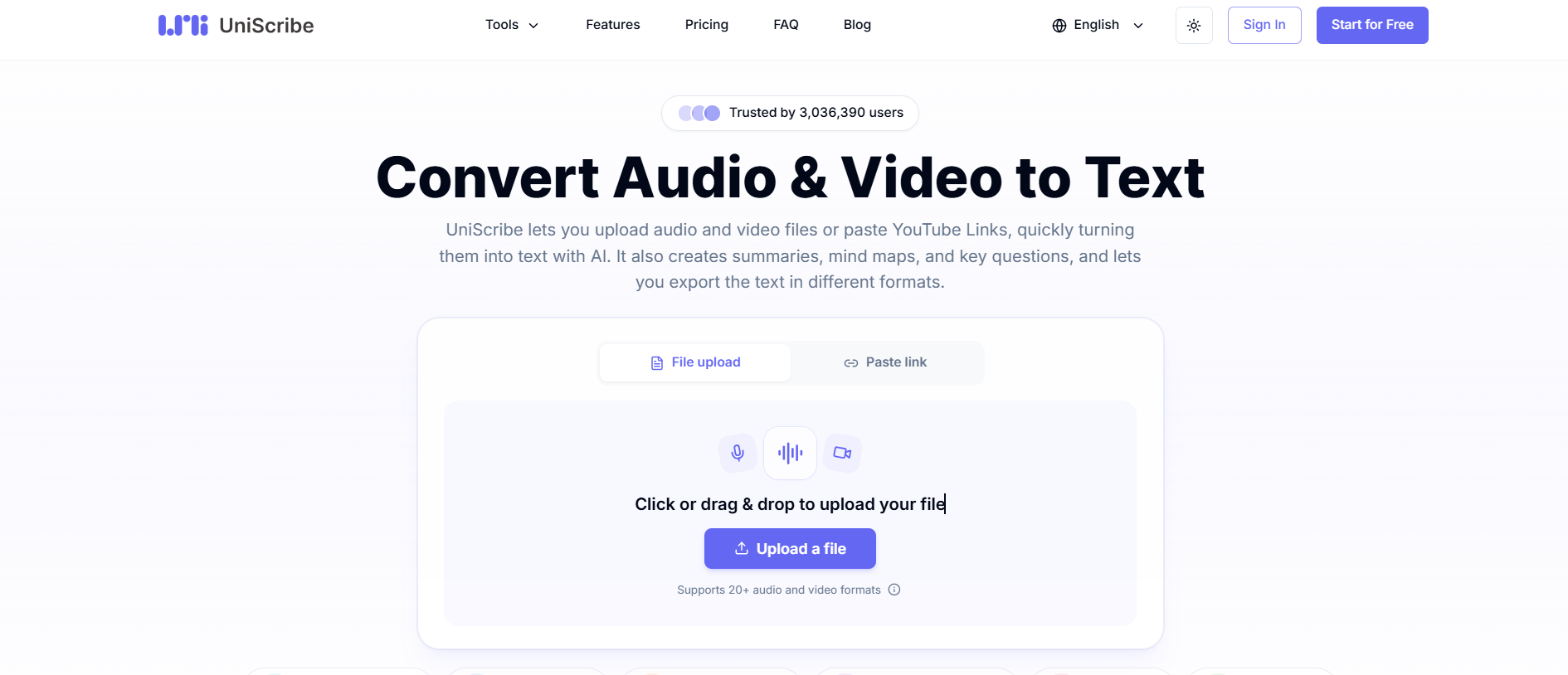
The tool is for everyone who regularly works with spoken content. Educators and students can convert lectures into notes; content creators can convert video and interviews into written material. Researchers can utilize transcripts to revisit interviews or recorded discussions; journalists can expedite the transcription of interviews; and professionals may employ them to handle meetings, presentations, webinars, and other recorded dialogs.
Key features of UniScribe AI
-
AI audio and video transcription
UniScribe uses AI transcription technology to turn uploaded video and audio files into text. The free plan supports files up to 30 minutes long. Paid plans allow individual files up to 5 hours or 5 GB. Paid users have access to a premium transcription model that's more accurate, making the service better for frequent or professional workloads.
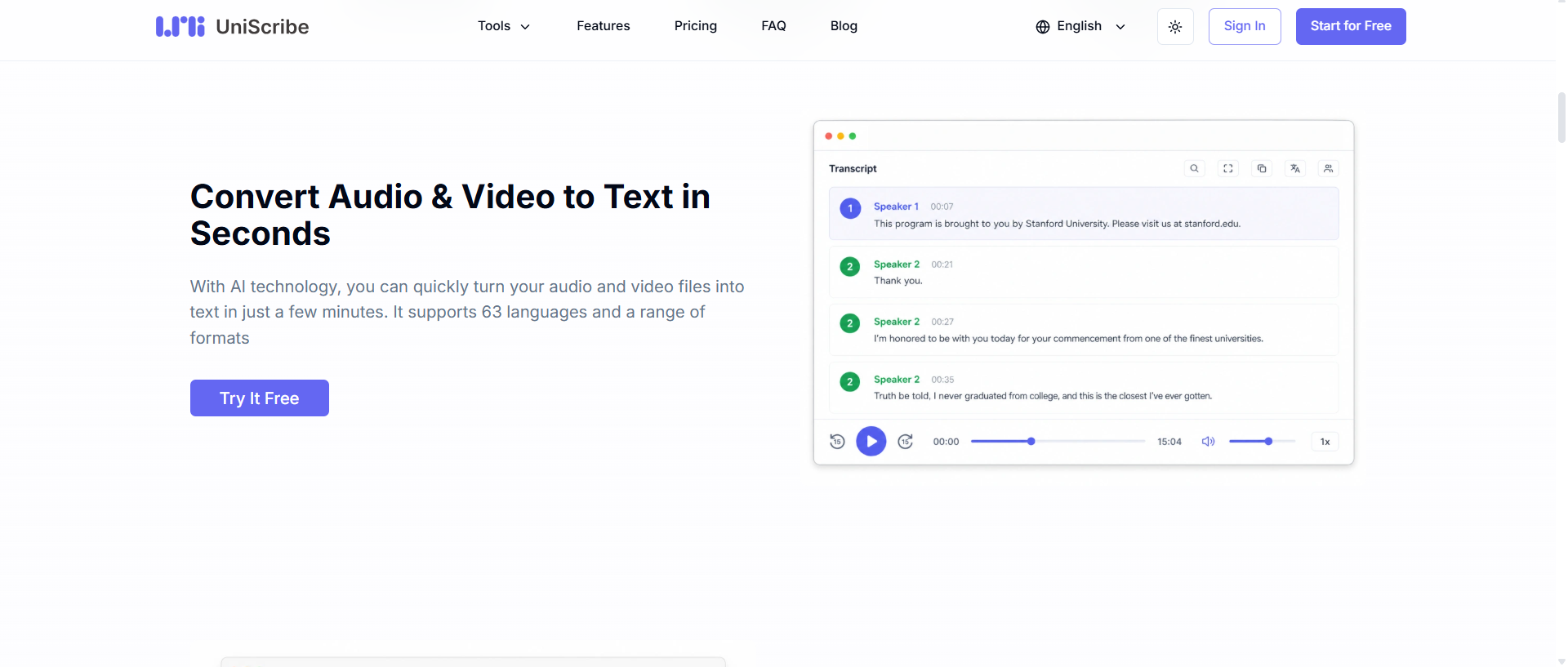
The platform supports many popular media formats like MP3, MP4, WAV, M4A, MOV, OGG, WebM and more. This makes it handy for everything from podcast recordings to interviews, video presentations and social media content.
-
YouTube transcription
UniScribe provides YouTube video transcription without requiring users to manually download the video first. Users can give a link to an online video and generate a text version of the spoken content of the video. This can be very useful for research, learning, content repurposing, and note-taking. UniScribe's paid plans have YouTube transcription.
-
AI summaries and key points
The first step is transcription. UniScribe utilizes the generated transcript to produce AI-powered insights, helping users get the gist of long recordings without having to read every line. It also has had a feature set that has included summaries, mind maps and key questions and answers, giving users different ways to extract useful information from multimedia content.
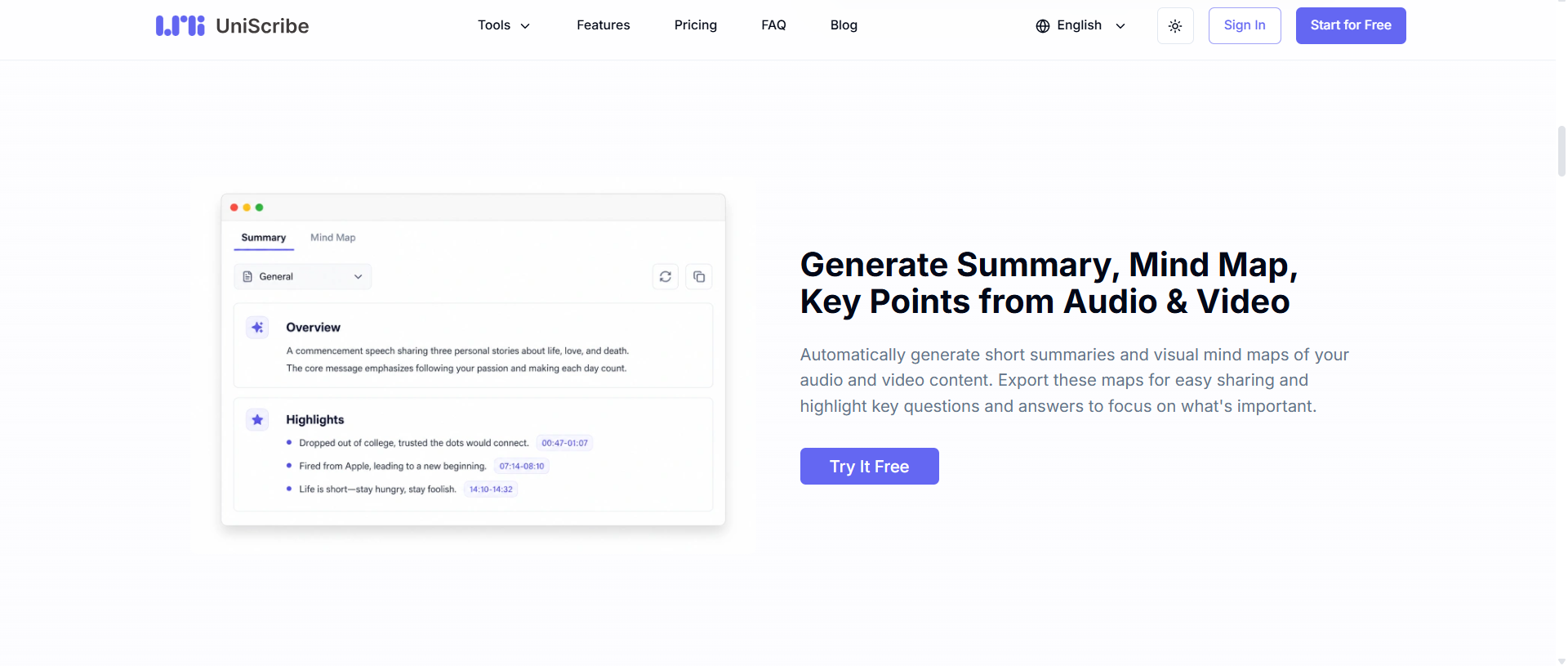
This can be especially useful for long lectures, webinars, interviews or research recordings where the focus is on extracting important ideas rather than studying the full transcript.
-
Translations
UniScribe also offers AI translation besides transcription. The platform offers transcription in 63 languages, while its translation abilities can assist users in converting spoken content into another language. This makes it helpful for multilingual content workflows, international research, and creators who want to make their content accessible to audiences in different regions.
-
Speaker identification
UniScribe can recognize and distinguish between speakers in multi-person recordings. This can make interviews, meetings, panel discussions, and group conversations easier to read, since the transcript can show who is speaking, instead of presenting the entire conversation as one long block of text. Speaker identification is included in paid plans.
UniScribe AI: Pricing, pros & cons
Pricing
UniScribe offers a free tier alongside Basic, Standard, and Pro subscription plans. The current monthly prices are $10, $20, and $30, respectively, while annual billing reduces the listed effective monthly prices to $6, $12, and $18 from regular monthly rates.
|
Free |
Basic |
Standard |
Pro |
|---|---|---|---|
|
$0/mo |
$10/mo |
$20/mo |
$30/mo |
|
|
|
|
Who is the free plan for?
The free plan is suitable for those who only need to transcribe short recordings from time to time, such as short interviews, lectures, meetings, or personal notes. It's also a good choice for users who want to try out UniScribe before signing up for a subscription, with 120 minutes of transcription per month and a 30-minute limit per file.
Who should get a paid plan?
Paid plans are better for regular or professional use. Go for a paid plan if you regularly transcribe long recordings, need YouTube transcription, want speaker identification, or want to use the premium transcription model and higher monthly limits. The additional features and capacity are more likely to be of interest to content creators, journalists, researchers, educators and businesses that work with large amounts of audio or video.
Pros and Cons
|
Pros |
Cons |
|---|---|
|
|
UniScribe review: What people are actually saying
Forum feedback
Based on G2 review, users laud UniScribe for being fast, accurate, and easy to use. Many reviewers mention how fast and accurate the transcription is. They also mention how convenient the free allowance is. Specific mention is made by some users of its ability to deal with fast speech, translations, and difficult audio. Reviewers also highlight its intuitive interface, accurate audio-to-text transcription, timestamps, summaries, and mind maps on G2. Users say this can greatly cut down the time it takes to process long videos or recordings.
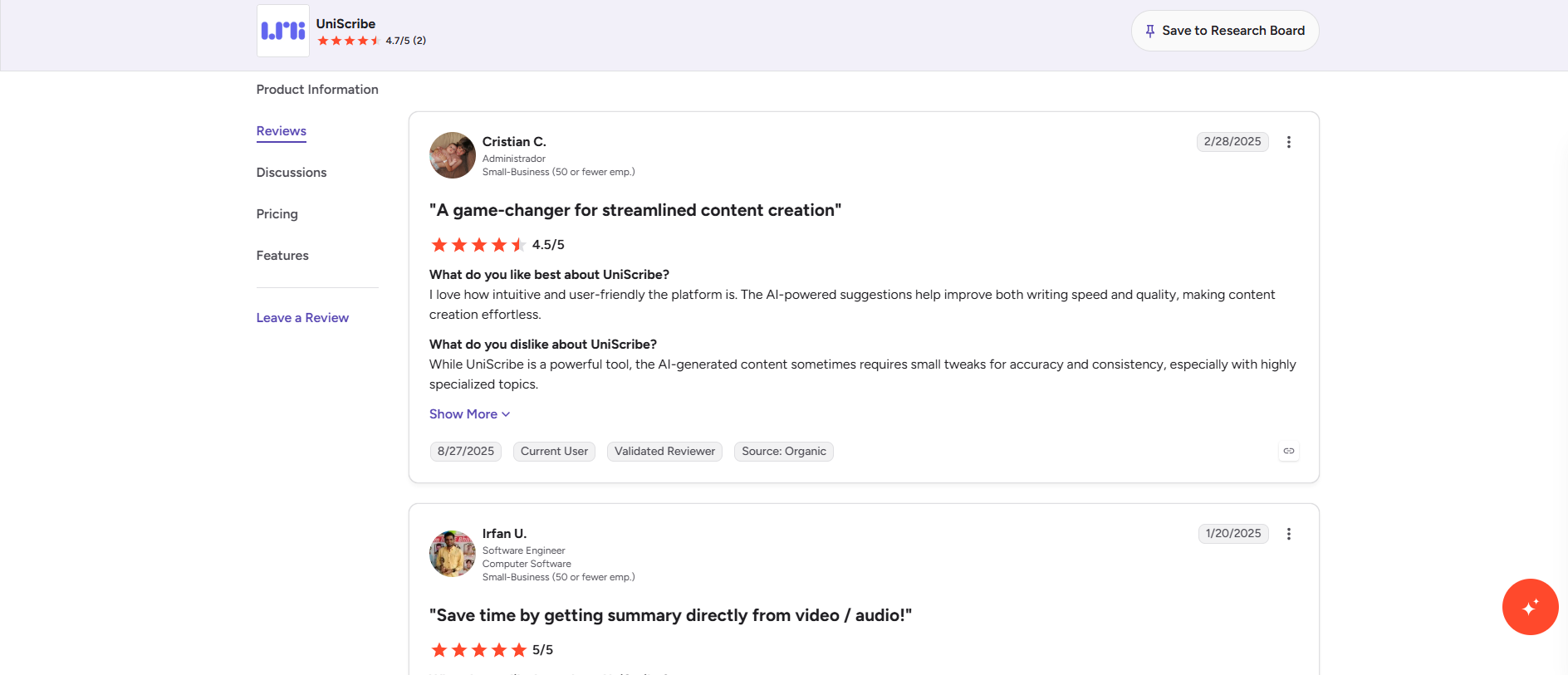
The main problem is that the AI output is not always perfect and sometimes needs to be corrected by hand. Some users have also reported formatting problems and issues when editing or saving corrections. G2 reviewers mention that the content produced by AI might require some minor adjustments to ensure accuracy and consistency, particularly for niche topics.
Trustpilot review
What users like about UniScribe
-
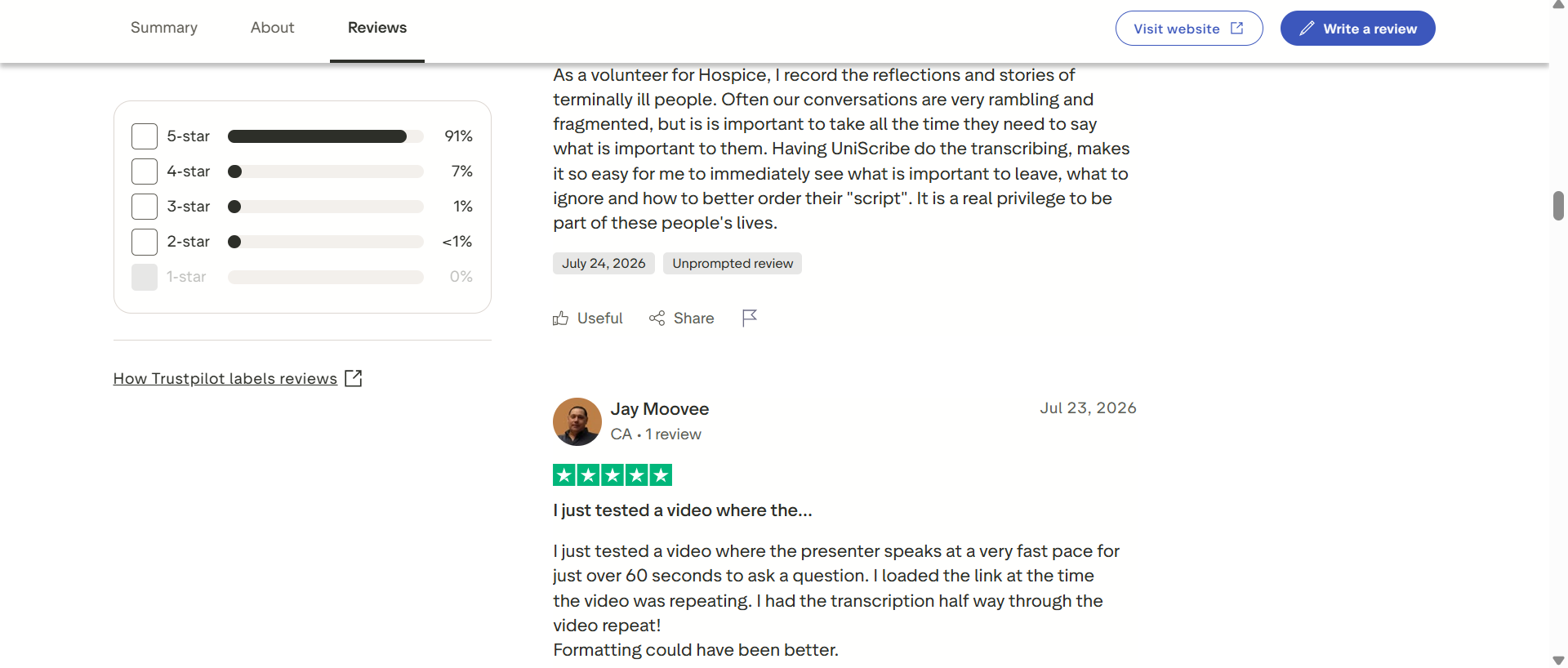
Fast transcription: Users frequently praise how quickly audio and video are converted into text, including fast-speaking videos.
-
Good accuracy: Reviewers generally find the transcripts accurate, even with challenging recordings. One reviewer said the output was accurate enough that neither they nor Gemini noticed obvious errors.
-
Easy to use: The simple interface and straightforward transcription process are recurring positives.
-
Free access: Several reviewers specifically appreciate that they can use UniScribe without being forced to create an account or subscribe. One reviewer highlighted being able to download transcripts without logging in.
-
Translation: Users have also praised its translation capabilities and speed.
What users don't like
The negative feedback is relatively limited, but a few themes appear:
-
Formatting: Some users say transcript formatting could be better.
-
Speaker identification: UniScribe can occasionally misidentify speakers, particularly in interviews or multi-speaker recordings.
Editorial review
Overall, user sentiment is very positive, but UniScribe is not completely hands-off: it appears to be well-suited to users who want quick, easy transcription and AI summaries, but those working with highly technical content or requiring publication-ready accuracy should expect to review and edit the output.
Our verdict
If you need an inexpensive way to transcribe audio and video, summarize recordings, translate content, identify speakers, and export transcripts in a number of formats, UniScribe is worth a look. It also has a free tier for those who want to test the workflow before paying, for casual users.
But that might not be the best choice for everyone. Those working with very specialized recordings should still check the transcript manually to avoid errors. Looking for something with a simpler transcription workflow, editable output, and TXT/SRT export options? Vmake Labs is another option to give a try.
Vmake Labs: A perfect alternative to UniScribe AI
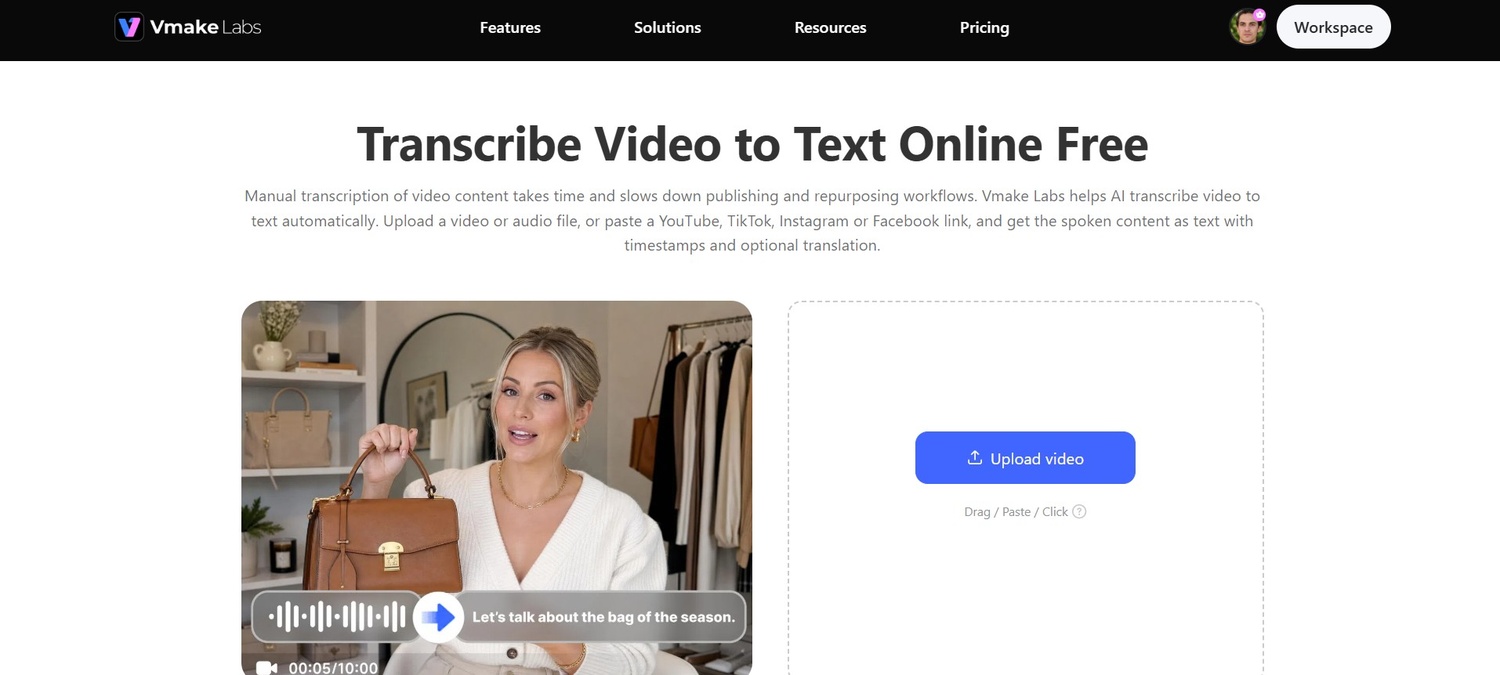
Vmake Labs provides an alternative audio-to-text transcription approach with multilingual transcription and translation options and an editable transcript workflow. It does not treat the generated transcript as a final file, thus allowing users to review and edit the text before exporting it. This can be useful for creators, marketers, educators, researchers, and anyone else who needs to transcribe spoken content and then clean it up for publishing, documentation, subtitles, or further editing.
Key features of Vmake Labs
-
Upload a link or paste directly
Vmake Labs allows you to upload files or copy links from YouTube, TikTok, and Facebook. You don't have to download anything. This workspace allows for local files and online videos, speeding up transcription for social content and online recordings.
-
Multilingual transcription and translation options
Transcription in multiple languages and translation options make it easy for you to work with multilingual videos and audio. Vmake Labs video transcript generator supports English, Spanish, Portuguese, Traditional Chinese, and Simplified Chinese, with automatic language detection.
-
Flexible export options
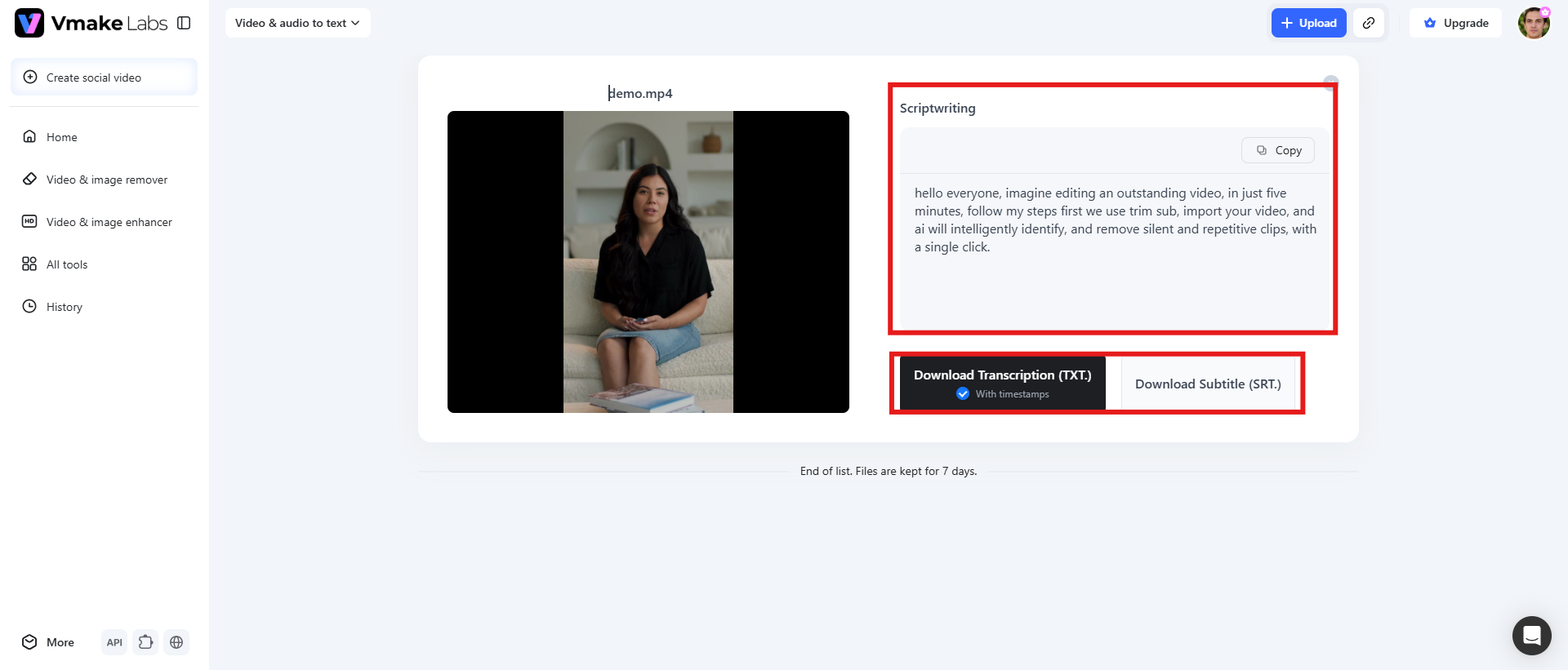
With Vmake Labs, you can download transcripts as TXT files with timestamps for editing, reporting or documentation, or export as SRT subtitle files for captioning workflows. Both formats are from the same transcription session, so you can choose the output depending on your next steps.
Steps to transcribe video or audio using Vmake Labs
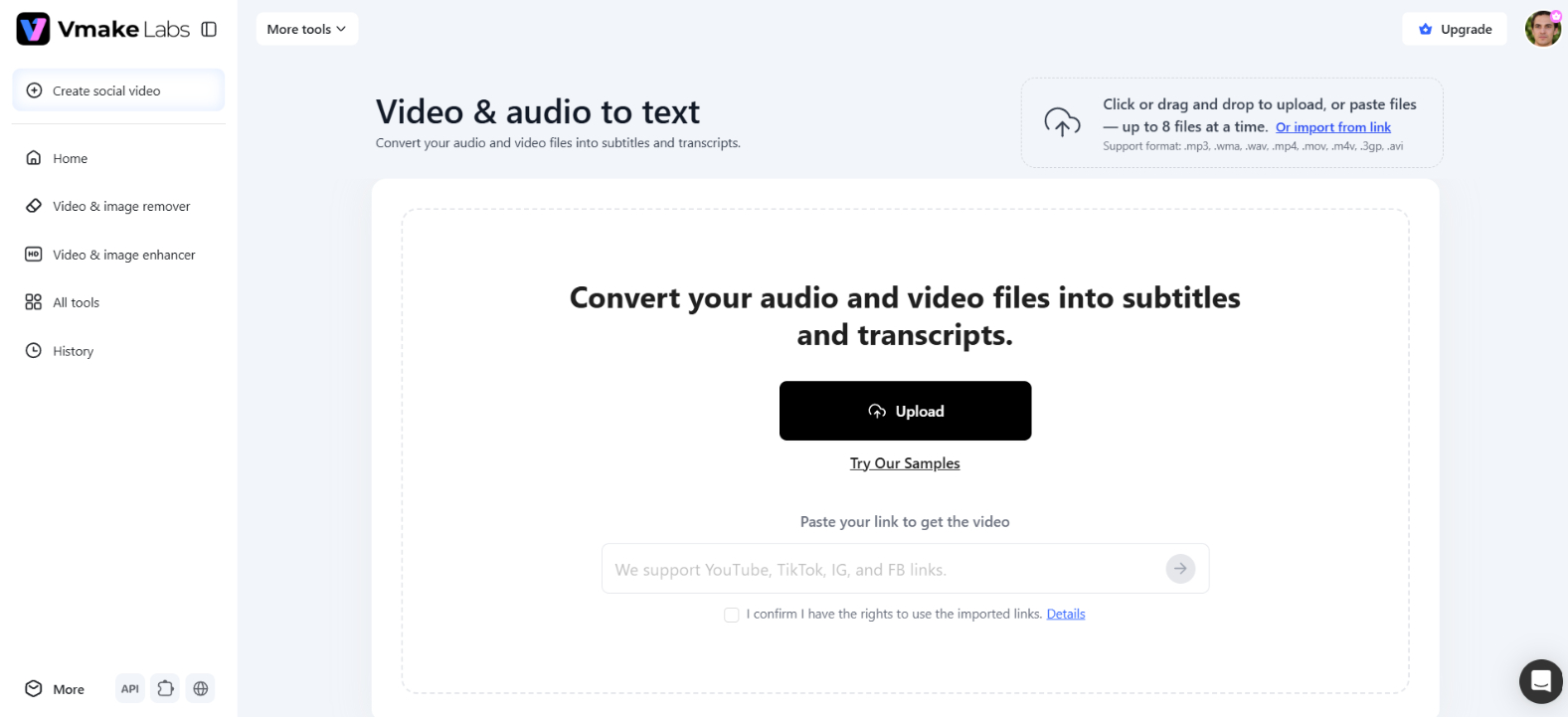
Step 1: Upload video/audio or paste YouTube, TikTok, or Facebook links
To begin, upload your video or audio file, or paste a supported YouTube, TikTok, or Facebook link. This gives you a convenient way to feed existing video content into the transcription flow without having to prepare the media manually beforehand.
Step 2: Select the transcription language & options
Choose the language you want to transcribe and select the available options that match your project. If your content needs to reach another audience, utilize the translation functionality to support a multilingual workflow. Click "Transcribe" to proceed.
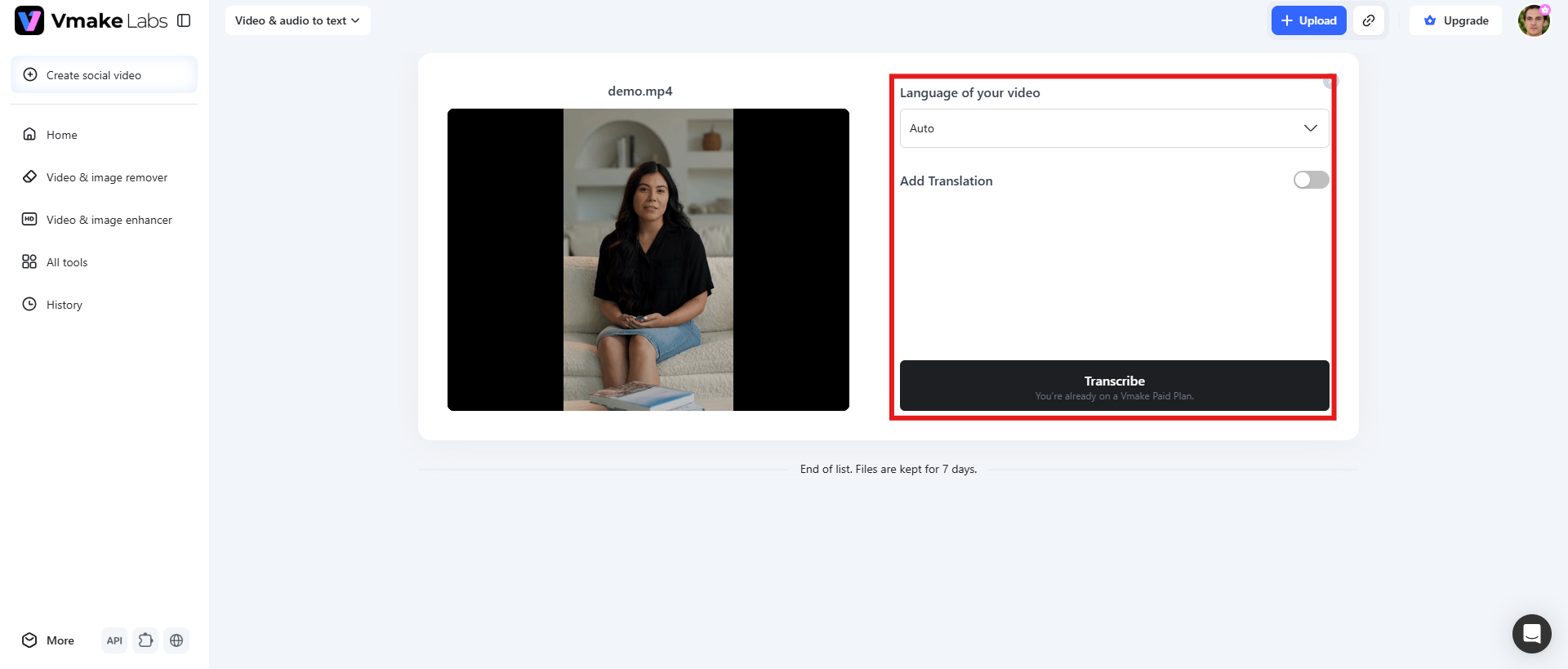
Step 3: Review, edit, and export in TXT/SRT
Once the transcription is created, you can view it in the Scriptwriting section. Make any other minor edits, clean up wording, correct names or terminology, etc. Read through the transcript and create your final file. When the transcript is ready, copy the text directly or export it as a TXT or SRT file. TXT is good for notes, documentation and editing, while SRT is better for subtitle and caption workflows.
UniScribe vs Vmake Labs: A quick comparison
Both UniScribe and Vmake Labs can convert audio and video to text, but they do it in slightly different ways. Below, we highlight some of their main differences to help you decide which tool is best for your transcription workflow.
|
Features |
UniScribe |
Vmake Labs |
|---|---|---|
|
Online transcription |
Supports YouTube transcription, making it useful for turning online videos into written content. |
Supports YouTube, TikTok, and Facebook links, making it convenient for transcribing content from different social platforms. |
|
Transcription languages |
Support 63+ languages |
English, Spanish, Portuguese, Traditional Chinese, Simplified Chinese |
|
Export options |
Supports several formats, including TXT, PDF, DOCX, SRT, VTT, and CSV, offering flexibility for different workflows. |
Supports TXT with timestamps and SRT, making it particularly convenient for documentation and subtitle workflows. |
|
Best for |
Users who want transcription combined with AI summaries, speaker identification, translation, and deeper transcript analysis. |
Users who want simple video/audio transcription, editable output, and convenient TXT/SRT exports. |
|
Pricing |
Starts from $10/mo, free trial available |
Starts from $9.99/mo, free trial available |
Conclusion
UniScribe is a competent AI transcription platform with a generous free tier, transcription in multiple languages, YouTube support, summaries, translations, speaker identification, and multiple export formats. G2 boast excellent UniScribe reviews, suggesting that many users find it fast, easy to use, and helpful, although there may still be a need to manually correct specialized content.
If you're looking for an alternative that focuses on a simple video/audio-to-text workflow, Vmake Labs is worth a try. Its multilingual options, editable Scriptwriting workspace, timestamps, and TXT/SRT exports make it convenient for turning spoken content into material that's ready for editing, documentation, or captions.
FAQs
What is UniScribe used for?
UniScribe converts audio and video to text and helps you extract useful information from that content. It supports transcription, AI-driven insights and summaries, translation, speaker identification, and various export formats. The platform is ideal for transcribing interviews, lectures, podcasts, meetings, YouTube videos, research recordings, and content creation.
Is UniScribe free to use?
Yes, UniScribe has a free plan where you can transcribe 120 minutes every month. The free plan limits you to 3 files per day and a maximum file length of 30 minutes. Paid plans increase your monthly transcription allowance and include additional features such as YouTube transcription, speaker identification, bulk transcription, API access and the premium transcription model.
How accurate is UniScribe transcription?
UniScribe can create very usable transcripts, and reviewers on Trustpilot and G2 often praise its accuracy. But accuracy may differ depending on things like audio quality, speech patterns, and specialized terminology. Be mindful to note that content produced by AI may need to be manually tweaked, especially on niche topics.
Does UniScribe transcribe YouTube videos?
Yes. UniScribe supports transcription from YouTube. Users can transcribe online videos by giving a link to a video. However, YouTube transcription is one of the features that come with UniScribe's paid plans, not the Free plan.
What are the best UniScribe alternatives?
The best alternative will depend on what you need from a transcription tool. UniScribe itself is especially useful for transcription plus summaries, speaker identification, translation and AI insights. If you are looking for a workflow around editable video/audio transcripts with TXT and SRT exports, you might want to consider Vmake Labs as an alternative.

You May Be Interested
Artistly AI Review 2026: Is It Worth Trying for Creators?
Getimg AI Review 2026: Is It the Best AI Image Generator?

Nero AI Review 2026 Explained: Is the Tool Worth Using?

Pixar AI Review: What It Is & How to Create Pixar-Style Art
Mind Video AI Review: The Ultimate AI Filmmaking Tool?

Supawork AI Review: Watermark Remover Tested (2026)
