Pixar-Level Animation Seedance 2.0: The Complete Guide to Creating Cinematic AI Videos
Create stunning Pixar-level animation with Seedance 2.0 using the right prompts and techniques, then bring your creative ideas to life faster with Vmake AI.

AI has made animated video creation much easier, and Pixar-levelanimation seedance 2.0 is leading that shift. It transforms simple ideas into cinematic animations without traditional production. This guide explains how it works, shares prompt ideas, and offers practical tips for creating engaging AI-generated videos.
What Is Pixar-Level Animation Seedance 2.0?
When people refer to Pixar-level animation seedance 2.0, they aren't talking about just applying a cartoon filter. It's shorthand for a massive leap in how AI handles 3D space, subsurface scattering on skin, and soft, ambient lighting. It simulates things that used to take days to render, like the way light bounces off a stylized character's cheek, or the weight behind a sudden jump.
How Does Pixar-Level Animation Seedance 2.0 Work?
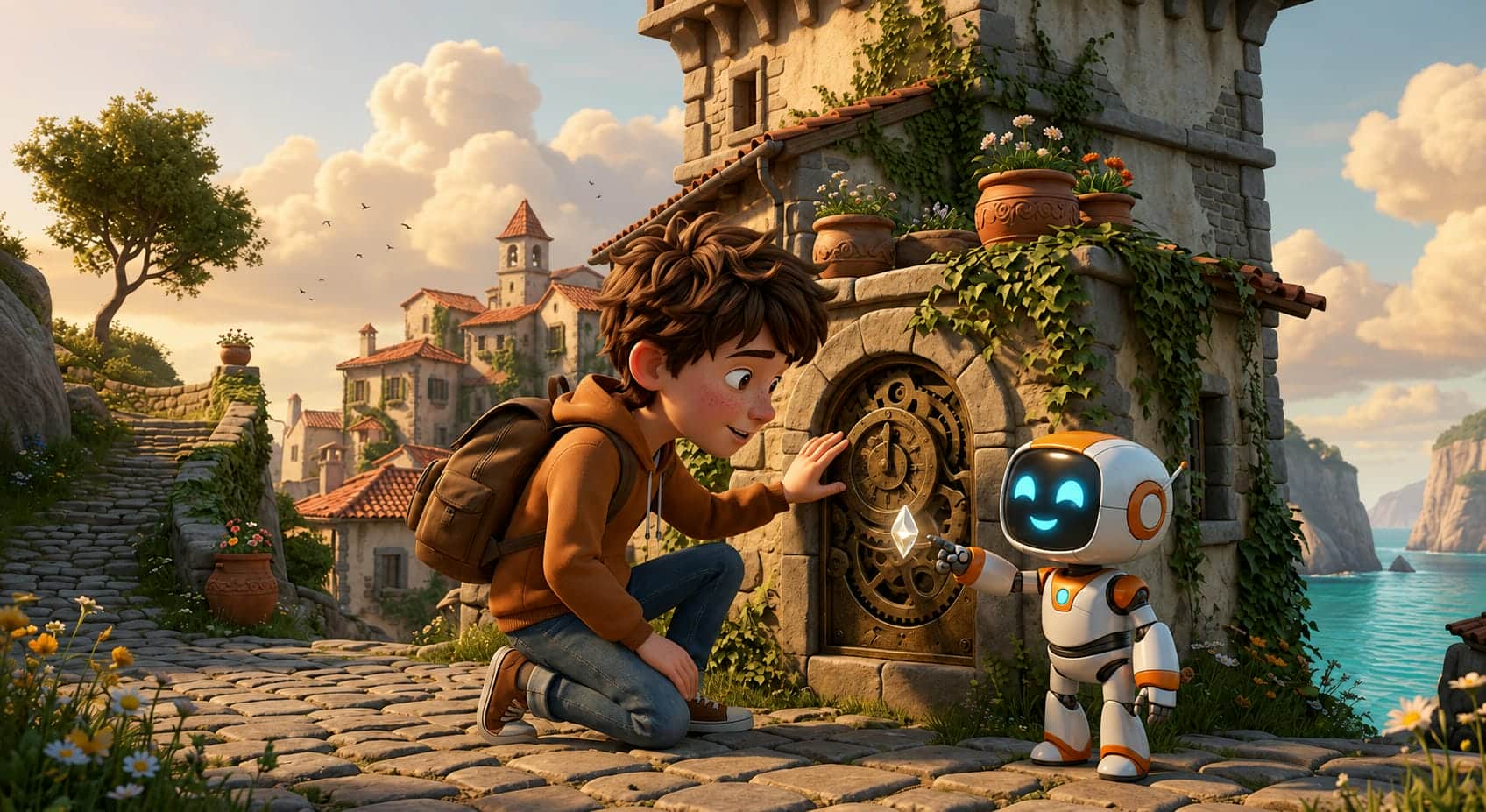
It all begins with a well-rounded prompt. You describe it, then the AI pulls in characters, environments, camera angles, lighting, and activities, and then pulls it all together into a full animated scenario. The more detailed your prompt is, the more consistent and visually beautiful the final video will appear. The result is heavily influenced by character descriptions, face expressions, camera movement, lighting, and scene organization. Small descriptors like"warm golden sunset", "slow cinematic dolly shot," or"joyful facial expression" can help the AI create more natural and emotionally engaging videos.
What Makes a video Look Pixar-Style?
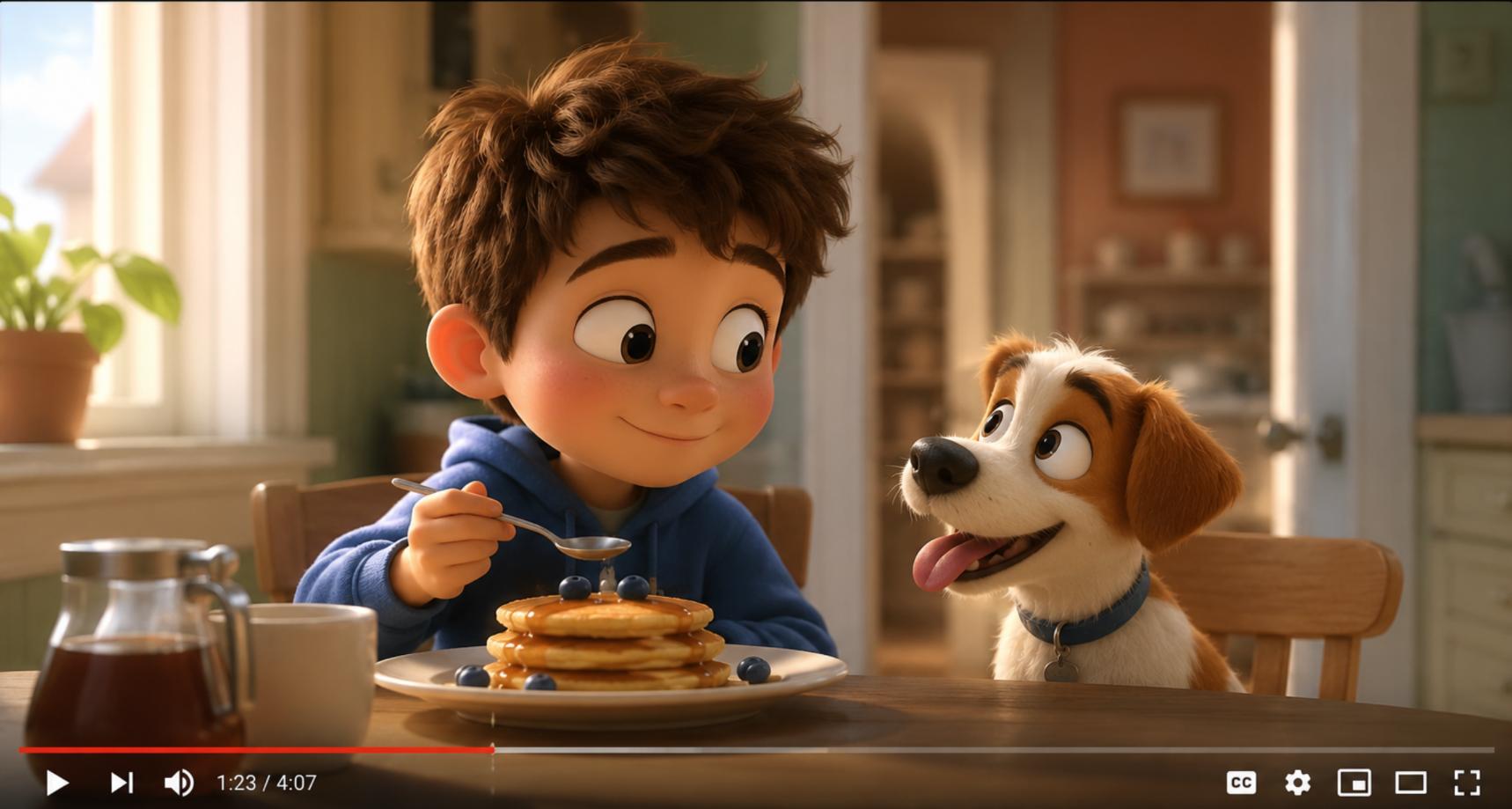
Pixar-style videos stand out for their heartfelt characters, vibrant worlds, and cinematic storytelling. Every scene feels carefully crafted, with beautiful lighting, rich textures, and expressive emotions that make the experience both visually stunning and deeply engaging.
There are a few creative elements that contribute to this style:
-
Expressive Characters: Characters have detailed facial expressions and realistic body language, so you can quickly determine what emotion they are feeling.
-
Bright Colors: Use bright color palettes to create a dynamic setting and to highlight the issues you wish to highlight in your scenes.
-
Cinematic Lighting: Real World Richness - Soft Sunlight, Warm Highlights, Dramatic Shadows, Realistic Reflections, etc.
-
Rich Environments: Textures, items, and environmental detail are all nicely designed and make the scenery feel rich and not barren.
-
Seamless animation: Constant character animation and seamless scene transitions make videos look professional from start to finish with natural movement.
-
Emotional storytelling: All animation is supposed to present a simple yet powerful story, involving the audience emotionally from the start to the finish of the whole film.
8 Best Pixar-Level Animation Seedance 2.0 Prompt Examples
A well-written prompt can make a noticeable impact on the finished video. Not short descriptions. They explain the character, the environment, the lighting, the camera movement, and the mood. Here are some examples to help you create more polished, visually arresting Pixar-style animations.
Magical Forest Adventure
"A cheerful young fox wearing a tiny backpack walks through a glowing, enchanted forest at sunrise. Colorful butterflies flutter around while golden light shines through the trees. Cinematic tracking shot, expressive facial animations, vibrant colors, shallow depth of field, Pixar-style 3D animation."
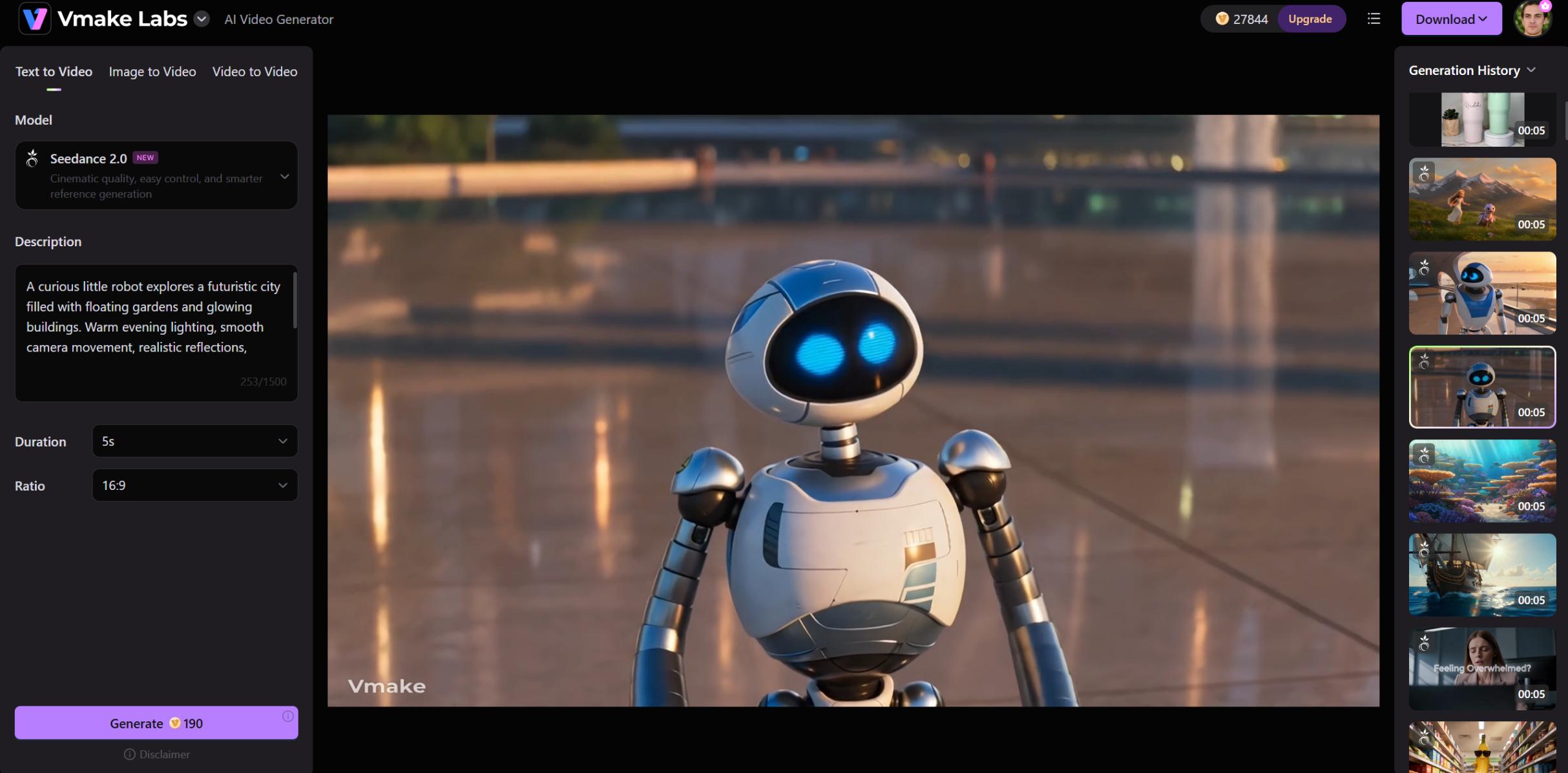
Friendly Robot Companion
"A curious little robot explores a futuristic city filled with floating gardens and glowing buildings. Warm evening lighting, smooth camera movement, realistic reflections, expressive eyes, highly detailed Pixar-style animation with a hopeful atmosphere."
Rainy Day Melancholy
"A sad little golden retriever puppy sitting by a rain-streaked window. Soft, moody blue lighting, hyper-detailed wet fur, emotional storytelling. The camera slowly zooms in on the puppy's big, reflective eyes. Cinematic lighting, photorealistic 3D animation."
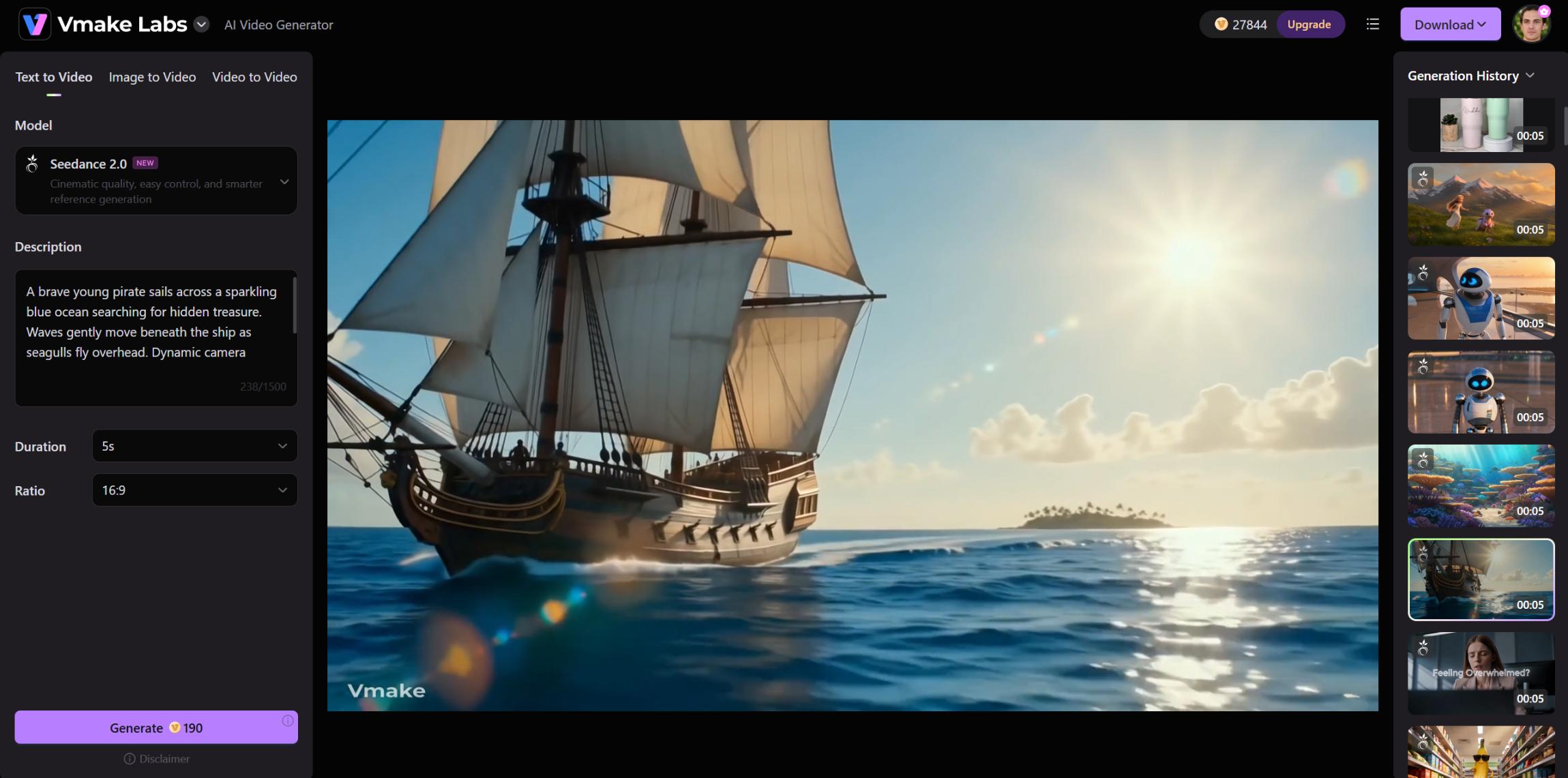
Pirate Treasure Hunt
"A brave young pirate sails across a sparkling blue ocean searching for hidden treasure. Waves gently move beneath the ship as seagulls fly overhead. Dynamic camera angles, bright colors, cinematic lighting, expressive character animation."
Space Explorer Journey
"A young astronaut discovers a colorful alien planet filled with glowing plants and floating crystals. Soft cinematic lighting, slow aerial camera movement, detailed environments, emotional storytelling, Pixar-inspired animation style."
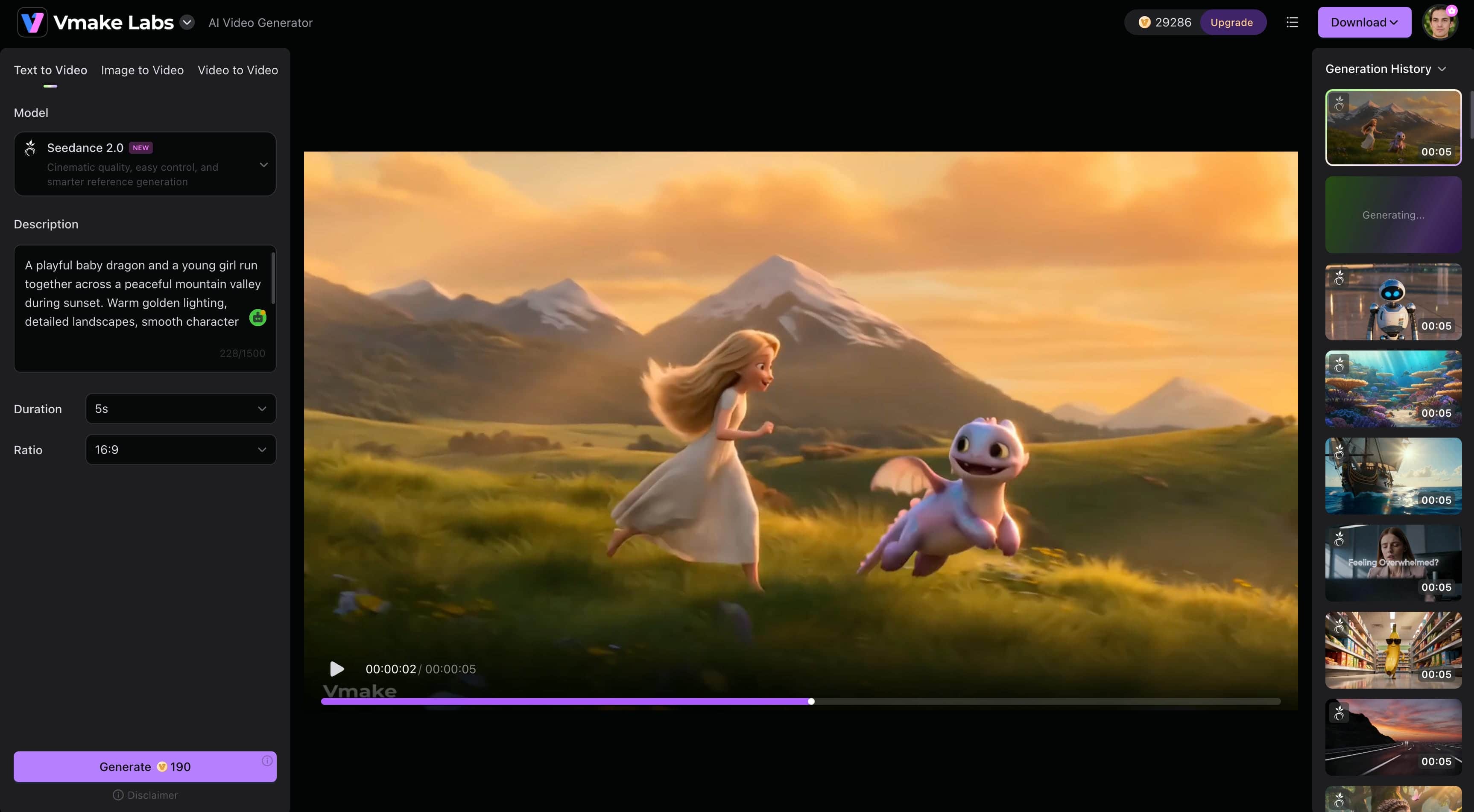
Fantasy Dragon Friendship
"A playful baby dragon and a young girl run together across a peaceful mountain valley during sunset. Warm golden lighting, detailed landscapes, smooth character movement, cinematic camera tracking, emotional Pixar-style visuals."
Cozy Winter Village
"A happy family walks through a snowy village decorated with glowing lanterns and festive lights. Gentle snowfall, warm window lighting, expressive characters, highly detailed surroundings, heartwarming animated storytelling."
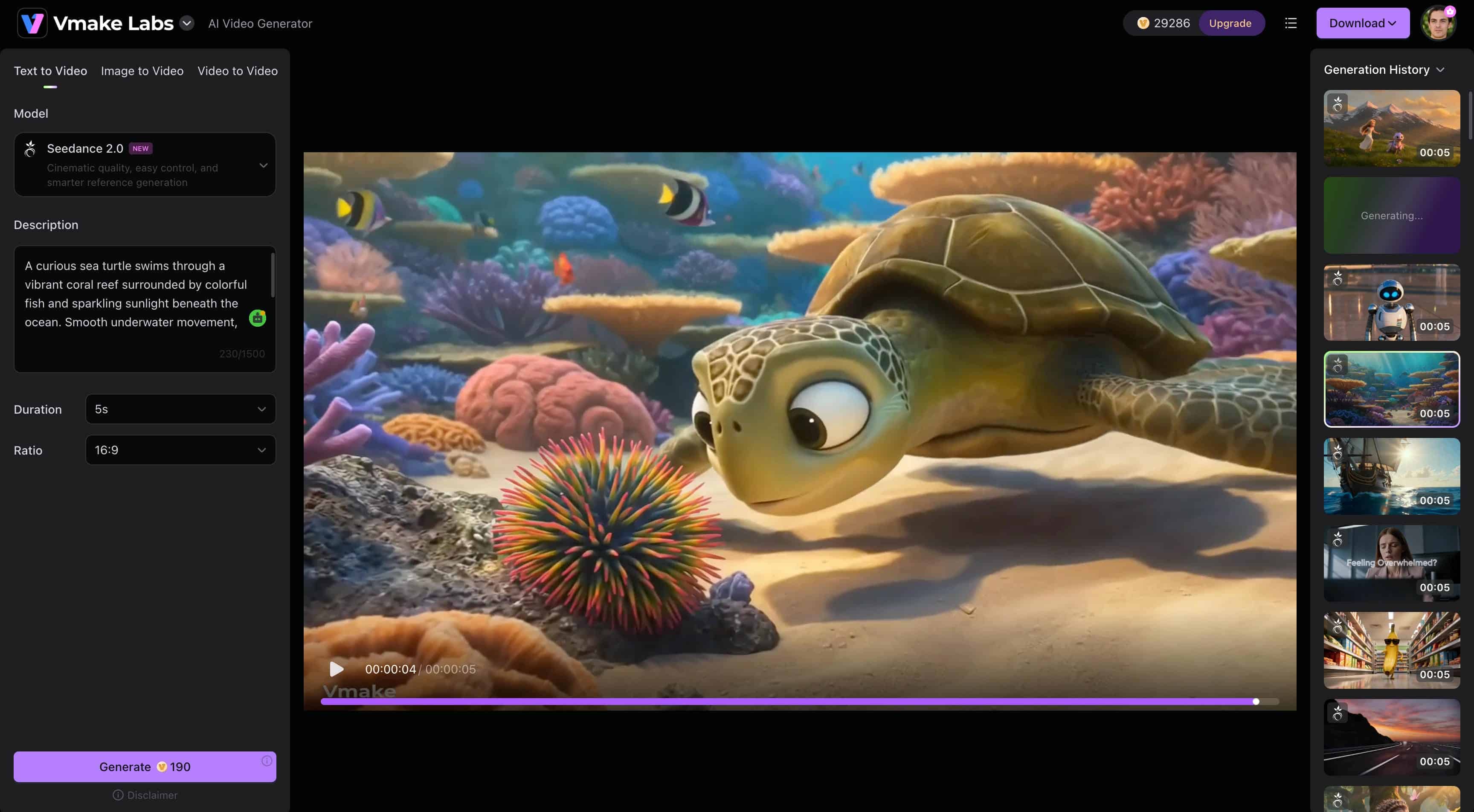
Ocean Adventure
"A curious sea turtle swims through a vibrant coral reef surrounded by colorful fish and sparkling sunlight beneath the ocean. Smooth underwater movement, cinematic visuals, rich colors, highly detailed Pixar-style animation."
Getting great Pixar-style videos requires a good prompt, but the right platform can make it much easier. If you're looking for a simple way to generate and refine animated videos without a complicated workflow, Vmake AI provides a practical solution worth checking out.
Why Consider Vmake AI for Pixar-Style AI Video Creation?
Creating Pixar-style videos often involves more than writing a good prompt. You might want to animate an image, improve video quality, or make a few edits before the final version feels right. Vmake AI bundles those tools into a single location to simplify the process and save time. It's a practical solution for creators, educators, businesses, and marketers that want to create polished AI videos without spending hours learning complex editing software. A video enhancer can also help improve clarity and polish once the animation has been generated.
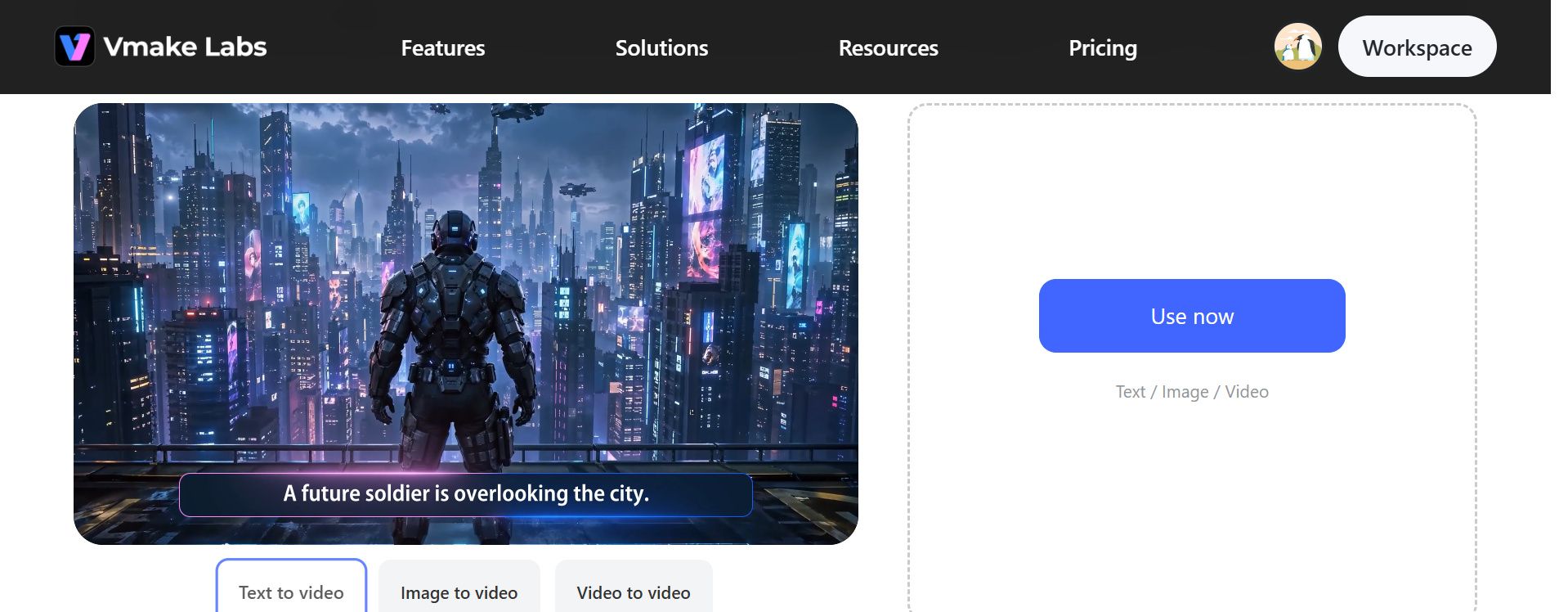
How to Use Vmake AI for Pixar-Style Animation
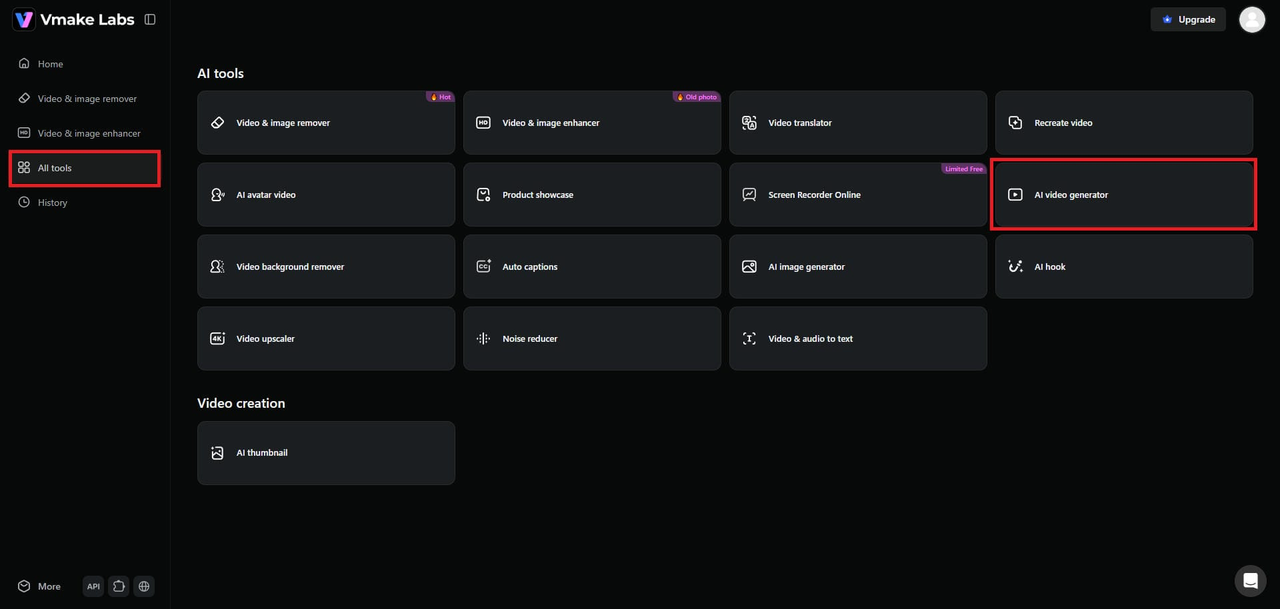
Step 1: Access the Vmake AI to create a video
Open the AI Video Generator in Vmake AI to begin your project. This is where you can create animated videos from text prompts or uploaded images using AI-powered generation tools.
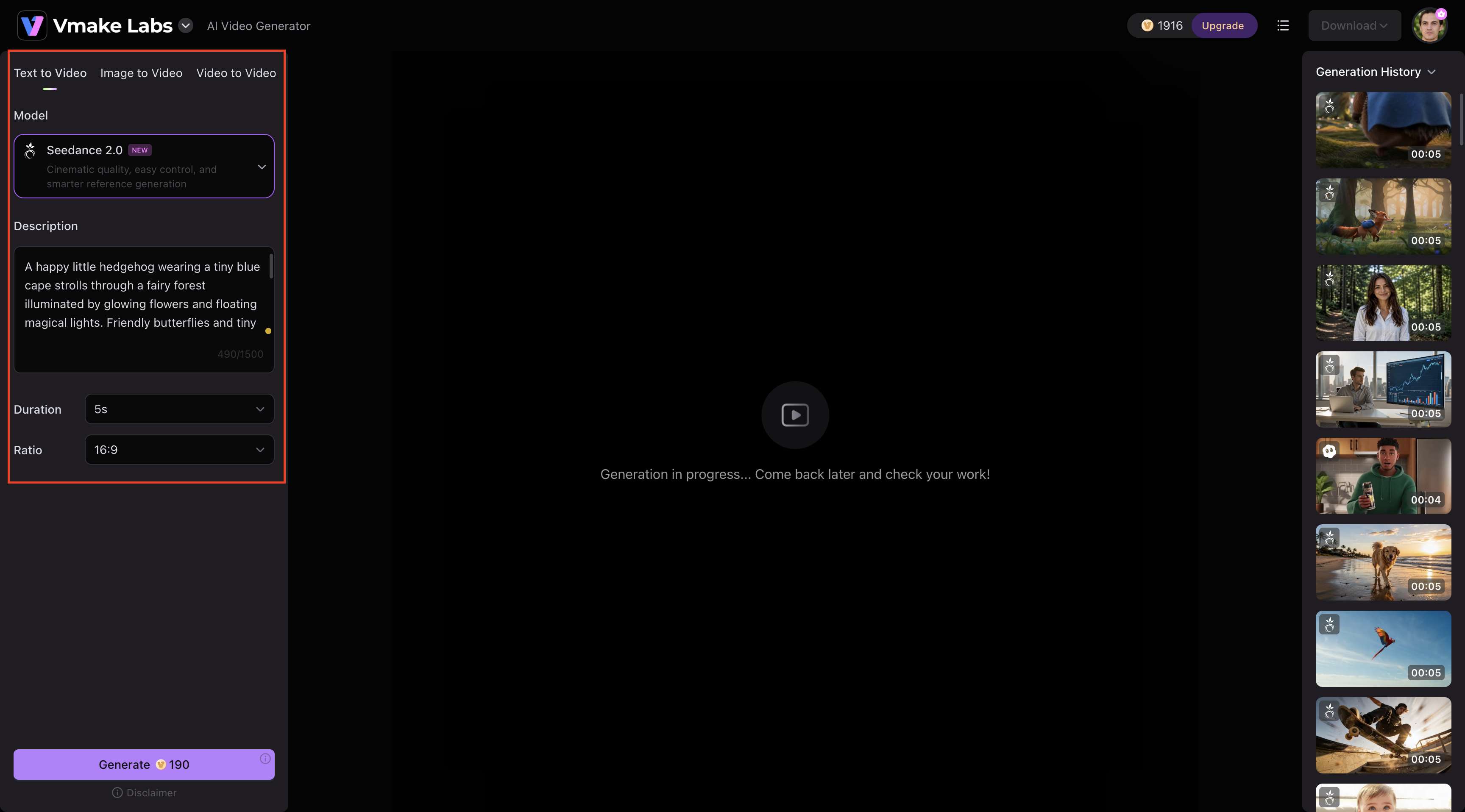
Step 2: Enter Your Prompt and Customize the Video Settings
Type your idea into the description box, then choose the video duration and aspect ratio that fit your project. A clear, detailed prompt helps the AI understand your vision and produce results that are closer to what you imagined.
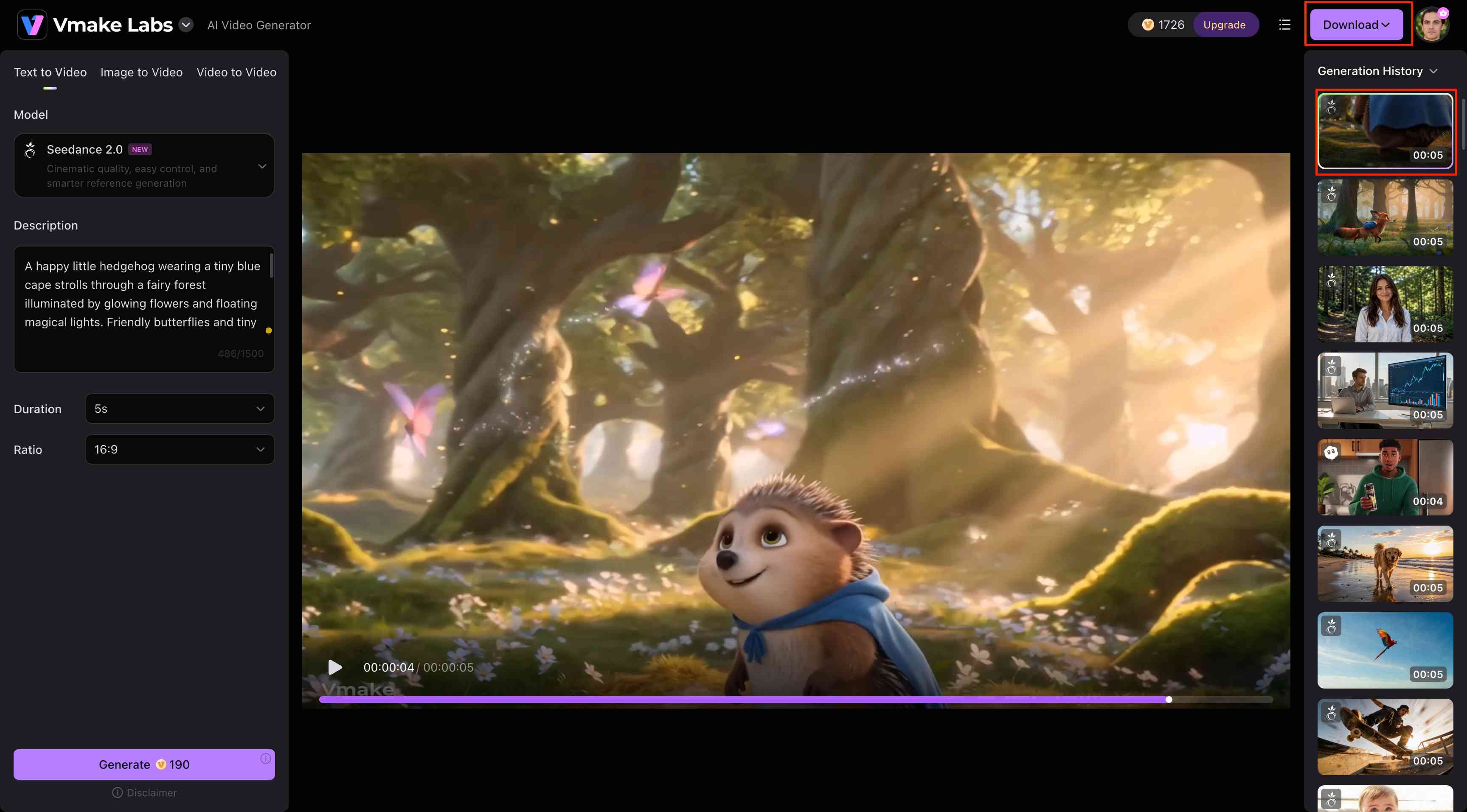
Step 3: Generate and download your video
Click Generate and the AI will make your animation. Preview the result when completed, make any needed edits, and download the finished video to upload to the preferred platforms.
Tips for Creating Better Pixar-Level Animation Videos
It's more than just getting the correct AI model to do Pixar-like animations. The quality of your prompts and the little unique nuances you add can make a great difference. These ideas might help you make more professional, consistent, and visually interesting videos.
-
Write detailed prompts: Don't just say "a cat". Instead, try: "A fat calico cat with big, worried eyes sitting on a velvet bench." Specific descriptions help the AI shape the final animation and produce more engaging, consistent results.
-
Maintain character consistency: If you're building a sequence, don't change your descriptions. Reuse the same character tags, clothing colors, and facial traits in every single prompt line.
-
Use cinematic camera movements: Use terminology that real directors use. Words like "crane shot," "slow dolly-in," or "tight macro" prevent the AI from defaulting to a boring static frame.
-
Improve lighting and color descriptions: Lighting dictates mood. Specify your source, whether it's "harsh fluorescent rim light" or "soft ambient fireplace glow."
-
Reduce AI artifacts: Keep your instructions clean. If you pack too many conflicting actions into one prompt, the model gets confused, and things start warping.
-
Optimize videos for different platforms: Creators sharing long-form content often use a youtube video upscaler to maintain sharp visuals on larger screens."Don't crop a 16:9 cinematic shot into a 9:16 vertical Reel later generate it natively, so the composition holds up.
Conclusion
That Pixar-level animation Seedance 2.0 look isn't locked behind massive studio budgets anymore. It's really about perfecting your prompts, being consistent with your character traits, and working the camera and lighting like a real cinematographer. Sure, you're going to get some weird generations, but that trial and error is just part of the process. Vmake AI is a total lifesaver if you're sick of hopping between five different apps to fix those little errors. It keeps generation, upscaling, and editing all in one convenient place without a headache.
FAQs
What is Pixar-level animation, Seedance 2.0?
Pixar-level animation in Seedance 2.0 refers to AI-generated videos that feature expressive characters, smooth motion, cinematic lighting, and richly detailed environments. The style focuses on emotional storytelling and visually polished scenes. It helps creators produce engaging animations that resemble modern animated films while maintaining consistency across characters and settings
How do I write effective Pixar-level animation Seedance 2.0 prompts?
Write descriptive prompts to describe the character, environment, emotions, camera movement, lighting, and animation style. Once the video is created, you can employ tools like Vmake AI to enhance the visual quality and adjust the material for various formats and platforms.
Can beginners create Pixar-style AI videos with Seedance 2.0?
Absolutely. No animation or editing skills are necessary to get started. Just start playing around with descriptive questions and experimenting with different styles, and you'll quickly get the idea of generating some pretty spectacular videos.
What types of videos can I create with Pixar-level animation Seedance 2.0?
Pretty much anything from short narrative films and character concepts to engaging marketing clips, social media hooks, and animated storytelling.
Can Vmake AI help create Pixar-style AI videos?
Yes, Vmake basically acts as your personal editing studio to bring these ideas to life. It easily turns your text or images into high-quality videos and gives you simple tools to polish and enhance your final animation without any hassle.
Which is better for beginners: Vmake AI or Seedance 2.0?
Vmake AI is often considered more beginner-friendly due to its streamlined interface, built-in enhancement features, and integrated workflows. In contrast, Seedance 2.0 offers highly advanced raw generation capabilities for those seeking deep technical control.

You May Be Interested
How to Upscale Seedance 2.0 Videos to 4K
Ultimate AI Video Ad Workflow: Seedance 2.0 & Vmake for Social Media

Sora is Gone, Seedance is Rising: Who Will Win the AI Video War?