Guide to the 5 Best Free Apps To Remove Watermarks From Photos
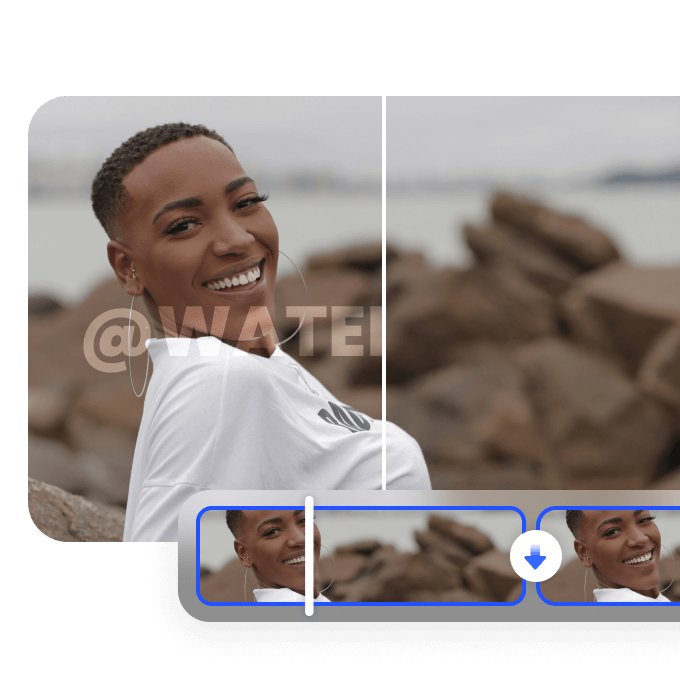
Erase distracting logos, text, and objects instantly. Learn how to use the best free apps to remove watermarks to restore your photos to pristine quality. Achieve professional results with ease!

Watermarks protect copyrighted visual content, but authorized creators often need to remove timestamps, sample text, or logos from their own assets. Choosing an accessible software solution makes this process simple and efficient. This guide explores the five best free watermark remover apps available today, helping you evaluate their core features, processing capabilities, and export options to select the right tool for your workflow.
What is a photo watermark remover app or tool?
A photo watermark remover app or tool is a digital utility designed to erase overlays, text stamps, logos, and unwanted visual elements from images. These applications function using manual retouching tools or automated algorithms. Manual editors utilize clone stamps and repair brushes to paint over overlays, while modern web-based and desktop tools leverage artificial intelligence.

How did we pick the best free app to remove watermarks from photos?
To determine the top applications, we evaluated each software against specific operational standards.
-
Processing speed and automation accuracy: We measured how rapidly each tool processes uploaded media and how accurately automated algorithms detect and isolate overlays without requiring extensive manual correction from the user.
-
Integrity of restored image resolution: We examined the output quality of processed files, prioritizing applications that maintain sharp details, accurate colors, and original dimensions without introducing compression artifacts or unwanted background blurring.
-
Usability and cross-platform accessibility: We assessed the user interface across web browsers, desktop environments, and mobile platforms, ensuring that both beginners and experienced editors can navigate tools without facing steep learning curves.
-
Generosity of the free tier options (free tier/export restrictions): We reviewed free credit allocations, daily usage limits, export resolution caps, and watermark-free saving permissions to verify that free accounts offer practical utility for standard users.
Top 5 photo watermark remover apps & tools
Finding the ideal software depends on your technical experience and project demands. Below is a comparison of the top five photo watermark removers to help you select the best solution.
|
Tool Name |
Type |
Key Strength |
Free Option |
|---|---|---|---|
|
Vmake AI |
Web-based AI |
Automated detection & dual media support |
Free trial credits |
|
GIMP |
Desktop Editor |
Open-source manual clone & heal brushes |
100% Free |
|
Affinity |
Desktop Graphics |
Professional frequency separation & retouching |
Free Trial |
|
Inkscape |
Vector Graphics |
Manual vector overlay separation |
100% Free |
|
AniEraser |
Cross-platform |
Multi-object erasure across photos and video |
Free daily limits |
-
Vmake Labs (highly recommended)
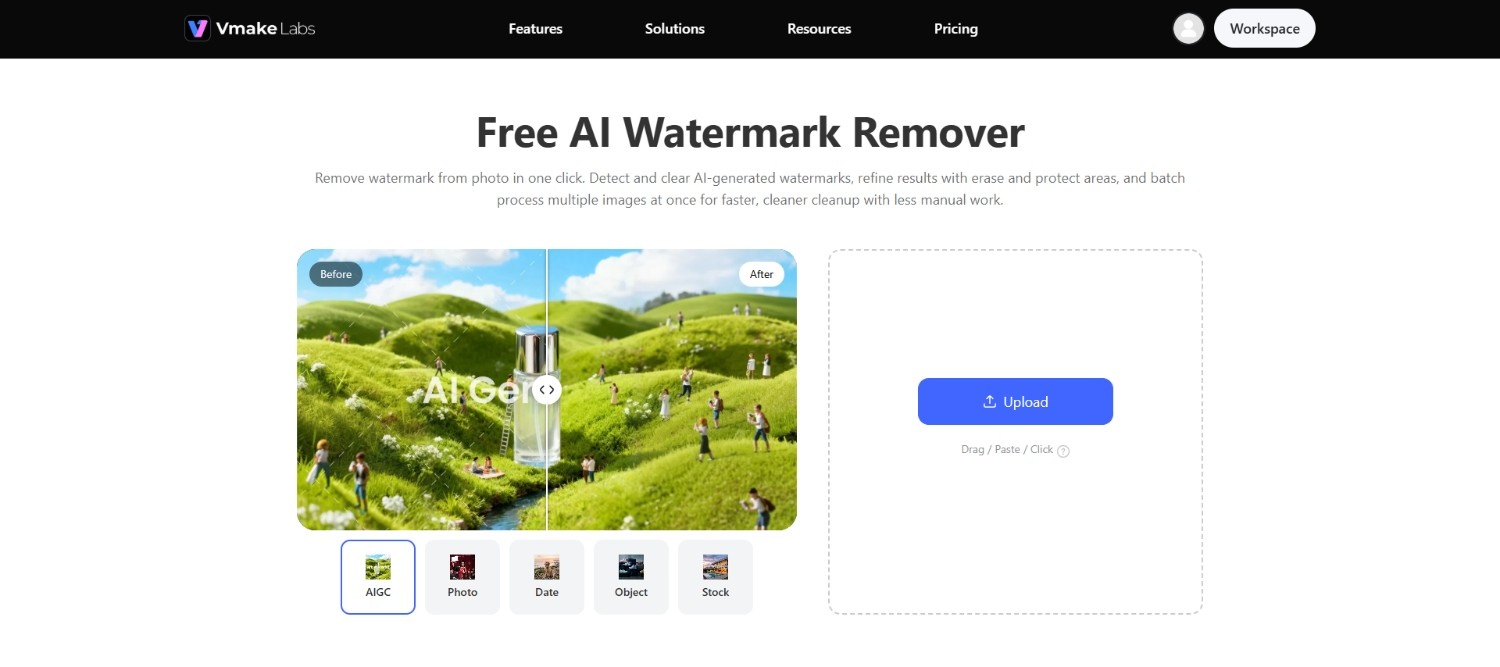
Vmake Labs is an automated online platform designed for rapid media asset cleanup. It utilizes context-aware artificial intelligence to detect and erase watermarks, timestamps, and background overlays from photos and videos without complex manual editing.
Features
-
Automated AI detection & smart inpainting: AI automatically detects watermarks, logos, and overlays, then reconstructs the covered area using surrounding textures, colors, and patterns for a natural, seamless result.
-
Video and photo dual tools for cleanup: Separate, purpose-built watermark removal tools for both photos and videos, letting users clean up static images or video footage within the same platform.
-
HD exports: Processed images can be exported at HD resolution, ideal for listings, press kits, and social content.
-
Batch processing for high-volume workflows: Upload and process multiple images at once (up to 30 per batch on the image tool, with bulk options for larger catalog jobs), streamlining high-volume cleanup work.
How To Use
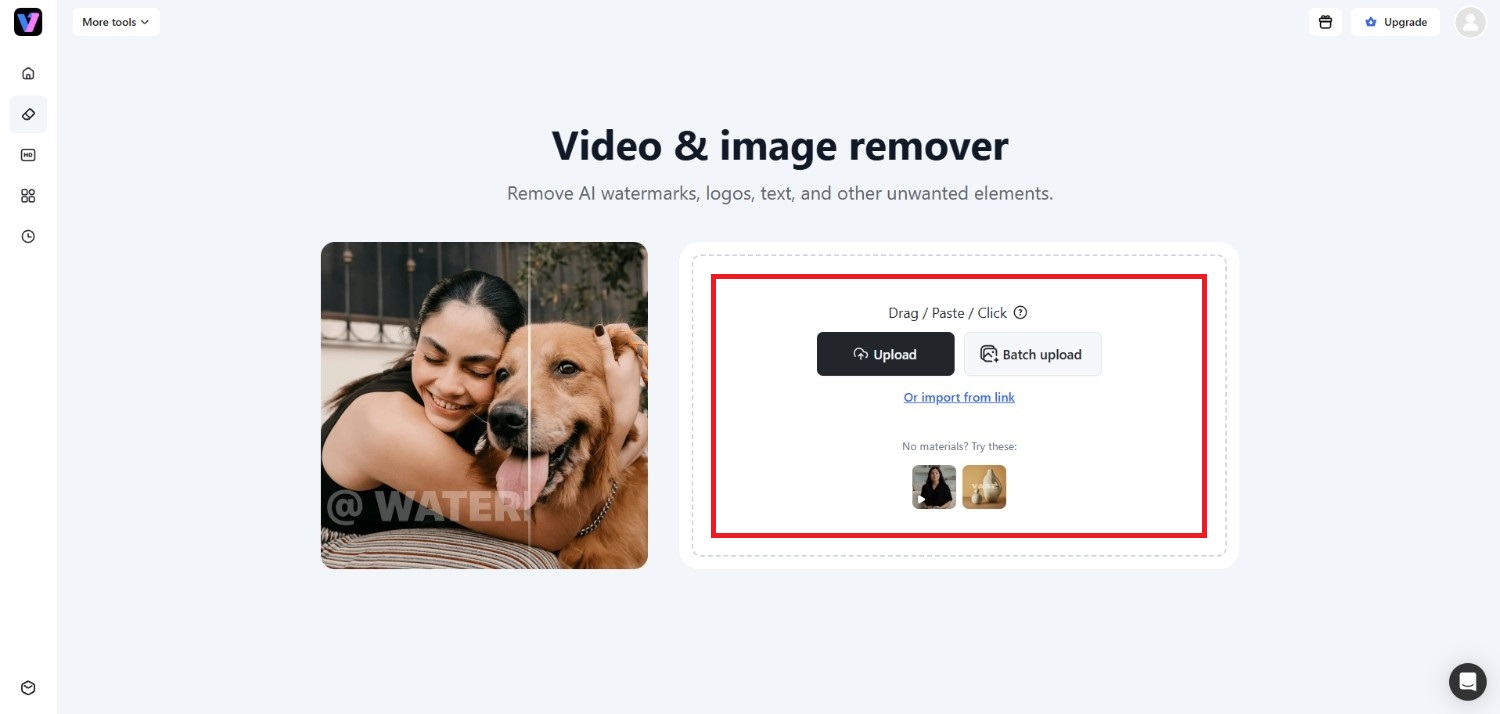
Step 1: Access Vmake Labs "Video & image remover" tool
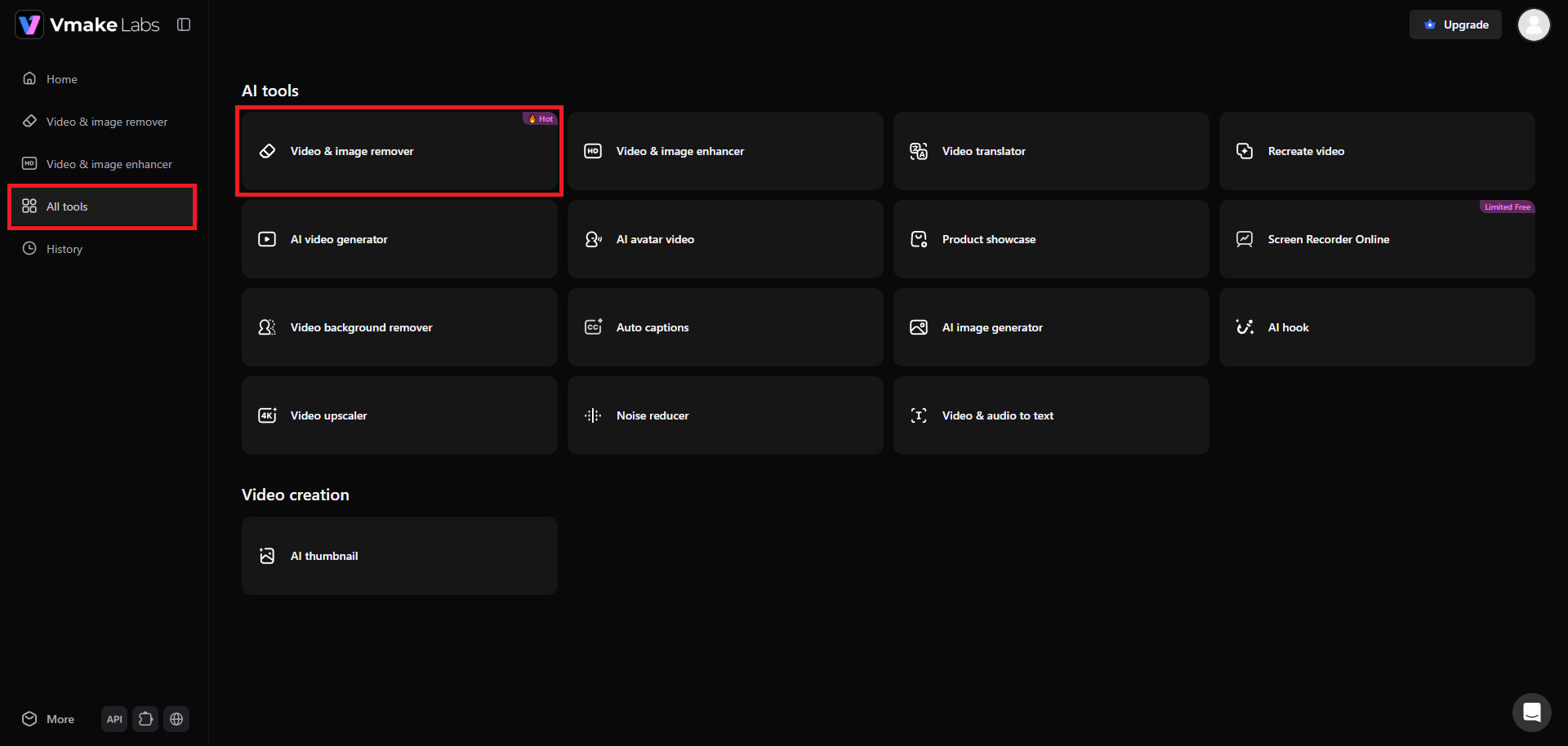
Kickstart the journey by first heading over to the official website of Vmake Labs. From there, you need to sign-in to your account and then head over to your dashboard section. From your left-hand menu, choose the "All tools" option and then pick the "Video & image remover" tool.
Step 2: Upload your watermarked photo or paste a web-link
A new web page will open where you will be required to upload your watermarked image. You can either upload the file directly, or simply paste a link from where Vmake Labs will extract the image. Additionally, there is also a "Batch upload" feature, where you can upload up to 30 images.
Step 3: Remove watermarks and export
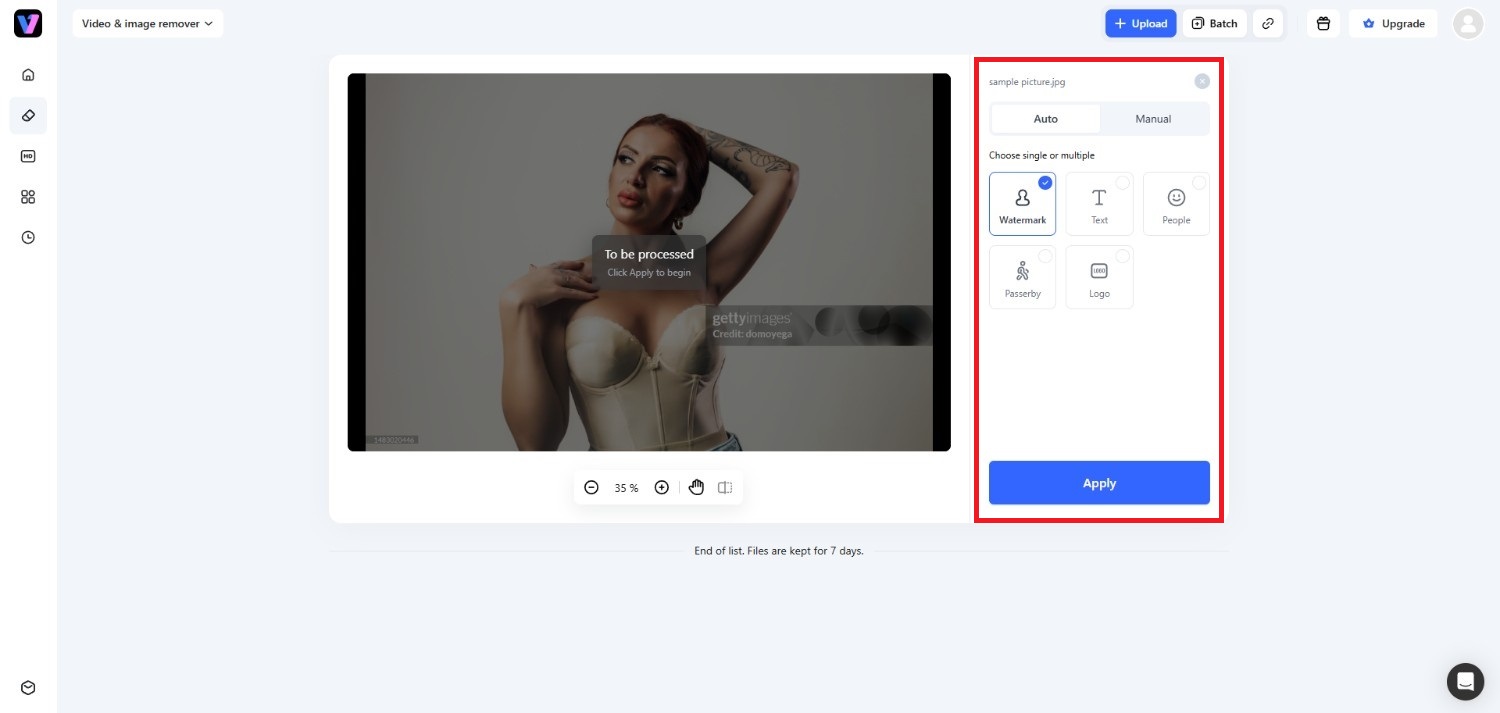
After successfully uploading your image, you can proceed to remove any watermarks, either via "Auto" or "Manual" removal options. For "Auto", you only need to select the "Watermark" option and hit "Apply", and the watermark will be removed.
However, for the "Manual" option, you need to specifically highlight the watermark or use a box to draw over the watermark, before hitting "Apply", so that the watermark gets removed. Once removed, simply click on the download option and export your clean image.
Pros & Cons
|
Pros |
Cons |
|---|---|
|
|
Our Experience
Vmake Labs handled common object and watermark removal tasks with minimal manual input. It performed best on simple backgrounds and produced consistent results on more detailed images, although complex edits may still require minor touch-ups.
Best For
Beginners, users who want quick AI-assisted editing, and anyone processing multiple images.
-
GIMP
GIMP is a free, open-source image editor that provides robust manual retouching capabilities. It offers flexible healing brushes and clone stamps, making it a reliable desktop option for users comfortable with hands-on photo editing.

Features
-
Heal selection plugin: An open-source extension that samples surrounding pixel patterns automatically to replace erased watermark regions seamlessly across complex photo backgrounds.
-
Manual clone stamp Tool: Allows editors to manually sample specific source regions onto watermarked areas with precise opacity and brush size controls.
-
Non-destructive layer masking: Enables precise selection masks, so watermark edits remain on separate layers without permanently altering original underlying pixel data.
-
Advanced selection tools: Offers fuzzy select, bezier paths, and lasso tools to outline complex text overlays and irregular graphic boundaries accurately.
Pros & Cons
|
Pros |
Cons |
|---|---|
|
|
Our Experience
GIMP offers precise manual editing tools and gives you full control over the removal process. However, even straightforward edits can take noticeably longer, especially if you're unfamiliar with layer masks, clone tools, or healing brushes.
Best For
Open-source users, hobbyists, and those who prefer detailed manual editing.
-
Affinity
Affinity is a professional graphic design suite equipped with advanced retouching tools. Designed for photographers and desktop publishing, it offers frequency separation and context-aware inpainting for high-precision watermark removal.

Features
-
Context-aware inpainting brush: Erases unwanted overlays by analyzing neighboring pixel patterns intelligently to reconstruct clean, matching background textures automatically.
-
Frequency separation workflows: Splits images into separate color and detail layers, allowing removal of text overlays while keeping textures intact.
-
Patch and clone tools: Provides flexible sampling modes to duplicate clean sections of a photo over distracting logos with precise control.
-
Live non-destructive adjustments: Lets users apply retouching filters dynamically, preserving original image data while refining watermark removal mask boundaries.
Pros & Cons
|
Pros |
Cons |
|---|---|
|
|
Our Experience
Affinity Photo provides a smooth editing workflow with powerful retouching tools that are well suited for experienced users. Manual cleanup is generally accurate, but removing larger objects still requires patience and careful adjustments.
Best For
Professional photographers, creative professionals, and advanced photo editors.
-
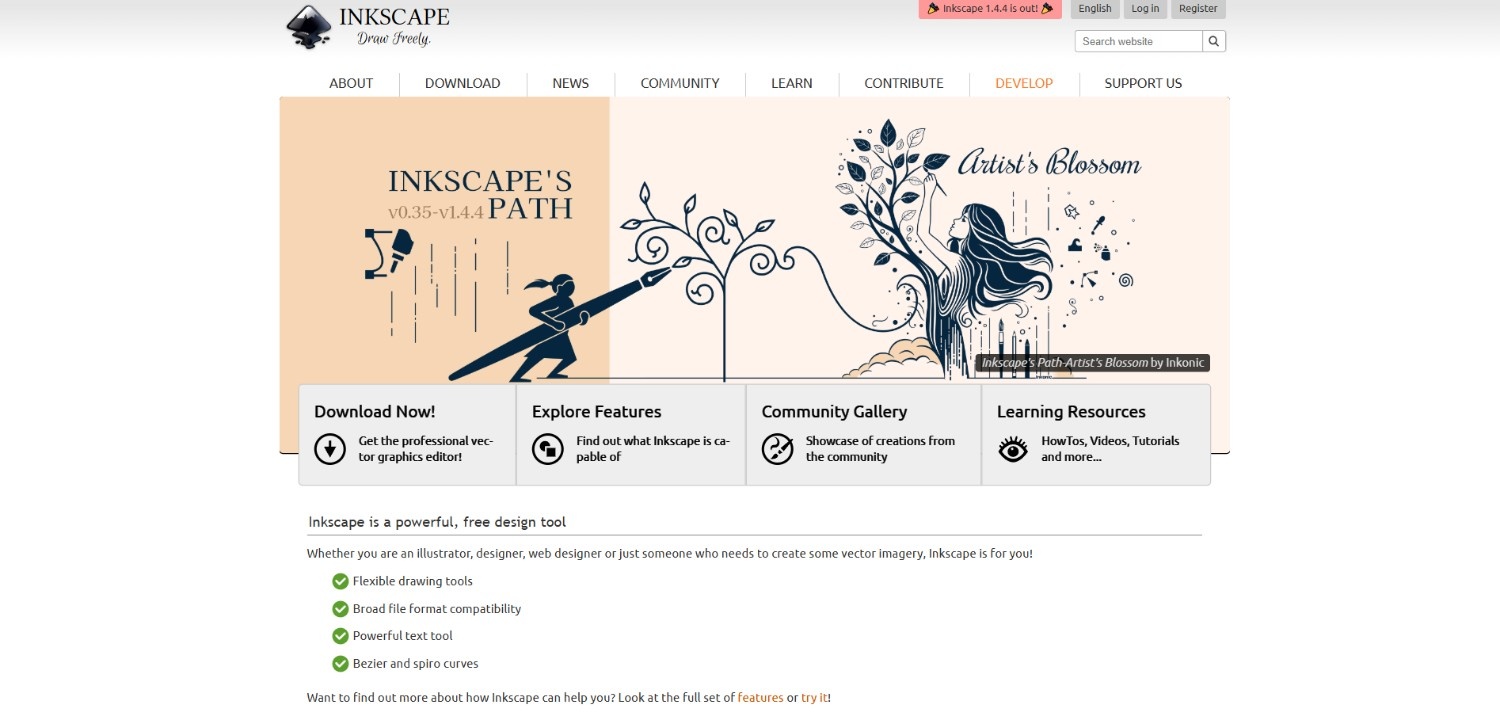
Inkscape
Inkscape is an open-source vector graphics editor. While primarily built for vector artwork, it allows users to inspect vector files, isolate overlying text layers, and delete embedded vector watermarks cleanly.
Features
-
Vector layer deconstruction: Enables users to inspect structured vector files, isolate overlay layer groups, and delete unwanted elements directly.
-
Node and object selection: Provides pinpoint precision to select, adjust, or remove specific vector text paths overlaying visual assets.
-
Bitmap trace tools: Converts raster graphics into vector paths, allowing users to isolate high-contrast text overlays from backgrounds.
-
XML editor interface: Allows advanced editors to locate and manipulate raw document XML nodes to erase embedded graphic watermarks.
Pros & Cons
|
Pros |
Cons |
|---|---|
|
|
Our Experience
Inkscape is most effective when working with vector graphics rather than raster photos. It can remove unwanted elements from SVG files efficiently, but it is not the most practical choice for editing standard JPEG or PNG images.
Best For
Designers, illustrators, and users working primarily with vector graphics.
-
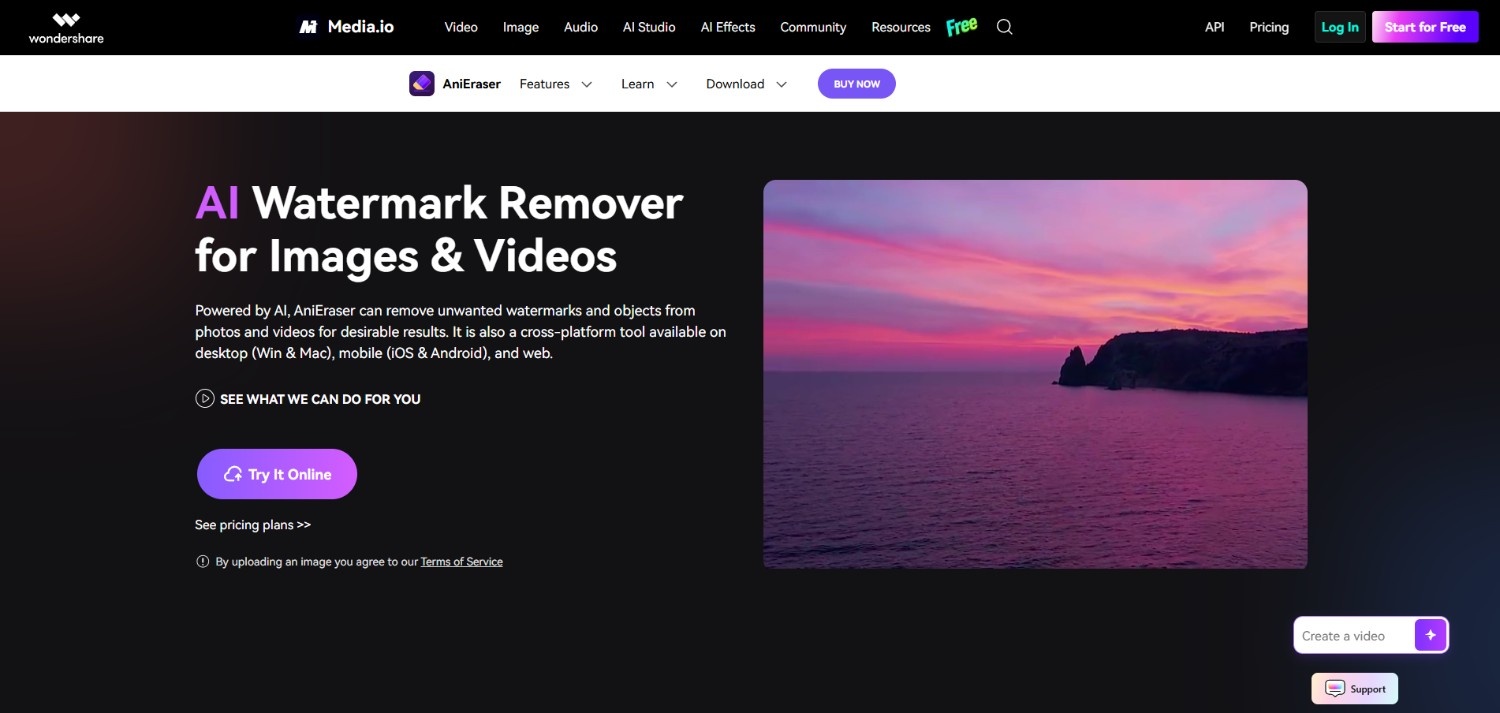
AniEraser
AniEraser is a cross-platform object removal app designed for desktop, mobile, and web usage. It employs video and photo retouching tools to help users erase unwanted watermarks and logos across devices.
Features
-
Cross-platform media retouching: Allows users to remove unwanted overlays across desktop, mobile, or web browsers using a unified account.
-
Object and logo eraser: Uses AI to detect and remove text stamps, date logos, and unwanted objects from media.
-
Adjustable brush masking: Enables fine brush size customization to paint over watermarks of varying sizes and shapes accurately.
-
Video watermark tracking: Tracks moving logos across sequential video frames to erase watermark overlays consistently throughout playback.
Pros & Cons
|
Pros |
Cons |
|---|---|
|
|
Our Experience
AniEraser is easy to use and delivers quick results for removing unwanted objects from photos. It works well on uncomplicated backgrounds, though images with complex textures or overlapping details may benefit from additional manual refinement.
Best For
Mobile editing, casual users, and anyone looking for a simple object removal tool.
Key features to look for in a free photo watermark remover app
Selecting effective software or tools requires evaluating specific functional capabilities to ensure clean results and an efficient workflow.
-
Ability to use it for free or via a trial
A flexible pricing structure allows users to test processing speed and export quality before committing financially. Look for platforms offering free daily credits, trial periods, or zero-cost manual editing tools to handle basic watermark cleanup tasks.
-
Automated AI object detection
Automated detection algorithms quickly identify visual overlays, logos, and timestamp text across an image. This feature reduces manual masking work, enabling users to highlight or automatically select unwanted content for instant deletion with high precision and minimal effort.
-
Intelligent inpainting and texture reconstruction
Advanced inpainting algorithms analyze surrounding colors, patterns, and lighting conditions to fill erased areas naturally. High-quality reconstruction prevents visible blurring, pixelation, or awkward repetitive patterns, preserving the overall visual integrity of the original photograph across complex image regions.
-
Multi-format compatibility (images and videos)
A versatile editing platform should support standard image file formats like JPG, PNG, and WebP, as well as video formats like MP4. Cross-format flexibility allows creators to manage both static and moving visual assets within a single integrated system.
-
Precision brush and masking adjustment controls
Manual adjustment options, such as customizable brush sizes and eraser tools, are essential for refining auto-detection selections. Fine control over mask boundaries helps users isolate small, intricate overlays without disturbing adjacent details or critical background elements in the photo.
Tips to follow when using a photo watermark remover app or tool
Following best practices ensures optimal restoration results while maintaining asset quality and legal compliance.
-
Always verify media ownership and respect intellectual property rights
Only remove watermarks from images you own or have explicit permission to edit. Using watermark removers to bypass copyright protection on unauthorized commercial media can lead to legal complications and intellectual property violations. Always ensure fair licensing beforehand.
-
Start with the highest quality source file possible
Always upload high-resolution uncompressed files like PNGs or high-quality JPEGs. AI inpainting and manual clone tools rely on clean pixel data to reconstruct backgrounds; higher source quality yields far more seamless and convincing restoration results.
-
Combine AI auto-detection with manual precision touch-ups
While automated AI tools quickly isolate watermarks, complex backgrounds may require slight adjustments. Use manual brush or eraser tools after automatic detection to refine mask edges, ensuring adjacent subject details remain crisp and unaffected during rendering.
-
Maintain backups of your original unedited assets
Always duplicate your source files before applying destructive edits or processing media through web tools. Preserving original unedited copies ensures you retain raw assets in case you need to re-process the image or adjust mask selections later.
Conclusion
Selecting the right free app to remove watermarks depends on your technical skill level, project size, and file requirements. While open-source desktop editors like GIMP and Inkscape offer powerful manual controls, they require significant editing practice. Professional tools like Affinity provide detailed retouching but involve learning curves. For creators seeking speed, ease, and high quality, automated tools present the most practical solution.
Platforms like Vmake AI combine intelligent object detection with context-aware inpainting to restore photos and videos quickly without sacrificing resolution. Evaluate your specific needs to choose the software that best streamlines your workflow.
FAQs
What is the best free app to remove watermarks automatically?
Vmake AI is a top recommendation for automated removal. It uses context-aware artificial intelligence to detect and erase watermarks automatically from photos and videos, delivering high-resolution output with minimal effort.
Can these tools remove moving or animated watermarks from video files?
Yes, tools like Vmake AI and AniEraser feature video processing engines designed to track and erase moving or animated watermarks across sequential frames while preserving underlying video quality.
Will using a free app to remove watermarks degrade my original image?
High-quality AI inpainting tools reconstruct missing background details using surrounding textures, maintaining sharp resolution. Blurring only occurs when low-quality tools or overly broad manual brush selections are applied.
Is it legally permissible to use a watermark remover app?
It is legal to remove watermarks from the media you own, created, or licensed. However, removing watermarks to infringe upon copyrighted material owned by others without authorization violates intellectual property laws.
Do free watermark removers support high-resolution HD/4K exports?
Many free watermark removers limit export resolution on free tiers. However, platforms like Vmake AI provide credits that allow users to download processed images and videos in high definition.

You May Be Interested
AniEraser Watermark Remover by Media.io: 2026 Hands-On Review
How to Remove CapCut Watermark
How to Remove Background Noise from Video: Best AI Tools in 2026
How to Remove Moving Watermarks in Filmora in 2026
How to Remove Watermarks from Videos with Vmake's Watermark Remover Tool