
FLUX AI Image Generator Review: Is It a Good Choice in 2026?
Choosing the right AI image generator takes more than comparing features. Read our FLUX AI Image Generator review to evaluate its performance and discover why many creators also consider Vmake.

FLUX AI Image Generator has quickly become one of the most talked-about AI image models for creating realistic and detailed artwork from text prompts. In this FLUX AI Image Generator review, we examine its features, image quality, supported models, community feedback, and whether it's the right choice for creators in 2026.
What is FLUX AI Image Generator?
FLUX AI Image Generator is an AI-powered text-to-image model developed by Black Forest Labs. Available through multiple AI image generation platforms, it enables users to create images from natural language prompts. It's recognised for its strong prompt understanding, realistic image quality, and ability to generate everything from artistic illustrations to photorealistic scenes.
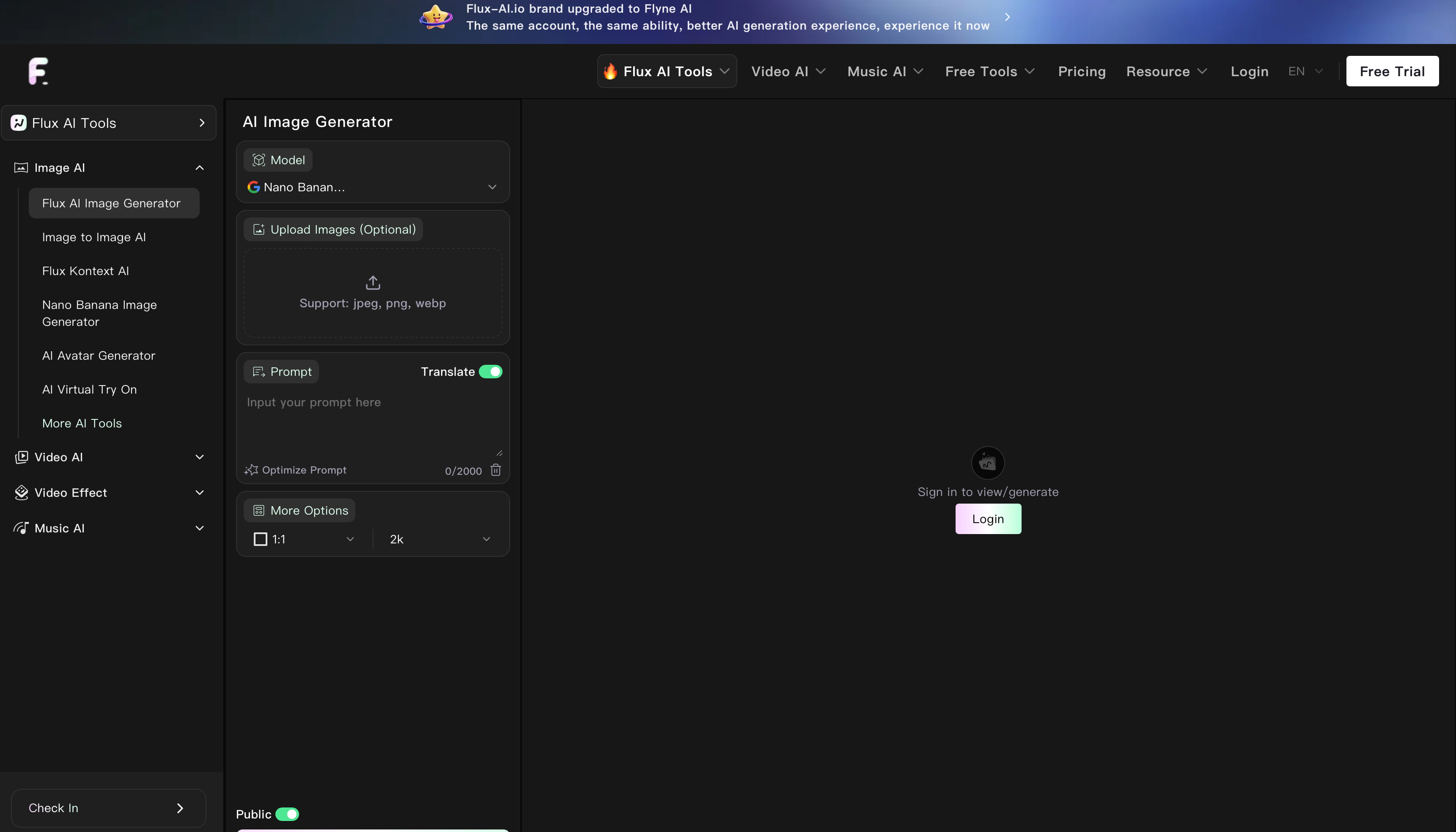
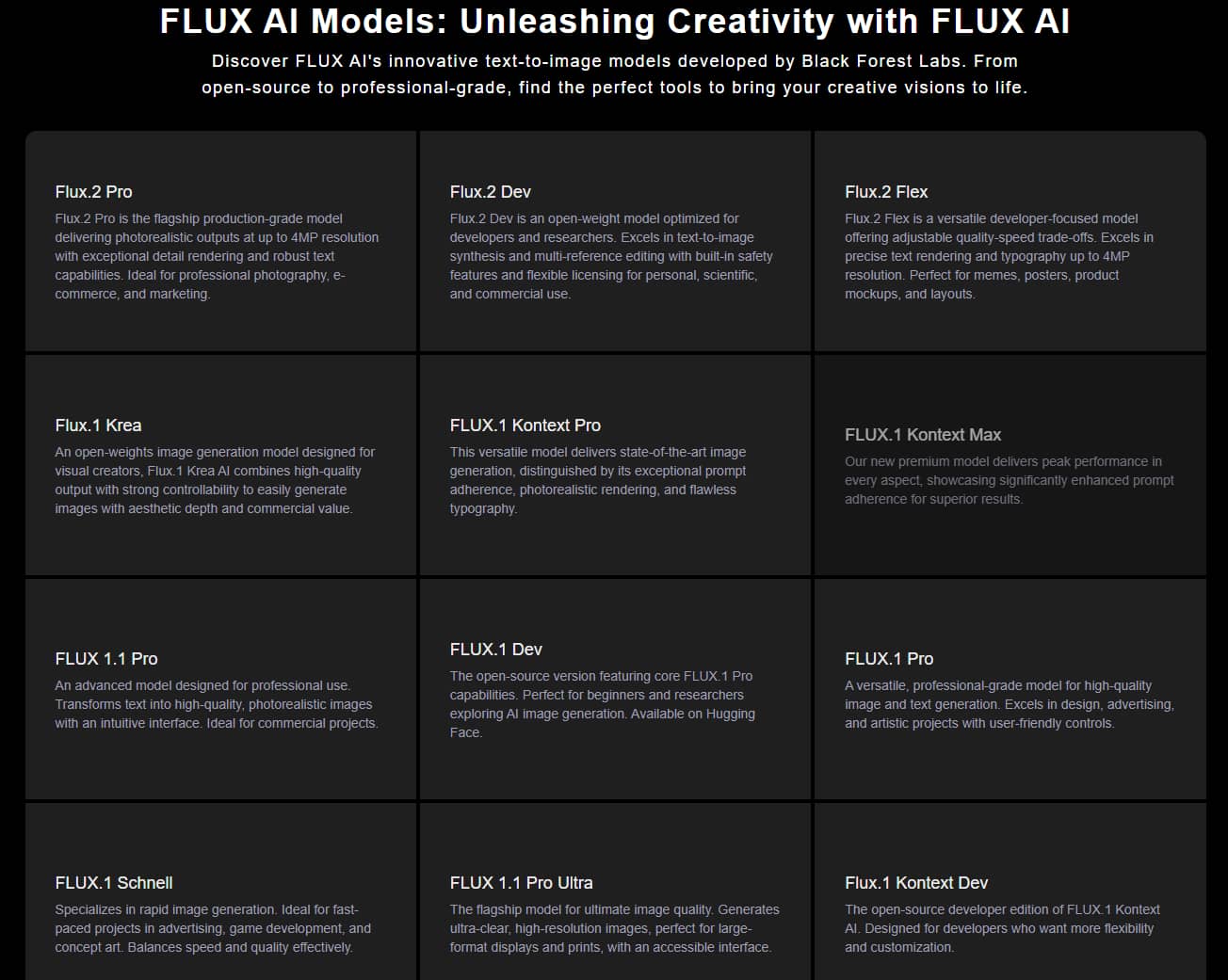
FLUX.1 Pro, FLUX.1 Dev, FLUX.1 Schnell are the FLUX model family, all optimized for different workflows. FLUX. FLUX.1 Pro is all about the best Image Quality.FLUX.1 Dev is for quality and performance, and FLUX.1 Quick is all about speed. FLUX is widely used by artists, designers, marketers, and content creators for concept art, product visualisation, social media graphics, advertising creatives, and digital artwork.
Key features
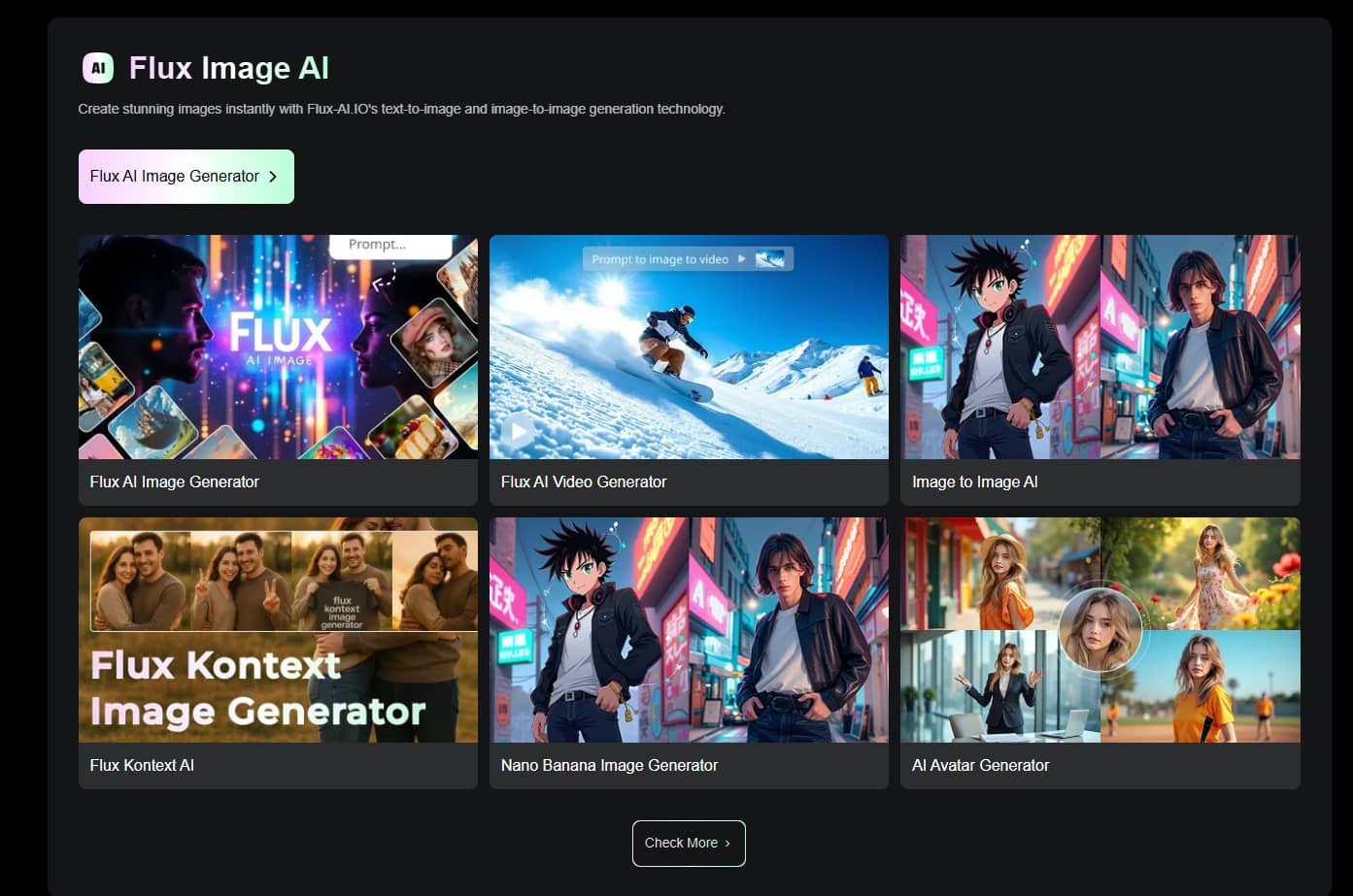
FLUX AI Image Generator is built to create detailed, high-quality images with an easy generation process in mind. It's perfect for beginners as well as seasoned creators with accurate prompt interpretation, an array of model options, and high-resolution output. Some of the key features are:
-
AI text-to-image generation: Convert natural language prompts into detailed images across a wide range of styles and subjects.
-
High prompt accuracy: FLUX follows detailed prompts more closely than many earlier AI image models, helping users achieve consistent results with fewer revisions.
-
Realistic and artistic image generation: Create photorealistic portraits, cinematic scenes, fantasy artwork, illustrations, product concepts, and other creative visuals.
-
Multiple FLUX models: Choose between FLUX.1 Pro, FLUX.1 Dev, and FLUX.1 Schnell depending on whether you prioritise image quality, balanced performance, or faster generation.
-
High-resolution output: Depending on the platform, FLUX supports high-resolution image generation suitable for professional presentations, digital publishing, and creative portfolios.
-
Browser-based availability: Most users can access FLUX through browser-based AI image generation platforms without installing dedicated software.
How to use FLUX AI Image Generator
FLUX AI Image Generator is available through multiple AI image generation platforms, but the overall workflow is similar across most of them. Simply enter a prompt, choose the FLUX model that best suits your needs, adjust the available settings, and generate your image. While specific features may vary by platform, these three steps remain largely the same.
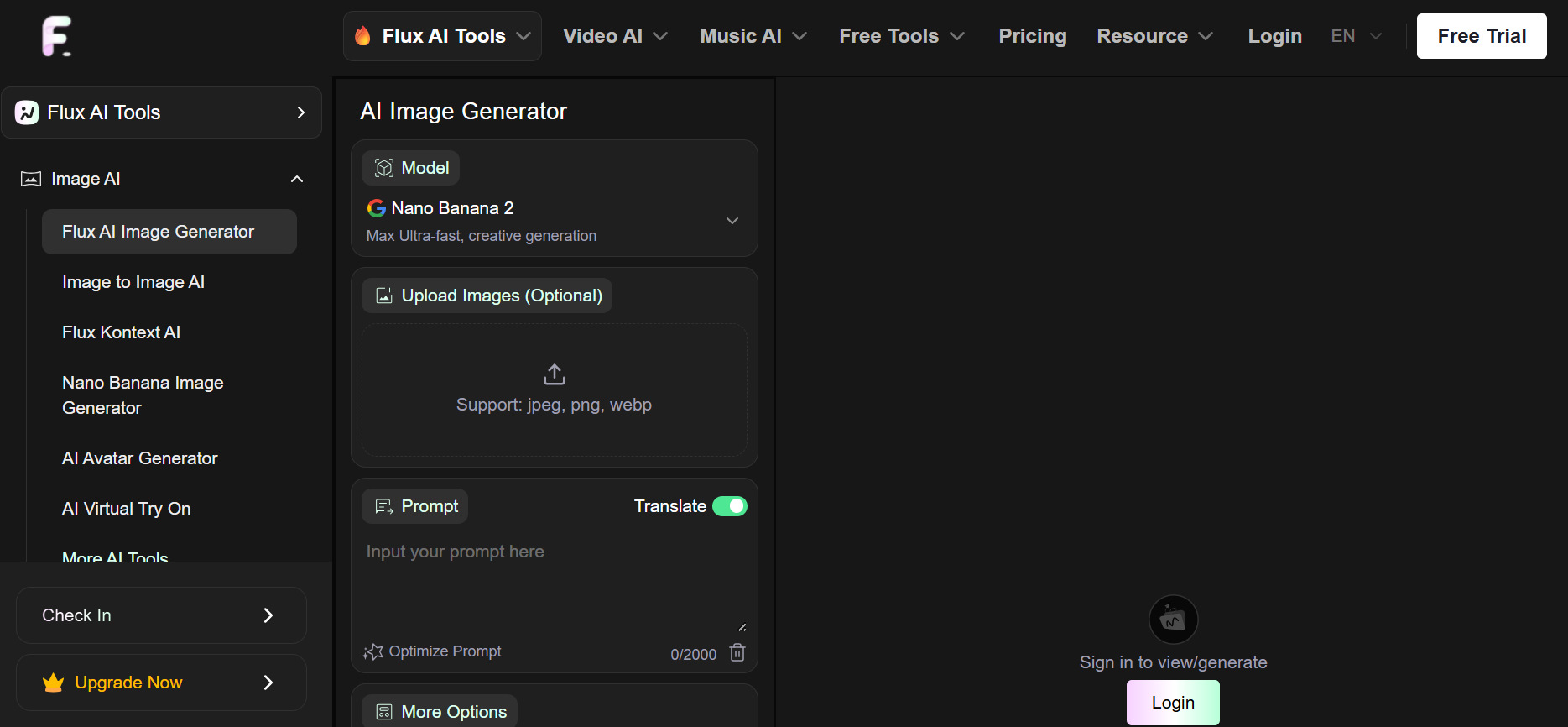
Step 1: Enter your prompt
Open a compatible platform with FLUX AI Image Generator and type an elaborate text prompt describing the kind of image you want to generate. If the platform allows image-to-image generation, you can also upload an image as a reference that the AI can follow to get more consistent results.
Step 2: Select a FLUX model and customise the settings
Select the FLUX model that suits your project. FLUX.1 Pro is designed to maximize image quality FLUX.1 Dev. FLUX strikes a balance between quality and performance. Schnell 1 is about faster generation. Change the available settings such as Aspect Ratio, Image Dimensions, or other supported options before generating the image.
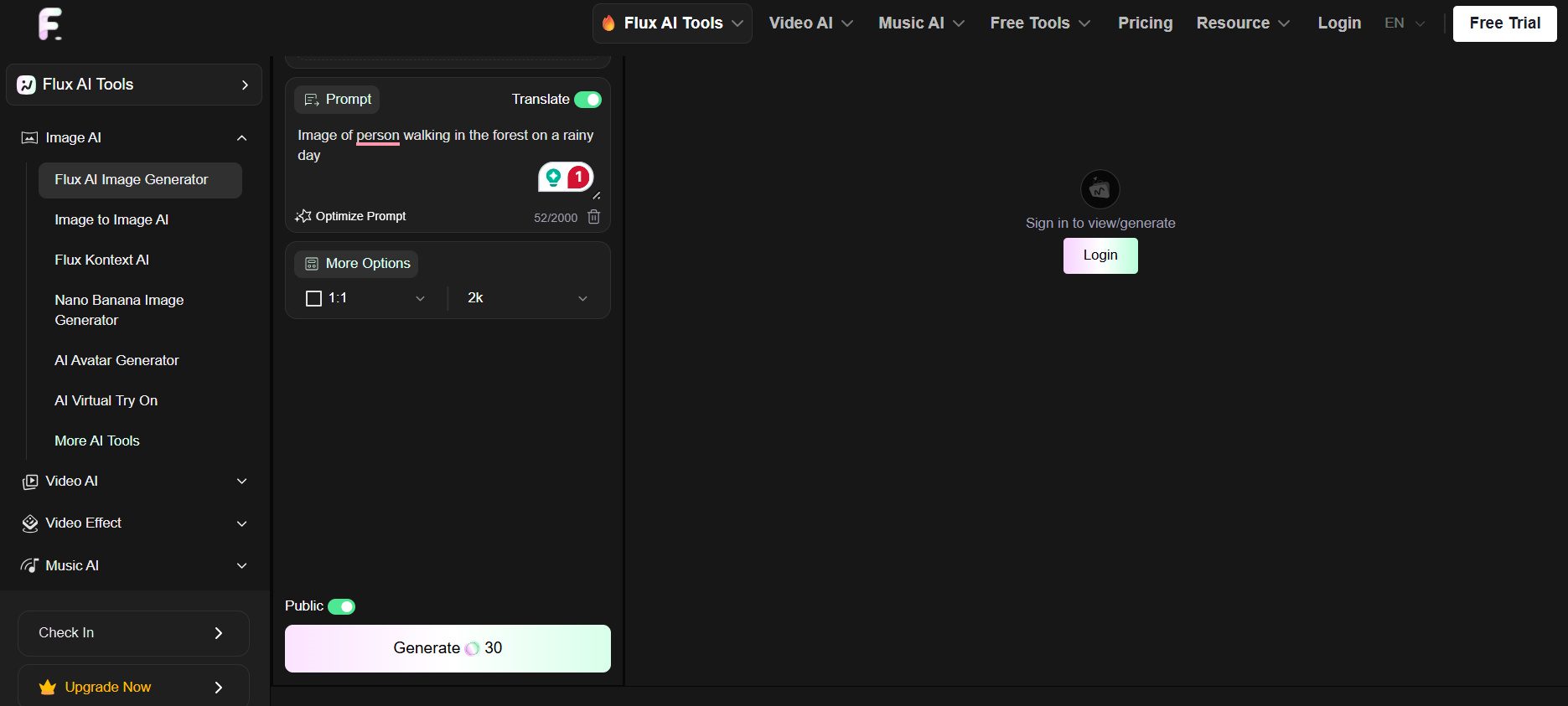
Step 3: Generate and download your image
Click Generate and let AI build your image from your prompt and your settings. Review the output, re-generate if necessary, and download the final image when you are happy with the results.
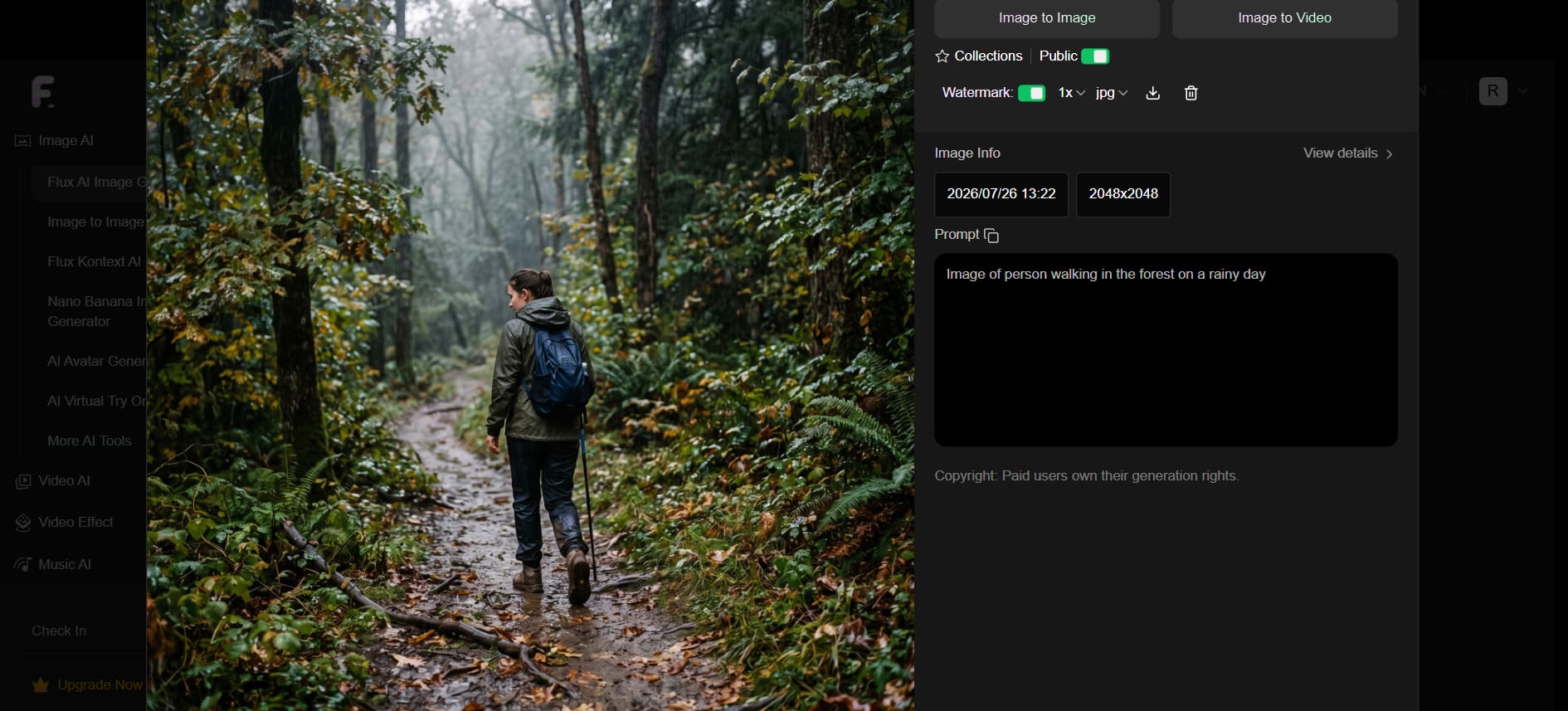
Is FLUX AI Image Generator worth it?
FLUX AI Image Generator has established itself as one of the strongest AI image models for creating realistic, high-quality visuals. Since FLUX is available through different platforms, however, the features, pricing, and overall user experience can vary depending on where you access it.
Testing result
To evaluate FLUX AI Image Generator, we tested it with prompts covering realistic photography and digital artwork. For each test, we assessed generation speed, prompt accuracy, image quality, and whether the final output matched the original prompt.
Test 1: Realistic portrait
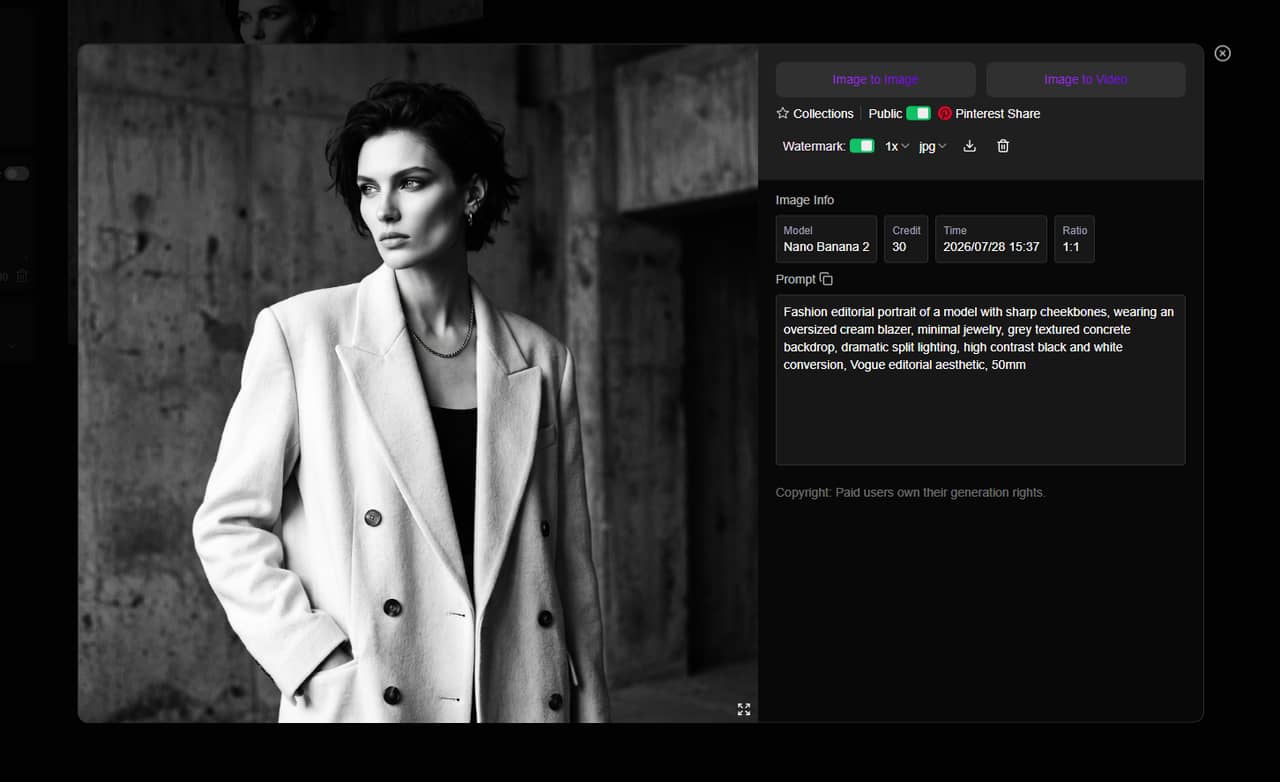
Prompt
A professional headshot of a young woman wearing a navy business suit, standing in a modern office with natural window lighting, shallow depth of field, ultra-realistic, 8K.
Result
-
Generation time: Around 10 seconds
-
Prompt accuracy: 9.5/10
The generated portrait closely followed the prompt, producing realistic facial features, natural skin tones, and convincing lighting. Facial proportions were accurate, and clothing details were sharp without obvious artefacts. The only noticeable issue was slight inconsistency in a few hair strands when viewed at full resolution.
Best for: Professional portraits, branding, profile photos, and marketing materials.
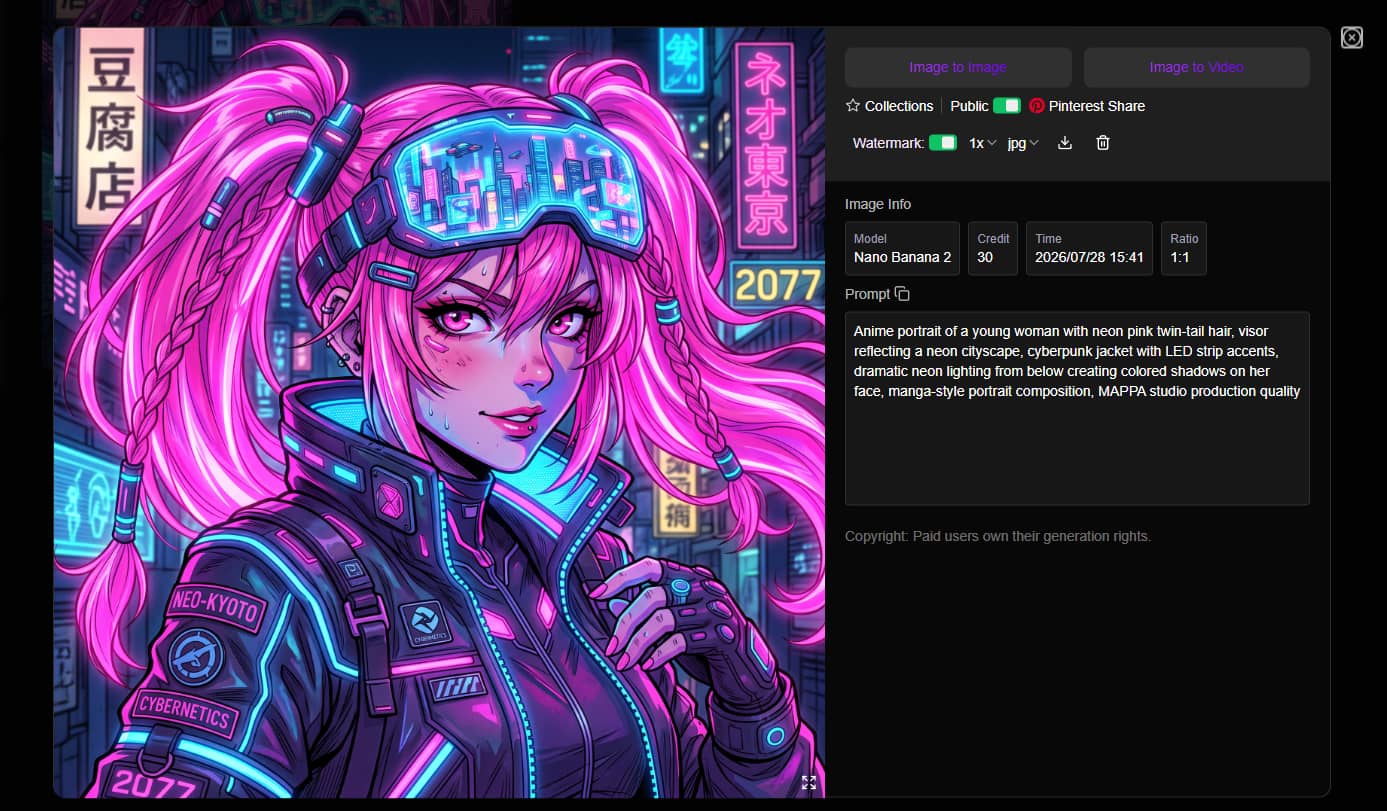
Test 2: Cyberpunk artwork
Prompt
A futuristic cyberpunk street at night with neon signs, heavy rain, reflective streets, cinematic lighting, flying vehicles, highly detailed digital art.
Result
-
Generation time: Around 12 seconds
-
Prompt accuracy: 9/10
FLUX captured the requested cyberpunk atmosphere with vibrant neon lighting and realistic reflections. The colour palette matched the prompt well, although some background signage contained distorted text and smaller architectural details became less defined when zooming in.
Best for: Concept art, game design, posters, and creative illustrations.
Performance summary
|
Scenario |
Score |
Observation |
|---|---|---|
|
Portraits |
9.5/10 |
Excellent realism with strong facial details and lighting. |
|
Product images |
8.8/10 |
Clean compositions, though occasional regeneration improves object accuracy. |
|
Landscapes |
9.3/10 |
Rich colours, realistic lighting, and detailed scenery. |
|
Anime |
8.5/10 |
Good results, but realism remains FLUX's strongest area. |
|
Typography |
6.5/10 |
Text generation is still inconsistent, especially with longer words. |
Overall, FLUX AI Image Generator performed best when generating realistic scenes and cinematic artwork. While typography remains a common limitation, its prompt accuracy and image quality make it a strong choice for creative and commercial image generation.
Pricing
FLUX AI offers both free and paid plans based on a credit system. The free plan includes 40 welcome credits, 20 daily check-in credits, access to FLUX.1 Schnell and FLUX.1 Dev, and limited free tool usage. Paid plans provide additional credits, premium AI features, faster generation queues, private generation, extended history, and commercial rights.
|
Plan |
Price |
Credits |
Key features |
|---|---|---|---|
|
Free |
$0 |
40 welcome + 20 daily check-ins |
FLUX.1 Schnell & Dev, shared queue, 15-day history |
|
Basic |
$9.99 |
4,000 |
Premium features, fast generation queue, private generation, commercial rights |
|
Ultra |
$19.99 |
10,000 |
More credits with all premium features |
|
More |
$49.99 |
26,000 |
Higher credit allowance for frequent image generation |
|
Max |
$99.99 |
56,000 |
Largest credit package for heavy AI image and video generation |
Pros and cons
|
Pros |
Cons |
|---|---|
|
Excellent prompt accuracy with detailed scene interpretation. |
Text generation is inconsistent, especially for signs and typography. |
|
Produces realistic lighting, textures, and facial details. |
Minor artefacts may appear in fine details, such as hair or complex objects. |
|
Multiple FLUX models let users balance image quality and generation speed. |
Overall experience varies depending on the platform hosting FLUX. |
|
Generates high-quality portraits, landscapes, and cinematic artwork. |
Premium features and higher usage limits require paid credits. |
|
Browser-based access makes it easy to start creating images. |
Some prompts may require regeneration to achieve the desired result. |
|
Suitable for both creative projects and commercial-quality visuals. |
Generation speed differs between FLUX models and service providers. |
What users say about it
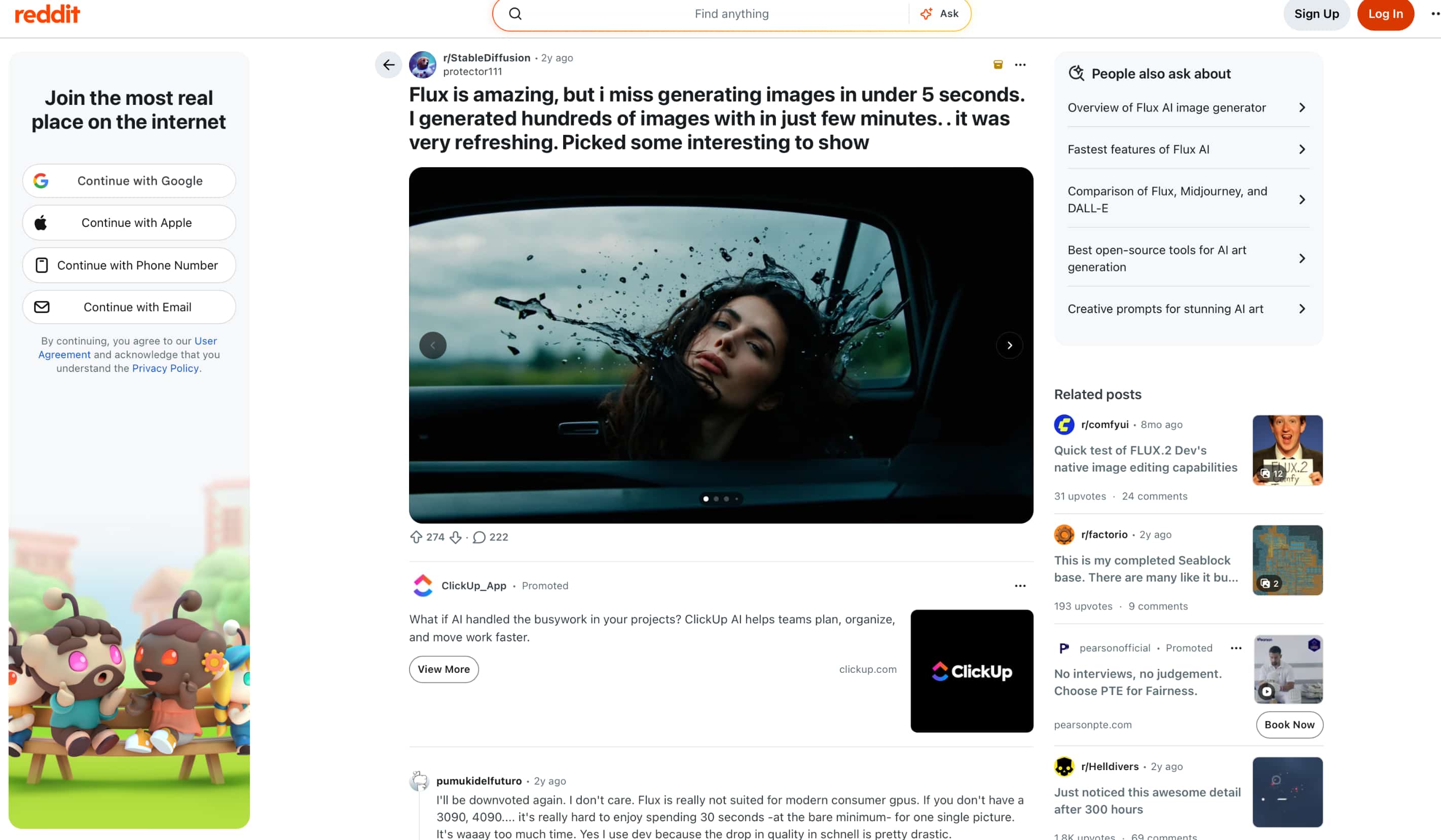
Community feedback is largely positive, with users praising FLUX for its realistic image quality, prompt accuracy, and ability to generate hundreds of images efficiently. At the same time, some users mention that generation can be slow on consumer GPUs and feel that the faster FLUX.1 Schnell model sacrifices some image quality compared with FLUX.1 Dev.
Trustpilot
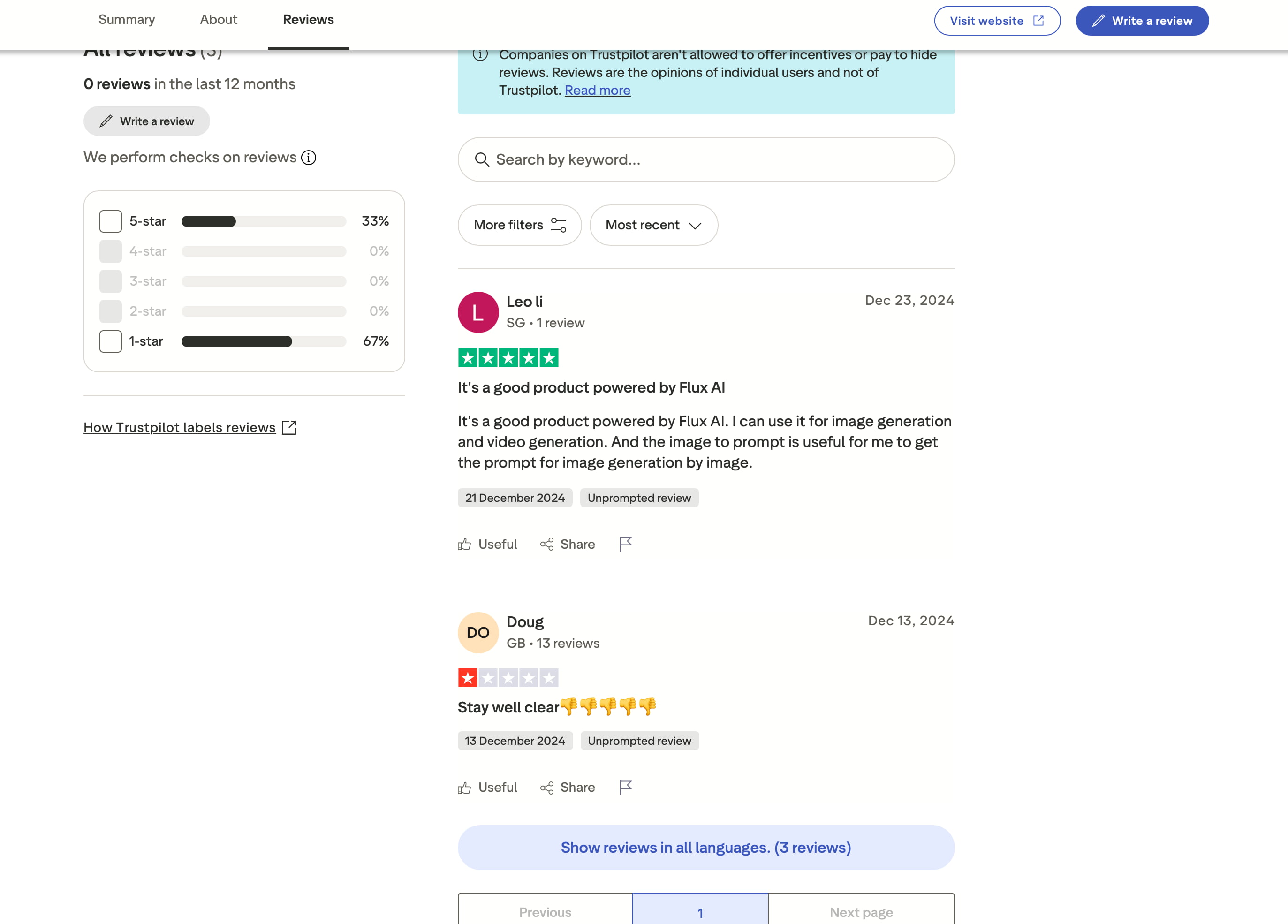
Trustpilot reviews are mixed. Positive reviews appreciate the image quality, video generation capabilities, and useful features such as image-to-prompt conversion. Negative reviews mainly criticise customer support and overall service experience, contributing to a low overall rating despite a handful of satisfied users.
Transitioning from user feedback, it's clear that FLUX AI Image Generator excels at producing realistic, high-quality artwork with impressive prompt accuracy. However, because it focuses on the FLUX model family, creators looking to experiment with different AI models or build images for marketing and commercial use may prefer a platform with a broader image generation workflow. Vmake Labs AI Image Generator is one such alternative, combining multiple leading AI models with text-to-image and image-to-image generation in a single browser-based platform.
Meet Vmake Labs AI Image Generator: A Powerful Alternative
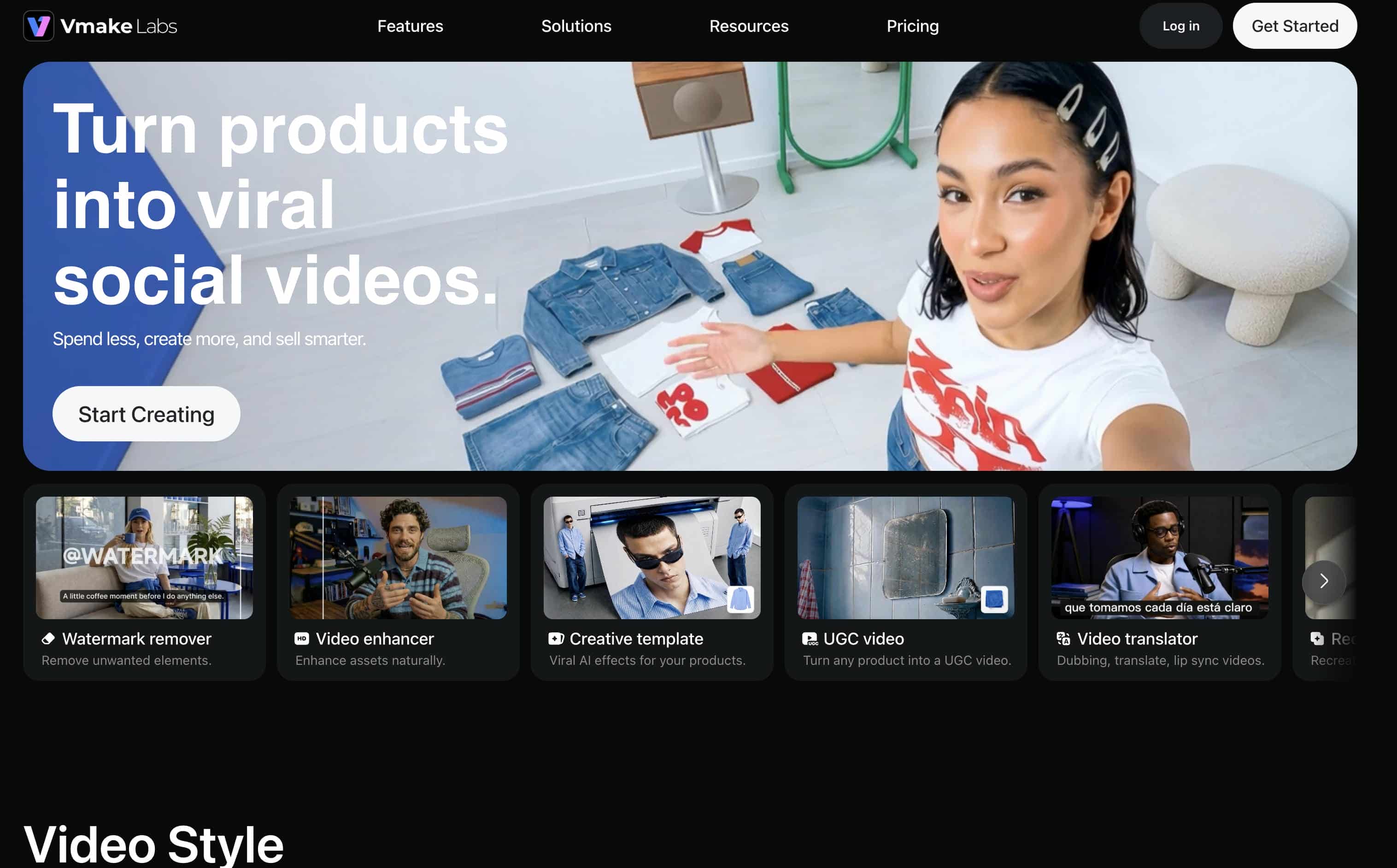
Vmake Labs AI Image Generator is designed for users who want more flexibility when creating AI images. Instead of relying on a single image generation model, it brings together multiple leading AI models on one platform while supporting both text-to-image and image-to-image generation. Whether you're creating product images, marketing creatives, social media graphics, or digital artwork, the browser-based workflow makes it easy to move from an idea to a finished visual.
Key features
-
Multiple AI image models: Choose the best AI model for different creative styles instead of being limited to a single FLUX model, giving creators greater flexibility across projects.
-
Text-to-image and image-to-image workflows: Create new visuals or refine existing ideas with reference images, making it easier to maintain consistent results for branding and product content.
-
Commercial-ready image creation: Generate images for marketing, ecommerce, social media, and websites from one platform, reducing the need for multiple tools.
-
Flexible aspect ratios: Create images in the right dimensions for different platforms, saving time on cropping and resizing.
-
Fast browser-based workflow: Generate, review, and download images in a few clicks, helping individuals and teams create content more efficiently. You can also create YouTube visuals with the AI thumbnail maker.
-
Built for commercial projects: From product photography to advertising creatives, Vmake Labs supports a wider range of business use cases than relying on a single AI image model.
How to create AI images with Vmake Labs AI Image Generator
Creating AI images with Vmake Labs AI Image Generator only takes a few steps. Enter a prompt or upload a reference image, choose the AI model that best fits your project, and generate your image directly in your browser.
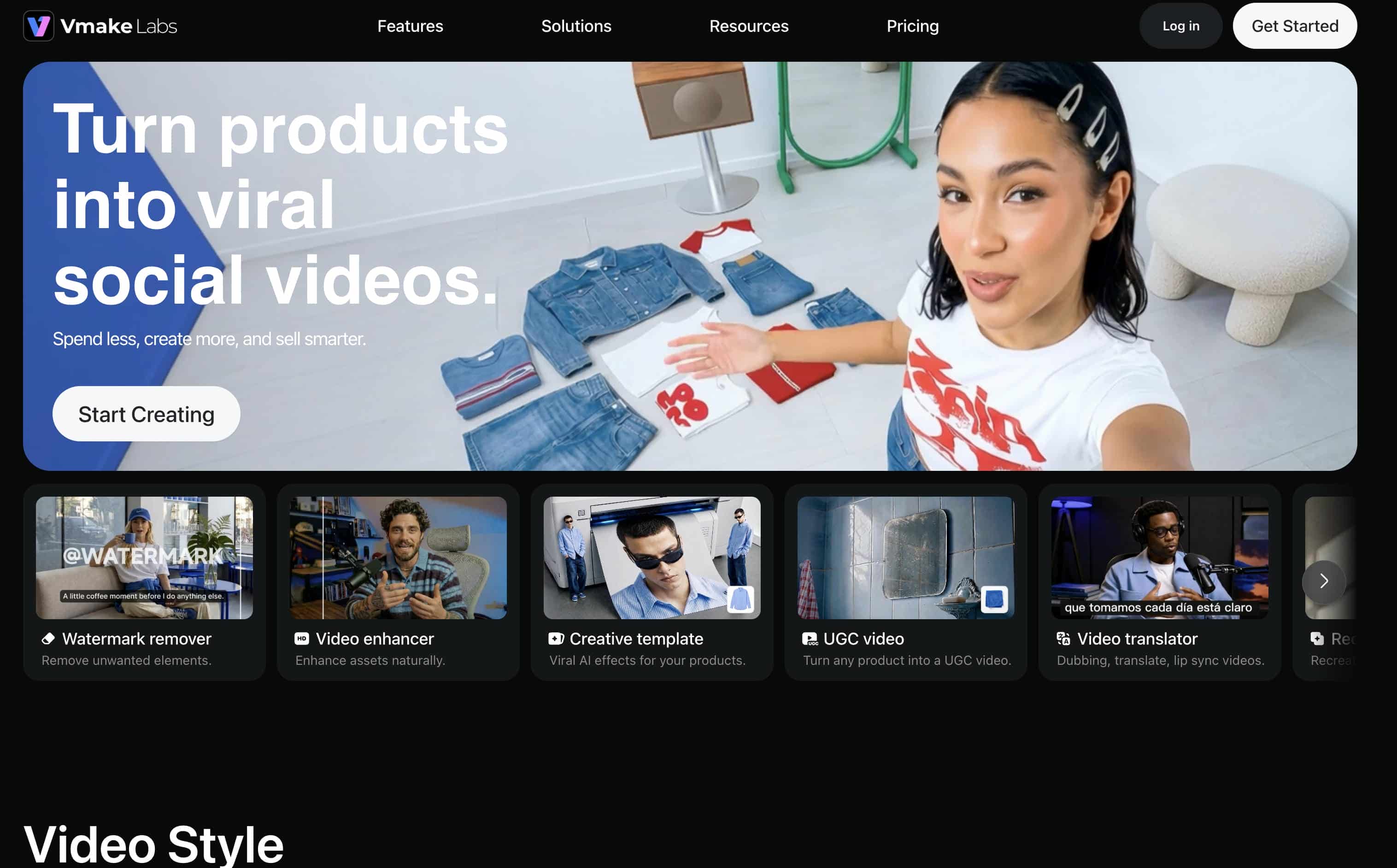
Step 1: Enter a text prompt or upload a reference image
Open Vmake Labs AI Image Generator and choose either Text to Image or Image to Image. Enter a text prompt describing the image you want to create, or upload up to three reference images to guide the AI before generation.
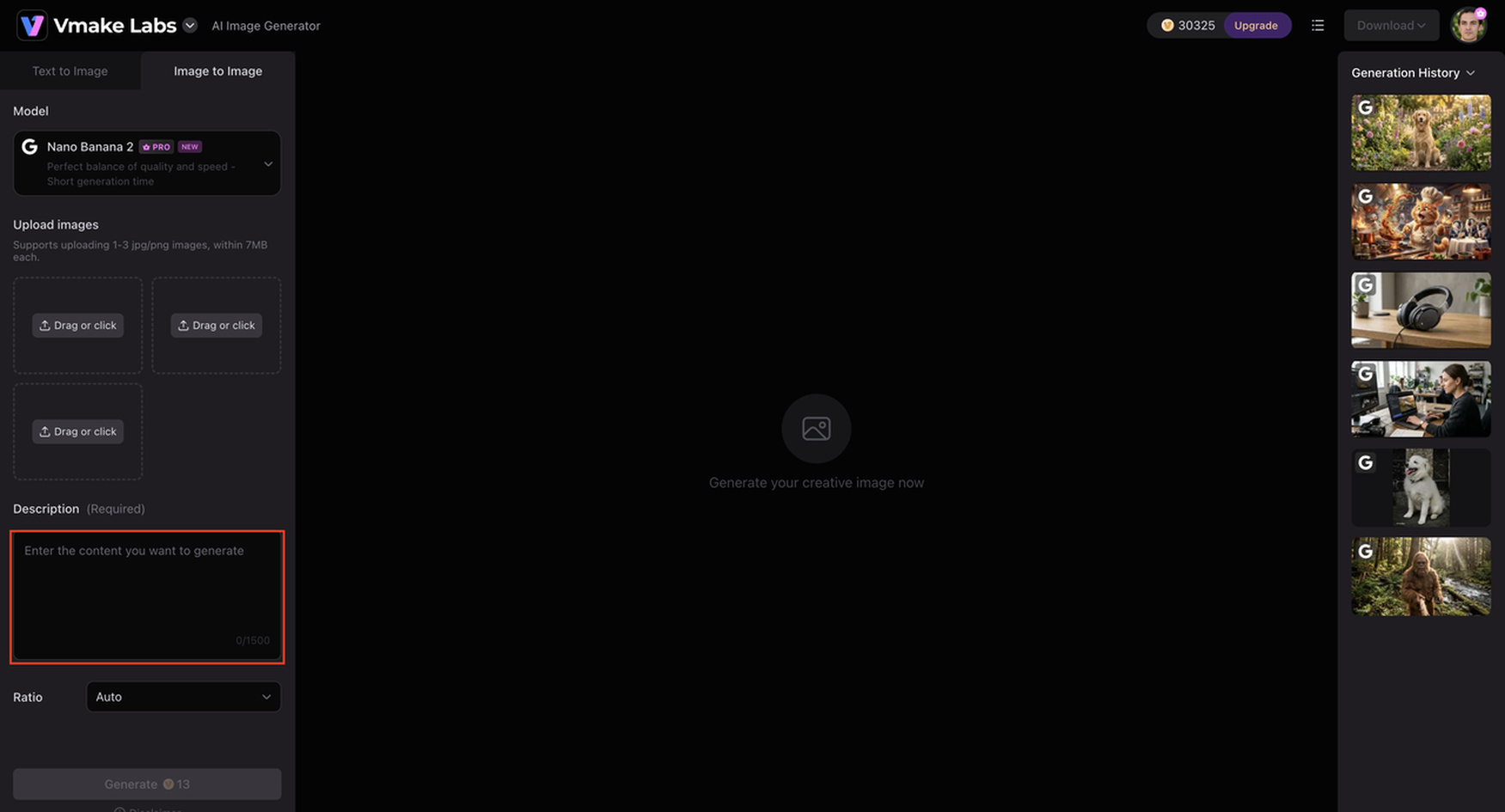
Step 2: Choose an AI model and customise the generation settings
Select the AI model that best suits your project. Vmake Labs AI Image Generator supports Nano Banana 2, Nano Banana Pro, Nano Banana, Seedream 4.0, and GPT Image 1. Then choose your preferred aspect ratio before clicking Generate.
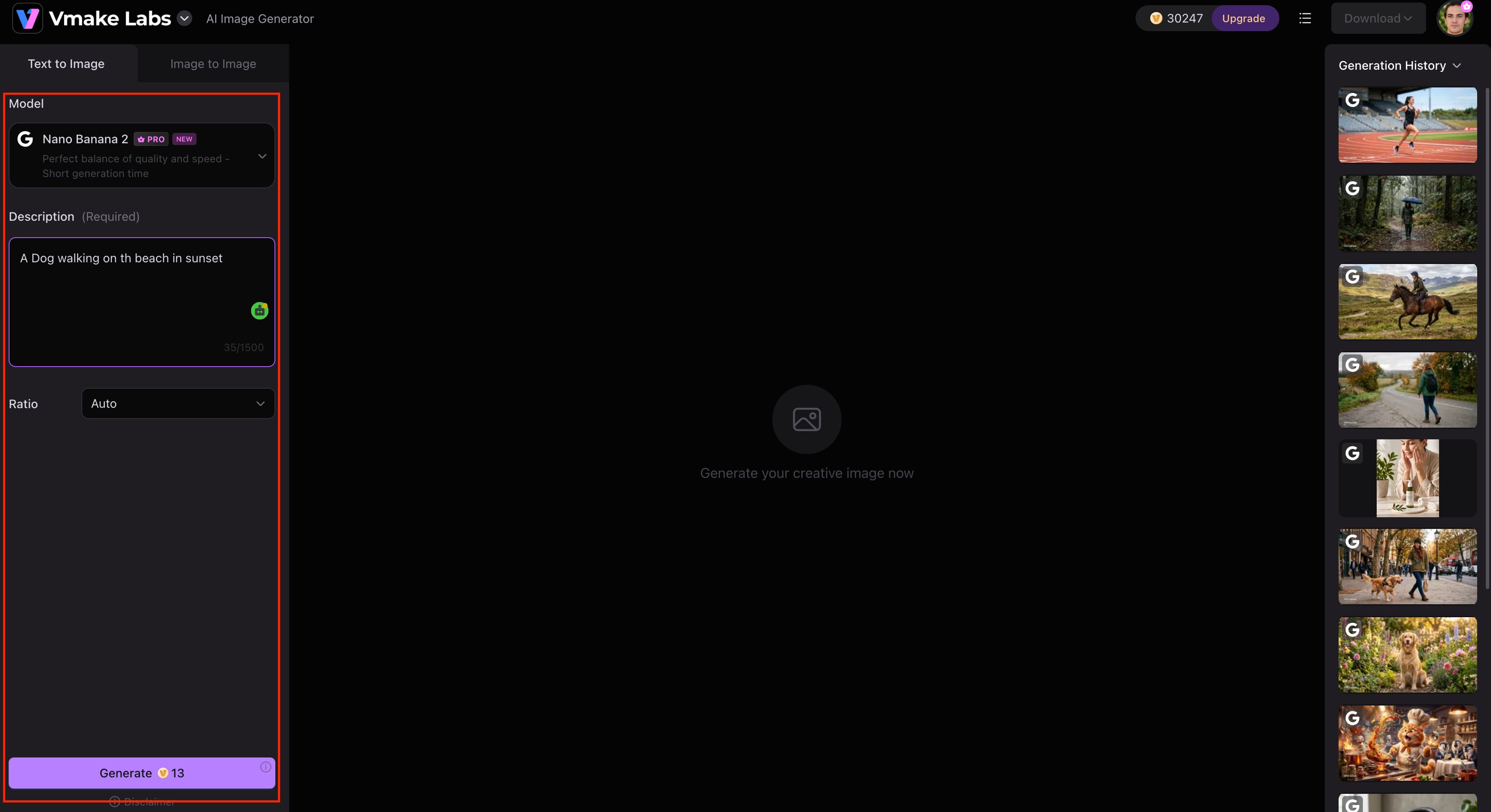
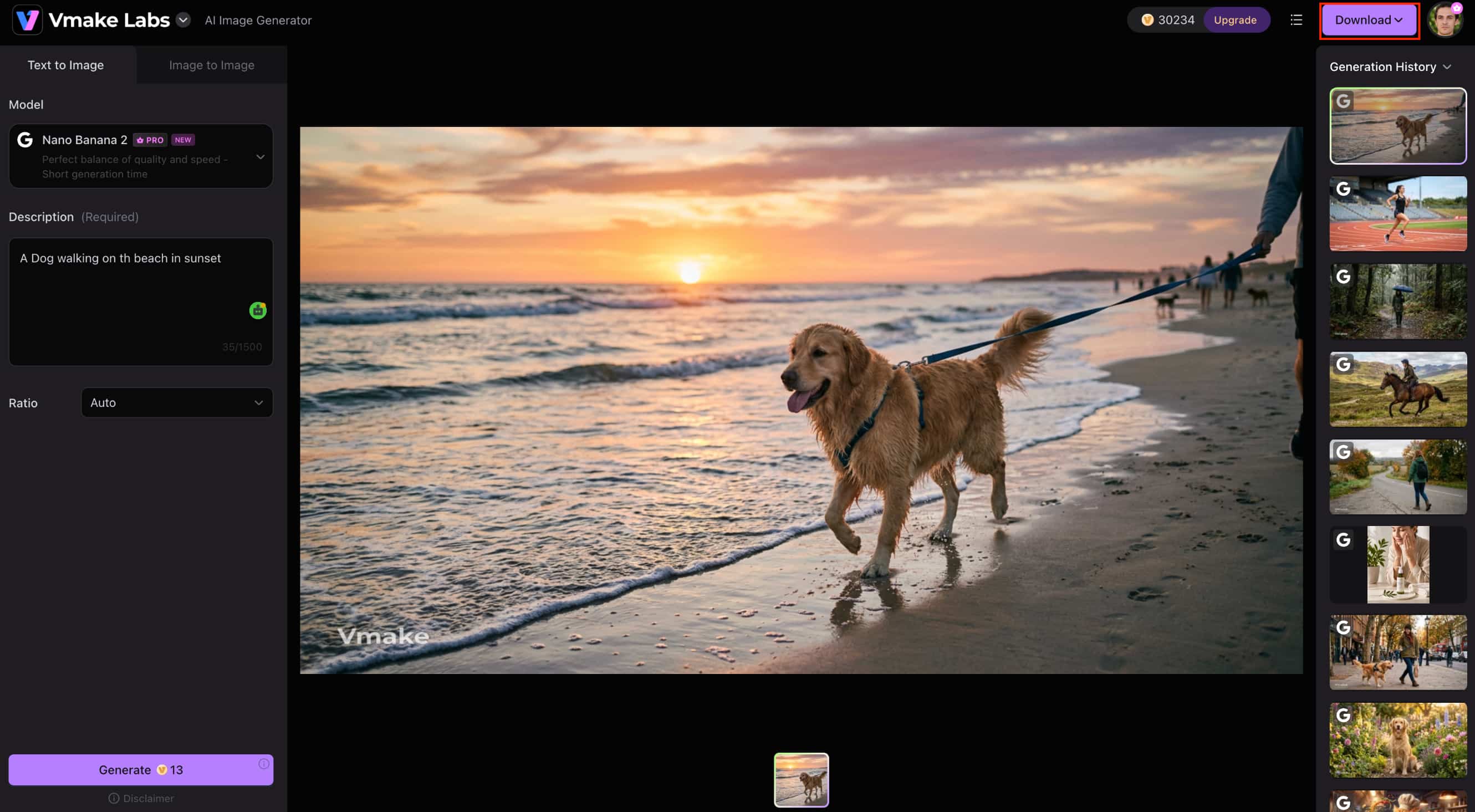
Step 3: Generate and download your image
Click Generate to create your images. Review the generated results, generate additional variations if needed, and download the image that best matches your project.
FLUX AI Image Generator vs Vmake Labs AI Image Generator
FLUX AI Image Generator and Vmake Labs AI Image Generator are both easy to create AI-generated images, but they're designed for different workflows. FLUX is dedicated to its own family of AI models for high-quality image generation, while Vmake Labs AI Image Generator provides access to multiple leading AI models, including text-to-image and image-to-image generation, making it perfect for a wider range of creative and commercial projects.
|
Category |
FLUX AI Image Generator |
Vmake Labs AI Image Generator |
|---|---|---|
|
Best for |
Realistic AI artwork |
Multiple AI image models and commercial projects |
|
AI models |
FLUX.1 Pro, FLUX.1 Dev, FLUX.1 Schnell |
Nano Banana 2, Nano Banana Pro, Nano Banana, Seedream 4.0, GPT Image 1 |
|
Image generation |
Text-to-image |
Text-to-image and image-to-image |
|
Ease of use |
Beginner-friendly |
Beginner-friendly |
|
Platform |
Web |
Web-based |
|
Commercial use |
Check licence terms |
Designed for commercial image creation |
When to choose FLUX AI Image Generator
Choose FLUX AI Image Generator if your priority is creating realistic AI artwork with the FLUX model family. It's well suited for artists, designers, and creators who value strong prompt accuracy and high-quality image generation, and don't mind using different platforms to access the models.
When to choose Vmake Labs AI Image Generator
Choose Vmake Labs AI Image Generator if you want greater flexibility for AI image creation. With multiple leading AI models, text-to-image and image-to-image generation, and a browser-based workflow, it's a better choice for creating marketing materials, ecommerce visuals, product images, and other commercial content.
Conclusion
FLUX AI Image Generator is an excellent choice for creators who prioritise realistic image generation, strong prompt accuracy, and the flexibility of the FLUX model family. Its different model variants make it suitable for a wide range of creative projects, although the available features and pricing depend on the platform you use. If you need greater flexibility for professional work, Vmake Labs AI Image Generator is a strong alternative. With multiple leading AI models, text-to-image and image-to-image generation, and a browser-based workflow, it provides a practical solution for creating marketing, ecommerce, branding, and other commercial visuals.
FAQs
What is FLUX AI Image Generator?
FLUX AI Image Generator is a family of AI models created by Black Forest Labs that creates images from text prompts. It includes FLUX.1 Pro, FLUX.1 Dev and FLUX.1 Schnell to support different quality and performance needs. If you want a platform that brings together multiple best AI models in one place, then Vmake Labs AI Image Generator is a great alternative.
Is FLUX AI Image Generator free to use?
Yes, FLUX AI is free to use, but the services it is available on have different credits, features, and usage limits. If you are on the hunt for yet another browser-based option that can generate text-to-image and image-to-image, then Vmake Labs AI Image Generator is worth checking out too.
What is the difference between FLUX.1 Pro, FLUX.1 Dev, and FLUX.1 Schnell?
FLUX.1 Pro is designed for the highest image quality, FLUX.1 Dev balances quality and performance, and FLUX.1 Schnell focuses on faster image generation. The right model depends on whether you prioritise image quality or generation speed.
Is FLUX AI Image Generator good for realistic images?
Yes. FLUX AI is widely recognised for producing realistic, detailed images with strong prompt accuracy, making it a popular choice for portraits, concept art, and photorealistic visuals. If you also want access to multiple AI image models for different creative styles, Vmake Labs AI Image Generator provides that flexibility.
Can FLUX AI Image Generator create anime-style artwork?
Yes. Although FLUX is best known for realistic image generation, it can also create anime-style artwork and other artistic styles when guided with clear prompts. Users looking to experiment with different AI models for a wider variety of visual styles may also find Vmake Labs AI Image Generator a suitable option.
Is Vmake Labs AI Image Generator a good alternative to FLUX AI?
Yes. If you want more than a single AI model, Vmake Labs AI Image Generator is a strong alternative. It combines multiple leading AI models with text-to-image and image-to-image generation, making it suitable for creating marketing creatives, ecommerce visuals, product images, and other commercial content.

You May Be Interested
AI Image Generator: Nano Banana Pro Free
Best AI Image Upscaler Tools in 2026: Upscale Images to 4K, 8K & Beyond

Best AI Image Enhancer in 2026: Top Tools to Upscale and Fix Blurry Images
PhotoGrid AI Image Enhancer Review: Tested & Worth It?

Best AI Animation Generators for Creating Images and Videos
