
2026 Fotor Watermark Remover Review: Features and Alternatives
 Ken DawsonJanuary 5, 2026
Watermarks are meant to protect content, but they don’t always work in your favor. Unfortunately, they often damage the content quality, making it look less professional to share and difficult to reuse even if you own it. As the visuals hold much importance, the demand for quick watermark removal has grown rapidly. Various AI solutions are popular in the market, such as Fotor Watermark Remover.
Fotor is a well-established creative platform known for its online editing tools. Its watermark-removal feature has caught the attention for delivering clean results without advanced technical skills. What makes Fotor Watermark Remover stand out is its convenience, AI, and design tools, which support both images and videos.
But is it good enough for creators today? In this guide, you will learn everything about Fotor Watermark Remover, such as how well it performs, where it shines, where it struggles, and how it compares with its alternatives.
 Understanding Fotor Watermark Remover: What Is It For?
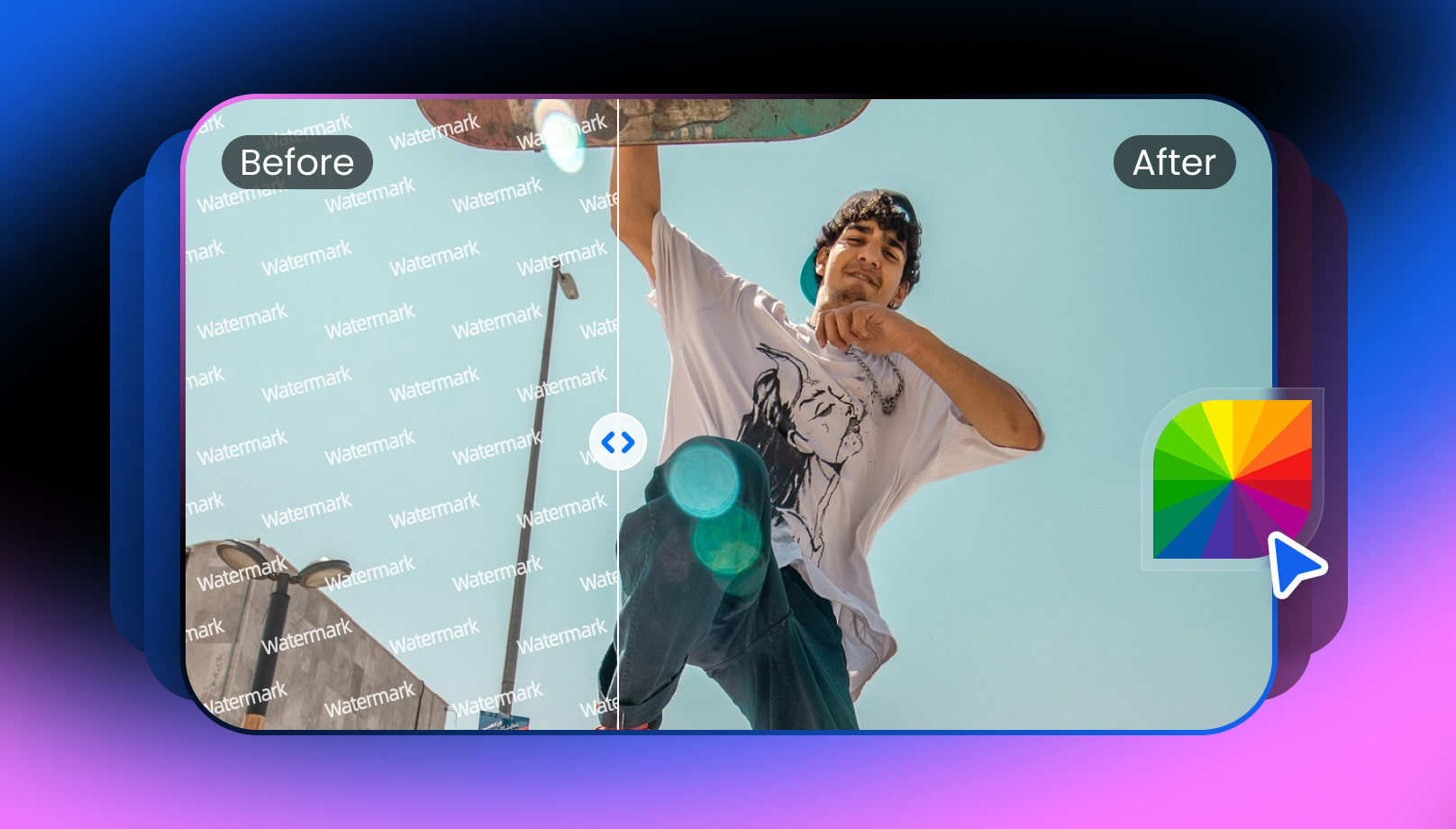
Fotor Watermark Remover is a browser-based tool that lets you remove watermarks from images and videos in seconds. With AI recognition, it can detect and remove logos, objects, and other unwanted elements, leaving no trace. And its inpainting technology fills in the removed area to deliver natural results.
Moreover, its intuitive interface makes it appealing for beginners who want quick processing with minimal effort. It is part of a broader editing suite that offers several creative features, from retouching portraits to applying effects and automatically adjusting backgrounds.
Additional Features:
- AI Enhancer: It helps you enhance, upscale, unblur, sharpen, colorize, restore, extend, enlarge, brighten, denoise, and color correct images and videos.
- AI Filter: Whether you want to make a caricature, sketch, painting, Ghibli art, cartoon, or drawing, it can facilitate this. You can also transform the style of photos.
- AI Replacer: It helps you change hairstyles or clothes, swap faces, genders, or heads, swap multiple faces, and apply image filters, such as funny face, bangs, Halloween face, etc.
- AI Generator: You can also generate headshots, characters, avatars, tattoos, LinkedIn photos, portraits, and more. It even offers various video tools for creating hug or kissing videos, dance clips, intros, outros, anime, and Ghibli art.
- Marketing Tools: It lets you make banners, logos, flyers, posters, cards, fonts, resumes, and other marketing content.
- API Support: You can streamline your workflow with seamless API integration to transform video and images at scale. It is also customizable to match your brand’s identity.
Key Features & Performance Review of Fotor Watermark Remover
Fotor Watermark Remover is a simple yet effective tool, available for desktop, online, and mobile users. As it can remove watermarks from both images and videos, I have checked its performance on each file type. So, here is how it worked:
Fotor Image Watermark Remover
Fotor AI is primarily focused on image watermark removal, with standard and advanced modes. It can instantly detect and erase logos, stamps, signatures, objects, people, or full-screen watermarks.
You can upload photos in JPG, JPEG, and PNG formats to make your photos watermark-free. With advanced recognition, it can remove multiple watermarks simultaneously, achieving clean, high-quality results.
You can also fine-tune the output and export it in HD quality to your device or the cloud. It is suitable for photographers, graphic designers, and anyone who wants their images to look better without losing quality.
Fotor Video Watermark Remover
Fotor Video Watermark Remover assists you in removing text, objects, date or time stamps, logos, stickers, people, and overlays from your videos. With advanced algorithms, this cutting-edge tool analyzes your video frame by frame to identify and remove watermarks while preserving the original quality.
It supports MP4, MOV, WebM, and M4V formats. Also, it ensures fast and accurate watermark removal with no skills required. You can later remove the background, enhance the video, or use other tools to refine the watermark-free results.
How to Use Fotor Watermark Remover: A Beginner’s Guide
Removing watermarks from videos and photos is not challenging with Fotor. But to help you, here are the step-by-step guides on using Fotor Watermark Remover:
Guide 1. Steps to Remove Watermarks from Images
Step 1. Upload Watermarked Photo
The first step is to access the Fotor Image Watermark Remover. Now, click “Try AI Watermark Remover” to import a watermarked image.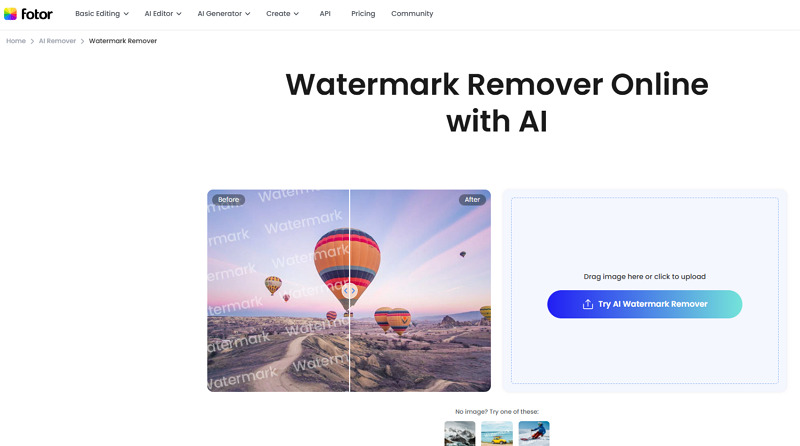
Step 2. Select Removal Mode
You can choose the “Object,” “Watermark,” or “People” option. Let’s suppose, choose “Watermark” and pick the “Standard” or “Advanced Mode.” Then, tap “Remove.”
Step 3. Download the Output
Once the watermark is removed, you can either use the editing tools or press “Download.” Rename the file, select the format, and hit “Download” again. All done!
Guide 2. How to Use Fotor Video Watermark Remover
Step 1. Import Video File
First of all, open the Fotor Video Watermark Remover tool. Now tap “Remove Video Watermark Now” to upload the watermarked video.
Step 2. Remove the Watermark
It’s time to select the “Remove Object” or “Remove Watermark” option and paint the watermark with the brush. Next, press “Generate Preview” or “Generate Full Video.”
Step 3. Save the Results
Lastly, wait for processing to complete, then preview the results. If it’s fine, hit “Download Preview” or “Download Full Video.” That’s all!
Pricing & Plans of Fotor Watermark Remover
Fotor offers both subscription and credit-based plans to cater to different users’ needs. To have a clear understanding, let’s look at the pricing table below:
| Plan | Pricing | What’s included |
| Basic | $0 |
Basic editing features Limited credits for generative AI Export in JPG or PNG 512 MB of cloud storage |
| Premium (Pro) | ||
| Monthly | $8.99 | Advanced editing & AI tools 100 credits per month for generative AI HD & transparent PNG download Ad-free 2 GB of cloud storage Available across platforms |
| Yearly | $39.99 | |
| Premium (Pro+) | ||
| Monthly | $19.99 |
AI batch editing 300 credits/month for generative AI 100 GB of cloud storage Available across platforms |
| Yearly | $89.99 | |
| Credit (One-time Payment) | $11.99 | 100 credits |
| $19.99 | 200 credits | |
| $39.99 | 500 credits | |
| $59.99 | 1000 credits | |
| $79.99 | 2000 credits | |
| Credit (Subscription) | ||
| Credits | Monthly | Yearly |
| 200 | $9.99 | $69.99 |
| 500 | $19.99 | $143.99 |
| 1000 | $35.99 | $259.99 |
| 2000 | $59.99 | $459.99 |
| 5000 | $139.99 | $1099.99 |
| 10000 | $269.99 | $1999.99 |
How Fotor Watermark Remover Stacks Up Against Competitors
To evaluate the performance of Fotor Watermark Remover, you need to compare it with other alternatives in the market. Here is a comparison table to look at:
| Tool | Platform | Batch Support | Accuracy | Speed | Key Feature |
| Fotor Watermark Remover | Web, Mobile (Android & iOS), Desktop (Win & Mac) | No | Medium | High | Capable of removing image & video watermarks, but can only erase simple ones |
| Vmake Video Watermark Remover | Web, Mobile (Android & iOS) | Yes | High | High | Detection & removal of video watermarks in a single click, and it’s best for removing dynamic watermarks |
| Magic Eraser Watermark Remover | Web, Mobile | No | Medium | Medium | Help remove video and image watermarks, but suitable for image watermarks removal |
| EzRemove Watermark Remover | Web | No | Medium | Medium | Support removing watermarks from images & videos, but focused on images |
Pros and Cons of Fotor Watermark Remover
Although Fotor Watermark Remover is an excellent platform, it also has certain limitations. Let’s consider some of its pros and cons:
Pros:
- Beginner-friendly interface
- Support both videos and images
- Different watermark removal modes
- Remove multiple watermarks at once
- Decent results for simple watermarks
- Available on desktop, web, and mobile
- Flexible, non-expiring credit system
- Various editing & enhancement features
Cons:
- Limited free plan with ads
- Free version exports are of low quality
- Lack of batch watermark removal feature
- Semi-transparent watermarks leave traces
- Not suitable for video watermark removal
Frequently Asked Questions of Fotor Watermark Remover
1. Is Fotor Watermark Remover safe?
Absolutely. Fotor Watermark Remover is safe, as it ensures complete privacy and security with SSL encryption. Also, it automatically deletes all your uploaded or edited files from their servers within 24 hours.
2. Can I use it for commercial projects?
Yes, you can use Fotor Watermark Remover for stock media and commercial projects. However, the only condition is that you must own the video or have legal rights to do so.
3. Is there a money-back guarantee?
No, Fotor Watermark Remover does not offer refunds for subscription fees that have been paid. However, you can cancel it at any time if you no longer need the services.
Conclusion: Is Fotor Watermark Remover the Right Tool for You?
Fotor Watermark Remover is a handy tool for quickly removing simple watermarks. But when it comes to eliminating complex, semi-transparent, or video watermarks, it may leave blur or traces. It is better suited to designers and professionals who need to edit photos and videos.
However, if you need more precise, professional-level video watermark removal with advanced AI controls and high-quality output, Vmake Video Watermark Remover is an excellent choice. Let’s try it today!

You May Be Interested

Seedance 2.0: What's New & How to Use It

123APPS Watermark Remover Review (2026): Pros, Cons, and Pricing

5 Best Valentine's Day Video Ideas for eCommerce in 2026

How to Create a YouTube Thumbnail? Create YouTube Thumbnails Using AI
