
What Is Seedance 2.0 Mini? Features, Pricing, Limitations
 Ken DawsonFebruary 10, 2026
Something new is making waves in AI video generation: Seedance 2.0 Mini is becoming a talked-about addition to ByteDance’s Seedance 2.0 family. As a lighter tier in the Seedance 2.0 family, it offers a faster and more accessible way to create videos at about 50% of Seedance 2.0’s listed price, making it ideal for fast drafts, affordable iteration, and everyday short-form videos. With early access appearing through Dreamina and broader availability and API access expected later, creators may wonder how it differs from other Seedance 2.0 tiers, whether it is worth using, and what limitations to keep in mind. Now let’s take a closer look at what we know so far.
What is Seedance 2.0 Mini?
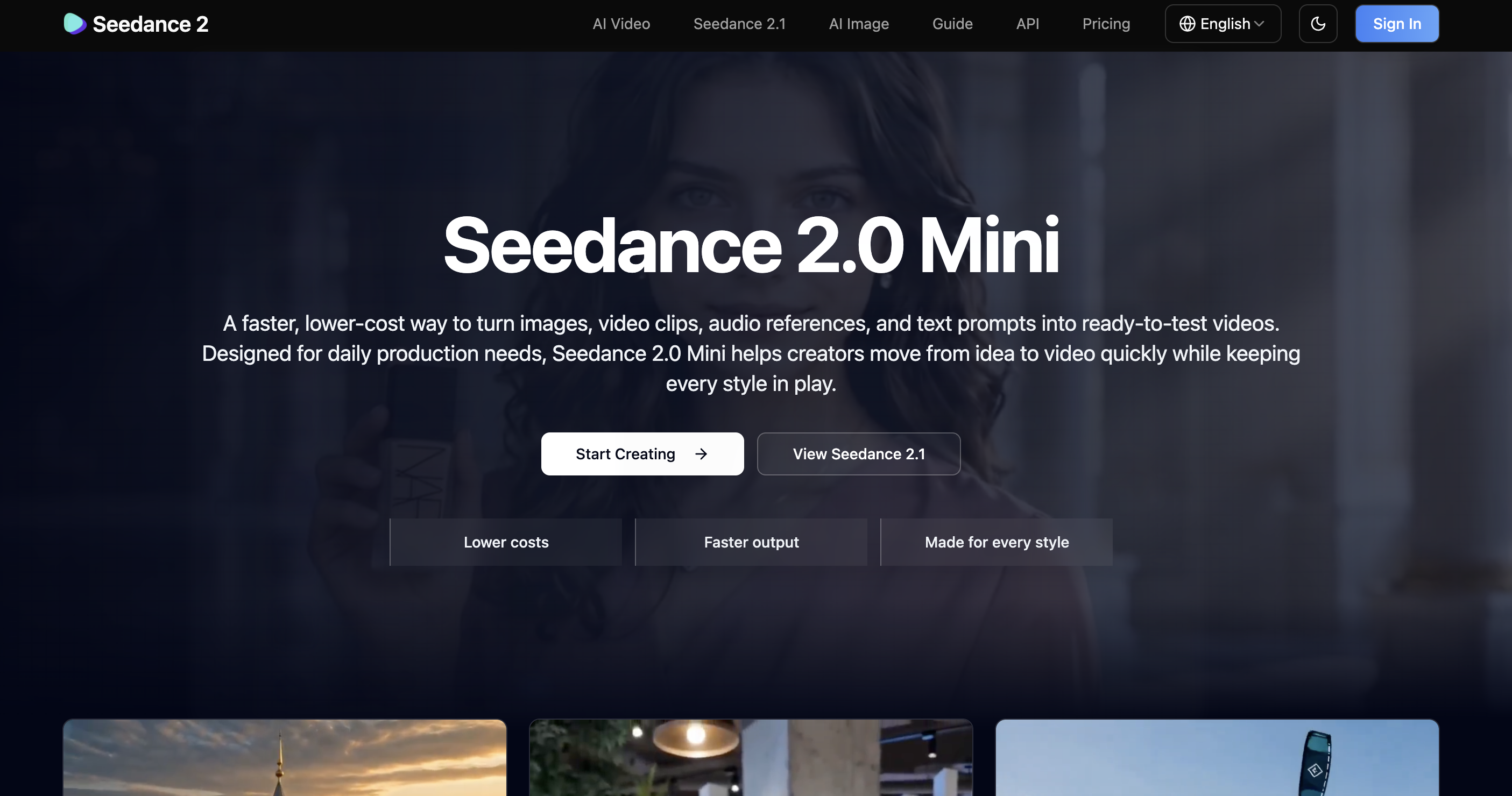
Seedance 2.0 Mini is a lightweight multimodal AI video generator from ByteDance, introduced in June 2026 as a faster and cheaper option in the Seedance 2.0 lineup, alongside Seedance 2.0 Standard and Seedance 2.0 Fast. It is designed to generate videos at roughly twice the speed of Seedance 2.0 Fast while maintaining a comparable level of visual quality. In terms of pricing, Seedance 2.0 Mini costs about 50% less than the listed price of the full Seedance 2.0 model, with image-to-video generation priced at around RMB 0.023 per 1,000 tokens and video-to-video generation priced at around RMB 0.014 per 1,000 tokens. Seedance 2.0 Mini supports text-to-video, image-to-video, and reference-based video generation. Users can export 5- to 12-second videos in 720P to 1080P, with common aspect ratios including 16:9, 9:16, 1:1, 4:3, and 3:4. Instead of replacing the higher-quality Seedance 2.0 tier, it is designed for fast drafts, affordable iteration, and everyday short-form videos. It is rolling out first on Dreamina, CapCut’s creative platform, with broader platform availability and dedicated API access expected later.
Why Seedance 2.0 Mini Matters for Creators?
For creators exploring AI video generation tools, the key question is simple: what makes Seedance 2.0 Mini worth using?
Here are the advantages that make it stand out:
Lower-Cost Iteration: Compared with Seedance 2.0 Standard, Seedance 2.0 Mini lowers the estimated cost from around RMB 1 to about RMB 0.5 per second for 720P video, making it easier for creators to test more prompts, styles, and creative angles before choosing the best version.
Faster Draft Cycles:As it is reportedly delivering roughly twice the throughput of Seedance 2.0 Fast, creators can move from idea to draft more quickly. When a workflow involves dozens of prompt tests or visual variations, faster generation speed can make a real difference.
Easy Migration for Seedance Users: For users who are already familiar with the Seedance 2.0 prompt style and overall creative workflow, Seedance 2.0 Mini can fit naturally into the same process.
Seedance 2.0 Mini vs Seedance 2.0 (and Fast): What’s the Difference?
Seedance 2.0 Mini differs from the full Seedance 2.0 model mainly in how it balances cost, speed, and output quality. Seedance 2.0 Standard is the highest-fidelity option, but it also comes at the highest price point. Seedance 2.0 Fast trades some visual quality for shorter generation time, while Seedance 2.0 Mini pushes the speed-and-cost advantage even further. It is reported to be about twice as fast as Seedance 2.0 Fast and roughly half the cost of the Standard tier, while still delivering quality that is suitable for short-form videos, early drafts, and creative testing.
The table below compares the role of each Seedance 2.0 tier.
| Criteria | Seedance 2.0 (Standard) | Seedance 2.0 (Fast) | Seedance 2.0 Mini |
|---|---|---|---|
| Priority | Top quality | Balance of speed/quality | Lowest cost & fastest |
| Speed | Baseline | Faster than Standard | ~2x faster than Fast |
| Cost | Highest (~1 RMB/sec at 720p) | 20% Cheaper than Standard | Half than Standard (~0.5RMB/sec at 720p) |
| Inputs | Text, image, reference, video | Text, image, reference | Text, image, reference |
| Output quality | 280p, 720p, and 1080p | Slightly lower - Both 480p and 720p | Close on short-form; weaker complex motion - 480p and 720p |
| Generation clips length | Custimizable duration from 4 to 15 seconds | Custimizable duration from 4 to 15 seconds | Custimizable duration from 4 to 15 seconds |
| Watermark | Yes (Dreamina watermark included on output) | Yes (Dreamina watermark included on output) | Yes (Dreamina watermark included on output) |
In short, Seedance 2.0 Mini works best as a fast and affordable testing tier for drafts, mockups, short-form clips, and high-volume creative iteration. For premium final renders, Seedance 2.0 Standard may still be the safer choice. Seedance 2.0 Fast sits in between for steady everyday production where you want speed without dropping to the cheapest tier.
Who Seedance 2.0 Mini Is For?
- Cost-conscious creators with high-volume content needs: Seedance 2.0 Mini is a practical choice for creators and teams that need to test many video ideas without spending too much on each attempt. Social media teams can use it for TikTok, Instagram Reels, and YouTube Shorts drafts, while e-commerce sellers and marketers can create product scenes, promotional videos, UGC-style ads, and campaign variations before choosing the final version.
- AI video beginners: Seedance 2.0 Mini is a useful starting point for users new to AI video generation. Its lower cost allows beginners to test different prompts, image references, aspect ratios, and scene ideas without spending too much. Since Mini follows the same general prompting logic as other Seedance 2.0 tiers, users can apply what they learn when moving to Seedance 2.0 Fast or Standard.
However, Seedance 2.0 Mini is not the best choice for every project. If you are creating top-tier hero content, such as a flagship product launch video, a cinematic brand film, or a clip that requires complex motion, high resolution, and maximum visual realism, Seedance 2.0 Standard or another advanced AI video model may be a better fit. Mini is designed for fast exploration and repeated testing, not for producing the most polished final video in a single generation.
The Caveats: What You Should Know First
While Seedance 2.0 Mini is a practical tool for fast testing and lower-cost iteration, there are a few limitations creators should keep in mind before using its outputs for publishing:
Output Quality May Still Need Refinement:Like many AI video generators, Seedance 2.0 Mini outputs may still show slight softness, blurring, or unnatural artifacts in complex scenes, especially when the video involves fast movement, crowded backgrounds, or product textures. While Mini helps creators explore and iterate at a lower cost, recreating the best draft with a higher-quality model may add extra time and budget, and may not preserve the same framing, motion, or visual feel.
Watermark Issues:Although Seedance 2.0 Mini is a newer tier in the Seedance 2.0 family, its free or trial plans still place a visible watermark on generated videos. A visible watermark can make the content look less professional. For creators who want to publish the best Mini output, post-processing may still be needed to make the final clip look cleaner.
Extra tips: If you have not tried the Seedance workflow yet, you can start with the Seedance 2.0 or Seedance 2.0 Fast model available inside Vmake Labs to get familiar with AI video generation before deciding whether Seedance 2.0 Mini fits your drafting or publishing needs.
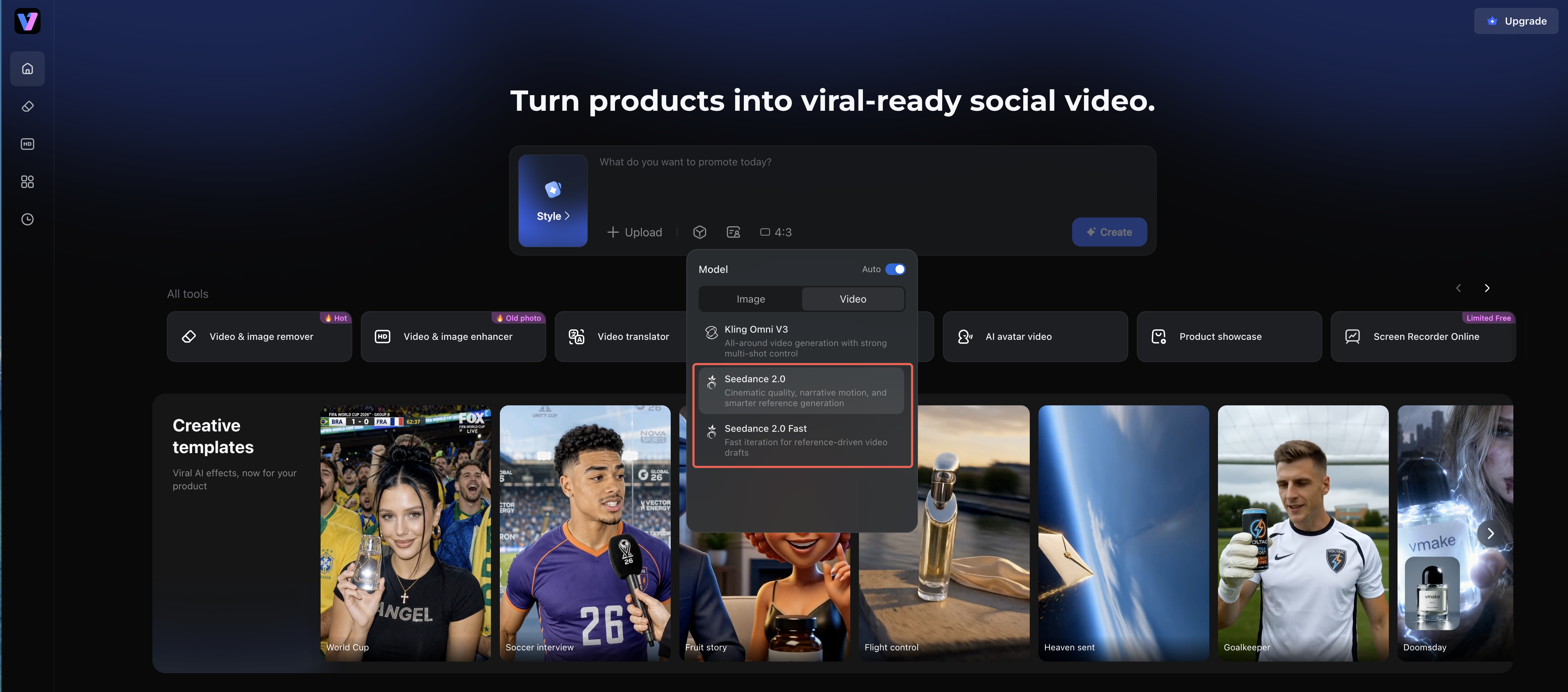
How Vmake Labs Helps You Go Beyond These Limits
Here’s where Vmake becomes an essential companion to Seedance 2.0 Mini. Instead of regenerating the video from scratch, Vmake Labs helps you polish the selected Seedance 2.0 Mini draft directly and make it a cleaner, more professional, publish-ready video.
1. Improve Clarity with Vmake Video Enhancer
Seedance 2.0 Mini's outputs may still look soft, blurry, compressed, or less detailed, especially in complex scenes with fast motion, busy backgrounds, faces, product textures, fabric, or hair. With Vmake Labs Video Enhancer, creators can improve the selected draft by:
Boosting overall sharpness and detail
Reducing blur and AI noise
Enhancing colours and contrast for cleaner visuals
Smoother motion
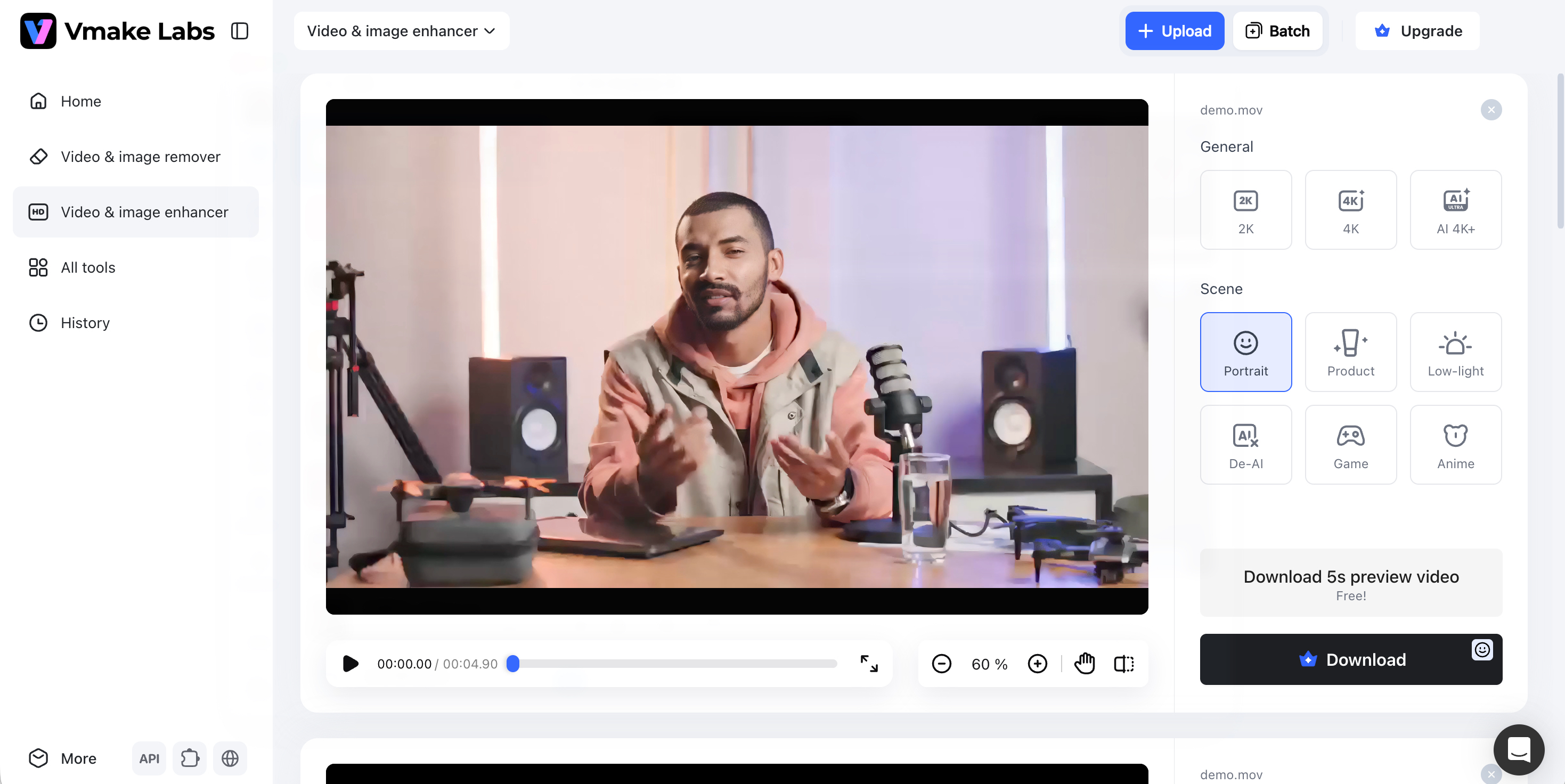
This helps Seedance 2.0 Mini outputs look less like rough AI generated drafts and more like publish-ready videos. For social media teams, e-commerce sellers, and marketers, it means they can use Mini for fast creative testing, then use Vmake Labs to make the best version suitable for marketing and social use.
2. Remove Watermarks With Vmake Watermark Remover
Watermarks can reduce the professional look of AI-generated videos. Vmake Labs provides a streamlined Video Watermark Remover that lets you:
Remove Seedance (Dreamina) watermarks
Keep the final video clean and consistent
Prepare clips for publishing on platforms like YouTube, TikTok, Instagram, or e-commerce pages
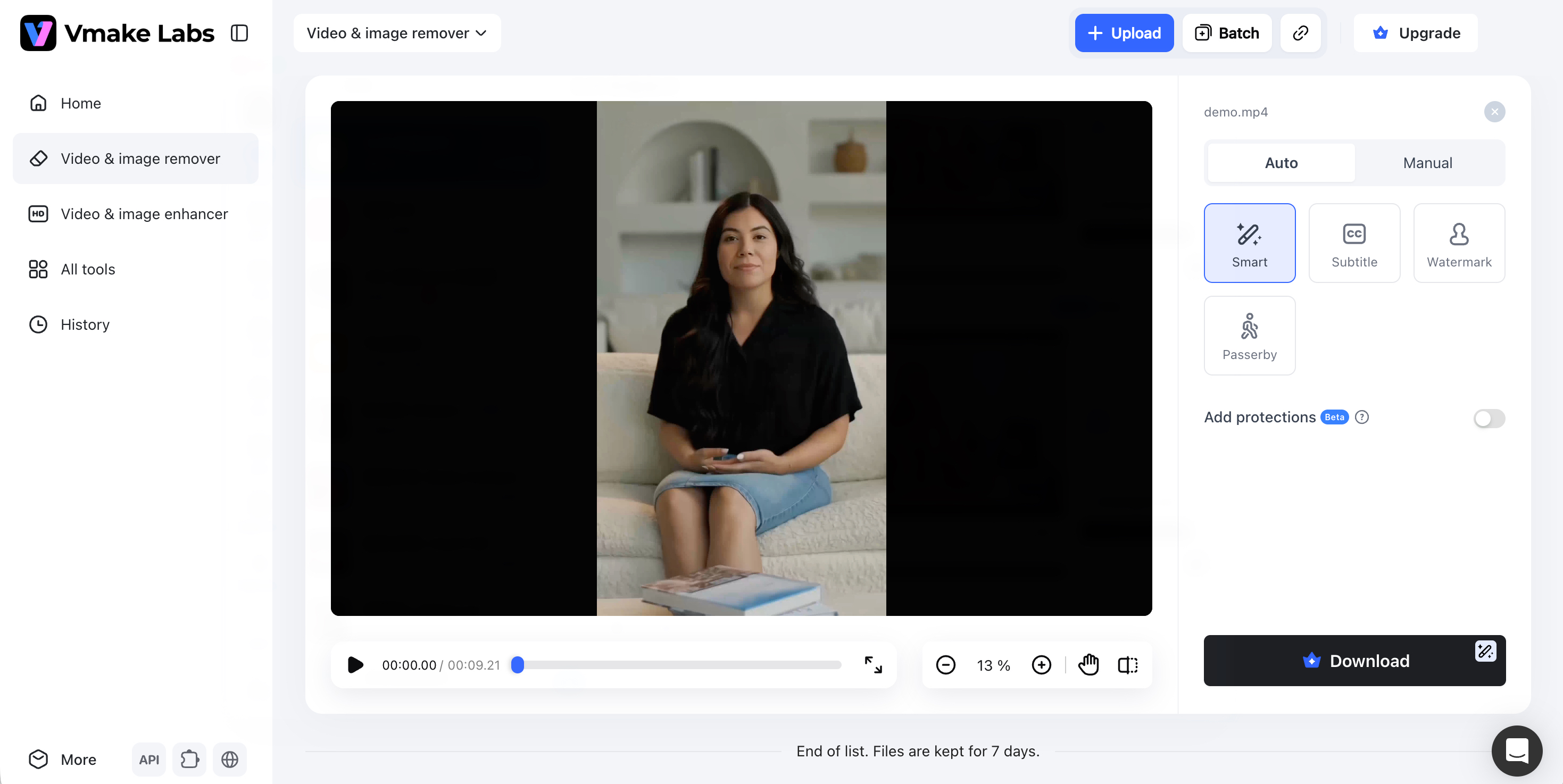
Together, these Vmake tools let you start with fast AI drafts and finish with polished, export‑ready videos.
FAQs
What is Seedance 2.0 Mini?
Seedance 2.0 Mini is ByteDance’s lightweight and more budget-friendly AI video generation model within the Seedance 2.0 family. Introduced in June 2026, it is designed to generate videos faster and at a lower cost than the standard Seedance 2.0 model, while still supporting text-to-video, image-to-video, and reference-based video generation. It is best suited for quick drafts, mockups, short-form clips, and high-volume creative testing, with early access rolling out through Dreamina.
How much does Seedance 2.0 Mini cost?
Seedance 2.0 Mini follows token-based pricing. Its image-to-video generation is priced at around RMB 0.023 per 1,000 tokens, while video-to-video generation costs about RMB 0.014 per 1,000 tokens. In practical terms, this is roughly equal to RMB 0.5 per second for 720P video, making it about 50% cheaper than the Seedance 2.0 Standard model, which is priced at around RMB 1 per second.
Seedance 2.0 Mini vs Seedance 2.0: What’s the Difference?
The main difference between Seedance 2.0 Mini and Seedance 2.0 Standard is how they balance cost, speed, and output quality. Seedance 2.0 Standard is designed for higher-fidelity results, but it also comes at a higher price point. Seedance 2.0 Mini focuses more on speed and affordability, making it a better fit for fast drafts, short-form content, and frequent creative testing.
Seedance 2.0 Mini vs Seedance 2.0 Fast: What’s the Difference?
Seedance 2.0 Fast is designed to speed up generation compared with Seedance 2.0 Standard, with some trade-offs in visual quality. Seedance 2.0 Mini pushes this speed-and-cost advantage even further. It is reported to generate videos faster than Seedance 2.0 Fast at a lower cost, while still keeping the output quality suitable for short-form content, drafts, and creative testing.
Final Thoughts
Seedance 2.0 Mini is a faster and cheaper tier in the Seedance 2.0 family, making it a practical choice for creators who need fast drafts, short-form clips, product variations, and high-volume creative testing. However, speed and affordability also come with trade-offs. Output quality issues and watermark concerns mean that many selected drafts may still need post-production refinement — which is exactly where Vmake Labs steps in. Whether you want better visual quality or watermark‑free output, Vmake’s suite of enhancement tools ensures your AI videos look professional and polished — from first prompt to final publish.

You May Be Interested

Seedance 2.0: What's New & How to Use It

123APPS Watermark Remover Review (2026): Pros, Cons, and Pricing

5 Best Valentine's Day Video Ideas for eCommerce in 2026

How to Create a YouTube Thumbnail? Create YouTube Thumbnails Using AI
