
Z Image AI Review 2026: Features, Pricing & Best Alternative
Explore Z Image AI Review 2026 for speed, image quality, features, pros, and limitations, then discover a simpler AI image workflow for creative and marketing projects quickly with Vmake Labs.

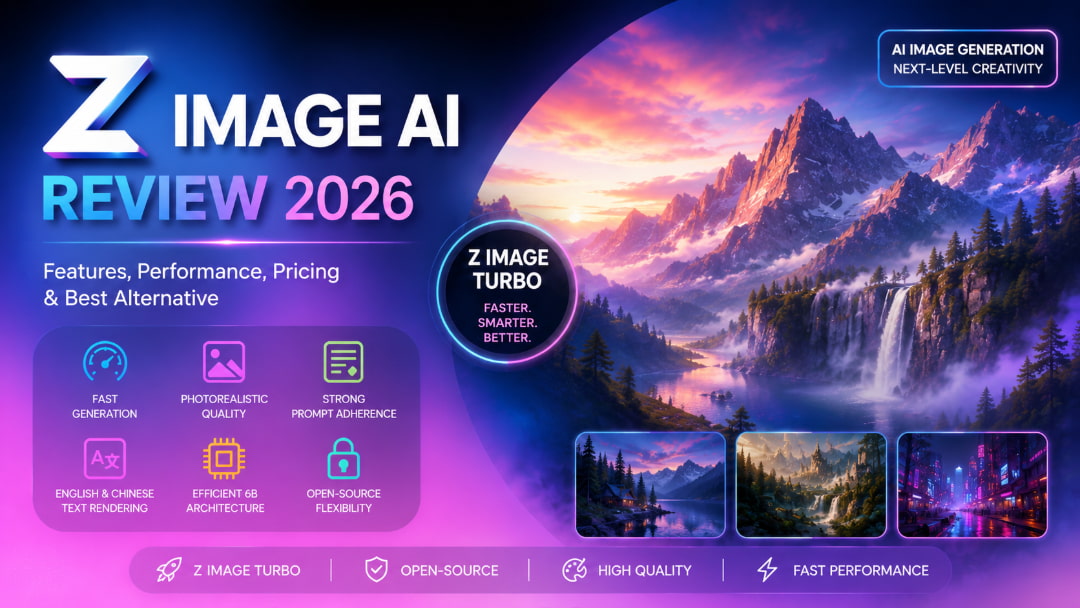
Z Image AI is an open-source image generator based on a 6B-parameter architecture, and it is fast. It is designed to produce high-quality images with high prompt fidelity, realistic results, efficient generation, and support for rendering English and Chinese text rendering, making it a versatile choice for creators and developers.
What is Z Image AI?
Z Image AI is a family of open-source image generation models from Tongyi-MAI. The models are based on a 6B-parameter single-stream Diffusion Transformer (DiT) architecture. The lineup includes Z Image, Z Image Turbo, Z Image Omni Base, and Z Image Edit, and each with a different purpose. Turbo is optimized for speed with a distilled inference process. The base version prioritizes image quality, variety, and control. The relatively compact architecture also makes the model attractive to developers working on local generation, customization, and fine-tuning.
Key features of Z Image AI
-
Rapid image generation: Z Image Turbo reduces the number of inference steps required, allowing users to create visuals more quickly while retaining good image quality.
-
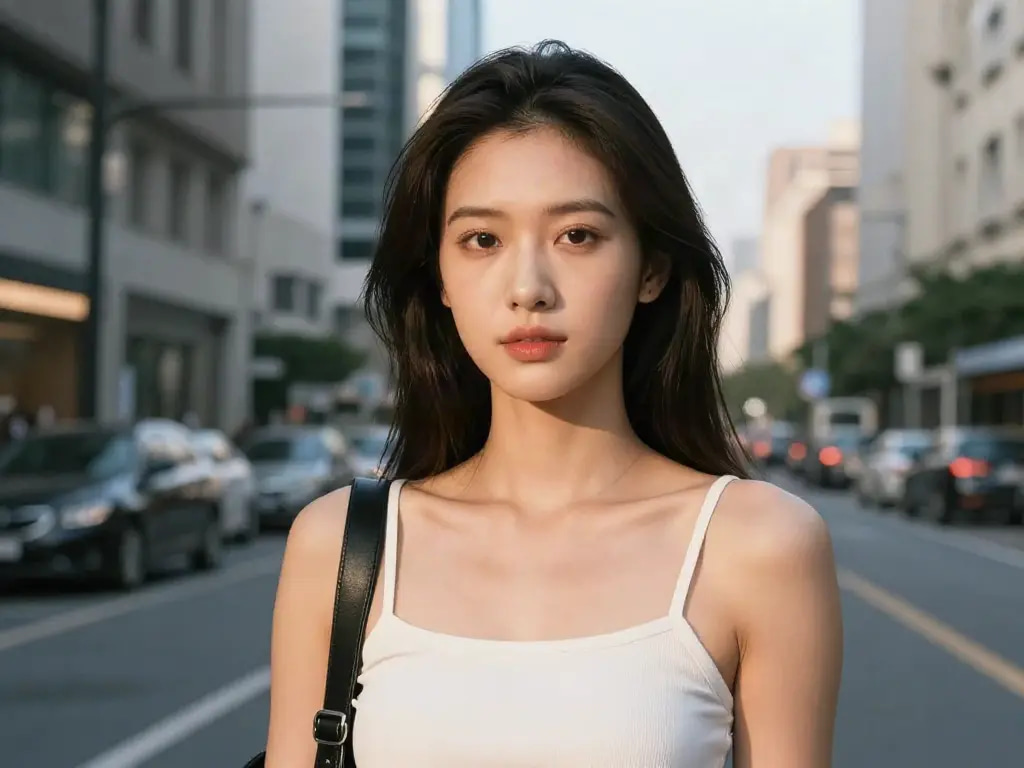
Realistic visual output: The model can create detailed people, objects, environments, and scenes with natural-looking lighting, textures, and photographic characteristics.
-
Detailed prompt following: Z Image can interpret descriptive prompts covering subjects, poses, compositions, environments, styles, and other visual instructions.
-
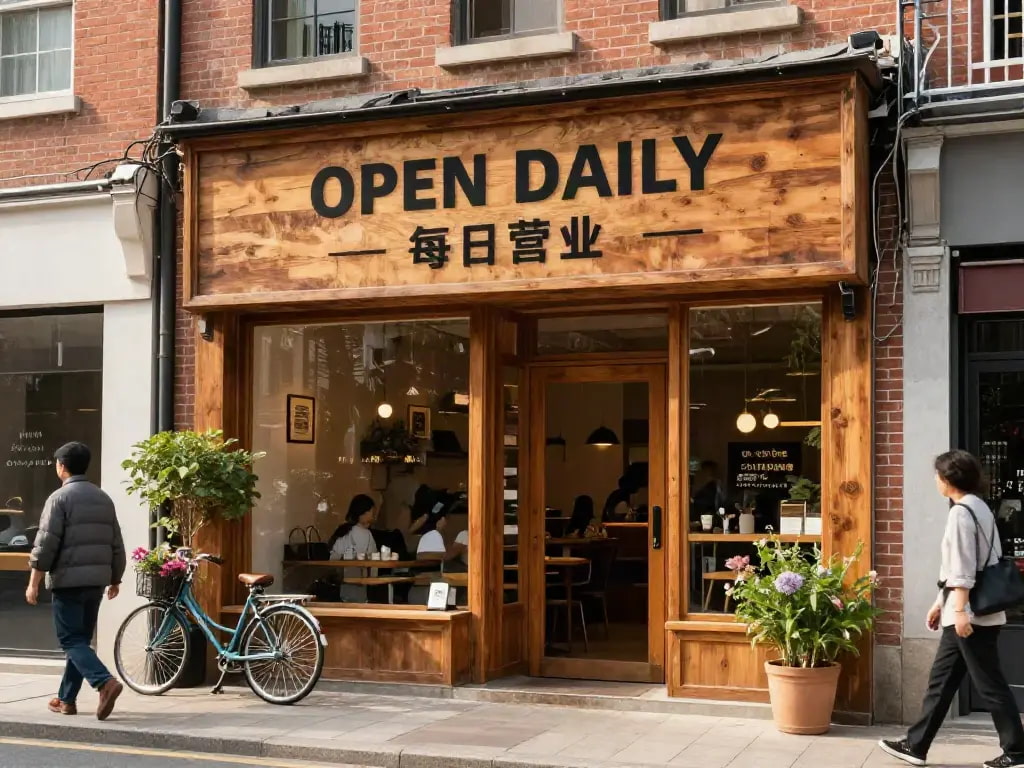
English and Chinese text support: The model can render text in both English and Chinese, which can be useful when creating posters, promotional graphics, banners, and similar visual content.
-
6B parameter model design: Its 6B parameter architecture provides a balance between generation quality and computational requirements compared with substantially larger image models.
How to generate images with Z Image Turbo AI
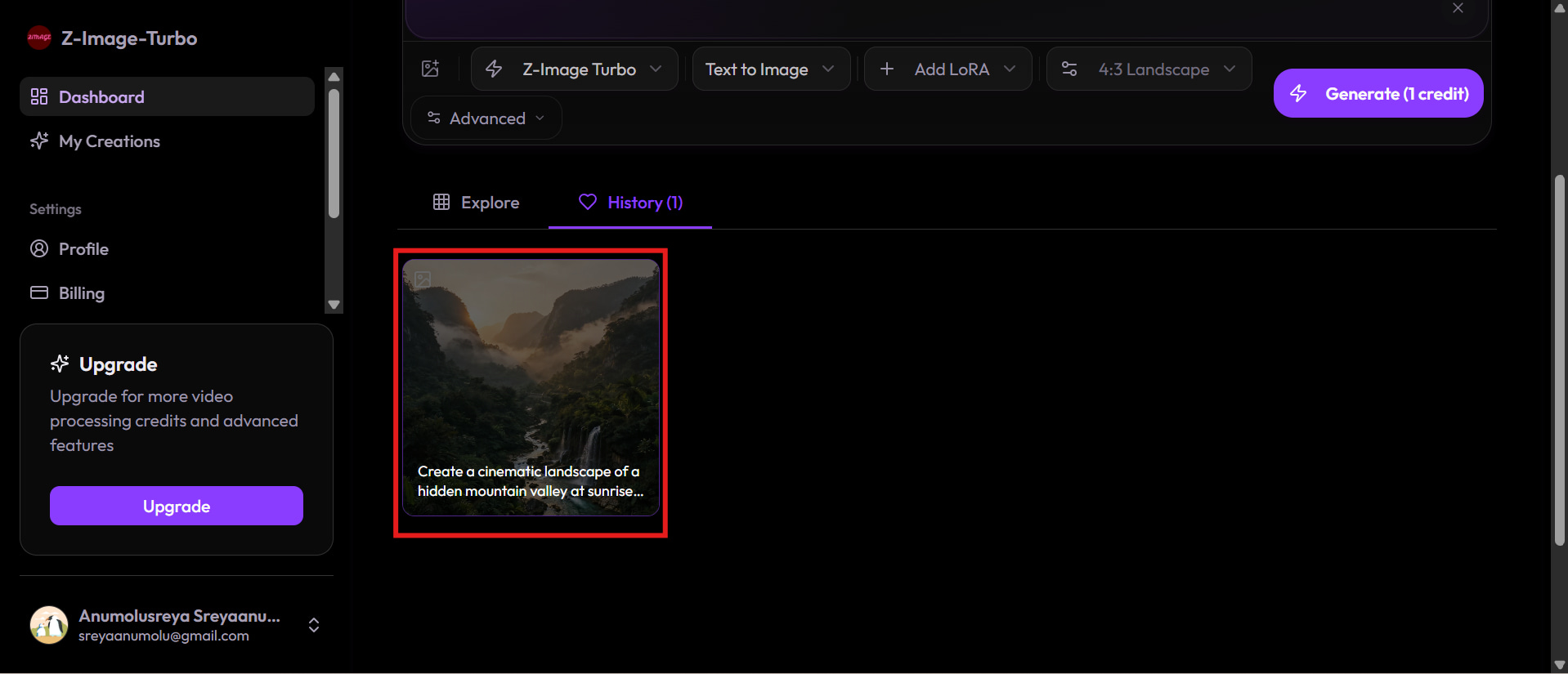
To create an image with Z Image Turbo, you usually choose a compatible online service or set up a local workflow such as ComfyUI. Once the user has selected a model, they can enter a descriptive prompt and adjust the parameters provided in the interface of the chosen model. Once the image is generated, you can view it and regenerate it with different prompts or parameters as desired.
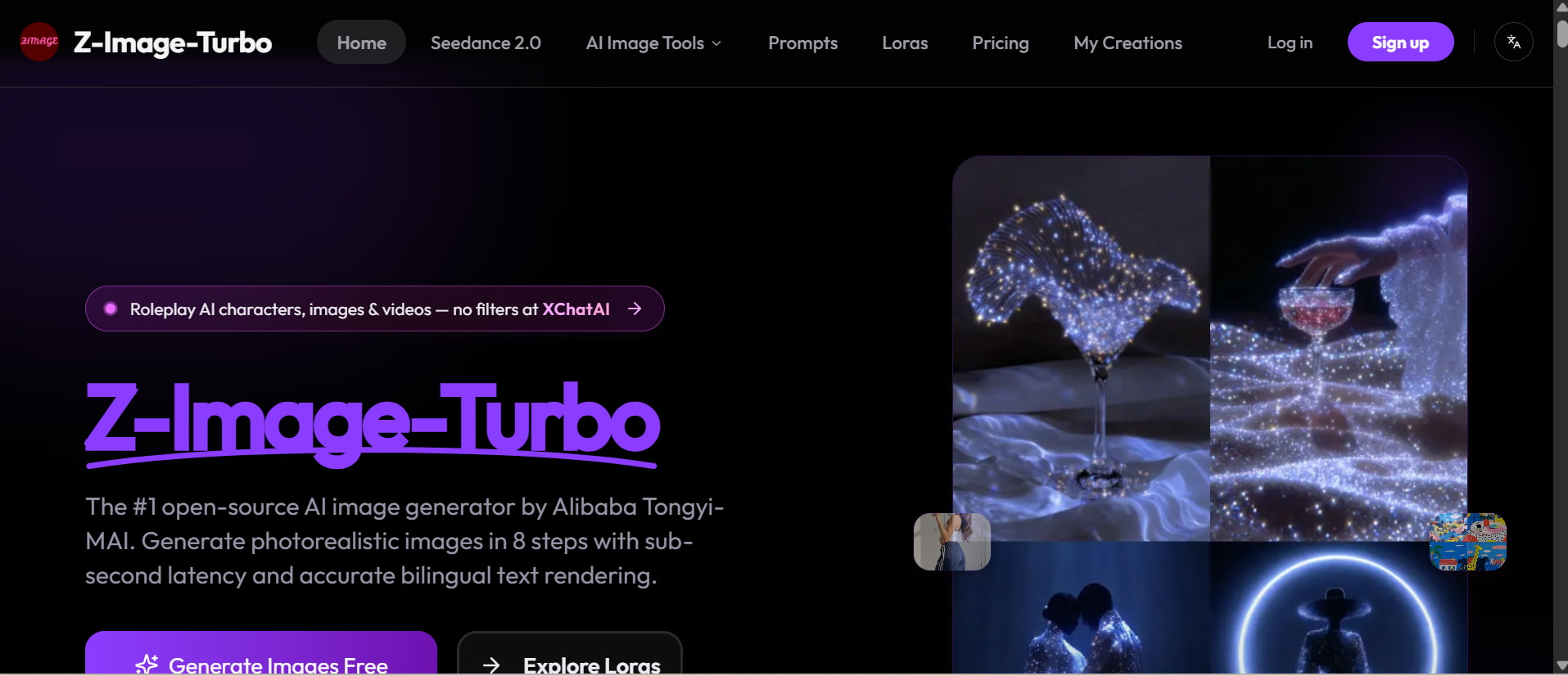
Step 1: Open a supported Z Image or Z Image Turbo interface
First, you need to get access to a service that provides Z Image Turbo or set up a local environment that supports it. Hosted solutions can cut down on the amount of technical configuration necessary, but local users may have to download the model and establish the correct workflow.
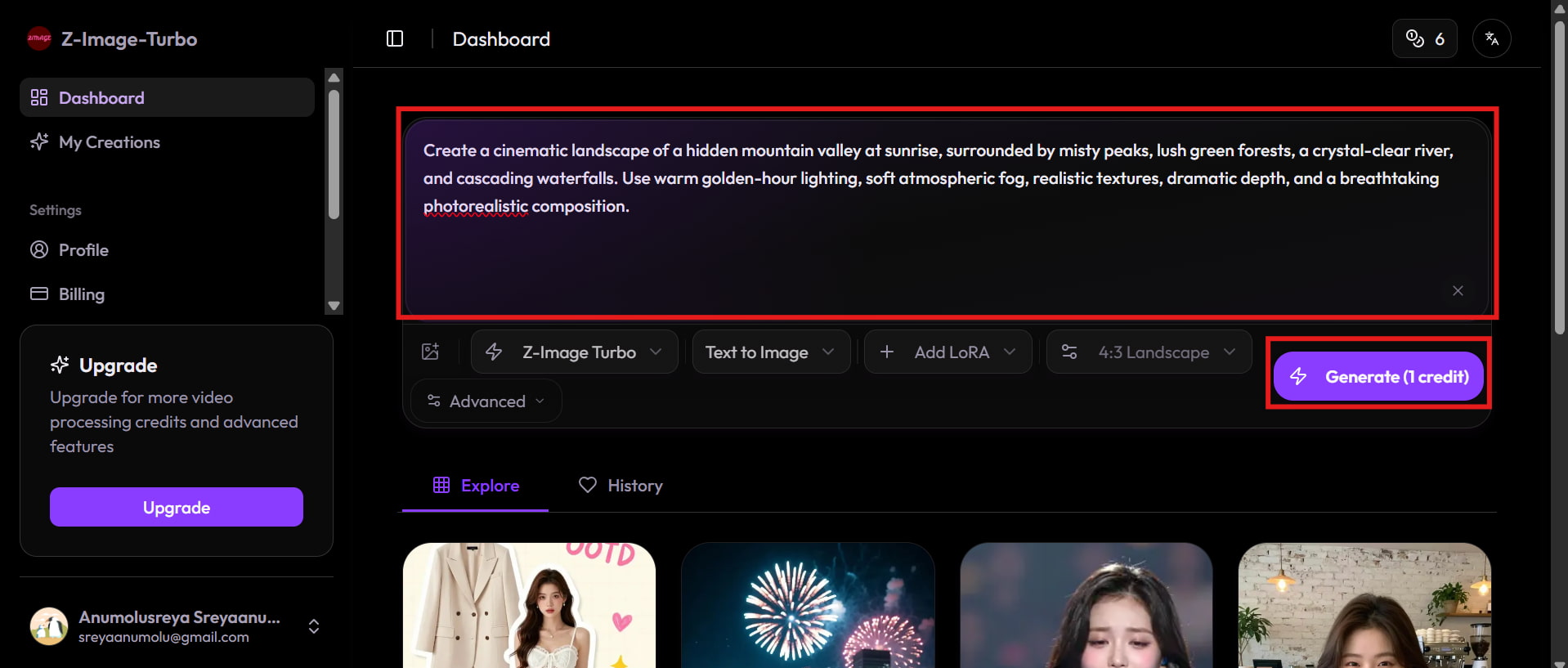
Step 2: Enter your prompt and customise the generation settings
Write a prompt that describes the subject, setting, composition, lighting, style, and any other important visual details. Depending on the interface, you may also be able to change resolution, aspect ratio, sampling options or seed values.
Step 3: Generate, review, and refine your image
Run the generation and check the generated image for composition, visual details, anatomy, text, and following the original prompt. If the results are not what you expected, then change the wording or settings and generate another version.
Is Z Image AI worth it?
Z Image AI is an excellent option for those who are familiar with open-source models and technical image generation tools. The realistic output and fast Turbo generation, combined with model flexibility, make it useful for experimentation and local workflows. Accessibility is the priority. To run the models locally, you may need the proper hardware and configuration. For users who want a hosted experience out of the box, rather than running the model themselves, online interfaces may be easier.
Test Results
-
Photorealism test
-
Complex scene test

-
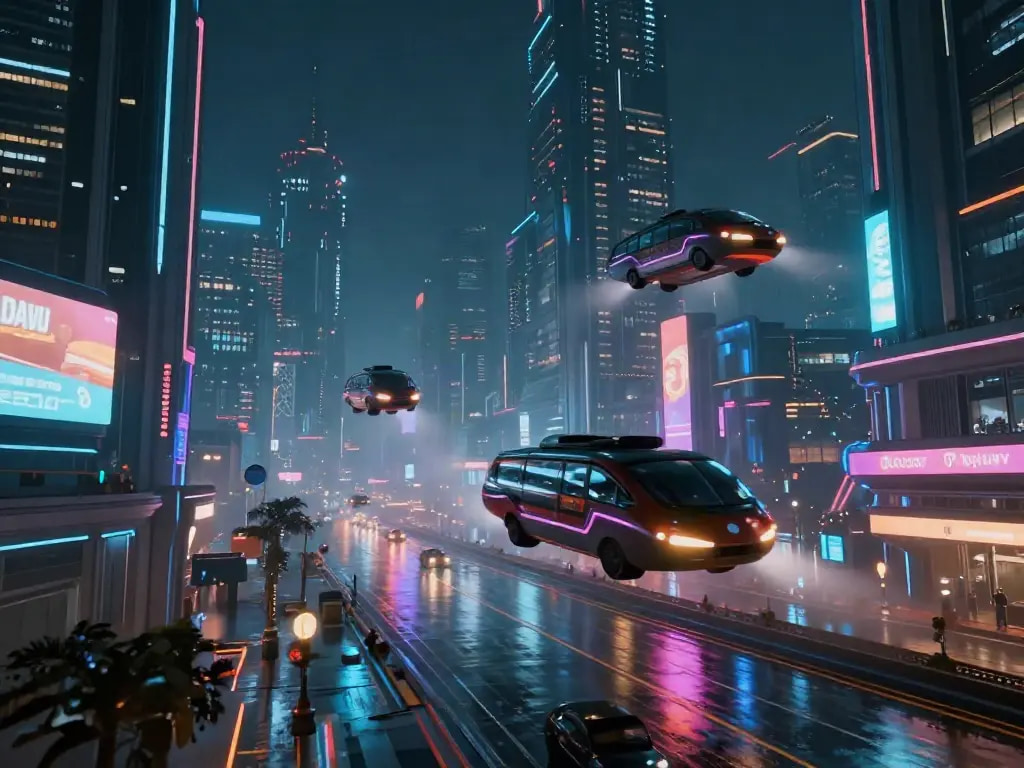
Creative scene test
-
Bilingual text rendering test
Pros and Cons
|
Pros |
Cons |
|---|---|
|
|
|
|
|
|
|
|
|
|
|
|
|
|
Pricing
|
Plan |
Pricing |
Best For |
|---|---|---|
|
$0/month |
Beginners and casual users who want to explore basic AI image generation features without a paid subscription. |
|
$9.90/month |
Individuals and casual creators who need essential AI image generation features for regular creative projects. |
|
$24.90/month |
Content creators, marketers, and small businesses that need higher usage limits and more advanced AI image creation. |
|
$49.90/month |
Professionals, agencies, and businesses require extensive AI image generation for high-volume commercial and marketing projects. |
Community feedback
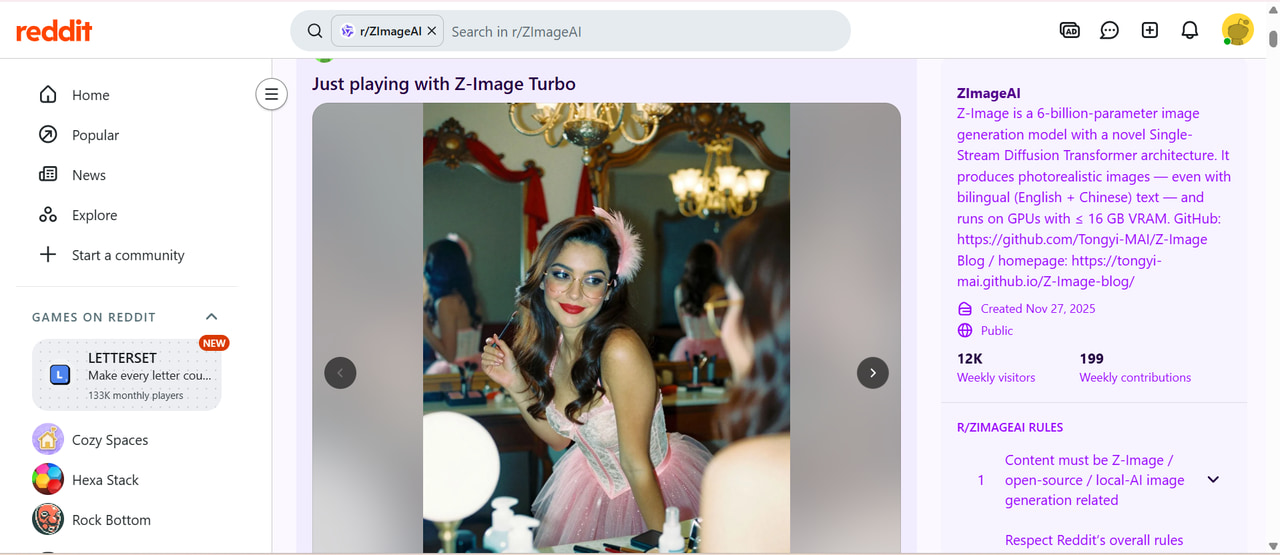
On Reddit
Reddit provides a useful look at how people are experimenting with Z Image outside formal product documentation. Discussions commonly cover visual quality, prompt results, generation speed, hardware performance, and comparisons with other open-source models. The feedback is mixed and often depends on the user's workflow, system configuration, and the type of prompts being tested.
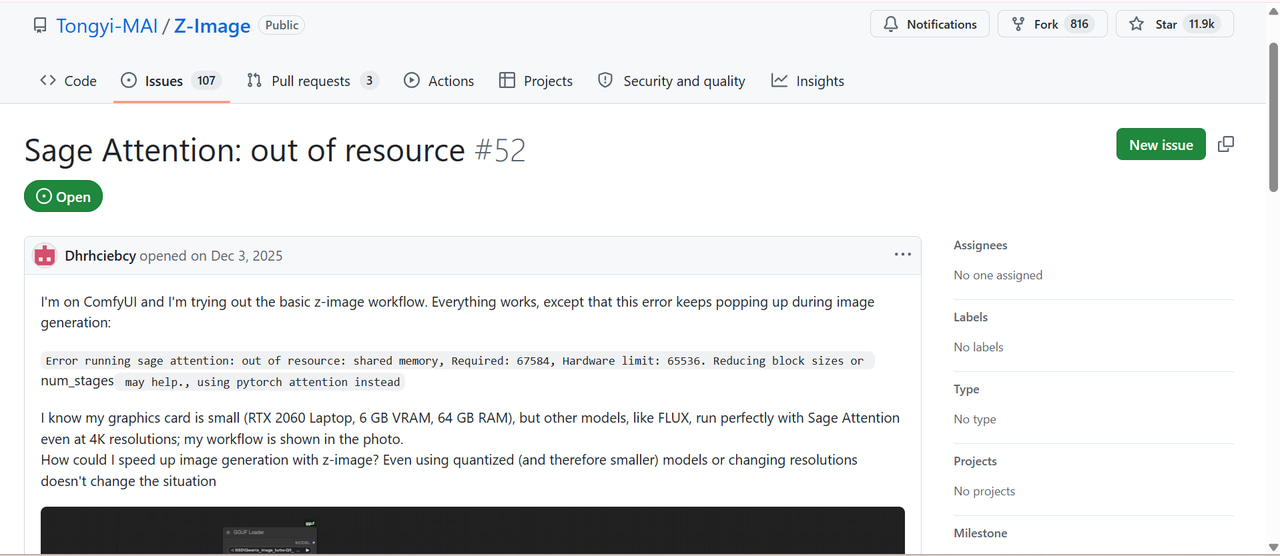
GitHub Discussions/Issues
GitHub allows you to get more technically oriented feedback from people who are actually using Z Image and related workflows. Reported experiences include differences in generation speed, hardware limitations, configuration problems, and compatibility issues. For example, one user noted that generation via Python was significantly slower than ComfyUI, showing how the surrounding workflow can affect practical performance.
Editorial verdict
Z Image AI is a compelling option for tech-savvy content creators who want a say in an open-source image-generating workflow. It has realistic output, a Turbo variant, and a relatively efficient architecture, which makes it attractive for experimentation, although local installation and hardware requirements can add complexity. If you're looking for a simpler browser-based experience and are willing to trade that for more control, Vmake Labs AI image generator might be a better option.
Vmake Labs AI image generator: Built for modern content creators
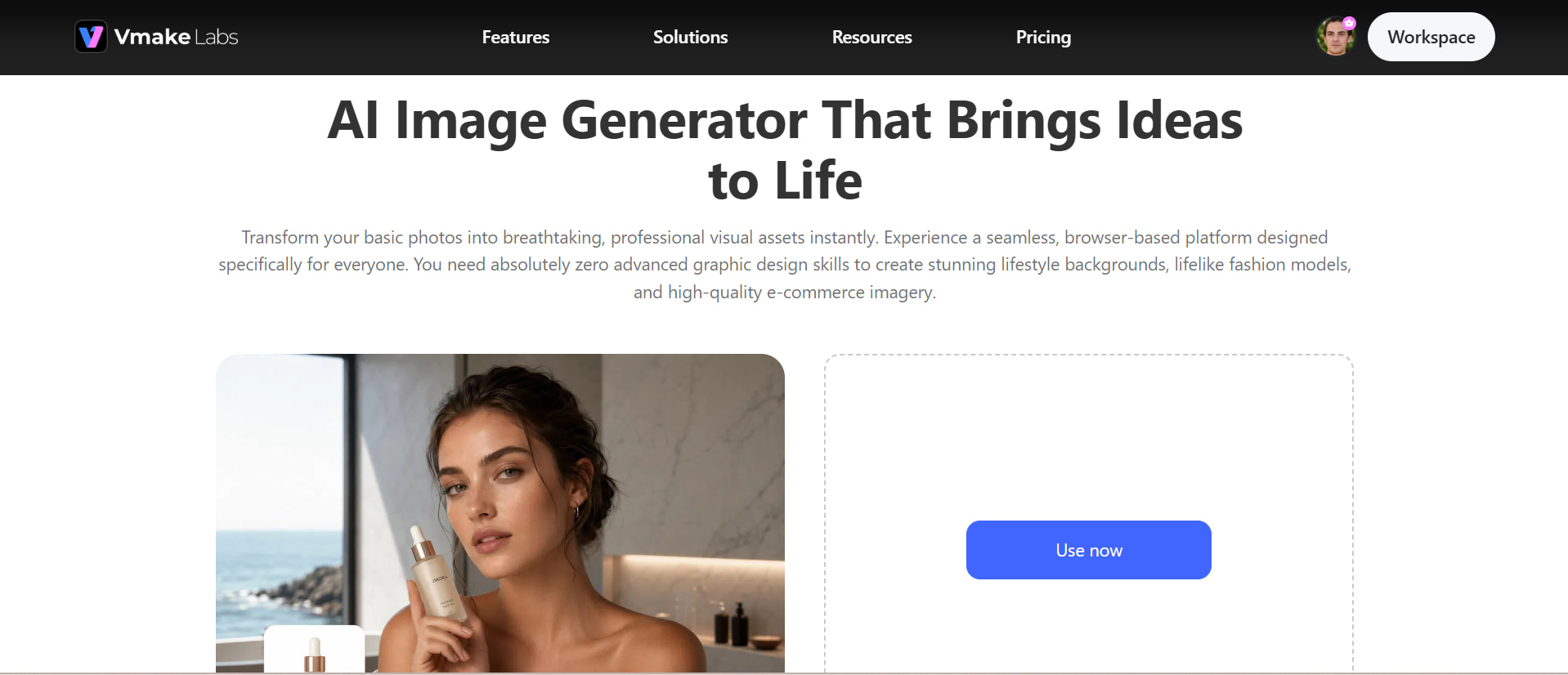
Vmake Labs AI image generator is designed for creators who want to turn ideas into polished visuals without managing AI models locally. Its browser-based workflow makes it easy to generate images from text prompts or reference images, making it suitable for product visuals, marketing content, social media assets, and creative projects. Users can also explore AIimage enhancement to improve clarity and visual quality after generation, making the workflow more accessible for everyday content creation.
How to create AI images with Vmake Labs
Step 1: Enter a text prompt or upload a reference image.
Start by describing the image you want to create with a clear, detailed text prompt. You can also upload a reference image to guide the visual style, composition, subject, or overall look of the generated result.
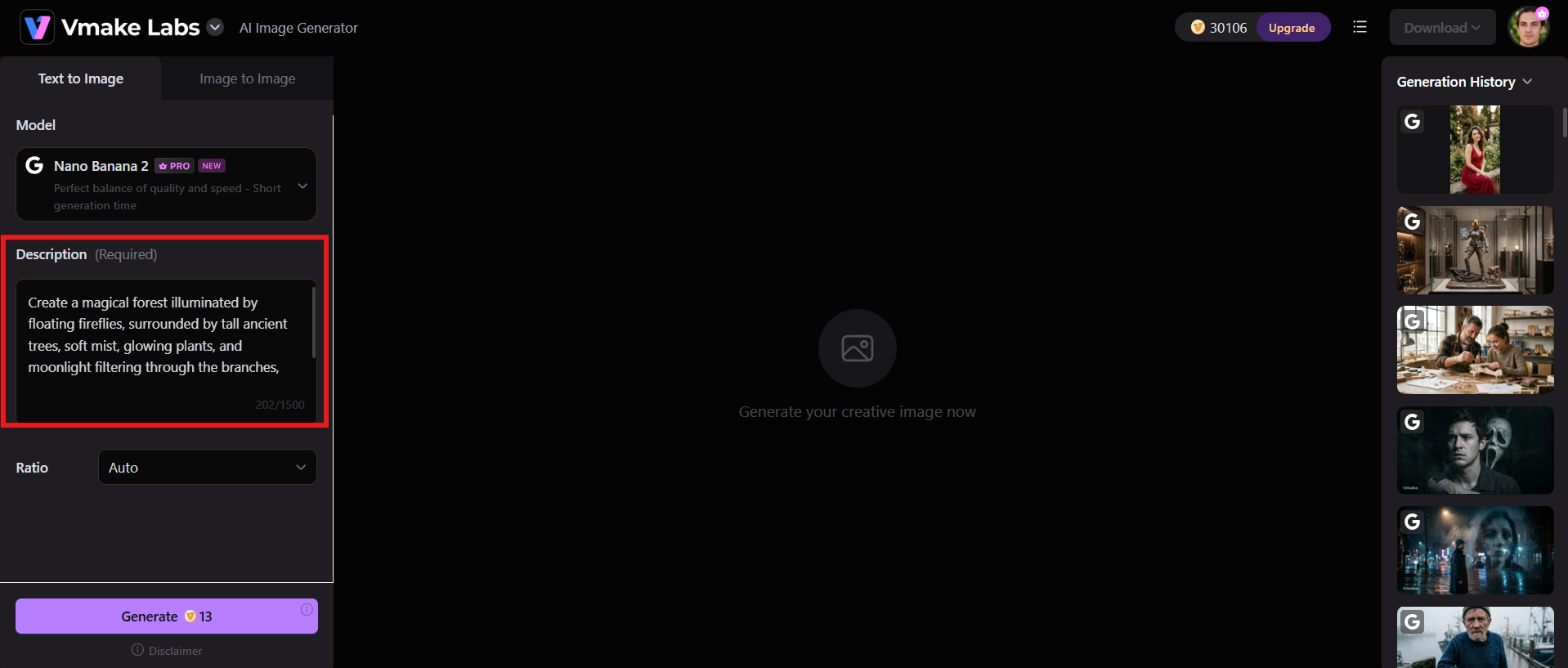
Step 2: Choose an AI model and customise the generation settings.
Select the available AI model that best matches your creative requirements and adjust the relevant generation settings. Consider the desired style, image quality, aspect ratio, and other available options before generating the image.
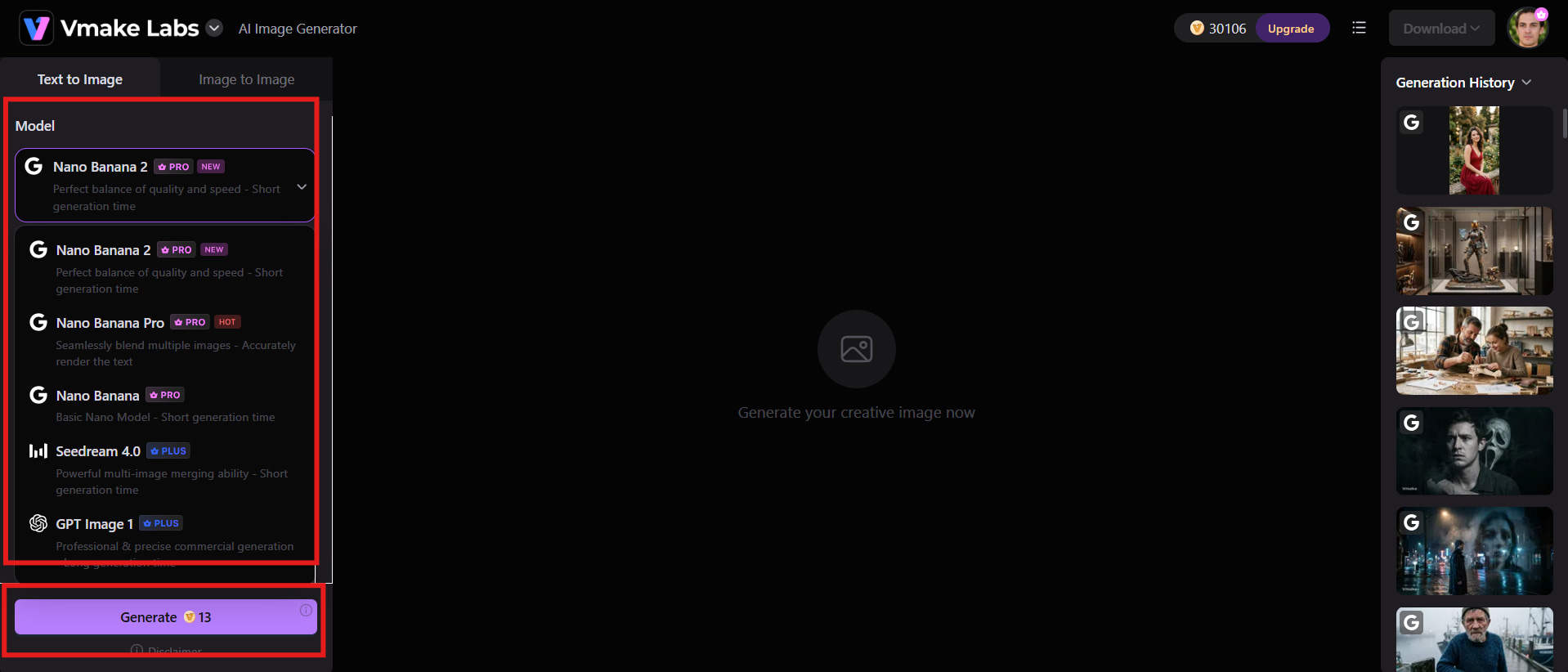
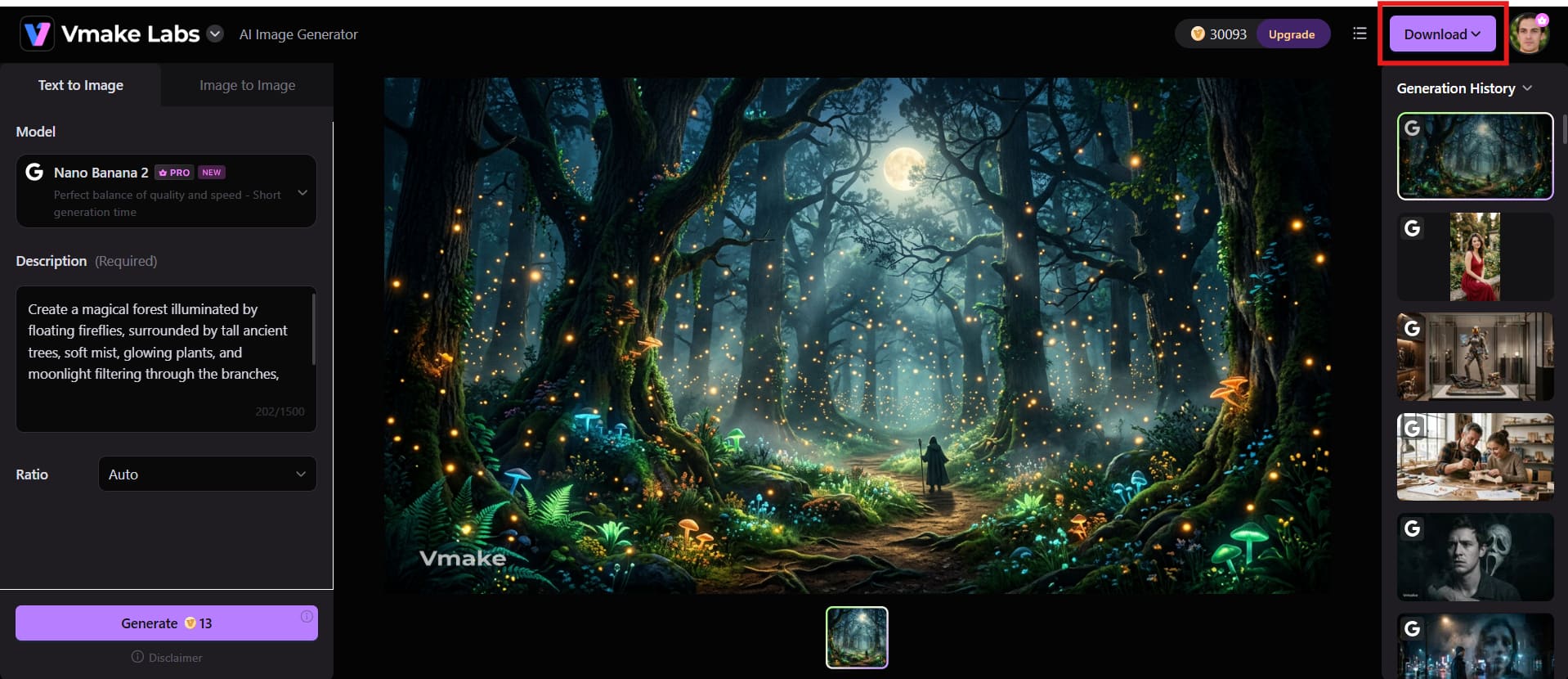
Step 3: Generate, refine, and download your image.
Generate the image and then review the result to see if it matches your prompt or reference. Edit and perfect as needed, then download the finished visual for your project.
Key features of Vmake Labs
-
Multiple leading AI image models: Access different AI models to create visuals that suit various creative needs, styles, and content requirements.
-
Text-to-image and image-to-image generation: Generate images from text prompts or use reference images to guide the subject, style, and overall visual direction.
-
Browser-based workflow: You are able to create AI images right in your browser without installing or managing complex AI models on your own computer.
-
Multiple aspect ratios: Choose suitable image dimensions for social media posts, e-commerce content, advertisements, and other creative formats.
-
Fast AI image generation: Generate high-quality visuals efficiently for content creation, marketing campaigns, and creative projects.
-
Flexible creative customization: Adjust prompts, styles, compositions, and other visual details to create images that match your requirements.
Z Image AI vs Vmake Labs AI image generator
Z Image AI and Vmake Labs AI image generator are aimed at different priorities. Z Image AI gives developers and seasoned creators more freedom to experiment with open-source models and local workflows. Vmake Labs is a simplified way to generate visuals from a browser without the hassle of installing models or configuring your GPU. The following table compares their capabilities, usability, customization, performance, and common applications.
|
Category |
Z Image AI |
Vmake Labs AI Image Generator |
|---|---|---|
|
Best For |
Open-source image generation, experimentation, and technical workflows |
Marketing visuals, ecommerce content, and professional creative projects |
|
AI Models |
Z Image model family, including Z Image Turbo |
Multiple leading AI image models |
|
Image Generation |
Primarily focused on text-to-image generation |
Supports text-to-image and image-to-image generation |
|
Ease of Use |
May require technical setup and model configuration |
Beginner-friendly browser-based workflow |
|
Customization |
Offers prompt-based control and technical model customization |
Provides flexible prompts, aspect ratios, models, and creative settings |
|
Image Editing |
Z Image Edit supports image-to-image editing workflows |
Supports AI-powered image generation and creative image transformation |
|
Speed and Workflow |
Z Image Turbo is optimized for fast generation |
Provides a streamlined workflow for quickly creating AI visuals |
|
Use Cases |
AI research, local generation, experimentation, and creative projects |
Ecommerce images, advertisements, branding, social media, and marketing content |
Conclusion
Z Image AI is an efficient open-source image generation family for creators who value speed, realistic visuals, prompt control, and local experimentation. The Z Image Turbo is great for fast generation; the Base and Edit variants allow for more creative options. However, the local setup and hardware needs might be hard for some users. Vmake Labs provides a simpler, browser-based solution that supports multiple AI models, reference images, and aspect ratios. An easy solution for marketers, e-commerce teams, and content creators looking for efficient image generation without complicated technical setup.
FAQs
-
What is Z Image AI and how does it work?
Z Image AI is a 6B parameter family of open source image generation models built by Tongyi-MAI. It employs a single-stream Diffusion Transformer architecture to convert text instructions into visual outputs. There are different versions in the family optimized for different purposes, like general image generation, faster inference, and image editing.
-
Is Z Image AI free to use?
The Z Image models are available as open-source models, meaning access to the model itself does not necessarily require a subscription. However, running them locally can involve hardware or computing expenses, and third-party hosted services may charge for generation. Vmake Labs provides an alternative for users who prefer a browser-based image-generation workflow.
-
How does Z Image Turbo compare with Vmake Labs?
Z Image Turbo is aimed at users who want faster inference from an open-source model and are comfortable with technical workflows. Vmake Labs focuses on accessibility, offering a browser-based environment with multiple image models, reference image support, and simpler generation controls. The better option depends on whether technical flexibility or ease of use is more important.
-
Can Z Image AI generate realistic and high-quality images?
Yes. Z Image AI performs particularly well with photorealistic subjects, environments, and cinematic compositions. It can reproduce detailed textures, lighting, and other photographic elements effectively. However, complicated scenes, anatomy, and generated text may still require prompt adjustments or multiple attempts.
-
Is Z Image AI suitable for commercial image generation?
Z Image can be considered for commercial workflows, but users should check the licensing conditions for the specific model version they intend to use. The terms of any third-party hosting service should also be reviewed separately. This is especially important when generated visuals will be used for advertising, ecommerce, or other commercial purposes.
-
Is Vmake Labs a good alternative to Z Image AI?
Vmake Labs can be a good alternative for creators who value convenience rather than local model management. It provides an online workflow with multiple AI models, text-to-image and image-to-image capabilities, reference image support, and accessible generation controls. This makes it particularly convenient for creators who do not want to configure local models or GPU resources.

You May Be Interested
Best AI Image Generator: 10 Top Picks for 2026 Review

FLUX AI Image Generator Review 2026: Is It Worth Using?
Grok Image Generator Review: Is It Worth Using in 2026?
Pixelcut Image Upscaler Review: Tested & Worth It?
Fotor AI Image Generator: Honest Review Plus Best Alternative
