Mind Video AI Review: Features, Pricing, and the Ideal Alternative To Try
Looking for an AI video generator? Read our Mind Video AI review to learn about its capabilities, pricing, and why Vmake is a great alternative. Enhance your video content production today!

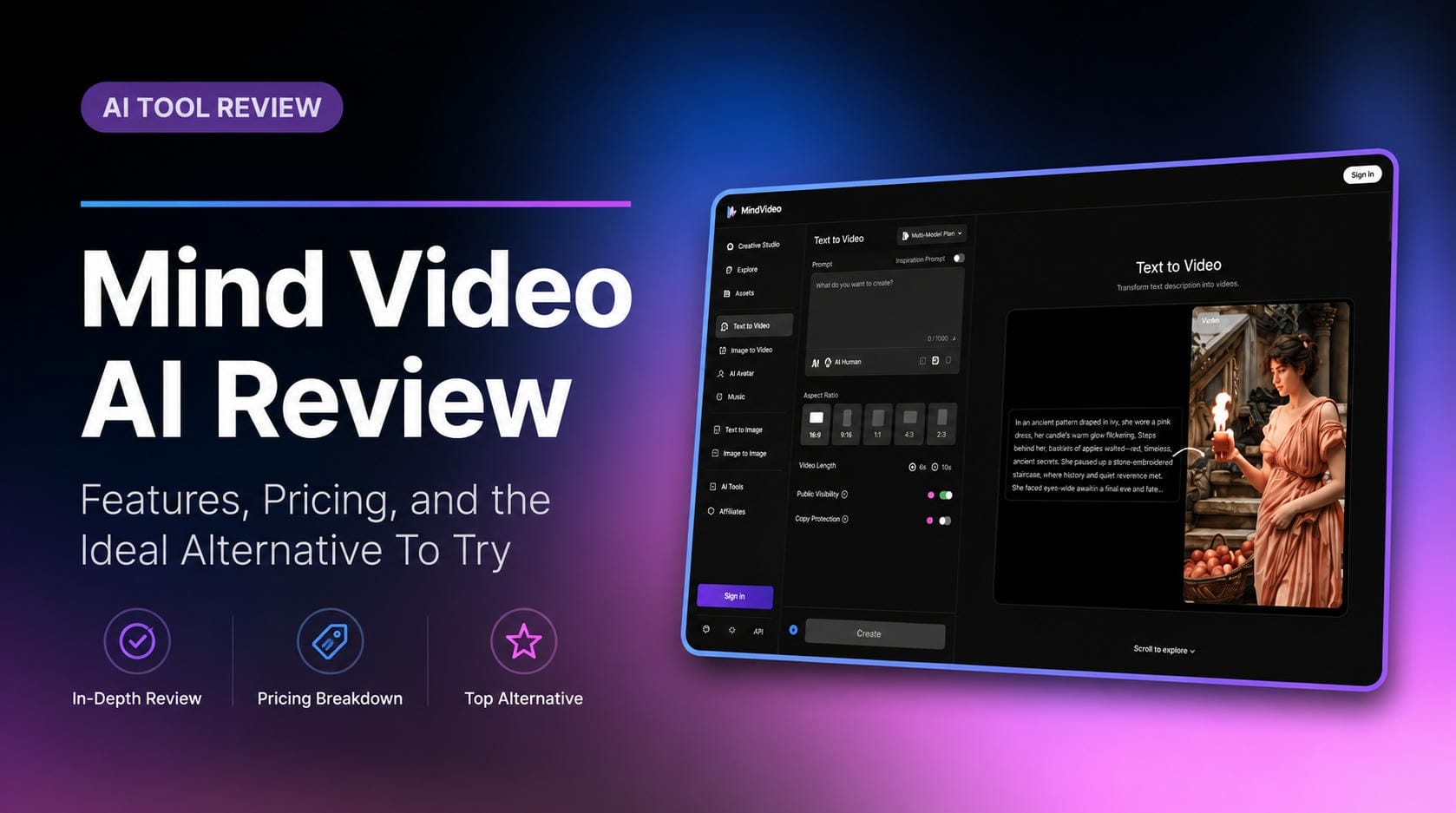
Are you looking to turn simple text prompts into stunning, cinematic videos? In this Mind Video AI review, we will explore everything you need to know about this highly talked-about video generator. From its impressive cinematic camera controls to its pricing and top alternatives, read on to discover if this AI video tool is the right fit for your creative workflow.
What is Mind Video AI?
Mind Video AI is a powerful, web-based artificial intelligence video generation platform designed to create realistic and cinematic videos from simple text prompts or static images.
Built for filmmakers, creators, and visual artists, it leverages a combination of top-tier AI models, including Google Veo 3 and Kling AI, to deliver hyper-realistic results that rival actual camera footage. The platform consolidates complex workflows into an intuitive dashboard, enabling users to generate, edit, and refine high-quality video content without needing extensive technical skills.
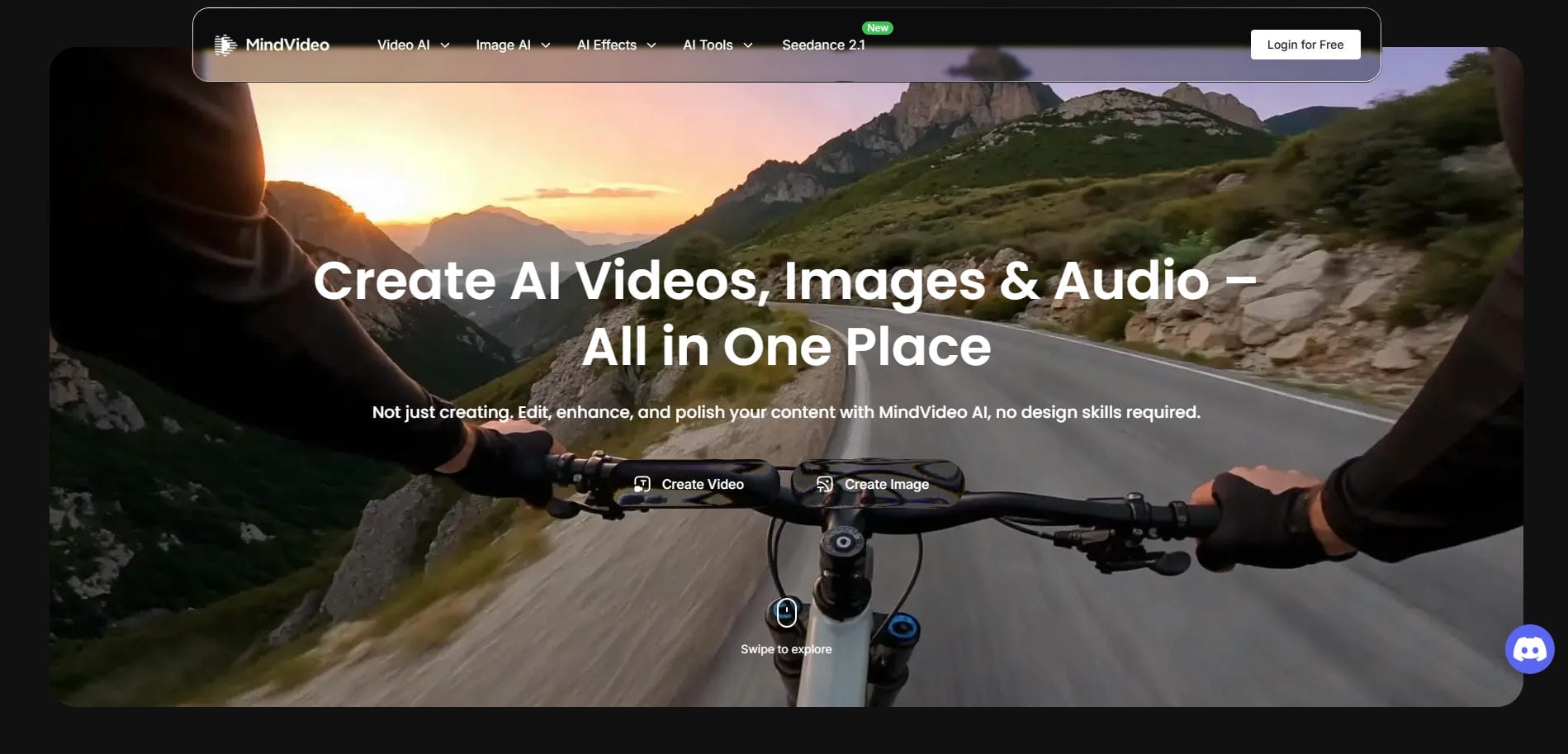
Notable features of Mind Video.ai
Mind Video AI comes packed with powerful tools designed to elevate your creative projects and streamline the video generation process. Here are its standout features:
-
Text-to-video and image-to-video: Transform written descriptions or static images into dynamic, moving scenes effortlessly. This dual generation capability allows for maximum creative flexibility, letting you start from scratch or animate existing visual assets.
-
Built-in AI prompt enhancer: Struggling to write the perfect prompt? The built-in AI prompt enhancer automatically refines your basic text descriptions, adding the necessary descriptive keywords to ensure highly detailed, accurate, and professional-looking outputs.
-
Access to high-end AI models: Instead of paying for multiple subscriptions, Mind Video AI consolidates several top-tier models like Sora 2, Veo 3, and Kling AI into one unified dashboard, giving you access to industry-leading rendering technology.
-
Adjustable aspect ratios & video duration: Choose output formats such as 16:9, 9:16, or 1:1 and set the clip length directly in the generation workflow. This helps creators optimize videos for YouTube, TikTok, Instagram, ads, presentations, and other publishing destinations without extra editing steps.
-
Native audio generation/inclusion: Optionally include AI-generated native audio during video creation, so the output can contain synchronized sound rather than requiring a separate audio pass. This is useful for social content, demos, and quick-turnaround video production workflows.
Ideal use cases of Mind Video AI free tool
Mind Video AI is incredibly versatile, but its high-fidelity output shines brightest in specific creative scenarios. Here are the top use cases for this platform:
-
Cinematic B-roll for YouTube: Enhance your YouTube videos with stunning, hyper-realistic B-roll footage. It saves creators hours of searching through stock footage libraries by instantly generating exactly what the script requires in high quality.
-
Narrative storytelling and filmmaking: Independent filmmakers can visualize complex scenes, generate storyboards, or even produce entire short films. The cinematic camera controls allow directors to craft compelling narratives without an expensive live-action production budget.
-
Social media shorts: Stand out on TikTok, Reels, and YouTube Shorts with visually striking, high-retention clips. The platform's ability to create eye-catching, realistic visuals ensures your short-form content grabs attention in crowded feeds.
-
Educational and explainer visuals: Transform dry educational content into engaging visual experiences. Teachers and course creators can generate realistic historical reenactments or complex scientific visualizations to make their explainer videos more immersive and understandable.
-
High-quality marketing concepts: Marketing teams can rapidly prototype visual concepts, mood boards, and high-end campaign pitches. It allows brands to present polished, cinematic ideas to clients before investing in full-scale commercial video productions.
Mind Video AI review: how much does it cost?
Understanding the cost of Mind Video AI is crucial before committing.
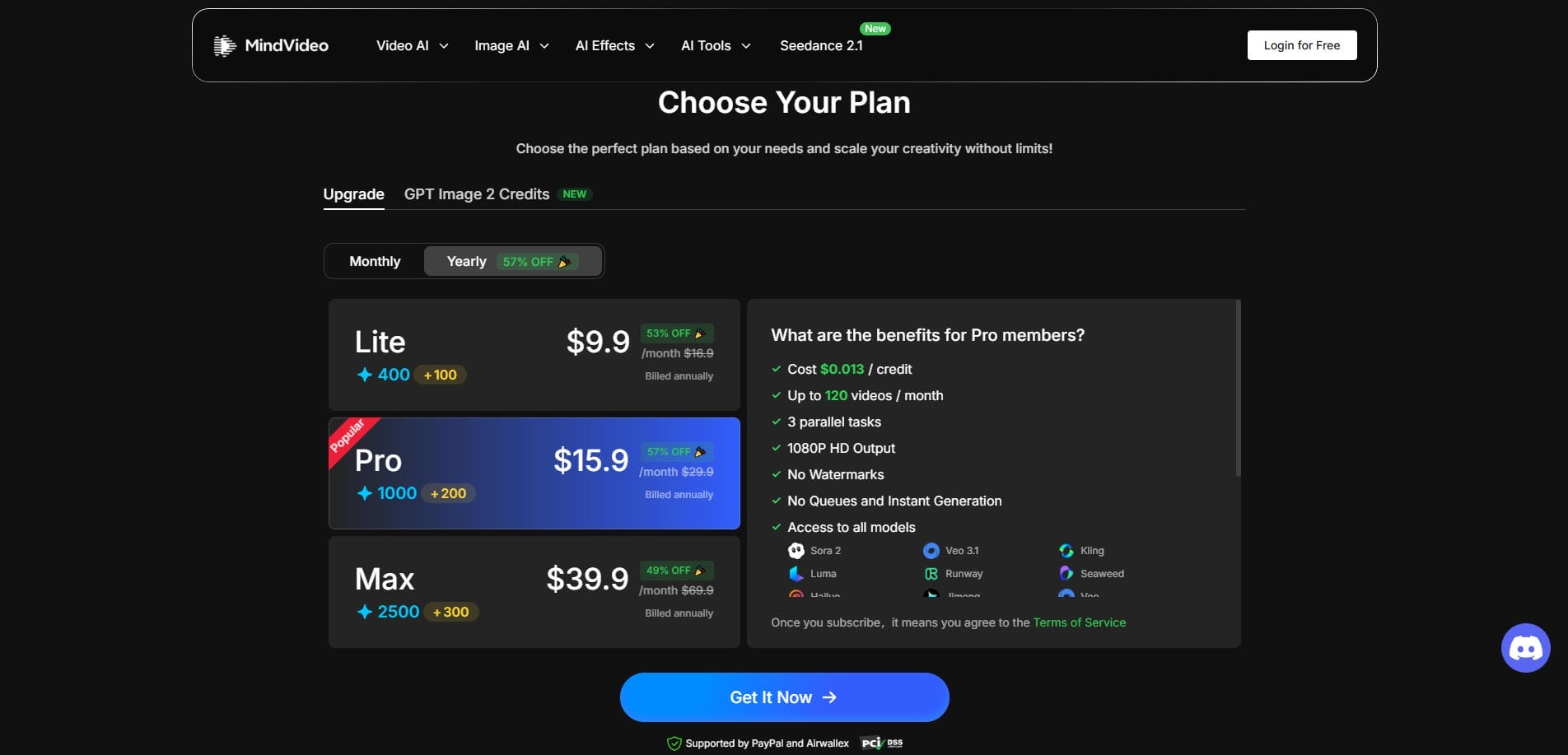
The platform operates on a freemium model, making it accessible for beginners while offering robust tiers for professionals. Free users receive daily credits to test basic features, though videos include watermarks and standard resolution limits.
Paid subscription tiers unlock the platform's full potential. Upgrading removes watermarks, increases generation limits, and grants access to 4K resolution exports alongside advanced cinematic controls.
Here is the pricing structure:
|
Tier |
Monthly Price |
Key Features Included |
|---|---|---|
|
Free |
$0 |
Daily credits, 720p exports, watermarked videos. |
|
Lite |
$9.9 |
No watermarks, 1080p resolution, up to 50 videos/month |
|
Creator |
$15.9 |
No watermarks, 1080p resolution, up to 120 videos/month |
|
Pro |
$39.9 |
No watermarks, 1080p resolution, up to 280 videos/month |
This structure ensures casual users can experiment safely, while serious filmmakers have an affordable pathway to access premium, high-fidelity AI video generation tools.
How to use Mind Video AI video generator in 3 easy steps?
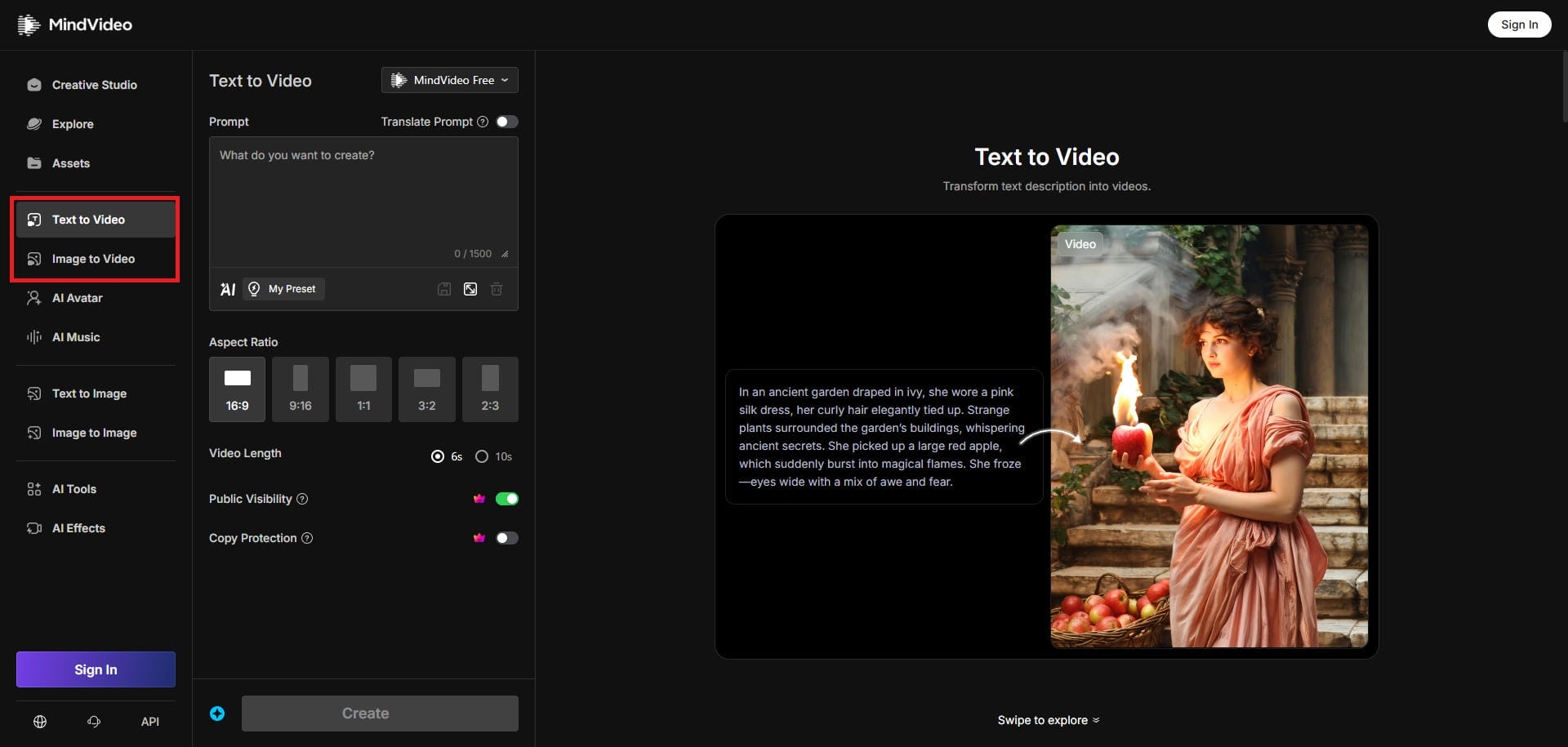
Step 1: Select your AI video generation mode
Start by first visiting the official Mind Video AI website and selecting the "Create Video" option. You then need to choose the process through which you want to create your video (text-to-video or image-to-video).
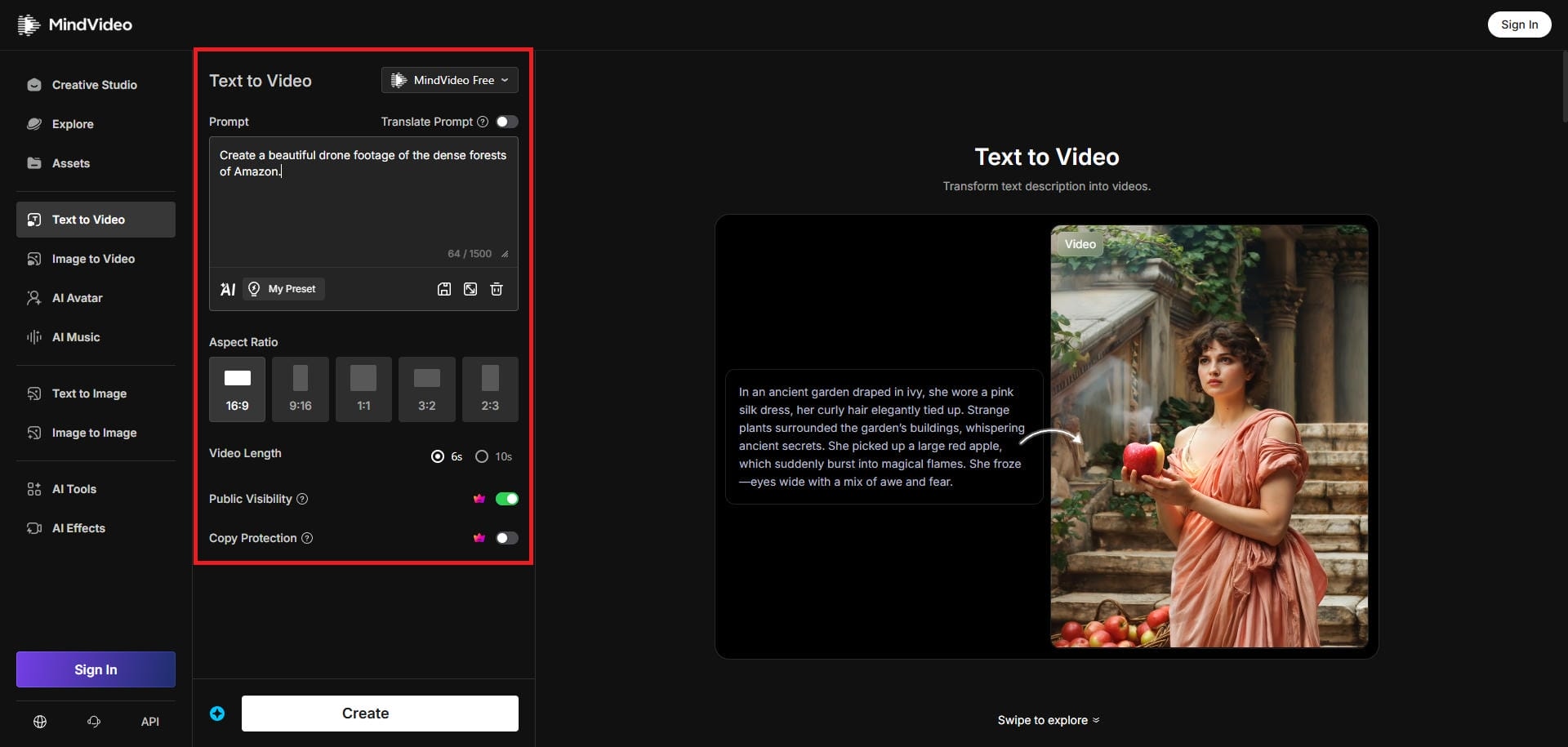
Step 2: Provide your detailed prompt
Next, you need to enter your detailed prompt. If you are using the image-to-video option, then you also need to upload your image. Additionally, choose your AI video generation model from the drop-down menu, the video's aspect ratio, and the video duration.
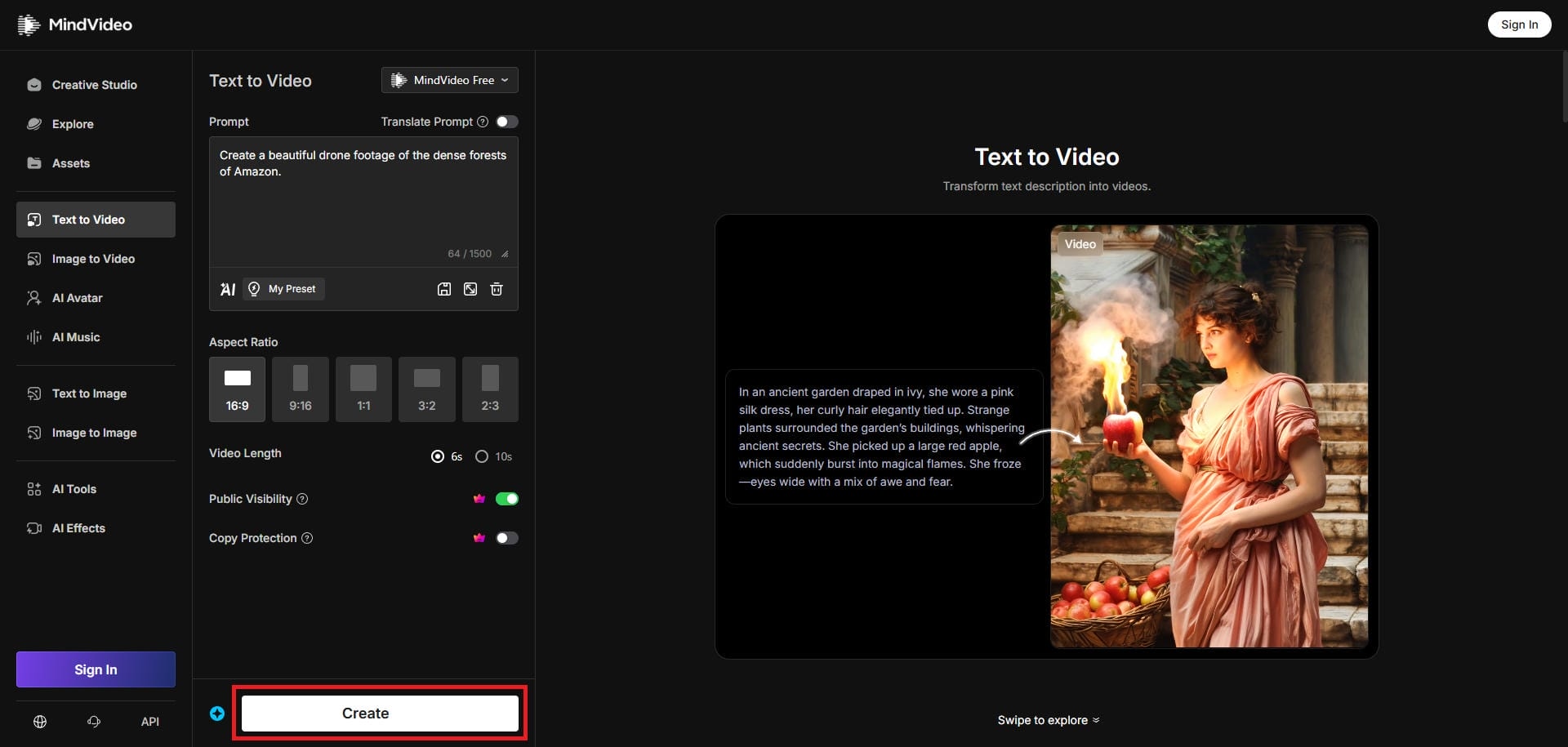
Step 3: Generate and export your video
After entering your prompt, click on "Create". Mind Video AI will start creating your video and once that process is completed, you will be able to download the same on your device with ease.
Mind Video AI review: is it really worth it?
Before you start using Mind Video AI, it makes sense to go through the platform's strengths and weaknesses, before investing your hard-earned money into it.
Pros |
Cons |
|---|---|
|
|
Mind Video AI reviews: see what users are saying
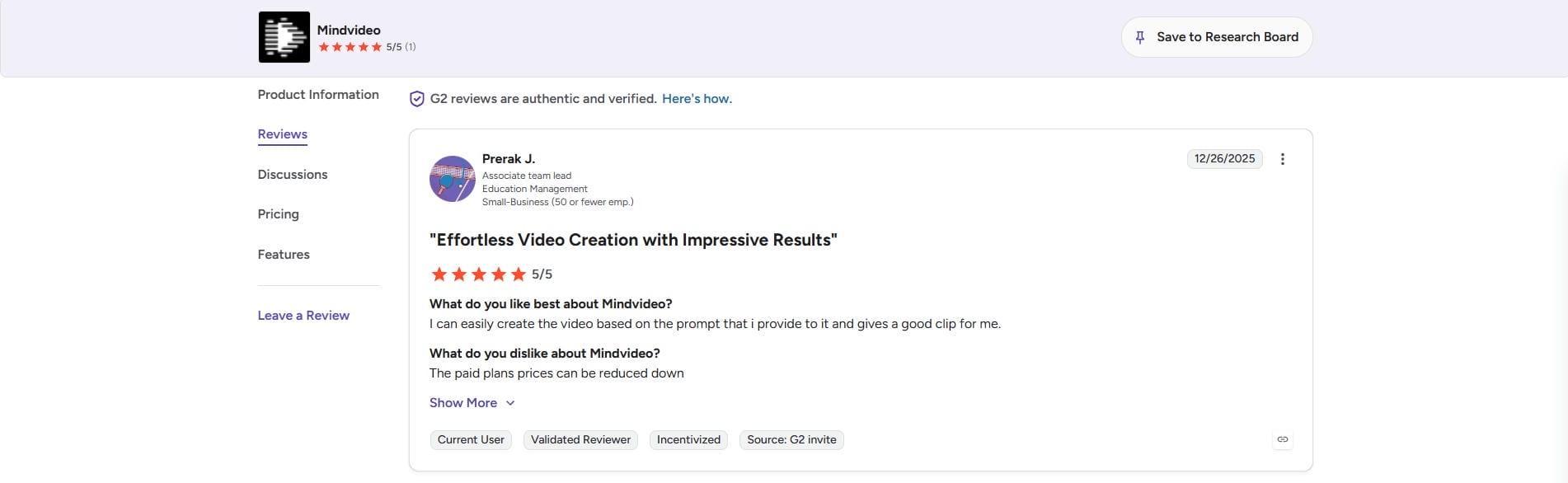
On G2
Reviewers on G2 frequently highlight the immense convenience of the platform's unified dashboard. Users deeply appreciate having access to multiple top-tier generation models in a single place, though a common piece of feedback is the desire for slightly faster rendering times on the free tier.
On Reddit
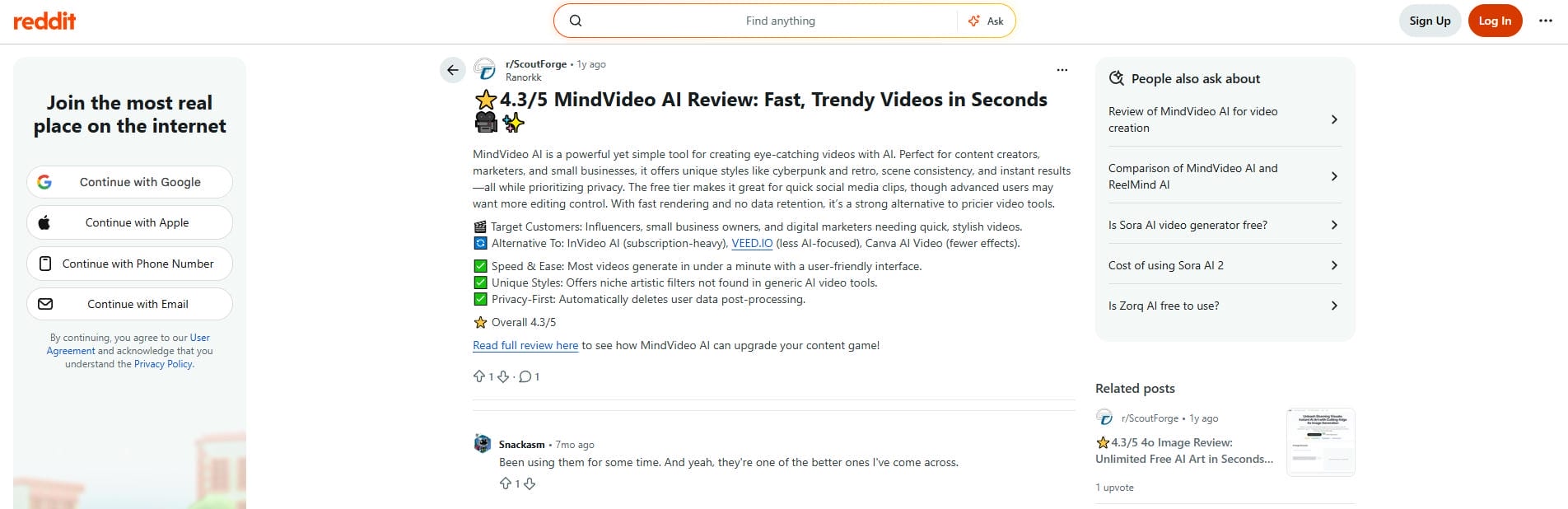
Users on Reddit generally express amazement at the sheer visual quality and strong prompt adherence of Mind Video AI. The consensus is that the platform effortlessly transforms simple concepts into breathtaking, highly detailed cinematic clips, making the generation process feel remarkably intuitive.
Editorial Verdict
Mind Video AI stands out for combining multiple leading generation models within a unified platform while delivering impressive visual quality and strong prompt accuracy. Although free-tier rendering speeds could improve, users consistently praise its ability to create detailed, cinematic videos from simple ideas.
Introducing Vmake AI video generator as an alternative
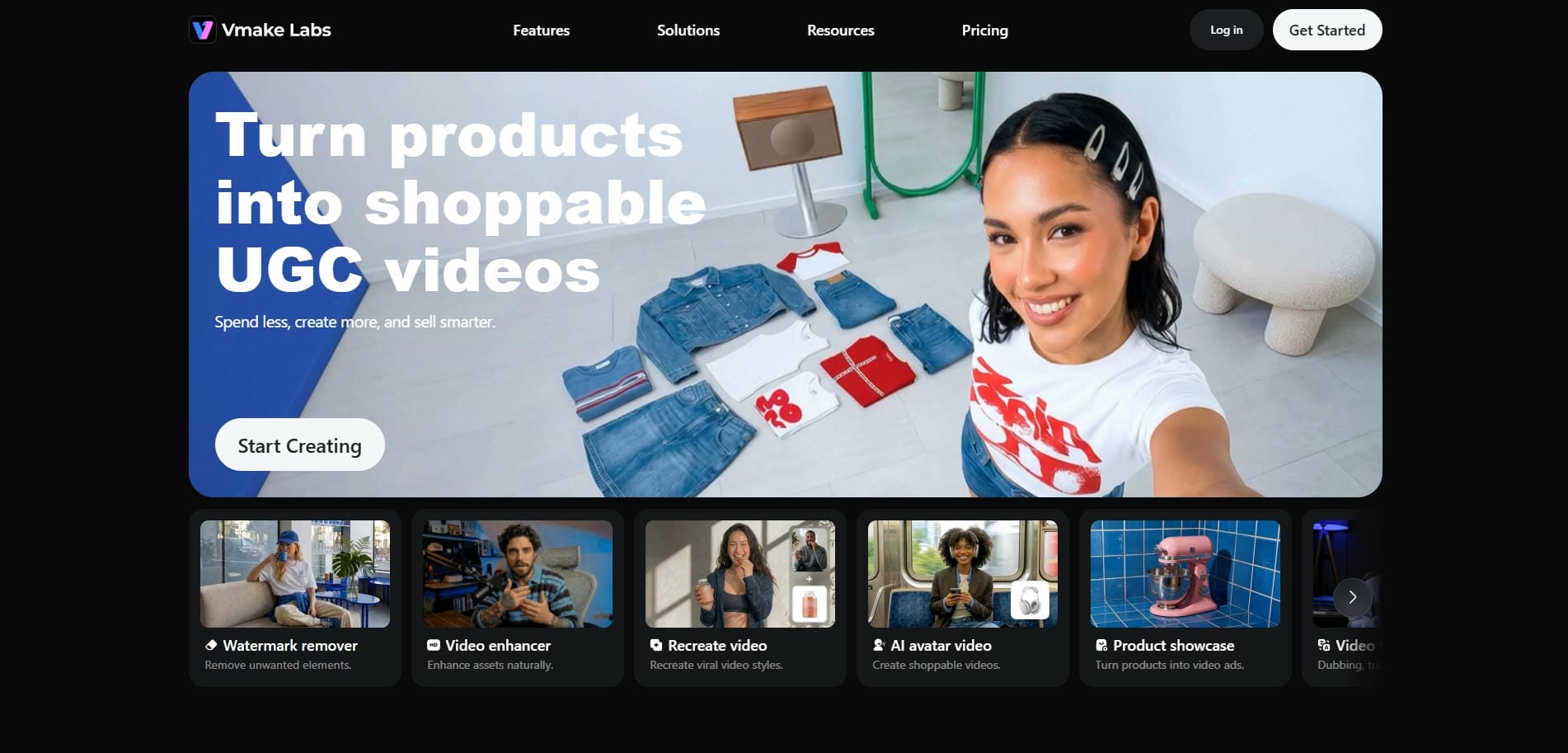
Based on Mind Video AI's noticeable lack of e-commerce and marketing-specific tools, Vmake AI video generator emerges as the perfect alternative for brand marketers. While Mind Video AI focuses heavily on cinematic storytelling and filmmaking, Vmake AI is engineered specifically to drive sales and social media engagement.
Vmake is a dedicated AI agent built for User-Generated Content (UGC) and short-form video ads. If you are an e-commerce seller, a TikTok affiliate, or a brand marketer looking to scale your product campaigns quickly, Vmake AI provides the exact suite of specialized conversion-focused tools that Mind Video AI leaves out of its platform.
Key features of Vmake AI video generator
-
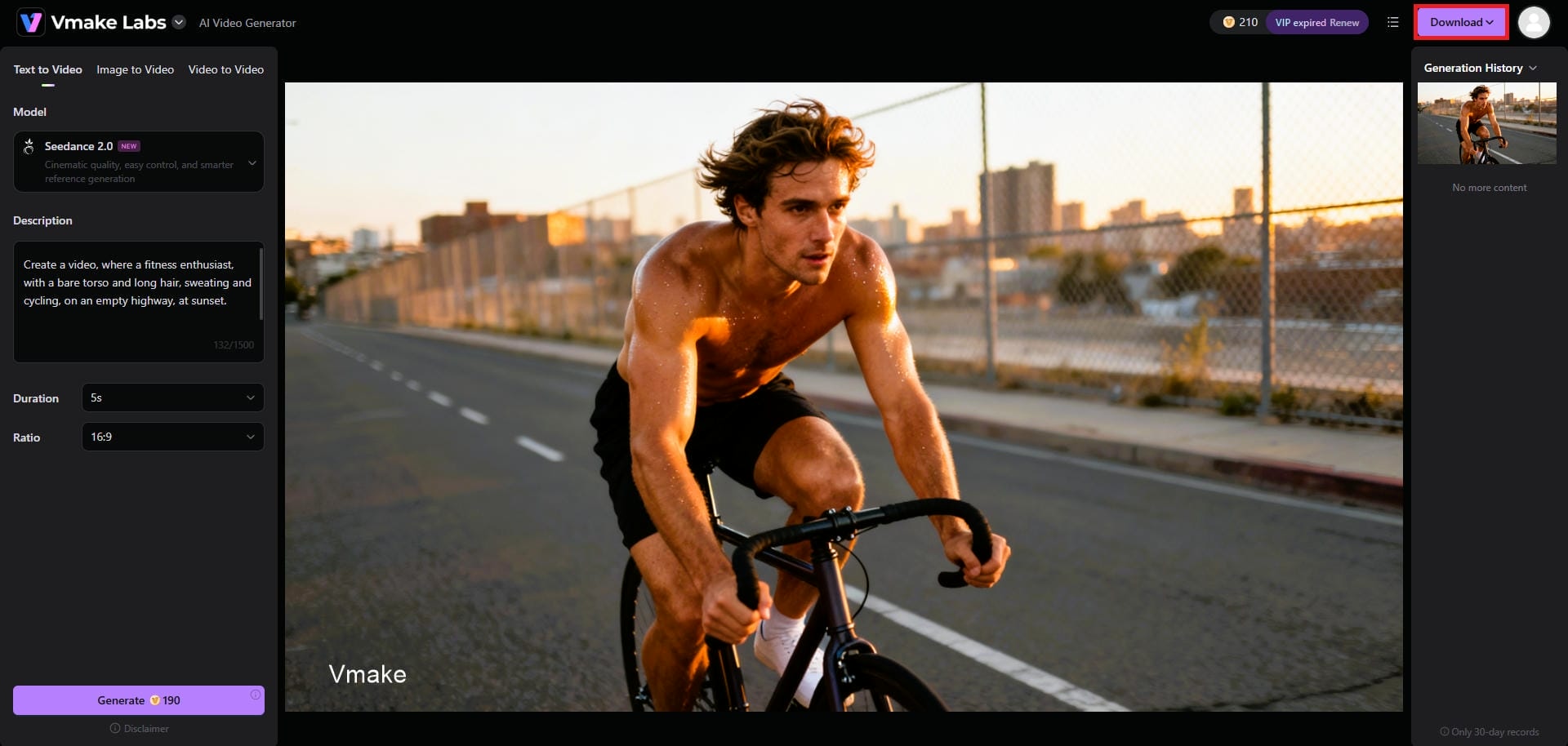
3-way video generation: Vmake offers Text-to-Video, Image-to-Video, and Video-to-Video capabilities. You can instantly turn a simple product photo or a web link into a dynamic, engaging video advertisement in just a few clicks.
-
4K export resolution: Deliver pristine visuals on any screen. Vmake allows users to export generated videos in ultra-high-definition 4K resolution, guaranteeing crystal-clear, professional quality that makes your visual marketing campaigns truly stand out.
-
Customizable ratios and duration: Tailor content perfectly for any platform. Vmake grants complete control over the video's aspect ratio, such as 9:16 for TikTok, and lets you precisely adjust the final clip duration seamlessly.
-
Multi-model support: Access industry-leading generation engines instantly. Vmake seamlessly integrates powerful models like Kling, Veo, and Seedance, ensuring you always have the absolute best rendering technology available for your specific creative needs.
-
Intuitive user interface: You do not need to be a technical expert to succeed. Vmake features a remarkably clean, intuitive interface that simplifies complex generation processes, allowing beginners to create stunning videos effortlessly.
How to use Vmake AI video generator in 3 simple steps?
Step 1: Access the "AI video generator" tool
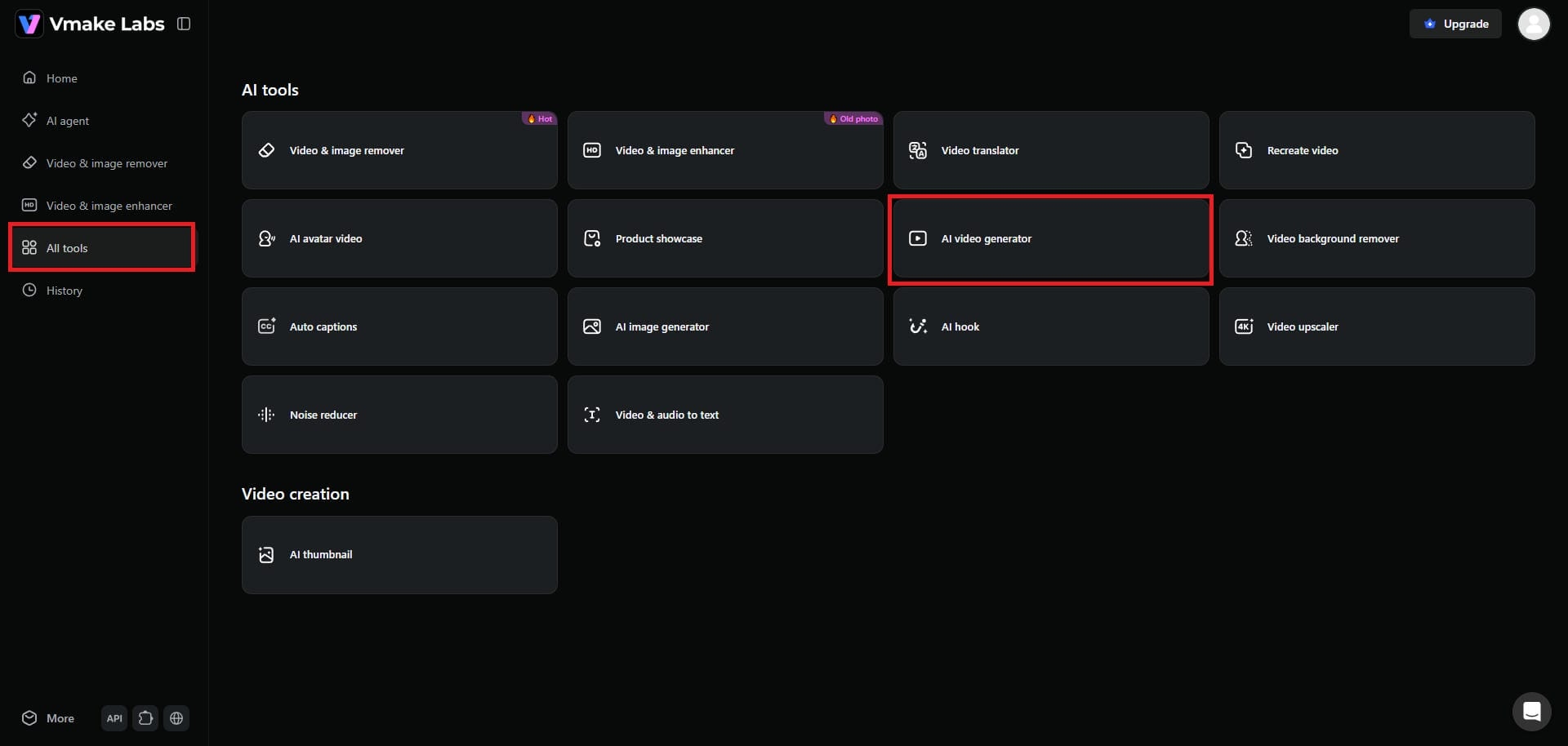
Begin your journey by first accessing your Vmake account. Once you do that, head over to your dashboard and choose the "All tools" option. From there, you need to select the "AI video generator" option.
Step 2: Provide your detailed prompt and generate video
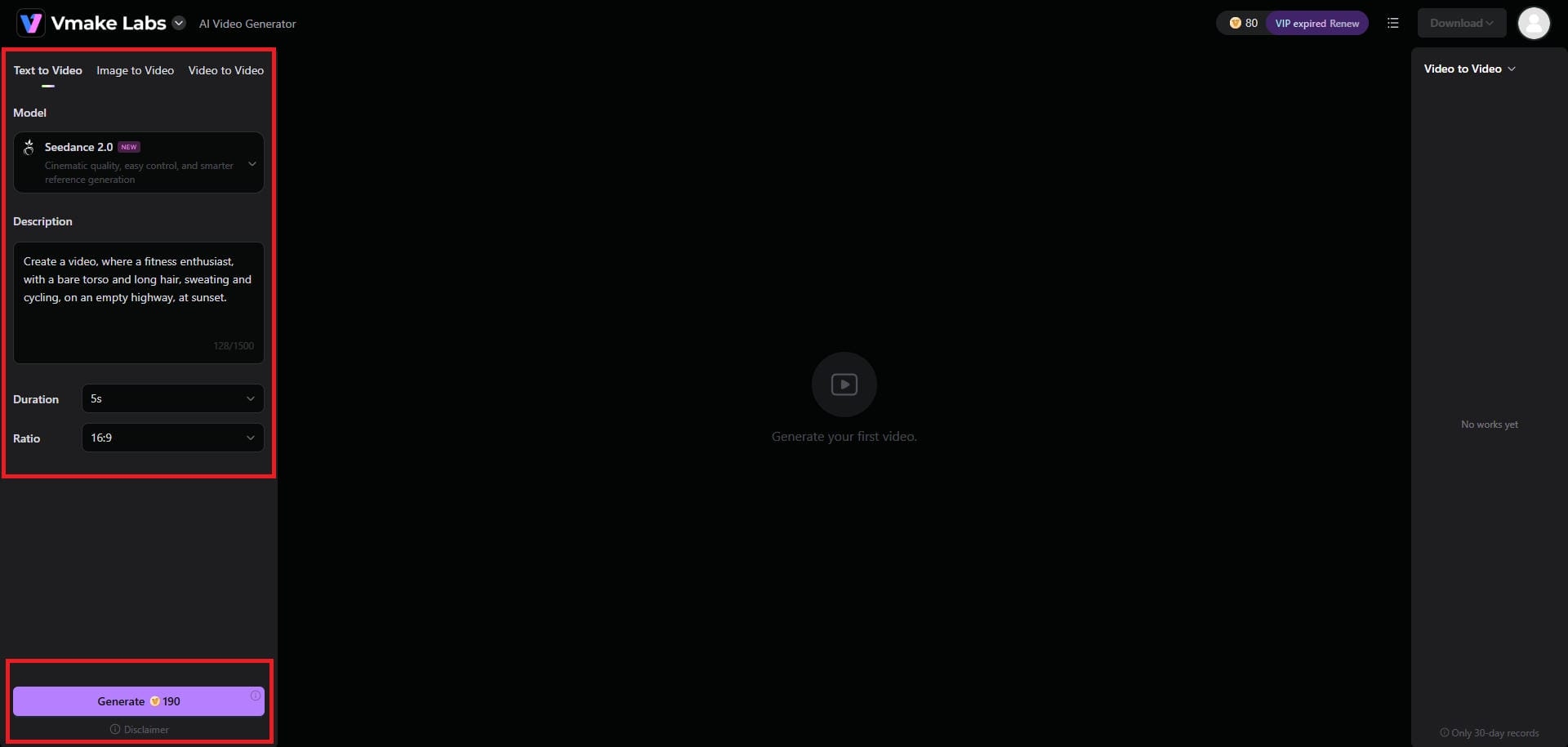
Next, you need to provide your detailed prompt to let Vmake create your video. You can either enter a text prompt, or even upload an image or a video. Additionally, you need to select your AI video generation model, such as Seedance 2.0, Veo 3.1, or Kling 3.0, etc., the video duration, and the overall aspect ratio. Once done, click on "Generate".
Step 3: Download the generated video
Vmake will start generating your video and once that is completed, you will be able to see the same on your screen. Simply click on the "Download" option and export your video.
Mind Video AI vs Vmake AI: essential differences that count
Choosing between Mind Video AI and Vmake AI ultimately comes down to your specific end goals and industry.
Mind Video AI is great for visual fidelity, designed specifically for cinematic storytelling, short films, and YouTube B-roll. It truly thrives in the hands of creators prioritizing art and realism over metrics. Conversely, Vmake AI video generator is optimized for e-commerce, UGC-style social media advertisements, and rapid marketing workflows, that actually convert viewers into customers.
|
Comparison Factor |
Mind Video AI |
Vmake AI |
|---|---|---|
|
Primary Use Case |
Cinematic films and realistic B-roll. |
E-commerce ads and UGC social media. |
|
Target Audience |
Filmmakers, visual artists, and content creators. |
Marketers, brand owners, TikTok affiliates. |
|
Marketing Tools |
None (lacks captions, hook generators). |
Robust (Auto-captions, AI hooks included). |
|
Video Style |
Hyper-realistic, dramatic, studio-quality. |
Engaging, trendy, fast-paced, sales-focused. |
|
Product Animation |
Manual prompting required for products. |
Automated 1-click product showcase templates. |
Conclusion
In conclusion, our Mind Video AI review reveals a truly remarkable tool that pushes the boundaries of AI realism. If you are a filmmaker, storyteller, or content creator looking to generate stunning, cinematic scenes, Mind Video AI is undoubtedly one of the best platforms available today. However, if your primary goal is to sell products or grow a brand on social media, you will likely find its feature set lacking.
For brand marketers, e-commerce sellers, and social media managers, utilizing Vmake AI’s specialized marketing suite is the smarter, more profitable choice for generating high-converting video advertisements.
FAQs
Does Mind Video AI provide a free version of Sora 2?
Yes, Mind Video AI for Sora 2 offers free access to Sora 2, but with strict limitations like severe character limits, double watermarks, and lower resolution. For professional, watermark-free marketing videos, Vmake AI is the superior choice.
Can I use Mind Video AI outputs for commercial purposes?
Yes, Mind Video AI allows commercial use, but strictly on its paid Pro tiers. If you want an alternative built entirely around copyright-safe, commercial-ready product advertisements, Vmake AI is specifically designed for commercial marketing.
How realistic are the AI avatars generated by Vmake?
Vmake AI generates reasonably realistic, human-like avatars with natural expressions. While Mind Video AI excels at cinematic landscapes, Vmake’s avatars are tailored perfectly to act as engaging spokespersons for social media ads.
Which specific AI models power Mind Video AI and Vmake AI platforms?
Mind Video AI utilizes premium cinematic models like Google Veo 3 and Kling AI. Alternatively, Vmake AI incorporates robust models like Seedance, Kling, and Veo, to focus purely on rapid, high-converting social media video generation and e-commerce marketing.
Do I need video editing experience to use Vmake AI?
No editing experience is required whatsoever. While Mind Video AI has complex cinematic controls, Vmake AI features a highly intuitive, one-click interface designed specifically for beginners to generate professional marketing content without any technical skills.

You May Be Interested

AI TikTok Video Generator | Create High-Quality AI Videos

Best AI Video Generator: Top Tools Tested (2026)

11 Best Image to Video AI Generators Compared in 2026