Photo Retouching: Complete Guide to Better Photos (2026)
Enhance portraits, product photos, and old images with AI photo retouching. Learn essential retouching techniques and improve image quality faster with Vmake Labs AI Image Enhancer.

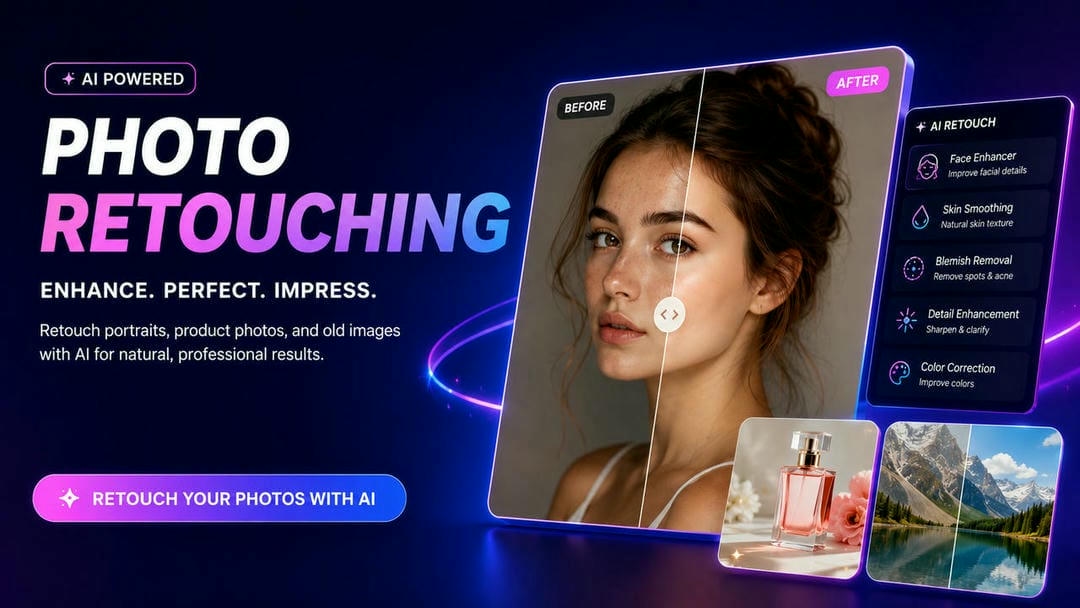
Photo retouching lets you take an ordinary picture and turn it into a polished, professional-looking image, while still retaining its natural appeal. Whether you're working on portraits, product photos, or marketing content, new AI tools make the process faster and easier. In this guide, we'll learn photo retouching techniques, AI workflows, best practices, and tools to get amazing results in 2026.
What is photo retouching?
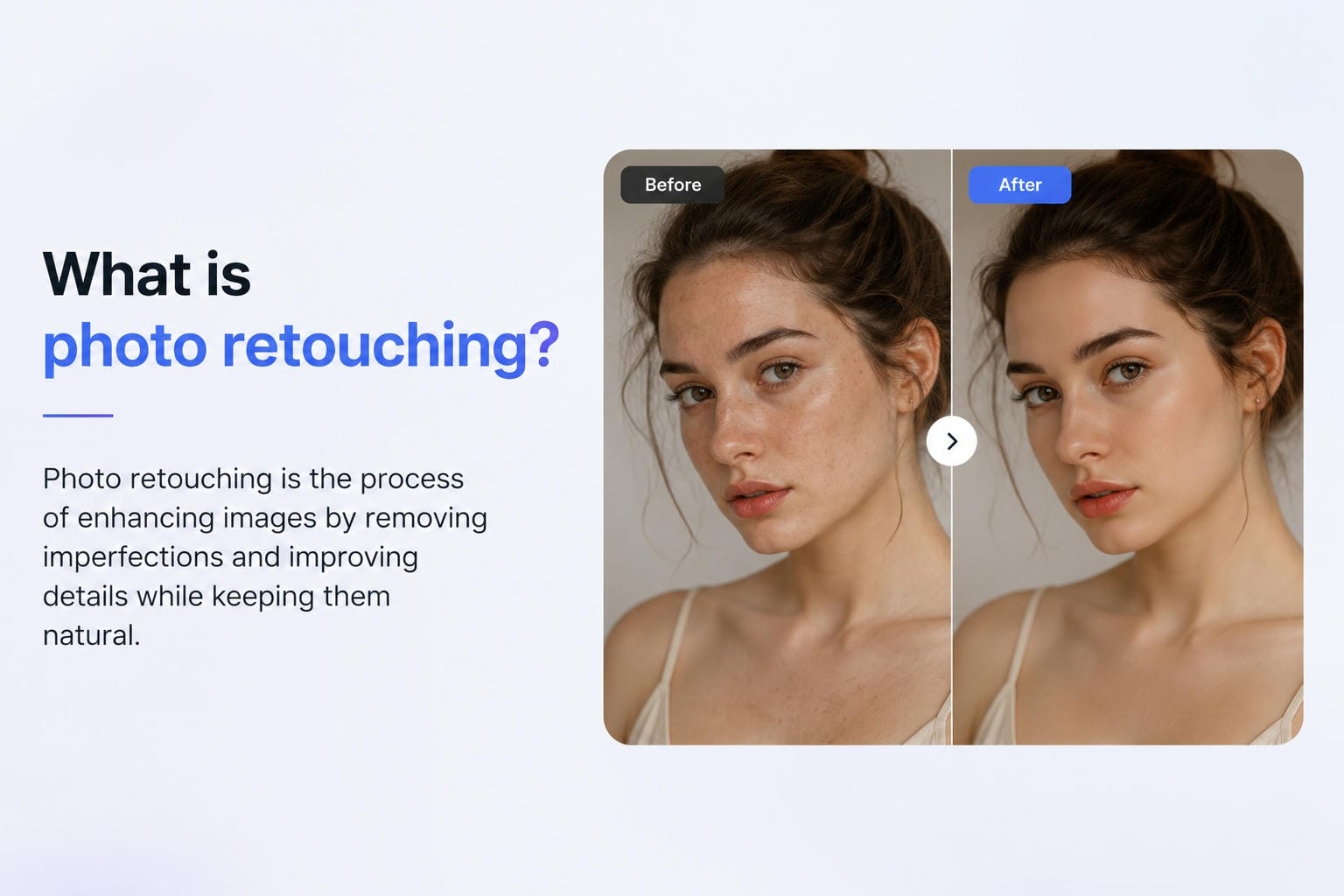
Photo retouching is the process of editing an image, fixing imperfections, emphasizing details, and producing a more refined, cleaner look. While simple photo editing is all about general changes, like cropping or exposure, photo retouching is more about particular elements such as skin, lighting, backgrounds, and unwanted objects. Thanks to AI photo retouching, these improvements are now easier than ever for both beginners and professionals to make in a matter of minutes for great results.
What can be retouched and when should you retouch photos?
-
What Can Be Retouched: You can easily clean up skin imperfections (like blemishes and wrinkles), remove stray hairs, and eliminate distracting background elements. It also covers technical tuning like adjusting lighting, contrast, white balance, and clarity to make the image pop.
-
When You Should Retouch: It is essential whenever you need to make a strong visual impression—especially for portrait photography, product listings, fashion shoots, real estate, and marketing campaigns where high-quality visuals drive engagement.
-
The Golden Rule: The best time to stop retouching is right before the photo loses its authenticity; the goal is to make the image look clean, sharp, and polished while strictly maintaining its original character.
-
How to Do It Efficiently: Modern workflows rely heavily on AI automation to handle these repetitive adjustments instantly, making professional-grade results accessible without requiring hours of manual editing.
Manual photo retouching vs AI photo retouching
That's the beauty of traditional photo retouching; editors have total control over every detail, making it the choice for high-end commercial and creative work. But it often requires high skills and a long editing time. AI photo retouching automates many of the common enhancements, so anyone can enhance portraits, product images, and marketing visuals in minutes. AI gives a fast and efficient solution for everyday users, businesses, and creators who need fast, consistent, and high-quality results, although manual editing is still useful for complex retouching.
|
Feature |
Manual Retouching |
AI Photo Retouching |
|---|---|---|
|
Editing speed |
Slower |
Fast |
|
Skill required |
Advanced |
Beginner-friendly |
|
Batch editing |
Limited |
Easy |
|
Portrait enhancement |
Manual |
Automatic |
|
Product photos |
Manual |
AI-assisted |
|
Best for |
Professional editors |
Everyday users & businesses |
Time to practice: Retouch photos with Vmake Labs AI Image Enhancer
Photo retouching is no longer about expensive software and expert editing know-how. Vmake Labs AI Image Enhancer automatically enhances image quality by using AI to improve facial details, sharpen blur, restore old photos, and enhance resolution. Whether you are retouching photo portraits, enhancing product images for e-commerce, or restoring cherished memories, the tool delivers professional results in a few clicks. It is browser-based, so it can be accessed from any device without installing software.
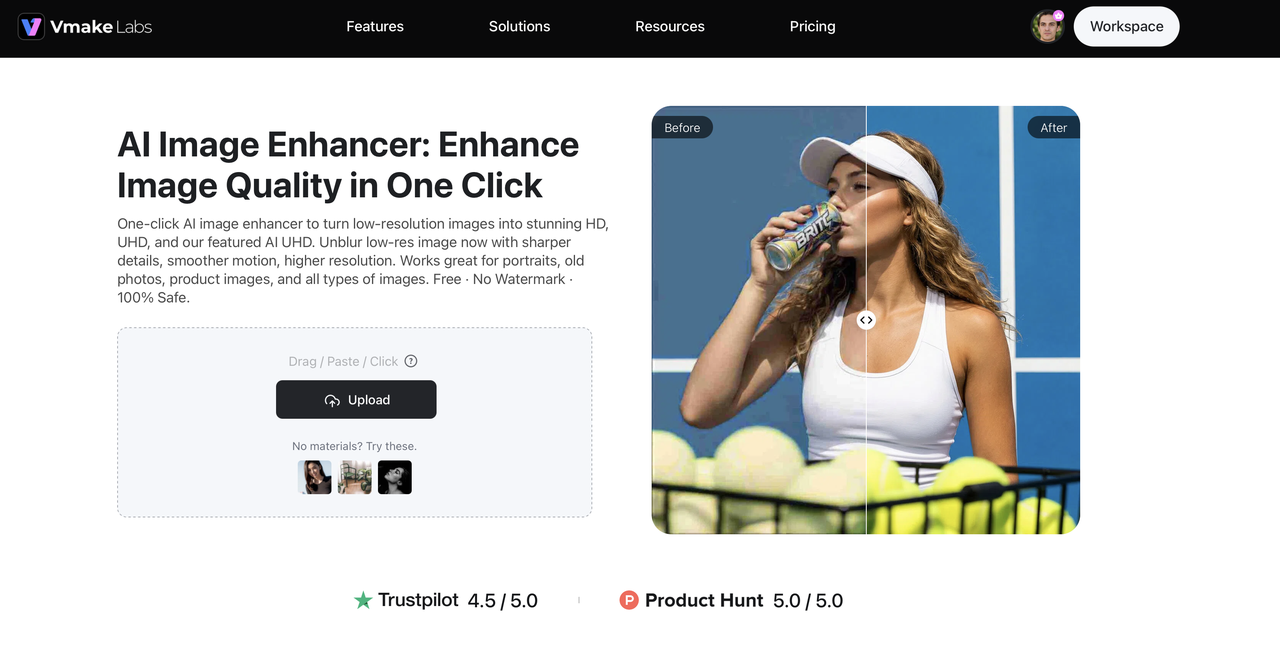
How to use retouch photo with Vmake Labs
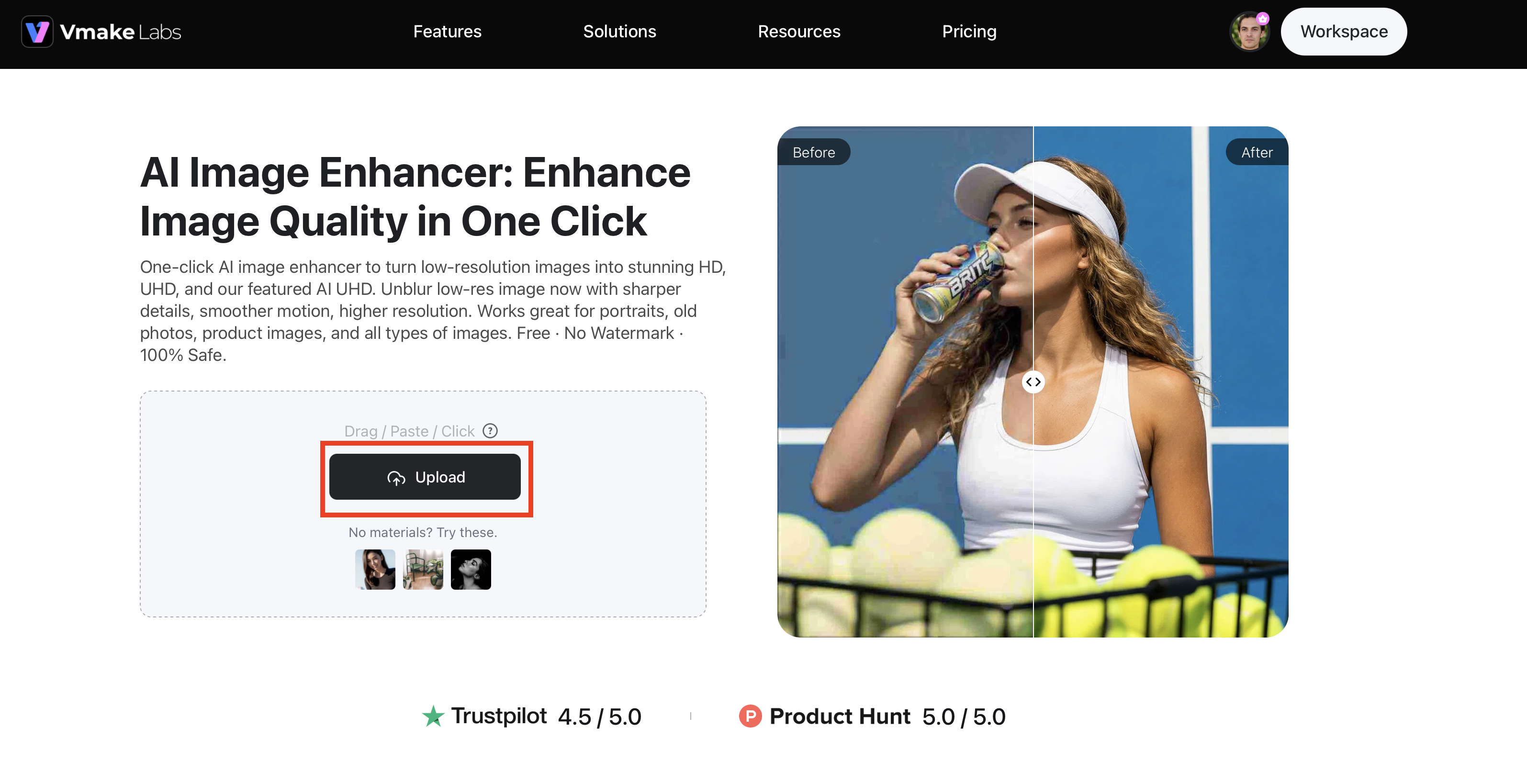
Step 1: Upload your photo
Upload a JPG, JPEG, or PNG image directly to the Vmake Labs AI Image Enhancer. The AI analyzes your photo automatically to identify areas that need improvement, including faces, textures, colors, and overall image quality.
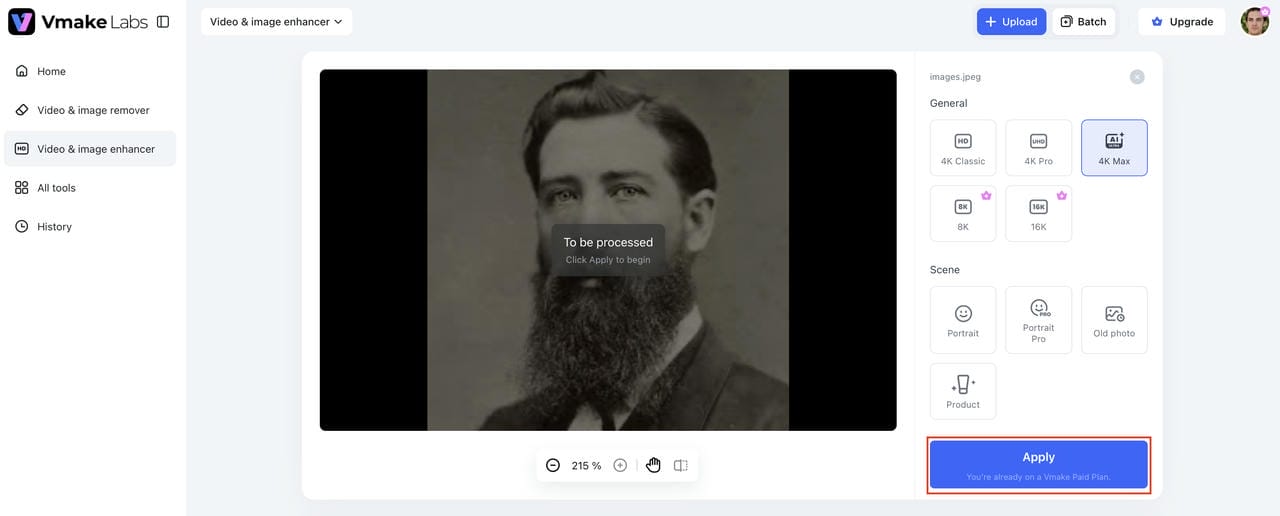
Step 2: Choose enhancement mode
Select the upgrade that best suits your image, such as face enhancement, old photo restoration, product enhancement, or AI super resolution. The AI will use optimized settings according to the mode you choose.
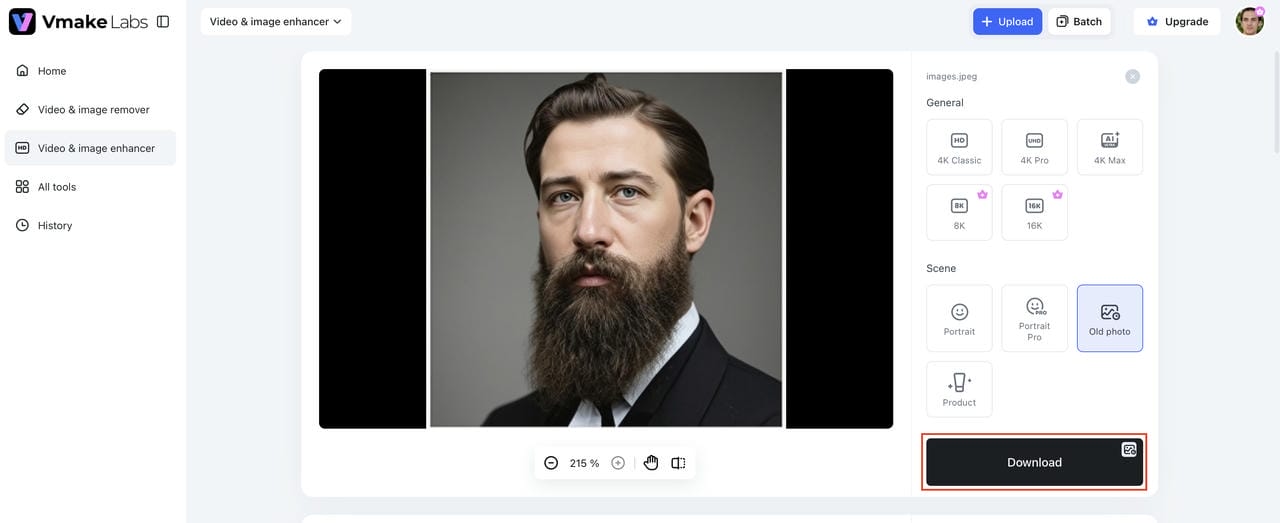
Step 3: Generate and download
Click Generate and let the AI process your image within seconds. Preview the enhanced result, compare it with the original, and download the high-quality version in your preferred resolution.
Key features of Vmake Labs AI Image Enhancer
Vmake Labs AI Image Enhancer is an easy-to-use app that harnesses the power of AI and features a clean, simple interface that appeals to experts and amateurs. It's a smart enhancement that models automatically improve image quality while keeping natural details, helping users create polished visuals for personal, creative, and commercial projects.
-
AI portrait enhancement: Automatically enhances facial details while preserving natural skin texture, helping users create polished portraits for resumes, social media, and professional profiles with minimal editing.
-
Portrait Pro for improved skin texture and clarity: Refines skin texture, reduces minor imperfections, and sharpens facial features, making portrait retouching faster while maintaining a realistic appearance for personal and client work.
-
Old photo restoration: Repairs faded, blurry, scratched, and damaged photos to recover lost details, helping preserve family memories and archive historical images with greater clarity.
-
Product image enhancement: Sharpens product photos, improves lighting, and enhances colours to create clean, professional visuals that attract more attention on ecommerce stores, marketplaces, and marketing materials.
-
AI super resolution: Increases image resolution while preserving fine textures, allowing users to prepare images for large prints, presentations, websites, and high-quality digital content without noticeable quality loss.
-
HD, UHD, AI UHD, 8K, and 16K output options: Export images in multiple high-resolution formats, giving creators, businesses, and photographers the flexibility to produce content for social media, print, advertising, and commercial projects.
Best practices for natural-looking photo retouching
Different types of photos require different retouching techniques. Following these best practices helps you achieve natural-looking results while avoiding common editing mistakes.
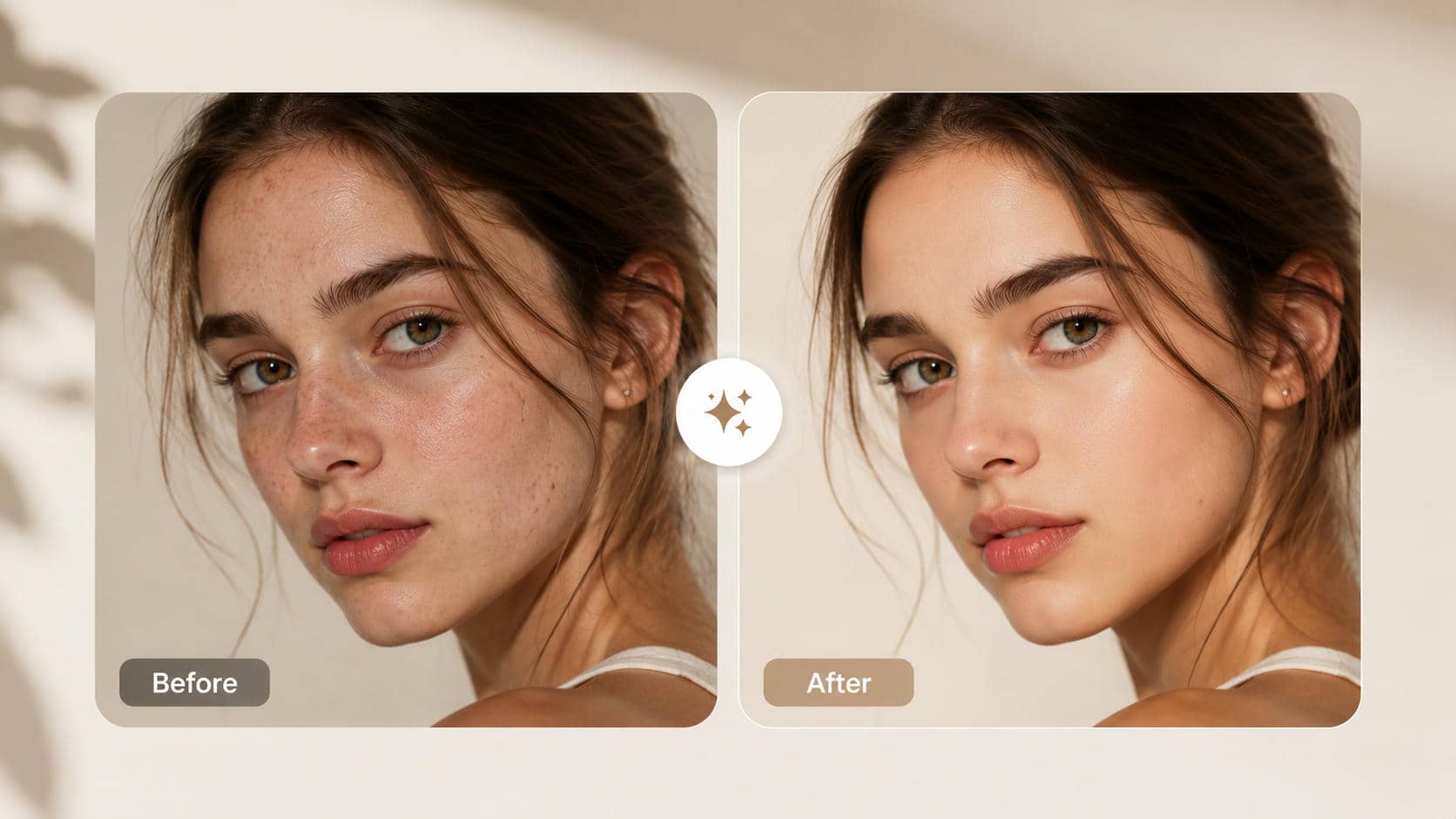
Portraits
-
Enhance skin gently while preserving natural texture and facial details.
-
Retouch blemishes and stray hairs without removing defining features or expressions.
-
Keep skin tones realistic by avoiding excessive smoothing or saturation.
Product photography
-
Improve lighting and sharpness to highlight important product details.
-
Maintain accurate colours so products match their real appearance.
-
Remove distracting backgrounds or objects without altering the product itself.
Old photo restoration
-
Restore faded colours and damaged areas gradually to preserve the original character.
-
Use AI sharpening carefully to recover details without introducing artifacts.
-
Export high-resolution versions for archiving or printing.
Social media images
-
Apply subtle enhancements that look natural on mobile screens.
-
Use high-resolution exports to maintain image quality after uploading.
-
Compare the original and edited versions to avoid over-retouching.
Common photo retouching mistakes to avoid
AI photo retouching makes editing faster, but relying too heavily on automated enhancements can create unnatural results. Avoid these common mistakes to keep your photos realistic and professional.
-
Overusing face enhancement: Applying aggressive AI face enhancement can make facial features look exaggerated and less natural.
-
Artificial skin textures: Excessive skin smoothing removes natural pores and fine details, creating a plastic-like appearance.
-
Unrealistic eyes: Over-enhancing eye sharpness, brightness, or size can make portraits look unnatural and distracting.
-
Excessive AI sharpening: Too much sharpening introduces halos, noise, and harsh edges that reduce overall image quality.
-
Unrealistic colours: Oversaturated colours or inaccurate white balance can make portraits and products appear less authentic.
-
Ignoring lighting consistency: Uneven brightness, shadows, or highlights across the image create an unbalanced final result.
-
Low-resolution exports: Saving edited images at low resolution reduces clarity and limits their suitability for printing or professional use.
Conclusion
Retouching photos enhances portraits, product images, and marketing visuals without compromising their natural appearance. Manual editing is more precise, but AI photo retouching is faster and easier, enabling users of all skill levels to make professional-quality enhancements. Whether you want to restore old photos, sharpen blurry images, or enhance product listings, Vmake Labs AI Image Enhancer provides an efficient browser-based solution. With AI-powered portrait enhancement, super resolution, and restoration features, you can transform ordinary photos into high-quality visuals in just a few clicks.
FAQs
1. What is photo retouching?
Photo retouching is the process of editing an image to remove flaws and enhance details, lighting, colors, and areas to create a natural-looking final result. It is often used for portraits, product photography, fashion, and marketing images.
2. What is the difference between photo editing and photo retouching?
Photo editing means general adjustments like cropping, resizing, exposure correction, color grading, etc. Photo retouching is about detailed enhancements such as removing blemishes, smoothing skin, cleaning up backgrounds, and improving specific elements within an image.
3. Can AI retouch photos automatically?
Yes. Modern AI photo retouching software can automatically identify faces, lighting issues, blur, noise, and other imperfections. In seconds, they add smart enhancements that make photo retouching a faster and easier task for users without advanced editing skills.
4. What is the best photo retouch program?
The best photo retouch program depends on your needs. Adobe Photoshop offers advanced manual editing, while AI-powered tools like Vmake Labs AI Image Enhancer provide quick, beginner-friendly enhancements for portraits, products, and old photo restoration.
5. Which is the best free photo editing app?
There are plenty of free photo editing apps with handy enhancement features. Some popular choices are Google Photos, Canva, Pixlr, and Fotor. Vmake Labs AI Image Enhancer is an AI image enhancer and retouching tool you can use directly from your browser.
6. How do I retouch a photo without Photoshop?
For retouching photos without Photoshop, you can use AI-powered online tools like Vmake Labs AI Image Enhancer. All you have to do is upload your image, select an enhancement mode, let the AI work its magic, and download the enhanced version in a few clicks.

You May Be Interested

Best AI Image Enhancer in 2026: Top Tools to Upscale and Fix Blurry Images
Best Photo Eraser Tools in 2026: Remove Objects, Text & People from Photos
5 Free Apps to Remove Watermarks From Photos in 2026
How to Fix Blurry Photos in 2026: Best Tools to Sharpen Blurry Images