Artistly AI Review: Is It Worth Using in 2026?
Explore our Artistly AI review covering image generation, usability, pricing, and user feedback, then compare it with Vmake Labs AI Image Generator for your creative workflow.

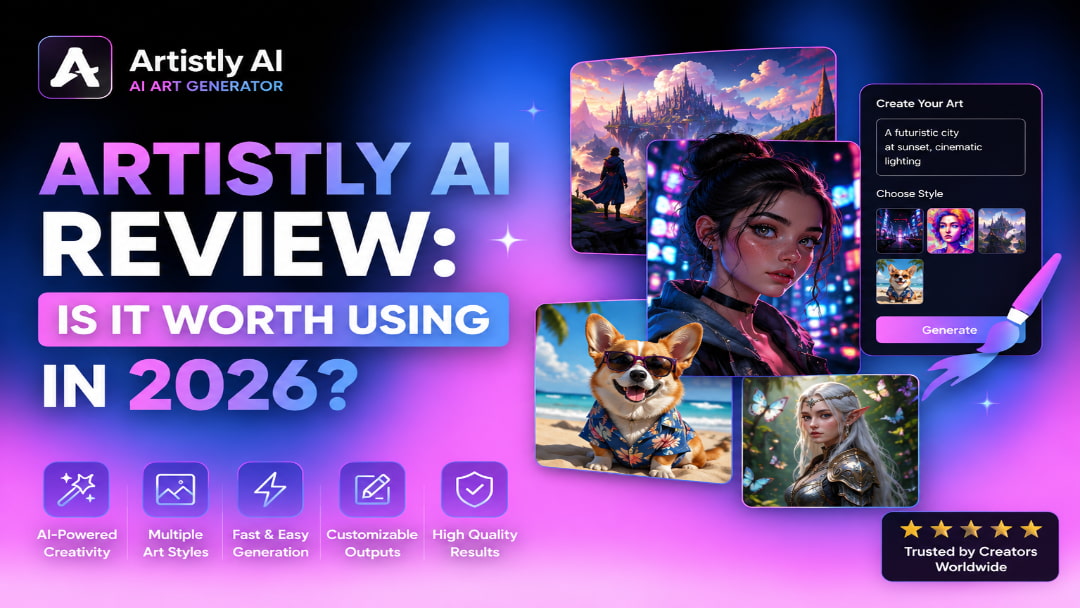
If you are comparing AI image tools, Artistly AI is worth looking at for its creator-focused approach to generating visuals from prompts. This Artistly AI review examines what the platform offers, how its workflow feels, where it performs well, and where another image generator may make more sense.
What is Artistly AI?
Artistly AI is an AI-powered creative platform designed to help users turn ideas into visual content with less manual design work. It is aimed at creators, marketers, and other users who need images for social media, promotional content, creative concepts, and digital artwork. Rather than building each visual from scratch, users can describe what they want and use AI to generate an image that can be reviewed and refined.
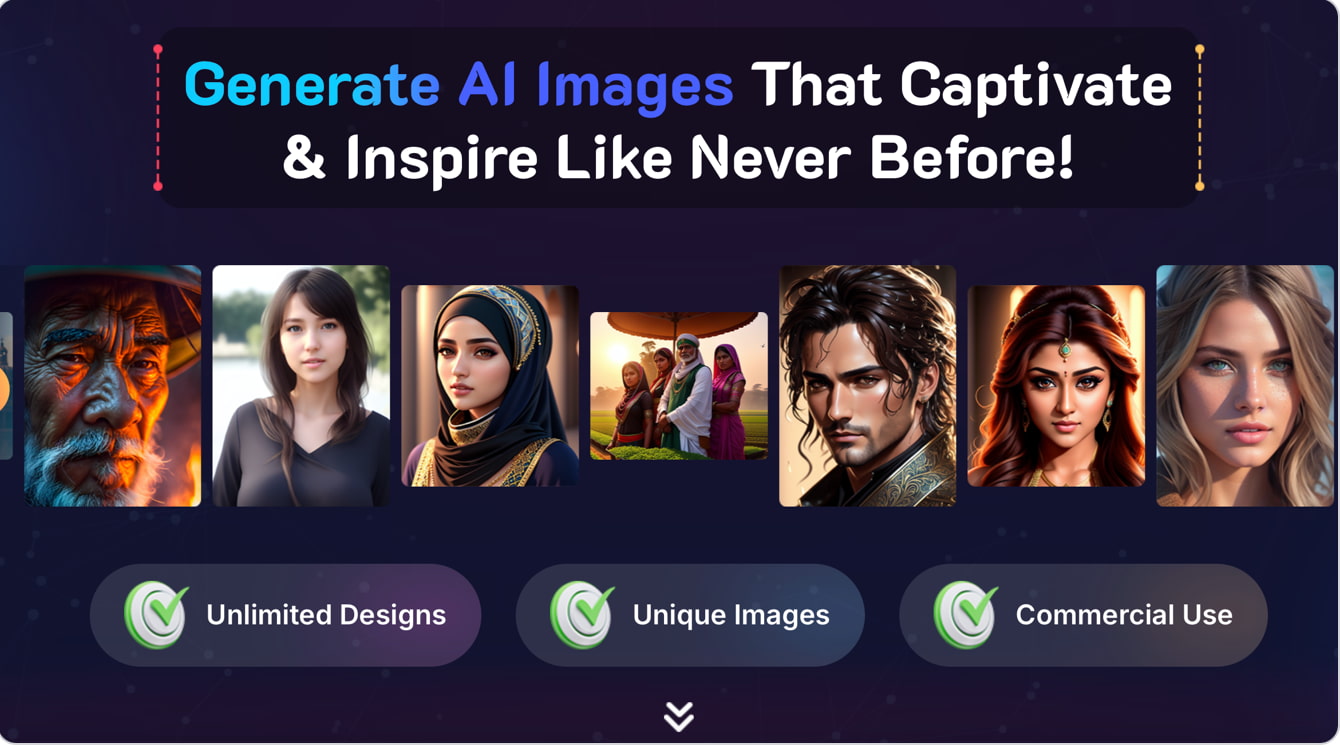
Artistly AI is particularly good if you want to explore different visual directions fast. You can type in a prompt, adjust the available options, generate an image and edit the prompt if the result is not the style or details you want. It is great for portraits, creative artwork, marketing visuals, product images, photorealistic scenes and much more. It can be used for both creative exploration and everyday content needs.
Key features
Artistly AI is a mix of several features that help creators to convert ideas into visual content with less manual work. Its features are focused on generating images from creative input, experimenting with different visual directions, and tweaking the results if the first output isn't quite what the intended concept was.
-
AI image generation: Create visual concepts from written descriptions, helping you turn an idea into an image without having to build every element manually.
-
Prompt-based creation: Describe the subject, setting, style, mood, and other visual details to guide the generated image toward your desired result.
-
Creative image generation: Explore different artistic concepts and visual directions for personal projects, content creation, and other creative work.
-
Marketing visuals: Generate image concepts that can be adapted for social media, promotional content, and other marketing materials.
-
Image refinement: Review generated results, adjust your input when necessary, and create alternative versions until the image is closer to your intended concept.
How to use Artistly AI
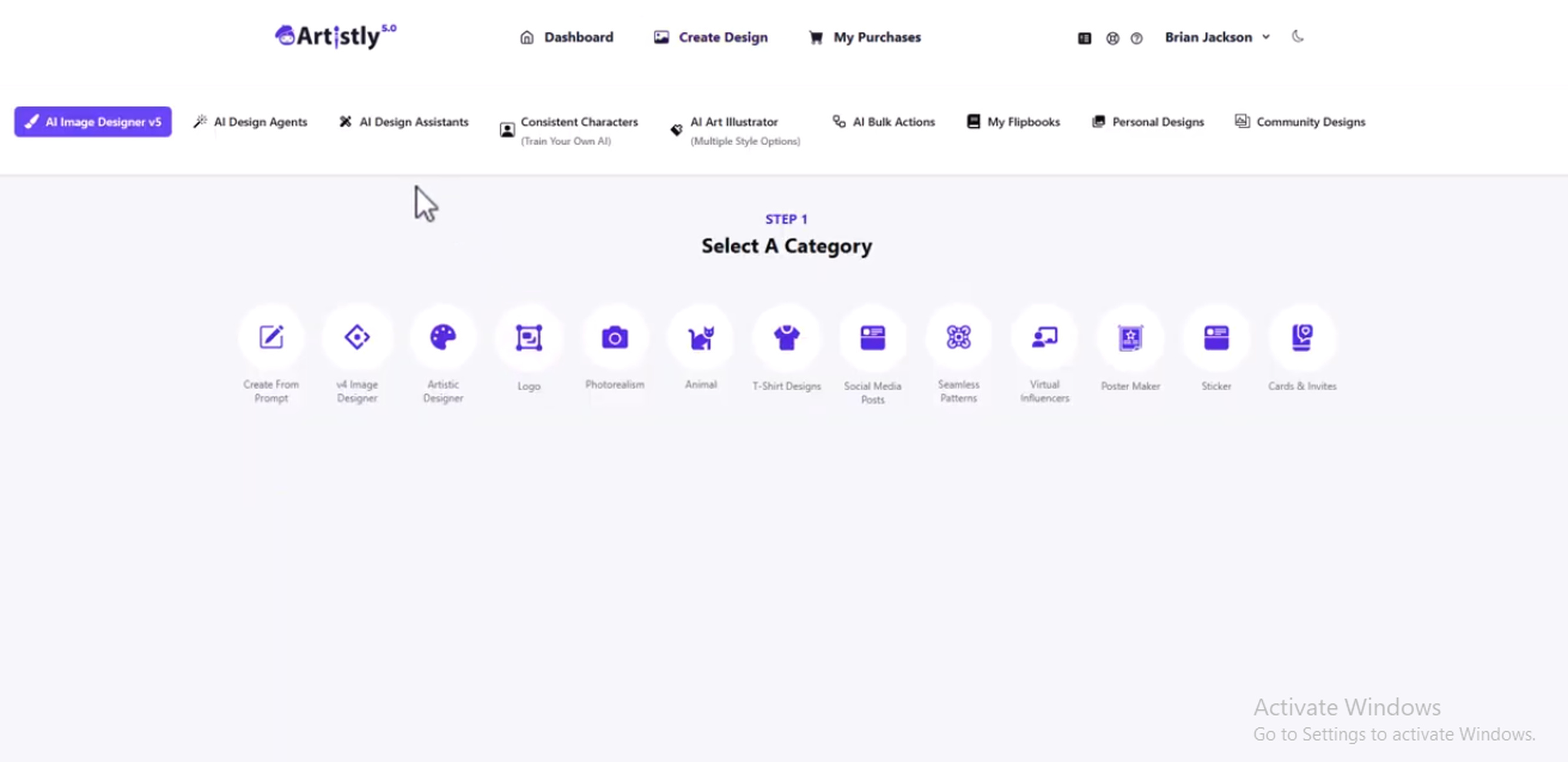
Step 1: Enter a prompt or select the relevant creation option.
Describe the image you want to create, including the subject, setting, style, lighting, composition, and other important details. Select the relevant creation option available in Artistly AI.
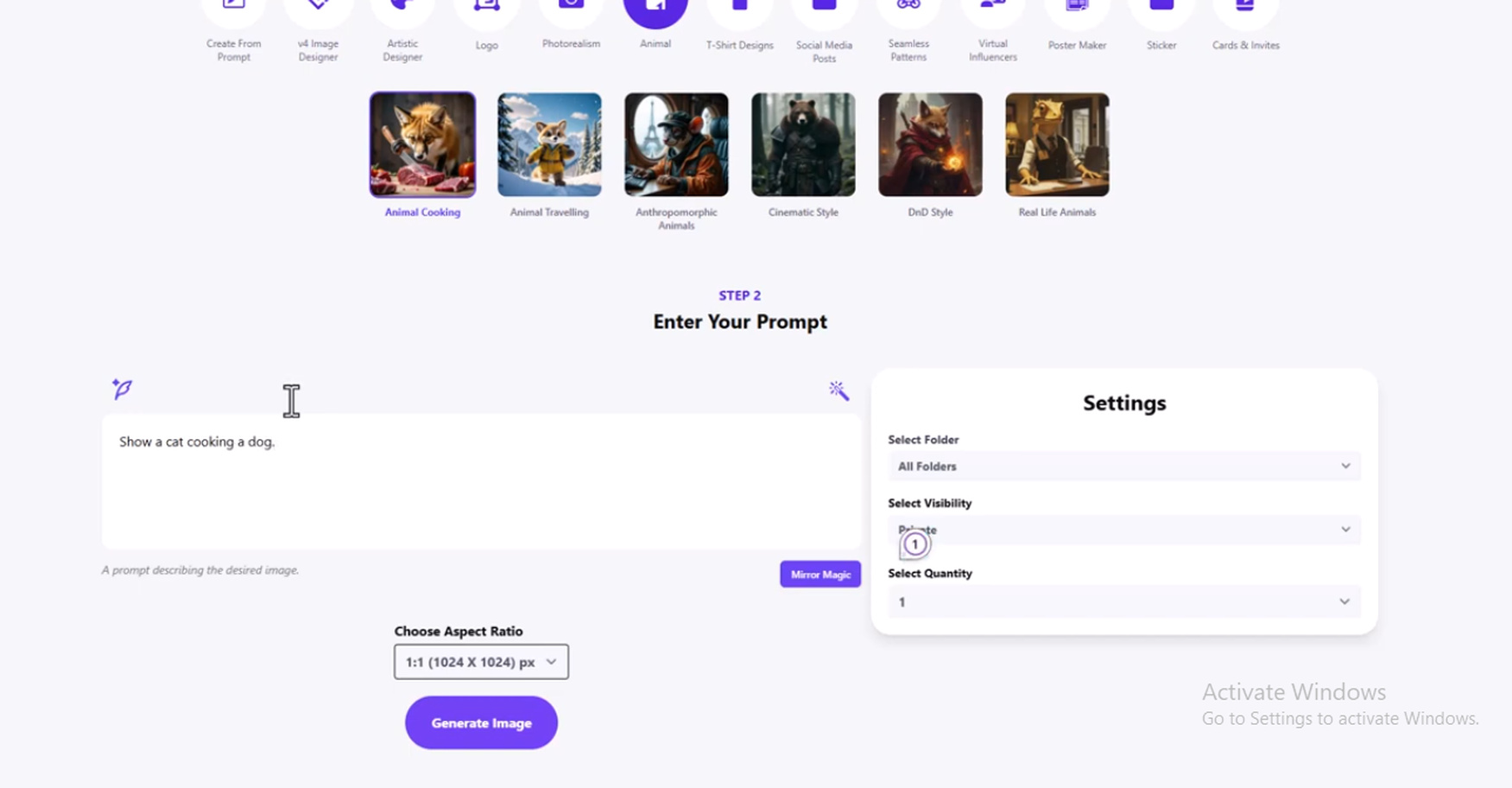
Step 2: Adjust the available settings and generate the image.
Configure the available settings according to your requirements, then start the image generation process. The generated result will depend on the prompt and settings you provide.
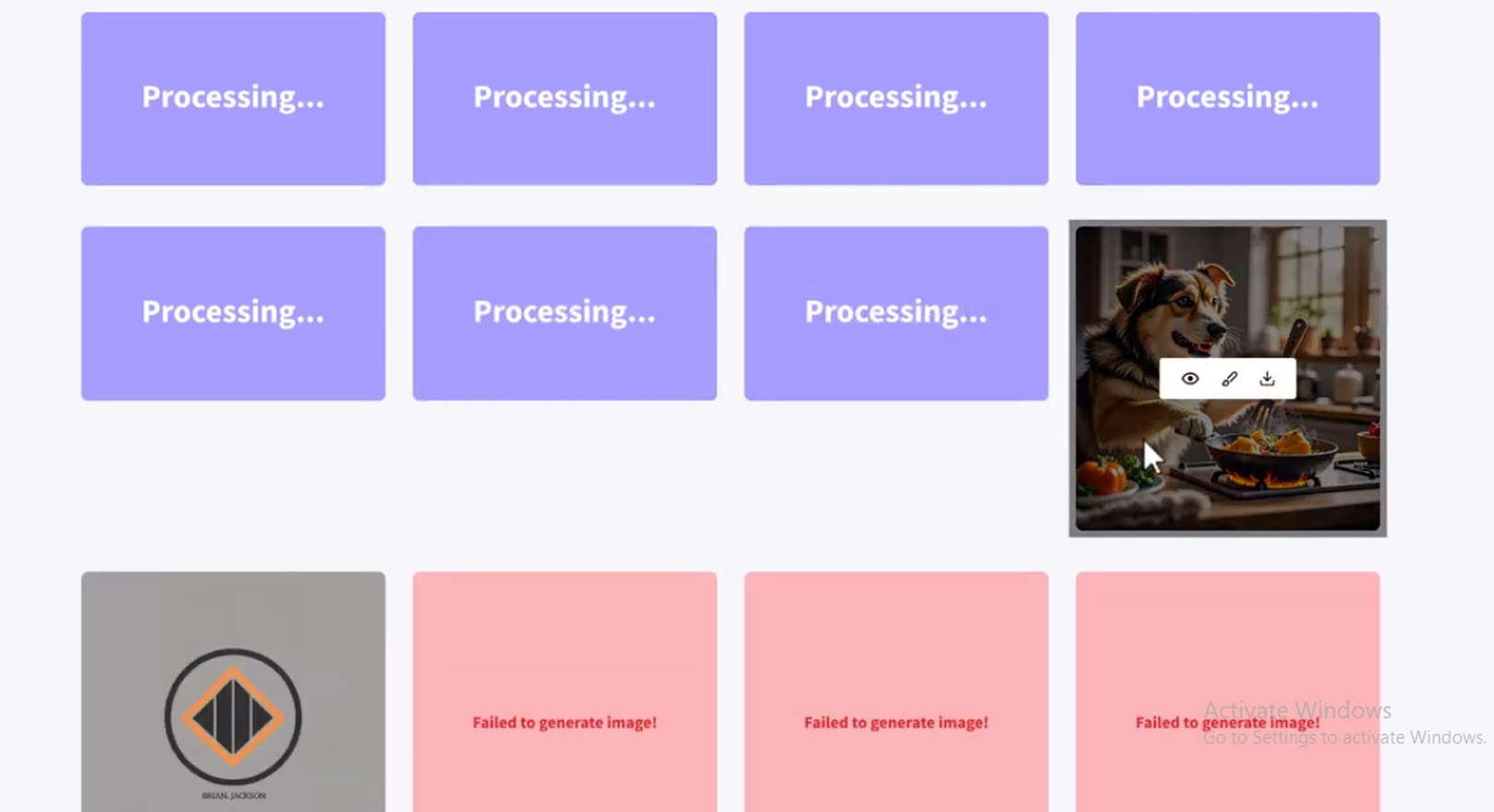
Step 3: Review, refine, and download the result.
Check the output for prompt accuracy, image quality, details, and composition. If the result needs changes, revise the prompt or available settings and generate another version. Download the final image once it meets your requirements.
Hands-on Artistly AI review
We tested Artistly AI with three image-generation prompts covering portraits, product images, and marketing visuals. The tests focused on how closely the generated images followed the prompts, how realistic and consistent the outputs looked, and whether they needed additional refinement.
Test 1: Portraits
We created a professional portrait of a young woman with natural skin texture, shoulder-length brown hair, and a black blazer against a soft gray studio background. Artistly AI produced a realistic-looking portrait with natural lighting and generally accurate facial details. However, some finer features differed from the requested description, so the result was usable but could benefit from another generation when closer prompt matching is required.

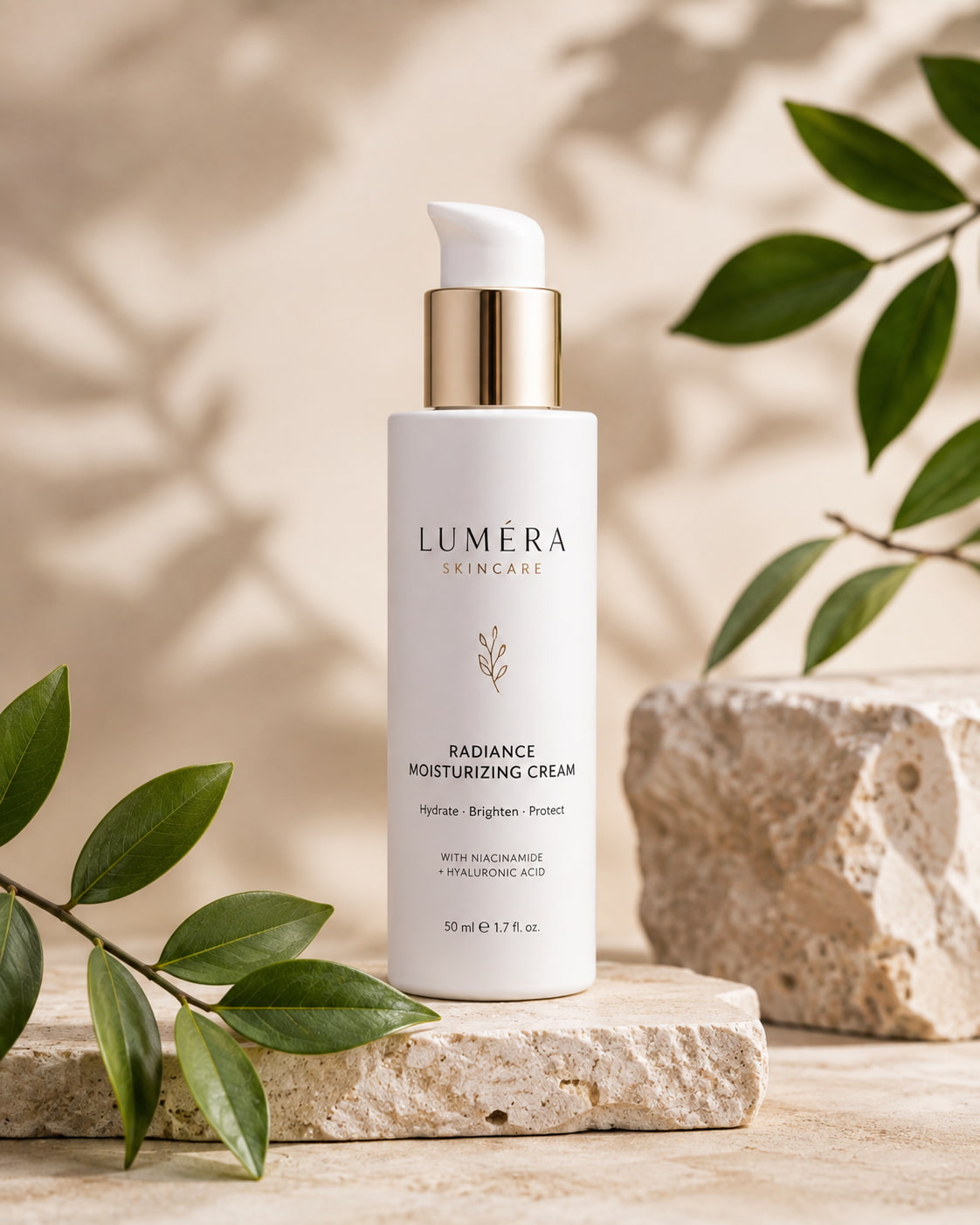
Test 2: Product images
We created a premium skincare product scene with a white bottle on a beige stone surface, subtle green leaves, soft lighting, and a clean luxury advertising style. The output handled the overall composition, lighting, and product placement well, but some smaller packaging details and text were less accurate. The result worked well as a visual concept, although it would need refinement before being used as a final commercial product image.
Test 3: Marketing graphics
We created a modern coffee shop scene showing a barista preparing a latte, with warm natural light, large windows, and customers in the background. Artistly AI captured the requested atmosphere and overall composition, while some secondary background elements differed from the prompt. The image was suitable for a marketing concept, but more refinement would be needed when precise scene details are important.
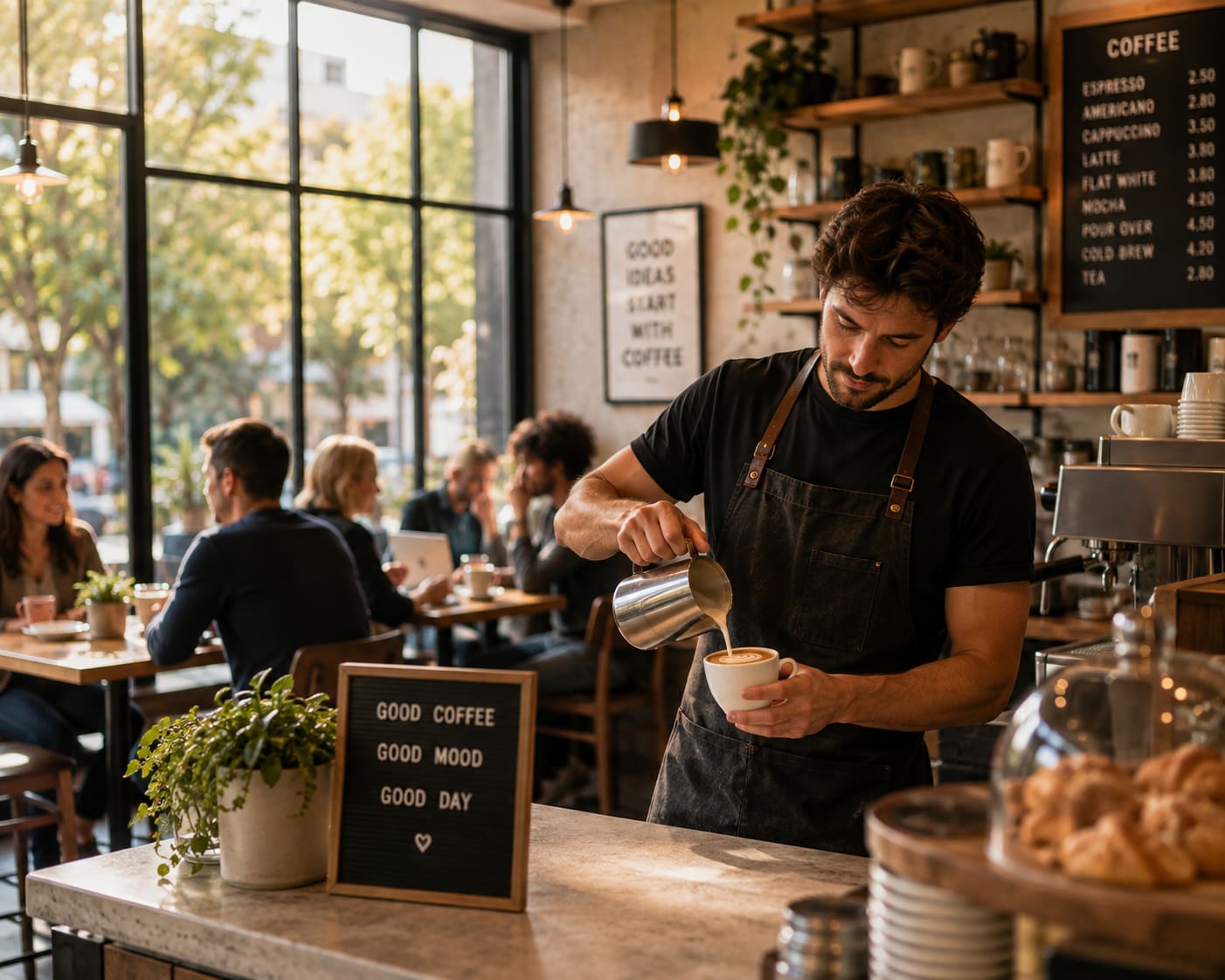
Test results
|
Test scenario |
What we observed |
|---|---|
|
Portraits |
Realistic facial details and lighting, with some minor differences from the prompt. |
|
Product images |
Strong composition and lighting, but packaging details and text were less consistent. |
|
Marketing graphics |
Good overall atmosphere and composition, with some differences in secondary elements. |
What worked well
Artistly AI worked best for quickly turning clear visual concepts into usable image ideas. The outputs generally followed the requested subject, setting, and overall visual direction, making the tool useful for early-stage creative work and marketing concepts. Clear prompts with specific details also made it easier to guide the result toward the intended look.
What could be improved?
The main limitations appeared when the prompts required precise details. Product packaging, small visual elements, and some secondary scene details were not always reproduced exactly, which can matter for commercial images. More complex prompts may therefore require additional generations and closer review before the output is ready for final use.
Artistly AI pricing, pros, cons, and user feedback
The value proposition of Artistly AI will depend on the quality of its images, but also how its pricing works out in regular use. Please review the latest subscription options, including credits, generation limits and commercial use terms before choosing a plan. These details can make a big difference for users generating images often, especially if several attempts are needed to get the desired result.
Pricing
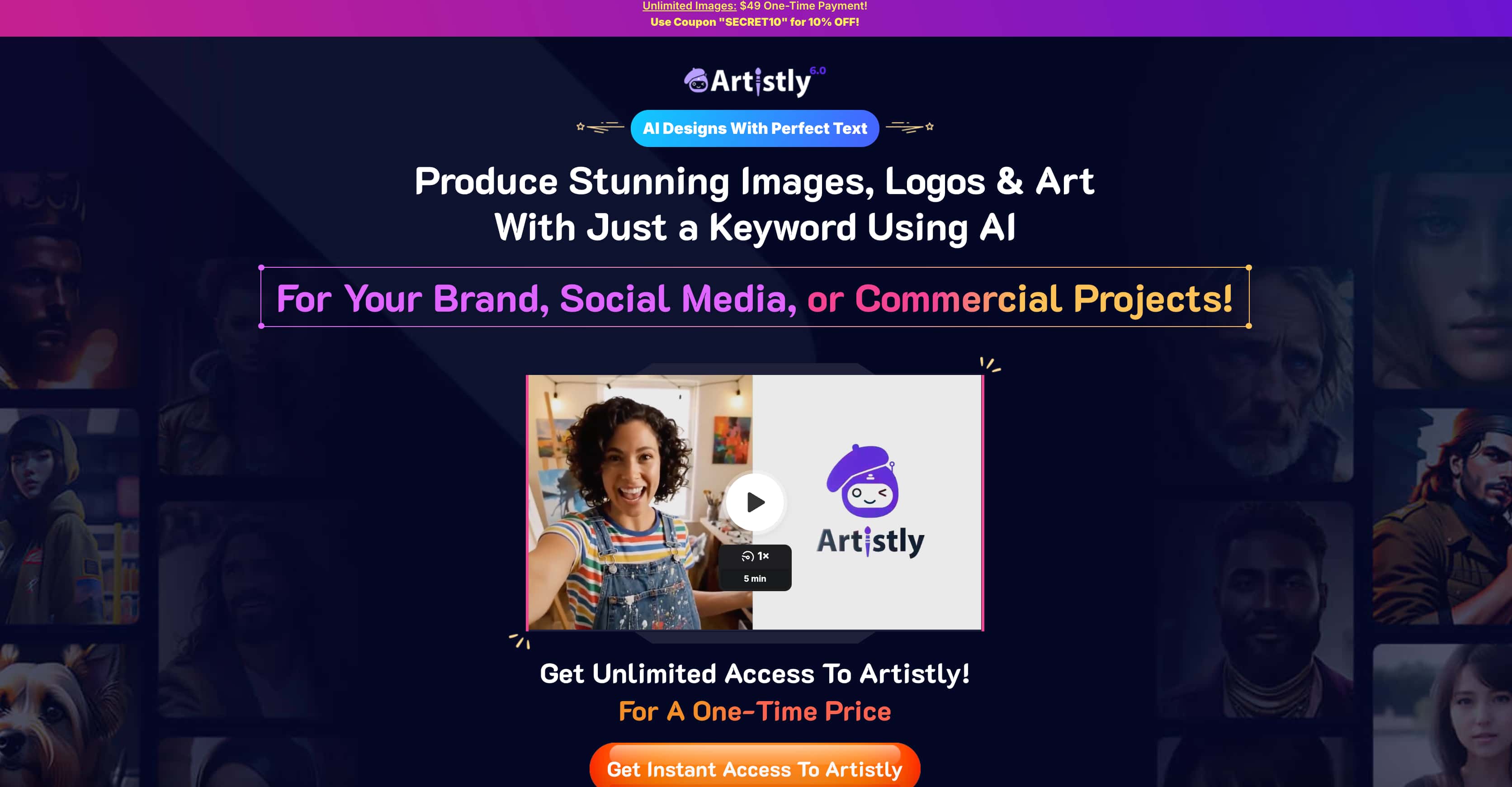
Artistly AI has two one-time payment plans, so users do not need to pay a recurring monthly subscription. The Commercial plan costs $49, while the Premium plan costs $147 and adds more advanced features and usage options.
|
Plan |
Price |
What’s included |
|---|---|---|
|
Commercial |
$49 one-time |
AI Prompt-to-Image Generator, e-commerce mockups, AI Style Replicator, background changer, image editor, image upscaler, image redesign, HD downloads, commercial license, and product updates |
|
Premium |
$147 one-time |
Everything in Commercial, plus premium tools, faster image generation, 4 images per prompt, unlimited usage, access to all features, and an enterprise commercial license |
Pros and cons
Pros
-
Quick way to turn image ideas into visual concepts.
-
Useful for different creative and marketing image categories.
-
Prompt refinement makes it possible to improve weaker generations.
-
Suitable for creators who want to experiment without building every image manually.
Cons
-
Detailed prompts may require several attempts.
-
Some outputs can miss smaller visual requirements.
-
Product and photorealistic images need careful review before commercial use.
-
The overall value depends on the current pricing and generation limits.
What users say about Artistly AI
Software Advice discussions
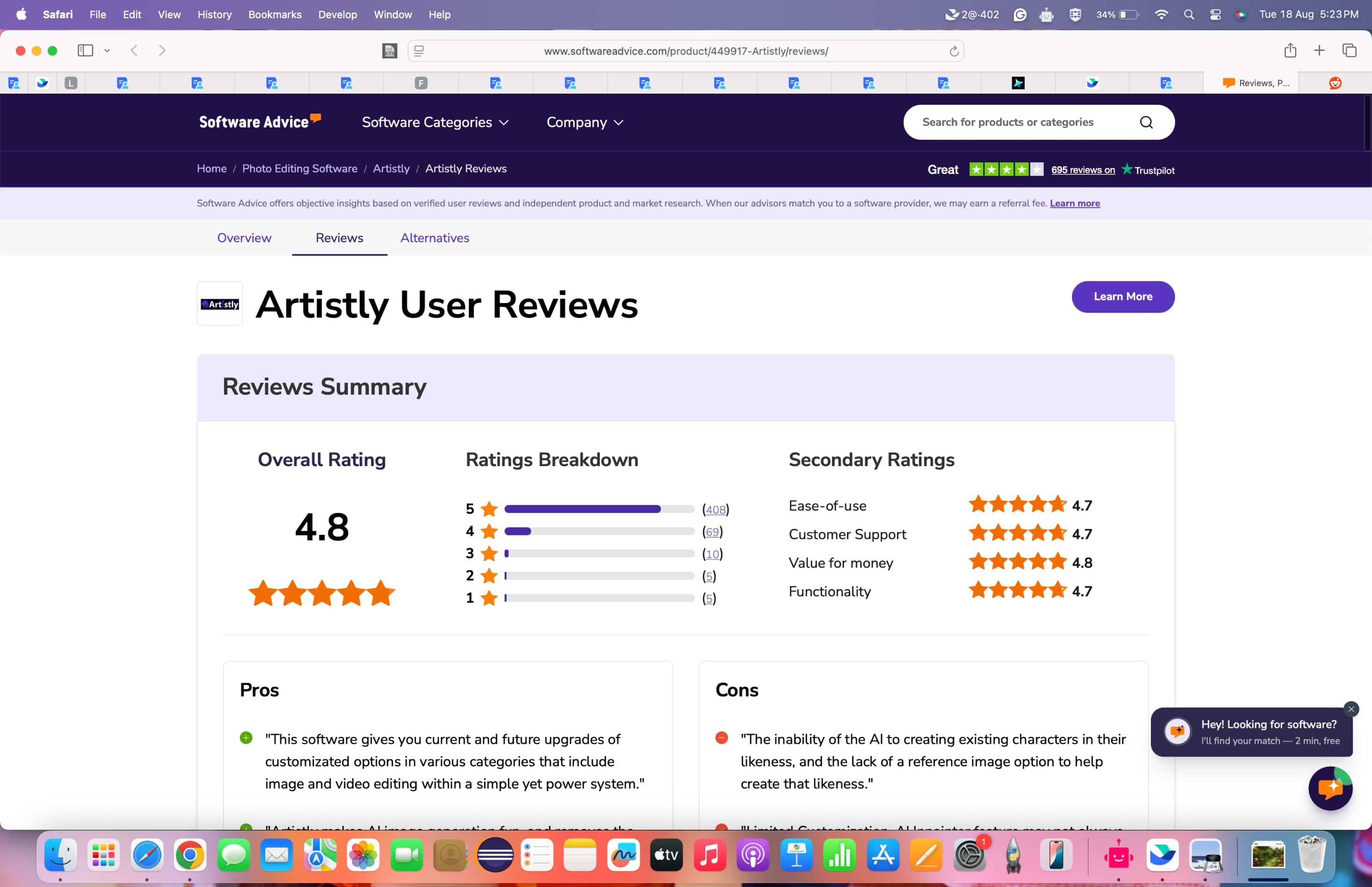
Artistly has an overall rating of 4.8 out of 5, with 4.7 for ease of use, customer support, and functionality, and 4.8 for value for money. Its extensive feature-set and image-generation capabilities have earned it positive reviews with one verified user branding it their “go-to” tool. However, not all the feedback is positive, with some complaints of disappointing results and customer support.
Trustpilot opinions
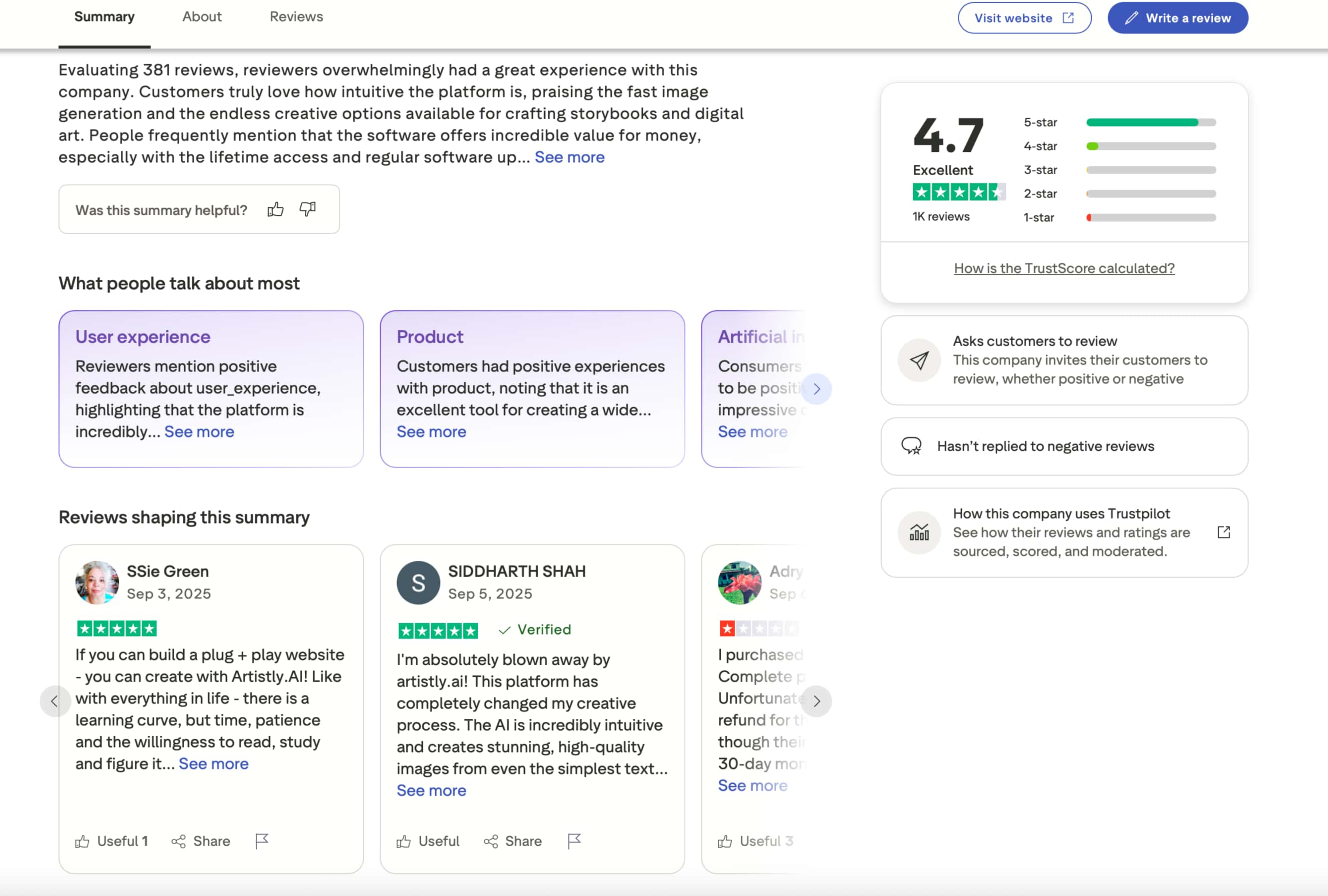
Artistly has a 4.7/5 rating from 1K reviews. The review summary highlights its intuitive platform, fast image generation, creative options, value for money, lifetime access, and regular updates. Individual users also praise its ease of use and image quality, although at least one negative review shown in the screenshot raises concerns about the purchase and refund experience.
Our verdict
Overall, Artistly AI is a useful option for creators who want to turn ideas into images quickly, especially for creative exploration and everyday content. Its main drawback is that detailed requests can require multiple generations and closer review. If you only need occasional image creation, it may be worth trying, but users with higher-volume or commercial workflows should compare its pricing and level of control with alternatives such as Vmake Labs.
Vmake Labs AI Image Generator as an alternative
Artistly AI can be a practical choice for quick image creation, but users who need more model options or greater flexibility in how they create images may want to consider an alternative. Vmake Labs AI Image Generator supports both Text-to-Image and Image-to-Image generation, along with multiple AI models and reference-image support. This makes it a useful option for creators, marketers, and businesses with different image-generation needs.
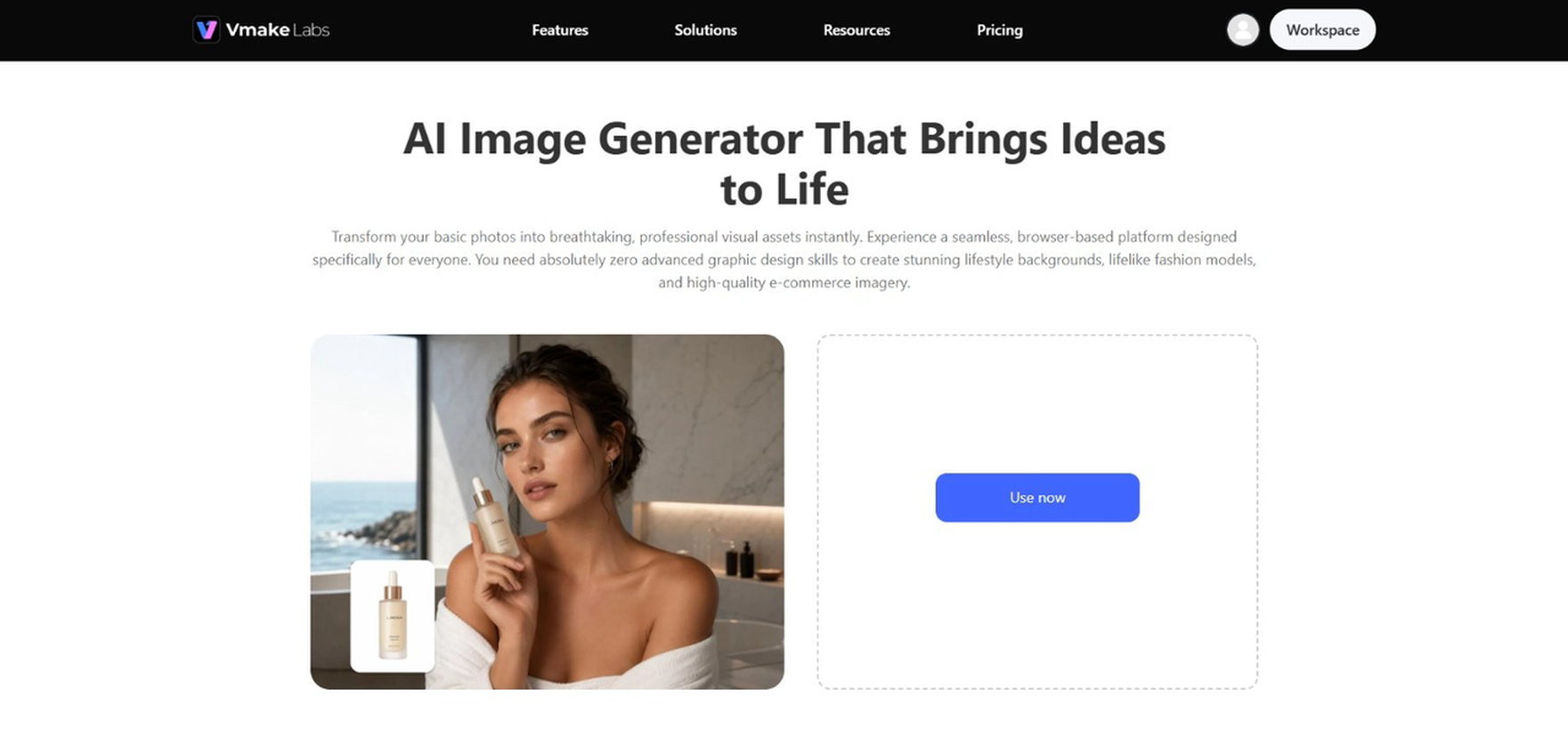
How to generate AI images with Vmake Labs
Step 1: Choose an image generation mode Open the Vmake AI Image Generator and choose Text-to-Image or Image-to-Image. Text-to-Image works from a written description, while Image-to-Image lets you use existing images to guide the generation.
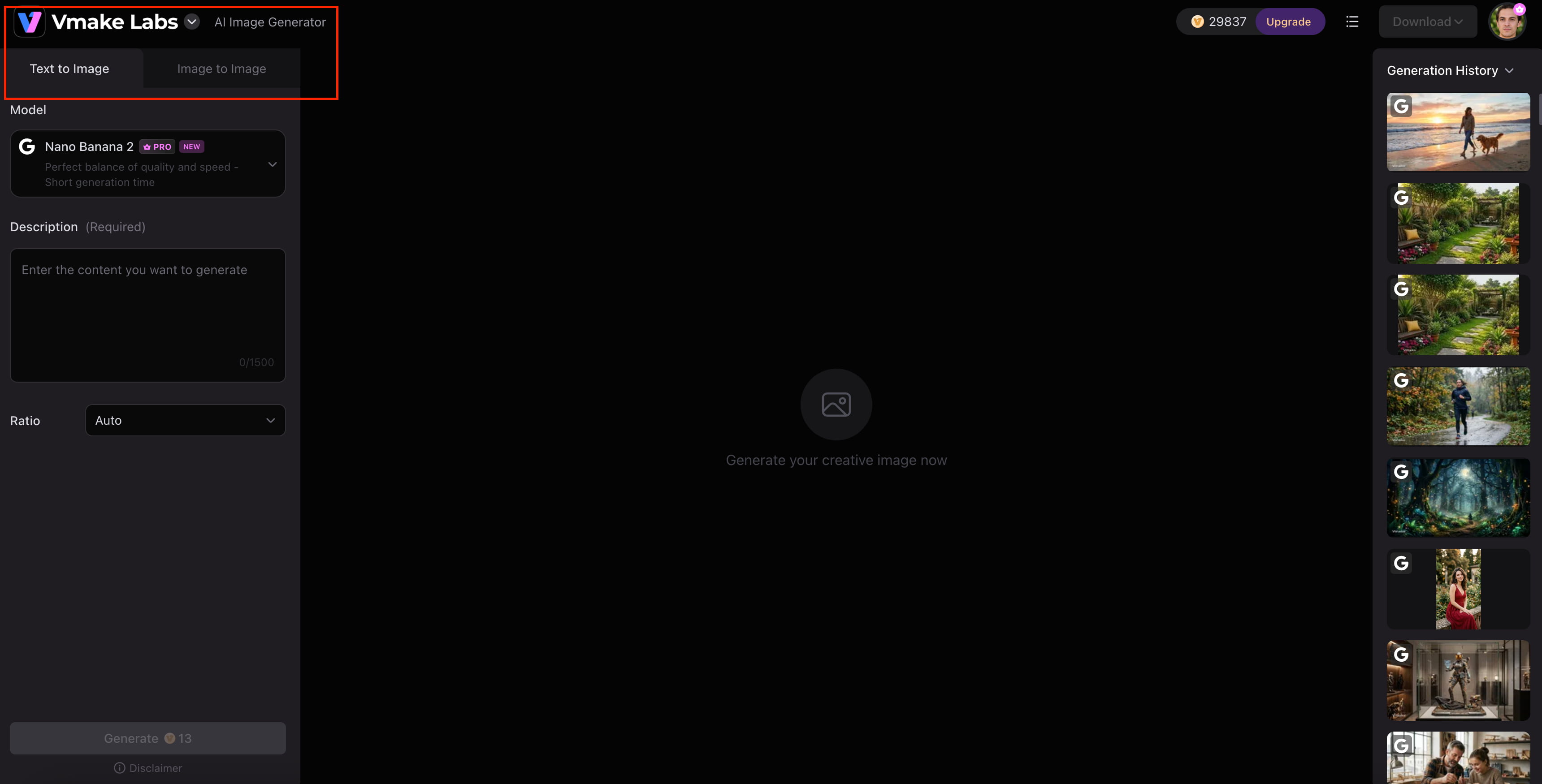
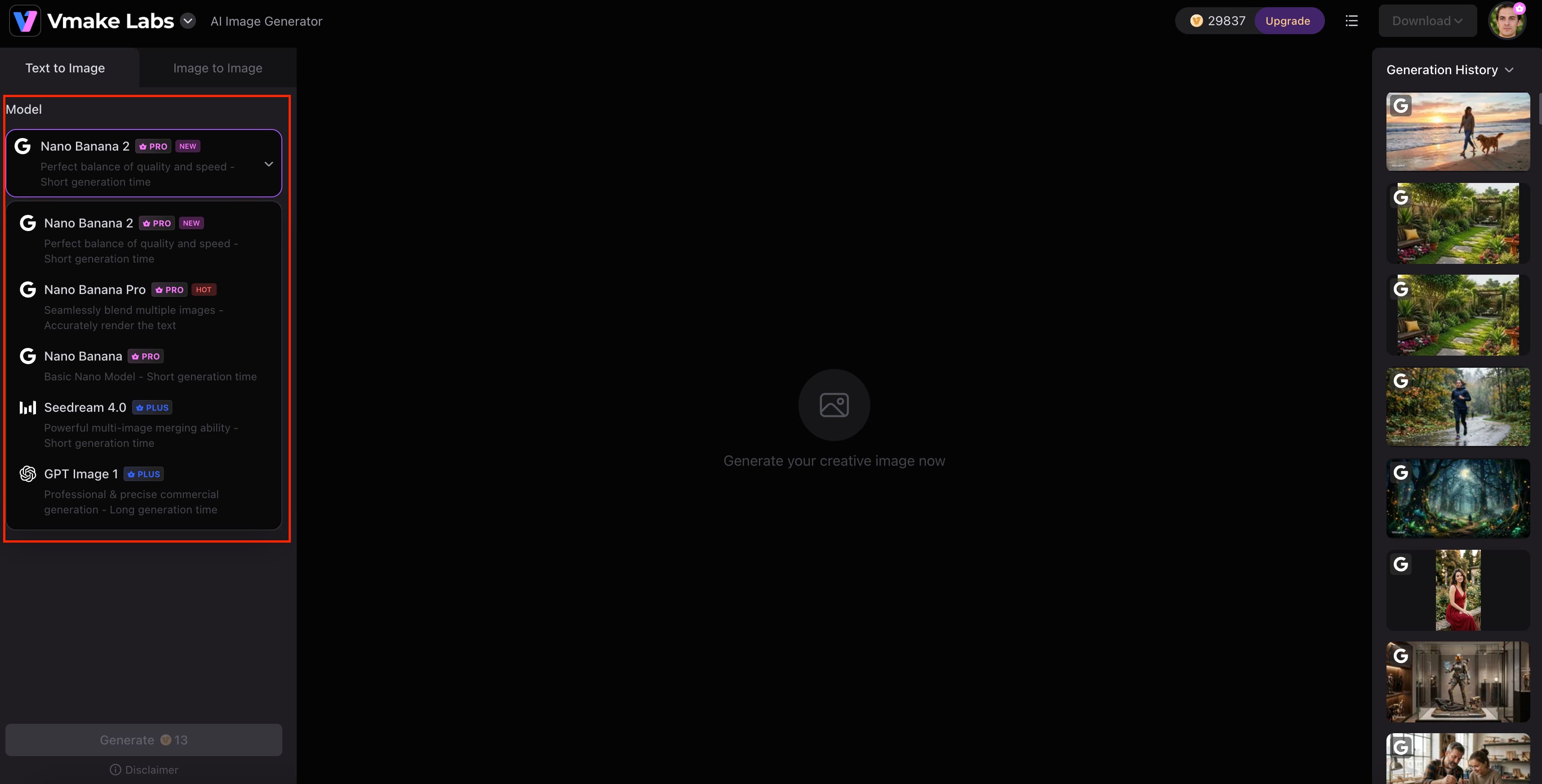
Step 2: Select a model and add your input Choose an available model, such as Nano Banana, Nano Banana Pro, or GPT Image, then enter your prompt and select the aspect ratio. For Image-to-Image, you can upload 1–3 reference images and describe the result you want.
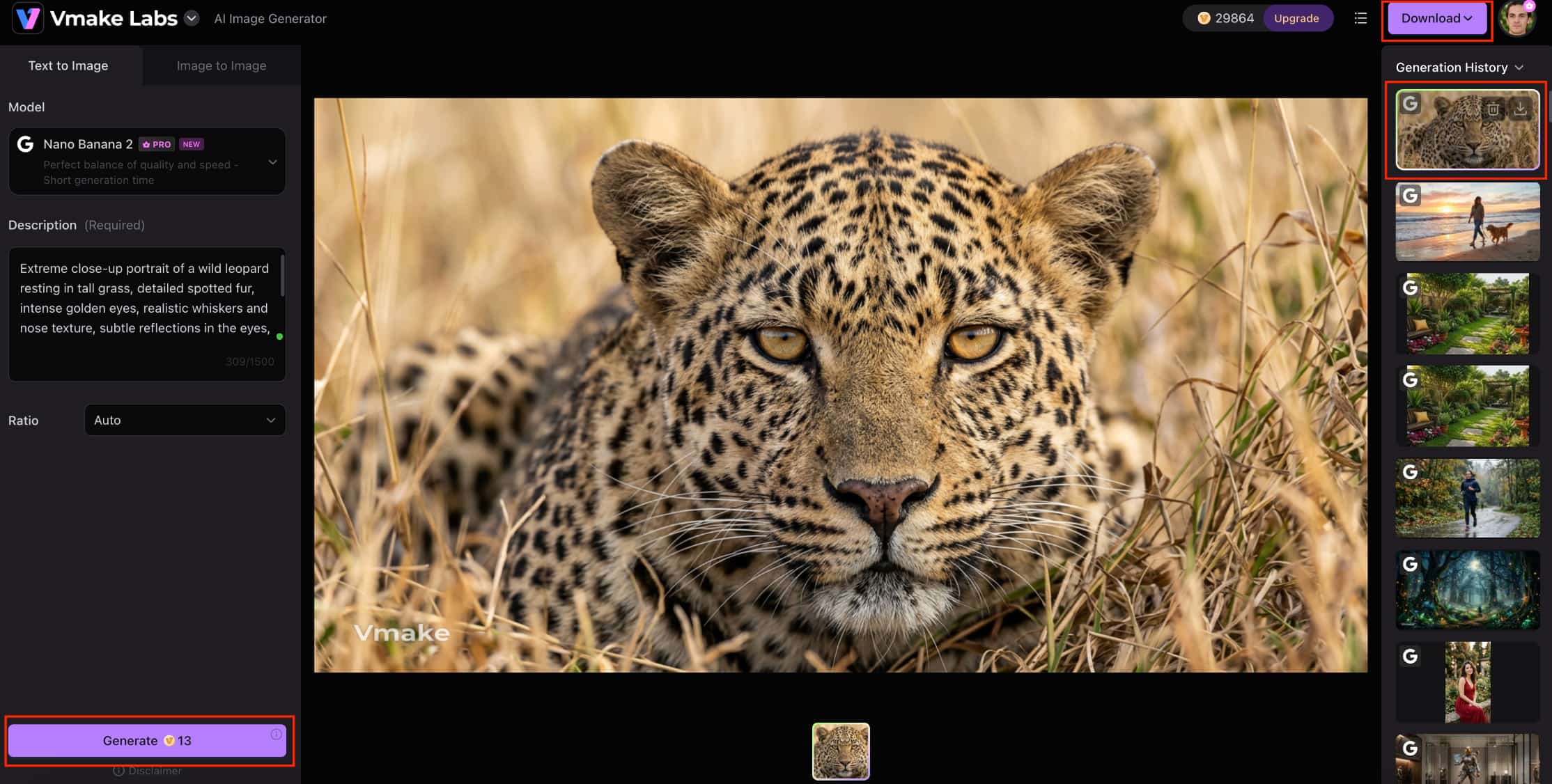
Step 3: Generate, preview, and download Click Generate to create the image, then preview the result to check its quality and how well it matches your input. If needed, make adjustments and generate it again. Once satisfied, download the final image.
Why choose Vmake Labs AI Image Generator?
Multiple AI image models: Choose from models such as Nano Banana 2, Nano Banana Pro, Nano Banana, Seedream 4.0, and GPT Image 1 to explore different generation capabilities.
Text-to-image and image-to-image generation: Create new visuals from prompts or transform existing images based on your requirements.
Reference-image support: Upload 1–3 reference images to give the generation more visual direction, which is useful for product and branded imagery.
Browser-based workflow: Create, preview, and download images directly from your browser without needing desktop software.
E-commerce-focused use cases: Create visuals for product marketing, branded content, and other commercial image-generation needs.
Artistly AI vs Vmake Labs AI Image Generator
Artistly AI and Vmake Labs both support AI image creation, but they are suited to somewhat different workflows. Artistly AI focuses on its own set of creative tools and image-generation capabilities, while Vmake Labs offers multiple AI models, Text-to-Image and Image-to-Image generation, and reference-image support. The better choice depends on the type of visuals you create and how much flexibility you need.
|
Category |
Artistly AI |
Vmake Labs AI Image Generator |
|---|---|---|
|
Best for |
Creators looking for AI-powered creative image tools |
Marketing, e-commerce, and creative image generation |
|
Generation modes |
AI image generation |
Text-to-Image and Image-to-Image |
|
AI models |
Multiple AI image generation models |
Multiple AI image models |
|
Reference images |
Supported |
Supported, with 1–3 images |
|
Workflow |
Browser-based AI image generation |
Browser-based workflow |
|
Best suited to |
Creators and visual-content users |
Marketers, creators, and businesses |
Which tool should you choose?
Choose Artistly AI if you want a creator-focused workflow with a broad set of AI image tools and prefer its generation results from the hands-on testing. Its one-time pricing may also appeal to users who do not want a recurring subscription, provided the available features and usage limits match their needs. It is a better fit when Artistly's specific creative tools are more relevant to the type of content you produce.
Choose Vmake Labs if you need more flexibility in how you create images. Its support for multiple AI models, Text-to-Image and Image-to-Image generation, and reference images makes it useful for creators working across different visual projects. It is also well suited to marketing and social content, where an AI thumbnail maker can help turn generated visuals into content-ready assets.
Conclusion
Artistly AI is a useful tool for creators who want to produce images fast and try out different creative ideas. There’s a good selection of tools and the one-time price is attractive, but detailed prompts may take a few attempts and some looking. User feedback has been very positive, especially around ease of use, features and value, but some complaints remain. In all, if its creative workflow fits your needs, then Artistly AI is worth a try. Vmake Labs AI Image Generator is a flexible alternative for creative, marketing and e-commerce workflows for users who want multiple AI models, Text-to-Image and Image-to-Image generation and reference-image support.
FAQs
-
What is Artistly AI?
Artistly AI is an AI-powered image creation platform that helps users generate and edit visual content from creative input. It is designed for creators, marketers, and businesses looking for a simpler way to produce different types of images.
-
Is Artistly AI free?
Artistly AI does not appear to offer a free plan based on the current pricing information provided. Its pricing includes a $49 Commercial plan and a $147 Premium plan, both available as one-time payments. Vmake Labs is another option to explore before committing.
-
Is Artistly AI worth using?
If you’re looking for Artistly AI’s creative tools, image quality, and one-time pricing, it may be worth using. User feedback has been largely positive, though some users have reported inconsistent results and support issues. Vmake Labs might be good for users who need more generation flexibility.
-
What can you create with Artistly AI?
Artistly AI is able to generate a wide range of visuals such as portraits, product photos, marketing graphics, creative artwork, and photorealistic scenes. The range makes it useful for creative exploration and practical content needs.
-
What do users say about Artistly AI?
Artistly is generally well received with 4.8/5 on Software Advice and 4.7/5 on Trustpilot. People love it because of its features, ease of use, image generation and value, and some have complained about underwhelming results, support issues, or trouble buying.
-
What is the best alternative to Artistly AI?
Vmake Labs AI Image Generator is a strong alternative for users who want more flexibility when creating images. It supports multiple AI models, Text-to-Image and Image-to-Image generation, and reference-image uploads for greater control over the output.

You May Be Interested
Best AI Image Generator: 10 Top Picks for 2026 Review
Artguru AI Image Generator Review 2026: Is It Worth Trying?
OpenClaw 2026: Ultimate Guide to World-Changing Local AI

FLUX AI Image Generator Review 2026: Is It Worth Using?
Fotor AI Image Generator: Honest Review Plus Best Alternative