YouCam AI Photo Enhancer Review: Hands-On Tests, Cost & Alternatives
Thinking about using YouCam AI Photo Enhancer? We tested its image quality, AI restoration, and upscaling features to see if it delivers. Compare it with Vmake Labs and enhance photos today.


Finding the right editing tool often feels overwhelming given the flooded market. This YouCam AI photo enhancer review breaks down its actual performance, pricing quirks, and overall value. Real world testing reveals whether this popular application truly meets modern creative demands or falls short.
What Is YouCam AI photo enhancer?
Primarily targeting casual mobile and web creators, this platform promises rapid image modifications without complex workflows. It aims to streamline quick social media edits, offering a straightforward interface for basic retouching, standard color grading, and minor resolution bumps.

To establish a baseline, testing the platform across various media formats reveals its true capabilities for casual creators. Here is a quick breakdown of its average processing speeds, ideal deployment scenarios, and initial quality verdicts before diving into specific features:
|
Input Asset Type |
Average AI Processing Time |
Ideal User Use Case |
Output Quality Verdict |
|---|---|---|---|
|
Low-Res Mobile Photos |
~5 Seconds |
Quick social media stories & stories crops |
Good: Sharpens baseline shapes cleanly |
|
Scenery & Landscapes |
~5 Seconds |
Amateur travel blogging & web design |
Excellent: High depth and color balance |
|
Close-Up Portraits |
~5 Seconds |
Quick family photo album texturing |
Fair: Prone to a flat, plastic skin finish |
|
E-commerce Product Shots |
~5 Seconds |
Small digital store single-item mockups |
Good: Clean automatic foreground isolation |
Testing YouCam Features and Pricing
Evaluating any software requires pushing its limits across varied tasks. The following sections detail the exact performance metrics observed during rigorous daily usage.
Key Features
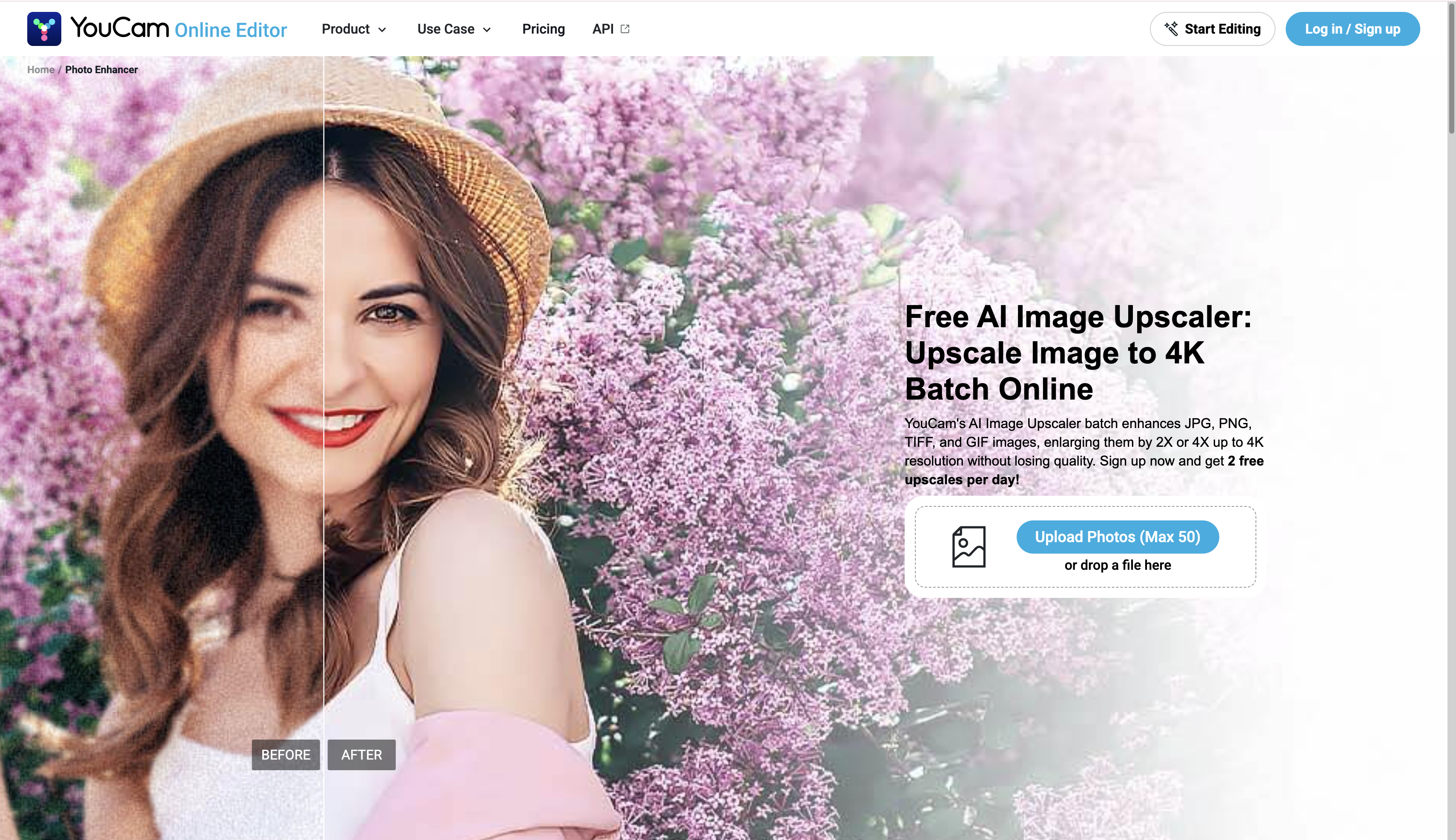
Testing the YouCam AI image upscaler
Enlarging low-resolution images often introduces unwanted digital artifacts. During live testing, the YouCam AI image upscaler managed to retain decent pixel rendering for basic geometric shapes, though slight blurring occurred around intricate edges like hair or foliage. It serves adequately for casual scaling but struggles significantly with rendering fine, complex textures.
Restoring vibrancy with YouCam AI photo colorizer
Bringing historical photographs back to life demands highly precise color layering. The YouCam AI photo colorizer applies pigments relatively well to brightly lit black and white portraits, mapping out basic skin tones effectively. However, complex background elements occasionally blend colors inaccurately, creating a washed-out, muddy appearance.

General Enhancements with YouCam AI Photo Enhance
Standard automated fixes form the operational backbone of the YouCam AI photo enhance module. Adjusting lighting, contrast, and standard noise reduction happens quickly, delivering instantly brighter visual outputs. The baseline adjustments work great for underexposed daytime shots, effortlessly balancing shadows without requiring manual slider tweaks.

Subscription Plans and Upgrade Costs
The platform utilizes a credit-based system blending generative capabilities with strict editing limits. Because advanced AI features drain allowances quickly, deciding which tier is actually worth the investment depends entirely on your daily output volume.
|
Plan Tier |
Monthly Pricing |
Who It Is Designed For |
Value Assessment |
|---|---|---|---|
|
Free |
$0 |
First-time testers and casual users who want to preview the AI capabilities before committing financially. |
Poor for actual use: While no credit card is required, exports contain visible watermarks, rendering the final images unusable for professional or public sharing. |
|
PLUS |
$9.99 / mo |
Hobbyists, amateur bloggers, and casual social media creators who only need to enhance a few images per week. |
Moderate value: It successfully removes watermarks and unlocks batch editing. However, the strict 100-credit limit drains rapidly on complex edits, making it insufficient for daily users. |
|
PRO |
$19.99 / mo |
Freelance marketers, small digital agencies, and e-commerce store owners requiring commercial usage rights. |
Questionable value for heavy users: While 300 credits and discounted top-ups help, commercial users often hit the cap quickly. High-volume marketers typically find better ROI in dedicated software without rigid credit bottlenecks. |
YouCam AI photo enhancer review: Pros, cons, and community feedback
No application is perfect, and examining aggregated user feedback across digital storefronts and tech forums offers a clear look at everyday usability. While creators value its speed and simplicity, operational bottlenecks like strict usage caps quickly surface during regular use.
Here is a quick breakdown of where the tool excels and where it falls short based on real user experiences:
|
Pros |
Cons |
|---|---|
|
Highly intuitive, beginner-friendly interface |
Expensive credit consumption for specific AI features |
|
Effectively fixes blur and upscales low-resolution images |
Restrictive daily preview caps even for paid subscribers |
|
Restores facial features cleanly in standard portraits |
Mandatory payment details required for free trials |
|
Fast, one-tap automatic processing for quick edits |
Complex edits occasionally result in an artificial or cartoon-like appearance |
Community Feedback
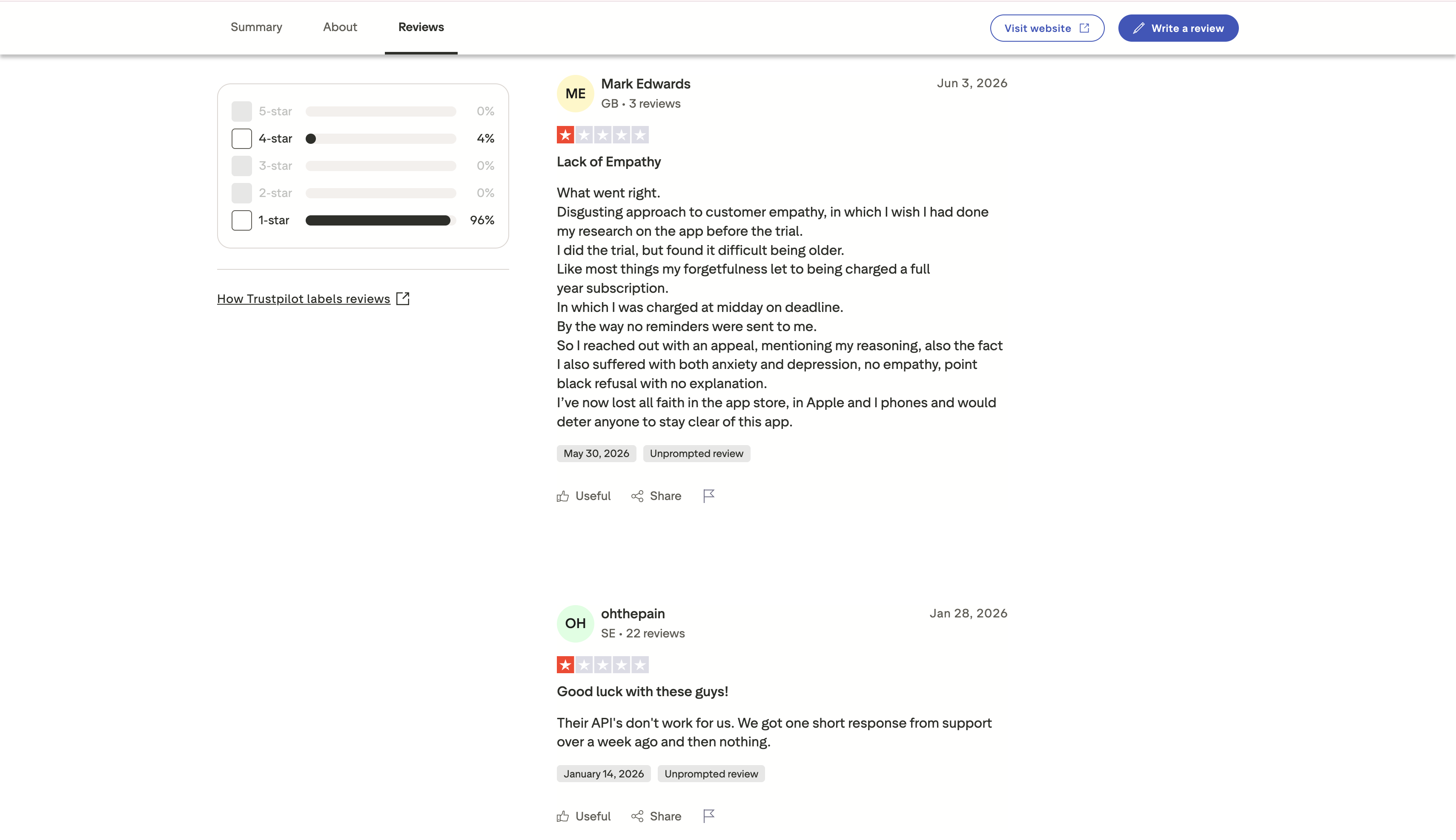
Our Verdict: YouCam does a solid job of casual editing, but the way it handles credits and trials makes it hard to rely on for regular projects. Watching your balance drain or getting cut off mid-session is incredibly frustrating when you have a long to-do list. If you're ready to skip those kinds of operational headaches entirely, Vmake Labs is a much smoother alternative that feels built for actual creators. Let's find out what this magic tool can do.
The ultimate alternative: Professional batch workflows
When high-volume marketing production constraints become unmanageable, switching to a robust infrastructure becomes necessary. Vmake Labs is an ultimate AI social video studio that helps small businesses generate, enhance, and optimize videos to capture attention, build brands, and drive sales. Using the Vmake Labs image enhancer application right from the start solves heavy production bottlenecks, easily handling rigorous commercial demands without the usual workflow friction.
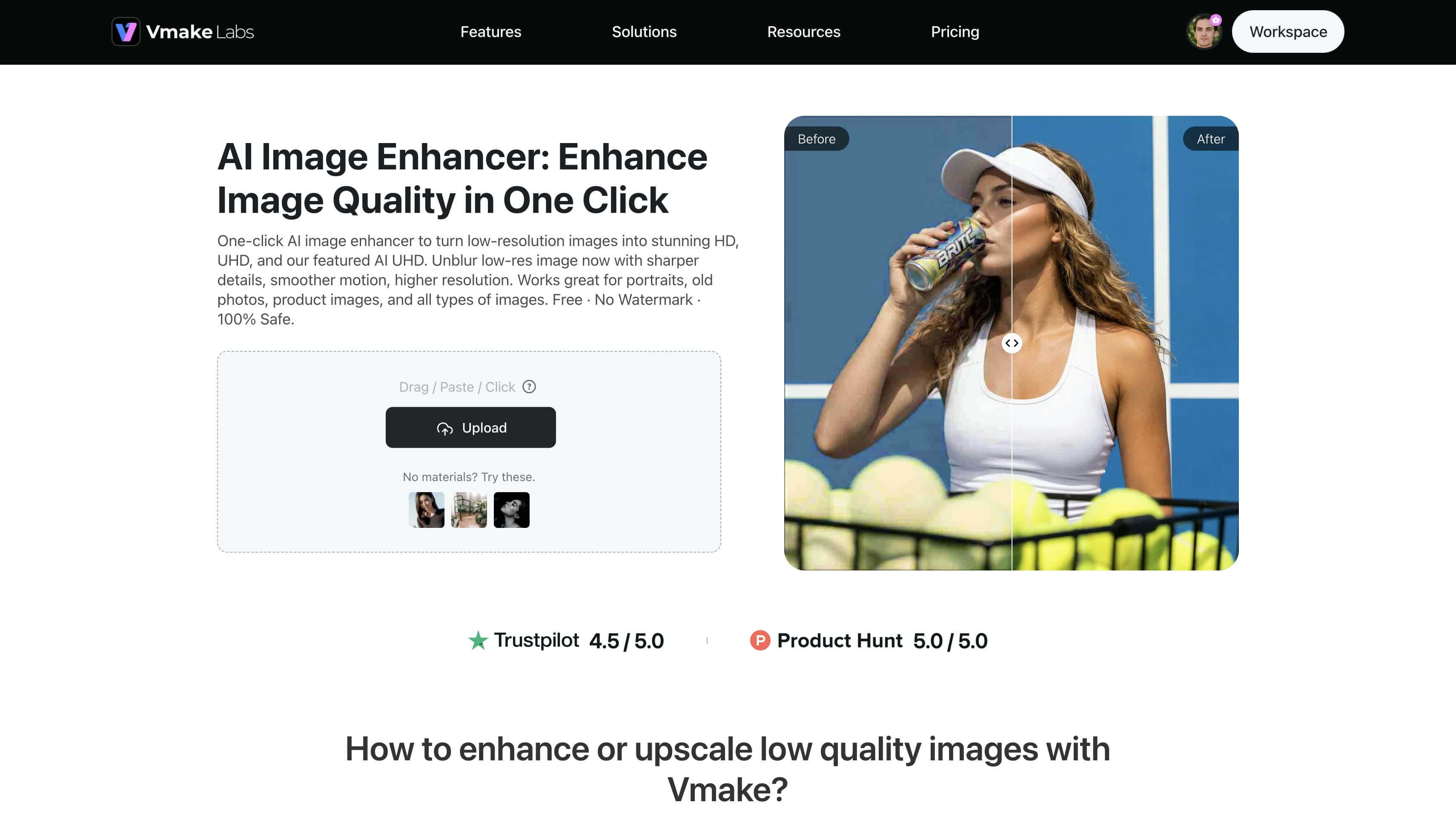
Why the alternative infrastructure excels
-
General Resolution Enhancement: This feature upscales images to crisp HD, UHD, AI UHD, 8K, and 16K clarity. It bypasses standard resolution limits, granting marketers unparalleled asset crispness.
-
Portrait Pro Mode: This specialized engine generates realistic skin textures and improves facial definition. It avoids the artificial smoothing often seen elsewhere, carefully preserving natural pores and lighting nuances.
-
Old Photo Restoration: This model reconstructs degraded, scratched, or faded vintage photographs cleanly. It repairs structural damage while preserving the original aesthetic tone using dedicated photo restoration models.
-
Product Scenario Mode: This workflow automatically optimizes e-commerce images for online marketplaces. It ensures perfect foreground isolation, providing clean backdrops tailored for digital storefronts.
-
Concurrence Batch Processing: This system scales production outputs by rendering up to 30 creative assets simultaneously. It completely eliminates individual file upload bottlenecks, supercharging high-volume marketing workflows.
How to batch enhance images with Vmake Labs in seconds
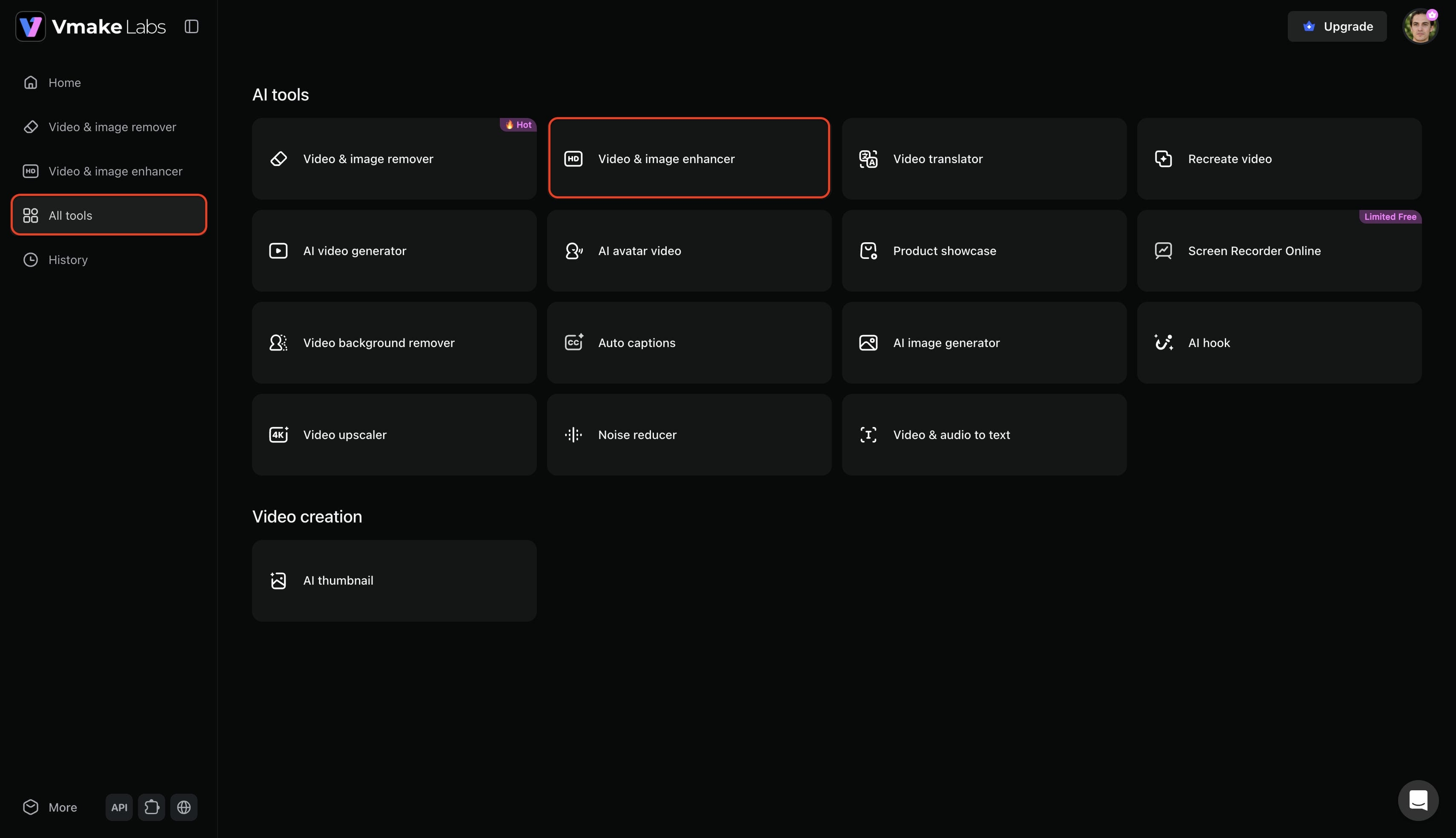
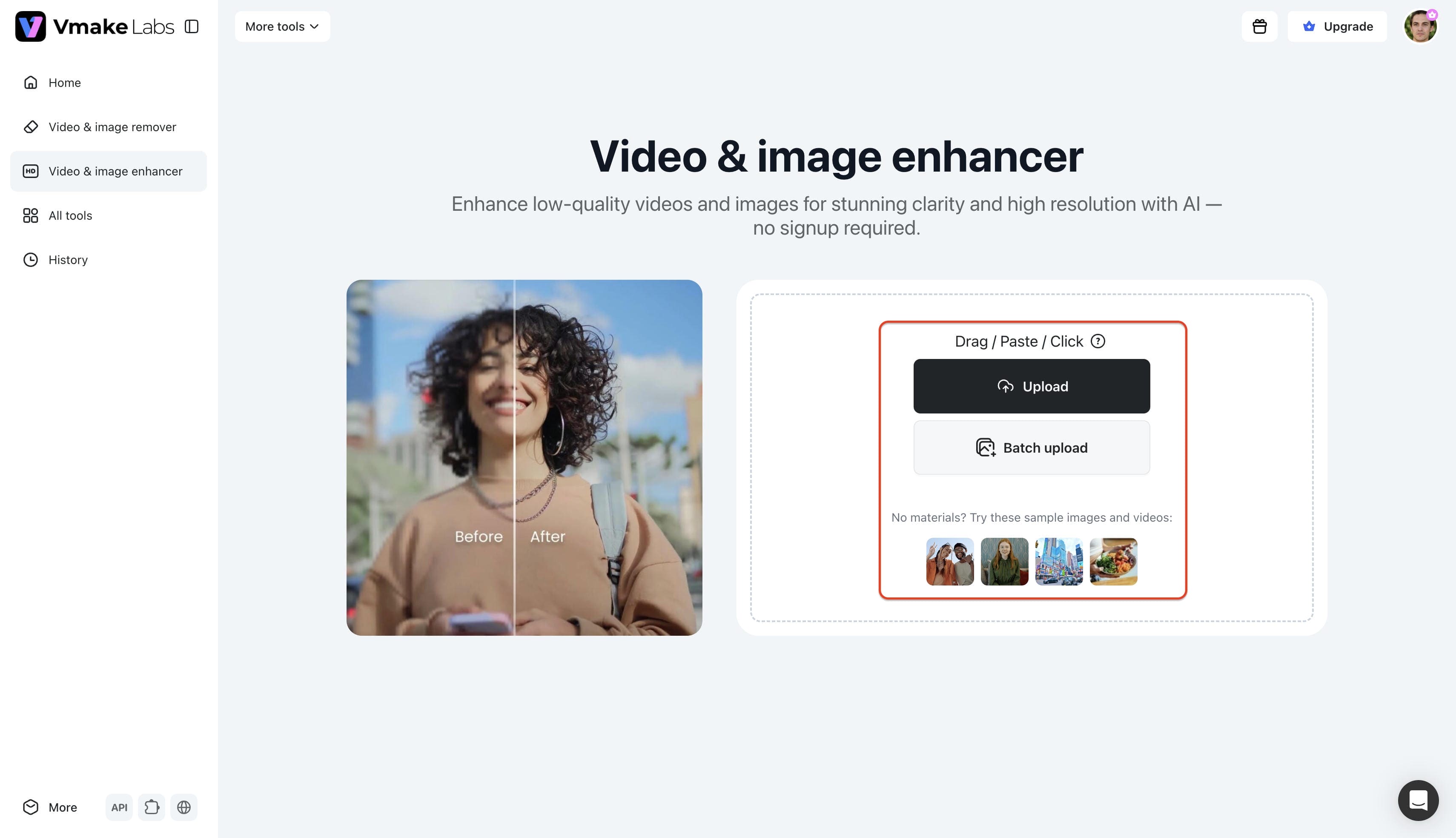
Step 1: Access the Vmake Labs Video & image enhancer tool
Begin by accessing Vmake Labs from the official website and signing into the account. Select the "All tools" option from the left menu bar, then choose the "Video & image enhancer" option from the provided list.
Step 2: Upload the image to enhance
Next, upload the images requiring enhancement, ensuring original files stay under 2K resolution and below a 20MB maximum file size. The system supports concurrent batch uploading facilities, accommodating up to 30 images simultaneously for efficient rendering.
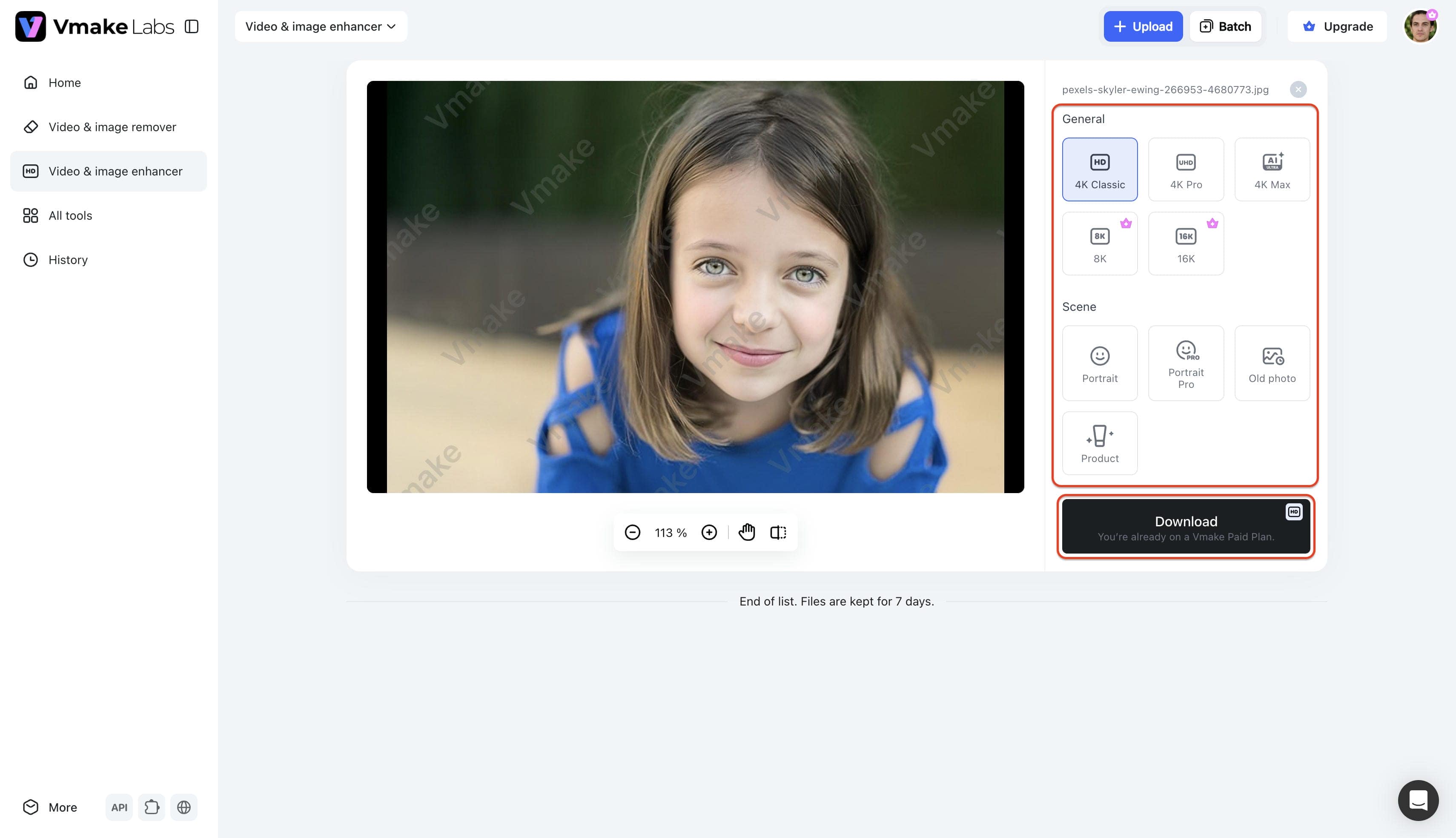
Step 3: Enhance and export the image
After successfully uploading the assets, choose between the "General" or "Scenes" tab to select the specific enhancement operation. Apply the preferred settings, review the automated structural effects, and click "Download" to save the finalized files locally.
Feature showdown: Head-to-head performance comparison
Comparing both platforms side-by-side clarifies whether a project needs basic tweaks or robust tools to upgrade picture quality effectively. The matrix below highlights performance differences across standard commercial use cases.
|
Key Features & Workflow |
YouCam AI Suite |
Vmake Labs Platform |
|---|---|---|
|
AI Resolution Scaling |
Basic dimensions bump |
Extended targets up to 16K clarity |
|
Portrait Face Repair |
Prone to unnatural, plastic finishes |
Generates realistic, sharp skin textures |
|
Artifact Correction |
Standard noise softening |
Removes structural model errors and jitters |
|
Volume Pipeline Capacity |
Strictly single-file uploads |
Concurrent 30-image batch operations |
|
Product Shot Tuning |
Shared credit constraints |
Dedicated e-commerce template modes |
|
Primary Audience Core |
Casual mobile social media users |
Dedicated growth marketers and agencies |
Choose YouCam if you:
-
focus on quick, casual photo editing.
-
are a mobile user who prefers making single-image adjustments on the go.
Choose Vmake if you:
-
prefer a web browser-based workflow without relying on mobile apps.
-
require high-volume batch enhancement to process multiple assets at once.
-
manage e-commerce product listings requiring clean, automated background isolation.
-
need higher output resolution scaling up to 16K clarity for commercial publishing.
Conclusion
Finalizing the right digital toolkit ensures consistent content quality moving forward. Weighing immediate daily needs against long-term scalability remains crucial for production success.
Determining whether the YouCam AI photo enhancer fits specific requirements comes down to daily output volume. Casual creators benefit immensely from its straightforward interface and rapid basic adjustments. Conversely, professional environments buckle under single file limitations and aggressive credit systems. Upgrading technical pipelines makes sense when managing bulk commercial assets or demanding ultra-high-definition outputs. Vmake Labs offers a compelling high-capacity framework for those specific high-volume tasks. Ultimately, aligning the software choice with actual production demands guarantees optimal creative efficiency.
FAQs
Is the basic photo enhancer package free to use?
The basic package offers free signup credits for initial platform testing, though exported images contain visible watermarks. Accessing full-resolution files without branding requires upgrading to a paid monthly subscription tier.
Does the processing engine correctly fix blurry photos?
Basic blurring receives adequate sharpening for casual viewing on standard mobile devices. Using a dedicated image sharpener is usually more effective for extreme motion blur or severe focal issues.
How well does the upscaler handle intricate details?
Standard geometric shapes upscale cleanly, but complex textures like hair or detailed fabrics occasionally lose fine definition. The engine prioritizes overall image smoothness, which sometimes sacrifices granular pixel accuracy.
Can the colorization module accurately restore historical images?
Well lit historical photographs accept color layers quite accurately, rendering natural looking facial skin tones. A dedicated color correction upscaler often provides superior vibrancy mapping for heavily degraded or complex background elements.
Why do commercial workflows require batch image enhancement pipelines?
Handling hundreds of product shots individually consumes entirely too much valuable operational time. Concurrent processing allows marketers to apply uniform quality adjustments across multiple assets simultaneously, easily maintaining strict campaign deadlines.

You May Be Interested

Best AI Image Enhancer in 2026: Top Tools to Upscale and Fix Blurry Images

Airbrush Video Enhancer Review 2026: Features, Pros, and Cons
Best AI Photo Enhancer Tools in 2026 (Free & Online): Improve Image Quality Instantly
Canva Video Enhancer Review [2026]: Pros, Cons, and Pricing