
Raphael AI Image Generator Review: Is It Worth Using in 2026?
Discover our Raphael AI Image Generator review after testing its image quality, FLUX AI model, and pricing. Compare it with Vmake Labs Image Generator to find the right AI image tool.

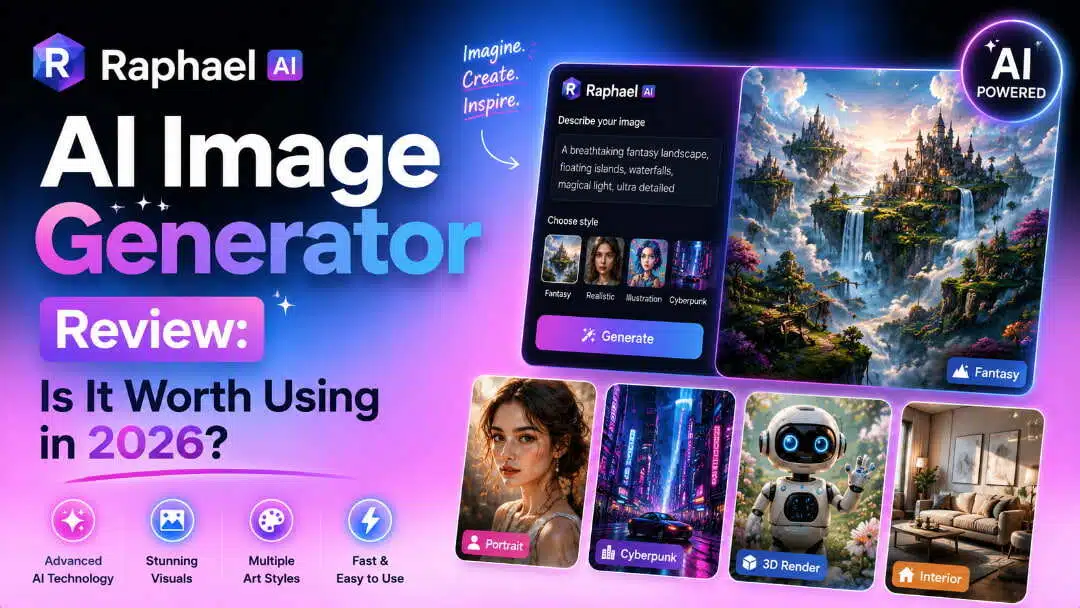
Raphael AI Image Generator is a browser-based AI image creation tool powered by the FLUX model. In this Raphael AI Image Generator review, we test its image quality, features, pricing, and overall performance to see whether it's worth using in 2026.
What is Raphael AI Image Generator?
Raphael AI Image Generator is a web-based AI image creation tool that enables users to create images from text prompts without having to download software or sign up. Raphael AI doesn’t require registration before you can start, like many AI image generators, allowing users to start generating images straight from a web browser. This method is simple enough for novices and hobbyists, or anyone who wants to dabble in AI-generated art without a long preparation process.
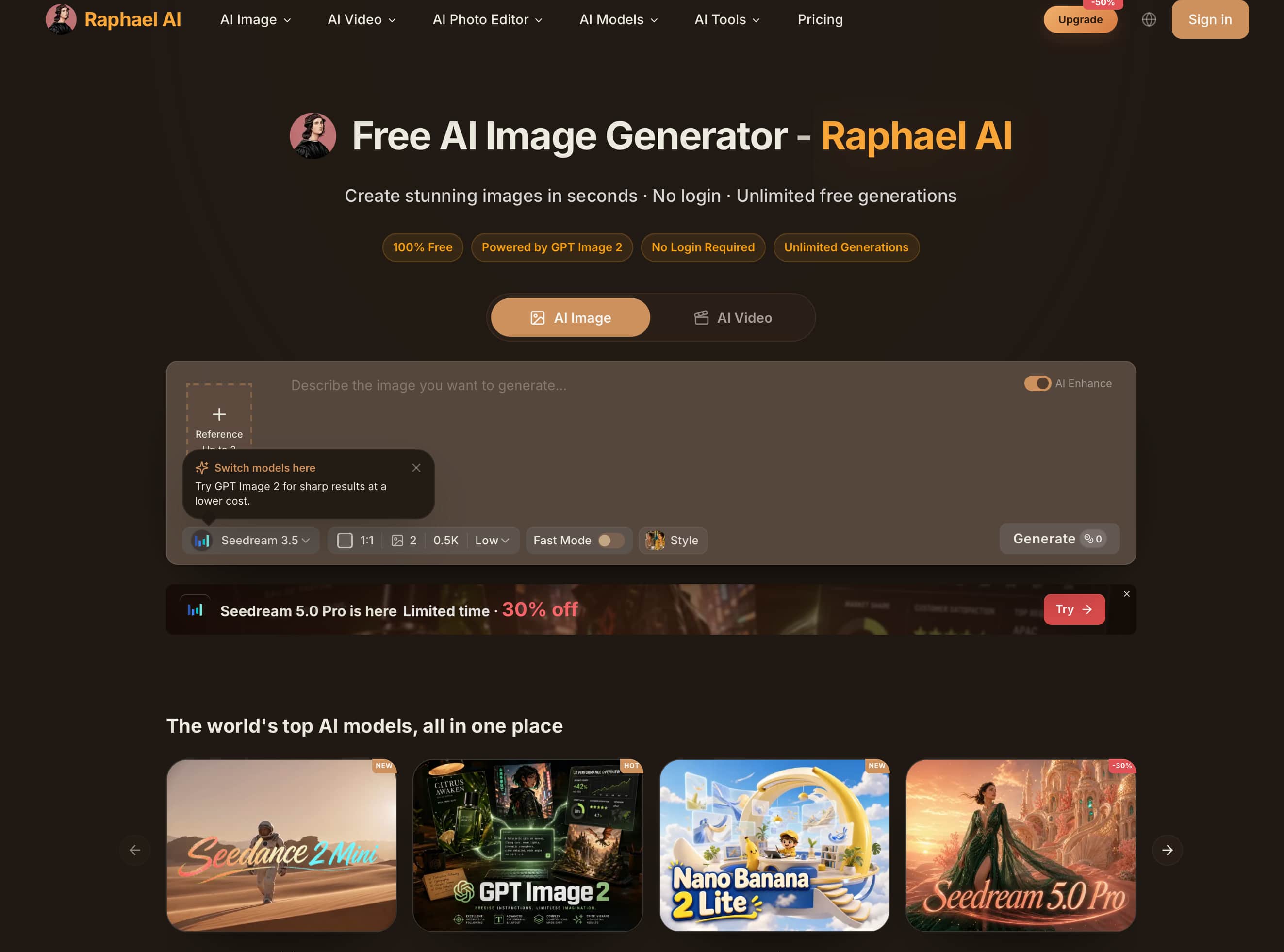
Standout features
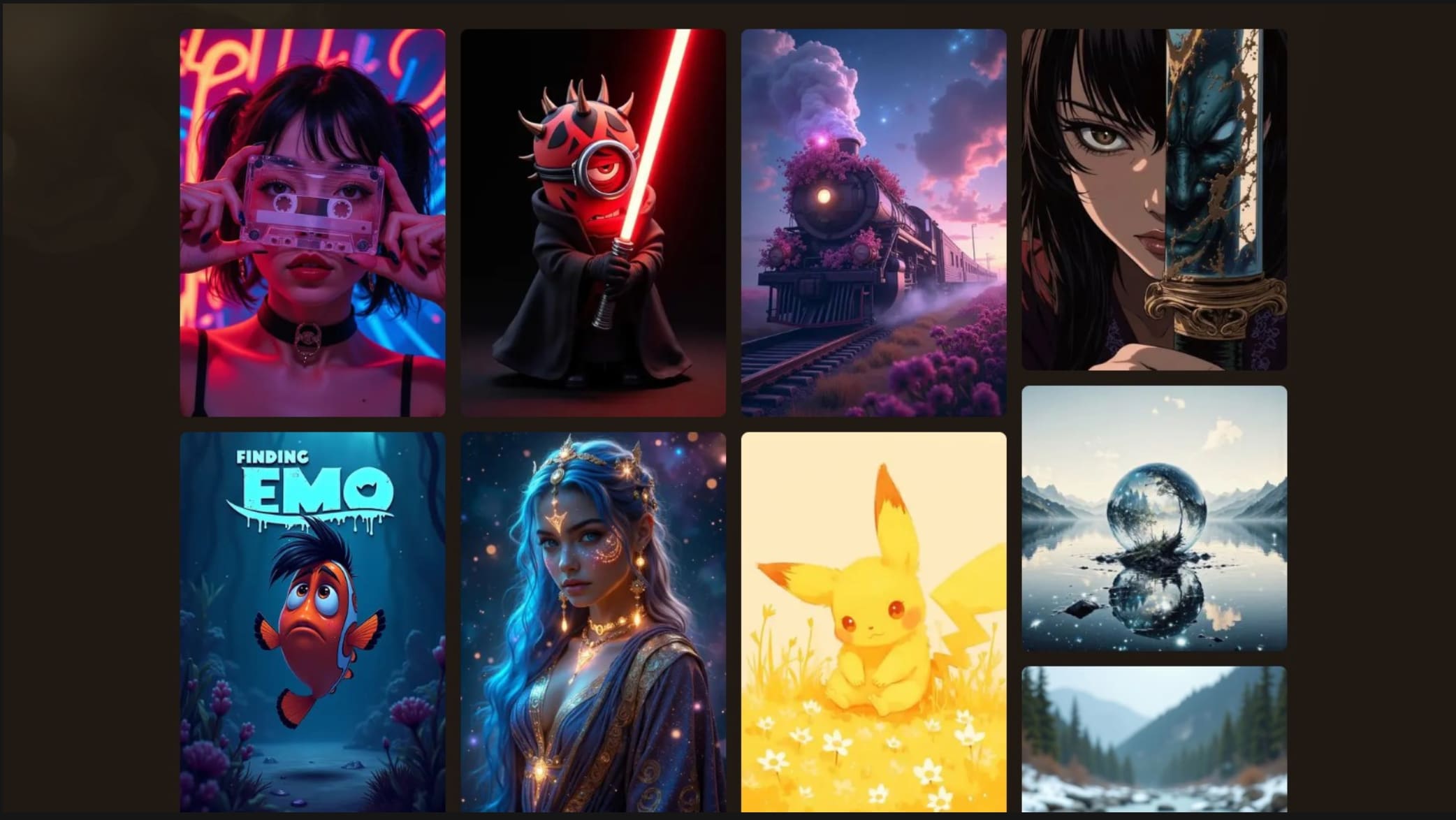
One of the main advantages of Raphael AI is the use of the FLUX AI model, which is able to generate detailed images and interpret prompts well in different artistic styles. In our research, we’ve found it works really well for portraits, fantasy artwork and illustrations, but also works well for landscapes and creative concepts. While it doesn't provide the level of customisation of some of the more sophisticated AI image generators, its simple workflow makes it an attractive option for those who value speed and ease.
-
Unlimited free image generation: Create AI-generated images without worrying about daily limits, making Raphael AI ideal for experimentation and creative exploration.
-
No account required: Start generating images instantly without signing up, reducing friction and making the platform accessible to first-time users.
-
FLUX-powered image generation: The FLUX AI model produces detailed, visually appealing images with strong prompt interpretation across different creative styles.
-
Multiple artistic styles: Generate portraits, fantasy scenes, digital illustrations, landscapes, anime-inspired artwork, and concept art from simple text prompts.
-
High-resolution downloads: Export generated images in high resolution for presentations, creative projects, and online publishing.
-
Simple browser-based experience: Everything works online through a clean interface, allowing users to generate AI images quickly without installing additional software.
Hands-on testing results
Instead of just going by one prompt, we took Raphael AI for a spin on a few real-world image generation scenarios to see how it performs beyond the feature list. We evaluated prompt accuracy, image quality, generation speed, style consistency, and whether the outputs were fit for creative or commercial use. We also compared the stability of the platform between various artistic styles and levels of detail and complex scene descriptions.
|
Test scenario |
What we tested |
What we analysed |
|---|---|---|
|
Portraits |
Facial realism and detail |
Facial features, skin texture, lighting, prompt accuracy, and common AI artefacts such as distorted hands or eyes. |
|
Fantasy artwork |
Creativity and prompt interpretation |
Artistic style, imagination, scene composition, and adherence to detailed prompts. |
|
Product mockups |
Object accuracy and lighting |
Product proportions, textures, reflections, shadows, and suitability for marketing visuals. |
|
Landscapes |
Composition and colour consistency |
Depth, lighting, colour balance, realism, and overall scene composition. |
|
Digital illustrations |
Style consistency |
Line quality, colour palette, illustration style, and consistency across generated images. |
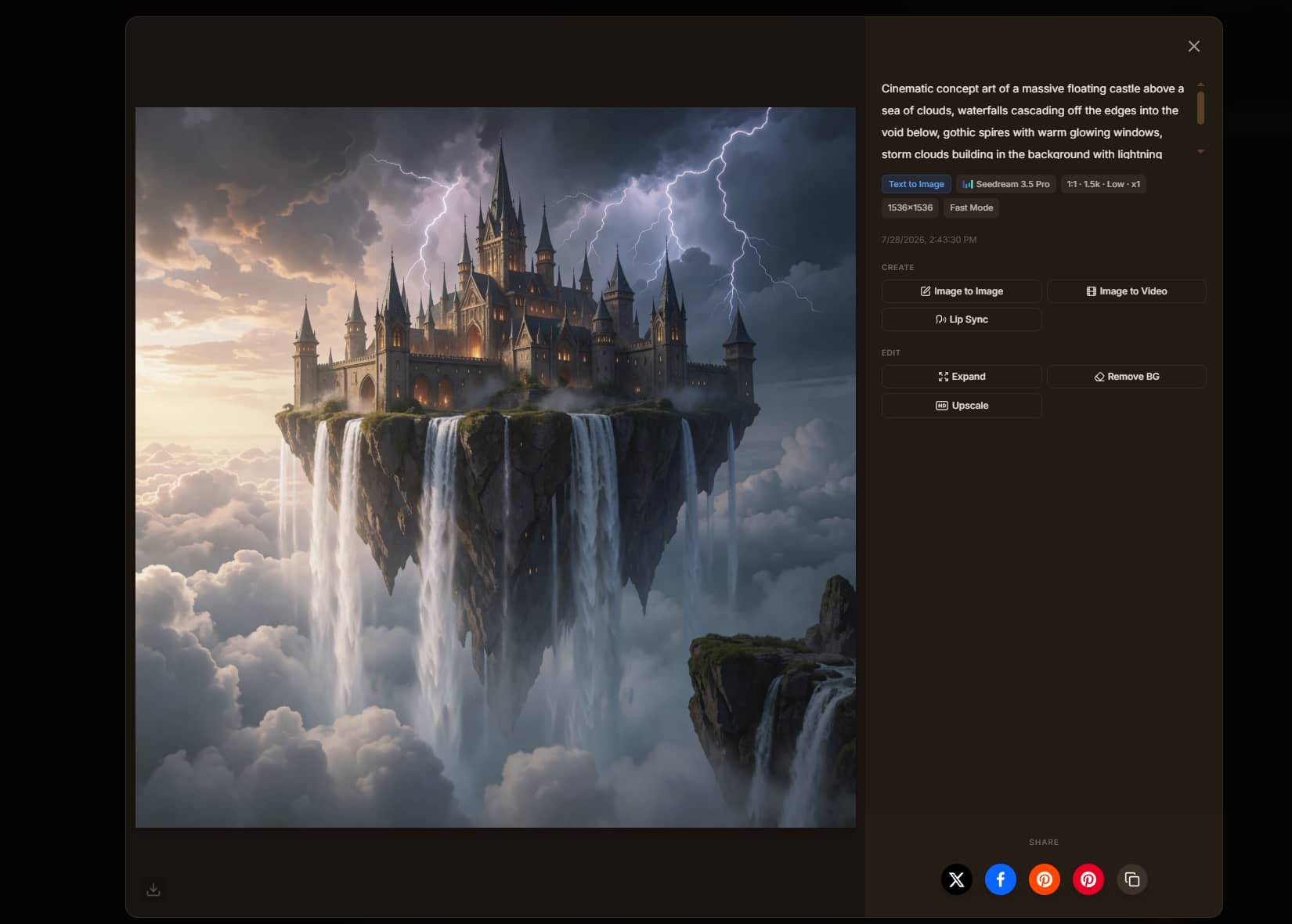
Examples of testing
Portraits
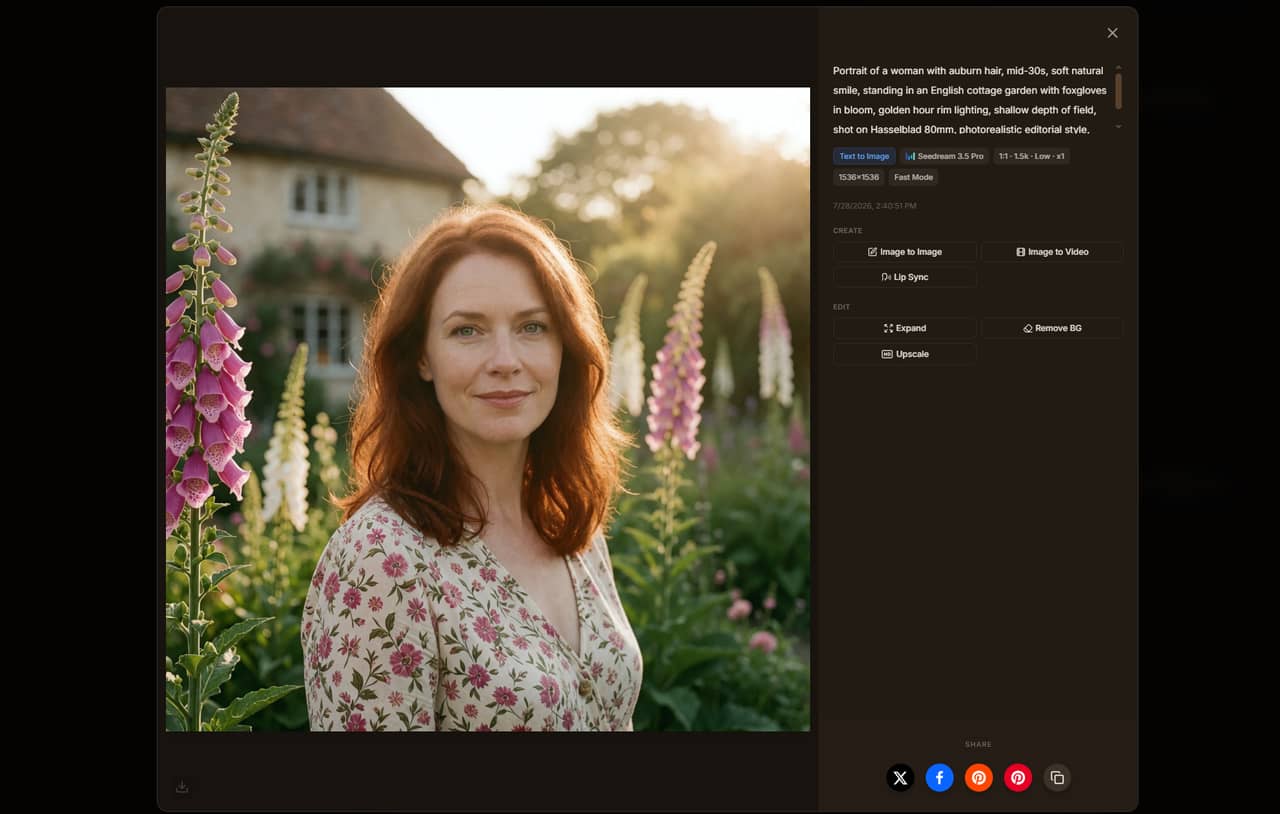
Fantasy
Overall testing experience
Raphael AI performed best with portraits, fantasy artwork, and digital illustrations, producing detailed images with good prompt accuracy. Landscapes also generated consistent results, while product mockups sometimes required more specific prompts. Image generation was fast throughout our testing, making the platform suitable for creative experimentation, though professional marketing projects may benefit from tools with more advanced controls.
Is Raphael AI Image Generator worth using?
After testing Raphael AI Image Generator across different creative scenarios, we found it to be one of the easiest AI image generators to start using. Check more details as follows:
Free plan and pricing
Raphael AI has free and paid plans. The free plan allows users to generate AI images without creating an account. Paid subscriptions remove watermarks and provide faster image generation, plus additional credits and features.
|
Plan |
Price (billed annually) |
Best suited for |
|---|---|---|
|
Free |
£0 |
Casual users exploring AI image generation |
|
Pro |
$10/month |
Creators who need watermark-free downloads, faster generation, and more monthly credits |
|
Ultimate |
$20/month |
Professionals requiring higher usage limits, priority processing, and enhanced privacy |
Pros and cons
|
Pros |
Cons |
|---|---|
|
|
What users are saying
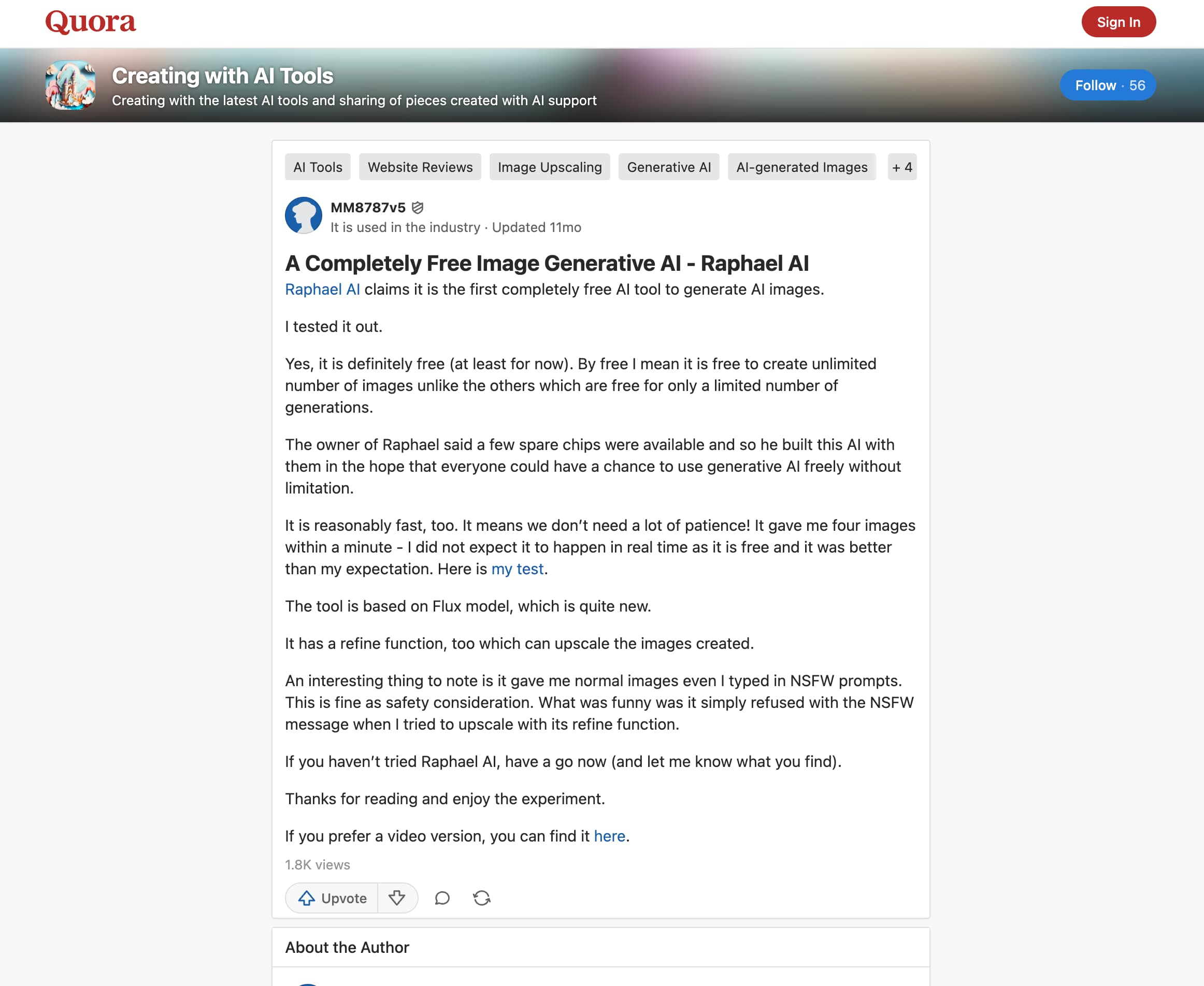
Quora
Quora users generally praise Raphael AI for being free, easy to access, and capable of producing high-quality images without requiring an account. Some users also note that image quality depends heavily on the prompt, with more detailed prompts producing better results.
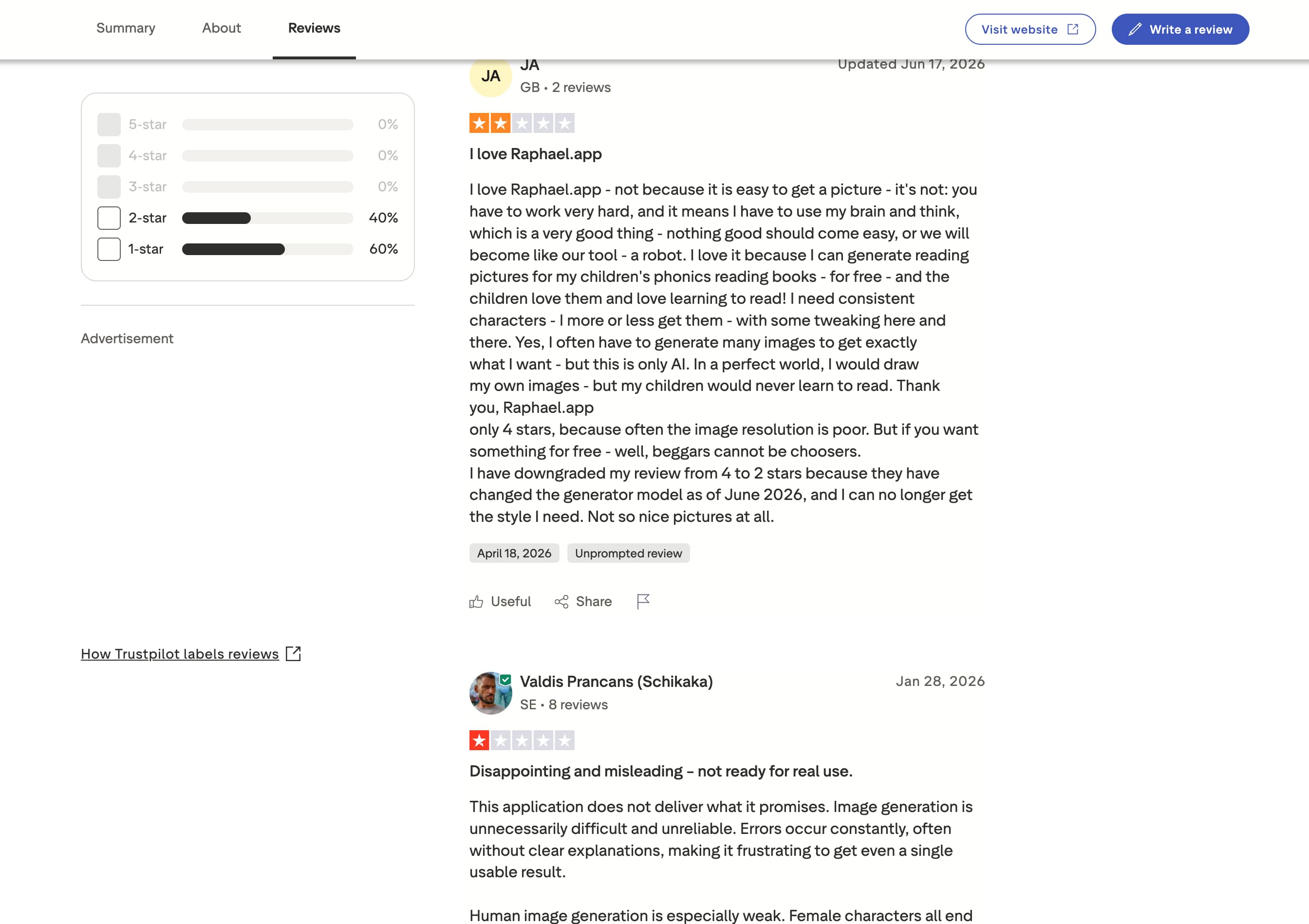
Trustpilot
Trustpilot reviews are mixed. Positive feedback highlights the platform's simple interface, free access, and image quality, while negative reviews mention inconsistent results, occasional technical issues, and changes to the platform that affected the user experience.
Best alternative to Raphael AI: Vmake Labs AI Image Generator
While Raphael AI is a great choice for users looking for free AI image generation, it offers limited flexibility for creators working on commercial projects. If you need access to multiple AI models, image-to-image generation, and more control over the creative process, Vmake Labs AI Image Generator is a strong alternative. It supports both text-to-image and image-to-image workflows, making it easy to create marketing creatives, ecommerce visuals, product images, and other professional content from a single platform.
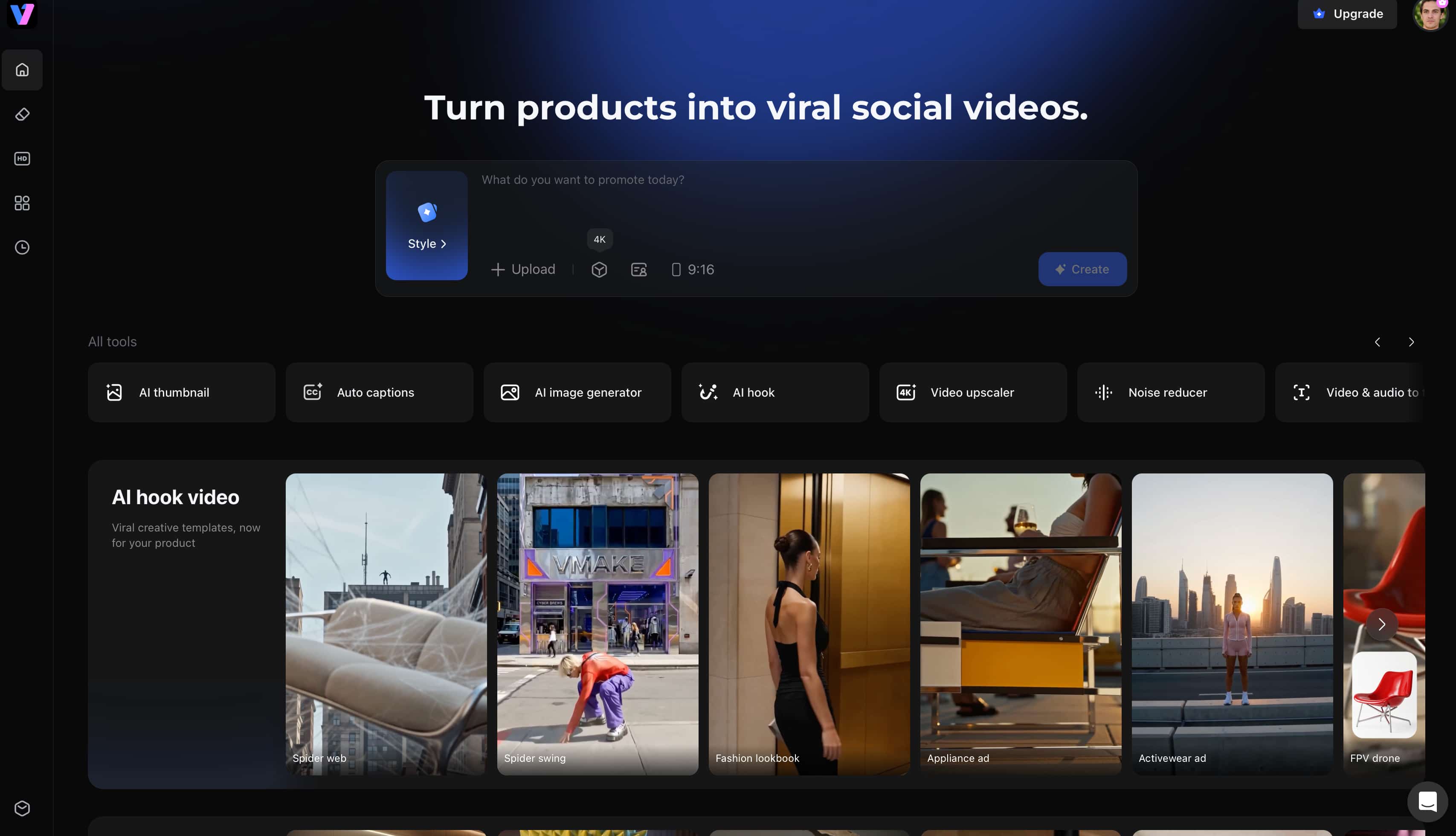
Create AI images with Vmake Labs AI Image Generator
Generating images with Vmake Labs AI Image Generator is straightforward. Simply enter a prompt or upload a reference image, choose an AI model, and generate your image in a few clicks.
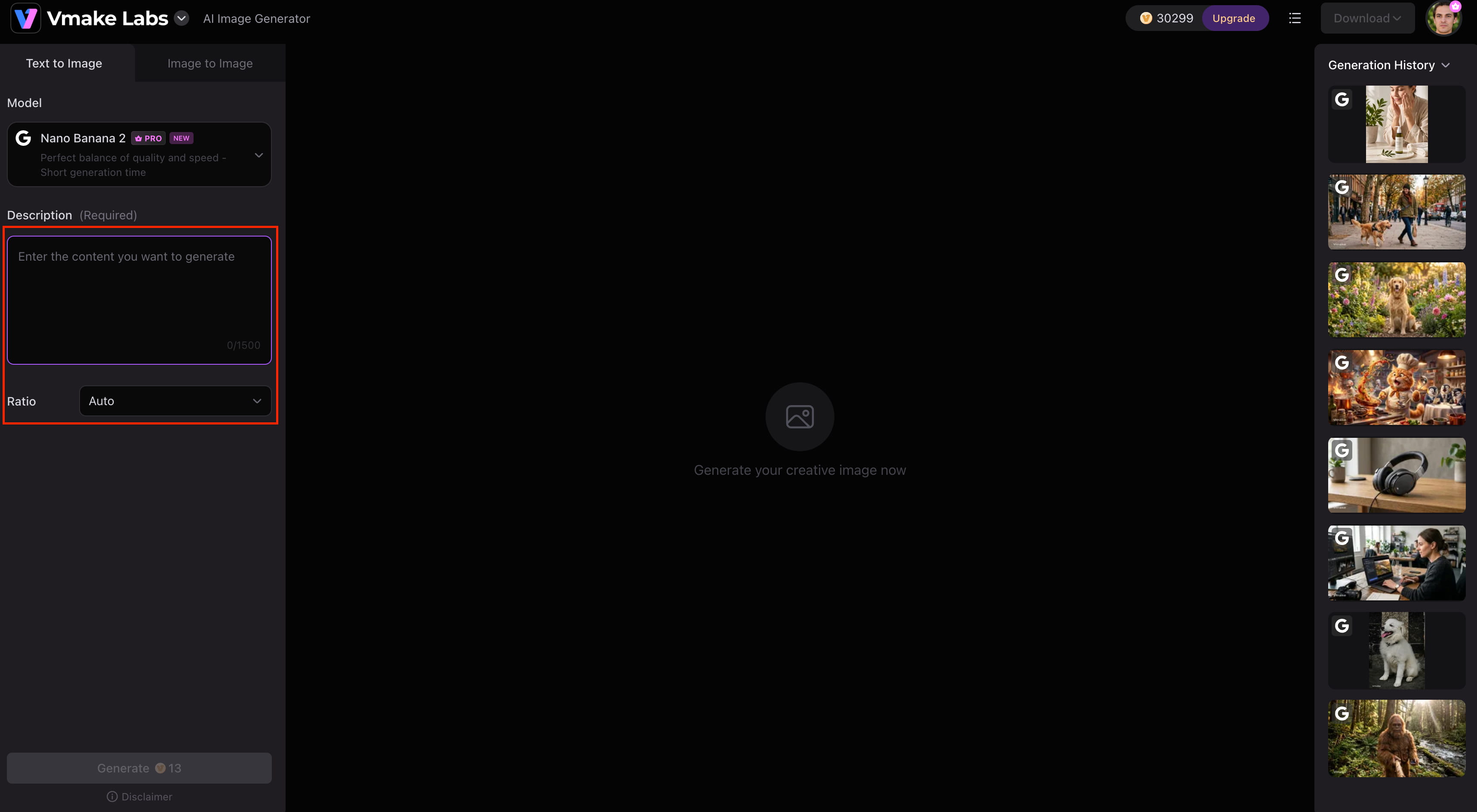
Step 1: Enter a prompt or upload a reference image
Open Vmake Labs AI Image Generator and choose either Text to Image or Image to Image. Enter a text prompt describing the image you want to generate, or upload up to three reference images to guide the AI before starting the generation process.
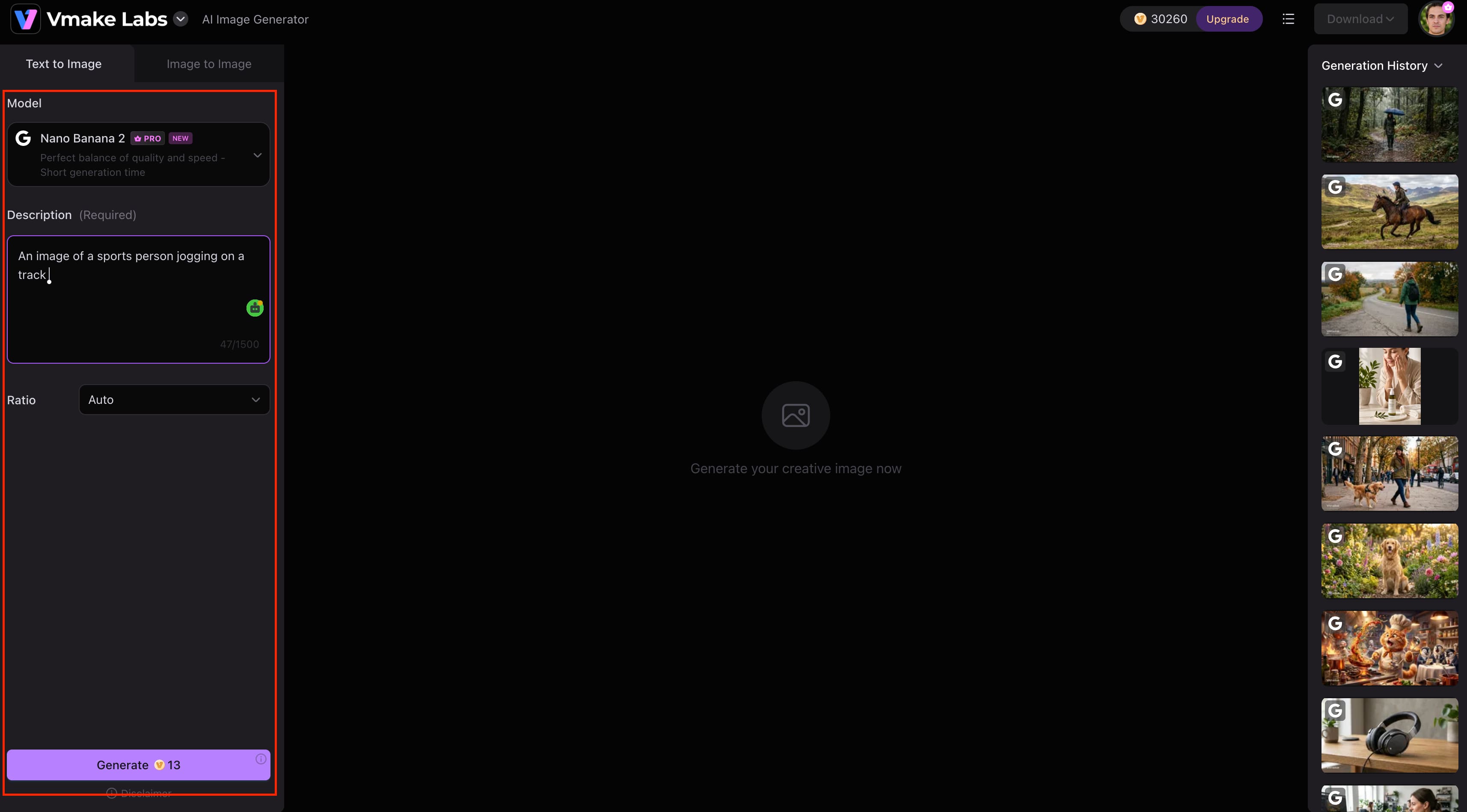
Step 2: Choose an AI model
Select the AI model that best suits your project. Vmake Labs AI Image Generator supports Nano Banana 2, Nano Banana Pro, Nano Banana, Seedream 4.0, and GPT Image 1. Then select your preferred aspect ratio and other available generation settings before clicking Generate.
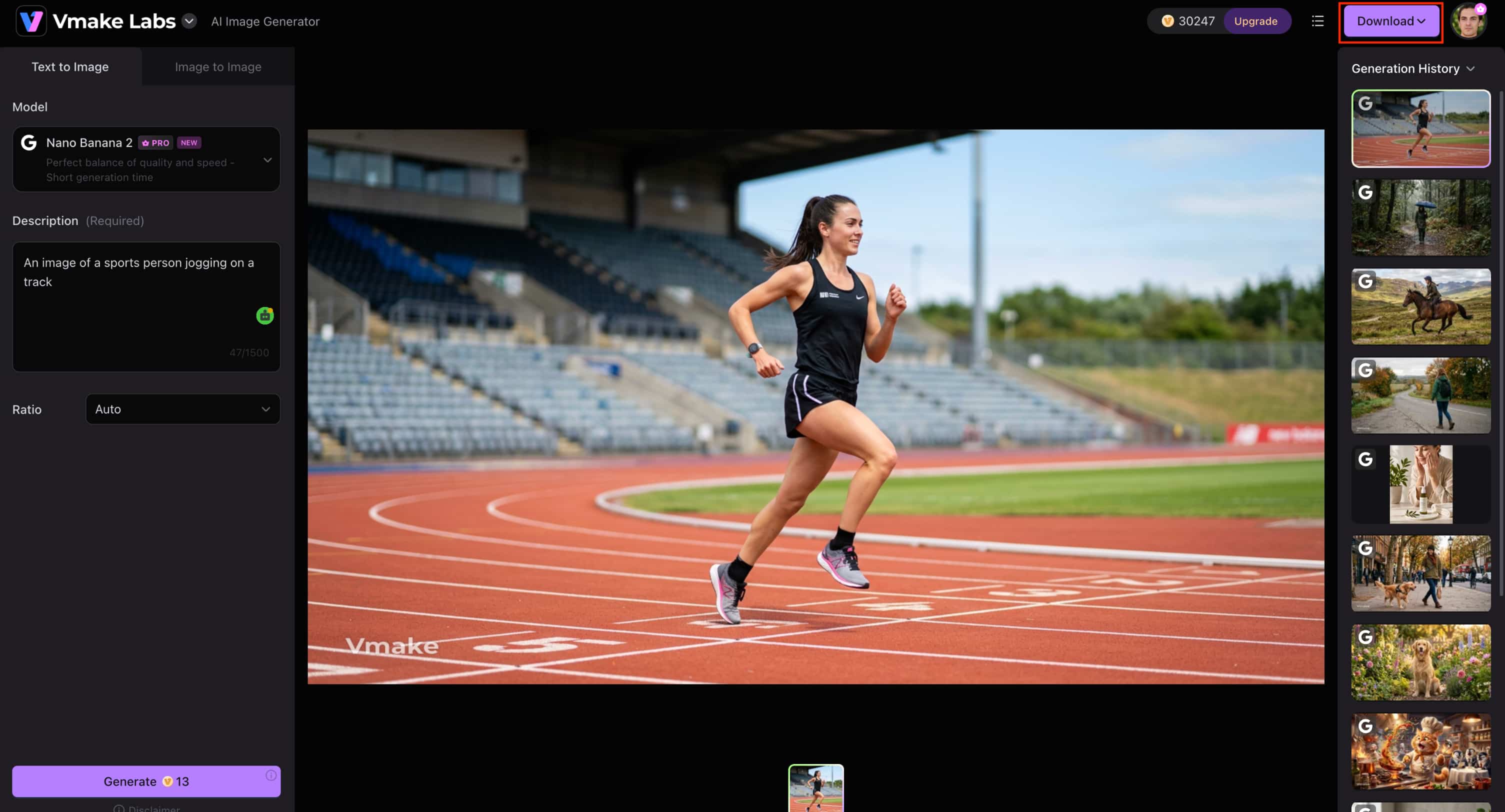
Step 3: Generate and download
Click Generate and wait for the AI to create your images. Review the generated results, create additional variations if needed, and download the image that best matches your project. If you want to improve an existing image after generation, you can also use the image enhancer.
Why choose Vmake Labs AI Image Generator?
-
Access multiple leading AI image models: Choose from Nano Banana 2, Nano Banana Pro, Nano Banana, Seedream 4.0, and GPT Image 1, allowing you to select the best model for photorealistic product images, marketing visuals, concept art, or creative illustrations.
-
Text-to-image and image-to-image workflows: Generate images from text prompts or upload reference images to maintain a consistent visual style and achieve more accurate results for branding and creative projects.
-
Commercial-ready image generation: Create visuals for product listings, advertising campaigns, websites, presentations, and social media, helping businesses produce professional content without additional design software.
-
Flexible aspect ratios: Generate images in the right dimensions for ecommerce stores, Instagram, Facebook, websites, presentations, and other digital platforms, reducing the need for manual resizing.
-
Simple and efficient workflow: Generate, review, and download AI images in just a few clicks, helping you create content faster. You can also create platform-ready visuals with the AI thumbnail maker for YouTube and social media.
-
Built for marketing and ecommerce: Create promotional graphics, product photography, and branded visuals that help businesses produce commercial-ready content efficiently. If you need to export images in another format, the image converter provides a quick way to convert your files.
Raphael AI vs Vmake Labs AI Image Generator
|
Category |
Raphael AI |
Vmake Labs AI Image Generator |
|---|---|---|
|
Best for |
Free AI image generation |
Professional AI image creation |
|
Cost |
Free with paid plans |
Free trial with paid plans |
|
AI models |
FLUX |
Nano Banana 2, Nano Banana Pro, Nano Banana, Seedream 4.0, GPT Image 1 |
|
Generation modes |
Text-to-image |
Text-to-image and image-to-image |
|
Workflow |
No-sign-up browser tool |
Browser-based AI image generation |
|
Commercial use |
Suitable for personal and basic creative projects |
Designed for marketing, ecommerce, and commercial content creation |
|
Customisation |
Essential generation settings |
Multiple AI models and more generation options |
Which one fits your workflow?
Raphael AI Image Generator is a simple and free AI image generator that you can use for personal projects, creative experimentation, or to create quick artwork without needing to sign up for an account. The no-sign-up experience and FLUX-powered image generation make it a great choice for casual users.
For professional projects, if you require more flexibility, go with Vmake Labs AI Image Generator. It has multiple leading AI models, text-to-image and image-to-image generation, and support for commercial content creation. It’s better suited for marketers, ecommerce sellers, designers, and businesses creating high-quality visuals.
Conclusion
Raphael AI Image Generator is a good option for those who are searching for an easy-to-use and straightforward tool to generate AI-generated images. No sign-up required workflow, image generation powered by FLUX, and a free plan make it a good choice for personal projects, concept art, and creative experimentation. But users creating marketing materials, ecommerce visuals, or business content might want a platform with more AI models and more creative flexibility. Vmake Labs AI Image Generator is a powerful alternative that provides access to multiple leading AI models, both text-to-image and image-to-image generation, and a streamlined workflow to produce professional-quality visuals.
FAQs
Is Raphael AI Image Generator really free?
Yes. Raphael AI offers a free plan for generating AI images without an account and paid plans unlock more features. Vmake Labs AI Image Generator Another good alternative for more AI models and commercial-focused image generation.
Does Raphael AI require an account?
No. One of Raphael AI's biggest advantages is that you can start generating images without signing up. If you want additional features such as image-to-image generation and multiple AI models, Vmake Labs AI Image Generator offers a more advanced workflow.
Which AI model does Raphael AI use?
Raphael AI is powered by the FLUX AI model, which is designed for text-to-image generation. If you want more creative flexibility, Vmake Labs AI Image Generator supports multiple leading AI models, including Nano Banana 2, Nano Banana Pro, Seedream 4.0, and GPT Image 1.
Can I use Raphael AI images commercially?
Yes, commercial use is available under Raphael AI's supported plans and terms of use. For creating marketing campaigns, ecommerce visuals, and branded content, Vmake Labs AI Image Generator is also designed for commercial image generation.
What is the best alternative to Raphael AI?
The best alternative depends on your workflow and creative needs. If you need multiple AI models, text-to-image and image-to-image generation, and tools for creating business-ready visuals, Vmake Labs AI Image Generator is one of the best alternatives.
Is Raphael AI better than Vmake Labs AI Image Generator?
If you are looking for a free AI image generator that’s easy to use for personal use, Raphael AI is a great option. Vmake Labs AI Image Generator is more versatile for professional projects, marketing content and ecommerce images, with multiple AI models and advanced image generation workflows.

You May Be Interested
AI Image Generator: Nano Banana Pro Free
Best AI Image Upscaler Tools in 2026: Upscale Images to 4K, 8K & Beyond

Best AI Image Enhancer in 2026: Top Tools to Upscale and Fix Blurry Images
PhotoGrid AI Image Enhancer Review: Tested & Worth It?

Best AI Animation Generators for Creating Images and Videos
