ImgGen AI Image Upscaler Review: Features, Pricing, Free Alternative
ImgGen AI image upscaler sharpens blurry, low-res photos fast, but batch limits and inconsistent quality can slow teams down. Try Vmake's free AI image enhancer for sharper, steadier results instead.

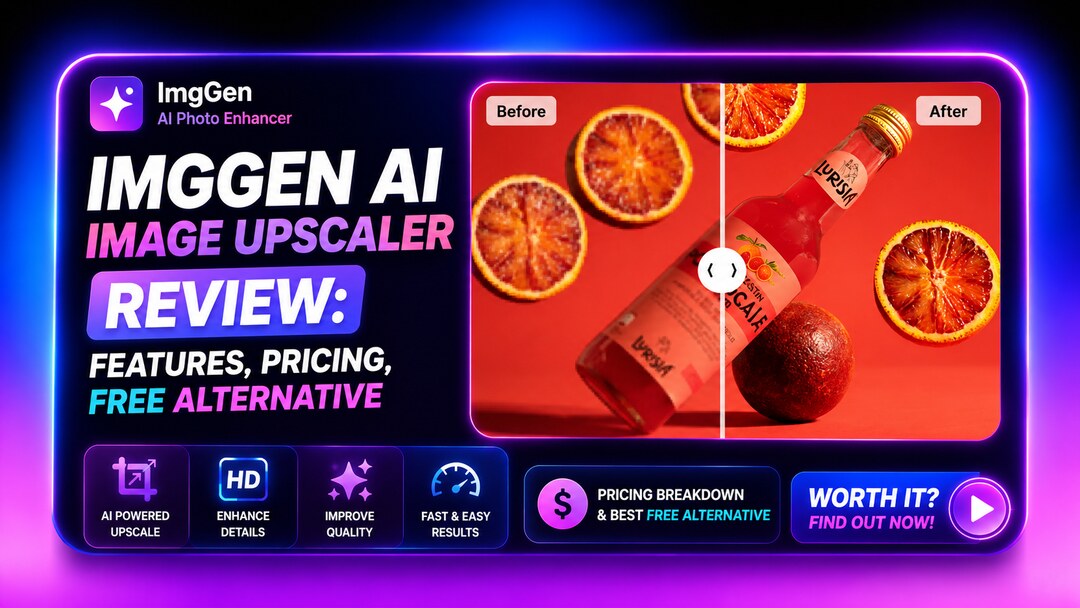
Finding a reliable tool to rescue blurry photos is an ongoing challenge for many creators. This review breaks down a popular browser-based editor, detailing its capabilities, limitations, and overall value for everyday users needing quick fixes.
What is ImgGen AI image upscaler?
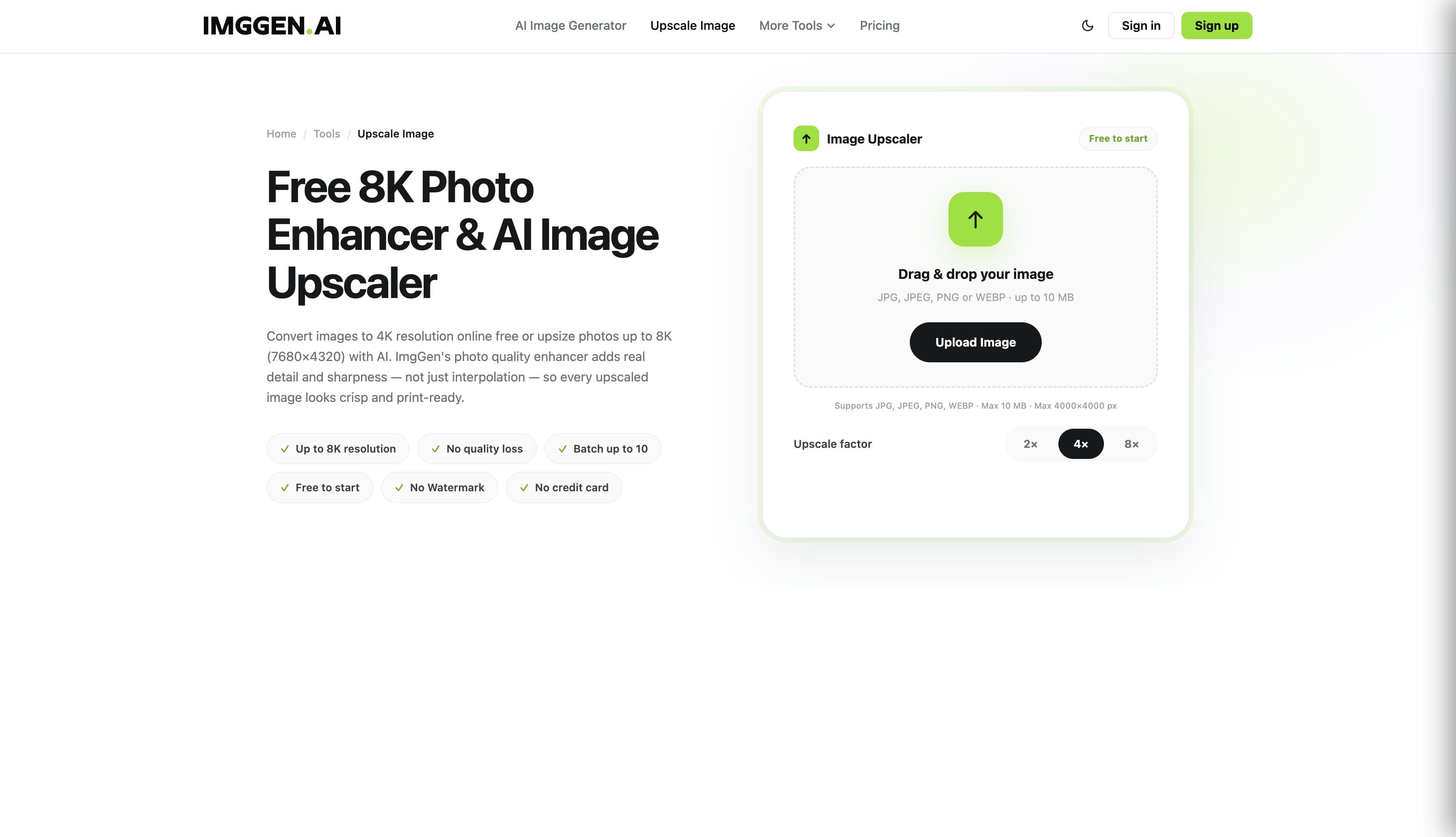
The ImgGen AI image upscaler functions as a highly accessible, free browser-based AI photo editing suite designed to clarify low-resolution visuals. Rather than acting as a standalone application, the upscaler operates as one utility within a much broader toolkit.
Users gain access to various functionalities like background removal, color correction, and an ImgGen AI photo restoration module. Platform developers designed the interface specifically to require no account registration, allowing instant project starts. Furthermore, final exports remain completely watermark-free.
Key features of ImgGen AI image upscaler
Understanding the core functionalities helps determine if this platform fits specific editing needs. The suite offers several distinct tools to enhance visual clarity.
-
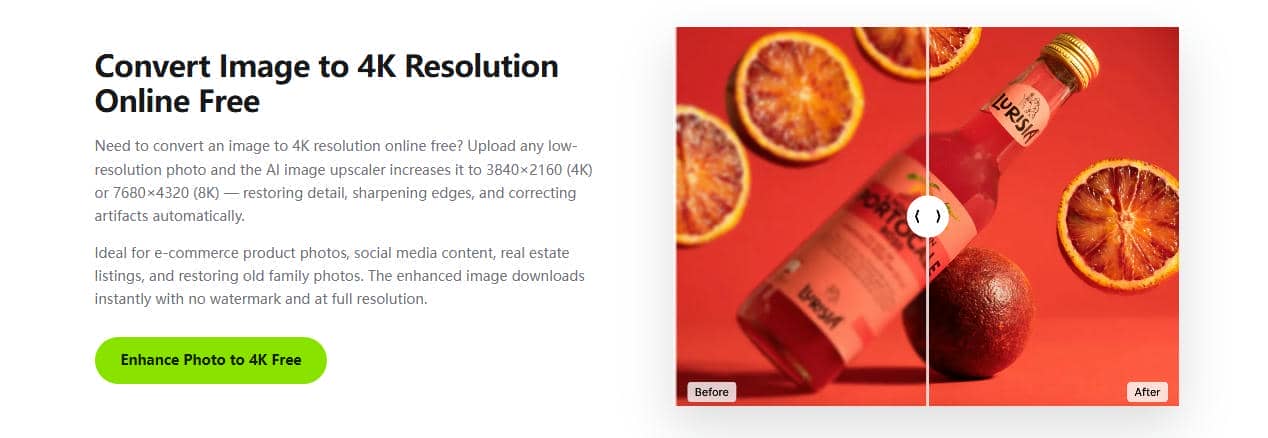
ImgGen AI upscaling: This core tool pushes standard image resolution up to 8K, while a dedicated secondary function specializes in 4K upscaling. During hands-on testing with 720p visuals, the platform recovered edge sharpness effectively but occasionally struggled to maintain fine texture details across complex backgrounds.
-
ImgGen AI batch support: Editors can seamlessly process up to 10 images simultaneously to accelerate their daily editing workflows. However, this highly requested bulk processing capability remains strictly gated behind premium subscription tiers.
-
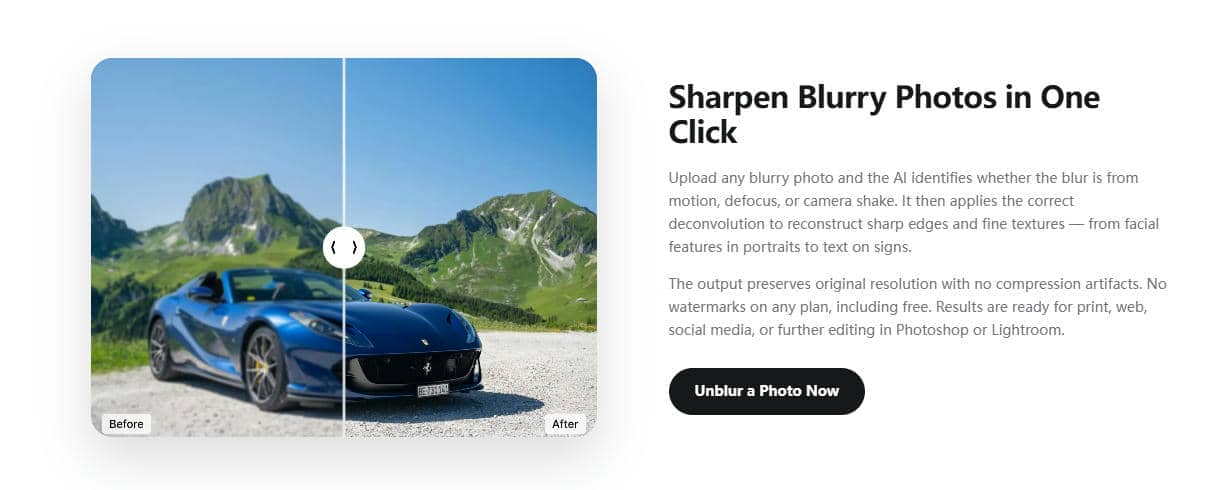
ImgGen AI unblur image: This specific utility rescues soft or excessively noisy photos to rapidly improve overall visual readability. Hands-on evaluation demonstrated that the tool successfully sharpens out-of-focus subjects, but it sometimes applies an overly smooth artificial effect on intricate facial features.
-
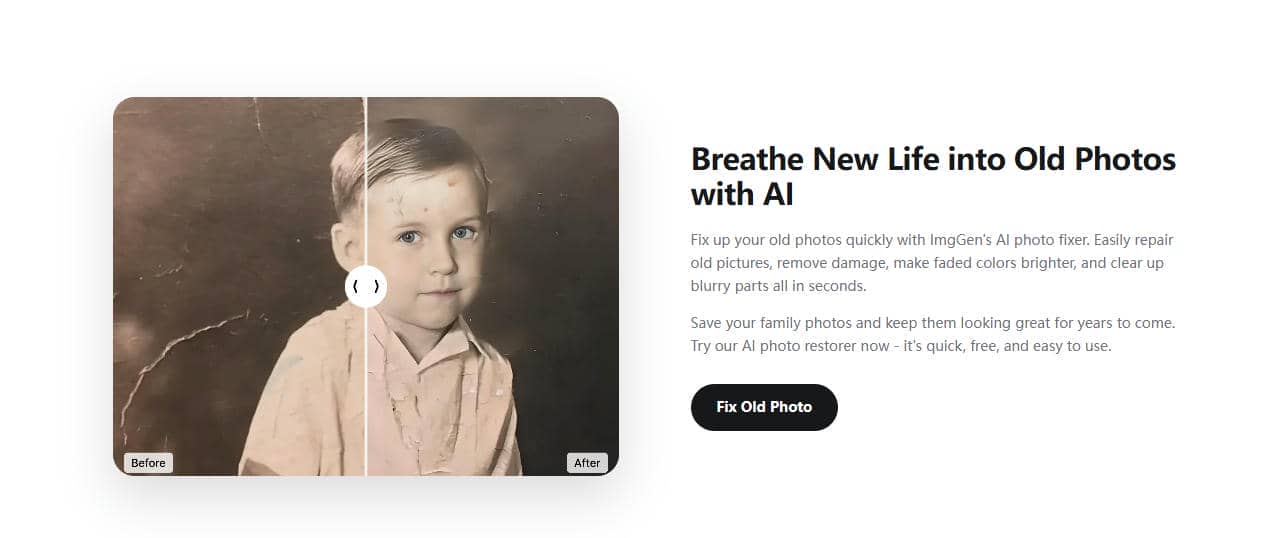
ImgGen AI photo restoration: This automated tool brings older, heavily damaged vintage visuals back to life through precise clarity adjustments. While testing severely faded scans, the system successfully repaired minor surface scratches and corrected contrast, yet it struggled slightly with extreme historical color degradation.
-
Background and text removal: The editor seamlessly isolates subjects and eliminates cluttered backgrounds or unwanted text with a single intuitive click. Upon testing with detailed e-commerce products, the tool achieved precise subject cutouts, though complex boundaries like fine hair required minor manual refinement.
-
API connectivity: Developers can utilize backend API access to integrate robust image processing capabilities directly into custom software applications. When tested under moderate server loads, the API maintained stable response times and delivered consistent enhancement quality across various file types without significant latency.
How to use ImgGen AI image upscaler
Navigating the platform requires just a few straightforward clicks. The interface prioritizes rapid uploads and automatic processing.
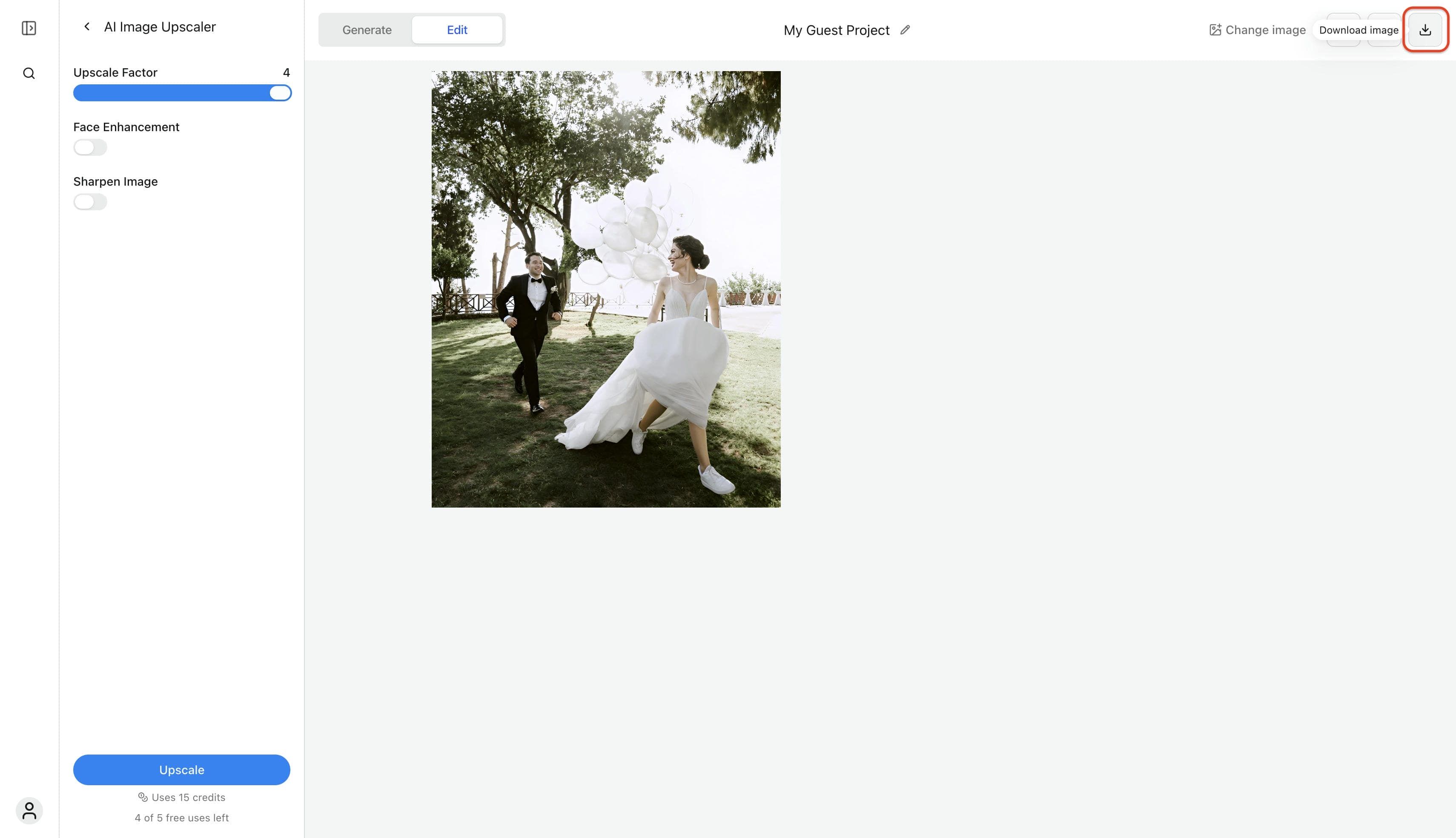
Step 1: Upload the target photo
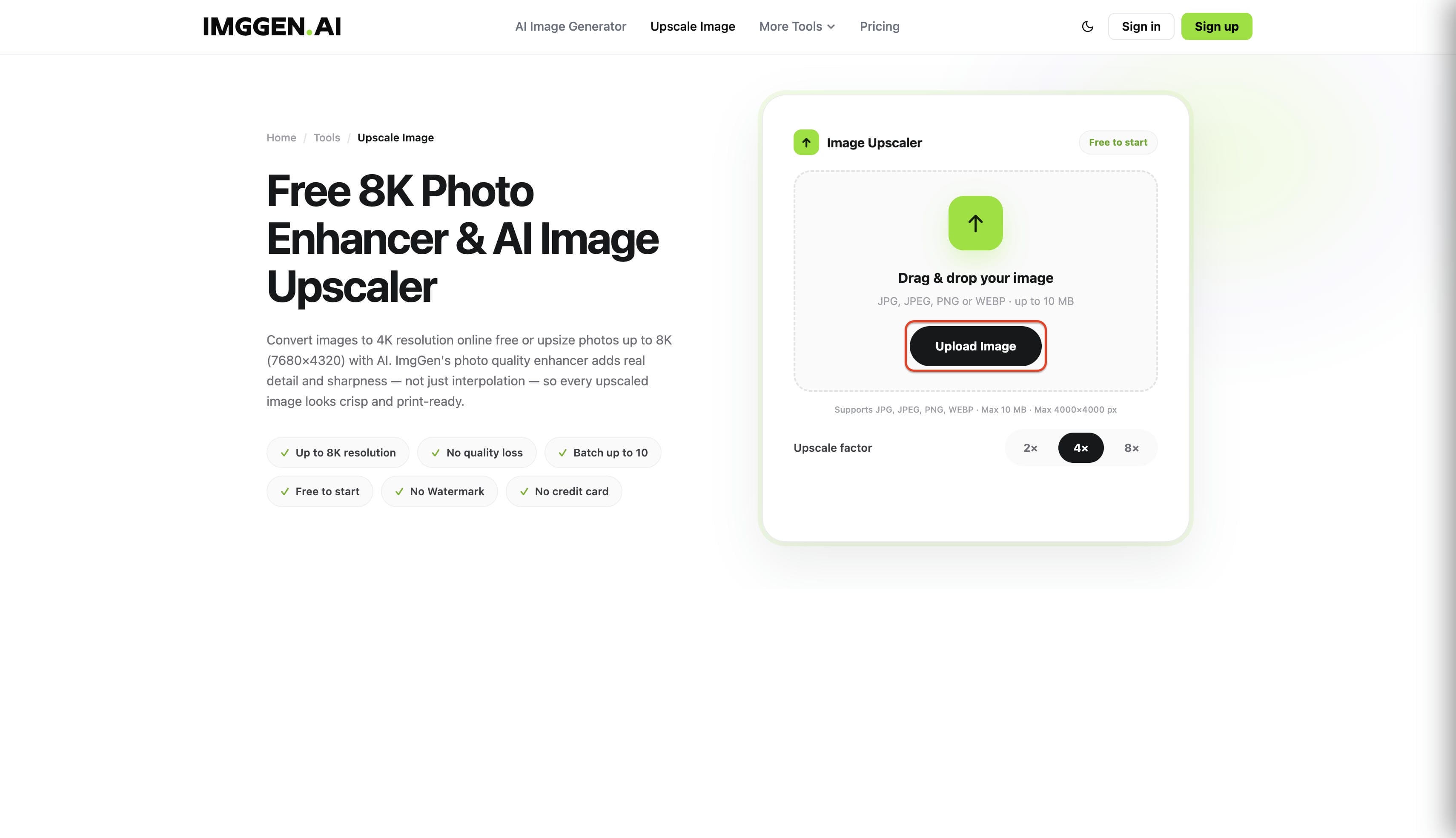
Navigate to the ImgGen AI image upscaler interface and click the Upload Image button, or drag and drop a JPG, JPEG, PNG, or WEBP file directly into the designated drop zone.
Step 2: Configure upscale settings and process
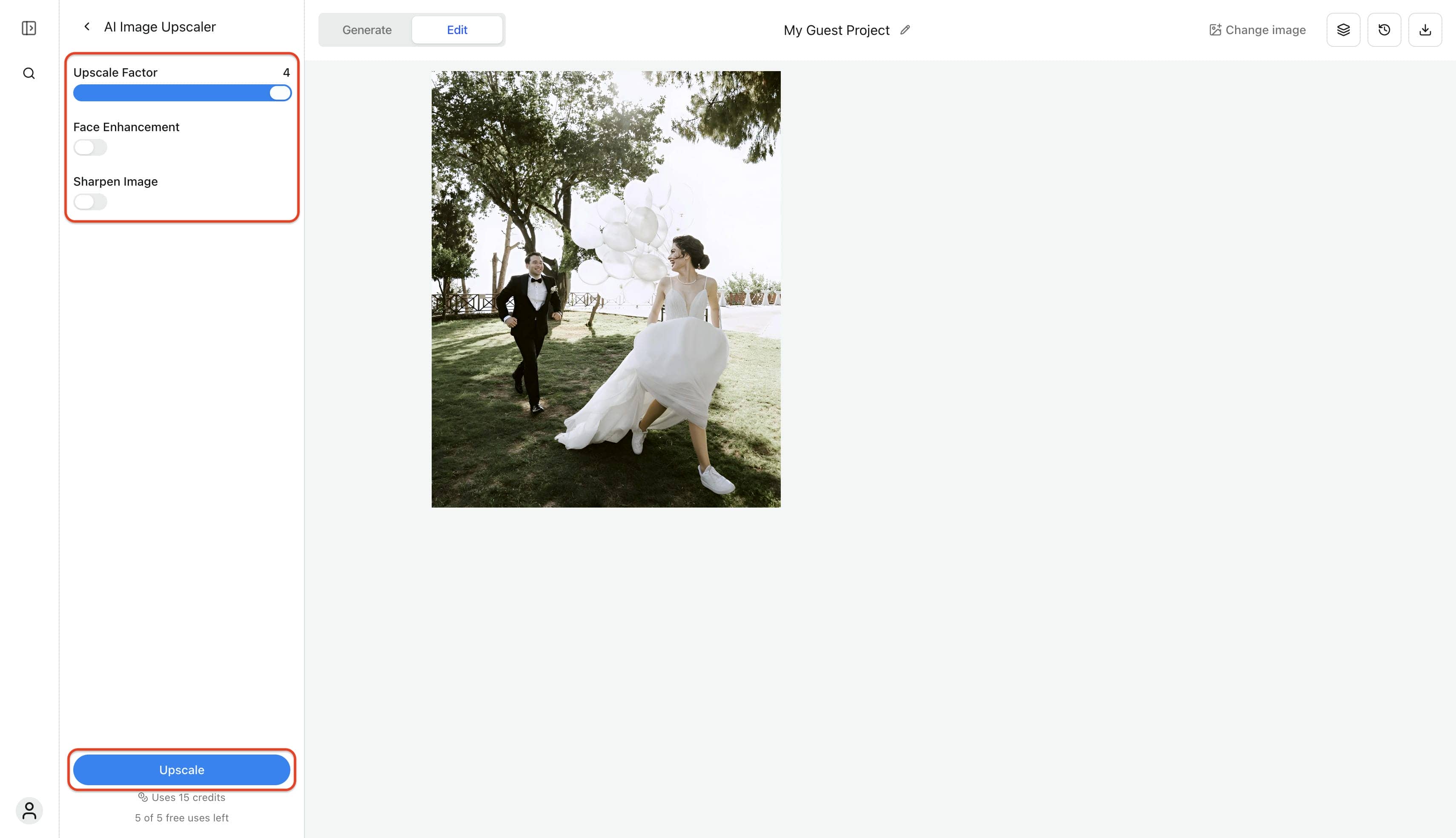
In the left configuration panel, adjust the Upscale Factor slider (e.g., 2x, 4x) and toggle optional functions like Face Enhancement or Sharpen Image. Once the settings match the project requirements, click the blue Upscale button at the bottom of the panel to start the AI enhancement.
Step 3: Download the enhanced photo
Once processing finishes, click the Download image icon located in the upper right corner of the interface to save the high-resolution visual directly to the local system.
ImgGen AI honest user reviews: Pros, cons and pricing
When evaluating any tool, real user feedback is invaluable. Based on the latest 2026 reviews from G2 and ProductHunt, here is what the community is saying about ImgGen AI:
Pros and Cons from Real Users
To give you an honest verdict, we analyzed real comments and feedback. Here are the primary advantages and drawbacks users are experiencing this year:
|
Pros |
Cons |
|---|---|
|
Reliable Upscaling: Successfully boosts image quality as expected (from G2 review). |
Underwhelming Generation: Core AI image generation feels average and lackluster (G2). |
|
Frictionless Access: Easy-to-use interface with no signup required (from ProductHunt review). |
Performance Freezes: Occasional 3–4 second lagging and responsiveness issues (ProductHunt). |
|
Free High-Res Downloads: Watermark-free, high-resolution exports completely free. |
Resource Optimization: Potential memory leaks or unoptimized loading disrupt workflow. |
|
Unlimited Daily Usage: No daily usage caps or sudden paywalls during projects. |
Lacks Standout Features: Misses the advanced functionalities required by power users. |
ImgGen AI pricing plans
ImgGen AI uses a credit-based subscription model. Here is how the tiers stack up:
|
Plan |
Price |
Key Features & Limits |
|---|---|---|
|
Free |
$0.00 /month |
Access to standard photo editing tools, 3 credits per day, watermark-free exports, and high-quality exports. (Lacks Bulk Editing and API Access). |
|
Pro |
$9.99 /month |
Access to all photo editor tools, 1,200 credits per month, watermark-free and high-quality exports, plus Bulk Editing and API Access. |
|
Plus |
$29.99 /month |
Access to all photo editor tools, 3,800 credits per month, watermark-free and high-quality exports, Bulk Editing, and API Access for full creative freedom. |
Which ImgGen AI Plan Is Right for You?
-
Who should use the Free plan: Casual creators and hobbyists handling occasional visual fixes fit perfectly into this tier. The three daily credits and watermark-free downloads easily support basic, infrequent upscaling without requiring any financial commitment.
-
Who should upgrade to Pro: Freelancers and digital marketers managing moderate workloads benefit significantly from this upgrade. Unlocking 1,200 monthly credits alongside bulk editing makes processing social media visuals or small e-commerce product catalogs highly efficient.
-
Competitor Value Comparison: The $9.99 monthly entry price aligns closely with industry standards, matching similar basic AI photo enhancers on the market. While the platform lacks the complex generative controls found in premium desktop suites, providing 1,200 credits and API access at this specific price point delivers strong competitive value for volume-focused editors.
Afterthought Honestly speaking, ImgGen AI is a great, friction-free option for quick upscaling, but its community feedback highlights a clear ceiling for power users. Between lackluster image generation quality, minor interface freezes, and a restrictive 3-credit free plan, it can easily slow down a professional workflow.
If you need a more stable platform that bypasses these performance hitches and offers advanced features built for scale, Vmake Labs is a compelling step up. Let's take a look at how Vmake addresses these specific limitations to deliver a smoother, professional-grade editing experience.
A steadier alternative: Vmake Labs image enhancer
Teams needing consistent detail recovery and batch-friendly workflows often find ImgGen AIlacking performance stability. As a steadier alternative, Vmake Labs is an ultimate AI social video studio that helps small businesses generate, enhance, and optimize videos to capture attention, build brands, and drive sales. Beyond video, it provides an advanced image enhancer featuring a unified AI model. This tool auto-detects portraits, vintage photographs, or product shots, intuitively applying the correct parameters to process up to 30 visuals simultaneously.
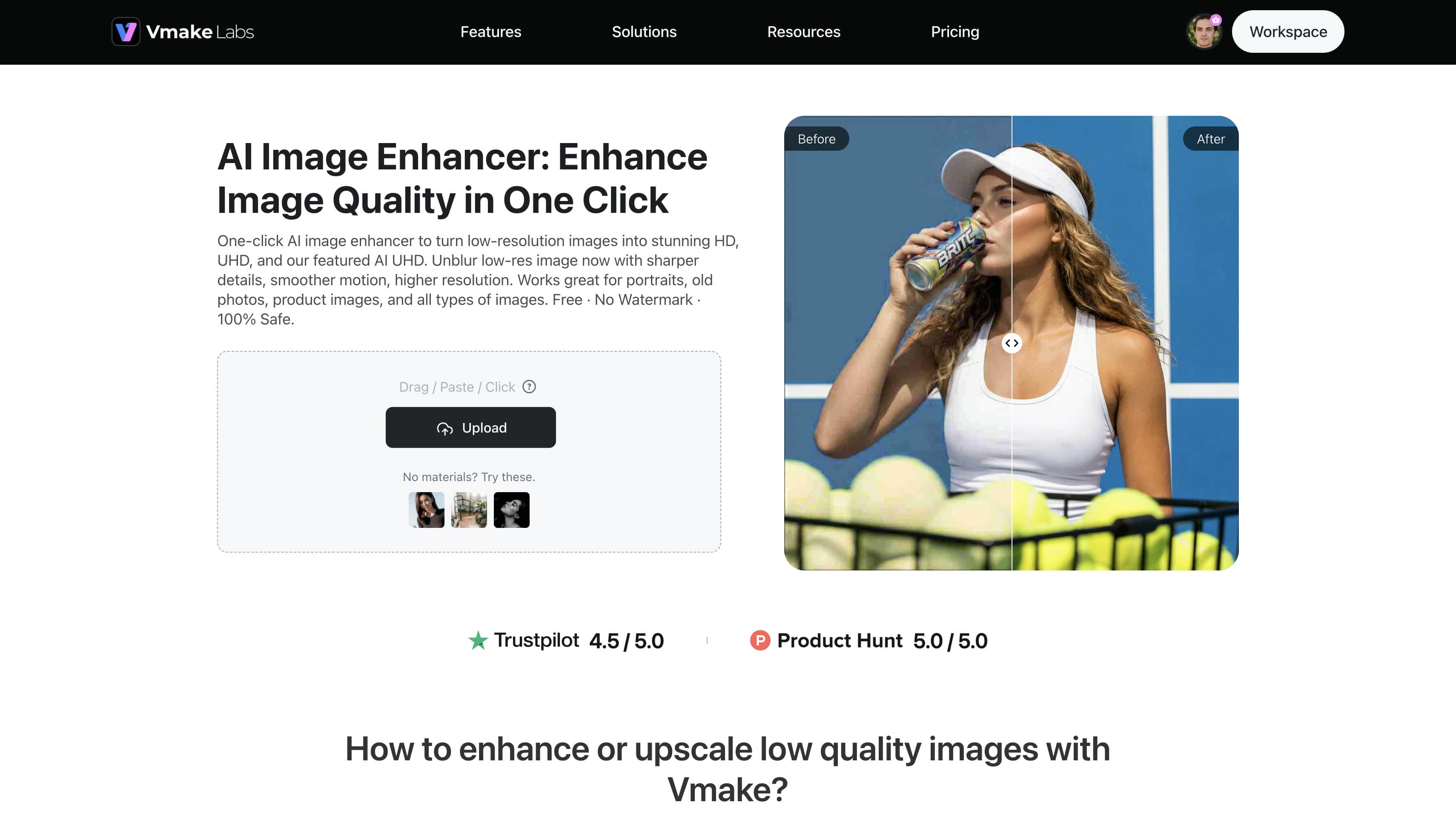
Key features of Vmake Labs image enhancer
-
AI UHD mode for tougher repairs: This comprehensive tool handles noise reduction, generative detail recovery, and texture restoration in a single pass. It actively transforms degraded visuals into crisp masterpieces without requiring multiple processing steps.
-
Old photo restoration: Specialized algorithms target physical damage indicators like surface scratches, extreme color fading, and awkward tilted framing. The dedicated photo restoration system expertly preserves the original historical essence while clarifying subjects.
-
Natural portrait enhancement: This mode actively prevents the artificial over-smoothing and distorted facial features commonly produced by basic editors. By leveraging advanced models to unblur image details, the system analyzes skin texture closely to maintain a highly realistic appearance.
-
Product image enhancement: E-commerce professionals benefit from dedicated visual processing that sharpens packaging text, fine labels, and intricate material textures. This enhanced clarity perfectly represents merchandise to potential online buyers, aligning with how AI is revolutionizing e-commerce product photography for higher conversion rates.
-
Batch enhancement capabilities: The platform manages multiple uploads efficiently to accelerate large-scale content production pipelines. Editors can process up to 30 diverse creatives concurrently with a single command to save valuable time.
How to upscale and restore images with Vmake Labs
Following a structured process guarantees optimal visual results every time. The interface accommodates both individual files and bulk tasks seamlessly.
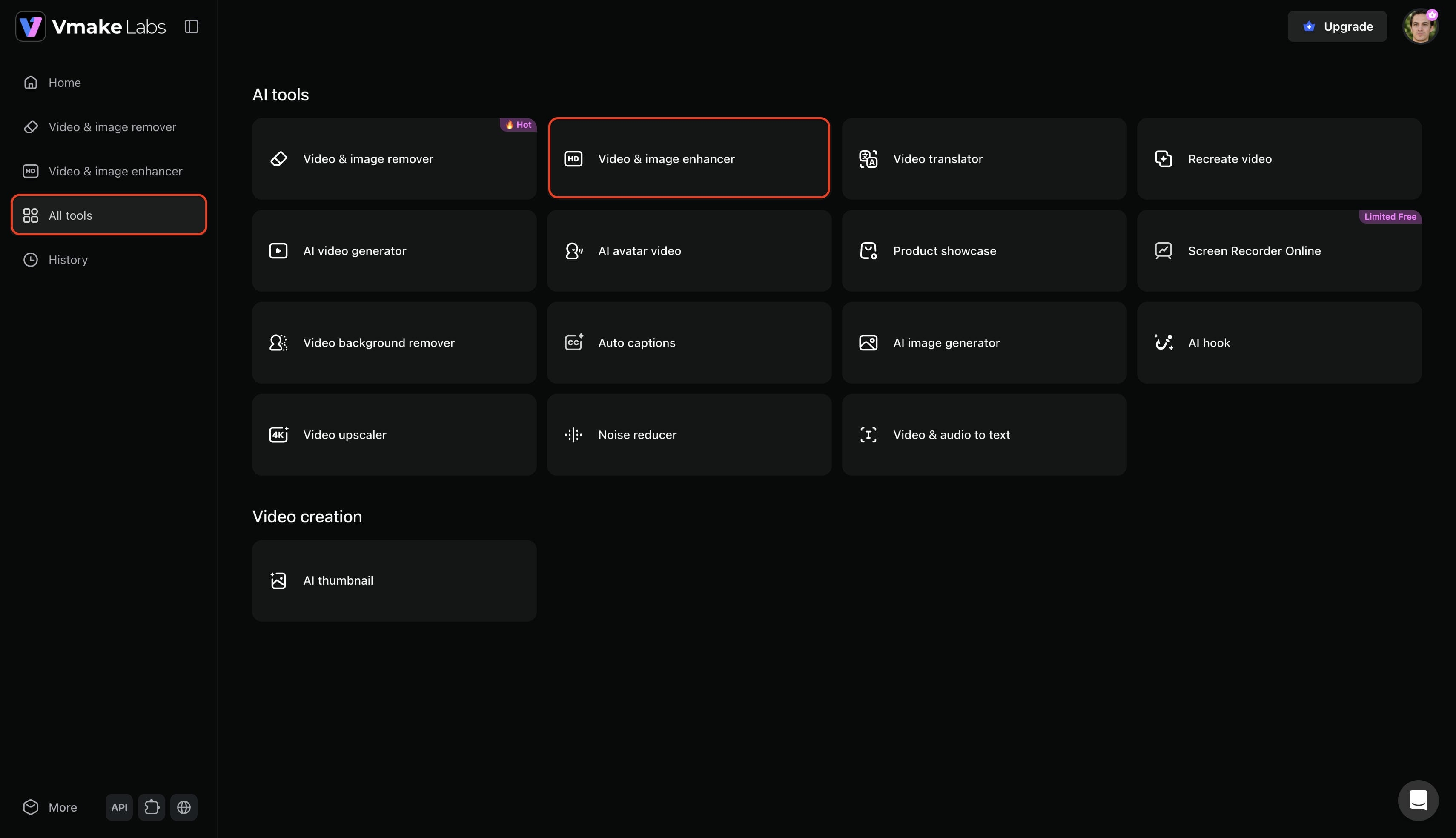
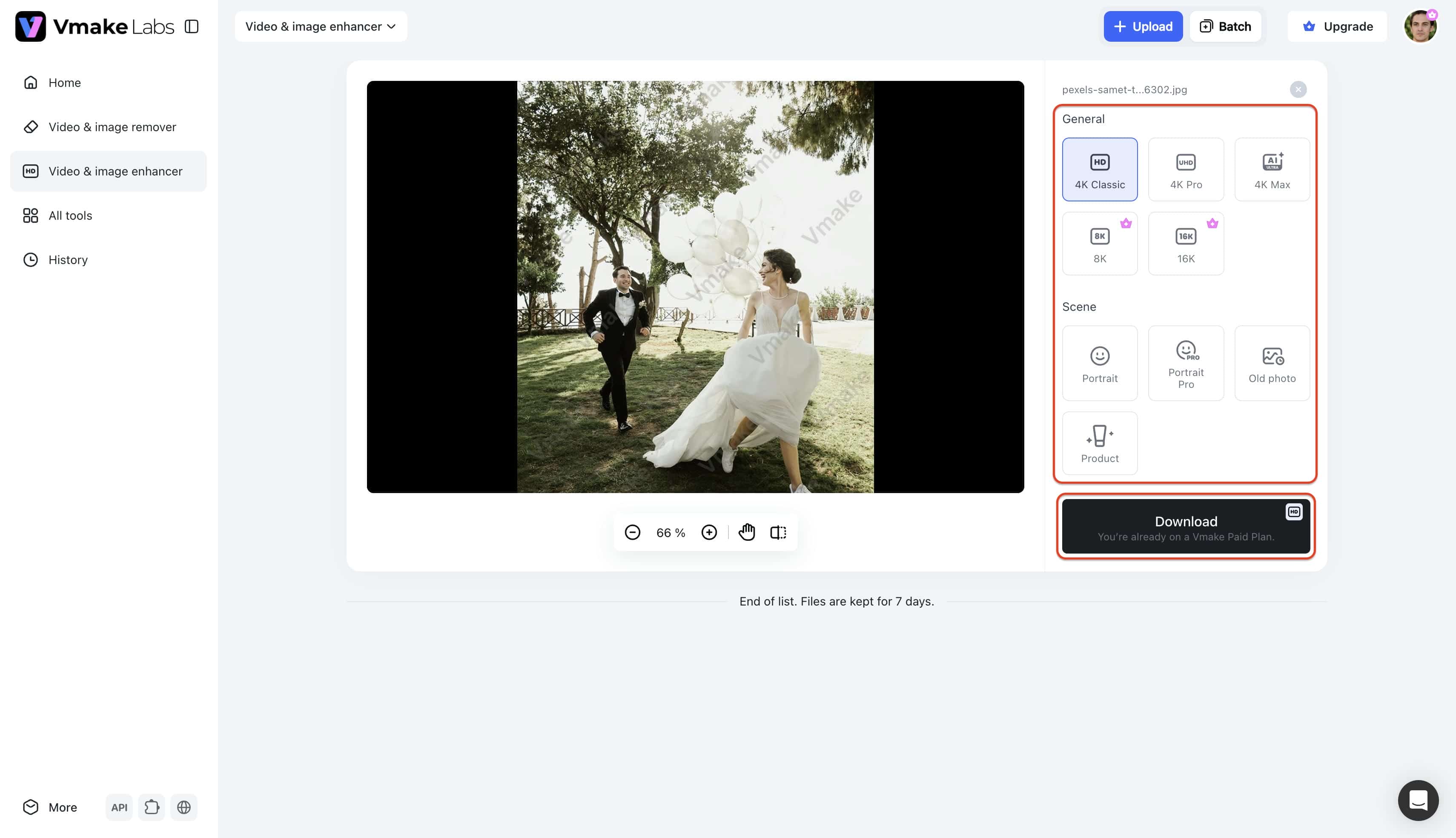
Step 1: Access Vmake Labs "Video & image enhancer" tool
Navigate directly to the official Vmake Labs website and sign into an active account to begin the workflow. Next, locate and select the "All tools" option situated on the left menu bar, and subsequently choose the "Video & image enhancer" module from the provided directory.
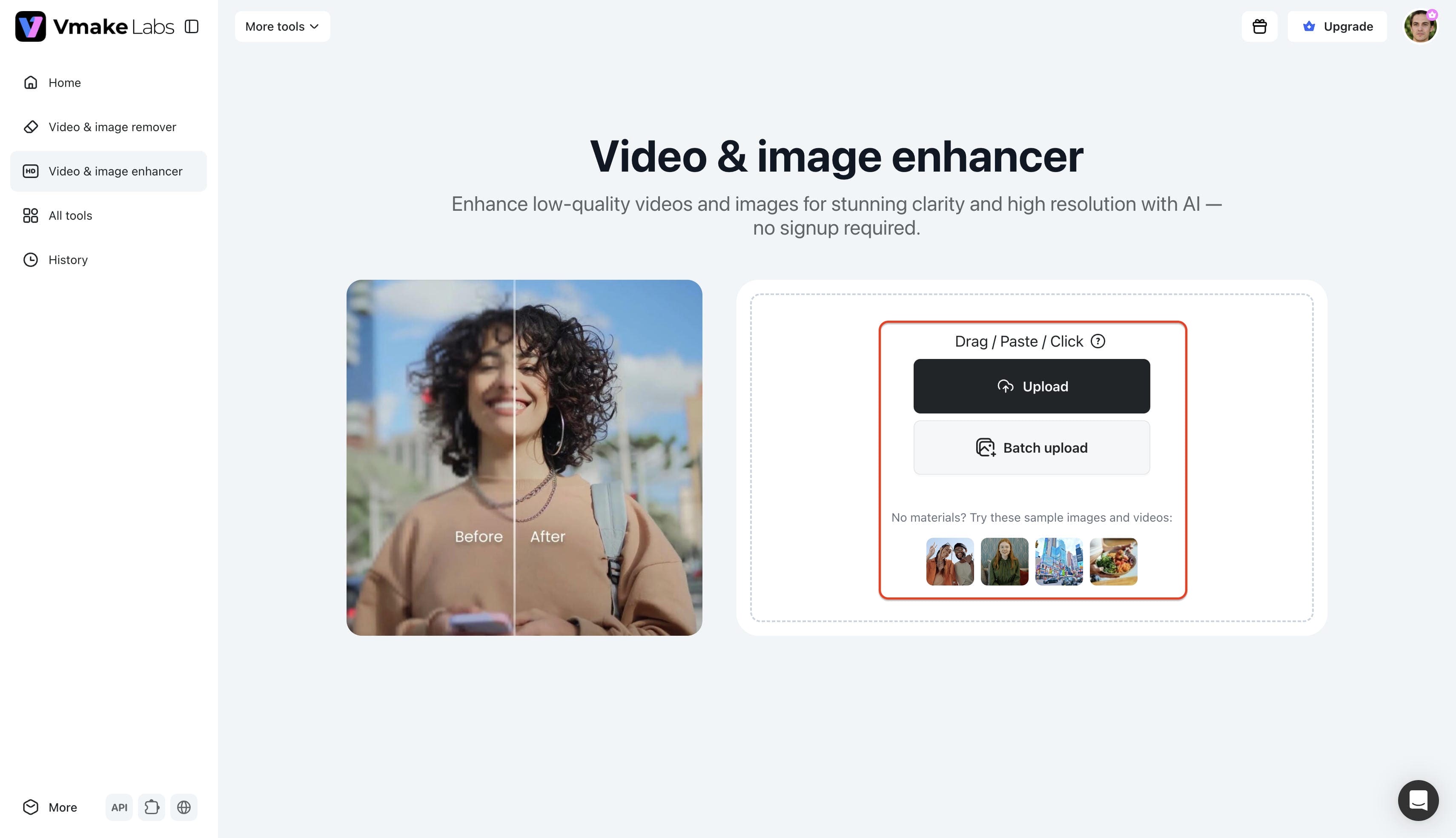
Step 2: Upload the image which you want to enhancer
Proceed by uploading the specific media files requiring visual improvement into the workspace. The platform supports a convenient batch uploading facility allowing up to 30 items concurrently, thereby saving significant time during large projects.
Step 3: Enhance and export the image
Upon successful file intake, designate the preferred processing method by selecting either the "General" or "Scenes" category. Opting for the "General" setting triggers an all-over enhancement supporting up to 16K resolution, whereas the scene options target specific needs like portraits or old photos, automatically applying effects before clicking "Download" to save the finalized file.
ImgGen AI vs Vmake Labs comparison
Comparing the core capabilities of ImgGen AI and Vmake Labs highlights distinct differences in performance stability, output limits, and specialized feature sets. The table below provides a direct breakdown of how both tools stack up across key operational categories.
|
Parameter |
ImgGen AI |
Vmake Labs |
|---|---|---|
|
Platform |
Browser-based photo editing suite |
Web-based AI social video and image studio |
|
Max output resolution |
Up to 8K (standard) / 4K (dedicated tool) |
Up to 16K resolution enhancement |
|
Scene modes |
General upscaling, restoration, unblur, background & text removal |
Dedicated modes for Portrait, Portrait Pro, Old Photo, and Product |
|
Batch capacity |
Up to 10 images (restricted to paid tiers) |
Up to 30 images simultaneously |
|
Restoration quality |
Sharpens edges well; can over-smooth faces or lose fine textures |
High-fidelity detail recovery, natural skin texture preservation, and scratch repair |
|
Processing speed |
Fast single uploads; occasional 3 to 4 second interface freezes |
High-speed concurrent processing built for heavy workloads |
|
Pricing |
Free (3 credits/day), Pro ($9.99/mo), Plus ($29.99/mo) |
Free trial options with flexible, credit-based plans |
|
Best use cases |
Casual, single-image fixes and quick no-signup edits |
High-volume e-commerce catalogs, marketing media, and studio workflows |
Platform recommendation
Selecting the right platform depends entirely on project scale and visual standards:
-
Choose ImgGen AI if you need quick, frictionless single-photo enhancements or basic resolution bumps without registering an account or paying for a monthly subscription.
-
Choose Vmake Labs if you manage e-commerce product listings, social media marketing campaigns, or detailed photo restorations that demand reliable bulk processing, higher resolution ceilings, and consistent texture recovery.
Conclusion
The ImgGen AI upscaler serves as a solid free entry point for fast, one-click resolution improvements, basic restoration tasks, and unblurring needs. Its accessible, browser-based nature appeals to individuals seeking rapid fixes without mandatory account registrations. However, technical limitations and occasional performance freezes often hinder extensive professional workflows. For teams requiring steadier, batch-ready processing, Vmake Labs stands out as a highly reliable option to maintain consistent visual fidelity. Ultimately, evaluating specific project volume demands dictates the best software choice.
FAQs
Is ImgGen AI image upscaler free?
Vmake Labs provides a highly efficient alternative capable of processing up to 30 files concurrently. Its robust infrastructure allows users to seamlessly upgrade picture quality without the freezing issues sometimes experienced on competing web platforms.
Does ImgGen AI image upscaler add a watermark?
Exported files remain completely free of promotional overlays or branding marks. This applies to both the complimentary tier and all paid premium subscriptions.
Can ImgGen AI restore old or damaged photos?
The suite includes a dedicated restoration tool designed to revive degraded vintage photographs. It automatically adjusts clarity and attempts to repair minor visual damage.
Is there a faster alternative to ImgGen AI image upscaler?
Vmake Labs provides a highly efficient alternative capable of processing up to 30 files concurrently. Its robust infrastructure prevents the freezing issues sometimes experienced on competing web platforms.
Does ImgGen AI image upscaler have an API?
Developers can access backend integration capabilities through the premium Pro and Plus subscription tiers. This allows technical teams to embed the processing engines directly into custom software applications.

You May Be Interested
Artguru Image Upscaler Review: Features & Best Alternative
Best AI Image Upscaler Tools in 2026: Upscale Images to 4K, 8K & Beyond

Best AI Image Enhancer in 2026: Top Tools to Upscale and Fix Blurry Images
Best AI Photo Enhancer Tools in 2026 (Free & Online): Improve Image Quality Instantly
2026 Fotor Video Enhancer Review: Features and Top Alternatives