Subbing vs Dubbing: What's the Difference and Which Is Better?
Confused about subbing vs dubbing? Compare subtitles and dubbed audio, learn when to use each, and see how Vmake Labs Video Translator simplifies multilingual video localization with AI-powered tools.

When videos are localised for global audiences, creators often have to choose between subtitles and dubbed audio. Both make their content available in other languages, but offer very different viewing experiences. This guide dives into subbing vs dubbing, contrasts their pros, and demonstrates how AI tools like Vmake Labs Video Translator make multilingual video localisation easier.
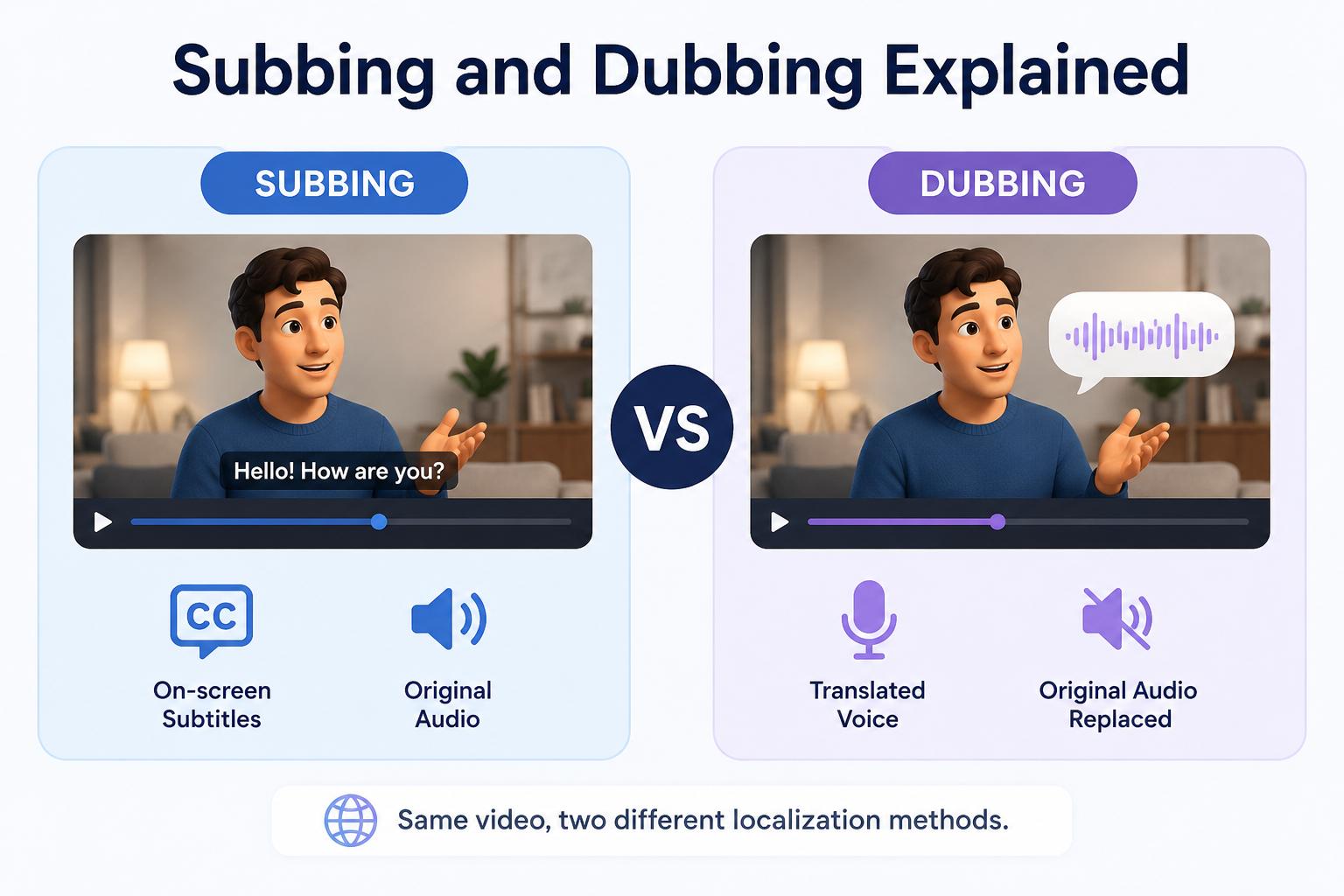
Subbing and dubbing explained
What is subbing?
Subbing or subtitling is the process of displaying spoken dialogue as synchronised text on the screen. The subtitles can be in the native language as captions or in a translated language for international viewers. The original audio is preserved, so the audience hears the translated dialogue in the voice, tone and emotion of the speaker. This method is very common in streaming services, social media, documentaries, online courses, and YouTube videos.
What is dubbing?
Dubbing is the replacement of the original spoken dialogue of a film or television program with translated audio in another language. Traditionally, this process has meant that voice actors have had to record each line separately, but AI-enabled dubbing is now speeding up multilingual localisation. The latest AI can create natural-sounding voices, synchronise speech with the video and enhance the viewing experience for audiences who prefer listening to reading subtitles.
Subbing vs dubbing: A side-by-side comparison
Both techniques make videos available to a global audience, but they differ in terms of cost, production time, accessibility and viewer experience. Some creators want to keep the performance as it is, others want their audience to be able to enjoy the content 100% in their own language. These differences allow comparing which localisation strategy is best suited to your goals.
|
Feature |
Subbing |
Dubbing |
|---|---|---|
|
Translation format |
On-screen text |
Spoken audio |
|
Original voices |
Preserved |
Replaced |
|
Production cost |
Lower |
Higher |
|
Turnaround time |
Faster |
Longer |
|
Viewer experience |
Requires reading |
Natural listening |
|
Accessibility |
Better for hearing-impaired viewers |
Better for viewers who prefer listening |
|
Best for |
Educational, social media, and documentaries |
Entertainment, marketing, training |
Which is better: Subbing or dubbing?
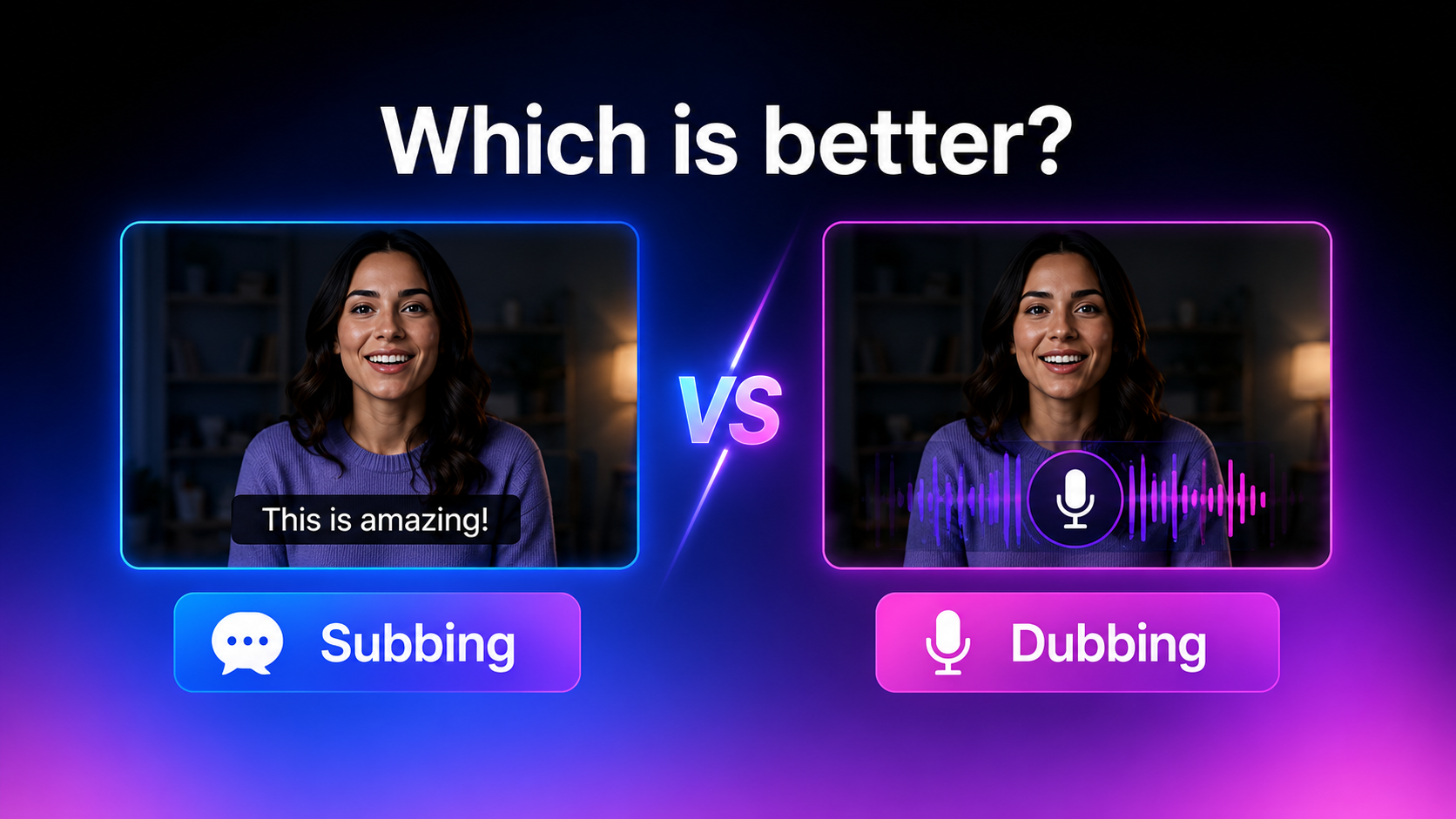
There isn't a single answer to the subbing vs dubbing debate because the best choice depends on your localization goals. Think about your target audience, budget, production timeline and the kind of viewing experience you want to deliver. Some projects thrive on the authenticity of subtitles, while others are better suited to dubbed audio. Taking these factors into consideration will help you decide the most appropriate way for your videos.
Choose subbing if you want to
Subbing is a viable option if you want to localise videos fast and want to keep the authenticity of the original content. It is particularly effective for educational videos, interviews, documentaries, and social media content where viewers can comfortably read subtitles.
-
Publish videos quickly: Creating subtitles generally takes less time than recording and synchronizing dubbed audio.
-
Preserve original performances: Viewers can hear the speaker's original voice, emotion, and delivery.
-
Reduce localization costs: Subtitles typically require fewer production resources than dubbing.
-
Improve accessibility: Subtitles help viewers who are deaf or hard of hearing and those watching videos without sound.
Choose dubbing if you want to
Dubbing is great if you want to give an audience a seamless experience for those who want to listen in their native language. It is commonly used for entertainment, marketing, training and other content aimed at an international audience.
-
Deliver a more immersive viewing experience: Viewers can focus on the visuals without reading subtitles.
-
Reach younger or non-reading audiences: Dubbed audio is often easier for children and viewers who struggle with subtitles.
-
Localize videos for international markets: Speak the language of your audience and improve understanding and engagement.
-
Build stronger audience engagement: Natural-sounding dubbed audio can help content feel more familiar and relatable.
Why do many creators offer both
Many creators offer both subtitles and dubbing instead of forcing viewers to choose one option. This gives audiences the flexibility to watch content in the way they find most comfortable, depending on their language preference, accessibility needs, and viewing habits. Subtitles paired with dubbed audio make videos more inclusive while helping creators reach multilingual audiences across different regions.
Global platforms such as YouTube, Netflix, and online learning platforms often provide both subtitles and dubbing to maximize accessibility, improve the viewing experience, and give users more control over how they consume content. Offering both options also helps creators expand their international reach and connect with a wider audience.
Create multilingual videos with Vmake Labs Video Translator
Now, video localisation does not require different tools for subtitle editing, translation, dubbing, lip synchronisation and quality enhancement. Vmake Labs Video Translator combines these processes into a single workflow, facilitating creators to produce multilingual videos with increased efficiency.
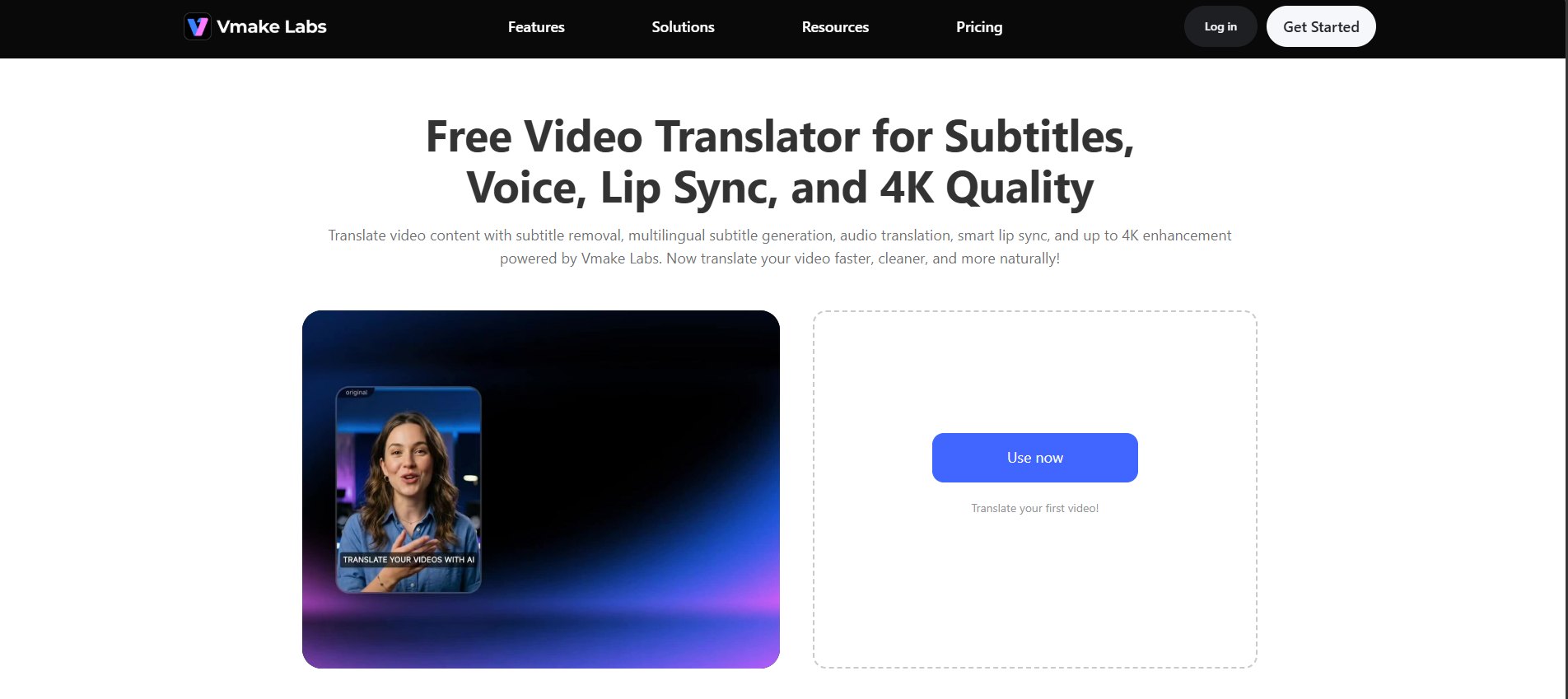
Translate your video in three steps
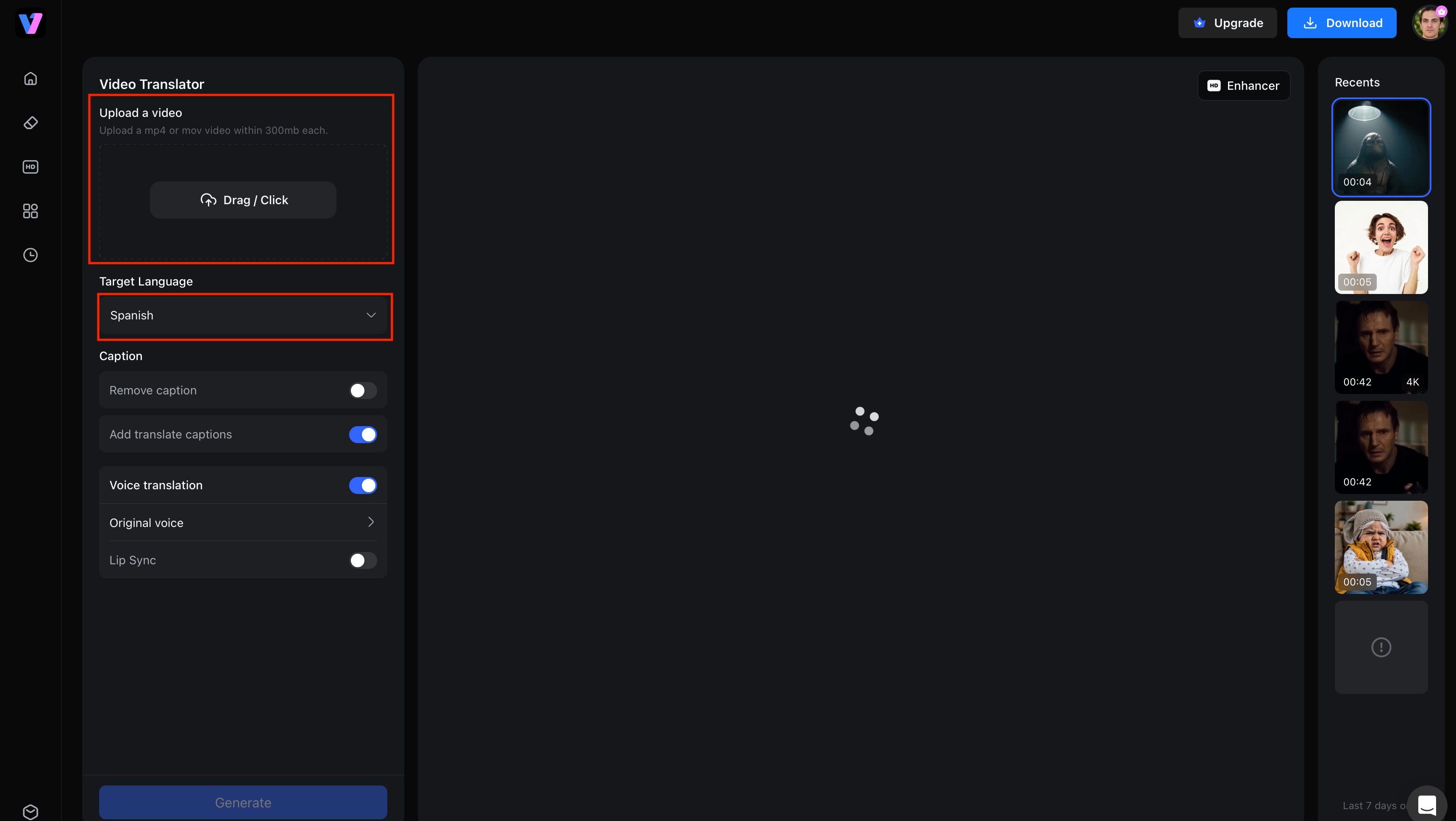
Step 1: Upload your video and choose the target language.
Upload your video in a supported format and choose the language you want to translate it into. Vmake Labs automatically prepares your video for localisation, making it easy to create translated subtitles and dubbed audio without switching between multiple editing tools.
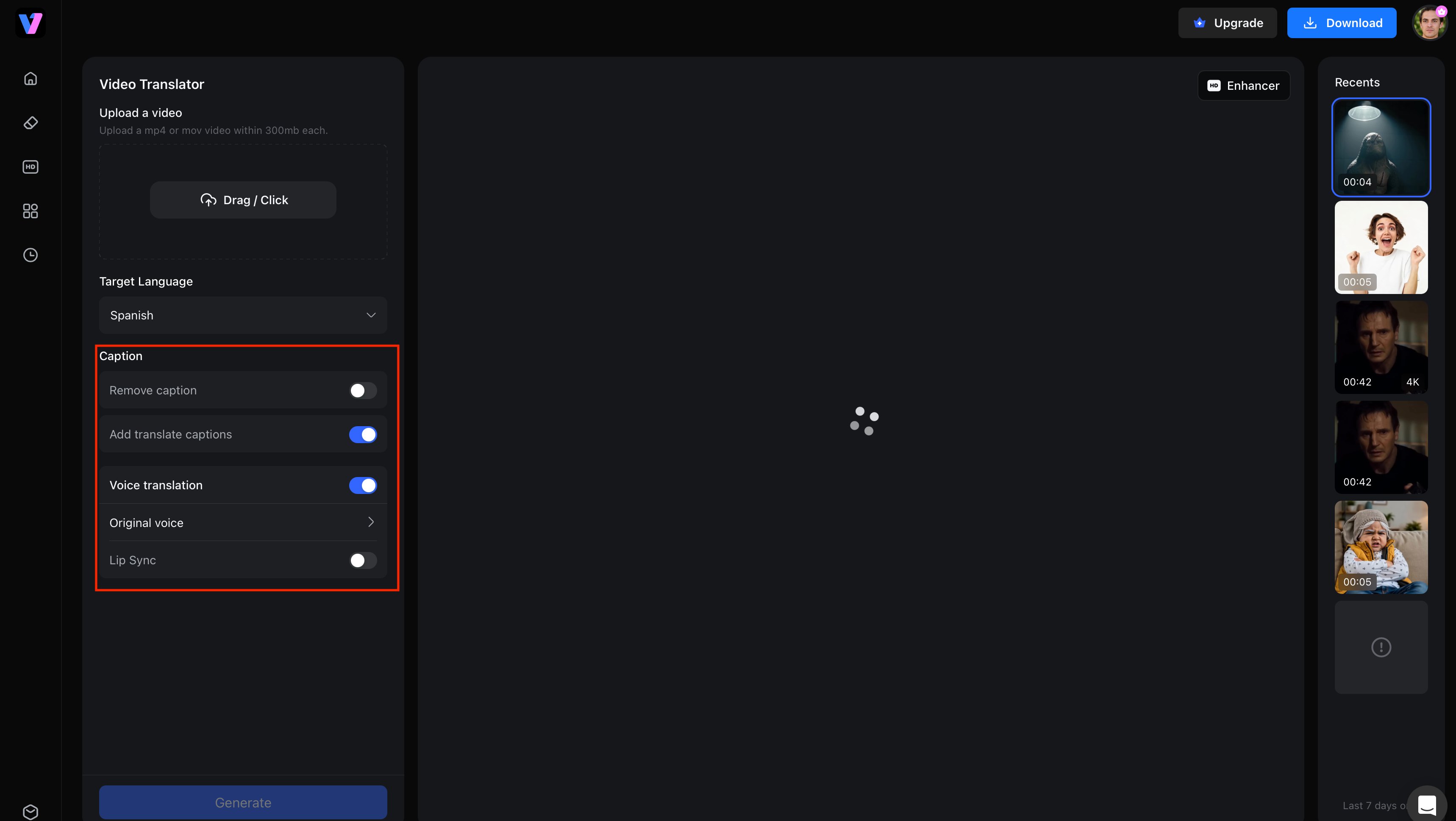
Step 2: Select subtitle translation, AI dubbing, lip sync, and other localization features.
Choose only the features your project needs. You can translate subtitles, generate AI dubbing, enable voice cloning, synchronize lip movements, or enhance video quality. This modular approach gives creators greater flexibility while avoiding unnecessary editing steps.
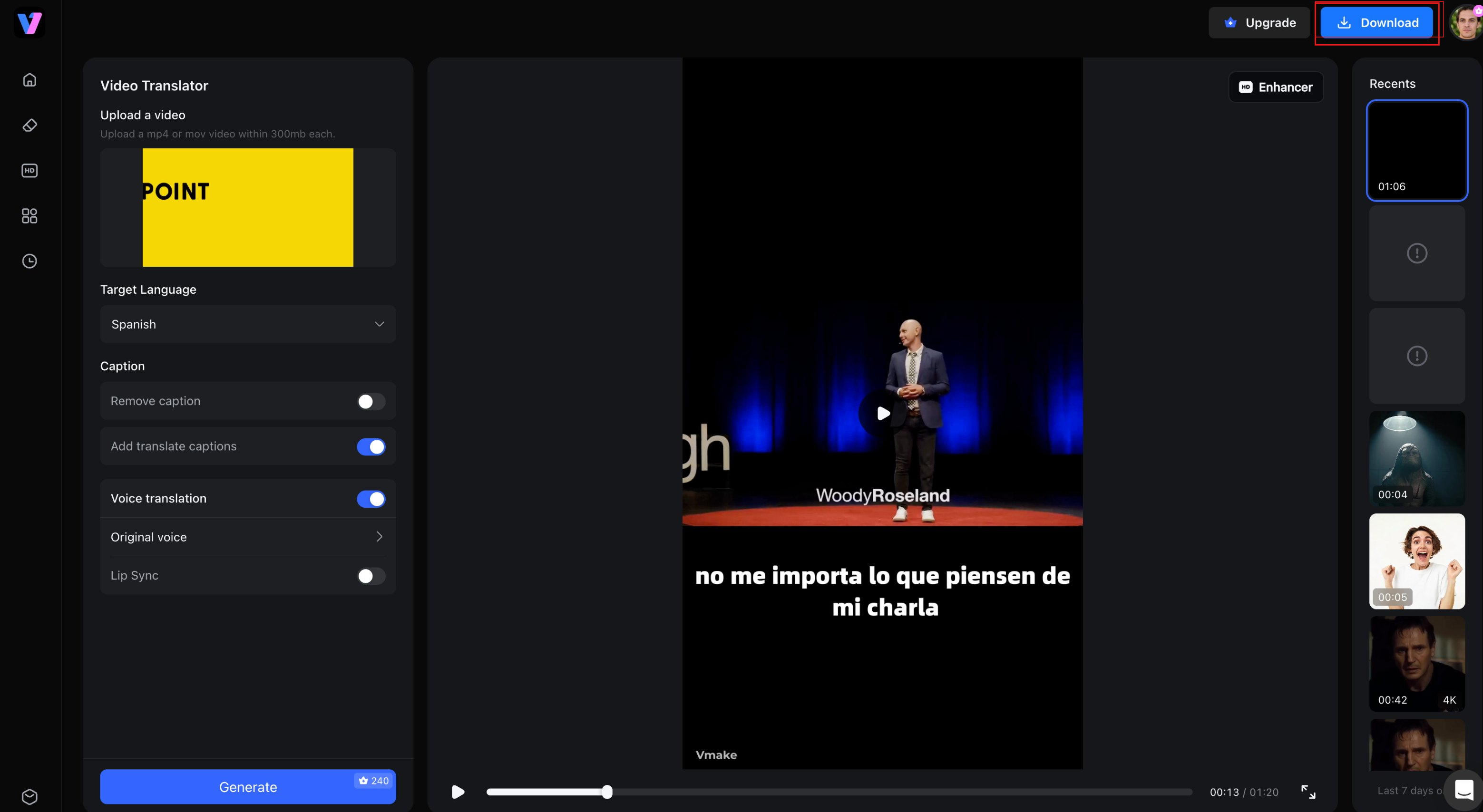
Step 3: Preview and export your translated video.
Preview translated subtitles, listen to the dubbed audio and make any final changes before exporting. When you’re ready, download a localised video ready to be published on websites, social media platforms or global marketing campaigns.
Key features of Vmake Labs Video Translator
-
One-stop translation workflow: Translate subtitles, generate dubbed audio, synchronize lip movements, and enhance video quality from one platform, reducing the need for multiple localization tools.
-
Flexible subtitle control: Remove existing subtitles, add translated subtitles, or edit them before exporting, giving you greater control over the final localized video.
-
AI dubbing with voice cloning: Generate natural-sounding translated voices and maintain a consistent speaking style to create a more engaging viewing experience.
-
Intelligent lip synchronization: Automatically matches the translated audio with the speaker's lip movements, so dubbed videos look more natural and professional.
-
Optional 4K video enhancement: Improve video quality while localizing your content, producing sharper visuals that are ready for global distribution.
-
Modular feature selection: Enable only the features you need, whether it's subtitles, AI dubbing, lip sync, or video enhancement, for a flexible and efficient workflow.
Best use cases for subbing and dubbing
Different types of content benefit from different localization methods. Instead of choosing one approach for every project, consider how your audience consumes the content and what experience you want to provide. The examples below show where subtitles, dubbing, or a combination of both typically deliver the best results.
|
Content type |
Recommended option |
Why |
|---|---|---|
|
YouTube videos |
Both |
Accessibility and audience choice |
|
Movies & TV |
Dubbing or both |
More immersive viewing |
|
Anime |
Personal preference |
Original voices vs localized audio |
|
Online courses |
Both |
Better comprehension |
|
Marketing videos |
Dubbing + subtitles |
Maximum global reach |
|
Social media |
Subtitles |
Many users watch without sound |
Conclusion
Choosing between subbing and dubbing depends on the audience you want to reach and the experience you want to deliver. Subtitles preserve original performances, improve accessibility, and are often quicker to produce, while dubbing creates a more immersive experience for viewers who prefer listening in their native language. Many creators achieve the best results by offering both options, giving audiences greater flexibility. With Vmake Labs Video Translator, you can simplify multilingual video localization by translating subtitles, generating AI dubbing, synchronizing lip movements, and exporting high-quality localized videos from a single, streamlined workflow.
FAQs
What is the difference between subbing and dubbing?
Subbing adds translated or same-language text on screen while keeping the original audio unchanged. Dubbing replaces the original spoken dialogue with translated audio in another language. Tools like Vmake Labs Video Translator can create subtitles and AI dubbing for multilingual videos.
Is subbing better than dubbing?
Neither is always better. Subbing is a great way to save money and retain the original performances, but dubbing creates a more immersive experience. Many creators use Vmake Labs Video Translator to have both options for different audiences.
Should I choose subbed or dubbed videos?
The right choice depends on your audience and content. Subtitles work well for educational and social media videos, while dubbing is often preferred for entertainment and marketing. Offering both can improve accessibility and viewer engagement.
Why do anime fans debate sub vs dub anime?
The sub vs dub anime debate is simply a matter of personal preference. Some people like the original Japanese voice acting with subtitles, others prefer the dubbed audio that is easier to watch. Both options give a different viewing experience.
Can AI generate subtitles and dubbed audio together?
Yes. AI-powered tools can translate subtitles, generate dubbed audio and even lip-sync. Vmake Labs Video Translator brings together all of these features into a single workflow, speeding up and simplifying video localisation.
Does Vmake Labs support AI dubbing and lip sync?
Yes. Vmake Labs Video Translator supports subtitle translation, AI dubbing with voice cloning, intelligent lip synchronization, and optional 4K video enhancement. You can choose only the features you need and export your localized video in just a few steps.

You May Be Interested
AI Dubbing vs Traditional Dubbing: Which Is Better
Video Color Correction vs. Color Grading: What's the Difference?
Best AI Video Translator Tools in 2026: Compare Features, Accuracy & Pricing