How to Properly Transcribe an Interview: Step-by-Step Guide
Learn how to properly transcribe an interview with simple steps, formatting tips, and real transcript examples. Create accurate interview transcripts faster using AI-powered transcription tools that save time and improve accuracy.

Properly transcribing an interview can transform hours of audio into clean, usable text. Accurate transcripts lead to better analysis, fair hiring decisions, compelling stories, and reliable research. The guide contains practical steps, formatting tips, and real examples to help you get professional results as efficiently as possible.
Why accurate interview transcription matters
A transcript is more than a written copy of a conversation. You get a searchable record that lets you revisit and find the key details, without having to listen to hours of audio.
Researchers use transcripts to identify themes and support findings. Journalists use them to quote sources accurately. It also makes it easier for hiring teams to compare responses from candidates, and legal professionals often need transcripts for documentation.
Before Transcription: Understand the types of interview transcription styles
Before you start typing, it helps to know which style you're aiming for. The style you choose changes how you handle filler words, pauses, and off-topic tangents.
-
Full verbatim
Full verbatim transcribes everything as spoken, including fillers ("um," "uh"), repetitions, false starts, laughs, and pauses. This style is great for linguistic analysis, legal work, or when tone and speaking style matter. It preserves raw conversation but can be cluttered for general reading.
Example:
-
Interviewer: So, um, can you tell me about your experience?
-
Candidate: Uh... yeah, I've been working in marketing for, um, around five years.
-
Clean verbatim / Intelligent verbatim
Clean verbatim removes distractions but retains the original meaning. It removes extra filler, fixes minor grammar issues, and maintains the natural flow. Most journalists, researchers and professionals prefer this style as it is readable without losing key content.
Example:
-
Interviewer: Can you tell me about your experience?
-
Candidate: I've been working in marketing for around five years.
How to properly transcribe an interview: Step-by-step guide
If you're wondering how to transcribe interviews, following a clear process helps improve accuracy, consistency, and saves editing time later.
Step 1: Prepare your audio file
Start strong by ensuring the best possible recording quality. Use a quiet environment, a reliable microphone, and test the audio in advance. If you are working with an existing file, make a copy of it and listen to it briefly to find any difficult areas such as background noise or overlapping voices. Good preparation prevents poor performance later.
Step 2: Listen to the entire interview
Listen to the entire recording once before you type a single word. This way you get the general flow, know who is speaking when, and can flag tricky spots like accents, jargon or unclear audio. You will transcribe faster and more accurately with this context in mind.
Step 3: Choose your transcription style
Decide early whether you need full verbatim (every utterance) or clean verbatim (readable and polished). Your choice depends on the purpose. Legal or linguistic work often requires full verbatim, while journalism and research usually benefit from the cleaner version. Consistency is key.
Step 4: Label each speaker clearly
Assign clear, consistent labels like Interviewer: or Sarah K.: for each person. This simple habit prevents confusion, especially in group conversations. Include a short key at the top of the document explaining who is who.
Step 5: Transcribe the conversation
Work in 30-60 second bursts, then replay and check that segment for accuracy. Concentrate on grasping meaning first. For hard parts, slow down the audio and use headphones for clarity. Do not worry about perfection in the first pass.
Step 6: Add timestamps where needed
Add timestamps periodically or each time the speaker changes. They allow quick backtracking to the original audio for fact checks. A format such as [12:45] works well and adds a professional feeling to your transcript.
Step 7: Proofread, edit, and export the transcript
Read through the entire draft without audio to catch typos and improve flow. Then listen again, following the text for final corrections. Review for clarity and speaker labels. Export to your favorite format. TXT is for editing, SRT is for subtitles. A thorough review separates the good transcripts from the great transcripts.
Examples of transcribing an interview
Seeing real examples helps you understand how different styles and formats look in practice. Here are three short samples across common scenarios.
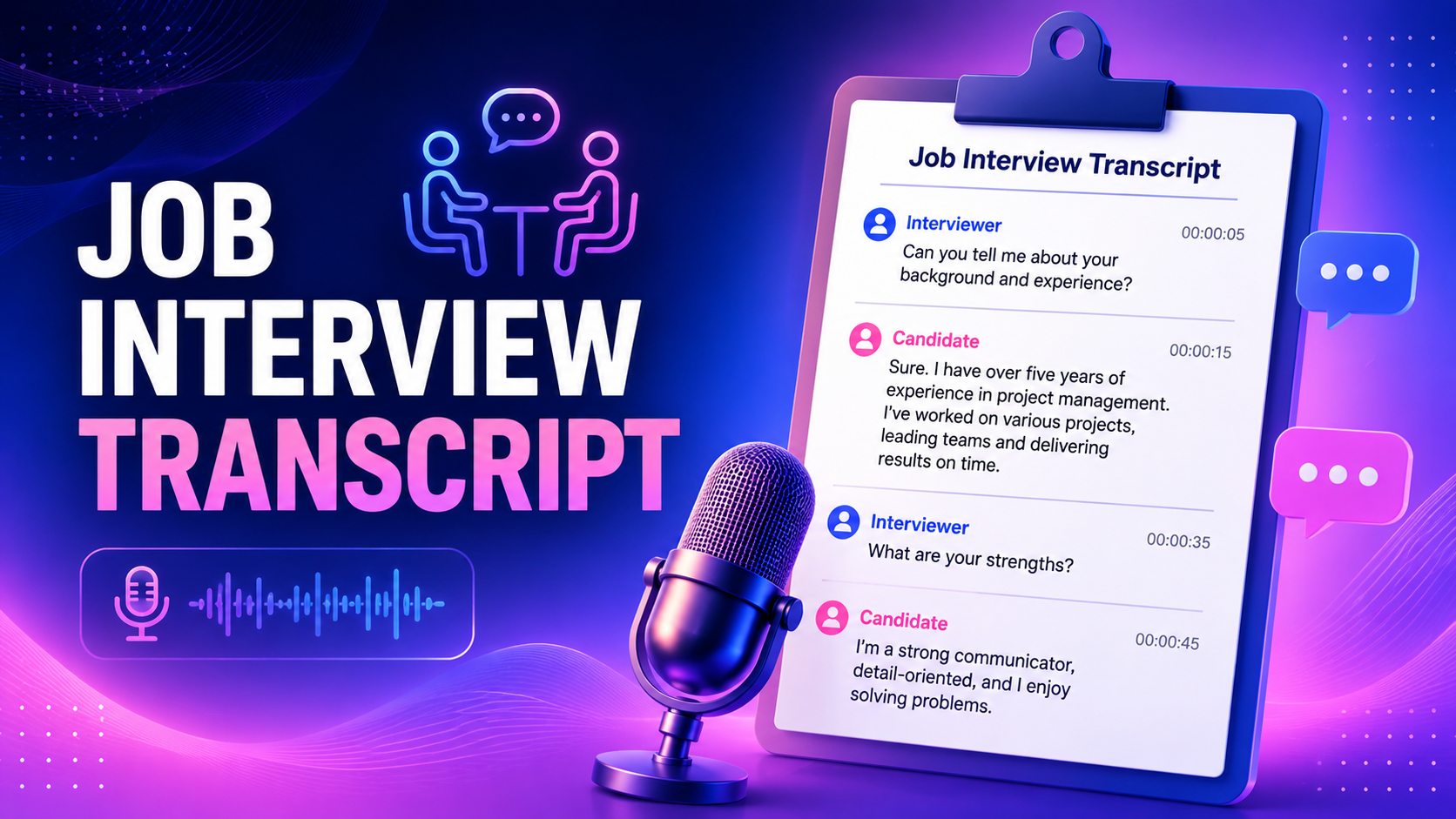
Example 1: Job interview transcript
[00:00] Interviewer: Good morning, Sarah. Thanks for joining us today. Could you start by telling me a little about yourself?
[00:08] Candidate: Good morning. Thank you for having me. I've worked in customer support for the past three years at a SaaS company, where I handled technical support requests, resolved customer issues, and collaborated with our product team to improve the customer experience.
[00:31] Interviewer: What would you say was your biggest achievement in that role?
[00:36] Candidate: One project I'm particularly proud of was creating a new troubleshooting guide for our support team. It reduced our average response time by nearly 25% and helped new team members get up to speed much faster.
[00:57] Interviewer: That's impressive. Why are you interested in this position?
[01:02] Candidate: I'm looking for an opportunity where I can take on more responsibility while continuing to develop my communication and problem-solving skills. Your company also has a strong reputation for customer experience, which really appeals to me.
[01:23] Interviewer: Can you describe a challenging customer interaction and how you handled it?
[01:29] Candidate: We once experienced a system outage that affected hundreds of customers. I stayed in constant communication with users, provided regular updates, and worked closely with our engineering team until the issue was resolved. Many customers later thanked us for being transparent throughout the process.
[01:58] Interviewer: How do you prioritize your work when several urgent requests come in at once?
[02:04] Candidate: I first assess the impact and urgency of each issue, then address business-critical problems before lower-priority requests. I also keep customers informed if there's a delay so they know their request is being handled.
[02:26] Interviewer: Great. Do you have any questions for us?
[02:30] Candidate: Yes. I'd love to learn more about the onboarding process and how success is measured during the first six months.
Example 2: Research interview transcript
[00:00] Researcher: How would you describe your experience adjusting to remote work?
[00:05] Participant: It took a few months, really. The hardest part was separating work time from home time, since they were happening in the same room. Once I set up a dedicated workspace, things became much easier.
[00:27] Researcher: Did that affect how you communicated with your team?
[00:31] Participant: Definitely. We had to be much more intentional about communication. Conversations that happened naturally in the office had to be scheduled, and we relied more on video calls and messaging.
[00:52] Researcher: Looking back, what advice would you give someone starting a remote job?
[00:57] Participant: I'd recommend establishing a routine early, setting clear work hours, and making time for regular check-ins with colleagues. Those habits made a huge difference for me.
[01:18] Researcher: Did your productivity change over time?
[01:22] Participant: Yes. It dipped initially while I adjusted, but after a few months I felt more productive than I had been in the office because I had fewer distractions.
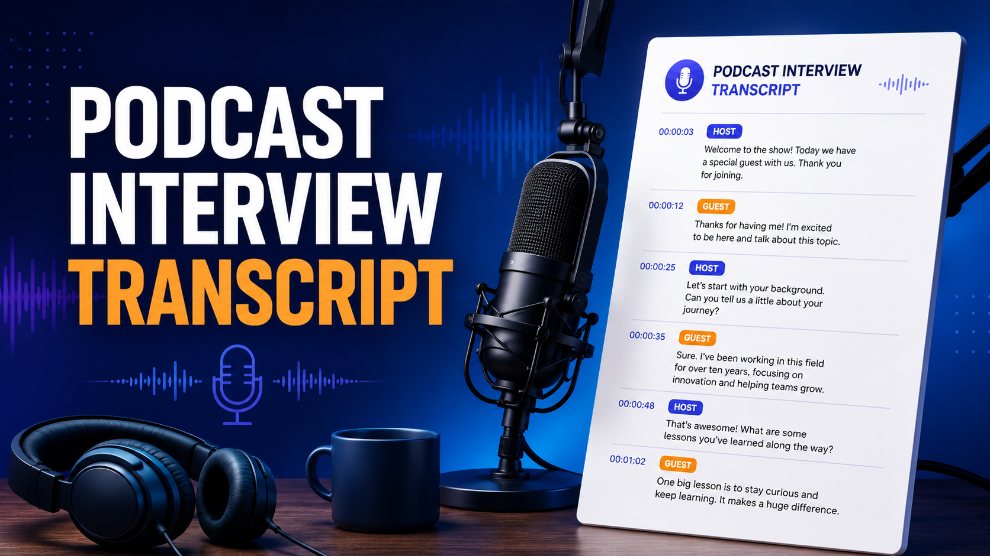
Example 3: Podcast interview transcript
[00:00] Host: So what got you interested in urban beekeeping in the first place?
[00:05] Guest: Honestly, it started as a joke between me and a neighbor. We put one hive on my roof just to see what would happen, and three years later I've got six hives and a small honey business.
[00:24] Host: Six hives is a lot more than a joke.
[00:27] Guest: [Laughs.] Yeah, it got out of hand fast. But that's kind of how good hobbies start.
[00:38] Host: What's the biggest misconception people have about keeping bees in a city?
[00:43] Guest: Most people think it's dangerous, but healthy honeybees are surprisingly gentle. Education is probably the biggest challenge. We spend more time answering questions than actually harvesting honey.
[01:05] Host: Have you noticed more people becoming interested in beekeeping recently?
[01:10] Guest: Absolutely. More people want to support pollinators and learn where their food comes from. Community workshops have become increasingly popular over the past few years.
[01:32] Host: That's fascinating. Thanks for sharing your story with us today.
[01:36] Guest: Thanks for inviting me. It's been a pleasure.
Manual Vs. AI interview transcription
Both methods can produce a usable transcript, but they differ significantly in how much time and effort they demand. The table below breaks down the key differences to help you decide which approach fits your project.
|
Factor |
Manual Transcription |
AI Transcription |
|---|---|---|
|
Speed |
Takes 4 to 6 hours to transcribe a 1 hour interview |
Generates a draft transcript in minutes |
|
Accuracy |
Very accurate when done by an experienced transcriber |
High accuracy for clear recordings, with a quick review recommended |
|
Effort |
Requires constant listening, typing, and proofreading |
Minimal manual work after the transcript is generated |
|
Cost |
Higher labor cost or significant personal time |
More cost effective for frequent transcription |
|
Scalability |
Difficult to handle large numbers of interviews |
Easily processes multiple interviews and long recordings |
|
Speaker identification |
Can identify speakers more accurately in complex conversations |
Automatically detects speakers in many cases, but may need minor corrections |
|
Best For |
Legal documents, sensitive interviews, or detailed linguistic analysis |
Job interviews, research, podcasts, meetings, journalism, and content creation |
Meet Your AI tool: How to transcribe an interview faster with Vmake Labs
Manually transcribing interviews can take several hours, especially when recordings include multiple speakers, background noise, or lengthy discussions. Vmake Labs AI transcription tool makes the task easy by automatically transcribing audio and video into editable text in a matter of minutes. Just upload your recording or paste in a supported video link, let the AI create a transcript, review and make any edits required before export. This method saves you time and helps you create accurate and well-formatted interview transcripts for research, journalism, hiring, or content creation.
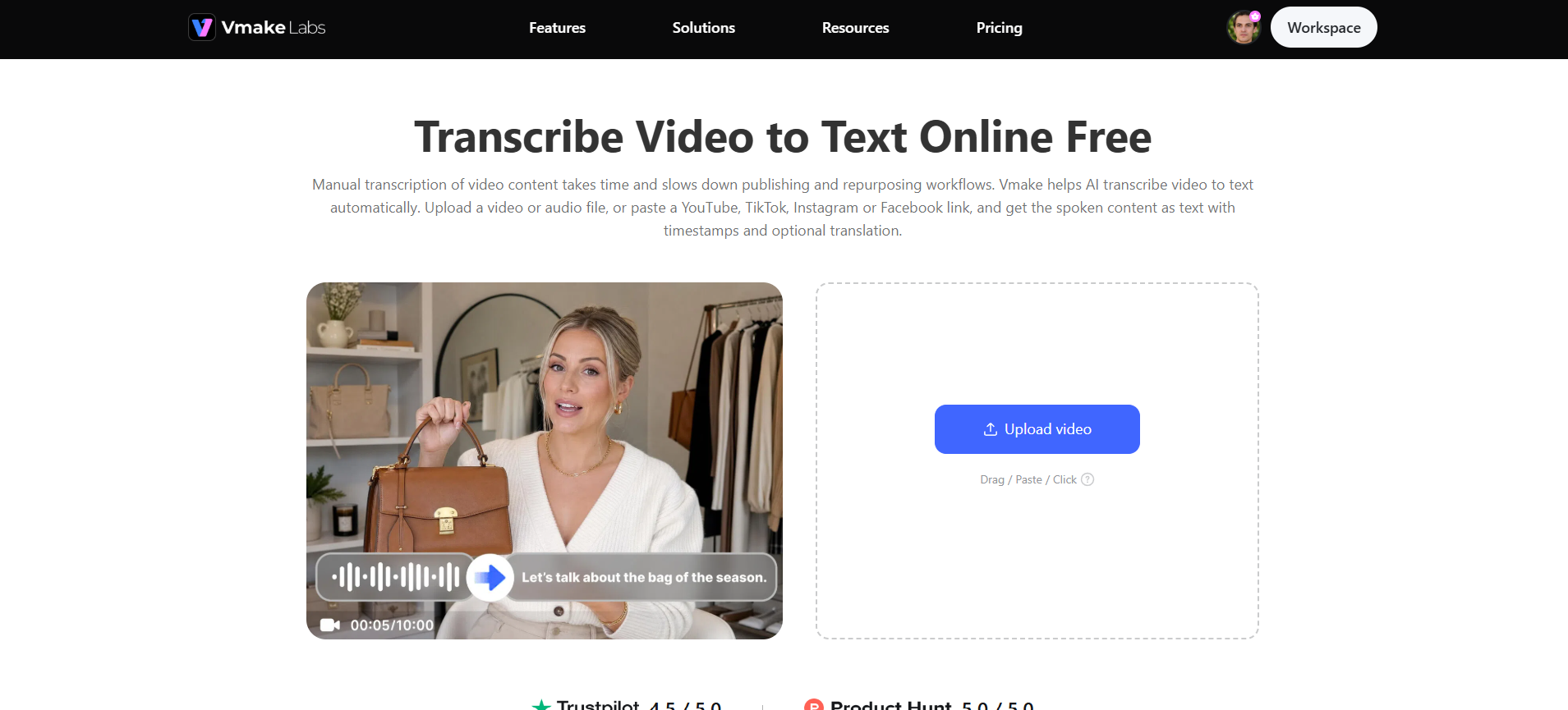
Step 1: Upload your audio or video
Start by logging into your Vmake Labs account. Head to the "All tools" section and select the "Video & audio to text" tool. Click "Upload" to add your interview recording from your device, or paste a supported link from YouTube, TikTok, Instagram, or Facebook. You can add up to 8 interview files at once, which is handy if you're transcribing a full round of interviews in one sitting.
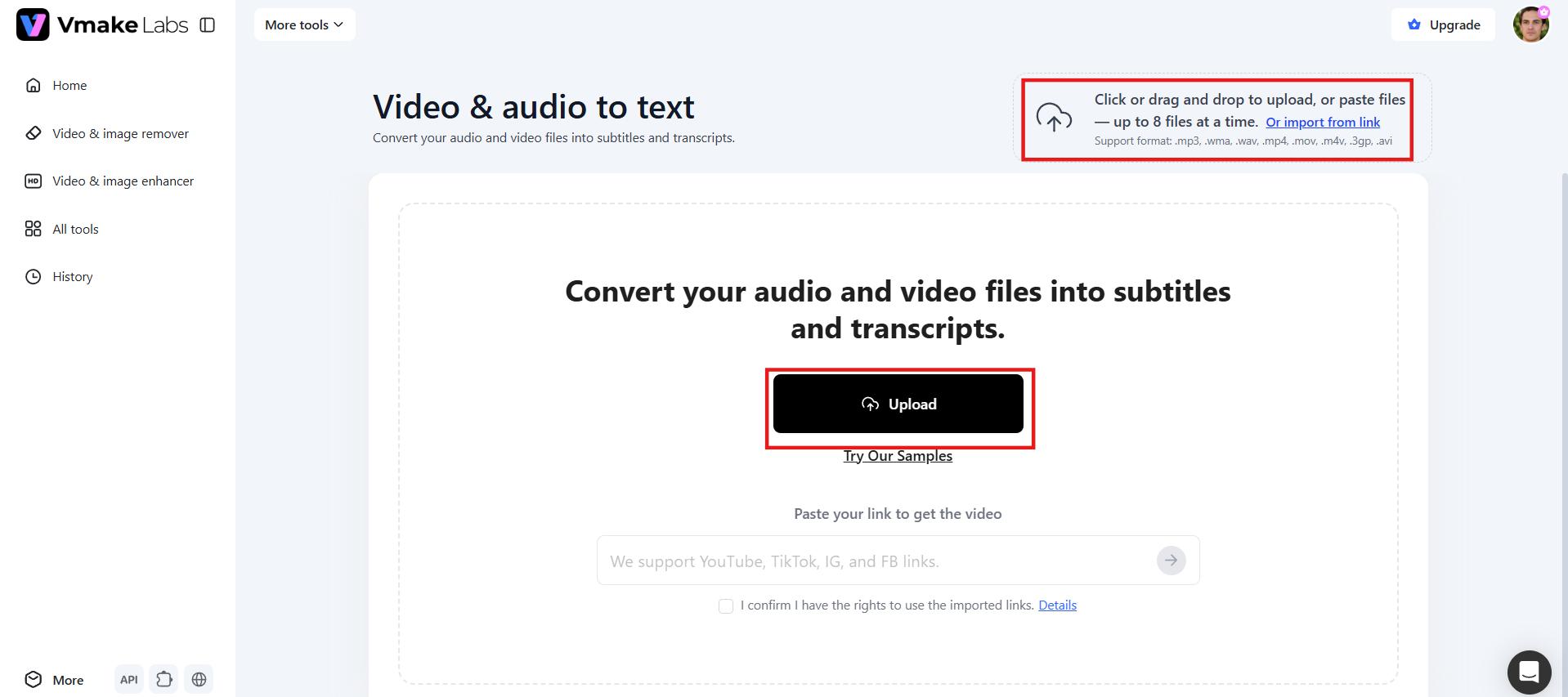
Step 2: Generate the transcript automatically
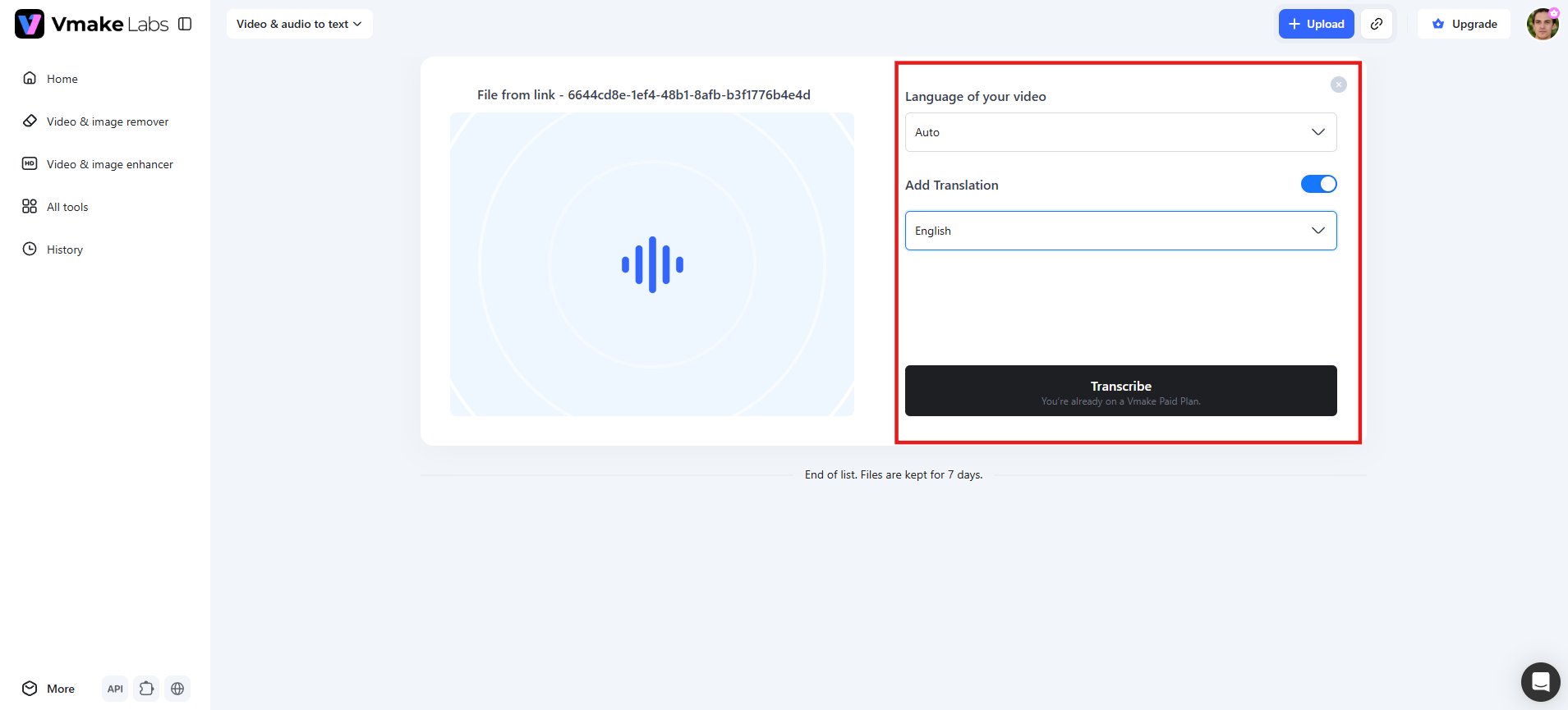
Once your recording is uploaded, select the interview language or leave it on Auto for automatic detection. If you need a translated version, enable "Add Translation" and choose your target language. Click "Transcribe," and Vmake Labs processes the file, generating an accurate draft transcript of the full conversation.
Step 3: Edit and export your transcript
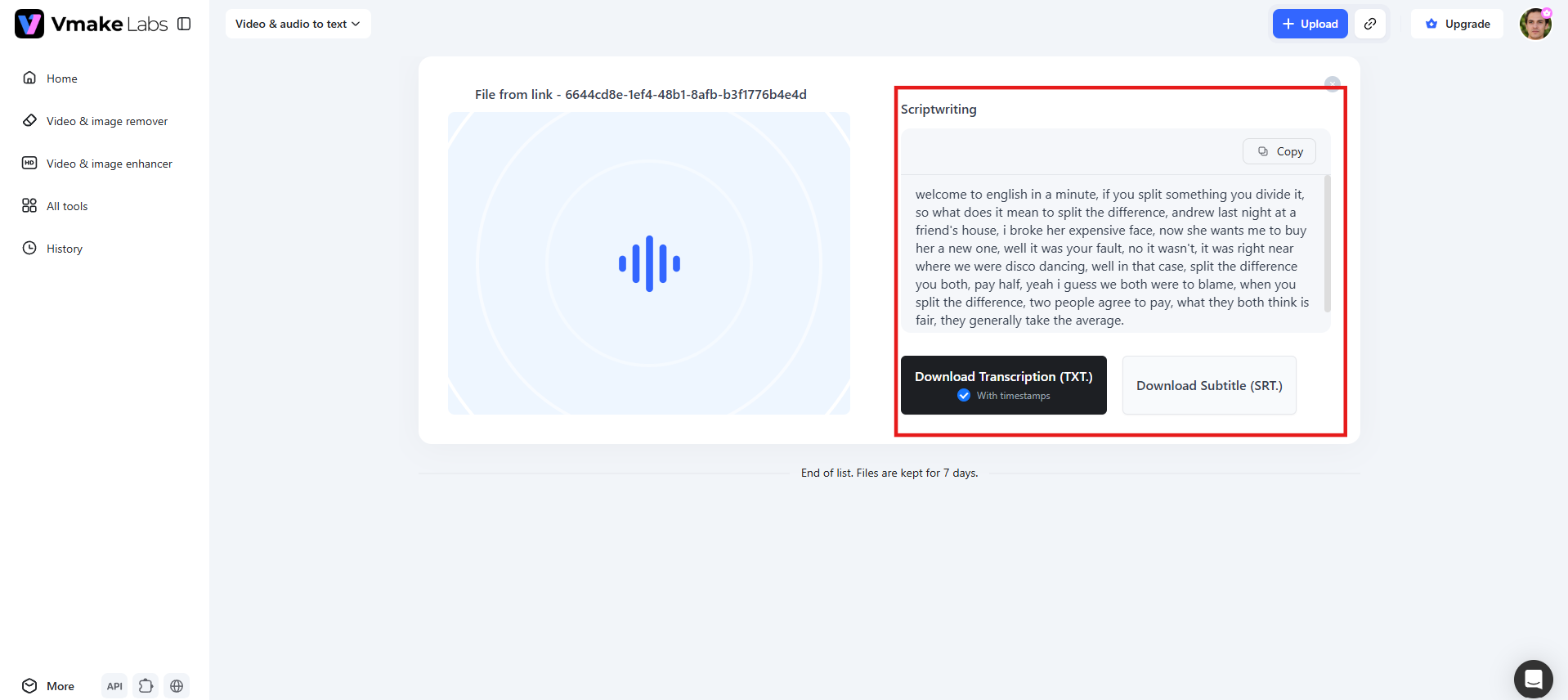
Review the result in the Scriptwriting area. Make quick corrections to speaker labels, technical terms, or unclear sections. Once satisfied, download as a TXT file with timestamps for documentation or as an SRT file for adding subtitles to your interview video. The entire workflow keeps your focus on content rather than tedious typing.
Key features of Vmake Labs
-
Handles long interview recordings with ease: Interviews often run 30 minutes to an hour or more, and Vmake Labs handles lengthy files without losing accuracy partway through. This makes it well suited for in-depth interviews, panel discussions, or extended podcast episodes, not just short clips.
-
Multi-language transcription: Interviews don't always happen in one language, and neither should your transcription. Vmake Labs supports multiple languages, including English, Spanish, Portuguese, Chinese, and Indonesian, so you can transcribe recordings from international guests or translate the transcript into a language your audience understands.
-
Batch processing for multiple interviews: If you're working through a full round of interviews, whether for hiring, research, or a podcast season, you can upload up to 8 files at once. This saves you from uploading and transcribing recordings one at a time.
-
Automatic timestamps: Every transcript comes with timestamps built-in, so you can quickly jump back to a specific moment in the audio to verify a quote or double check a detail. This is especially useful for journalists and researchers who need to trace statements back to the original recording.
-
Flexible export options: Once you've reviewed your transcript, export it in the format that fits your needs. Download as TXT for editing, documentation, and research, or SRT for adding accurate subtitles to interview videos, podcasts, and social media content.
-
Wide file and video link support:Vmake Labs works with popular audio and video formats such as MP3, MP4, MOV, and WAV. You can also paste links from YouTube, TikTok, Instagram, or Facebook to transcribe interviews directly from online videos without downloading them first.
Common interview transcription mistakes
Even experienced transcribers make errors that can reduce accuracy and usefulness. Avoiding these common pitfalls will greatly improve the quality of your final transcripts.
-
Skipping unclear words: When audio is muffled or unclear, never guess the words. Mark the section as [inaudible] or [unclear] instead. This honesty maintains credibility and prevents incorrect information from entering your final document.
-
Misidentifying speakers: In conversations with multiple people, it is easy to mix up who said what. Always verify speaker labels carefully, especially when voices sound alike or when people interrupt each other. Accurate attribution is crucial for trustworthy transcripts.
-
Overediting speech: Removing too many natural speech patterns can make the transcript feel artificial and change the speaker's original tone. Strike a balance by keeping the meaning and personality intact while improving readability.
-
Missing timestamps: Timestamps help readers quickly locate specific parts of the recording. Forgetting to include them makes the transcript less useful for reference, verification, or when someone needs to check the original audio later.
-
Ignoring background noises: Important non-verbal sounds like laughter, sighs, or door slams often add context. Noting them appropriately as [laughter] or [background noise] gives readers a fuller picture of the conversation dynamics.
-
Not proofreading: A rushed final review often leaves typos, grammar issues, or misheard phrases. Always proofread once without audio and then again while listening to ensure the transcript accurately reflects the original interview.
Conclusion
Mastering how to properly transcribe an interview helps you create clear, accurate transcripts that are easier to review, analyze, and share. By preparing your recording, choosing the right transcription style, labeling speakers consistently, and proofreading the final draft, you can produce professional results with less effort. If you want to speed up the process, Vmake Labs automatically converts interview recordings into editable transcripts, helping you save time while maintaining accuracy. Try Vmake Labs today and transcribe your next interview faster.
FAQs
What is the easiest way to transcribe an interview?
The simplest way is to use an AI transcription tool, such as Vmake Labs. Upload your recording. The AI will automatically produce a draft transcript. Check for accuracy. This saves hours instead of typing everything from scratch manually.
What types of interviews can be transcribed?
Almost any recorded interview can be transcribed, including job interviews, research interviews, podcasts, media interviews, customer interviews, legal interviews, medical interviews, and market research discussions, provided the audio quality is clear enough.
How long does it take to transcribe a 1-hour interview?
Transcribing a one-hour interview manually takes 4–6 hours depending on the number of speakers and quality of audio. AI transcription tools, like Vmake Labs, generate a draft in minutes, but still need some time for review.
How long is a 30-minute interview transcript?
A 30-minute interview usually produces a transcript of 3,500 to 5,000 words. The exact length depends on how fast people speak, how many pauses occur, and how much overlapping conversation the recording includes.
How do you label speakers in an interview transcript?
Use the same simple labels throughout, like "Interviewer" and "Interviewee" (or the speakers' names, if that works better). Staying consistent from start to finish keeps the transcript easy to follow.

You May Be Interested
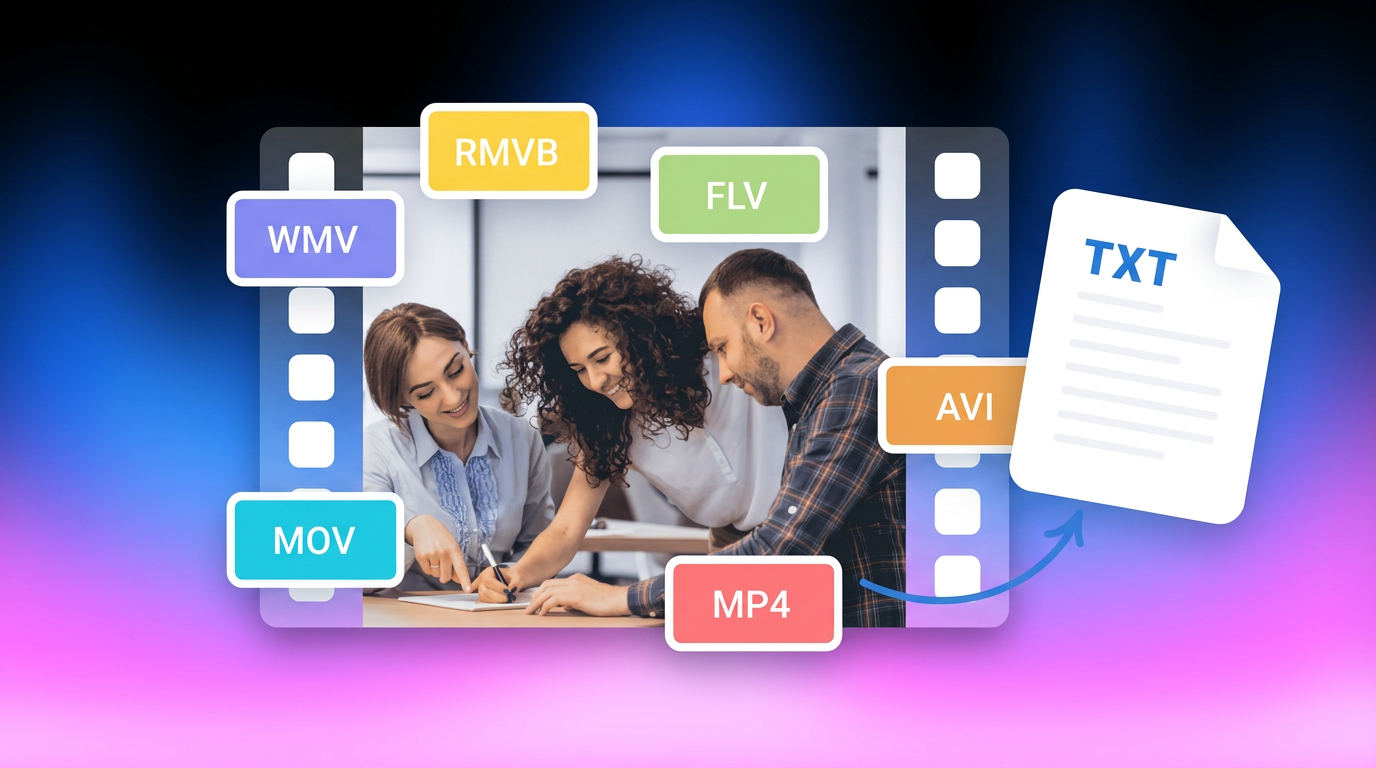
How to Transcribe Video to Text in 2026: Free Online AI Tool
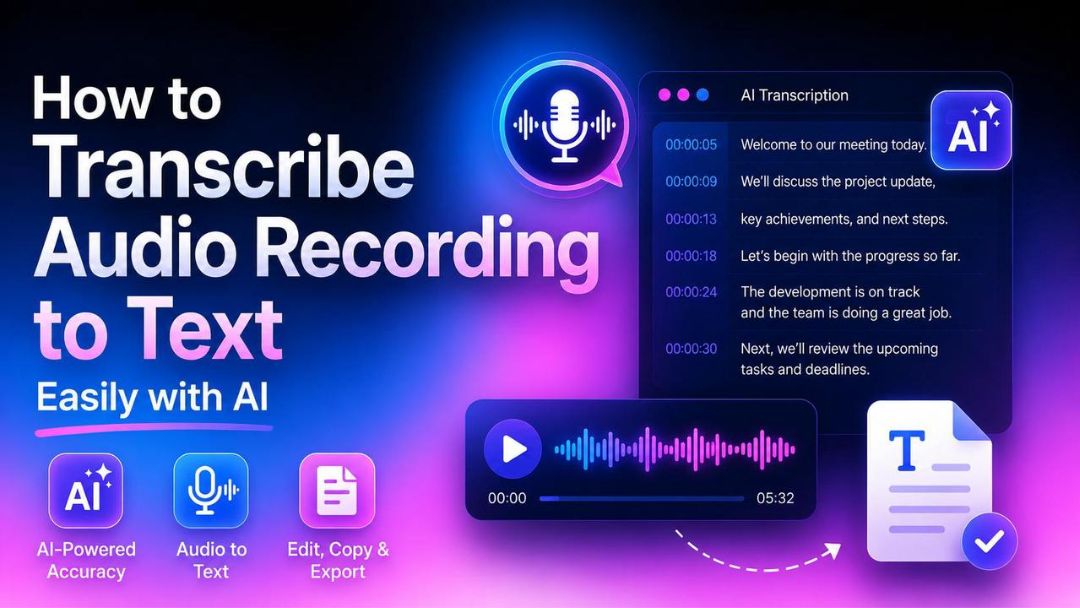
How to Transcribe Audio Recording to Text in Minutes

How to Transcribe a Video to Text: Guide to Accurate Transcriptions
The Ultimate Guide to Transcribe YouTube Video to Text [2026]