Adobe Express Image Enhancer Review: Is It Worth Using in 2026?
Compare Adobe Express Image Enhancer with Vmake Labs to see which AI tool delivers better image quality, sharper results, and faster enhancement for your photos today. Read our full review today!

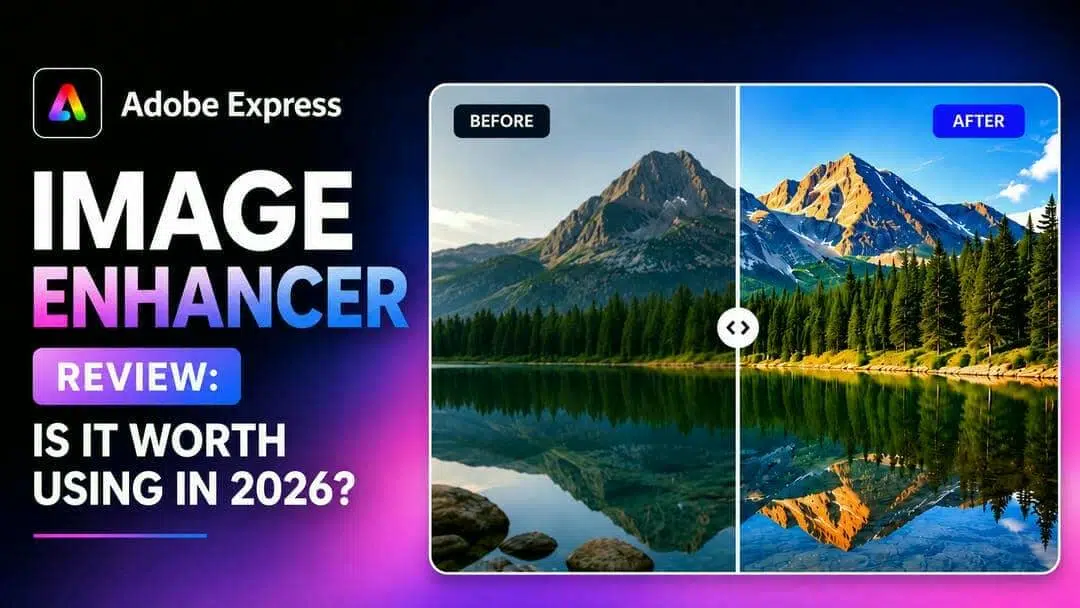
We tested Adobe Express Image Enhancer on portraits, product images, and compressed photos to evaluate its enhancement quality, speed, and usability. This review explores its features, pricing, and performance, helping you decide whether Adobe Express Image Enhancer is worth using in 2026.
What is Adobe Express image enhancer?
Adobe Express Image Enhancer is an AI-powered editor that can help improve photo quality with a few clicks. It automatically fine-tunes sharpness, lighting, contrast, and color balance to make images appear clearer without the need for advanced editing skills. It runs completely in your browser, so there's no software to install, making it a handy option for creators, marketers, students, and regular people. It also includes other editing features such as cropping, resizing, filters, and background removal for quick design tasks.
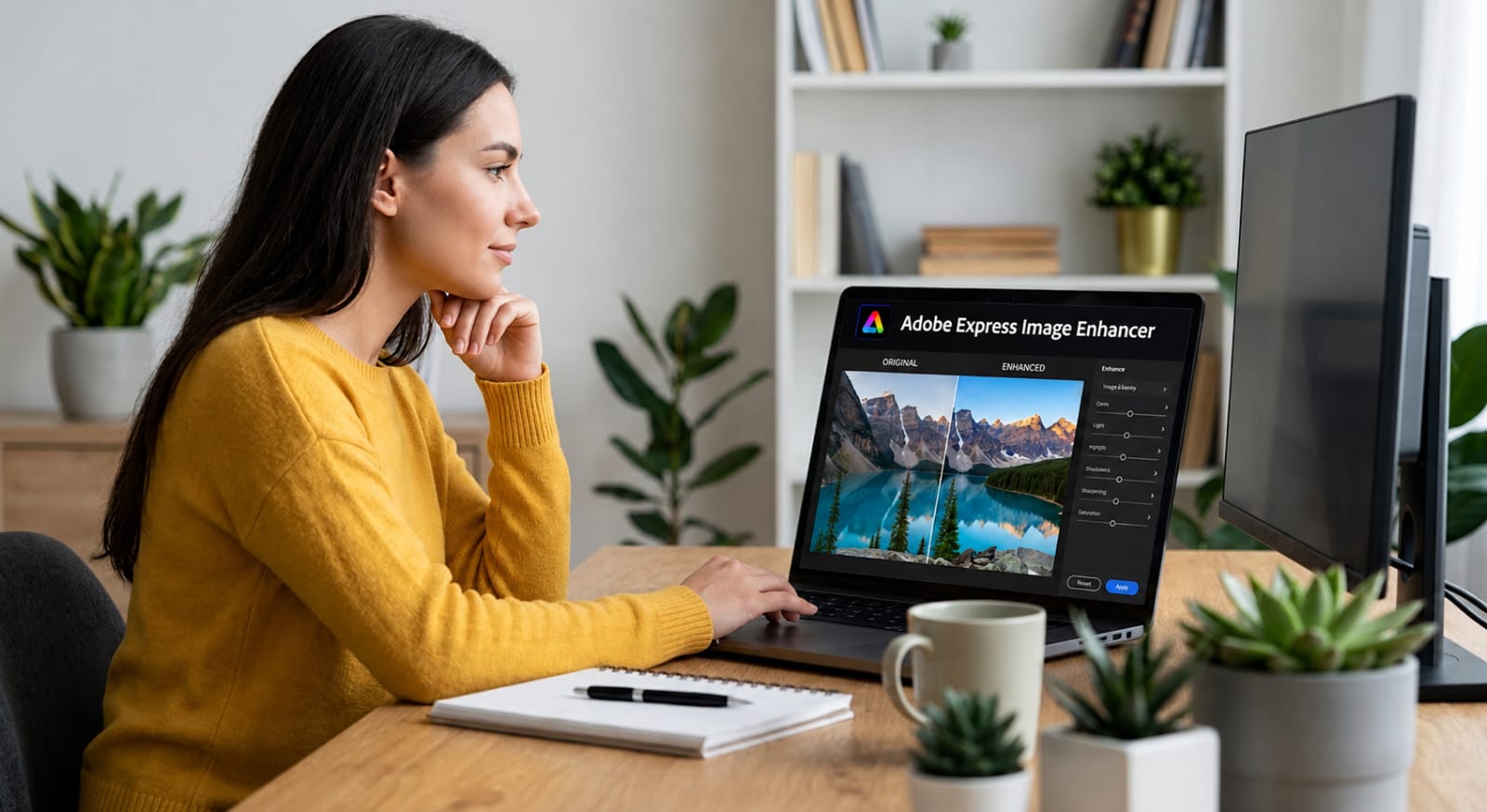
While Adobe Express works well for enhancing everyday images, its AI may have limitations when restoring heavily blurred, pixelated, or low-resolution photos. Users looking for more advanced restoration often rely on dedicated tools such as an AIunblur image solution or an image sharpener to recover finer details and improve overall clarity. These specialized tools are generally better suited for repairing damaged photos and producing higher-quality results.
How to enhance image quality in Adobe Express
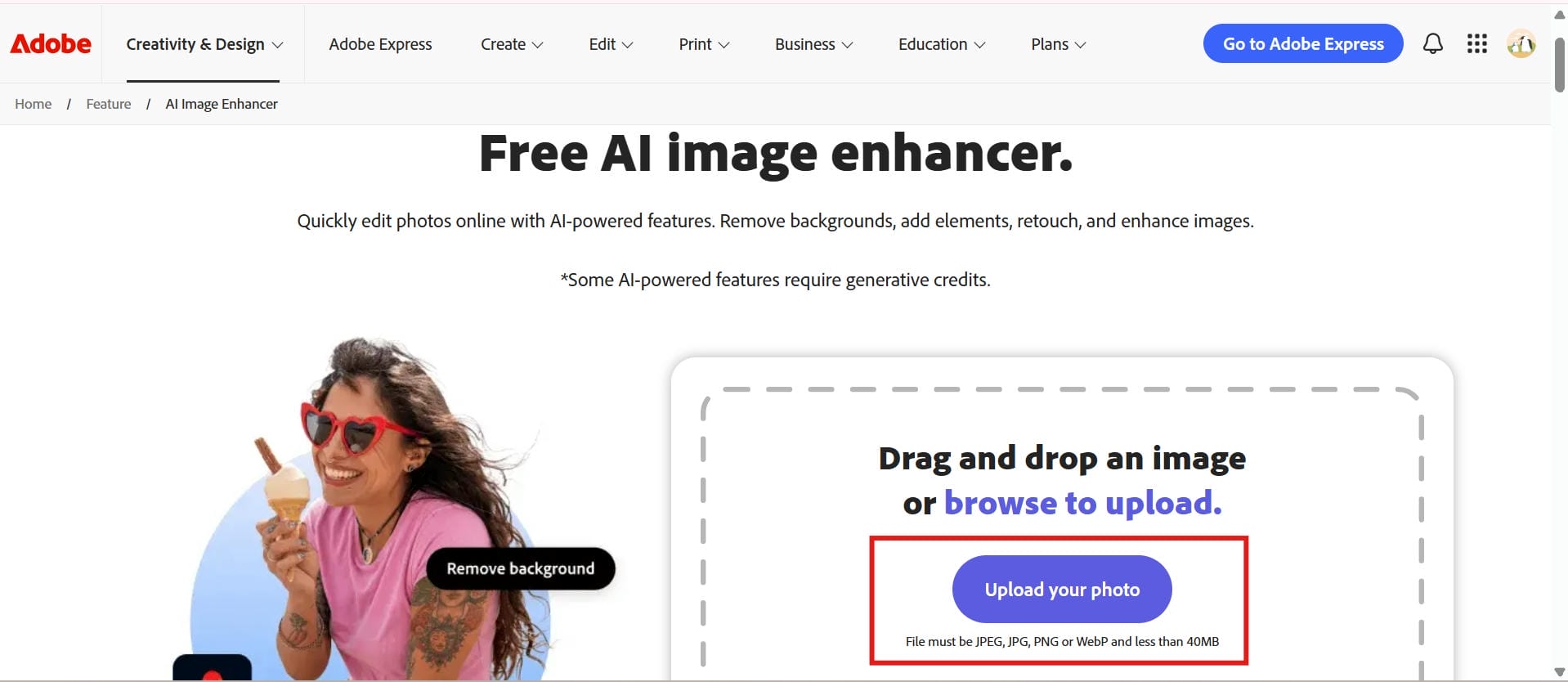
Step 1: Upload your image
Open Adobe Express and go to the Image Enhancer tool. Click Upload your photo and choose a JPG image from your device. When you upload the image, Adobe Express gets it ready for AI enhancement, so you can begin editing immediately.
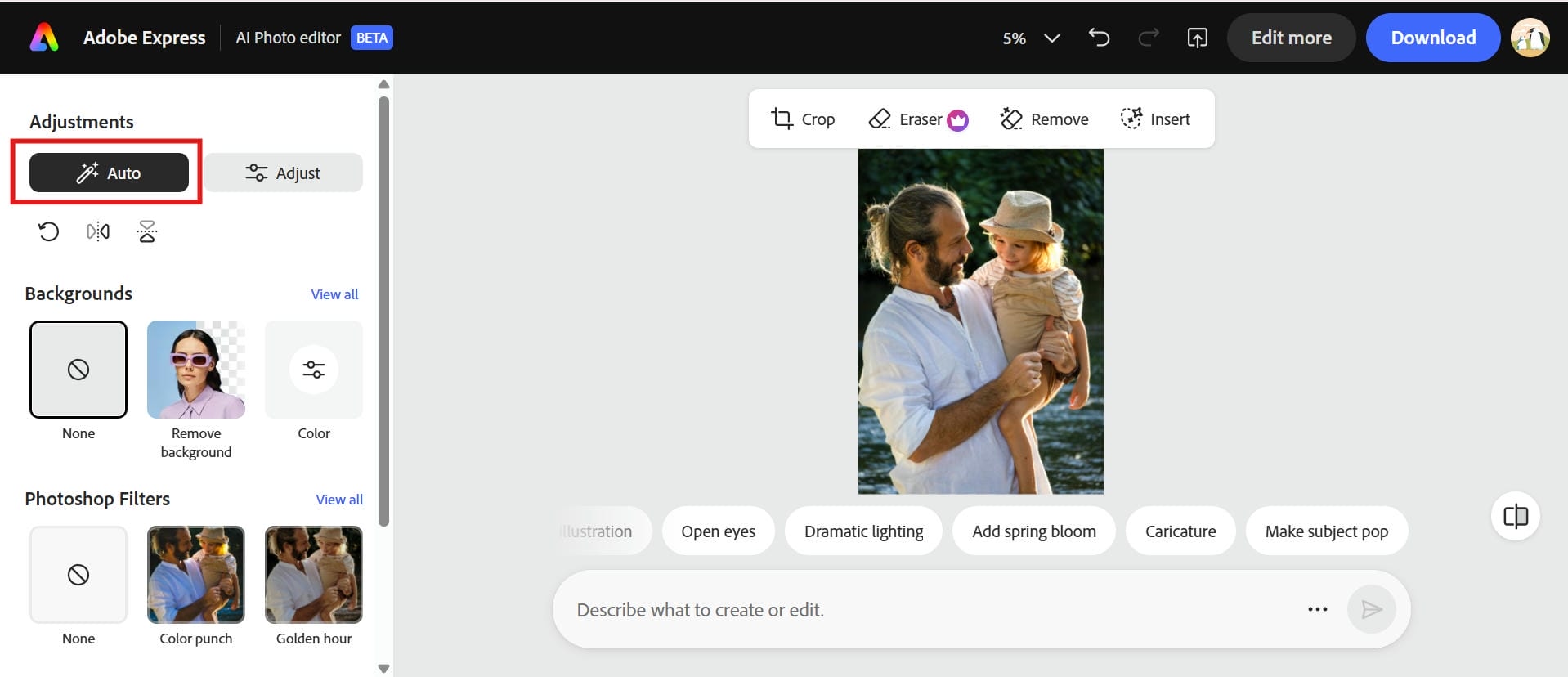
Step 2: Click the auto tool to enhance your image
Select the automatic enhancement option. Adobe AI looks at your image and adjusts sharpness, exposure, color balance, and clarity to make your image look better overall. This is the easiest way to get better images out of Adobe Express without having to edit each setting by hand.
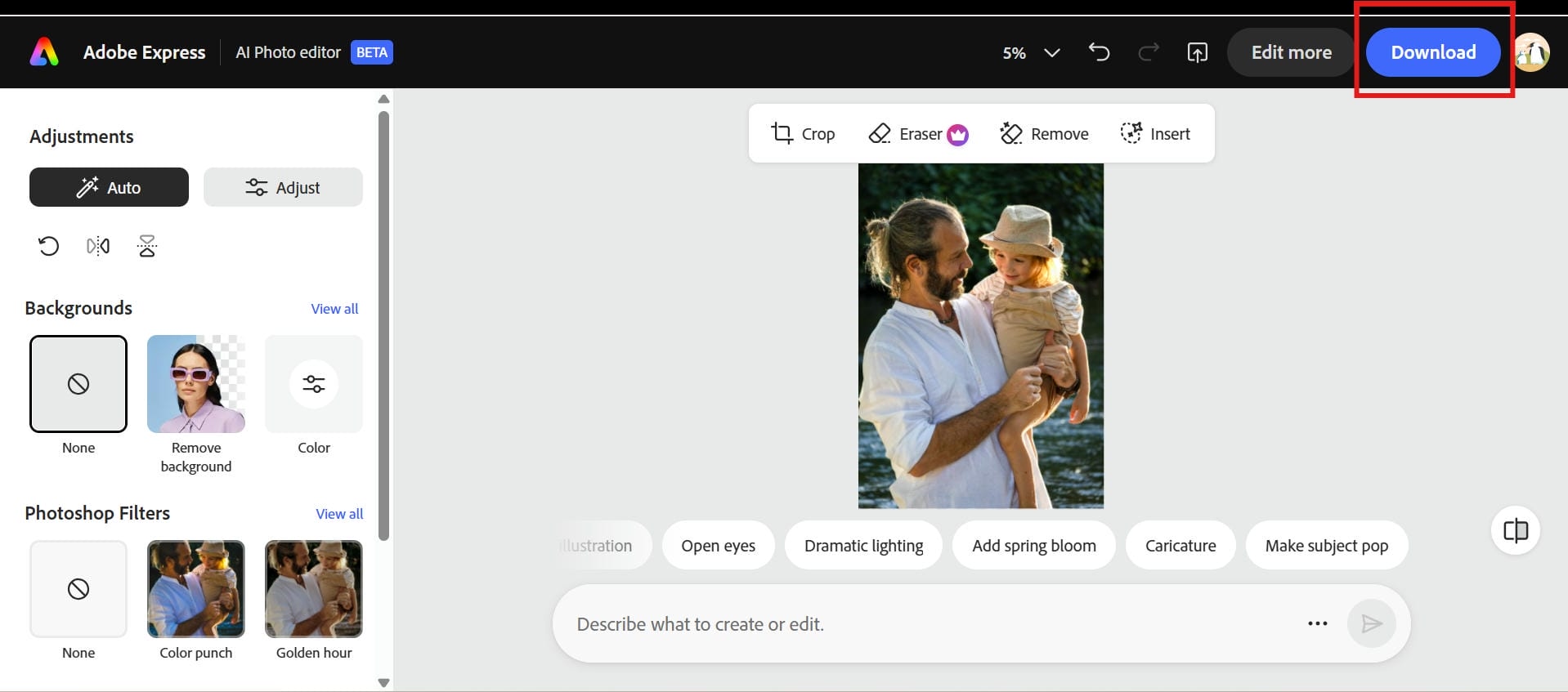
Step 3: Preview and download your image
Once the enhancement is finished, compare the before and after results. If you are satisfied with the result, you can download the edited image in the format of your choice. More editing features and higher quality exports are available to Premium users depending on their subscription.
Adobe Express image enhancer: Real user experience and performance
To evaluate Adobe Express Image Enhancer, we tested the tool on different image categories, including portraits, product photos, old images, and compressed files. The testing focused on enhancement quality, detail recovery, and processing speed to understand where Adobe Express performs well and where it has limitations.
|
Test category |
Observation |
|---|---|
|
Potrait enhancement |
Adobe Express improved facial brightness, sharpness, and overall clarity. It worked well for normal-quality portraits but could not fully restore details in heavily blurred faces. |
|
Product photos |
The tool enhanced colors, contrast, and visibility, making product images look cleaner. However, extremely low-resolution product photos showed limited detail improvement. |
|
Old photos |
Adobe Express improved faded colors and made old photos appear clearer. It was useful for basic restoration but did not repair severe damage such as missing areas or deep scratches. |
|
Compresses images |
The enhancer improved images affected by mild compression and made them appear sharper. Images with heavy artifacts still showed noticeable quality issues. |
|
Processing speed |
Most images were enhanced within seconds using cloud processing, making Adobe Express suitable for quick edits and social media workflows. |
Image quality before and after enhancement
During testing, Adobe Express delivered noticeable improvements in brightness, contrast, and sharpness for everyday images. Portraits and marketing visuals benefited the most from the enhancement, while heavily blurred, pixelated, or extremely low-resolution images showed only moderate improvement.
Performance, processing speed, and ease of use
Adobe Express performed well in terms of speed and usability. Most images were processed within seconds, and the simple interface made it easy for beginners to upload, enhance, and edit photos without technical knowledge. Its integration with Adobe’s design ecosystem also makes it useful for users who want to enhance images and create social media posts, presentations, or marketing materials in one place.
Strengths highlighted by professional reviewers
Adobe Express stands out for its beginner-friendly workflow, Adobe ecosystem integration, and combination of AI-powered editing and design features. It is especially useful for users who need quick photo improvements while creating graphics, presentations, or promotional content.
Common limitations and overall user feedback
Based on testing and user feedback, Adobe Express works best for basic photo enhancement rather than advanced restoration. It improves clarity and appearance for everyday images but struggles with severely blurry, pixelated, or damaged photos. Some advanced AI features require a Premium subscription, and users looking for detailed restoration or high-resolution upscaling may prefer dedicated AI image enhancement tools.
Adobe Express image enhancer pros, cons, and pricing
Adobe Express is focused on fast and simple editing for beginners, not pro photo restoration. It offers an accessible AI augmentation experience, but understanding its strengths and limitations helps you decide if it has a place in your workflow.
Pros
-
Easy-to-use interface suitable for beginners.
-
AI automatically improves image clarity and lighting.
-
Browser-based editing without software installation.
-
Seamless integration with Adobe Creative Cloud.
-
Includes additional design and social media editing tools.
Cons
-
Many advanced AI features require a Premium subscription.
-
Limited control over enhancement intensity.
-
Less effective for restoring severely blurry or damaged images.
-
AI enhancement quality can vary depending on the source image.
Pricing
|
Plan |
Price |
Best For |
|---|---|---|
|
$0.00 $10.99 |
Users who need basic photo enhancements, simple edits, and occasional image improvements Users who regularly create designs, social media content, marketing materials, and need access to additional AI editing features |
Is Adobe Express Premium worth it for image enhancement?
If your main goal is only improving image quality, Adobe Express Premium may not be necessary, as the free plan is enough for basic enhancements like adjusting brightness, contrast, and sharpness. However, Premium is a better choice for users who need more than image enhancement, such as creating marketing designs, social media content, and branded visuals with AI-powered tools. For advanced restoration tasks like fixing heavily blurred photos, repairing damaged images, or high-resolution upscaling, dedicated AI image enhancers may offer better value.
Community reviews:
On G2
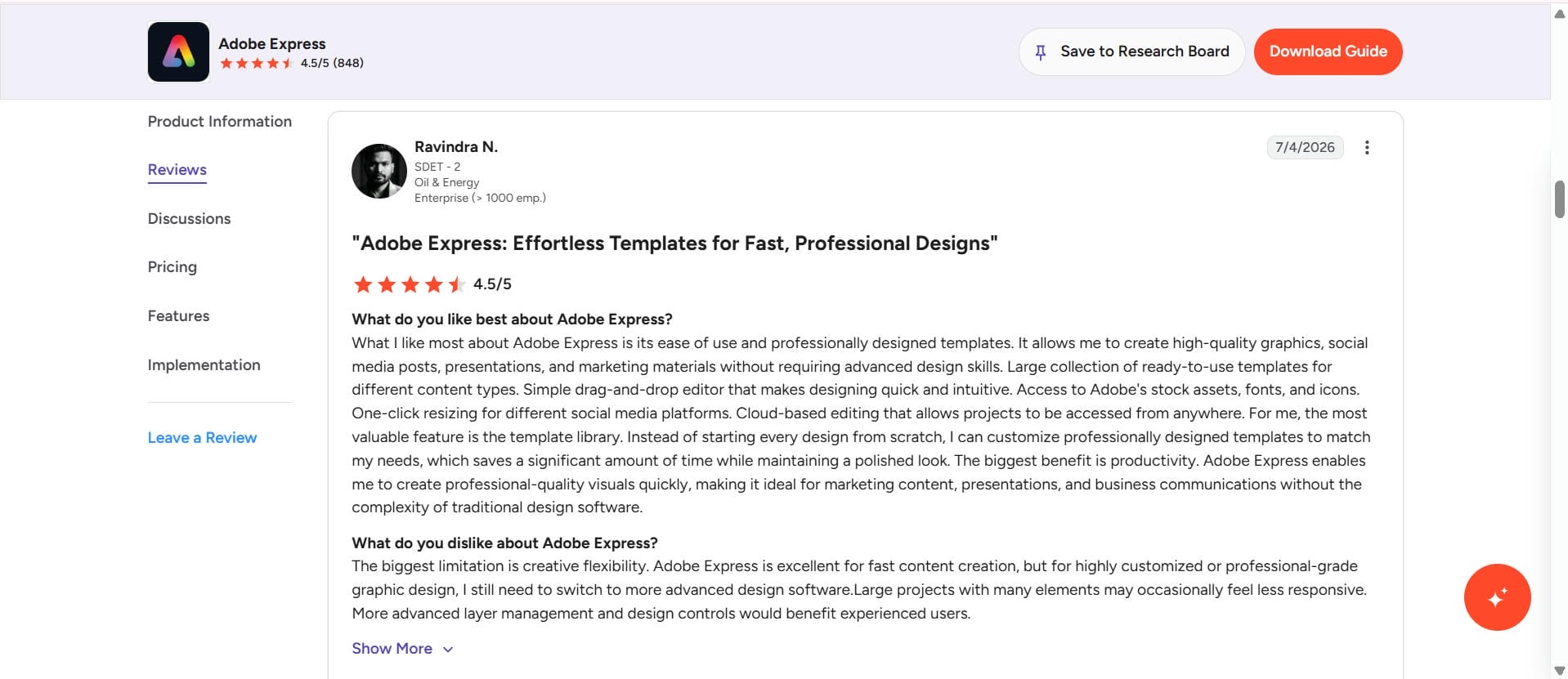
G2 reviewers say Adobe Express is easy to use with an intuitive interface and seamless integration with Adobe Creative Cloud. Users love its templates and AI-powered editing tools, though some note that some premium features require a paid subscription, and there are limited options for advanced photo enhancement.
On Capterra
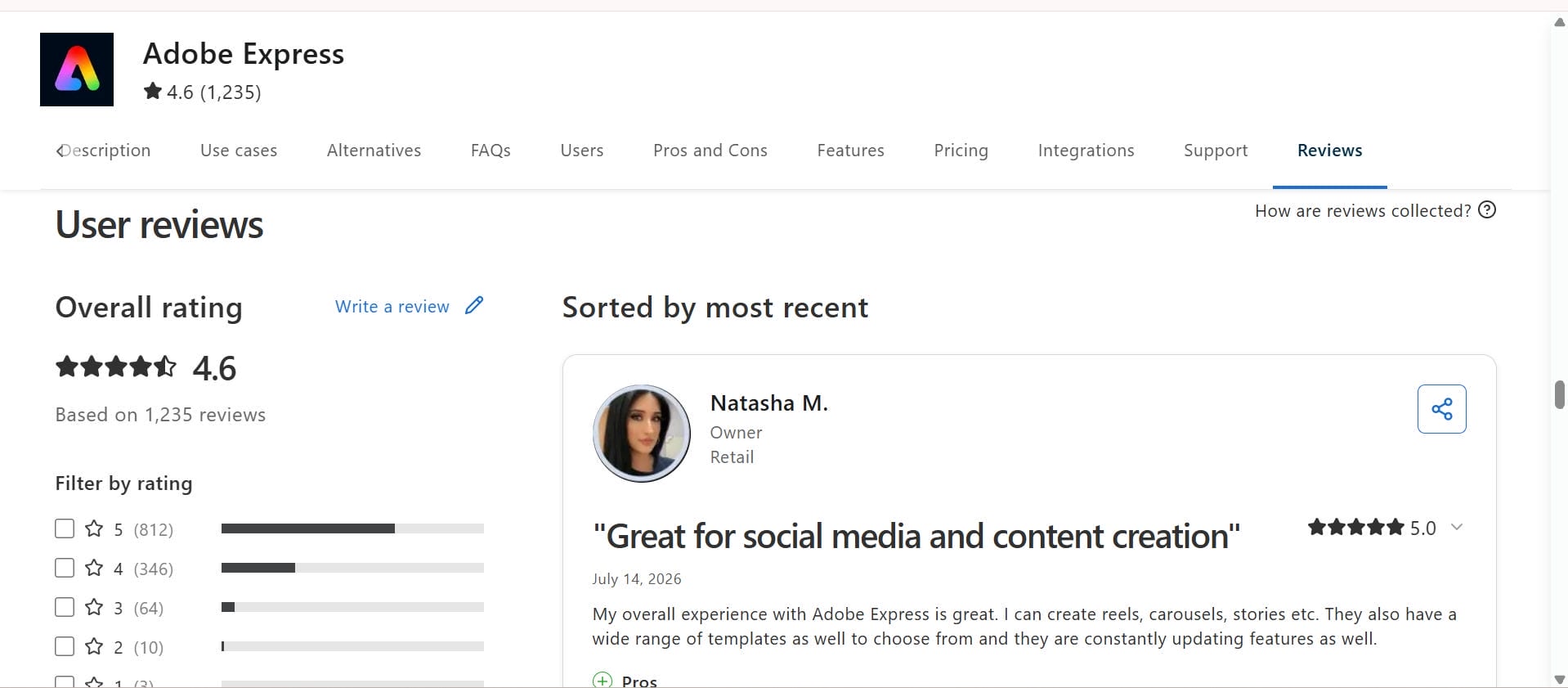
On Capterra, users appreciate Adobe Express for its user-friendly experience, browser-based access, and fast editing. Some common complaints are occasional performance issues, limited options for customizing AI enhancements, and a lack of professional image restoration features as compared to dedicated AI image enhancement tools.
Adobe Express is a good option for quick edits and everyday image enhancement, but it might not be suitable for users working with blurry, low-resolution, or heavily compressed photos. For more advanced AI-powered image restoration, higher resolution outputs, and specific enhancement modes, you should consider a dedicated solution such as Vmake Labs AI Image Enhancer, which is built to improve image quality with minimal effort.
How to enhance images with Vmake Labs AI image enhancer
Vmake Labs AI Image Enhancer is intended to enhance the quality of images with the help of advanced AI technology that restores details, sharpens blurry pictures, and preserves natural textures. Whether you want to enhance portraits, product images, landscapes, or old photos, it delivers high-quality results in just a few clicks. For those who require more clarity, it also integrates smoothly with tools like an AI image fixer and Gemini image upscaler to achieve even more polished, high-resolution images.
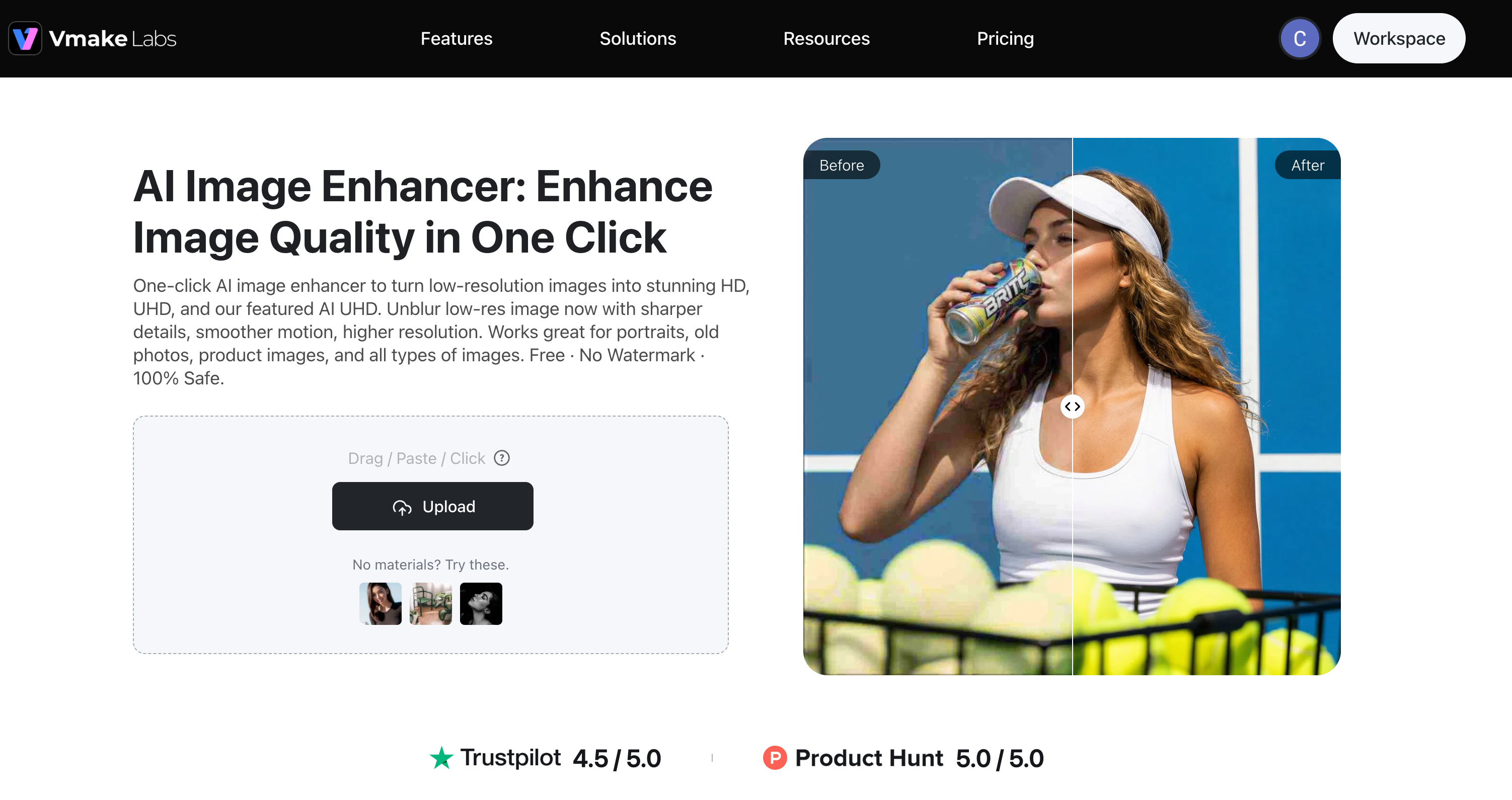
Key features of Vmake Labs AI image enhancer
-
AI-powered image repair for low-quality photos: Vmake Labs AI image enhancer helps recover details from blurry, compressed, or low-quality images by improving clarity and sharpness. This feature is especially useful for restoring old family photos, improving images downloaded from social media platforms, and enhancing AI-generated images that may have unclear details or visual imperfections.
-
Advanced image enhancement for clearer and more natural results: The tool improves image sharpness, brightness, and overall quality while maintaining natural textures and colors. It is useful for creators who need cleaner visuals for websites, social media posts, presentations, or marketing materials without manually adjusting multiple editing settings.
-
Batch image processing for faster workflows: Instead of enhancing images one by one, Vmake Labs allows users to process up to 30 images at once. This is helpful for ecommerce sellers, photographers, and businesses that need to improve large collections of product images or visual content quickly.
-
Multi-scenario AI optimization for different image types: Vmake Labs automatically adjusts enhancement based on the type of image being processed. Users can apply it to portraits for clearer facial details, product photos for improved presentation, landscapes for better clarity, and AI-generated artwork for more refined results.
-
Fast browser-based workflow without software installation: Users can upload images, apply enhancements, and download improved results directly from a browser. This makes it convenient for beginners, content creators, and businesses that need quick image improvements without installing professional editing software.
Steps to enhance images using Vmake Labs
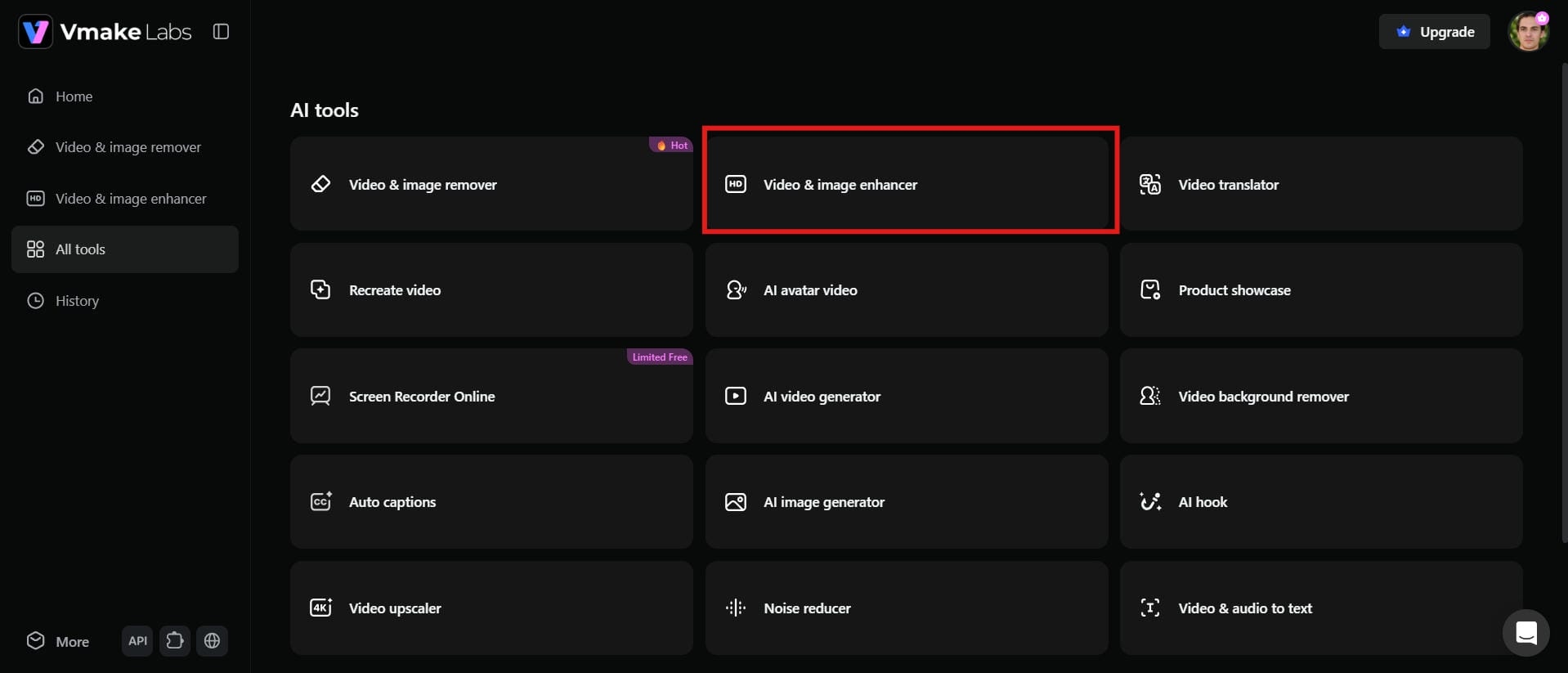
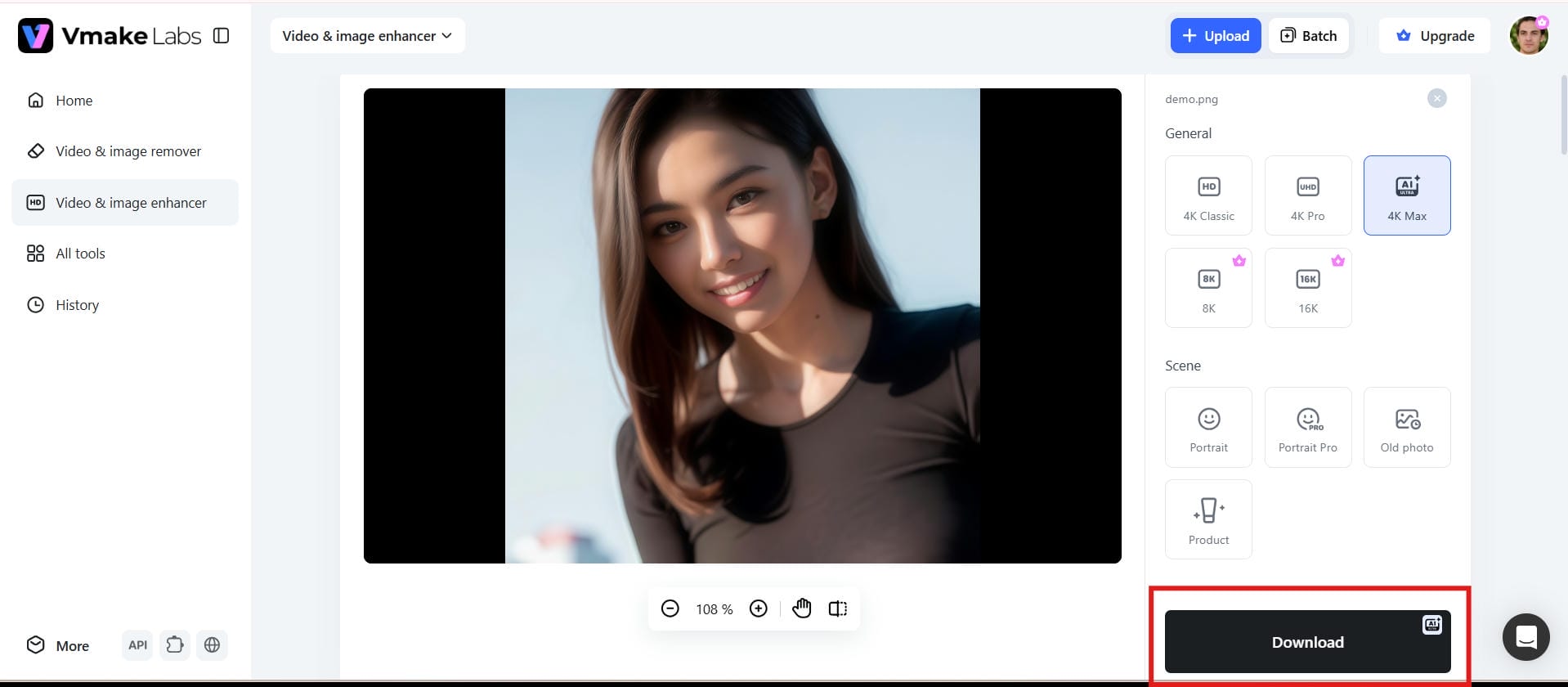
Step 1: Open the Vmake Labs AI image enhancer
Go to the Vmake Labs AI Image Enhancer page in your web browser. The tool works online, so you can start enhancing images immediately without downloading or installing any software.
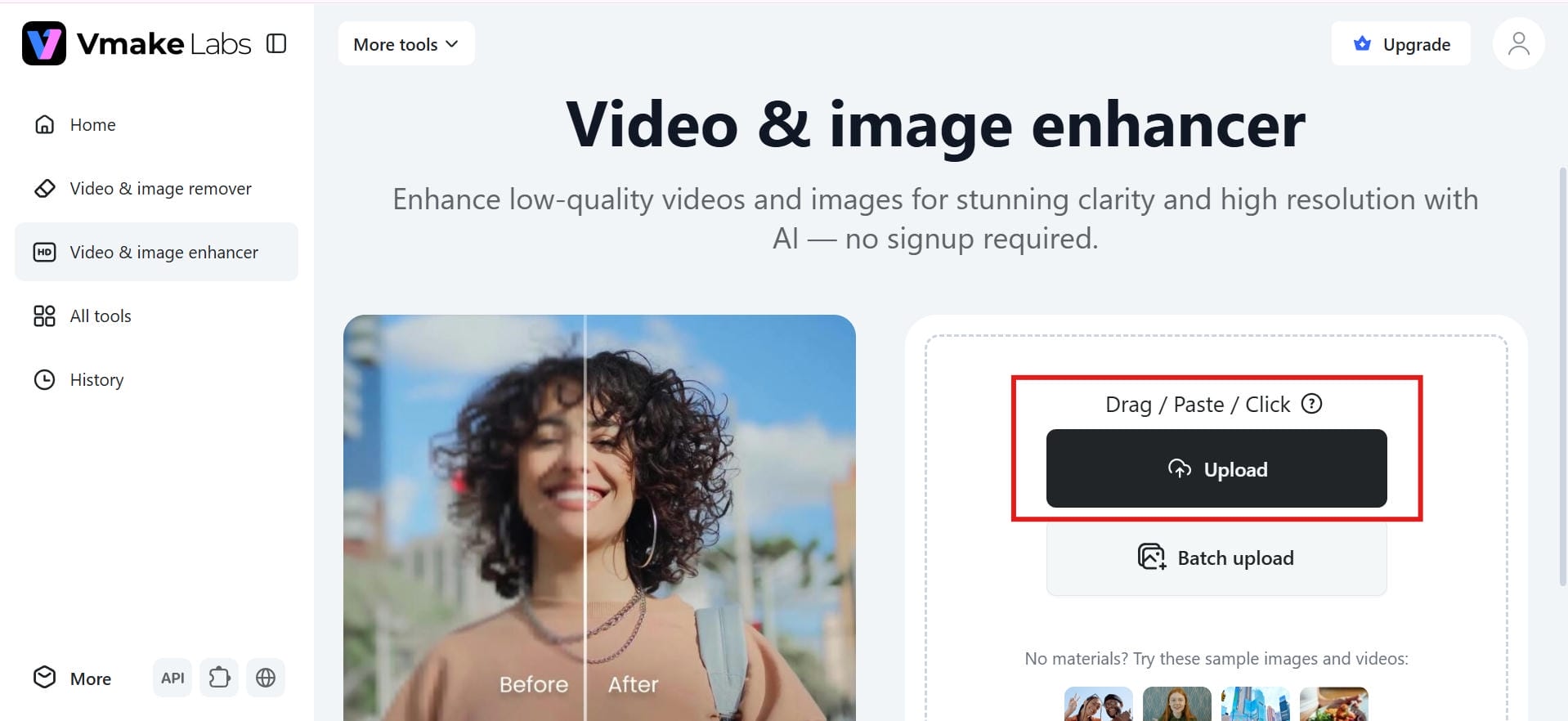
Step 2: Upload your image
Click Upload Image and select the photo you want to enhance from your device. You can upload a single image or multiple images at once for batch processing.
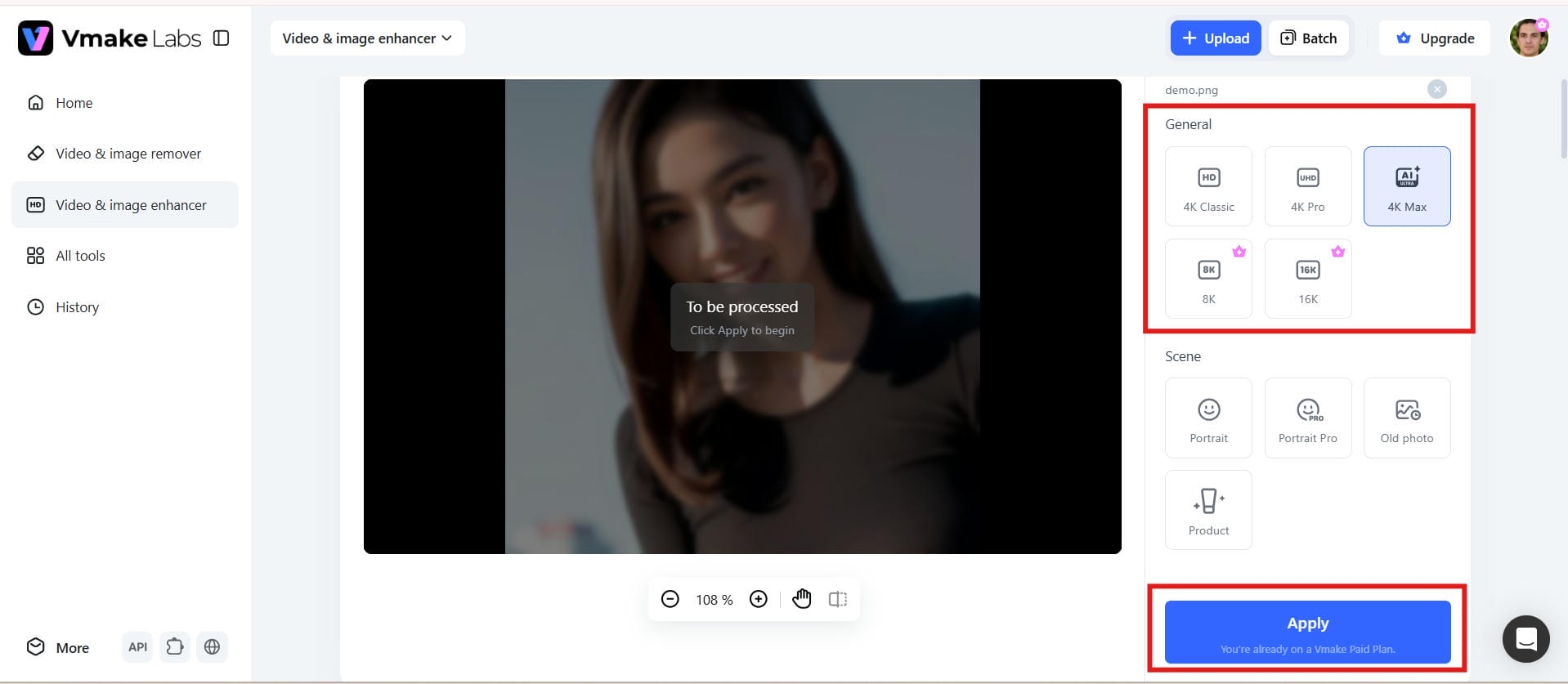
Step 3: Preview the enhanced result
Vmake Labs automatically enhances your image by improving sharpness, clarity, and overall quality. Review the before-and-after preview to see the AI-enhanced result before saving it.
Step 4: Preview and download your enhanced image
Once you are happy with the enhanced image, click download to save it to your device. Select the desired output quality and utilize the enhanced image for personal or commercial projects.
Adobe Express vs Vmake Labs image enhancer
Both Adobe Express and Vmake Labs use AI to improve image quality, but they are designed for different purposes. Adobe Express focuses on quick photo enhancements and graphic editing, while Vmake Labs specializes in AI-powered image restoration, upscaling, and high-resolution enhancement. The comparison below highlights the key differences to help you choose the right tool for your editing needs.
|
Feature |
Adobe Express Image Enhancer |
Vmake Labs Image Enhancer |
|---|---|---|
|
AI Enhancement |
AI-powered enhancement for improving overall image quality |
AI-powered image enhancement with dedicated enhancement modes for different image types |
|
Resolution Options |
Standard image enhancement and export quality |
Supports HD, UHD, AI UHD, 8K, and 16K output resolutions |
|
Enhancement Modes |
General image enhancement |
Portrait, Portrait Pro, Old Photo, and Product enhancement modes |
|
Image Upscaling |
Basic image enhancement and resizing |
AI upscales images while preserving clarity and detail |
|
Portrait Enhancement |
Basic portrait improvements |
Dedicated Portrait and Portrait Pro modes for enhancing portrait photos |
|
Old Photo Enhancement |
Limited enhancement for older images |
Dedicated Old Photo mode for enhancing old and low-quality photos |
|
Product Image Enhancement |
General editing tools |
Product mode optimized for improving product photos |
|
Image upload |
Upload images for editing and enhancement |
Upload single or multiple images for AI enhancement |
|
Batch processing |
Limited batch capabilities |
Supports batch enhancement for up to 30 images |
|
Processing Speed |
Fast cloud-based image editing |
Fast AI-powered cloud processing for image enhancement |
|
Free Plan |
Free version with limited features |
Free access with premium options for advanced enhancement features |
Which image enhancer is better?
Choose Adobe Express if...
-
You want a quick, web-based workflow: You prefer a simple, browser-based environment for fast, everyday photo editing.
-
You need to create marketing assets: Your main goal is to build quick enhancements and social media graphics alongside basic layout tools.
Choose Vmake Labs if...
-
You require specialized AI restoration: You are dealing with blurry or low-quality images that need dedicated repair models to achieve sharper, professional results.
-
You need high-resolution output: You require features like an HD photo converter and advanced image upscaling to maximize quality.
-
You handle large volumes of content: You are a photographer, professional designer, business owner, or content creator who needs to create, edit, and manage a high volume of visual assets efficiently while maintaining consistent quality across different platforms.
Conclusion
Adobe Express Image Enhancer is perfect for those who want to enhance and do simple edits to photos without wasting time on complex editing. Its user-friendly interface is perfect for novices and casual creators to improve images. But if you want to restore damaged photos, improve the details of an image, or get higher-quality results, advanced AI solutions can do better. Vmake Labs AI Image Enhancer provides smart repair technology, dedicated enhancement features, and fast batch processing to allow users to turn average images into sharper, more polished visuals.
FAQs
Is Adobe Express image enhancer free?
Yes, Adobe Express offers a free version with basic AI image enhancement features. You can improve image quality and use several editing tools at no cost. However, advanced AI features and premium editing capabilities require an Adobe Express Premium subscription.
How do I enhance image quality in Adobe Express?
Open the Adobe Express Image Enhancer, upload your JPG image, and use the auto-enhance feature to improve clarity, sharpness, and color. Once the enhancement is complete, preview the result and download the edited image in just a few clicks.
Can Vmake Labs improve blurry images?
Yes, Vmake Labs AI Image Enhancer is designed to restore blurry, pixelated, compressed, and low-quality images using advanced AI repair technology. It intelligently recovers details, improves sharpness, and preserves natural textures for clearer, higher-quality results.
Does Adobe Express increase image resolution?
Adobe Express can improve the overall appearance of an image through AI enhancement, but its resolution enhancement options are limited. For higher-resolution outputs such as HD, UHD, AI UHD, 8K, and 16K, dedicated tools like Vmake Labs provide more advanced upscaling capabilities.
Which AI image enhancer offers better results?
Adobe Express is suitable for quick photo enhancements and everyday editing tasks. However, Vmake Labs delivers better results for restoring blurry images, enhancing portraits, upscaling low-resolution photos, and processing multiple images with advanced AI technology.
Is Vmake Labs a good alternative to Adobe Express?
Yes, Vmake Labs is a strong alternative for users who need more advanced AI image enhancement. Its specialized enhancement modes, AI-powered image repair, high-resolution upscaling, and batch processing make it an excellent choice for photographers, designers, businesses, and content creators.

You May Be Interested

Best AI Image Enhancer in 2026: Top Tools to Upscale and Fix Blurry Images

Airbrush Video Enhancer Review 2026: Features, Pros, and Cons
Best AI Photo Enhancer Tools in 2026 (Free & Online): Improve Image Quality Instantly
How to Improve Video Quality to 720p: Best Methods in 2026
Canva Video Enhancer Review [2026]: Pros, Cons, and Pricing