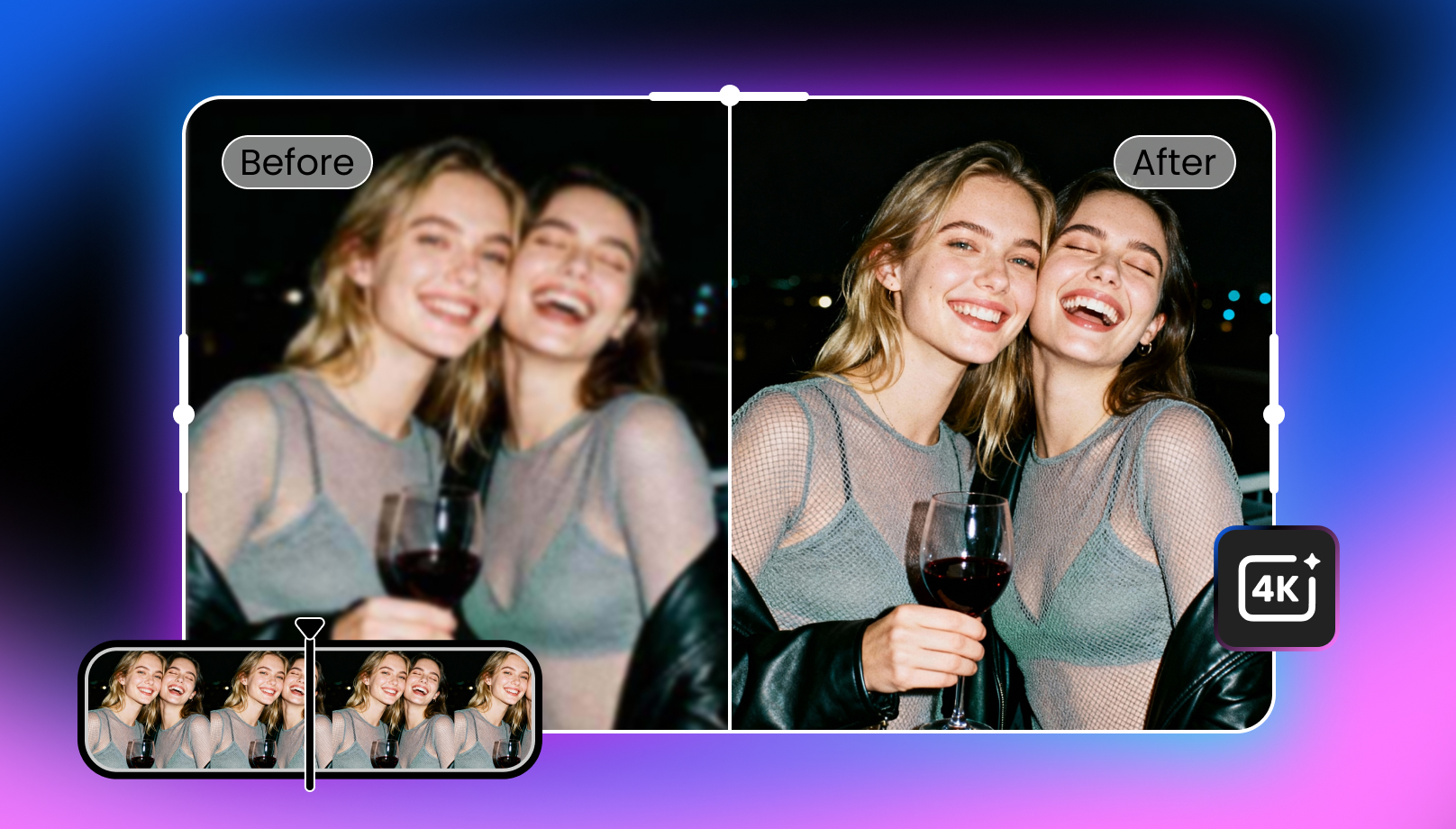
AI Image Enhancer: Best Tools to Enhance Image Quality in 2026
 Ken DawsonMay 19, 2026
In today’s digital age, high image quality is crucial across a range of fields, from e-commerce and social media to personal photography. Thankfully, AI image enhancer tools have emerged as the go-to solution in recent years for instantly improving the overall look of photos.
Let’s explore how AI image enhancement helps, learn about different image enhancers, and compare their performance to choose the right solution for the best results.
What Is an AI Image Enhancer?
An AI image enhancer uses artificial intelligence to improve an image’s quality, resolution, and appearance, making it clearer, sharper, and more vibrant. These tools can enhance various aspects of an image, such as removing noise, sharpening blurry areas, correcting color distortions, and upscaling.
Unlike traditional editing software, AI image enhancement leverages deep learning to automatically analyze and correct images in real time, delivering professional-quality results with minimal user input.
Common Image Problems AI Can Fix
Below are some common image problems that AI powered image enhancer tools can solve:
Blurry or Out-of-Focus Images
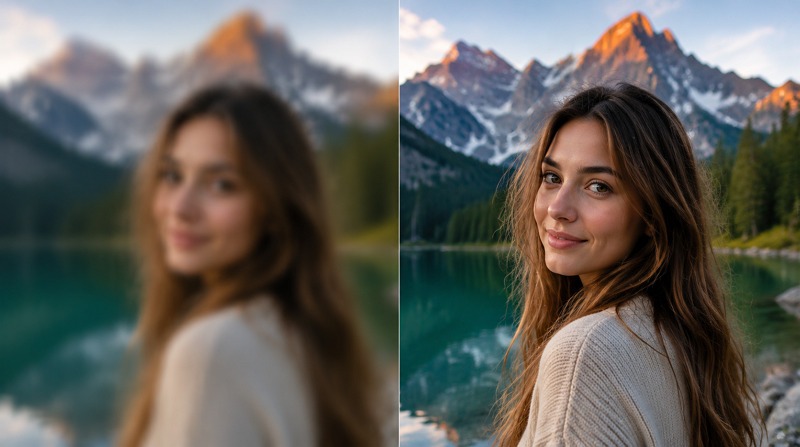
Blurriness in images often results from camera shake, poor focus, or motion blur. AI image enhancers can improve image sharpness by intelligently refocusing and recovering lost details, producing a clearer picture.
Low Resolution and Pixelation
Low-resolution images often appear pixelated and lack fine detail, making them unsuitable for printing or high-quality presentations. AI image resolution enhancer tools fix them by adding missing pixels and sharpening details.
Noise and Compression Artifacts
Noise and compression artifacts are common in images shot in low-light conditions or in heavily compressed images. AI enhance image by using advanced algorithms to remove noise, smooth grainy textures, and restore image quality.
Old or Damaged Photos
Old photos often suffer from fading, scratches, and other forms of damage. You can enhance image quality with AI by removing defects and colorizing black-and-white photos, giving them a new look without extensive manual restoration.
Best AI Image Enhancer Tools in 2026 (Compared)
In 2026, the AI image enhancers market is evolving, with a variety of tools offering different features and capabilities. Here is a comparison of some of the best AI image quality enhancer tools available:
|
|
Platform |
Ease of Use |
Price |
AI Upscaling |
Speed |
Batch Support |
Best for |
|---|---|---|---|---|---|---|---|
|
Vmake AI Image Enhancer |
Web, Android, iPhone |
Very easy |
Free, $9.99/mo |
4K, AI 4K+ |
5 sec (fast) |
Yes |
Content creators, marketing teams, and e-commerce sellers |
|
AirBrush AI Image Enhancer |
Web, Win, Mac |
Very easy |
Free, $9/mo |
4K |
2-3 min (slow) |
No |
Mobile users for fast, casual touch-ups |
|
Cutout.pro Image Enhancer |
Web, Android, iPhone |
Easy |
Free, $5/mo |
4K |
12 sec (moderate) |
No |
AI super enlargement and portrait enhancement |
|
Canva Image Enhancer |
Web, Android, iPhone, Win, Mac |
Easy |
$5/mo |
8K |
5 sec (fast) |
No |
Canva users and social media creators for fast workflows |
|
Remini AI Image Enhancer |
Web, Android, iPhone |
Medium |
Free, $4.99/mo |
2K |
15 sec (moderate) |
Yes |
Enhancing portraits and old family photos on mobile |
|
Fotor AI Image Enhancer |
Web, Android, iPhone, Win, Mac |
Medium |
Free, $8.99/mo |
4K |
60 sec (slow) |
No |
LinkedIn and website content creators for quick fixes |
When Should You Use an AI Image Enhancer?
Let’s explore some examples of when to use an AI image enhancer:
Improving Product Images for E-commerce
High-quality product photos are essential for e-commerce success. AI image enhancers can upscale product images, remove background noise, and improve resolution, making them look more professional and appealing to customers.
Enhancing Social Media Photos
Social media platforms require high-quality visuals to capture attention. The best AI image enhancer can sharpen, fix blurriness, and increase the resolution of social media photos, giving them a more polished look.
Restoring Old Family Photos
Old family photos that are damaged or faded can be restored with AI-powered tools. By removing scratches, fixing color issues, and increasing clarity, AI enhancers can breathe new life into old memories.
Upscaling Images for Printing
If you’re printing images on large formats, you need high-resolution images. Some AI image upscalers can increase image resolution without losing detail, ensuring they look crisp and professional when printed.
AI Image Enhancer vs Traditional Image Editing
AI image enhancement offers many advantages over traditional editing techniques. While manual image editing can be effective, it has some limitations. Let’s dive in:
Limitations of Manual Editing
Manual editing using software like Photoshop can be time-consuming, especially for large batches of images. It also requires expertise in photo editing techniques, such as sharpening, color correction, noise reduction, and resolution enhancement. Without the right skills, manually tweaking each element may not produce the best results.
Advantages of AI Enhancement
AI image enhancement tools automate the process, providing high-quality results in seconds. It uses deep learning models to analyze images and automatically fix issues with a single click, requiring no advanced skills. Some AI image enhancer free tools can also handle bulk enhancement, saving time & effort. It excels at providing the best possible output.
What Makes the Best AI Image Enhancer?
When selecting the best AI image enhancer, you need to consider the following factors:
High-Quality AI Upscaling
The best AI image enhancer offers high-quality upscaling that increases the resolution without sacrificing detail. Look for tools that support upscaling to at least 4K for professional-grade results.
Accurate Detail Reconstruction
Check whether an AI image enhancer accurately reconstructs missing details and restores the image to its original sharpness, resulting in natural enhancement.
Fast Processing Speed
Image enhancement should be quick, especially when working with large numbers of images. The best tool provides fast processing without compromising on quality.
Ease of Use
User-friendly tools are essential for a smooth experience. The best AI image/graphic enhancer is easy to use, with a simple UI and quick navigation.
Batch Processing Capability
For businesses or professionals handling large volumes of images, batch processing is essential. The best AI image enhancer supports batch processing, enabling you to enhance multiple images simultaneously.
How to Enhance Images with Vmake (Step-by-Step)
As Vmake AI Image Enhancer is an all-in-one solution for enhancing both personal & professional photos, here are the steps to enhance image with it:
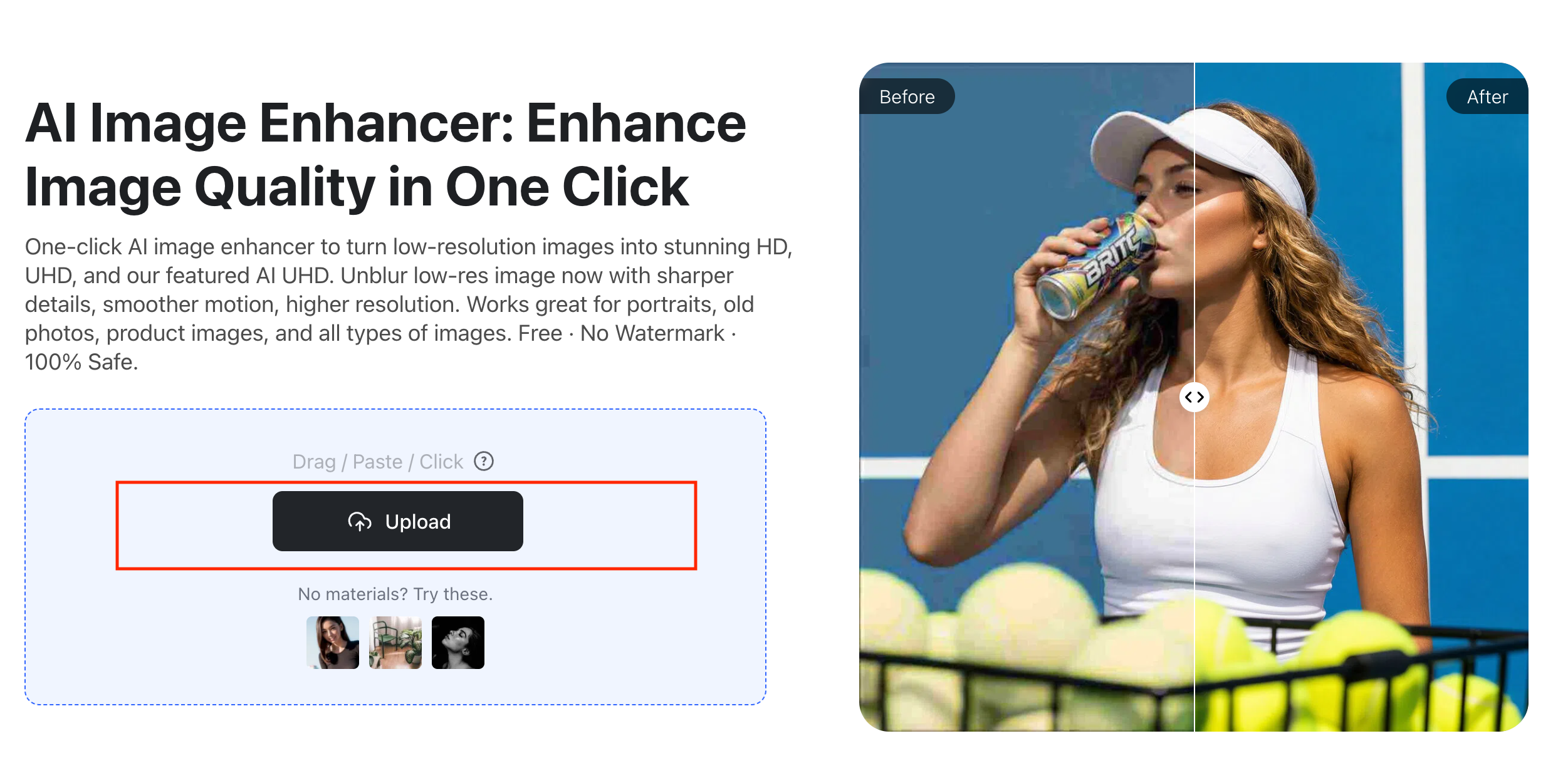
Step 1:Upload Your Image
The first step is to open this tool in your browser. Now, click “Upload” to browse and import the blurry or low-resolution image.
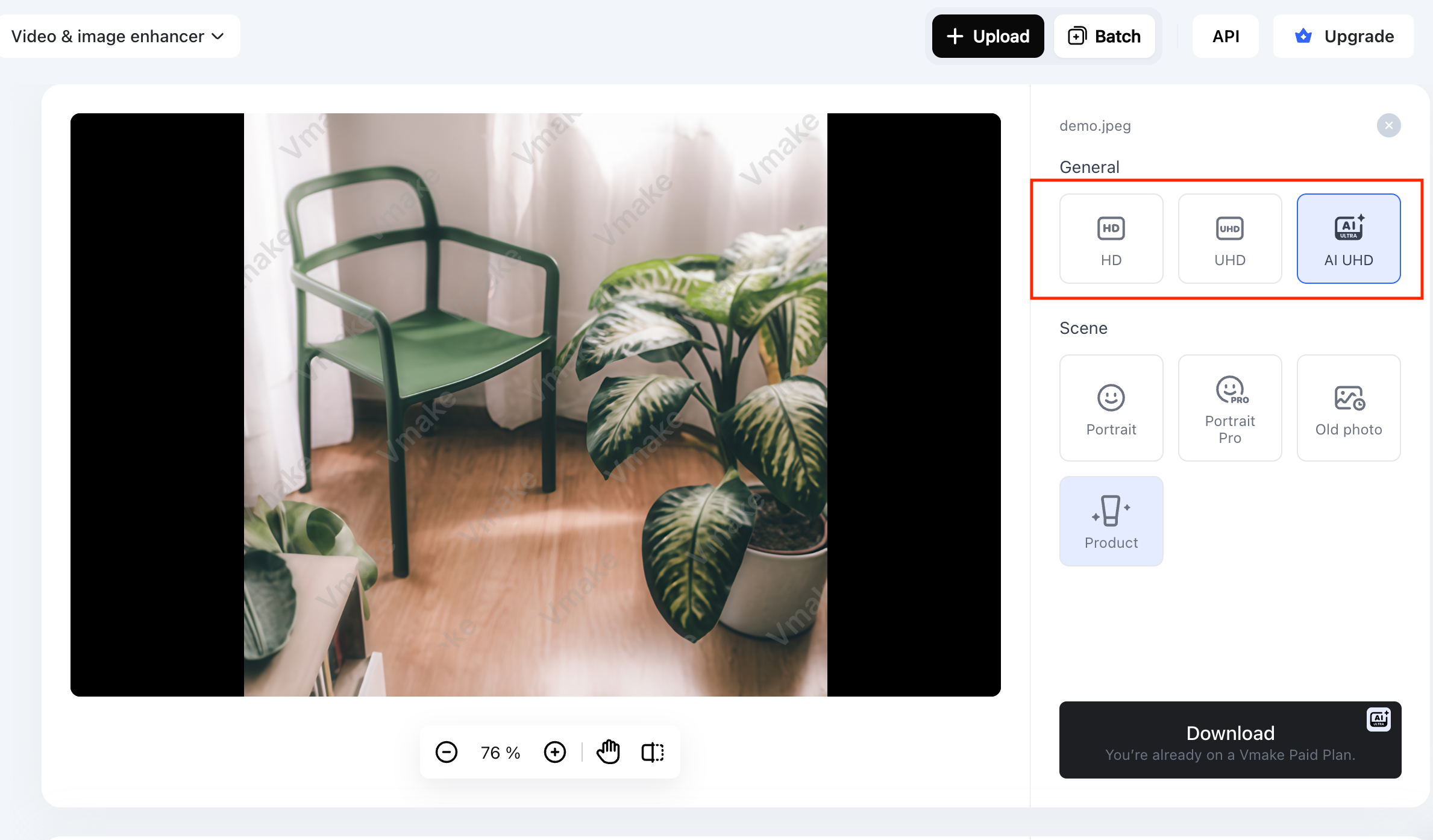
Step 2:Select Enhancement Settings
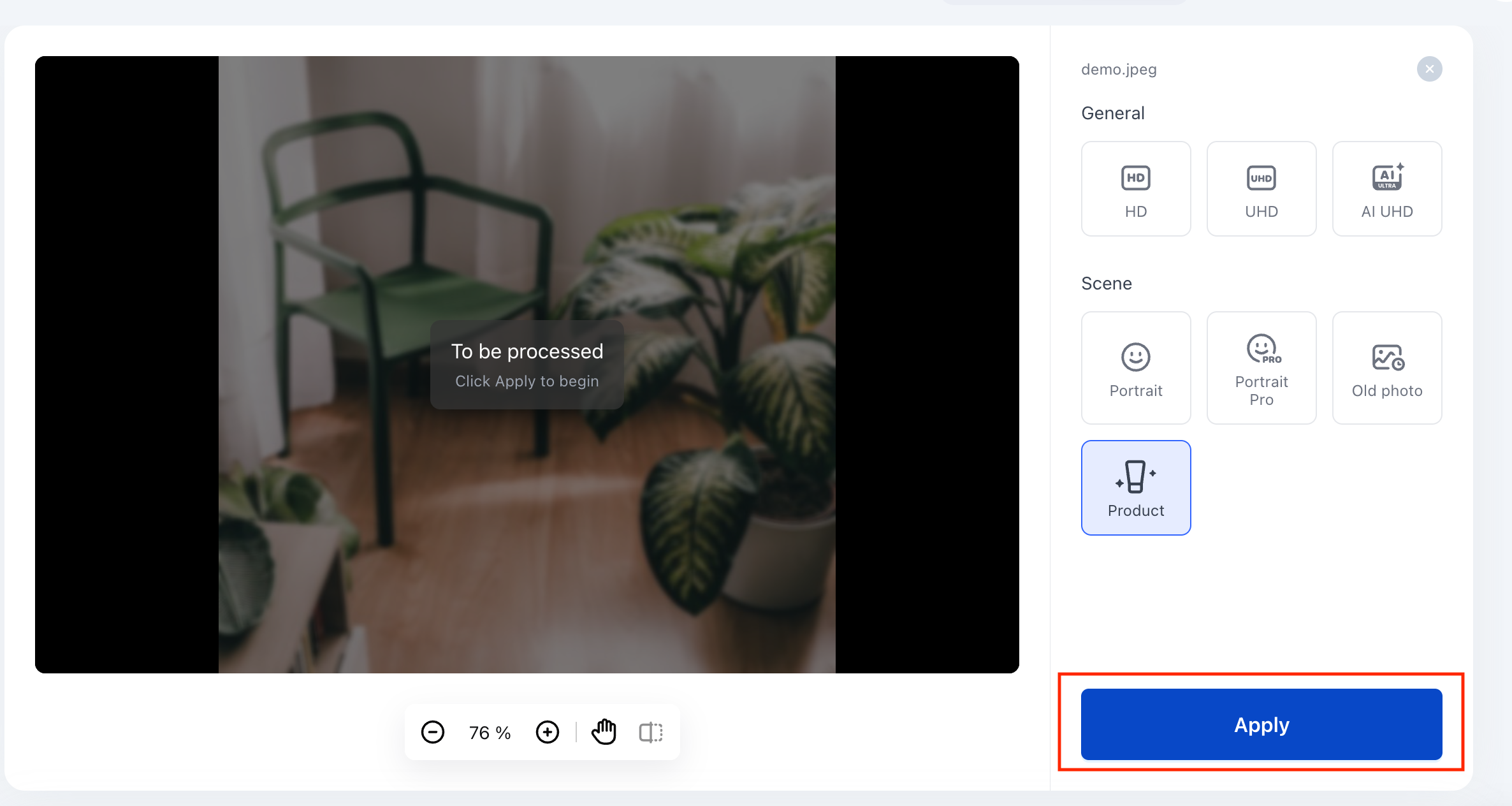
Next, select the “HD” or “UHD” resolution or pick the image scene, such as a portrait, an old photo, or a product.
Step 3:Apply AI Upscaling
Whatever option you choose, press the “Apply” button, then let AI finish the processing.
Step 4:Download the Enhanced Image
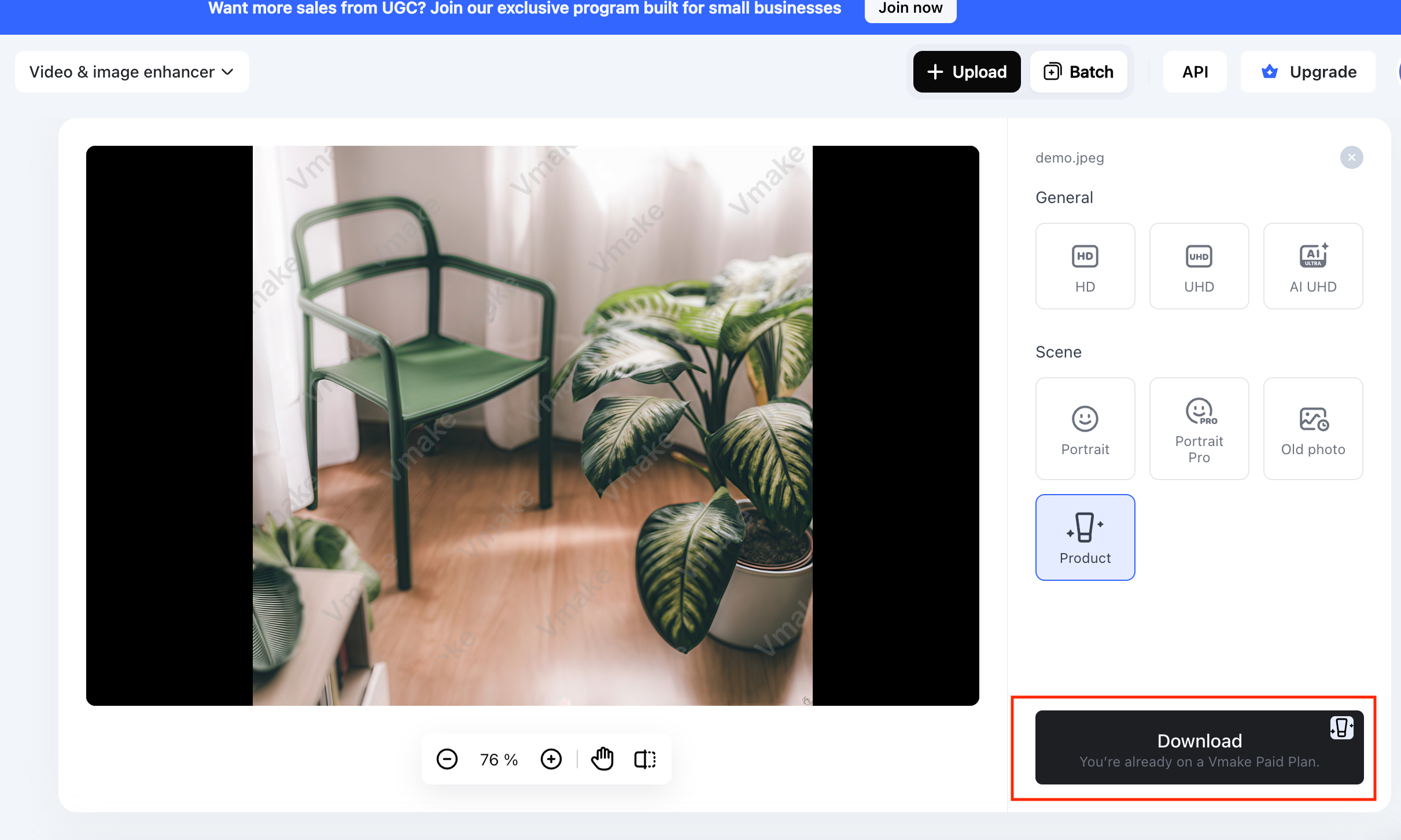
Lastly, when it’s done, preview the output, and hit the “Download” button. You are all done!
FAQ
What is the best AI image enhancer?
The best AI image enhancer depends on your needs; however, Vmake AI Image Enhancer is the best option for most users. It offers ease of use, scene-based enhancement, and up to 4K upscaling.
Can AI improve image quality?
Yes, AI can significantly improve the quality by fixing issues such as blurriness, low resolution, noise, and compression artifacts. However, it also depends on the original image quality.
Is there a free AI image enhancer?
Yes, tools like Vmake AI Image Enhancer, AirBrush, Cutout.pro, and some others offer free AI image enhancement services. However, to overcome the limitations, you need a subscription.
How do I fix a blurry image with AI?
To fix a blurry image with AI, the process is almost similar. You need to upload the image, adjust the enhancement settings, select the resolution option (if available), and download the output once done.
Can AI upscale images to 4K?
Yes, many AI image upscalers allow upscaling images to 4K resolution, ensuring high-quality results for print and digital media.
Conclusion
AI image enhancer tools have transformed how we improve image quality in 2026. This post has provided several options; however, the key is to choose the one that best meets your needs.
For example, if you’re a beginner who wants to enhance portraits, restore old photos, or prepare products for e-commerce, try Vmake AI Image Enhancer and enjoy high-quality images with ease.

You May Be Interested

How to Create a YouTube Thumbnail? Create YouTube Thumbnails Using AI
How to Enhance Images with AI: The Guide to Crisp Visuals
What is 480p Resolution and How to Enhance 480p Quality
What is 240p Video & How to Enhance 240p Quality
What is 720p Resolution: A Must-Read Guide in 2026