
Vidu AI Review: Everything You Need to Know Before Using It
Learn how Vidu AI works with our Vidu AI review, what it costs, and where it fits best. This review covers key features, use cases, pros, cons, and a practical alternative to explore, such as Vmake Labs AI video generator.

AI video generators have made it easier to turn ideas, images, and prompts into short video clips without traditional editing workflows. Vidu AI is one such platform, offering text-to-video, image-to-video, reference-based generation, and frame controls. This Vidu AI review explores its features, pricing, use cases, strengths, limitations, and user feedback, while also comparing it with Vmake Labs AI video generator.
What is Vidu AI video generator?
Vidu AI is an AI video generation platform that creates short videos from text prompts, images, and visual references.
Its available workflows include text-to-video, Vidu AI photo to video, reference-to-video, and first-and-last-frame generation. Users can control settings such as duration, resolution, aspect ratio, and motion depending on the selected model or generation mode.
Vidu also offers reference-based tools designed to maintain consistency for characters, objects, and scenes across generated clips. Its model lineup includes Vidu Q3, Q2, Q1, and Vidu 2.0, with capabilities varying by model.
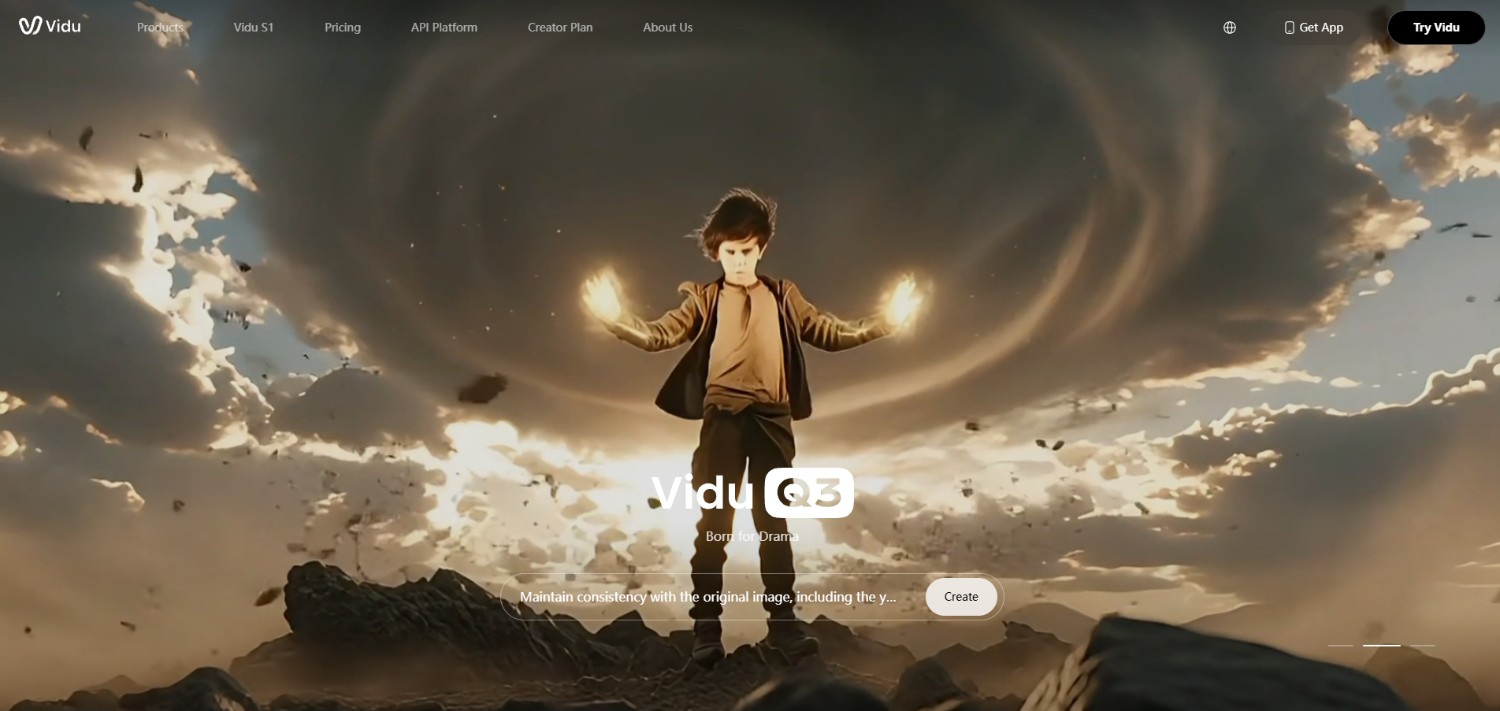
Major Vidu AI features that are worth trying
-
Text-to-video generation: Vidu can generate video directly from written prompts, allowing users to describe subjects, actions, environments, camera movements, and visual styles. Supported models also provide controls for duration, resolution, ratio, and motion.
-
Image-to-video generation: The image-to-video workflow turns a still image into a moving clip. Users can upload a starting image, optionally define an ending frame, describe the desired movement, and adjust available generation settings.
-
Multi-reference consistency: Reference-to-video lets users provide multiple images to guide characters, objects, or scenes. Vidu can combine these references with a prompt while maintaining visual elements across the generated video.
-
First and last frame control: Vidu can use defined starting and ending images to guide the transition between two visual states. This provides more control when users need a clip to move toward a particular final composition.
How to use Vidu AI in 3 simple steps?
Step 1: Access the official website of Vidu AI
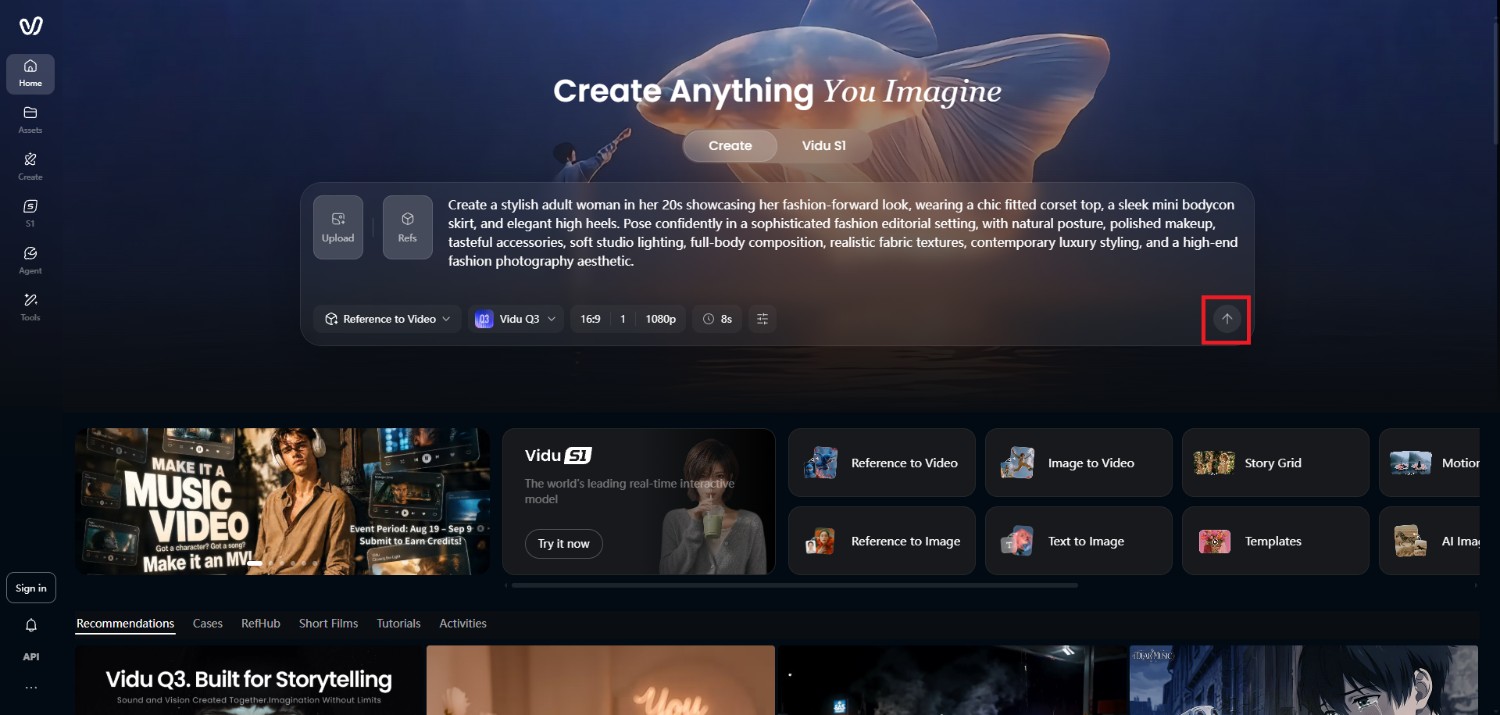
Start the video generation process by first accessing the official website of Vidu AI. Once you access it, you need to either sign-in to an existing account, or sign-up for a new account. After that, access the main interface for creating the video
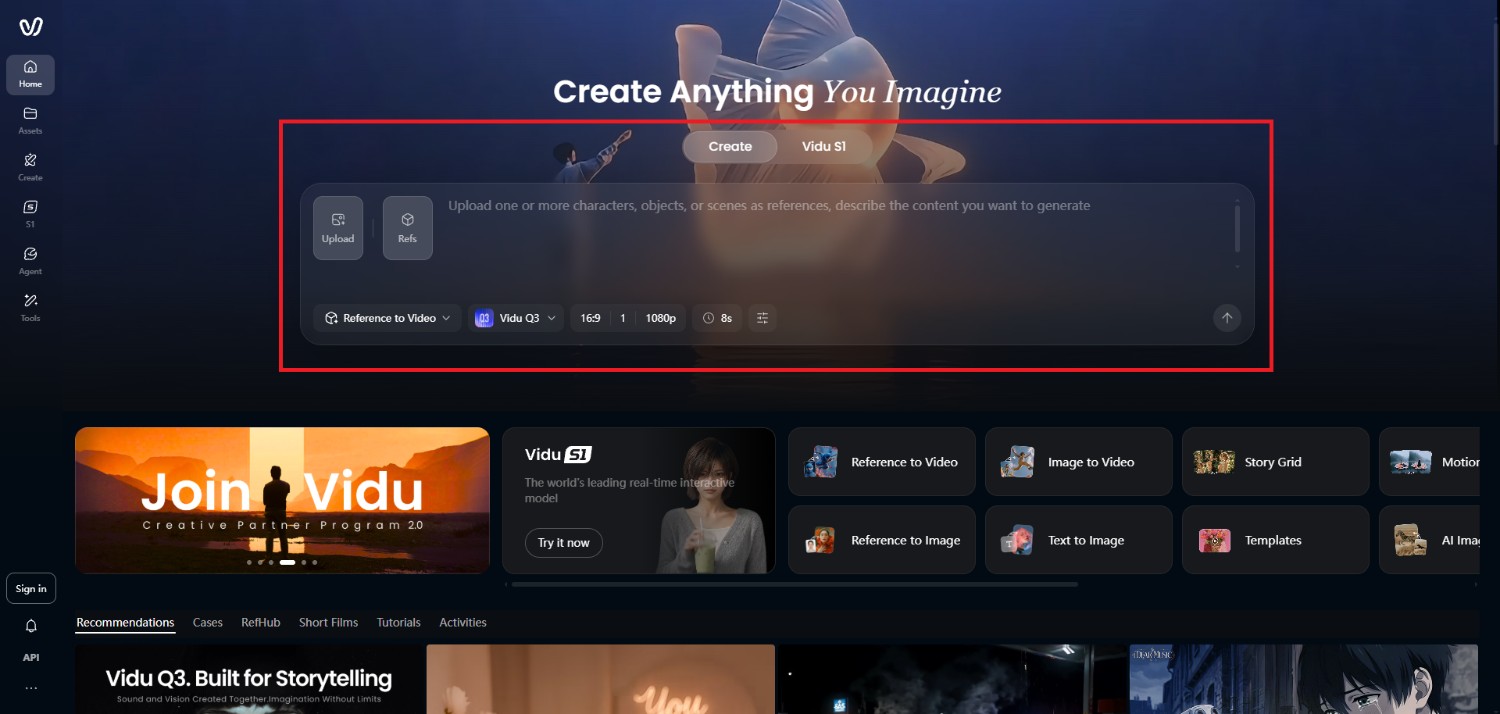
Step 2: Input prompt and choose your AI video generation model
In the next step, you will need to enter your detailed prompt regarding the type of video you want to create, and also select the preferred AI video generation model from the drop-down menu. Additionally, select your video aspect ratio, resolution, and duration. Lastly, you can also add any reference video or image for the AI to properly create the final video
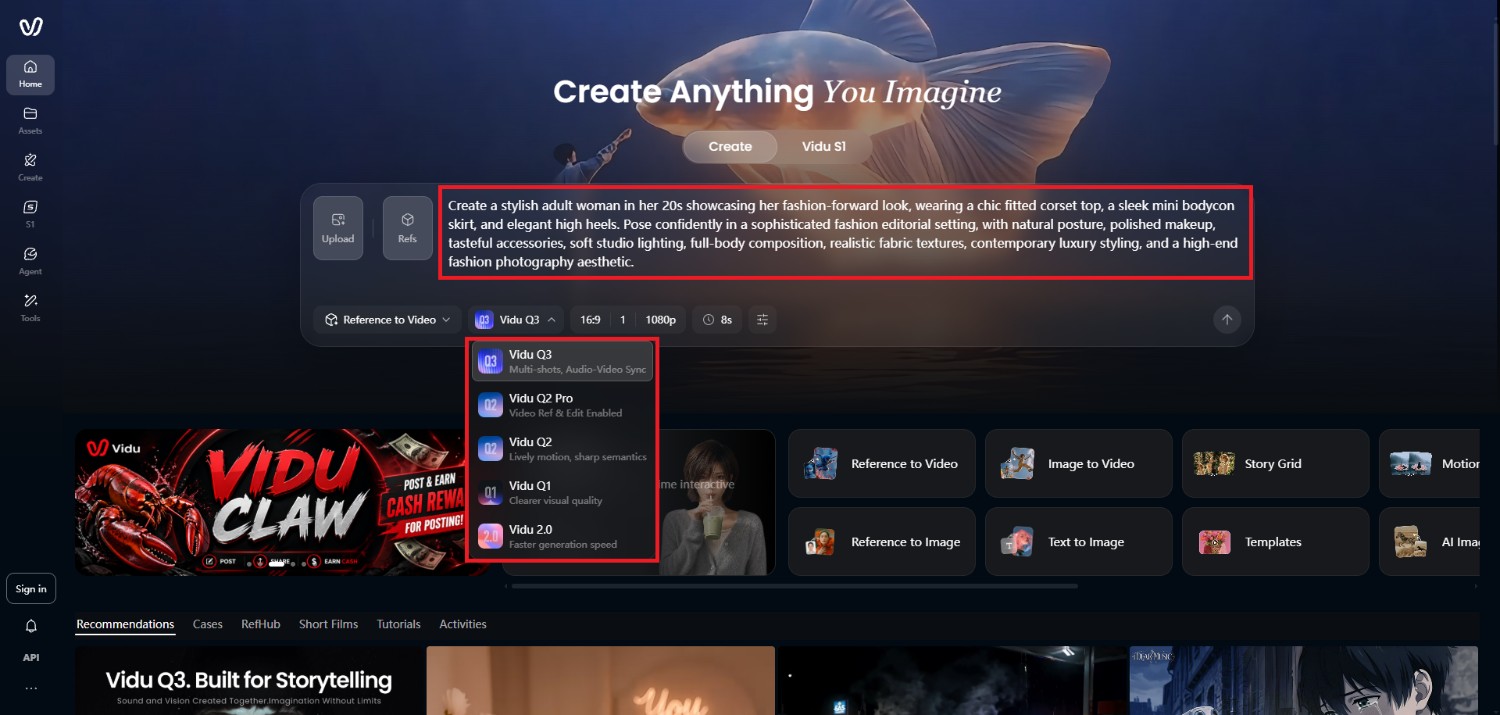
Step 3: Generate and export your video
Once you are done entering your details, click on the "Generate" button and wait for the AI to complete the generation process. After successfully generating your video, Vidu AI will showcase the same on your screen, which you can then decide to download.
Testing results
Image to video
Text to video
Vidu AI pricing and plans
Vidu offers a free option with credits for trying its video generation features, while paid plans provide additional credits and generation capacity.
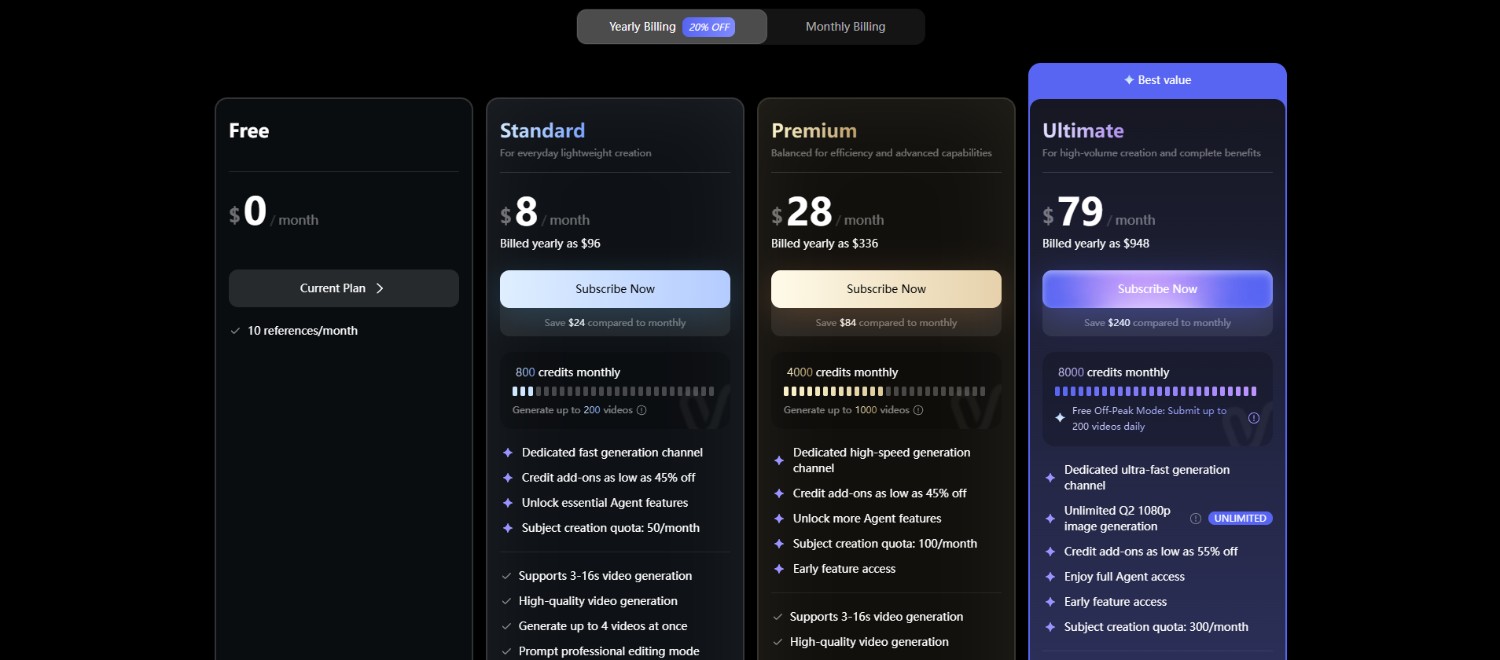
Its pricing also uses subscription, purchased, and bonus credit types, with subscription credits valid for 30 days. Current plan pricing can change, so users should verify the latest figures before subscribing.
|
Plan |
Price |
Key details |
|---|---|---|
|
Free |
$0 |
Free credits for trying Vidu |
|
Standard |
From $8/month* |
Paid generation credits and additional usage |
|
Premium |
From $28/month* |
Higher credit allowance and additional generation capacity |
|
Ultimate |
From $79/month* |
Higher-volume generation option |
*Prices shown are reported annual-billing equivalents and may change. Check Vidu's current pricing page before purchasing.
Vidu AI review: top pros and cons of Vidu AI
Vidu offers several useful generation methods, but its capabilities also come with limitations that are worth considering before choosing it for regular production.
Strengths |
Weaknesses |
|---|---|
|
Fast video generation Vidu emphasizes fast generation, and its official materials describe short clips being produced in seconds, depending on the selected workflow and model. Strong subject consistency Reference-to-video workflows are designed to preserve subjects and visual characteristics across generated content, which can help when working with recurring characters or objects. Multiple video creation modes Vidu supports several workflows, including text-to-video, image-to-video, reference-to-video, and first-and-last-frame generation, giving creators different ways to start a project. Support for realistic and animated styles Vidu can be used for different visual directions, from realistic scenes to animated and illustrated content, making it adaptable to varied creative projects. |
Credit usage can add up quickly Video generations consume credits, and higher resolutions or certain models can require more credits. Users creating many iterations may therefore need to monitor usage closely. Limited control for complex video editing Vidu focuses primarily on AI generation rather than serving as a full timeline-based video editor, so users needing detailed post-production controls may need another editing application. |
What are users saying on Trustpilot and G2?
On Trustpilot
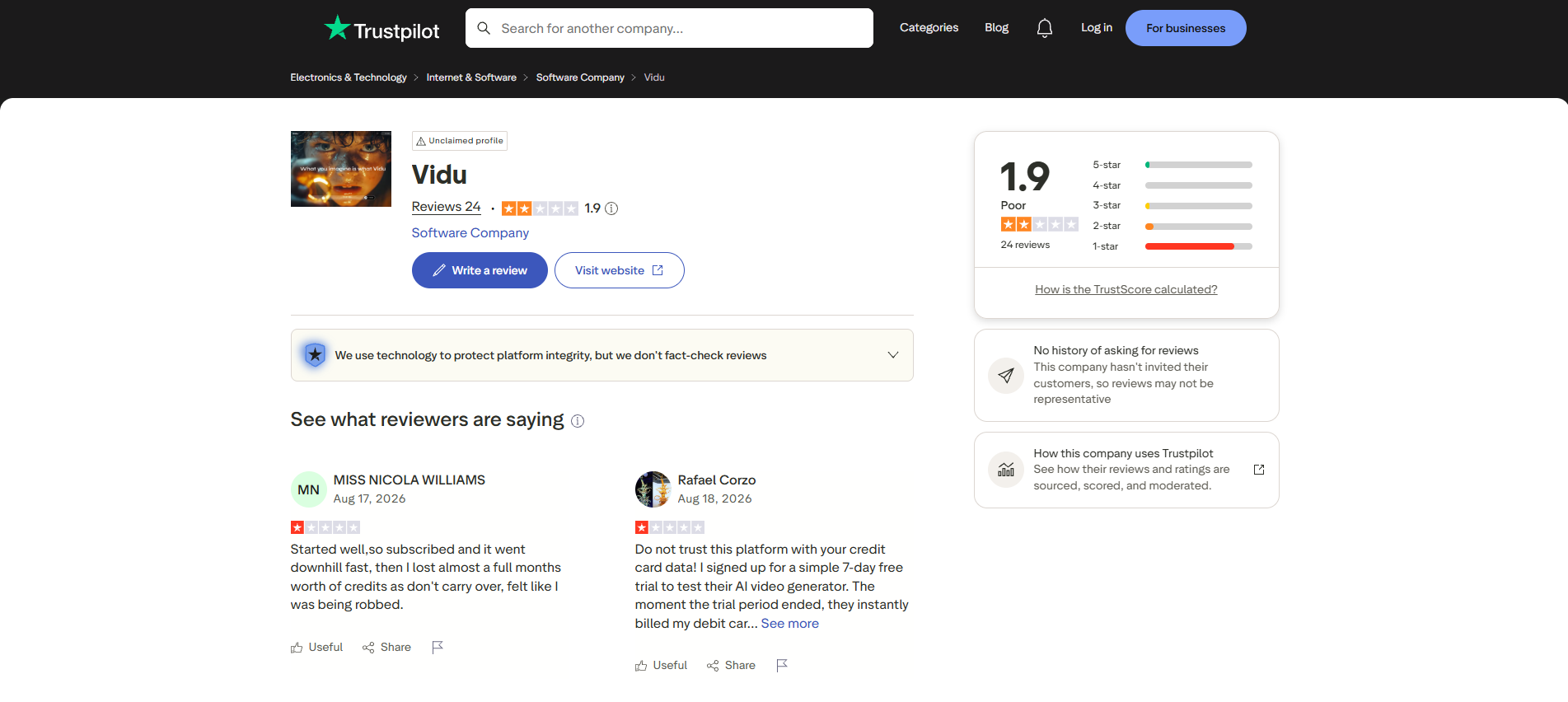
Trustpilot sentiment for Vidu is currently mixed to negative. The Vidu.com profile shows a 1.9/5 score from 24 reviews, with many recent complaints involving generation quality, credit usage, and customer support. However, some reviewers report positive experiences with its generation capabilities.
On G2
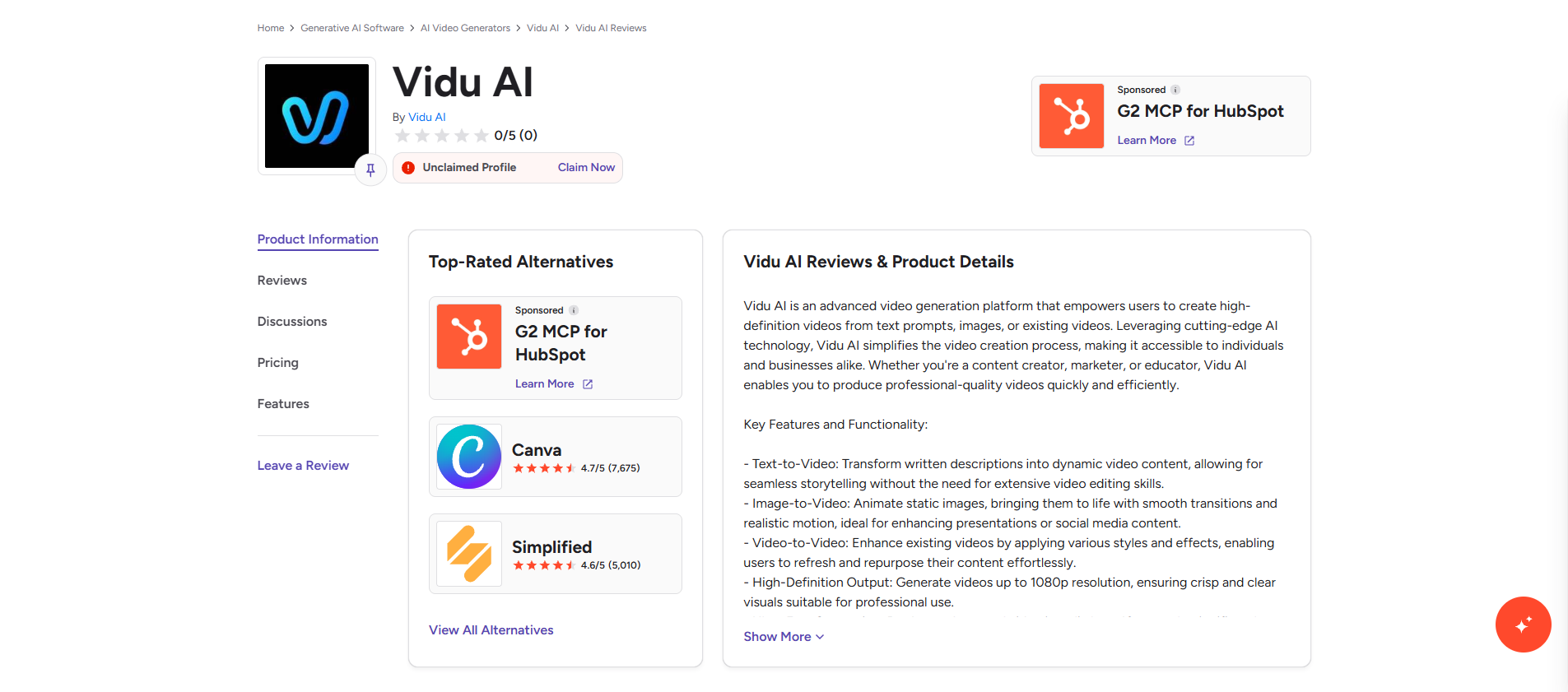
There does not appear to be enough reliable Vidu AI-specific review data on G2 to establish an overall user sentiment. Therefore, G2 should not be presented as having a positive or negative consensus. Trustpilot currently provides more directly relevant public feedback for Vidu AI.
Key takeaway
Public user feedback suggests that Vidu's feature set is appealing, but experiences can vary considerably. Before committing to a paid plan, test the free credits, evaluate consistency with your own prompts, and consider how much iteration your workflow typically requires.
Vmake Labs AI video generator: an alternative to Vidu AI
Vmake LabsAI video generator takes a broader input-based approach, allowing users to create videos from text, images, or existing video clips.
Its workflow includes Text to Video, Image to Video, and Video to Video, with access to multiple AI video models from a single workspace. This makes it relevant for creators who want to switch between different generation methods or models rather than relying on one model family.
Vmake Labs also positions the tool for social media content, product showcases, marketing videos, and creative projects.
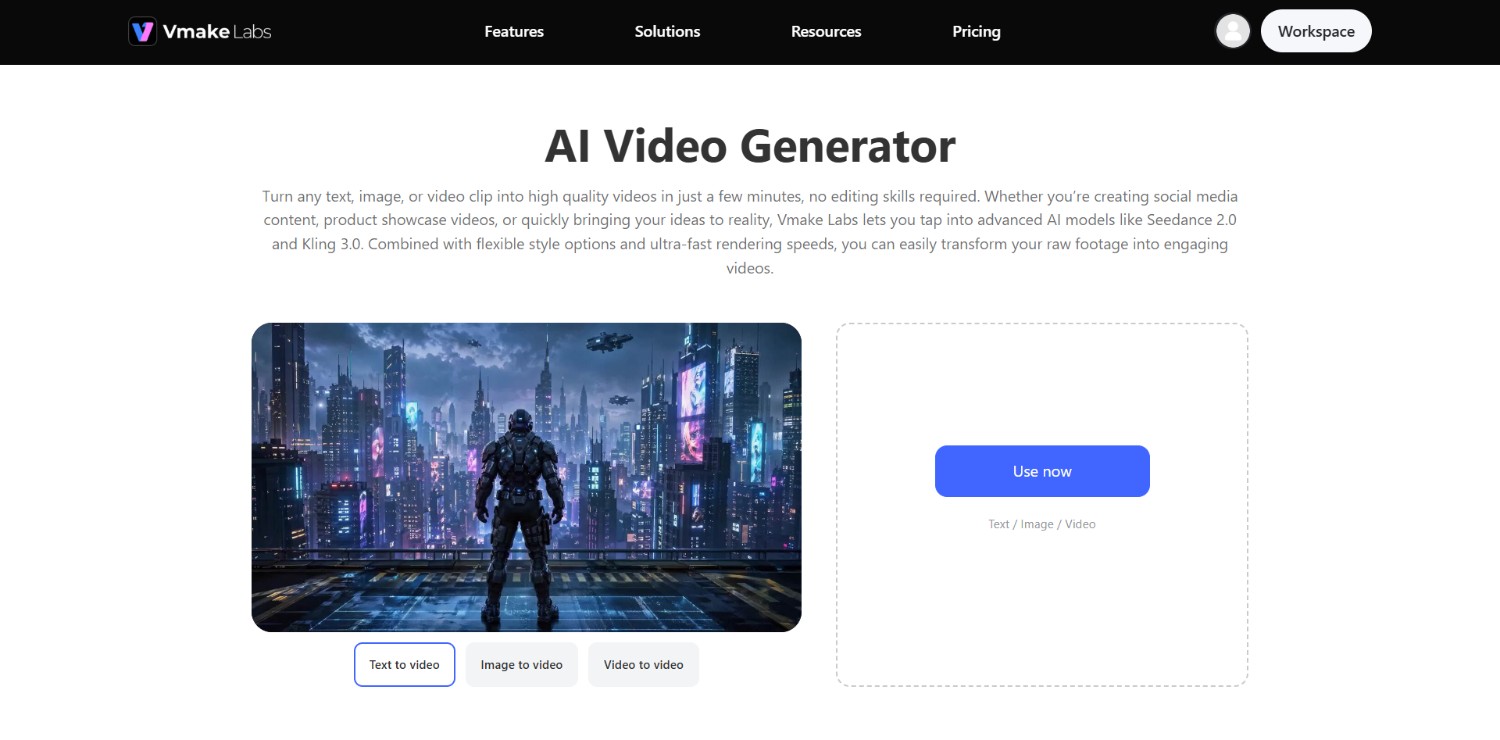
Vmake Labs AI video generator features
-
Text-to-video generation: Vmake Labs can turn written descriptions into video scenes, with prompts covering subjects, actions, environments, camera movements, and visual styles. Users can select an AI model, duration, and aspect ratio before generating.
-
Image-to-video generation: Vmake Labs can animate uploaded photos, illustrations, and other still images. Its workflow includes reference-based, frame-based, and effects-oriented modes, alongside model and setting controls.
-
AI video creation workflows: Vmake Labs supports Text to Video, Image to Video, and Video to Video, allowing creators to begin with written ideas, still images, or existing footage depending on the project.
-
Flexible video customization: Users can select from available AI models and adjust options such as visual style, video duration, and aspect ratio. The platform brings multiple generation engines into one workspace.
How to use Vmake Labs AI video generator?
Step 1: Access Vmake Labs "AI video generator" tool
Start off by first accessing the official website of Vmake Labs. Upon doing that, you will need to either sign-in to a pre-existing account, or decide to create a new account using your email address. After you are done creating your account, you need to visit the "All tools" section from the left-hand menu and then select the "AI video generator" from the list of options.
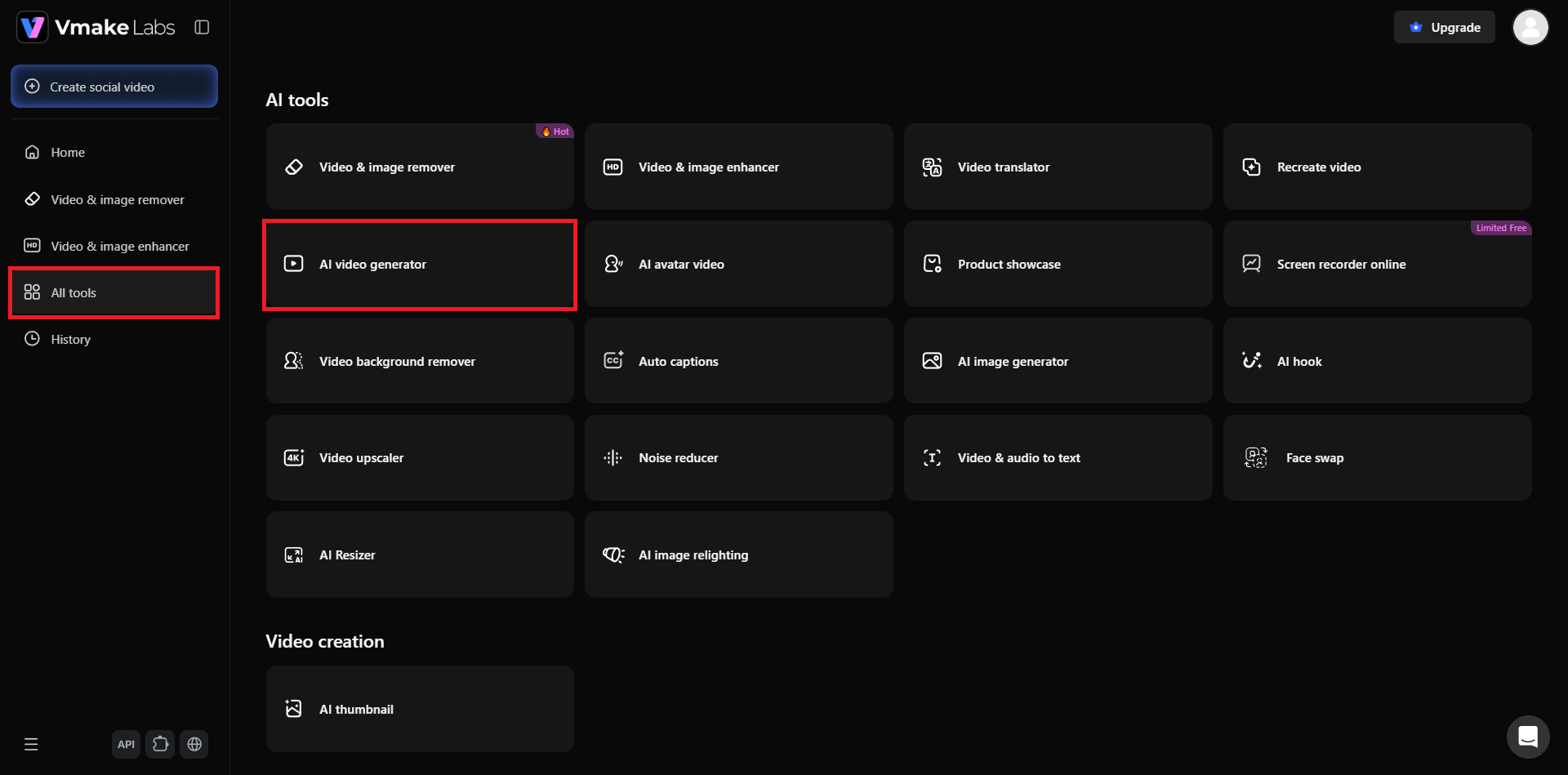
Step 2: Enter your video generation prompt and select AI model
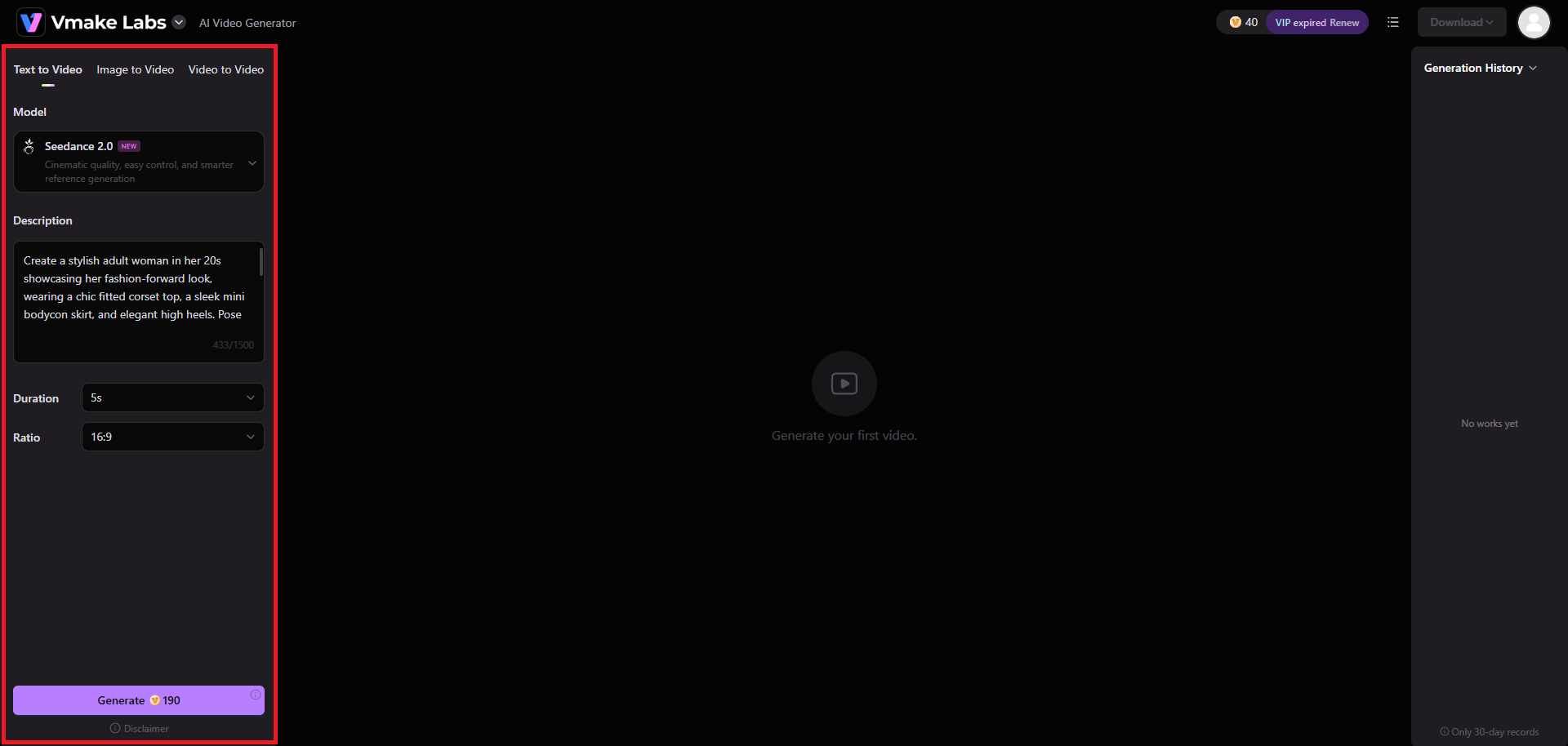
In the subsequent step, you will need to first select the method via which you will be generating your video. It can be text to video, image to video, or video to video. After that, choose your ideal AI model, which we have chosen is Seedance 2.0. Next, you will need to provide a detailed prompt regarding the type of video you want to create. Once done, choose the aspect ratio and duration, and hit "Generate".
Step 3: Export your generated video
Vmake Labs will start generating your video and will take a couple of seconds to be completed. Once done, the same will be showcased on your screen, which you can then download for sharing.
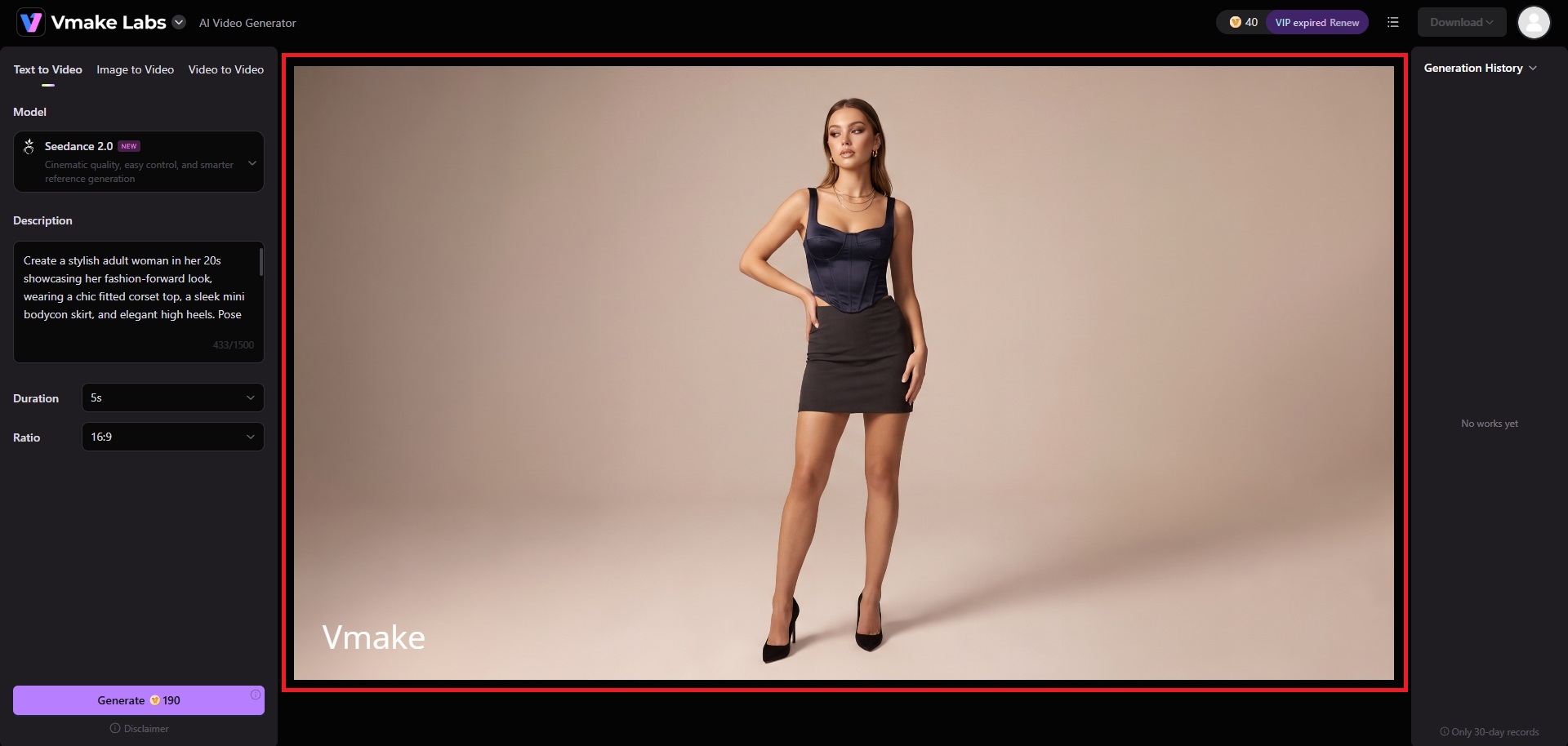
Vmake Labs vs Vidu AI: which is the better choice?
The better choice depends on how you plan to generate videos. Vidu is particularly focused on its own model ecosystem and reference-driven generation, while Vmake Labs provides multiple generation workflows and AI models in one platform.
Who should use Vidu AI?
-
Creators who want dedicated text-to-video and image-to-video workflows.
-
Users who need reference-based generation for recurring subjects and scenes.
-
Creators experimenting with animated, cinematic, or stylized AI video concepts.
Who should use Vmake Labs AI video generator?
-
Creators who want text, image, and video-based generation workflows on one platform.
-
Users who want access to multiple AI video models from a single workspace.
-
Marketers and content creators making social media, product showcases, and promotional videos.
|
Feature |
Vidu AI |
Vmake Labs |
|---|---|---|
|
Text-to-video |
Yes |
Yes |
|
Image-to-video |
Yes |
Yes |
|
Reference-based generation |
Yes |
Available through image/video workflows |
|
Video-to-video |
Not the primary workflow |
Yes |
|
Multiple AI models |
Vidu model lineup |
Multiple third-party AI models |
|
Social media content |
Yes |
Yes |
|
Product showcase videos |
Possible |
Supported use case |
|
Best suited for |
Reference-focused AI video creation |
Broader multi-workflow video creation |
Tips and tricks for getting better results with Vidu AI
Before generating multiple versions, focus on prompt structure, source-image quality, motion direction, and iteration. These small adjustments can make the generation process more predictable.
-
Write prompts with clear subjects, actions, and settings
Describe the main subject first, followed by its action, environment, camera movement, and visual style. Avoid combining too many unrelated actions into a single short generation.
-
Use reference images for better consistency
When visual identity matters, always provide clear reference images with recognizable subjects and consistent styling. Reference-to-video is specifically designed to use uploaded images as visual guidance.
-
Keep camera movements specific and realistic
Instead of vague instructions such as “make it cinematic,” describe the intended camera movement directly, such as a slow push-in, tracking shot, or gentle pan.
-
Test shorter clips before creating longer sequences
Generate a shorter test first to evaluate motion, subject consistency, and prompt interpretation. Once the direction works, apply the approach to additional scenes or longer sequences.
Conclusion
Through our Vidu AI review, we can see that the platform provides a useful collection of AI video generation workflows, including text-to-video, image-to-video, reference-to-video, and first-and-last-frame generation. Its reference capabilities and range of models make it worth testing for short creative clips, animated content, and visual storytelling. However, credit consumption, generation inconsistencies, and reported customer-support concerns are worth considering before subscribing.
Vmake Labs offers an alternative approach by combining text, image, and video workflows with multiple AI models in one workspace. Ultimately, the better option depends on whether you prioritize Vidu's reference-focused ecosystem or Vmake Labs' broader multi-model workflow.
FAQs
-
Is Vidu AI free to use?
Yes. Vidu provides free credits that let users try its video generation features without immediately purchasing a subscription. The amount and availability of free credits can change over time.
-
Is Vidu AI good for beginners?
Vidu can be approachable for beginners because its core workflows use prompts and uploaded images rather than traditional editing timelines. Beginners can start with simple prompts and gradually explore reference controls.
-
Can Vidu AI generate videos from images?
Yes. Vidu supports image-to-video generation, allowing users to upload a starting image, optionally provide an ending frame, describe desired motion, and adjust available output settings.
-
Does Vidu AI support anime and animated videos?
Yes. Vidu can be used for animated and illustrated content, including workflows designed for images, characters, and concept art. The visual result depends on the selected model, source material, and prompt.
-
What is the best Vidu AI alternative?
Vmake Labs is one alternative worth considering if you want multiple AI video generation workflows in one platform. It supports text-to-video, image-to-video, and video-to-video creation with multiple AI models.

You May Be Interested
Artistly AI Review 2026: Is It Worth Trying for Creators?
DeeVid AI Review 2026: Features, Pricing & Top Alternative
Doodle AI Review 2026: Features, Pricing and Alternatives
Getimg AI Review 2026: Is It the Best AI Image Generator?

Supawork AI Review: Watermark Remover Tested (2026)

Nero AI Review 2026 Explained: Is the Tool Worth Using?

Pixar AI Review: What It Is & How to Create Pixar-Style Art

Vivideo AI Review 2026: Features, Pricing and Alternatives
