
Seedance 2.0: What's New & How It Changes AI Video Generation
 Ken DawsonFebruary 10, 2026
April 15 Update: Seedance 2.0 is now officially available on Vmake
Vmake: https://vmake.ai
Artificial intelligence video generation is evolving fast, and Seedance 2.0 stands out as one of the most talked‑about breakthroughs of 2026. Built by ByteDance as the successor to the original Seedance engine, this model brings a significant upgrade to how creators can turn simple prompts into compelling videos — but it also comes with some real‑world limitations worth knowing before you start generating content. While ByteDance has yet to announce a specific release date for Seedance 2.0, the model has already entered internal testing. Sources indicate that a public release is likely to take place around mid-February. Now let's dive into the information we've got.
What Makes Seedance 2.0 Different?
| Setting | Detail |
|---|---|
| Supported image uploads | Allows up to 9 image files |
| Video files submissions | Maximum 3 videos, no more than 15 seconds combined |
| Accepted audio tracks | Accepts 3 MP3 files with a total duration of 15 seconds |
| Generation clips length | Custimizable duration from 4 to 15 seconds |
| Audio output | Native sound effects and background music |
| Maximum files per session | Limit of 12 total assets per generation |
| Watermark | Yes (Dreamina watermark included on output) |
| Output quality levels | Both 720p and 1080p |
At its core, Seedance 2.0 is a multimodal AI video generator — meaning it doesn’t just take text as input, but can also use images, short videos, and audio together to generate cohesive outputs. This gives creators more control over narrative, motion, and even audio synchronization in a single flow.
Here are the key upgrades that make it stand out:
-
Multimodal Input: You can upload up to 12 assets (e.g., text, images, videos, and audio) in one job, so the model has more reference material to produce contextually rich clips.
-
Multi‑Shot Storytelling: Instead of just short single scenes, Seedance 2.0 builds multiple interconnected shots with smooth transitions and consistent character style.
Native Audio‑Visual Sync: Audio generation (including dialogue and ambient sound) is integrated with visuals, giving videos a more natural feel — not just an added soundtrack.
-
Motion & Style Control: The model can interpret cinematic camera descriptors like tracking shots or slow pushes, helping creators get more polished framing without manual editing.
These upgrades aim to bridge the gap between raw AI output and production‑ready content — a big step up from simpler text‑to‑video tools.
How to Try Seedance 2.0
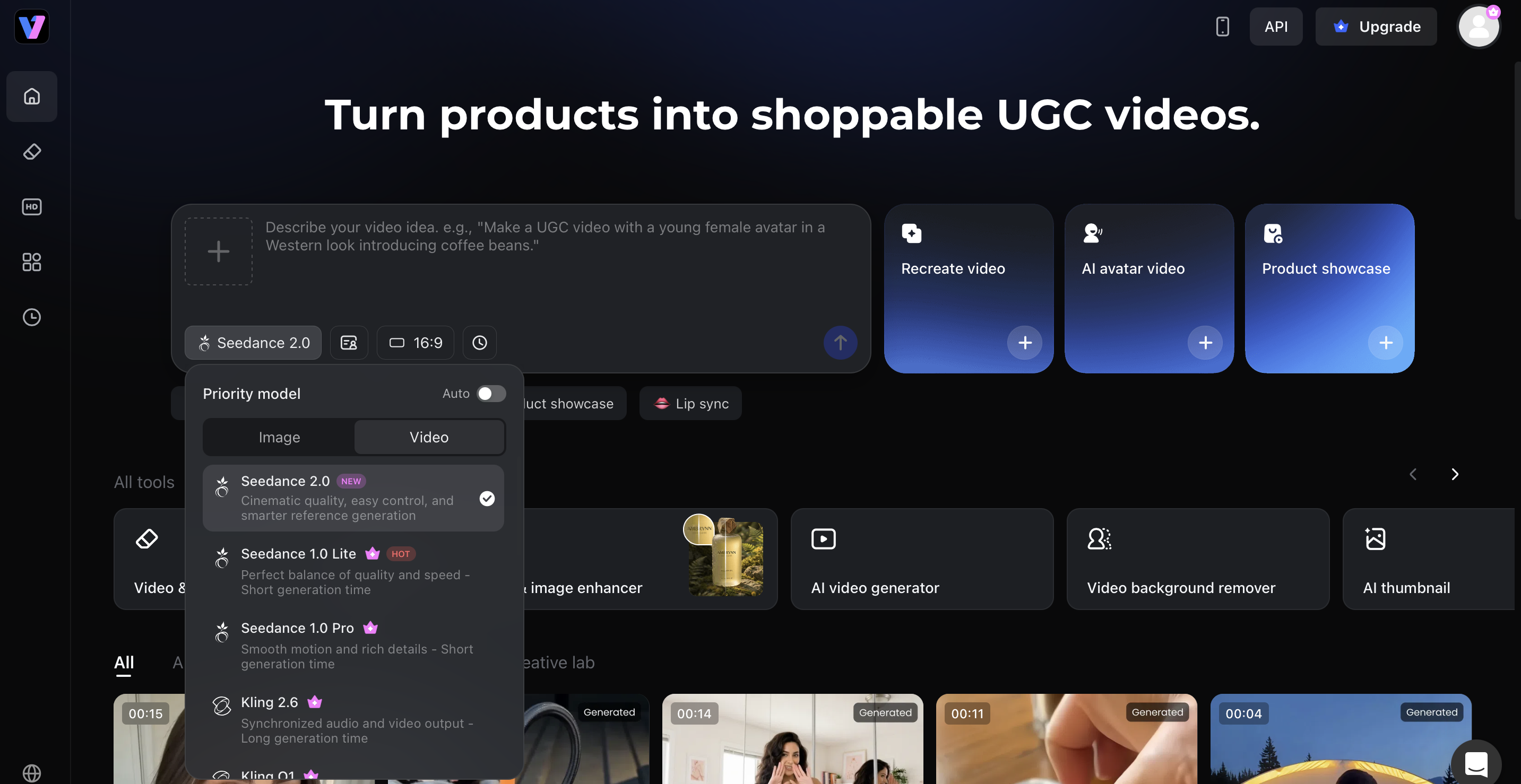
Getting started with Seedance 2.0 is simple. Just head to the official website and follow these simple steps:
-
Upload one product image – Start with just a single product photo, or your product url. No need to film from scratch or prepare a full shoot before creating your first AI avatar video.
-
Switch language,avatar,and scene – Fill in a simple form to adjust the speaking language, avatar style, and background scene for different markets. It is a faster way to create localized video avatar AI content that feels closer to local audiences.
-
Get ready to use shoppable video – Generate a product video with a more natural, human-like presenter, made for launches, promotions, and multi-market campaigns. The result feels more like a real recommendation, helping build trust and drive action.
The Strengths: Why Creators Are Excited
Seedance 2.0’s improvements translate into real advantages for video production:
-
High‑Quality Visual Output — expect 1080p or even 2K‑level videos that show more detail and depth than many earlier AI models.
-
More Durable Character & Scene Consistency — characters maintain appearance across shots, and lighting/scene settings don’t flicker unpredictably.
-
Faster Rapid Prototyping — creators can go from idea to rough cut in minutes instead of hours, saving time on basic storytelling.
-
Cinematic Alignments — natural motion, rhythm‑appropriate pacing, and audio‑visual cohesion make results feel more like edited content and less like stitched‑together AI clips.
This makes Seedance 2.0 especially appealing for social media creators, marketers, and storytellers who want near‑professional visuals without expensive equipment.
The Caveats: What You Should Know First
While Seedance 2.0 represents a major advancement, there are a few limitations that affect usability and output quality:
-
Watermark Issues — most free or trial plans place a visible watermark on generated videos. This detracts from professional use without post‑processing. (Common in many AI video tools unless you upgrade.)
-
Not Always Crystal‑Clear Quality — despite high‑resolution output, AI‑generated videos often show softness, slight blurring, or unnatural artifacts in complex scenes. This is a known limitation in generative video tech today.
These issues can impact how usable the final video feels — especially for client work or public campaigns.
How Vmake Helps You Go Beyond These Limits
Here’s where Vmake becomes an essential companion to Seedance 2.0. Instead of stopping at “generated content,” Vmake lets you polish and publish professionally ready videos.
1. Improve Clarity with Vmake Video Enhancer
Often, Seedance’s native output will look slightly soft or generic, especially around edges or fine textures. With Vmake’s Video Enhancer feature, you can:
-
Boost overall sharpness and detail
-
Reduce blur and AI noise
-
Enhance colours and contrast for cleaner visuals
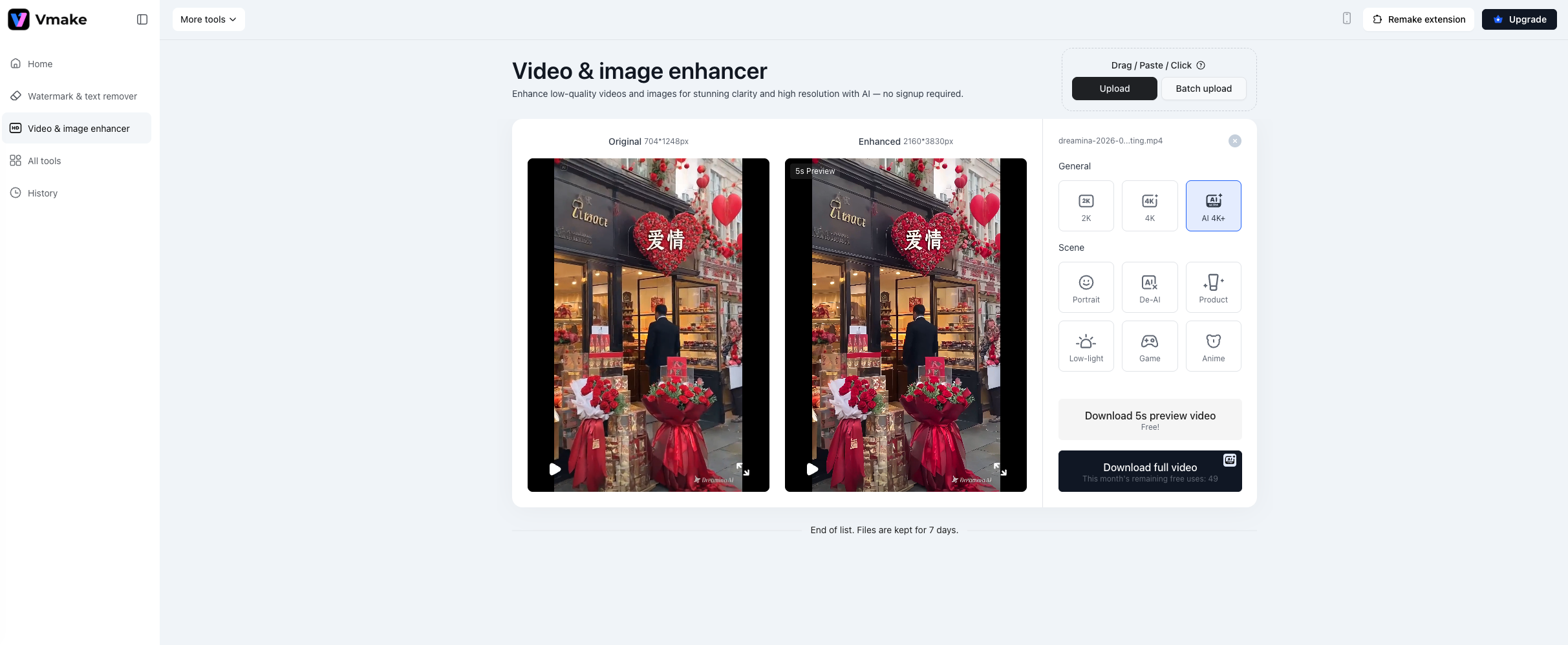
This helps your Seedance videos feel less “AI generated” and more natural, high‑quality footage, which is particularly important for marketing and social use.
2. Remove Watermarks With Vmake Watermark Remover
Watermarks are a real barrier if you’re using AI tools in professional contexts. Vmake provides a streamlined Video Watermark Remover that lets you:
-
Eliminate Seedance (Dreamina) watermarks
-
Keep the video’s look consistent and clean
-
Prepare content for publication on platforms like YouTube, TikTok, or Instagram
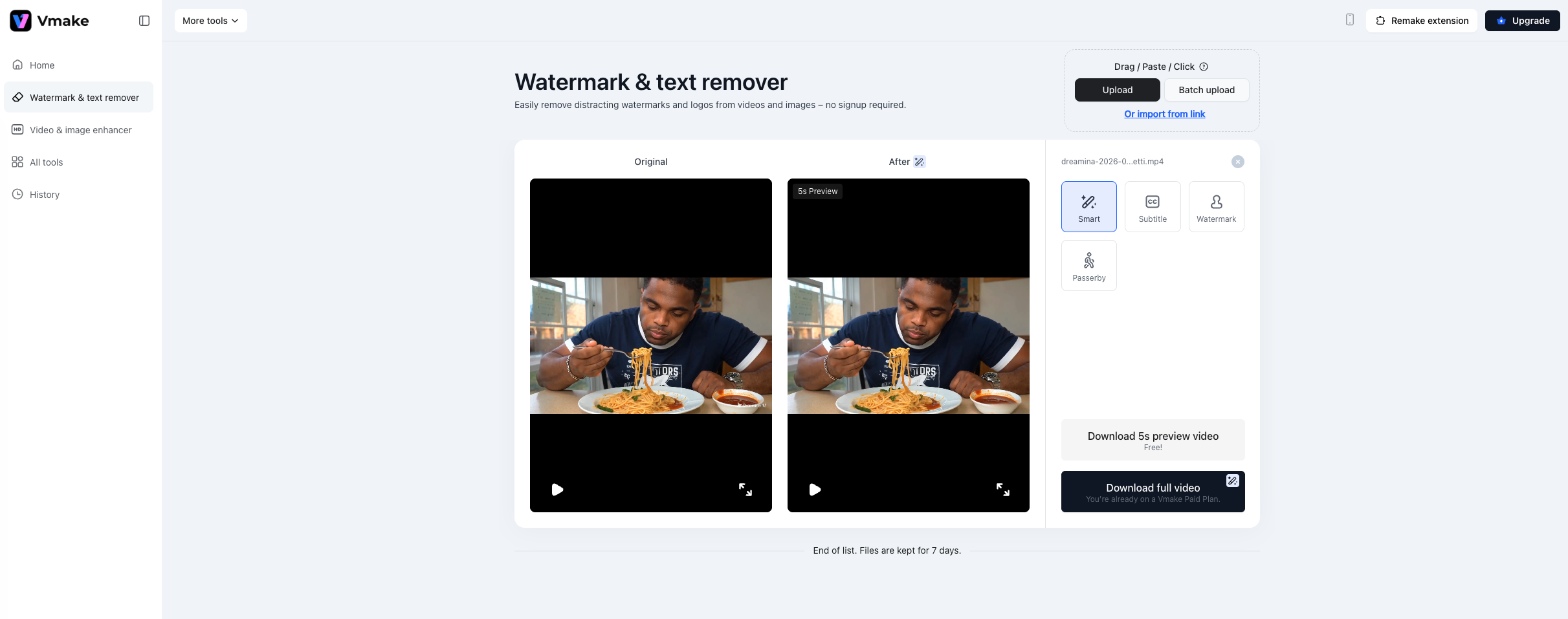
Together, these Vmake tools let you start with powerful AI generation and finish with polished, export‑ready videos.
Final Thoughts
Seedance 2.0 is shaping up to be one of the most capable multimodal AI video models yet — empowering creators with better controls, audio‑visual alignment, and narrative coherence. But like any emerging tech, it isn’t flawless. The resolution and watermarking limitations mean many creators still need post‑production refinement — which is exactly where Vmake steps in. Whether you want sharper visuals or watermark‑free output, Vmake’s suite of enhancement tools ensures your AI videos look professional and polished — from first prompt to final publish.

You May Be Interested

Seedance 2.0: What's New & How to Use It

123APPS Watermark Remover Review (2026): Pros, Cons, and Pricing

5 Best Valentine's Day Video Ideas for eCommerce in 2026

How to Create a YouTube Thumbnail? Create YouTube Thumbnails Using AI
