
Vidfly Review: Is It Worth Using for AI Video Creation?
Discover what Vidfly AI offers in this detailed Vidfly review, including its features, pricing, use cases, pros and cons, plus a look at the Vmake Labs AI video generator as an alternative for creators.

AI video generators are becoming practical options for creators who want to turn ideas, images, and prompts into videos without traditional editing workflows. Vidfly AI brings several generation tools, effects, avatars, and AI models together on one platform. But its token-based system, plan limitations, and user feedback are worth considering before subscribing. This Vidfly AI review examines its features, pricing, use cases, strengths, limitations, and an alternative worth exploring.
What is Vidfly AI?
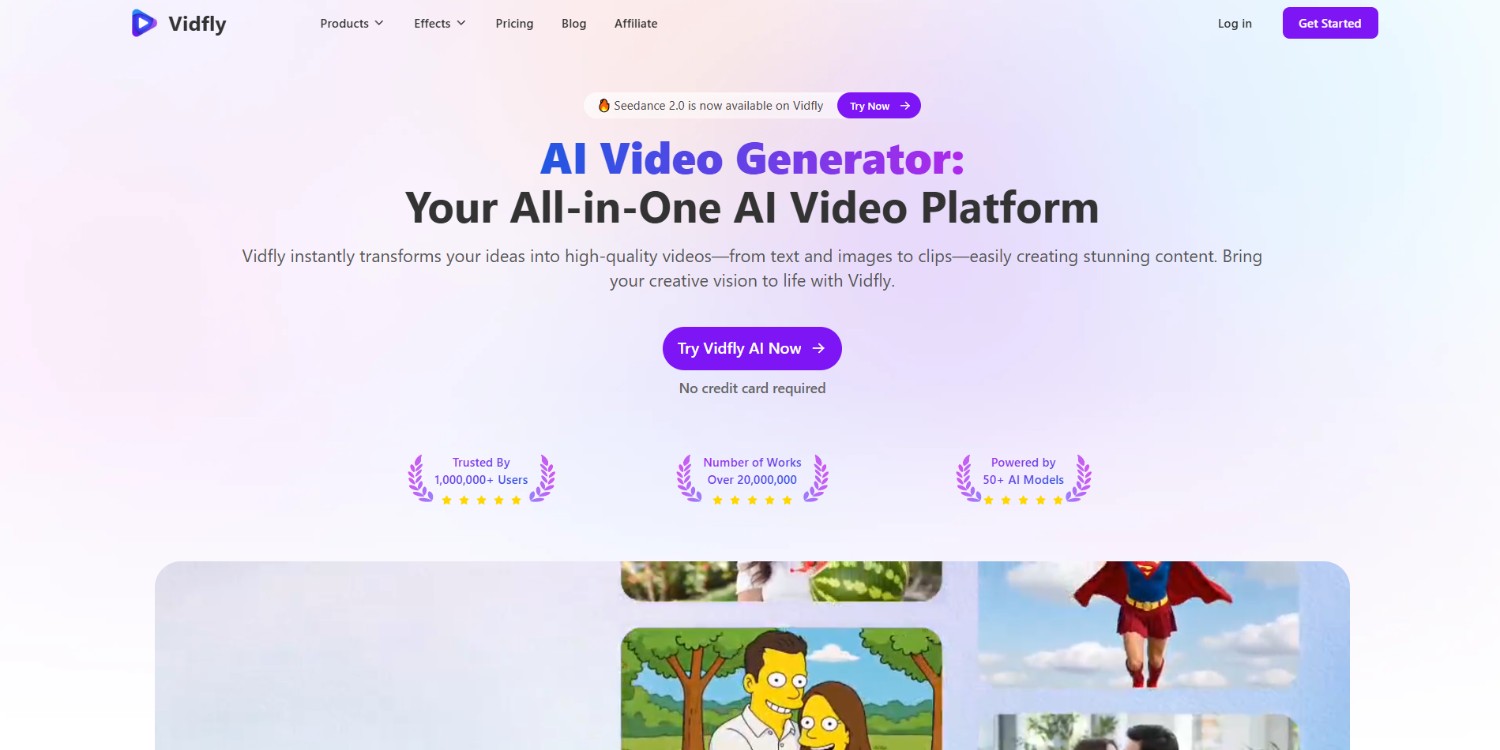
Vidfly AI is an all-in-one AI video platform that lets users create videos from text prompts, images, scripts, and other inputs. It brings multiple AI video models into one interface, alongside tools for avatars, lip sync, effects, editing, and image-to-video generation.
Vidfly currently lists more than 50 AI models and supports workflows such as text-to-video, image-to-video, and reference-to-video.
Key features of Vidfly AI video generator
-
AI video generation: Vidfly AI supports text-to-video and image-to-video workflows, allowing users to transform prompts or static visuals into short AI-generated videos without traditional filming or complex editing.
-
AI video effects and templates: The platform includes creative effects and templates such as AI Hug, AI Kissing, Bodyshake, and product-focused effects, giving users ready-made ways to experiment with short-form content.
-
AI avatars and lip sync: Vidfly includes AI avatar and lip-sync tools alongside its video-generation features, providing workflows for creating character-driven videos and synchronizing visual content with spoken material.
-
Multiple AI models and creative tools: Vidfly brings models including Sora, Kling, Veo, Runway, Seedance, and PixVerse together, while also offering tools for AI Shorts, video upscaling, captions, face swapping, and editing.
How to use Vidfly AI in 3 simple steps?
Step 1: Access Vidfly AI video generator
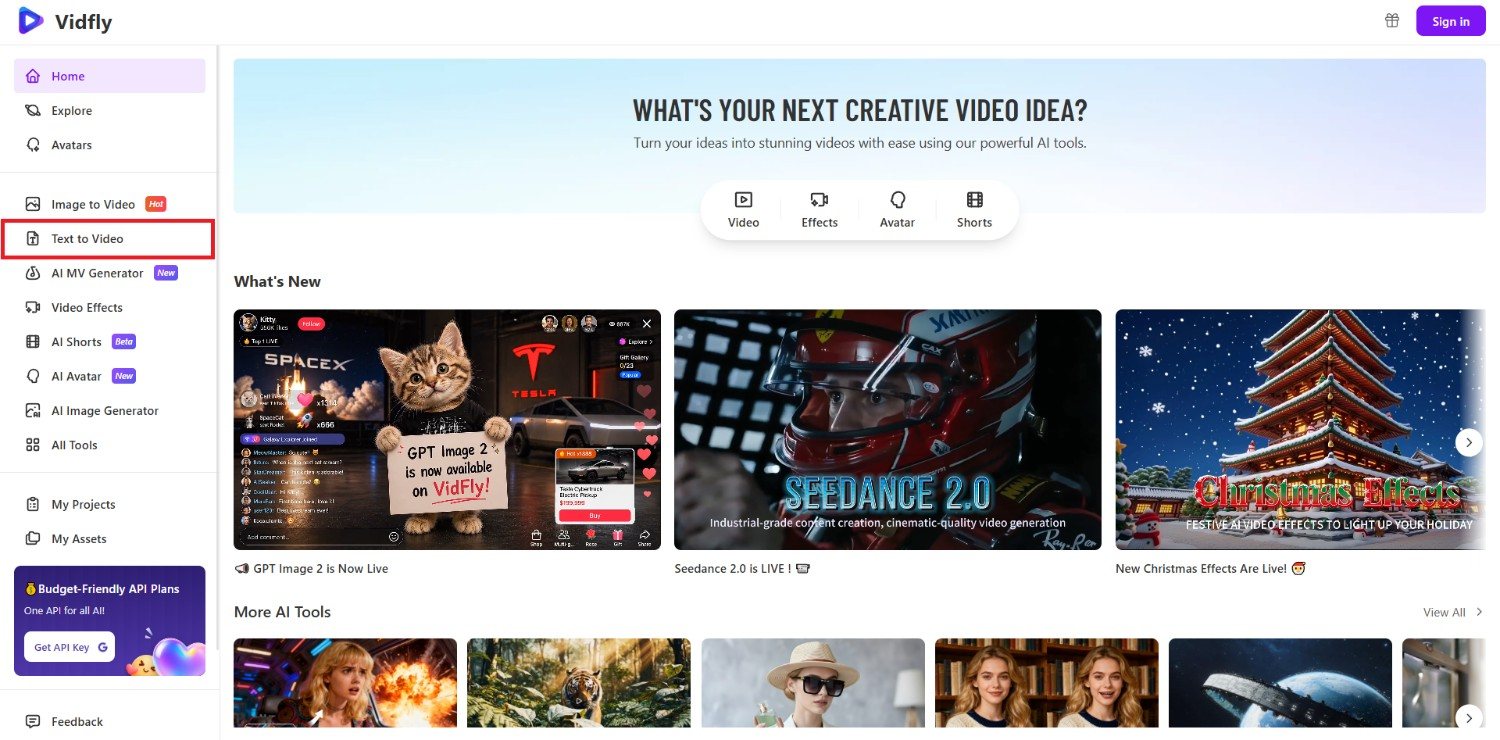
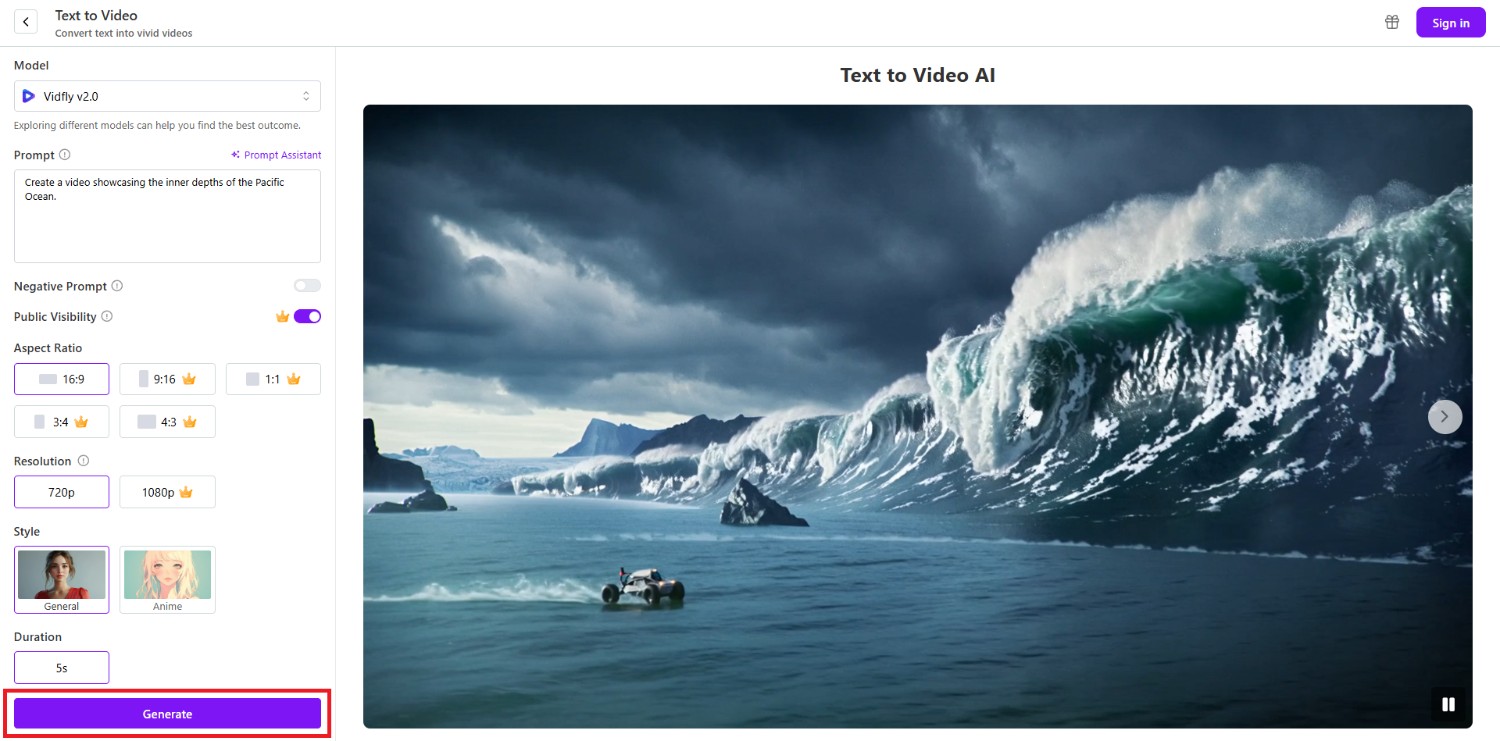
Start the process by first accessing the official website of Vidfly AI. From the landing page, click on the "Try Vidfly AI Now" option and you will be redirected to a new web page, where you will be able to access all its AI tools. Then, click on the "Text to Video" option.
Step 2: Provide your prompt and select the settings
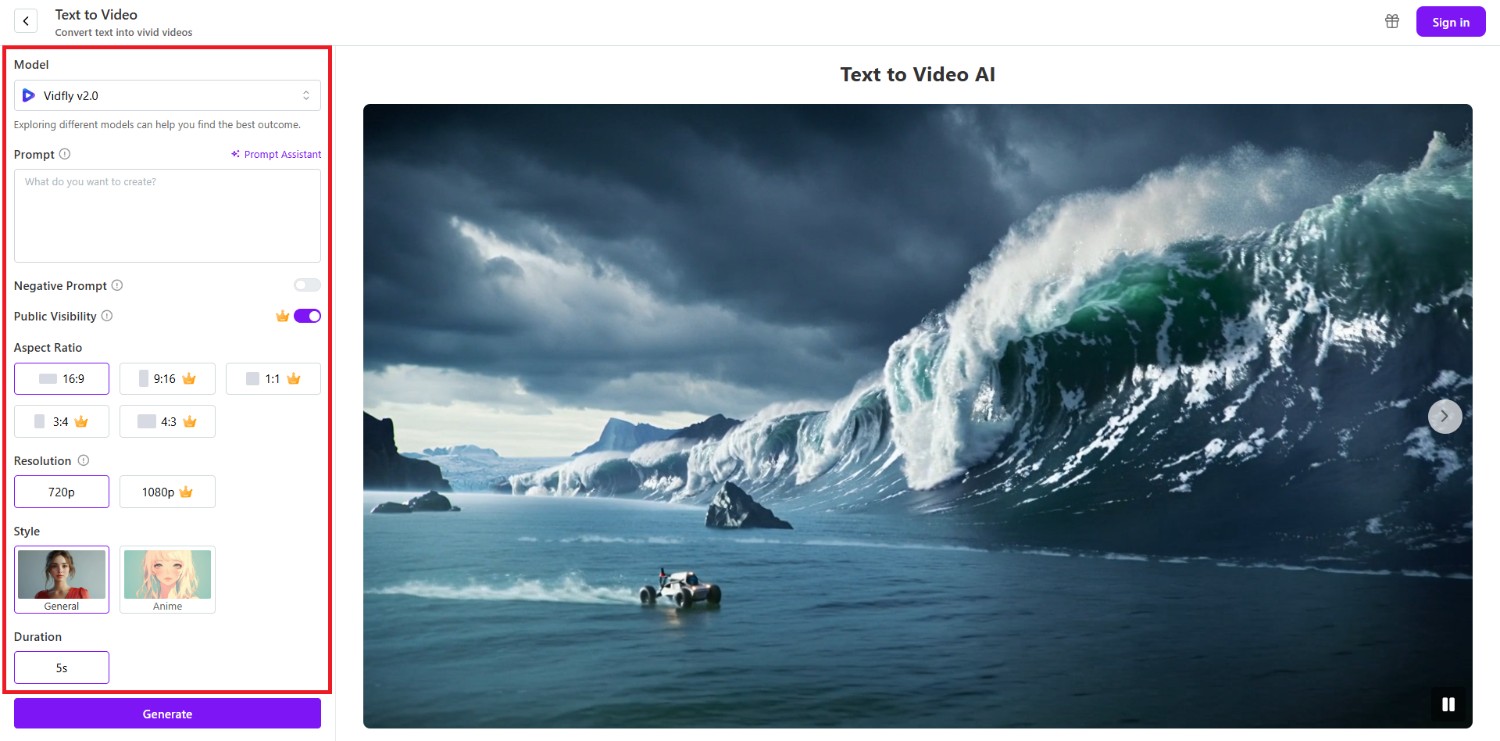
In the next step, you will need to first select the AI model through which you will be creating your video and then provide a detailed prompt for the video that is to be created. You can also use the help of the "Prompt Assistant" if you want.
After that, select toggles for "Negative Prompt" and "Public Visibility". Once done, choose your video aspect ratio and the resolution (supported up to 1080P). Finally, choose your video style and duration, which is only limited to 5 seconds.
Step 3: Generate and export your video
After entering your inputs, click on "Generate". Vidfly AI will start generating your video and once that is completed, the same will be showcased on your screen. You can then choose to download it to your device for sharing purposes.
Vidfly review: pricing and plans
Vidfly AI offers a free plan alongside Basic, Pro, and Business subscriptions.
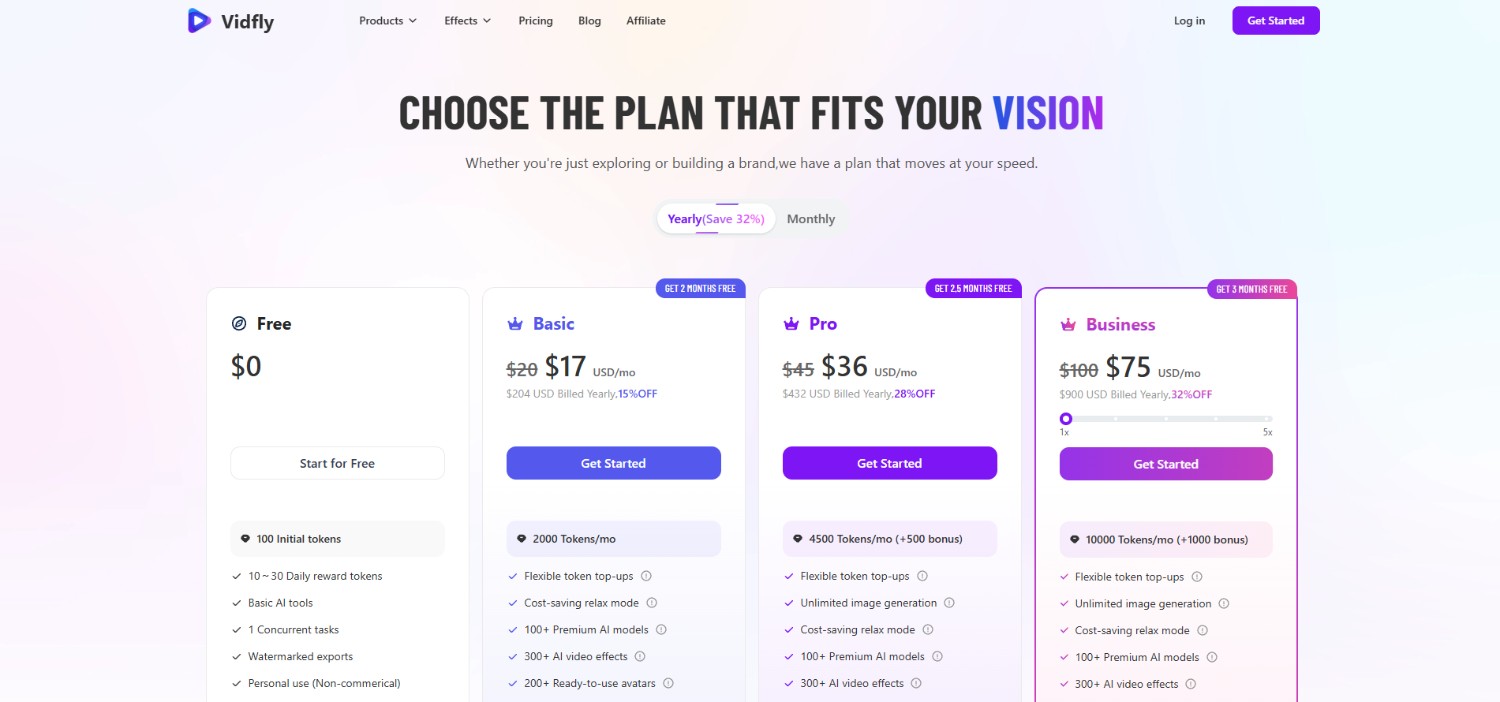
Paid plans increase monthly token allowances, concurrent tasks, model access, and commercial-use rights. Annual billing currently reduces the displayed monthly rates, while users can also purchase additional token top-ups when needed.
|
Plan |
Monthly price* |
Tokens |
Key features |
|---|---|---|---|
|
Free |
$0 |
100 initial + 10–30 daily |
Basic tools, 1 concurrent task, watermarked exports |
|
Basic |
$20 |
2,000/month |
100+ models, 300+ effects, 200+ avatars, commercial use |
|
Pro |
$45 |
4,500 + 500 bonus/month |
Unlimited image generation, 4 concurrent tasks, commercial use |
|
Business |
$100 |
10,000 + 1,000 bonus/month |
6 concurrent tasks, highest priority, commercial use |
*Monthly prices shown above are the standard monthly rates; annual billing currently displays discounted effective monthly prices.
Vidfly AI use cases
Vidfly AI supports several workflows beyond basic text-to-video generation. Its combination of AI models, effects, avatars, and image-to-video tools makes it suitable for different types of creative content.
Create social media videos
Vidfly can be used to create short-form content for TikTok, Instagram Reels, and YouTube Shorts. Its AI Shorts workflow combines scripts, visuals, voiceovers, subtitles, music, and effects.
Make product and marketing videos
Businesses can use Vidfly to create product showcases, promotional clips, explainers, and advertising content. Image-to-video tools can also animate product photos and combine multiple reference images.
Generate avatar and lip-sync content
Vidfly's AI avatar and lip-sync tools can support presenter-style videos, character content, and other formats where synchronized facial movement is useful for communicating a message.
Experiment with creative video effects
Creators can explore Vidfly's collection of AI effects for stylized and experimental videos. These include effects designed around character interactions, transformations, product displays, and social-media-friendly concepts.
Vidfly review: major pros and cons to watch out for
Vidfly AI combines multiple models and creative tools in one platform, but its pricing structure and limited independent review coverage are factors to consider.
Strengths |
Weaknesses |
|---|---|
|
Wide selection of AI models and creative tools Vidfly brings numerous AI video models and creative utilities into one platform, giving users more options without switching between multiple standalone services. Large collection of video effects and avatars Its collection of AI effects, avatars, lip-sync tools, and other creative features provides different workflows for experimenting with short-form and character-based videos. Multiple video creation workflows Users can work with text, images, reference materials, avatars, and effects, making Vidfly suitable for several video-generation approaches within the same interface. Commercial-use options on paid plans Paid Vidfly plans include commercial-use permissions, which can make the platform more practical for creators and businesses producing content for professional purposes. |
Token-based generation can become costly for frequent use Because generations consume tokens, frequent experimentation can increase usage quickly, particularly when users need multiple attempts to refine a video. The free plan has watermarked exports and limited features The free tier provides a way to test Vidfly, but watermarked exports, limited concurrency, and restricted access make it less suitable for regular production. |
What are users saying on Reddit and G2?
On Reddit
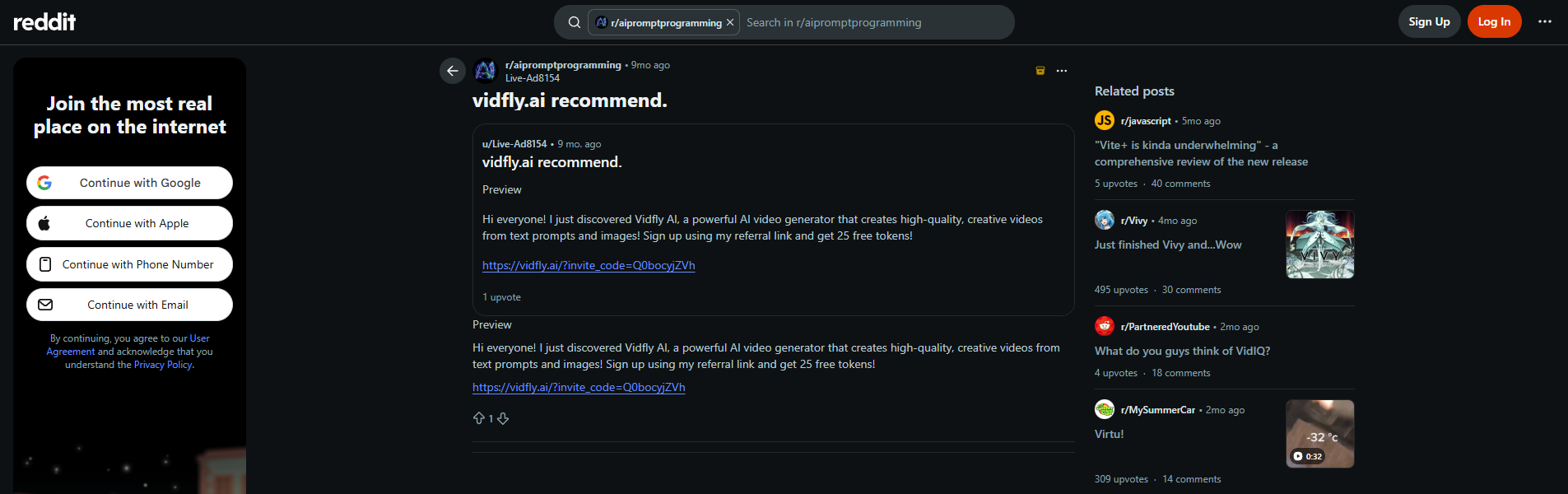
Reddit discussions about Vidfly are relatively limited, so there is not enough community feedback to establish a broad consensus. Some users mention useful generation capabilities, while others raise concerns about pricing and prompt adherence.
On G2
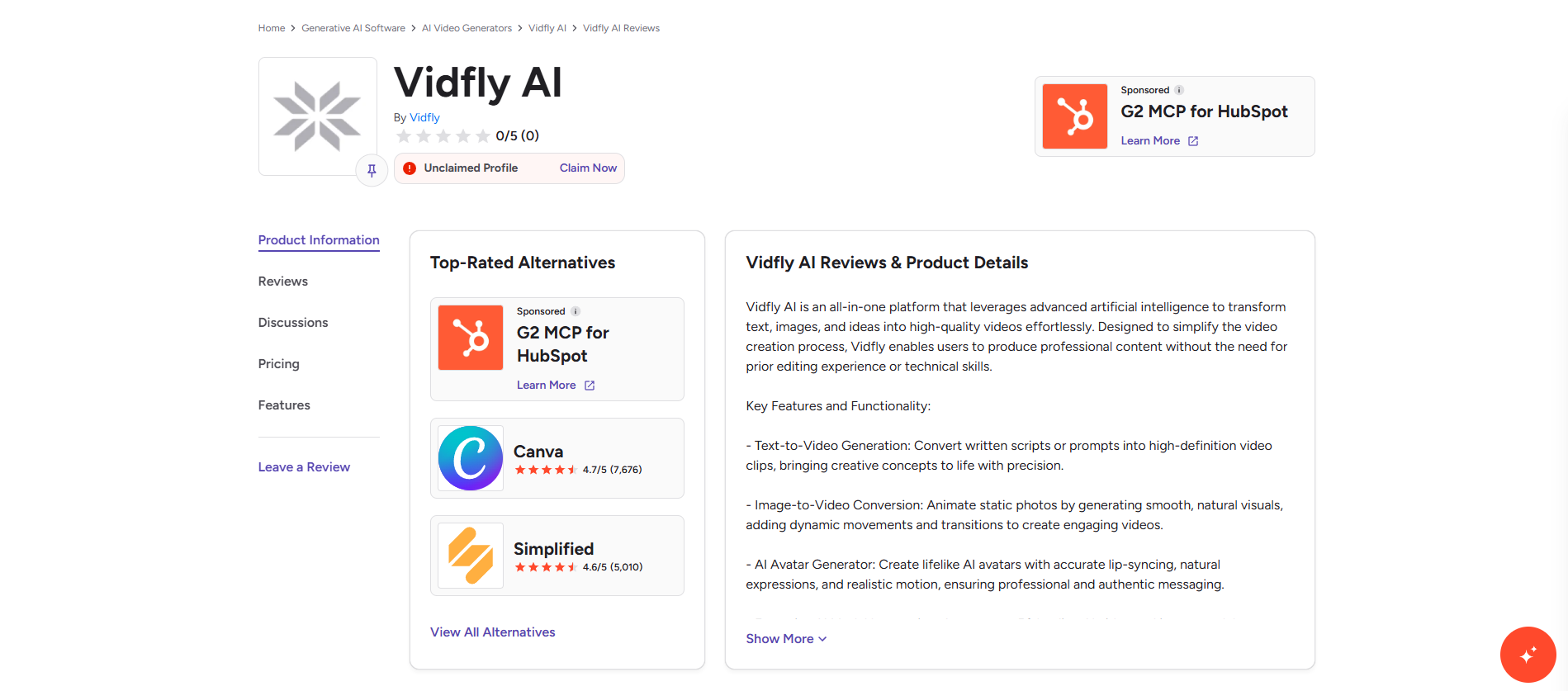
Vidfly currently has limited visible independent review coverage on G2, making it difficult to draw a reliable overall rating or identify consistent user patterns. This means prospective users should consider hands-on testing alongside available reviews.
Key takeaway
Vidfly AI offers a broad collection of models and creative tools, but limited independent review coverage and token-based usage make it worth testing before committing to a paid plan. Consider your generation frequency, workflow, and budget first.
Introducing Vmake Labs as a Vidfly AI alternative
Vmake Labs is an AI video generation and social video platform that combines multiple video models with text-to-video, image-to-video, and video-to-video workflows.
It supports models such as Seedance 2.0, Kling 3.0, Google Veo 3.1, and Wan 2.2 in one workspace. Users can also adjust video duration, aspect ratio, visual style, and generation settings. Beyond generation, Vmake Labs includes tools for UGC videos, product showcases, AI avatars, video enhancement, translation, background removal, and other social-video workflows.
This makes it a practical alternative for users who want generation and supporting video tools in one platform.
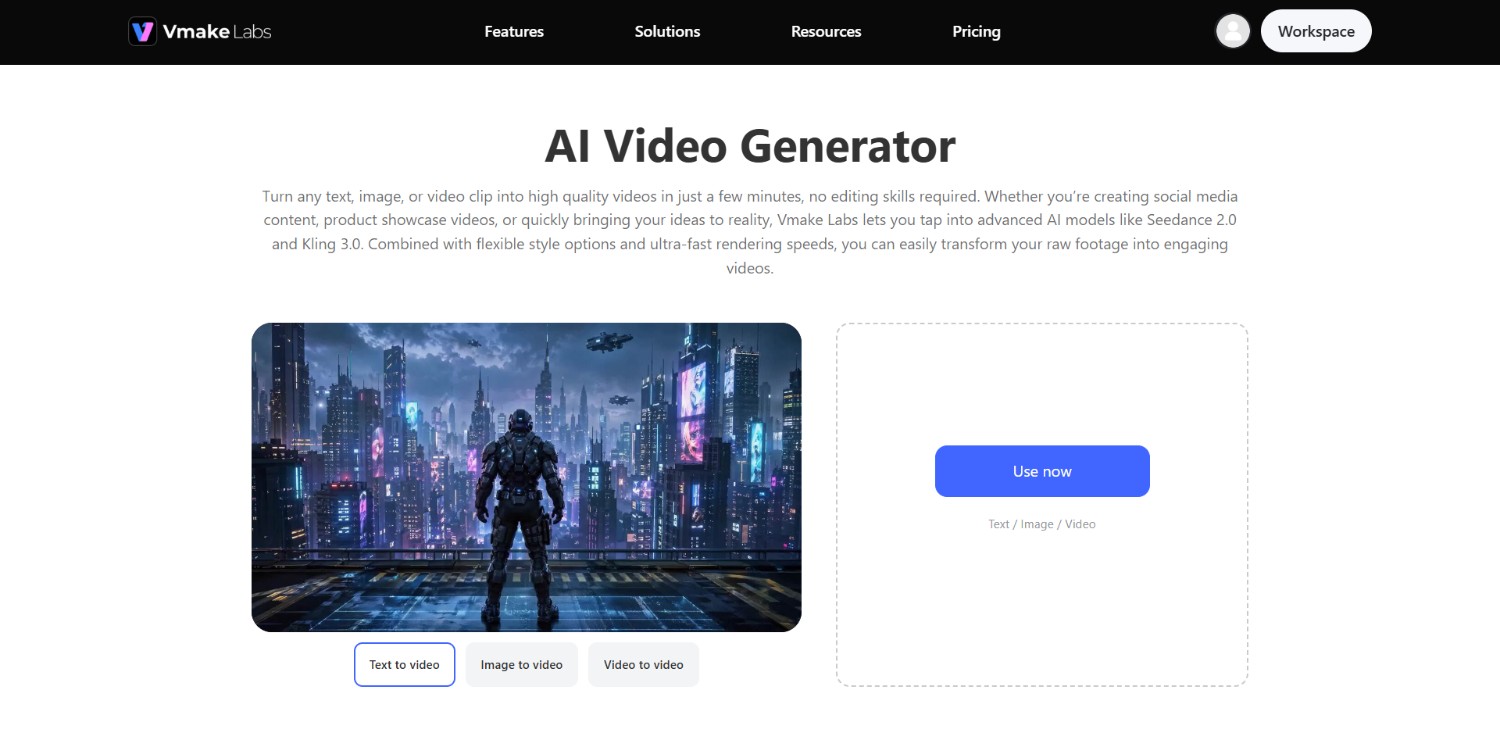
Key features of Vmake Labs AI video generator
-
Multiple AI video models in one workspace: Vmake Labs brings several leading AI video models into one workspace, including Seedance 2.0, Kling 3.0, Veo 3.1, Wan 2.2, etc.
-
Text-to-video, image-to-video, and video-to-video generation: Users can create videos from text prompts, images, multiple reference images, first and last frames, or existing videos, providing different starting points for creative and marketing workflows.
-
Flexible styles, duration, and aspect ratios: Vmake Labs provides visual style options alongside adjustable video duration and aspect ratios, helping users configure generated clips for different creative requirements and social media formats.
-
High-resolution output and creative controls: The platform supports video output up to 4K, with duration controls from 2 to 15 seconds. Users can also select models, styles, aspect ratios, and other generation preferences.
How to use Vmake Labs AI video generator in 3 easy steps?
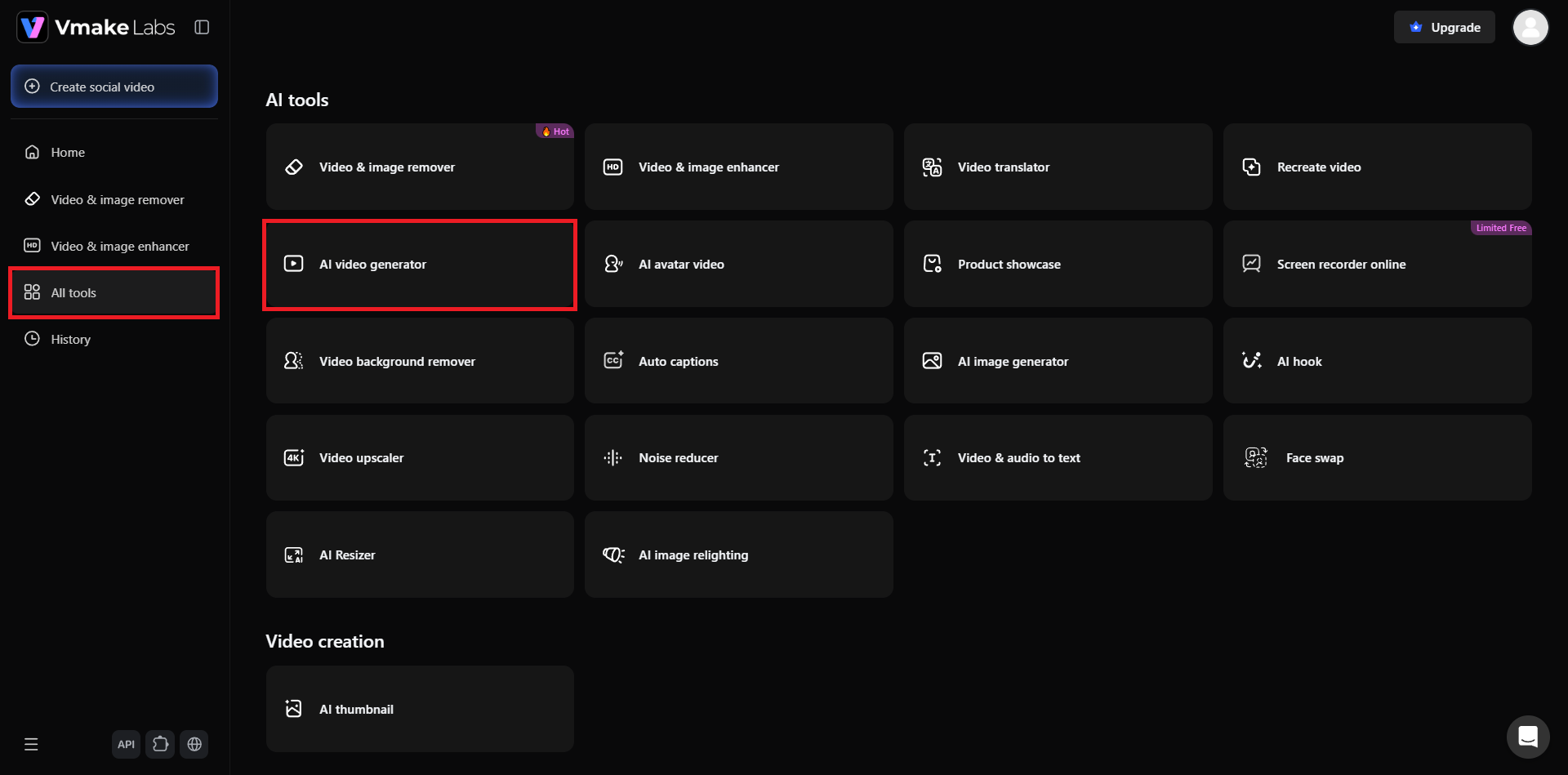
Step 1: Access Vmake Labs "AI video generator" tool
Kickstart your journey by first accessing the official website of Vmake Labs. From there, you need to either sign-in to your existing account, or create a new account. Once done, click on the "All tools" option from the left-hand menu and then select the "AI video generator" tool.
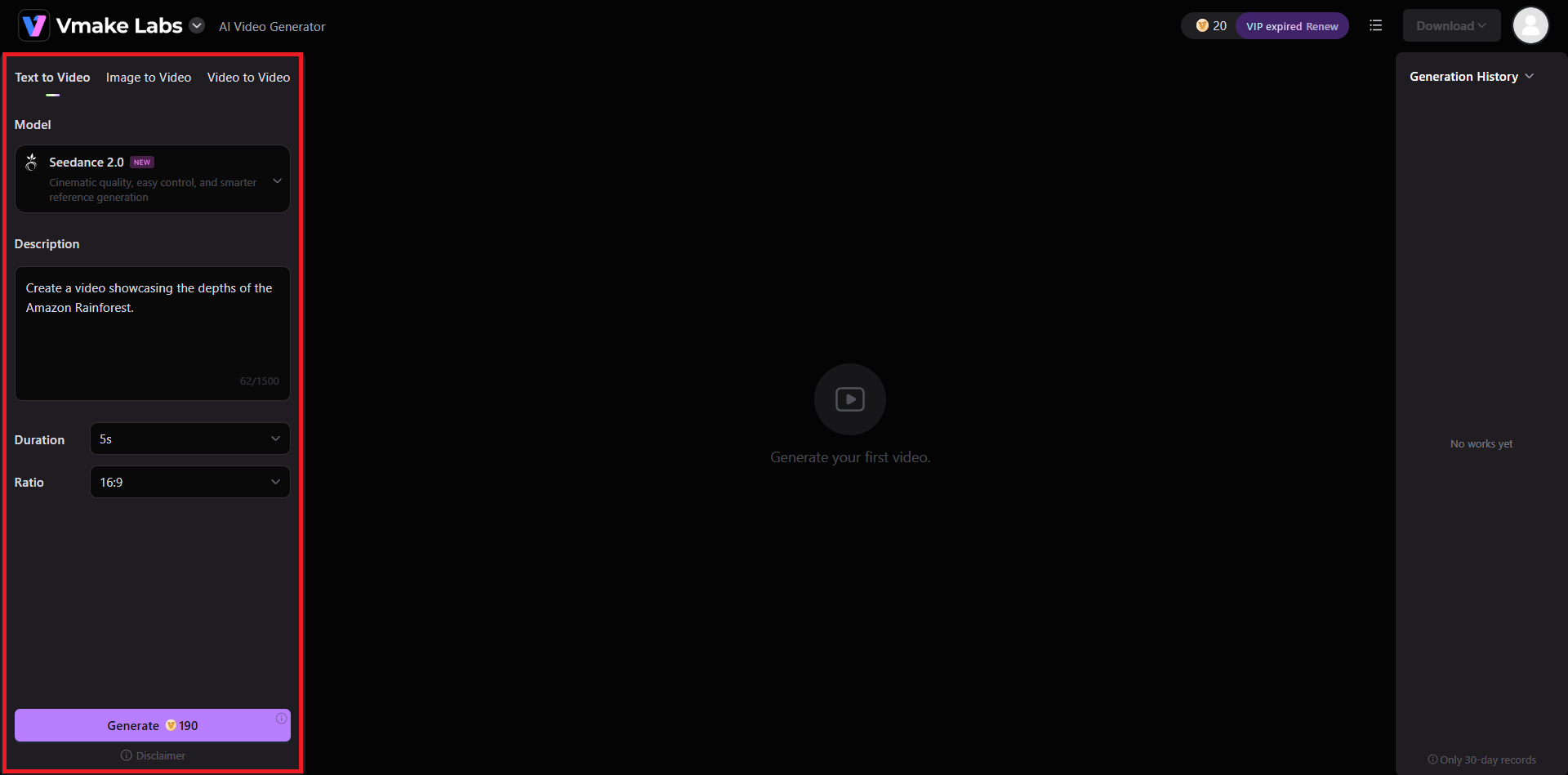
Step 2: Select AI model and provide prompt
In the next step, you will need to first select the method that you will be using for generating your video, be it text to video, image to video, or video to video. Once done, choose your AI model, like we have chosen Seedance 2.0 for our project. After that, provide a detailed prompt description regarding the type of video you want to create.
Once done, select your overall duration and then the final aspect ratio of your video. Finally, click on the "Generate".
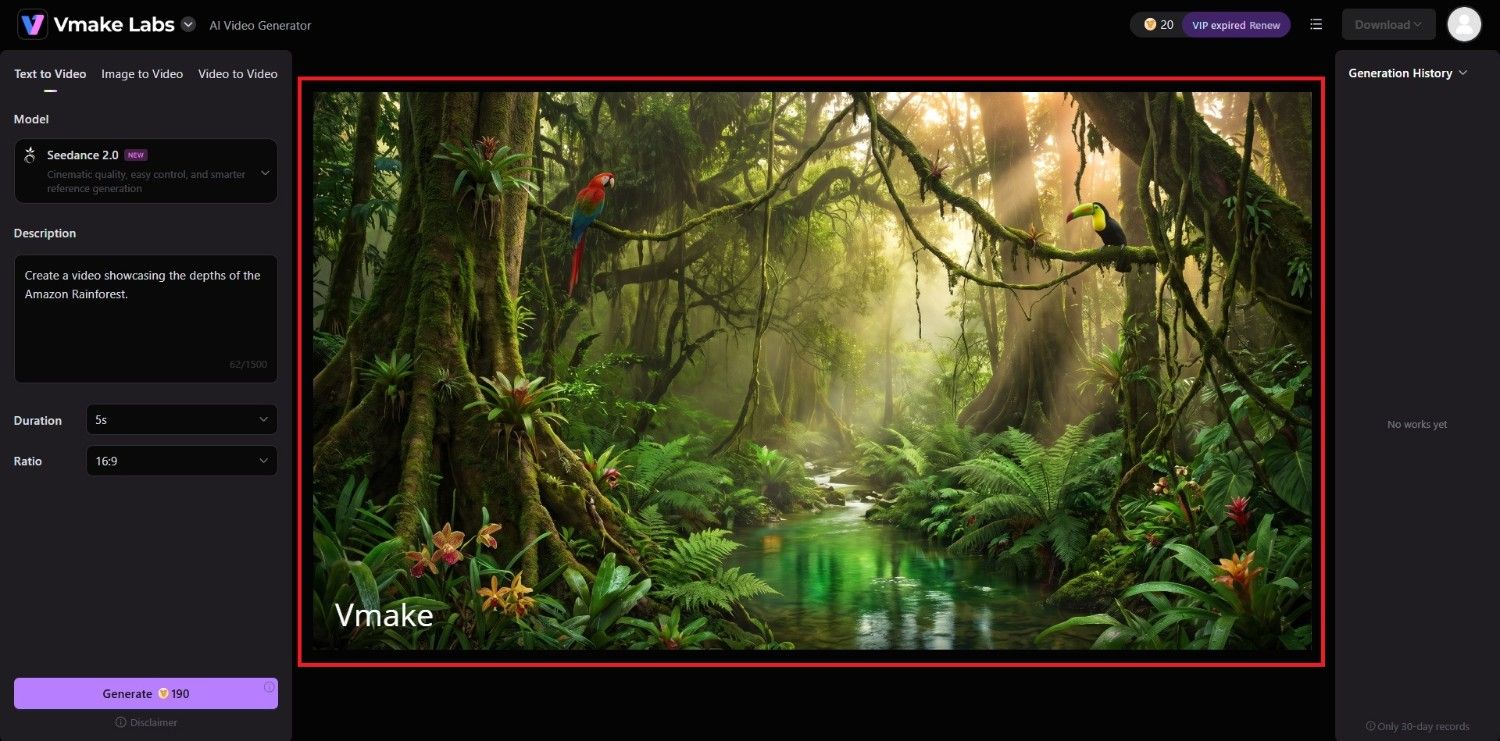
Step 3: Export your video
Vmake Labs will start working on your video and once that is completed, the same will be showcased on your screen. You can then proceed to download it to your local device for sharing purposes.
Vmake Labs vs Vidfly AI: which is the better choice?
The better option depends on whether you prioritize a broad collection of AI effects and models or a more focused workflow for generating and optimizing social and product videos.
Who should use Vidfly AI?
-
Creators exploring AI video tools: Vidfly is suitable for users who want access to multiple models, effects, avatars, and generation workflows on one platform.
-
Users interested in creative effects: Its collection of AI effects can be useful for experimenting with trend-oriented and stylized short-form videos.
-
Creators needing avatar-based content: Vidfly can fit workflows involving AI avatars, lip sync, and character-focused video creation.
Who should use Vmake Labs AI video generator?
-
Social media creators: Vmake Labs supports text-to-video, image-to-video, and video-to-video generation for content intended for platforms such as TikTok, Instagram Reels, and YouTube Shorts.
-
Ecommerce and marketing teams: Its product showcase and UGC workflows can turn product images into videos for promotions, social content, and ecommerce campaigns.
-
Users wanting multiple video tools together: Beyond generation, Vmake Labs provides tools for enhancement, background removal, translation, captions, upscaling, and other video workflows.
|
Feature |
Vidfly AI |
Vmake Labs |
|---|---|---|
|
Text-to-video |
Yes |
Yes |
|
Image-to-video |
Yes |
Yes |
|
Video-to-video |
Yes |
Yes |
|
Multiple AI models |
Yes |
Yes |
|
AI effects |
Extensive effects library |
Creative templates and effects |
|
AI avatars |
Yes |
Yes |
|
Product video workflows |
Yes |
Yes |
|
UGC video tools |
Yes |
Yes |
|
Video enhancement |
Available |
Available |
|
Video translation |
Available |
Available |
|
Social video focus |
General-purpose |
Strong focus |
|
Best suited for |
AI experimentation and varied creative workflows |
Social, UGC, ecommerce, and marketing videos |
Overall, Vidfly AI may appeal more to users who want a broad AI video playground, while Vmake Labs is a stronger fit for creators and businesses focused on social, UGC, product, and marketing video workflows. Vmake Labs also combines generation with supporting video tools in the same ecosystem.
Tips and tricks for getting better results with Vidfly AI
Getting consistent results from AI video generators often depends on how clearly you describe the scene and how you configure the available options. These practical tips can help make Vidfly workflows more controlled.
-
Write specific prompts with clear visual details
Describe the subject, setting, camera movement, lighting, composition, action, and visual style. Specific prompts give the selected model clearer instructions and reduce ambiguity during video generation.
-
Choose the right AI model for your project
Different AI models can interpret prompts and motion differently. Test the models available in Vidfly with the same concept, then select the one that best matches your desired visual style.
-
Match video formats to your publishing platform
Consider the destination before generating a video. Choose an appropriate aspect ratio and framing for vertical short-form platforms, landscape content, or other publishing requirements to avoid unnecessary cropping.
-
Test different effects and variations before exporting
Instead of relying on the first generation, experiment with prompts, models, and effects. Comparing several versions can help identify the combination that most closely matches your intended concept.
Conclusion
In our Vidfly review conclusion, we see that Vidfly AI brings multiple AI video models, effects, avatars, lip-sync capabilities, and generation workflows into one platform. However, the token-based system and limitations of the free plan may matter for frequent users, while the limited independent review coverage makes it harder to assess long-term user satisfaction.
Vmake Labs offers another approach, combining multiple AI video models with text-to-video, image-to-video, video-to-video, UGC, product, and social content workflows. The better choice depends on your specific video creation needs and budget.
FAQs
-
Is Vidfly AI free to use?
Yes. Vidfly AI offers a free tier with limited tokens and features. Free users can test selected tools, although watermarked exports and usage restrictions apply.
-
What can you create with Vidfly AI?
Vidfly AI can create short AI videos from text and images while also supporting avatars, lip sync, creative effects, product content, social videos, and other video-generation workflows.
-
Does Vidfly AI offer AI avatars and lip sync?
Yes. Vidfly AI includes AI avatar and lip-sync capabilities, allowing users to create character or presenter-style content with synchronized facial movements and speech for different video projects.
-
Is Vidfly AI suitable for commercial use?
Vidfly AI's paid plans include commercial-use permissions, making them more suitable for professional projects. Users should review the applicable plan terms before using generated content commercially.
-
What is the best Vidfly AI alternative?
Vmake Labs is an alternative worth considering for users focused on social, UGC, ecommerce, and marketing videos, with multiple AI models and text-to-video, image-to-video, and video-to-video workflows.

You May Be Interested
Artistly AI Review 2026: Is It Worth Trying for Creators?
DeeVid AI Review 2026: Features, Pricing & Top Alternative
Doodle AI Review 2026: Features, Pricing and Alternatives
Getimg AI Review 2026: Is It the Best AI Image Generator?

Supawork AI Review: Watermark Remover Tested (2026)

Nero AI Review 2026 Explained: Is the Tool Worth Using?

Pixar AI Review: What It Is & How to Create Pixar-Style Art

Vivideo AI Review 2026: Features, Pricing and Alternatives
