
Mastering Seedance 2.0: 10 Advanced Prompts for Multi-Shot Storytelling
 Vmake Labs TeamFebruary 14, 2026
The launch of Seedance 2.0 in early 2026 marked a pivotal shift in the AI video landscape. We moved away from the "slot machine" era—where you typed a sentence and prayed for a usable 4-second clip—into the Director Era. For the first time, a multimodal model allows us to control camera angles, character persistence, and narrative pacing across multiple shots within a single generation.
However, the "Multi-Shot" capability is a double-edged sword. Without a precise technical structure, the AI can "drift," changing your protagonist’s features or the scene’s lighting between cuts. To truly master Seedance 2.0, you must stop writing prose and start writing technical shot lists. In this guide, we provide 10 battle-tested prompt templates and demonstrate how to use Vmake to refine these raw generations into broadcast-ready, 4K content.
Part 1: The Anatomy of a Seedance 2.0 Master Prompt
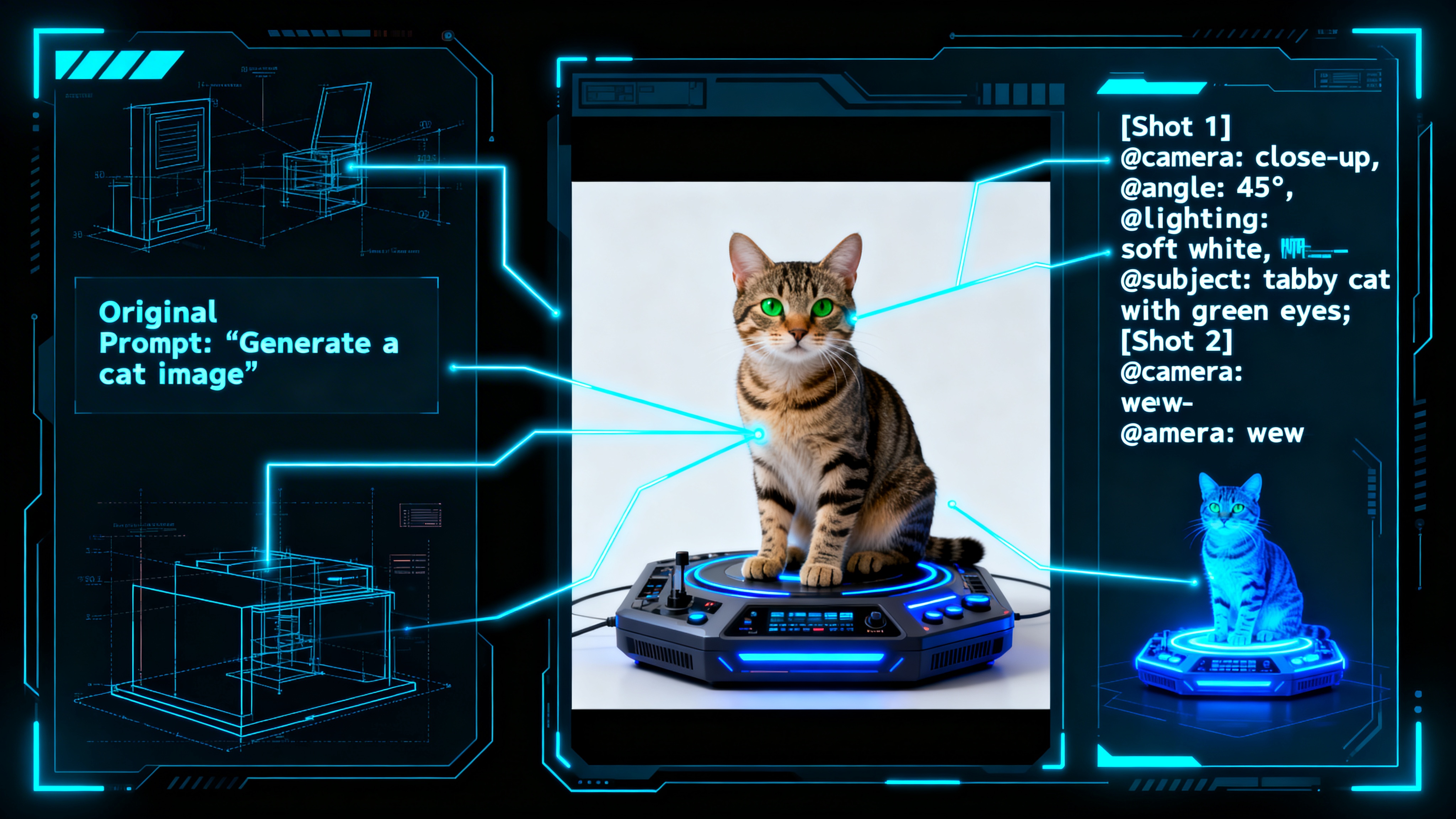
To achieve professional consistency, we must understand the "Physics of Prompting." In Seedance 2.0, the model weighs the first 20–30 words most heavily. If your subject isn't "pinned" immediately, the multi-shot engine will hallucinate new characters during the transition.
1.1 The Five-Part Spine
Every high-level prompt should follow this hierarchy:
1.
Subject Anchor: Defining exactly who or what is in the frame.
2.
Kinetic Action: The core movement that must persist through the "cut."
3.
Camera Logic: Lens type (e.g., 35mm, 85mm), shot size, and movement path.
4.
Style/Lighting: The "flavor"—Noir, Cyberpunk, Naturalistic, etc.
5.
Shot Transitions: Explicitly telling the AI when to "[Cut to]" or "[Dissolve]."
1.2 The @Reference Mention System
Seedance 2.0 allows up to 12 files for reference. Advanced users use @Character1 for face lock, @Video1 for motion transfer, and @Audio1 for beat-sync. Your text prompt must explicitly call these tags: "Reference @Character1 for facial features while performing action." This creates a "hard link" between the pixels and the prompt logic.
Part 2: 10 Advanced Multi-Shot Prompt Templates
1. The "Hero’s Journey" Transition
-
Intent: Establishing a character and their environment in two distinct shots.
-
Prompt: [Shot 1: Wide shot] @Character1 standing on a cliff overlooking a futuristic Tokyo, neon lights reflecting in puddles. [Cut to: Extreme Close-up] @Character1’s eyes narrowing as a digital HUD overlays their pupil. Cinematic lighting, 35mm lens, high contrast, 4k.
-
Why it works: It uses a "Wide-to-Tight" logic. AI models find it easier to zoom into an existing subject than to generate an entirely new environment from scratch.
2. The Product Reveal (Commercial Focus)
-
Intent: High-end e-commerce storytelling for luxury brands.
-
Prompt: [Shot 1: Macro] @ProductRef rotating slowly on a velvet pedestal, soft rim lighting, luxury aesthetic. [Shot 2: Lifestyle] A hand in elegant attire reaching out to grab @ProductRef on a marble countertop. 60fps, creamy bokeh, commercial grade.
-
Optimization: Use Vmake’s AI Video Enhancer after generation to ensure the product textures (leather, metal, glass) are sharp enough for a landing page.
3. The "Matrix" Action Sequence
-
Intent: Fast-paced motion with temporal consistency.
-
Prompt: [Shot 1: Medium shot] @Character1 dodging a projectile in slow motion, body contorting. [Cut to: Tracking shot] Camera follows @Character1 sliding across a glass floor while firing a tether. Motion blur, high dynamic range, cinematic debris, hyper-realistic physics.
4. The Emotional Narrative (Close-up Focus)
-
Intent: Expressive facial animation and micro-expressions.
-
Prompt: [Shot 1: Tight shot] @Character1 looking hopeful, eyes misty. [Cut to: Profile shot] @Character1 smiling as warm golden-hour sunlight hits their face. Reference @Character1 for consistent micro-expressions and skin texture.
5. The Sci-Fi Environment Shift
-
Intent: Changing the scene while keeping the subject's pose.
-
Prompt: [Shot 1] @Character1 in a sterile white laboratory, holding a glowing vial. [Dissolve to] @Character1 in a lush alien jungle, the vial now glowing green. Match-cut on @Character1’s position, lens flare, volumetric fog, 8k.
6. The Fashion Runway (Dynamic Motion)
-
Intent: Showing movement and fabric physics.
-
Prompt: [Shot 1: Full body] @Character1 walking down a dark runway, spotlights following. [Cut to: Low angle] Tracking @Character1’s boots hitting the floor. [Shot 3: Close up] The fabric of the @OutfitRef shimmering under strobe lights. 120fps, high fashion aesthetic.
7. The Horror/Suspense "Jigsaw"
-
Intent: Building tension through pacing.
-
Prompt: [Shot 1: POV] Walking through a dark hallway, flashlight flickering. [Shot 2: Close up] @Character1’s terrified face reflected in a cracked mirror. [Cut to: Wide] An empty chair rocking slowly. Grainy film stock, 16mm look, heavy shadows.
8. The Nature Time-lapse (Temporal Shift)
-
Intent: Showing the passage of time in one location.
-
Prompt: [Shot 1: Wide] A desert landscape at noon, harsh sun. [Time-lapse transition] The stars rotating over the same desert landscape. [Shot 2: Close up] A single flower blooming in the sand. Ultra-vivid colors, 8k, National Geographic style.
9. The First-Person POV (Immersive)
-
Intent: Gaming or "Day in the Life" content.
- Prompt: [Shot 1: POV] Hands reaching for a steering wheel of a vintage car. [Cut to: Side profile] @Character1 laughing while driving, wind in hair. [Shot 3: Wide] The car driving into the sunset. 35mm lens, nostalgic warm tones.
10. The Architectural Walkthrough
-
Intent: Real estate and interior design visualization.
-
Prompt: [Shot 1: Drone wide] The @BuildingRef exterior at dusk. [Cut to: Tracking shot] Moving through the front door into a minimalist living room. [Shot 3: Macro] Focus on the texture of the oak wood floors. Photorealistic, soft natural lighting.
Part 3: Solving the "AI Drift" Problem
Even with perfect prompts, AI video in 2026 can still suffer from Identity Drift—where a character’s hair or clothes change slightly between shots.
3.1 The "Anchor" Technique
If your character's outfit is changing, don't just prompt "wearing a suit." Prompt: "@Character1 wearing the specific charcoal black tuxedo from @ReferenceImage2 with the silver lapel pin." By tethering the clothing to a secondary image reference, you reduce the AI's creative "guessing."
3.2 Post-Generation Correction with Vmake
If the AI delivers a perfect 15-second sequence but Shot 2 has a blurry face, do not re-generate the entire video. Re-generating is expensive and risks losing the magic of the other shots.
Instead, use Vmake’s Video Enhancer. It uses a specialized AI 4K+ feature to "remap" your character's intended features over the blurry AI generation. This restores consistency without a full re-render, saving both time and compute credits.
Part 4: Professionalizing the Output with Vmake
A raw Seedance 2.0 file is like a "negative" in film—it needs development to become a masterpiece.
4.1 Upscaling for 4K Storytelling
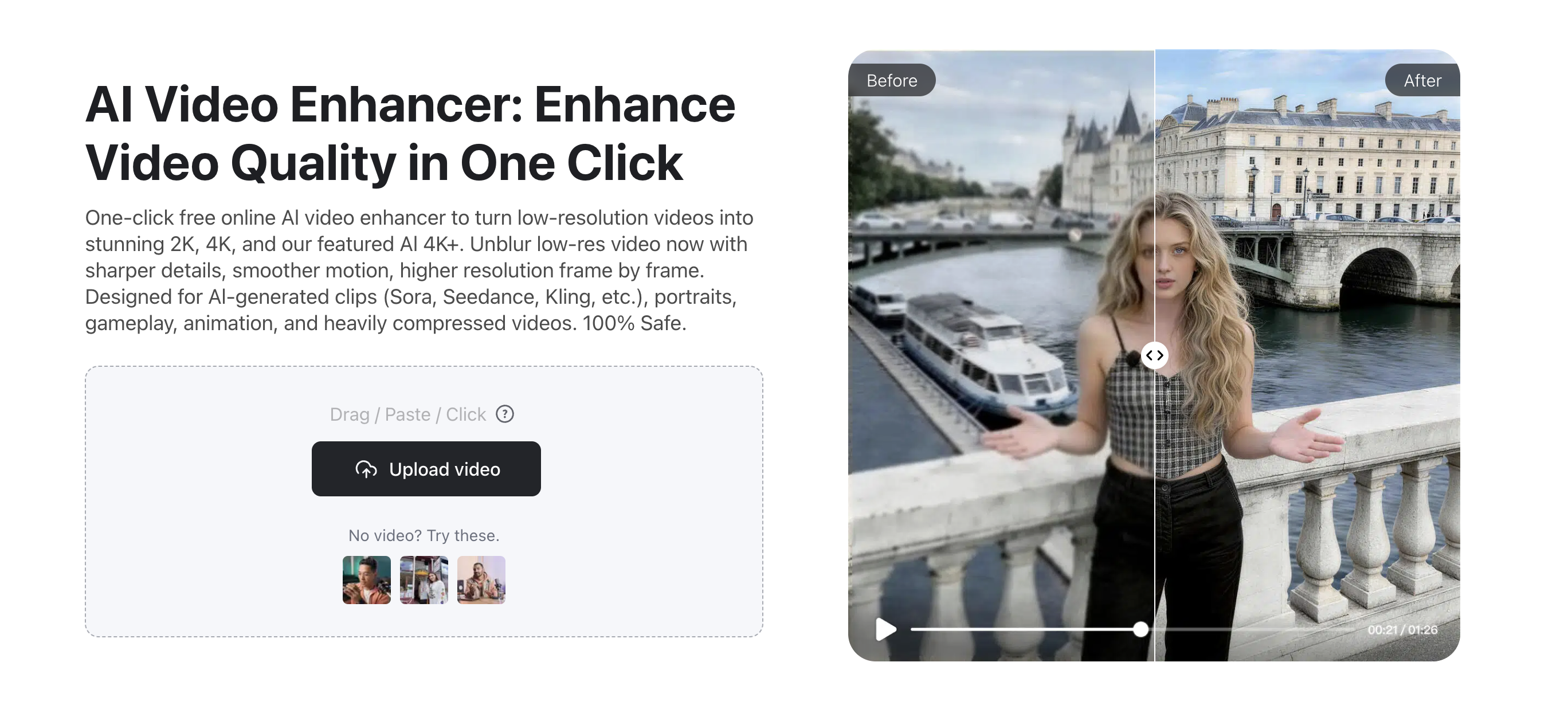
Most social platforms and streaming services in 2026 prioritize 4K content. While Seedance 2.0 is powerful, it often produces "soft" pixels at high resolutions. By running your multi-shot sequence through Vmake Video Enhancer, you achieve:
- Grain Neutralization: Removing the "digital fizz" or noise often seen in AI-generated shadows.
- Edge Sharpening: Making the cuts between shots feel crisp, removing the "dreamy" blur that often plagues AI video.
 4.2 Removing the "AI Metadata"
For white-label agency work, you cannot have "AI watermarks" or metadata artifacts that flag the video as synthetic. Vmake Video Watermark Remover and metadata cleaner are the industry standard for cleaning these files, allowing you to present the video as a purely "human-directed" asset.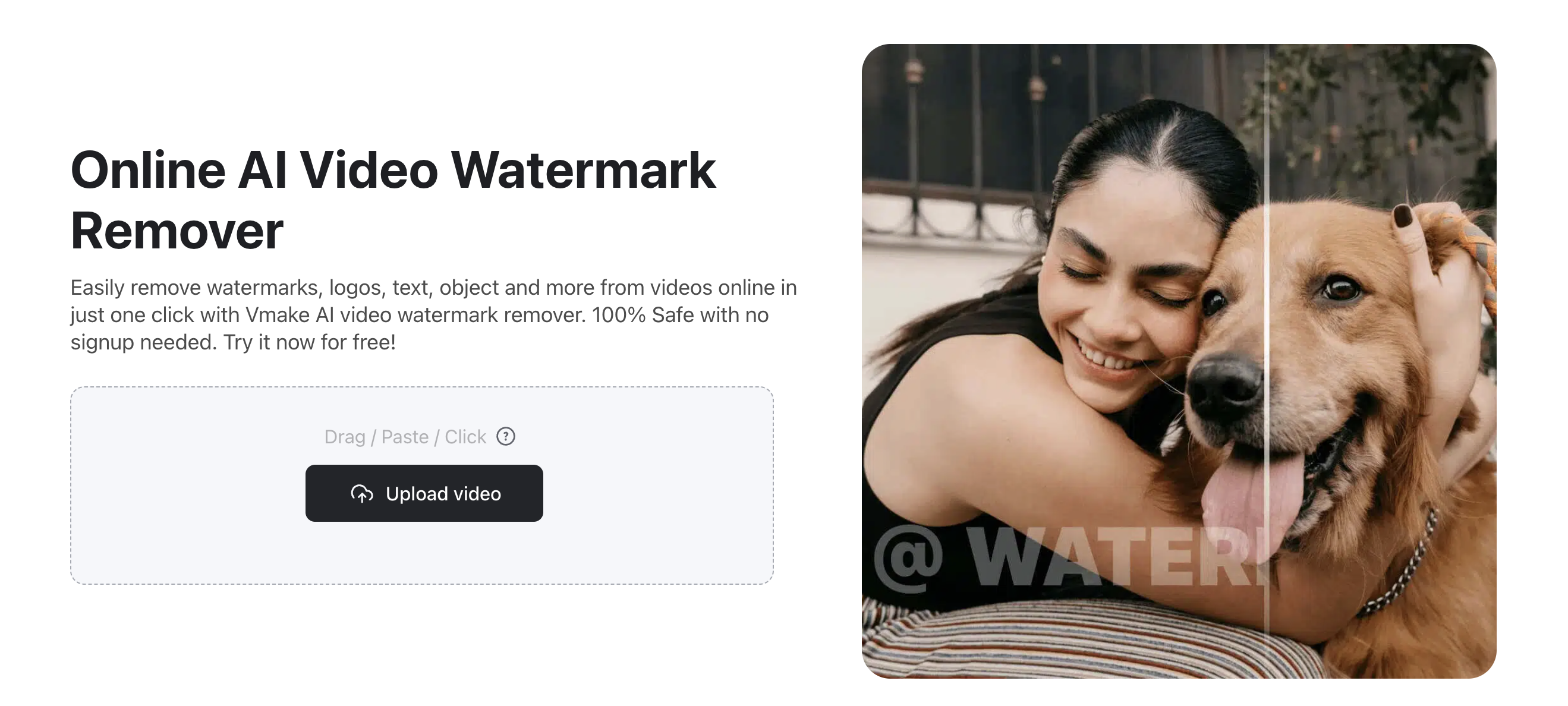
Q: How many shots can I fit in one Seedance 2.0 prompt?
A: The sweet spot is 2 to 3 shots. If you try to prompt 5+ shots in one go, the model’s "Subject Anchor" begins to fray, and the video often becomes a chaotic soup of visuals.
Q: Can I prompt for sound effects in the multi-shot?
A: Yes! Seedance 2.0 supports @Audio references. You can prompt: "Match the glass shattering in Shot 2 to the peak of the waveform in @Audio1."
Q: Why does my character look different after upscaling to 4K?
A: Generic upscalers don't "understand" human faces; they just multiply pixels. Vmake is specifically tuned for AI-generated faces, ensuring the "Identity" stays intact even when moving from 720p to 4K.
Conclusion: The Future Belongs to the Controllers
In 2026, being a "creator" means mastering the tools of control. Seedance 2.0 provides the raw storytelling power—the "actors" and "sets"—but Vmake provides the "cinematography" and "post-production."
By combining these advanced technical prompt structures with a high-end enhancement pipeline, you aren't just making "AI clips"—you are building a cinematic universe.
Ready to see your story in 4K? Take your best Seedance 2.0 generation and run it through the Vmake AI Video Enhancer to see what your vision really looks like.

You May Be Interested

Seedance 2.0: What's New & How to Use It
How to Remove Seedance 2.0 Watermark from Videos
How to Upscale Seedance 2.0 Videos to 4K

Seedance 2.0 vs Sora 2: Which AI Video Generator Wins in 2026?
