
Vheer AI Review: Hands-On Tested Features and Real Community Feedback
Read our comprehensive Vheer AI review to explore its free image and video generation tools. Discover its features, limitations, and how it compares to high-quality alternatives like Vmake Labs.

Welcome to this in-depth Vheer AI review for 2026. This evaluation explores a popular frictionless visual creation tool, breaking down core functionalities. The analysis covers hands-on testing and community feedback before introducing modern high-resolution alternatives for advanced digital artwork generation.
What is Vheer AI? Overview, features, and use cases
Vheer AI operates as a web and Android-based AI tool designed for rapid media creation without mandatory user accounts. It provides a highly accessible environment for creators wanting to experiment with generative technology instantly. Primary use cases include custom phone wallpapers, social media profile avatars, short motion clips for social feeds, prompt reverse-engineering, and zero-cost visual concept drafting. As the market for the best AI image generators expands, tools offering barrier-free access remain highly sought after.
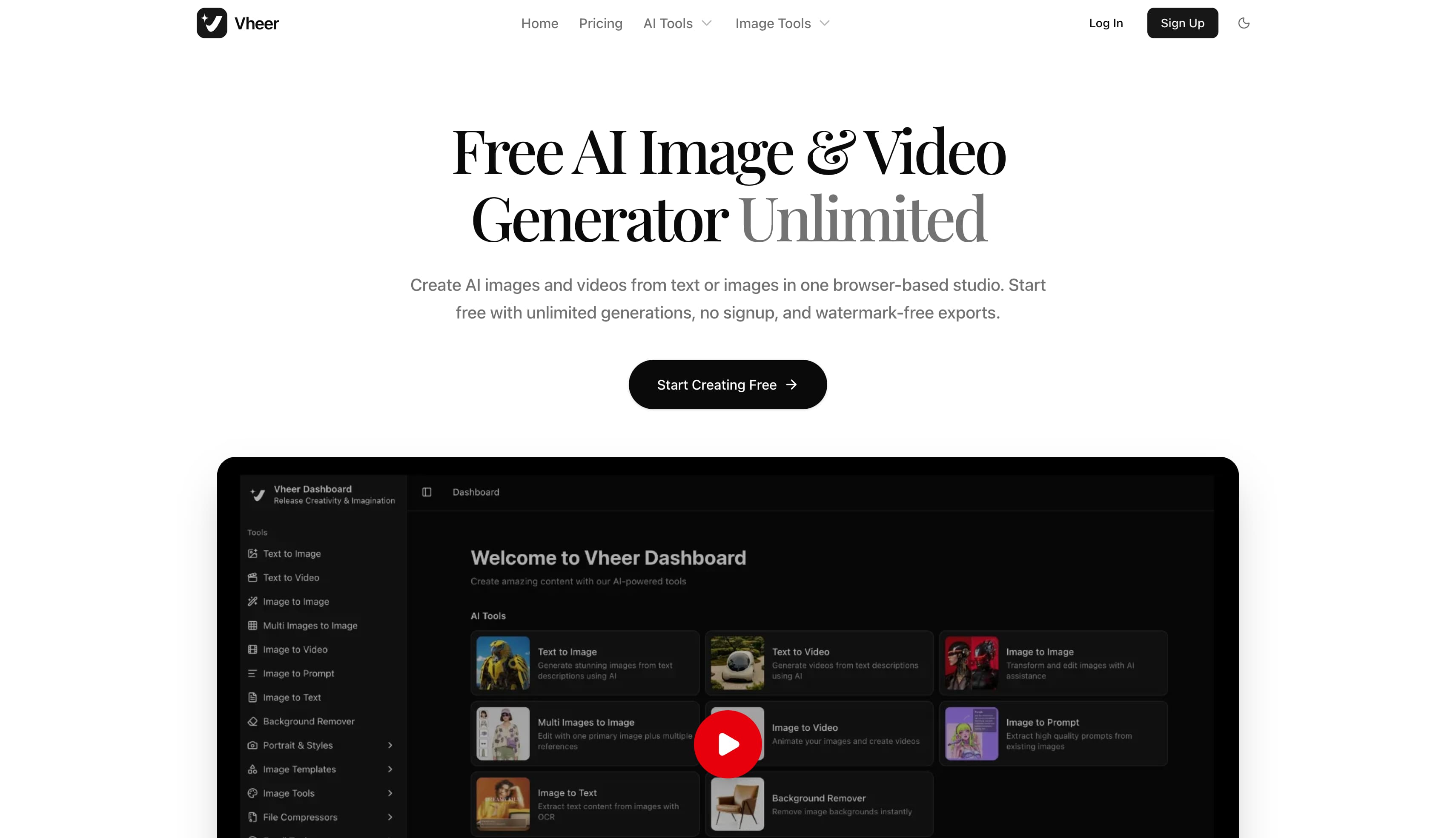
Key features of Vheer AI
-
Vheer AI image generator: Type in a descriptive phrase, and the engine immediately renders a matching visual piece or conceptual draft on screen.
-
Vheer AI image to video generator: Adds subtle motion paths and camera sweeps to static stills, turning flat graphic uploads into brief video sequences.
-
Vheer AI video generator: Builds short clips straight from written prompts, making it easy to assemble casual video snippets for social feeds.
-
AI avatar and profile picture maker: Turns everyday portraits into stylized anime figures, custom gaming icons, or clean digital headshots.
-
Image-to-prompt tool: Scans uploaded visual references and breaks down their composition to produce a reusable prompt that replicates the style.
-
Background removal and FLUX editor: Includes direct editing controls to isolate subjects, apply soft depth blurs, and restyle existing photo assets.
-
Template and preset library: Houses ready-made styles, from street art murals and tarot cards to 3D cartoon renders, bypassing the need to draft complex prompts from scratch.
How to create images with Vheer AI
Getting started takes only a few moments since the platform provides direct access to its generative tools right from the main dashboard.
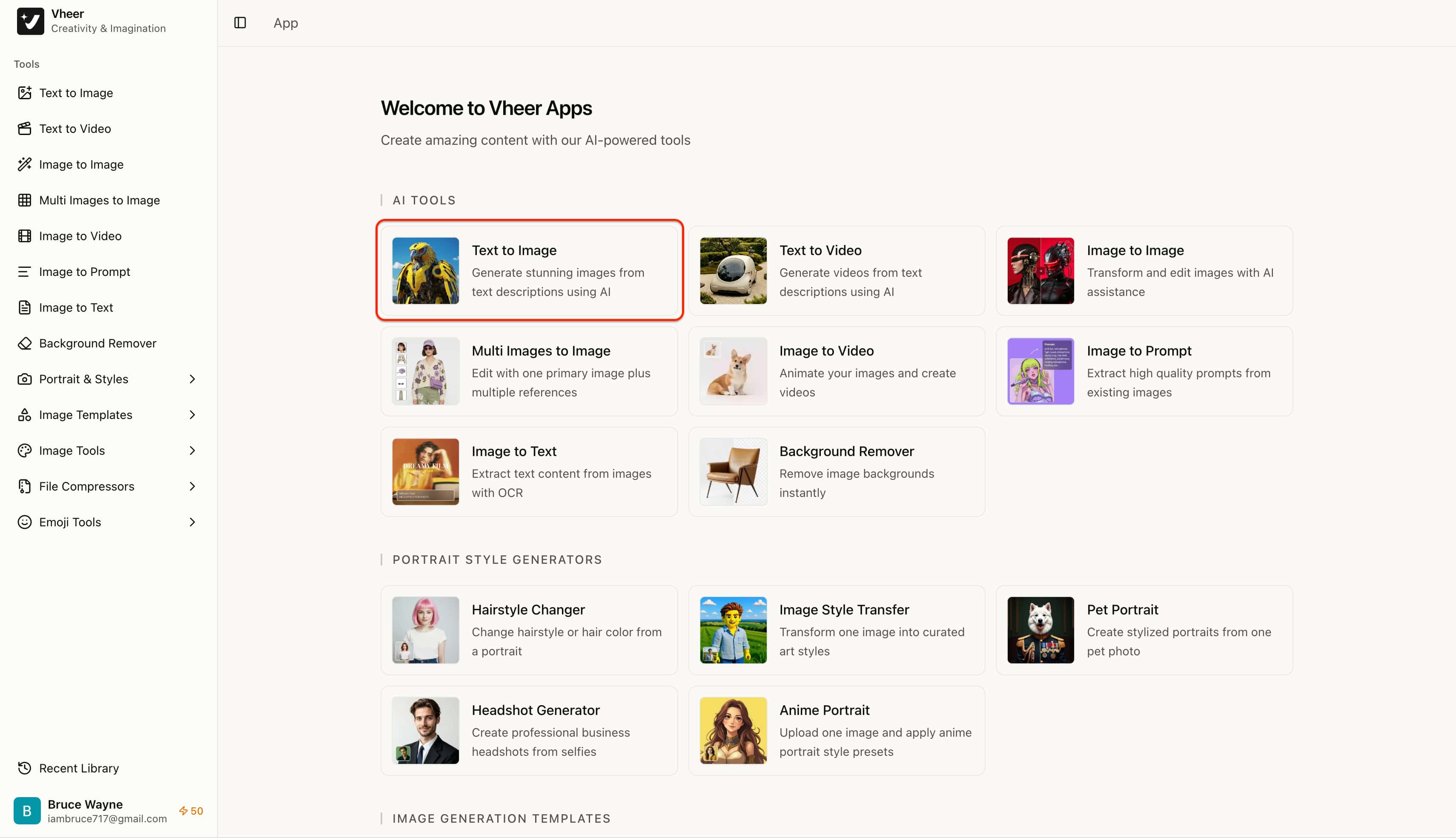
Step 1: Open Vheer AI image generator tool
Navigate to the main dashboard and select the Text to Image tool card under the primary tool gallery (or click the Text to Image option on the left navigation sidebar) to enter the creative workspace.
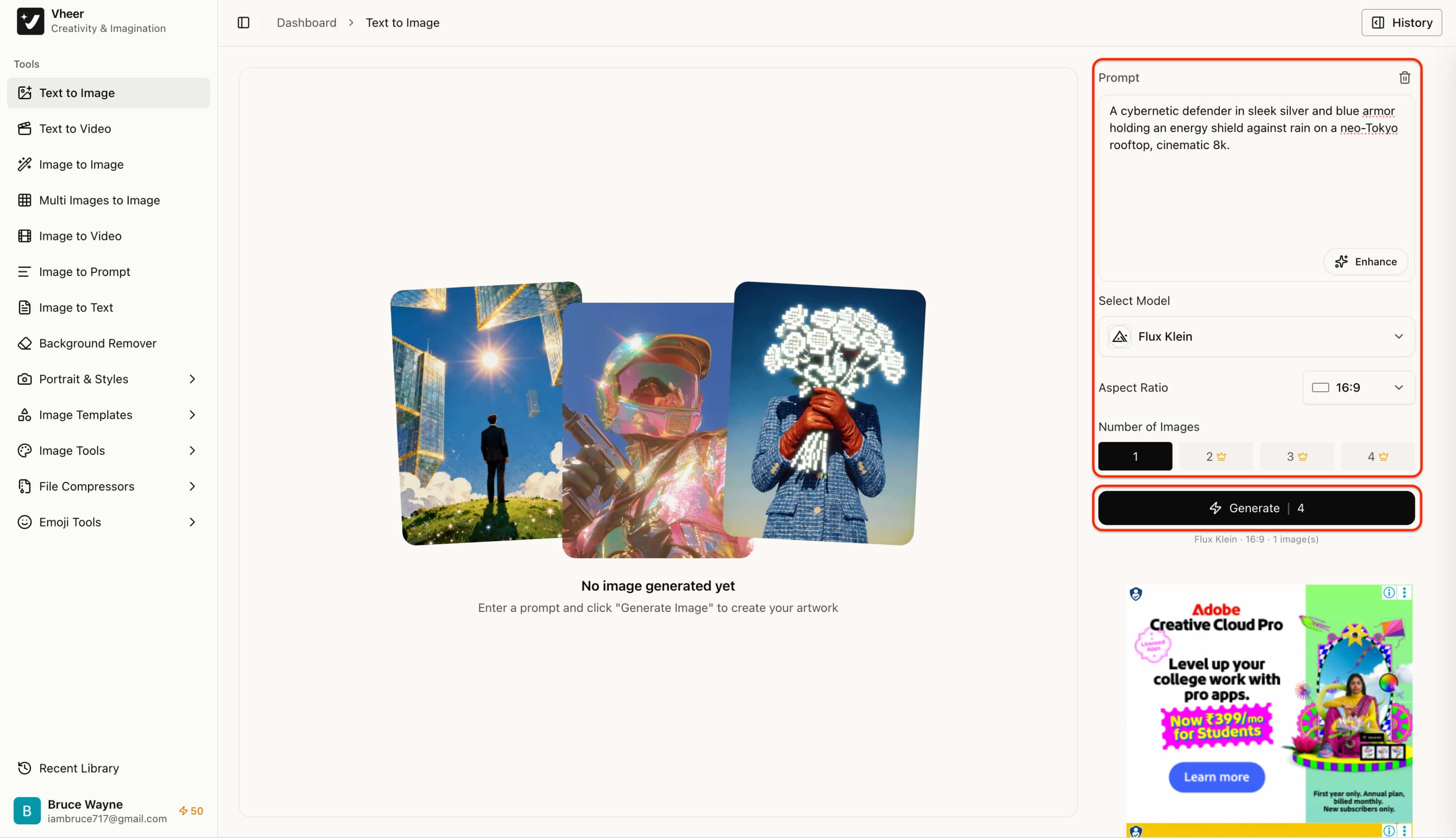
Step 2: Enter your prompt and adjust available settings
Type a descriptive scene into the prompt box on the right panel. Next, select the preferred diffusion model (such as Flux Klein), choose an aspect ratio matching the project format (e.g., 16:9), specify the number of image variations, and click Generate to begin rendering.
Step 3: Generate, review, and download the image
Once processing finishes, examine the generated visual directly in the center preview canvas. Use the bottom toolbar to make minor adjustments or click Download to save the final image file locally.
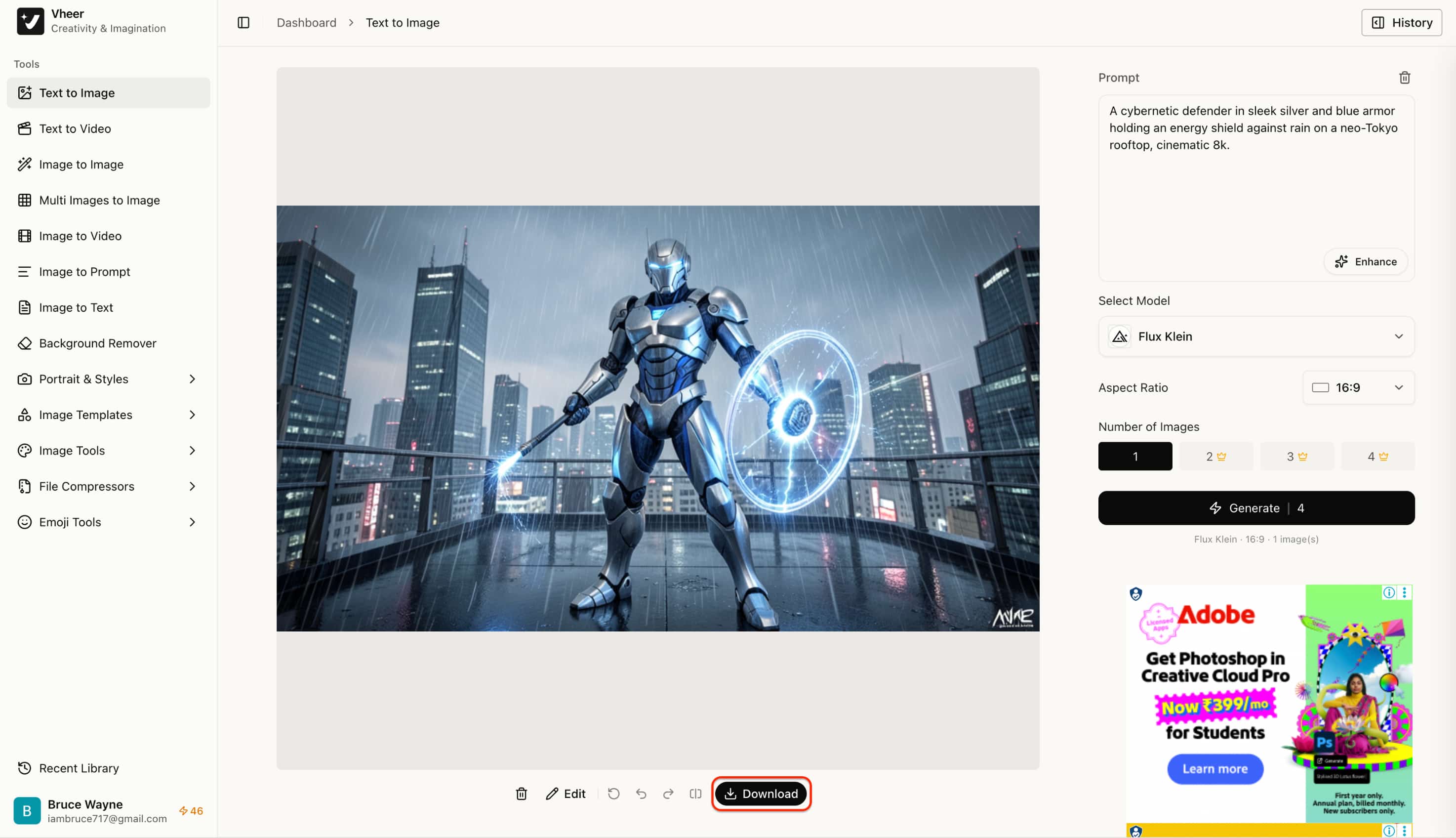
What can you create with Vheer AI?
When jumping into a new platform, the true test is seeing how it translates raw ideas into finished pieces. To find out exactly where this tool shines and where its limitations lie, I ran it through a gauntlet of popular AI art styles.
6 popular visual styles you can generate
To evaluate versatility across different aesthetic domains, we tested distinct creative categories using the free Vheer Quality model set to a 16:9 widescreen aspect ratio. The platform renders these visual assets and motion clips completely free without requiring paid subscriptions or token deductions.
Photorealistic portraits and character concepts
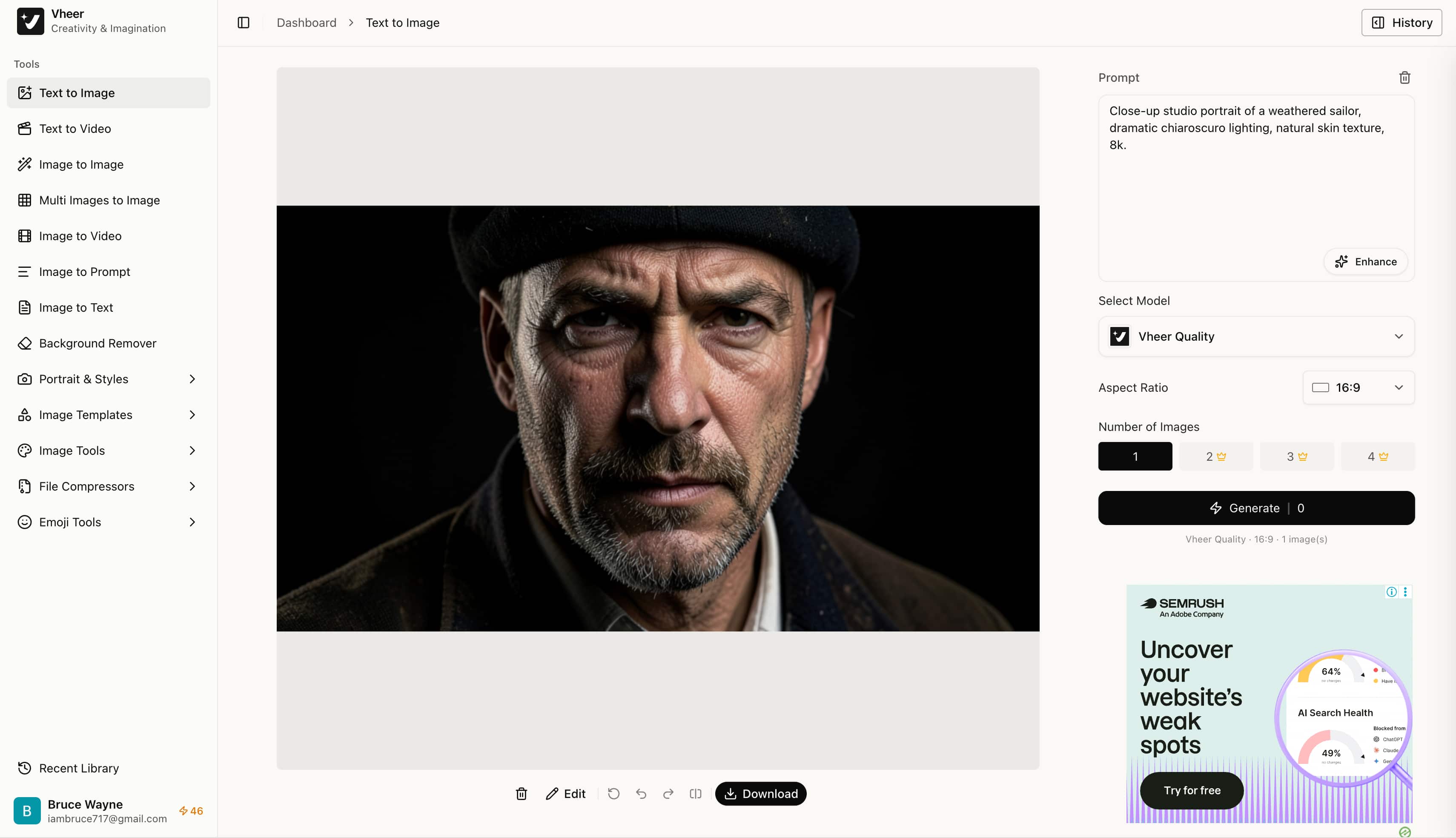
Tested Prompt: "Close-up studio portrait of a weathered sailor, dramatic chiaroscuro lighting, natural skin texture, 8k."
Test Observation: The engine handles facial symmetry reasonably well, though skin textures often lean toward a softer finish rather than capturing deep micro-details.
Anime and digital concept art
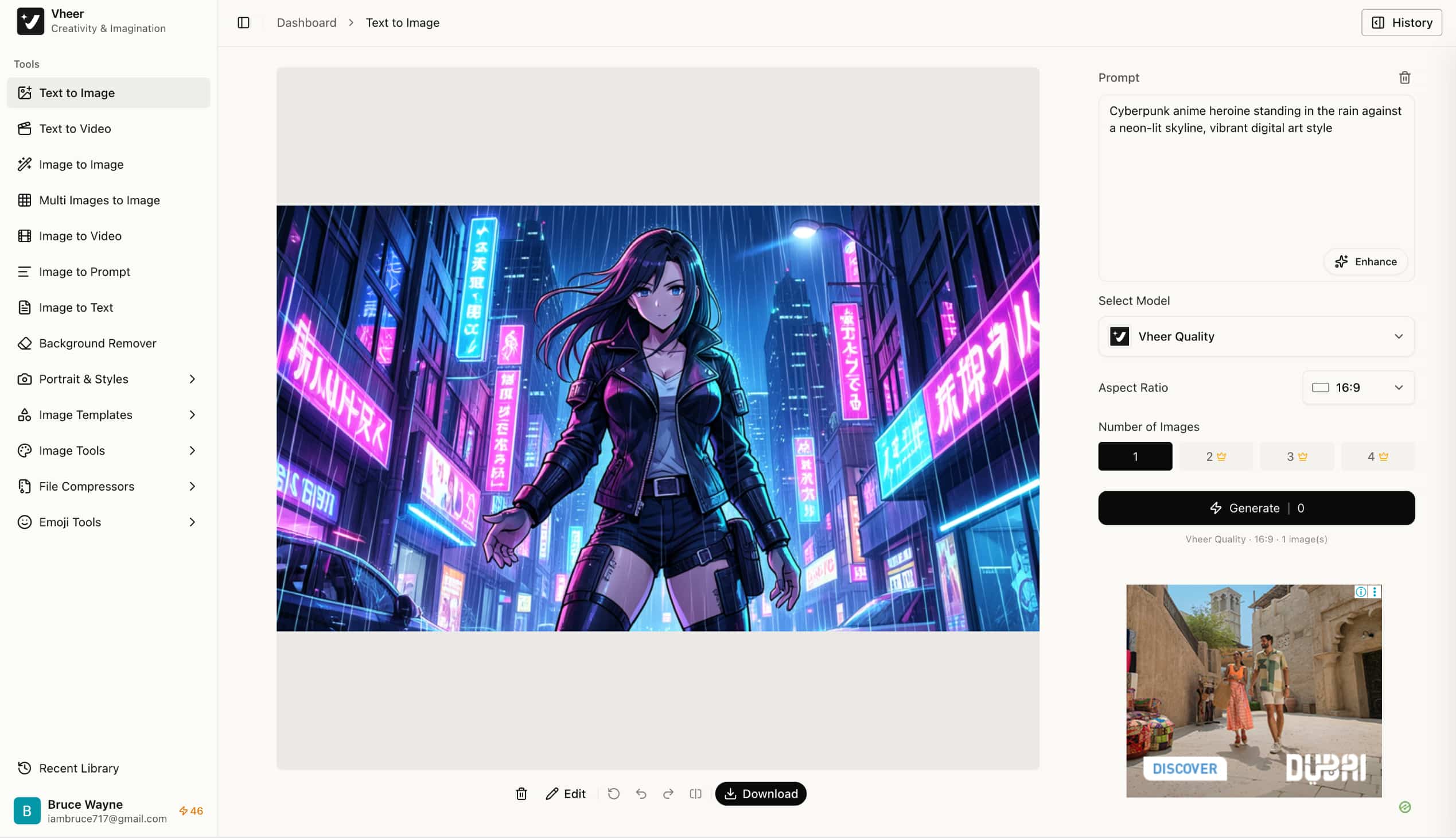
Tested Prompt: "Cyberpunk anime heroine standing in the rain against a neon-lit skyline, vibrant digital art style."
Test Observation: This remains a strong suit, delivering rich color saturation alongside clean, defined line work typical of modern digital illustration.
Cinematic landscapes and sci-fi environments
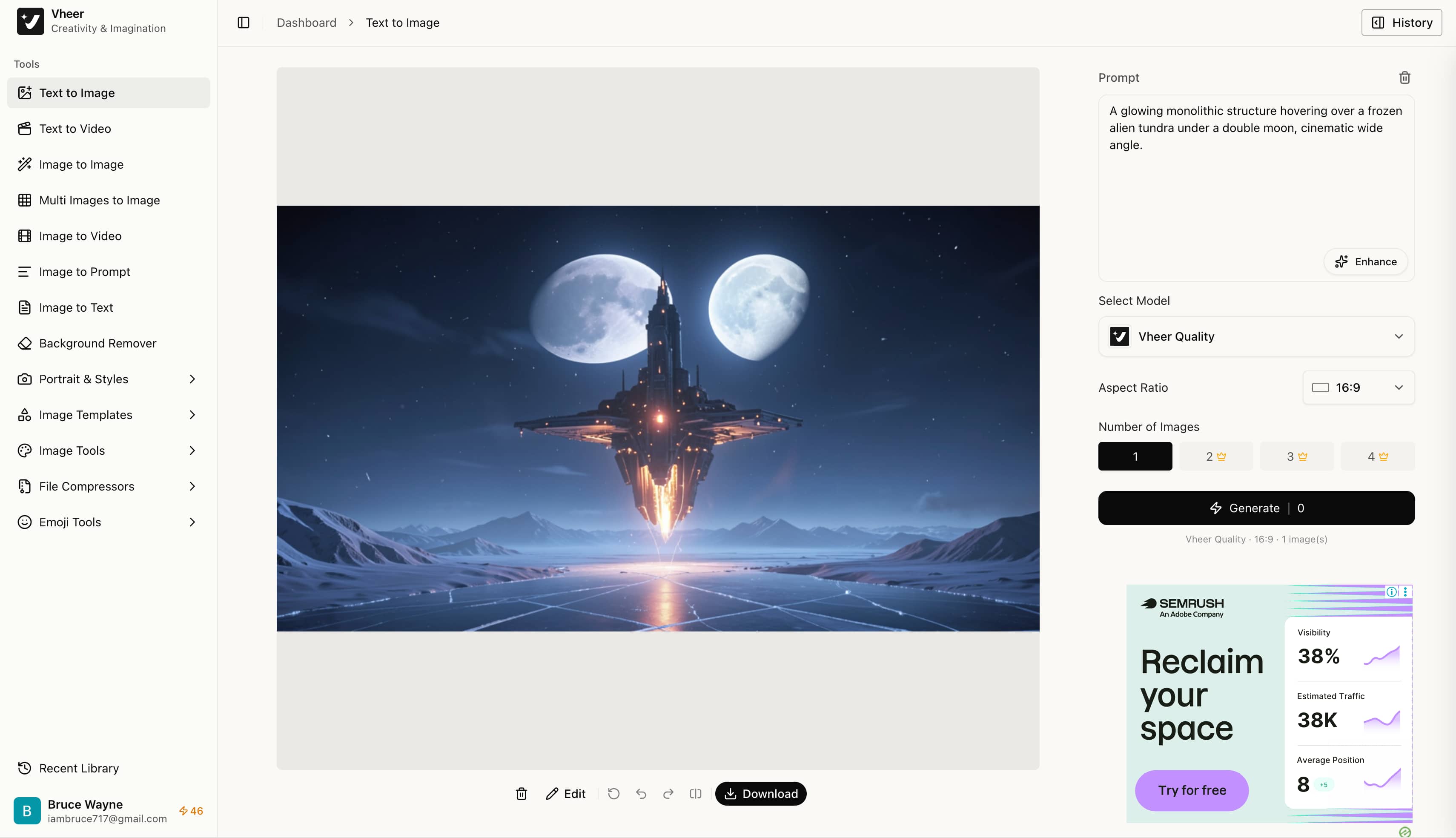
Tested Prompt: "A glowing monolithic structure hovering over a frozen alien tundra under a double moon, cinematic wide angle."
Test Observation: Broad atmospheric depth renders effectively, though intricate background architecture tends to lose sharpness upon closer inspection.
E-commerce and product visual concepts
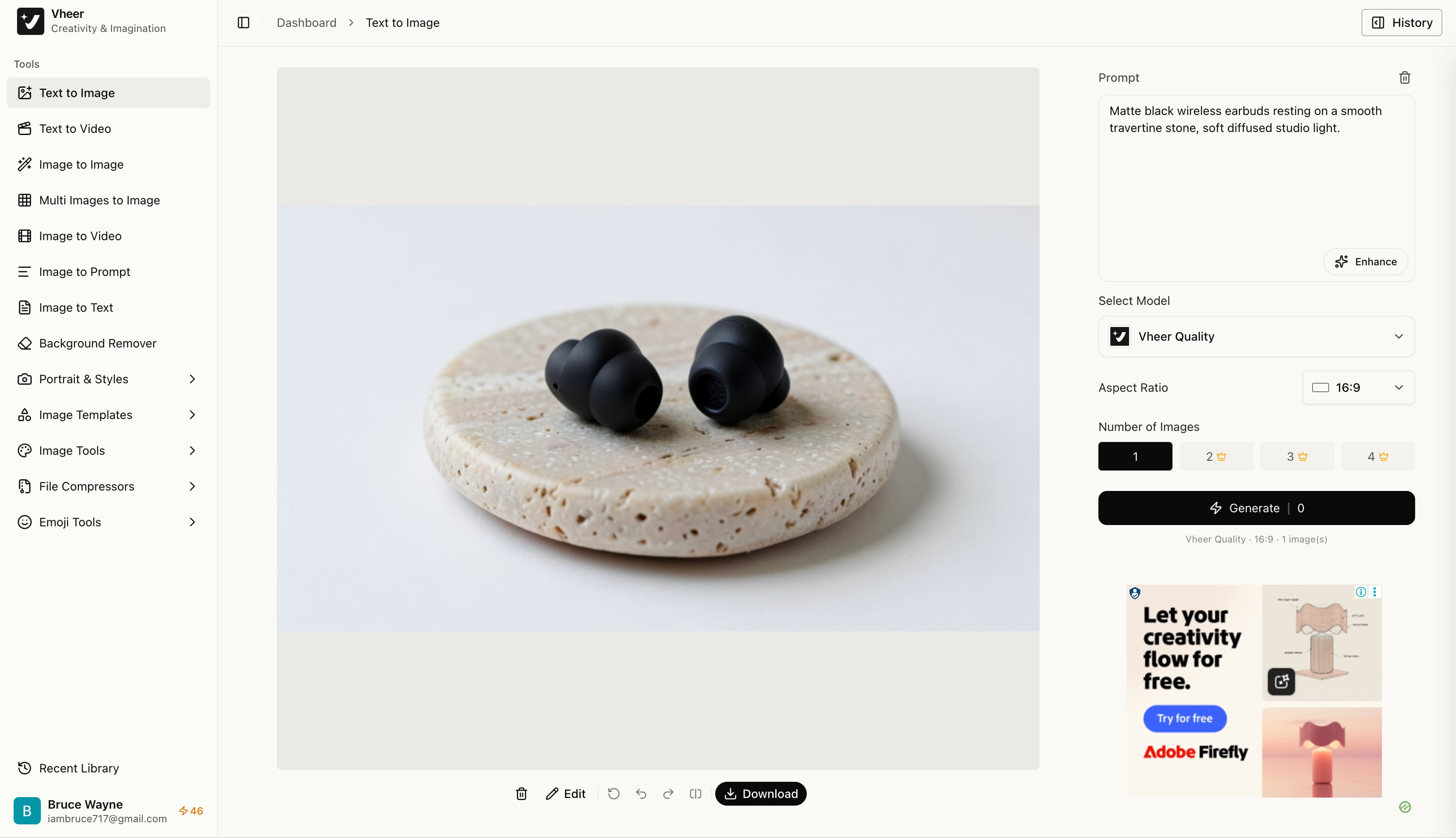
Tested Prompt: "Matte black wireless earbuds resting on a smooth travertine stone, soft diffused studio light."
Test Observation: The tool produces clean conceptual drafts, though metallic reflections and symmetrical geometric lines occasionally show minor warping.
3D stylized avatars and mobile wallpapers
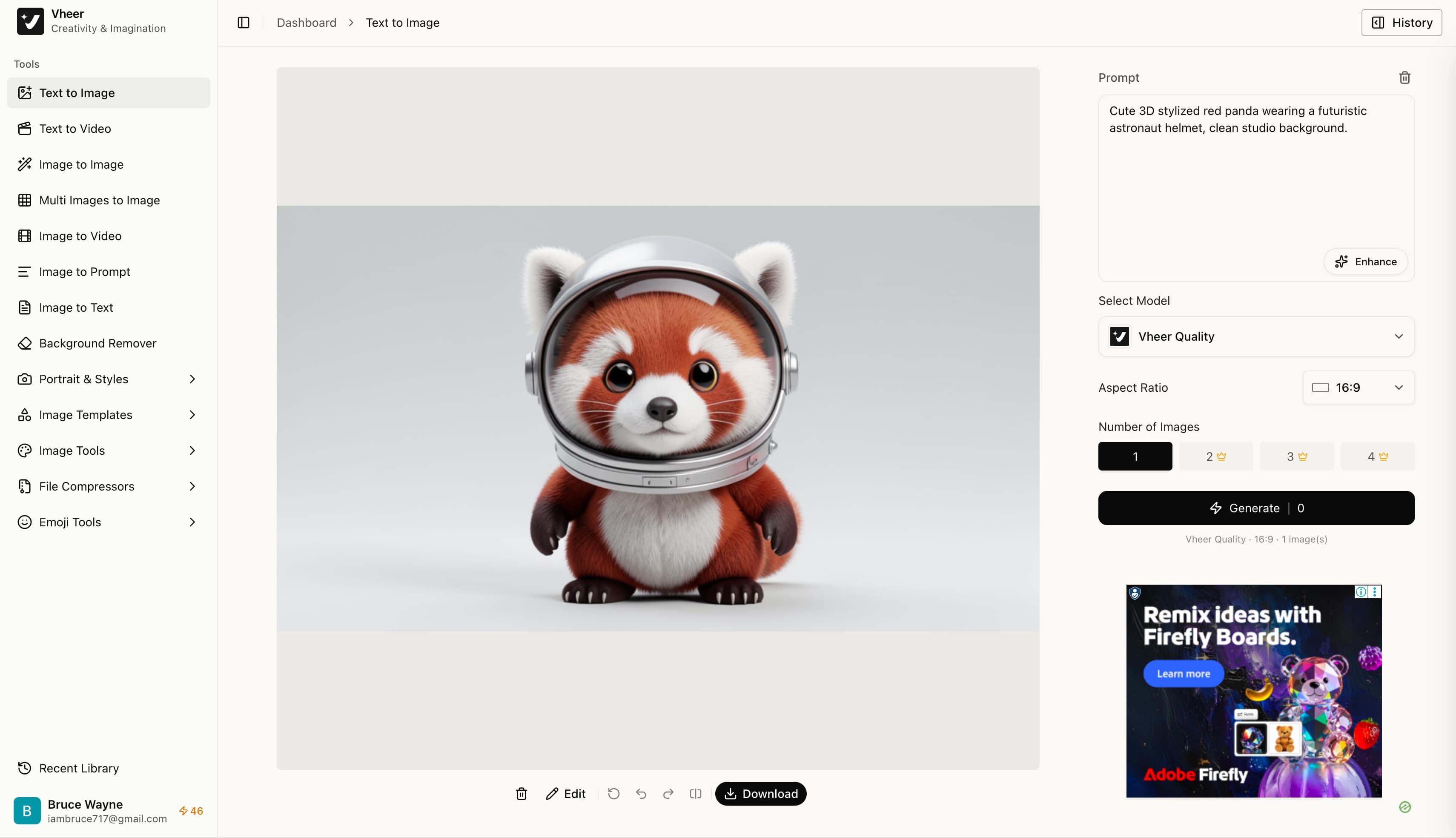
Tested Prompt: "Cute 3D stylized red panda wearing a futuristic astronaut helmet, clean studio background."
Test Observation: Lighting and smooth surface shaders render cleanly, creating eye-catching assets well-suited for phone backgrounds and avatars.
Animated short clips and motion graphics (Vheer AI image to video)
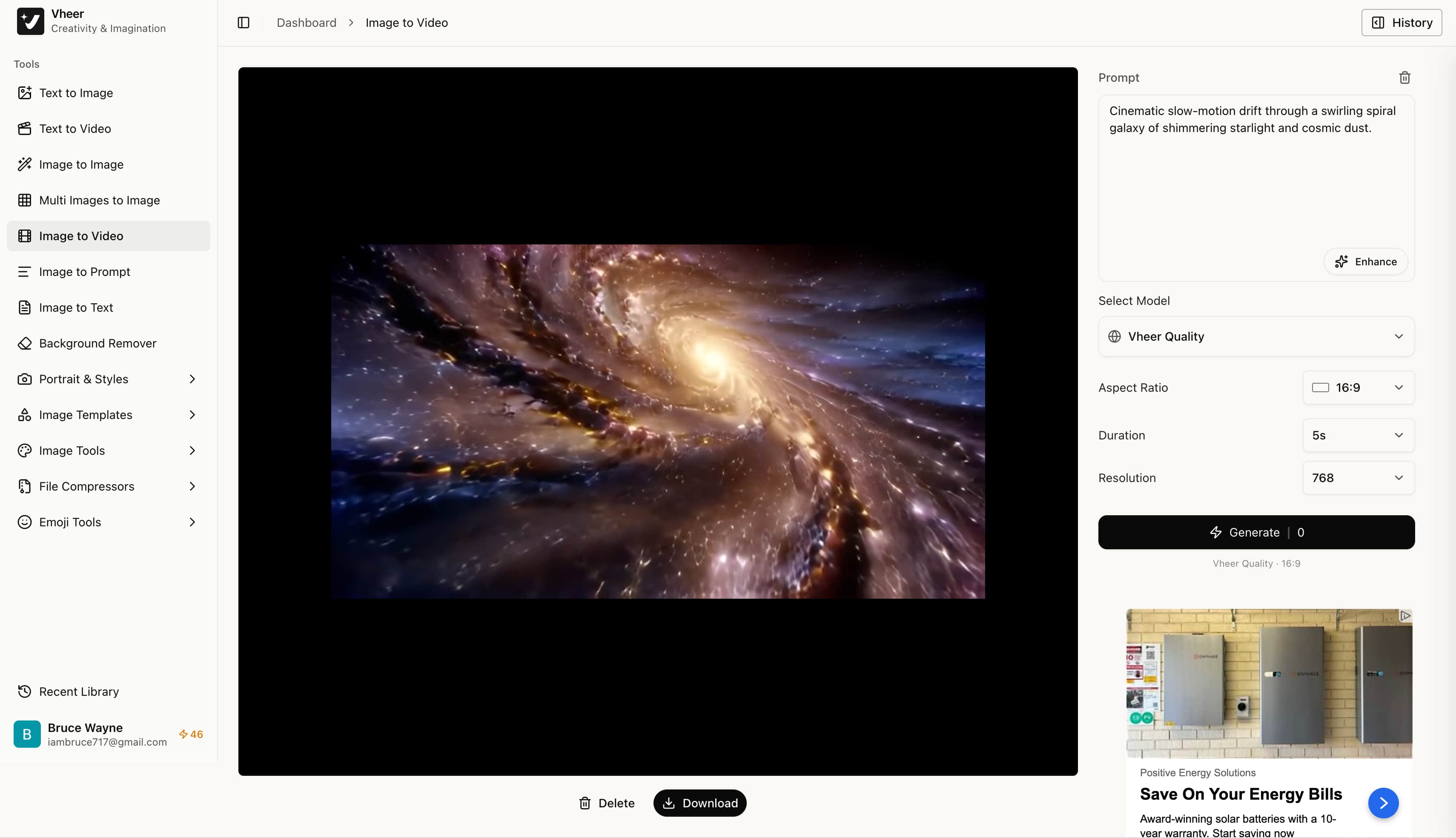
Tested Prompt: "Cinematic slow-motion drift through a swirling spiral galaxy of shimmering starlight and cosmic dust."
Test Observation: Motion rendering introduces fluid dynamic pans, though subtle warping artifacts can surface across prolonged movement paths.
Output video:
Vheer AI review: Hands-on testing, benchmarks, and user feedback
This evaluation methodology relies on direct platform testing alongside community consensus across major forums to provide an objective assessment.
Hands-on performance testing and benchmark results
We conducted controlled generation cycles to measure real-world rendering speeds, prompt compliance, and overall server stability.
The following performance metrics highlight key generation parameters observed during real-time web testing.
|
Performance Metric |
Tested Result |
Notes and Observations |
|---|---|---|
|
Average Generation Speed |
~8–12 seconds |
Fast queue processing for standard prompts |
|
Max Output Resolution |
Standard definition (Web only) |
Lacks 2K/4K scaling for print or e-commerce |
|
Prompt Adherence Rate |
~75% on simple prompts |
Struggles with complex spatial or multi-subject prompts |
|
Supported File Formats |
.png (Images) / .mp4 (Videos) |
Standard web exports with no raw/lossless options |
These baseline figures demonstrate dependable queue speeds for draft generation, though output dimensions remain constrained to standard web formats.
What users say about Vheer AI (Trustpilot and community feedback)
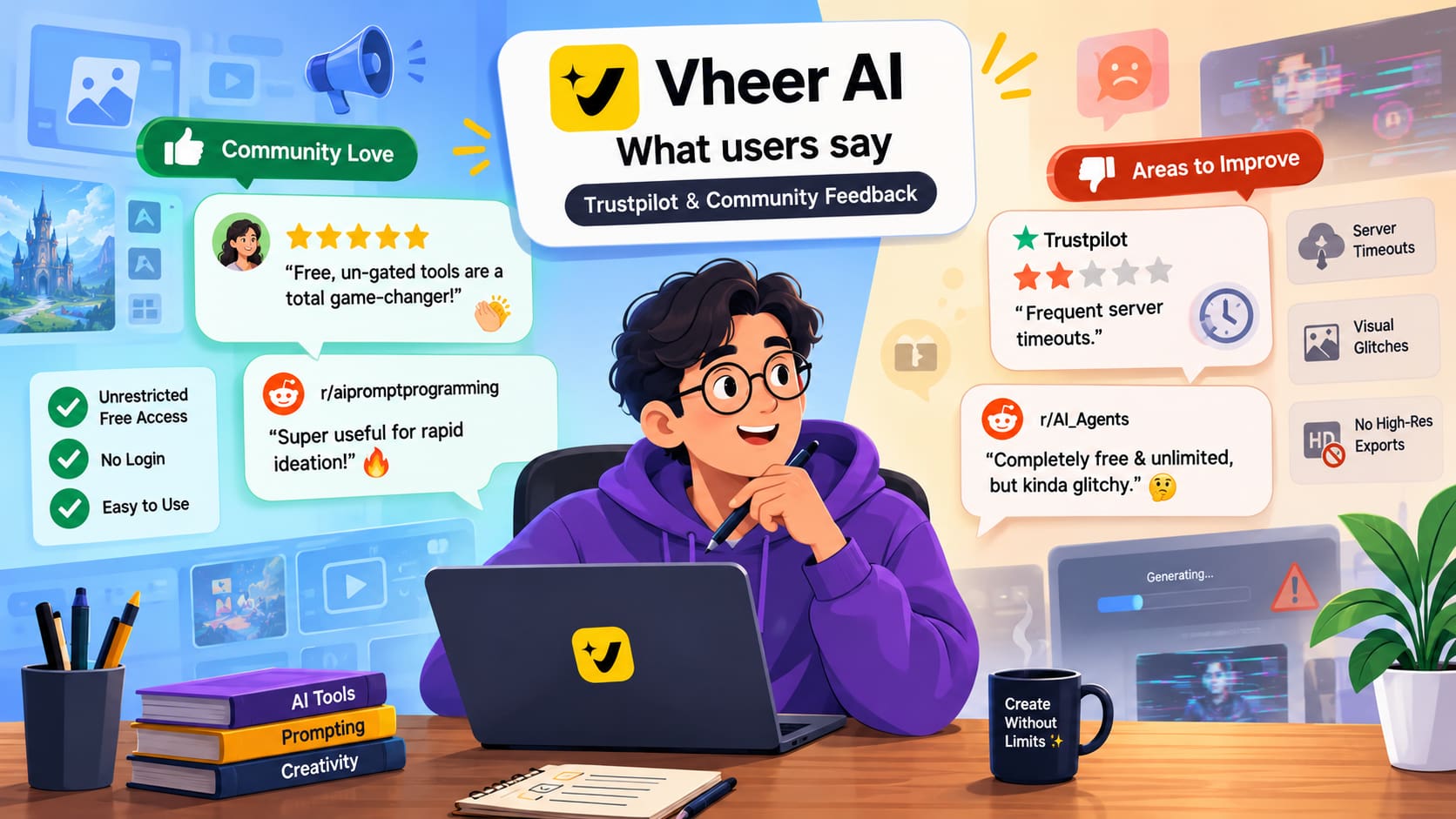
Community praise: Users appreciate the unrestricted free access and lack of aggressive credit systems. For instance, users on Reddit (r/aipromptprogramming) highlight how useful the free, un-gated tools are for rapid ideation, noting that turning images into prompts without logging in is a "total game-changer for AI art workflows".
Community criticisms: Reviews on Trustpilot, Reddit, and forums note frequent server timeouts, visual glitches, and the lack of high-res exports. As one user on r/AI_Agents noted when evaluating the video features, it is completely free and unlimited, but it is "kinda glitchy" and requires highly detailed prompting to avoid "funny outputs".
What I liked about Vheer AI
-
Frictionless barrier to entry: Immediate creation without signing up, providing credit cards, or managing token balances.
-
Rapid visual ideation: Excellent for draft concepts, casual memes, and fast prompt brainstorming.
-
Clean, distraction-free UI: Straightforward layout accessible for complete beginners.
What could be improved
-
Anatomical and structural rendering issues: Inconsistent generation on complex details, hands, faces, and text rendering.
-
No advanced workflow controls: Missing negative prompts, seed locking, reference weighting, and high-res export options.
Who should use Vheer AI and is it worth trying?
-
Best for: Hobbyists, students, casual social media creators, and anyone needing quick, zero-cost visual drafts.
-
Worth trying if: You want a no-friction sandbox to test simple prompts without creating an account.
-
Consider alternatives if: You require high-res visual quality, multi-model flexibility, and advanced creative tools.
While zero-barrier sandboxes excel at rapid brainstorming, creative projects often hit a ceiling when limited to standard web resolutions and rigid baseline models. Stepping beyond simple draft concepts requires an environment equipped with multiple state-of-the-art diffusion engines, fine-tuned aspect ratios, and granular structural control. For workflows demanding dependable visual fidelity without compression artifacts, transitioning to a dedicated generative studio becomes the natural next step.
The best Vheer AI alternative: Vmake Labs AI image generator
As a creative studio, Vmake Labs provides an AI Image Generator designed to streamline visual creation for modern campaigns. Powered by multi-model technology, the platform supports both Text to Image and Image to Image generation, allowing creators to guide outputs using structural reference images. Tailored for professional visuals and AI creative ads, the toolkit delivers polished graphics without quality drop-offs.
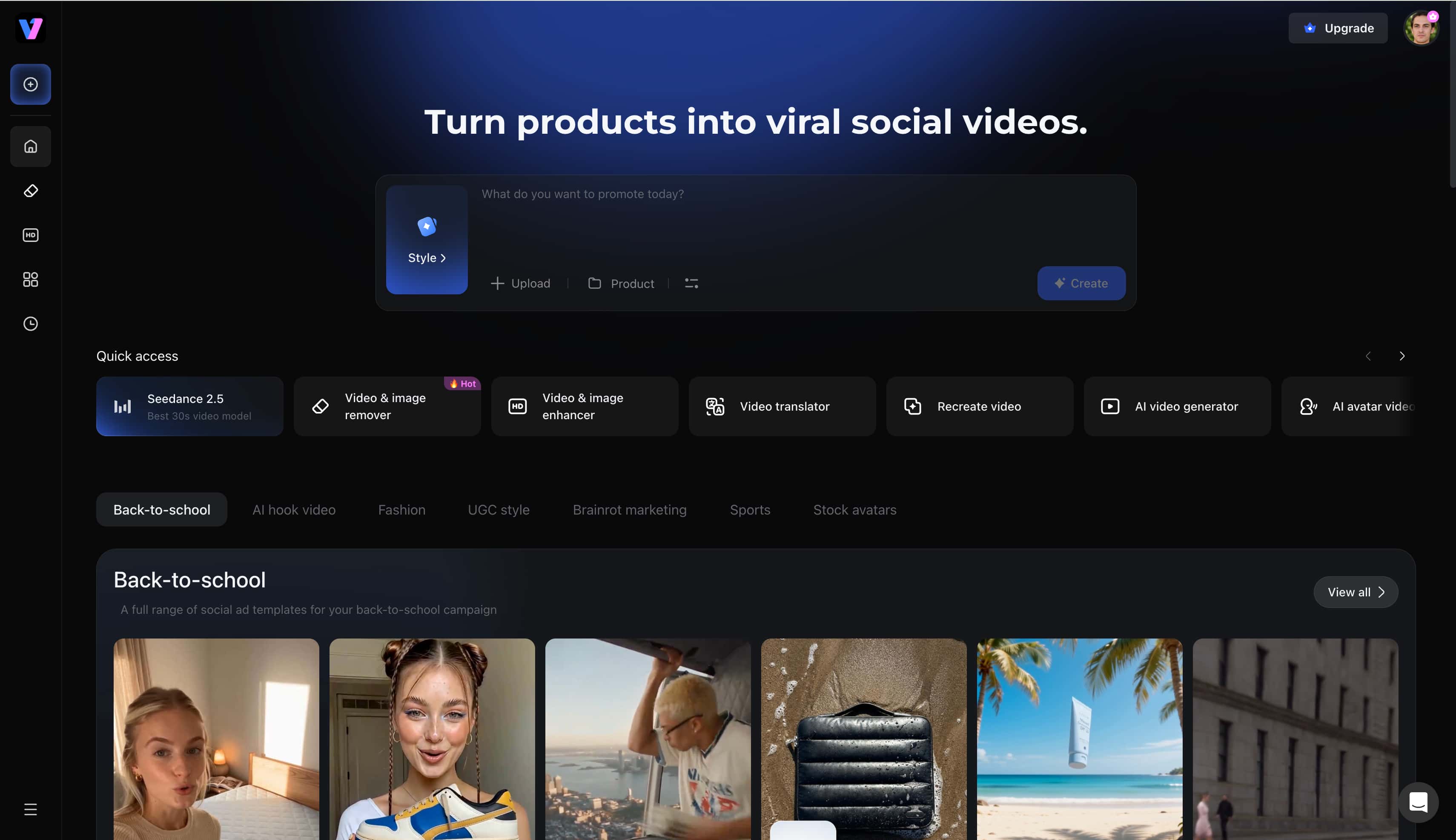
Core capabilities of Vmake Labs image generator
-
Multiple leading AI image models: Access top-tier engines including Nano Banana, Nano Banana Pro, Seedream 4.0, and GPT Image 1. These integrations provide varied artistic styles to match specific project demands.
-
Text-to-image and image-to-image generation: Create original artwork from scratch using text prompts, or guide output styling by uploading 1–3 reference images in .jpg, .jpeg, or .png format (up to 7 MB each). This dictates composition, lighting, and aesthetic accurately.
-
Browser-based workflow: Fast, intuitive interface running smoothly across desktop and mobile browsers. No heavy software installations are required to begin generating content.
-
Multiple aspect ratios: Custom dimension presets tailored for e-commerce, digital ads, and social media platforms. Creators can easily optimize assets for specific feed requirements.
-
Fast AI image generation: Rapid processing times without compromising structural detail. High-speed rendering keeps creative workflows moving efficiently.
-
High-res exports: Supports high-definition downloads up to 2K resolution, providing crisp assets ready for online distribution without heavy compression. This ensures final visuals maintain professional clarity.
How to create high-resolution visuals with Vmake Labs
Step 1: Enter a text prompt or upload a reference image
Open Vmake Labs AI Image Generator and choose either Text to Image or Image to Image. Enter a text prompt describing the image to create, or upload up to three reference images to guide the AI before generation.
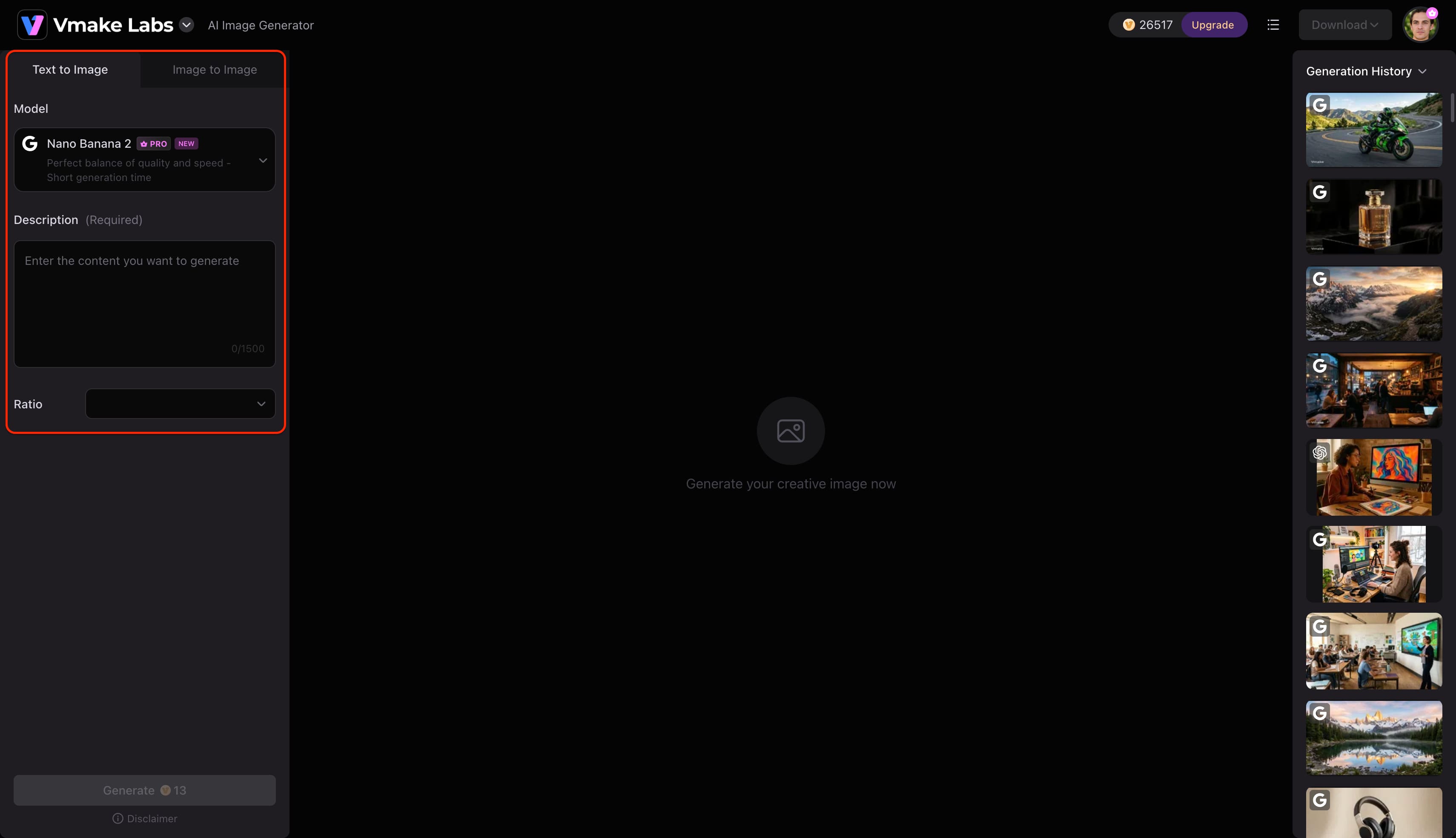
Step 2: Choose an AI model and customise the generation settings
Select the AI model that best suits the project. Vmake Labs AI Image Generator supports Nano Banana 2, Nano Banana Pro, Nano Banana, Seedream 4.0, and GPT Image 1. Then choose a preferred aspect ratio before clicking Generate.
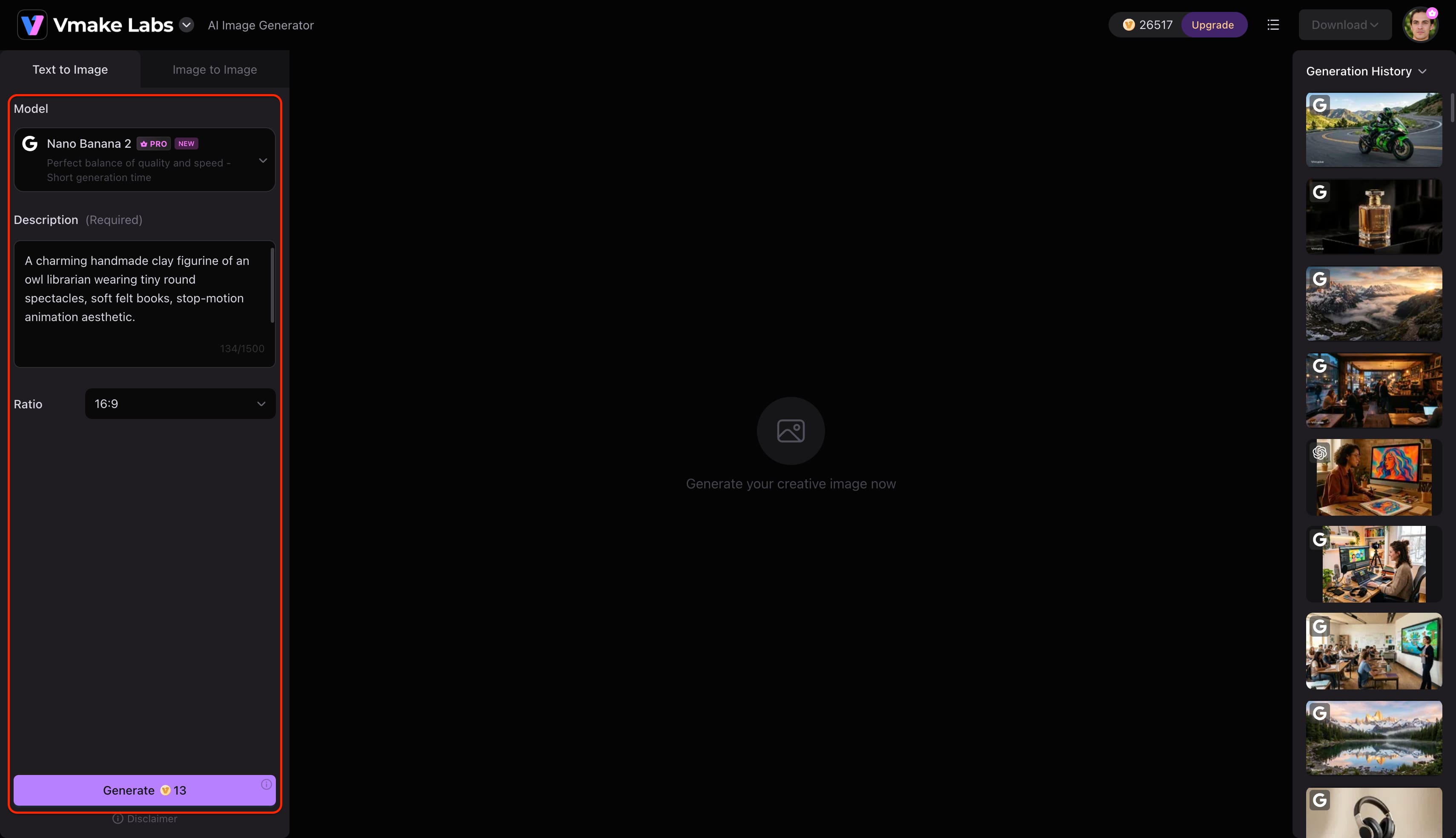
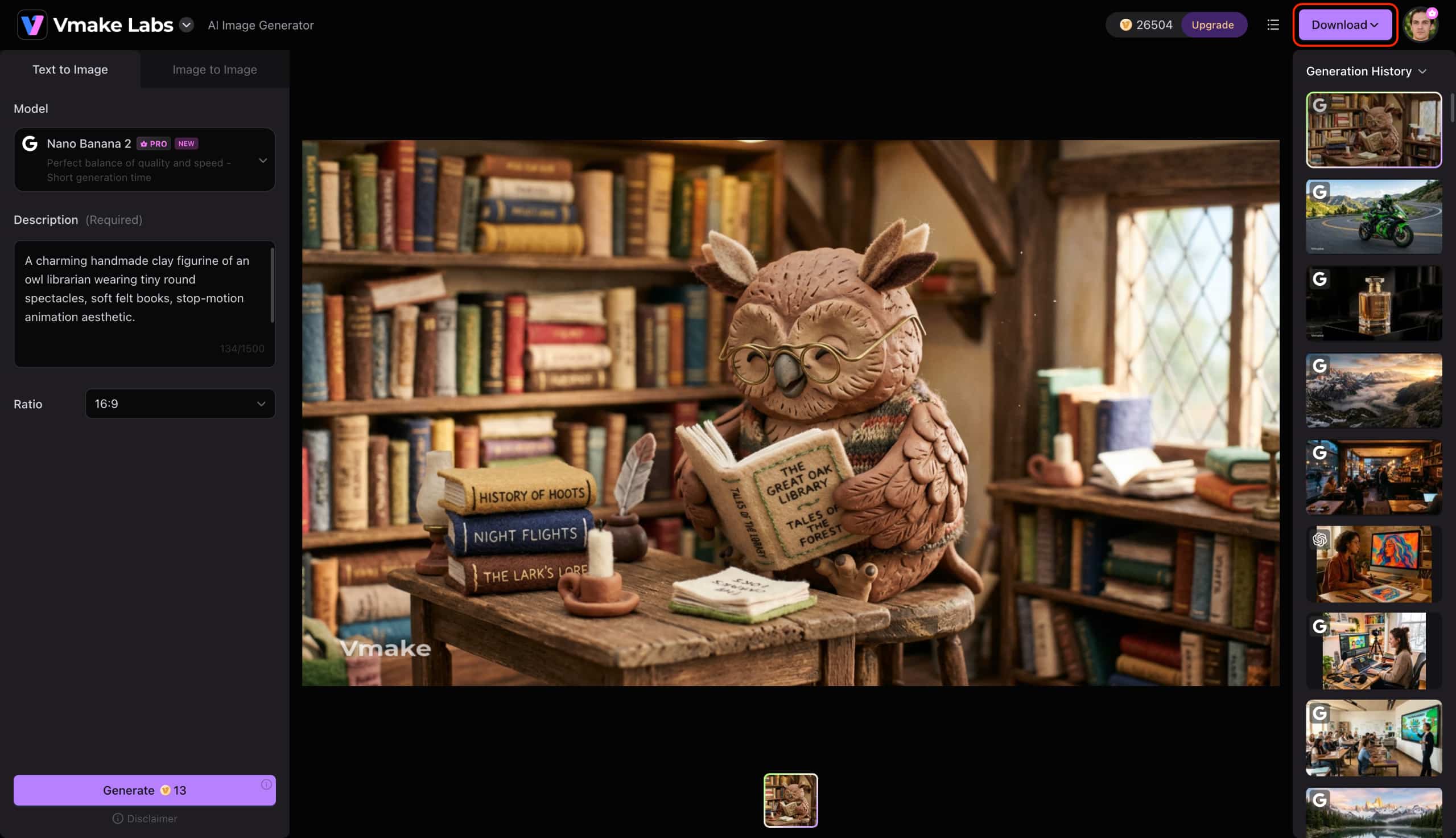
Step 3: Generate and download your image
Click Generate to create the images. Review the generated results, generate additional variations if needed, and download the image that best matches the project.
Conclusion
Wrapping up this Vheer AI review, the platform stands out as a handy, zero-barrier application for casual visual experimentation in 2026. The frictionless entry point allows immediate access to basic prompt testing and quick social media posts. However, creators requiring pristine fidelity, multi-model versatility, and up to 2K resolution exports will find a more robust solution elsewhere. Stepping up to Vmake Labs provides the advanced customization and clarity necessary for elevated digital projects.
FAQ
Is Vheer AI completely free, or are there hidden credit and usage limits?
Vheer AI uses a freemium model that includes 50 free credits per month for personal use. In select creation tools, generating media with the base Vheer Quality model is completely free and does not deduct from your monthly balance. However, when using tools that lack this specific model or when selecting advanced premium models, generations consume your monthly credits. Upgrading to a paid subscription is necessary to access all premium models, secure larger credit allowances, and obtain commercial licensing rights.
Can I use images and videos created with Vheer AI for commercial projects?
Commercial usage rights depend on your active subscription tier. The Free plan restricts generated content strictly to personal use. Upgrading to a paid plan grants commercial rights for both images and videos. Always review the latest licensing agreements on the official pricing page to ensure compliance before publishing assets professionally.
What is the maximum resolution and length for Vheer AI video outputs?
Video generation supports duration presets of 5, 10, 15, or up to a maximum length of 20 seconds per clip. Free users receive standard 768p resolution, while Premium subscribers can generate high-definition outputs up to 1080p.
What is the best alternative to Vheer AI image to video?
For creators seeking higher visual fidelity and dedicated motion tools, the Vmake Labs AI Image to Video Generator serves as a specialized alternative alongside the studio's primary image generation workspace. It transforms static artwork into fluid, high-definition video sequences with customizable aspect ratios and granular motion controls without heavy compression artifacts.
Does Vheer AI place watermarks on free downloads?
No, the platform does not place watermarks on its free downloads, whether you are generating images or exporting video clips. Users can save all their generated content completely watermark-free, ensuring clean visual assets ready for immediate use without any intrusive branding.

You May Be Interested

Z Image AI Review 2026: Features, Performance, Pros and Cons
Yodayo AI Review 2026: Features, Pricing, and Alternatives
X-Design Watermark Remover Review (2026): Features & Pricing
Vidu AI Review: Is This AI Video Generator Worth in 2026?
Vadoo AI Review 2026: Features, Pricing and Alternatives
VEED Review: Does the Watermark Remover Work? (2026)

Vivideo AI Review 2026: Features, Pricing and Alternatives
Unlucid AI Review: Is this AI platform worth it in 2026?
