
Vadoo AI review: Features, pricing, pros, and alternatives
Explore our Vadoo AI review covering video generation, text-to-video, image-to-video, pricing, user feedback, and a Vmake Labs alternative for creators in 2026. See how it compares.

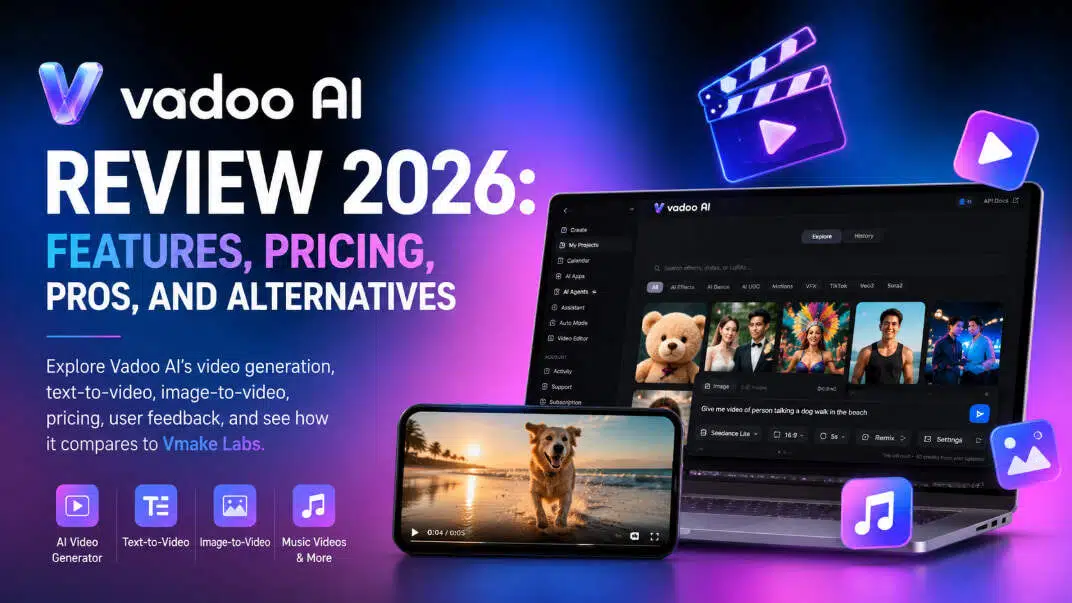
Vadoo AI is an AI video generation platform designed to turn ideas, images, and other inputs into video content. It combines AI-powered creation with editing tools, avatars, and music-focused features. This Vadoo AI review covers its key capabilities, workflow, pricing, pros, cons, and user feedback.
Getting to know Vadoo AI
Vadoo AI combines a number of video creation tools into one platform with a focus on enabling creators to create videos without the need for a blank editing timeline. Its features include AI generation, image-based video creation, avatars, music videos, and editing.
Vadoo AI at a glance
Vadoo AI is for creators, marketers, and businesses who want to create videos with less manual editing. Make social, promotional, product, and explainer videos using text, images, or other supported inputs. Vadoo AI doesn't rely on prompt-based generation alone, but provides video creation, editing, and other tools so that users have a multitude of options to create and edit content.
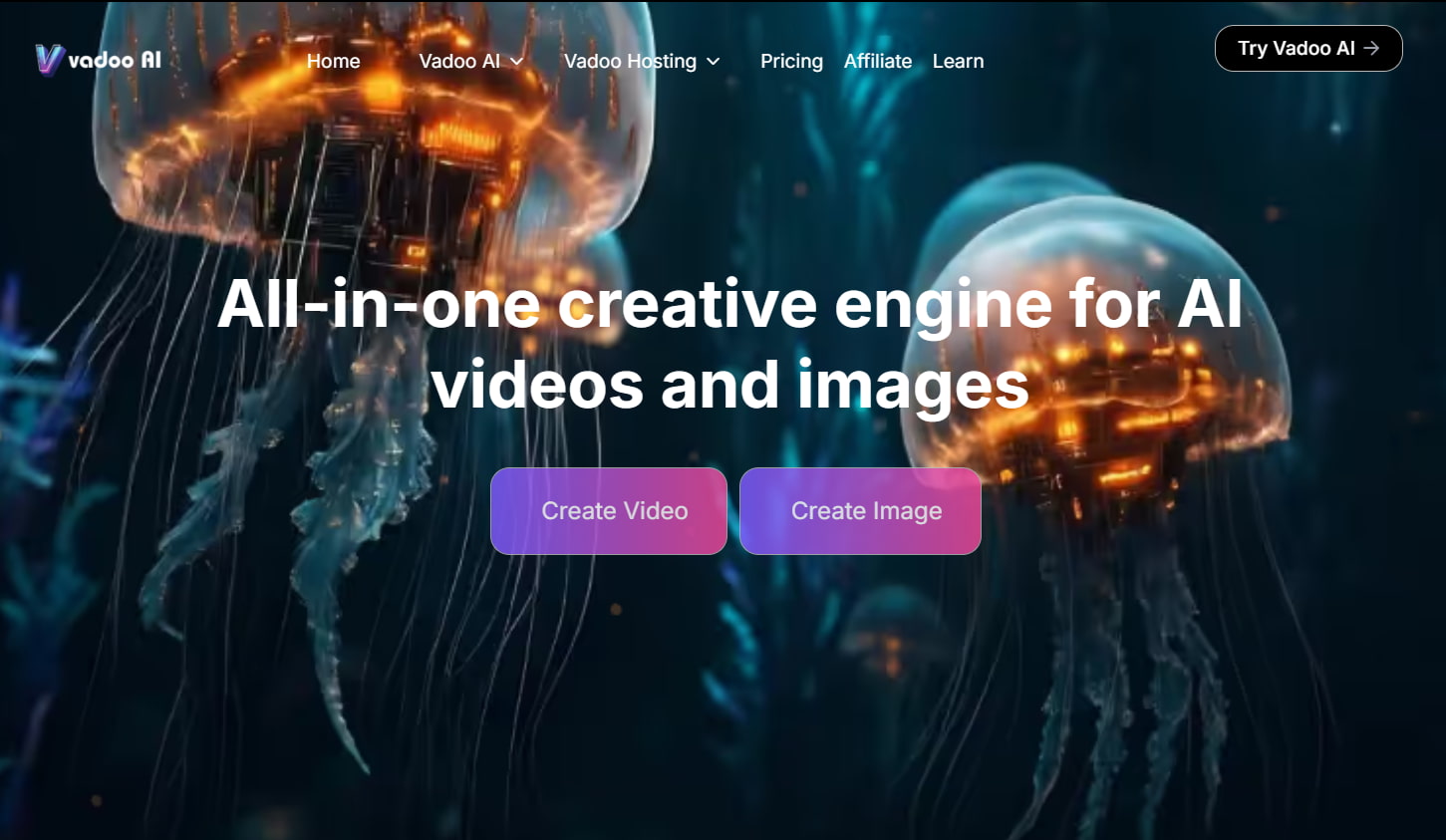
Main capabilities of Vadoo AI
-
AI video generation: Create videos from ideas and prompts instead of building every scene manually.
-
Text-to-video: Turn written descriptions into video concepts and scenes.
-
Image-to-video: Use still images as starting points for animated video content.
-
AI avatars: Create presenter-style videos with avatar-based content.
-
Music video creation: Build visual content around music and audio, making the Vadoo AI music video generator relevant for creators working with songs and sound-driven content.
-
Video editing: Refine generated content with editing and customization tools before publishing.
-
Social and marketing content: Use generated videos for platforms, campaigns, promotions, and other digital content.
The exact tools and limits can vary by plan, so features should be checked against the current Vadoo AI offering before choosing a subscription.
Creating videos with Vadoo AI: A closer look
Vadoo AI is designed to shorten the distance between an idea and a finished video. The workflow depends on the creation method, but the basic process is straightforward: choose an approach, provide your input, generate the video, then review and refine it.
How to make a video with Vadoo AI
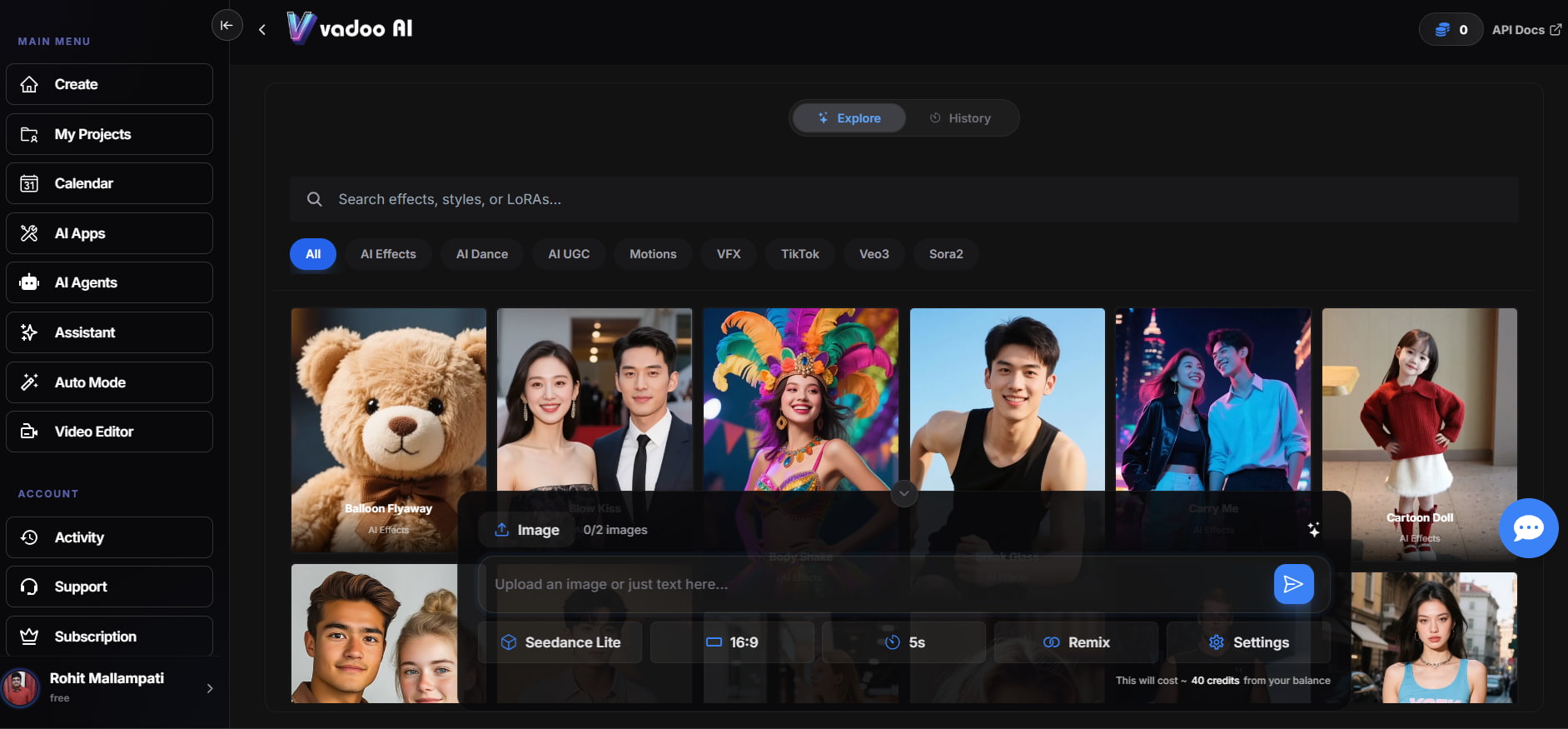
Step 1: Explore the available AI effects and styles.
Browse the Explore section to choose an effect, style, motion, or other available AI option that fits your video concept. You can also search for a specific effect or style before selecting one.
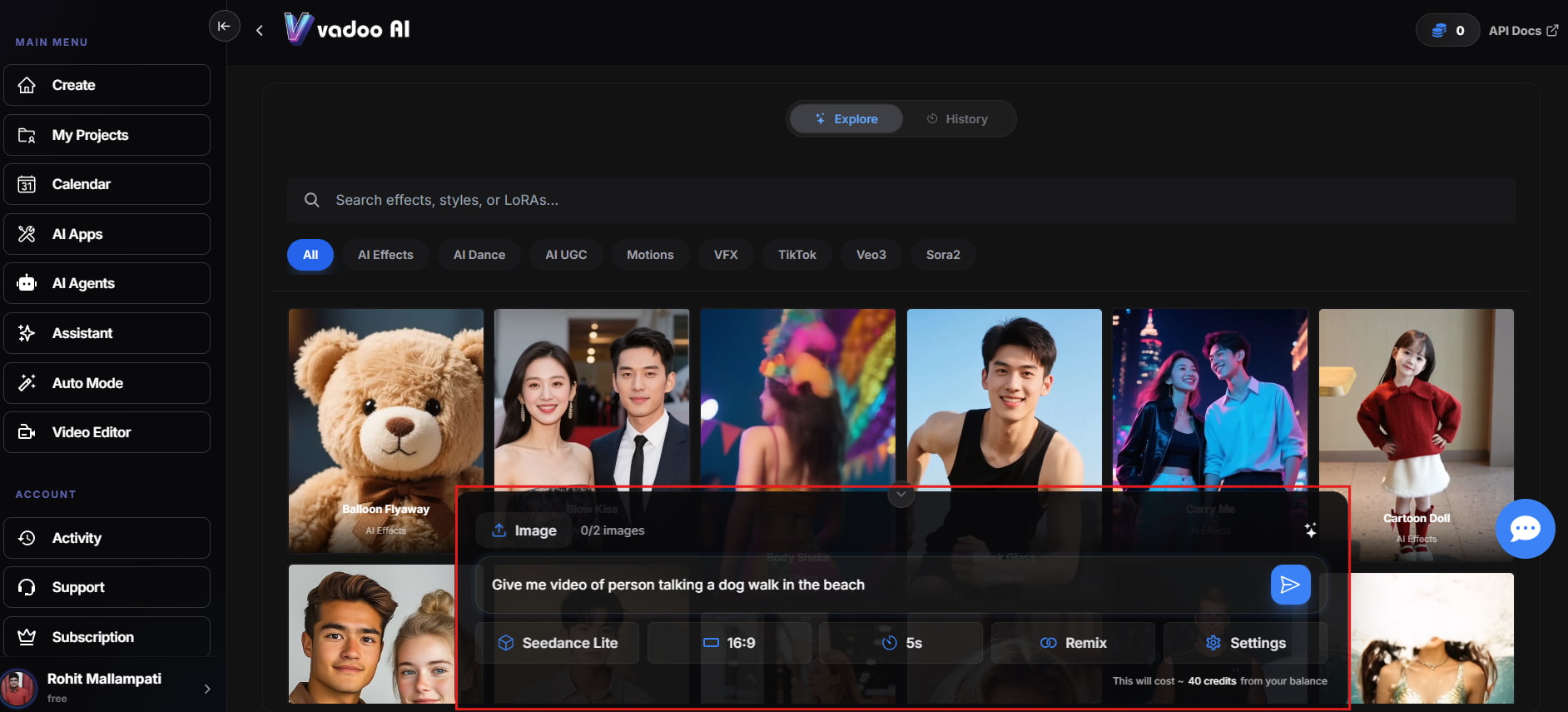
Step 2: Add your prompt or source material.
Describe the video you want or upload the required image, audio, or other input. Adjust the settings available for your selected workflow.
Step 3: Generate and refine the video.
Review the output for scene accuracy, movement, pacing, and overall quality. Regenerate or edit the result when necessary, then export the finished video.
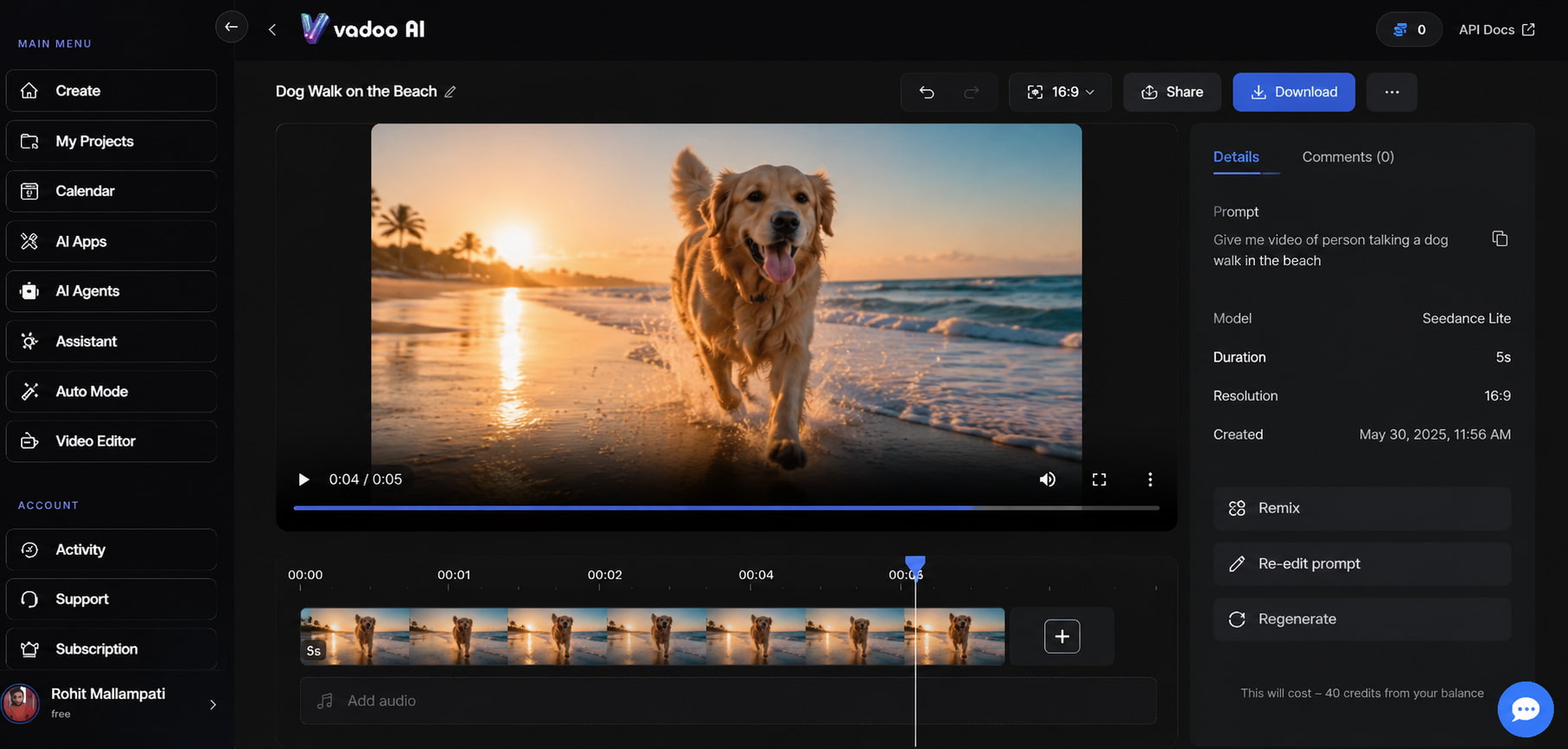
What can you create with Vadoo AI?
The range of supported workflows makes Vadoo AI suitable for more than one type of video project.
-
Social media videos can be created for short-form posts, promotional clips, announcements, and other content where quick production matters. The ability to start with an idea or existing visual can make it easier to produce variations without rebuilding each video from scratch.
-
Marketing and promotional videos are another natural use case. A marketer can turn a campaign concept into a visual asset, then refine the result before publishing it across digital channels.
-
Product-focused content can benefit from image-to-video generation. Instead of leaving a product image static, users can use an image as a starting point for a more dynamic visual.
-
Explainer and educational videos can also make use of AI avatars and generated scenes. Presenter-style content can be useful when the goal is to explain a product, concept, process, or announcement.
-
Music-driven videos are particularly relevant to the Vadoo AI music video generator. Creators working with songs or audio can use visual generation to produce content that matches the mood and rhythm of the track.
The quality of the final result still depends on the input, prompt, selected workflow, and how much refinement the video needs. AI generation can save production time, but it does not remove the need to review the output.
Vadoo AI pricing, advantages, limitations, and reviews
Pricing is one of the areas to check before committing to an AI video platform because generation credits, export limits, and plan restrictions can affect how much content you can produce. Vadoo AI's current plans and any promotional offers should be checked on its official pricing page before purchase.
Vadoo AI pricing
When evaluating Vadoo AI pricing, look beyond the headline subscription cost. The useful comparison is how much generation access each plan provides and what happens when you reach its limits.
|
Plan / Offer |
Price |
AI Credits / Usage Limits |
Key Features |
Watermarks & Commercial Terms |
AppSumo / Hosting Notes |
|---|---|---|---|---|---|
|
Free Access |
Free |
Trial credits on signup |
Basic AI video generation & editing. |
Watermarks apply to free output; personal/testing use. |
Cloud-hosted; exports restricted until upgraded. |
|
Starter |
$13.00/month (or $19/mo monthly) |
1,500 credits/month |
2 parallel tasks, auto-posts 3x/week, AI images, music, podcast & captions. |
No Watermark; Commercial rights included. |
Standard cloud hosting storage. |
|
Pro |
$27.00/month (or $39/mo monthly) |
3,500 credits/month |
Everything in Starter + 3 parallel tasks, auto-posts 1x/day, 50+ templates/effects, consistent character video & AI apps. |
No Watermark; Full commercial rights. |
Standard cloud hosting storage. |
|
Advance |
$99.00/month |
10,000 credits/month + Unlimited Veo3 Fast |
Everything in Pro + 5 parallel tasks, auto-posts 2x/day. |
No Watermark; Full commercial rights. |
High-volume production storage & priority processing. |
|
Advance High-Tier |
$249.00/month |
10,000 credits/month + Unlimited Veo3 Fast |
Scale tier: Everything in Pro + 5 parallel tasks, auto-posts 2x/day, dedicated priority queue. |
No Watermark; Full commercial rights. |
Agency-level dedicated compute & high storage limits. |
Vadoo AI pros and cons
|
Pros |
Cons |
|---|---|
|
Multiple video creation workflows: Vadoo AI supports several ways to create videos instead of relying on a single generation method. |
Generation limits matter: Users producing videos regularly need to pay attention to credits and plan restrictions. |
|
Image-based creation: The Vadoo AI image-to-video workflow can turn existing visuals into more dynamic content. |
AI output can require refinement: Generated scenes may not always match the intended result on the first attempt. |
|
Avatar content: Presenter-style videos can be useful for educational, marketing, and communication content. |
Feature breadth can add complexity: A platform with several creation tools may take some time to explore fully. |
|
Music-focused creation: Its music video functionality gives creators another way to build visual content around audio. |
Not a replacement for every professional editor: Users with demanding, frame-level editing requirements may still need specialized software. |
|
Editing options: Users can refine generated content rather than treating the first AI output as the final version. |
Plan details can change: Pricing, limits, and available features should be checked before making a purchase. |
What do users say about Vadoo AI?
-
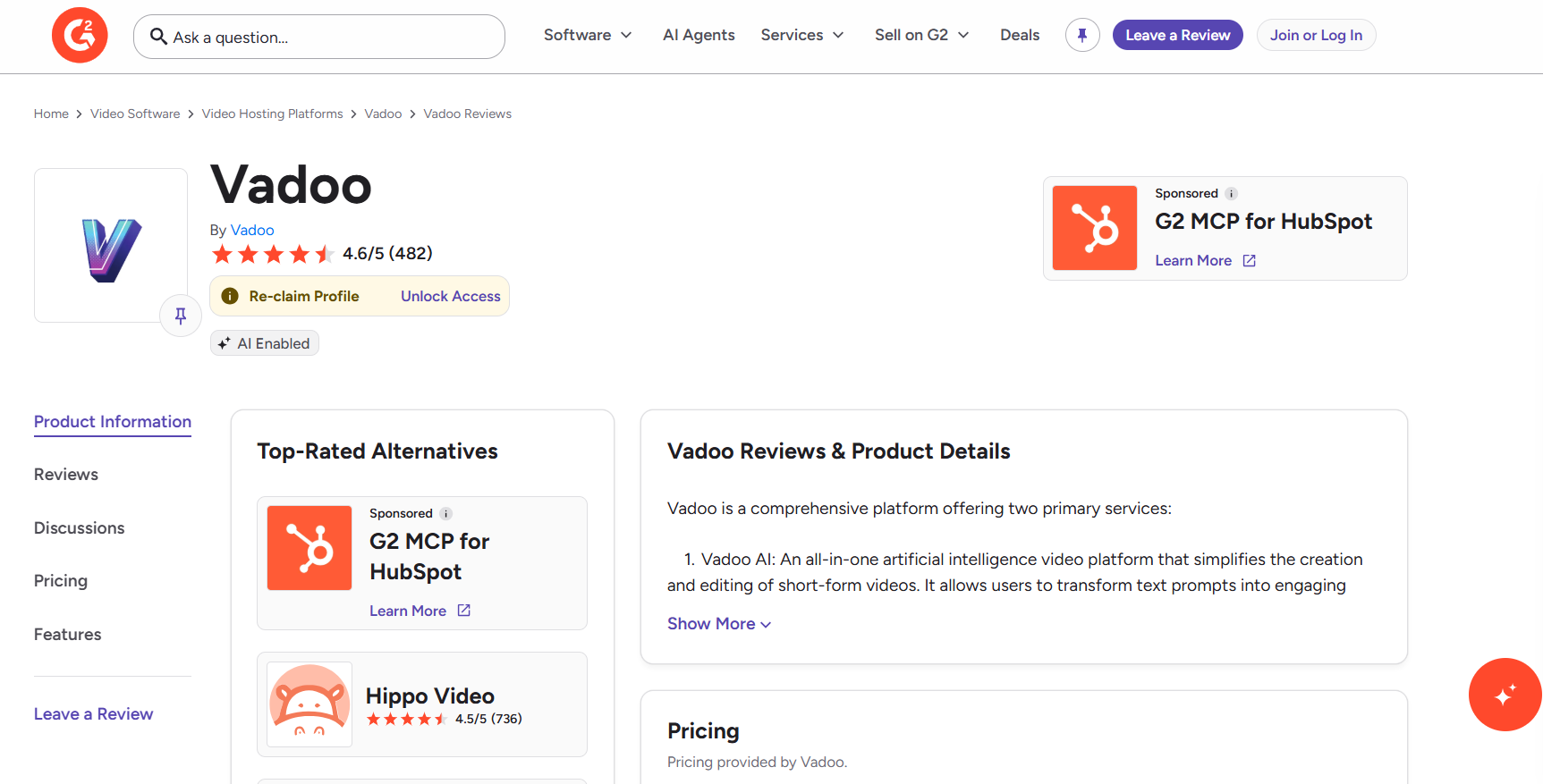
G2: Vadoo has a 4.6/5 rating from 482 reviews on G2, indicating strong overall customer satisfaction. The platform is presented as an AI-enabled video solution that helps users create and edit short-form videos, including turning text prompts into engaging video content. G2 also highlights Vadoo among video hosting platforms and lists alternatives such as Hippo Video.
-
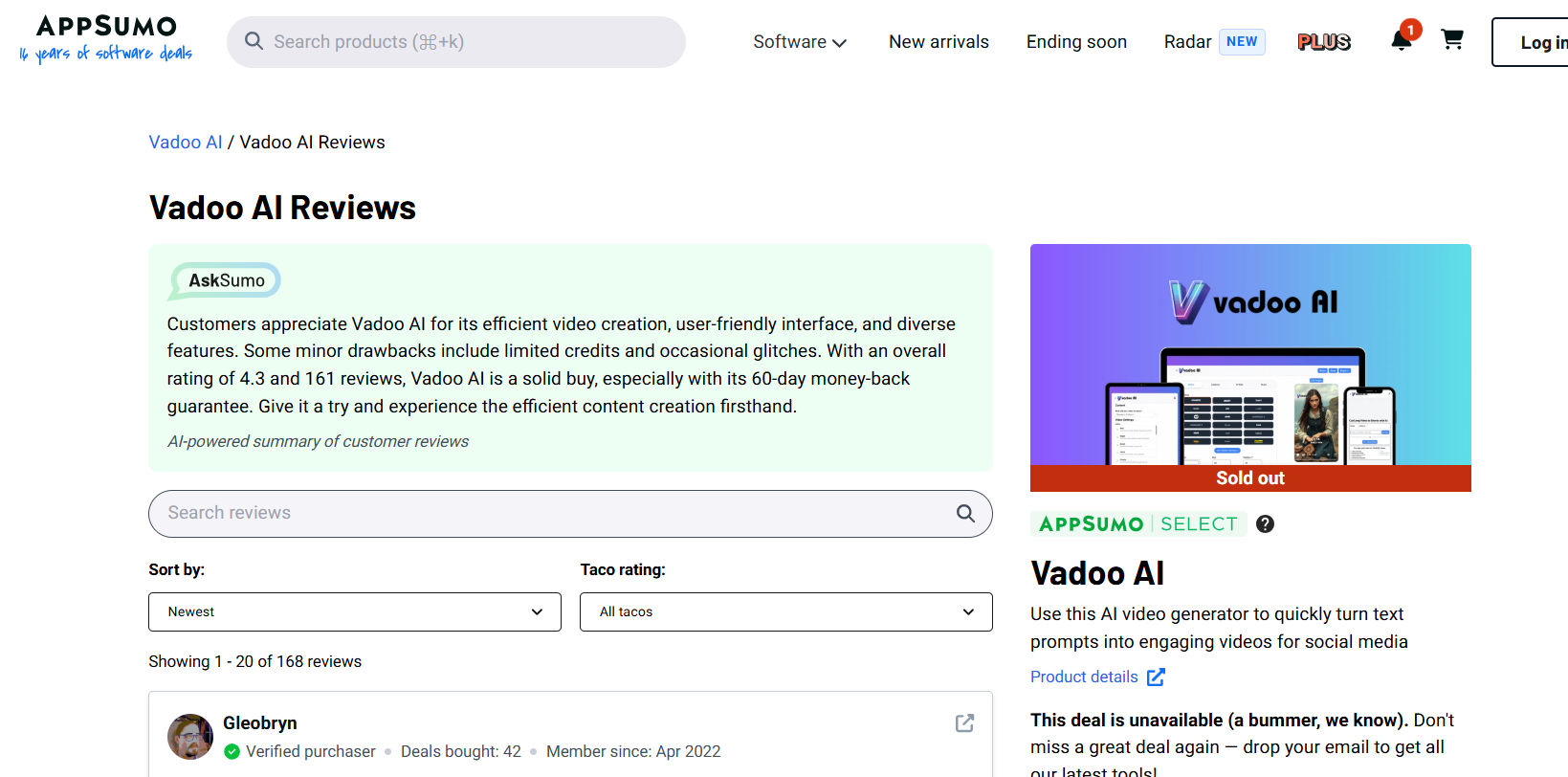
AppSumo: Vadoo AI has a rating of 4.3 out of 5. The rating is based on 168 reviews. What customers love about it are its features, easy-to-use interface, and quick video creation. The AI-powered summary of the review notes some negatives, like limited credits and glitches once in a while, and highlights the 60-day money-back guarantee with the deal. AppSumo describes Vadoo AI as a tool that uses text prompts to create engaging social media videos.
Our verdict
Vadoo AI is perfect for users who want multiple AI-assisted video workflows in one place. The combination of video generation, image-to-video creation, avatars, music-focused content, and editing gives creators various paths to take on a project. The main trade-off is that AI generation still requires oversight. Users should expect to review the outputs, change the prompts, and regenerate scenes where the first try misses the brief. Pricing and generation limits also need to be considered, particularly for users creating videos at larger volumes.
If those conditions fit your workflow, Vadoo AI is worth considering. If you want to compare different AI video models and generation methods, Vmake Labs is another option to evaluate.
Vmake Labs AI Video Generator as an alternative
Vmake Labs offers a different approach to AI video creation, with multiple generation methods and access to different AI video models. It can be useful for creators and businesses producing product, ecommerce, marketing, social, and promotional videos.
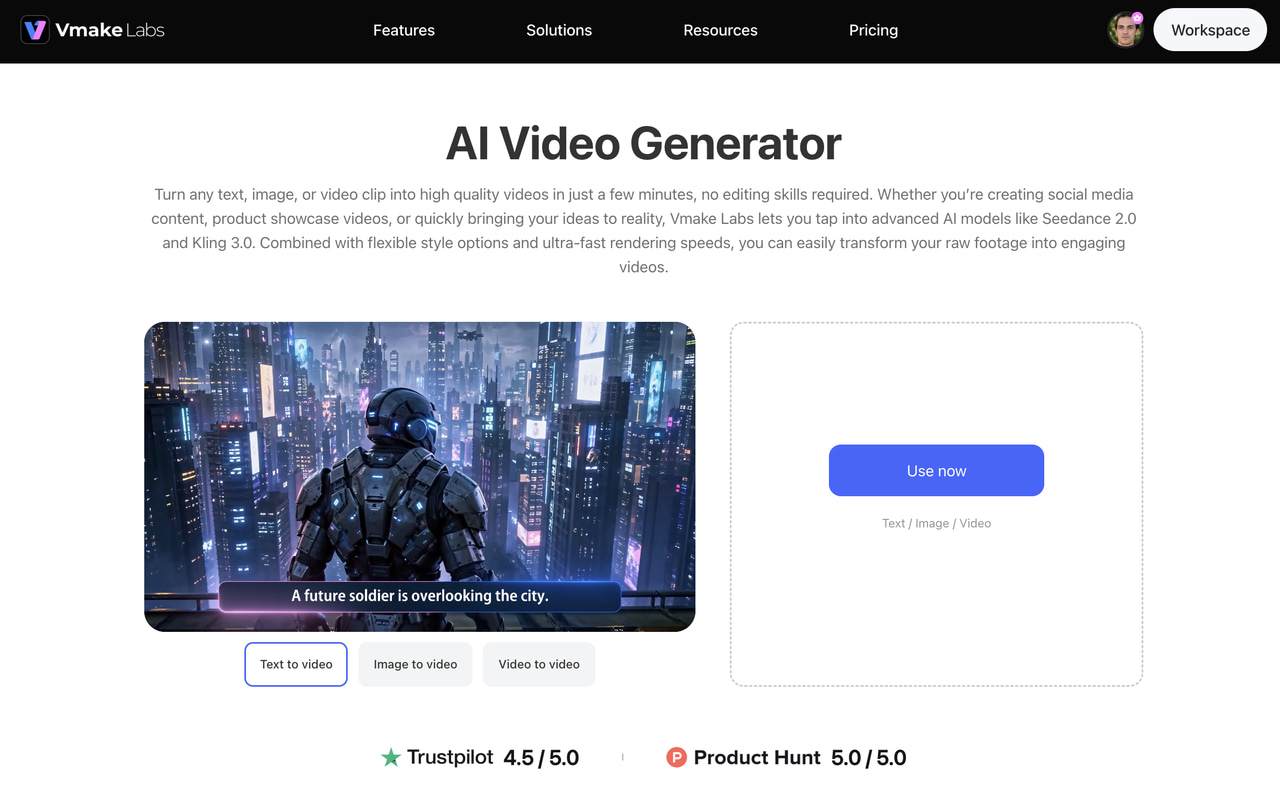
How to create a video with Vmake Labs
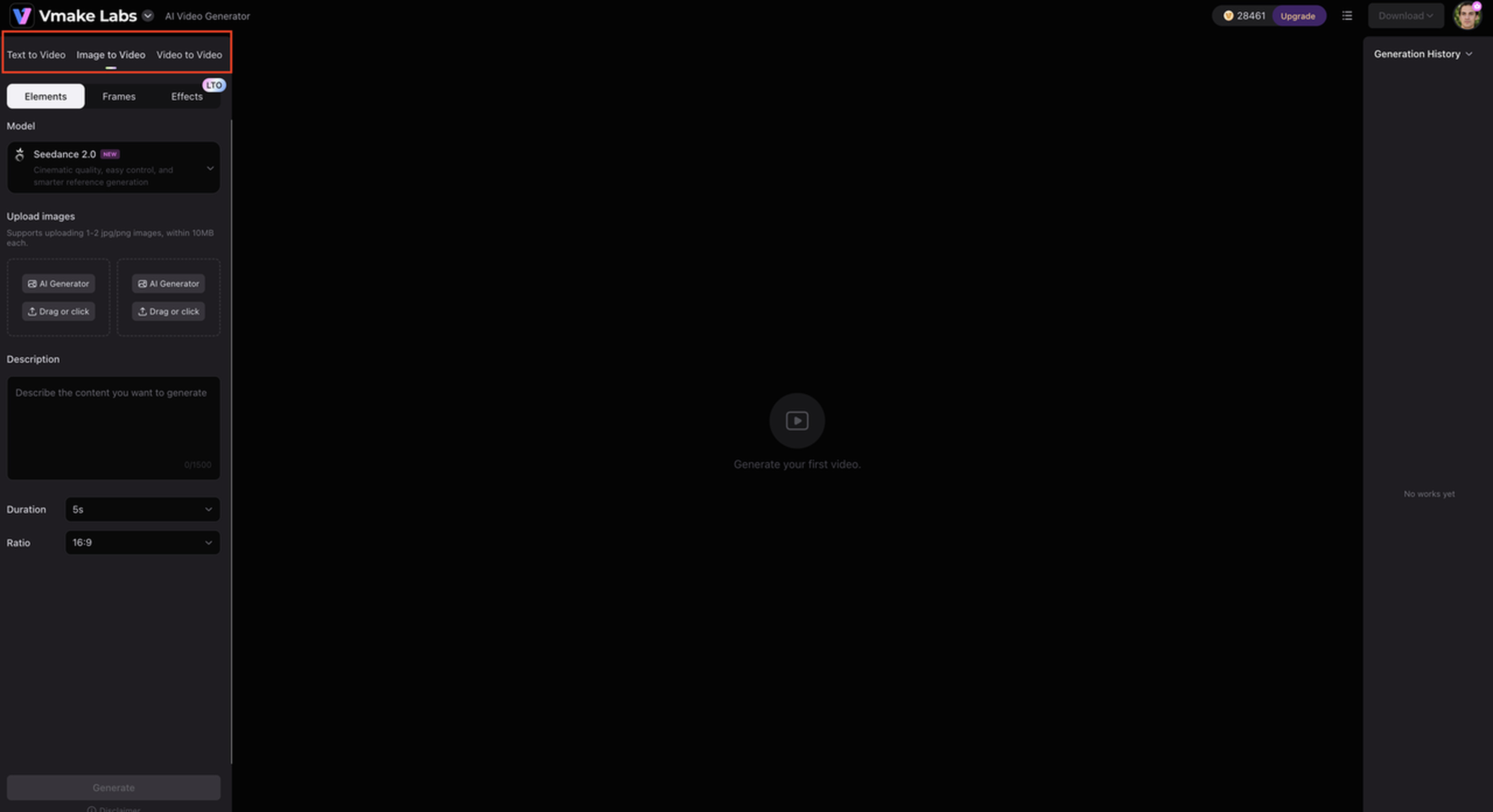
Step 1: Select a video generation method.
Open the Vmake Labs AI Video Generator and choose Text to Video, Image to Video, or Video to Video based on the asset you want to create.
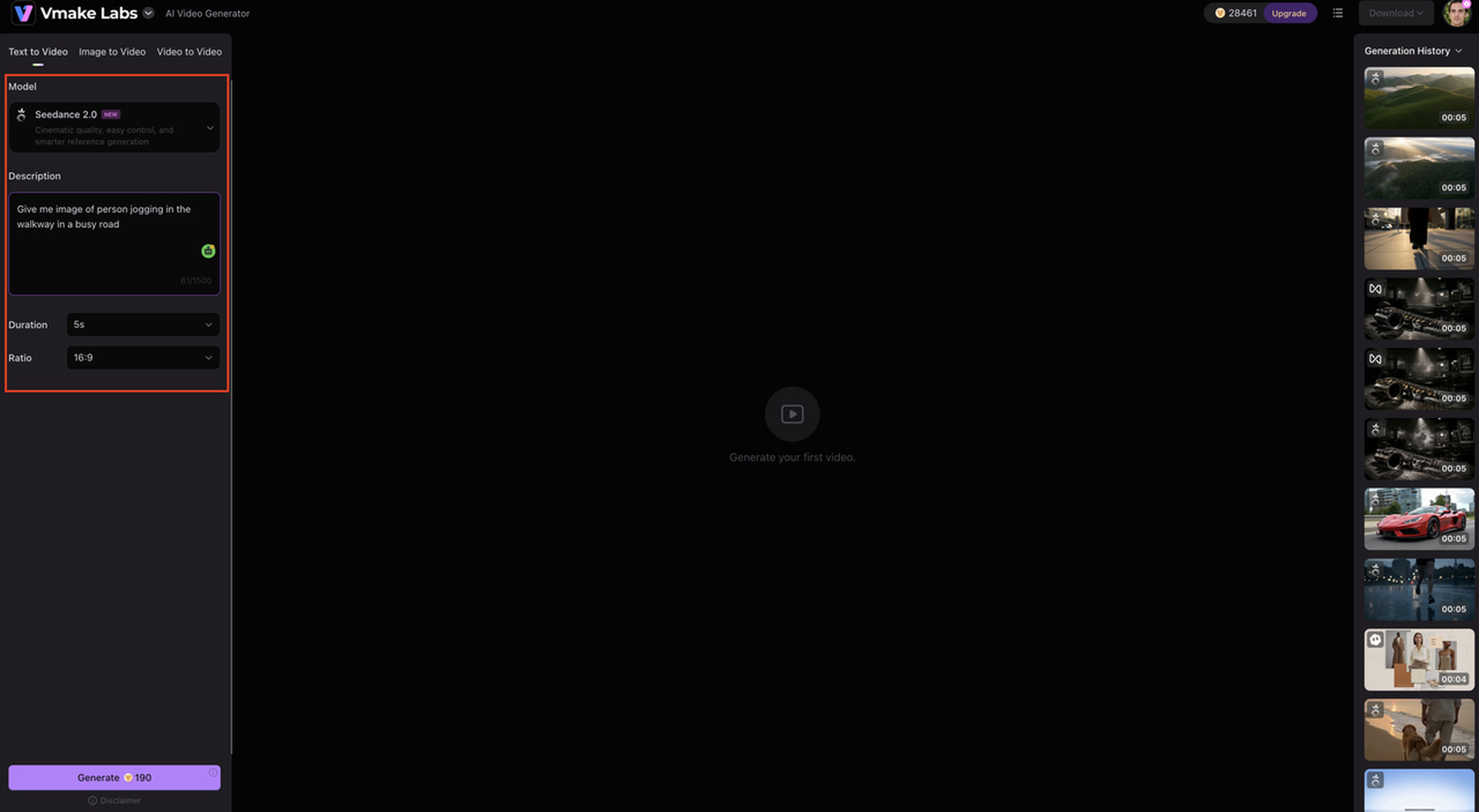
Step 2: Choose a model and provide your input.
Select an available model, then add your text prompt, reference image, or video according to the selected workflow.
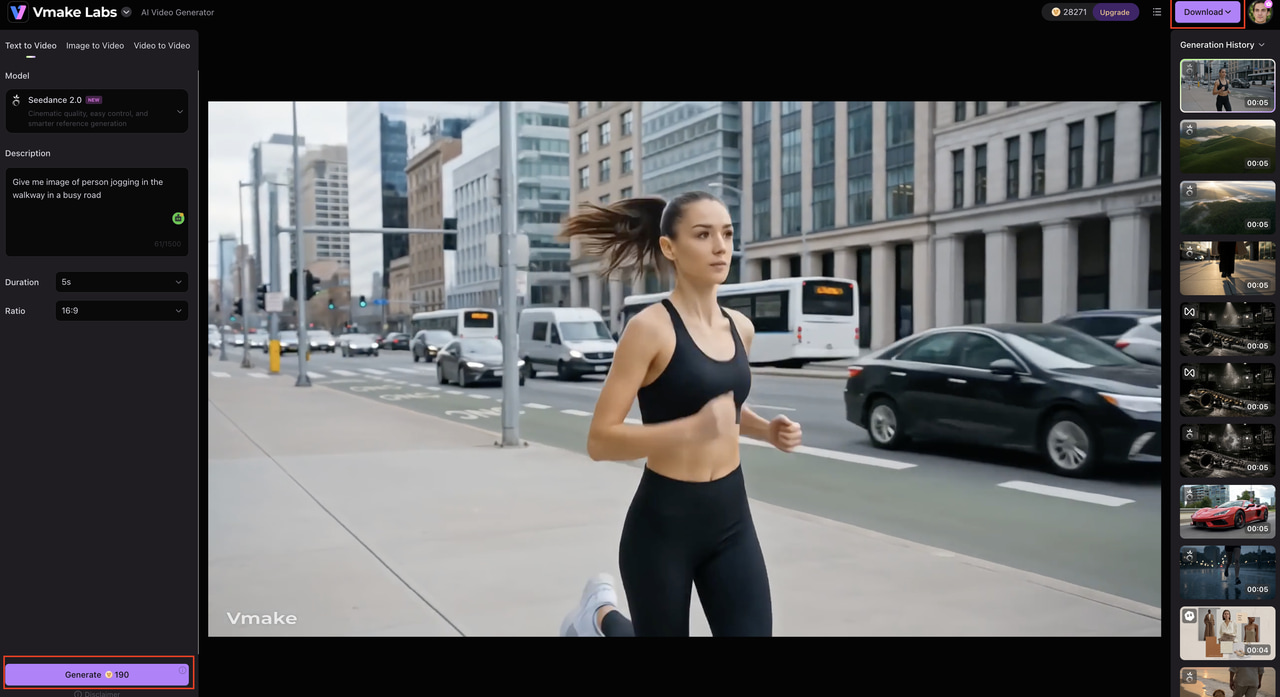
Step 3: Generate and review the result.
Create the video, check the output, and download the finished asset when it meets your requirements.
Why consider Vmake Labs?
-
Multiple AI video models: More model choices give creators different ways to approach the same visual concept, which is useful when output style or motion matters.
-
Text to Video: Turn a written idea into a video scene, making it useful for social posts, concepts, advertisements, and promotional content.
-
Image to Video: Animate an existing still visual, which works well for product photography, ecommerce assets, and creative images.
-
Video to Video: Start from existing footage when you want to adapt or transform an existing video asset.
-
Multiple generation workflows: Choose the starting point that fits the project instead of using one fixed creation method.
Vadoo AI vs Vmake Labs: Which one should you choose?
Vadoo AI and Vmake Labs both support AI video creation, but they can suit different workflows. The better choice depends on whether you prioritize Vadoo AI's wider set of creator-focused tools or Vmake Labs' model variety and multiple video generation methods.
|
Category |
Vadoo AI |
Vmake Labs AI Video Generator |
|---|---|---|
|
Best for |
AI video creation with additional creator tools |
Marketing, ecommerce, social, and creative video |
|
Text to Video |
Available as an AI video creation workflow |
Supported |
|
Image to Video |
Supported |
Supported |
|
Video to Video |
Check current availability for the selected workflow |
Supported |
|
AI models |
Platform-specific AI generation |
Multiple AI video models |
|
Video duration |
Depends on the selected tool and plan |
2–15 seconds |
|
Main workflow |
AI generation plus editing and creator tools |
Browser-based AI video generation |
|
Best suited to |
Creators and businesses seeking several video tools |
Creators, marketers, ecommerce teams, and businesses |
Because Vadoo AI's available workflows, models, and limits can change, verify the current product details before publishing a comparison based on a specific feature or plan.
Which platform fits your needs?
Choose Vadoo AI if: You want a broader creator-oriented video toolkit that combines AI video generation with additional capabilities such as AI avatars, music-focused video creation, and editing. It can be a good fit if you prefer handling different stages of video creation within one platform and its current pricing and usage limits work for your production needs.
Choose Vmake Labs if: You want access to multiple AI video models and flexible Text to Video, Image to Video, or Video to Video workflows. It is particularly suited to ecommerce, marketing, social media, and promotional content, while giving you the flexibility to test different models and approaches for the same creative idea.
Conclusion
As a robust platform, Vadoo AI bundles text-to-video, image-to-video, avatar, music video, and editing into one app. If you run several video workflows each week, that's one login instead of five. The honest trade-offs to check come down to output: whether the style holds up from generation to generation, how much cleanup each clip needs, and what every plan caps. That fits creators and teams that would rather work in one place than swap tools between projects. If you'd rather line up several AI video models and generation methods side by side, Vmake Labs is the alternative worth opening. Make the right choice today and let your workflow run like butter.
FAQs about Vadoo AI
-
What is Vadoo AI?
Vadoo AI is an AI-powered video creation platform that offers tools for generating and editing videos. Its capabilities include AI video generation, text-to-video, image-to-video, avatars, music-focused videos, and other creator-oriented workflows.
-
Is Vadoo AI free to use?
Vadoo AI offers access options that can vary by plan, with limits on features and usage. Check the current pricing details for the latest information on free access, credits, exports, and available features before signing up.
-
How does the Vadoo AI video generator work?
The Vadoo AI video generator lets users start with an idea or supported input, configure the available options, generate a video, and then review or refine the result before exporting it. If you want more flexibility in choosing how a video is generated, alternatives such as Vmake Labs also offer multiple AI video workflows.
-
How much does Vadoo AI cost?
Vadoo AI pricing plans are based on the current subscription model, usage limits, and promotional offers. When comparing options, it can also be useful to check out platforms like Vmake Labs. They have many AI video generation workflows and models to cater to different content needs.
-
Is Vadoo AI worth using?
If you are looking for multiple AI video creation tools like image-to-video, avatars, and music-based content, then consider Vadoo AI. Its worth depends on your production volume, what features you need, and how much refinement your AI-generated videos need. Another option worth looking into for users looking to access multiple AI video models is Vmake Labs.
-
What is the best alternative to Vadoo AI?
There is no single best alternative for every workflow. Vmake Labs is worth considering if you want multiple AI video models and Text to Video, Image to Video, and Video to Video options. It can be particularly useful for marketing, ecommerce, social media, and creative content where you want to explore different generation approaches.

You May Be Interested
Artistly AI Review 2026: Is It Worth Trying for Creators?
DeeVid AI Review 2026: Features, Pricing & Top Alternative
Doodle AI Review 2026: Features, Pricing and Alternatives
Getimg AI Review 2026: Is It the Best AI Image Generator?

Supawork AI Review: Watermark Remover Tested (2026)

Nero AI Review 2026 Explained: Is the Tool Worth Using?

Pixar AI Review: What It Is & How to Create Pixar-Style Art

Vivideo AI Review 2026: Features, Pricing and Alternatives
