
Yodayo AI Review: Is It Worth Trying in 2026?
Explore our Yodayo AI review covering its features, image quality, pricing, and user feedback, then see how Vmake Labs compares as an alternative for AI image creation for broader creative workflows.

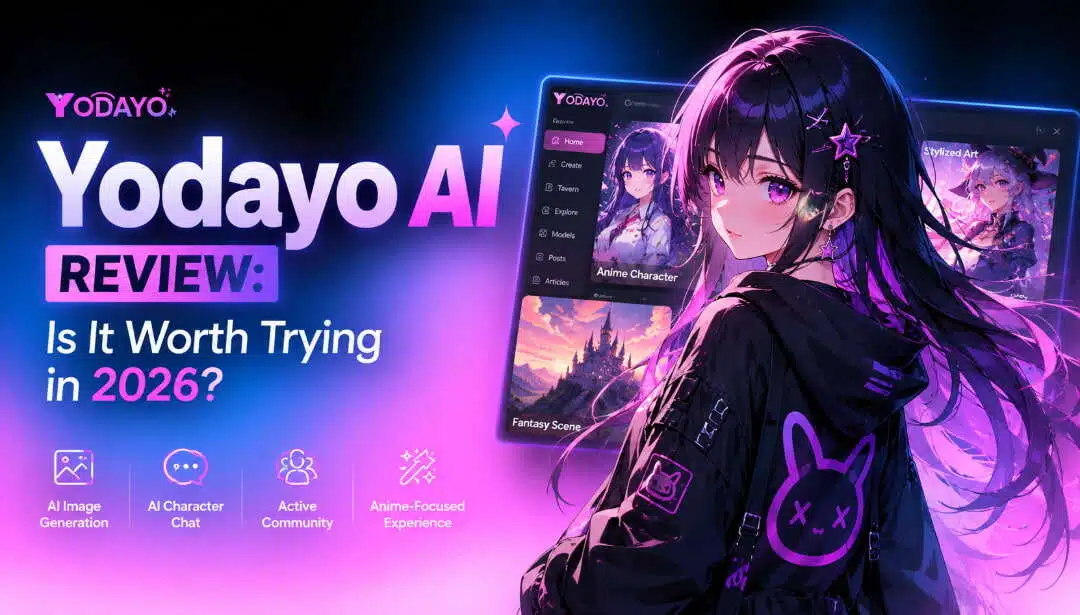
Yodayo AI is an anime-focused platform that combines AI art generation with character interactions, roleplay, and community features. In this Yodayo AI review, we examine its features, image quality, usability, pricing, and user feedback to determine whether it is worth using in 2026 and how it compares with alternatives.
What is Yodayo AI and how does it work?
Yodayo AI is an anime-focused creative platform for generating artwork, exploring community content, and interacting with AI characters. Its combination of image generation, roleplay, and social features makes it more than a standalone AI art generator.
Yodayo AI overview
Yodayo AI is mostly created for anime lovers, character creators, and users who are interested in AI roleplay. It combines image generation and character-based interactions, allowing users to create artwork, find content, and interact with AI characters in one ecosystem.
It is mainly used to generate anime characters, create fictional scenes, try out various visual styles, and roleplay experiences. The community element also offers users the chance to discover and share creative content.
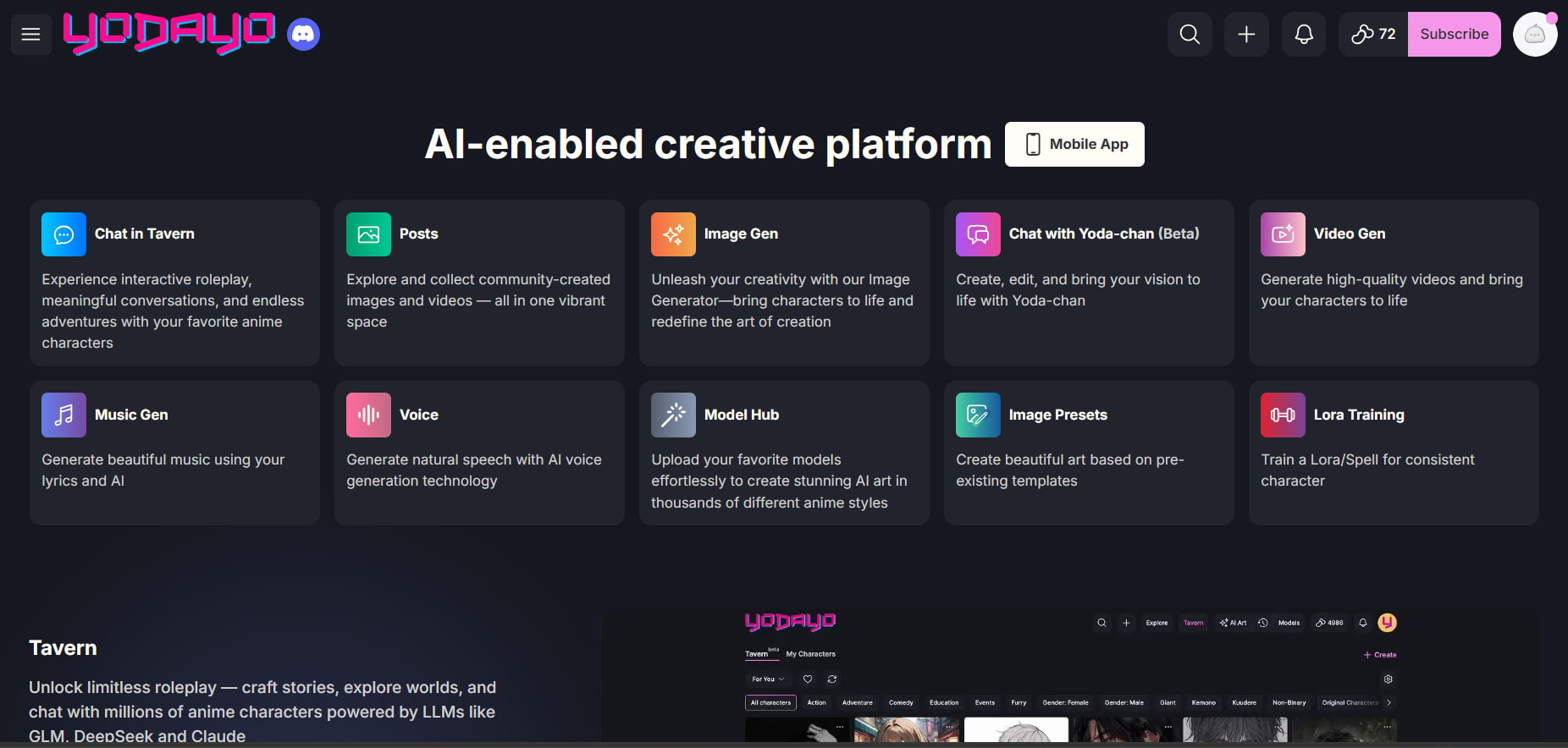
Key Yodayo AI features
Yodayo AI combines several creative and interactive capabilities:
-
AI image generation for anime artwork: Generate anime characters, scenes, portraits, and other creative ideas with text prompts.
-
Anime and character-focused image creation: Generate fictional character images, including prompts for their appearance, clothing, poses, expressions, and different art styles.
-
AI character interactions: Interact with AI characters through conversational experiences designed around fictional personalities, scenarios, and character-driven content.
-
Roleplay and conversational experiences: Explore interactive roleplay scenarios by chatting with AI characters and developing stories or situations through ongoing conversations.
-
Community content discovery and sharing: Browse content created by other users, discover creative ideas, and engage with an anime-oriented community around AI-generated content.
-
Customization and generation controls: Modify generation parameters and prompt details to steer character look, style, framing, and general image direction.
-
Character-focused creative experiences: Combine character creation, visual generation, and interactive features to develop anime-inspired characters and creative scenarios in one platform.
The exact models, settings, and available features can change, so users should check the current platform before relying on a specific option.
How to generate AI art with Yodayo AI
Yodayo's image-generation workflow is designed around creating anime characters and scenes from text prompts.
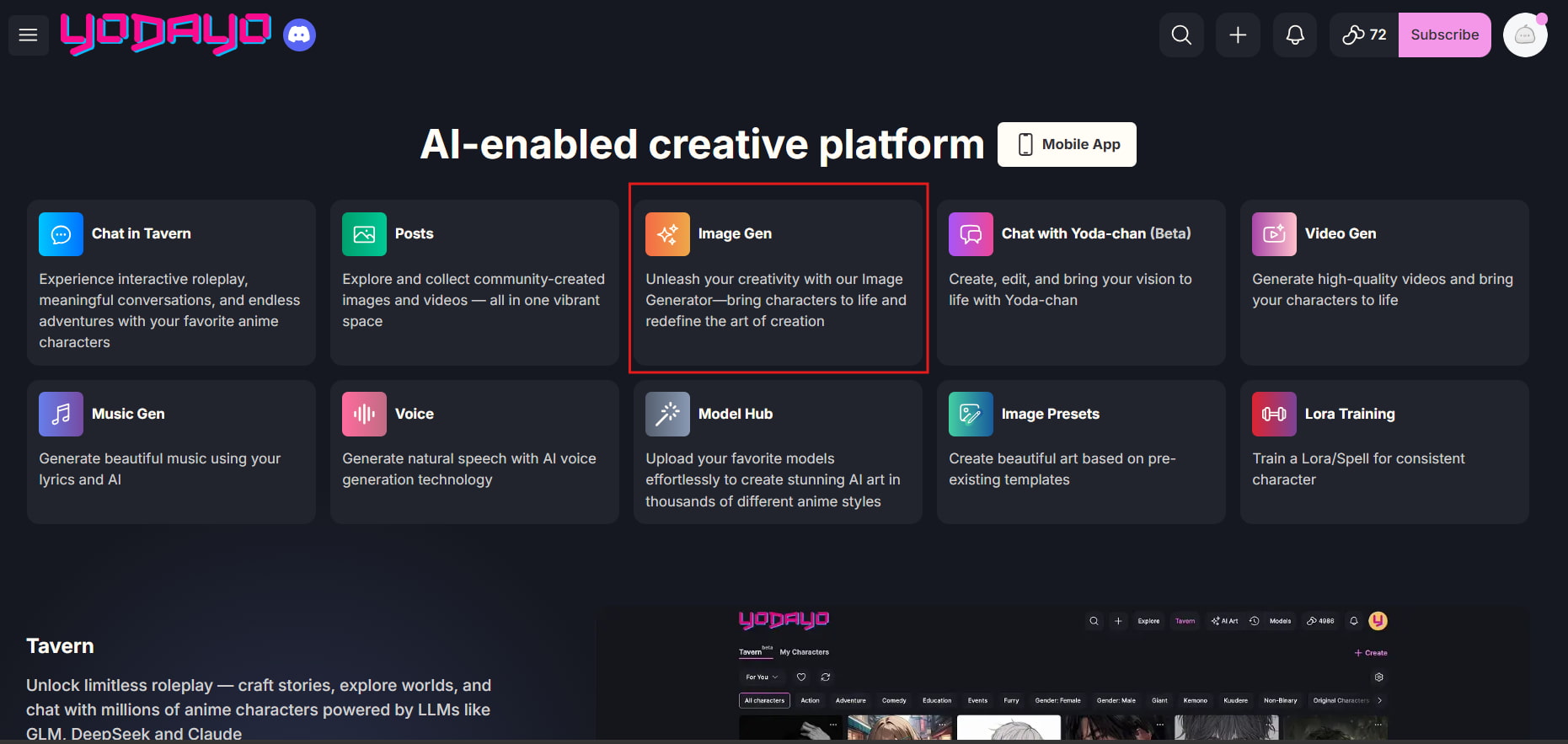
Step 1: Open the image-generation tool.
Open Yodayo's image-generation interface and start a new generation.
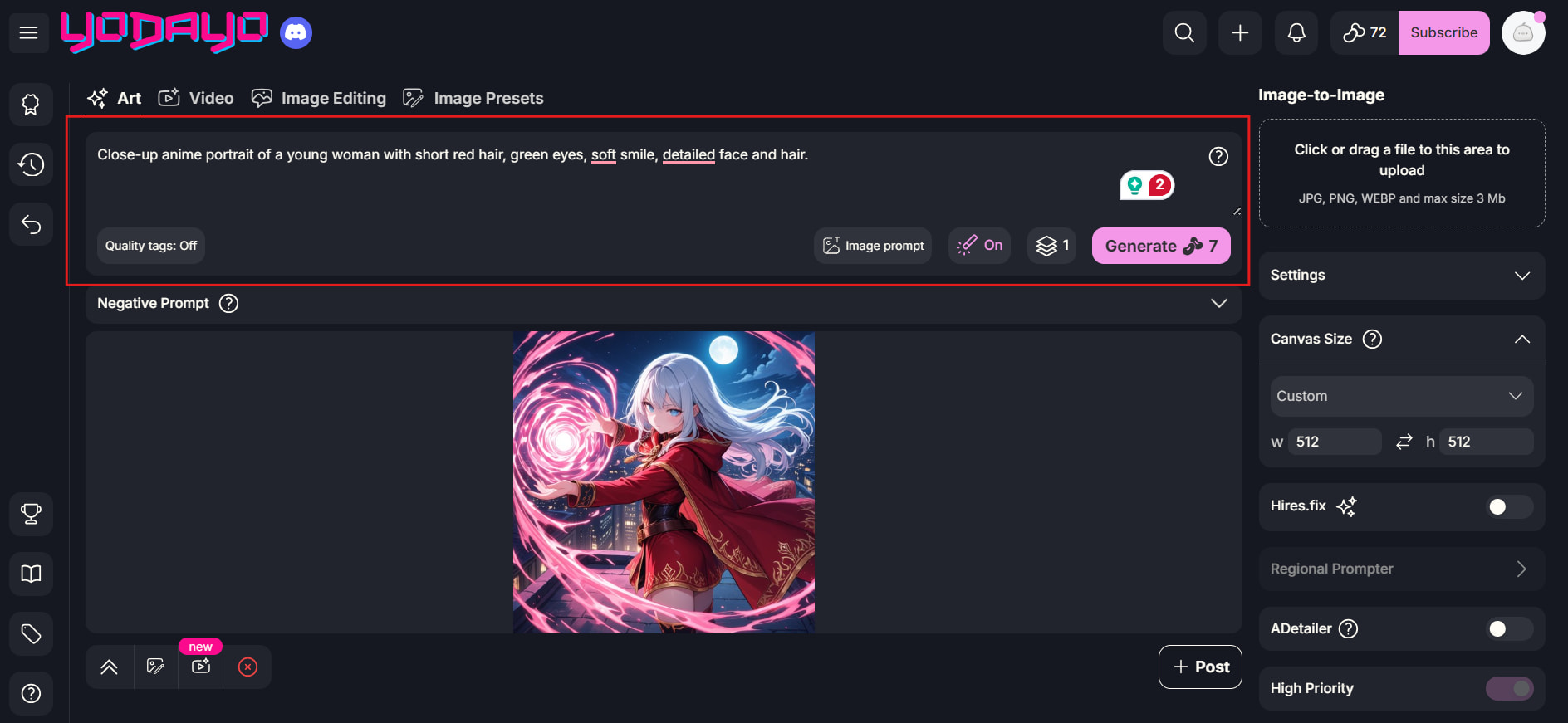
Step 2: Enter your prompt and adjust the settings.
Describe the character, scene, style, or other visual details you want, then adjust the available generation settings.
Step 3: Generate and review the result.
Generate the image and check its quality and prompt accuracy. Refine the prompt or settings and regenerate if needed.
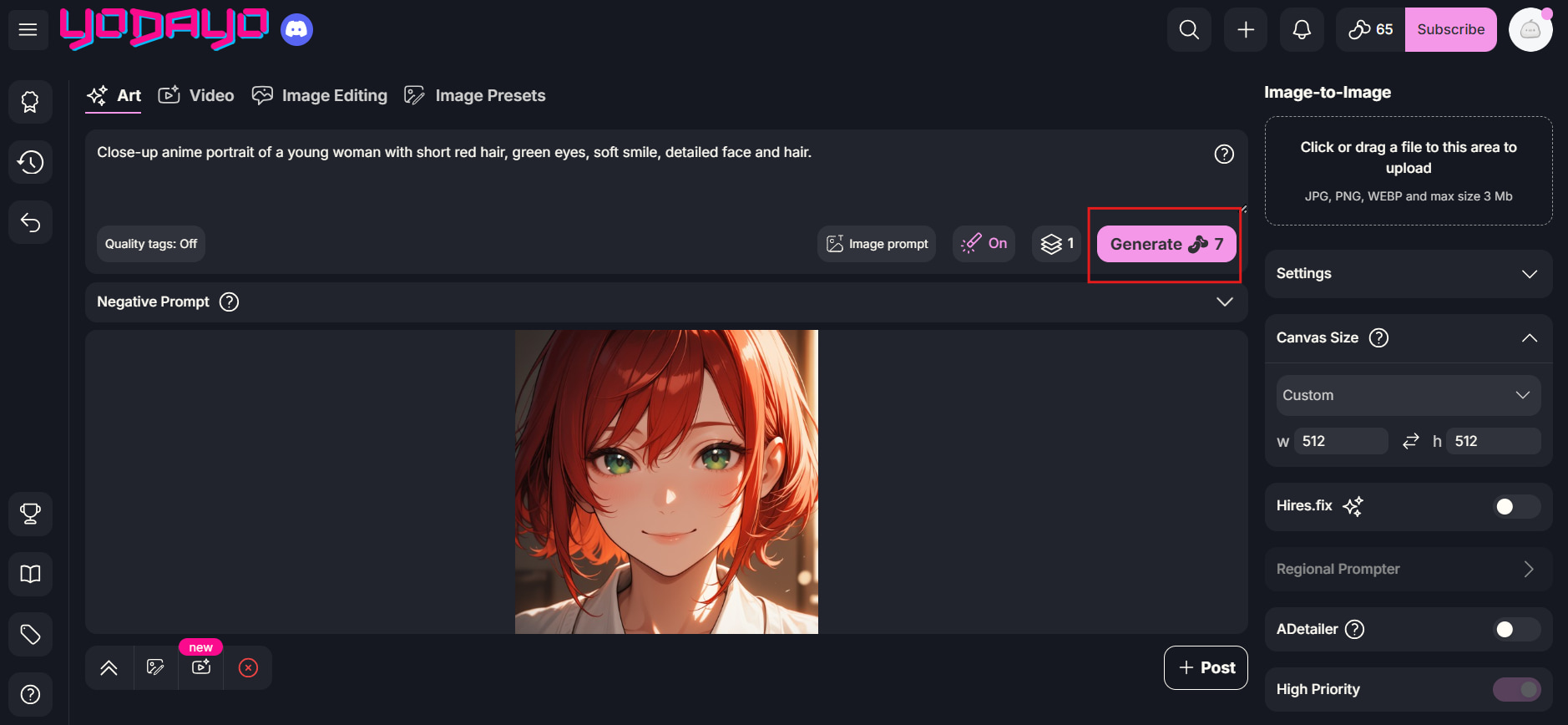
Hands-on Yodayo AI review: image quality and usability
Our hands-on review covered several anime-focused image-generation scenarios, looking at prompt accuracy, character details, visual consistency, composition, and the overall quality of the generated results.
Anime character generation
We created anime characters to look at facial features, anatomy, expressions, outfits, and how consistent Yodayo AI was in rendering character descriptions into visual representations.
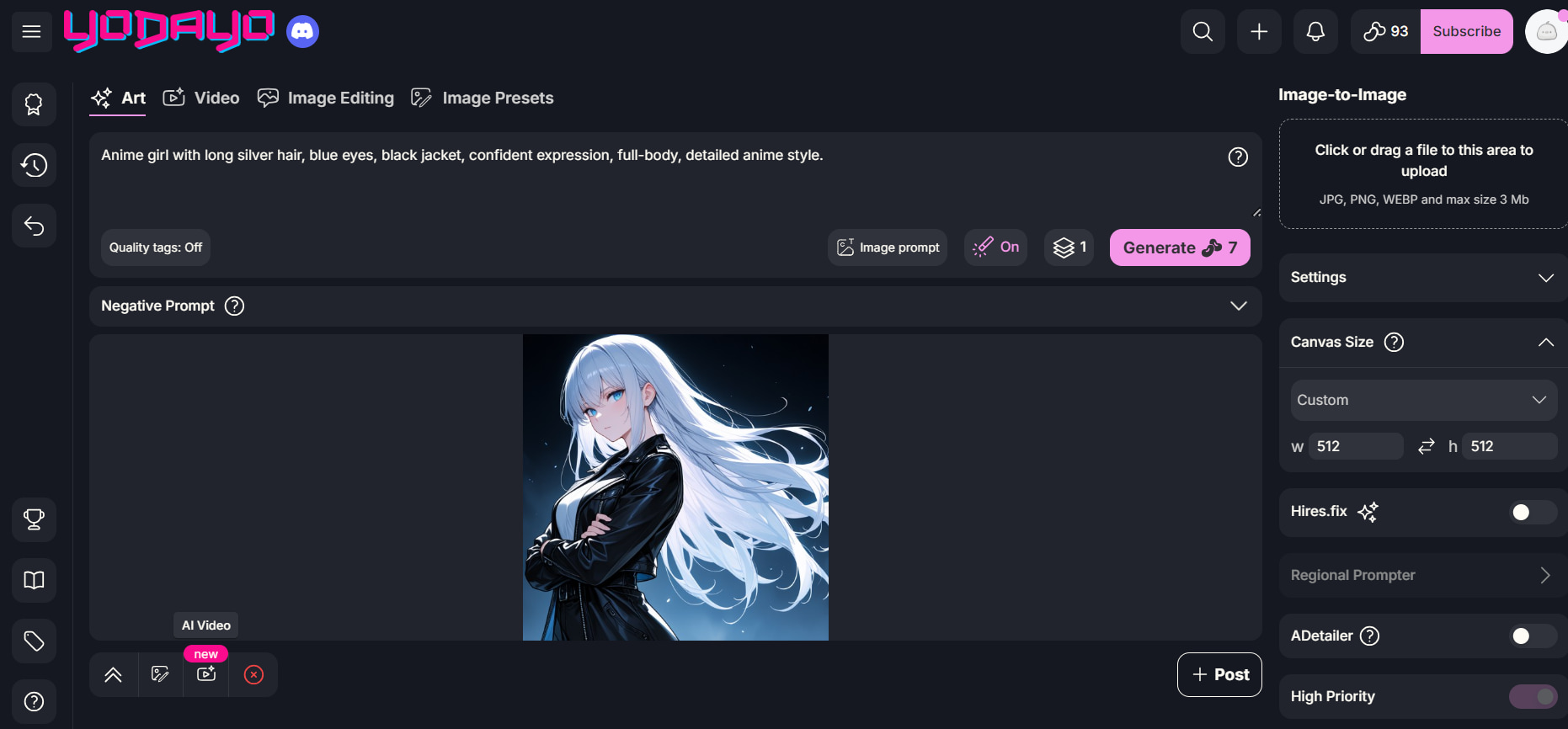
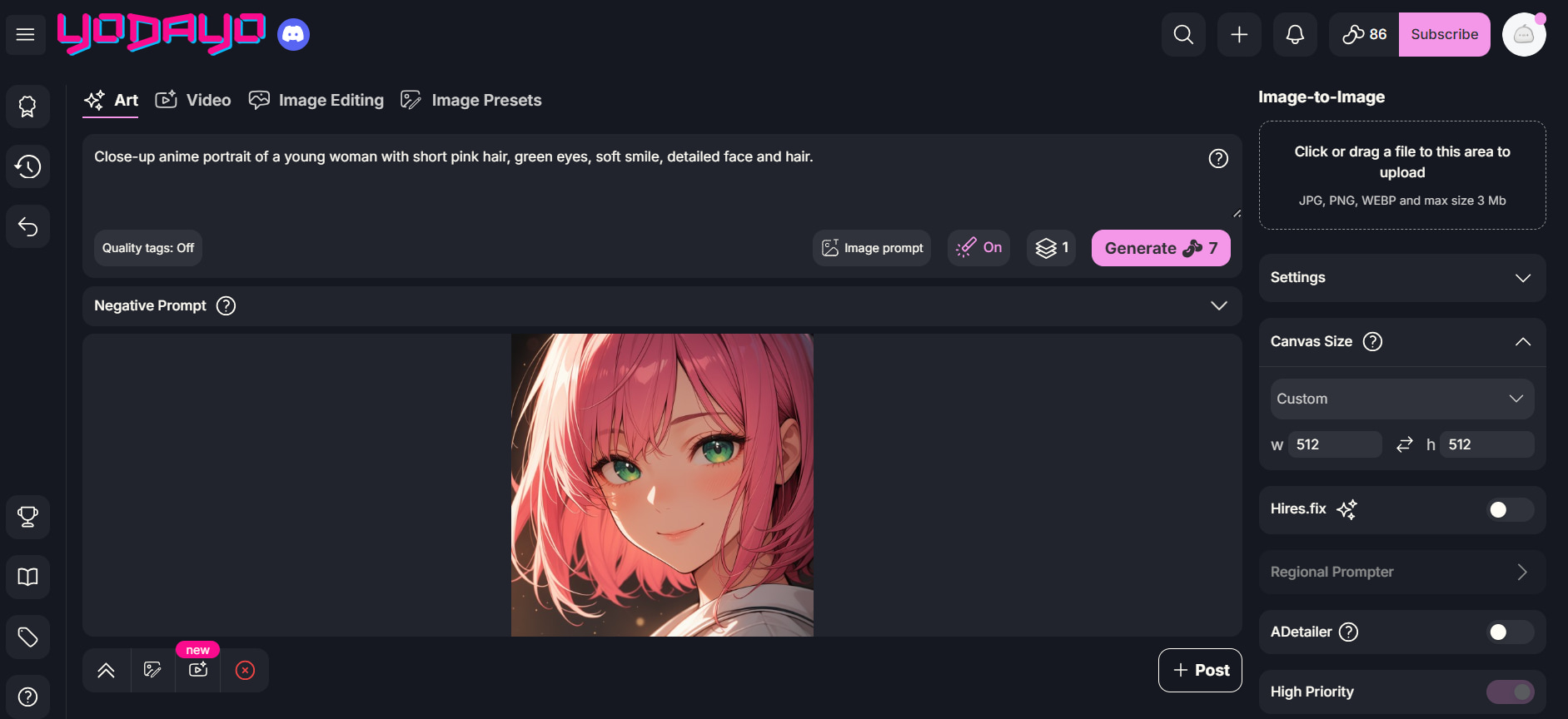
Character portraits
We evaluated character portraits for facial features, hair, eyes, expressions, proportions, and the level of detail maintained across the generated artwork.
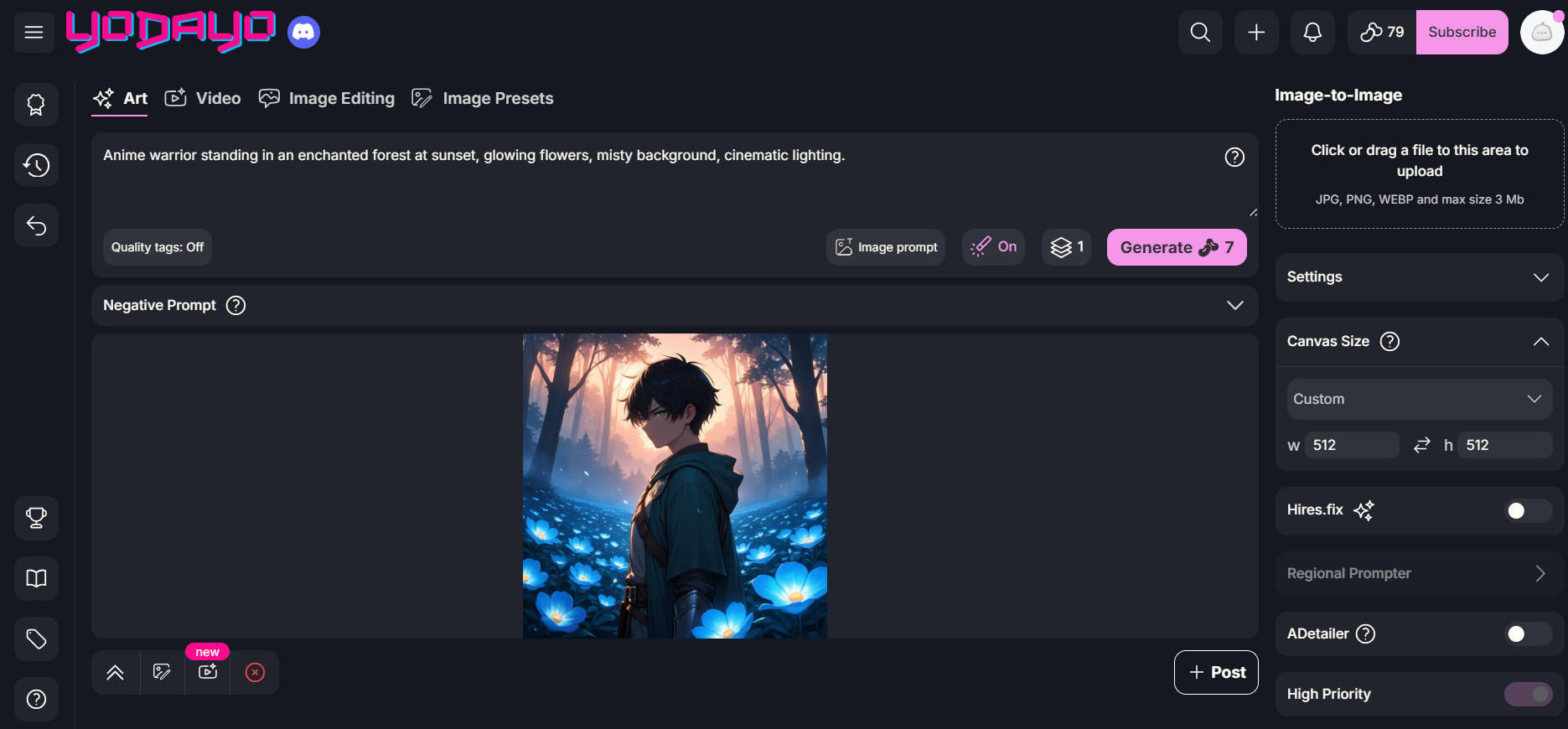
Fantasy scenes
We tested fantasy-style scenes to see how well they worked with composition, lighting, backgrounds, character placement, and how closely the generated images matched the supplied prompts.
Detailed prompts and stylized artwork
To test Yodayo AI's capacity to handle several visual needs, settings, poses, and styles, we used detailed prompts and different artistic directions.
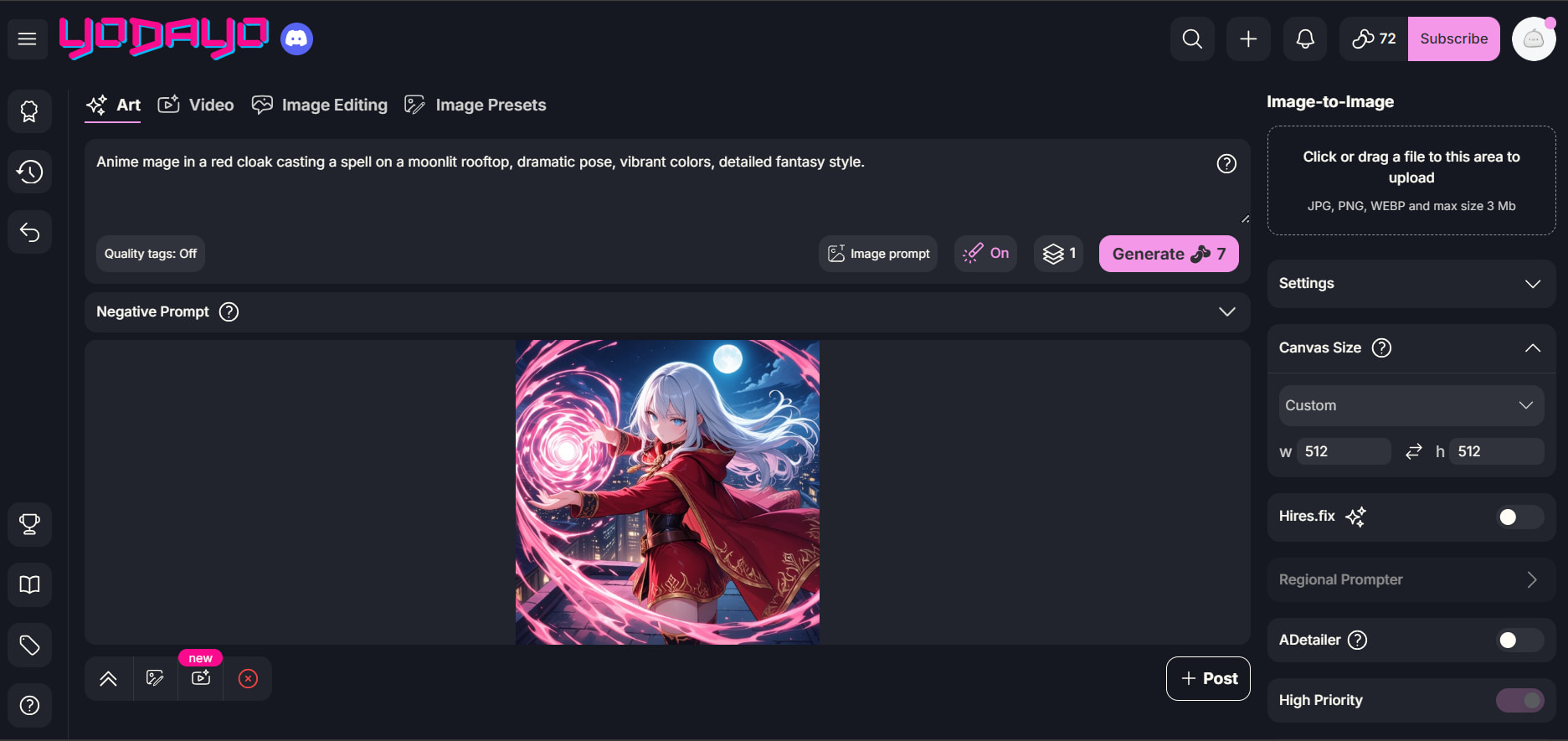
Yodayo AI testing results
|
Test scenario |
Evaluation criteria |
What we assessed |
|---|---|---|
|
Anime characters |
Facial details, anatomy, and style consistency |
How accurately the tool renders anime characters from prompts |
|
Character portraits |
Expressions, hair, clothing, and proportions |
Whether character-focused outputs look detailed and coherent |
|
Fantasy scenes |
Composition, lighting, and prompt adherence |
How well the tool handles complex anime environments |
|
Stylized artwork |
Style consistency and artistic interpretation |
Whether generated images maintain the requested visual style |
|
Detailed prompts |
Prompt understanding and image accuracy |
How reliably Yodayo translates specific instructions into visuals |
Yodayo's specialization is its biggest differentiator. The platform is particularly relevant when prompts revolve around anime characters, fictional settings, and stylized illustrations.
What worked well during testing
Yodayo AI is anime-focused and can generate some nice-looking character art if the prompts are clear about what they want in look, clothes, pose, and style. The platform also attracts users who want to switch between image generation and character interactions. The community aspect adds another layer to the experience, where users can browse creative ideas and content, instead of having to rely on their own prompts.
Limitations observed during testing
Output quality may vary with prompt complexity and generation settings. Some complex requests may need to be repeated several times before the anatomy, composition, or details of the characters meet your expectations. Those looking for accurate commercial images may also find the platform less suitable than tools designed for product, marketing, and reference-based image creation. So its anime focus is both a strength and a limitation.
Yodayo AI pricing and what users say
Pricing and credits matter for anyone planning frequent AI art generation. External feedback also provides useful context on usability, image quality, community experiences, and potential service concerns.
Yodayo AI pricing and credits
Yodayo's plans and generation allowances can change, so current pricing should be verified before subscribing. When comparing plans, consider:
|
Plan |
Price |
Credits and relevant benefits |
Estimated images at ~20 Mochi/image |
|---|---|---|---|
|
Plus |
$9.99/month |
1,400 Mochi each month, no ads, and 10% more credits on one-time purchases |
~70 |
|
Pro |
$14.99/month |
1,250 Mochi each month, no ads, and 15% more credits on one-time purchases |
~62 |
|
Premium |
$29.99/month |
2,500 Mochi each month, no ads, and 20% more credits on one-time purchases |
~125 |
|
Platinum |
$39.99/month |
6,250 Mochi each month, no ads, and 20% more credits on one-time purchases |
~312 |
For occasional experimentation, free access may be enough to test the platform. Frequent creators should compare the number of usable generations offered rather than looking only at the subscription price.
Yodayo AI pros and cons
|
Pros |
Cons |
|---|---|
|
Strong focus on anime and character-oriented artwork |
Generation quality or consistency may vary |
|
Community-oriented platform for discovering and sharing content |
Credit or usage restrictions may affect frequent users |
|
Combines creative generation with interactive features |
Customization or editing controls may be limited in some workflows |
|
Offers creative options suited to anime enthusiasts |
User feedback highlights recurring platform or service concerns |
|
Useful for users interested in character creation and roleplay |
May be less suitable for broader commercial image-generation needs |
What users say about Yodayo AI
-
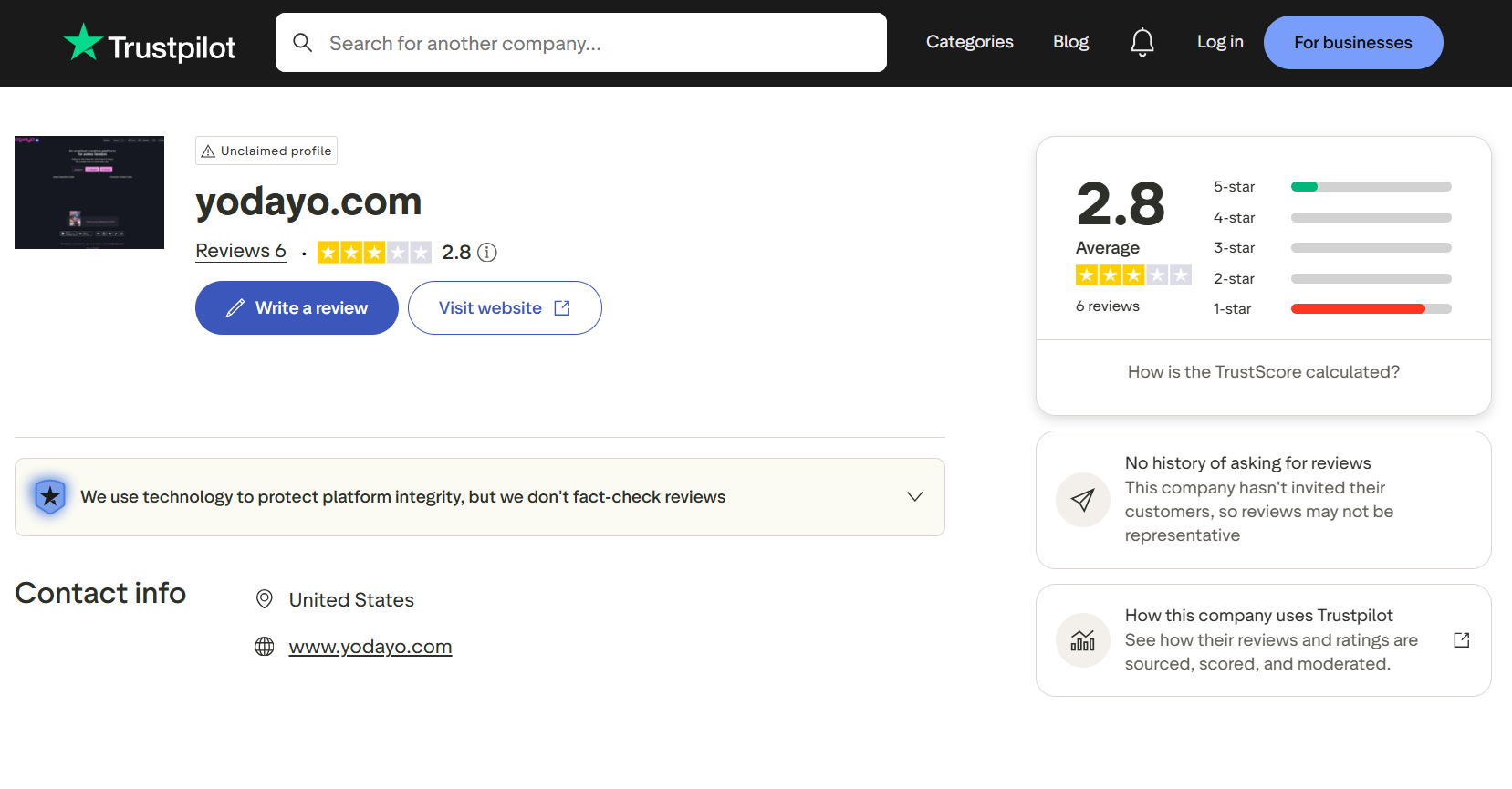
Trustpilot: Trustpilot shows 6 reviews for yodayo.com with an average rating of 2.8/5. The rating distribution shown in the screenshot indicates a strong concentration of 1-star ratings, suggesting that some users have reported negative experiences. However, the individual review comments are not visible in the provided screenshot, so specific complaints should not be attributed to Trustpilot users without reviewing the individual entries.
-
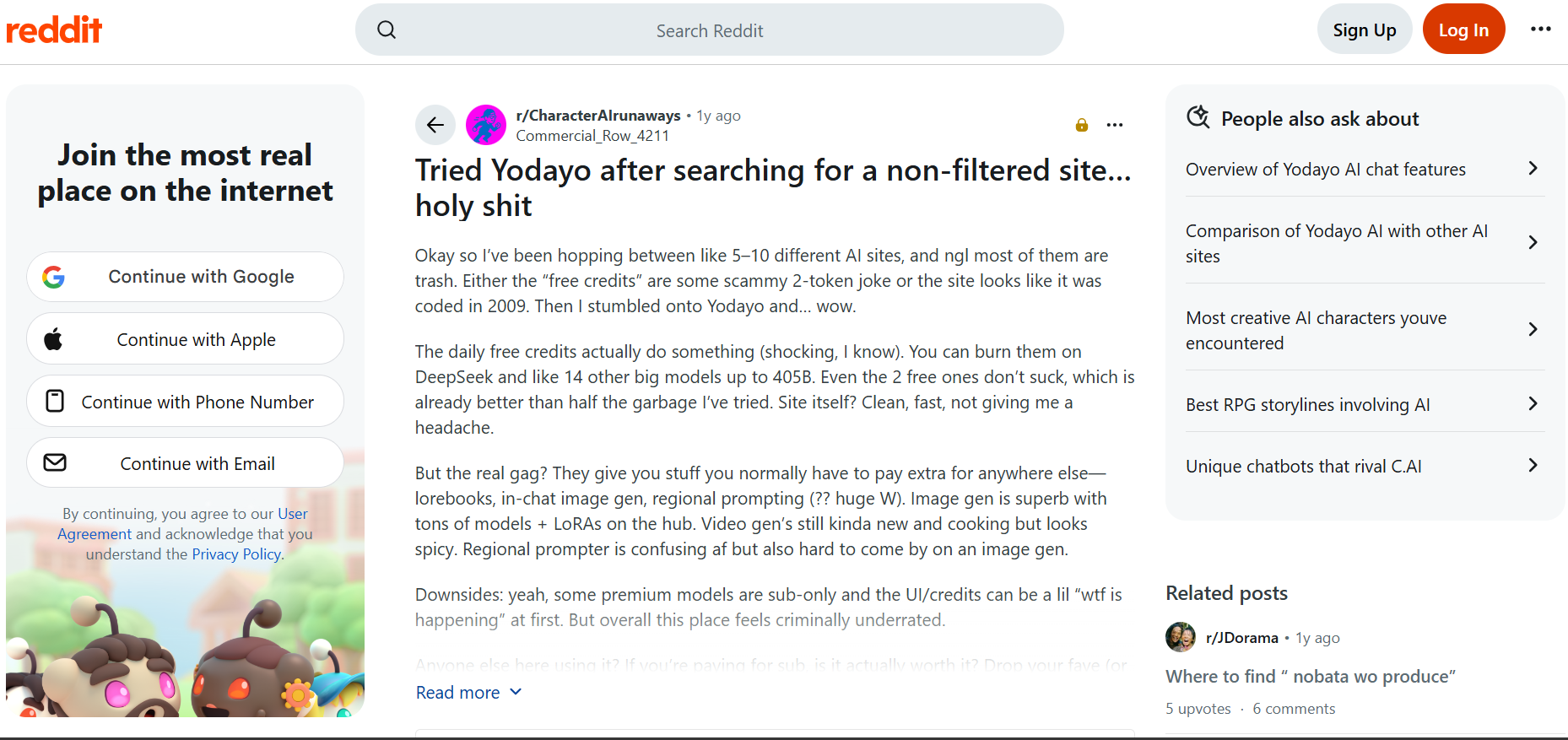
Reddit: One Reddit user who tried Yodayo after testing several other AI platforms described the experience positively, particularly because the daily free credits could be used across multiple models. They also praised the platform's clean interface, image-generation capabilities, range of models and LoRAs, and additional features such as in-chat image generation. However, they noted that some premium models require a subscription and that the credit system and interface can initially feel confusing.
Is Yodayo AI worth using?
Yodayo AI is worth considering if your primary interests are anime art, character creation, and AI roleplay. Its focused ecosystem makes it more compelling for anime enthusiasts than users simply looking for a general-purpose image generator.
However, creators who need product imagery, reference-based transformations, multiple image models, or broader commercial workflows may benefit from an alternative.
Vmake Labs AI Image Generator as a Yodayo AI alternative
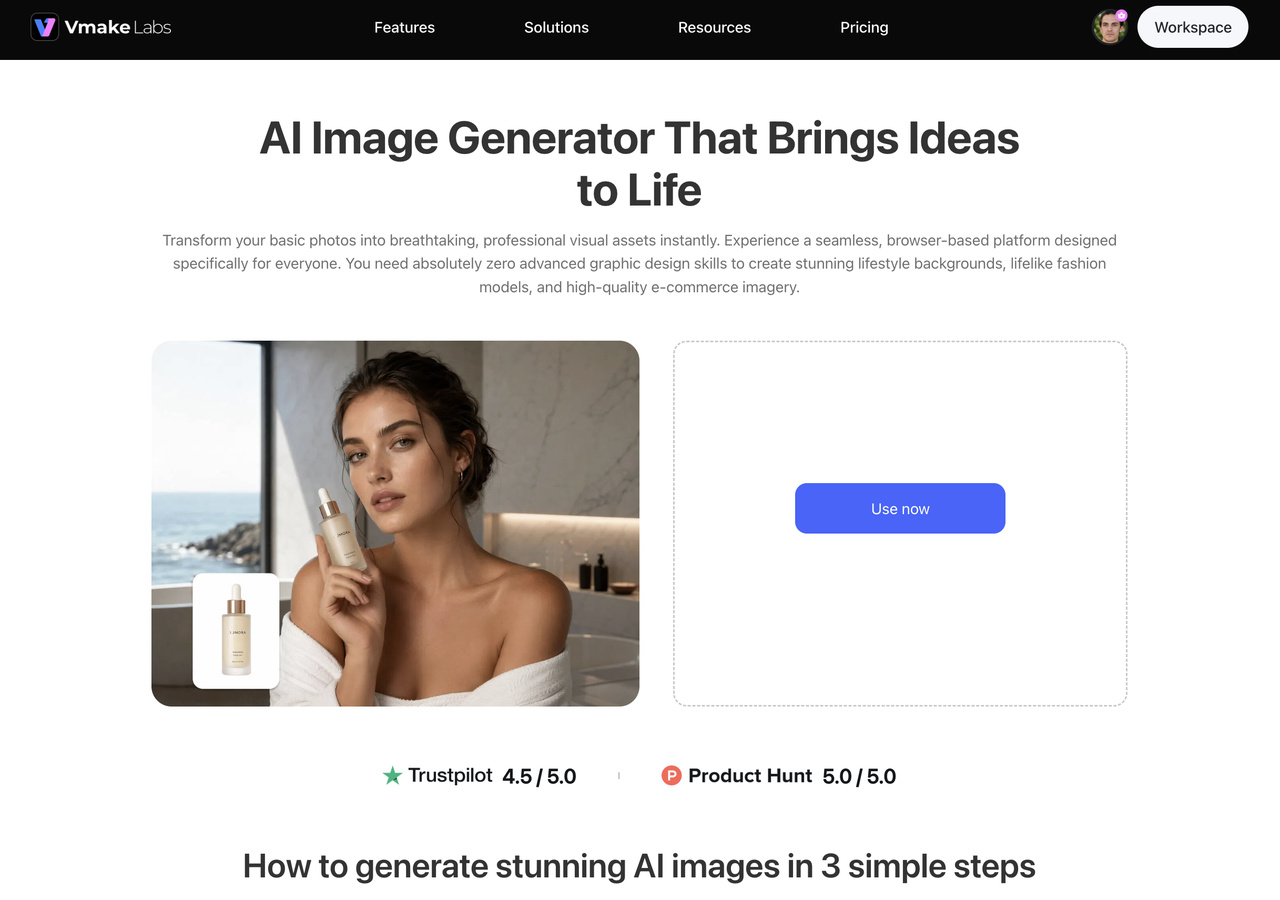
Vmake Labs supports broader commercial image-generation workflows, helping creators produce visuals for product pages, e-commerce, social media, marketing campaigns, and AI creative ads. This makes it a practical option for users who need flexible visual content beyond anime-focused artwork.
How to create AI images with Vmake Labs
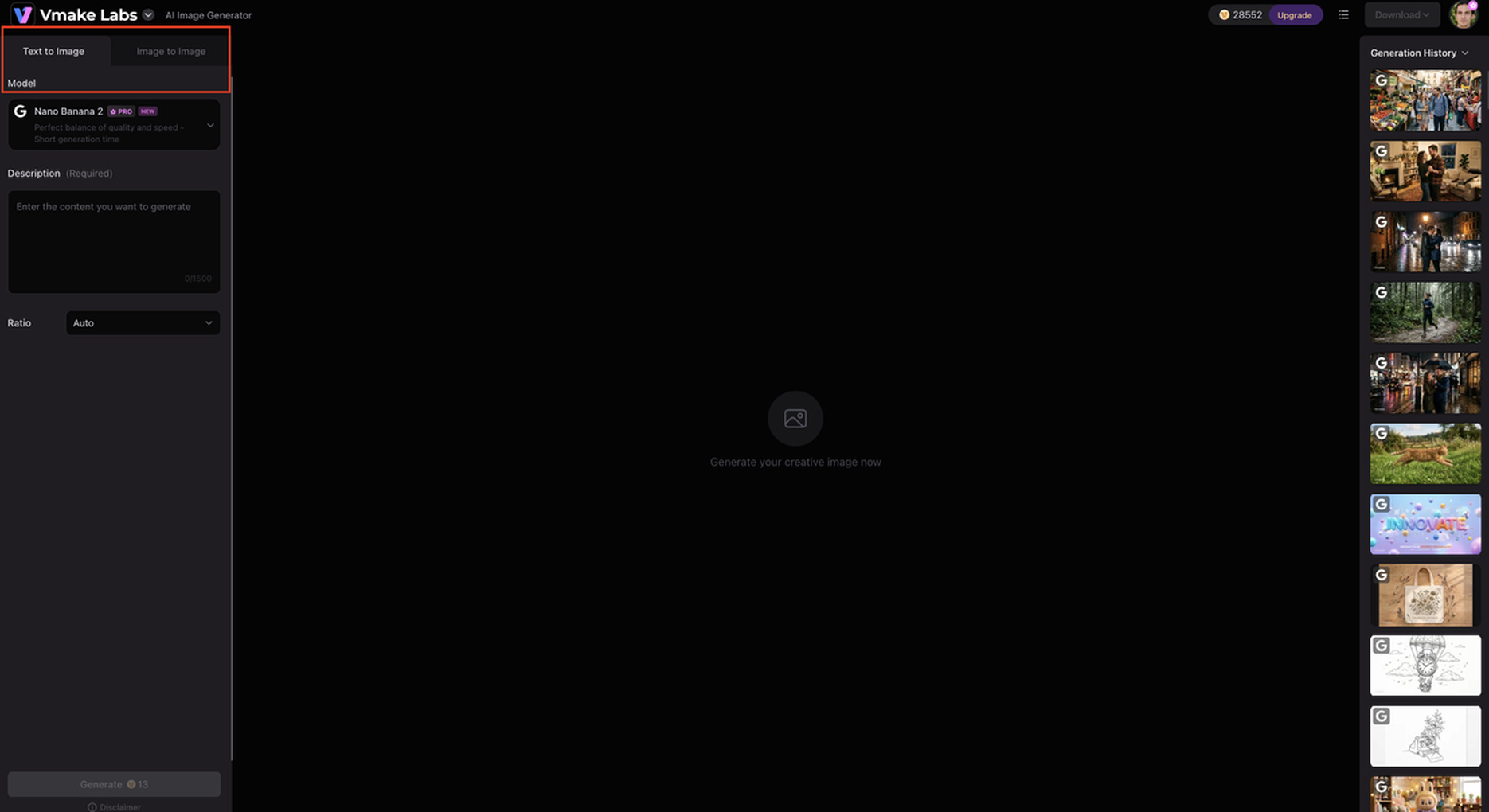
Step 1: Choose generation mode.
Open Vmake Labs AI Image Generator and select Text to Image or Image to Image, depending on your starting point.
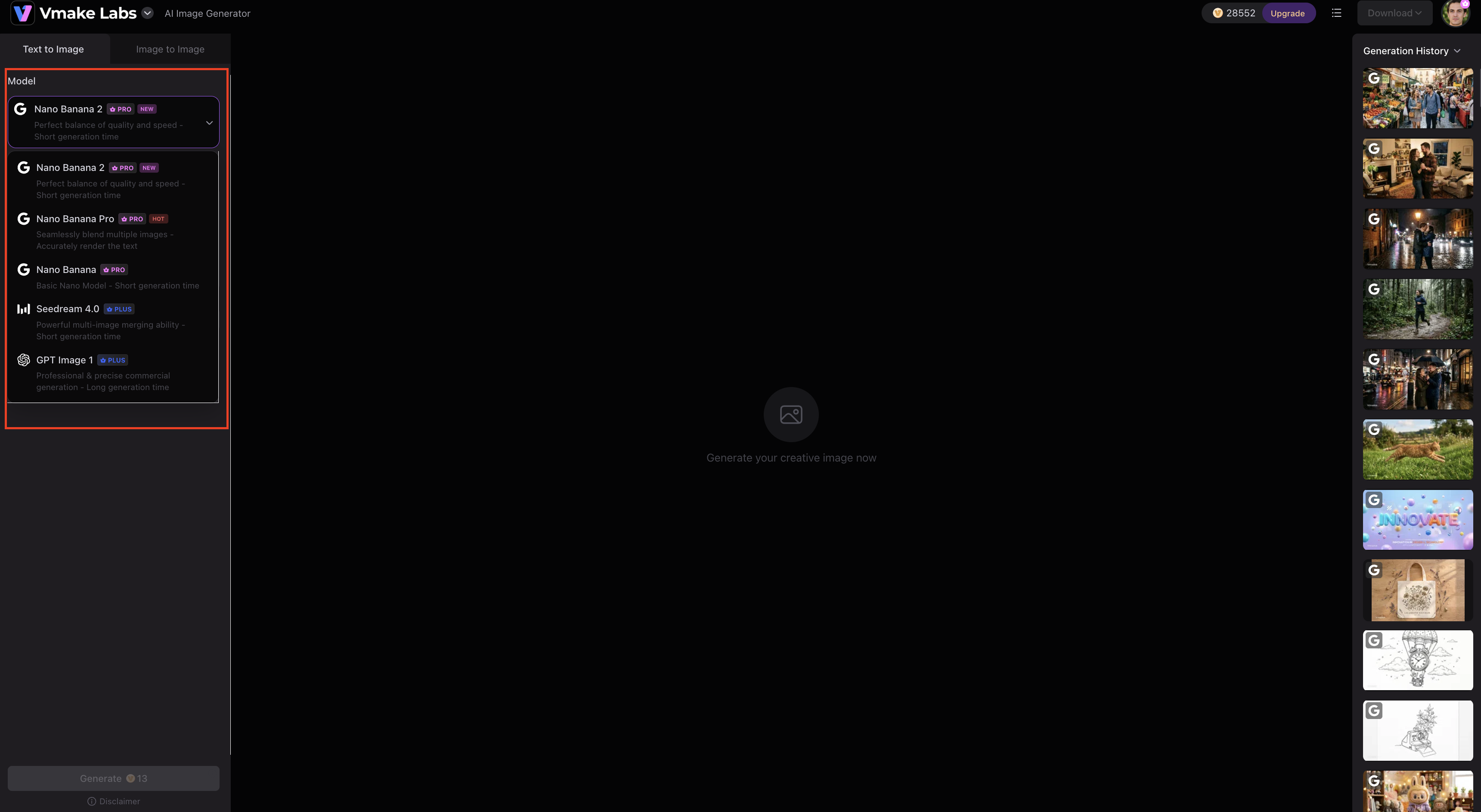
Step 2: Select a model and add your input.
Choose an available model such as Nano Banana 2, Nano Banana Pro, Nano Banana, Seedream 4.0, or GPT Image 1. For Image to Image, upload 1–3 reference images, add your prompt, and select an aspect ratio.
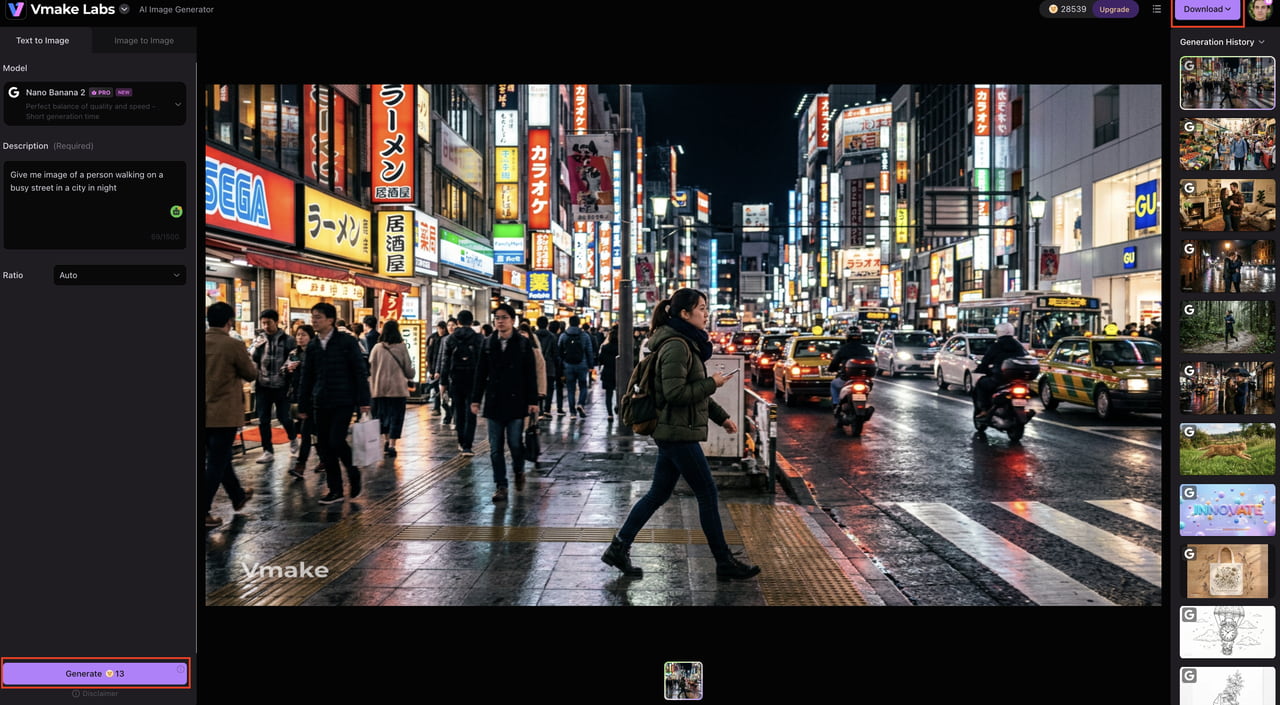
Step 3: Generate and download the result.
Generate the image, review the output, make adjustments if necessary, and download the finished visual.
Why consider Vmake Labs?
-
Multiple AI image models: Access multiple models for creating character artwork, portraits, and other visual concepts across different styles.
-
Text-to-image generation: Turn character descriptions, scenes, and creative concepts into visuals using detailed text prompts.
-
Image-to-image generation: Use an existing image as a starting point to create new visual variations and transformations.
-
Reference-image support: Upload reference images to guide character appearance, composition, style, or other important visual details.
-
Flexible image generation: Create and transform visuals using different generation methods, making Vmake suitable for character artwork, creative concepts, and other image-generation needs.
Yodayo AI vs Vmake Labs AI Image Generator: which should you choose?
Yodayo AI and Vmake Labs target different creative needs. Yodayo emphasizes anime, characters, roleplay, and community experiences, while Vmake Labs supports broader image-generation workflows for creative and commercial content.
|
Category |
Yodayo AI |
Vmake Labs AI Image Generator |
|---|---|---|
|
Primary focus |
Anime-focused AI creation and community |
Creative, marketing, and commercial image generation |
|
Image generation |
Anime and character-oriented creation |
Text-to-image and image-to-image |
|
AI models |
Verify current models |
Multiple AI image models |
|
Reference images |
Verify current capabilities |
Supported |
|
Best for |
Anime enthusiasts and character creators |
Creators, marketers, and businesses |
|
Workflow |
Anime-focused creative and community experience |
Browser-based image-generation workflow |
|
Commercial use |
Verify current terms |
Verify current terms |
|
Main advantage |
Anime and character-focused ecosystem |
Broader image-generation use cases |
Choose Yodayo AI if you...
Choose Yodayo AI if you primarily create anime-style artwork, enjoy character-focused creative experiences, and want an anime-oriented community. It is also a suitable choice if you prefer combining AI image generation with roleplay and character interactions in one platform.
Choose Vmake Labs if you...
Choose Vmake Labs if you need text-to-image and image-to-image generation, access to multiple AI image models, and reference-image support. It is better suited to creators producing products, marketing, e-commerce, social media, and other commercial visuals.
Conclusion
Yodayo AI is a great choice if you like anime art, character creation, and AI roleplay. The biggest strengths are a specialized ecosystem and community experience. Generation consistency, customization, pricing, and broader commercial workflows may be limitations for some users. If you need more than anime art, for example product, marketing, or e-commerce imagery, Vmake Labs has a broader workflow with several AI models, text-to-image and image-to-image generation, and reference-image support. Ultimately, the best option depends on if you want an anime-focused creative community or a flexible image creator for wider content needs.
FAQs
What is Yodayo AI?
Yodayo AI is an AI platform for anime artwork, character creation, AI character interactions, and roleplay. It also has community features to discover and share content, making it more specialized than broader image-generation platforms like Vmake Labs.
Is Yodayo AI free?
Yodayo may provide access or credits, but plans and generation limits are subject to change. Before estimating long-term costs, check its current pricing. If you want more extensive image-generation options, then Vmake Labs is another platform to check out.
Is Yodayo AI safe to use?
Review Yodayo's current privacy, content, and usage policies before using the platform. As with other online AI services, avoid sharing sensitive personal information. For commercial projects, also review the applicable usage terms before creating or publishing visuals.
What can you create with Yodayo AI?
Yodayo is primarily suited to anime and character artwork, including portraits, fictional scenes, stylized illustrations, and other anime-inspired visuals. If your needs extend to product, marketing, or commercial imagery, Vmake Labs provides a broader image-generation workflow.
Is Yodayo AI good for anime art?
Yes. Anime and character-focused creation are central to Yodayo's platform, making it particularly relevant for users creating stylized characters and fictional scenes. Vmake Labs may be more suitable when you need a wider range of visual creation options.
What is the best Yodayo AI alternative?
Vmake Labs is an option for users who need multiple AI image models, text-to-image and image-to-image generation, and reference-image support. It can be particularly useful for broader creative, product, marketing, e-commerce, and social media image-generation workflows.

You May Be Interested

Pixar AI Review: What It Is & How to Create Pixar-Style Art
Artistly AI Review 2026: Is It Worth Trying for Creators?
DeeVid AI Review 2026: Features, Pricing & Top Alternative
Doodle AI Review 2026: Features, Pricing and Alternatives
Getimg AI Review 2026: Is It the Best AI Image Generator?

Vivideo AI Review 2026: Features, Pricing and Alternatives

Supawork AI Review: Watermark Remover Tested (2026)

Nero AI Review 2026 Explained: Is the Tool Worth Using?
