
Unlucid AI Review: Features, Pricing and Best Alternative
Our Unlucid AI review covers its image and video tools, pricing, key use cases, pros and cons, plus an alternative for flexible AI image creation, which is the Vmake Labs AI Image Generator tool.

AI-powered creative platforms can combine image generation, editing, and video creation in one workflow, but their features and usage systems vary. Unlucid AI is one such platform designed for experimenting with AI-generated visual content. In this Unlucid AI review, we examine its features, pricing, use cases, advantages, limitations, user sentiment, and how it compares with Vmake Labs AI Image Generator as an alternative for image creation.
What is Unlucid AI?
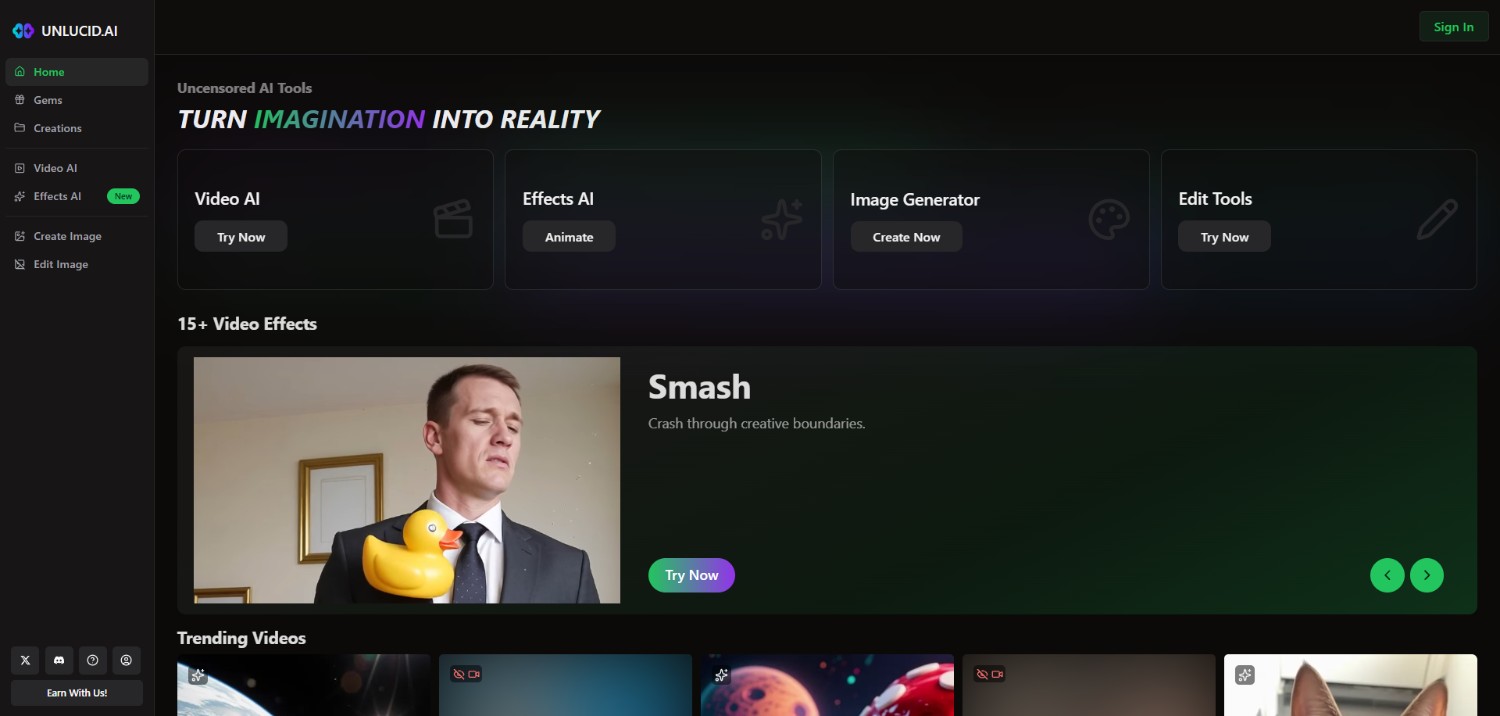
Unlucid AI is an AI-powered creative platform for generating, editing, and transforming visual content. It provides tools for creating AI images and videos from prompts, along with options for modifying existing visuals. The platform uses a Gem-based system, allowing users to access different creative functions according to their available usage balance.
Unlucid AI can be useful for creators, marketers, designers, and casual users exploring AI-generated content without relying on several separate applications. Its range of image and video capabilities makes it a versatile option.
Key features of Unlucid AI
-
AI image generation: Unlucid AI lets users create images from text prompts, making it possible to explore different visual concepts, subjects, compositions, and creative directions without manually designing every element.
-
AI image editing: The platform provides AI-assisted image editing capabilities for modifying existing visuals. Users can transform images, make creative adjustments, and experiment with different visual treatments using AI-based workflows.
-
AI video generation: Unlucid AI also supports AI video creation, allowing users to generate short visual content through prompts and available creative tools. This extends the platform beyond static image generation.
-
Creative transformation tools: Unlucid AI includes creative transformation options that let users experiment with different visual concepts and styles. These tools can help adapt existing ideas into alternative AI-generated visual variations.
How to use Unlucid AI in 3 simple steps?
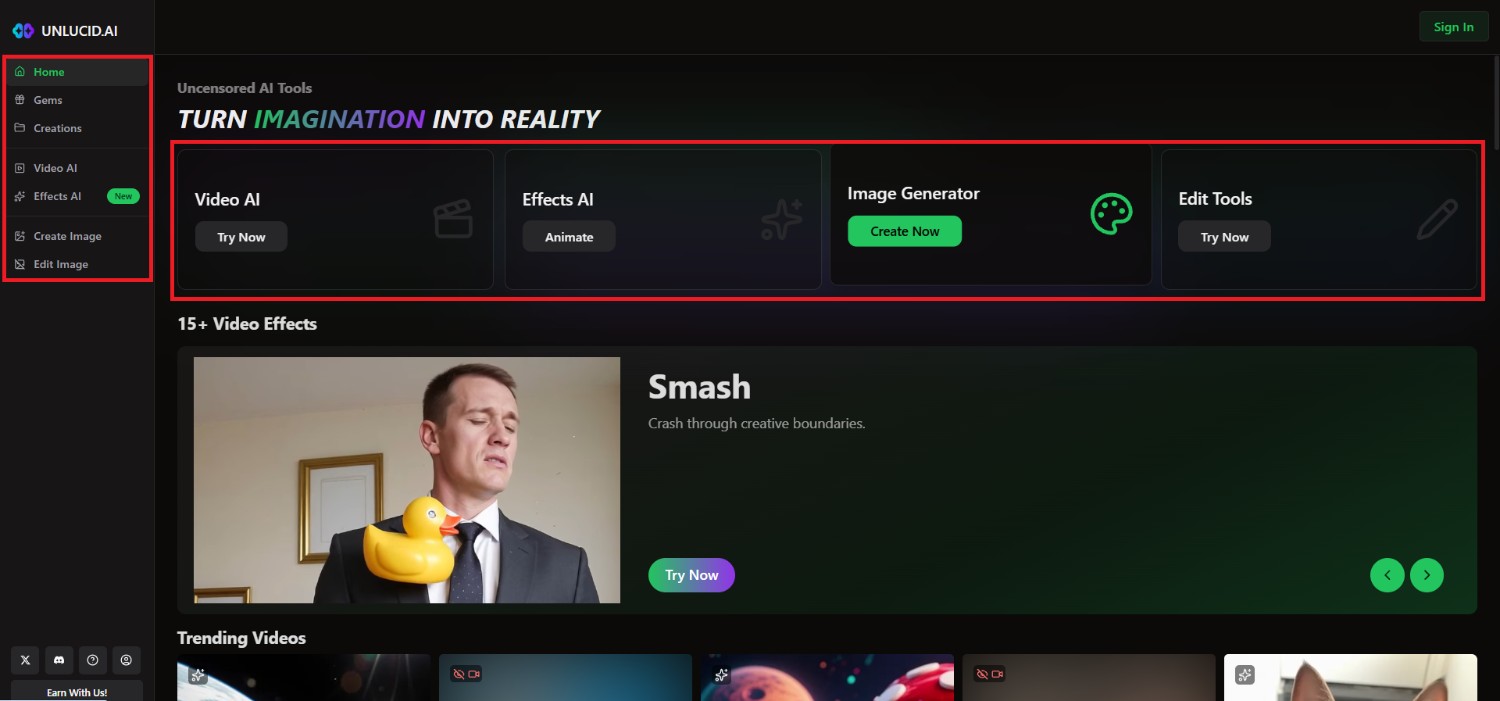
Step 1: Access Unlucid AI's main interface and choose your tool
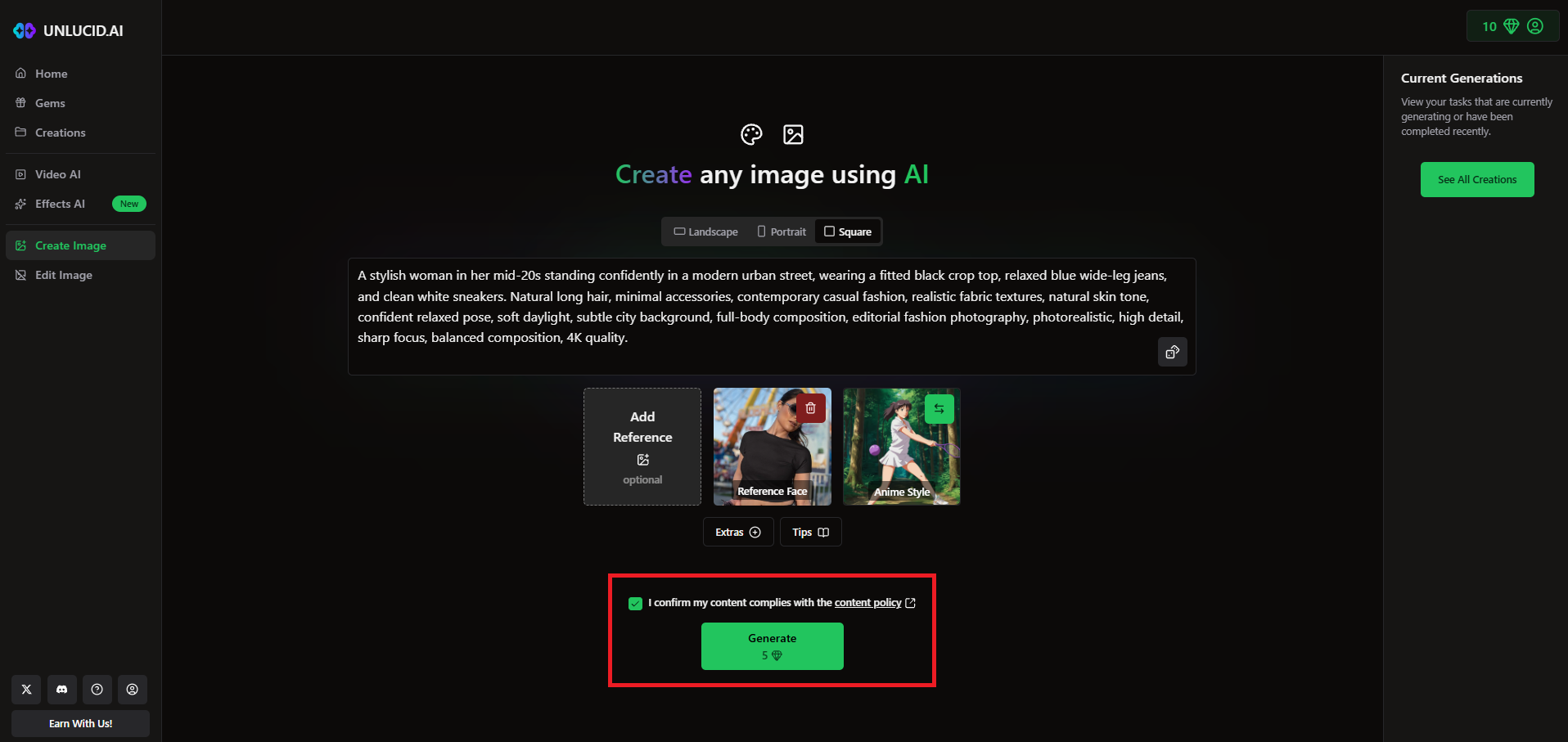
Start off by first accessing the official website of Unlucid AI. Once you do that, proceed to sign-in to your existing account, or sign-up for a new account. After that, click on the tool that you want to use. For instance, we choose the "Image Generator" tool.
Step 2: Provide your prompt and select the settings
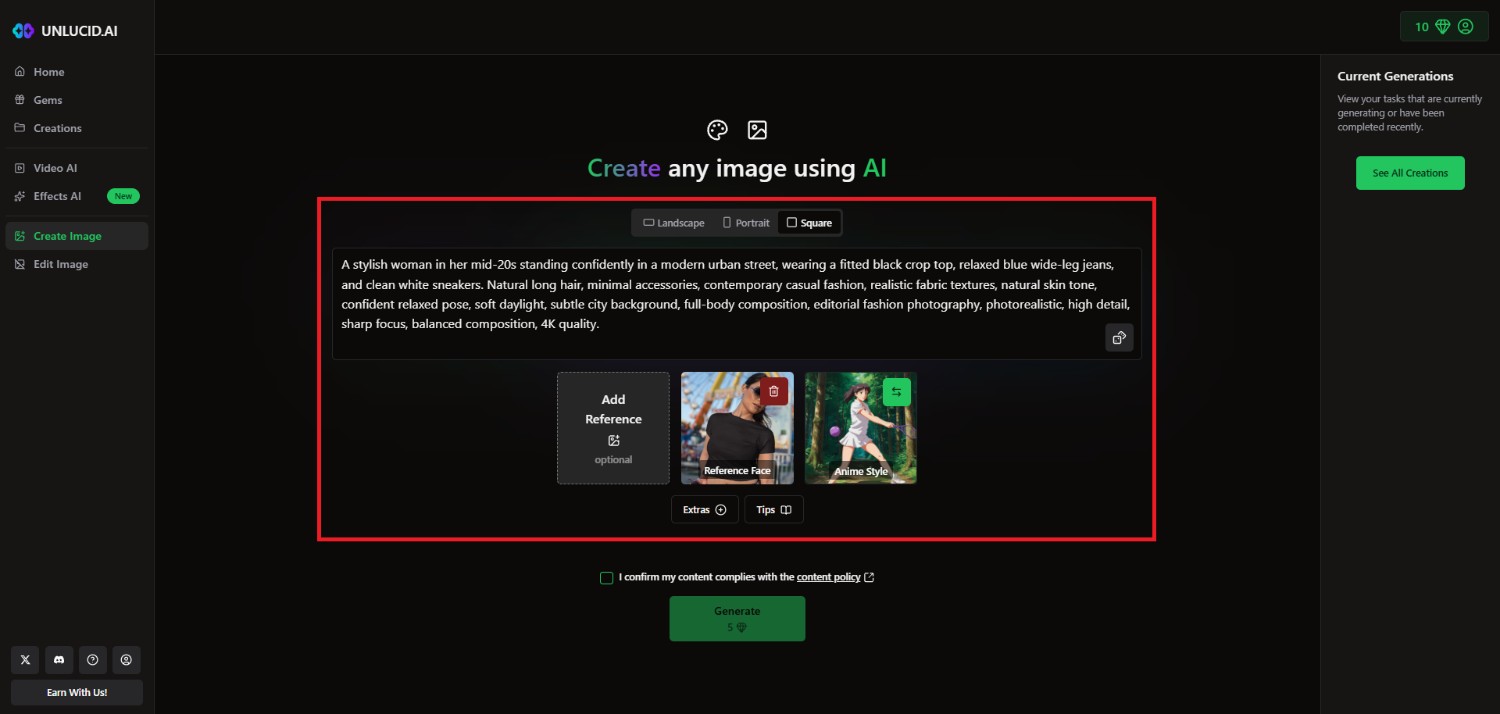
In the next window, you need to first select the aspect ratio for the image that you want to create, by selecting between "Landscape", "Portrait", or "Square". Then, you need to provide your detailed prompt for the image you are trying to create.
Additionally, you will have the option to add any reference image, reference face, and also select the style of the image. Furthermore, under "Extras" you can choose to select the "High Resolution Upscale" for your image.
Step 3: Generate and export
Once done, accept the content policy and click on "Generate". Unlucid AI will start generating your image and once that is completed, the same will be showcased on your screen. You can then decide to download the image to your local device for sharing purposes.
Is Unlucid AI worth it? Test and pricing
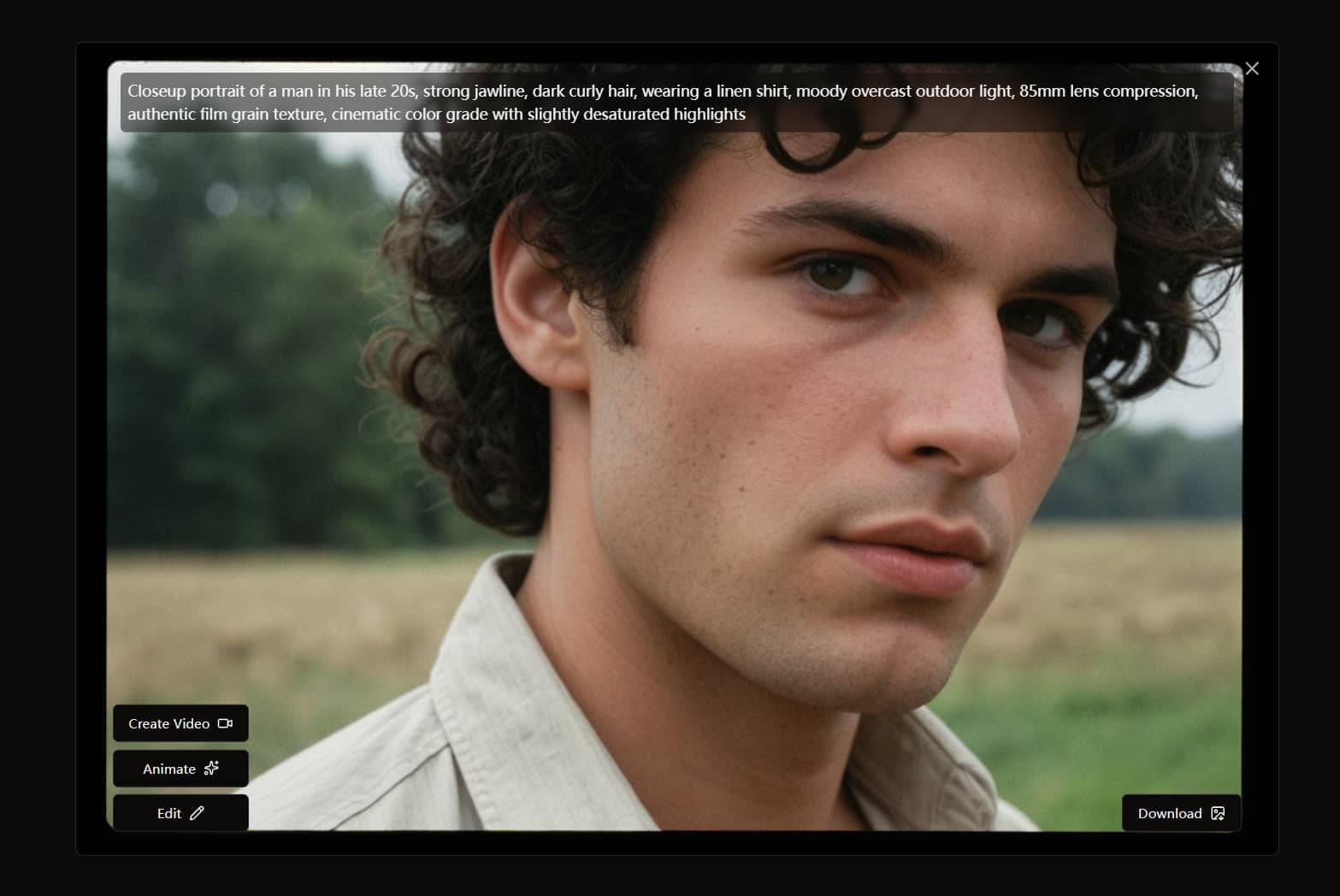
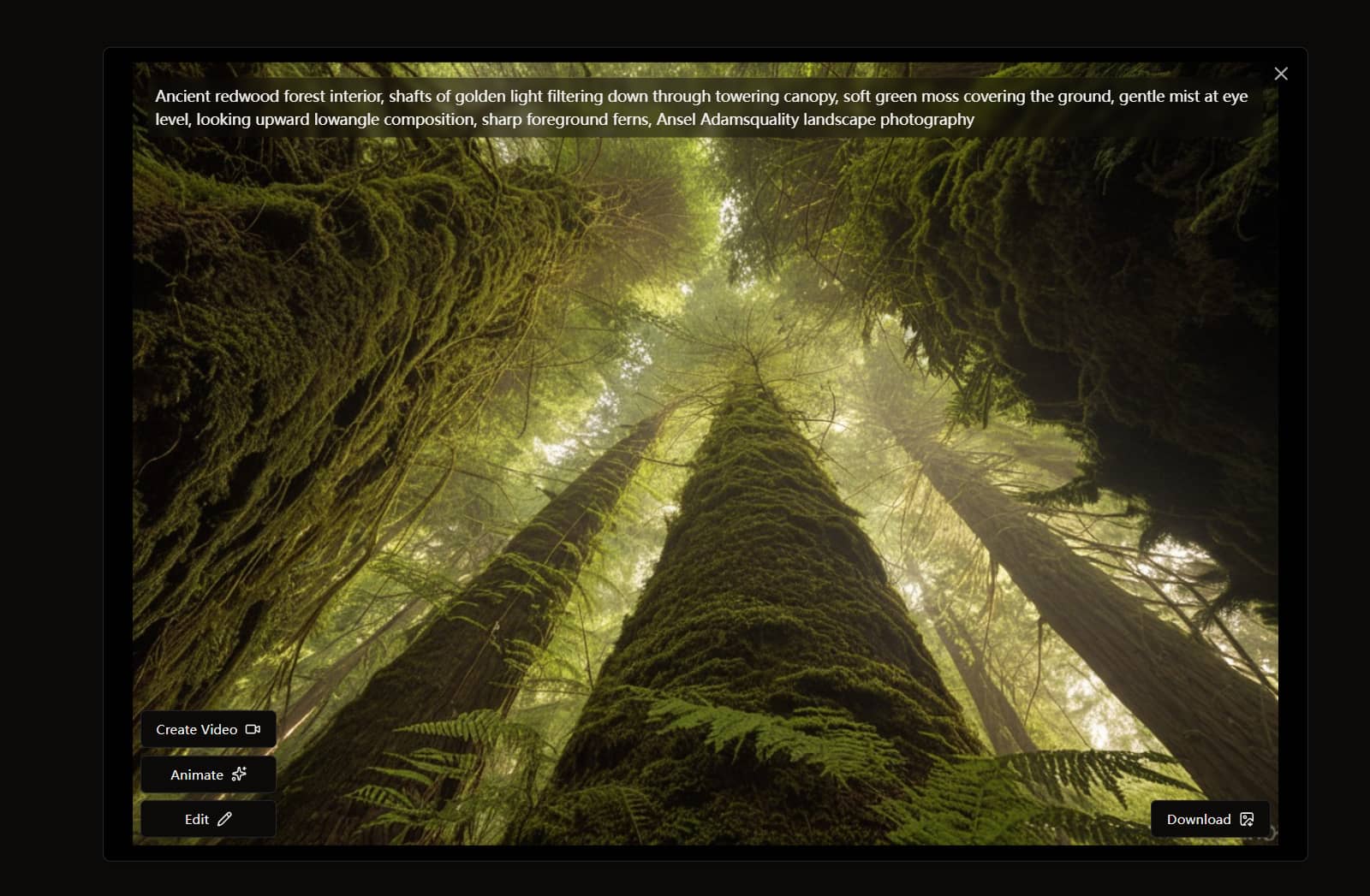
Test samples:
Portrait
Landscape
Unlucid AI pricing
Unlucid AI uses a Gem-based pricing system rather than monthly subscriptions.
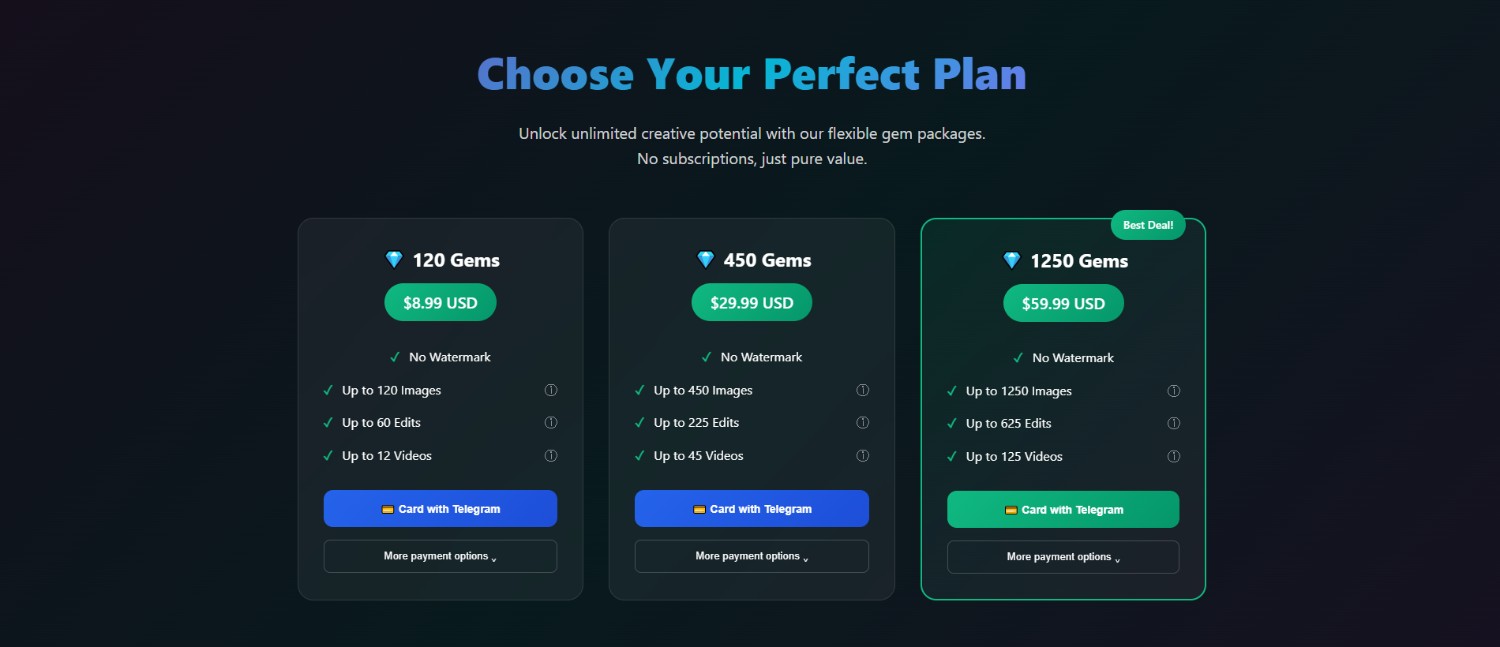
Users can claim free Gems daily, while paid bundles provide additional credits and remove watermarks. The current paid options range from $8.99 to $59.99, with larger bundles offering more Gems at a lower cost per credit.
|
Plan |
Price |
Gems |
Images |
Edits |
Videos |
|---|---|---|---|---|---|
|
Free daily Gems |
$0 |
Daily free Gems |
Varies |
Varies |
Varies |
|
120 Gems |
$8.99 |
120 |
Up to 120 |
Up to 60 |
Up to 12 |
|
450 Gems |
$29.99 |
450 |
Up to 450 |
Up to 225 |
Up to 45 |
|
1,250 Gems |
$59.99 |
1,250 |
Up to 1,250 |
Up to 625 |
Up to 125 |
The listed allowances are maximum and depend on the type of generation or editing task. Paid bundles include no-watermark output, while the platform states that there are no monthly fees.
Unlucid AI review: important pros and cons to remember
Unlucid AI brings several image and video creation tools together, but its credit-based system and level of creative control may not suit every user.
Strengths |
Weaknesses |
|---|---|
|
Multiple AI creation tools on one platform Unlucid AI combines image generation, editing, video creation, and transformation tools, reducing the need to switch between separate creative applications. Daily free Gems for experimentation The platform provides daily free Gems, giving users an opportunity to test its creative tools before purchasing additional usage. No watermark on paid Gems Paid Gem bundles provide no-watermark outputs, which can be useful when users need cleaner visuals for publishing or other creative workflows. Supports both image and video creation Unlucid AI supports both static and video content, making it a convenient option for users who want different AI creation capabilities on one platform. |
Gem-based usage can become limiting Frequent generations can consume Gems quickly, potentially making the credit-based model less convenient for users who create AI content regularly. Limited control for more advanced video creation Users seeking detailed video controls or a more specialized image-generation workflow may find Unlucid AI less suitable for advanced creative requirements. |
What users are saying on Reddit and G2
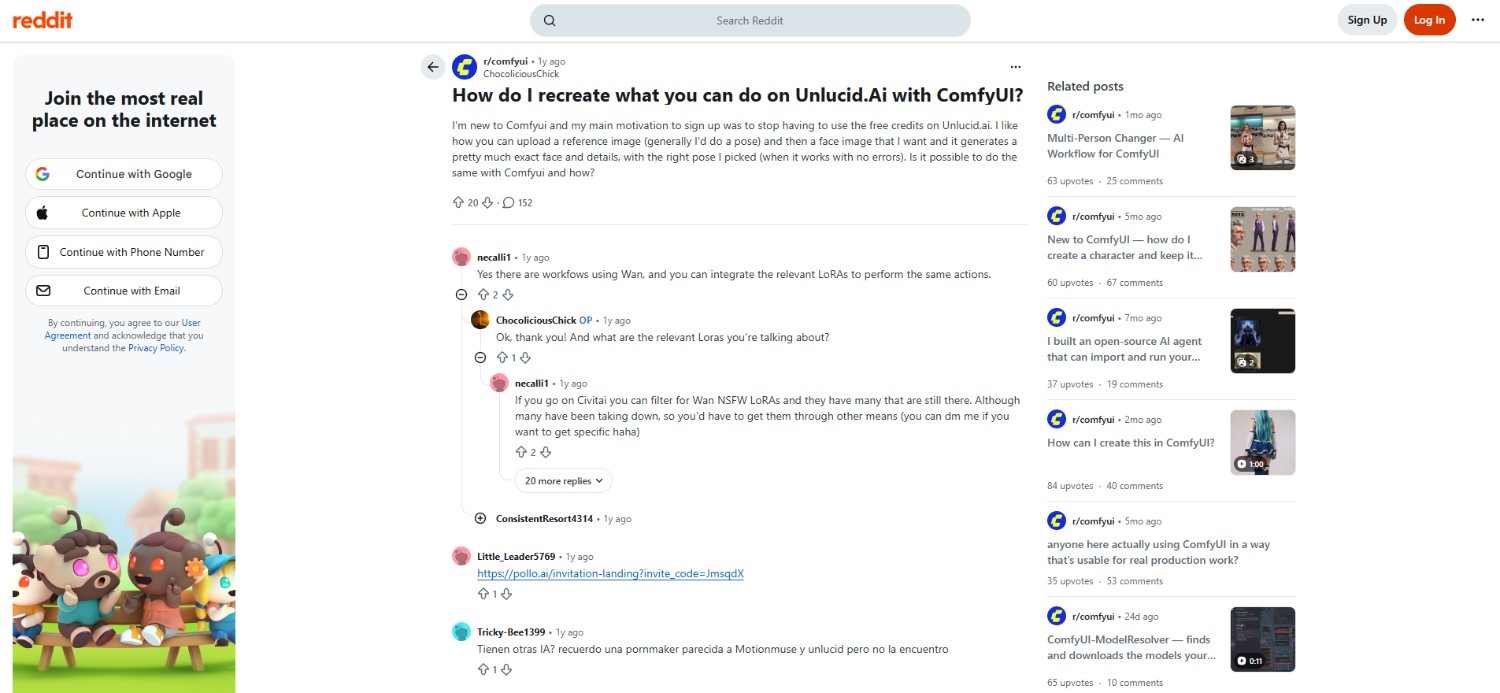
On Reddit
Reddit discussions about Unlucid AI appear relatively limited compared with more established AI creative platforms. The available discussions suggest mixed interest, with users exploring its creative tools while considering credits, output consistency, overall usability, generation quality, and whether the platform provides enough flexibility for regular creative projects.
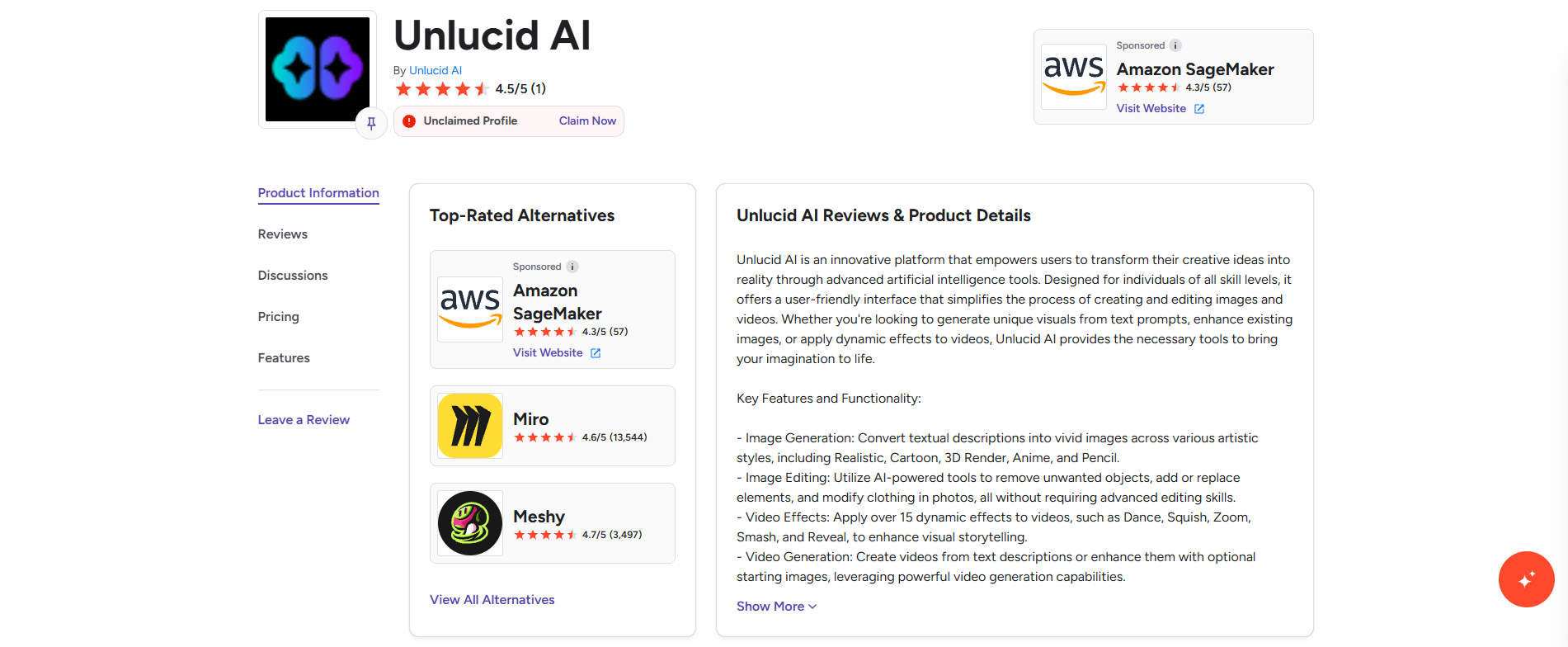
On G2
G2 has comparatively limited feedback about Unlucid AI, making it difficult to establish a strong overall consensus. Available user feedback should therefore be considered alongside the platform’s features, pricing, and intended use, particularly when evaluating its suitability for different creative workflows and content-generation requirements.
Key takeaway
Overall, user sentiment appears mixed but limited. Unlucid AI may suit casual experimentation and occasional content creation, while frequent users should carefully consider its Gem-based system, creative controls, and available generation options.
Vmake Labs AI Image Generator: an Unlucid.ai alternative for more flexible image creation
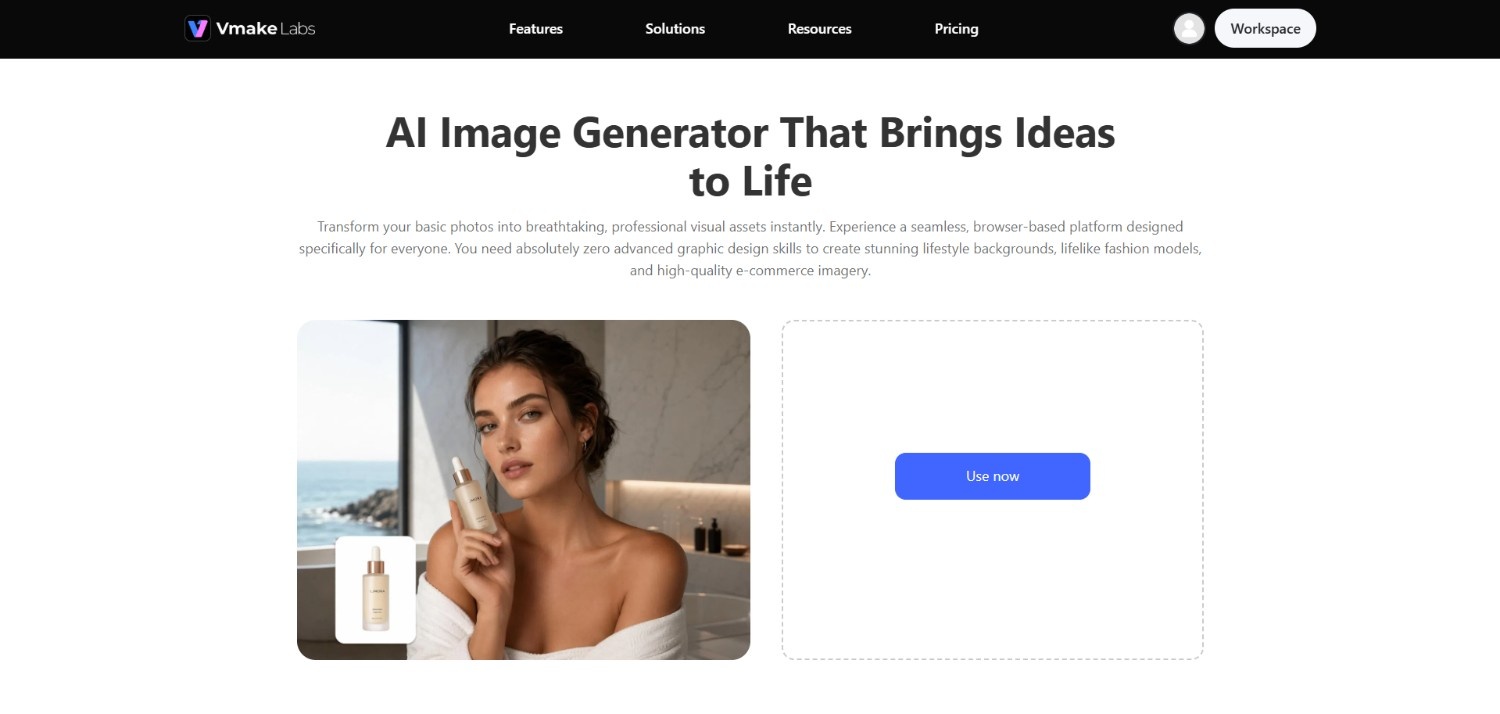
Vmake Labs AI Image Generator is an alternative for users who want a more focused approach to AI image creation. Instead of combining several creative tools around a Gem-based system, it provides a dedicated image-generation workflow for creating visuals from text prompts and existing images.
Users can explore different AI models, styles, aspect ratios, and image-generation approaches depending on their creative requirements. This makes it suitable for product visuals, marketing content, social media graphics, and other image-based projects.
Key features of Vmake Labs AI Image Generator
-
Text-to-image generation: Vmake Labs AI Image Generator can turn written prompts into visuals, allowing users to describe subjects, compositions, environments, styles, and other details to guide the image-generation process.
-
Image-to-image generation: Users can work from existing images to create new visual variations. This provides an alternative to starting entirely from text and can help maintain elements of the original visual.
-
Multiple AI image models and styles: Vmake Labs provides access to different AI models such as GPT Image and Nano Banana, along with creative styles, giving users options when generating images for different visual requirements, concepts, and content formats.
-
High-resolution export and diverse aspect ratio support: The tool supports high-resolution image creation and different aspect ratios, making it easier to prepare generated visuals for various platforms, layouts, and content requirements.
How to use Vmake Labs AI Image Generator in 3 easy steps?
Step 1: Access Vmake Labs "AI image generator" tool
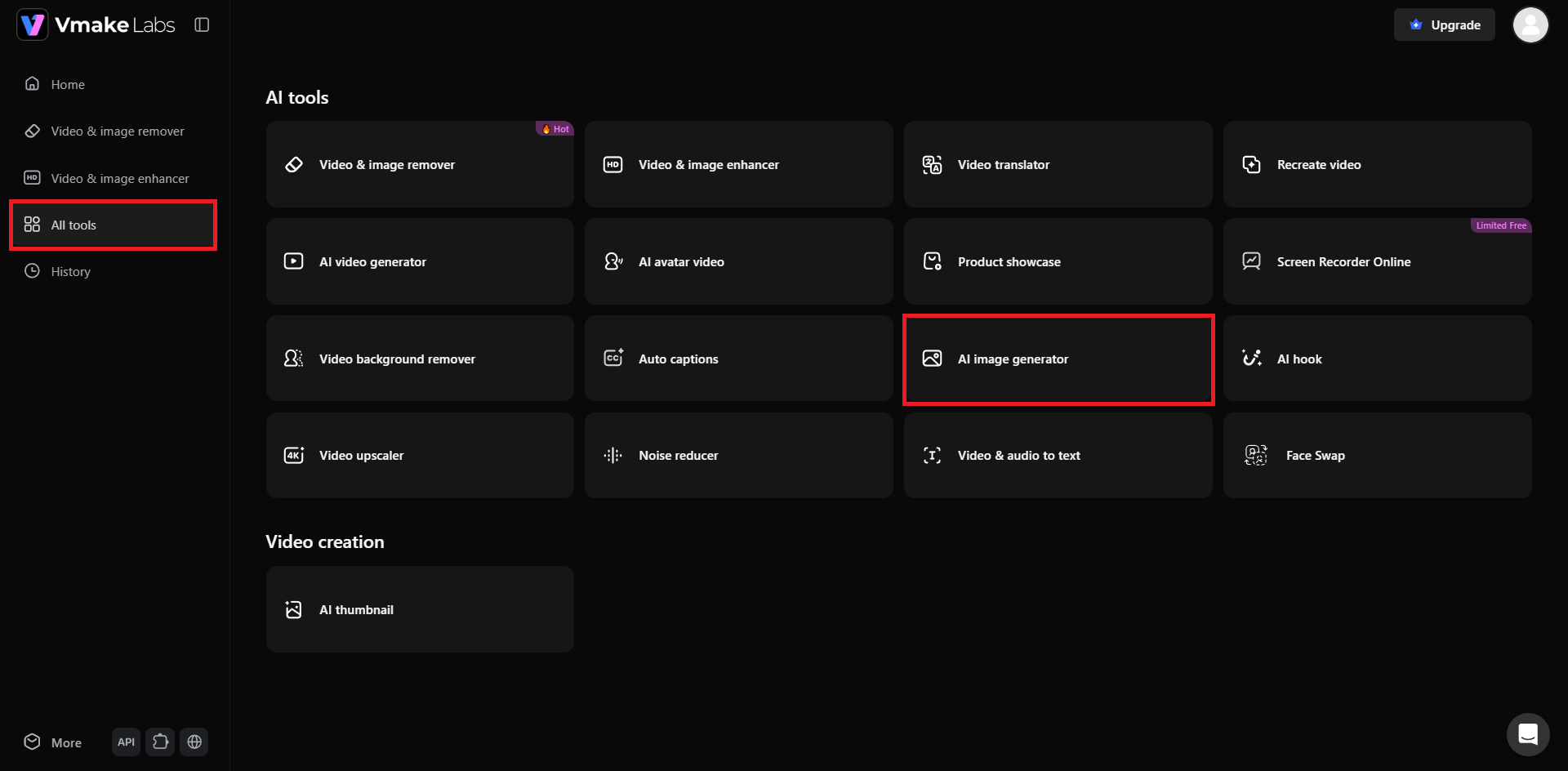
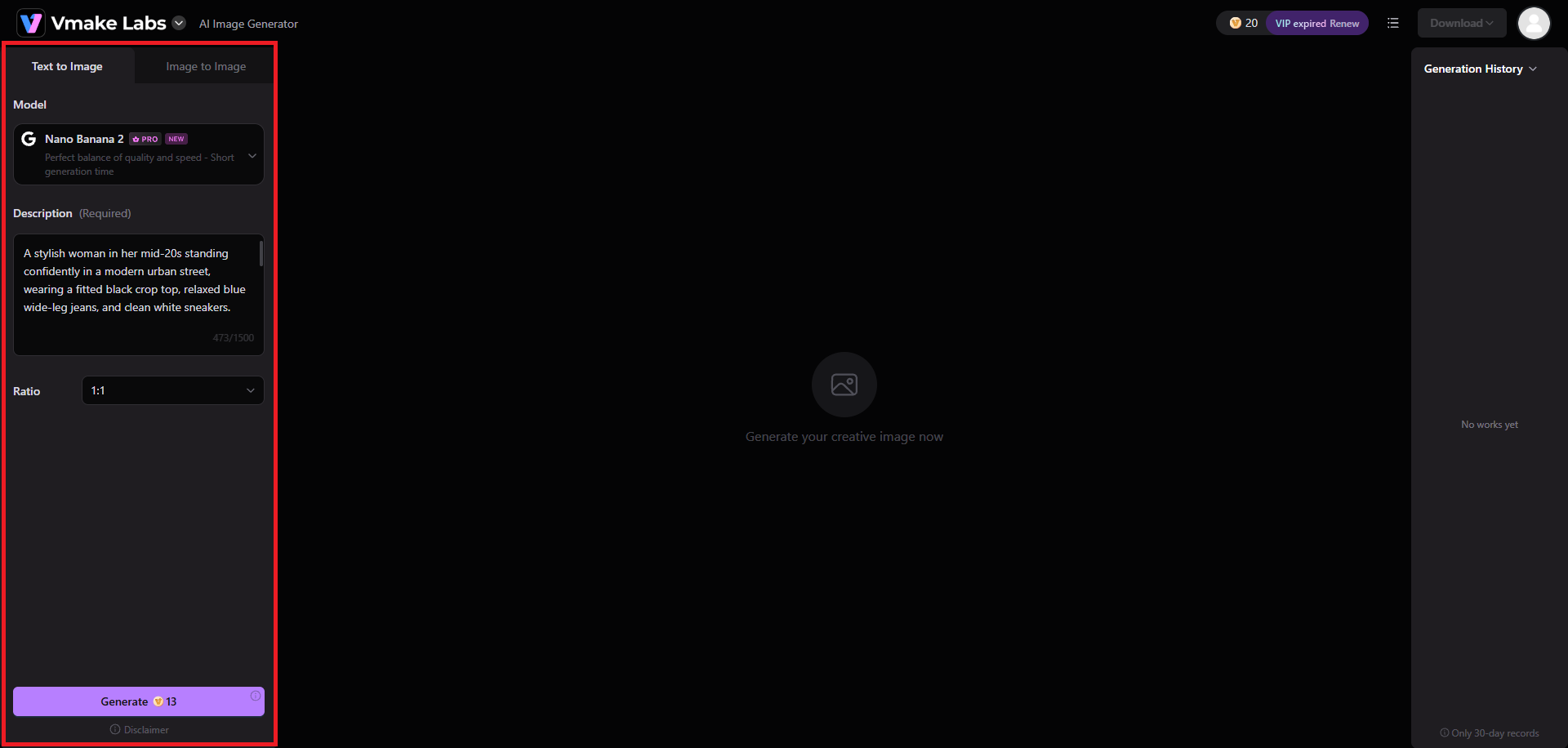
The first step involves visiting the official website of Vmake Labs, where you will need to either sign-in to your existing account, or create a new account. After logging in, you need to access the "All tools" option from the left-hand panel and then choose the "AI image generator" tool.
Step 2: Provide your prompt for image generation
In the subsequent step, you need to select the image generation process, which is either "Text to Image" or "Image to Image". Once done, you need to choose your preferred AI image generation model, be it Nano Banana 2 or GPT Image 1. After that, provide a detailed prompt for the kind of image that you want to create. In addition to that, you also need to select the image's aspect ratio. Finally, click on "Generate".
Step 3: Export your AI-generated image
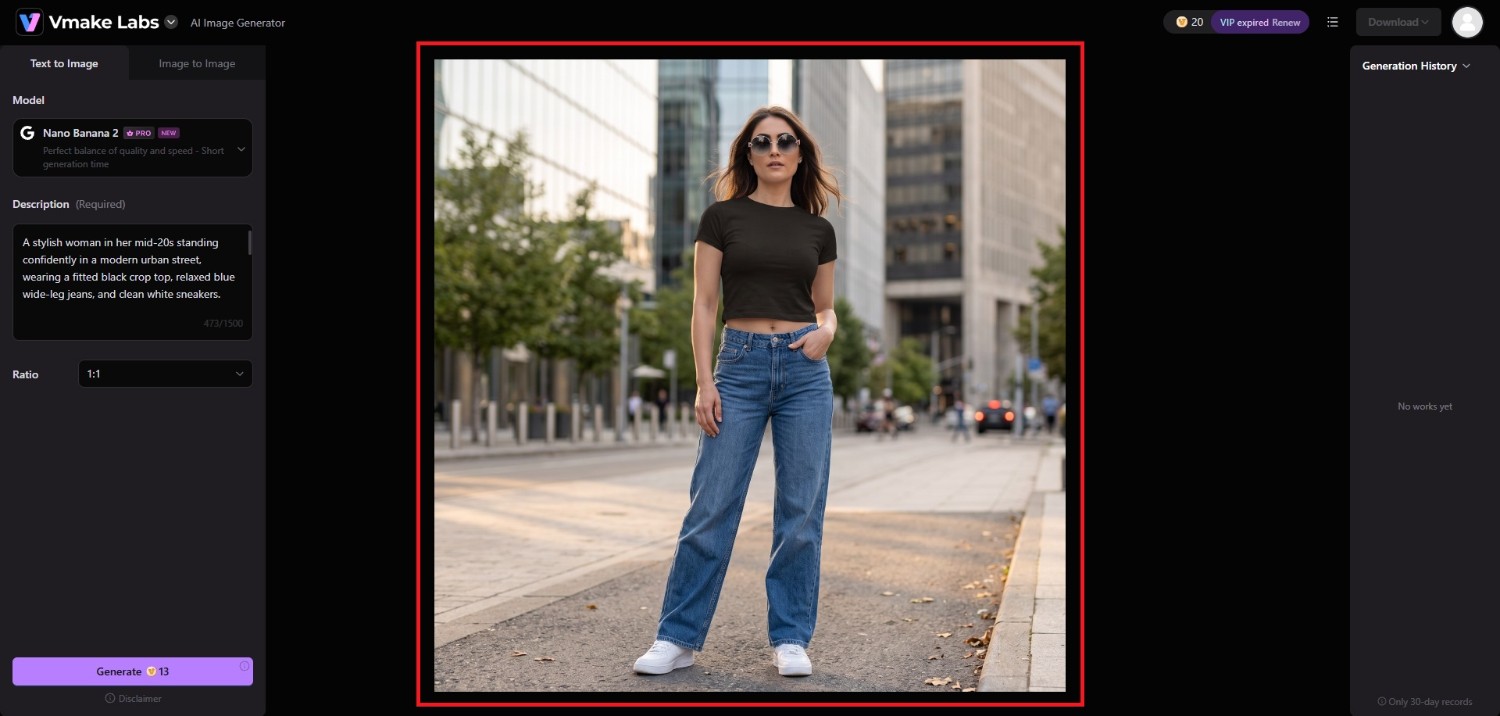
Vmake Labs will start generating your image and once that is completed, the same will be showcased on your screen. You can then proceed to download the image to your local device and share it on social media platforms.
Vmake Labs vs Unlucid AI: which is the better choice?
Both platforms can support AI-assisted visual creation, but they serve somewhat different needs. Unlucid AI combines several creative tools in one platform, while Vmake Labs AI Image Generator focuses more directly on flexible AI image creation.
Who should use Unlucid AI?
-
Users seeking multiple creative tools: Unlucid AI may suit users who want image generation, editing, video creation, and transformation features on one platform.
-
Casual AI creators: Its daily free Gems can make it useful for users who want to experiment with AI-generated visual content.
-
Users working across image and video: Those who regularly switch between static images and short AI videos may appreciate having both capabilities available.
Who should use Vmake Labs AI Image Generator?
-
Users focused on AI image creation: Vmake Labs is more suitable for users whose primary requirement is generating and developing AI-powered images.
-
Creators wanting more workflow flexibility: Its text-to-image and image-to-image capabilities provide different approaches for developing visual concepts.
-
Users creating images for different formats: Support for diverse aspect ratios and high-resolution output can be useful when preparing visuals for various content requirements.
|
Feature |
Unlucid AI |
Vmake Labs AI Image Generator |
|---|---|---|
|
Primary focus |
AI image and video creation |
AI image creation |
|
Text-to-image |
Yes |
Yes |
|
Image-to-image |
Yes |
Yes |
|
Image editing |
Yes |
Supported through image workflows |
|
AI video generation |
Yes |
Not the primary focus |
|
Multiple creative tools |
Yes |
Focused on image generation |
|
Aspect ratio options |
Available options |
Diverse aspect ratio support |
|
Best suited for |
Multi-purpose AI experimentation |
Flexible AI image creation |
Tips and tricks for using Unlucid AI
Using Unlucid AI effectively involves more than entering a basic prompt. A few practical approaches can help you make better use of its available generation tools while managing your Gems more carefully.
-
Start with specific prompts
Describe the subject, setting, composition, style, lighting, and other important details in your prompt. Specific instructions can give the AI clearer direction when generating your desired visual.
-
Use reference images when possible
When the selected workflow supports image uploads, use a relevant reference image to provide additional visual direction. This can help communicate composition, subject characteristics, or stylistic preferences more clearly.
-
Experiment with different creative workflows
Explore Unlucid AI’s image generation, editing, video, and transformation capabilities instead of relying on one tool. Testing different workflows can help identify which options fit your projects best.
-
Track your Gem usage before generating frequently
Keep an eye on your available Gems, especially when creating multiple variations or experimenting with different tools. Planning generations beforehand can help avoid unnecessary credit consumption.
Conclusion
Unlucid AI brings image generation, image editing, video creation, and creative transformation tools together in a single platform. Its daily free Gems provide an accessible way to experiment, while paid Gem bundles offer additional usage without monthly subscriptions. However, frequent creators may find credit-based system limiting, and users seeking more specialized image-generation controls may prefer a focused alternative.
Vmake Labs AI Image Generator provides a dedicated workflow for text-to-image and image-to-image creation, with multiple AI models, styles, aspect ratios, and high-resolution output options. Ultimately, the better choice depends on whether you prioritize an all-in-one creative platform or a more focused image-generation workflow.
FAQs
-
Is Unlucid AI free to use?
Unlucid AI offers daily free Gems that users can use to explore its creative tools. Additional Gems are available through paid bundles, with usage depending on the selected generation or editing task.
-
Does Unlucid AI generate videos?
Yes, Unlucid AI supports AI video generation alongside image creation and editing. Users can access video-related workflows through the platform, although available controls and Gem requirements can vary by task.
-
What can I create with Unlucid AI?
You can use Unlucid AI to create AI-generated images, edit existing visuals, generate short videos, and explore creative transformations. The available options depend on the selected workflow and tool.
-
Does Unlucid AI offer image editing?
Yes, Unlucid AI includes AI-assisted image editing capabilities. Users can work with existing images and apply creative modifications or transformations, depending on the editing tools and options available within the platform.
-
Is Unlucid AI worth trying?
Unlucid AI may be worth trying if you want several AI creative tools on one platform and prefer experimenting with daily free Gems. Frequent users should consider its credit-based usage model.

You May Be Interested
Artistly AI Review 2026: Is It Worth Trying for Creators?
DeeVid AI Review 2026: Features, Pricing & Top Alternative
Doodle AI Review 2026: Features, Pricing and Alternatives
Getimg AI Review 2026: Is It the Best AI Image Generator?

Supawork AI Review: Watermark Remover Tested (2026)

Nero AI Review 2026 Explained: Is the Tool Worth Using?

Pixar AI Review: What It Is & How to Create Pixar-Style Art

Vivideo AI Review 2026: Features, Pricing and Alternatives
