
ChatGPT Image Generator Review: Key features, Pricing & Alternative
Is ChatGPT Image Generator the right AI art tool for you? Check our detailed ChatGPT image generator review and learn how Vmake Labs can serve as a powerful alternative for creators.

When a beginner tries ChatGPT, they may wonder: Can ChatGPT turn text prompts into high-quality images in seconds like the Internet hypes, or do I need some alternatives? No more wondering: This review covers ChatGPT's features, pricing, pros, and cons to help you choose, along with a look at Vmake Labs as a creativity-focused variant for bringing your ideas to life.
What is the ChatGPT AI image generator?
ChatGPT Image Generator is OpenAI's built-in AI image creation tool that allows users to generate and edit images directly inside ChatGPT with natural language prompts. Users simply describe what they want and the AI produces a picture that fits the request, instead of learning complex design software.
ChatGPT offers an interactive workflow, unlike conventional AI image generators, which solely rely on prompt engineering. Users can request changes to be made, such as changing colours, swapping out objects, changing the lighting, or changing the composition without starting from scratch. The discussion remembers previous changes, and this makes it much easier to iterate until the final result looks right.
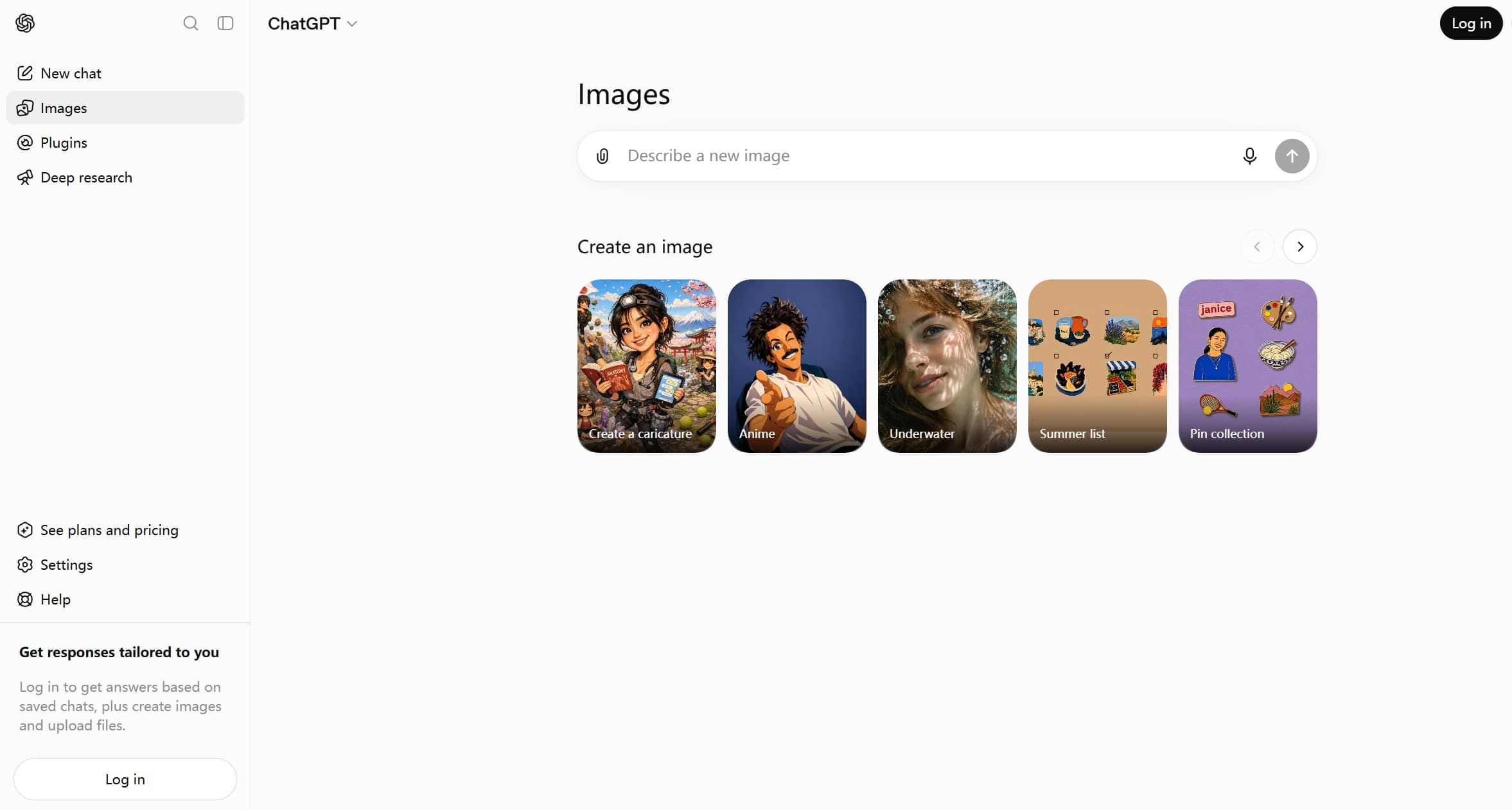
Key features of ChatGPT image generation
ChatGPT Image Generator merges conversational AI with sophisticated image synthesis, simplifying the process of creating and modifying images without the need to switch between different editing programs. Here are the most notable features of it.
-
Conversational image generation
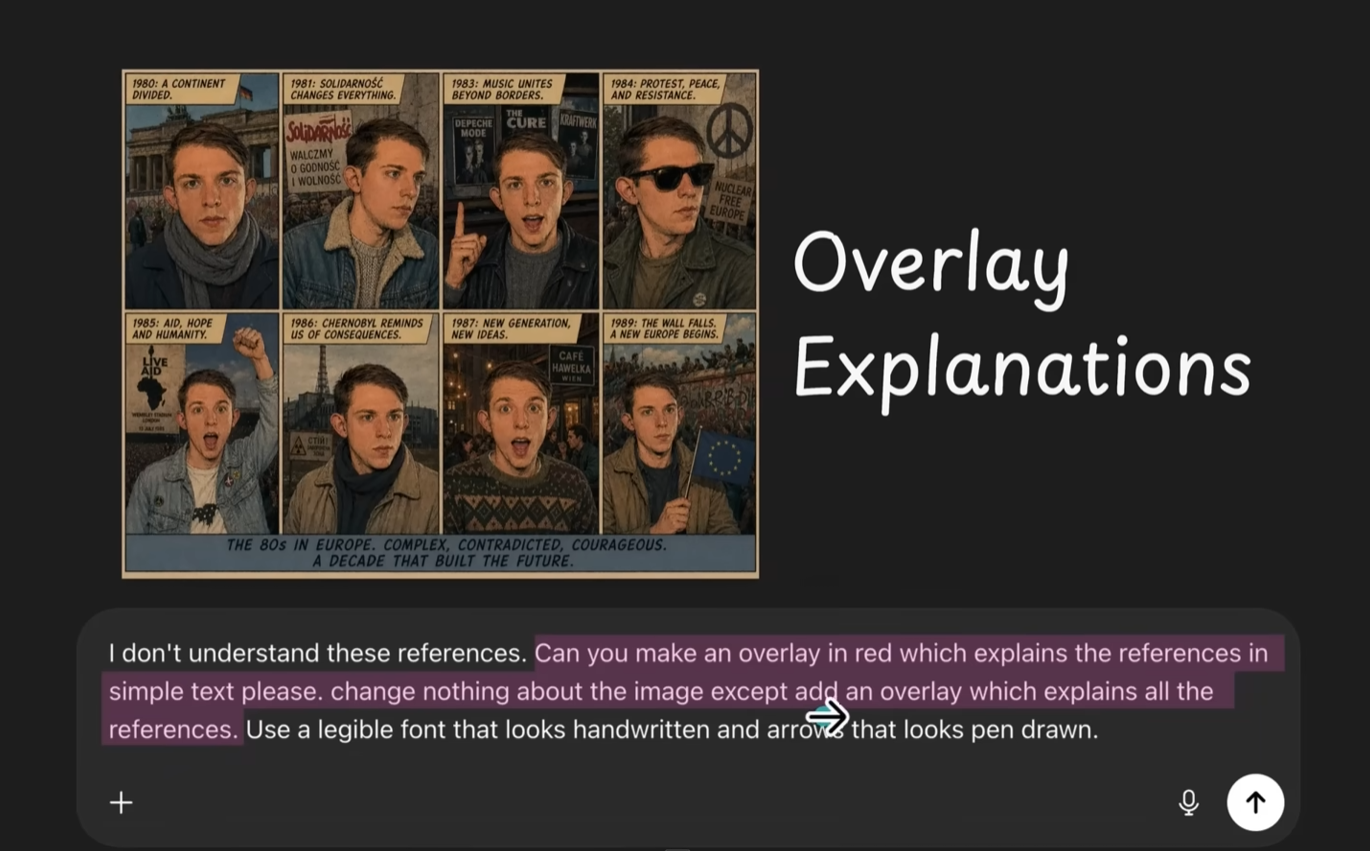
What makes ChatGPT Image Generator unique is how it communicates with you to generate images. Instead of asking users to rewrite a whole prompt after each generation, it allows them to improve images with natural follow-up instructions in the same chat. You can ask the AI to change colors, lighting, add or remove objects, change facial expressions, change artistic styles, or change the background without having to start over.
Test results: In testing, conversational editing worked very well for small and medium changes. The design was much quicker in an iterative way, as colours, objects, and compositions could be changed without having to generate a whole different image.
-
High prompt understanding
Another great feature of ChatGPT is that it is able to understand very detailed natural language prompts with amazing accuracy. Natural language allows users to describe complex scenes with subjects, emotions, camera angles, lighting, artistic styles, and environmental details without the need for complex prompt engineering.
Test results: Images produced from complex prompts with multiple subjects, lighting directions and stylistic references were very close to the intended concept. ChatGPT needed less prompt tweaking than many of the free AI generators.
-
Image editing
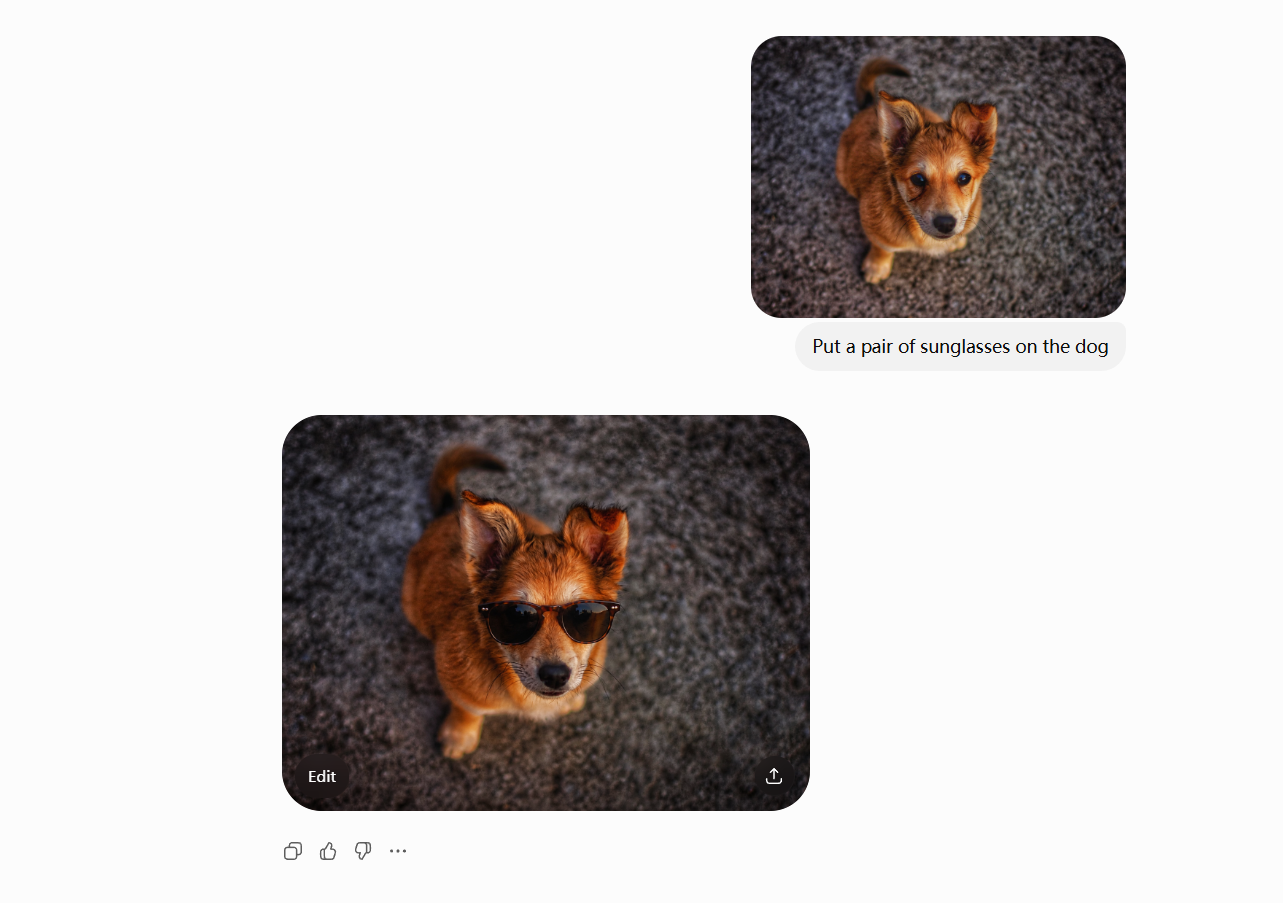
Besides generating images from scratch, ChatGPT can also perform excellent AI image editing. Users can upload an existing image or continue working on an already generated image with simple text instructions and ask for specific changes. Whether you want to replace a background, remove unwanted objects, add new elements, recolor clothes, improve composition, or generate multiple variations, you can make edits in the same conversation.
Test results:
Object removal and background replacement worked impressively well. Minor edits felt natural, and photo manipulations with fine detail sometimes needed several iterations to get the best results.
-
Strong text rendering
ChatGPT is good at generating images with typography, which is something a lot of AI image generators can't do with readable text. It can create posters, ads, social media graphics, presentation slides, menus, labels, certificates, comic panels, book covers, and infographics with far more accurate and legible text. Very long paragraphs might still need some minor corrections, but overall the quality of text generation is one of the best you can find in AI image generators.
Test results: Most of the generated images had sharp and legible short headlines and titles. The longer paragraphs had the occasional formatting quirk, but they were miles better than many rival AI image generators.
-
Multiple artistic styles
The ChatGPT Image Generator provides an extensive selection of artistic styles, allowing users to create images for diverse creative purposes and branding needs. It can generate photorealistic images, digital paintings, anime art, watercolor art, oil paintings, pixel art, comic art, fantasy art, cyberpunk art, vintage posters, minimalistic art, 3D renders, and so on with a simple prompt.
Test results: Impressive stylistic consistency was maintained over generations. Anime, digital illustration, fantasy, and photorealistic outputs were especially good, while more niche artistic styles sometimes required more specific prompting.
How to use ChatGPT to generate images
With ChatGPT, you can create AI-generated images in just a few simple steps. The conversational interface keeps the whole process beginner-friendly, whether you are creating artwork from scratch or refining an existing image.
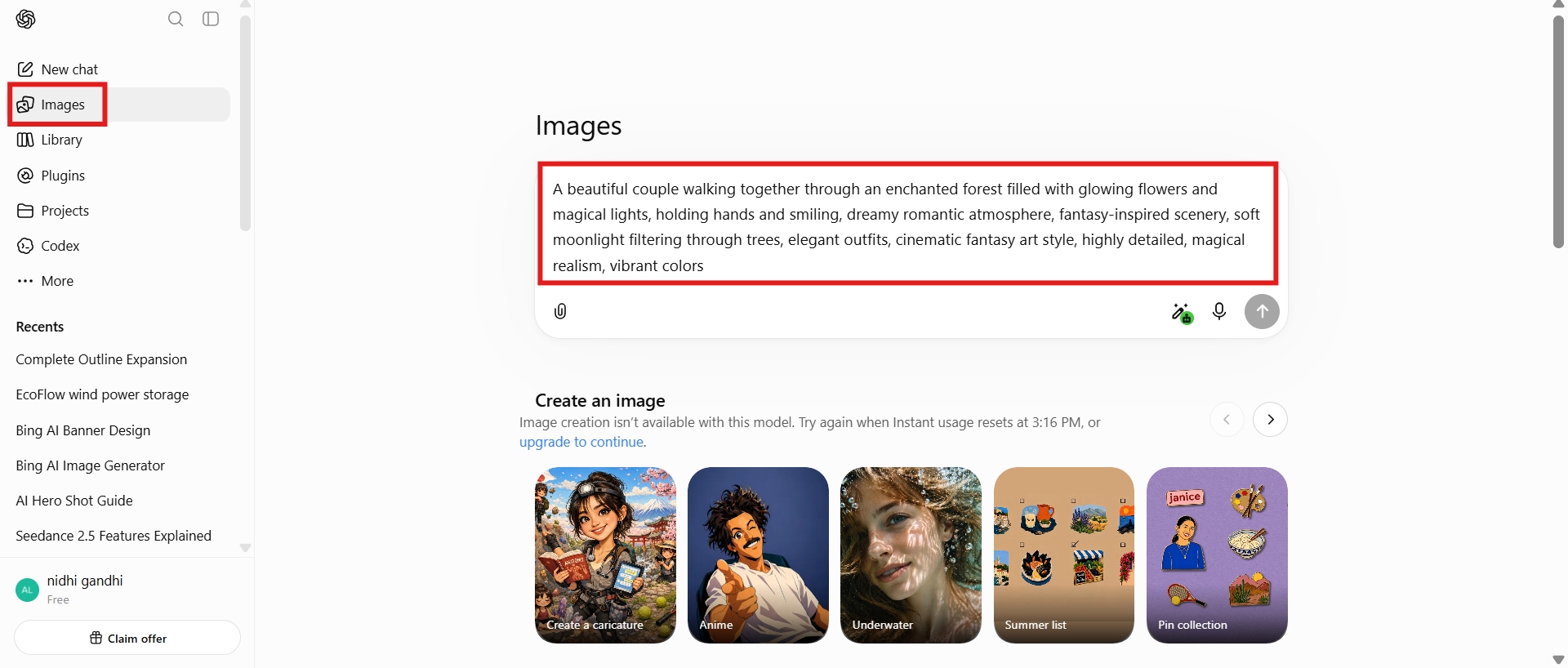
Step 1: Open ChatGPT and enter a text prompt
Log in to your ChatGPT account and make sure your current plan has image generation enabled. Describe the picture in as much detail as possible. Include subjects, lighting, colours, camera angle, style, mood, background, and any important visual elements.
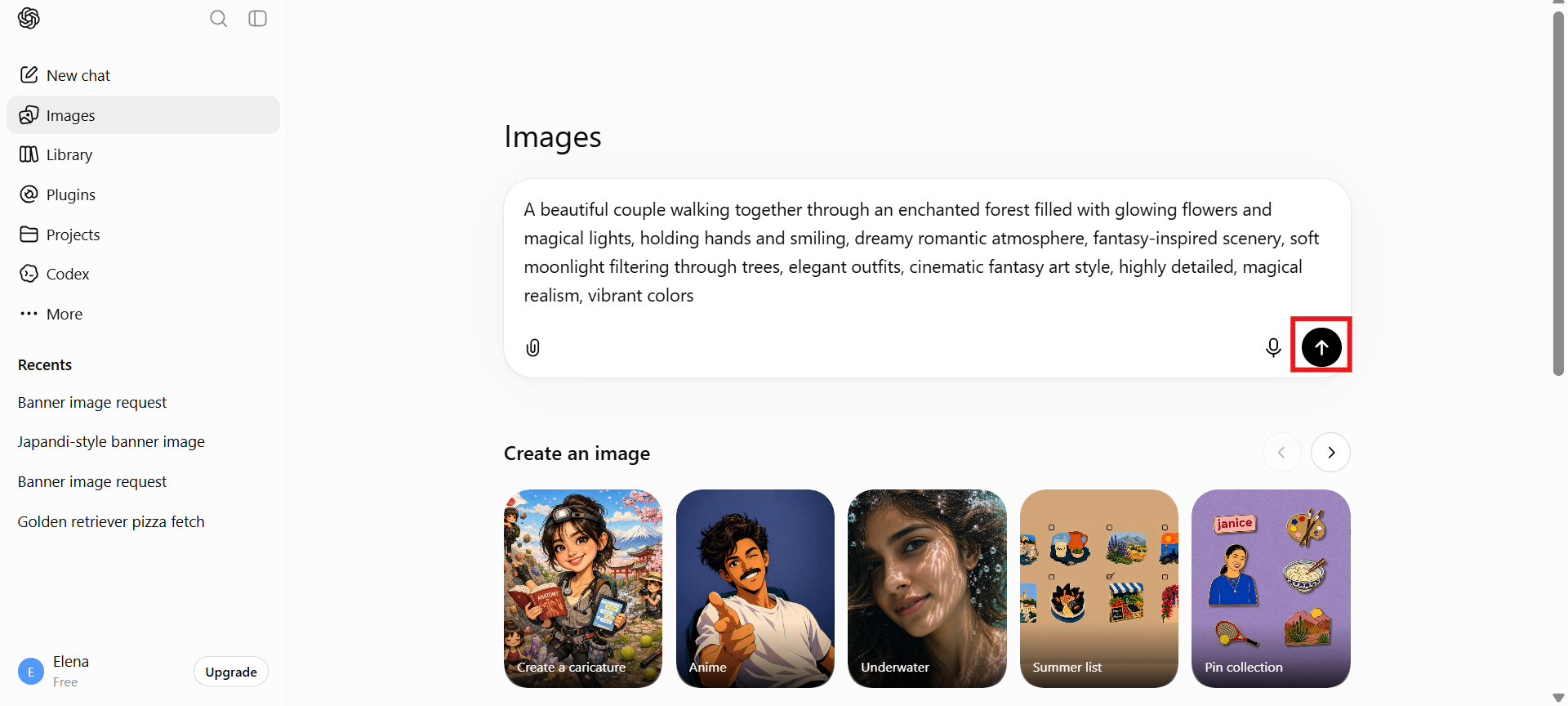
Step 2: Generate the image
Once everything is in place, review the prompt and click the "Generate" button to begin the process. The AI analyzes your prompt and creates an image as per your prompt details.
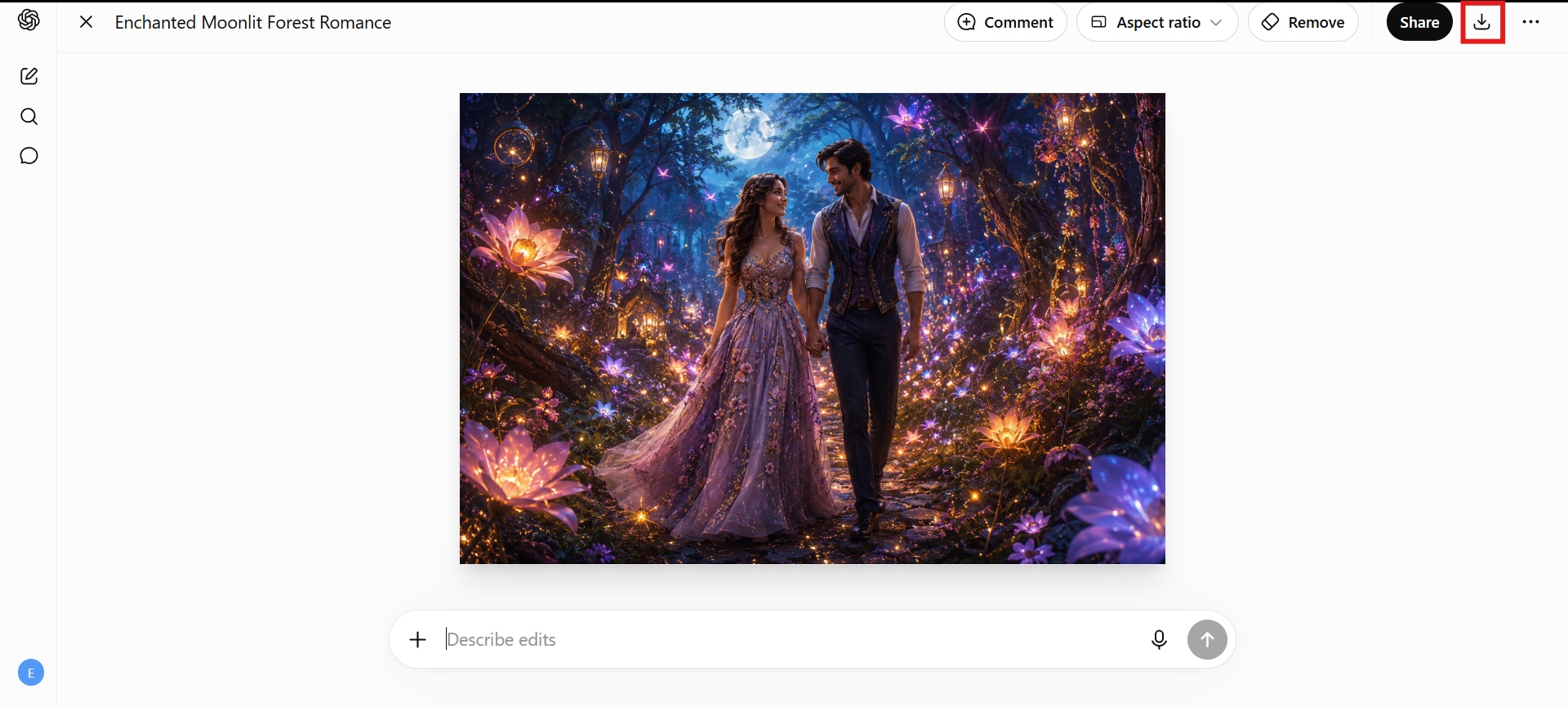
Step 3: Download the image
After the first image is created, you can keep refining it through natural conversation. Once you are satisfied with the outcome, you can download the generated image for personal or professional use. Click "Download" and the image is saved in high quality and can be used in a large range of applications.
ChatGPT AI image generator: Pricing, pros & cons
Before choosing ChatGPT as your AI image generator, it's helpful to understand what each subscription offers and where the tool performs best.
|
Free |
Go |
Plus |
Pro |
|---|---|---|---|
|
$0/mo |
$8/mo |
$20/mo |
$100/mo |
|
|
|
|
Which ChatGPT plan is right for you will depend on how often you generate images and the complexity of your creative projects.
ChatGPT Free Plan
The Free plan, however, is a good way for casual users to get started with AI image generation without paying for a subscription. It is best for students, hobbyists, casual content creators, or anyone who needs just a few images for personal projects, social media posts, or simple presentations. The conversational interface and image quality are still impressive, but free users are limited to a certain number of images they can create, and may experience slower access during times of high demand. The free plan is perfect for occasional image creation.
ChatGPT paid plans
Paid plans are best for people who use AI image generation as part of their daily workflow. The ChatGPT Plus plan is a great choice for bloggers, marketers, educators, freelancers, designers, and small business owners who need to create and enhance images consistently.
The ChatGPT Pro plan is for power users, creative professionals, agencies, and enterprise teams that generate a high volume of images or use ChatGPT frequently for advanced AI tasks beyond image generation.
Like any AI image generation tool, the ChatGPT Image Generator has its pros and cons. Let's look at the main points in more detail.
Pros and cons
|
Pros |
Cons |
|---|---|
|
|
ChatGPT Plus image generation: How people rate the product
ChatGPT Image Generator has received positive reviews for its ease of use and the quality of its images. Many users like that they can create and edit images via natural conversations, instead of retyping prompts. Its great prompt understanding, amazing text rendering, and capacity to produce a wide variety of artistic styles are also frequently mentioned as significant advantages. It's a favored choice for content creators, marketers, educators, and casual users.
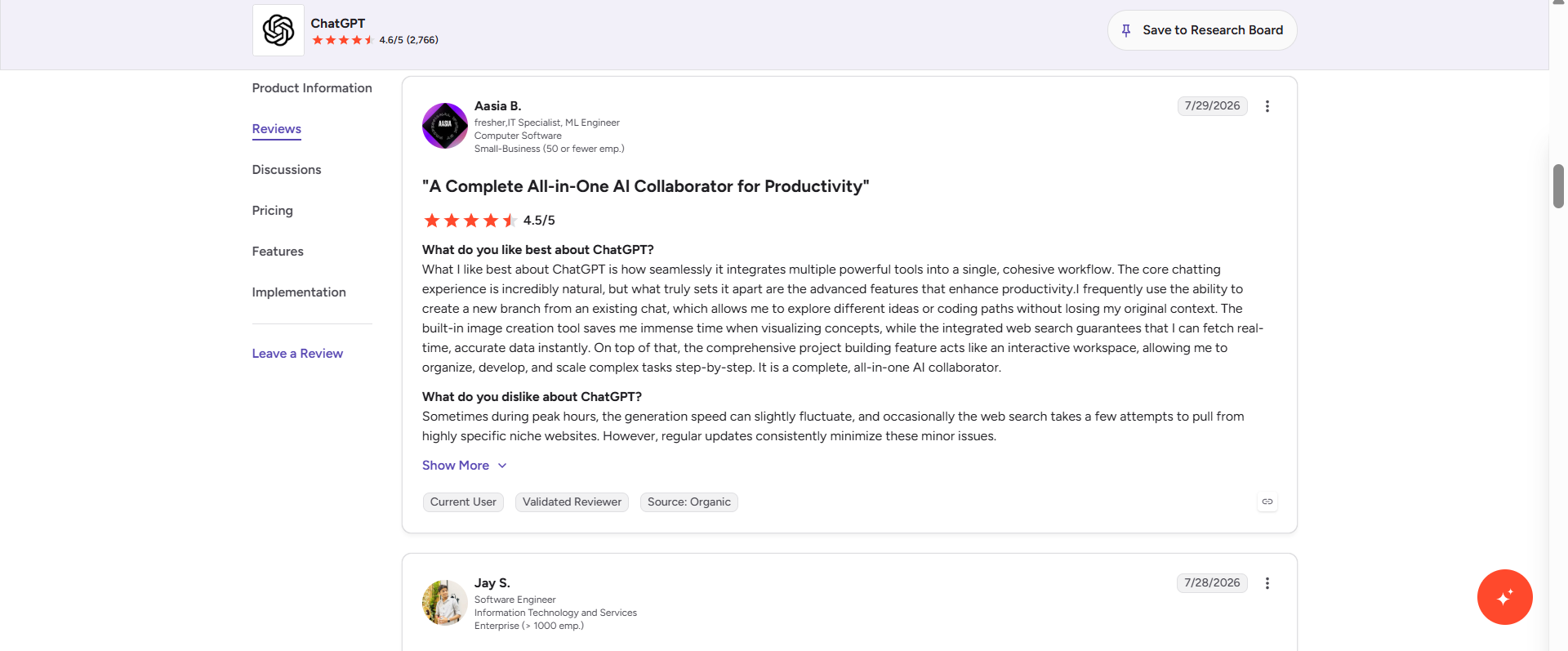
Common problems include restrictions on image generation on the Free plan, the necessity of multiple iterations for complex edits, and the lack of advanced editing features such as layers or precise object selection that are available in professional design tools.
All in all, ChatGPT Image Generator provides one of the most straightforward AI image creation experiences that you can find on the market today. Its conversational workflow, great prompt understanding, readable text generation, and flexible editing features make it an excellent option for day-to-day creative work. But if you want more creative freedom, multiple variations of images, and a workflow for creators, it might be worth looking into dedicated AI image generation platforms. One such alternative is Vmake Labs, which is designed with amazing image creation capabilities specifically for creatives.
Meet Vmake Labs: A creator-focused alternative to ChatGPT
If your primary use case is AI image creation and not general conversation, Vmake Labs AI image generator offers a simplified platform dedicated to creating quality visuals. It supports a handful of artistic styles, generates several image variations in a single request, and is targeted at creators who need consistent, production-quality output without switching between tools.
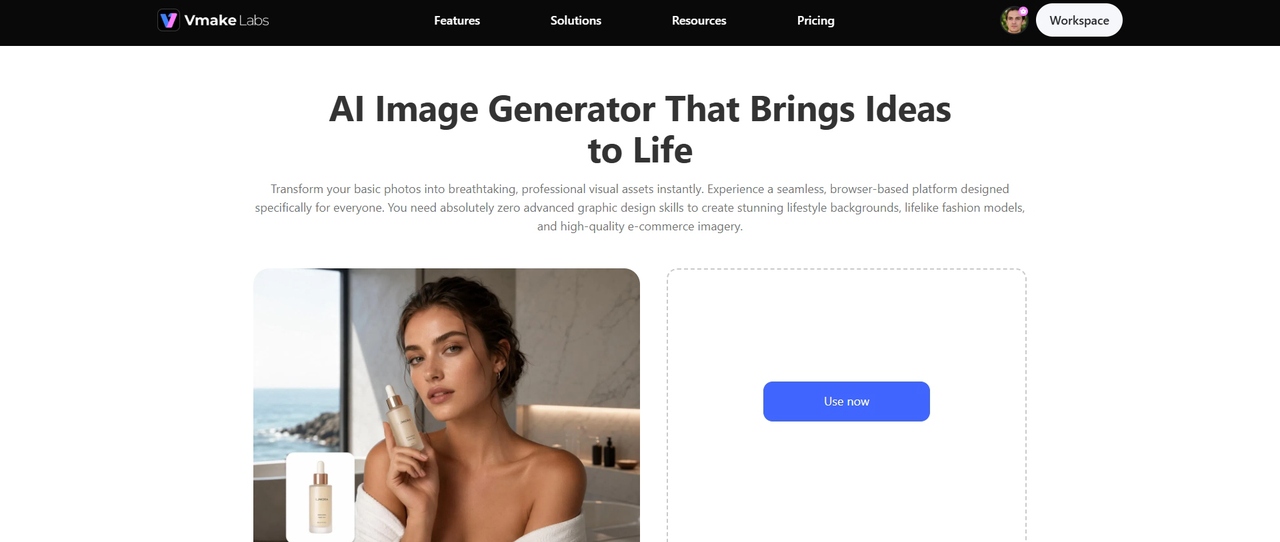
Step-by-step guide
Step 1: Select your AI model
Choose the AI model that is most suitable for your project. Next, describe what image you want to create, with clear, detailed instructions. Add subjects, colors, lighting, art style, composition, camera angle, and mood to get more accurate and good-looking results.
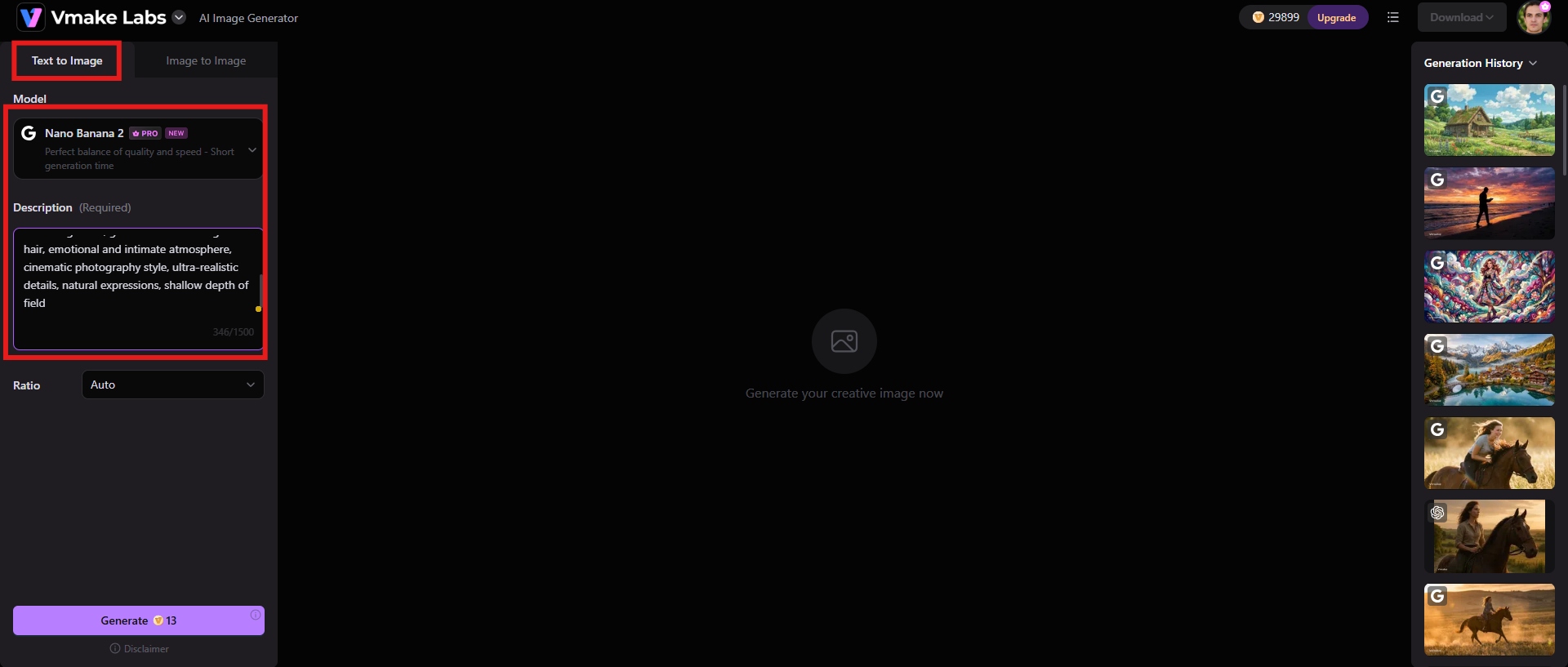
Step 2: Generate the image
Further, adjust the aspect ratio, depending on the platform where you'll be uploading the image. Once everything is set, click the "Generate" button, and the AI will generate your image.
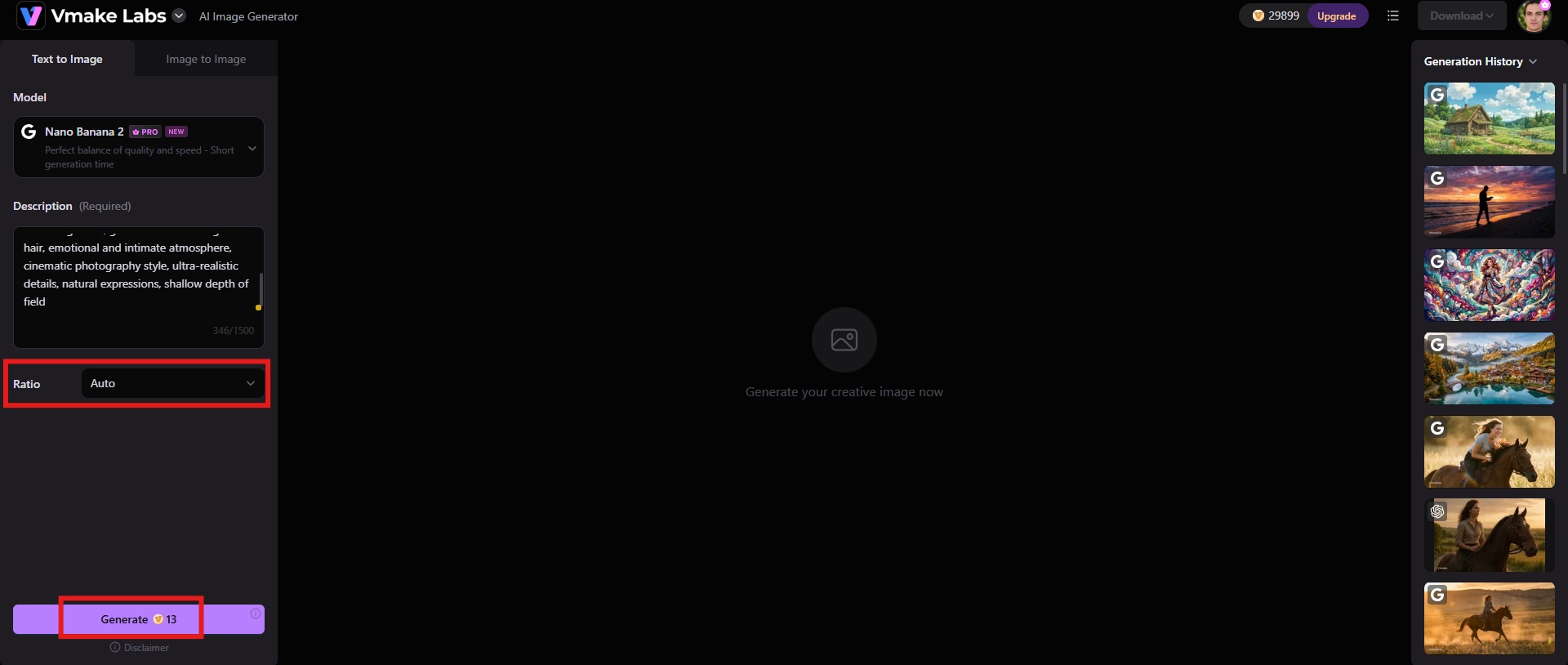
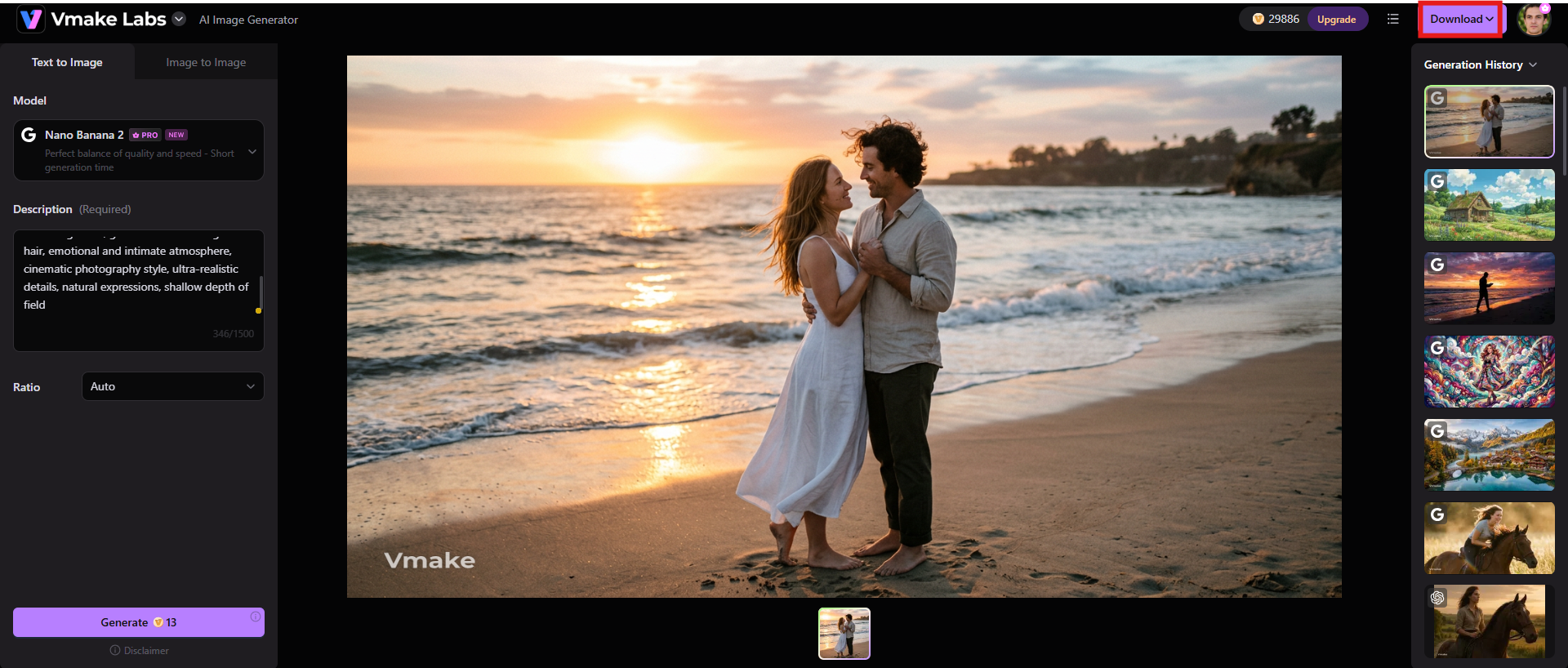
Step 3: Download your image
When the results appear, review the image and see if it matches your expectations. Click "Download" to save it in high quality for your marketing materials, social media posts, presentations or creative projects.
Key features
-
Array of artistic styles
Vmake Labs supports many creative styles, like realistic photography, anime, digital painting, cinematic artwork, fantasy illustrations, watercolour, sketches, and modern graphic designs. That flexibility enables users to fit images to a variety of branding or creative requirements.
-
Generate multiple image variations
Vmake Labs can produce multiple variations from a single prompt. This allows users to compare different compositions, colors, and artistic interpretations before selecting the best outcome. This reduces the need for prompt rewriting.
-
High-quality output
The platform produces sharp, detailed images that are suitable for professional content creation. Besides, you can use other features, such as an image sharpener or an image enhance, to polish the output.
ChatGPT image generator vs Vmake Labs: A quick comparison
The choice between ChatGPT Image Generator and Vmake Labs depends on whether you value conversational creativity or a targeted AI image generation process. Here is a table of their main differences.
|
Features |
ChatGPT image generator |
Vmake Labs |
|---|---|---|
|
Primary purpose |
An all-in-one AI assistant that combines conversational AI with image generation and editing. |
A dedicated AI image generation platform built specifically for creators, marketers, and designers. |
|
Image editing |
Supports conversational image editing, allowing users to modify existing or AI-generated images using follow-up instructions. |
Focuses primarily on image generation, enabling users to regenerate images with updated prompts and creative settings. |
|
Best for |
Bloggers, educators, marketers, students, businesses, and anyone who wants both AI assistance and image generation on one platform. |
Designers, content creators, marketers, e-commerce sellers, and businesses looking for a dedicated AI image generation workflow. |
|
Output quality |
Produces detailed, high-quality images with strong composition and some of the best AI-generated text rendering available. |
Delivers high-resolution images with clean details, vibrant colors, and multiple creative options for professional use. |
|
Pricing |
Free plan available Paid plans start at $8/mo |
Free trial available Paid plans start at $9.99/mo |
Which one to pick?
If you want an all-in-one AI assistant that can help you brainstorm ideas, write content, generate images, and improve them through natural conversations, then go with ChatGPT Image Generator. It's great for users who want convenience and a consistent creative flow.
Choose Vmake Labs if your main goal is to create high-quality AI images. It's a better choice for designers, marketers, and companies that regularly create professional visual content, because of its ability to generate multiple image options, support a variety of artistic styles, and offer a creator-friendly workflow.
Conclusion
We hope our honest ChatGPT image generator review helps you make an informed choice. With its intuitive chat interface, excellent prompt understanding, effective text rendering, and smooth image editing workflow, ChatGPT Image Generator is unique. It is a great option for beginners, content creators, educators, and marketers who want to create high-quality visuals without learning complex design software. The main drawbacks are that cheaper plans have usage limits and don't have as many advanced editing controls as professional design applications.
If you are looking for a specialized AI image creation platform with multiple image variations, creator-focused features, and a workflow for creating professional visual content, then Vmake Labs is the platform for you. Evaluate your needs beforehand and make an informed choice to streamline the image generation process.
FAQs
-
Is ChatGPT Image Generator free to use?
Yes. The ChatGPT Image Generator is available on the Free plan, but free users have limitations on the number of images they can generate. Paid subscriptions come with higher usage limits, faster generation times, and access to newer AI models, making them more suitable for regular creators.
-
Can ChatGPT edit existing images?
Yes. With ChatGPT, users can upload an existing image and make changes to the image using conversational prompts. Remove objects, change backgrounds, swap colours, add elements, adjust compositions, or create new variations without the hassle of separate editing software.
-
Which ChatGPT plan includes image generation?
The image generation feature is included in Free and paid ChatGPT plans (Plus, Pro, Team, and Enterprise). Higher-tier plans generally offer more image generation credits, faster processing speeds, and priority access during times of heavy load.
-
How does ChatGPT Image Generator compare with other AI image generators?
ChatGPT stands out with its conversational workflow and outstanding prompt understanding, allowing users to refine images naturally through multiple interactions. Dedicated AI picture generators may provide more specialized creative controls or batch generation capabilities, while ChatGPT emphasizes ease of use, accessibility, and an integrated AI assistant experience.
-
Is ChatGPT Image Generator good for commercial projects?
Yes. Businesses are using ChatGPT Image Generator to create marketing graphics, advertisements, illustrations for blog posts, social media visuals, presentations, product concepts, and promotional collateral. Users should always review the current terms of use before using the service commercially and ensure that the content generated is compliant with the legal and branding requirements of their project.
-
What is the best alternative to ChatGPT Image Generator for professional image editing?
If you're a user looking for a more creator-centric AI image generation workflow, Vmake Labs is a solid alternative. It generates high-quality outputs and can create a wide variety of artistic styles, making it ideal for designers, marketers, and businesses creating professional visual content at scale.

You May Be Interested

FLUX AI Image Generator Review 2026: Is It Worth Using?

Raphael AI Image Generator Review 2026: Worth Trying?
Topaz Labs Image Enhancer Review: Is the hype worth it?
Artguru Image Upscaler Review: Features & Best Alternative
How to Create Professional YouTube Thumbnails with AI: A Creator’s 2026 Strategy
