
SeaArt AI Review 2026: What You Should Know Before You Try It
Looking for a complete SeaArt AI review? This guide explores the SeaArt AI platform's image generator, video tools, image-to-video, and image-to-image features, plus pricing, pros, cons, and a simple Vmake Labs alternative.

SeaArt AI has grown into one of the more visible all-in-one creative platforms in 2026. In this SeaArt AI review, we examine its key features, image and video quality, pricing system, pros, cons, and user feedback. We also explore Vmake Labs as a simpler alternative for creators seeking faster, more predictable AI-powered creative workflows.
What is SeaArt AI?
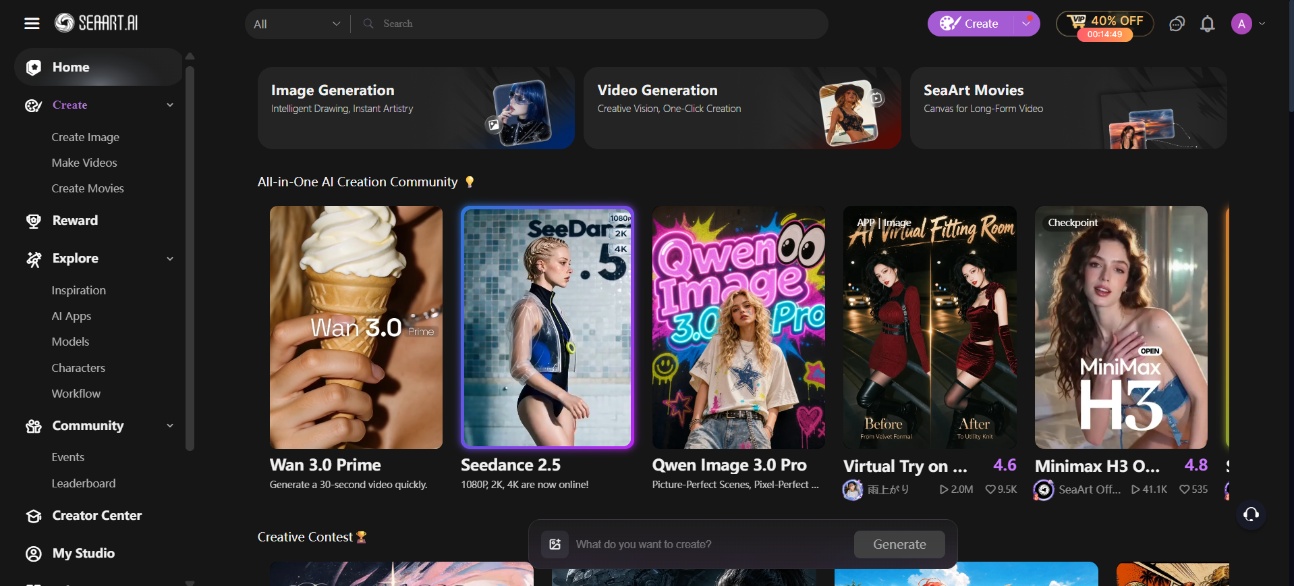
SeaArt AI is a cloud-based, community-driven creative platform built primarily around Stable Diffusion-family models, Flux, and Seedance-related video models. It combines text-to-image, image-to-image, custom LoRA training, browser-based ComfyUI workflows, short-form video generation, face swap tools, and character chat in a single workspace.
It is aimed mainly at hobbyists, anime and stylized-art creators, and users who enjoy experimenting with community models and LoRAs rather than relying on a single proprietary engine. The platform's biggest draw is the sheer volume of user-shared models and the ability to train lightweight custom LoRAs with a relatively modest set of reference images.
Key features of SeaArt AI platform
-
Text-to-image and image-to-image generation
Users can generate from a text prompt or use an existing image as a reference. Controls include model selection, style presets, negative prompts, and reference strength. The library covers anime, fantasy, portraits, and product-style mockups.
-
Massive community model and LoRA library
The platform hosts hundreds of thousands of community models and LoRAs. Creators can browse, remix, and apply them instead of training every style from scratch. Anime and stylized models (including Illustrious-series variants) are especially well represented.
-
Custom LoRA / model training
Train a lightweight custom LoRA using roughly 20 to 30 reference images. This helps lock in a consistent character, art style, or brand look across every generation, without needing deep machine learning knowledge to start.
-
AI video generation (Text-to-video and Image-to-video)
Multiple video models and motion presets turn prompts or still images into short clips. Supported options include in-house and third-party models such as Kling, Wan, and Seedance-family variants.
-
Cloud ComfyUI workflows
Use a browser-based node editor to build advanced generation pipelines with full control over every parameter. No local GPU or complex setup is required, making it accessible for power users who want precision without hardware.
-
Built-in editing tools
Clean up a generation without leaving the platform using built-in inpainting, object replacement, and upscaling tools. Fix small details, swap unwanted elements, or increase resolution directly inside SeaArt instead of switching editing programs entirely.
SeaArt AI hands-on review
We spent real-time inside SeaArt AI generating images and short video clips across multiple models, testing where output quality genuinely holds up and where the platform still falls short.
SeaArt AI image generator review
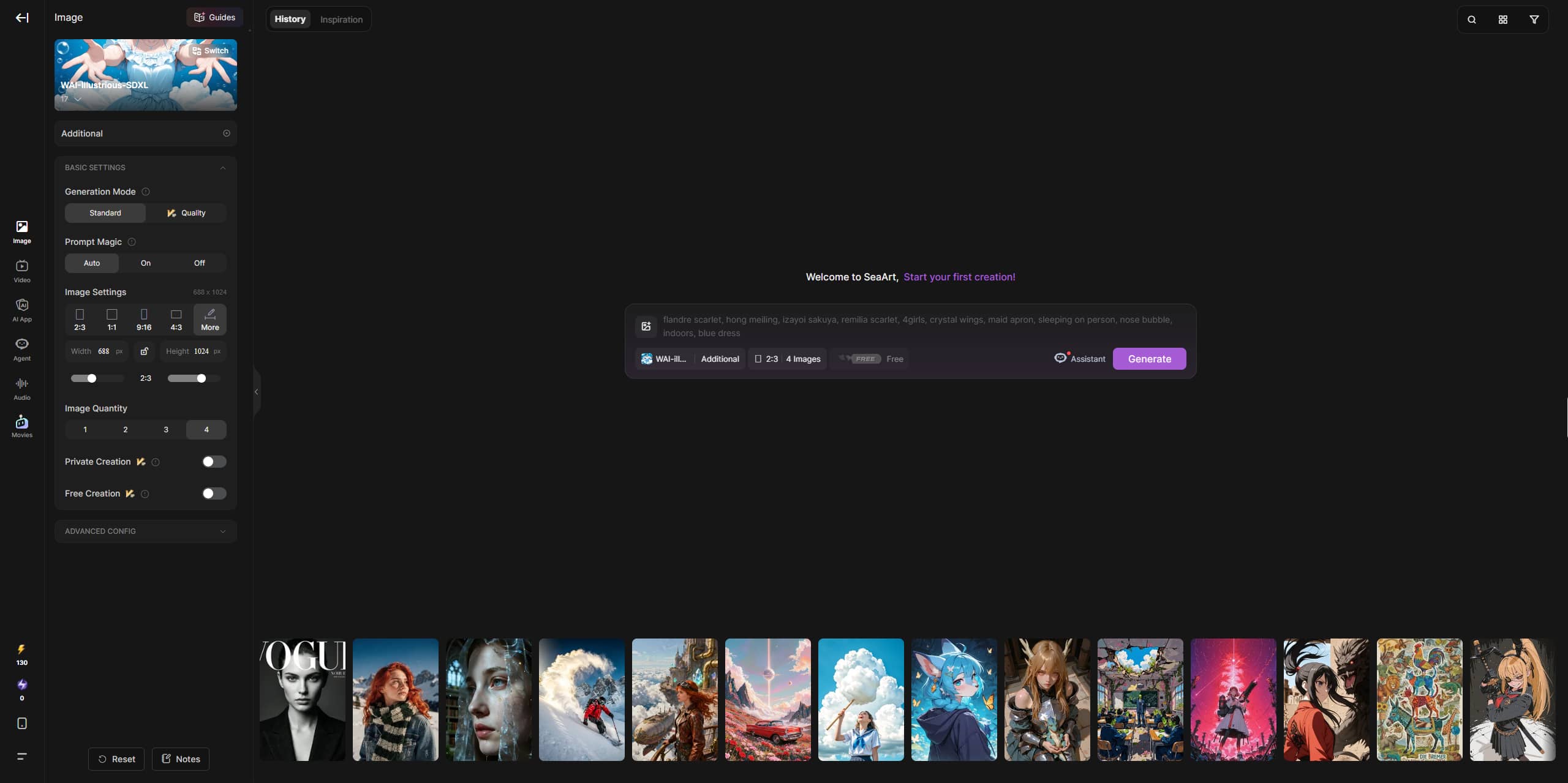
SeaArt's image generator covers a lot of ground. You can create anime art, fantasy illustrations, portraits, product mockups, and more, backed by a wide model spread that includes Stable Diffusion, Flux, and anime-focused models like Illustrious. The community model system is also useful because you are not starting from zero every time. You can browse styles that other users are already using, then remix the setup for your own prompt. That is where SeaArt feels different from simpler tools. It rewards users who enjoy experimenting.
Product image test
Prompt: "Studio product photo of a matte black skincare bottle on wet stone, water droplets, minimalist grey background, dramatic side lighting, label reads GLOW"
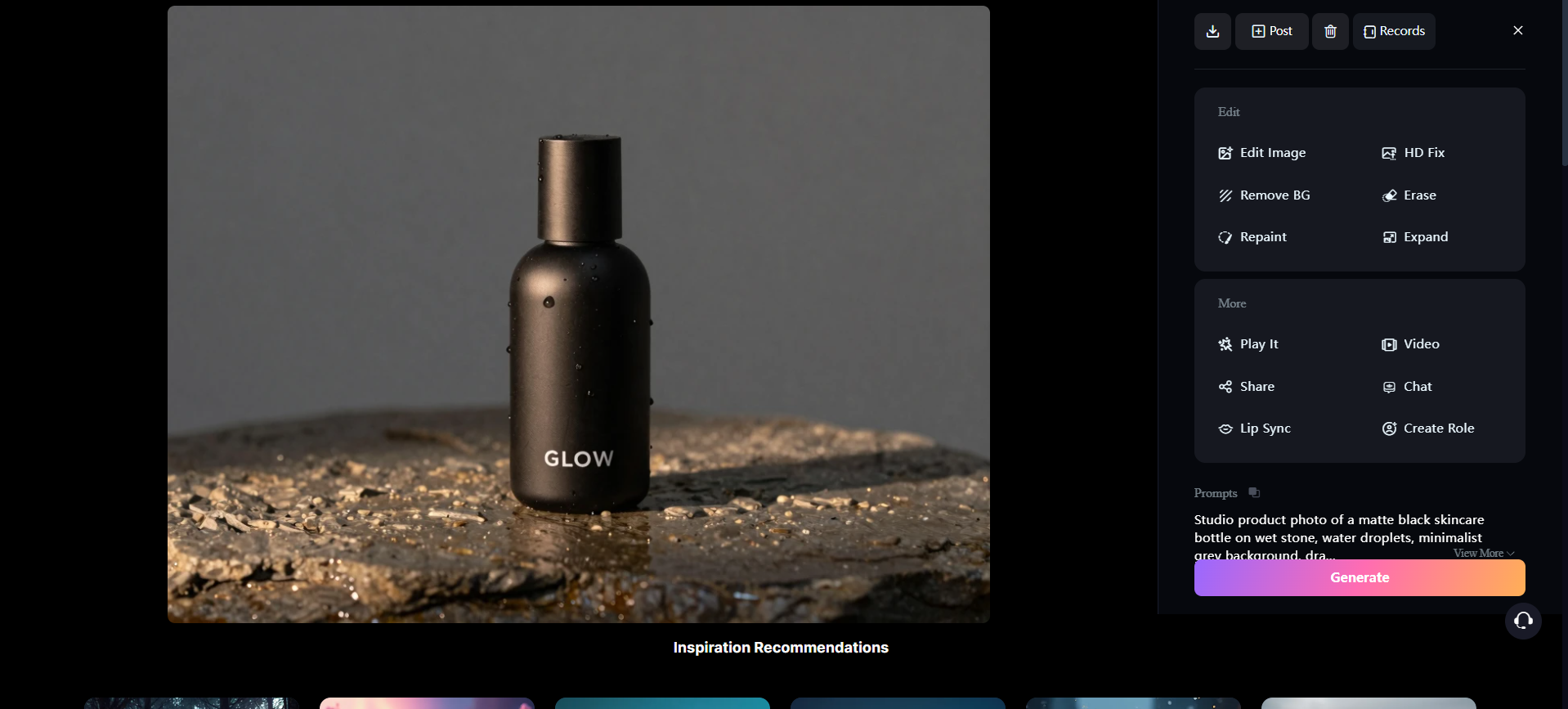
The result: the matte texture, water droplets, and lighting looked premium, and "GLOW" actually came out sharp and readable this time. The only giveaway was the reflection under the bottle, a bit too glassy and clean for a matte object on wet rock.
Photorealistic image test
Prompt: "Photorealistic close-up portrait of a woman in a red blazer, studio lighting, natural skin texture, shot on an 85mm lens"
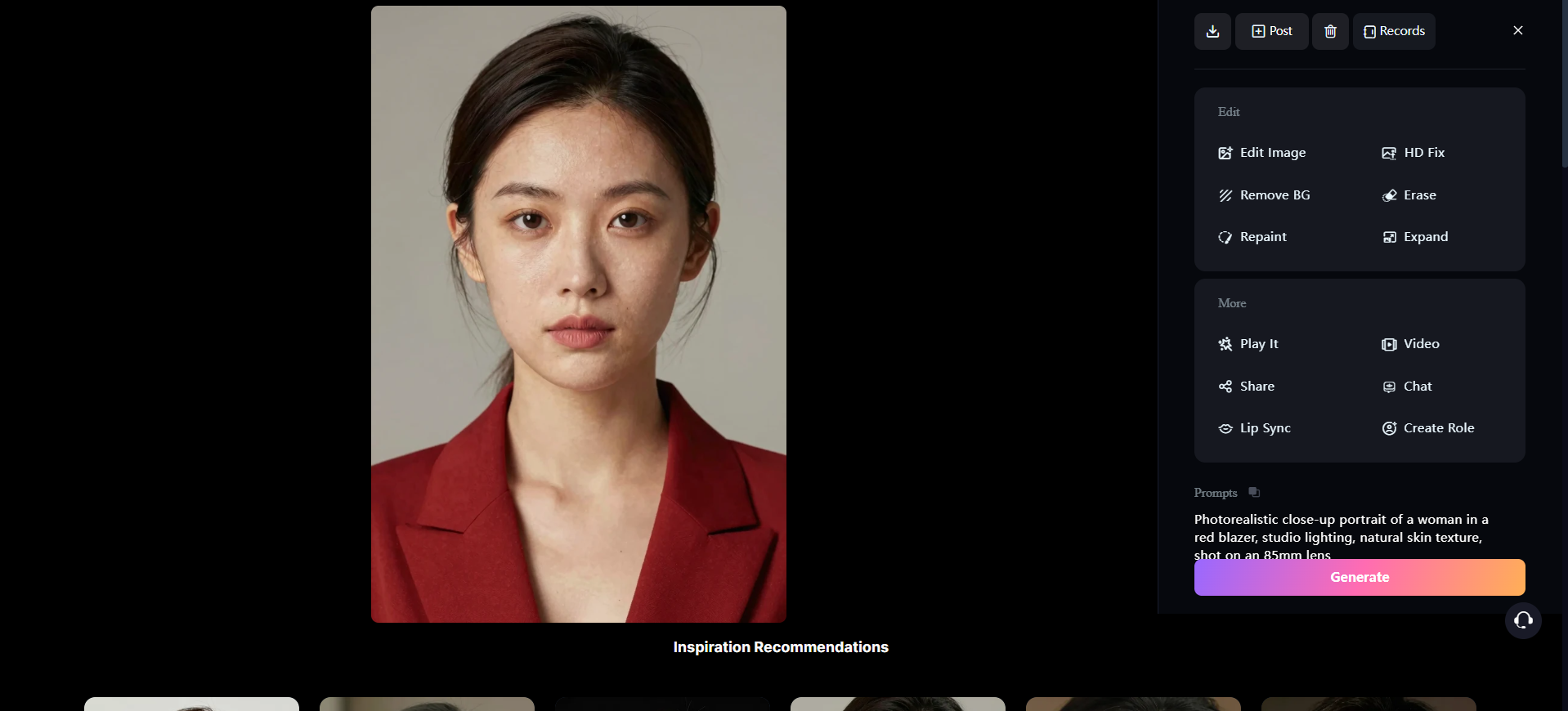
The result: the lighting and skin texture looked genuinely convincing, with real pores instead of an airbrushed finish. But zooming in, the cheeks had a slightly synthetic sheen, and the eyes felt just a touch too symmetrical to look candid.
SeaArt AI video generator review
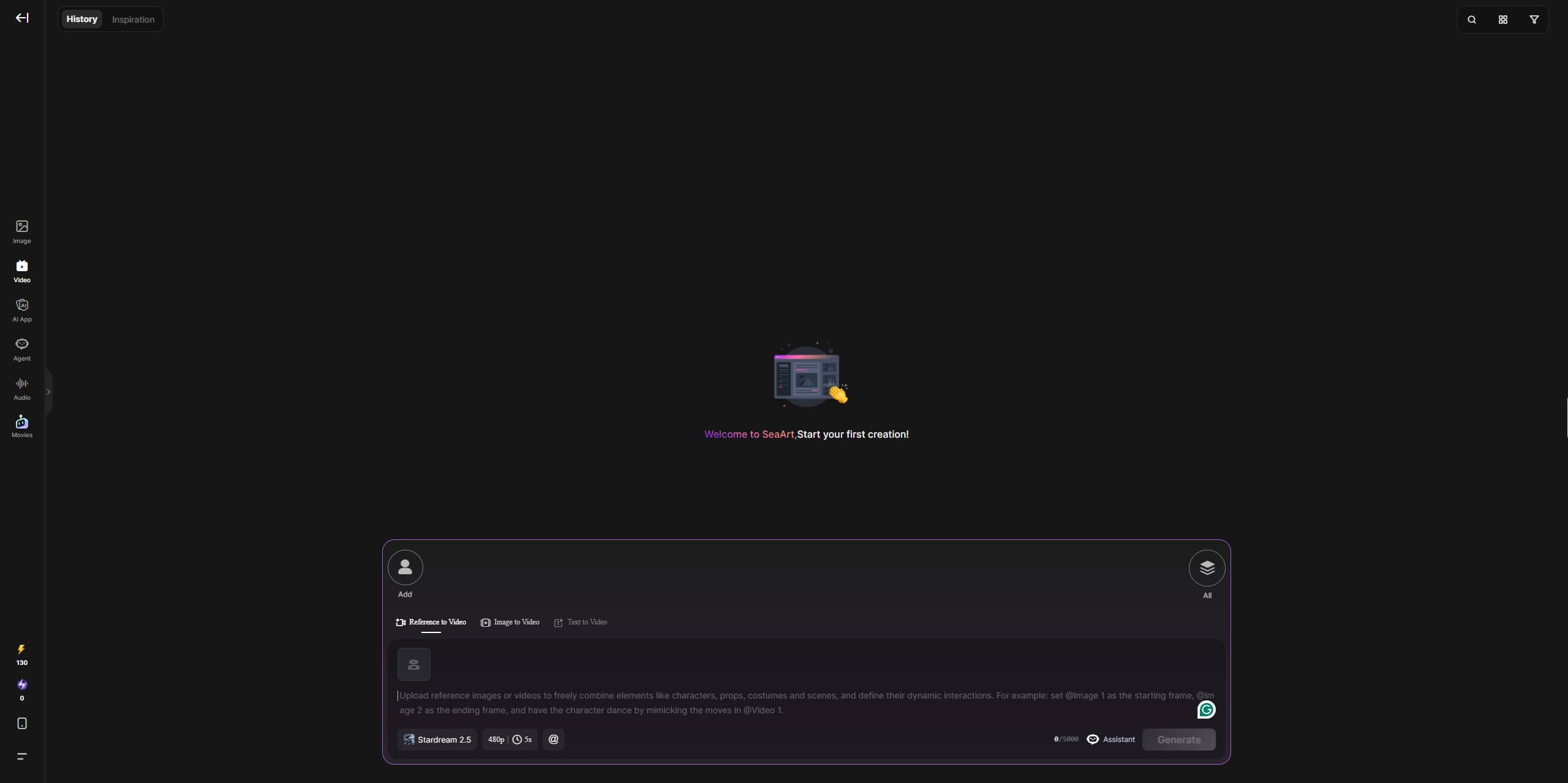
SeaArt supports both text-to-video and image-to-video, drawing on in-house models plus third-party ones like Kling, Wan, and the Seedance family. Clips run 5 to 10 seconds and hold up fine for simple motion. Push for longer or more complex movement, and you'll start to see stutter and temporal inconsistency, a common complaint across independent reviews. Video also burns through Stamina and Credits faster than still images, so it suits short social loops, character intros, and quick concept animation more than finished long-form work.
Video test
Prompt: "Drone tracking shot flying smoothly through a dense, mist-covered pine forest in the Pacific Northwest at dawn. Sunlight breaking through the canopy in crisp god rays, damp mossy trees"
The result: The fog and depth sell it, and the forward track stays steady; the near and far trees parallax like a real drone pass. But the beams never break on the branches; they stay evenly fanned, so the light sits on the shot instead of coming from it. The mossy knobs on the foreground trunks repeat the same pattern, and the shrubs smear softly once the camera closes in.
SeaArt AI pricing: Stamina, credits, and plans explained
SeaArt uses two separate meters:
-
Stamina is a daily allowance that expires at the end of the day and does not roll over.
-
Credits are a retained balance that can be purchased or earned; newer credits have expiry windows (purchased credits acquired from April 2026 onward are typically valid for two years).
Free accounts get a daily Stamina allowance, commonly cited in the 130 to 150 range, enough for casual daily generation without a card on file. A standard image typically costs around six Credits, though the real number depends on the model, resolution, and settings you pick, and video and LoRA training cost more.
-
Paid plan tiers
|
Plan |
Daily Stamina |
Approx. Images/Day |
Concurrent Tasks |
Key Capabilities |
|---|---|---|---|---|
|
Beginner |
300 |
~50 |
5 |
Faster processing than free tier, LoRA training available (Credit-based, same as all tiers) |
|
Standard |
700 |
~117 |
10 |
Higher concurrency for batch work, faster generation queue |
|
Professional |
2,100 |
~350 |
15 |
Priority processing speed, suited to heavier daily output |
|
Master |
3,500–100,000 |
~583–16,667 |
20 |
Highest concurrency and Stamina ceiling, fastest processing across sub-tiers |
There's one thing worth flagging before you enter card details. SeaArt's paid trials commonly run for three days and require payment info upfront. A recurring theme in user reports is the trial converting into a full annual charge without a clear heads-up. If you try a paid tier, cancel a day early and screenshot what you signed up for.
SeaArt AI pros, cons, and what users are saying
After testing SeaArt AI across image generation, video creation, model variety, and pricing, here's what worked well and what fell short during our hands-on testing.
|
Pros |
Cons |
|---|---|
|
|
What works well
-
Generous free daily Stamina
We ran casual daily generations on the free tier for a full week and never hit a hard wall. 130 Stamina covers roughly 21 images a day, enough for hobby use without paying a cent.
-
Huge community model and LoRA library
Browsing the library during testing turned up hundreds of thousands of community-trained models, especially strong for anime and stylized art. We rarely built a style from scratch since someone had already trained and shared it.
-
A true all-in-one platform
Across our testing sessions, we used image generation, image-to-image, video, LoRA training, face swap, and ComfyUI without ever leaving the tab. Few competitors bundle that much into one workspace, which cuts down on tool-switching.
-
Accessible custom LoRA training
We trained a custom LoRA using around 25 reference images and had a usable model within that same session. That low reference-image requirement made consistent character training realistic for a solo creator, not a studio team.
-
Cloud ComfyUI without local hardware
We built a node-based generation pipeline entirely in the browser, with no local GPU or software installation required. For a workflow that usually needs dedicated hardware, running it in the cloud saves real setup time.
-
An active community for remixing
Scrolling through shared prompts and models during testing showed a genuinely active user base. Remixing someone else's setup for our own prompt was straightforward, and it consistently gave us a faster starting point than a blank prompt.
What falls short
-
Cluttered interface
During testing, the dashboard threw thousands of models, trending styles, and pop-up promotions at us before we could open a prompt bar. It took a solid hour of clicking around to learn where core tools lived.
-
Choppy video generation
We tested several short clips, and simple motion held up fine for the first few seconds. Push past that and stutter crept fast, with movement and camera pans drifting out of sync before the clip ended.
-
Weak photorealistic and product accuracy
Our portrait and product tests both looked convincing at a glance, but close inspection revealed fused fingers, slightly synthetic skin, and warped on-image text. Anything needing exact brand copy still needs a manual fix.
-
Recurring billing issues
We didn't get billed unexpectedly ourselves, but Trustpilot and Reddit both surfaced the same complaint repeatedly: trials converting into annual charges without a clear warning, and refund requests getting denied even with proof.
-
Watermarked free outputs and limited rights
Every image we generated on the free tier came back watermarked, and commercial usage stayed restricted until we checked paid tiers. Casual testing was fine, but publishing anything commercially meant a paid plan was required.
-
Slow, bot-heavy support
When we tried reaching support with a test question, replies were slow and felt templated rather than personal. Multiple independent reviews describe the same pattern, especially around billing and moderation disputes needing a human.
What users are saying
-
Trustpilot
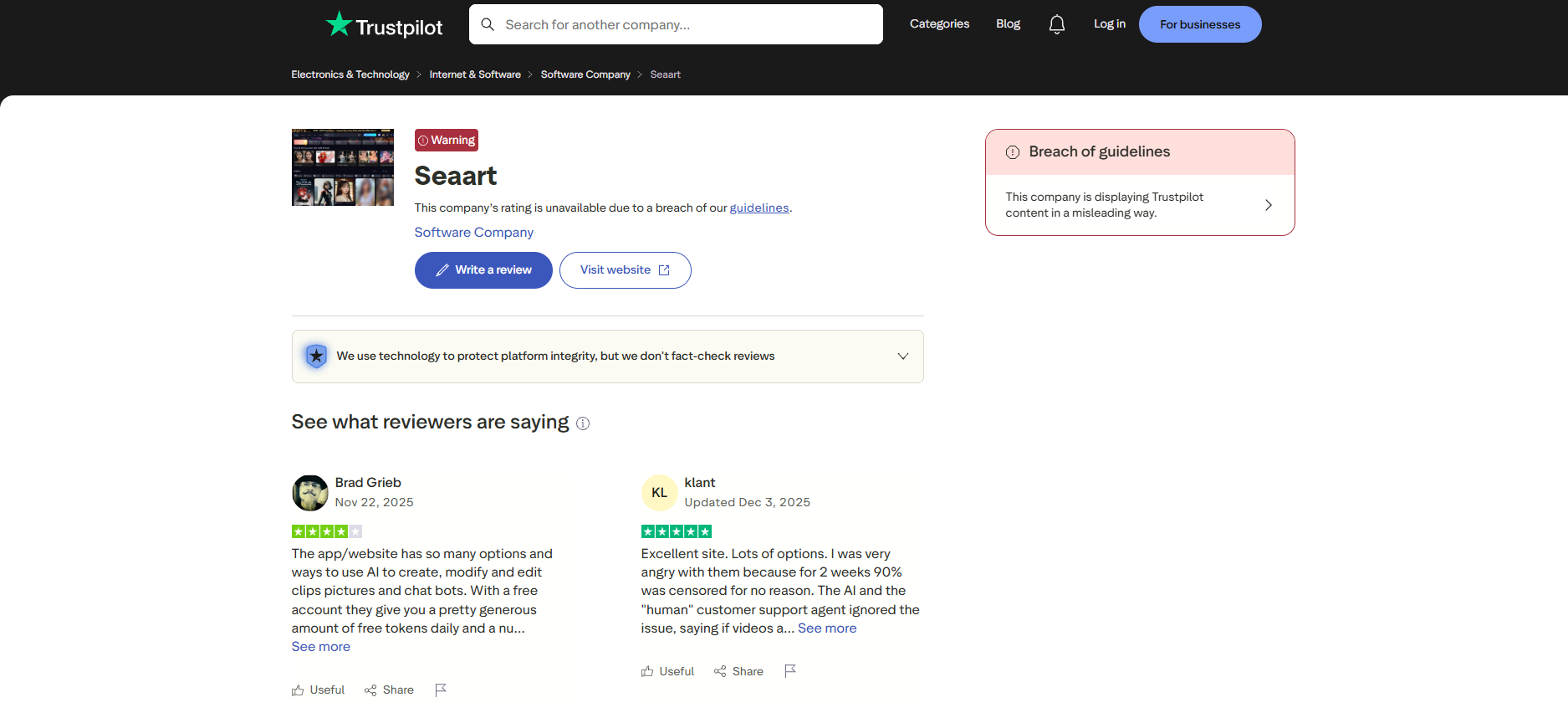
Trustpilot skews heavily negative, dominated by billing complaints: trials converting into annual charges without warning, refunds refused despite screenshots, and support replying with automated templates. A smaller group praises the model variety and free tier.
-
Reddit
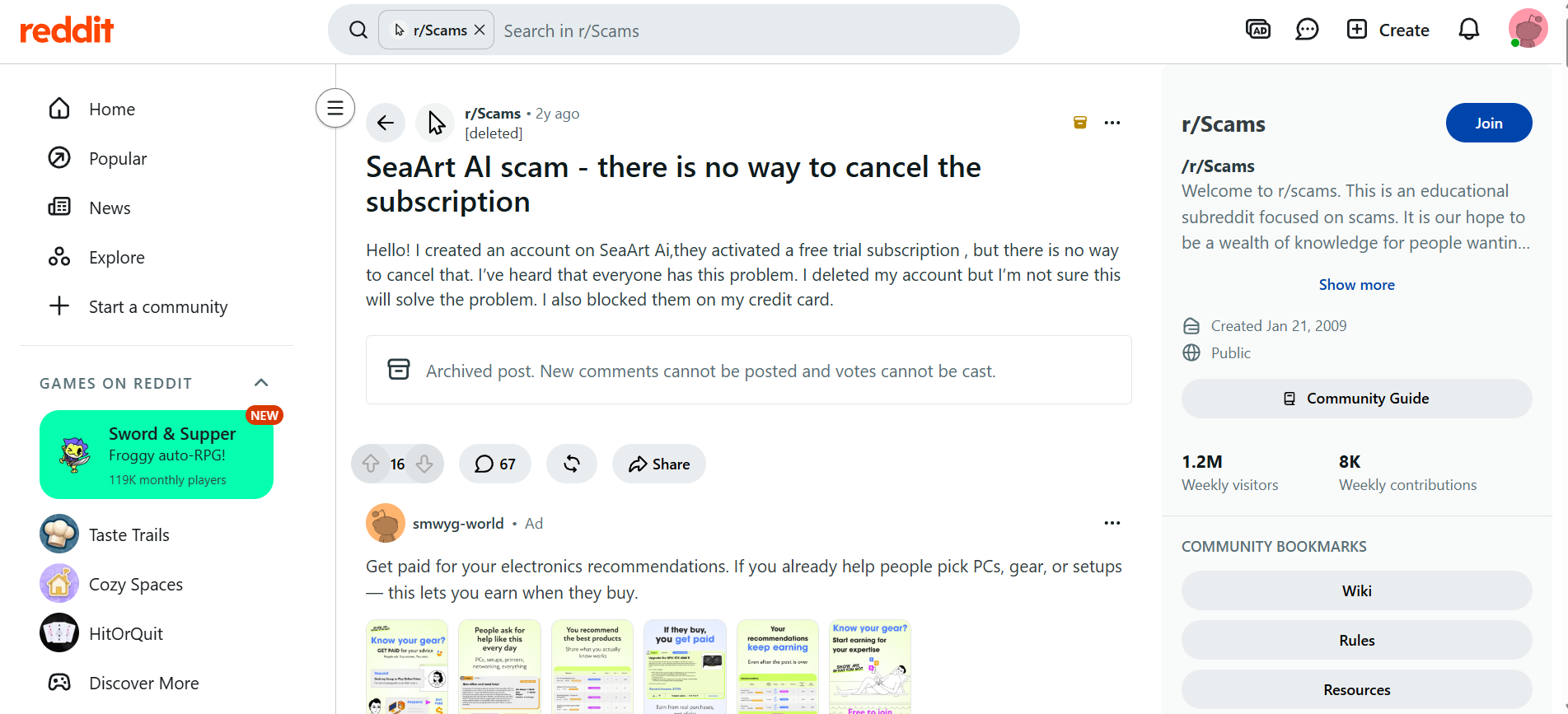
Reddit threads lean more positively than Trustpilot, with users praising the free daily Stamina and massive model library. The recurring frustration is moderation: Credits getting consumed on generations that get blocked without explanation or refund.
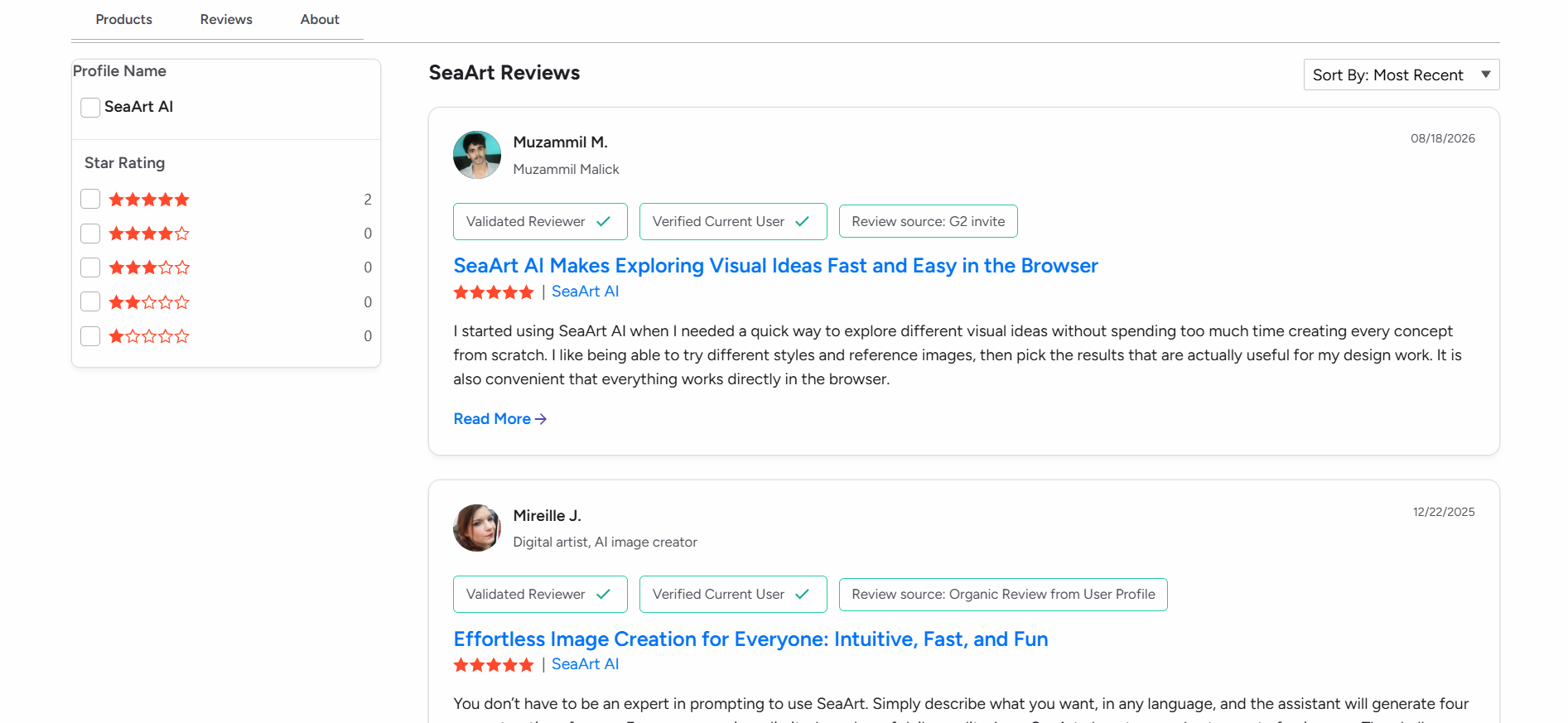
-
G2
G2 reviews praise how quickly the browser-based tool turns a description into usable visuals, without needing to be a prompting expert. Reviewers highlight the clean interface, easy sign-up, reference-image support, and not needing customer support.
Verdict
SeaArt AI is a genuinely capable platform if you want to dig into anime and stylized art, remix community models, and train your own LoRAs. It's less convincing if you want a clean, predictable result on the first try, need reliable photorealism, or want to hand over your card without worrying about the renewal terms. For casual, exploratory use on the free tier, it's hard to beat for the price. For anyone who wants a faster, more predictable route from prompt to finished asset, it's worth testing something simpler alongside it.
Meet Vmake Labs: a strong SeaArt AI alternative
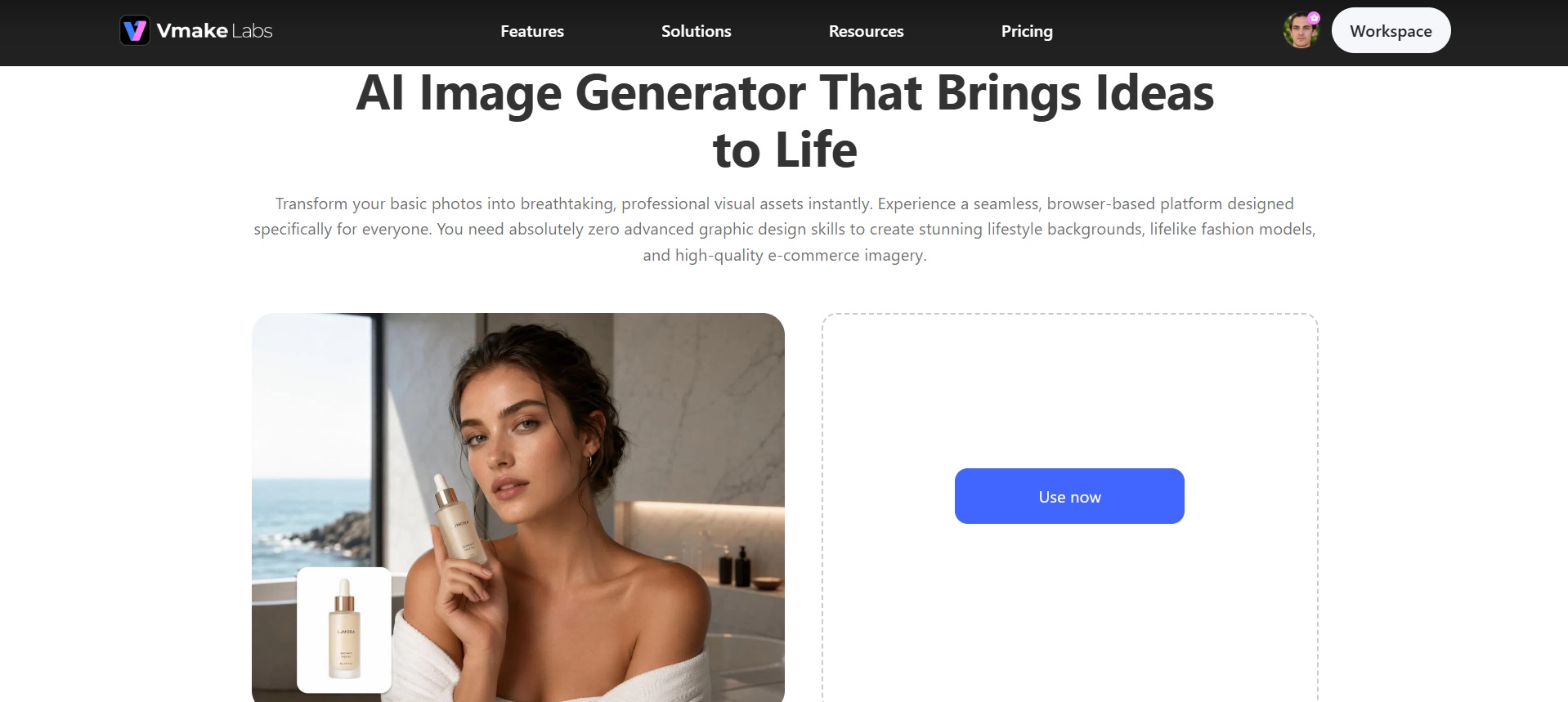
If SeaArt rewards depth and community remixing, Vmake Labs AI image generator takes the opposite approach entirely. Pick an AI model such as Nano Banana, Seedream, or GPT Image. Describe what you want or upload a reference image, then choose your style and preferred aspect ratio. Vmake Labs generates a professional-quality, ready-to-download result in seconds. You don't need LoRA training, community browsing, or node workflows to get started.
Key features of Vmake Labs
-
Text-to-image generation
Describe your creative vision in plain words and get back a high-quality piece of visual art in seconds. This helps users who lack design skills or stock photos produce original marketing, branding, or social media assets from scratch, instantly.
-
Image-to-image transformation
Upload a base photo and apply a new artistic style to generate a fresh version of it. This helps users turn a rough sketch into a polished visual, or restyle an existing product shot without booking a whole new photoshoot.
-
Reference image support
Upload an existing photo and generate multiple restyled variations from it automatically. This helps users A/B test ad creatives, refresh older content, or explore different aesthetic directions quickly, without planning and running an entirely new photoshoot every time.
-
Multiple AI model choice
Choose between models like Nano Banana, Seedream, and GPT Image before you generate anything. This helps users match the model's strengths to their specific project, whether that's photorealistic product shots, stylized art, or fast social content, instead of one fixed default.
-
Flexible aspect ratio control
Select from multiple standard aspect ratios before generating your image. This helps users create content that's already sized correctly for the platform it's headed to, whether that's a vertical reel, a square post, or a wide banner, with no extra cropping.
Steps to use Vmake Labs AI image generator
Follow these simple steps to create stunning images using Vmake Labs
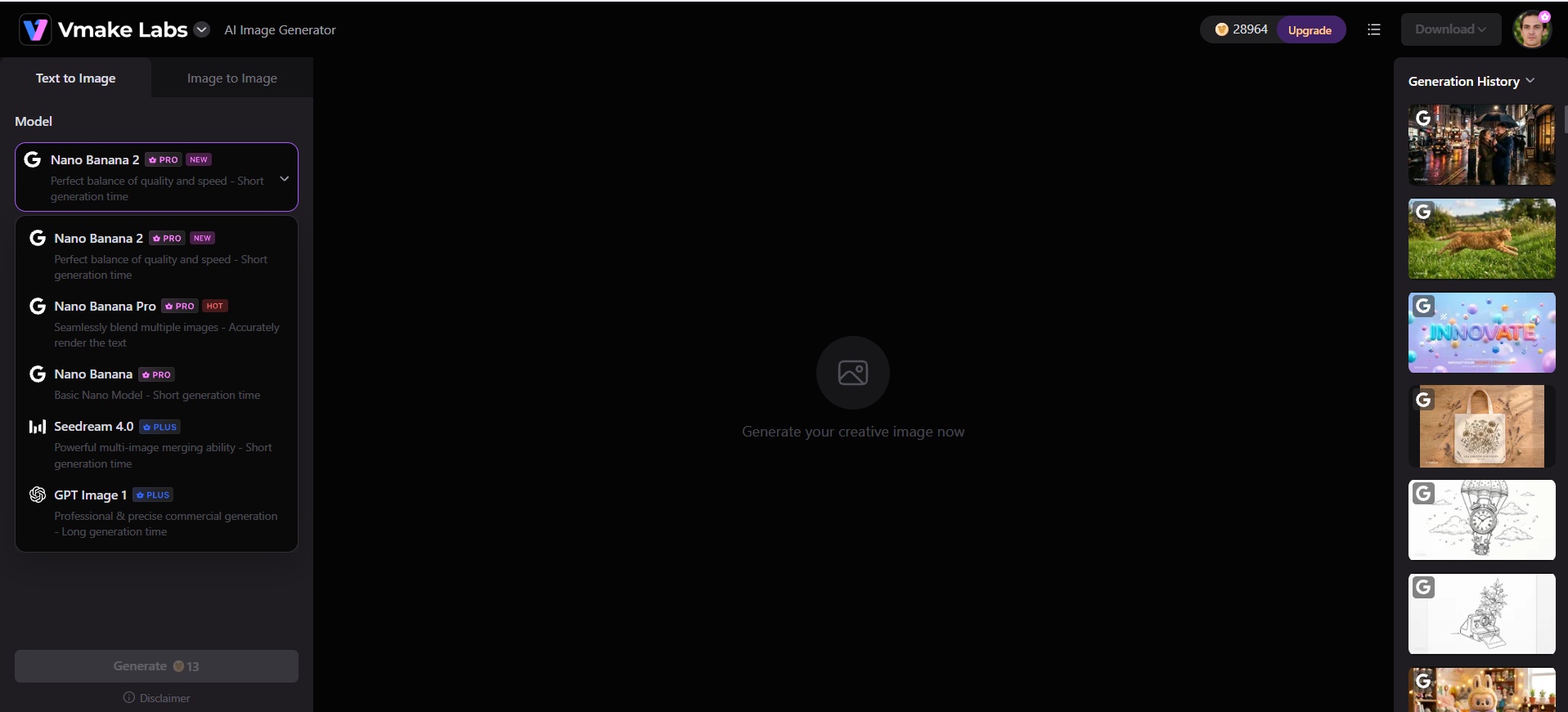
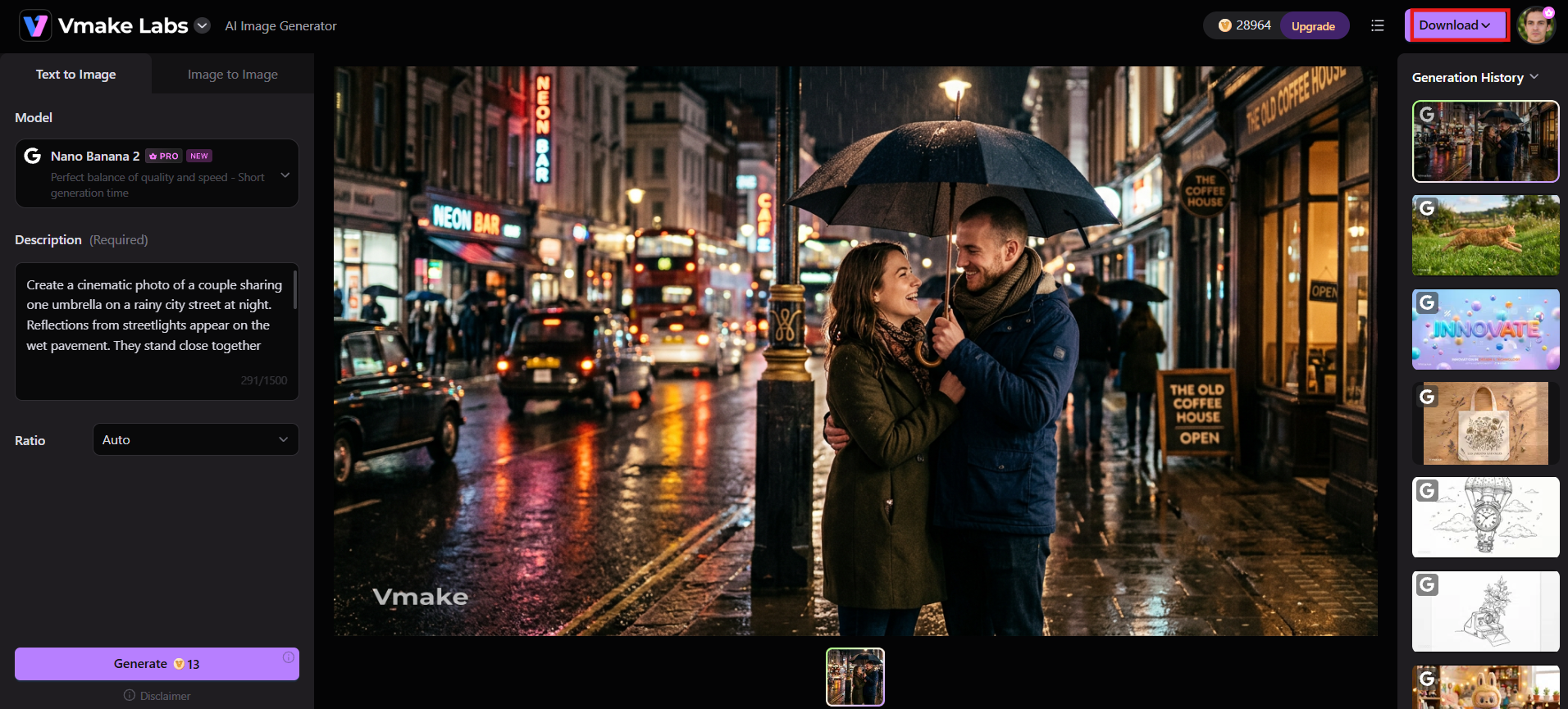
Step 1: Select a model
Open the AI image generator and choose from available models such as Nano Banana series, Seedream, or GPT Image variants.
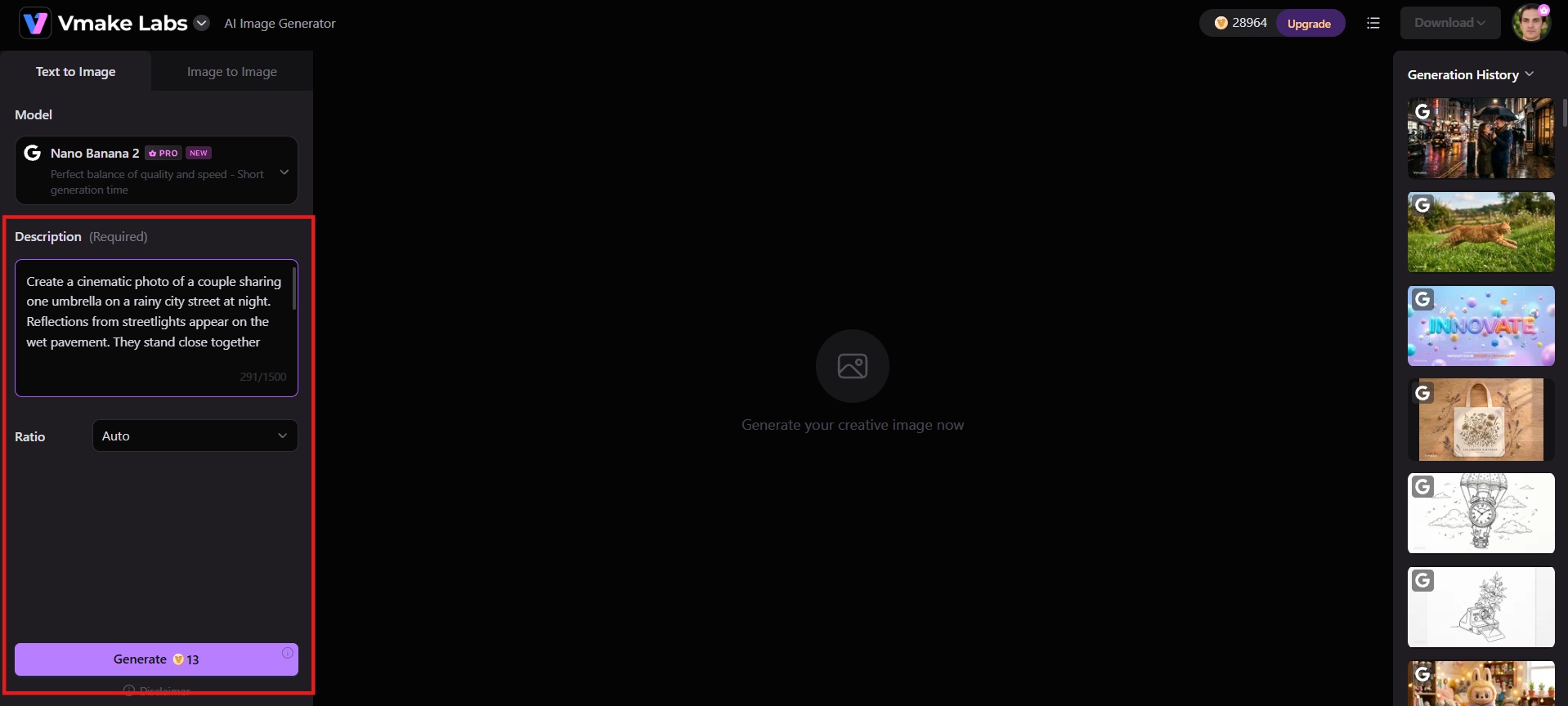
Step 2: Enter prompt or upload reference
Type a detailed description or upload a reference image to guide style, composition, or character consistency.
Step 3: Generate and download
Adjust settings if needed, then hit "Generate". Vmake Labs will start creating your image and once completed, download the finished file.
Bonus: AI video generation on Vmake Labs
Besides image generation, Vmake Labs also offers powerful AI video tools. Create short clips from text, images, or existing footage using models like Seedance 2.0, Kling 3.0, Google Veo 3.1, and Sora 2 for professional results.
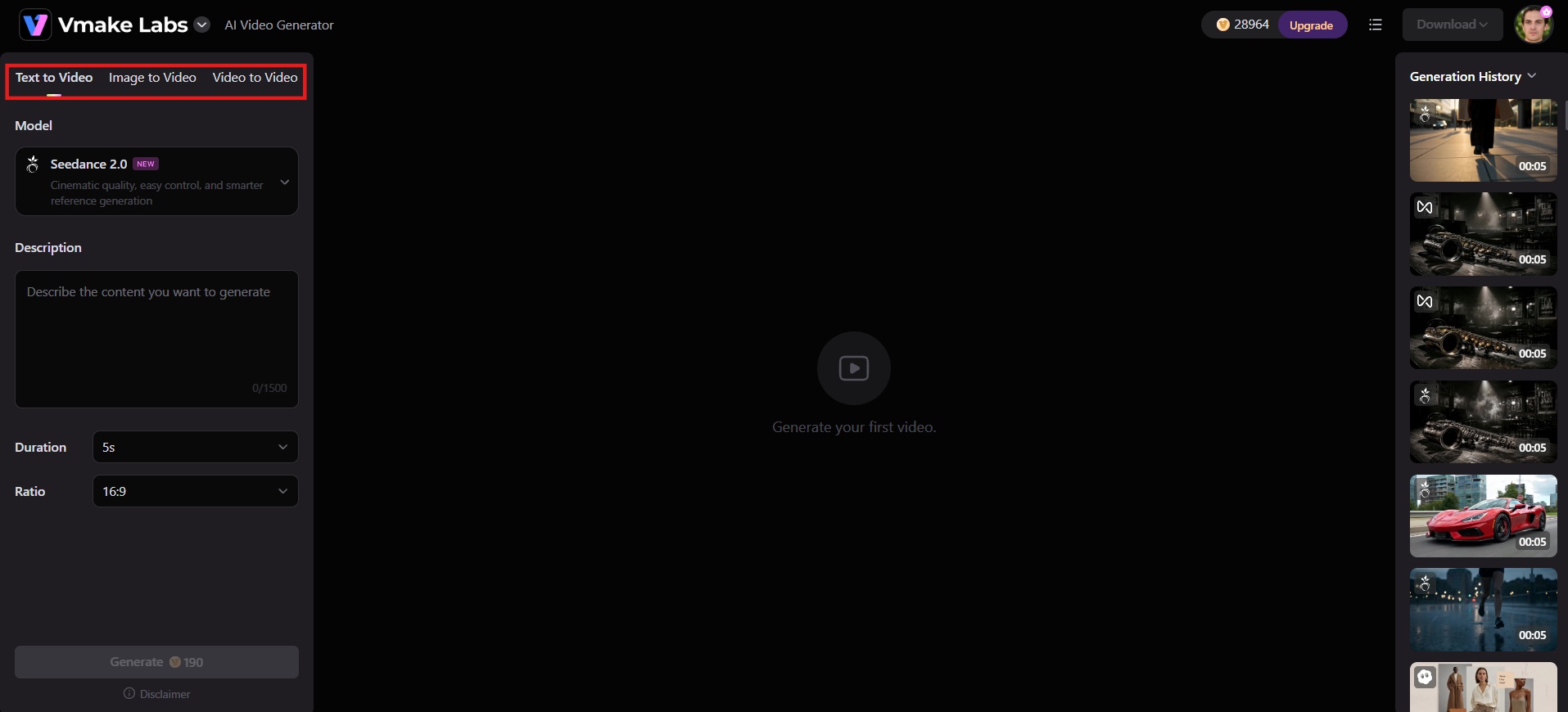
Step 1: Pick your starting point
Choose Text to Video, Image to Video, or Video to Video depending on whether you're starting from a script, a reference image, or existing footage.
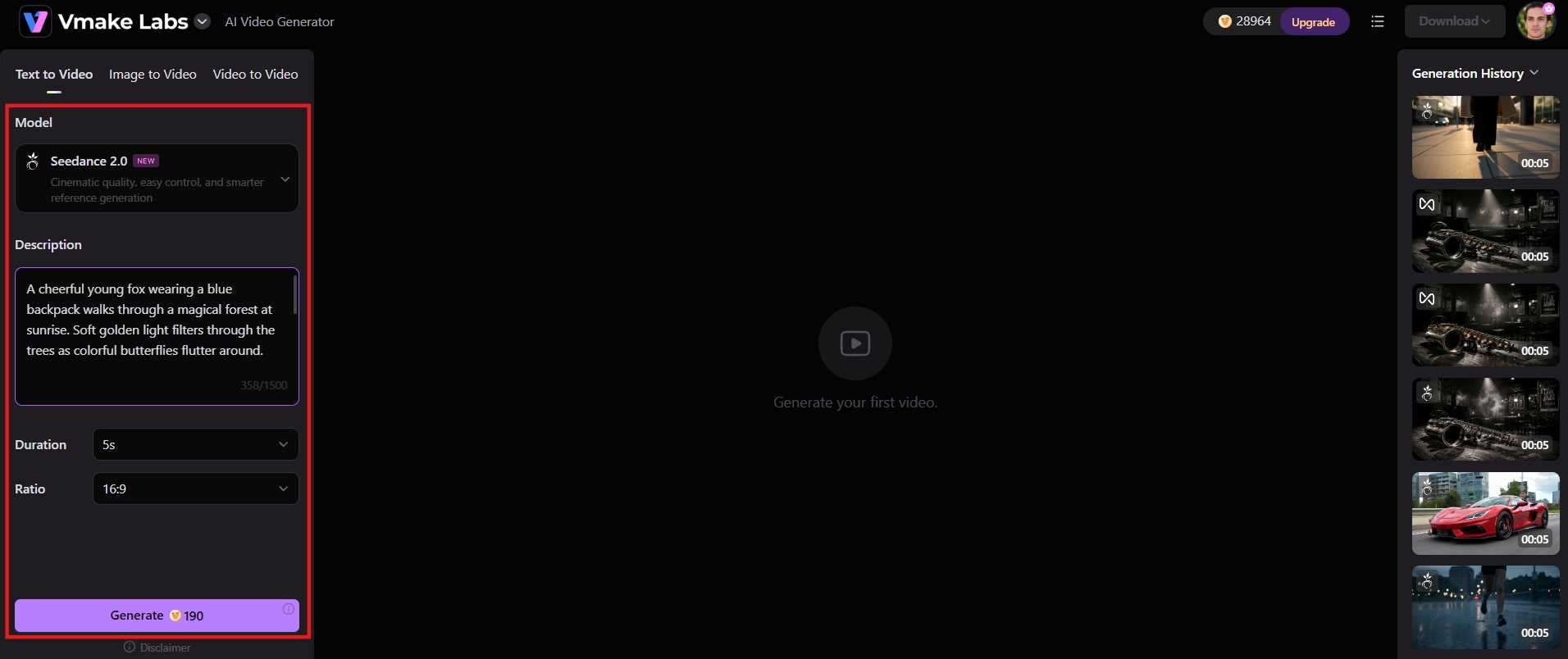
Step 2: Describe scene and adjust settings
Input the details of the scene, including dialogue, actions, environment, or the idea of the story into the description area. Choose the AI video models available on the platform to match the desired style: Seedance 2.0, Kling 3.0, Google Veo 3.1, Sora 2. Set the video length and choose the aspect ratio.
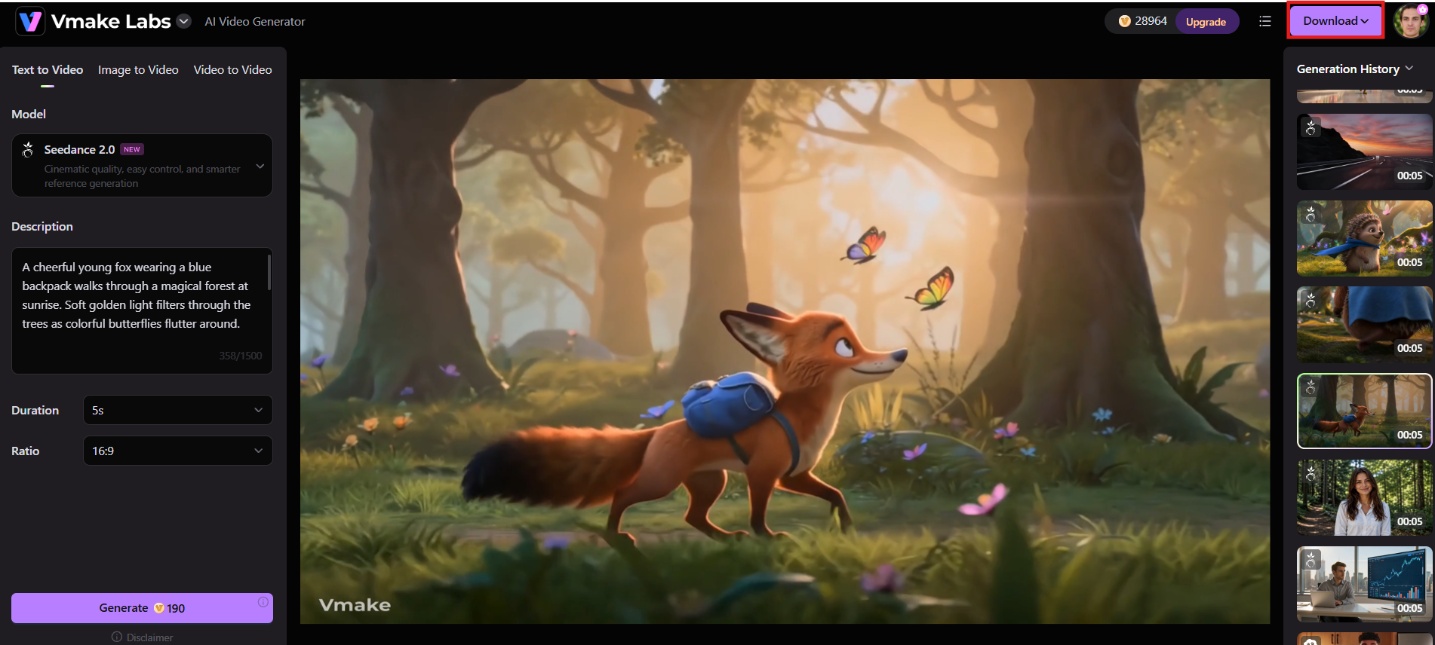
Step 3: Generate and download
Click Generate to create the video, then preview the result in your workspace. Once you're happy with the output, download the finished video.
SeaArt AI vs. Vmake Labs comparison
SeaArt AI and Vmake Labs take very different approaches to AI image and video generation. This side-by-side comparison highlights which platform better fits your creative goals and workflow.
|
Feature / Aspect |
SeaArt AI |
Vmake Labs |
|---|---|---|
|
Primary focus |
All-in-one community platform (anime/stylized art, experimentation) |
Straightforward prompt-to-finished image/video for creators |
|
Image generation |
Text-to-image + Image-to-image; Stable Diffusion, Flux, Illustrious & community models |
Text-to-image + Image-to-image; models such as Nano Banana, Seedream, GPT Image |
|
Video generation |
Text-to-video + Image-to-video (Kling, Wan, Seedance-family); short 5–10s clips |
Text-to-video, Image-to-video, Video-to-video; models including Seedance 2.0, Kling 3.0, Google Veo 3.1, Sora 2 |
|
Custom training |
Custom LoRA training (~20–30 reference images) + massive community LoRA/model library |
No LoRA/training required |
|
Advanced workflows |
Browser-based ComfyUI node editor |
Simple model + prompt/reference + settings flow |
|
Interface |
Feature-rich but often described as cluttered |
Clean and streamlined |
|
Free tier |
Daily Stamina (~130–150); watermarked outputs; limited commercial rights |
Free trial available |
|
Output quality strengths |
Excellent for anime, stylized art, community remixing; good for experimentation |
Professional-quality, commercial-ready results faster |
|
Best for |
Users who want to explore thousands of community models, train LoRAs, use ComfyUI, and focus on anime/stylized work |
Users who want a fast, predictable path from prompt (or reference) to finished image/video without training or complex nodes |
|
Commercial use |
Restricted on free tier; available on higher paid tiers (check current license) |
Designed for commercial-ready output |
Choose SeaArt AI if:
-
You want to explore thousands of community-trained models and LoRAs
-
Anime and stylized art are your main focus
-
You're comfortable learning ComfyUI-style node workflows for finer control
-
You want to train custom LoRAs for a recurring character or style
Choose Vmake Labs if:
-
You want a straightforward path from prompt to finished image or video
-
You need multiple mainstream image and video models, including Nano Banana Pro, Seedream, GPT Image, Kling 3.0, and Sora 2, in one workspace
-
You'd rather avoid a two-currency credit system and multi-tier plan structure
-
You want image and video generation in the same place without training a custom model first
Conclusion
SeaArt AI earns its following: a deep model library, real LoRA training, and a free tier generous enough to use daily without paying. The tradeoffs are just as real, from inconsistent photorealism to a billing history that's worth reading closely before you add a card. If you want that depth and don't mind the learning curve, SeaArt is worth the free tier at minimum. If you'd rather skip tinkering and go straight from prompt to finished image or video, Vmake Labs is built for that.
FAQs
Is SeaArt AI free to use?
Yes. Free accounts get a daily Stamina allowance, commonly cited around 130 to 150 per day, enough for casual daily generation without entering payment details. Free output carries a watermark and comes with restricted commercial rights.
Is SeaArt AI safe to use?
The platform itself is a legitimate, widely used service, but a recurring pattern in user reviews involves free trials converting into paid annual subscriptions without a clear warning, and refund requests being difficult to resolve. Anyone testing a paid tier should read the trial and renewal terms carefully and cancel ahead of the renewal date if they don't intend to continue
Can I use SeaArt AI images commercially?
Commercial rights are generally restricted on the free tier. Paid plans unlock commercial use on higher tiers, but exact terms should be verified in the current license documentation on the platform.
What is the difference between SeaArt Stamina and Credits?
Stamina is a daily allowance that refreshes each day and doesn't carry over if unused. Credits are purchased or earned separately, don't reset daily, and are used once your Stamina for the day runs out. Both can pay for generations, but they work on different clocks.
What is the best alternative to SeaArt AI?
For creators seeking a cleaner image and video generation experience with commercial-ready output and modern models, Vmake Labs is a strong alternative. It combines text-to-image, image-to-image, and multi-model video generation in one workspace.

You May Be Interested
Artistly AI Review 2026: Is It Worth Trying for Creators?
DeeVid AI Review 2026: Features, Pricing & Top Alternative
Doodle AI Review 2026: Features, Pricing and Alternatives
Getimg AI Review 2026: Is It the Best AI Image Generator?

Supawork AI Review: Watermark Remover Tested (2026)

Nero AI Review 2026 Explained: Is the Tool Worth Using?

Pixar AI Review: What It Is & How to Create Pixar-Style Art

Vivideo AI Review 2026: Features, Pricing and Alternatives
