
PicLumen AI Review 2026: Features, Pricing & Best Alternative
PicLumen AI review: Explore its features, image generation, video tools, pricing, and free options, then discover Vmake Labs for flexible, professional visual creation for creators and teams today.

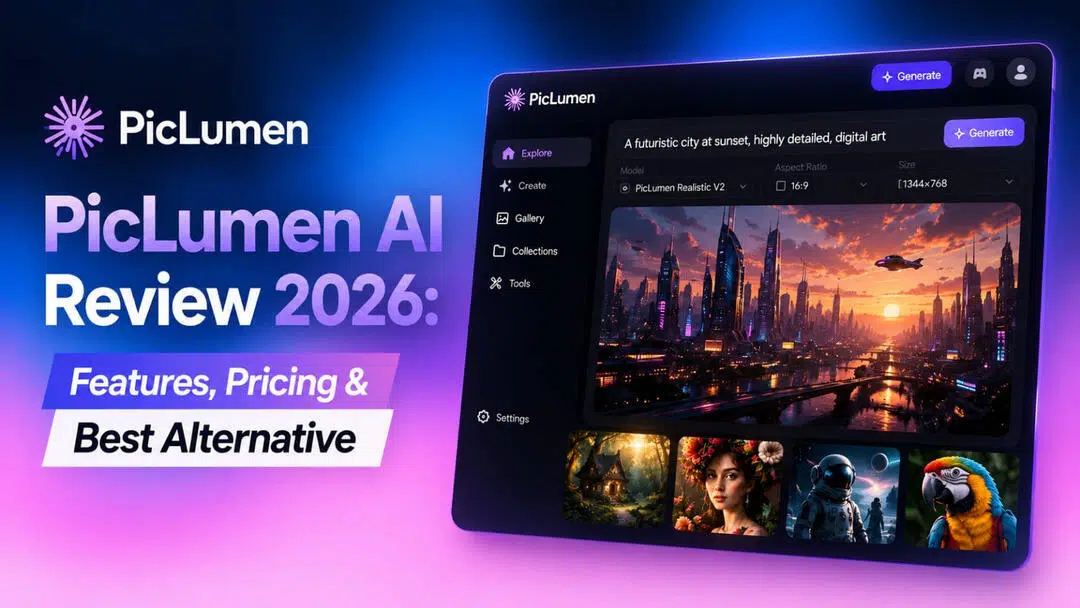
If you are comparing AI image generators, PicLumen AI is worth exploring for its combination of image creation, editing, video generation, and community features. This PicLumen AI review covers its key features, workflow, pricing, user experience, strengths, and limitations to help you decide if it fits your creative needs.
What is PicLumen AI?
PicLumen is an all-in-one AI creative tool to generate and edit photos and films. Unlike standalone picture generators, it combines several AI models, editing tools, canvas projects and video creation into a single workspace. Grand Vision Tech Software Limited makes it for creators who want to explore alternative visual workflows. The platform runs on lumens as its generating credit system. The image, video, and certain editing tools use credits based on the task and model. It also includes Explore and Creator Hub features where users can discover creations, prompts, styles, creators, and community challenges, adding a social element to the creative experience.
Key features of PicLumen AI
-
Multi-model AI image generation: Access 20+ AI models on one platform, including models such as Midjourney, GPT Image, Seedream, Qwen, and others, allowing creators to choose models based on their desired style and output.
-
Text-to-image and image-to-image generation: Create visuals from text prompts or upload reference images to generate variations, restyle images, preserve characters, and transform existing visuals.
-
AI image editing and enhancement: Refine generated images with tools such as AI Replace, Image Extender, Background Remover, Image Upscaler, Image Colorizer, and Remix.
-
AI video generation: Turn text prompts or still images into videos and access multiple video models, including Kling, Seedance, and Veo, directly within the platform.
-
Integrated creative community and canvas: Create and refine content through canvas while using PicLumen's explore and creator hub to discover prompts, styles, creators, and community-generated content.
How to use PicLumen AI to generate images
PicLumen keeps the basic generation process straightforward. You choose a model, describe what you want, generate an image, and refine it when necessary.
Step 1: Open PicLumen and choose an image generation model
Start by opening PicLumen and selecting the image generation model that best matches your project. Different models can produce noticeably different visual styles, so model selection is worth considering before writing your final prompt.
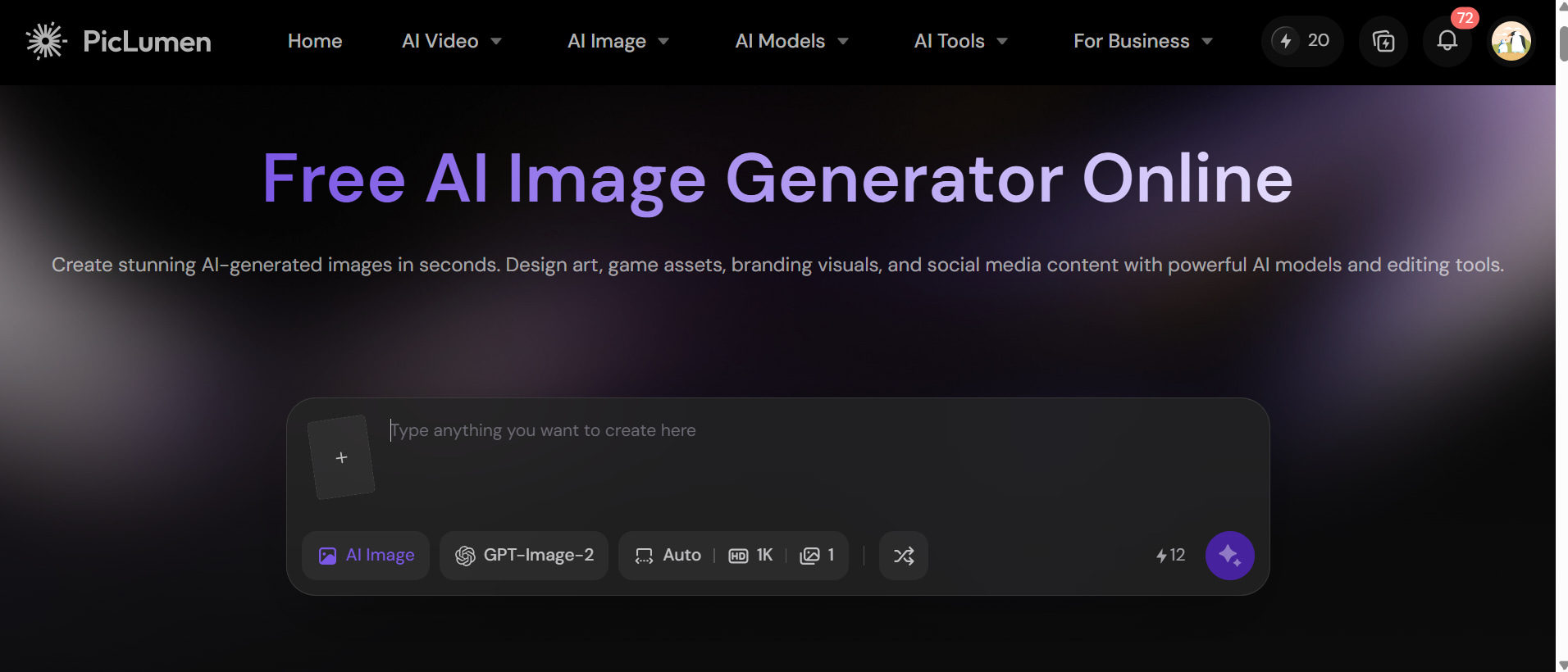
Step 2: Enter your prompt or upload a reference image
Describe the subject, setting, composition, lighting, mood, and style in your prompt. If you already have a visual direction in mind, upload a reference image and use image-to-image generation to guide the result.
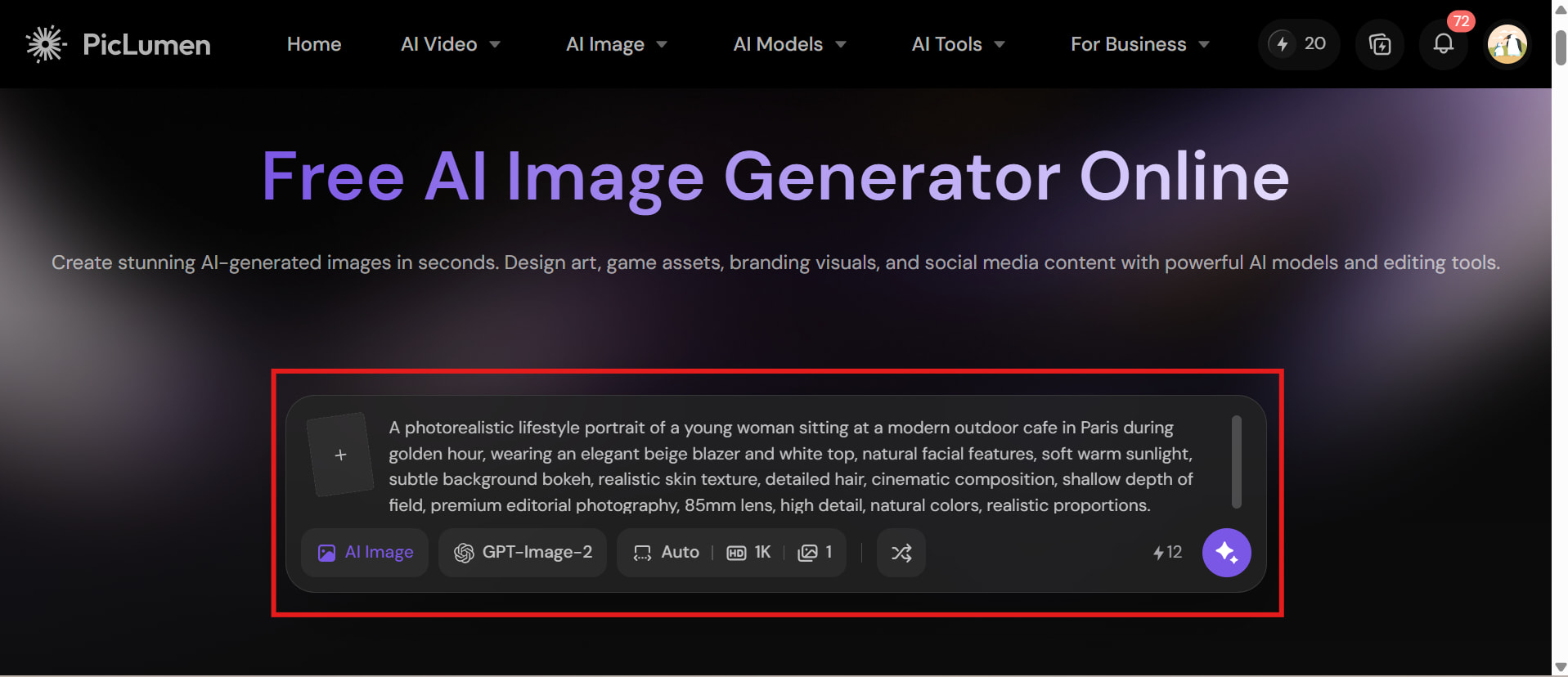
Step 3: Generate, review, and refine your image
Generate the image and inspect important details such as faces, hands, text, objects, and composition. If the result misses the prompt, adjust the description, reference image, or model and generate another version.
Is PicLumen AI worth it? Pros, cons, pricing, and user experience
PicLumen AI offers a broad set of image-generation and creative tools, making it useful for creators with different visual needs. Here's a closer look at its performance, pricing, advantages, limitations, and overall user experience.
Test results
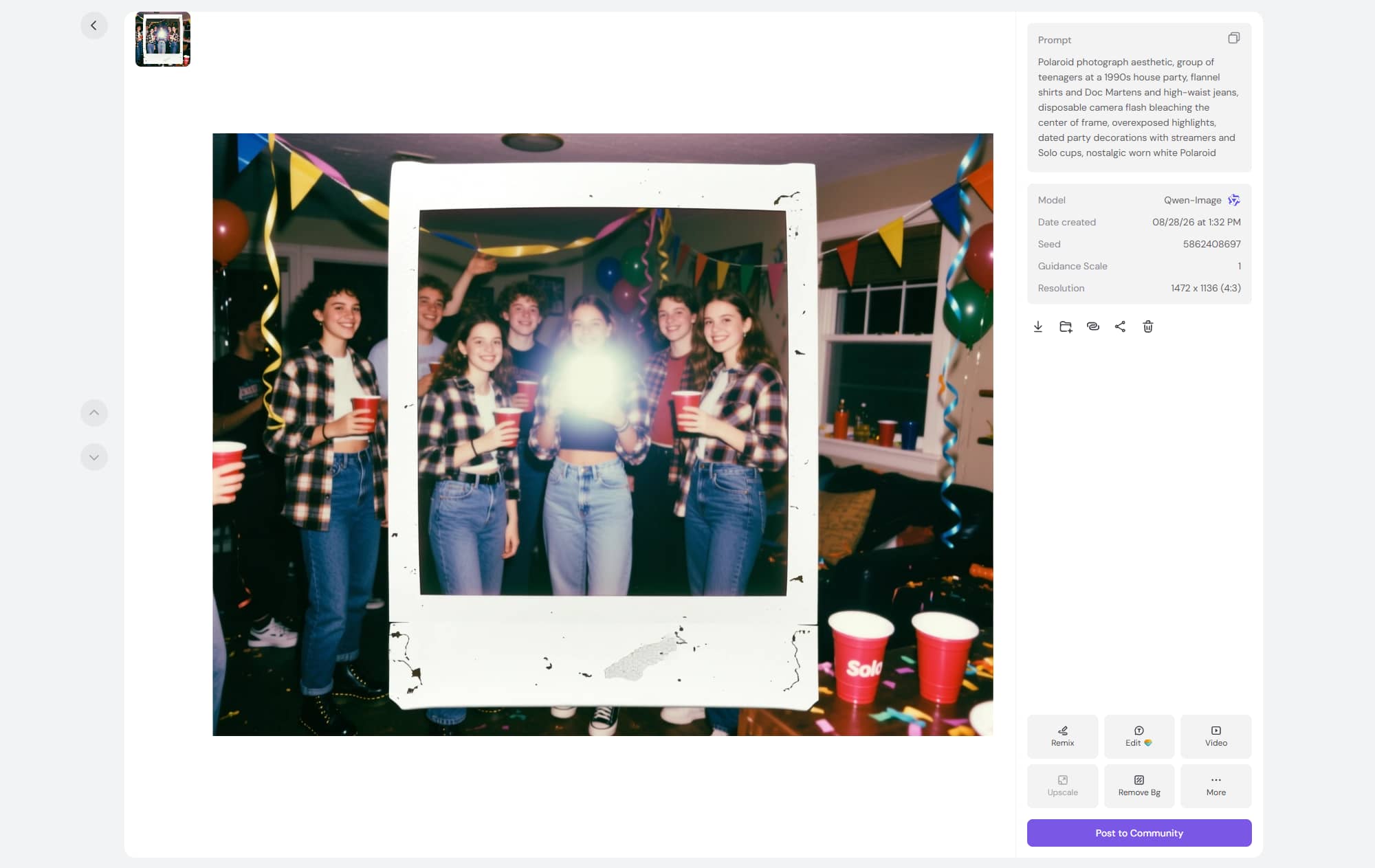
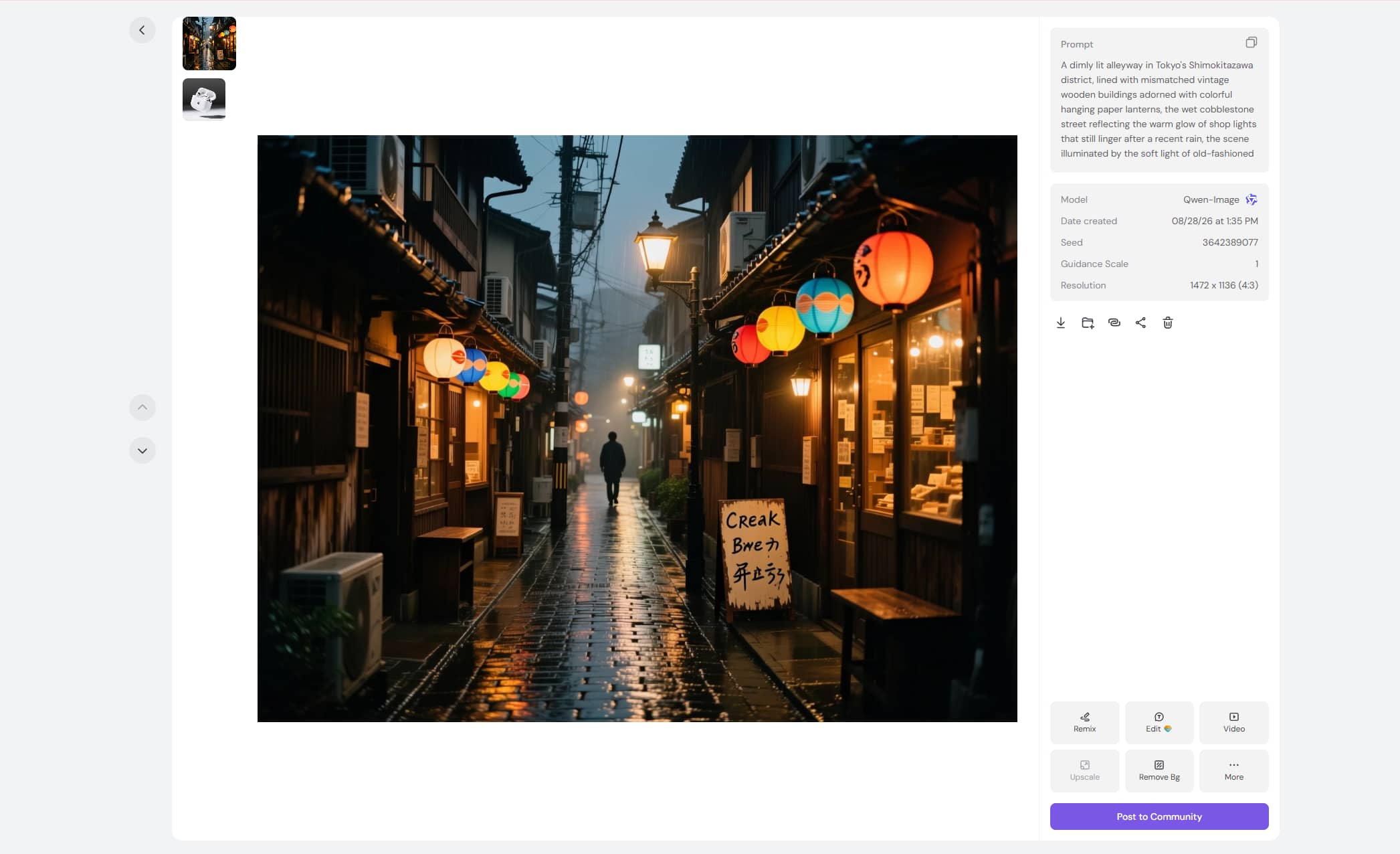
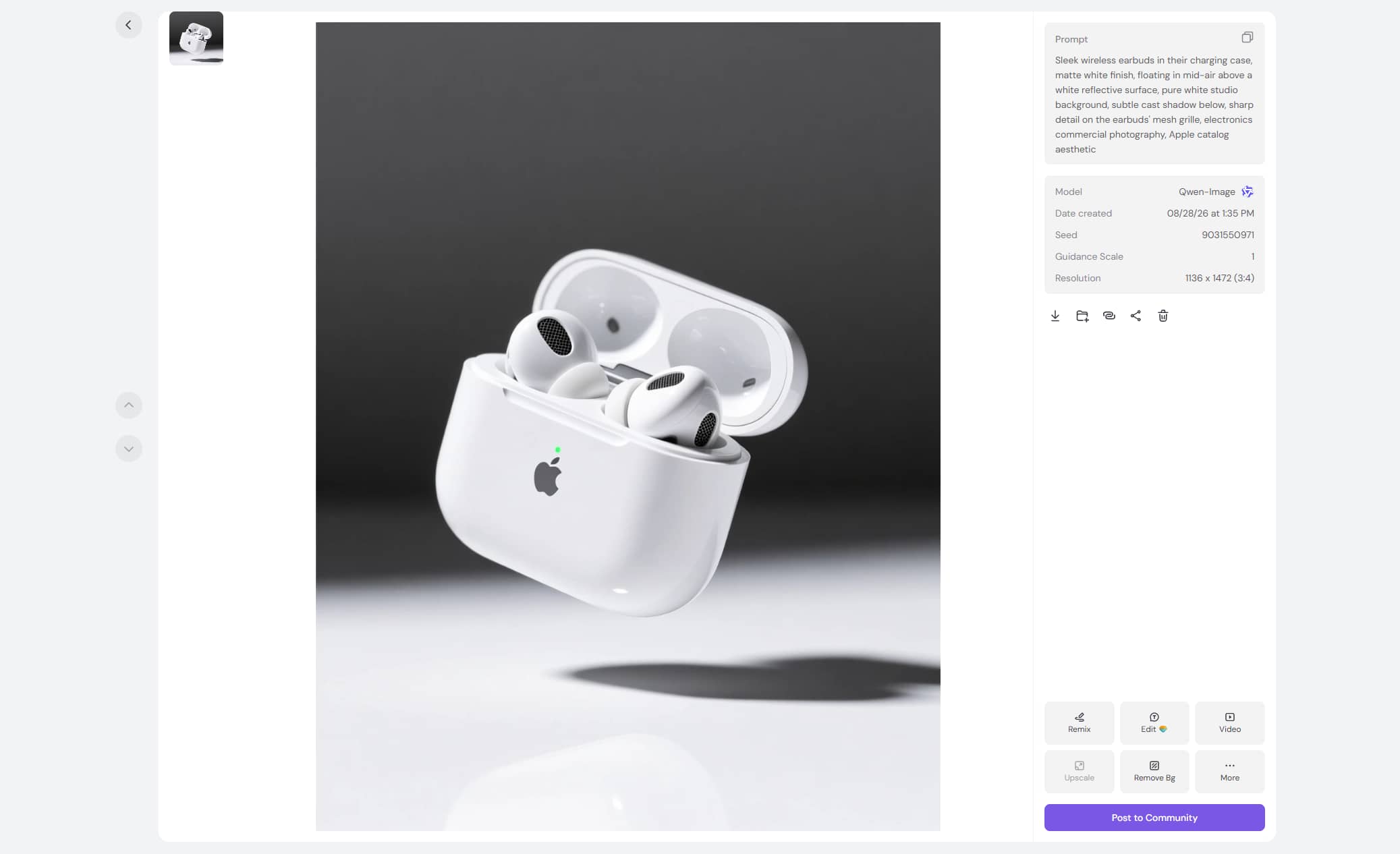
Examples
Old photo
Stree view
Product image
Assessement
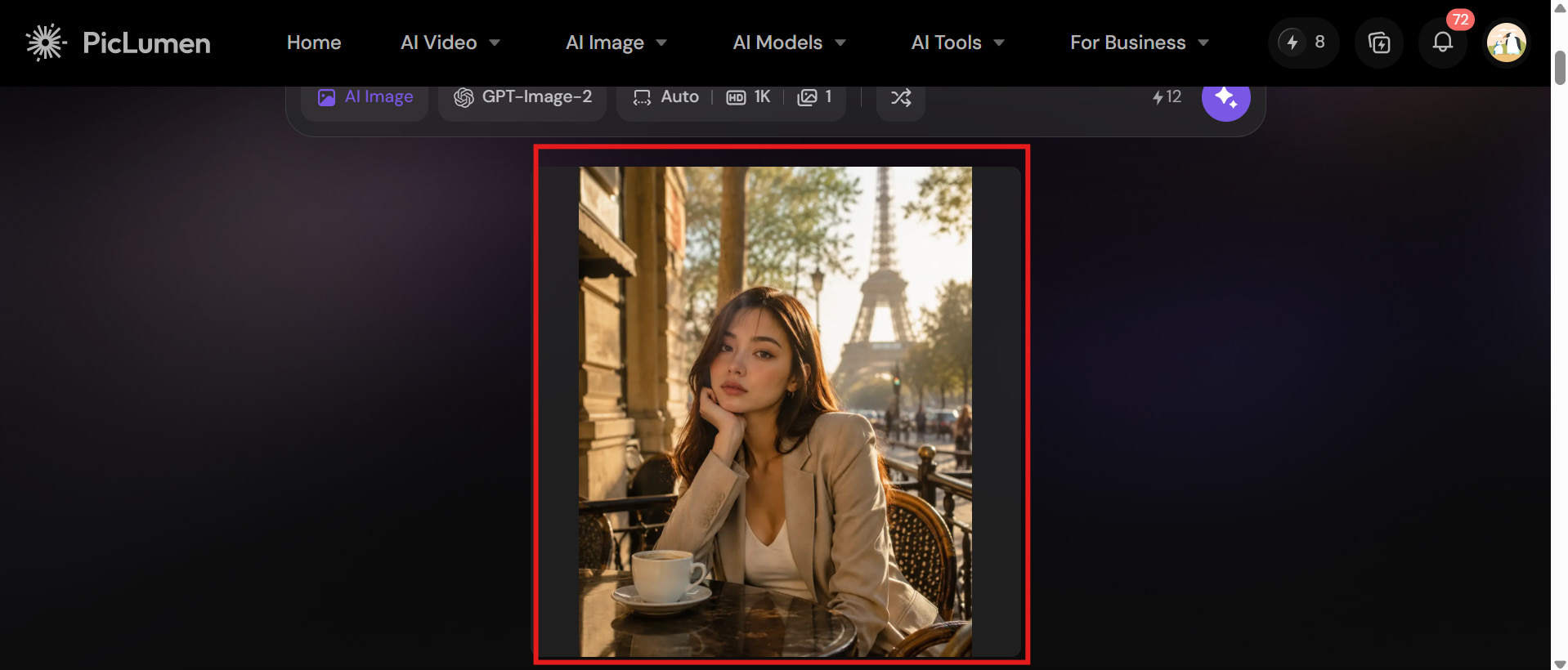
We evaluated PicLumen AI in the test with a variety of image-generation situations to assess its handling of realistic detail, prompt accuracy, composition, consistency, and image transformation. The experiments were designed to simulate typical use cases for creators, marketers, and visual content providers:
|
Test scenario |
What we evaluated |
|---|---|
|
Photorealistic portrait |
Face quality, skin texture, lighting |
|
Product image |
Object accuracy, composition, background |
|
Complex scene |
Prompt adherence and object relationships |
|
Character artwork |
Style consistency and details |
|
Text-based design |
Text accuracy and layout |
|
Image-to-image |
Reference preservation and transformation |
Pros and cons
|
Pros |
Cons |
|---|---|
|
|
|
|
|
|
|
|
|
|
Pricing
|
Plan |
Pricing |
Best For |
|---|---|---|
|
Free |
$0/month |
Beginners who want to explore PicLumen AI and test its basic features |
|
Lite |
$7.59/month |
Casual creators who need more credits and features for occasional projects |
|
Standard |
$24.99/month |
Regular creators produce AI images and visual content more frequently |
|
Pro |
$49.99/month |
Professional creators and marketers with higher-volume content needs |
|
Elite |
$179.99/month |
Teams, businesses, and high-volume users who need extensive AI generation capabilities |
The paid plans provide larger Lumen allocations and progressively higher generation priority. Commercial licensing also varies by plan, so businesses should check the current terms before using generated content commercially.
Real user experience
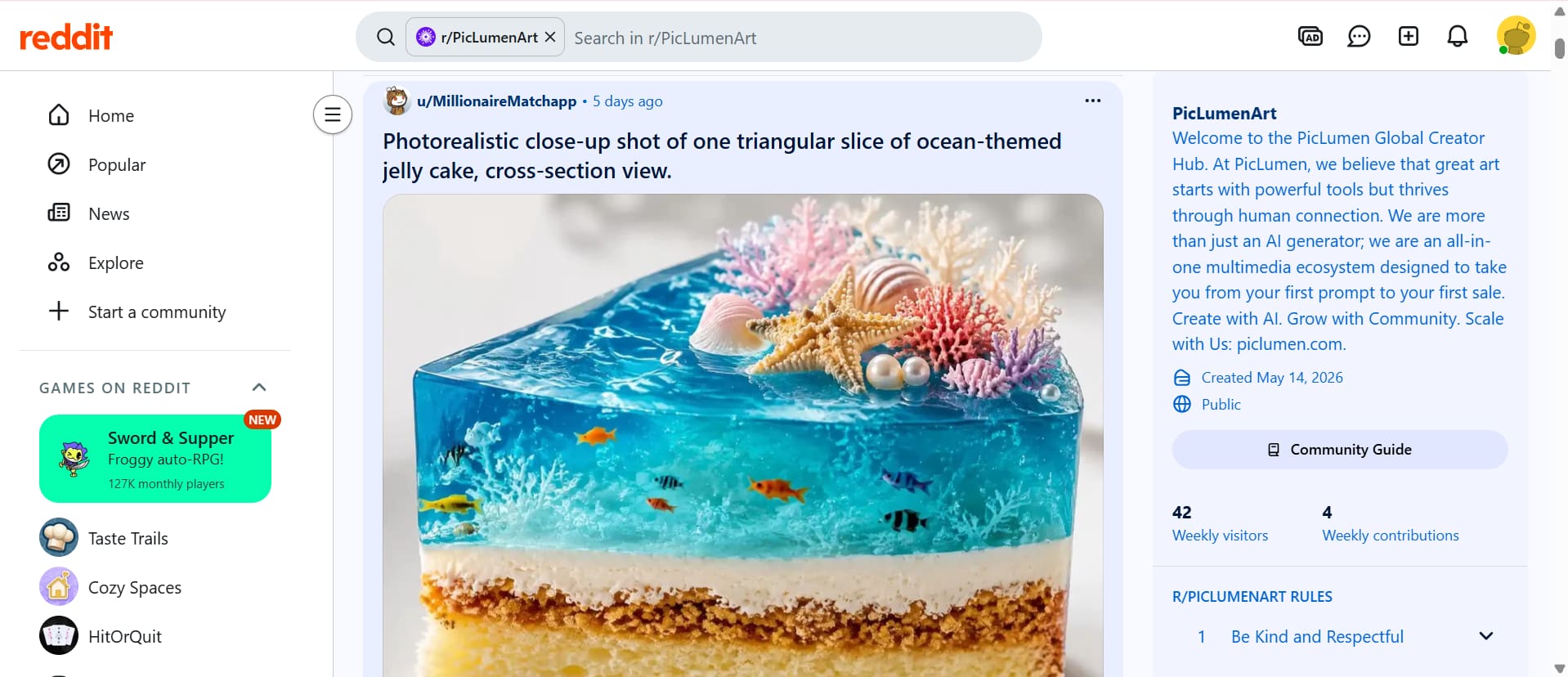
On Reddit
Reddit users are now posting their masterpieces over at r/PicLumenArt, a community dedicated to showcasing intricate, lifelike AI-created photos. The example displayed is a jelly dessert with an ocean theme and detailed underwater elements. This shows that people are experimenting with new ideas and realistic visual styles for PicLumen.
On Trustpilot
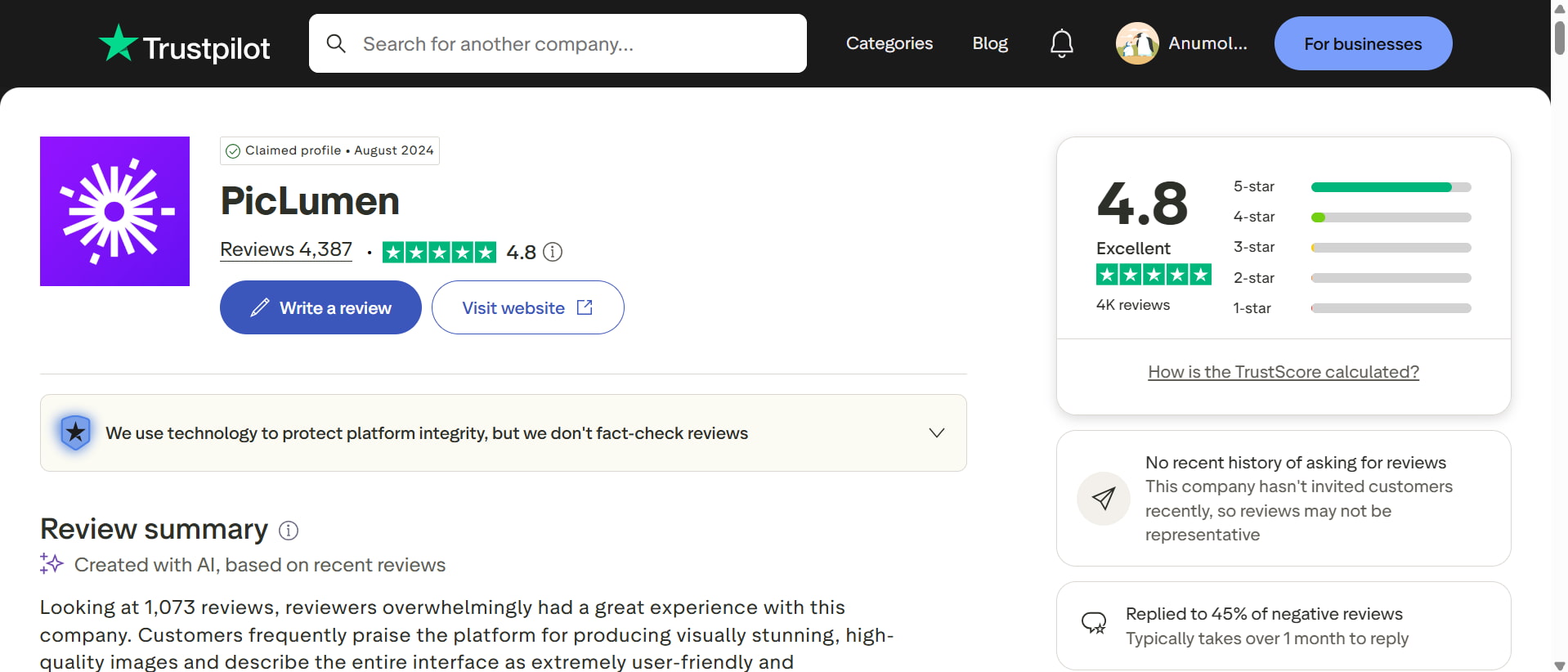
Trustpilot shows PicLumen with a 4.8 rating from more than 4,300 reviews, indicating a largely positive user experience. The review summary highlights visually impressive, high-quality image generation and a user-friendly interface. However, Trustpilot also notes that the reviews are not fact-checked, so they should be considered alongside other user feedback.
Overall, PicLumen AI has a solid set of tools to make photographs, excellent originality, and a positive user experience. You might want to look at other tools if you are seeking a simpler approach, other creative options, or another platform. Luckily, Vmake Labs AI picture generator is such an alternative. Let's take a closer look at this magic tool.
Vmake Labs AI image generator as a PicLumen alternative
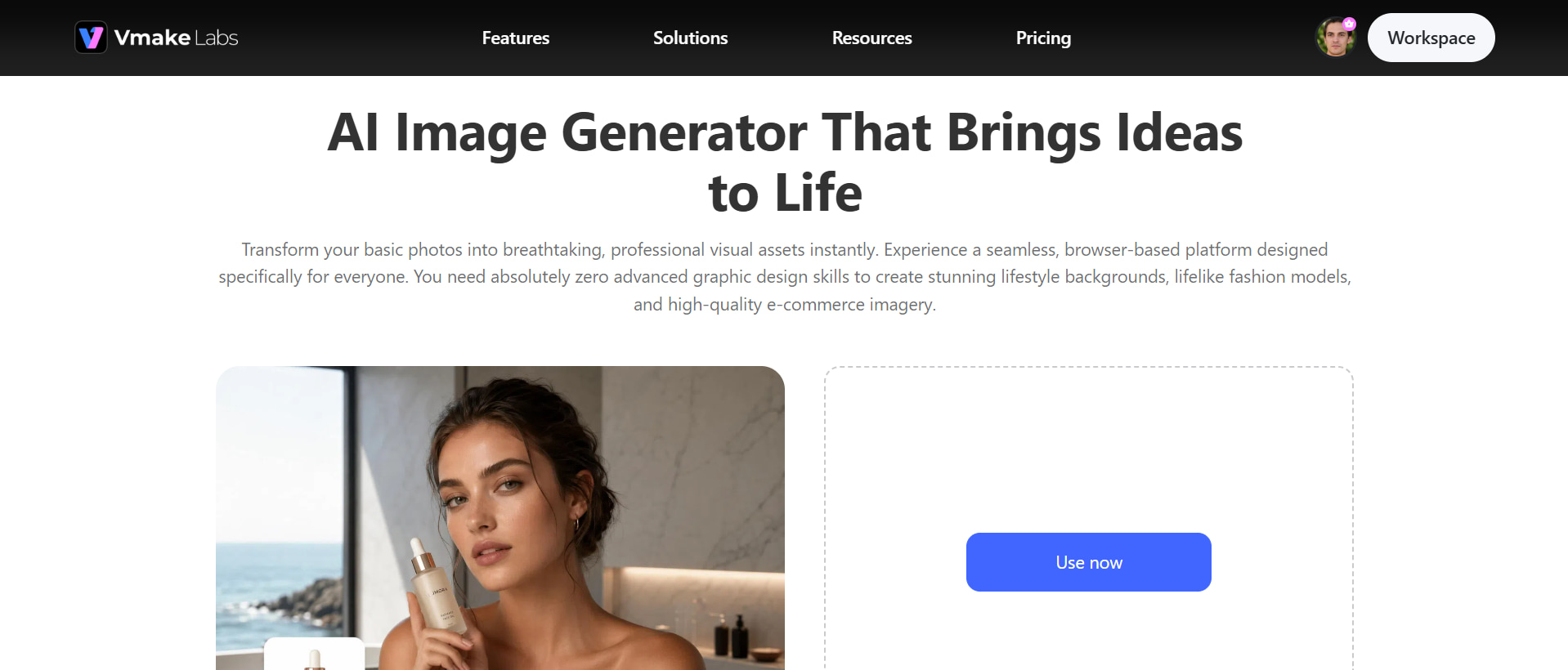
Vmake Labs is an AI-driven image generator that enables users to create and edit images from text prompts and existing photos. The AI image generator enables workflows such as Text-to-picture and Image-to-Image generation, with options to use reference images, models, and aspect ratios. Users can also edit the created graphics and use an image enhancer if they need to increase the quality of the image. This makes Vmake Labs a handy PicLumen alternative for developing and polishing visuals in a single workflow.
How to create AI images with Vmake Labs
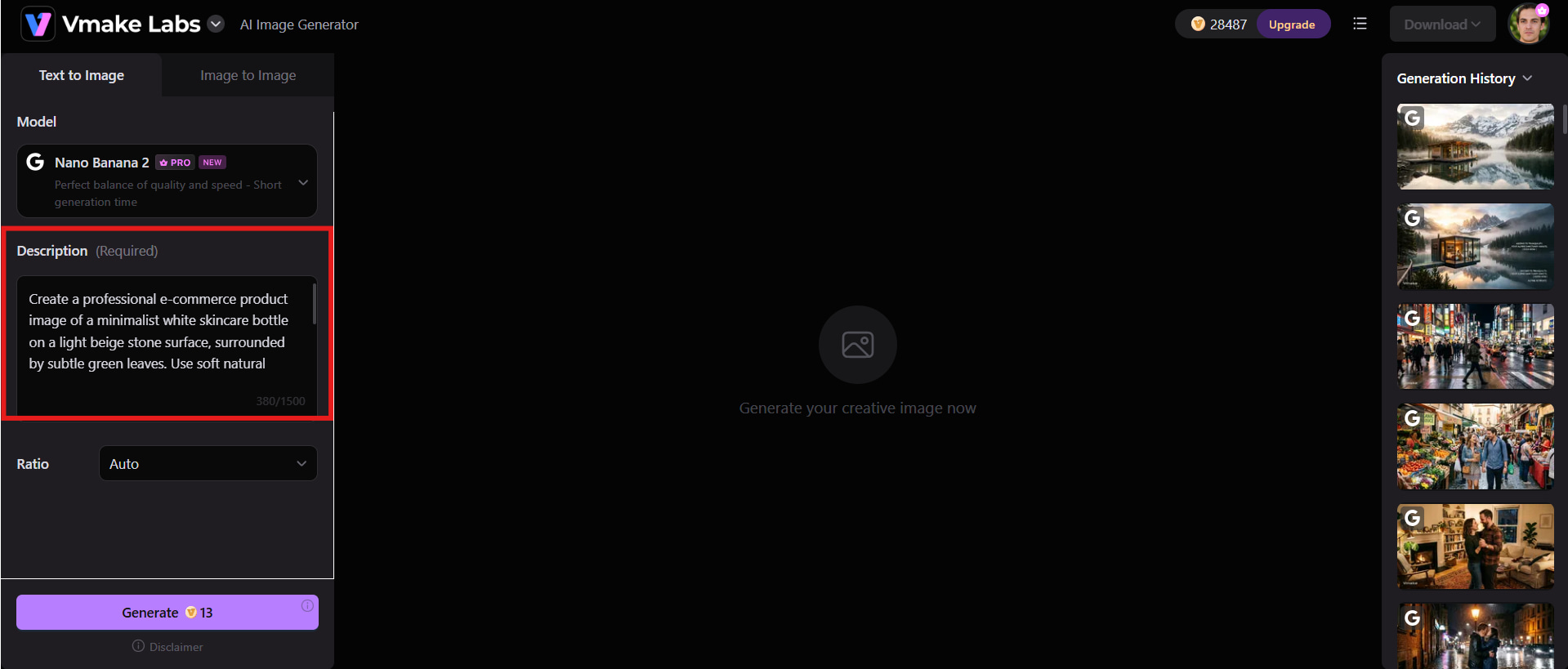
Step 1: Enter a text prompt or upload a reference image
Start the Vmake Labs AI image generator and tell it what you want to see. Things like the subject, the style, the setting, the composition, the lighting, and the appearance you're after. For picture-to-image generation, upload an existing image to guide the new outcome.
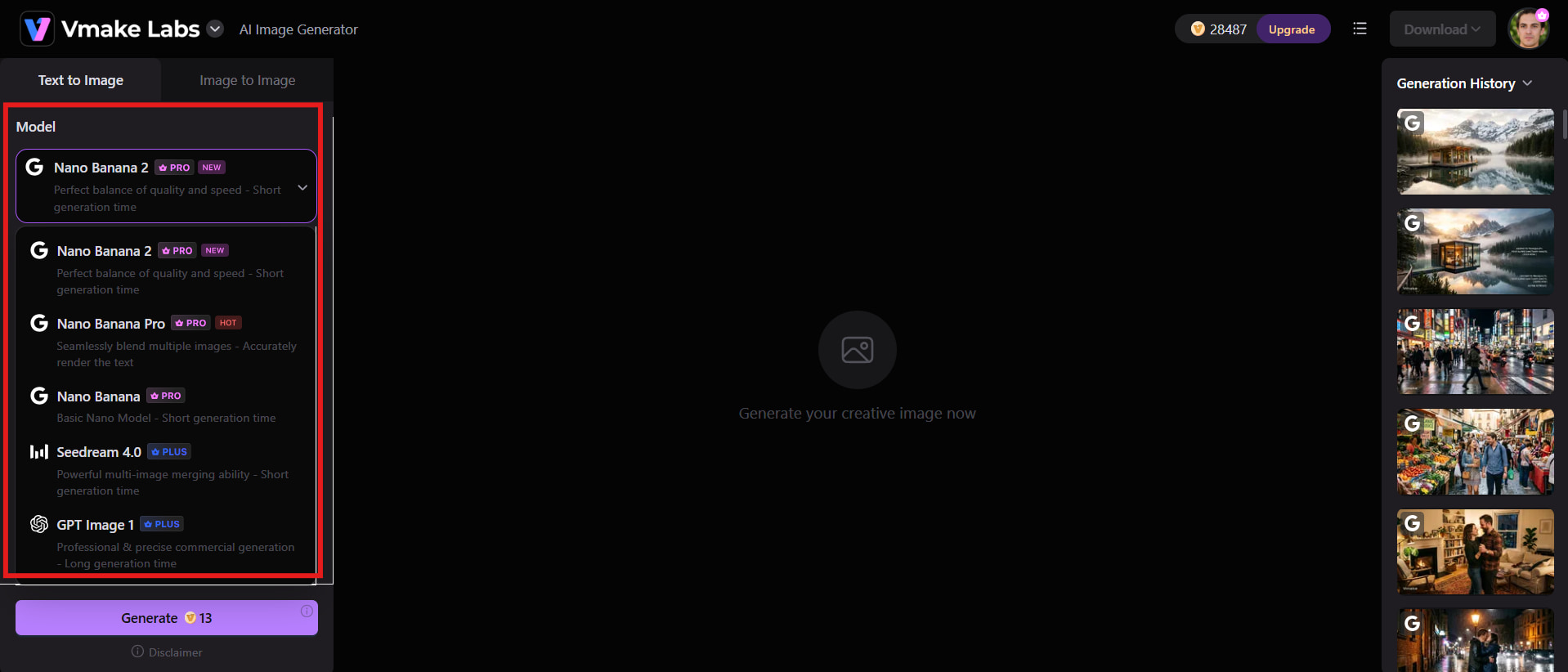
Step 2: Choose an AI model and customize the generation
Choose an available model based on the type of image you need, and then select an appropriate aspect ratio. A square shape can work well for product or social content, while broader dimensions can fit banners or marketing graphics, for example.
Step 3: Generate, review, refine, and download
Click Generate and review the result for prompt accuracy, composition, details, and overall quality. If something feels off, update the prompt, reference image, model, or settings and generate another version. Once you are satisfied, download the final image for your marketing, e-commerce, or social media workflow.
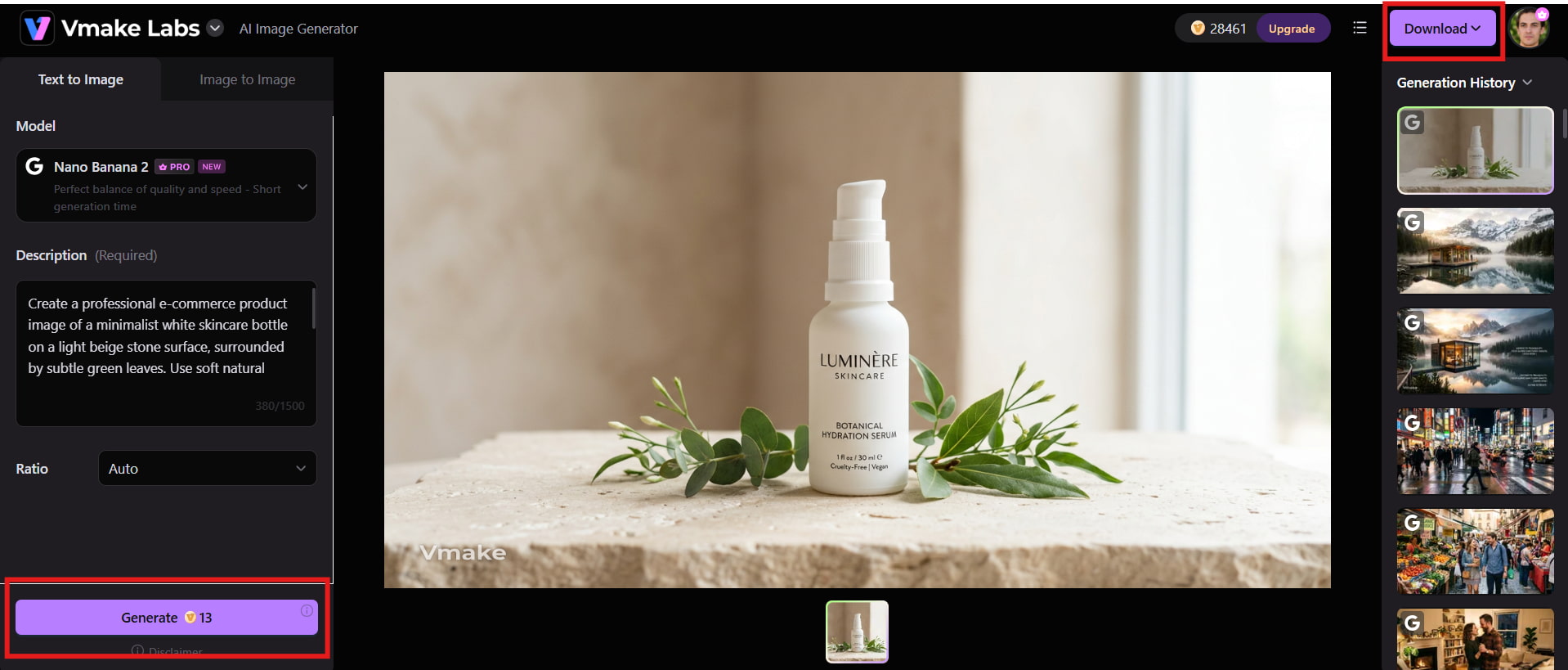
Key features of Vmake Labs
-
Multiple AI image models: Vmake Labs provides multiple AI image models, allowing users to choose an option that best fits their visual style and generation needs.
-
Text-to-image generation: Turn written prompts into visuals by describing the subject, style, composition, and other details you want in the generated image.
-
Image-to-image generation: Upload an existing image and use it as a reference to create new visuals while retaining relevant elements from the original.
-
Reference-image support: Reference images help guide the generation process, making it easier to maintain key visual characteristics across different image variations.
-
Professional marketing visuals: Create polished visuals for advertising campaigns, social media posts, ecommerce listings, product promotions, and other marketing needs.
-
Flexible image creation: Refine your prompts and visual requirements to experiment with different styles, compositions, subjects, and creative directions.
-
Browser-based workflow: Vmake Labs runs directly in your browser, so you can generate images without installing or configuring AI models locally.
PicLumen vs Vmake Labs AI image generator
PicLumen and Vmake Labs both offer AI-powered image generation, but they differ in the models they offer, the creative workflows, and the tools they provide. Their essential features, ease of use and versatility will help you decide which solution is ideal for your image-making needs.
|
Category |
PicLumen |
Vmake Labs AI Image Generator |
|---|---|---|
|
Best for |
AI art, creative exploration, and multi-model image creation |
Marketing, ecommerce, social media, and professional visuals |
|
AI image models |
Multiple image-generation models |
Multiple AI image models |
|
Text- to-image |
Yes |
Yes |
|
Image-to-image |
Yes |
Yes |
|
Reference images |
Supported |
Supported |
|
Model selection |
Multiple models and styles |
Available AI model options |
|
Aspect ratio |
Available image settings |
Available aspect-ratio options |
|
Image editing |
AI Replace, Extend, Upscale, Background Remover, and more |
AI-powered image creation and transformation |
|
Customization |
Prompts, models, styles, and image settings |
Prompts, reference images, models, and aspect ratios |
|
Video generation |
Yes, alongside image creation |
Available through Vmake Lab's separate AI Video generator |
|
Ideal user |
Creators who want a broad AI creative ecosystem |
Brands, marketers, ecommerce sellers, and content creators |
Which one should you choose?
Choose PicLumen if your priority is creative experimentation and exploring different AI-generated styles. If you want access to numerous AI models, like playing with AI art, and a platform with a community of creators and image and video generation options, it's a good choice.
Choose Vmake Labs if you are focused on marketing, ecommerce, and professional visual content. Its Text-to-Image and Image-to-Image workflows, reference images, model selection, and aspect-ratio settings make it more appropriate for creators, marketers, and enterprises who need a more realistic image-generation workflow for commercial material.
Conclusion
PicLumen AI is a versatile choice for creators seeking multiple AI models, creative experimentation, and image and video generation. Its free access makes it easy to test, while paid plans offer more Lumens and broader capabilities. However, users should consider output consistency, credit usage, and licensing limits. Vmake Labs is a strong alternative for polished marketing and creative visuals, especially with tools such as AI image fixer for refining and improving generated images. Ultimately, the right choice depends on whether you prioritize creative exploration or practical content production.
FAQs
-
Is PicLumen AI free to use?
Yes, PicLumen AI offers a free plan with daily Lumens for trying its image and video generation features. Paid plans are available for users who need more generation capacity, faster processing, and additional capabilities. The free option is useful for testing the platform before upgrading. For users who also need broader visual content tools, Vmake Labs is another option to explore.
-
What is PicLumen AI mainly used for?
PicLumen AI is mainly used for generating and transforming AI images and videos. It also includes editing tools, canvas projects, model selection, and community features. These options make it suitable for creative experimentation as well as regular content production.
-
Does PicLumen AI have an image-to-image generator?
Yes, PicLumen AI supports image-to-image generation. Users can upload an existing image as a reference and create new variations based on it. The feature can also help transform images into different styles or visual directions.
-
Can PicLumen AI generate videos?
Yes, PicLumen AI provides AI video generation along with its image-generating capabilities. Users can generate video material from supported inputs and explore different creative outputs. Vmake Labs can also be considered by creators who want AI-powered video creation alongside other visual content workflows.
-
How much does PicLumen AI cost?
PicLumen AI has a free version and paid versions for those who need more Lumens and other capabilities. Pricing and associated credits are plan-dependent. If you do decide to take up a subscription, it is worth looking into the specifics of the current plan.
-
Can I create professional images with Vmake Labs?
Yes, Vmake Labs can be used to generate professional visuals for marketing, e-commerce, social media, and corporate content. Its AI picture generator works with various creative workflows, and features like the image enhancer can help enhance current visuals. This makes Vmake Labs a good alternative for professional picture creation.

You May Be Interested

Pixar AI Review: What It Is & How to Create Pixar-Style Art
Artistly AI Review 2026: Is It Worth Trying for Creators?
DeeVid AI Review 2026: Features, Pricing & Top Alternative
Doodle AI Review 2026: Features, Pricing and Alternatives
Getimg AI Review 2026: Is It the Best AI Image Generator?

Vivideo AI Review 2026: Features, Pricing and Alternatives

Supawork AI Review: Watermark Remover Tested (2026)

Nero AI Review 2026 Explained: Is the Tool Worth Using?
