
OiiOii: Is This AI Animation Studio Worth Trying?
OiiOii Review 2026: Explore its 7-agent animation workflow, features, pricing, pros, cons, community feedback, and best alternatives for creators, studios, and AI animation enthusiasts online.

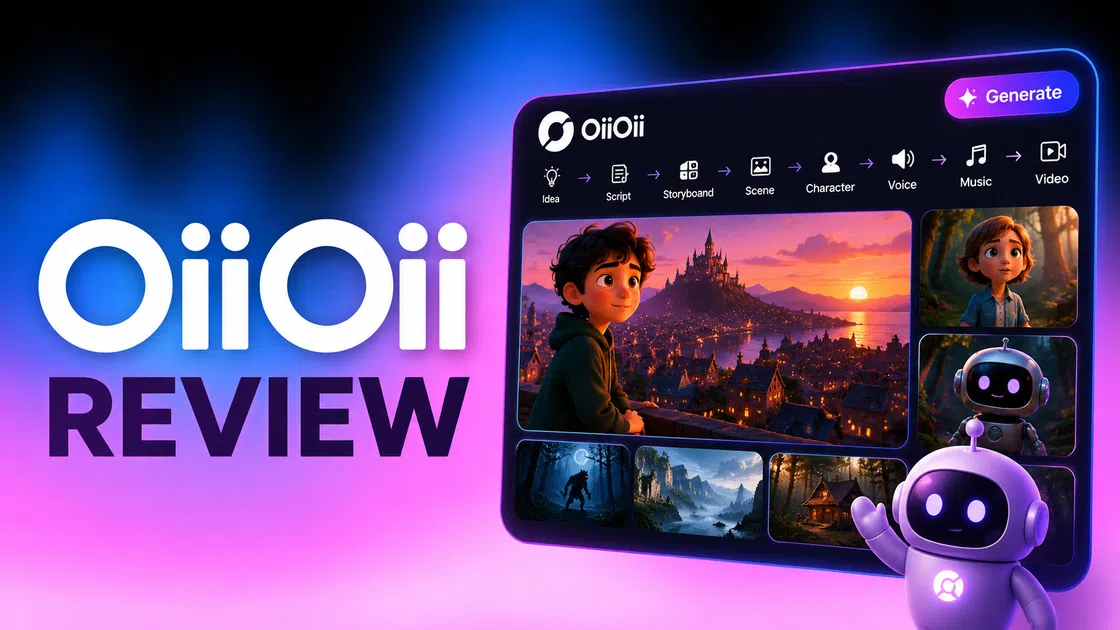
OiiOii AI takes a different approach to animation by combining specialized AI agents for scripting, character design, storyboarding, scene creation, editing, and sound. In this OiiOii review, we examine its workflow, features, pricing, strengths, limitations, community feedback, and how it compares with Vmake Labs.
Why is OiiOii AI getting attention?
OiiOii AI is an AI animation platform that allows creators to develop ideas for organized animated projects. The production process of OiiOii AI includes seven agents that handle actions such as scripting, character design, storyboarding, scene creation, animation, editing, and sound creation without the need to control each step individually.
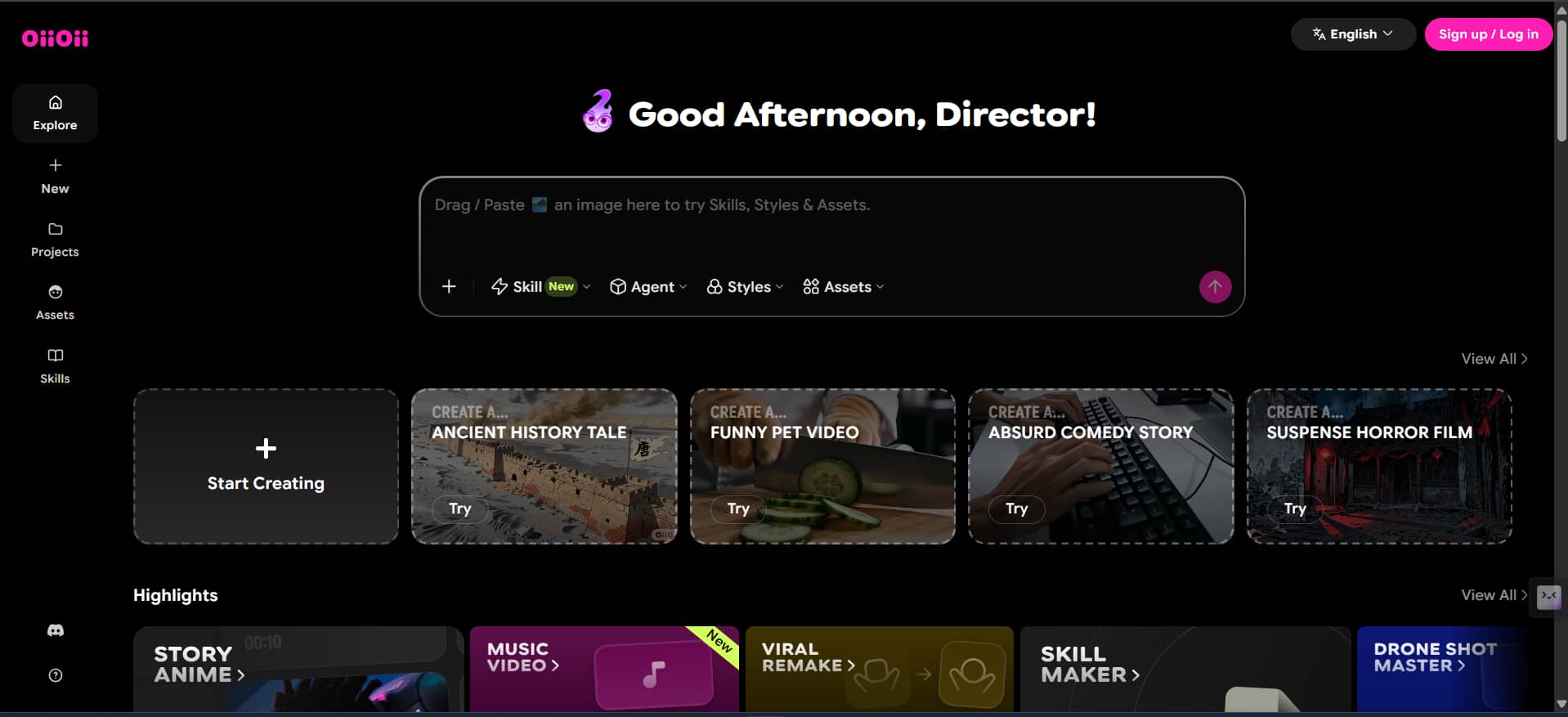
Moreover, the platform unites several AI models and different visual styles together in order to assist the creator in developing consistent characters through all the scenes. All these features make the use of OiiOii interesting for people who want to create an animated project from scratch.
How to use OiiOii AI: Steps and key features
The process of creating animated videos with the help of OiiOii is based on a prompt-based workflow. To create an animation using OiiOii, you can use the Story Video prompt and then allow the Oii Agent to create a project based on your prompt.
Create an animation with OiiOii
Step 1: Enter a story video prompt
In the OiiOii dashboard, put your animation concept in the prompt box and choose Story Video. Provide information about the story, length, characters, location, and other relevant information.
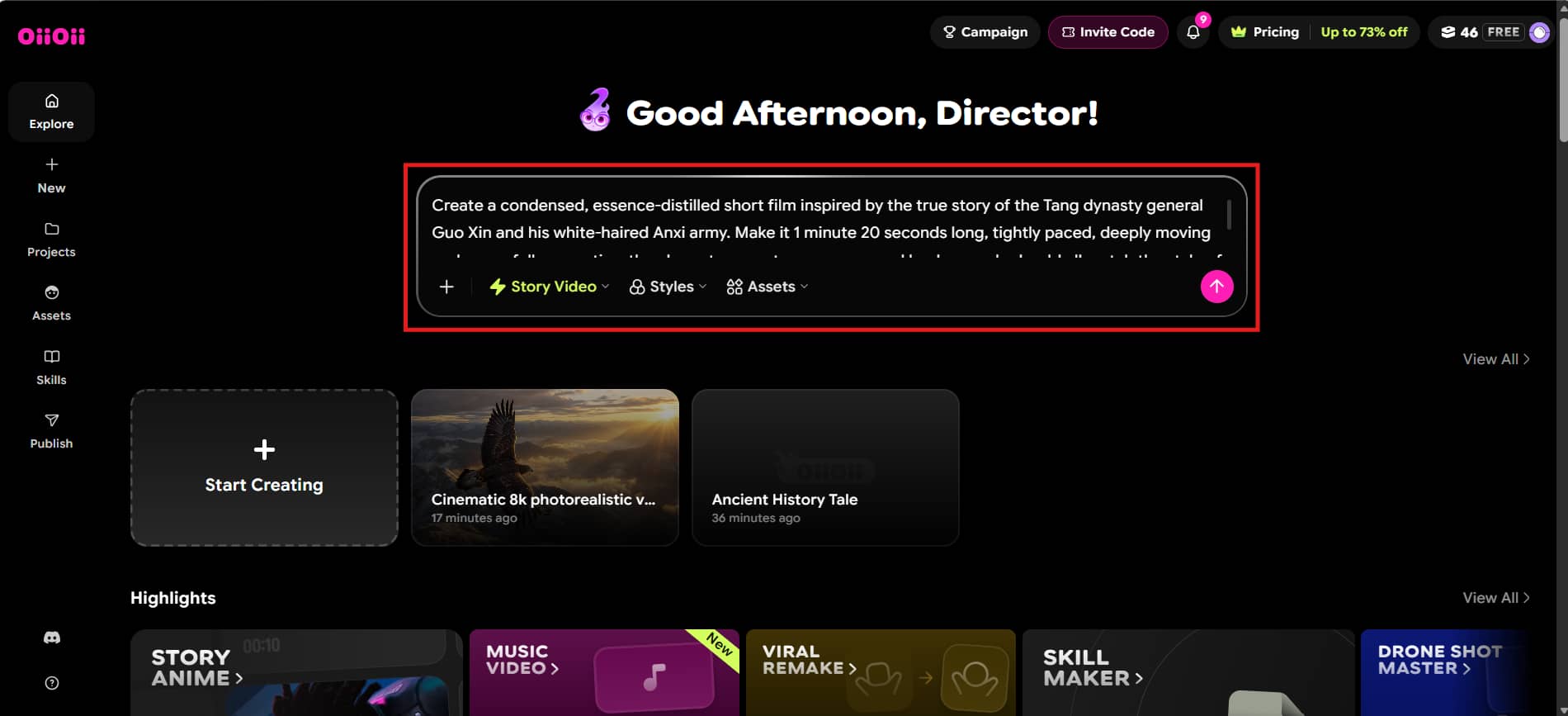
Step 2: Let the OiiOii agent develop the story
After uploading your prompt, the OiiOii Agent starts organizing your project in its workspace. It analyzes the prompts and creates animation parts according to the story and your creative instructions.
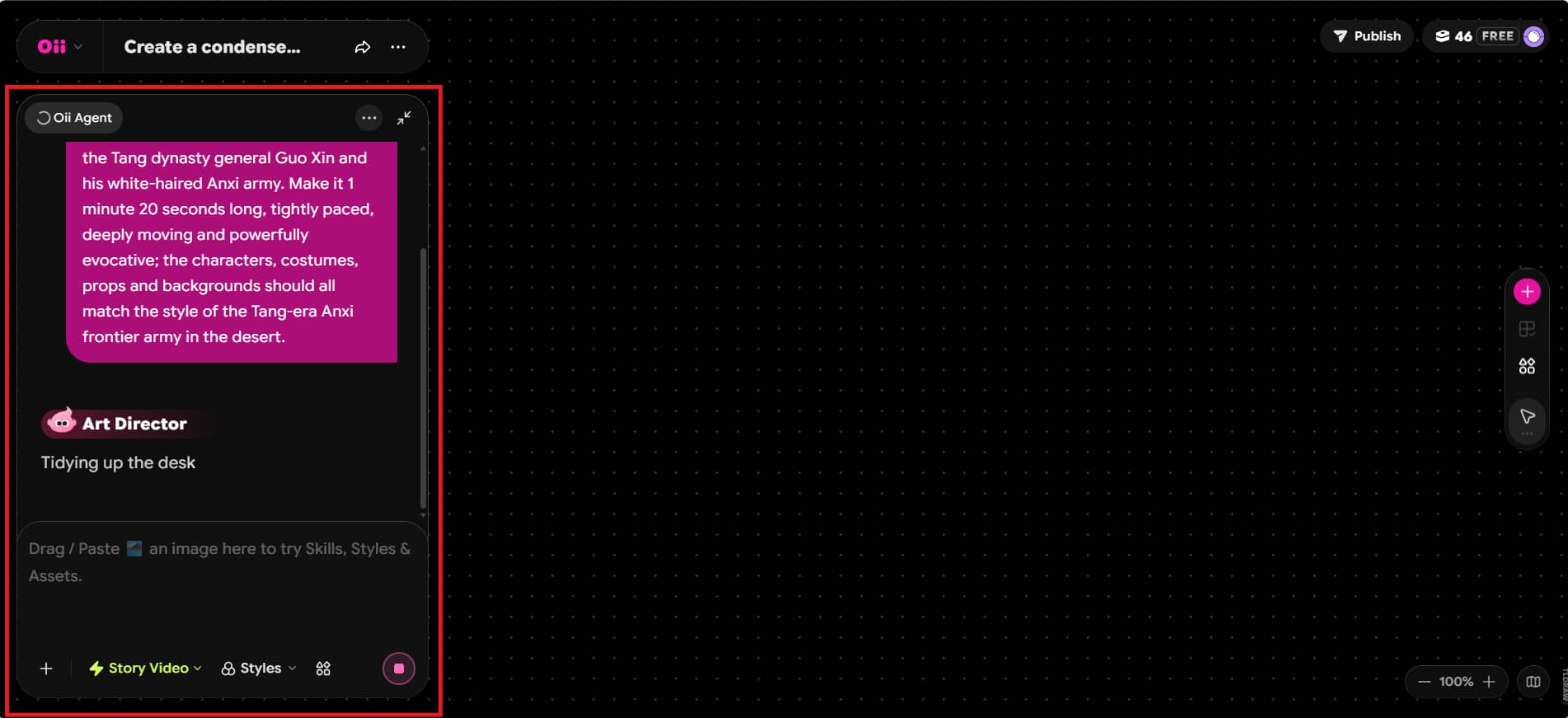
Step 3: Review the generated project
When your project is created, check the animation in the project canvas. You will be able to access project controls, analyze the created scenes and continue polishing them using the Story Video controls.
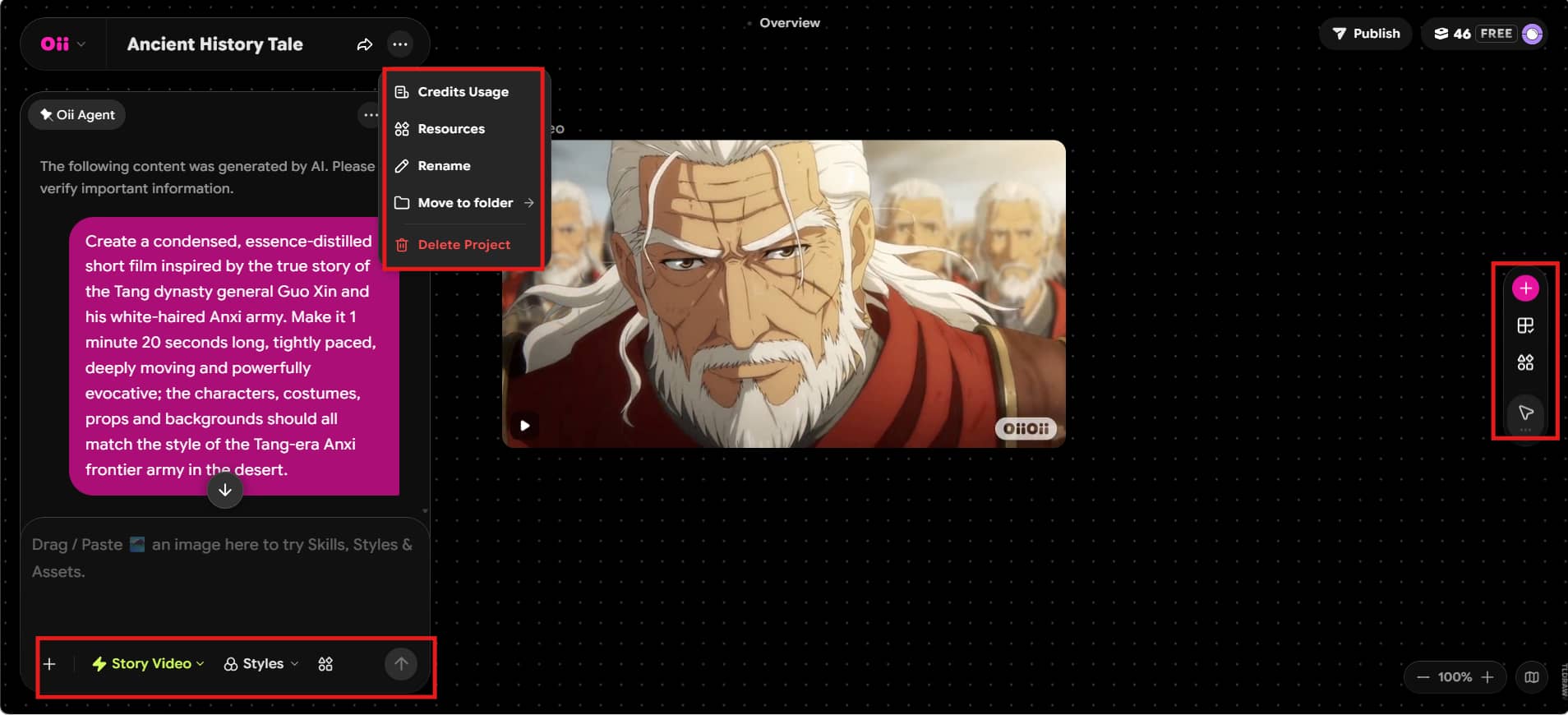
What can you create with OiiOii?
-
Animated stories: Create AI-generated stories and multi-scene animated videos from creative ideas.
-
Consistent characters: Maintain character designs across different scenes for a more cohesive story.
-
Story production: Generate scripts, storyboards, and shots to help structure animated projects.
-
Audio elements: Add music and sound to support the mood and storytelling of animated content.
-
Visual styles: Explore different AI models and visual styles to create varied animation aesthetics.
OiiOii AI pros, cons and community reviews
OiiOii's use of multiple agents for its workflow can help streamline various aspects of animation creation, from story development to scene creation. Nevertheless, animation generated by AI still may need human intervention in order to achieve consistency and creativity.
Pros and cons
|
Pros |
Cons |
|---|---|
|
Automated multi-agent workflow |
Limited manual control |
|
Character-focused animation |
Scene consistency can vary |
|
Multiple AI models and styles |
Credits can be consumed quickly |
|
Multi-scene story creation |
Advanced use can be expensive |
|
Shot-level editing and regeneration |
Some workflows may feel complex |
Community review
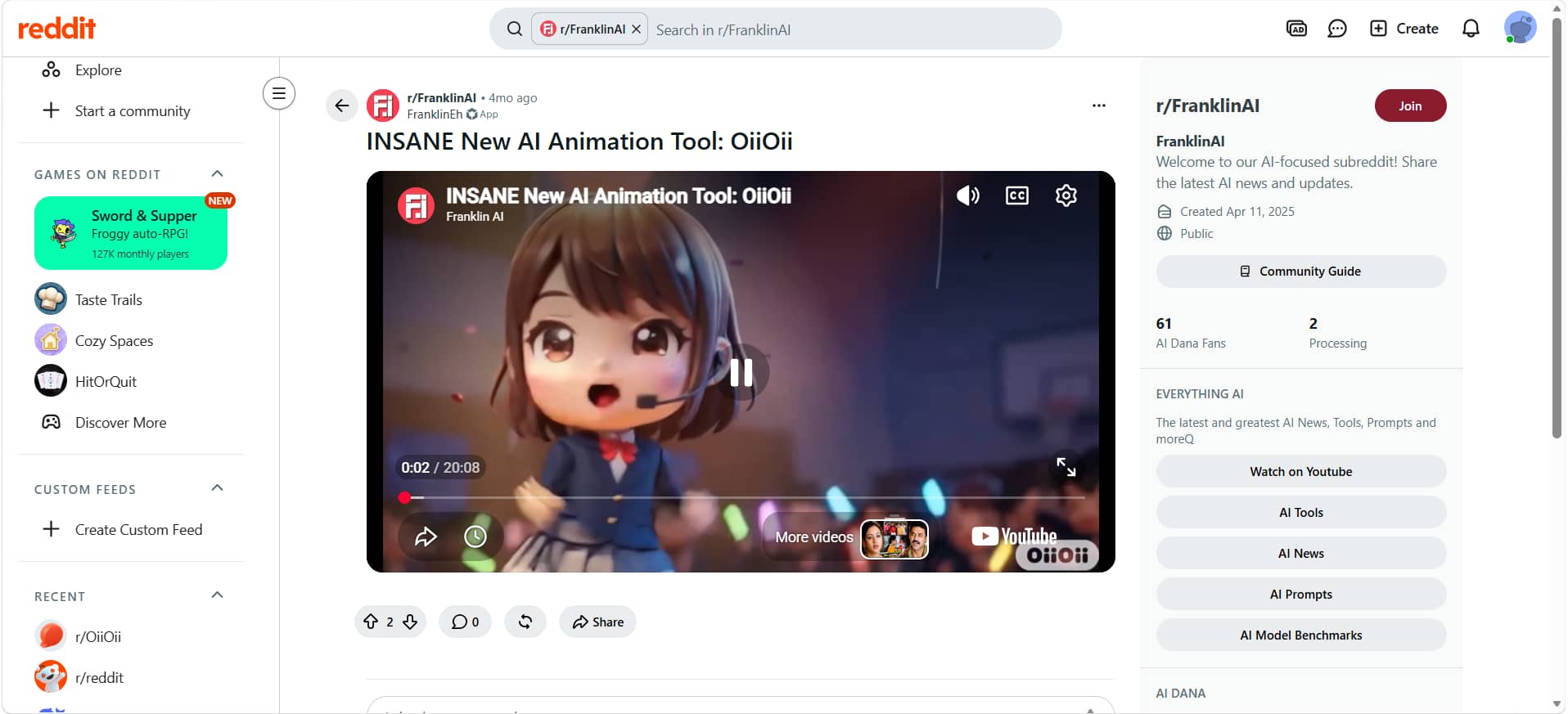
Reddit review: The supplied Reddit post presents OiiOii as a new AI animation tool and includes an animation demonstration. The post has limited visible engagement, so it provides some evidence of interest but not enough independent feedback to make broad claims about animation quality or character consistency.
OiiOii AI pricing: Which plan offers the best value?
OiiOii offers four main paid plans, Base, Star, Pro, and Apex, with increasing credits and generation capacity. Pricing may change over time or with promotions, so the figures below reflect the pricing used for this review rather than fixed long-term prices.
OiiOii AI plans and monthly costs
|
Plan |
Monthly price |
Best for |
|---|---|---|
|
Base |
$17 |
Light creators |
|
Star |
$46 |
Regular creators |
|
Pro |
$114 |
Frequent creators |
|
Apex |
$239 |
High-volume production |
Which OiiOii AI plan gives you the most value?
|
Plan |
Value |
Recommended for |
|---|---|---|
|
Base |
Best entry option |
Occasional projects |
|
Star |
Best overall balance |
Regular creators |
|
Pro |
Best for higher usage |
Frequent production |
|
Apex |
Best for maximum volume |
Professional production |
OiiOii is a strong option for creators focused on story-driven animation and character-based projects. However, if you need a more streamlined workflow for creating marketing, e-commerce, social media, or other visual content, Vmake Labs offers a practical alternative.
OiiOii AI alternatives: Which tool should you choose?
OiiOii focuses on automated, story-driven animation, while Vmake Labs takes a more flexible approach to creating individual images and videos. Vmake supports multiple video-generation workflows and AI models, making it useful for marketing, e-commerce, social media, and other visual-content projects.
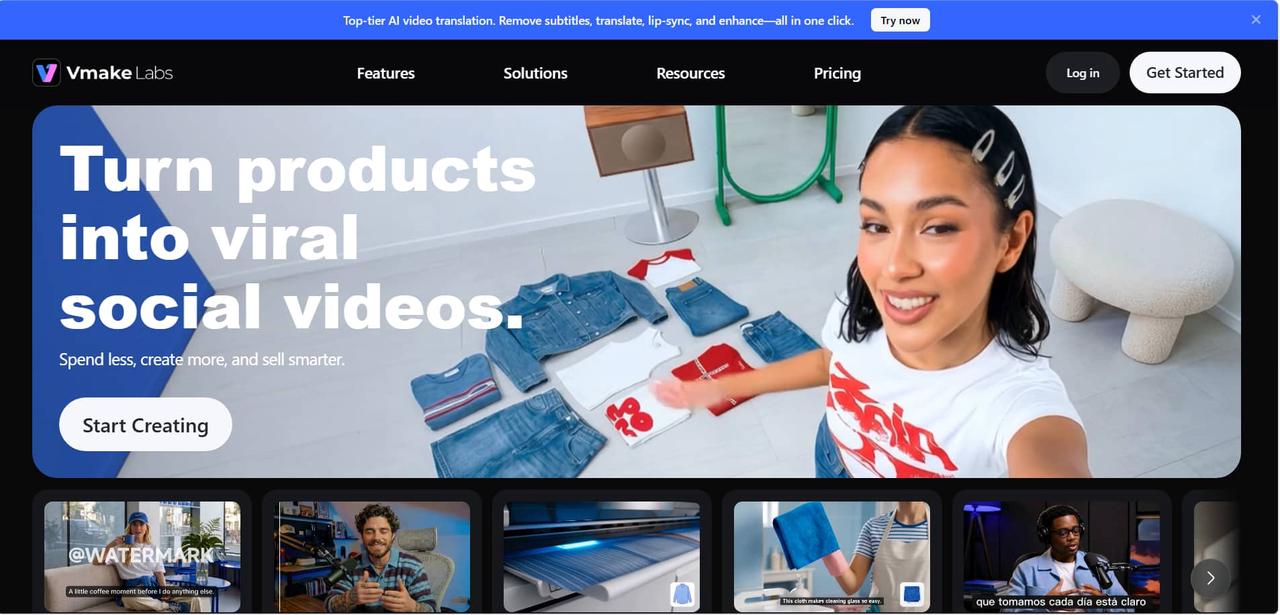
What can you do with Vmake Labs?
-
AI Image creation: Generate visuals from text prompts or transform existing images using reference-based workflows.
-
Image transformation: Use existing images as references to create new visual variations and creative directions.
-
AI video creation: Use an AI video generator to produce videos with Text to Video, Image to Video, or Video to Video processes.
-
Multiple AI models: Choose from models such as Seedance 2.0, Kling 3.0, Google Veo, Sora 2, Vidu Q2, and Wan 2.2, depending on availability.
-
Flexible video controls: Alter visual appearance, video length, and aspect ratio; maximum video resolution can be up to 4K.
-
Image-to-Video: Animate still images using reference images, start/end frames, or built-in effects.
How to use Vmake Labs video generator
Step 1: Choose video generation mode Open Vmake Labs and select Text to Video, Image to Video, or Video to Video. Choose the workflow that matches the type of content you want to create.
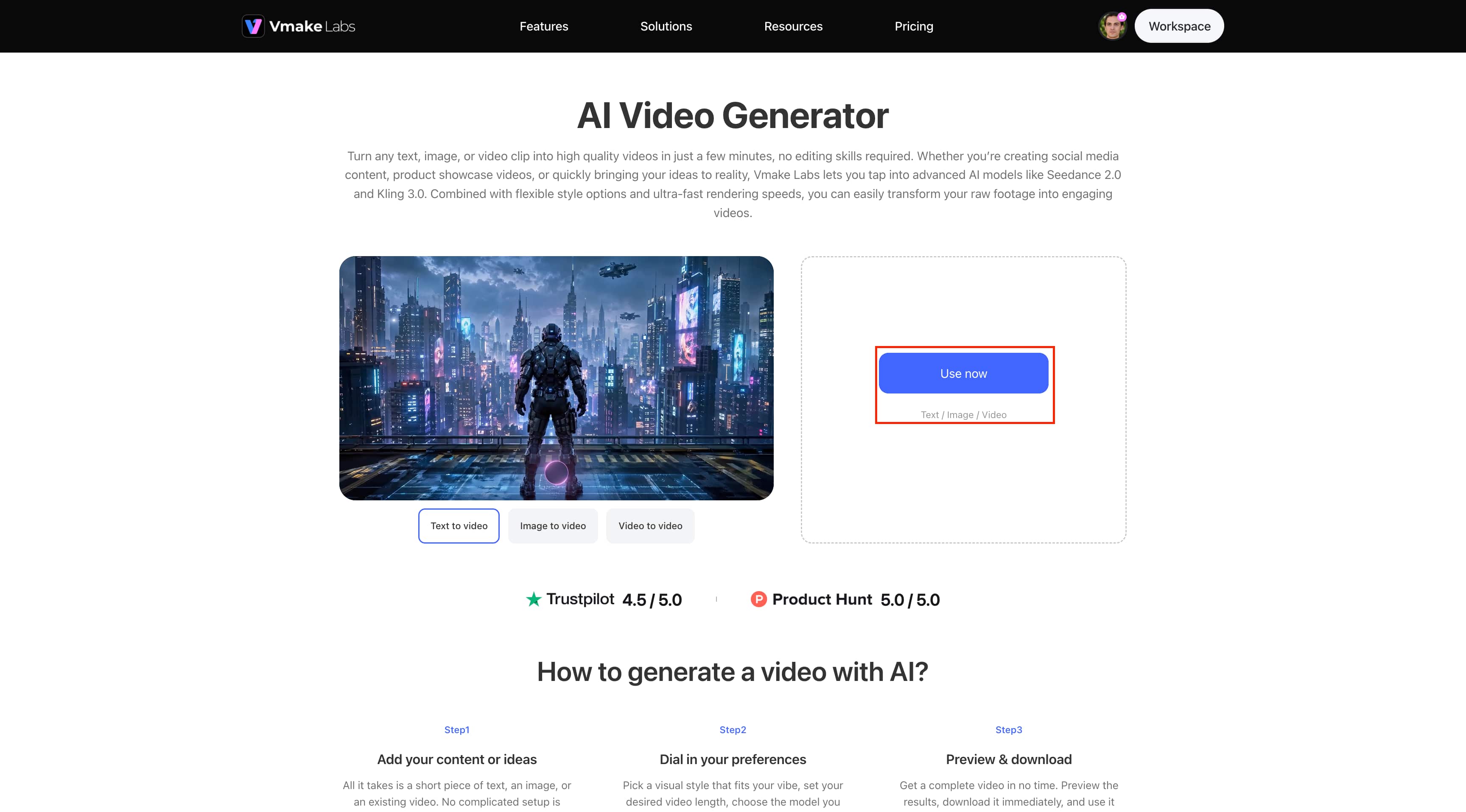
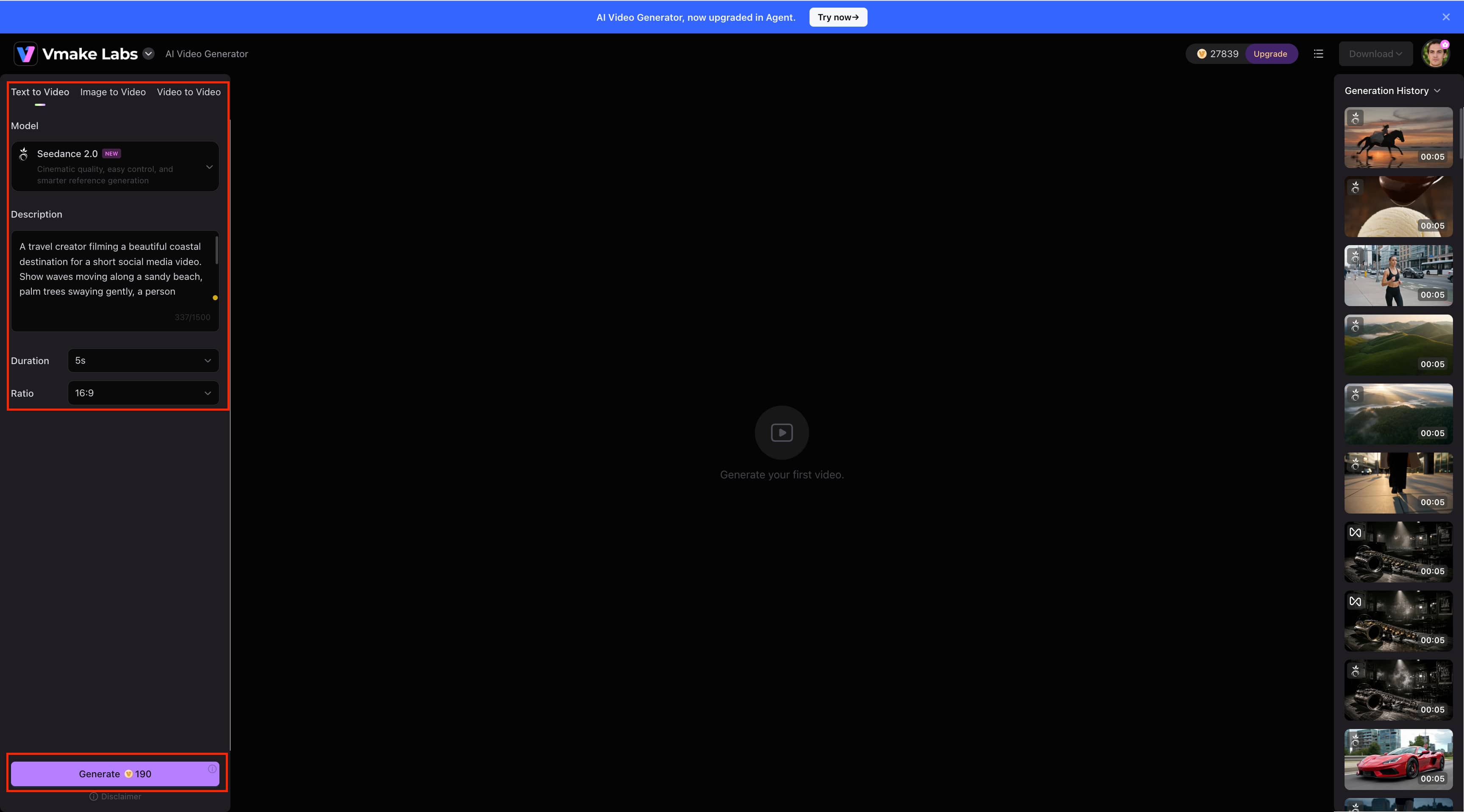
Step 2: Enter your prompt and set preferences Select an AI model such as Seedance 2.0, then enter a detailed description of your desired video. Set the duration and aspect ratio to match your content requirements.
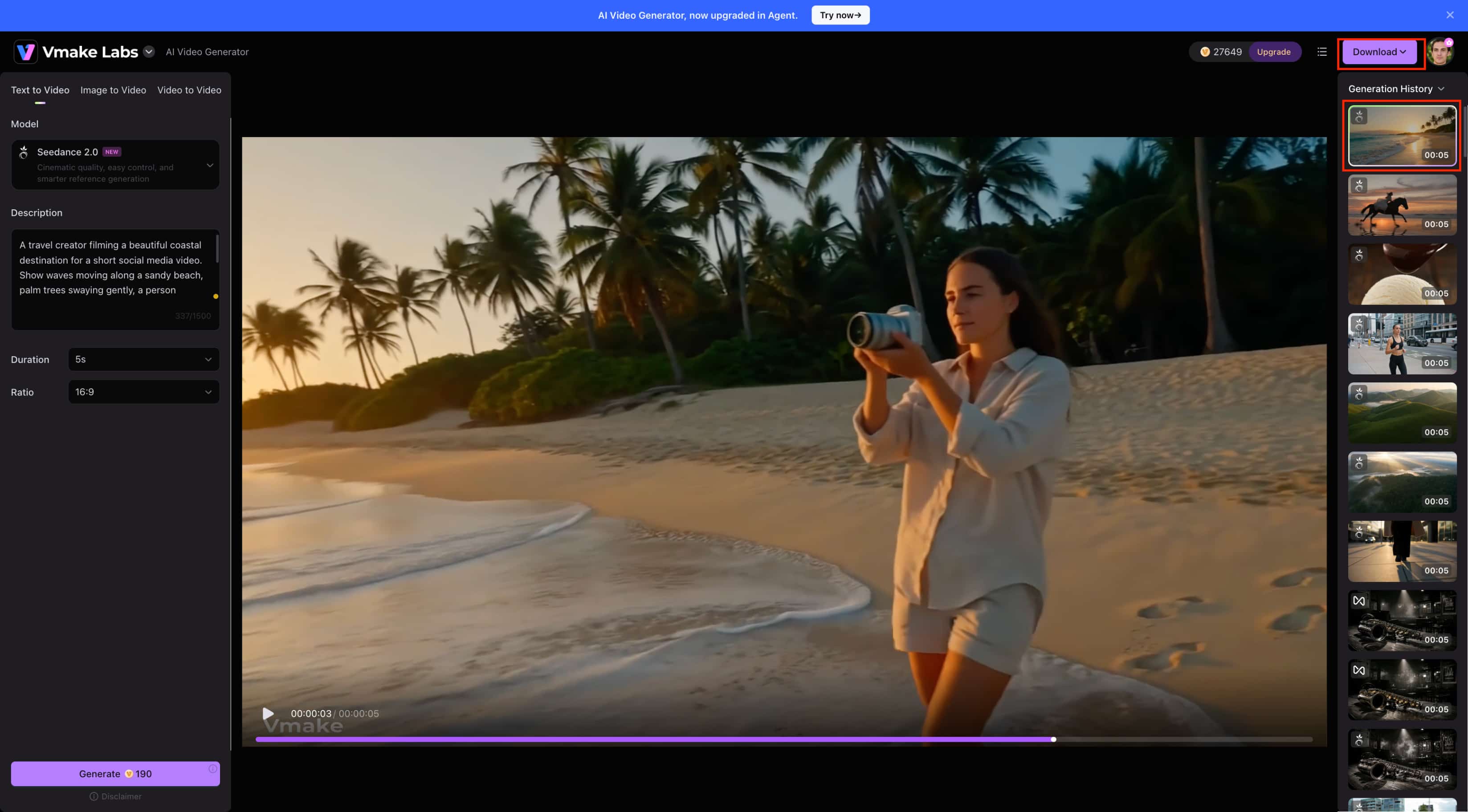
Step 3: Generate, preview, and download Click Generate to create your video and wait for the result to appear in the workspace. Preview the generated video, then click Download in the top-right corner to save it.
OiiOii AI vs Vmake Labs
|
Aspect |
OiiOii AI |
Vmake Labs |
|---|---|---|
|
Primary focus |
AI-powered animation production |
AI image and video creation |
|
Story-driven projects |
Strong focus on stories and multi-scene animation |
Better suited to individual visual content and short videos |
|
Character-based animation |
Character-focused, multi-scene workflow |
Reference-based visual generation |
|
Image generation |
Used as part of the animation workflow |
Dedicated text-to-image and image-to-image workflows |
|
Image transformation |
Used to develop visual elements for animation |
Supports image transformation and image-to-video workflows |
|
Reference images |
Used to guide characters and scenes |
Supports reference images and multi-image workflows |
|
Video creation |
Focused on automated animation production |
Supports Text to Video, Image to Video, and Video to Video |
|
AI models |
Multiple image and video models |
Multiple leading AI video models |
|
Creative controls |
Story, character, scene, and animation workflow |
Model, style, duration, aspect ratio, and reference controls |
|
Best suited for |
Animated stories, characters, and multi-scene projects |
Marketing, e-commerce, social media, and visual content |
Which tool should you choose?
Choose OiiOii AI if your main goal is to create story-driven animated videos with an AI cartoon video maker with recurring characters and multiple scenes. Its automated workflow can help organize different stages of production, making it suitable for creators who want to turn a story idea into a structured animated project.
Go for Vmake Labs if you require an easier workflow for marketing, e-commerce, social media, and promotions. This tool can help you create videos based on text, photos, and footage. In addition to that, it features multiple AI algorithms and visual styles to assist you in creating visuals.
Conclusion
The uniqueness of OiiOii AI is that it uses the multi-agents approach in animation. It combines the processes of story development, character design, storyboarding, creation of scenes, editing, and even adding sounds to the animated video into one process. OiiOii AI's capabilities of multi-scene and character design make it relevant for users who need to develop stories in the form of animations and short movies. Nevertheless, output consistency, lack of manual control, credits and price of service must be taken into consideration.
FAQs
-
What is OiiOii AI used for?
OiiOii AI is designed for creating animated stories and multi-scene videos from creative ideas. Its workflow can assist with scripting, character development, storyboarding, scene creation, animation, and other production stages.
-
How does OiiOii AI create animations?
OiiOii uses a multi-agent workflow to handle different parts of the animation process. Creators provide an idea or prompt, while AI agents help develop the story, characters, scenes, and other visual elements into an animated project.
-
Can OiiOii AI create videos from images?
Yes. OiiOii can use visual references as part of its animation workflow, including character and scene development. This allows creators to guide the visual direction of projects using existing images and references.
-
Is OiiOii AI suitable for professional projects?
Although OiiOii AI could be helpful when working on animations, short films, and social media projects, the following areas should be considered before its use: consistency of the characters used, quality of the scene produced, control over the process, and expenses.
-
What is the best OiiOii AI alternative?
Your decision will be based on the kind of material you want to produce. OiiOii is excellent for character-based story-driven animations, while Vmake Labs is a more useful option for marketing and creating visual content.

You May Be Interested
ImgToImg AI Review: Features, Pricing, & 2026 Safety Check
Vadoo AI Review 2026: Features, Pricing and Alternatives

Vivideo AI Review 2026: Features, Pricing and Alternatives

Supawork AI Review: Watermark Remover Tested (2026)
Kaze AI Review: Features, Pricing, Pros & Cons Explained
JoyFun AI Review: Is It the Best Free AI Video Tool?
Krea AI Review 2026: Features, Pricing & Test Results
Medeo AI Review 2026: Features, Pricing and Video Results
