
Krea AI Review: Is It Worth Trying in 2026?
Krea AI Review 2026: Explore features, pricing, image and video test results, pros, cons, user reviews, and Vmake Labs as an alternative for creators seeking better AI content tools for creators today.

Krea AI is a creative platform for generating and refining images and videos using multiple AI models. This Krea AI review examines its key features, workflow, pricing, test results, pros, cons, and user feedback to help creators decide whether it is worth trying in 2026.
Why is Krea AI popular among creators?
Krea AI is a creative tool designed for creating and editing visual media, and therefore, it can be used by creators, designers, marketers, and other professionals who work visually. Krea AI allows combining image generation, real-time creation, video production, editing, and visual improvement tools in one environment, which means that people do not need to use various apps to explore their ideas.
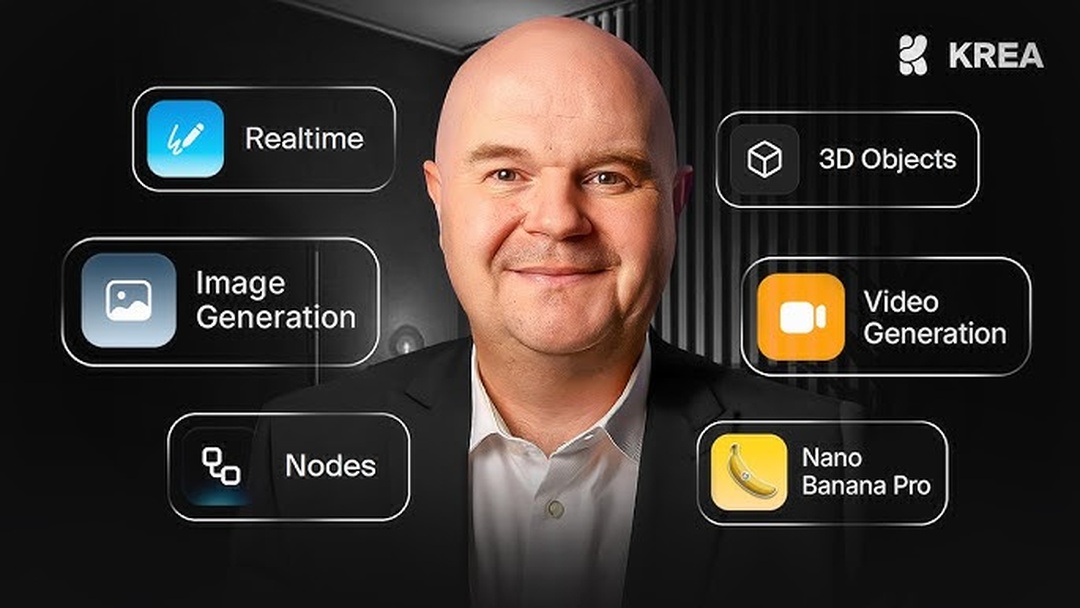
There is another important factor which makes Krea AI appealing for creators because Krea AI supports various AI models and different creative work processes. Krea AI allows generating images, producing videos, improving visuals, and working with new AI models as they emerge. Krea continues developing the platform with new models and tools.
How to use Krea AI: Steps and key features
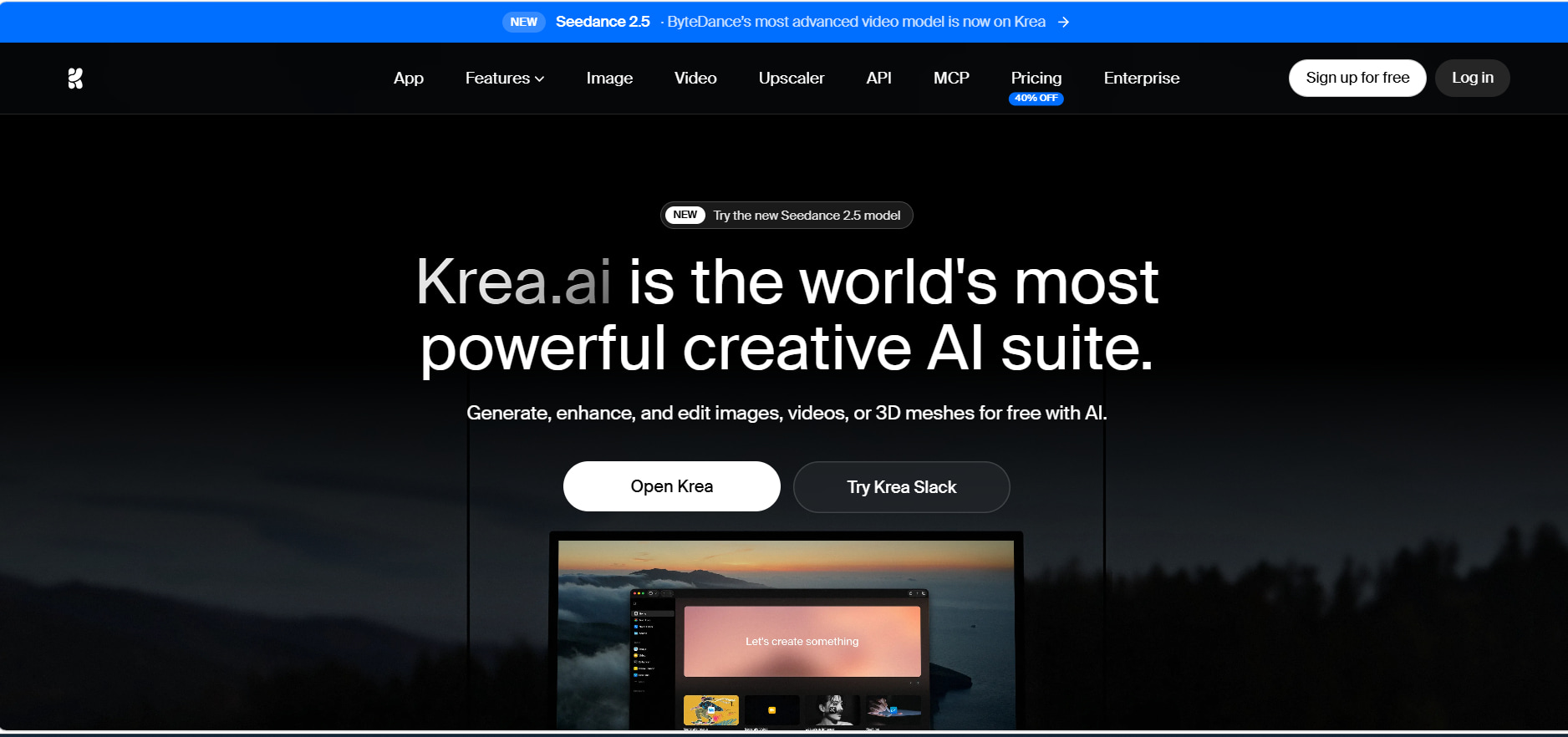
Krea AI offers a simple workflow for image creation and polishing. Users may enter prompts, select a model, tweak available options, and create images using the Image workspace. Once the images are created, users may edit, vary, enhance, or upscale them as needed.
Creating content with Krea AI
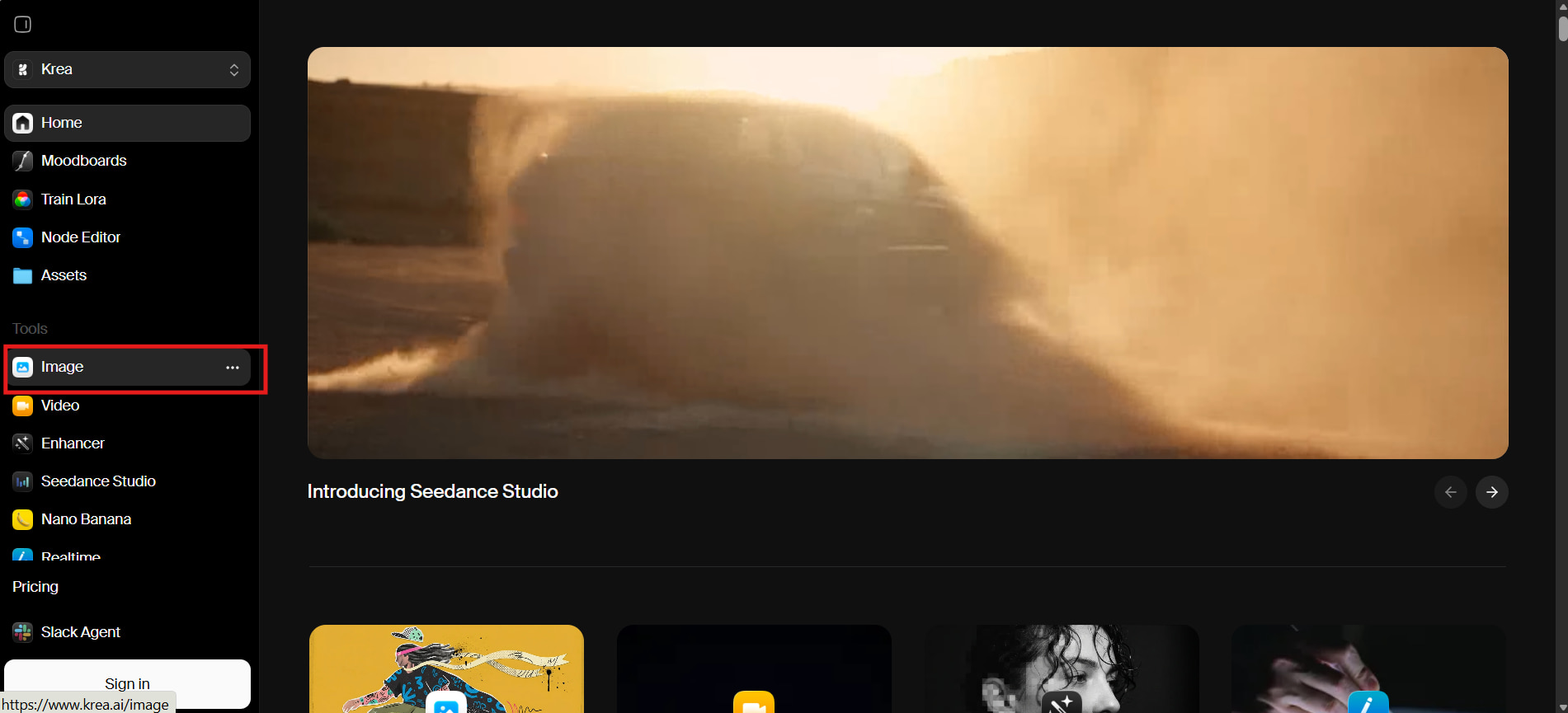
Step 1: Open the Krea image tool
Open Krea and select Image from the left-side Tools menu. This opens Krea's image-generation workspace.
Step 2: Enter a prompt and select settings
Enter your image description in the prompt field. Select the available model and settings, such as Krea 2 Turbo, Style transfer, Moodboard, LoRA, and 16:9 aspect ratio.
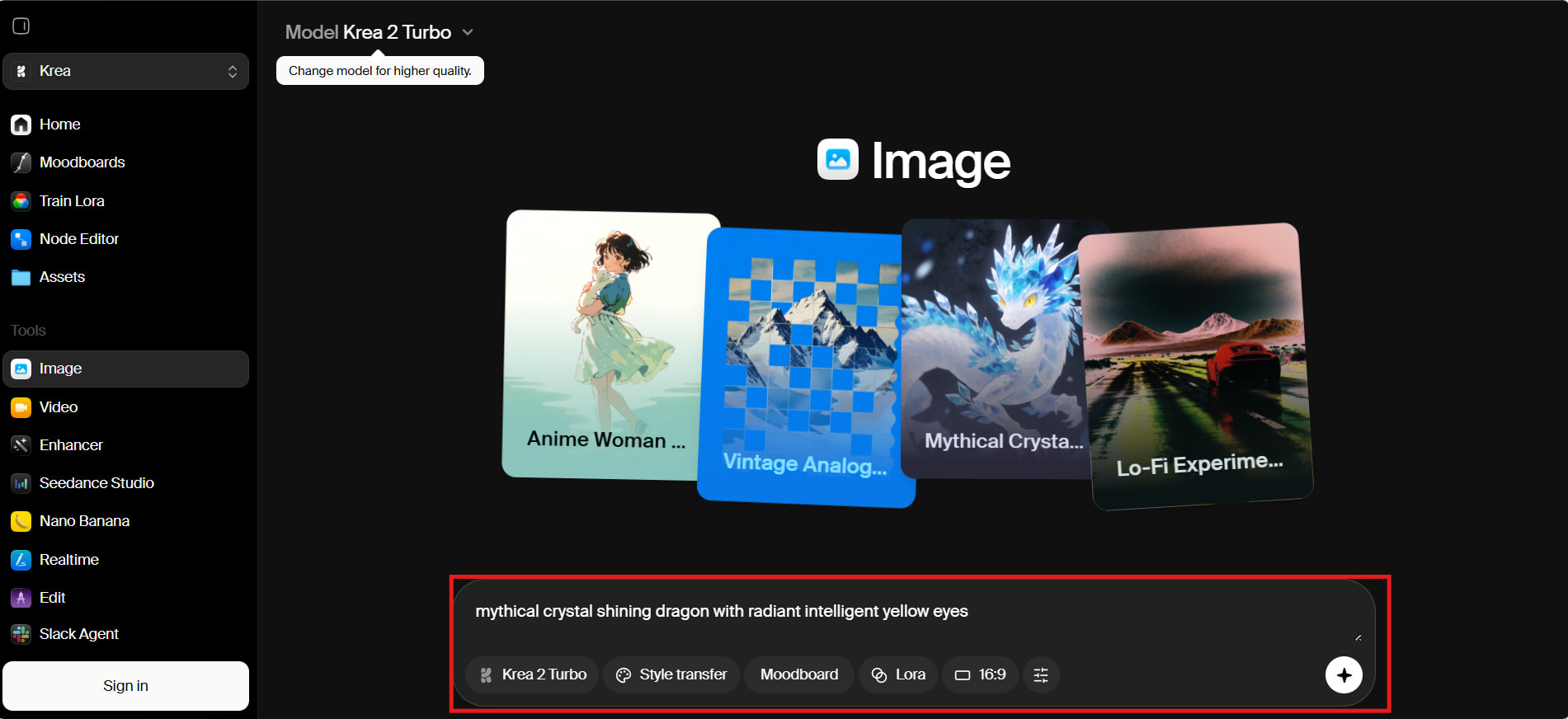
Step 3: Generate, review, and download
Generate the image and review the results. Depending on the workflow, you can use options such as Edit, Video, Variation, and Upscale, then select Download to save your preferred output.
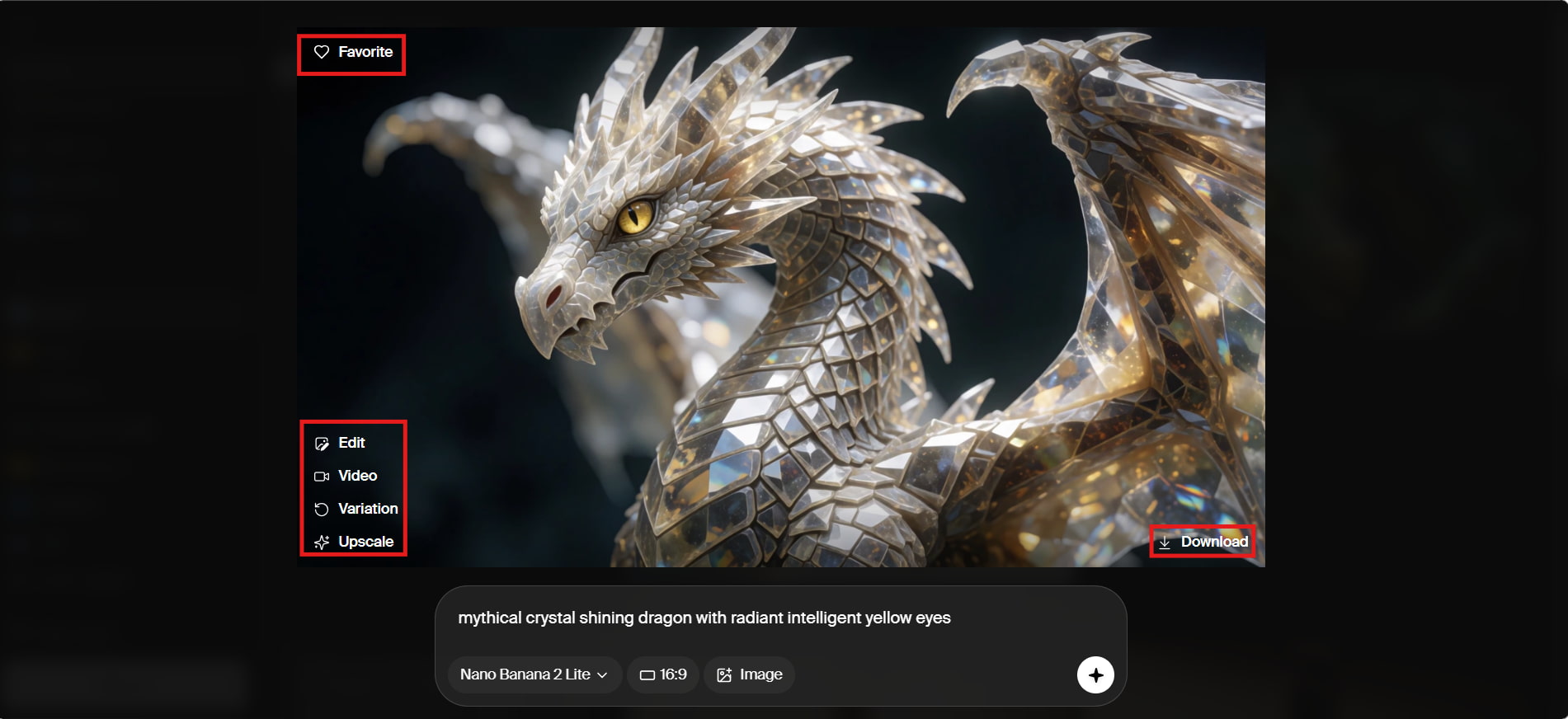
What can you create with Krea AI?
-
AI image generation: Create visuals from text prompts or reference images and compare results across available models.
-
Real-time generation: Experiment with prompts, composition, colors, and styles while seeing visual changes in real time.
-
AI video generation: Create videos from text or images using supported video-generation models.
-
Image enhancement and upscaling: Improve image detail, clarity, and resolution before using or downloading the final result.
Krea AI pricing: which plan is best?
Krea AI also provides a free option along with paid options for creators, power users, teams, and organizations. The pricing details might change depending on the billing period and plan, so it is recommended to check out the current pricing page before publishing.
Krea AI pricing and plans
|
Plan |
Price |
Best for |
|---|---|---|
|
Free |
$0 |
Testing Krea AI |
|
Basic |
$9/month |
Image-focused users |
|
Pro |
$35/month |
Regular creators |
|
Max |
$105/month |
Heavy users |
|
Business |
$200/month |
Teams |
|
Enterprise |
Custom |
Organizations |
Which Krea AI plan offers the best value?
|
Plan |
Value |
Recommended for |
|---|---|---|
|
Free |
Best for trying Krea |
Beginners |
|
Basic |
Best budget option |
Image-focused creators |
|
Pro |
Best overall value |
Regular creators |
|
Max |
Best for heavy usage |
High-volume creators |
|
Business |
Best for teams |
Small/medium teams |
|
Enterprise |
Best for large-scale use |
Organizations |
Overall, the Free plan is suitable for testing Krea, while Pro offers a stronger balance for regular creators. Higher tiers are better suited to users with heavier generation needs or team-based workflows.
Krea AI test results: pros, cons & community reviews
Krea AI was evaluated based on its performance for product photography, interior design and video generation from images to assess its visual quality and creativity potential. The findings clearly demonstrate the high creativity potential of this tool, although the quality of the output may vary with tasks and models.
Hands-on test results
Test 1: Product photography
Krea created an elegant image in the style of product photography using a perfume bottle, a marble background, good lighting, and great composition. It is perfect for discussing marketing and e-commerce visuals.

Test 2: Interior design
Krea has developed a realistic modern living room that includes natural lighting, materials, furniture placement, and a layout. It has performed effectively in relation to the visualization of interior designs.
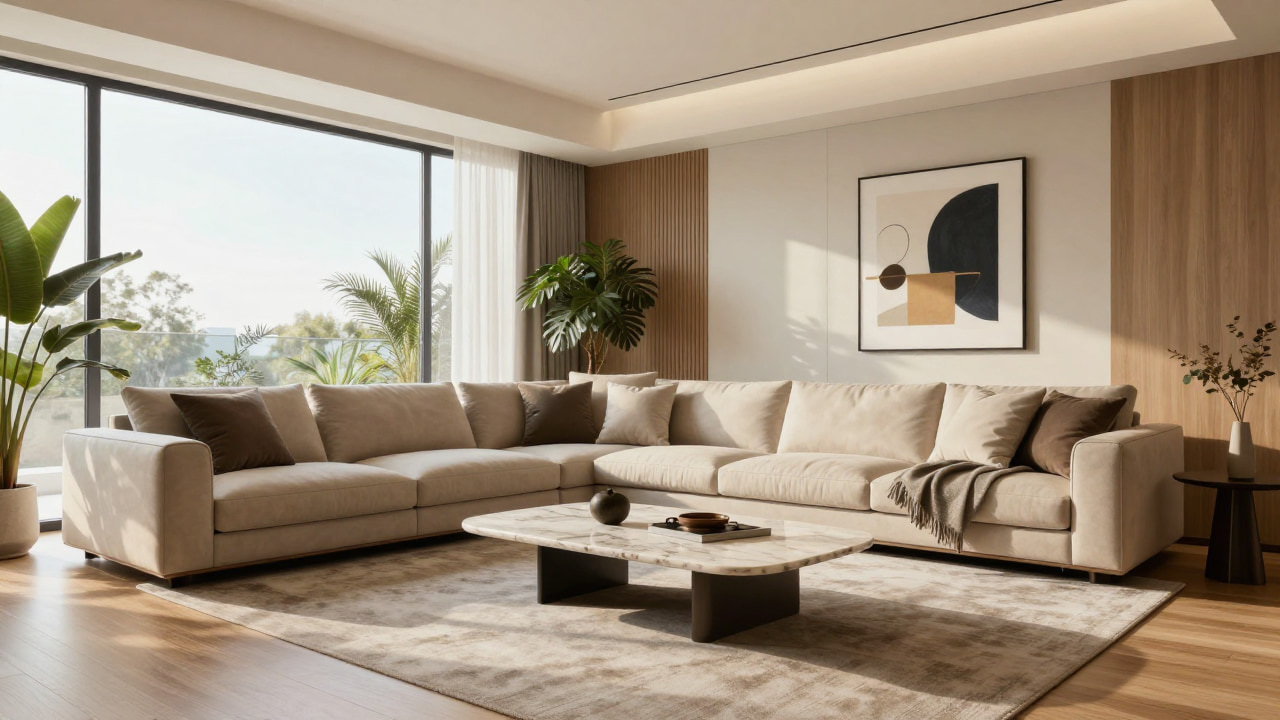
Test 3: Image-to-video
An anime-style static image was transformed into a video in which the character waves at the setting sun. This example showed how well Krea could add motion to a static image, but there may be inconsistencies with motion across different generations.
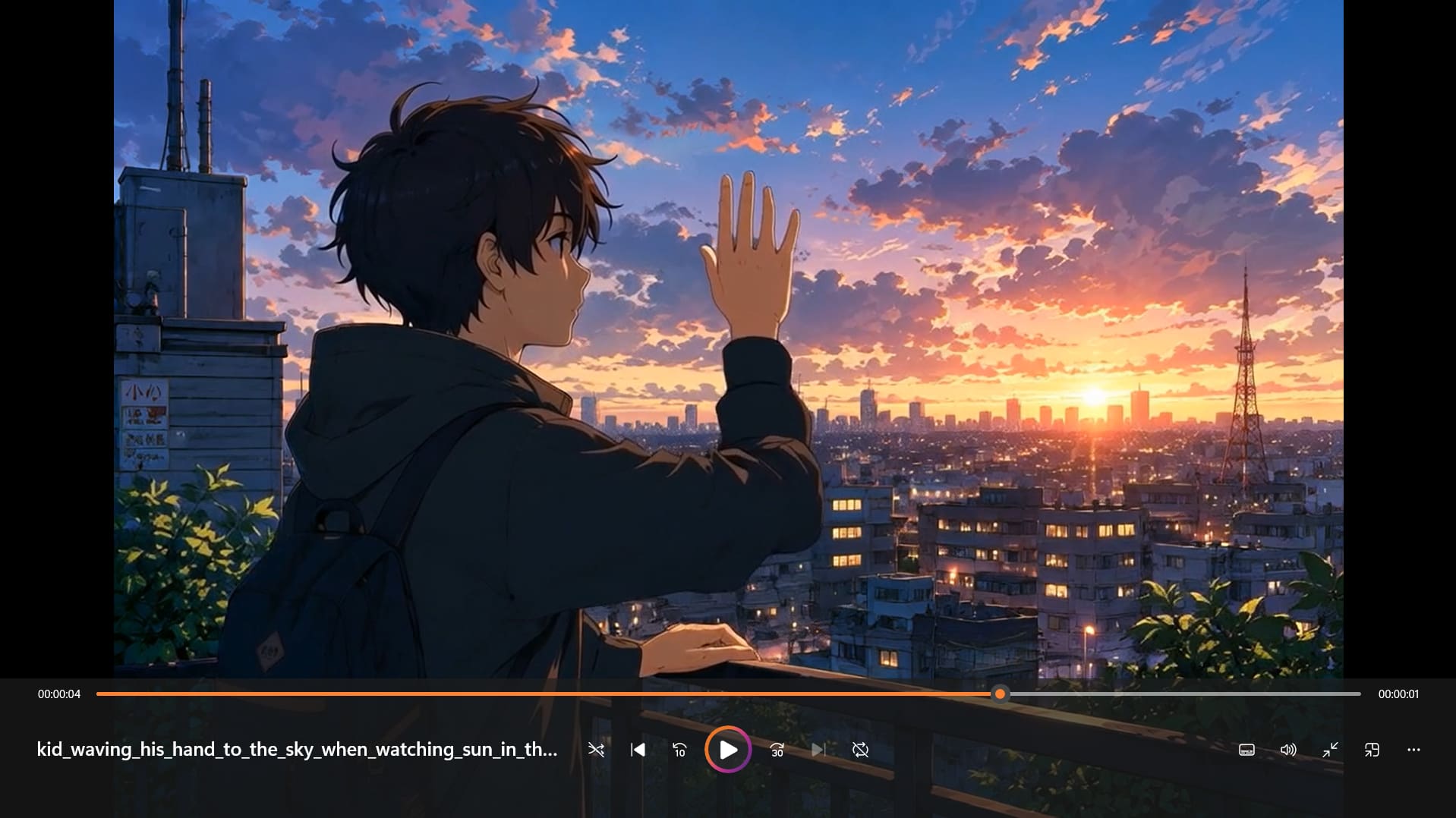
Krea AI pros and cons
|
Pros |
Cons |
|---|---|
|
Multiple AI models on one platform |
Results can vary by model |
|
Fast, browser-based workflow |
Compute usage can add up |
|
Real-time generation |
Advanced features require paid plans |
|
Image and video generation |
Some users report billing issues |
|
Image enhancement and upscaling |
Mixed customer-support feedback |
Community reviews
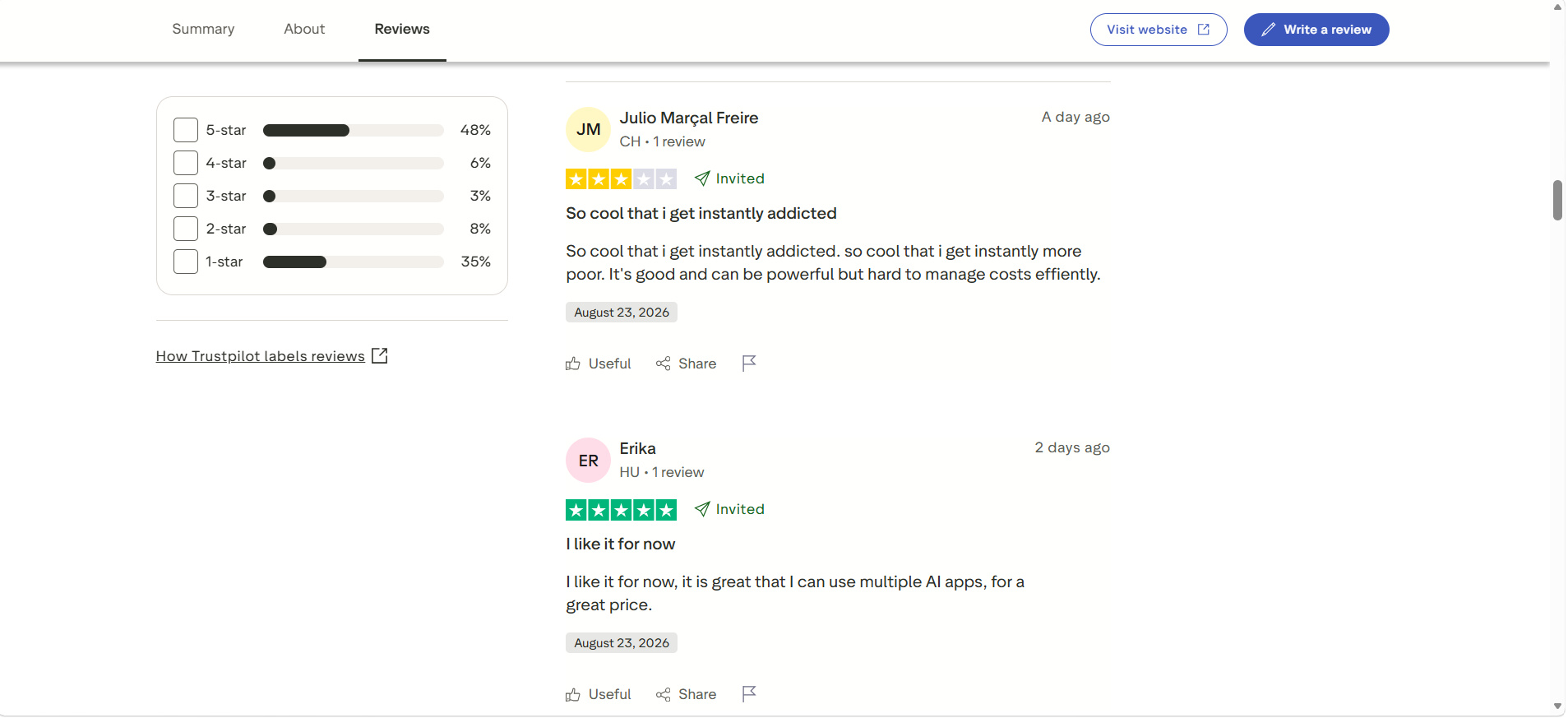
Trustpilot review: Krea currently has a 3.6/5 TrustScore of 142 reviews on Trustpilot. Positive reviews commonly mention fast generation, ease of use, image quality, and model variety, while negative reviews include complaints about billing, subscription renewals, cancellations, refunds, and customer support.
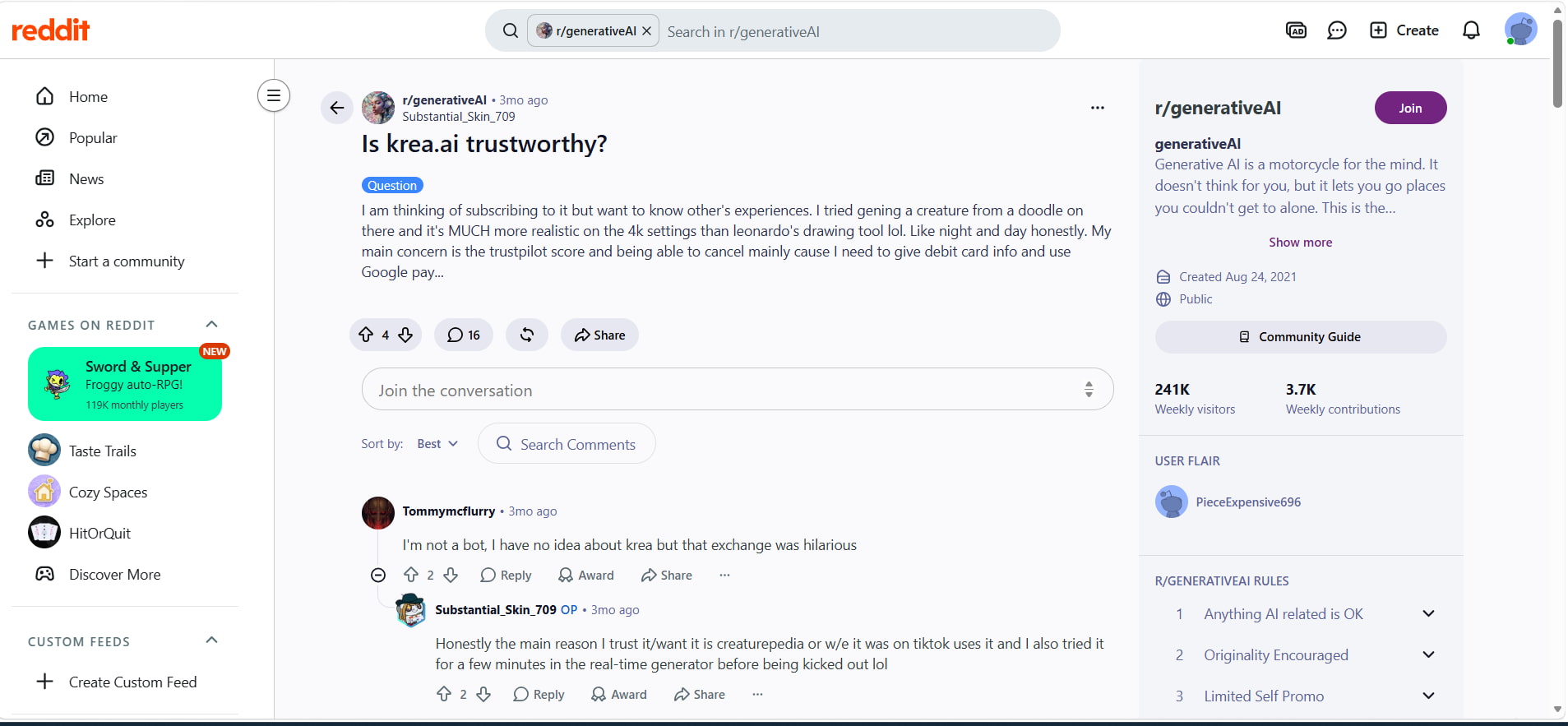
Reddit review: In the mentioned r/generativeAI thread, users noted the realism and real-time features of Krea as reasons for using the platform. However, in the same discussion, there were mentions regarding the Trustpilot rating and cancellation of subscriptions. Obviously, answers by bots should not be considered authentic user opinions.
After considering all the capabilities offered by Krea AI, the application provides quite a range of creative features, but the selection will be determined based on individual requirements and workflows. Those users who are searching for a solution that will allow building a visual-content workflow can think about Vmake Labs.
Vmake Labs as a Krea AI alternative
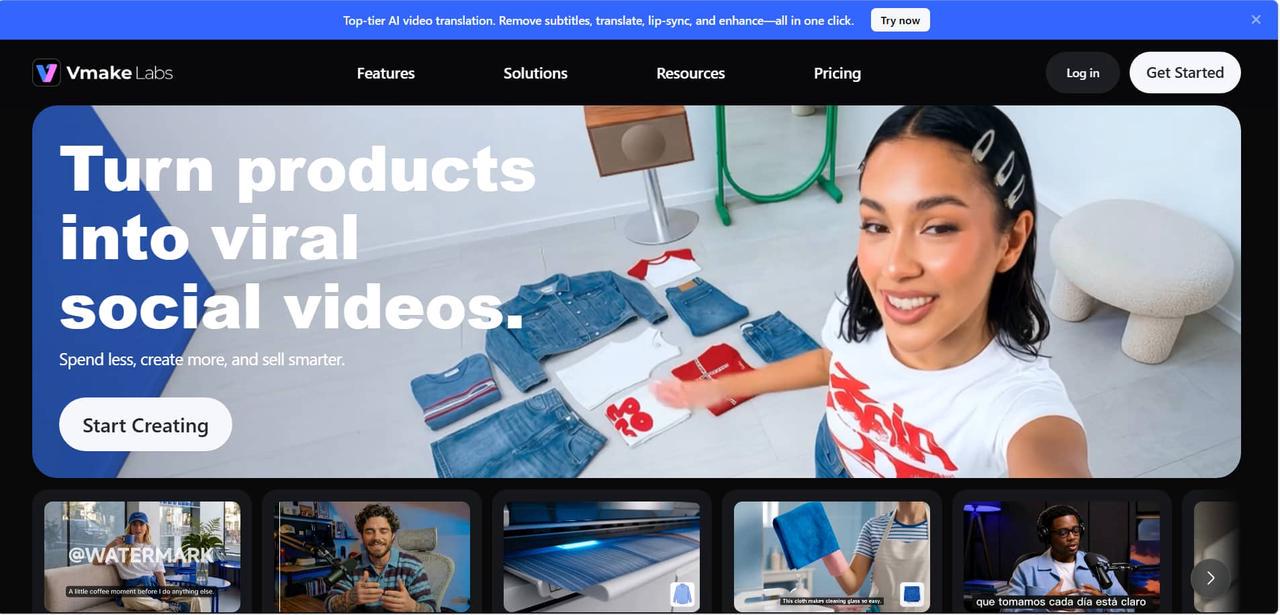
While you may find Krea AI's vast array of creative options to be more than what you need, you can try out Vmake Labs, which has a streamlined process for making visual content from prompts and reference images. It is good for use in marketing, e-commerce, and other commercial visual projects.
What can you do with Vmake Labs?
-
Text-to-Image generation: Create visuals from detailed text prompts, including creative concepts, product visuals, and marketing imagery.
-
Image-to-Image generation: Upload an existing image and use it as a reference for creating a new visual or changing its style and appearance.
-
Multiple AI models: Choose from available models such as Nano Banana 2, Nano Banana Pro, Seedream, and GPT Image, depending on availability.
-
Reference image support: Upload 1–3 reference images to guide the generated result and provide more visual direction.
-
Flexible aspect ratios: Select an aspect ratio suited to different formats, including social media, websites, marketing graphics, and e-commerce visuals.
-
Image enhancement: Generated visuals can be further refined with Vmake Labs image enhancement tools when additional clarity or detail is needed.
How to use Vmake Labs AI image generator
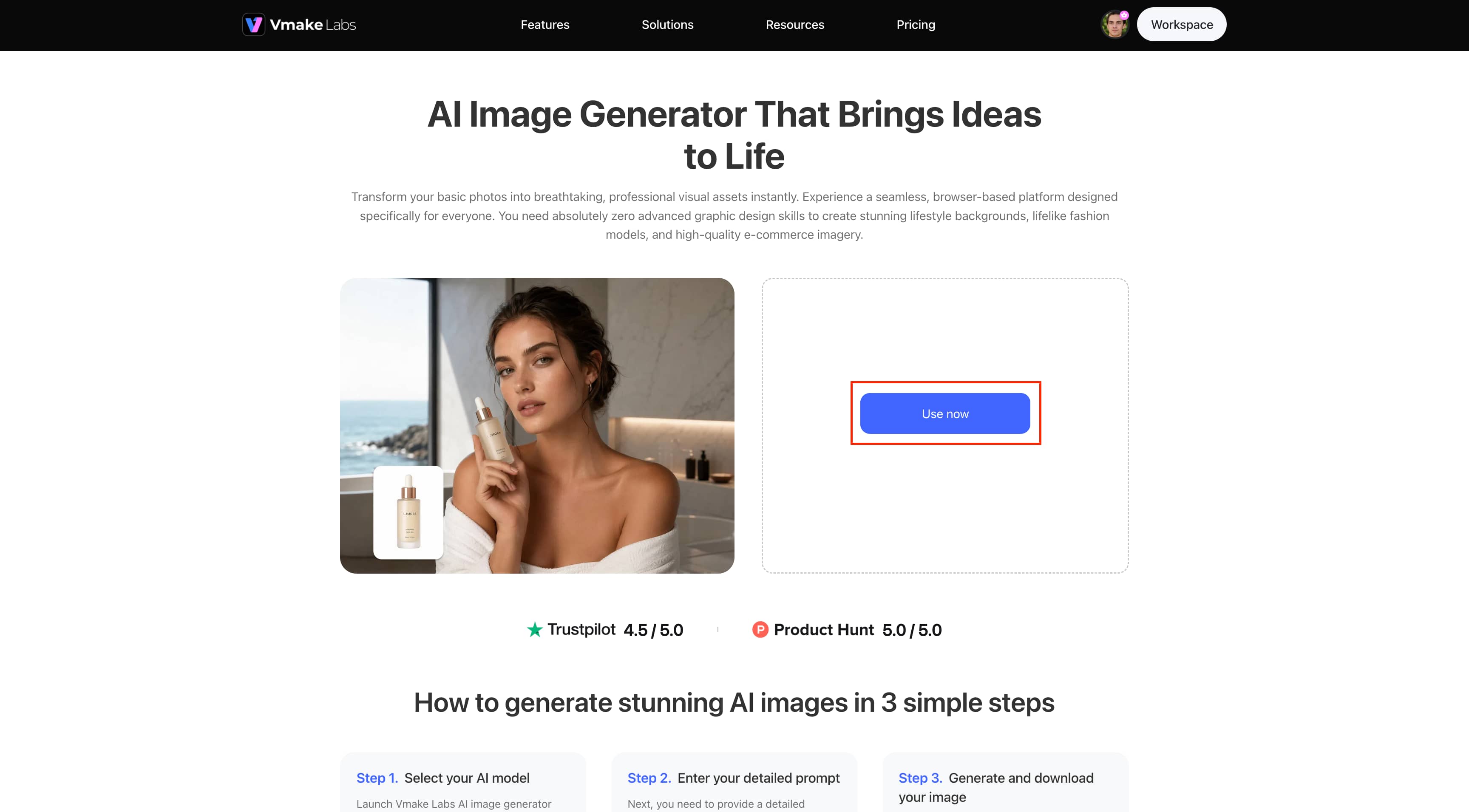
Step 1: Choose AI Image generator Click Use now to open the Vmake Labs AI Image Generator, then select the AI model you want to use. The available models can vary depending on the current Vmake Labs interface and plan.
Step 2: Enter your detailed prompt
Enter a detailed description in the Description box explaining the image you want to create. Then select the desired aspect ratio, such as 16:9, before generating the image.
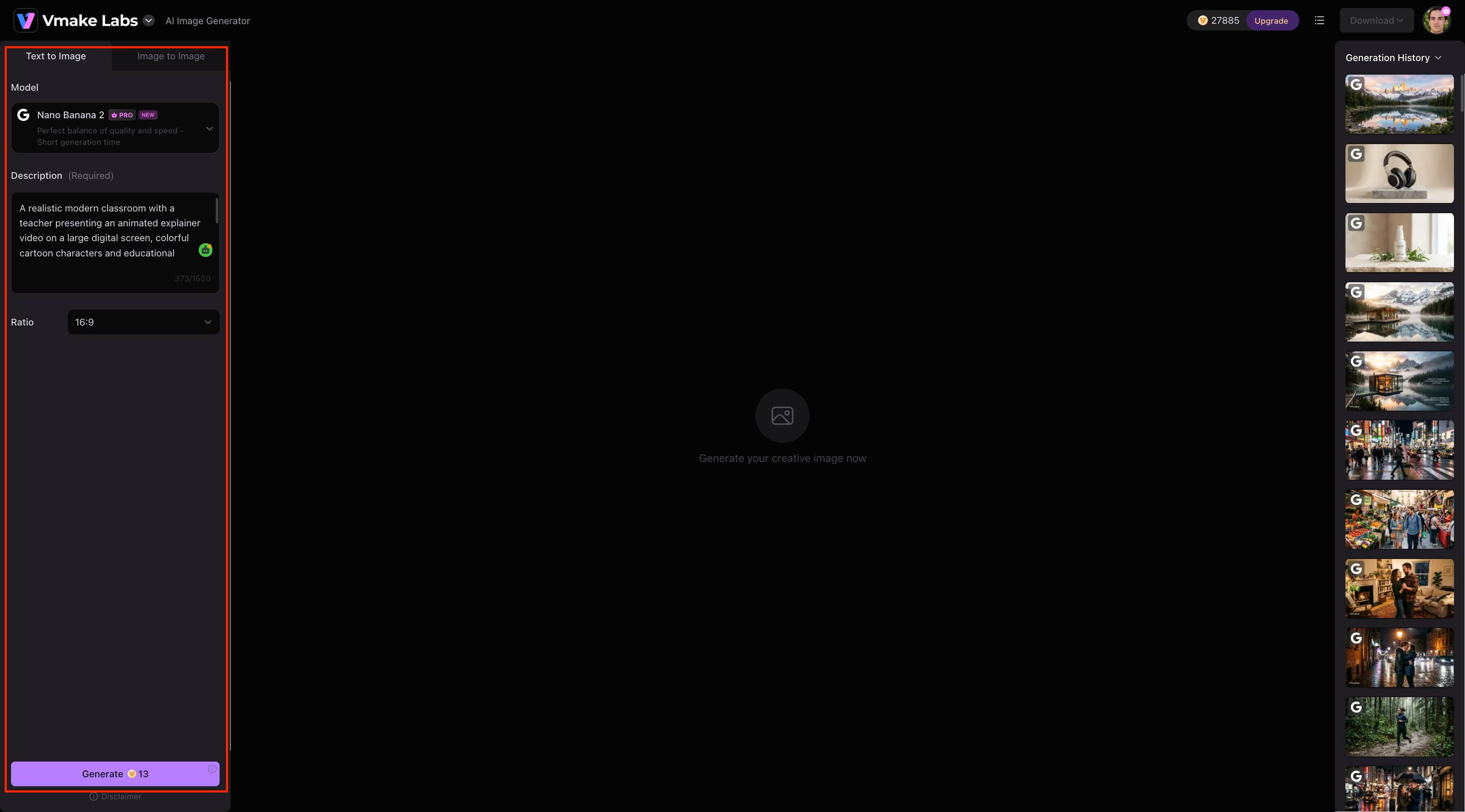
Step 3: Generate, review, and download Click Generate to create your image and review the result in the workspace. When you are satisfied with the output, click Download in the top-right corner to save it.
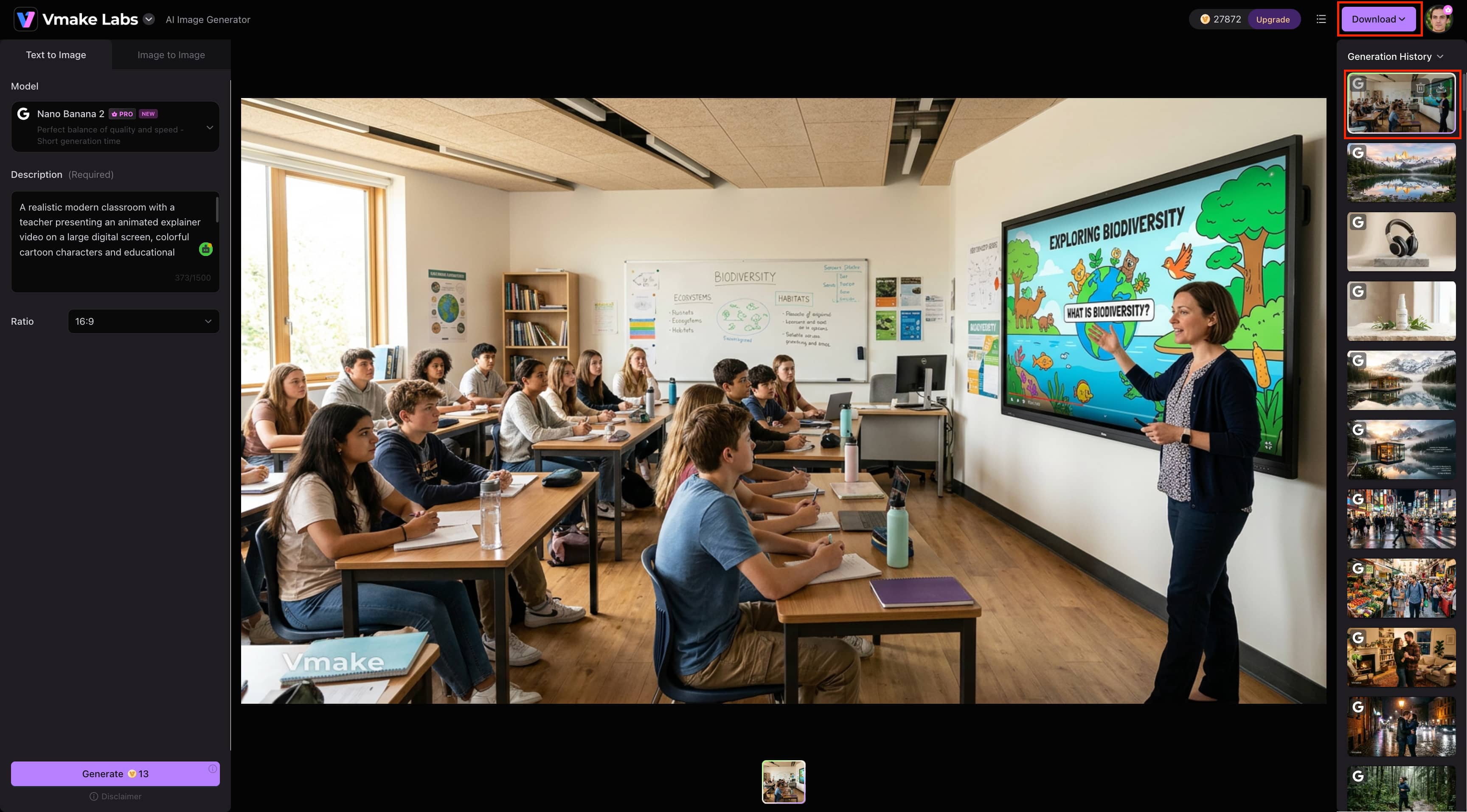
Krea AI vs Vmake Labs
|
Aspect |
Krea AI |
Vmake Labs |
|---|---|---|
|
Image generation |
Multi-model creative generation |
Multi-model image creation |
|
Image-to-image |
Supports image transformation |
Supports image transformation |
|
Reference images |
Supports reference-based creation |
Supports reference-based creation |
|
Video generation |
Supports image-to-video and video workflows |
Supports AI video creation |
|
Real-time creation |
Supports real-time generation |
Uses a standard generation workflow |
|
Best suited for |
Creative experimentation |
Streamlined content creation |
Which tool should you choose?
If you are looking for real-time experimentation with creativity, the use of more than one AI model, and more tools to explore your ideas, then go for Krea AI. It is especially recommended for creatives who like experimenting.
Select Vmake Labs if your top priority is the production of visual content, including marketing and e-commerce content, through an optimized process of image generation. The platform's text-to-image, image-to-image, reference-image, and enhancement options ensure that it serves as a practical choice for you.
Conclusion
Krea AI is a powerful tool that allows users to create, edit, enhance, and animate visuals. In our experiments, Krea AI demonstrated great results when creating visuals for product photoshoots, interior designs, and image-to-video conversions. However, output quality may differ across models. On the other hand, Vmake Labs is another platform that can be used if you are looking for a simpler workflow for creating visuals.
FAQs
-
Is Krea AI beginner-friendly?
Yes. The browser-based workflow offered by Krea AI is fairly simple for beginners who can give inputs, choose a model, create an image, and then edit the result. It also has the option of variations, video, and upscaling.
-
Can I use Krea AI for commercial projects?
Yes; however, commercial rights for usage will vary depending on the subscription plan. You should review the Krea license agreement to determine your rights prior to using the content in a commercial manner.
-
Does Krea AI support image-to-video generation?
Yes, Krea AI enables users to create videos from images. The ability to use video models depends on the currently available platform and plan. Users requiring both image and video capabilities for their commercial needs can alternatively consider Vmake Labs.
-
Does Krea AI produce realistic images?
Yes. Realistic images can be generated using Krea AI by utilizing appropriate models and prompts. Nevertheless, it should be noted that the outcomes might vary according to the model used, prompt, references, and generation settings.
-
What is the best Krea AI alternative?
It really depends on the way you work. Krea AI works well for access to a wide range of models and experimentation. On the other hand, Vmake Labs can work perfectly fine for quick image creation, references, marketing purposes, and even image enhancement.

You May Be Interested

Z Image AI Review 2026: Features, Performance, Pros and Cons
Yodayo AI Review 2026: Features, Pricing, and Alternatives
X-Design Watermark Remover Review (2026): Features & Pricing
Vidu AI Review: Is This AI Video Generator Worth in 2026?
Vadoo AI Review 2026: Features, Pricing and Alternatives
VEED Review: Does the Watermark Remover Work? (2026)

Vivideo AI Review 2026: Features, Pricing and Alternatives
Unlucid AI Review: Is this AI platform worth it in 2026?
