ImgToImg AI Review: Is This Image Generator Really Worth It In 2026?
Explore our complete review of ImgToImg AI image generator. We break down 2026 pricing, core transformation features, platform limits, and safety metrics to see if it fits your creative workflow.

Finding a reliable tool for structural visual transformations often requires filtering through endless options. In this honest ImgToImg AI review, testing the platform’s core capabilities, output quality, and 2026 pricing structures determines if it truly elevates daily creative workflows.
What is ImgToImg.ai and how does it work?
ImgToImg.ai functions primarily as an image-to-image AI generator built for 2026 design standards. Unlike the best AI image generator models that rely entirely on text prompts from a blank canvas, this specific workflow requires uploading a base visual to guide the final structure.
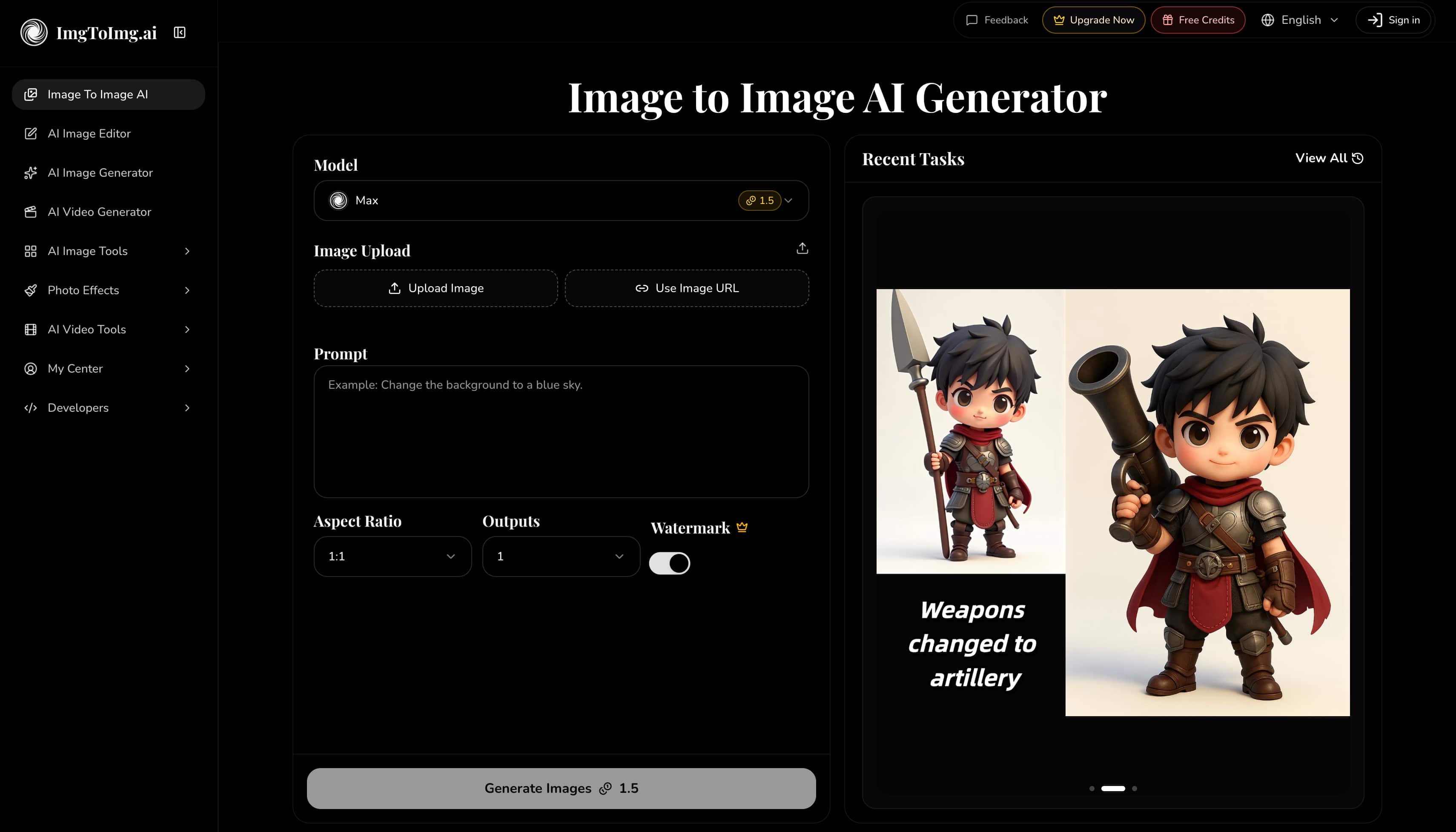
The process operates in 3 straightforward stages (new users receive 5 free credits upon sign-up):
-
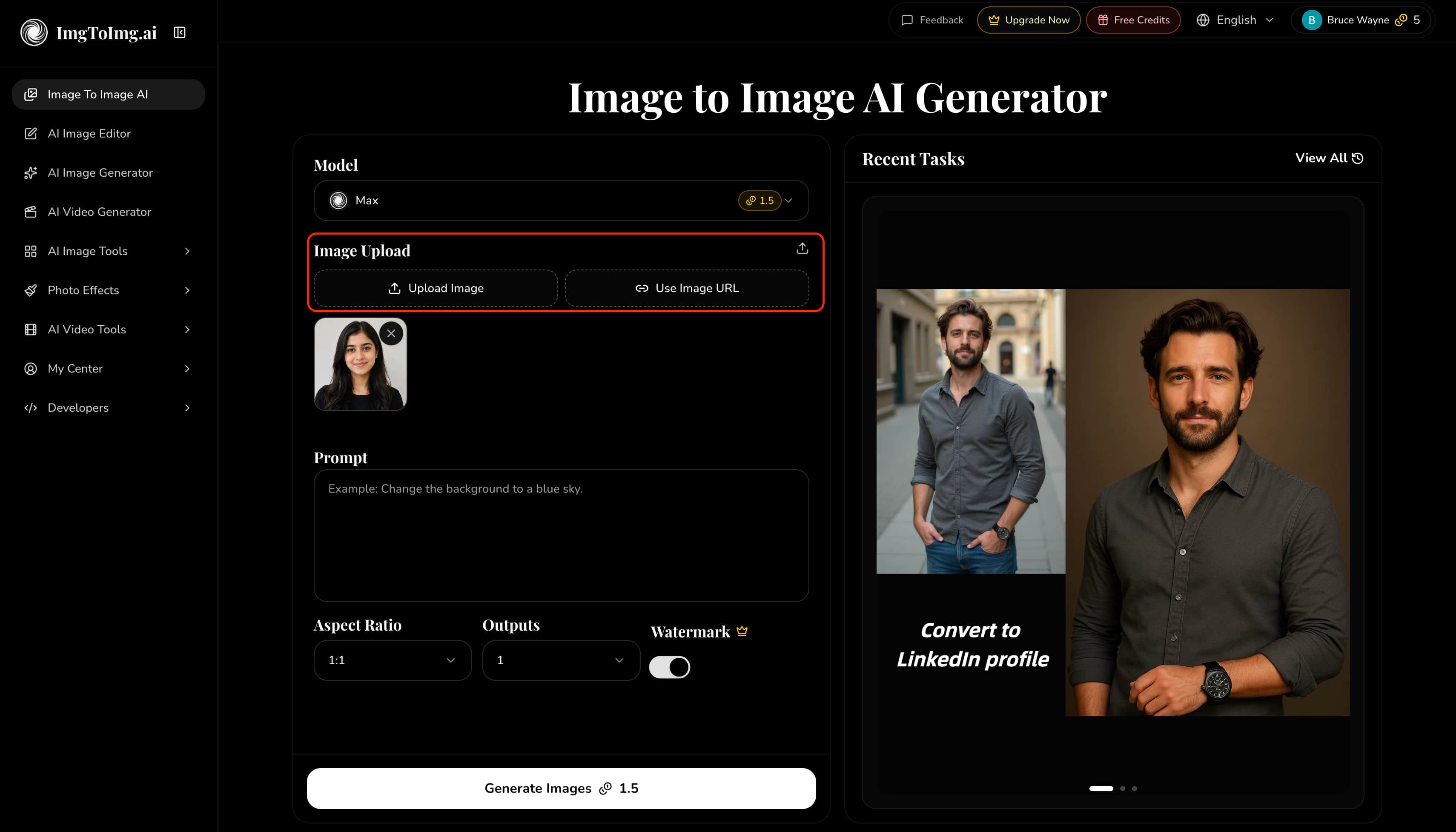
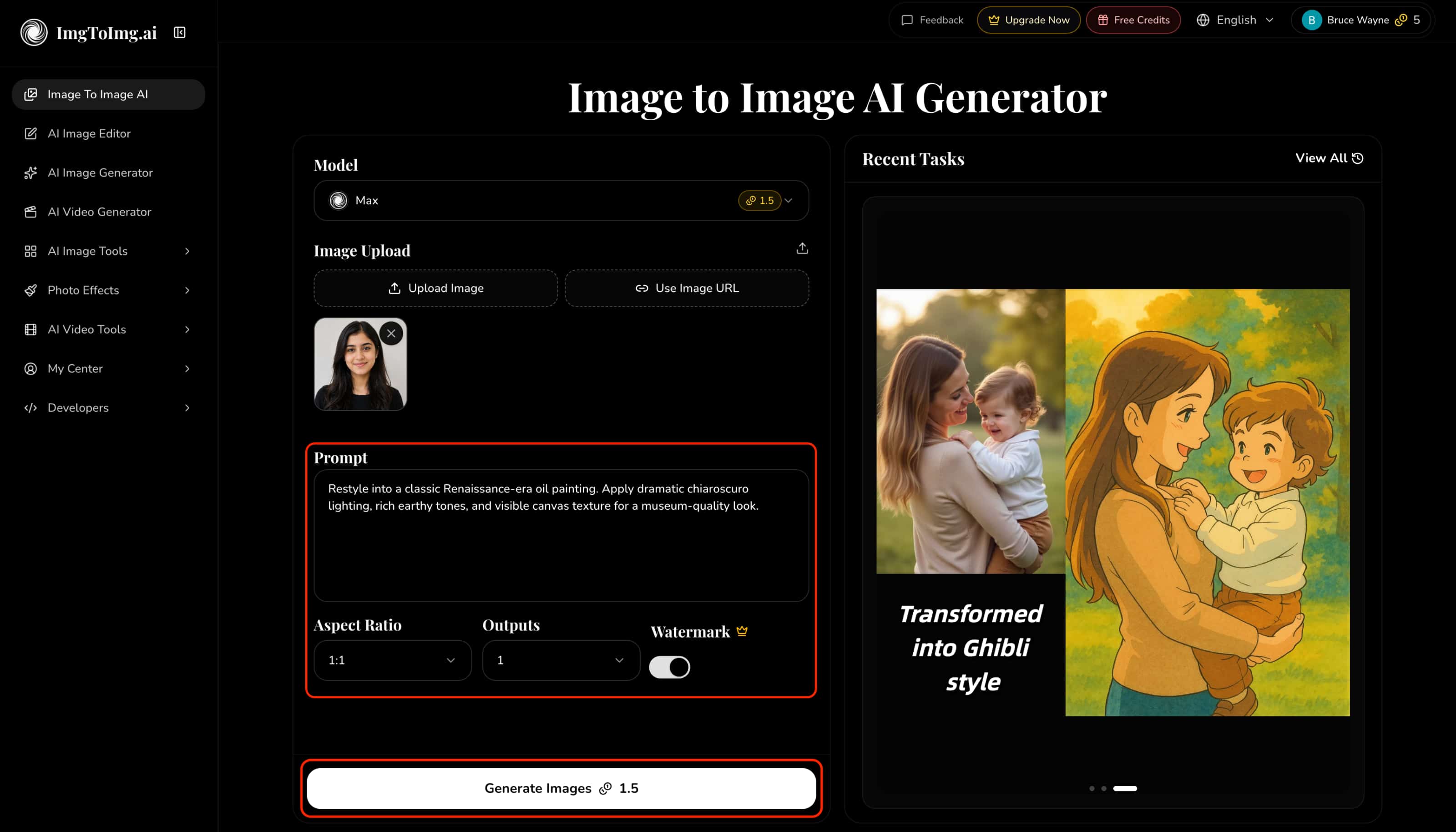
Upload your reference: Add a base photo into the system by directly uploading a file or pasting an active image URL.
-
Define the transformation: Enter a descriptive text prompt outlining the desired changes, configure settings like aspect ratio and output volume, and click "Generate Images".
-
Manage the output: Locate the finalized visual in the "Recent Tasks" panel to instantly download, delete, re-edit, or regenerate the image.
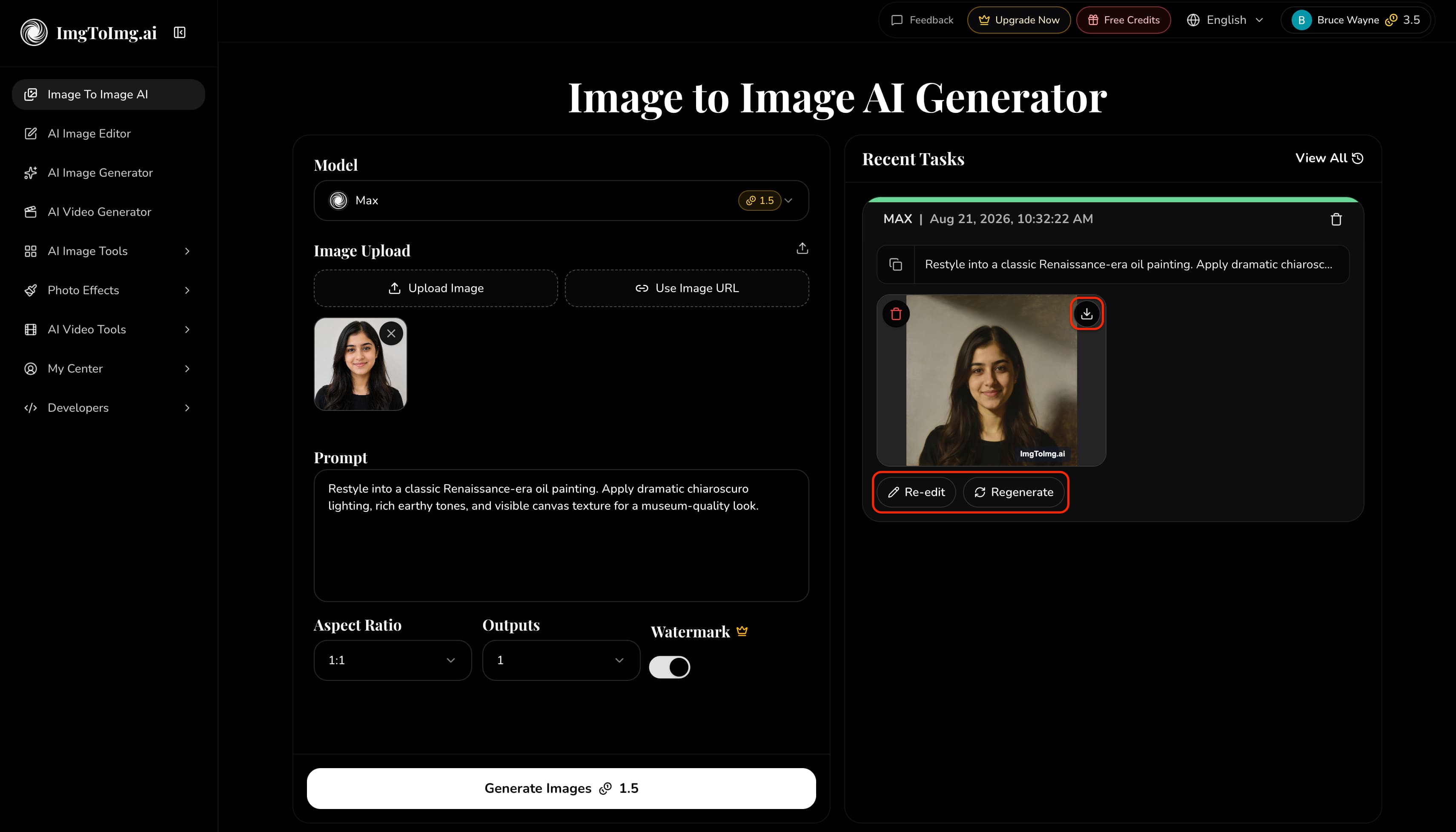
Current technical limits restrict uploads to JPEG, PNG, and WEBP formats, capped at 24MB and a maximum resolution of 4096 × 4096 pixels.
What can you create?
-
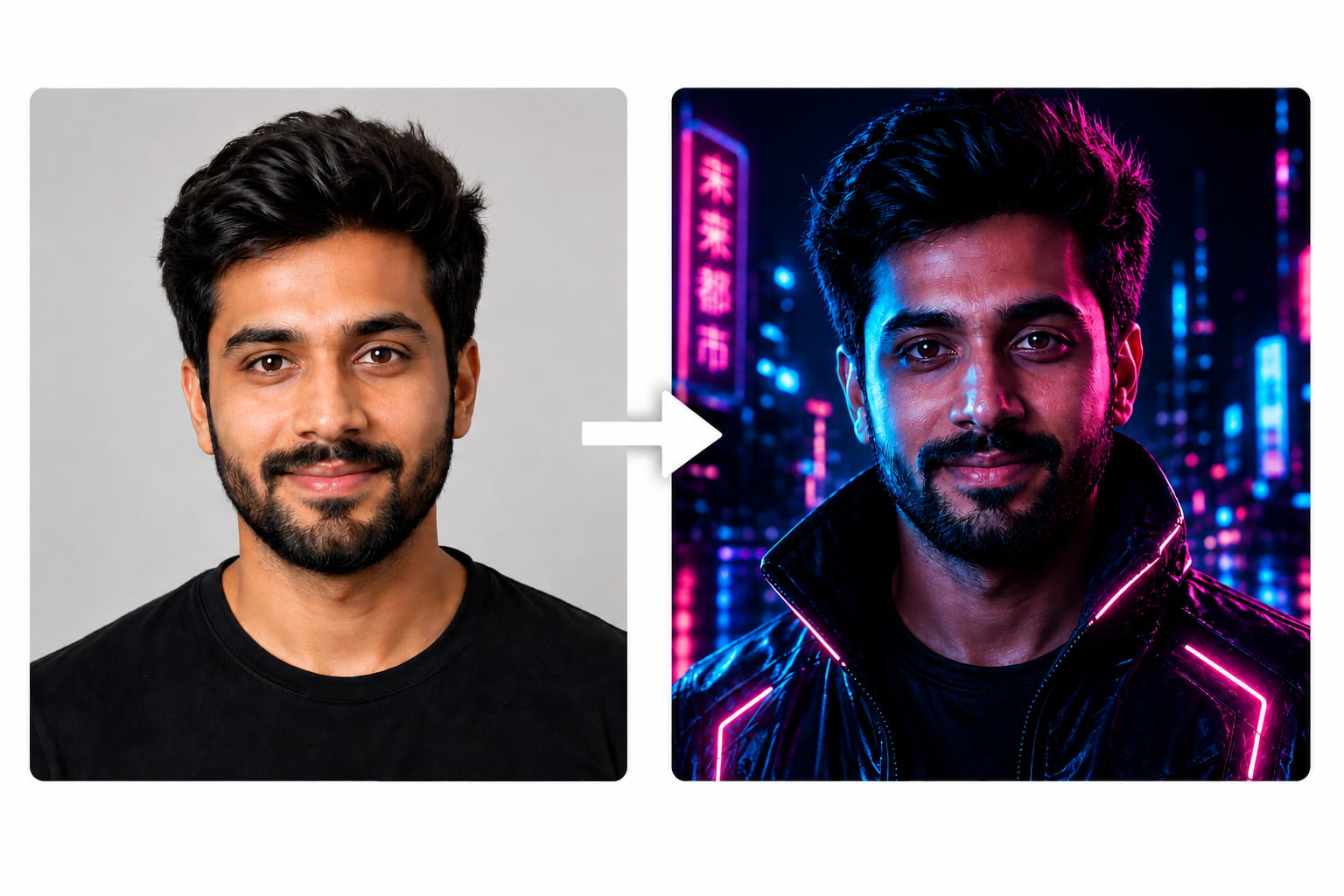
Portrait restyling and artistic style transformations
Prompt (Cyberpunk Style): "Transform this portrait into a neon cyberpunk style. Add glowing blue and pink city lights reflecting on the face, futuristic aesthetic, sharp details, and dark background."
-
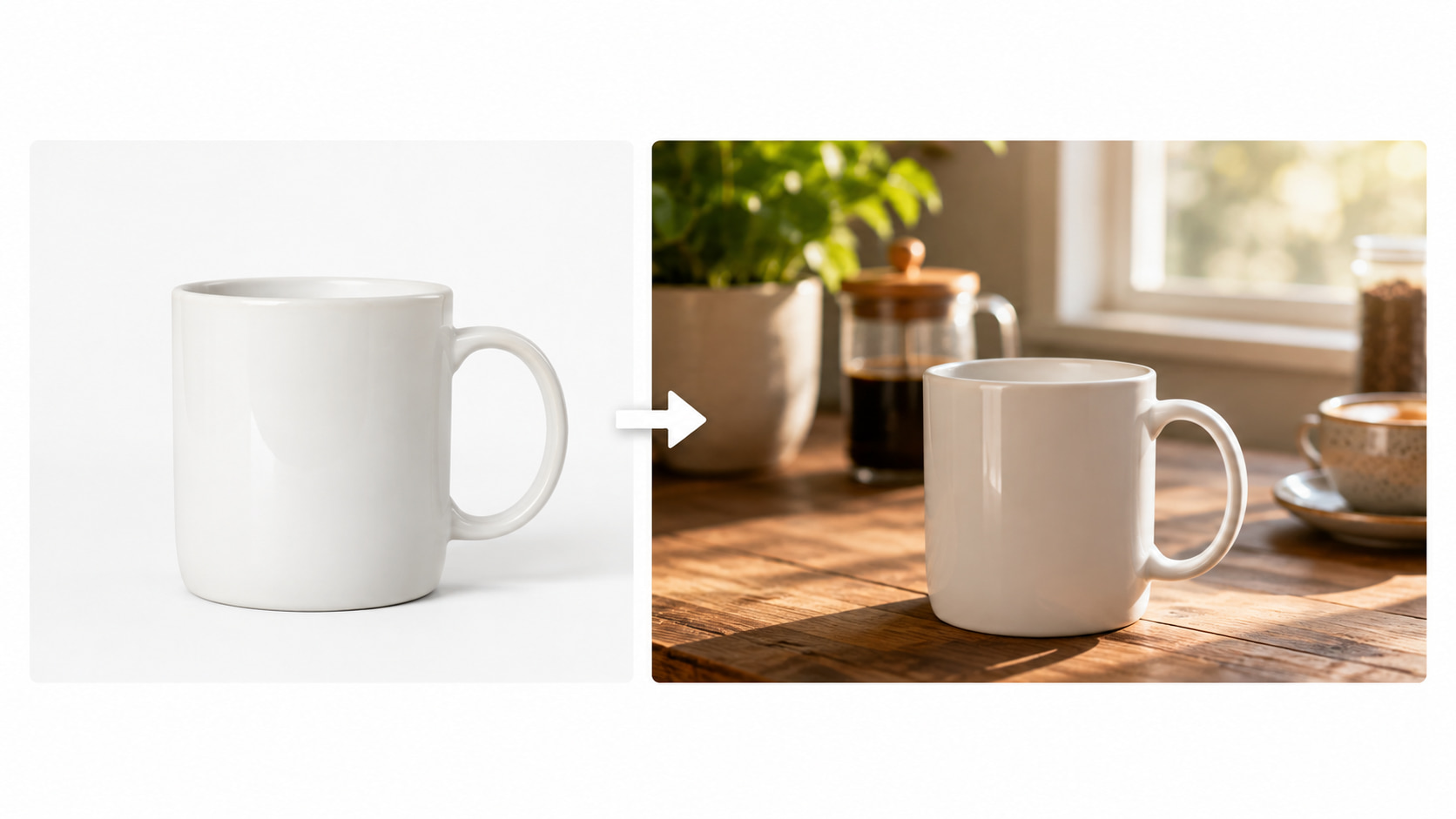
Product image variations for e-commerce
Prompt (Morning Lifestyle): "Place this product on a rustic wooden kitchen counter. Add soft morning sunlight streaming through a nearby window, with a blurred coffee cup and a potted green plant in the background for a cozy lifestyle feel."
-
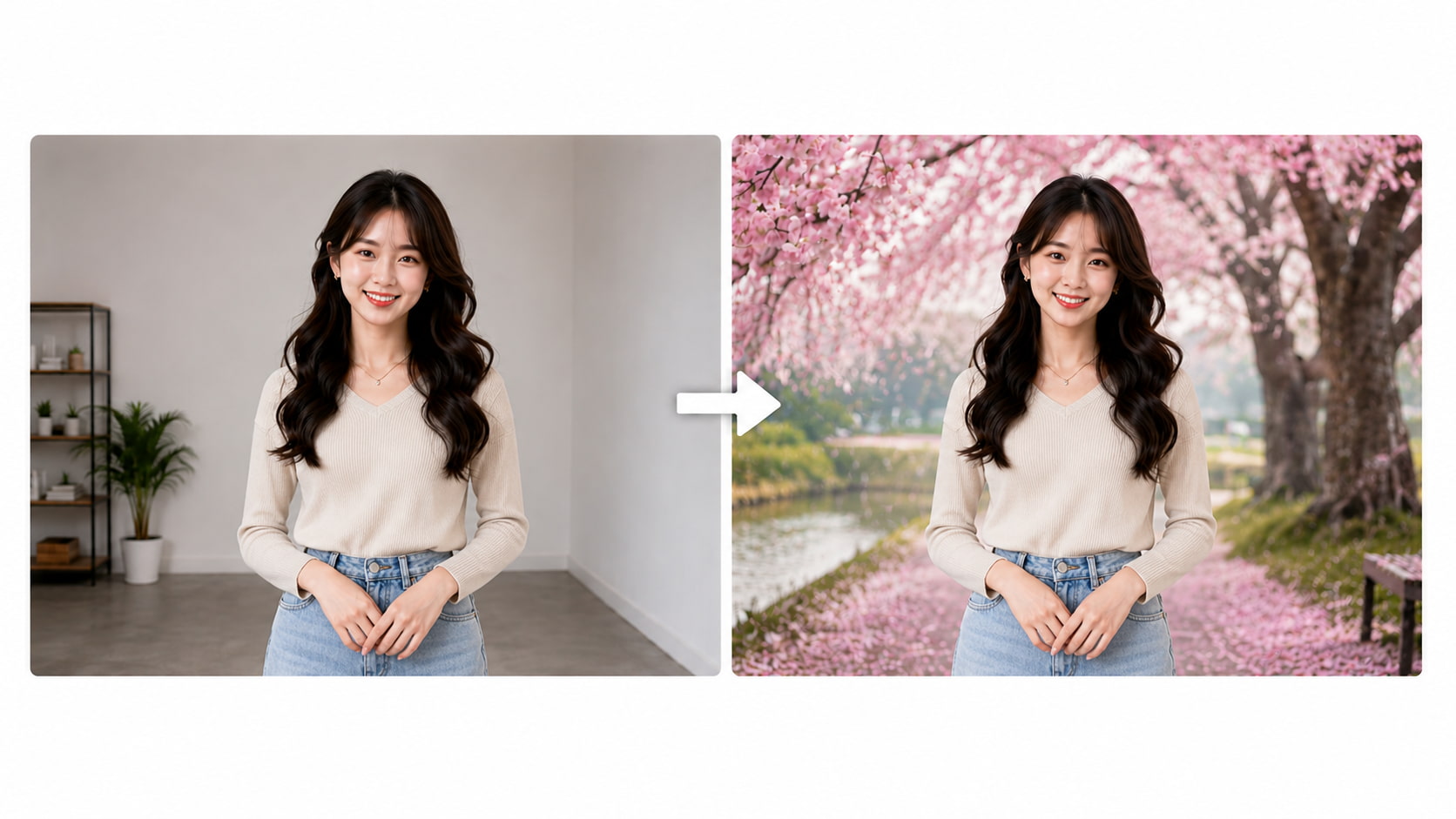
Background and environmental changes
Prompt (Cherry Blossom Landscape): "Keep the subject exactly as they are. Change the background entirely to a beautiful cherry blossom landscape with blooming pink trees, a peaceful pathway, and soft spring daylight."
-
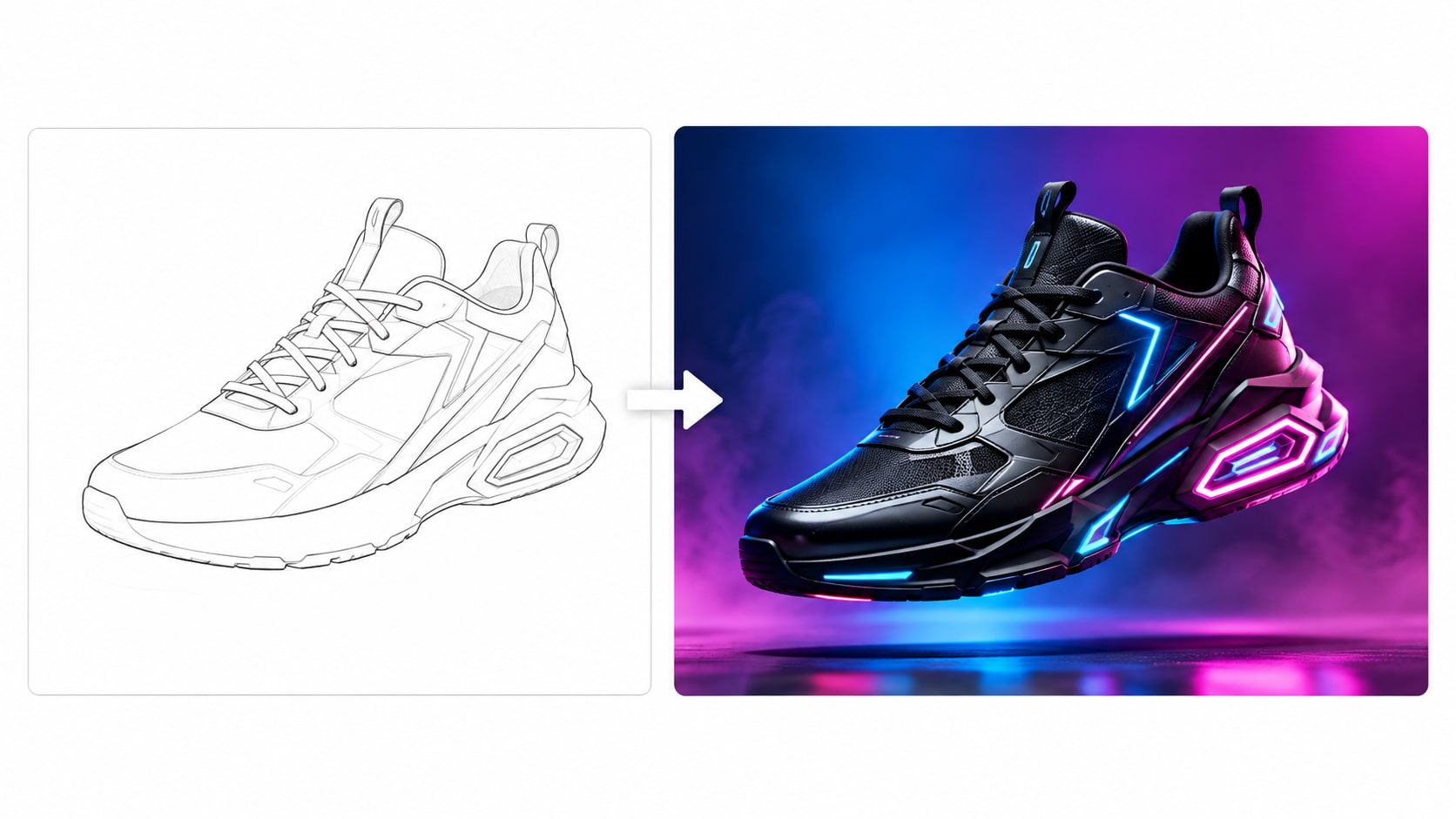
Concept visualization for social media creatives
Prompt (Hyper-Realistic 3D): "Elevate this basic sketch into a hyper-realistic 3D product render. Add glossy metallic textures, glowing neon accents, and make the object float in mid-air against a vibrant, abstract gradient background. 4k resolution, highly detailed."
ImgtoImg core features: What do you actually get?
Evaluating the real-world utility of the platform reveals a mix of highly accessible tools offset by limited advanced functionality. The browser-based simplicity benefits beginners, though experienced Coredirectors might miss granular editing controls.
|
Feature |
What to Cover |
|---|---|
|
Image-to-image generation |
Transforms an existing image using precise text instructions to dictate the final artistic direction. |
|
Prompt-based editing |
Applies descriptive text for adjusting artistic style, color palettes, specific objects, or environmental changes. |
|
Transformation strength |
Controls how closely the generated output adheres to the structural integrity of the original source material. |
|
Aspect ratio controls |
Adapts generated images to fit different platform formats, ensuring compatibility across various digital media. |
|
Multiple outputs |
Generates batch variations simultaneously, allowing creators to perform immediate side-by-side visual comparisons. |
|
Enhancement tools |
Provides basic upscaling and restoration capabilities to refine the clarity of the final exported file. |
Image quality, ease of use, and limitations
During hands-on testing, the AI demonstrated a strong ability to preserve original compositions while applying new stylistic prompts. The browser-based interface ensures a remarkably low learning curve, allowing first-time editors to initiate renders within minutes.
However, output variations occasionally struggle with complex textures due to a heavy reliance on the underlying Max1.5 model. For editors seeking to heavily upscale graphics, the built-in restoration features feel somewhat rudimentary. Community consensus across forums reflects these observations; general feedback praises the quick stylization capabilities but frequently highlights limitations regarding photorealistic detailing on complex backgrounds.
Pricing tiers: Is the free option enough?
The 2026 Flex credit system operates as a one-time payment structure that scales based on volume, with all purchased credits set to never expire. Available packages include:
-
$19.90: 200 base credits
-
$39.90 (Most Popular): 400 base credits + 100 bonus (500 total)
-
$99.90: 1,000 base credits + 300 bonus (1,300 total)
-
$299.90: 3,000 base credits + 1,200 bonus (4,200 total)
The free tier allows users to test the platform's core generation workflow, though outputs include watermarks and do not carry commercial use rights. In contrast, paid Flex credit tiers provide watermark-free exports alongside full commercial licensing authorization for professional projects.
|
Factor |
Free Use |
Paid/Flex Credits |
|---|---|---|
|
Image generation |
Limited allocation |
Higher volume |
|
Commercial use |
No |
Yes |
|
Watermark-free exports |
Limited |
Yes |
|
Credits |
Daily allocation via Check In |
One-time credits |
|
Credit expiry |
Depends on plan |
Flex credits do not expire |
A frequent question: Is the ImgToImg.ai platform safe and legit?
Determining if ImgToImg AI is safe requires analyzing independent domain metrics, automated security scanner ratings, and platform data handling policies.
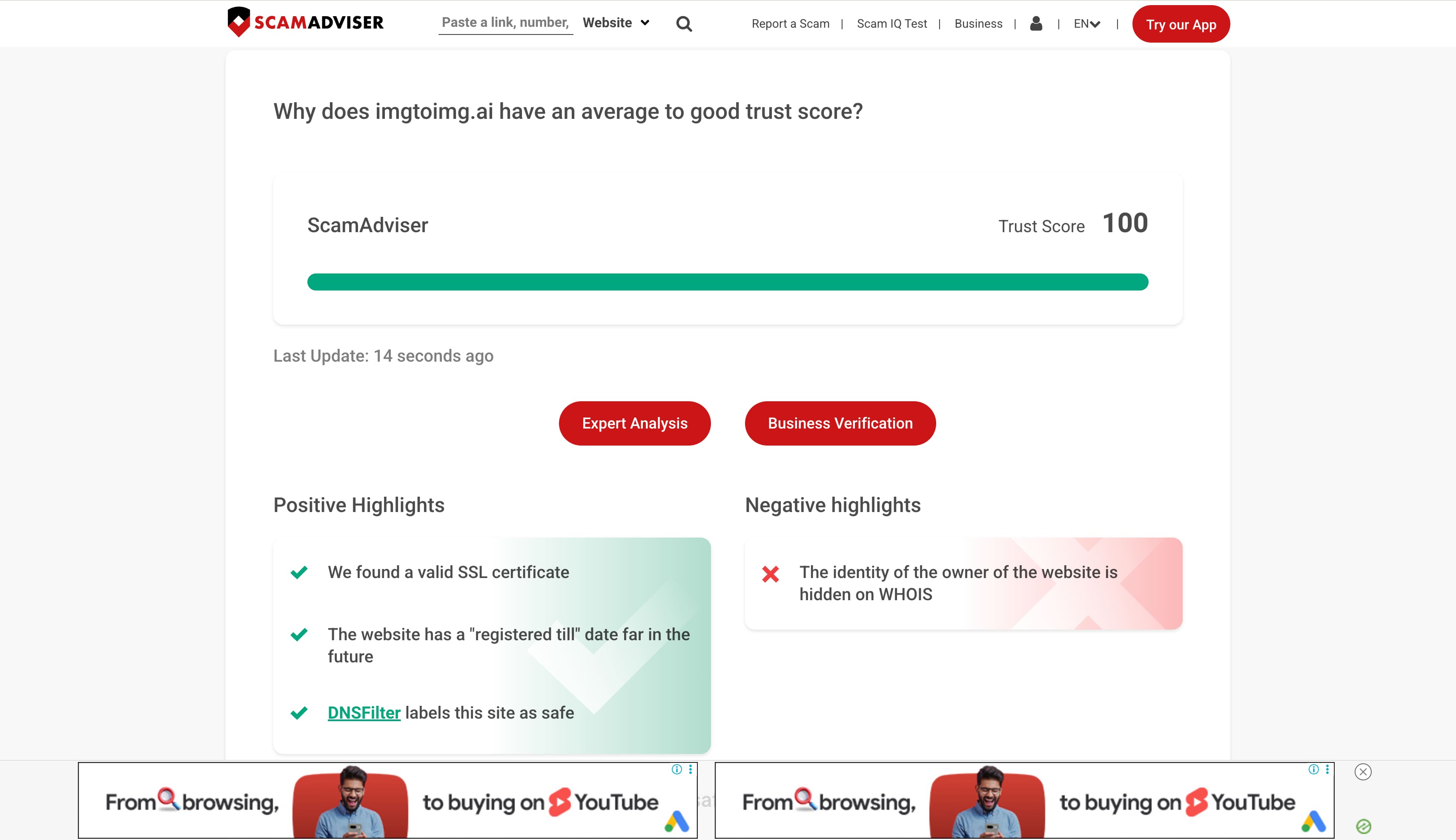
As of August 25, 2026, an automated domain evaluation from Scamadviser serves as a risk reference rather than direct proof of the platform's safety or legality; the original report highlights a valid SSL certificate, an extended domain registration timeline, and safe categorization by DNSFilter, though it also notes that the domain owner's identity remains hidden on WHOIS."
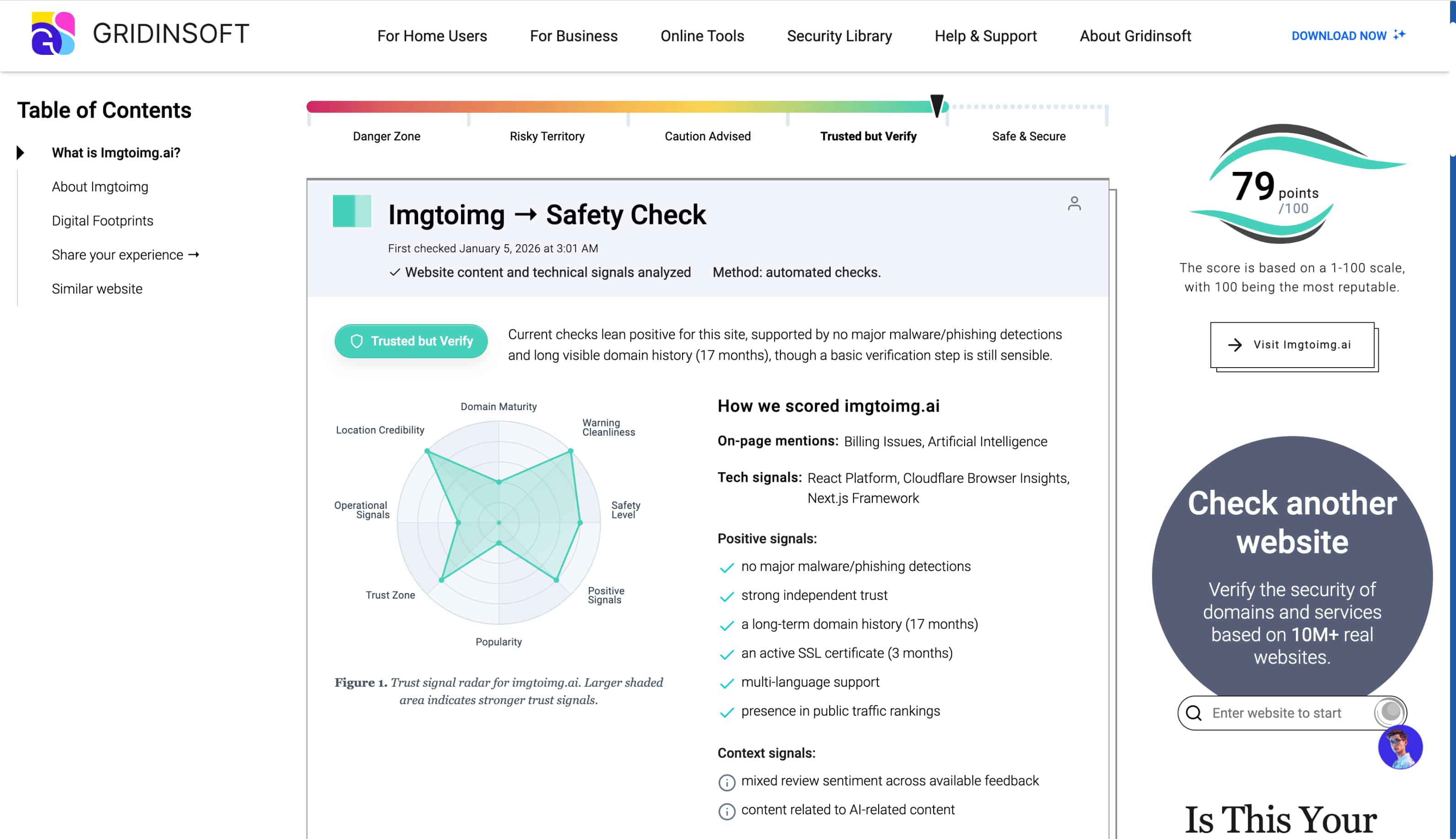
Similarly, the Gridinsoft security report awards a 79/100 rating, noting that while current technical checks lean positive, users should still exercise basic caution. The evaluation highlights over 17 months of visible domain history and zero detections for active malware or phishing threats, alongside context signals noting mixed community review sentiment.
Regardless of these baseline technical indicators, standard security hygiene applies: avoid uploading sensitive personal portraits, official identification documents, or proprietary business visual assets to public rendering engines.
For teams seeking greater generation control, multi-model flexibility, and higher data privacy standards across both text-to-image and image-to-image workflows, exploring dedicated creative studios provides a far more scalable production setup.
Vmake Labs: A versatile ImgToImg AI alternative
As a modern creative studio, Vmake Labs provides an AI image generator that helps teams conceptualize, enhance, and optimize visual content to capture audience attention. Powered by advanced multi-model technology, the platform supports both text-to-image and image-to-image creation formats. This functionality allows editors to accurately guide their output using structural reference files. Tailored specifically for marketing visuals and branded digital assets, the platform delivers reliable rendering tools designed for demanding digital workflows.
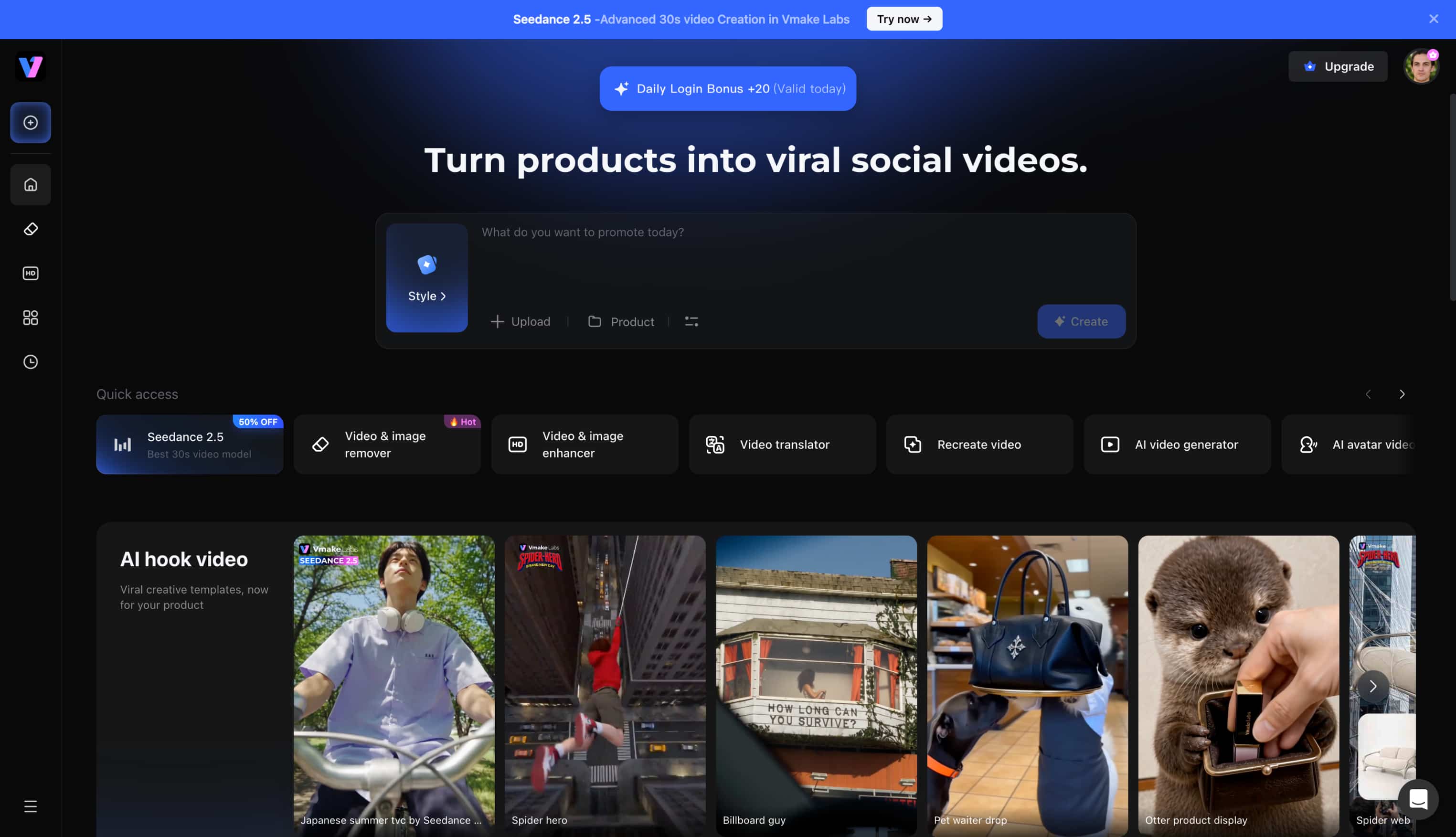
Key features
-
Multiple leading AI image models: The interface grants access to robust engines, including Nano Banana Pro, Seedream 4.0, and GPT Image 1, ensuring editors can select the exact engine needed for their specific project style.
-
Text-to-image and image-to-image generation: Creators can generate original visuals from descriptive text or restyle existing photographs using reference uploads. This dual functionality accommodates both ground-up brainstorming and targeted modifications to existing digital assets.
-
Browser-based workflow: The studio operates entirely within standard web browsers without requiring heavy local software installations. This accessibility allows creative teams to render high-fidelity graphics seamlessly from any workstation.
-
Multiple aspect ratios: Framing controls enable quick canvas adjustments to suit various social media dimensions and display formats. Establishing the correct aspect ratio prior to rendering saves significant time during the final post-production phase.
-
Fast AI image generation: Cloud processing minimizes rendering wait times, returning complex visual transformations rapidly. For highly detailed structural upgrades, an integrated image enhancer clarifies intricate elements instantly without taxing local hardware capabilities.
How to create AI images with Vmake Labs
Step 1: Enter a text prompt or upload a reference image
Open the Vmake Labs AI Image Generator and switch to either Text to Image or Image to Image mode. Enter a descriptive text prompt, or upload 1–3 reference images (JPG or PNG up to 7MB each) to guide the AI before generation.
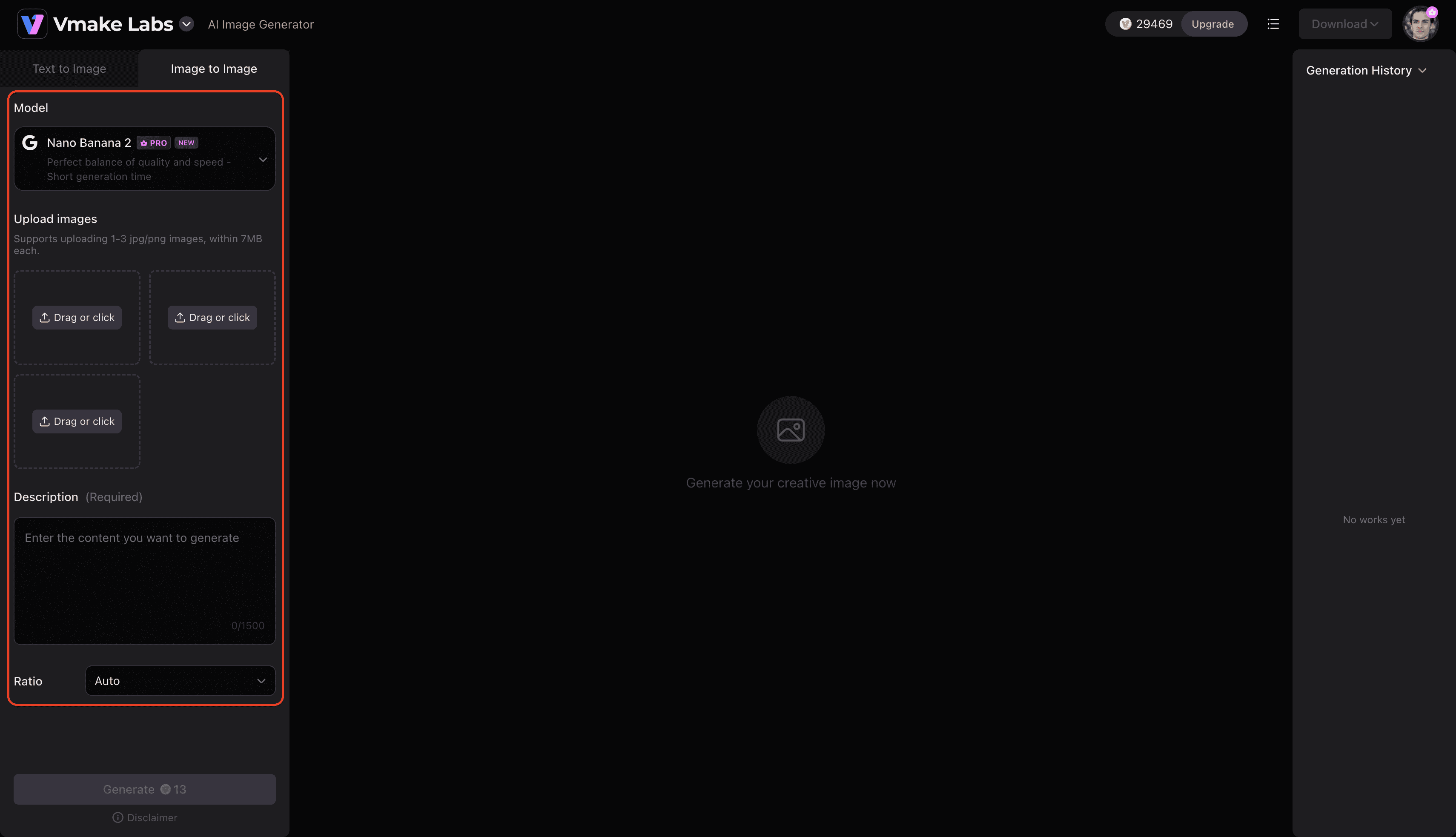
Step 2: Choose an AI model and customise the generation settings
Select the AI model that best suits your project aesthetic, with options including Nano Banana 2, Nano Banana Pro, Seedream 4.0, and GPT Image 1. Adjust the aspect ratio dropdown to fit your target format before clicking Generate.
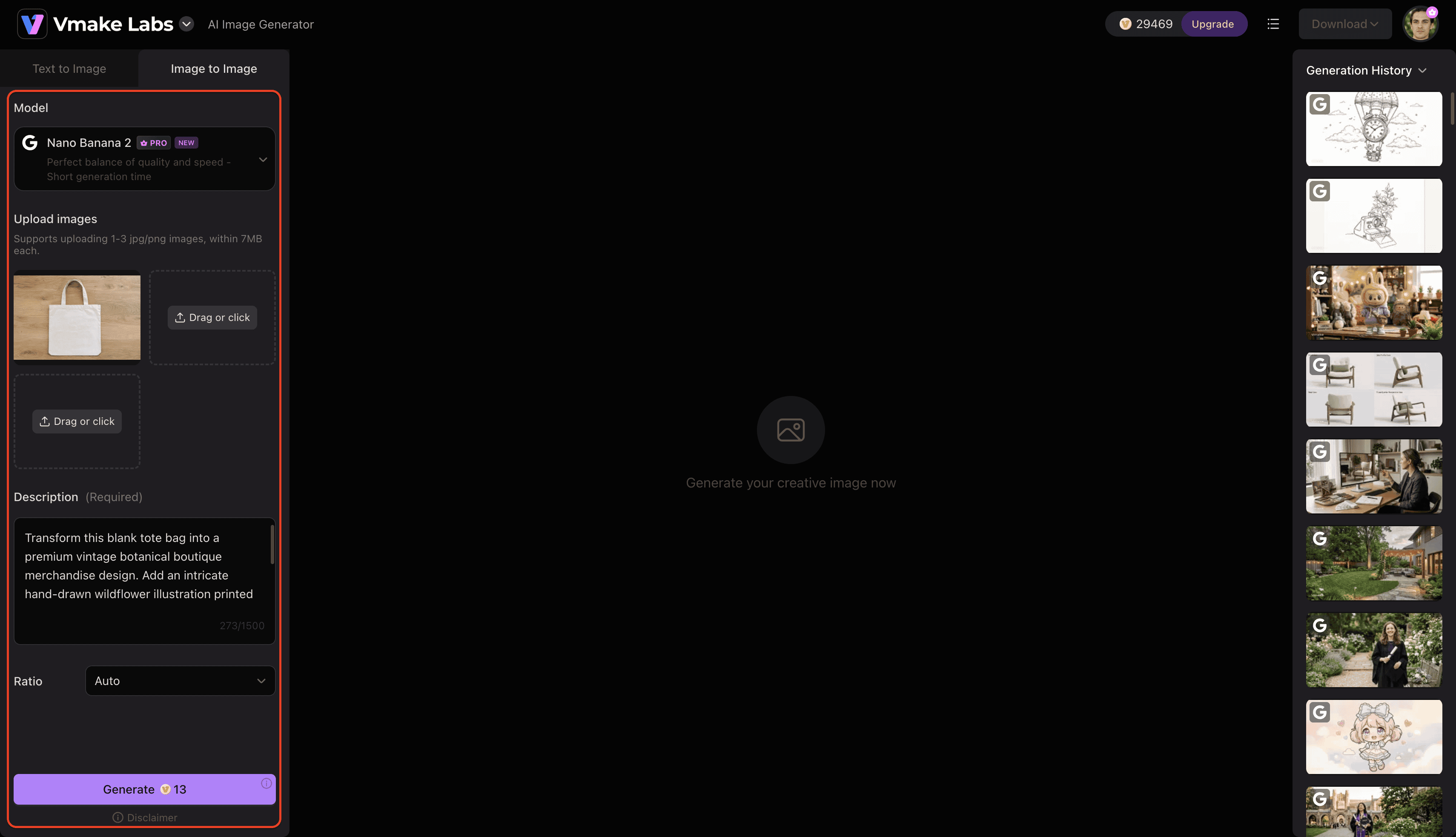
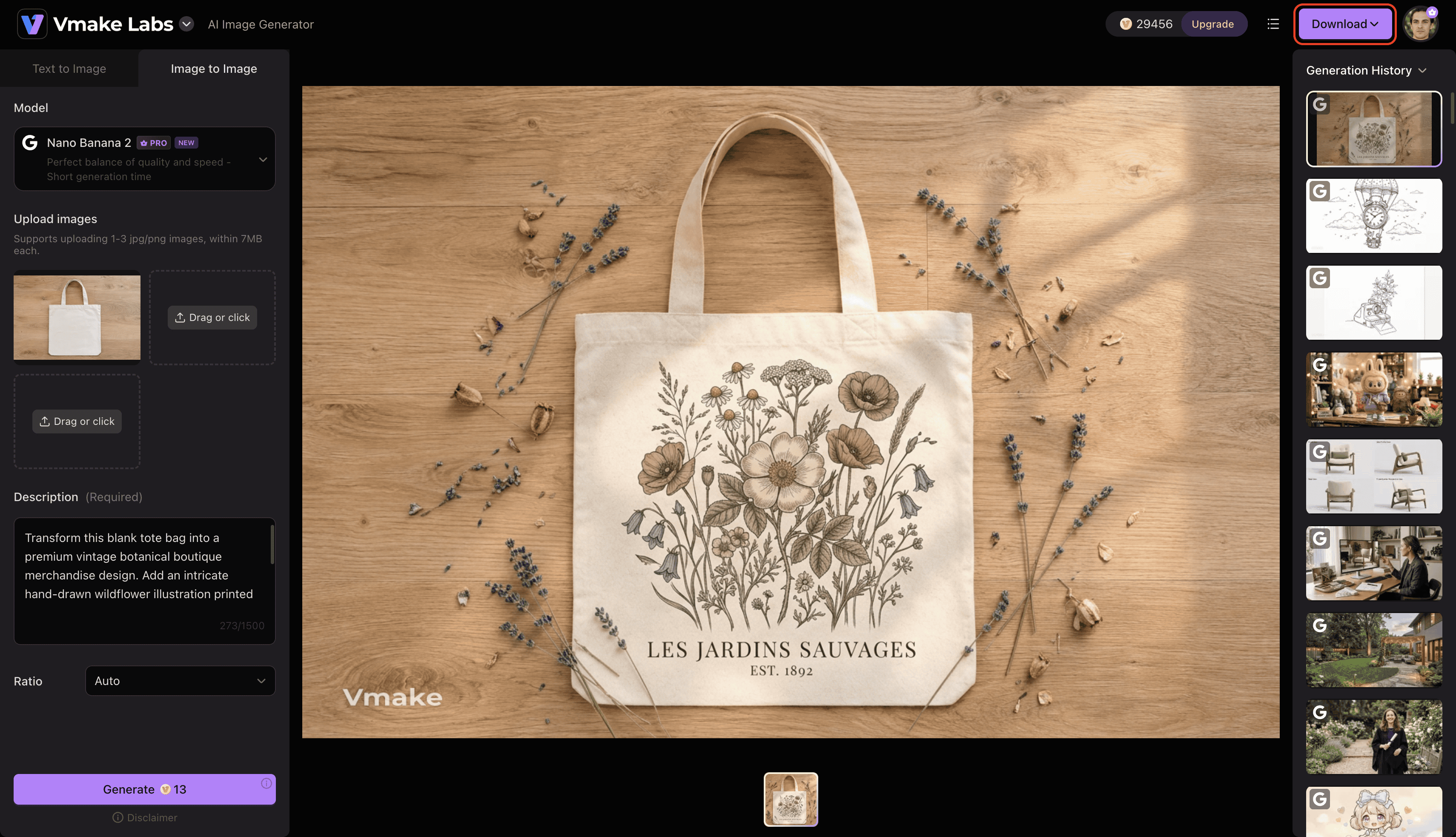
Step 3: Generate and download your image
Click Generate to create your images. Review the generated results, generate additional variations if needed, and download the image that best matches your project.
Conclusion
Ultimately, this reviewed tool serves as a capable starting point for enthusiasts needing basic structural edits. Testing reveals that while the platform handles simple stylistic transfers admirably, professional workflows might find the Max1.5 model limitations and rigid pricing tiers somewhat restrictive. For casual experimentation, the free allocation offers enough functionality to test concepts. However, those requiring advanced upscaling or high-volume watermark-free exports will need to weigh premium credit costs against more comprehensive creative solutions currently available on the market.
FAQs
How long does the image generation process typically take?
Most standard renders complete within 10 to 30 seconds depending on server load. Complex stylization prompts or high-resolution outputs may slightly extend this processing window.
Are refunds provided if the output fails or ignores the prompt?
Credit refunds for failed or unsatisfactory renders are generally not issued automatically. Accounts must contact customer support directly to contest specific generation errors regarding paid Flex credits.
How can I improve unsatisfactory or inaccurate results?
Adjusting the transformation strength slider gives the AI more freedom to interpret the text prompt accurately. Additionally, writing highly descriptive prompts to generate images significantly reduces structural hallucinations during complex stylization.
How does ImgToImg AI handle NSFW or adult content?
The platform utilizes automated content filters to block the generation of explicit or not-safe-for-work imagery. Repeatedly attempting to bypass these safety protocols can result in account suspension.
Can I control the transformation intensity of the base image?
Yes, dedicated settings allow editors to dictate how closely the final render adheres to the original uploaded reference file. Lowering this intensity yields more creative, prompt-driven variations.

You May Be Interested

Supawork AI Review: Watermark Remover Tested (2026)

Z Image AI Review 2026: Features, Performance, Pros and Cons
Artistly AI Review 2026: Is It Worth Trying for Creators?
Getimg AI Review 2026: Is It the Best AI Image Generator?

Nero AI Review 2026 Explained: Is the Tool Worth Using?

Pixar AI Review: What It Is & How to Create Pixar-Style Art