
Medeo AI Review: Is It Worth Using in 2026?
Explore our Medeo AI review covering its video generator, chat-to-video tools, editing features, pricing, user feedback, and how Vmake Labs compares as an alternative for AI video creation.

Medeo AI is a video creation platform built around AI-assisted generation and editing. It lets users describe video ideas in natural language, create clips, and make changes without relying on a traditional editing workflow. This review looks at its features, creation process, pricing, user feedback, and how it compares with Vmake Labs.
What is Medeo AI?
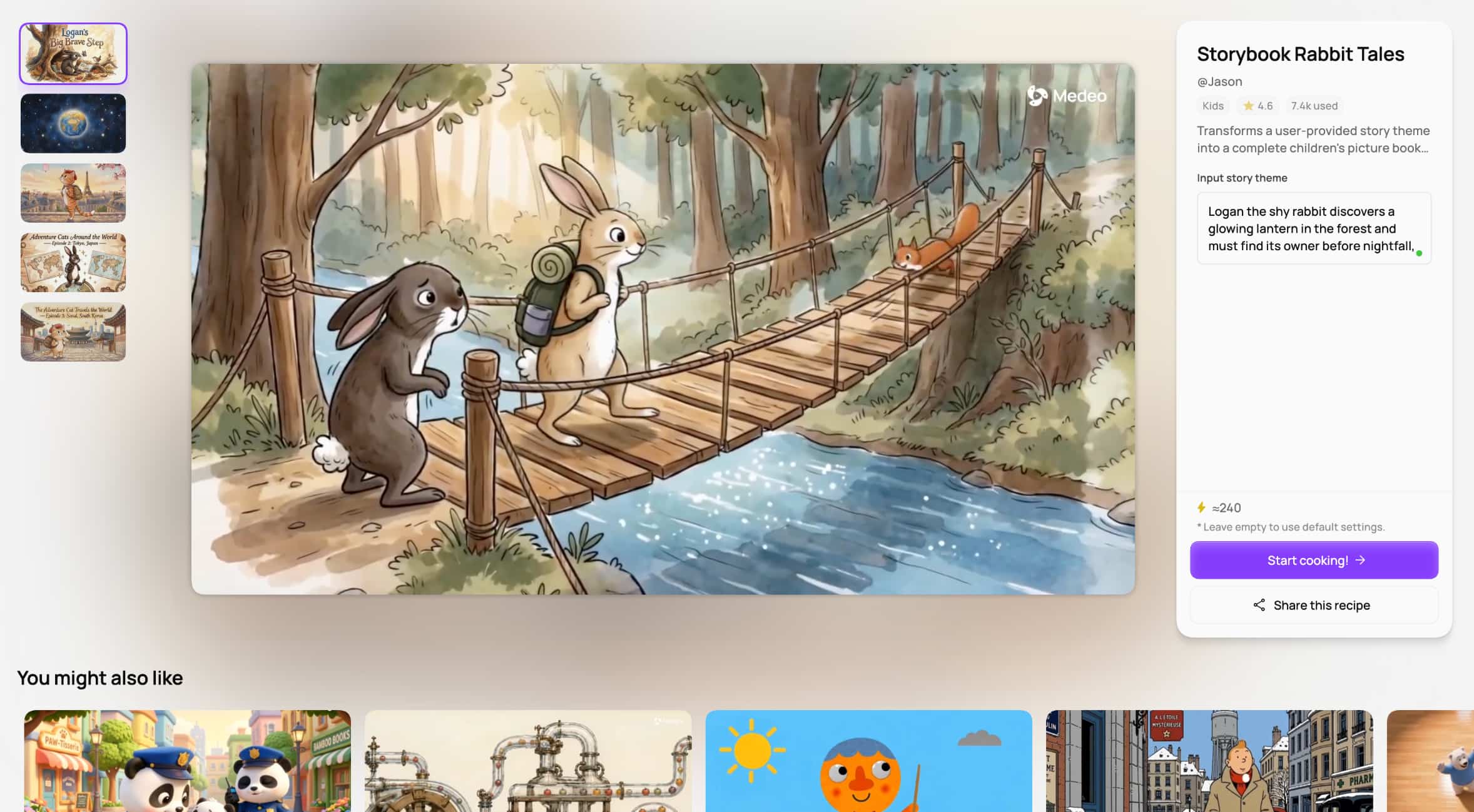
Medeo AI is an AI-powered video creation platform built around a more conversational approach to making videos. Instead of relying mainly on a traditional timeline and manual editing from the start, users can describe what they want to create in natural language and let the platform turn that direction into a video project. This makes Medeo AI relevant to creators, marketers, and other users who want to produce video content without spending as much time on conventional editing tasks.
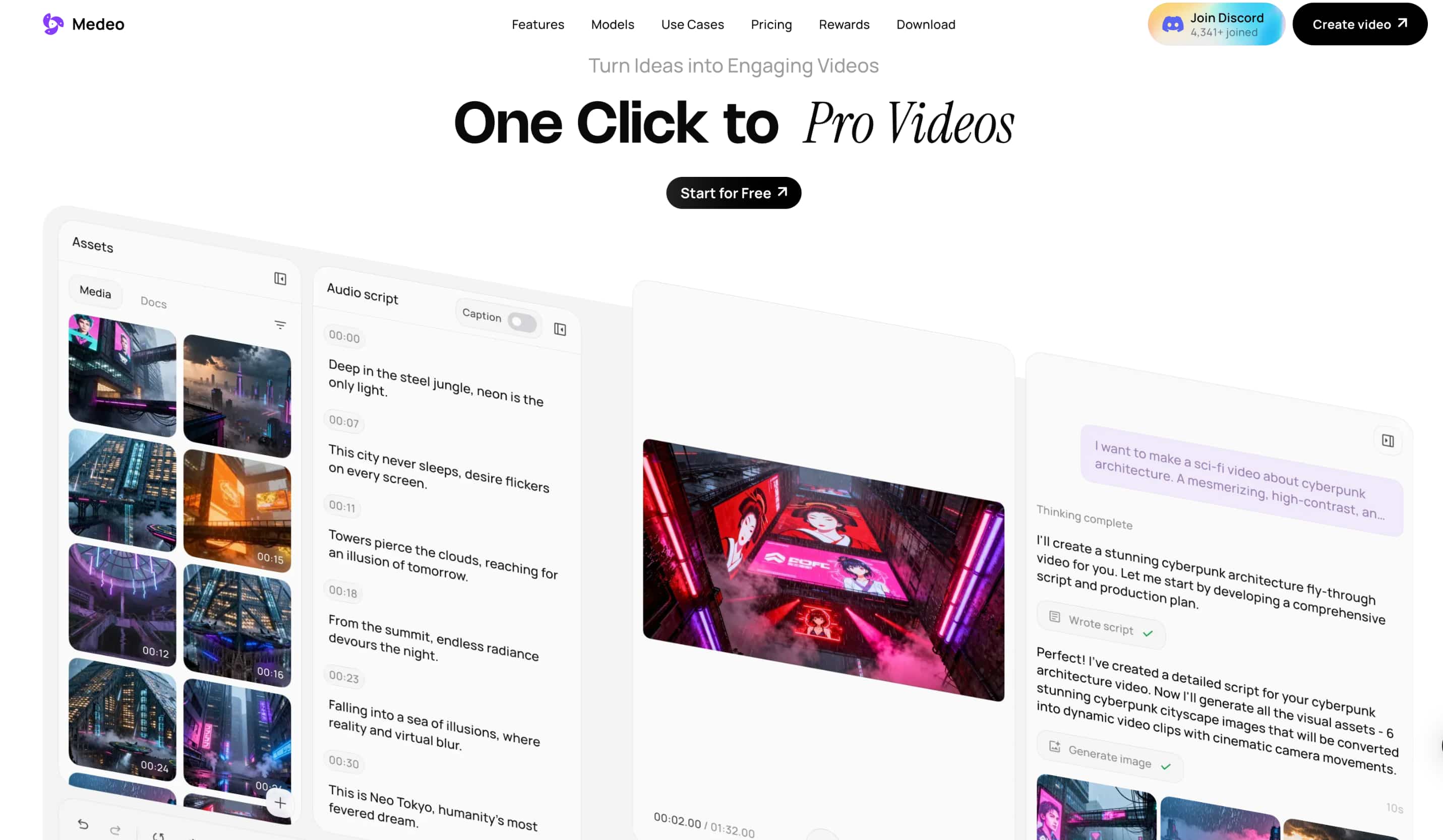
The Medeo AI video generator is designed to handle more than simple text-based generation. Its workflow combines video creation with AI-assisted editing and customization, so users can generate a starting result and then make changes rather than rebuilding the project from scratch. Depending on the workflow and supported inputs, Medeo AI can also work with images or existing media, giving users different ways to begin a project. This approach is particularly useful for people who prefer describing an idea first and refining the result afterward.
Key features of Medeo AI
-
AI video generation: Medeo AI can turn a written idea or description into video content, giving users a starting point without requiring them to build every scene manually.
-
Text-to-video and chat-to-video: The platform focuses on natural-language instructions, allowing users to describe the video they want and use a conversational workflow to develop the result.
-
AI-assisted video editing: Medeo AI also supports editing and refinement after generation, helping users adjust their video instead of treating the first generated version as the final output.
-
Video creation from supported media: Users can work with supported images or other media inputs where available, which gives them another way to guide the generated result.
-
AI-assisted customization: The platform lets users refine the generated content through additional instructions and available editing controls, making the workflow more flexible than generating a clip from a single prompt and stopping there.
How to create a video with Medeo AI
Medeo keeps the basic creation process fairly straightforward. The exact buttons can vary with the version of the product, but the workflow generally follows the same pattern.
Step-by-step Medeo AI workflow
Step 1: Start a video project Open Medeo AI and start a new video project using the available creation workflow. The platform is built around describing the content you want to make rather than starting with a traditional editing timeline.
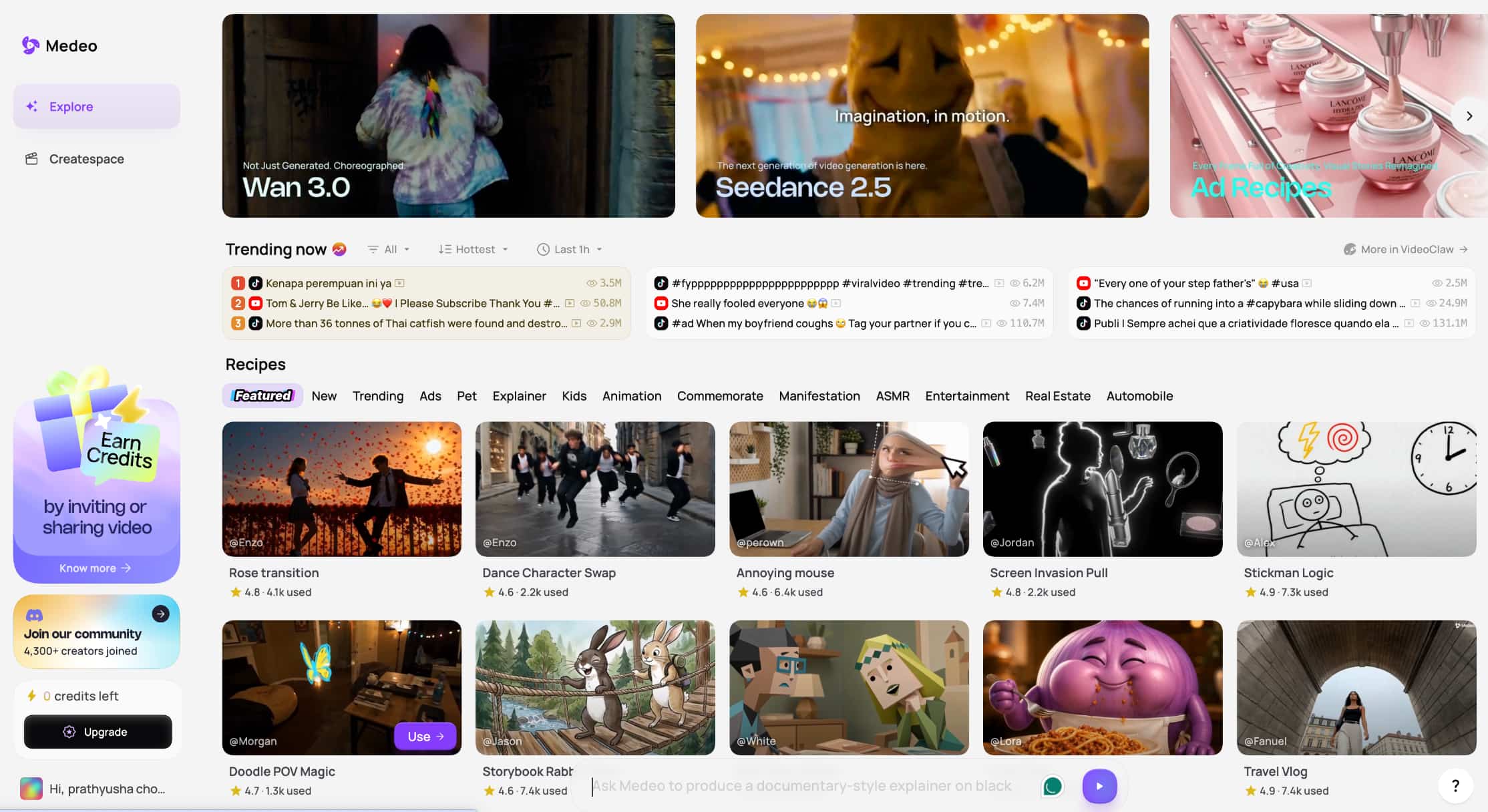
Step 2: Describe what you want to create Enter a prompt or describe the video you have in mind. Include the subject, setting, actions, style, or other details that matter to the result. Medeo AI uses these instructions to build the initial video.
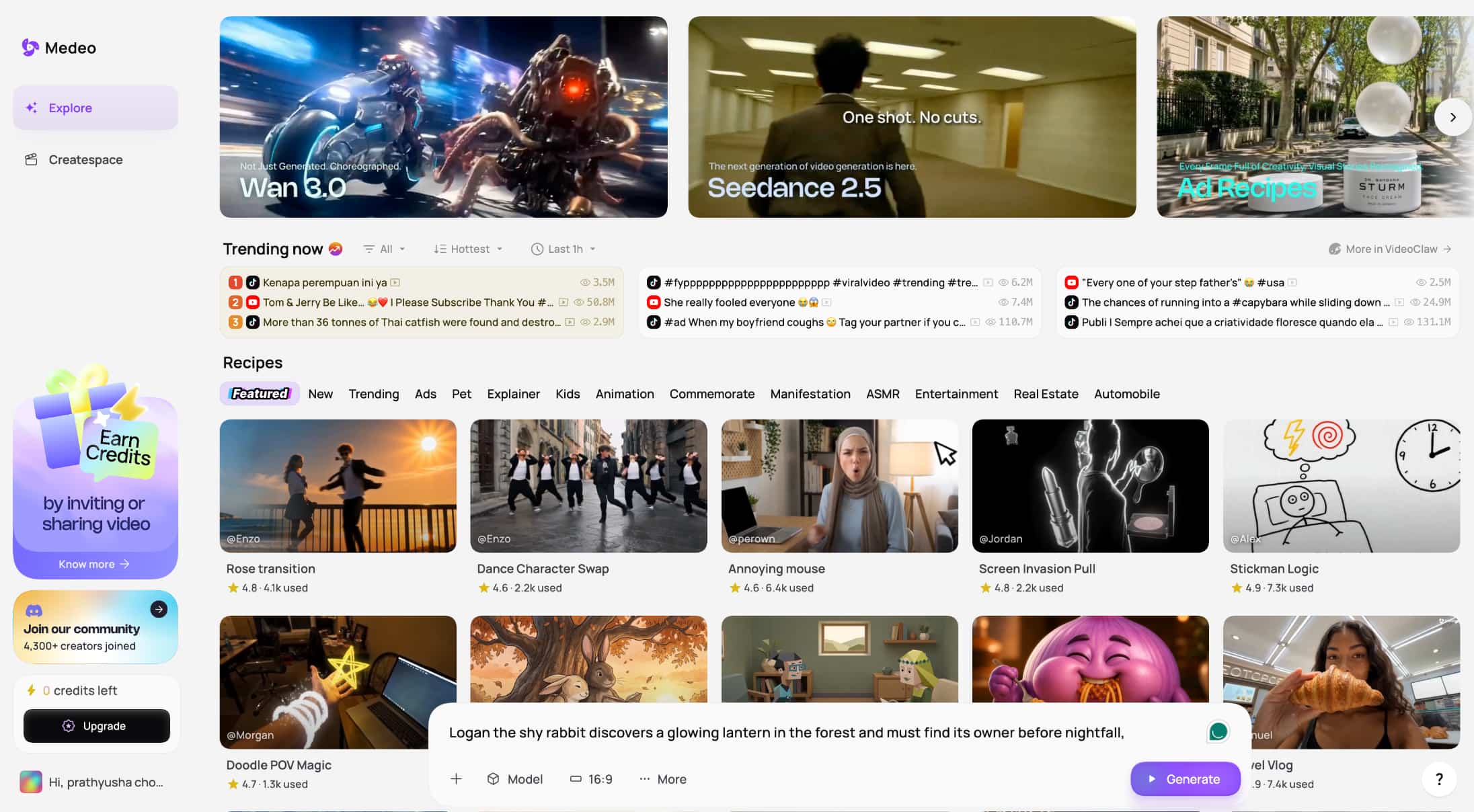
Step 3: Generate and refine the video Generate the video and review the result. If something needs to change, use the available editing and customization options to refine the content before exporting the finished video.
Bonus: Our real testing
Prompt: 3D animated short in a warm, whimsical Pixar-style CGI aesthetic. A tiny mouse baker and an over-eager carrier pigeon collide during a late-night baking spree. Shot 1: The mouse, wearing a oversized chef hat, uses a giant rolling pin to roll out dough under a desk lamp's glow. Shot 2: The pigeon bursts through the doggy door carrying a sack of yeast, sliding across the floured wooden floor into the prep station. Shot 3: A cloud of flour billows up, coating the entire room in white; both creatures freeze mid-air, covered in white dust with only their wide, blinked eyes visible. Quiet oven timers chiming, playful pizzicato strings and woodwinds soundtrack.
Medeo AI pricing, pros, cons, and user feedback
This mirrors the proven sample structure while giving the section a Medeo-specific focus. The Vivideo sample groups pricing, pros and cons, user feedback, and the verdict together.
Medeo AI pricing
|
Plan |
Price |
Credits/month |
Key features |
|---|---|---|---|
|
Free |
$0/month |
Not specified |
1 GB storage, chat-based video creation, AI generative features, video editor, collaborative editing |
|
Pro |
$35/month |
700 |
Unlimited storage, top-up credits, watermark removal, premium model access |
|
Insider |
$95/month |
2,400 |
Unlimited storage, top-up credits, watermark removal, premium model access |
|
Elite |
$295/month |
9,000 |
Unlimited storage, top-up credits, watermark removal, premium model access |
Pros and cons of Medeo AI
Pros
-
Strong AI video creation workflow
-
Natural-language video creation
-
Useful video editing capabilities
-
Easy to create videos without traditional editing skills
-
Supports AI-assisted creation and customization
Cons
-
Subscription and billing concerns reported by some users
-
Credit limits can affect frequent generation
-
Output quality may vary between generations
-
Editing and customization options may feel limited for advanced users
-
Some users report issues with subscriptions and payments
What users say about Medeo AI
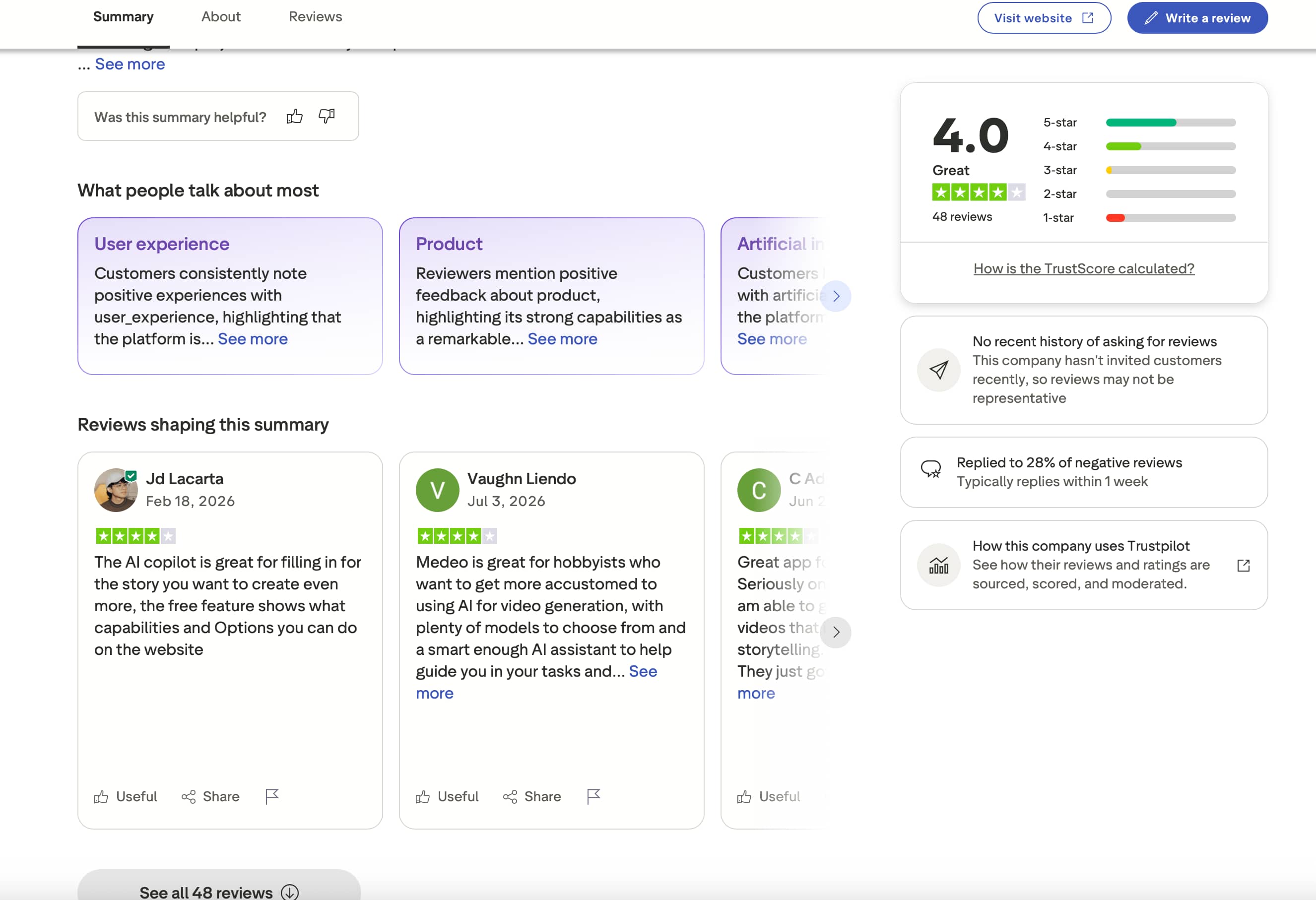
Trustpilot: At the time of the screenshot, Medeo AI had a 4.0/5 rating from 48 reviews. The visible reviews were largely positive, with users praising its AI video capabilities, range of models, and accessible workflow. One reviewer highlighted the free features as a useful way to explore what the platform can do, while another said Medeo works well for hobbyists who want more control over AI video generation.
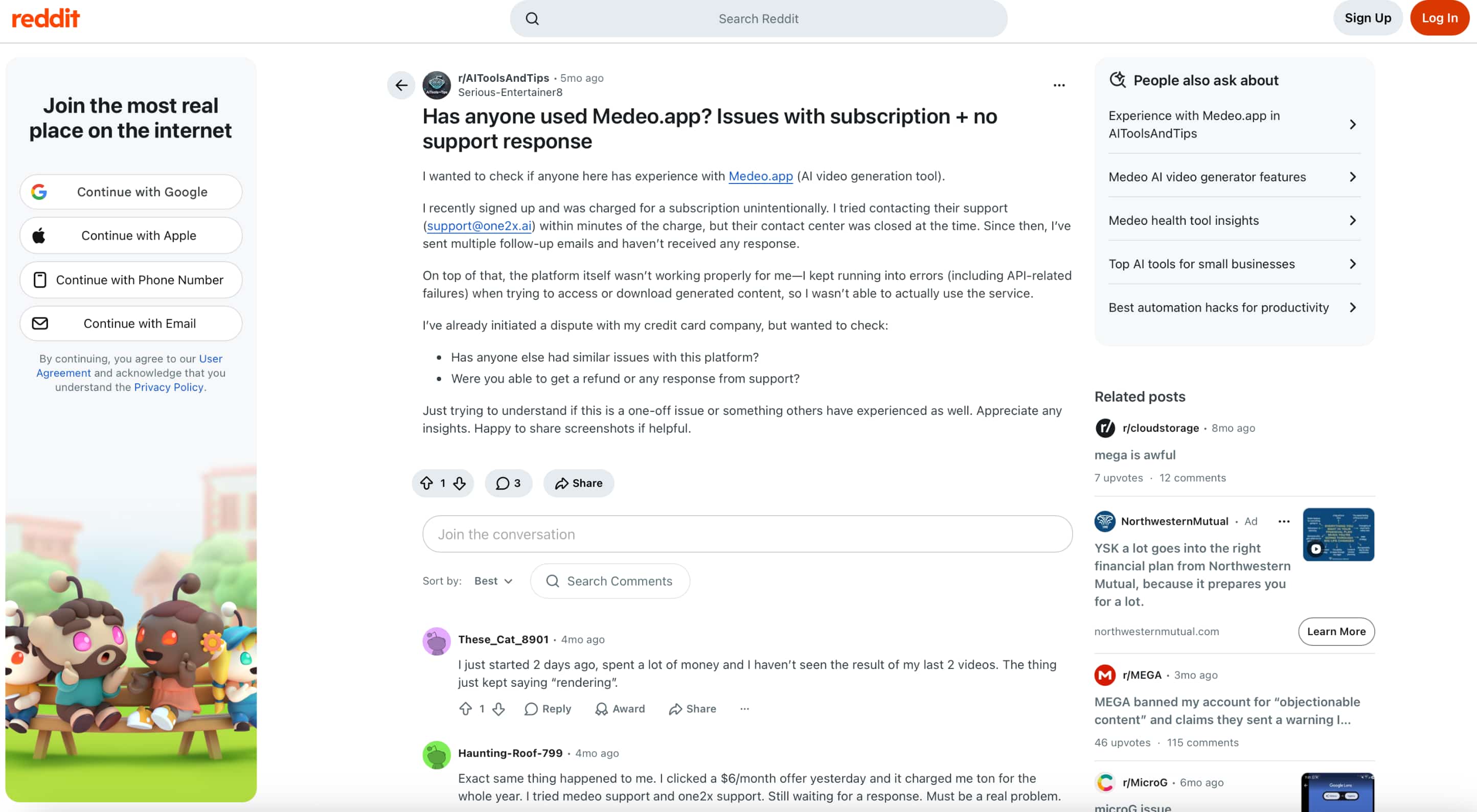
Reddit: Reddit feedback is more mixed. In the screenshot, one user reported an unexpected subscription charge, difficulty getting a response from support, and errors when accessing or downloading generated videos. Other commenters described similar issues, including an unexpected annual charge and videos remaining stuck on "rendering."
Our verdict
Medeo AI is worth trying if you want a straightforward way to create and edit videos with AI. Its natural-language workflow, range of models, and built-in editing tools make it useful for creators and hobbyists. However, paid plans can become expensive for frequent use, and user feedback points to some concerns around subscriptions, rendering, and support. Trying the free plan first is a sensible way to see whether it fits your needs. If you want more ways to start a video project, Vmake Labs AI Video Generator is another option to consider. It supports text, image, and video inputs and offers multiple AI video models for different generation workflows.
Vmake Labs AI Video Generator as an alternative
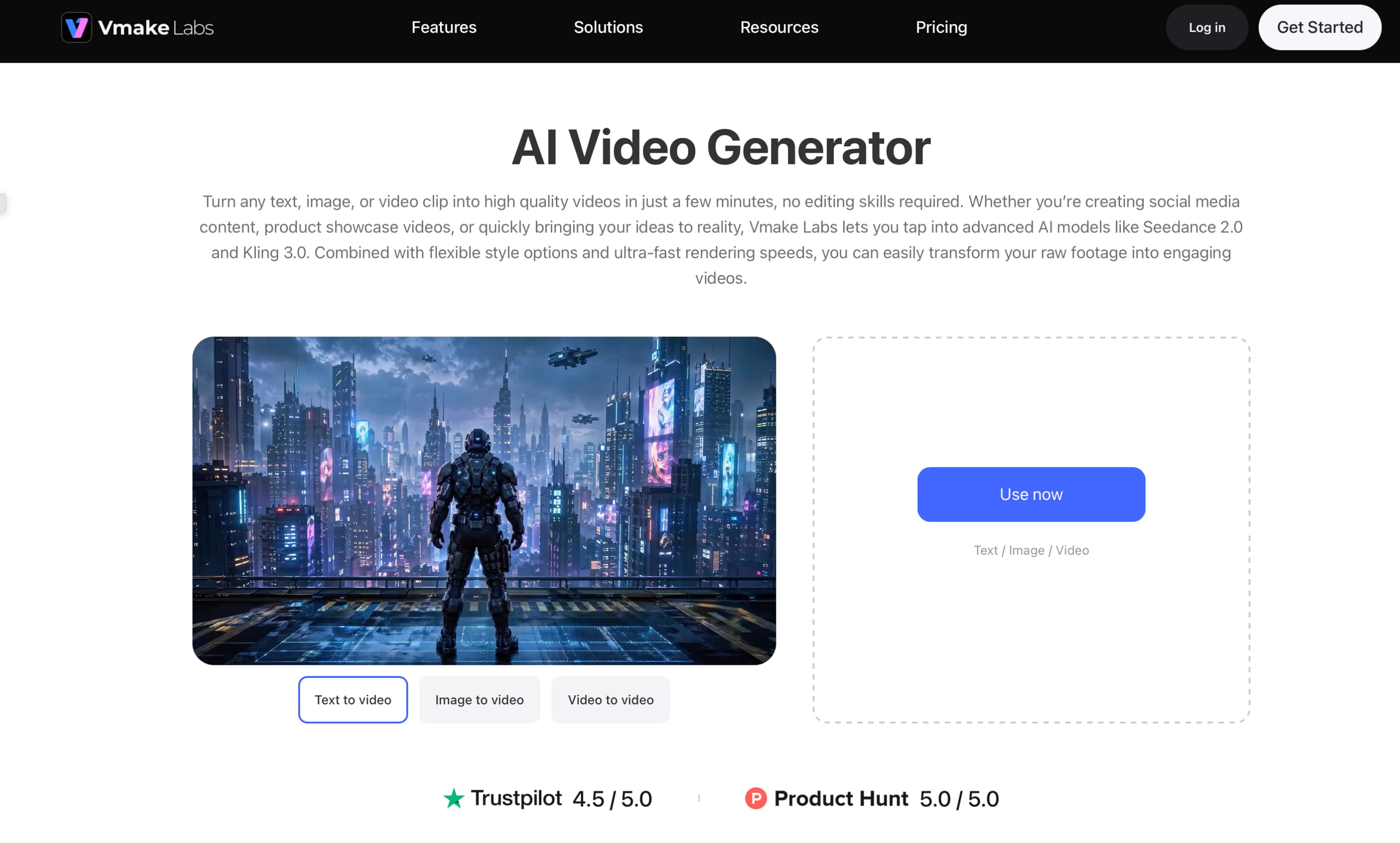
If Medeo AI's conversational workflow is not the right fit, Vmake Labs offers another way to create videos from different starting points. Its AI Video Generator supports text, image, and video inputs, along with multiple AI video models. This gives creators more flexibility for marketing, e-commerce, social media, and other short-form video projects.
Key features of Vmake Labs AI Video Generator
-
Multiple AI video models: Choose from models such as Seedance, Kling, Veo, Sora, Hailuo, Vidu, and Wan. Having multiple models available gives creators more options when comparing styles, motion, and overall video results.
-
Text to Video: Turn a written description into a short video without needing source footage. This is useful when you have an idea or scene in mind but no visual asset to start with.
-
Image to Video: Upload a reference image and add a text description to animate it. This can be useful for product visuals, characters, scenes, or other still images that need movement.
-
Video to Video: Start with an existing video and use it as the basis for a newly generated result. This gives creators a way to work from footage they already have rather than starting from a blank prompt.
-
Frames workflow: Use first and last frame images along with a text description to guide how the video develops between the two reference points.
-
Effects workflow: Apply available video-generation effects using a reference image and description, giving creators another option for experimenting with short visual concepts.
If you're creating product-focused content, Vmake Labs also offers a product video workflow for turning product assets into short marketing videos.
How to create videos with Vmake Labs
Step 1: Choose a video generation method Choose Text to Video, Image to Video, or Video to Video based on the material you want to use. Vmake Labs also provides Frames and Effects workflows for projects that need more specific image based inputs.
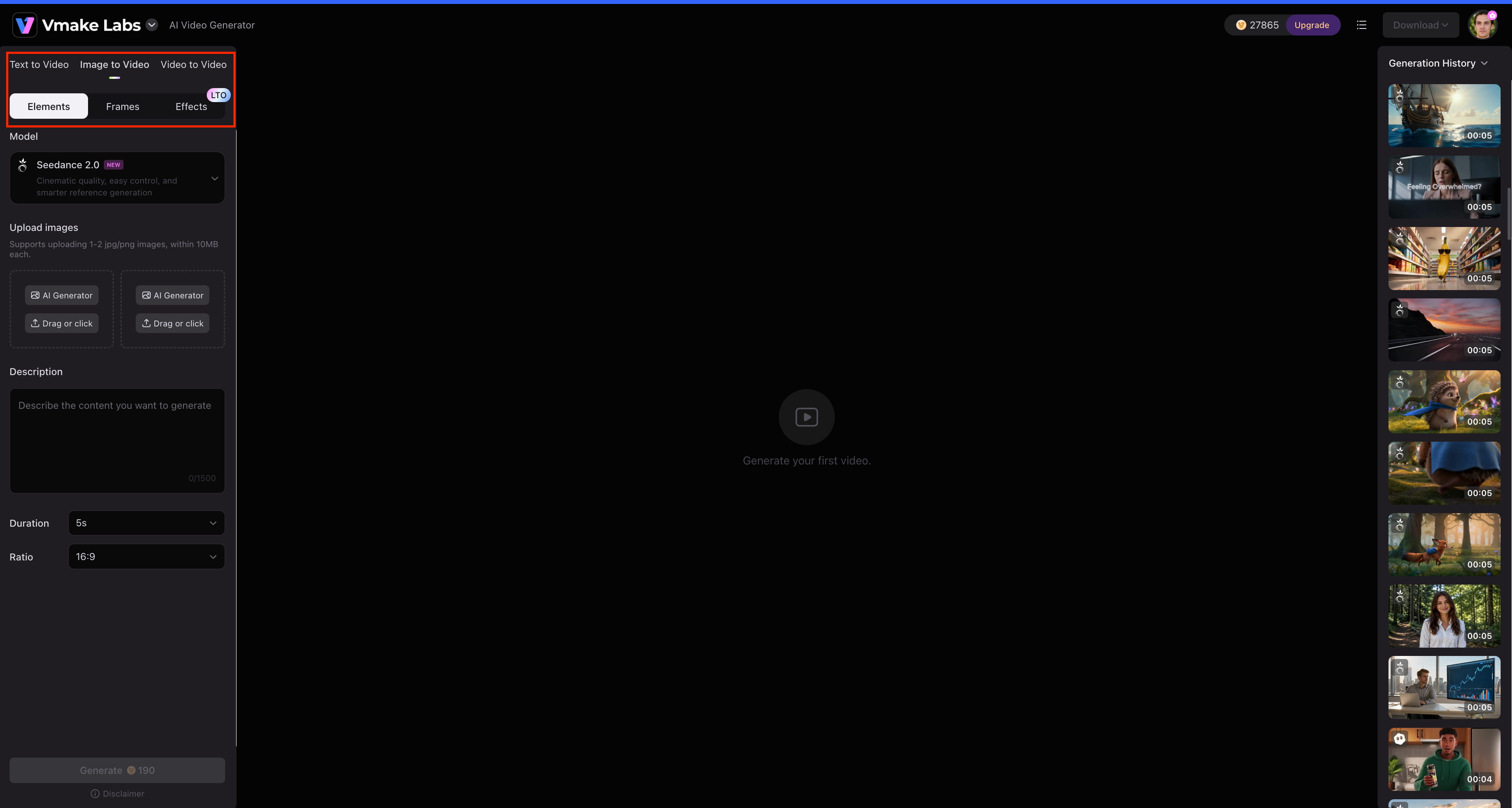
Step 2: Add your input and choose a model Enter your prompt or upload the required reference asset, then select an available AI video model. Depending on the workflow, you can also adjust options such as resolution and duration.
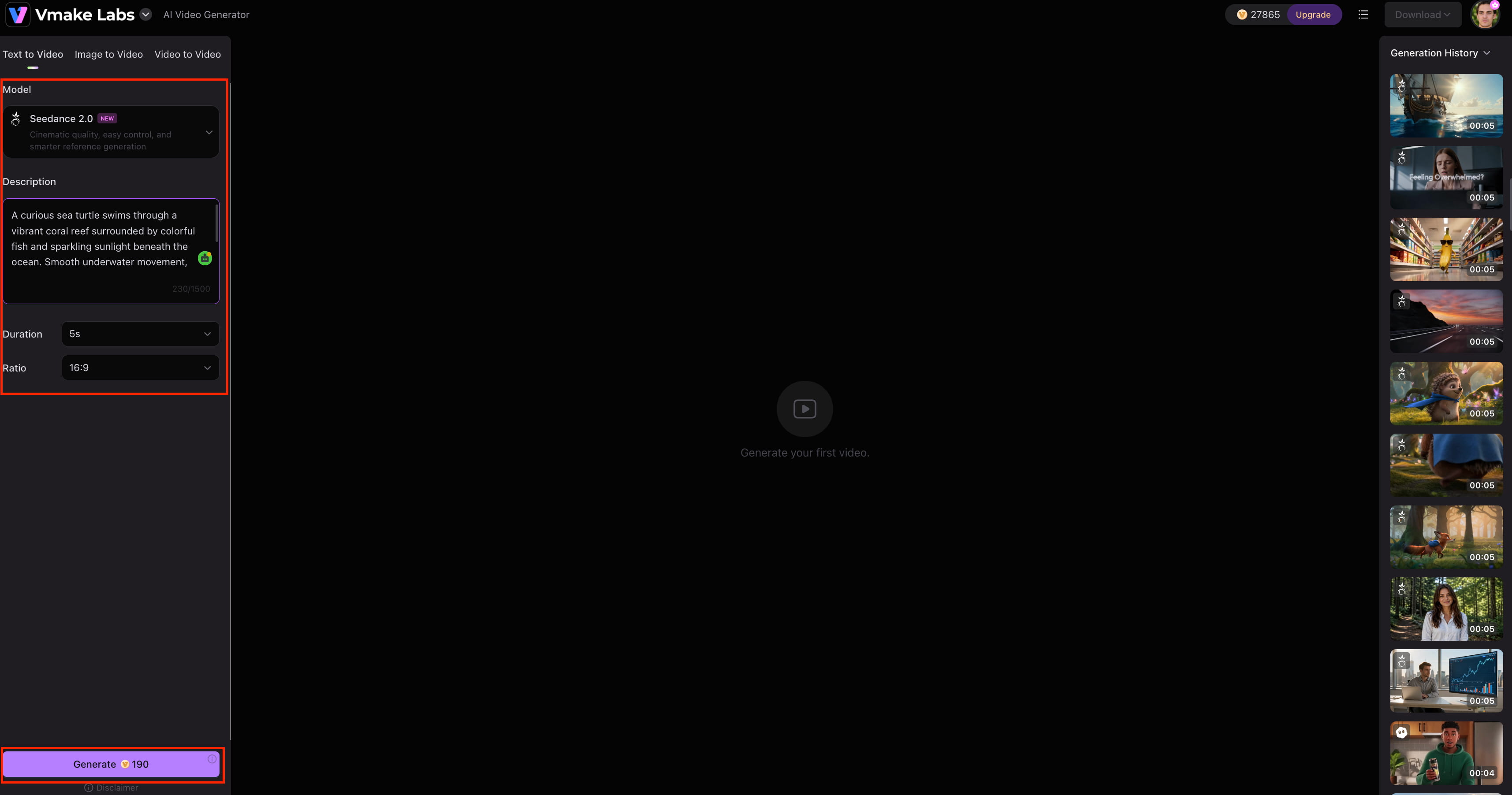
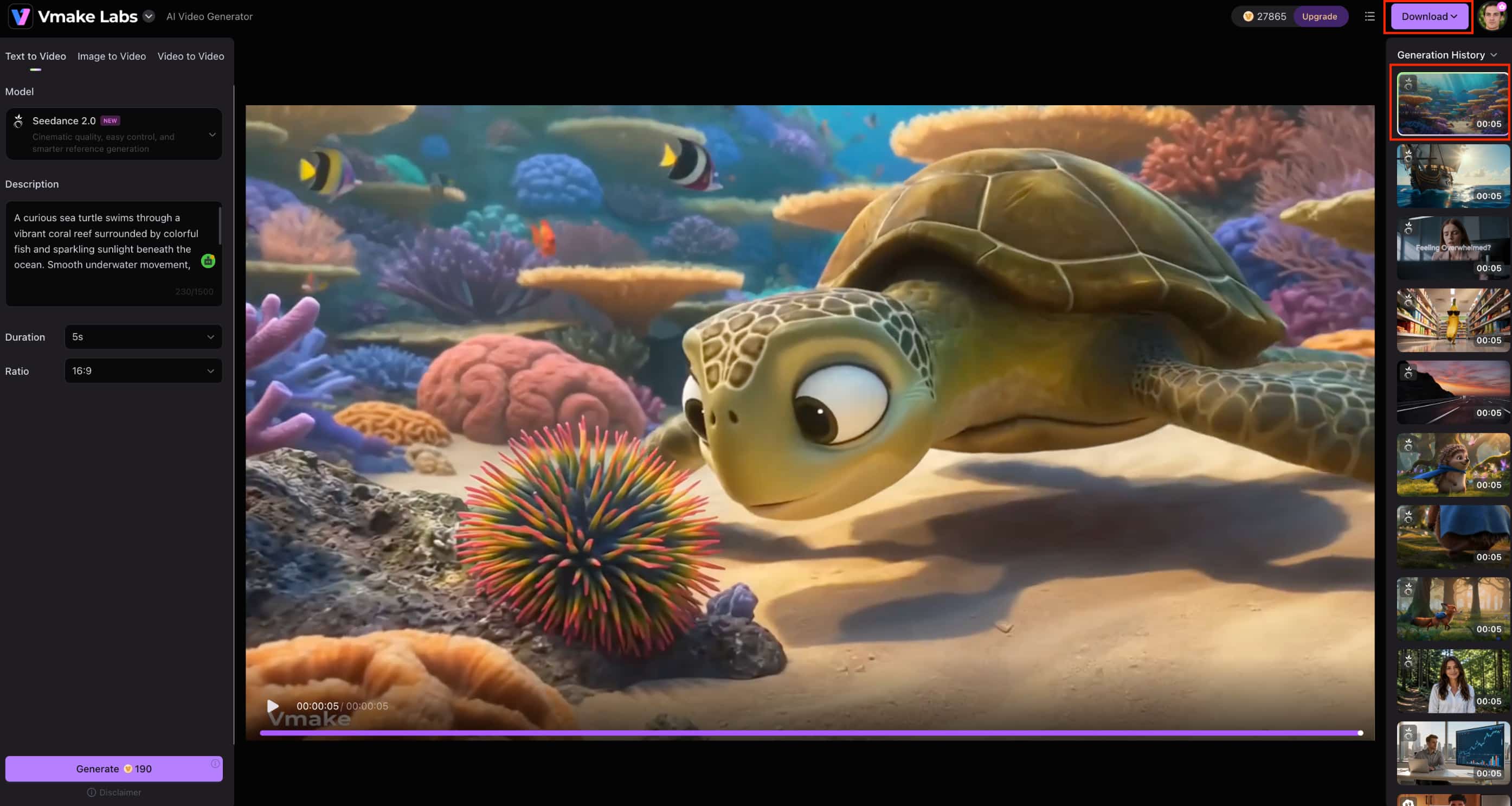
Step 3: Generate and download Generate the clip, review the result, and make another generation if needed. Vmake Labs supports video durations from 2 to 15 seconds, with supported generation options reaching 2K and 4K resolution.
Medeo AI vs Vmake Labs AI Video Generator
Both platforms support AI video creation, but they take different approaches. Medeo AI focuses more on conversational, AI-assisted creation and editing, while Vmake Labs gives users more generation methods and model choices. The better option depends on whether you prefer a guided creation workflow or more flexibility over how you generate a video.
|
Category |
Medeo AI |
Vmake Labs AI Video Generator |
|---|---|---|
|
Best for |
AI-assisted video creation |
Marketing, e-commerce, social, and creative video |
|
Text to Video |
Supported |
Supported |
|
Image to Video |
Supported |
Supported |
|
Video to Video |
Supported |
Supported |
|
AI models |
Medeo AI models |
Multiple AI video models |
|
Generation length |
Based on current Medeo offering |
2–15 seconds |
|
Input methods |
Text and supported media |
Text, image, video, frames, and effects |
|
Workflow |
Conversational AI video workflow |
Multi-model video generation workflow |
Which tool should you choose?
Medeo AI may be a better fit if you prefer a conversational approach to video creation and want to describe your ideas in natural language. Its built-in editing and customization tools can also be useful if you want to refine your videos within the same workflow and are comfortable with its available plans and subscription model.
Vmake Labs may be a better fit if you want to compare different AI video models or need Text to Video, Image to Video, or Video to Video workflows. It also gives you more ways to start a project, including frames and effects, which can be useful for marketing, e-commerce, social, and other creative video content.
Conclusion
Medeo AI is an interesting option for creators who want to create videos by natural-language instructions and built-in editing tools. With its conversational workflow and AI-assisted features, it makes video creation accessible. Its pricing, credit limits and some user-reported issues with subscriptions and rendering are worth noting. Try the free option first before you commit to a paid plan. Vmake Labs is another good option to consider if you want more variety in models and flexible starting points, with Text to Video, Image to Video, Video to Video, Frames, and Effects workflows all in one platform.
Medeo AI FAQs
-
What is Medeo AI?
Medeo AI is an AI video creation platform that enables users to create and edit videos by providing natural-language instructions. It combines video generation with AI-assisted editing and customization, which is great for creators looking for a more streamlined option than traditional video editing.
-
Is Medeo AI free?
Yes, Medeo AI has a free plan, although it comes with fewer features and resources than the paid plans. Free users get access to video creation, AI features, editing, and collaboration, while features such as watermark removal and additional credits are available on paid plans.
-
How does Medeo AI create videos?
Medeo AI creates videos from natural-language instructions. You describe the video you want, generate the initial result, and then use its available editing and customization tools to make changes. If you prefer different generation methods and multiple models, Vmake Labs also supports text, image, and video-based workflows.
-
Is Medeo AI a good video generator?
If you like built-in conversational video creation and editing tools, Medeo AI is a good option. It’s easy to use, making it perfect for creators and hobbyists, but it’s worth considering output quality, credits, and subscription costs. If you want more model choices and video generation workflows, Vmake Labs might be a better fit.
-
How much does Medeo AI cost?
Medeo AI has a free plan, with paid plans starting at $35 per month for Pro, followed by $95 per month for Insider and $295 per month for Elite. Paid plans provide more credits and additional features, while Vmake Labs offers another option for users comparing AI video-generation platforms.
-
What is the best alternative to Medeo AI?
There is no single best alternative for everyone. Vmake Labs is worth considering if you want multiple AI video models and workflows such as Text to Video, Image to Video, Video to Video, Frames, and Effects. It is particularly suitable for marketing, e-commerce, social, and creative video projects.

You May Be Interested
Artistly AI Review 2026: Is It Worth Trying for Creators?
DeeVid AI Review 2026: Features, Pricing & Top Alternative

Doodle AI Review 2026: Features, Pricing and Alternatives
Getimg AI Review 2026: Is It the Best AI Image Generator?

Supawork AI Review: Watermark Remover Tested (2026)

Nero AI Review 2026 Explained: Is the Tool Worth Using?

Pixar AI Review: What It Is & How to Create Pixar-Style Art

Vivideo AI Review 2026: Features, Pricing and Alternatives
