
Kaze AI Review 2026: What It Does and How Well It Works
Kaze AI review: Explore its AI image and video features, pricing, performance, and user feedback, then discover a flexible visual creation alternative with Vmake Labs for modern creators in 2026.

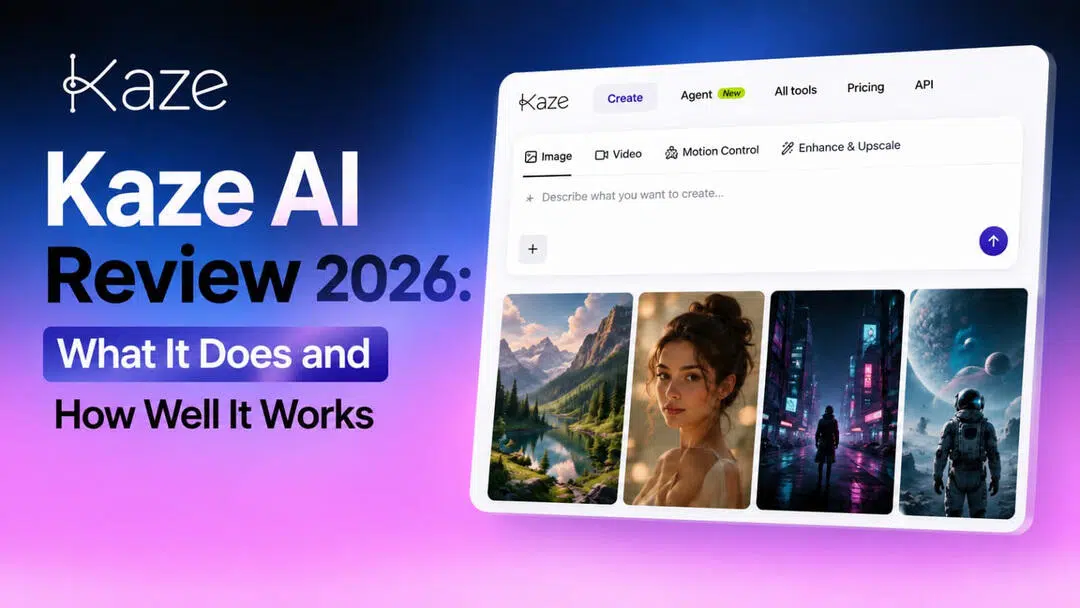
Kaze AI is an artificial intelligence platform that allows the creation, editing, restoration, enhancement, and perfection of photographs. It provides you with all-in-one watermark removal tools, background editing, image enlargement, and photo restoration capabilities. It is great for producers, marketers, photographers, and the average user.
Kaze AI explained: What can you do with it?
Kaze AI is an AI-powered creative platform for image and video generation, editing, enhancement, and removal. Instead of requiring users to switch between various applications for different tasks, they can now run numerous AI workflows in a single browser-based workspace. The platform is helpful for social media creators, marketers, e-commerce sellers, designers, photographers, and common users who wish to create or enhance visual content without needing significant editing abilities. There's a creative creation toolkit, and there's a practical picture cleanup toolset, so it's more of an all-in-one AI workspace than a single-purpose image generator.
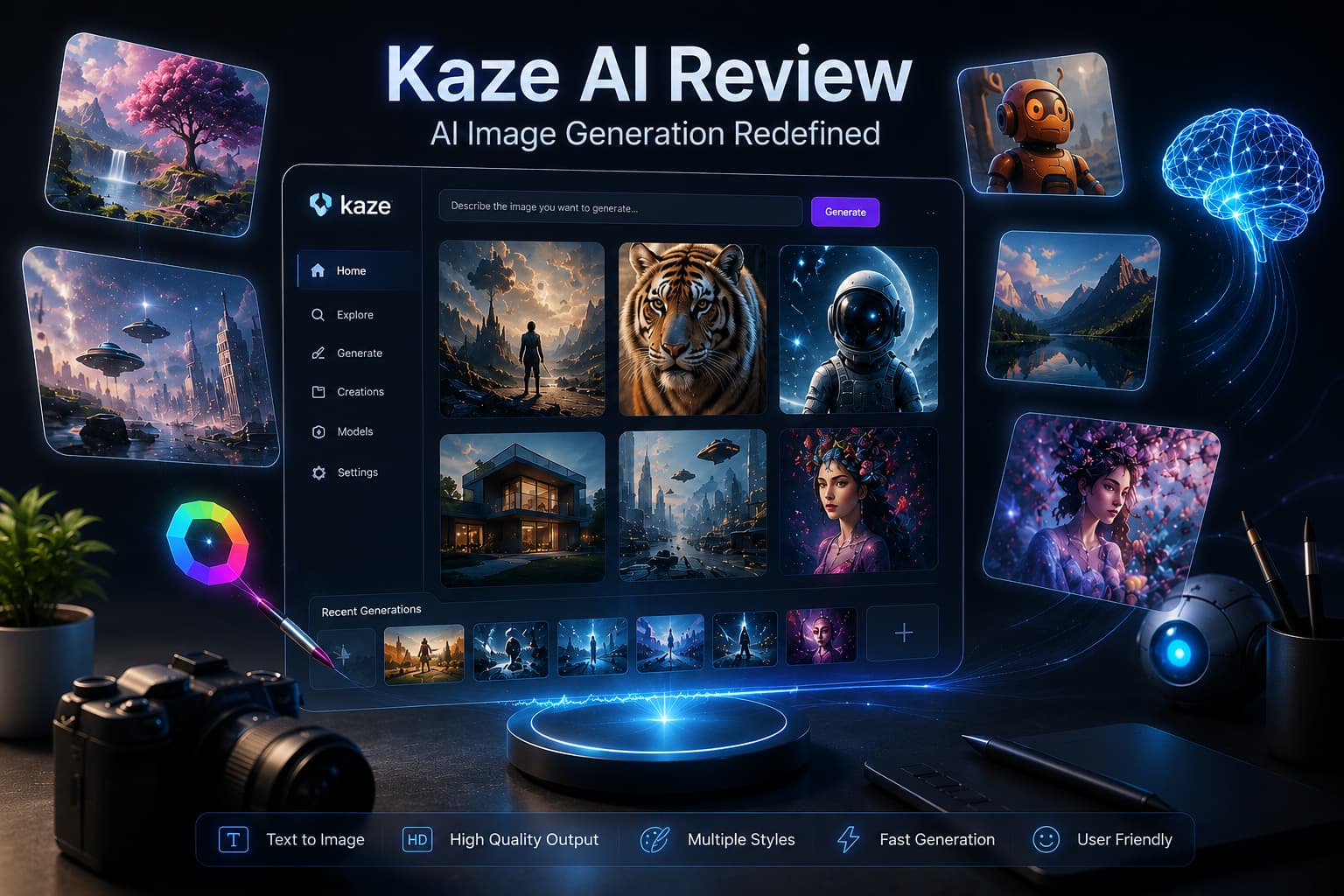
Key features of Kaze AI
-
AI image generation: Create images from text prompts and experiment with different visual styles.
-
AI image editing: Modify existing images using AI-powered editing workflows.
-
Image enhancement and restoration: Improve clarity, repair damaged images, and restore older photographs.
-
Kaze AI watermark remover: Remove watermarks, logos, text, signatures, stamps, and stickers from images.
-
Background and object editing: Remove unwanted elements or make changes to the image composition.
-
Image expansion: Expand an image beyond its initial borders, creating more content around it.
-
AI creative tools: Explore new workflows for photography, content, and visual experimentation.
How to create images with Kaze AI
Kaze AI offers a browser-based method to generate photos. In principle, it's easy: select the image-generation option, tell it what you want, tweak the various settings, and generate.
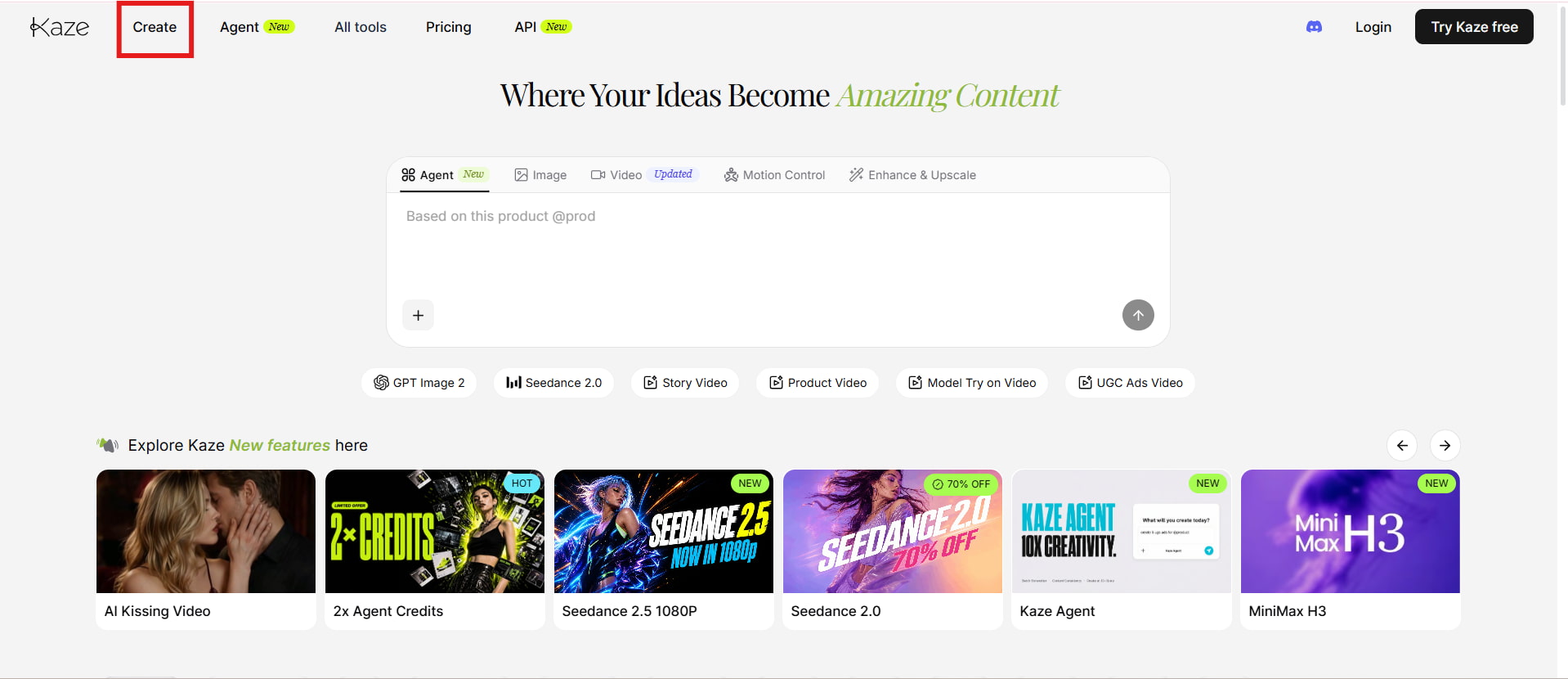
Step 1: Open Kaze AI and select the image option
Start by opening Kaze AI and choosing its image-generation workflow. Depending on the current interface and available models, you can select the relevant generation option before entering your creative request.
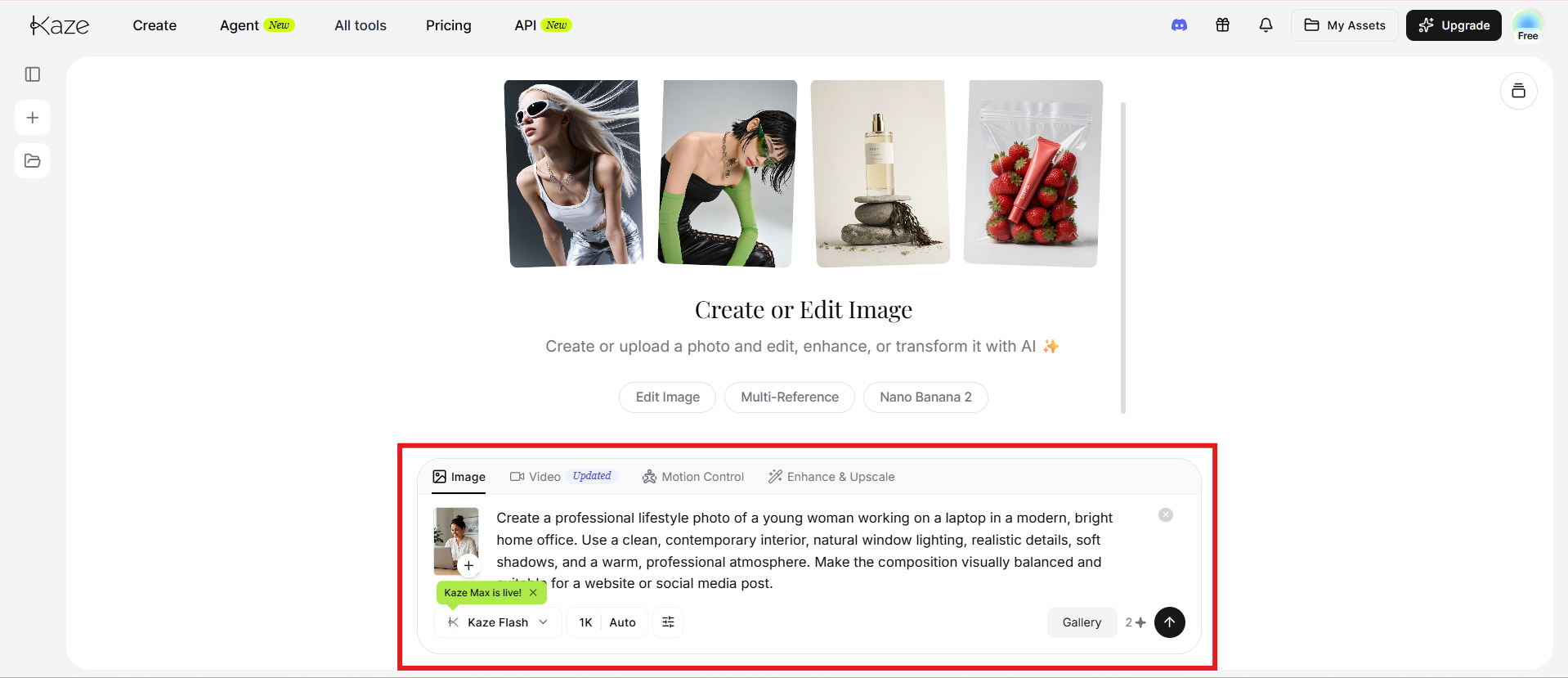
Step 2: Enter your prompt and customize the image
Describe the subject, setting, style, composition, lighting, and other details you want in the final image. More specific prompts generally give you greater control over the intended result. Review the available settings and make adjustments before generating.
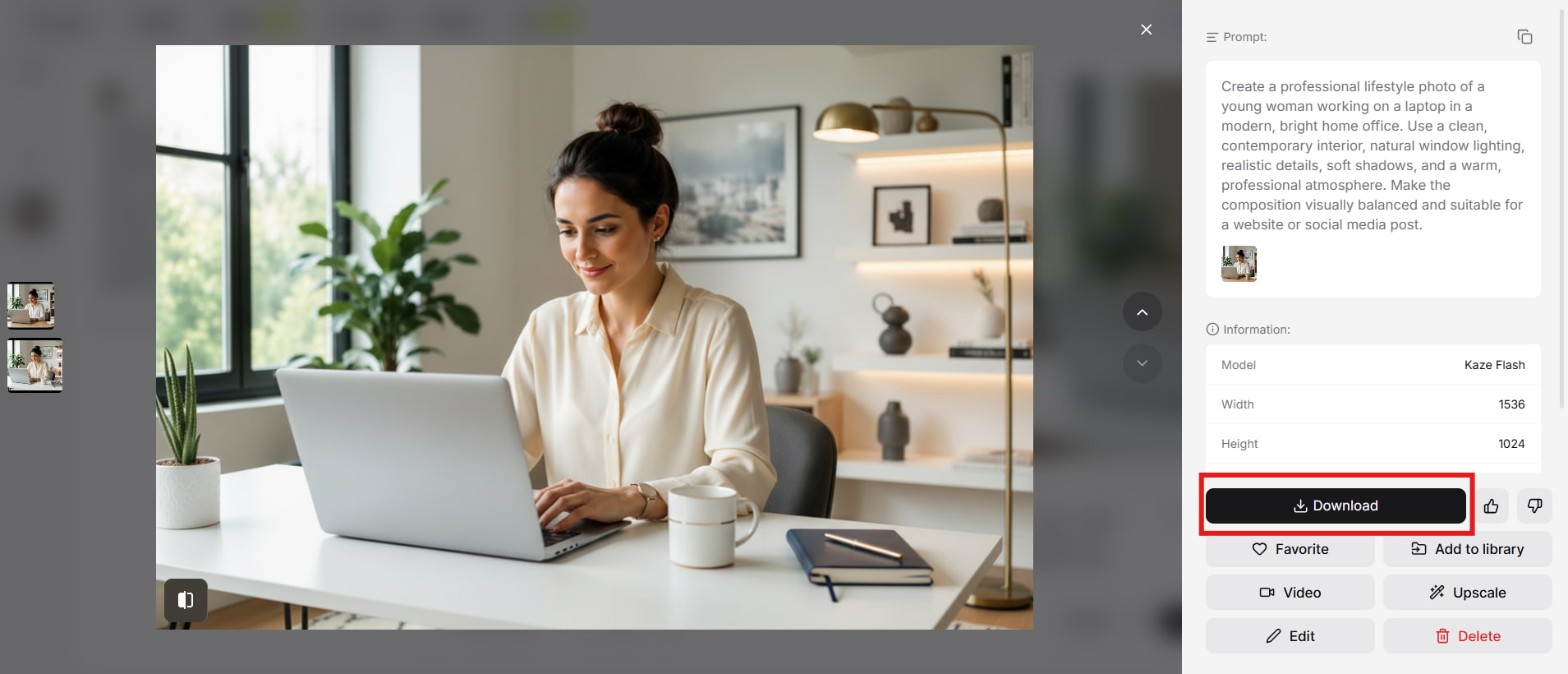
Step 3: Generate and download your image
Generate the image and review the result for subject accuracy, composition, details, and overall quality. If something looks off, refine the prompt and try again. Once the result meets your expectations, download it for your intended use.
Is Kaze AI worth using? Performance, pricing, and user feedback
Kaze AI has a decent set of image tools, but whether they're beneficial depends on the kind of work you do and how often you create or edit images.
Test results
-
Photorealistic portrait

-
Product image

-
Complex scene

Pros and cons
|
Pros |
Cons |
|---|---|
|
|
|
|
|
|
|
|
|
|
Pricing
|
Plan |
Pricing |
Best For |
|---|---|---|
|
$0 |
Beginners who want to try Kaze AI and explore its basic AI tools |
|
$9.9/month |
Casual creators who need more credits for regular image and video generation |
|
$19.9/month |
Frequent creators who need higher limits, batch processing, and priority AI processing |
|
$59.9/month |
Professionals and businesses with high-volume image and video creation needs |
|
$179.9/month |
Power users, agencies, and teams requiring very high monthly credit limits and extensive AI usage |
Real user experience
On Reddit
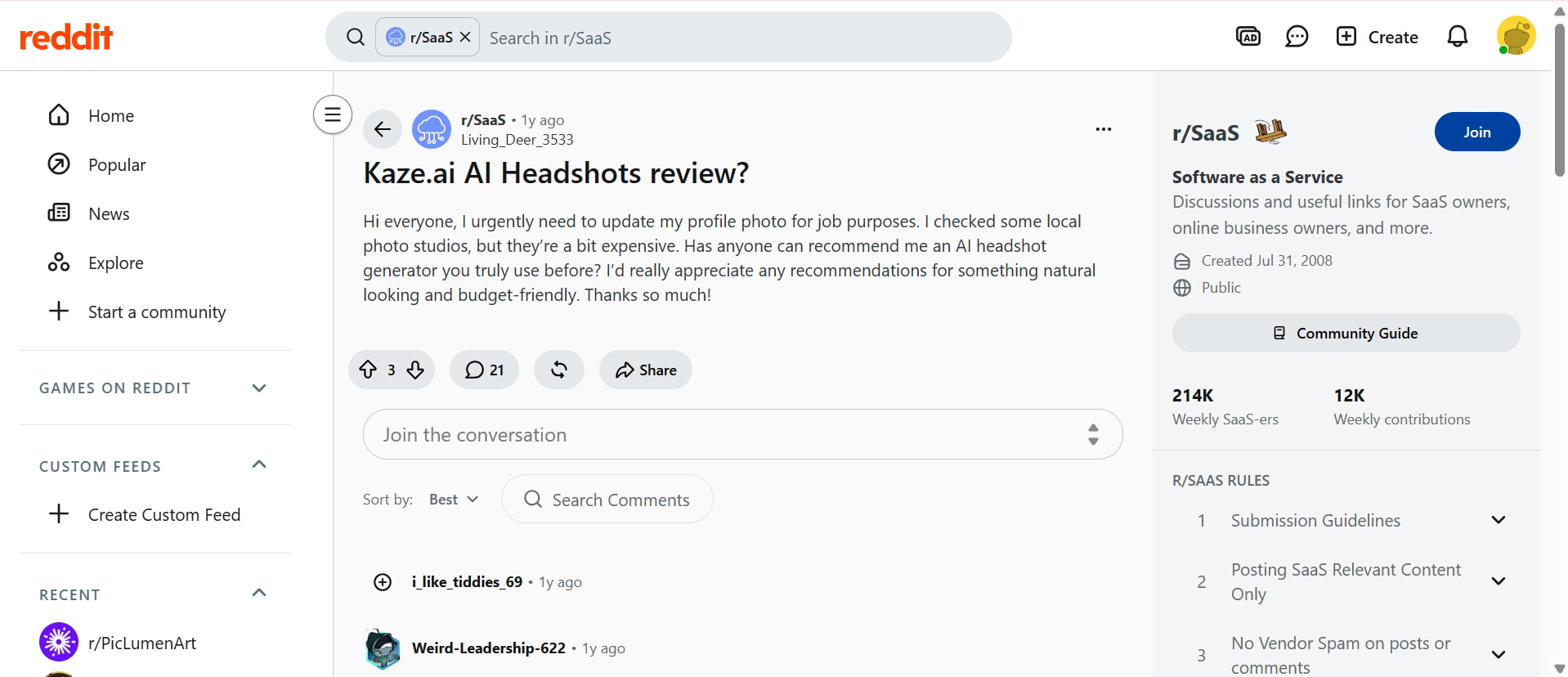
Reddit feedback on Kaze AI is few but typically mixed. The free version was considered helpful by certain users, who liked its ability to generate professional-looking headshots in a convenient way. Others were less thrilled with the outcomes and believed competing AI techniques produced cleaner or more natural-looking photographs. Overall, Reddit discussions suggest that the experience can vary depending on the type of image and the user's expectations.
On Trustpilot
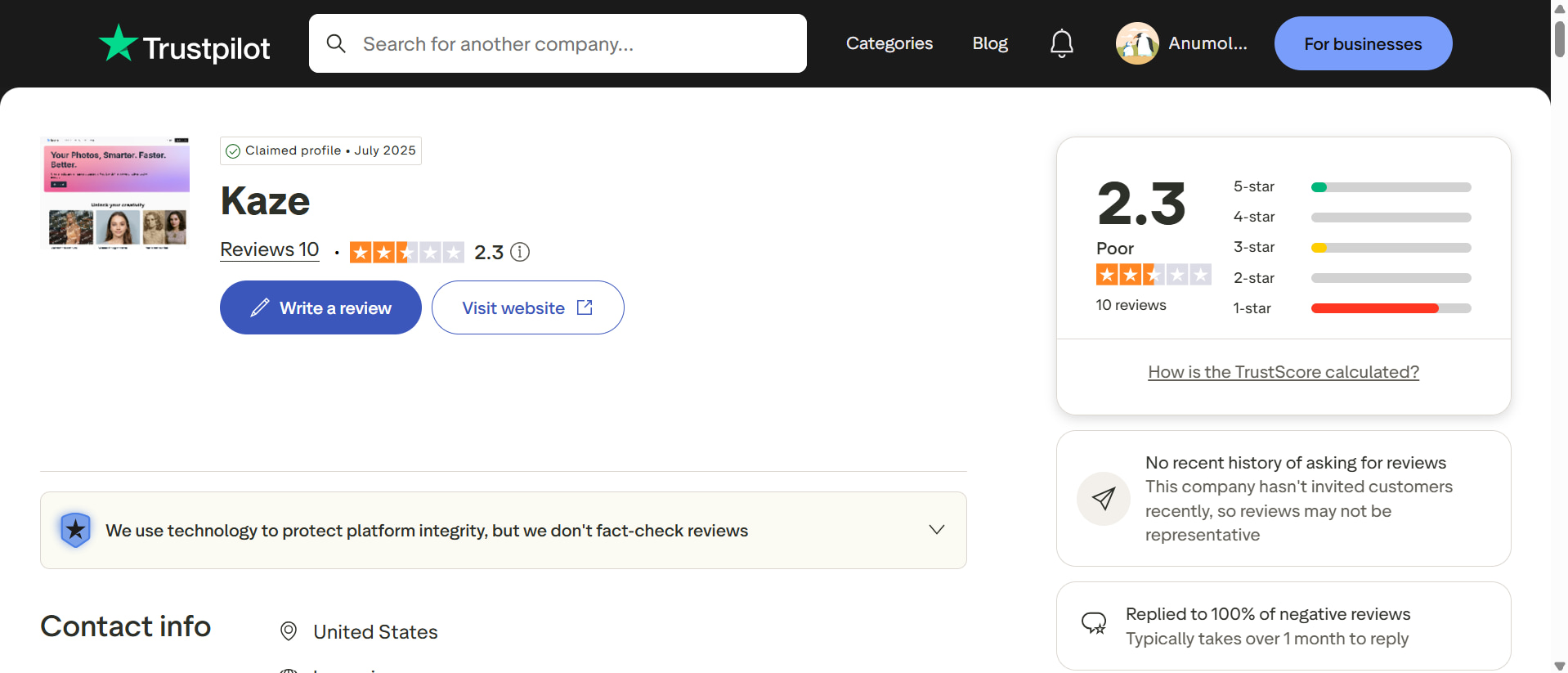
Trustpilot has more bad comments about Kaze AI, with the current rating of 2.3/5 out of 10 reviews. Some consumers praised its photo restoration and image removal features, while others raised worries about image quality and unexpected costs. Several reviewers also pointed out troubles with membership cancelation, refunds and customer service. The results are individual experiences and are not externally validated results.
While Kaze AI brings several AI-powered image tools into one platform, its results, pricing, and user feedback may not suit every creator. If you are looking for another option to create, enhance, and edit visual content, you might consider an alternative for a broader creative workflow. Vmake Labs offers AI-powered tools designed to simplify image and video creation, enhancement, editing, and content production. Here is how Vmake Labs compares as a Kaze AI alternative.
Vmake Labs as a Kaze AI alternative for AI-powered visual content
Vmake Labs is a visual content platform for creators and organizations who need to develop, edit, enhance, and optimize AI-driven visual assets. Its AI image generator supports text-to-image and image-to-image workflows, reference images, multiple models, and various aspect ratios. These features are useful for creating e-commerce images, marketing campaigns, social media content, product visuals, and other creative projects where speed and consistency matter.
How to create and edit images with Vmake Labs
Step 1: Upload an image or enter your creative requirements
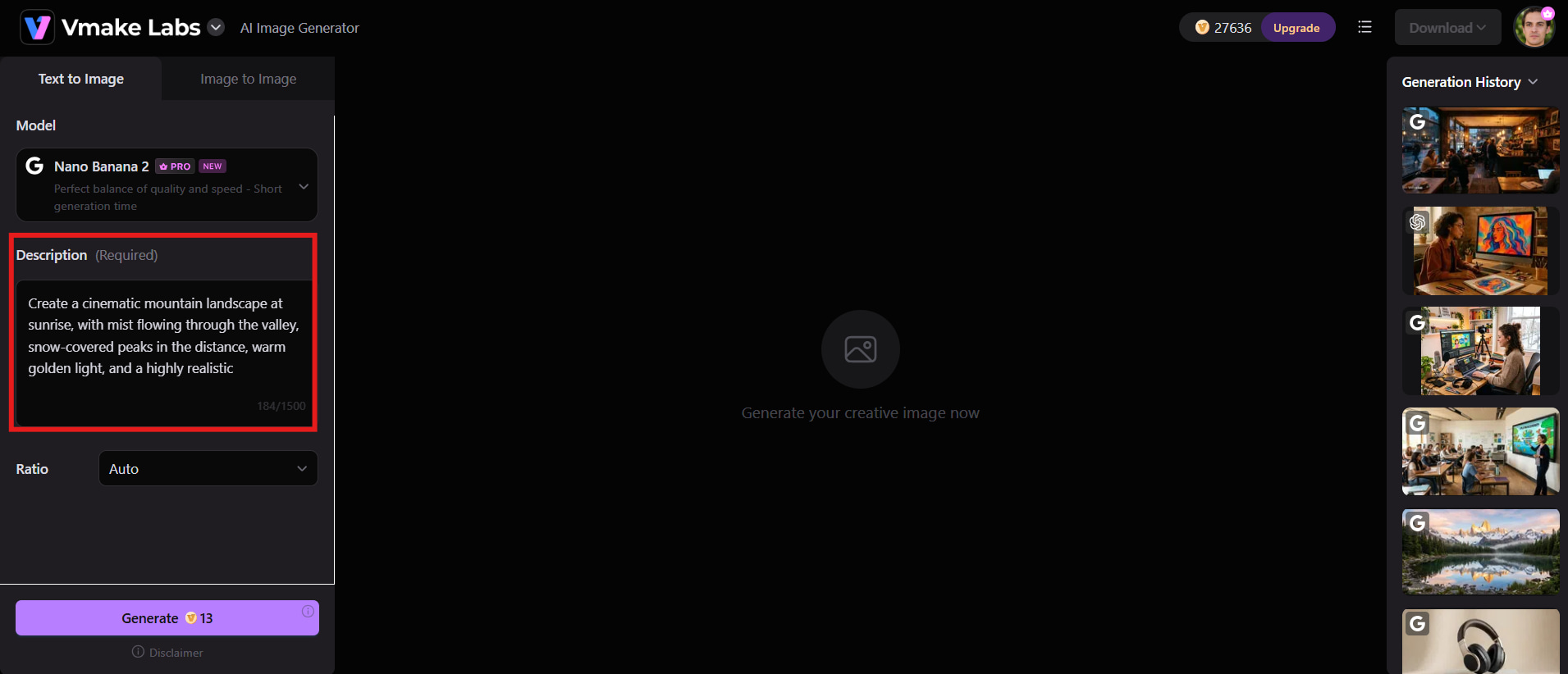
Open the Vmake Labs AI image-generation tool and write a thorough prompt of the graphic you want. You can also upload an existing photograph to modify or transform, or add a reference image to influence the style, theme, or composition.
Step 2: Select the appropriate AI image tool and customize the result
Choose the image generator or editor that suits your objective and select an available AI model and aspect ratio. Adjust the available settings and review your challenge and uploaded photographs, and begin generating.
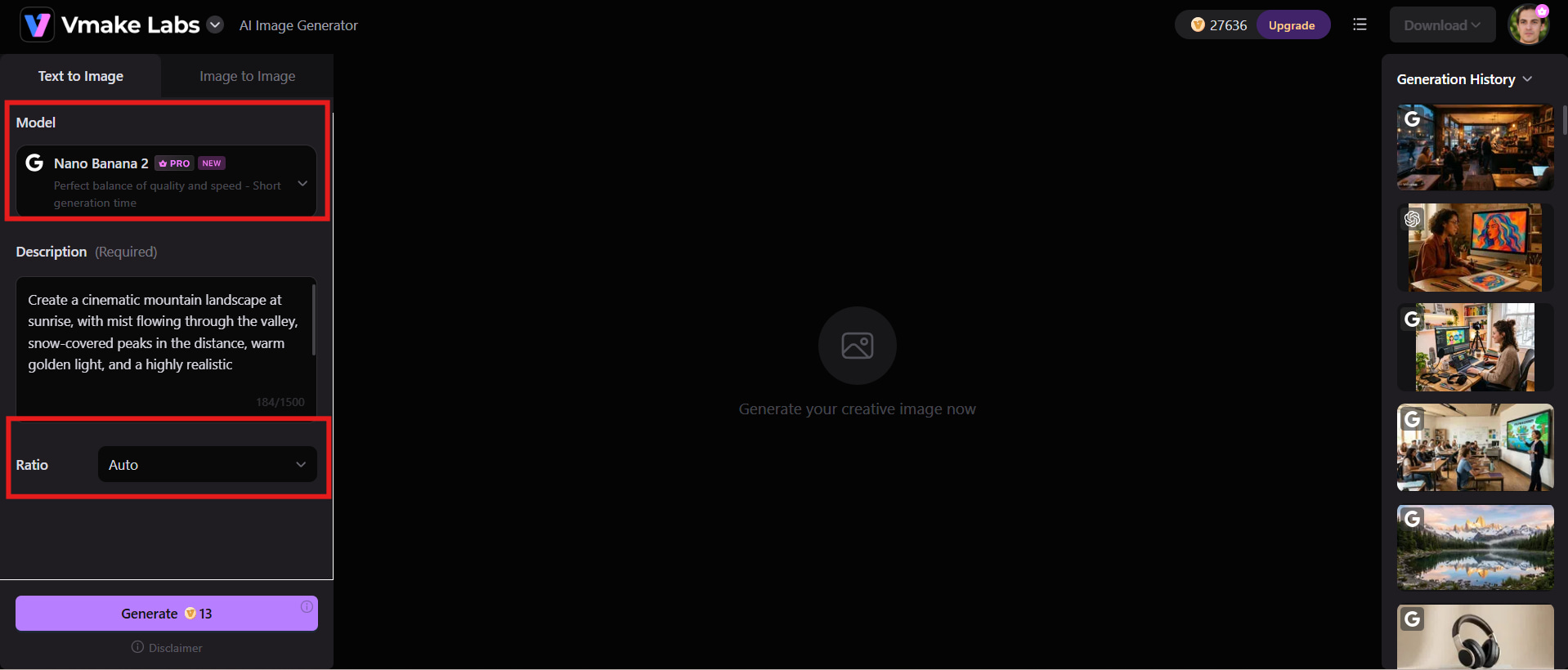
Step 3: Generate, review, refine, and download
Click Generate to create or transform your image, then review the result for quality, composition, details, and prompt accuracy. If anything needs improvement, refine your prompt or settings, generate another version, and download the final image when you're satisfied.
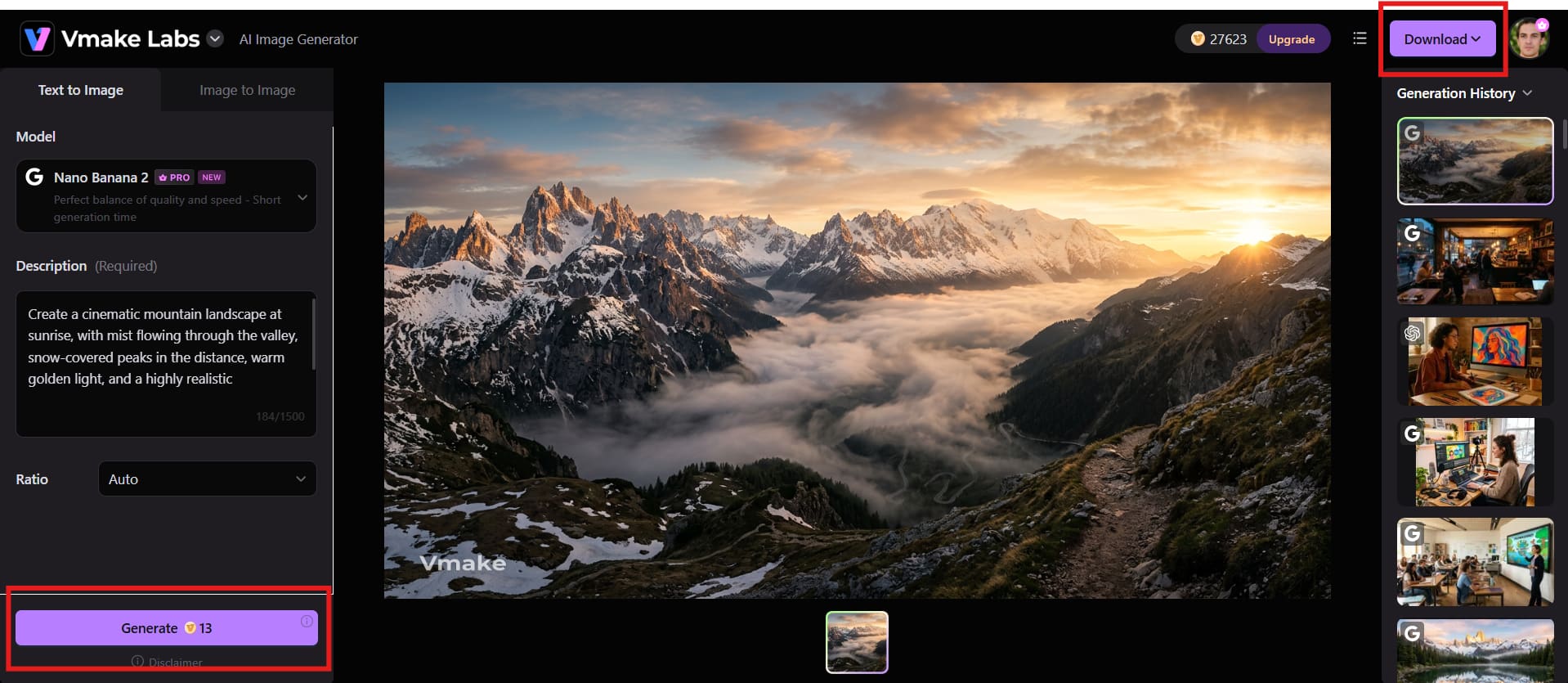
Key features of Vmake Labs
-
AI image generation: Vmake Labs lets you create visuals from text prompts or reference images, giving you control over the subject, style, composition, and overall look. It can help turn simple creative ideas into ready-to-use visuals.
-
AI product image generation: Create professional product graphics for ecommerce stores, ads, catalogs, and marketing campaigns with AI. It transforms standard product images into more attractive visual scenarios without the need for actual photography.
-
AI image editing: Modify existing images by describing the changes you want to make. You can refine backgrounds, subjects, styles, and other visual elements while keeping the editing process simple.
-
AI object and background removal: Remove unwanted objects or backgrounds from images to create cleaner compositions. This is useful when you need to isolate a subject or prepare an image for a new creative layout.
-
Image enhancement: Improve the sharpness, clarity, and overall quality of images with AI-powered enhancement. It can be useful for making softer, blurry, compressed, or lower-quality visuals look cleaner and more refined.
Kaze AI vs Vmake Labs: Which platform fits your workflow?
Kaze AI and Vmake Labs both offer AI-powered tools for producing and improving visual material, but their workflows cater to significantly different needs. Kaze AI is a larger creative platform that offers image and video generation, editing, restoration, and enhancement. Vmake Labs is more about simplifying visual creation for ecommerce, marketing, and professional content, with tools for generation, editing, background removal, and image improvement.
|
Category |
Kaze AI |
Vmake Labs |
|---|---|---|
|
Best for |
AI image and video creation, editing, and enhancement |
Professional visual creation for ecommerce, marketing, and content |
|
AI image generation |
Generates images from creative prompts |
Creates images from text prompts and reference images |
|
AI video generation |
Creates AI videos from images and prompts |
Supports AI-powered video creation and editing |
|
Image editing |
Offers AI-powered editing and enhancement tools |
Provides AI-powered image editing and refinement |
|
Product visuals |
Suitable for creating product-focused visuals |
Designed for ecommerce and professional product content |
|
Background tools |
Supports background-related image editing |
Offers background generation and removal |
|
Image enhancement |
Enhances and restores image quality |
Improves image quality, sharpness, and clarity |
|
Workflow |
Broad range of AI creative tools |
Streamlined browser-based visual creation workflow |
|
Best choice for |
Creators looking for varied AI images and video tools |
Creators and businesses focused on efficient professional visuals |
Conclusion
Kaze AI offers a wide range of tools for image generation, editing, restoration, enhancement, and removal. Its credit-based model works well for occasional users, while higher plans suit heavier workloads. However, Trustpilot feedback highlights concerns about billing, cancellation, and customer support. Vmake Labs is a strong alternative for creators and businesses looking for broader visual workflows, including an image watermark remover to remove unwanted marks from images. Comparing both platforms can help you choose the option that best matches your creative needs and budget.
FAQs
-
Is Kaze AI free to use?
Yes. Kaze AI is a free trial that gives you four credits to try out the AI tools before you subscribe. Paid plans get you access to greater capabilities and more credits. That's good for users who want to try out the platform before they commit.
-
Are Kaze AI reviews positive or negative?
Kaze AI reviews are mixed, with Trustpilot showing a 2.3 out of 5 rating from 10 reviews. Some recent users have reported concerns about billing, cancellations, refunds, and customer support. However, the overall review sample is relatively small.
-
Can Kaze AI remove watermarks from images?
Yes. Kaze AI includes a dedicated tool for removing watermarks from images, with API support for optional masking. It can be useful for cleaning up images when you have the right to edit them. Users should only remove watermarks from content they own or have permission to modify.
-
Can Kaze AI improve low-quality photos?
Yes. Kaze AI offers image enhancement and restoration features that can improve clarity, sharpness, and overall image quality. Results can vary depending on the original resolution, blur, damage, and level of detail in the image. Vmake Labs is another option for creators who want AI-powered image enhancement alongside other visual editing tools.
-
Is Kaze AI good for professional image editing?
Kaze AI provides image creation, editing, restoration, enhancement, and removal tools for different creative workflows. However, performance and credit consumption can vary depending on the task. Vmake Labs can be a useful alternative for professionals who need image editing and enhancement together with broader image and video creation capabilities.
-
Is Vmake Labs a good Kaze AI alternative?
Yes. Vmake Labs is a strong alternative for creators and businesses looking for image generation, editing, and enhancement in one platform. It supports text and reference-image workflows and can be useful for e-commerce, marketing, social media, and other creative projects.

You May Be Interested

Z Image AI Review 2026: Features, Performance, Pros and Cons
Yodayo AI Review 2026: Features, Pricing, and Alternatives
X-Design Watermark Remover Review (2026): Features & Pricing
Vidu AI Review: Is This AI Video Generator Worth in 2026?
Vadoo AI Review 2026: Features, Pricing and Alternatives
VEED Review: Does the Watermark Remover Work? (2026)

Vivideo AI Review 2026: Features, Pricing and Alternatives
Unlucid AI Review: Is this AI platform worth it in 2026?
