
Joyfun AI Review: Features, Pricing, Pros, Cons & Alternative
Looking for a clear Joyfun AI review? We break down its image-to-video tools, face swap, pricing reality, limits, and when Vmake Labs is the stronger choice.

Joyfun AI has gained attention as a low-friction, browser-based option for turning images and text into short AI videos. In this Joyfun AI review, we examine its core tools, real-world limits, pricing claims, and who it actually serves, so you can decide whether it meets your needs or whether another platform delivers stronger results.
What is Joyfun AI?
Joyfun AI is a web-based AI creative suite built around image-to-video animation, alongside text-to-video generation, face swap, and image-to-image restyling. You open it in a browser, upload an image, or type a prompt. The platform then generates a short clip or a restyled image using a mix of third-party AI models rather than one proprietary engine
It's aimed at people who want quick, low-effort output for social content: TikTok clips, Instagram Reels, memes, and experimental visuals. Marketers testing concepts, casual creators, and anyone curious about AI video without committing to a paid subscription are the core audience. It's a less natural fit for teams that need consistent branding, longer-form video, or fine-grained editing control.
Key features of Joyfun AI
-
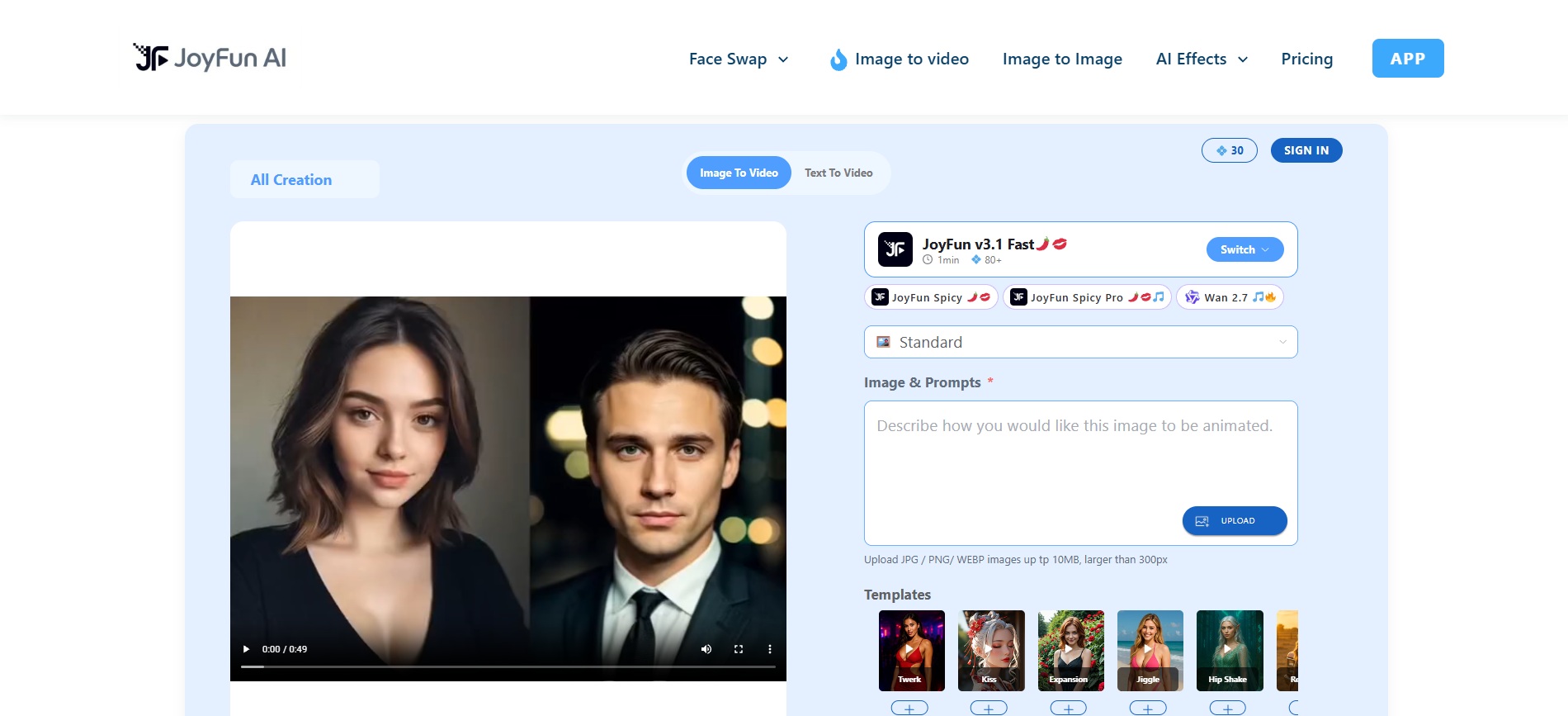
Image-to-video animation
The flagship feature. Upload a still photo, and Joyfun AI animates it into a short clip with motion and simulated camera movement. It generates clips up to 10 seconds and reaches 1080p in many cases. This is the most-searched use case for the tool, and it's where reviewers say it performs most consistently.
-
Text-to-video generation
Describe a scene, subject, and style in a prompt, and the platform generates a clip from scratch rather than from an uploaded image. Output quality here depends heavily on prompt specificity.
-
AI face swap
Replace faces in photos or short video clips by uploading a source image. The tool adjusts lighting and expression for a more natural blend. Quality varies with input clarity, making clear, well-lit reference photos important for better outcomes.
-
Specialized one-click effects
Choose from ready-made templates such as AI dance, kissing, or hair-color changes. These presets apply popular social-style animations without writing complex prompts. They help creators produce trend-oriented clips with minimal effort and fast iteration.
-
Image-to-image restyling & effects
Upload a photo and apply creative restyling, filters, or transformations. The feature supports quick visual experiments and style variations. Outputs work well for concept testing, thumbnails, or preparing images before animating them into video.
How to use JoyFun AI video generator
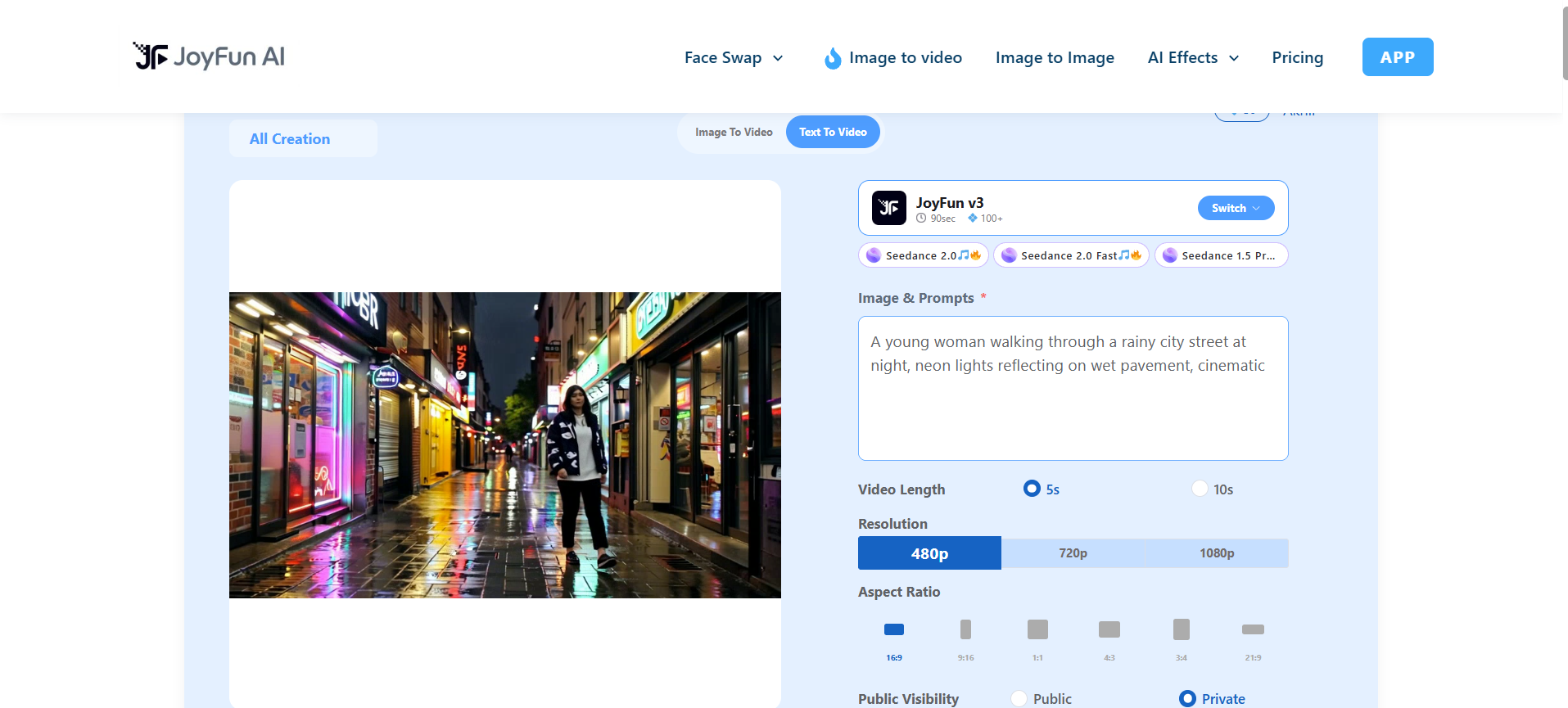
Follow these three steps to turn an image or prompt into a finished clip in Joyfun AI, from choosing your input to downloading the MP4.
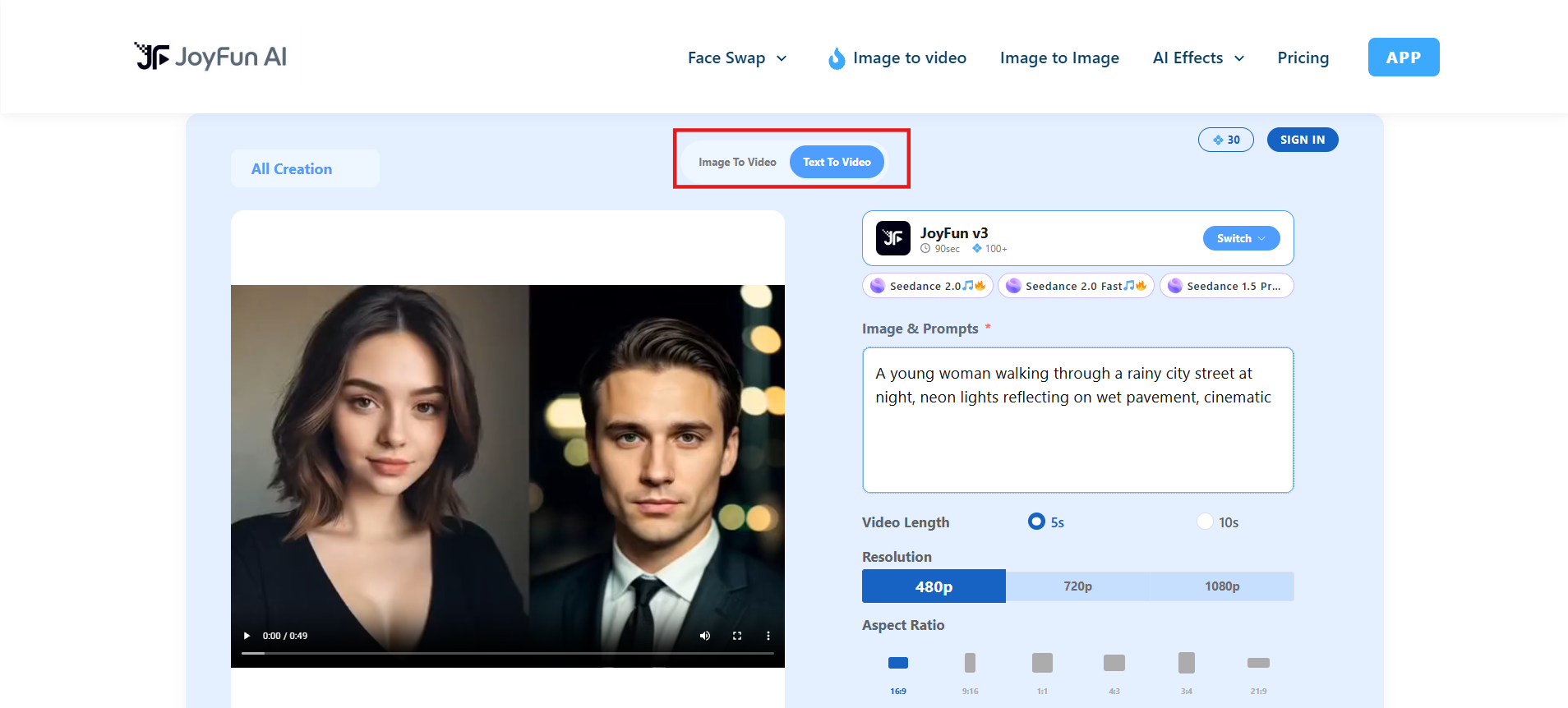
Step 1: Upload image or input prompt
Select the Image-to-Video or Text-to-Video tool. Upload an appropriate image or describe the scene, subject, movement and visual style in your prompt.
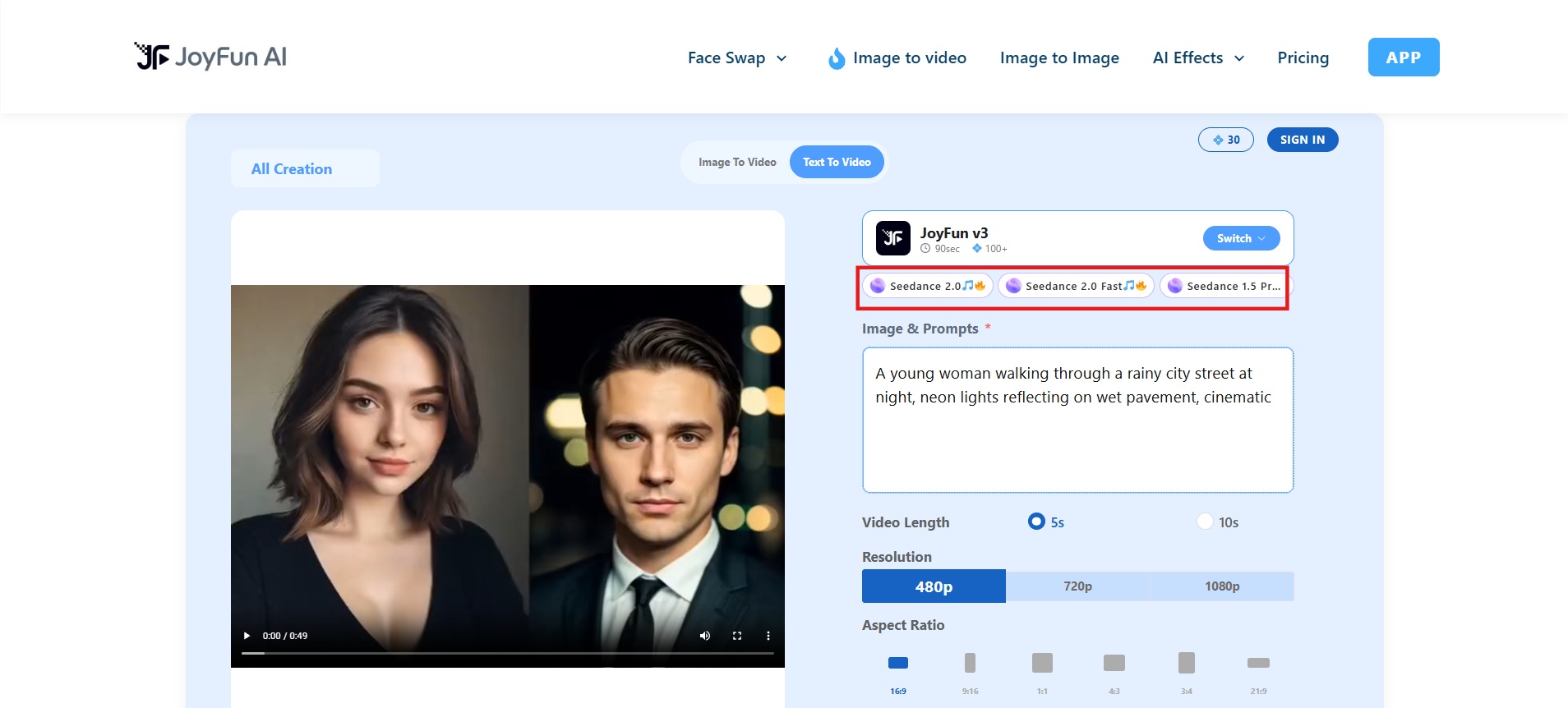
Step 2: Select the AI model and settings
Choose an available AI model, then adjust settings like video length, resolution, and other available generation options. Different models can lead to noticeably different motion and visual results.
Step 3: Create and download the video
Click Generate to create your clip. Preview the result, and if you're satisfied, download the generated video in high-resolution MP4 format.
Joyfun AI pricing & plans
Pricing information is inconsistent across sources and the platform's own pages. Some listings emphasize free or no-sign-up access with generous generation. Others document one-time credit packs and note that credits do not expire in many cases. Face-swap follows a separate licensing path.
|
Plan |
Price (one-time) |
Credits |
Max Video Length |
Max Resolution |
Storage |
|---|---|---|---|---|---|
|
Standard |
$29.99 |
3,000 |
10 seconds |
Up to 720p |
7 days |
|
Premium |
$89.99 |
20,000 |
10 seconds |
Up to 1080p |
30 days |
|
Deluxe |
$169.99 |
60,000 |
10 seconds |
Up to 1080p |
60 days |
Joyfun's pricing page states credits are a one-time purchase with no recurring subscription, and purchased credits don't expire. That page also lists a 48-hour refund window, valid only if you've used 100 credits or less, and notes credits aren't transferable or redeemable for cash. This conflicts with a few third-party reviews that describe monthly subscription pricing instead, so confirm which model applies before you buy.
For occasional experimentation, the one-time credit model can be convenient because there is no recurring subscription for standard generation. For frequent users, however, credit consumption can become an important part of the total cost.
Pros and cons of Joyfun AI
We tested Joyfun AI's core claims against real use. Here's what stands out as a strength, and where it falls short once you push further.
Pros |
Cons |
|---|---|
|
|
Who should use Joyfun AI?
Joyfun AI fits casual creators, meme-makers, and anyone who wants to test an idea in a browser without committing to software or a subscription. It's also reasonable for marketers who need a quick, disposable proof-of-concept clip before investing in a more polished production.
Who should consider a Joyfun AI alternative?
Consider an alternative if you need longer clips, higher resolution (including up to 4K), more consistent multi-model access, start/end-frame control, video-to-video workflows, or a clearer path from generation to polished output. Teams doing regular commercial or multi-shot work will usually outgrow pure short-clip generators quickly.
Vmake Labs: a Joyfun AI alternative
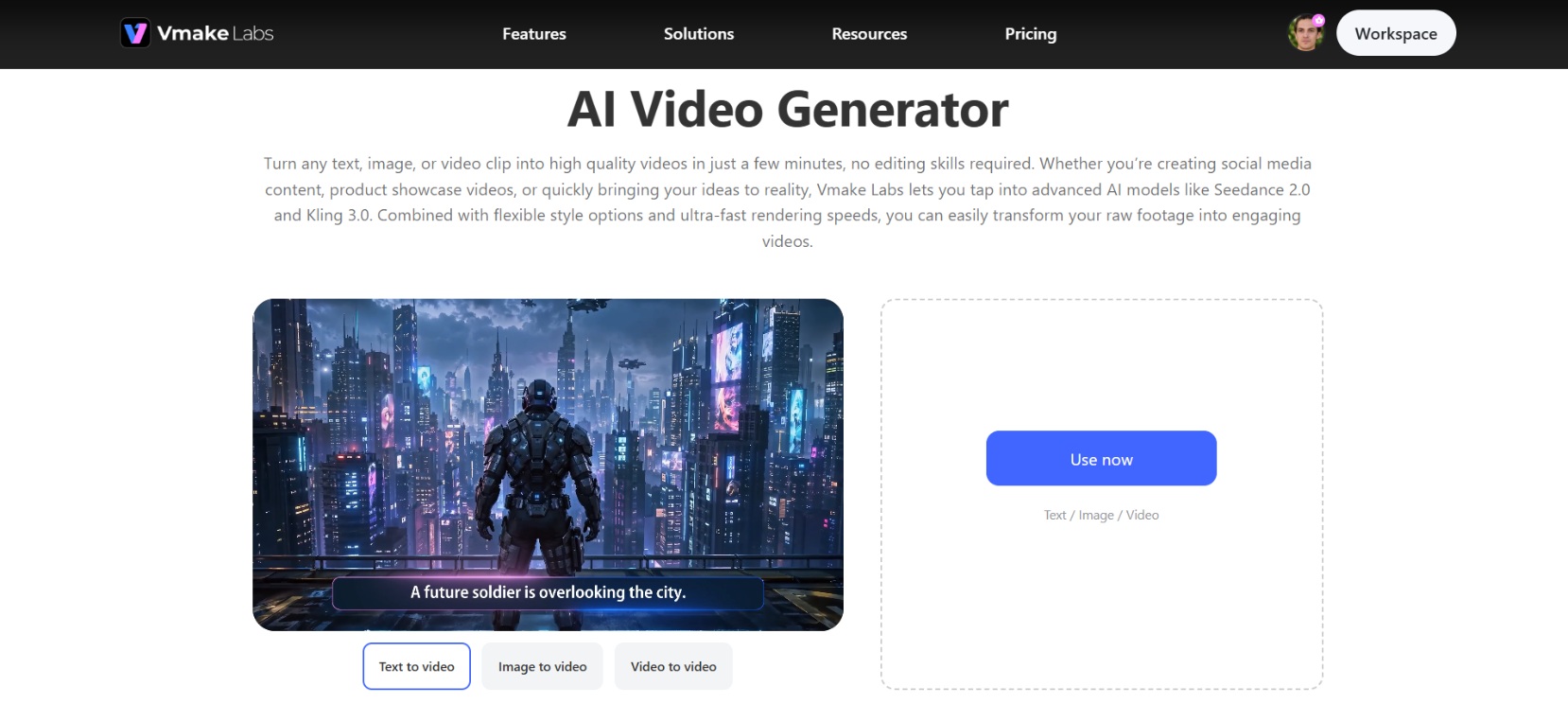
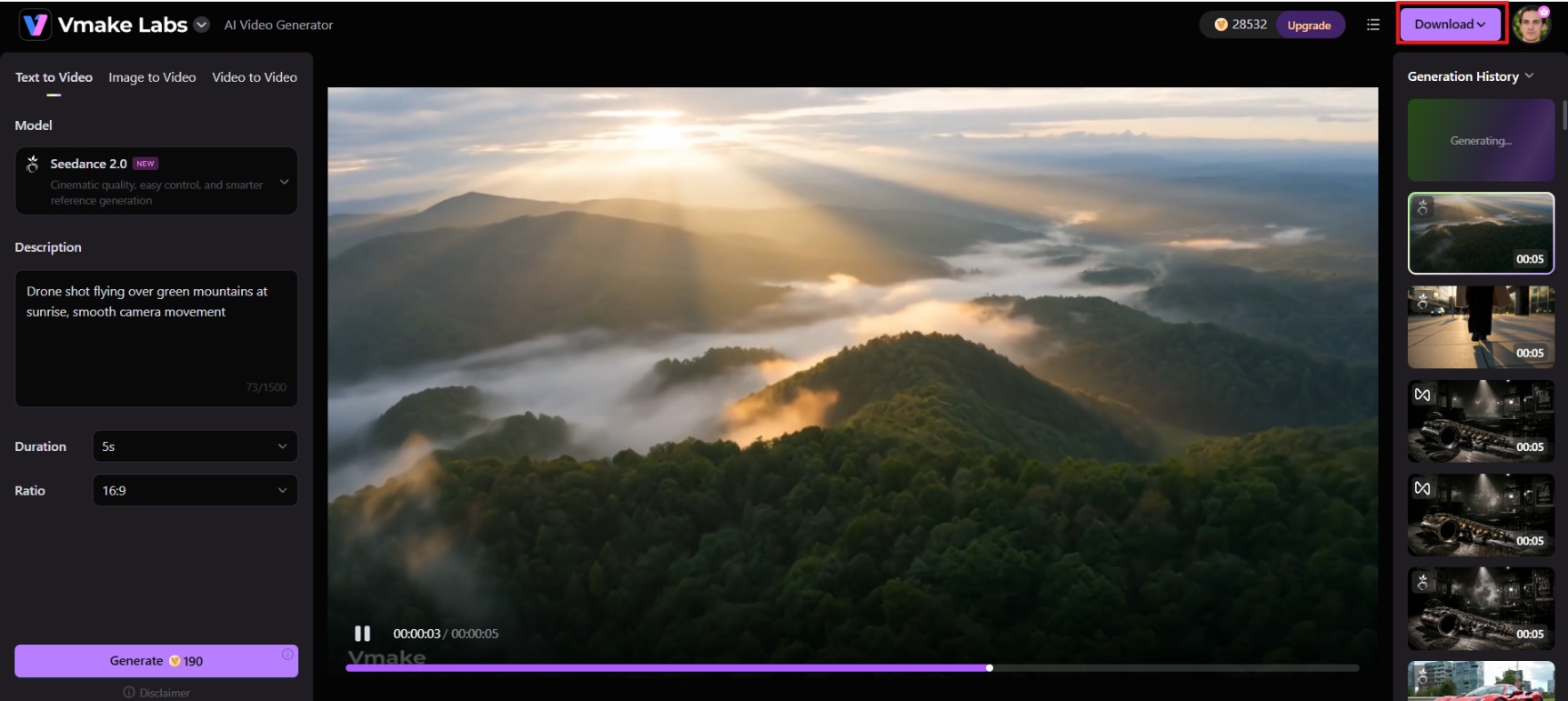
Vmake Labs is a creative studio providing a powerful AI video generator for creators, marketers and businesses looking for more than just quick effects. It supports text-to-video, image-to-video generation and video-to-video generation. It unifies multiple AI models into one workspace. With flexible generation options and high-resolution output, Vmake Labs provides a practical Joyfun AI alternative for users who desire more control and versatility.
Key features of Vmake Labs AI video generator
-
Multi-model AI video generation
Vmake Labs brings together multiple top AI video models like Seedance 2.0, Kling 3.0, Google Veo 3.1, and Sora 2 into one workspace. This means that users can play with different models on the same idea and quickly see how they compare. They can then choose the output that best meets their creative or commercial goals, all without having to swap platforms.
-
Multiple video generation modes
Create videos from text, images, or existing videos. The platform also supports multi-image references, start/end frame controls, and video-to-video generation. These options help users guide motion more precisely, maintain visual consistency, and build short sequences that better match their intended story or product presentation.
-
Rich visual styles & creative options
You can describe cinematic, realistic, comic, Eastern, or other visual directions directly in the prompt to shape the look of each clip. This flexibility helps creators tailor output for TikTok, Reels, YouTube Shorts, or product content without being locked into a fixed preset library.
-
High-resolution video output
Vmake Labs lets you create videos in resolutions up to 4K and lengths from 2 to 15 seconds. Higher resolution and adjustable length help users create clearer social clips, product demos and short ads that hold up better on bigger screens and across platforms.
Steps to generate videos using AI
Creating a video in Vmake Labs takes three simple steps. Start with your idea, adjust the settings, then generate and download the clip.
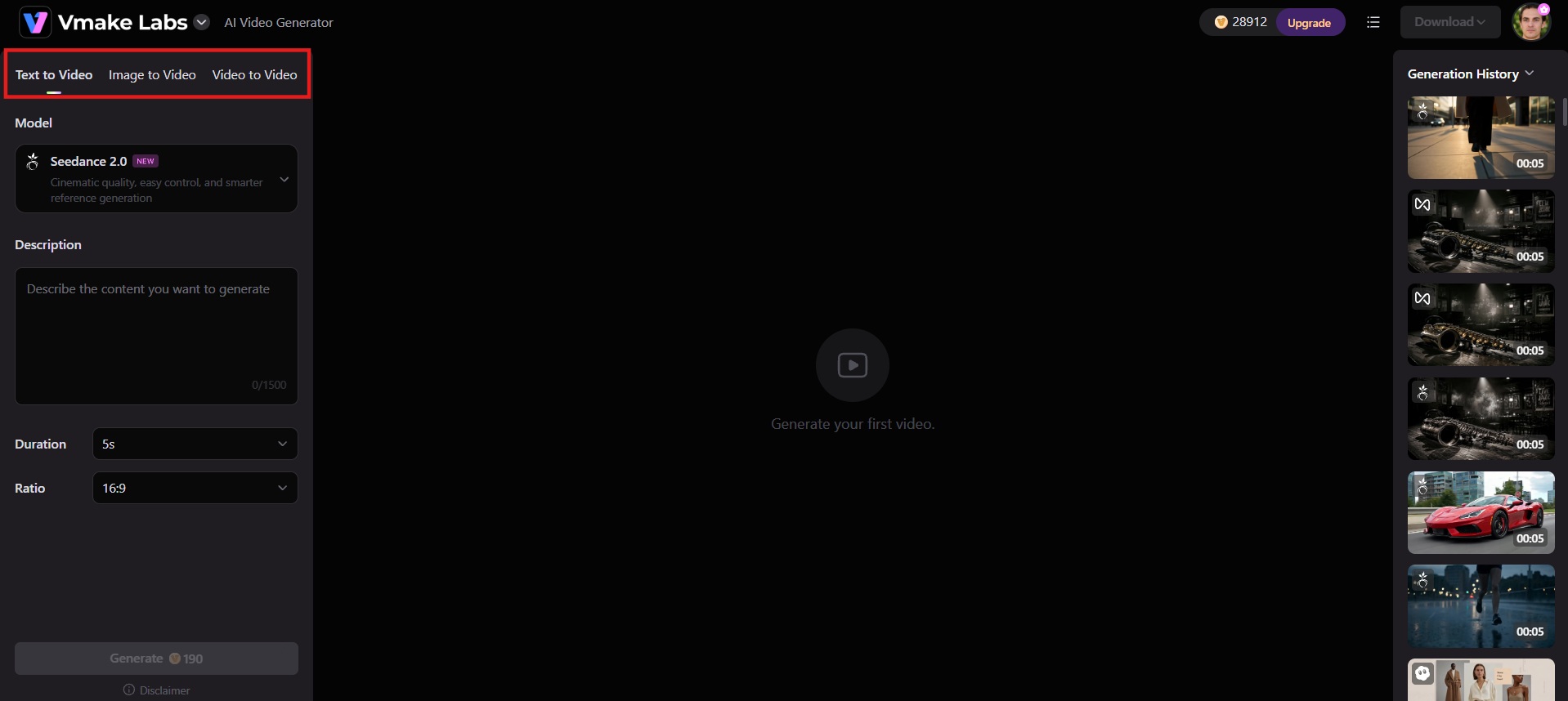
Step 1: Add your content or idea
Open the Vmake Labs AI Video Generator and pick your starting point. Type a text prompt for Text-to-Video, upload an image or product photo for Image-to-Video, or upload an existing clip for Video-to-Video.
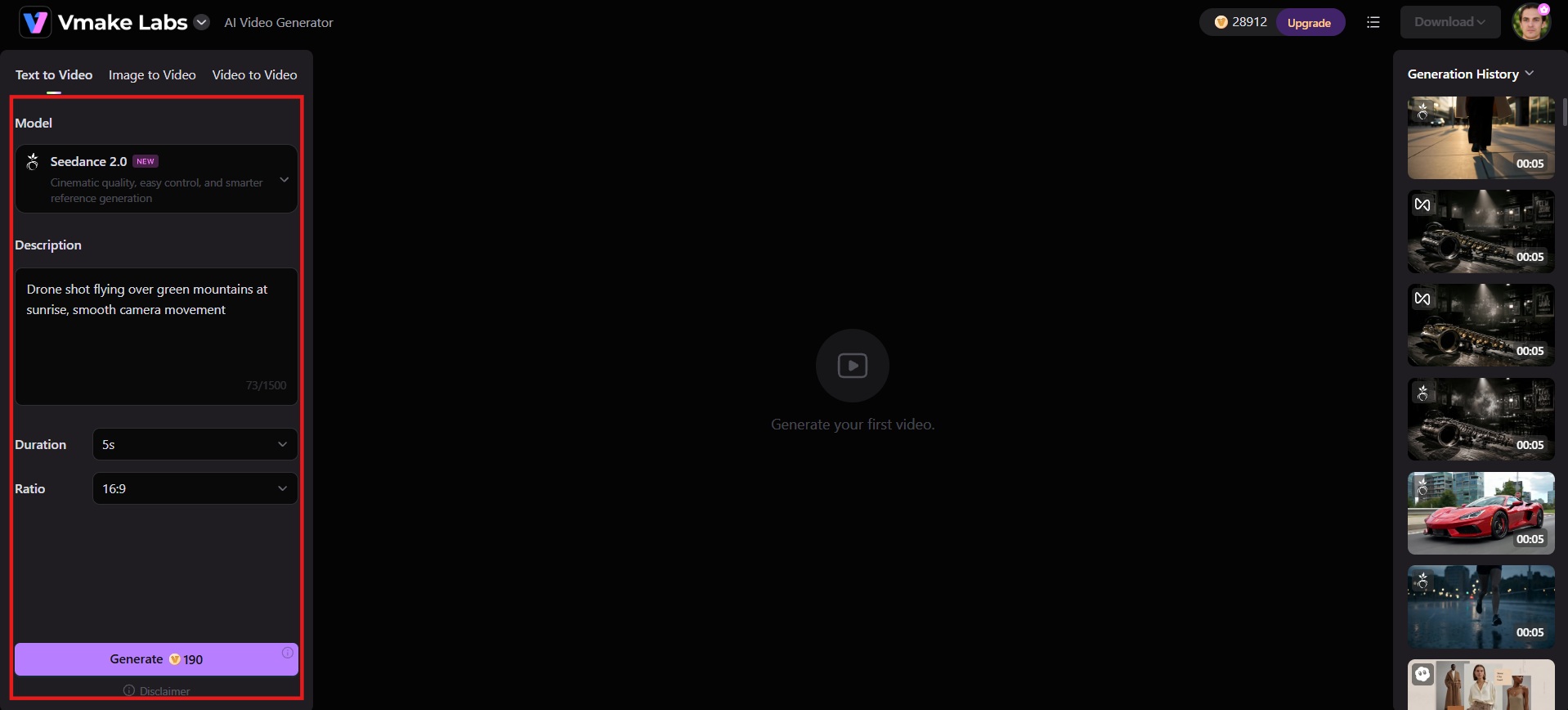
Step 2: Customize your settings
Set the video length (usually 2–15 seconds), choose an AI model such as Seedance 2.0 or Kling 3.0, and adjust options like aspect ratio or effects. Describe the visual direction you want in the prompt.
Step 3: Generate, preview & download
Click Generate and wait for the AI to create the video. Preview the result. If it looks right, download the finished clip in high resolution up to 4K.
Joyfun AI vs Vmake Labs: comparison
Both tools generate short AI videos, but they serve different needs. Here's a side-by-side look at access, output quality, controls, and the best fit for each.
|
Aspect |
JoyFun AI |
Vmake Labs |
|---|---|---|
|
Main Focus |
Quick, fun short clips & effects (face swap, dance, kiss, etc.) |
High-quality short-form video for creators & products |
|
Generation Modes |
Text-to-Video, Image-to-Video, Face Swap, Effects |
Text-to-Video, Image-to-Video, Video-to-Video, Multi-image |
|
AI Models |
Mix of proprietary + third-party (Seedance, Kling, Wan, etc.) |
Multiple top models (Seedance 2.0, Kling 3.0, Veo 3, Sora 2, etc.) |
|
Max Video Length |
Usually up to 10 seconds |
Typically 2–15 seconds |
|
Resolution |
Up to 1080p |
Up to 4K |
|
Ease of Use |
Very high, often no sign-up, browser-based |
High, simple 3-step process, free trial |
|
Special Features |
Strong face swap + one-click trending effects |
Product Showcase, AI Avatar, UGC Agent, Video Enhancer, Watermark Remover |
|
Output Quality |
Mid-tier motion, good for casual use |
Multiple model options for consistency and realism, suited to marketing use |
|
Pricing Model |
Free tier + one-time credit packs (or mixed claims) |
Free trial/credits + paid plans |
|
Best For |
Casual creators, fun experiments, social memes |
Content creators, e-commerce, marketers, UGC ads |
Choose Joyfun AI if:
-
You mainly make short social clips
-
You want face-swap and preset effects
-
You prefer a simple browser workflow
-
You are experimenting with AI video rather than building a larger production workflow
-
You do not need advanced editing controls
Choose Vmake Labs if:
-
You want several leading AI video models in one workspace
-
You need text-to-video, image-to-video, and video-to-video
-
You want up to 4K output
-
You create product, UGC, or marketing videos
-
You want more flexibility in generation inputs and controls
Conclusion
Joyfun AI delivers accessible short-form AI video and face-swap tools that many creators find useful for quick experiments and social content. Its main constraints, clip length, variable consistency, queues, and mixed pricing signals, mean it is rarely the final stop for serious or high-volume work.
For creators who outgrow those limits, Vmake Labs offers a practical next step with multi-model access, higher resolution options, and more flexible generation modes. Recap your needs, test both where possible, and pick the tool that matches your output goals.
FAQs
Is Joyfun AI free to use?
No. JoyFun AI has no free plan or free trial right now. Generation features run on purchased credits, while Face Swap requires its own one-time license.
Do I need an account or login to try Joyfun AI?
No, you do not need an account or login to try Joyfun AI. You can immediately access and use their generation tools directly on the website without providing any personal information or registering an account.
What file formats are supported for uploads?
Common support includes standard image formats such as JPG, PNG, and WEBP. Size limits typically apply, often around 10 MB. Video inputs for face swap follow the platform's current rules and supported formats.
Do I need professional video editing skills to use Joyfun AI?
No. The tools are designed for beginners with simple upload-or-prompt flows and one-click effects. Advanced timeline editing is not a core strength, so most users can generate clips without prior editing experience.
Is Vmake Labs a good JoyFun AI alternative?
Yes, particularly for creators who need longer clips, 4K output, or access to multiple AI models like Seedance 2.0, Kling 3.0, Veo 3.1, and Sora 2 in a single AI video generator workspace. It's also worth a look if you want restyling options beyond video, since Vmake Labs AI image generator covers the image-to-image side Joyfun AI handles too.

You May Be Interested
Artistly AI Review 2026: Is It Worth Trying for Creators?
DeeVid AI Review 2026: Features, Pricing & Top Alternative
Doodle AI Review 2026: Features, Pricing and Alternatives
Getimg AI Review 2026: Is It the Best AI Image Generator?

Supawork AI Review: Watermark Remover Tested (2026)

Nero AI Review 2026 Explained: Is the Tool Worth Using?

Pixar AI Review: What It Is & How to Create Pixar-Style Art

Vivideo AI Review 2026: Features, Pricing and Alternatives
