
MagicLight AI Review: A Closer Look at Its AI Video Generator
Explore our MagicLight AI review covering video quality, text-to-video, image-to-video, pricing, free access, user feedback, and how Vmake Labs compares as an alternative AI video generator.

MagicLight AI is built around AI-assisted video creation, with tools for generating videos from text and images. In this review, we look at how its creation workflow performs in practice, including video quality, image-to-video generation, ease of use, pricing, and feedback from users.
What is Magic Light AI?
MagicLight AI specializes in AI-assisted video generation, offering tools to generate videos from text and images. In this review, we check out its creation workflow in practice: video quality, image-to-video generation, ease of use, pricing, and feedback from users. You can start with a written idea or an image, depending on the project, and use MagicLight's available tools to build and refine the video. It is available on the web, while Android and iOS apps are also listed for mobile users. This makes it useful for creators working on short-form content, stories, animations, and other AI-assisted video projects.
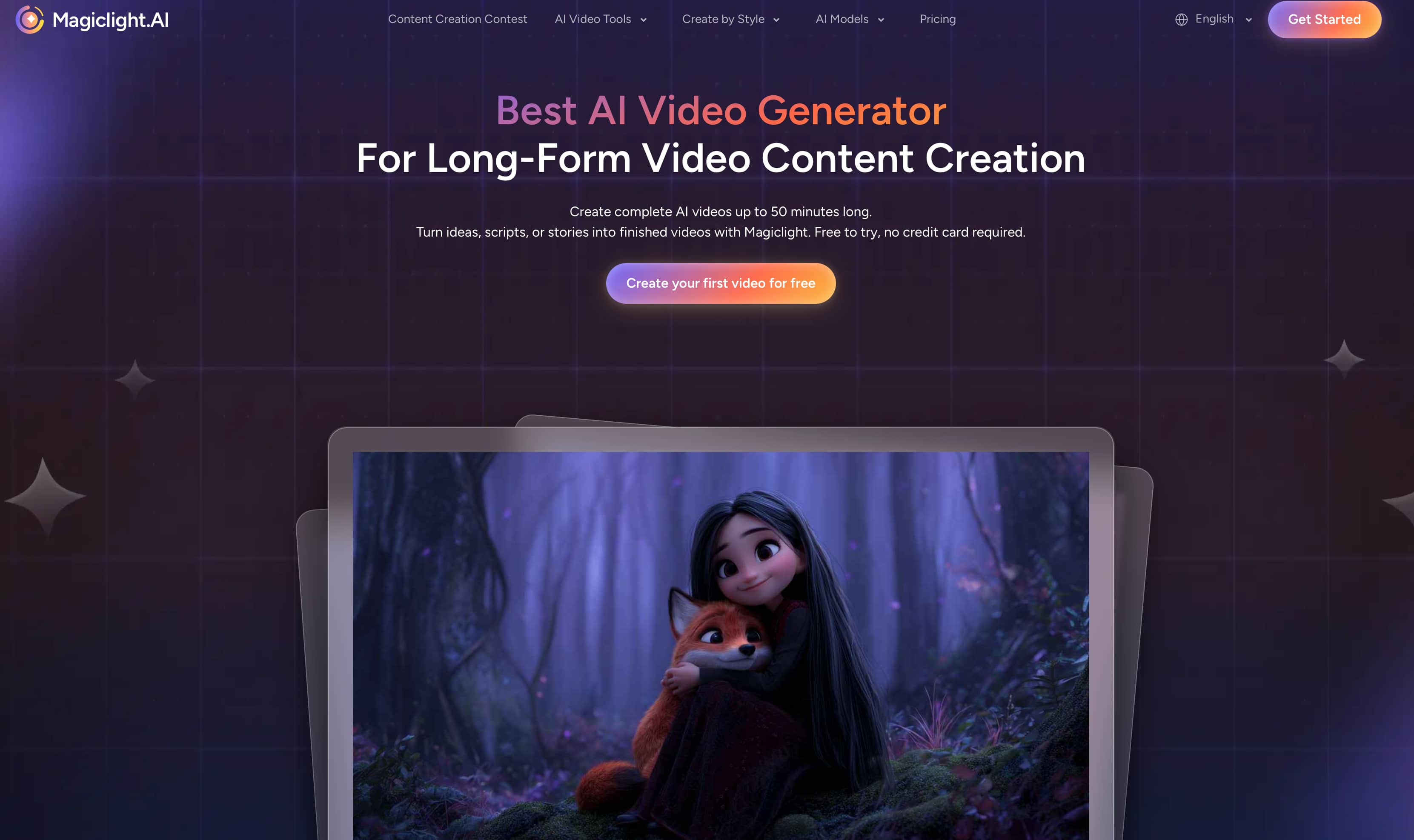
Magic Light AI features
-
Text-to-video: Turn a written idea into an AI-generated video by describing the subject, scenes, style, and overall direction.
-
Image-to-video: Use a still image as the starting point and add motion to create a video from existing visual content.
-
AI video generation: Create video content without having to build every scene manually, making it useful for quick creative projects.
-
Story and animation tools: MagicLight supports creation workflows built around stories and animated content, giving creators more structure than a basic prompt-to-clip tool.
-
Character consistency: Reuse AI characters across scenes when creating story-based videos, helping maintain a more consistent cast throughout a project.
-
Long-form video creation: The platform is designed to support longer, story-driven projects in addition to short AI-generated clips.
-
Music-video creation: MagicLight also provides a workflow for creating music-focused videos, expanding its use beyond standard text-to-video projects.
-
Mobile apps: MagicLight is also available through Android and iOS apps, giving users a way to create AI videos from mobile devices.
Putting Magic Light AI to the test
We tested Magic Light AI across different video-creation workflows to see how it performs beyond its feature list. The review focused on video quality, motion, prompt accuracy, consistency, and ease of use, with the results based on the outputs we observed during testing.
How to use Magic Light AI
Step 1: Start a video project
Open Magic Light AI and choose the workflow that matches what you want to create, such as a general video, story, music video, or image-to-video project. Starting with the right workflow helps narrow down the controls and inputs you need for the project.
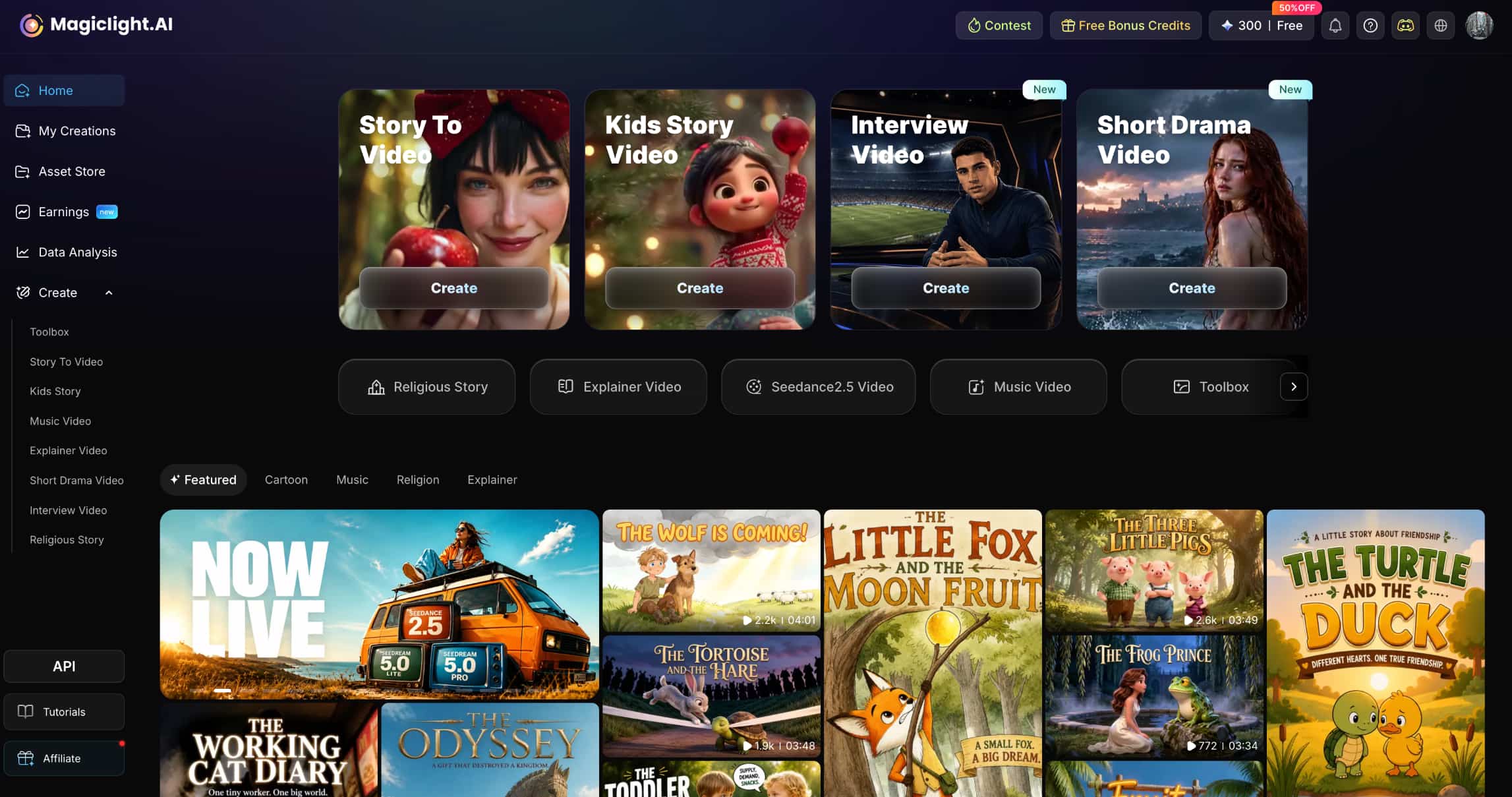
Step 2: Add your idea or reference media
Enter a prompt describing what you want the video to show, including the subject, setting, style, and movement. For workflows that support image input, upload a suitable reference image and use it to guide the generated video.
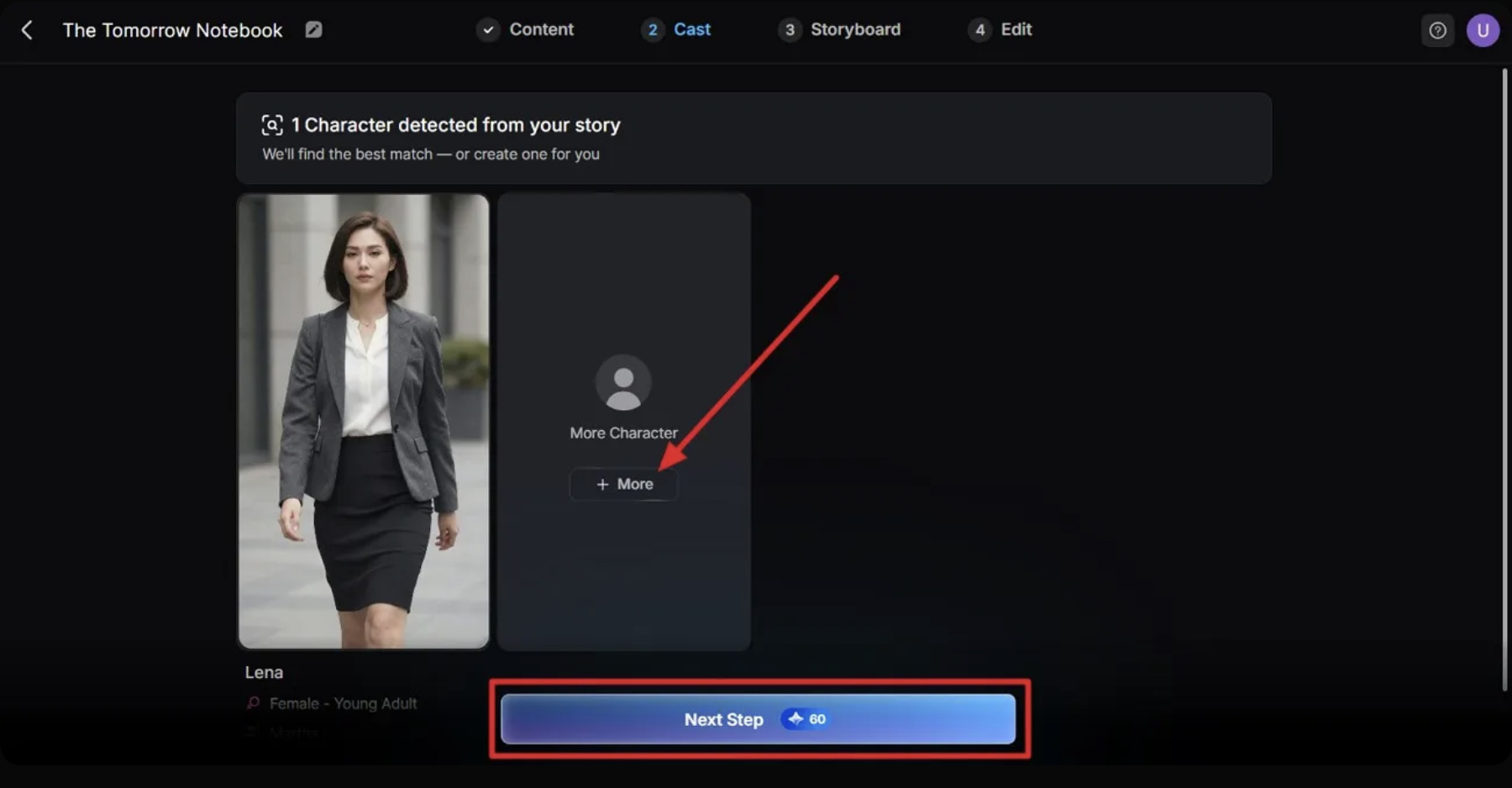
Step 3: Generate and refine the video
Start the generation and review the resulting scenes, motion, and overall visual direction. If something looks off, adjust the prompt or available settings and generate another version rather than settling for the first result.
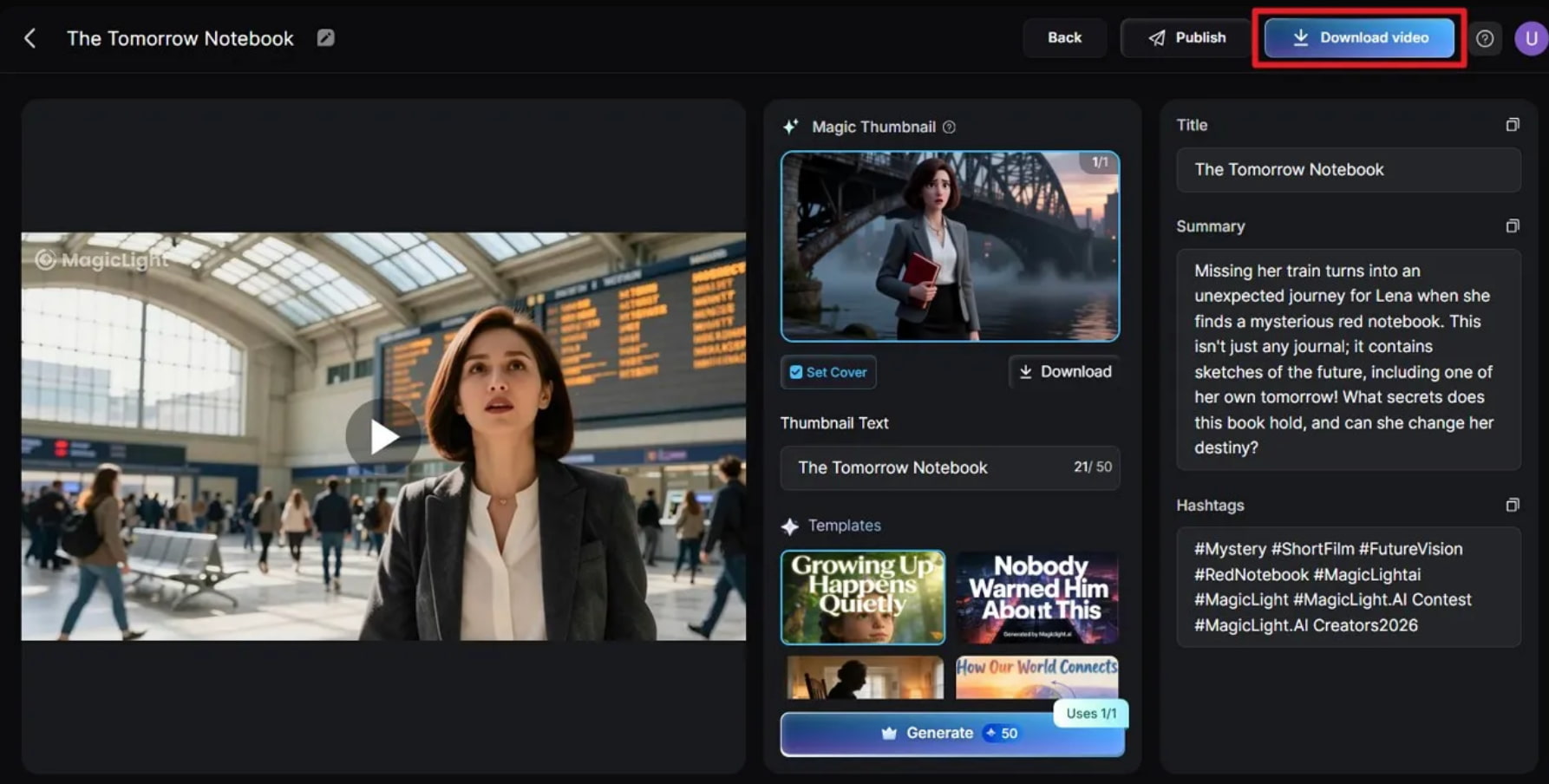
Our Magic Light AI testing process
We tested Magic Light AI across several video types and generation workflows to see how it handled different creative requirements. The tests covered text-to-video, image-to-video, social/creative videos, and character or story-based videos, focusing on prompt or image fidelity, motion, visual quality, consistency, and overall scene coherence.
One of our test samples:
Test summary:
|
Test scenario |
What we evaluated |
|---|---|
|
Text-to-video |
Prompt adherence, scene quality, motion |
|
Image-to-video |
Image fidelity, movement, consistency |
|
Social/creative video |
Visual appeal, pacing, composition |
|
Character/story video |
Character consistency, storytelling, motion |
Magic Light AI video quality
In our testing, Magic Light AI produced visually appealing results for straightforward prompts, with the strongest results coming from clear scene descriptions and focused concepts. Motion and scene coherence were generally more important when the videos involved multiple elements or characters, where inconsistencies and small visual artifacts were more noticeable.
Is Magic Light AI easy to use?
Magic Light AI is relatively easy to navigate once you understand which workflow fits your project. The process of adding a prompt or reference, generating scenes, and reviewing the result is straightforward, although users creating more detailed videos may need some trial and error with prompts and available controls.
What Magic Light AI does well
Magic Light AI works particularly well when you want a more guided approach to video creation instead of starting with a blank editing timeline. Its story-focused workflows, image-to-video generation, reusable characters, and scene-level editing can make it easier to build a complete video while keeping the creative process relatively structured.
Where Magic Light AI falls short
Magic Light AI can struggle when a video requires precise prompt matching, consistent characters or scenes, and controlled motion. More complex generations may need several attempts, while visual artifacts or changes between scenes can reduce the quality of the final result. Free-plan limits, generation credits, and available editing controls are also worth considering before committing to regular use.
Magic Light AI pricing, free access, and user feedback
Magic Light AI combines a free option with paid plans based on monthly credits and generation limits. Pricing is only one part of the picture, so we also look at mobile access and what users report about the platform.
Magic Light AI pricing
Magic Light AI has a free plan alongside four paid monthly plans. The paid tiers mainly differ in their monthly credits, generation limits, and access to additional models and features. The pricing page also shows 1080p HD video without a watermark and a general commercial license on the paid plans.
|
Plan |
Price/month |
Credits/month |
Video generation limit |
Key highlights |
|---|---|---|---|---|
|
Free |
$0 |
Not Specified |
Not Specified |
1 character creation, 2 image regenerations, 1 dynamic comic conversion |
|
Standard |
$12 |
6,000 |
Up to 120 min |
One-click story videos, image-to-video, selected AI models, 1080p HD, no watermark |
|
Pro |
$35 |
35,000 |
Up to 620 min |
More credits, broader model access, image-to-video, voice cloning, 1080p HD, no watermark |
|
Ultra |
$90 |
120,000 |
Up to 2,000 min |
200 story videos, expanded model access, priority generation, 1080p HD, no watermark |
|
Ultimate |
$150 |
180,000 |
Up to 3,000 min |
300 story videos, top VIP channel acceleration, expanded model access, 1080p HD, no watermark |
Magic Light AI APK and mobile access
Magic Light AI ships Android and iOS apps alongside the web version. For Android, download the APK from the official app store, not a third-party download site. Unofficial packages can be modified or carry malware. Use mobile apps to create or manage videos on the go and use the web version for longer creative sessions.
Magic Light AI pros and cons
|
Pros |
Cons |
|---|---|
|
Guided workflows make AI video creation easier to approach. |
Generated results can vary depending on the prompt and type of project. |
|
Supports text-to-video and image-to-video creation. |
More complex scenes may require repeated generations or adjustments. |
|
Story-focused tools can help with longer creative projects. |
Character and scene consistency can still be a challenge. |
|
Reusable characters and scene editing provide more control over story-based videos. |
Free access and credits may limit how much you can generate. |
|
Android and iOS availability adds flexibility for mobile users. |
Advanced controls may not provide the same level of precision as traditional video editors. |
What users say about Magic Light AI
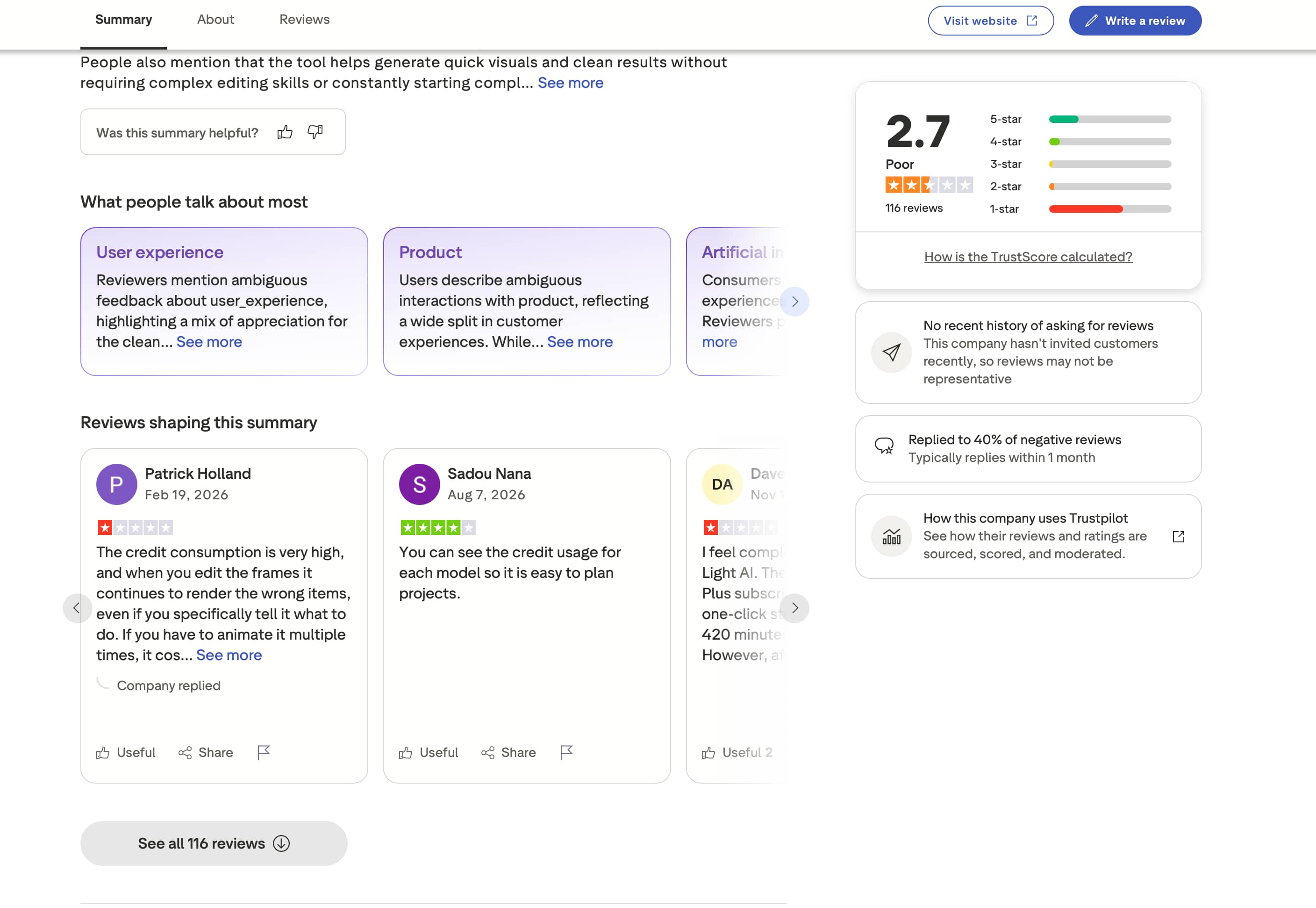
Trustpilot feedback is mixed. The screenshot shows a 2.7/5 rating from 116 reviews, with comments covering both positive and negative experiences. Some users appreciate the clean results and straightforward visual creation, while others raise concerns about credit consumption, editing accuracy, and overall product experience.
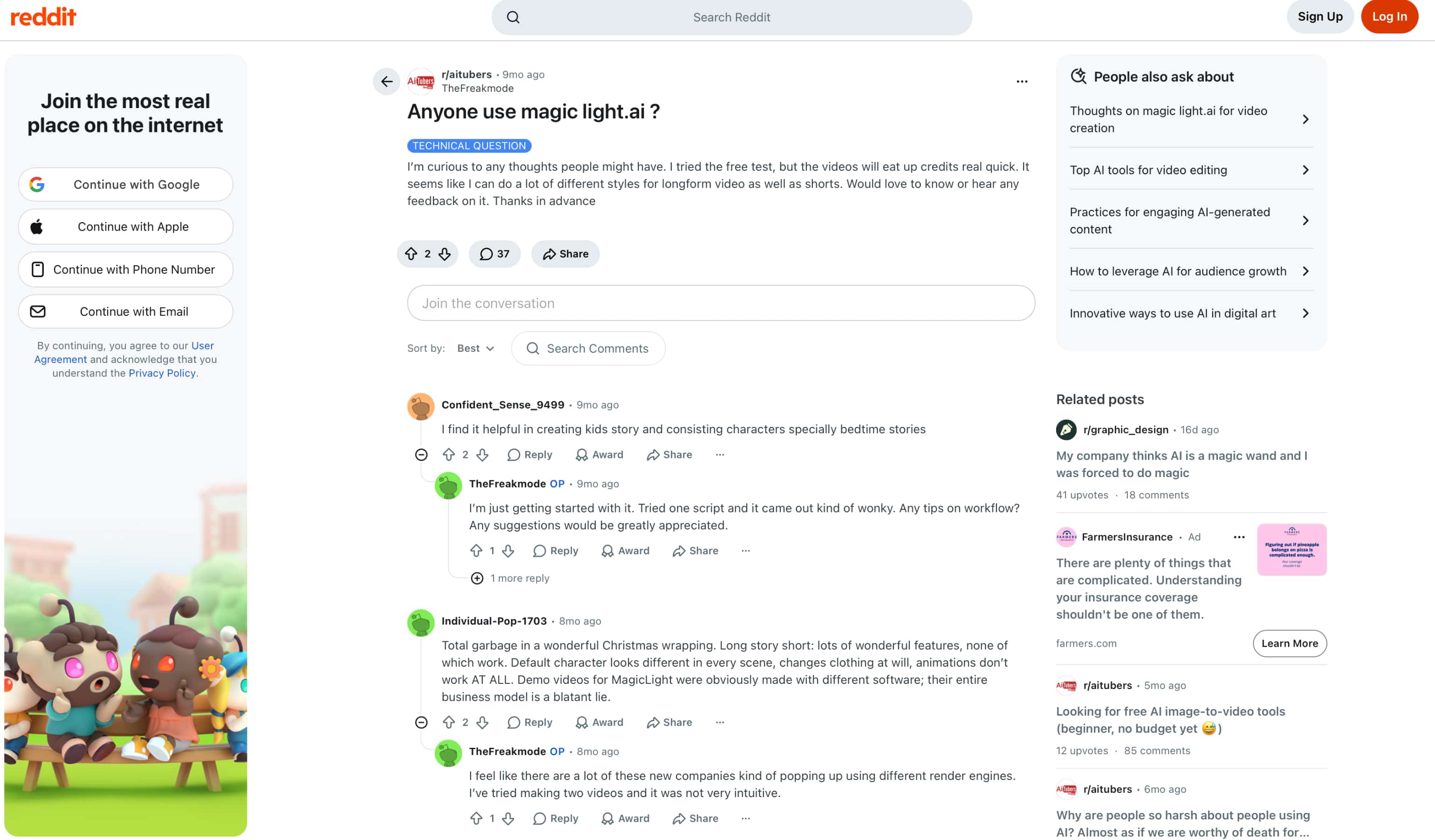
Reddit discussions are similarly divided. One user found Magic Light AI useful for creating kids' stories and keeping characters consistent, while other comments mention that credits can be used quickly, scripts may need adjustment, and the workflow can feel unintuitive. These experiences suggest that results and usability can vary depending on the type of project.
Our verdict
Magic Light AI is worth considering if your main goal is story-driven video creation, character-based content, or image-to-video projects. Its guided workflows make these projects approachable, but inconsistent results, credit usage, and limited control can become drawbacks for more demanding work.
If you need more flexibility across marketing, social, e-commerce, and creative video projects, it is worth comparing Magic Light AI with another option before choosing a paid plan. Vmake Labs AI Video Generator is one alternative, with multiple video-generation workflows and models to explore.
Vmake Labs AI Video Generator as an alternative
If Magic Light AI's workflow does not fully match the project, Vmake Labs AI Video Generator offers more flexibility with Text to Video, Image to Video, and Video to Video workflows. It also provides multiple AI video models, making it useful for creators and businesses producing marketing, e-commerce, social media, and other creative videos.
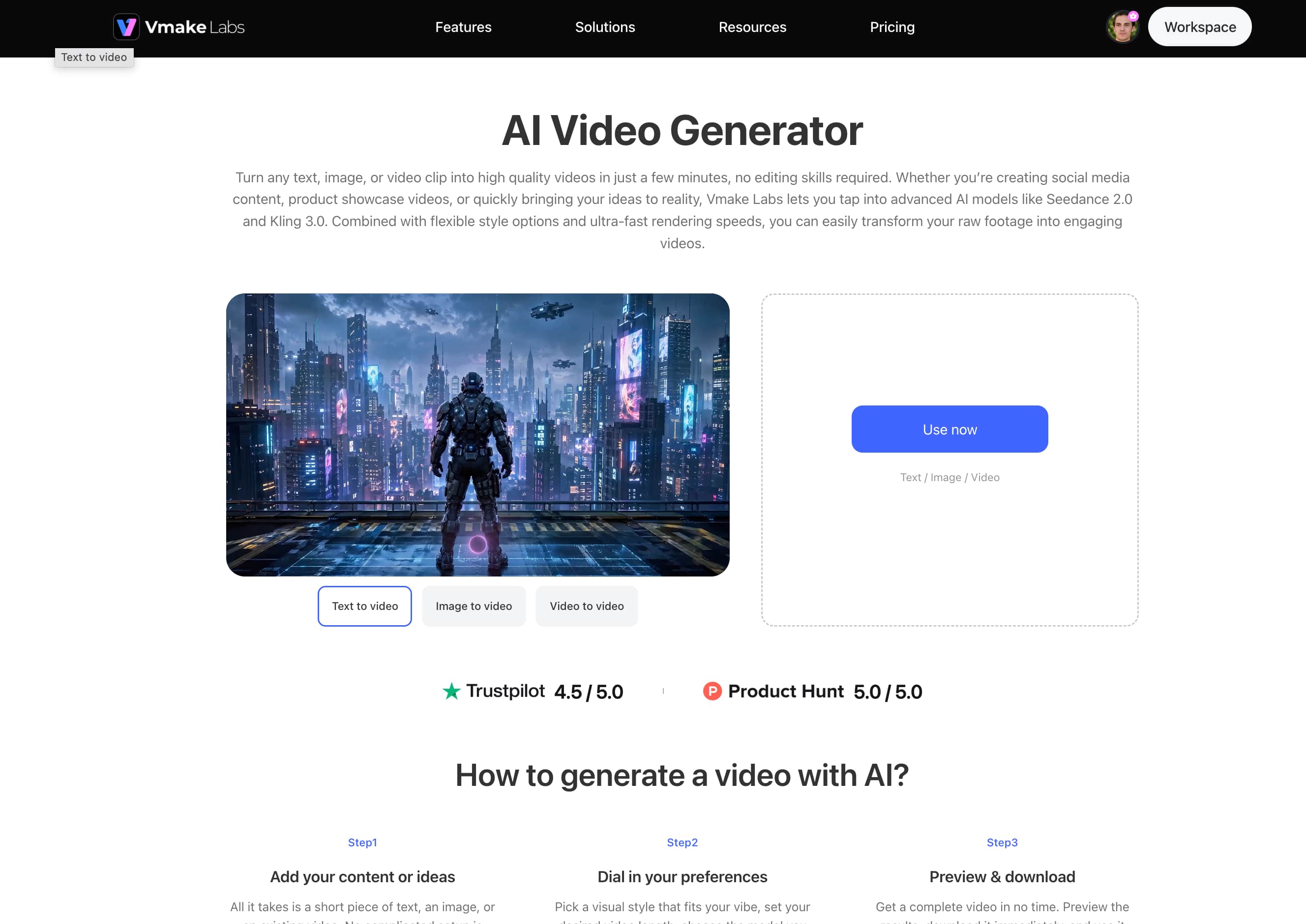
Why consider Vmake Labs AI Video Generator?
-
Multiple AI video models: Choose from supported AI models to compare different visual styles and generation results for the same concept.
-
Text to Video: Turn a written prompt into a short video clip for creative ideas, social content, or promotional campaigns.
-
Image to Video: Animate still images, product visuals, or other creative assets with generated motion. This can be useful when existing visuals need to be turned into more engaging social media ad content.
-
Video to Video: Use existing footage as the starting point for creating a new AI-generated variation.
-
Flexible generation workflows: Start with text, images, or video depending on the project, with additional options such as Frames and Effects available in supported workflows.
How to create videos with Vmake Labs
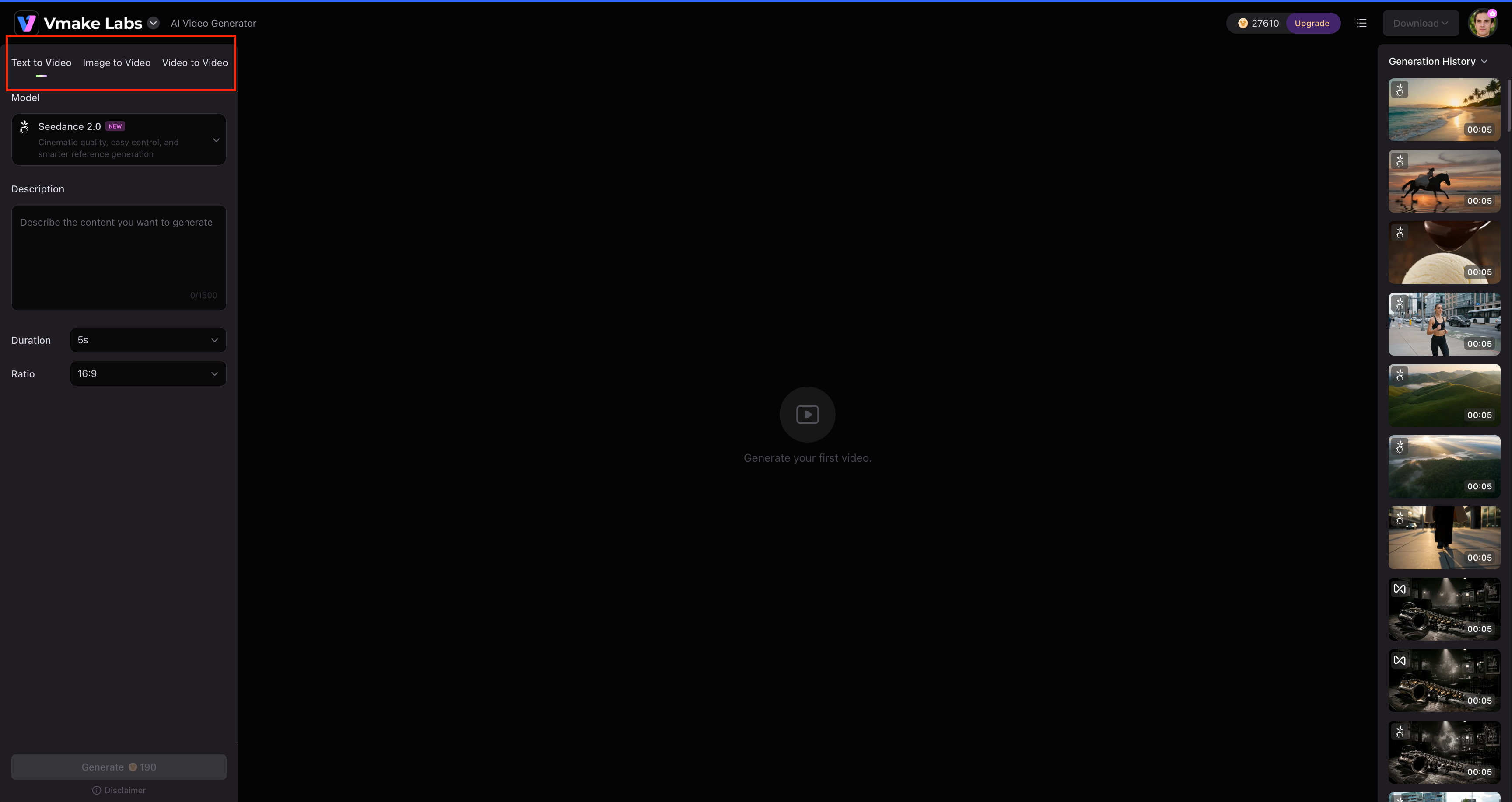
Step 1: Choose a video generation method Open the Vmake Labs AI Video Generator and choose Text to Video, Image to Video, or Video to Video based on the content you want to use. Text to Video starts with a prompt, while the other workflows use an image or existing video as the input.
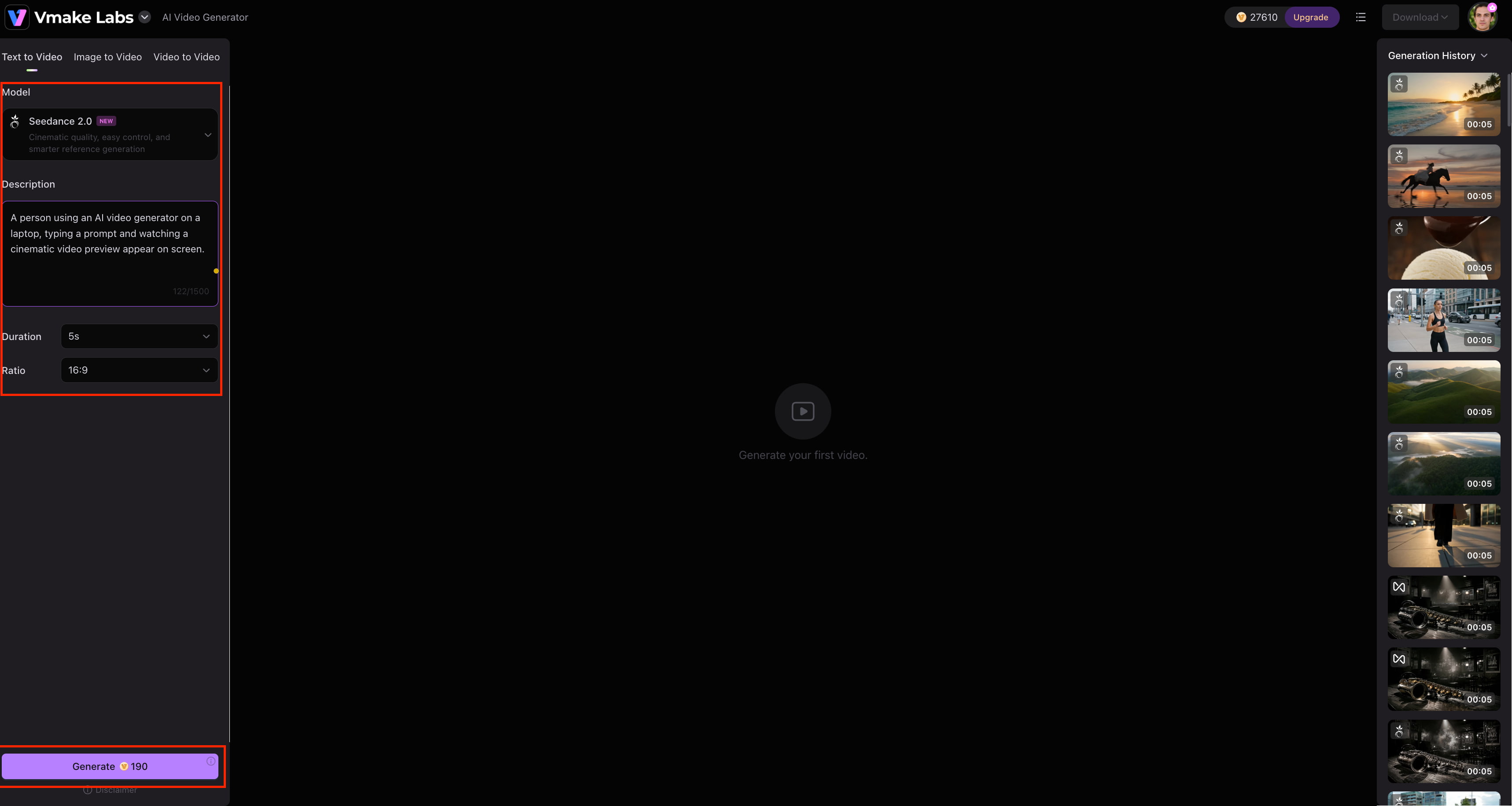
Step 2: Add your input and choose a model Enter your prompt or upload an image or video. Select an available AI model, then set the video duration and aspect ratio before generating.
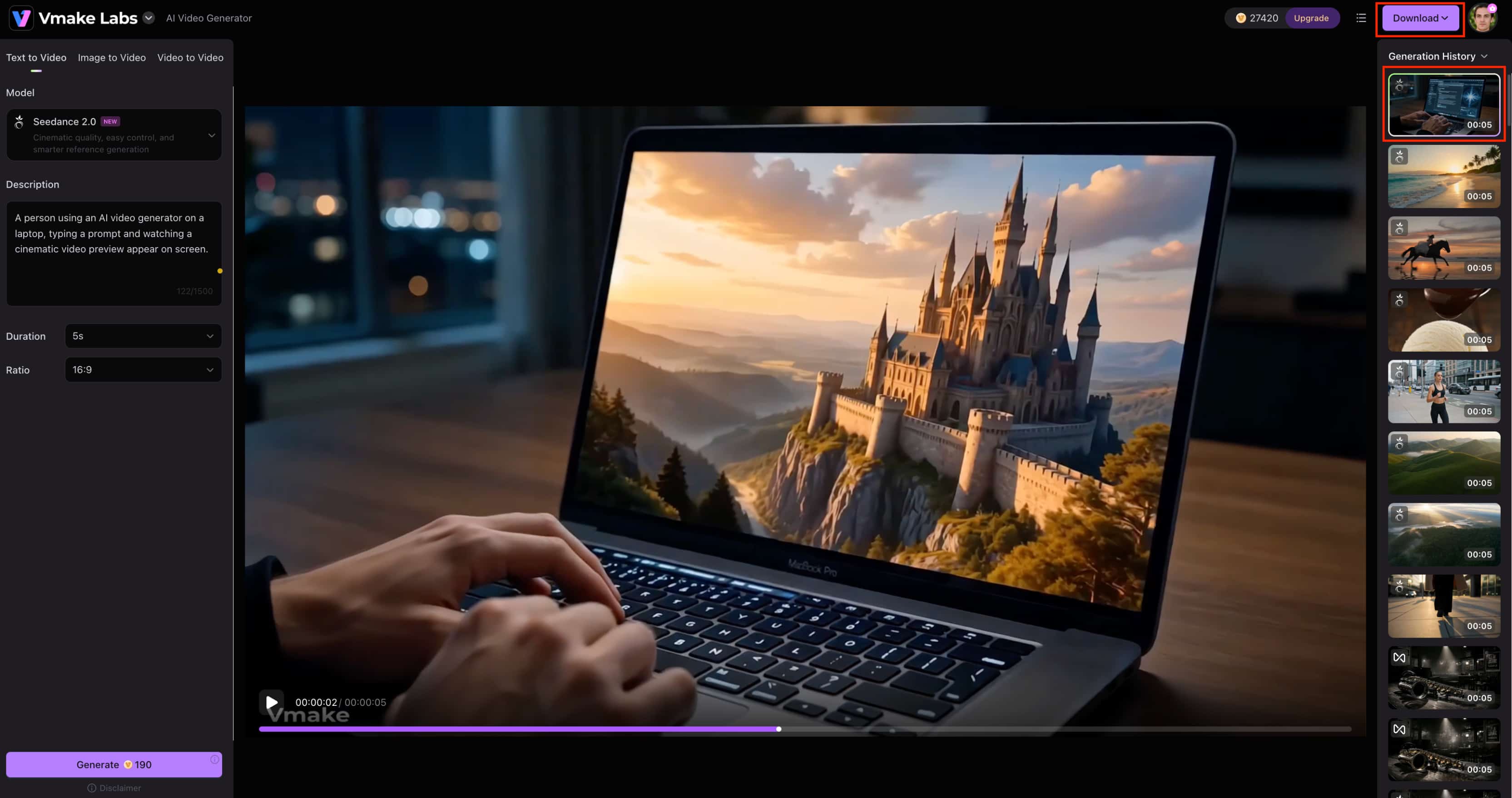
Step 3: Generate and download Generate the video and preview the result. Make any needed adjustments and regenerate, then download the finished video.
Magic Light AI vs Vmake Labs AI Video Generator
Both platforms support AI video creation, but they suit different workflows. Magic Light AI leans more toward guided storytelling and creative video projects, while Vmake Labs offers more generation methods and multiple AI video models for marketing, e-commerce, social, and creative content.
|
Category |
MagicLight AI |
Vmake Labs AI Video Generator |
|---|---|---|
|
Best for |
AI video creation and creative storytelling |
Marketing, e-commerce, social, and creative video |
|
Text to Video |
Supported |
Supported |
|
Image to Video |
Supported |
Supported |
|
AI video models |
MagicLight's available models/workflows |
Multiple AI video models |
|
Starting inputs |
Text and supported media |
Text, images, and video |
|
Generation workflows |
MagicLight's available workflows |
Text to Video, Image to Video, Video to Video, Frames, Effects |
|
Best suited to |
Users who prefer MagicLight's creation workflow |
Creators, marketers, e-commerce teams, and businesses |
Which tool should you choose?
Choose Magic Light AI if you mainly want a guided workflow for storytelling and creative video projects. It can be a better fit for users who prefer its character, scene, and story-focused approach and do not need a wide range of generation methods.
Choose Vmake Labs AI Video Generator if you need more flexibility in how you create videos. Its Text to Video, Image to Video, and Video to Video workflows, along with multiple AI video models, make it a practical option for marketing, e-commerce, social media, and other short-form content.
Conclusion
Magic Light AI is a useful option for users who want guided video creation, storytelling tools, and image-to-video workflows. Its main drawbacks are inconsistent results, credit limits, and some control limitations. Vmake Labs AI Video Generator is worth considering when greater workflow flexibility is important, with Text to Video, Image to Video, Video to Video, and multiple AI video models. The better choice depends on the type of content you create. Magic Light AI suits story-focused projects, while Vmake Labs is a stronger fit for marketing, e-commerce, social media, and other creative video needs.
FAQs
-
What is Magic Light AI?
Magic Light AI is a video creation platform for generating story based and creative videos from text, images, and other supported inputs. It also offers image-to-video tools and mobile apps. Vmake Labs is another option for text, image, and video based generation.
-
Is Magic Light AI free?
Magic Light AI offers free access, although usage and available features are limited compared with its paid plans. Paid tiers provide more credits and higher generation limits. Vmake Labs also offers multiple video creation workflows for users who need more flexibility.
-
How does Magic Light AI work?
Magic Light AI lets users choose a video workflow, add a prompt or reference media, and generate the video. Users can then review and refine the result. Vmake Labs follows a similar prompt or media based process with multiple generation workflows.
-
Can MagicLight AI generate videos from text?
Yes. Magic Light AI supports text-to-video, letting users describe a scene, character, setting, or video idea in a prompt. It can turn that description into a generated video for story-based and creative projects. Vmake Labs also supports Text to Video for creating short clips from written prompts.
-
Can MagicLight AI turn images into videos?
Yes. Magic Light AI supports image-to-video generation, allowing users to upload a supported image and create a video from it. This is useful for adding movement to existing visuals without starting entirely from text. Vmake Labs also offers Image to Video for animating reference images and product visuals.
-
Is MagicLight AI worth using?
MagicLight AI is worth trying for users interested in guided storytelling, character-based content, and creative video generation. For marketing, e-commerce, and flexible video workflows, Vmake Labs is another option worth comparing.

You May Be Interested
123APPS Watermark Remover Review (2026): Pros, Cons, and Pricing
AniEraser Watermark Remover by Media.io: 2026 Hands-On Review
Getimg AI Review 2026: Is It the Best AI Image Generator?
Doodle AI Review 2026: Features, Pricing and Alternatives
ImgToImg AI Review: Features, Pricing, & 2026 Safety Check

Supawork AI Review: Watermark Remover Tested (2026)

Pixar AI Review: What It Is & How to Create Pixar-Style Art

Nero AI Review 2026 Explained: Is the Tool Worth Using?

Vivideo AI Review 2026: Features, Pricing and Alternatives
