
AniEraser Watermark Remover by Media.io: 2026 Hands-On Review
 Ken DawsonDecember 30, 2025
Watermarks are really frustrating for creators, marketers, educators, and casual users, especially when repurposing existing photos or videos. Whether it is a logo embedded in the corner of an image or a distracting timestamp across a video, those annoying marks often get in the way of clean, professional content. But what if you can remove them without making your video look blurry?
AniEraser Watermark Remover by Media.io can facilitate you. With advanced AI, it can detect and remove unwanted objects, logos, text, and watermarks without leaving smudges or obvious edits. What sets it apart is its cross-platform support and high-quality processing. But is it a good option in 2026?
In this article, you will explore AniEraser Watermark Remover, what it offers, how it performs in real use, where it struggles, and if it’s worth your time and money.
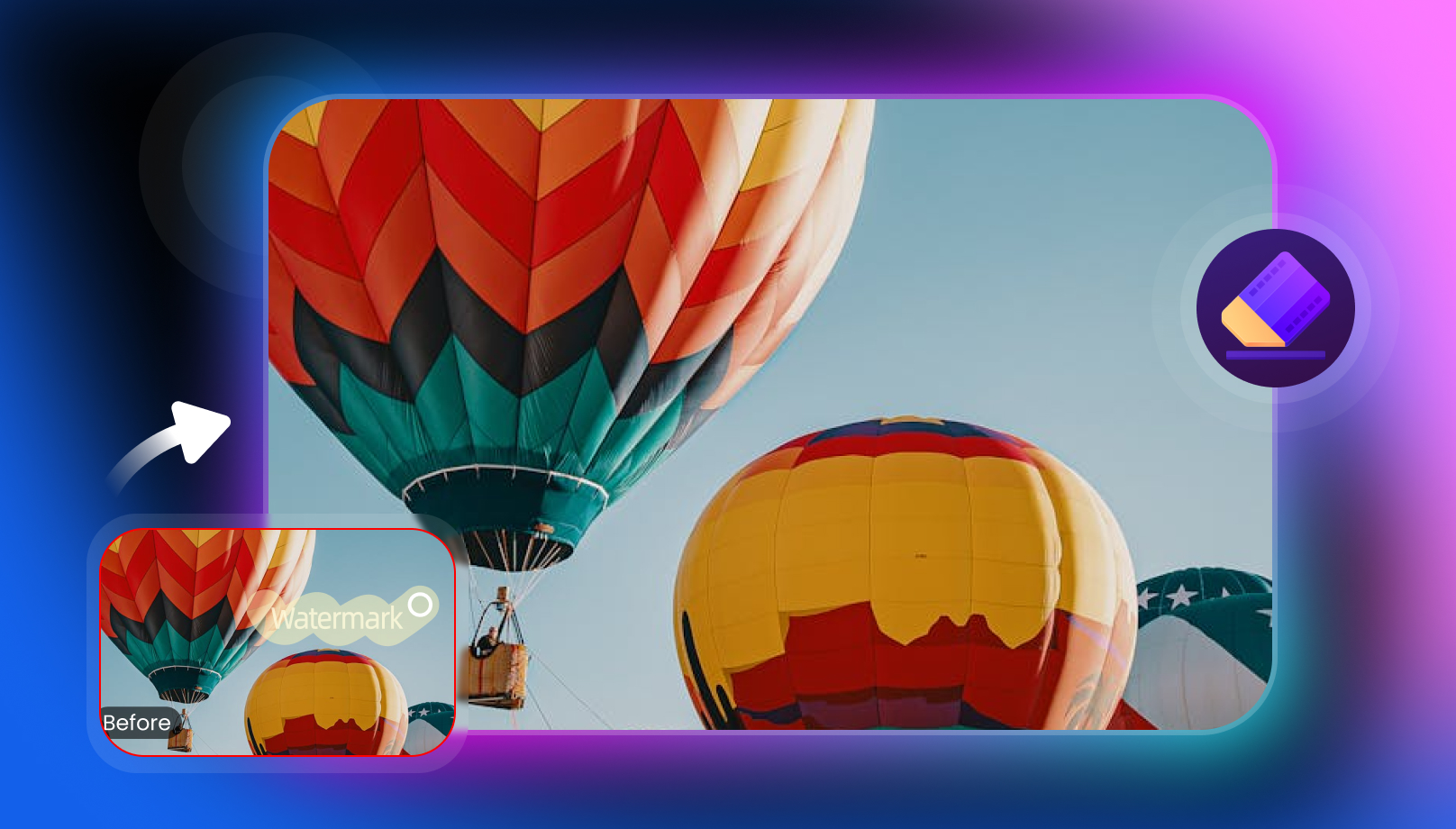 Understanding AniEraser: What Is It For?
AniEraser is an AI-powered tool designed for seamlessly removing multiple unwanted objects, text, people, or blemishes from photos and videos. However, it is a primary feature of the broad Media.io suite, which offers a variety of AI creative tools, such as photo retouching and repair.
The process is quick and completely automatic. You only need to highlight what you want to remove, and AI intelligently fills in the background.
Its desktop version even lets you remove watermarks from files in batches, with no file-size or quantity limits. Based on my research and testing, it is ideal for casual users, content creators, social media managers, and professionals.
Additional Features:
- Background Remover: It helps you remove and replace the background of any image or video, as well as change the sky.
- Image/Video Enhancer: You can enhance images, videos, portraits, and anime. Besides, it lets you restore old photos, upscale images, denoise videos, and correct the colors of videos/pictures.
- AI Replace: It allows you to replace the faces and clothes of a picture with a simple description.
- AI Effects: You can effortlessly use various video or image effects like crying, sway dance, flying, monochrome, LinkedIn, Ghibli, comedy, wedding, etc.
- AI Image Extender: It lets you zoom out once or twice and adjust the aspect ratio as needed.
- Compress/Convert: You can batch compress audio, video, or images to smaller file sizes and convert multiple files to your preferred format.
Key Features & Performance Review of AniEraser Watermark Remover
AniEraser Watermark Remover is known for its simplicity and AI performance. Here is how it performs on images and videos in my experience:
AniEraser Image Watermark Remover
AniEraser Image Watermark Remover assists you in detecting and removing text, dates, or blemishes from photos for a flawless result. You can also erase objects, people, glare, and other overlays in seconds by highlighting them using the brush tool.
It supports multiple image formats, i.e., JPG, PNG, JPEG, and WebP. However, the file size should be under 500 MB, and the resolution should be 2840×2160. While offering fast watermark removal, it does not compromise on quality.
AniEraser Video Watermark Remover
This incredible feature in AniEraser helps you eliminate transparent or semi-transparent watermarks using advanced AI. It offers various modes for different tasks, such as an AI Model for erasing objects, a Gaussian Blur for smooth & even removal, Smooth Filling, Color Filling, and Clone Patch for copying & pasting video objects into other areas.
You can also access a TikTok Watermark Remover tool to remove horizontal or vertical watermarks from videos. It supports MP4 and MOV formats, but the maximum duration is 15 minutes. You can even preview the output before downloading.
How to Use AniEraser Watermark Remover
With an interface designed for beginners, here are step-by-step tutorials for removing watermarks from images and videos. Let’s get started:
Guide 1. Steps to Remove Watermarks from Images
Step 1. Import Image
Open the AniEraser tool and click “Try It Online.” Now, upload the image under the “Object Remover” section.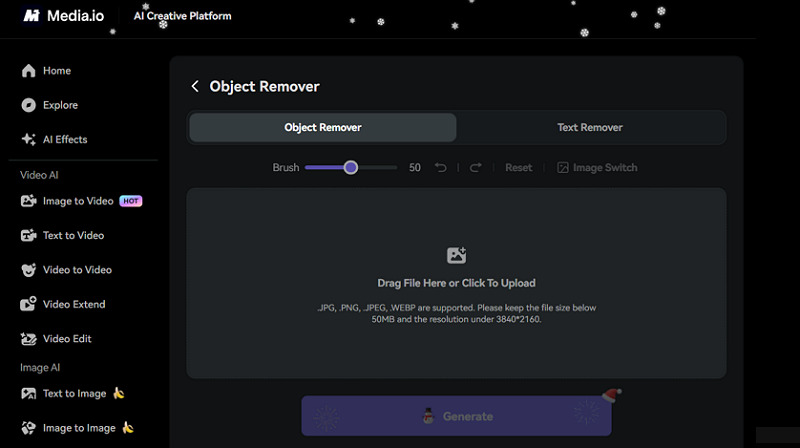
Step 2. Paint Over the Watermark
Next, adjust the brush size and cover the watermarks you want to remove. Then, press the “Generate” button.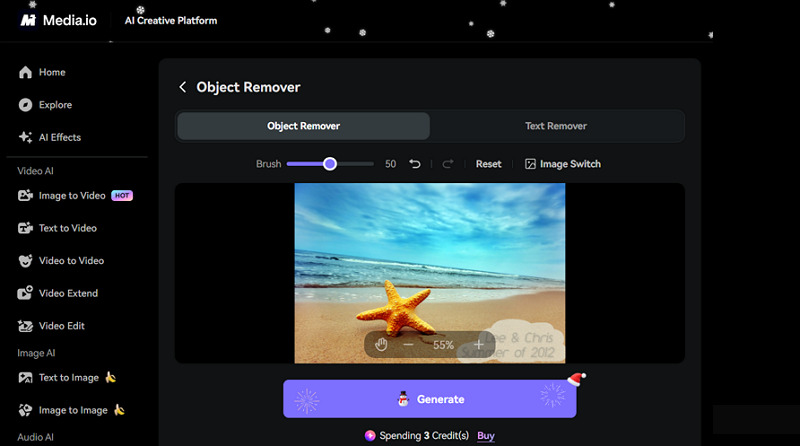
Step 3. Preview and Export
Lastly, you can compare the original and processed images side by side. If the result is good, save it to your device.
Guide 2. How to Use AniEraser Video Watermark Remover
Step 1. Upload Video
First of all, access the AniEraser Video Object Remover” and click to upload the watermarked video.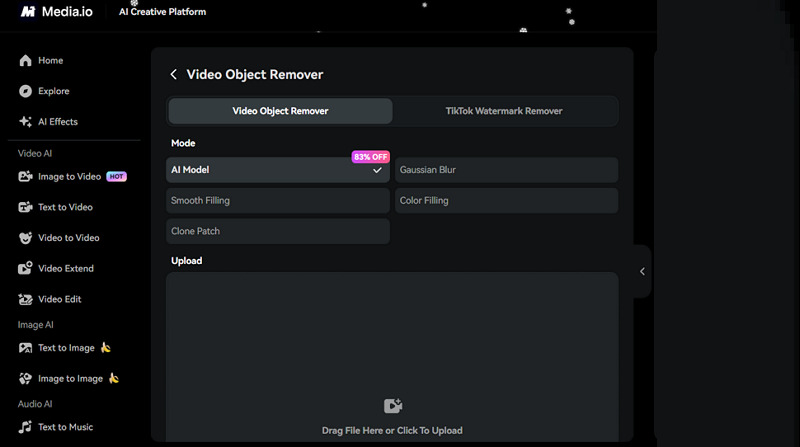
Step 2. Choose the AI Model
It’s time to select the preferred AI model, such as smooth filling, to remove the watermark. Then, highlight the watermarked areas.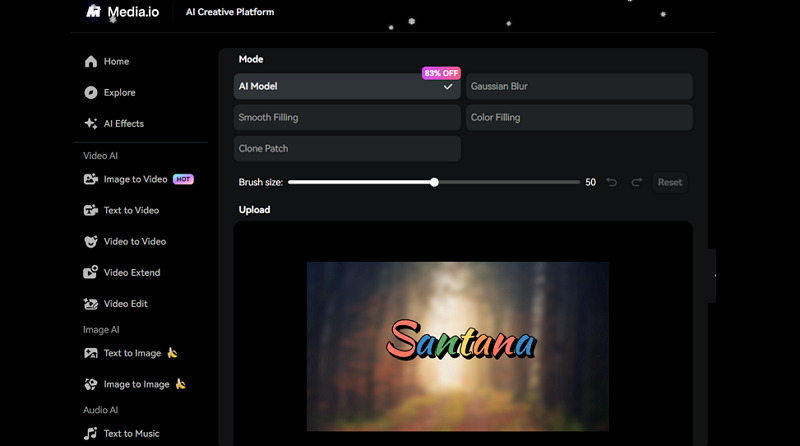
Step 3. Download the Output
Lastly, hit “Generate,” and then preview the output. If it seems fine, export it to your device. You are all done!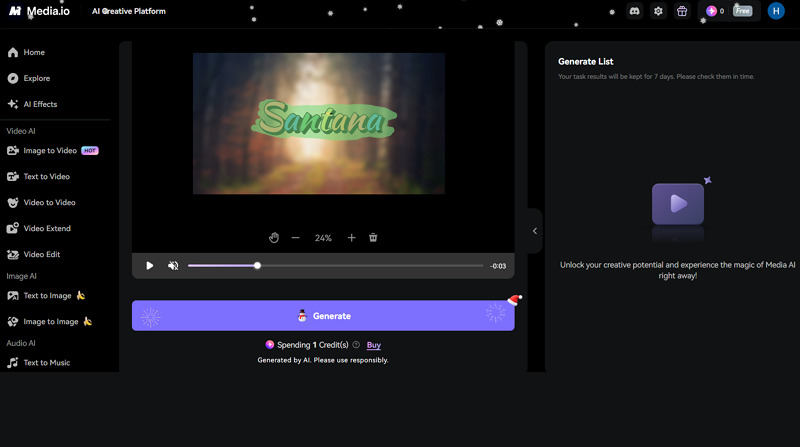
Pricing Review of AniEraser Watermark Remover
AniEraser Watermark Remover offers two plan types: credit-based and membership. Let’s look at the table below to better learn about the pricing structure:
| Plan | Duration | Credits/Pricing | What’s Included |
| Credits | Pay as you go | 100/$14.99
200/$20.99 300/$25.99 500/$34.99 1000/$47.99 2000/$70.69 |
Credits are valid for two years |
| Monthly credit plan | 100/$8.99
200/$13.99 300/$17.99 500/$26.99 1000/$39.99 2000/$69.99 |
Monthly credits | |
| Membership | Monthly plan | $27.99 | 600 credits per month Up to 60 videosUp to 600 images & audioNano Banana Pro10 Daily check-in creditsTurbo generation15% off for extra credits Access to all models |
| Yearly plan | $167.88 ($13.99/month) |
The Competitive Landscape: AniEraser Watermark Remover vs. Top Alternatives
Given the wide range of AI watermark removal tools available, the following comparison highlights how AniEraser Watermark Remover stacks up against competitors such as Vmake, Magic Eraser, and EzRemove.
| Tool | Platform | Batch Support | Pricing | Key Feature |
| AniEraser Watermark Remover | Web, Mobile (Android, iOS), Desktop (Win & Mac) | Yes (Only desktop) | Free, credits, subscription | Capable of removing video & image, but more suitable for editing and enhancing |
| Vmake Video Watermark Remover | Web, Mobile (Android, iOS) | Yes | Free, subscription | Detect and remove watermarks with a click; performs best even with dynamic watermarks |
| Magic Eraser Watermark Remover | Web, Mobile (Android & iOS) | No | Free, credits | Supports video and image watermark removal, but excels at removing image watermarks |
| EzRemove Watermark Remover | Web | No | Free, non-expiring credits | Remove watermark from images and videos, but specialized for images |
AniEraser Watermark Remover Pros and Cons
To have a clear picture of AniEraser’s real value, it’s good to consider its pros and cons:
Pros:
- Simple and beginner-friendly interface
- AI-powered watermark removal
- Support various video/image formats
- Remove various unwanted objects
- Ensure high-quality results
- Versatile range of creative tools
- Desktop and mobile apps available
Cons:
- Free trial has limitations
- Really very slow processing
- It may not remove complex watermarks
- No batch support in the web version
- Require subscription for unlimited removal
Feedback & Ratings
To learn about the performance of AniEraser, considering the real users’ feedback is essential. Here are a few reviews:
Trustpilot: 3/5 (8)
Don’t trust this website or its service. I paid $40, and the app doesn’t work and doesn’t remove text from videos correctly. Don’t throw your money into the garbage; it’s absolutely useless. – Mostafa Saeidi
Justuseapp: 2.7/5 (16)
Of course, there are some issues, and it doesn’t erase perfectly, but it’s good enough to get by, especially when it’s free, and it’s working. Give 5 stars even though it’s not perfect. I like it anyway. – AnastasiaaTheMarketer
Frequently Asked Questions of AniEraser Watermark Remover
1. Is AniEraser safe to use?
Of course. AniErase Watermark Remover is safe to use as the uploaded files are processed securely. Although its online version is encrypted, you can also use its mobile or desktop version for added safety.
2. Does AniEraser offer a money-back guarantee?
Yes, AniEraser offers a 30-day money-back guarantee. You can request a refund within 1 month of your purchase if you aren’t satisfied with the product.
3. Can I use AniEraser Watermark Remover for TikTok?
Absolutely, AniEraser offers a specialized TikTok Watermark Remover. You can easily select vertical and horizontal marks in your videos and let AI remove them.
Conclusion: Is AniEraser Watermark Remover Worth Using in 2026?
The above testing and research prove that AniEraser is a capable and convenient tool. It is not just an image and video watermark remover, but also offers a range of other features for various scenarios. It is also famous for its flexible pricing with never-expiring credits and a monthly subscription. However, it can be slow and struggle with complex watermarks, sometimes leaving behind artifacts.
If you need to perform quick, authorized cleanups of dynamic watermarks, Vmake Video Watermark Remover is an excellent solution. It has become my go-to for its ease of use, speed, and best quality results.

You May Be Interested

Seedance 2.0: What's New & How to Use It

123APPS Watermark Remover Review (2026): Pros, Cons, and Pricing

5 Best Valentine's Day Video Ideas for eCommerce in 2026

How to Create a YouTube Thumbnail? Create YouTube Thumbnails Using AI
