How to Prompt Image Generators: A Complete Beginner's Guide to Better AI Images
Creating stunning AI images starts with the right prompt. Learn how to prompt image generators effectively with practical tips, examples, and techniques you can apply using Vmake Labs.

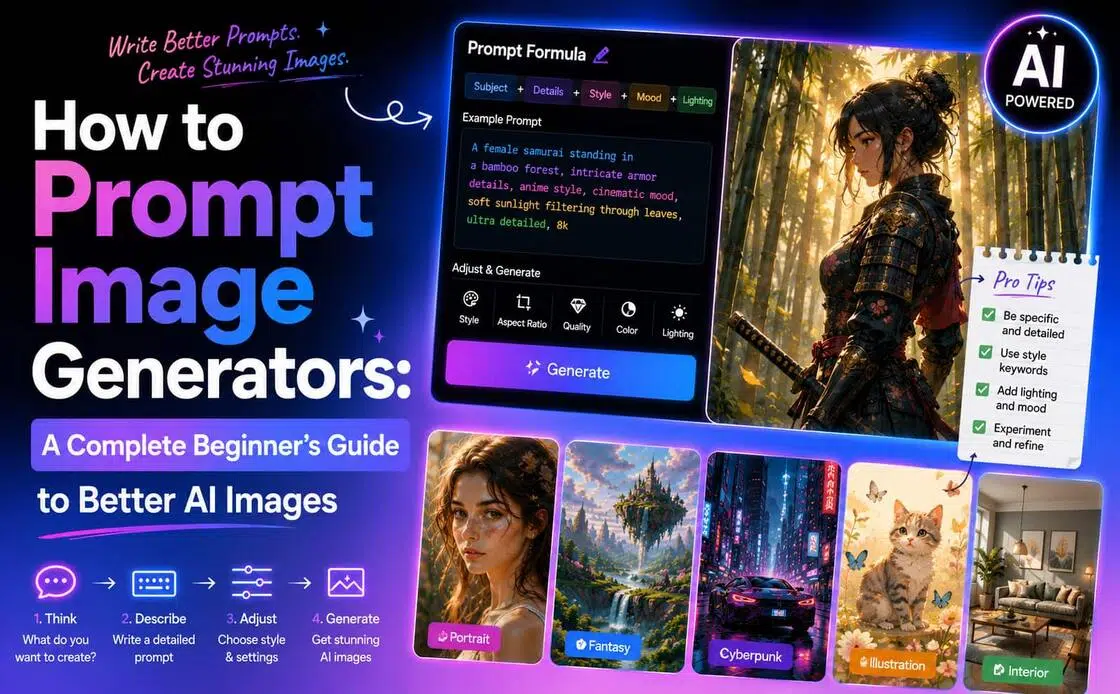
Writing good AI image prompts is what generates high-quality visuals. The more specific you are in what you want, the better the AI will understand your intent. In this guide, you will learn practical prompt writing techniques, simple formulas, and real examples to generate better AI images.
What are AI image prompts?
An AI image prompt is a written instruction that tells an AI image generator what you want to create. It can range from a short phrase to a detailed description covering the subject, background, style, lighting, and composition. Different AI models interpret prompts differently. For example, GPT Image typically follows natural language instructions closely, FLUX excels at photorealistic details, Seedream performs well with artistic styles and visual consistency, while Nano Banana is effective at preserving subjects and reference images. As a result, the same prompt can produce noticeably different images across models.
Build your prompt step by step
The best way to write a strong prompt is to build it up layer by layer, rather than trying to describe everything at once. Begin with the main subject, and then add the surrounding scene to provide context. When you have the base, describe the art style and then refine the image with details such as lighting, colours, composition or aspect ratio, for example:
Basic: A dog.
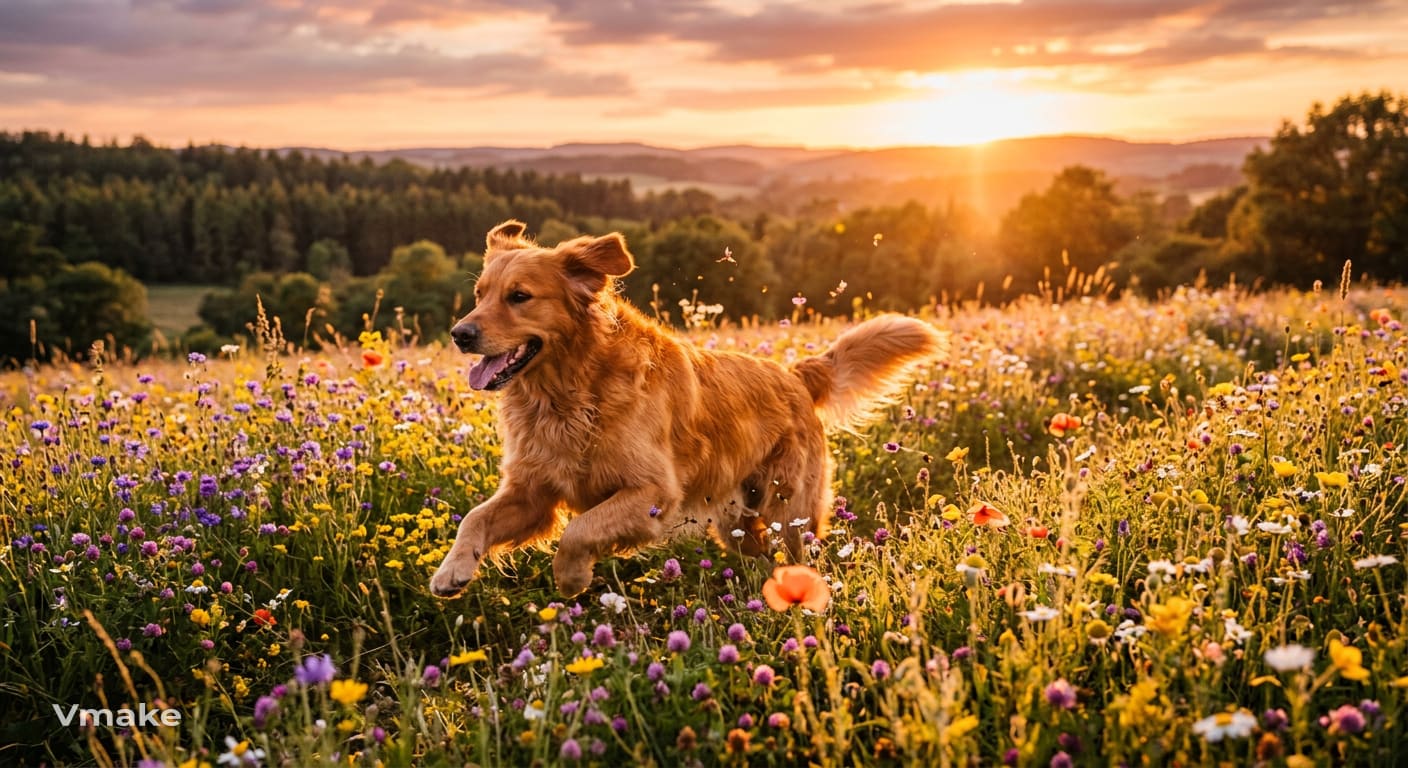
Better: A golden retriever running through a field of wildflowers at sunset, realistic photography, warm golden lighting.
The second prompt provides much more context by describing not only the subject but also the setting, style, and lighting. As a result, the AI has a clearer understanding of the image you're trying to create and is more likely to produce an output that matches your expectations.
How to create effective prompts for AI image generation
Writing good prompts isn't about using more words. It's about laying out your idea in a clear, logical way so that the AI knows exactly what you want to build. Adding details to your prompt one at a time will give you better images to start with and will make it easier to refine the results later.
Start with a clear subject
Every prompt should begin with a clearly defined subject. Instead of using broad descriptions, specify who or what should be the focus of the image. A clear subject gives the AI a strong foundation before you add supporting details.
Add style and visual details
Once you've identified the subject, describe how you want the image to look. Include details such as the artistic style, colour palette, lighting, mood, or textures that best capture the atmosphere you're trying to create. Focus on the details that have the greatest visual impact rather than trying to describe everything at once.
Define the composition
Composition is how the subject is positioned within the image. Giving details about the framing, camera angle, perspective, or aspect ratio helps the AI understand how to depict the subject for your intended use, whether it's a portrait, product image, or marketing visual.
Review and refine your prompt
Don't expect to get it perfect the first time. Go through each generated image, see what can be improved and improve only those parts of the prompt. Sometimes small tweaks will give you much better results than rewriting the entire prompt from scratch.
Fast track: Simple AI image prompt formula
Writing effective prompts becomes much easier when you follow a consistent structure. Instead of wondering what details to include every time, think of your prompt as a short visual brief. Starting with the most important information and gradually adding descriptive details helps the AI understand your idea more clearly. Here are some useful formulas and templates:
Prompt formula
Subject + Style + Scene/Background + Lighting + Composition + Quality + Aspect Ratio
These are not hard and fast rules, but building blocks. The subject tells the AI what to create, and the rest tells it how the image should look. Not all the pieces are necessary, but by combining the most relevant ones, you give the AI enough context to get closer to the results you are expecting.
Prompt template
The following template is easy to reuse whenever you're creating a new prompt:
[Subject] + [Style] + [Scene/Background] + [Lighting] + [Composition] + [Quality] + [Aspect Ratio]
For example:
A golden retriever playing in a field + realistic photography + wildflower meadow + warm sunset lighting + eye-level shot + highly detailed + 4:5 aspect ratio
Notice how each part builds on the previous one. Instead of overwhelming the AI with random keywords, the prompt gradually describes the subject, setting, style, and presentation, making the final image more coherent and visually balanced.
Prompt examples for different image generation needs
The same template can be adapted for other creative projects. Use them as inspiration and then adapt them to suit your own subject, style, and creative goals.
Portrait prompt
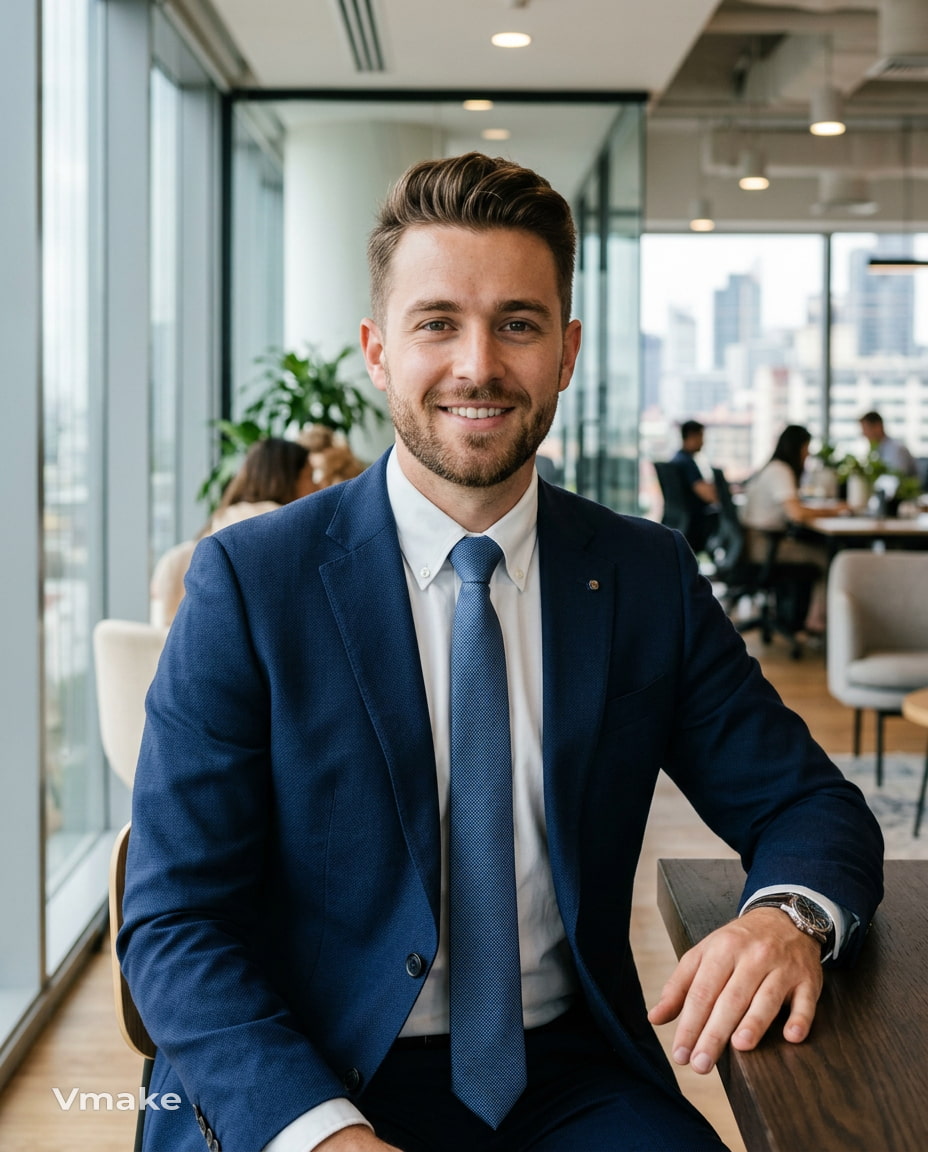
A confident young entrepreneur wearing a navy-blue suit, realistic photography, modern office background, natural window lighting, close-up portrait, shallow depth of field, 4:5 aspect ratio.
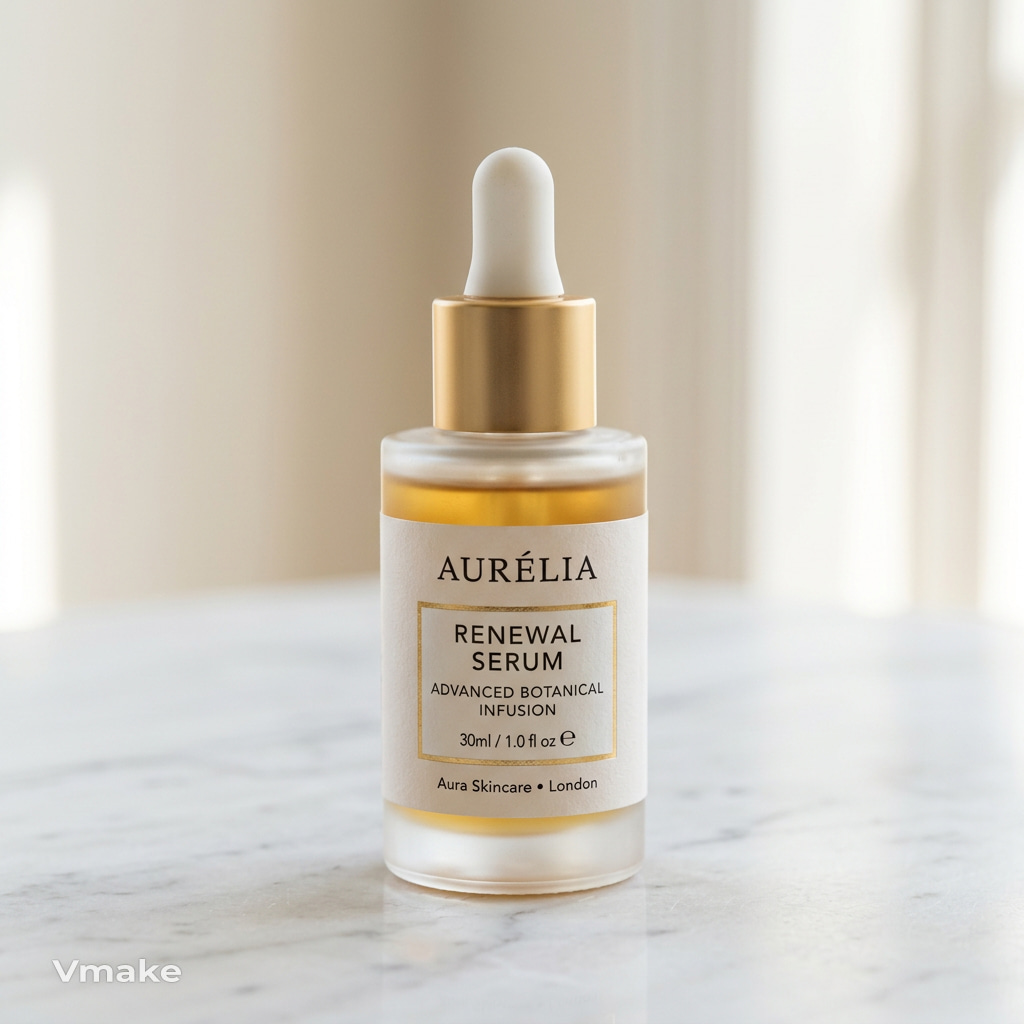
Product photography prompt
A premium skincare bottle on a white marble surface, luxury product photography, soft studio lighting, minimal background, centred composition, ultra-detailed, 1:1 aspect ratio.
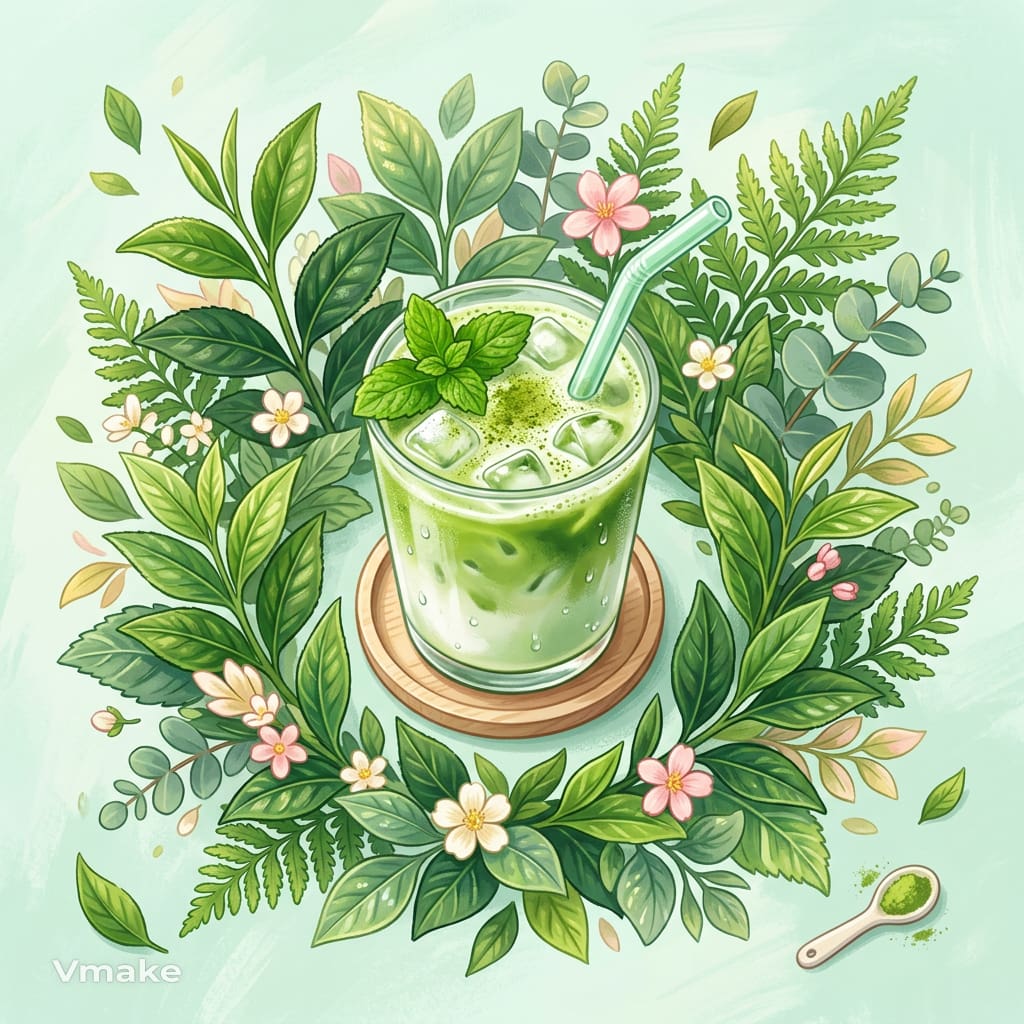
Social media graphic prompt
An iced matcha latte surrounded by fresh leaves, vibrant digital illustration, pastel colour palette, bright natural lighting, top-down view, square composition.
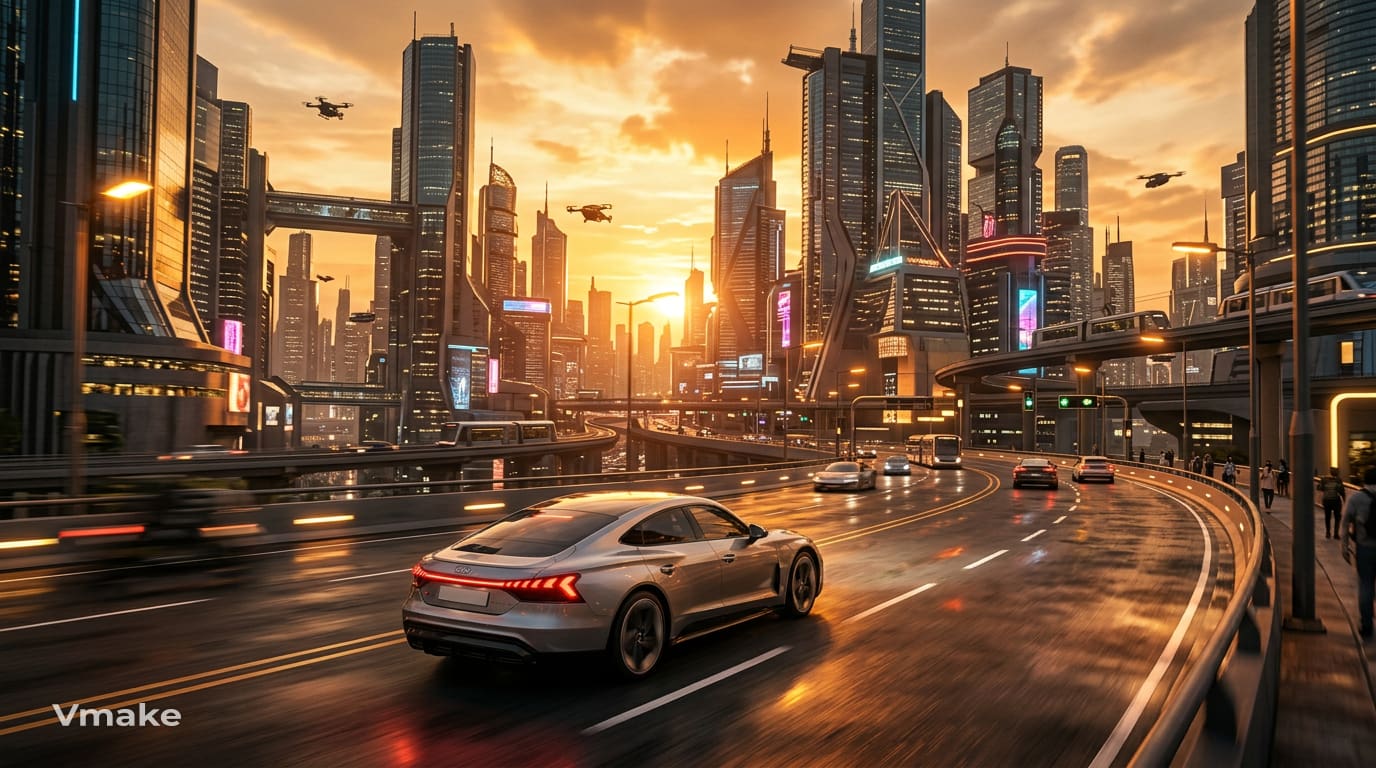
Marketing visual prompt
A modern electric car driving through a futuristic city at sunset, cinematic photography, dramatic golden lighting, wide-angle shot, ultra-realistic, 16:9 aspect ratio.
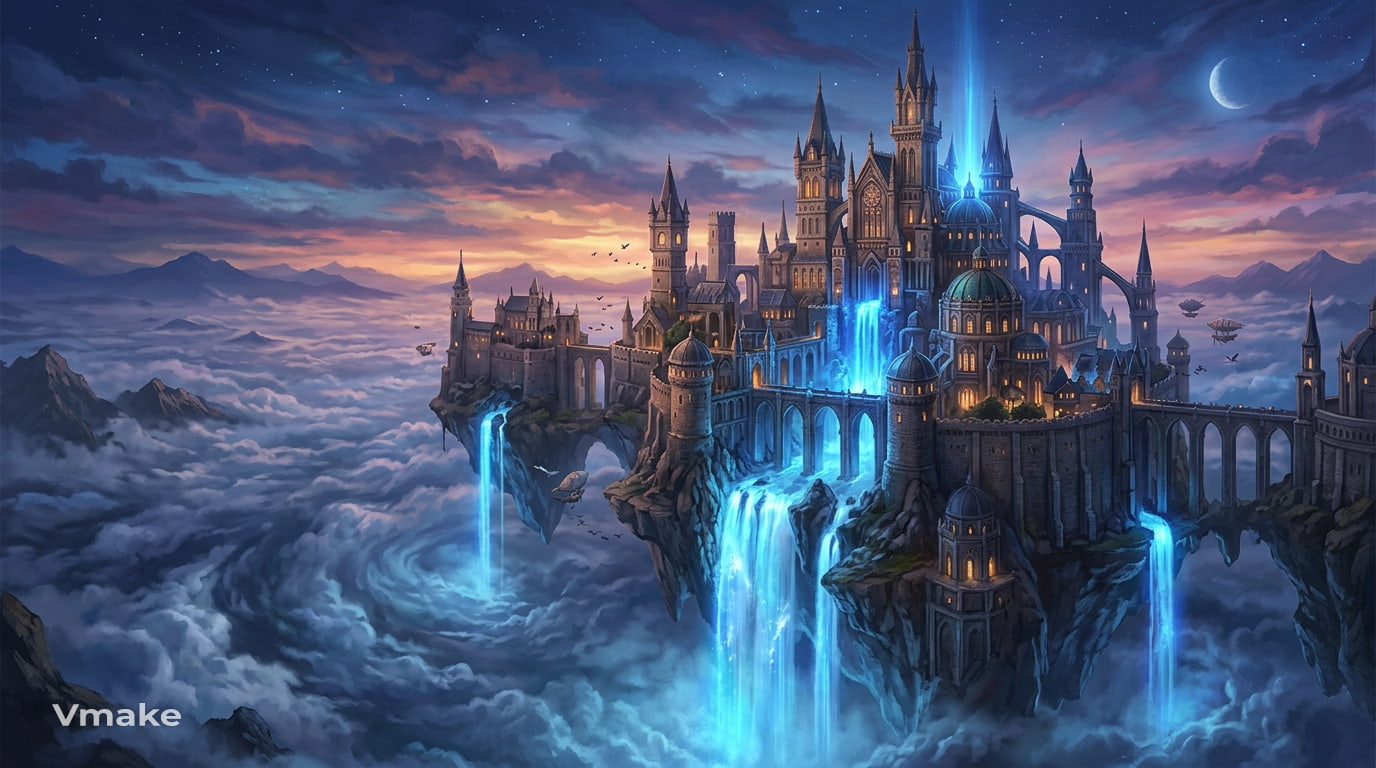
Fantasy and landscape art prompt
A floating castle above the clouds, fantasy digital painting, glowing waterfalls, magical blue lighting, panoramic composition, highly detailed, 16:9 aspect ratio.
These techniques also work well with an AI cartoon generator when creating stylised illustrations and animated artwork.
Common mistakes when prompting AI image generators
Most of the problems with AI image generation come from ambiguous or contradictory prompts. Avoid these common mistakes to get more consistent results.
-
Being too vague: Generic prompts like "a landscape" or "a dog" leave too much room for interpretation. Instead, include details about the subject, style, setting, or mood to guide the AI towards the result you want.
-
Adding too many unrelated details: Try not to fit too many ideas, styles, or objects into a single prompt, as it can confuse the AI and result in cluttered images. Start with the most critical parts, then refine the prompt if necessary.
-
Using conflicting instructions: Mixing opposite styles, e.g., "minimalist with intricate details" or "realistic cartoon", may yield inconsistent results. Be sure to keep your directions suitable for the visual style that you want.
-
Ignoring composition and lighting: Images that only describe the subject may be flat or unbalanced. More info, like close-up portraits, wide-angle shots, or golden hour lighting, helps the AI to be more creative.
-
Expecting the first result to be perfect: AI image generation is an iterative process. Small adjustments to your prompt often produce much better results than rewriting it from scratch.
Weak prompt vs better prompt
|
Weak prompt |
Better prompt |
|---|---|
|
A mountain |
A snow-covered mountain at sunrise, realistic photography, golden morning light, wide-angle landscape |
|
A coffee shop |
A cosy Scandinavian coffee shop with warm wooden interiors, soft morning sunlight, cinematic photography |
|
A smartwatch |
A silver smartwatch on a marble surface, studio lighting, centred composition, premium product photography |
|
A fantasy world |
A floating island above the clouds with ancient ruins, glowing waterfalls, fantasy digital painting |
The stronger prompts don't simply use more words. They provide clear visual direction, making it easier for the AI to generate results that match your creative vision.
Generate images from text prompts with Vmake Labs
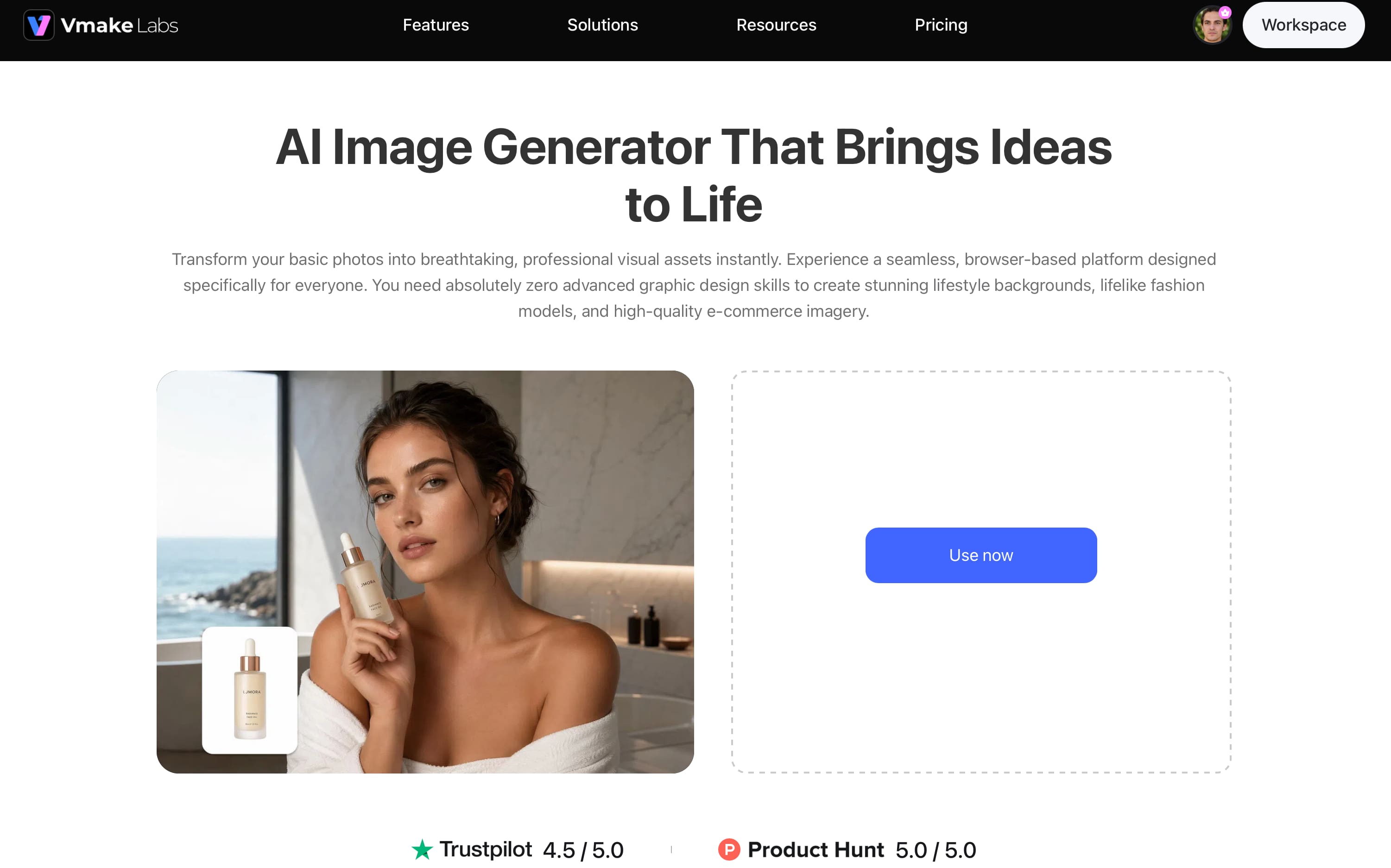
Now that you know how to write effective prompts, the next step is turning them into AI-generated images. Vmake Labs AI Image Generator makes this process simple with support for multiple leading AI models, text-to-image and image-to-image generation, and an intuitive browser-based workflow. Whether you're creating product images, social media graphics, marketing visuals, or digital artwork, you can quickly turn your ideas into high-quality images, then refine them further with Vmake Labs image enhancer.
Key features
-
Compare multiple AI models in one place: Generate the same prompt with Nano Banana 2, Nano Banana Pro, Seedream 4.0, and GPT Image 1 to quickly compare results and choose the output that best matches your creative vision.
-
Reduce prompt trial and error: Create images from text prompts or upload up to three reference images to guide the AI, helping you achieve more consistent results with fewer regenerations.
-
Reach your desired results faster: Switch between leading AI models without leaving the platform, making it easier to refine prompts and find the right style for different projects.
-
Create content for every platform: Generate images in multiple aspect ratios for social media, websites, presentations, e-commerce, and marketing campaigns without additional resizing.
-
Enjoy a streamlined browser-based workflow: Create, preview, and download AI images directly from your browser, eliminating the need to install software or switch between tools.
-
Produce commercial-ready visuals efficiently: Generate high-quality images for branding, advertising, product marketing, and e-commerce, helping you move from concept to finished content more quickly.
How to generate AI images with Vmake Labs
Step 1: Enter your text prompt or upload a reference image
Choose Text to Image to generate an image from your prompt, or select Image to Image if you want to guide the AI using existing visuals. You can upload up to three reference images to better control the final style and composition.
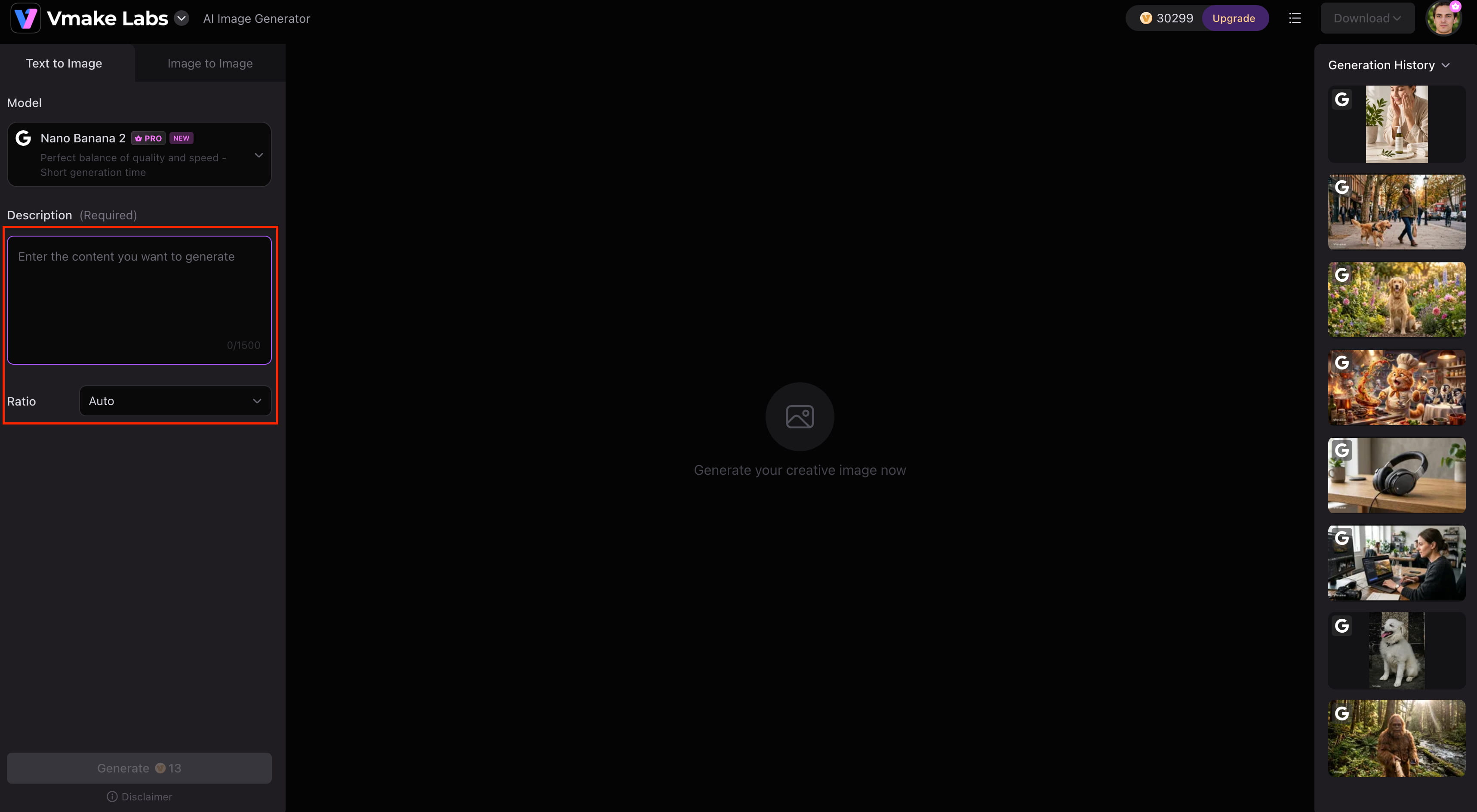
Step 2: Select an AI model and customise your image settings
Choose the AI model that best fits your project, including Nano Banana 2, Nano Banana Pro, Seedream 4.0, or GPT Image 1. Then customise settings such as the aspect ratio before generating your image.
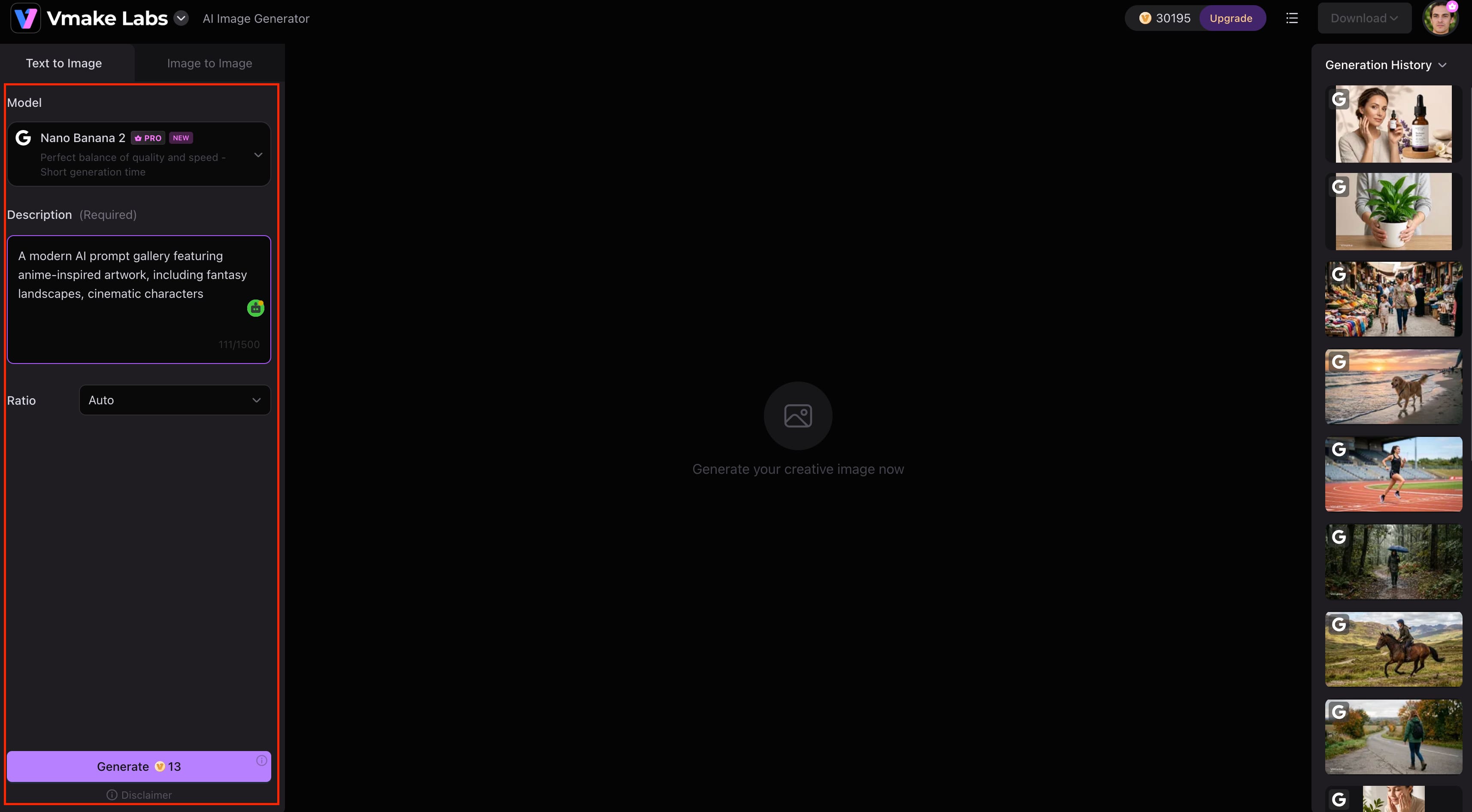
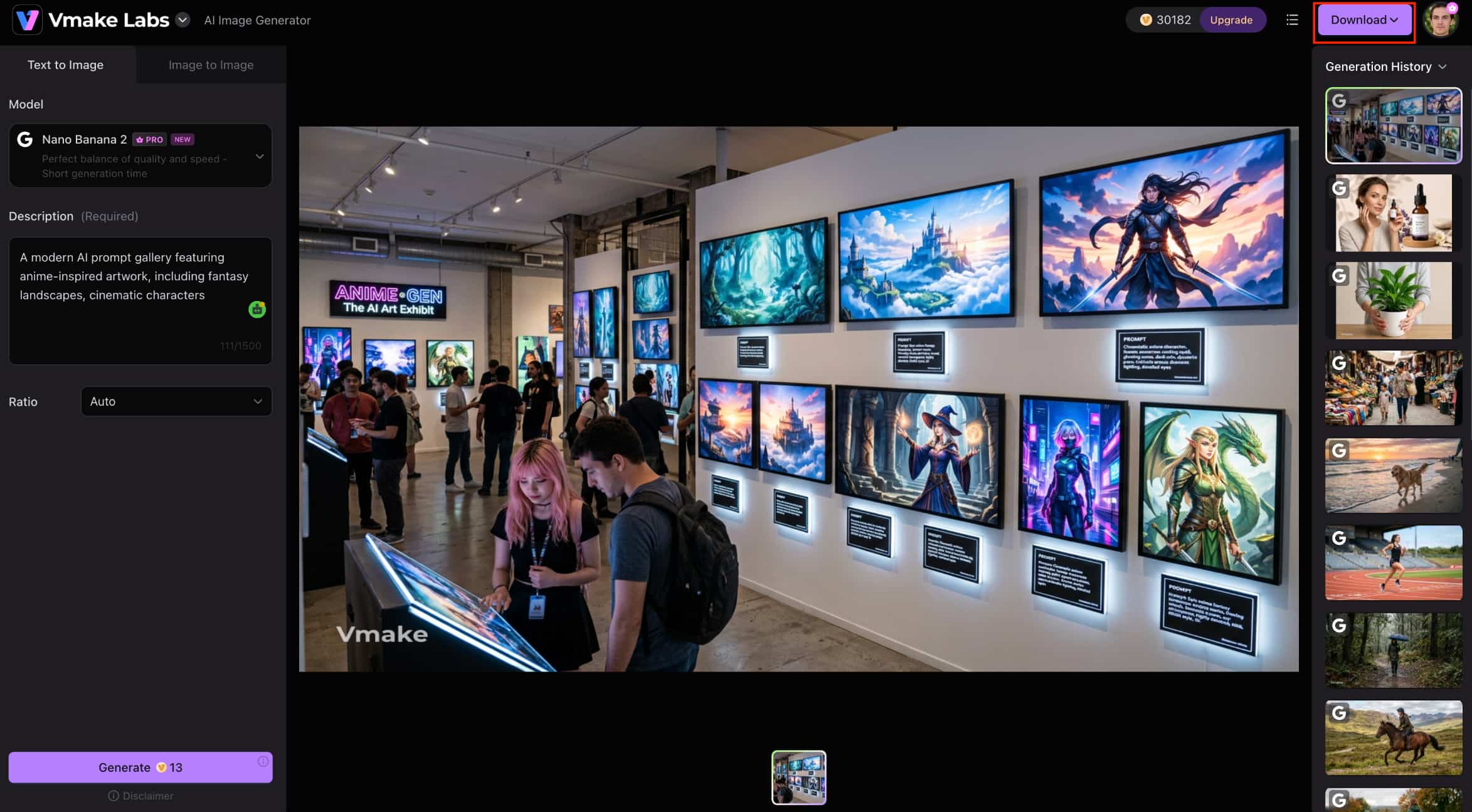
Step 3: Generate, review, and download your AI image
Click Generate to create your image and then review the results and adjust the prompt if you'd like to try out different variations. Once you are happy with the result, download the image and use it in your creative or commercial projects.
Conclusion
The ability to prompt image generators improves with practice. You can generate AI images that more closely align with your creative vision by writing clear, descriptive prompts, using a simple structure, and refining your wording over time. By using effective prompting, you can get more consistent results with less trial and error, whether you're designing social media graphics, product images, or digital artwork. Vmake Labs AI Image Generator offers multiple AI models, text-to-image and image-to-image generation, and an intuitive workflow to help you turn ideas into high-quality visuals if you're ready to put these techniques into practice.
FAQs
-
What is the best prompt structure for AI image generation?
A simple prompt structure is Subject + Style + Scene/Background + Lighting + Composition + Quality + Aspect Ratio. This format gives the AI enough context to generate more accurate and visually appealing images. Once you've written your prompt, you can test it with Vmake Labs AI Image Generator and experiment with different AI models to see which delivers the best results.
-
How can I improve my AI image prompts?
Start by describing your subject clearly, then add in details about the style, background, lighting and composition. If the results aren't what you were hoping for, try changing your wording instead of rewriting the prompt from scratch. Vmake Labs makes this easier, letting you quickly generate and compare different versions of the same prompt.
-
Can I generate AI images from existing images?
Yes. Many AI image generators support image-to-image generation, allowing you to use an existing image as a reference while creating a new one. Vmake Labs supports this workflow and lets you upload up to three reference images to help maintain a consistent style or composition.
-
Do I need to be a designer to use AI image generators?
No. AI image generators are designed for everyone, from beginners to professional creators. Learning how to write clear prompts is often more important than having design experience. With Vmake Labs, you can enter a text prompt, choose an AI model, and generate high-quality images in just a few steps.
-
What types of images can I create with AI prompts?
AI prompts can be used to create portraits, product photography, social media graphics, concept art, illustrations, marketing visuals, and much more. Vmake Labs supports a wide range of creative and commercial use cases through multiple AI models, helping you generate images that suit different styles and project requirements.

You May Be Interested
Veo 3 Prompt Guide: Best Veo 3 Prompts for Better Videos
Top Prompts for Music Videos: Create Better AI Videos in 2026

FLUX AI Image Generator Review 2026: Is It Worth Using?

Raphael AI Image Generator Review 2026: Worth Trying?
How to Create Professional YouTube Thumbnails with AI: A Creator’s 2026 Strategy