
Powtoon Review: Features, Pricing, Pros, Cons & Alternatives
Wondering if Powtoon is worth using? This Powtoon review covers its animation tools, AI features, strengths, limitations, and a simpler way to create visual content with Vmake Labs.

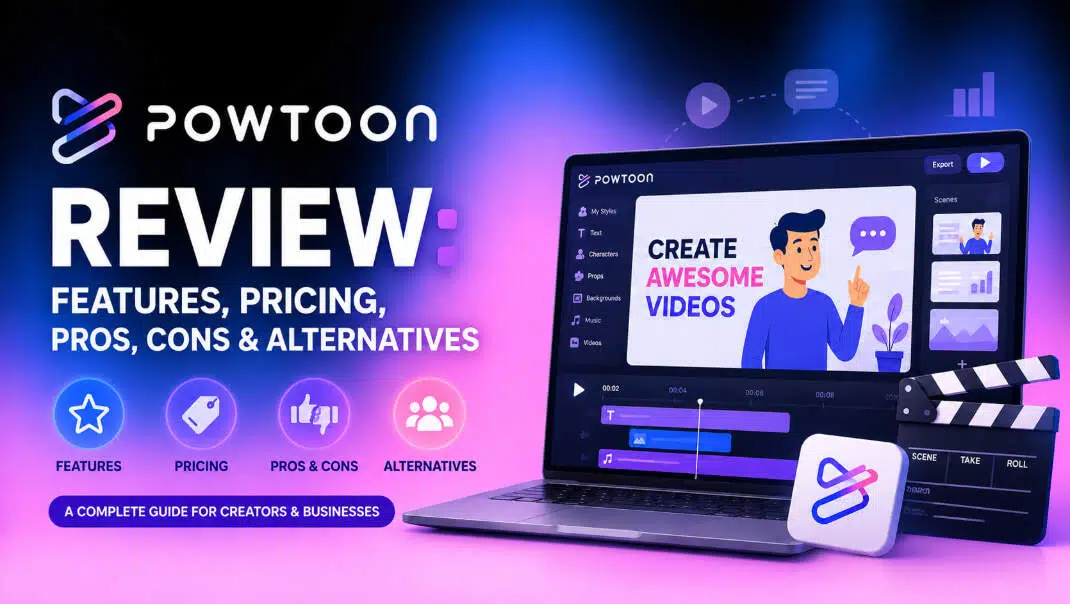
Powtoon is an online platform for making animated videos, presentations, and visual content. It is widely used for education, training, marketing, and business communication. In this Powtoon review, we look at its main features, AI tools, usability, limitations, user feedback, and when another creative tool may be a better fit.
What Is Powtoon and how does it work?
Powtoon is a web-based animation platform that works from templates, characters, scenes, and drag-and-drop editing. It enables users to create animated content without having to learn professional animation software.
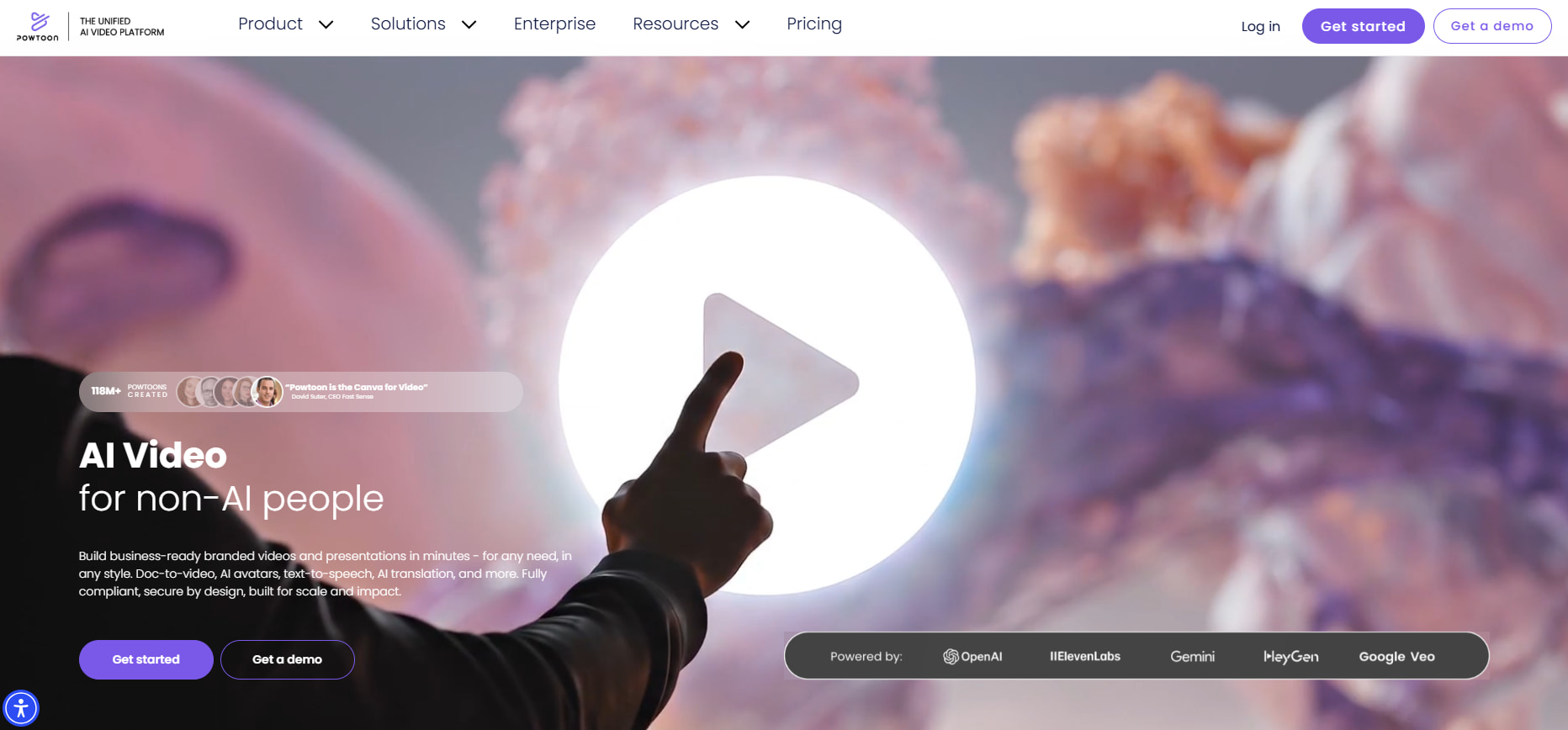
What is Powtoon used for?
Powtoon is commonly used for explainer videos, presentations, training materials, lessons, and business communications. Users can combine characters, props, backgrounds, text, and animations to create short visual stories. It is particularly useful for people who need a Powtoon animation maker with prebuilt assets rather than a blank canvas.
How does the Powtoon workflow work?
You can start with a template or create a project from scratch, then build it scene by scene. Add visual elements, adjust their timing, include audio, and preview the finished video before publishing or exporting it.
Who is Powtoon best suited for?
Powtoon is great for educators, trainers, marketers, small businesses, and creators who need simple animated content. It's a good match for projects where speed and ease of editing beat fine-grained control of animation.
What features does Powtoon offer?
Powtoon focuses on animated scenes, templates, visual assets, editing tools, and AI-assisted creation. Available features and export options can vary by plan.
Templates, characters, and visual assets
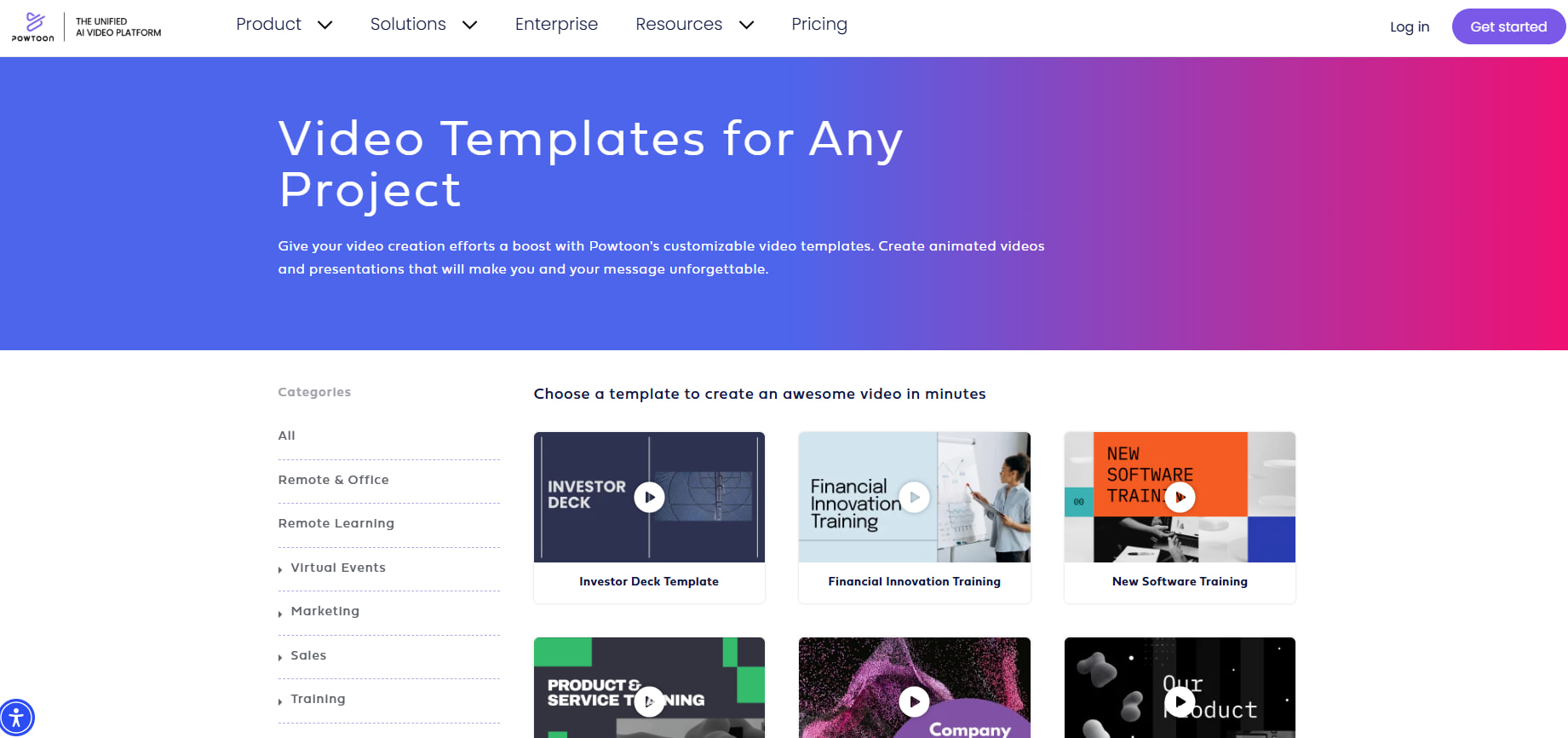
Powtoon provides templates for different types of projects, along with characters, props, backgrounds, text elements, and scene layouts. These assets give users a starting point and reduce the time needed to build a video from scratch. The trade-off is that template-based projects can look familiar if you do not customize them enough.
Animation and video editing tools
The editor allows users to sequence scenes, animate characters, add text effects, control timing, and add audio. This setup is good for explainers and presentations where information should be revealed in a clear sequence. More complex projects can take longer, as you still need to place and time individual elements.
Powtoon AI tools
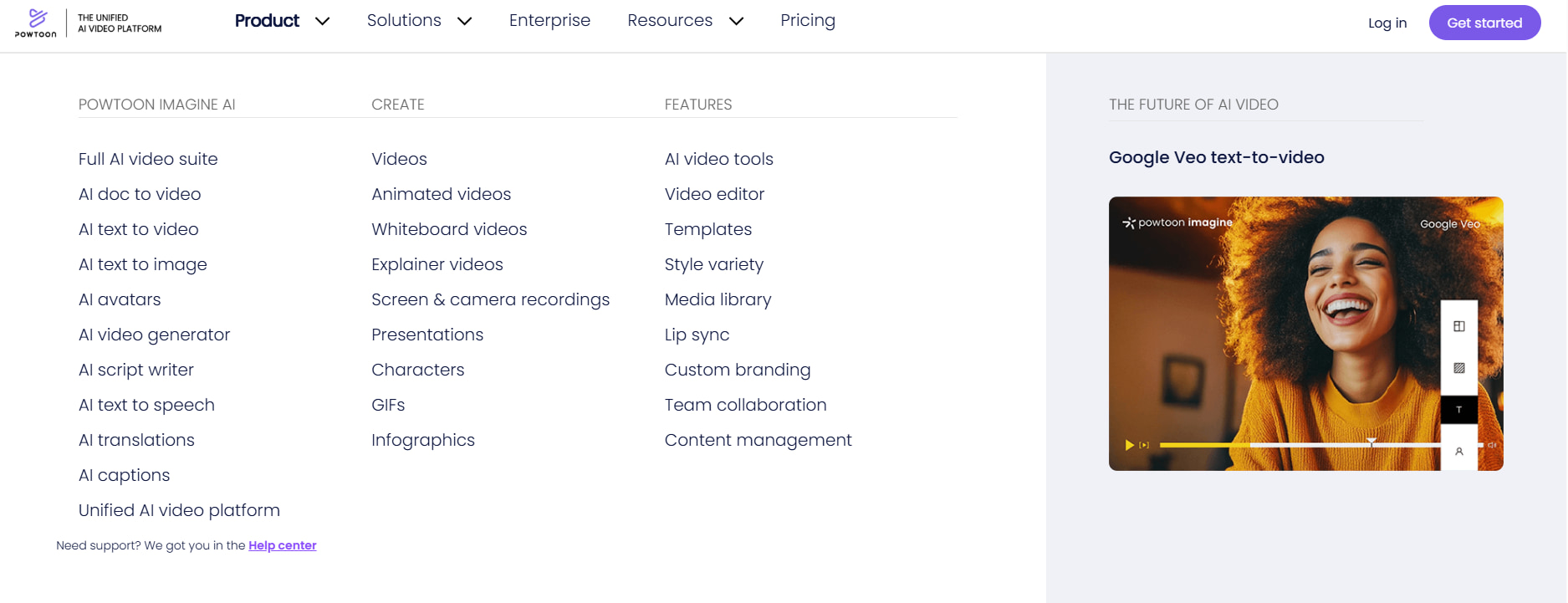
Powtoon AI adds AI-assisted features to the platform's existing creation process. These tools can help users get from an idea to a starting point faster while keeping the project within Powtoon's animation editor. This differs from AI-first tools that generate most of the visual content from a prompt. Powtoon still gives users a structured, scene-based workflow.
Export and sharing options
Powtoon provides publishing and export options that vary by plan. If you plan to use the platform for client or commercial work, check the current limits around branding, resolution, storage, and publishing before choosing a subscription.
Powtoon pros, cons and user reviews
User feedback gives a more useful picture of Powtoon than its feature list alone. Reviews across G2, Trustpilot, Common Sense Education, Reddit, and other sources point to ease of use as a strength, while customization and pricing come up as concerns.
Powtoon pros and cons
|
What Users Like |
What Users Dislike |
|---|---|
|
Easy to use: Accessible editor for users without animation experience. |
Limited originality: Template-based designs can feel restrictive for distinctive projects. |
|
Ready-made assets: Templates, characters, props, and other elements speed up content creation. |
Pricing and restrictions: Different plans may come with feature and usage limitations. |
|
Education and business: Useful for presentations, training materials, explainers, and business content. |
Generic visual style: Some discussions question whether Powtoon videos can look repetitive or dated. |
|
Structured workflow: The scene-based approach helps users organize animated content without advanced animation skills. |
Manual customization: More polished and original projects may require additional editing. |
Pricing
|
Plan |
Price |
Key features |
|---|---|---|
|
Free |
$0 |
720p video quality, up to 3-minute videos, screen recording, basic templates and characters, and Powtoon watermark. |
|
Lite |
$15/month billed yearly |
Everything in Free, plus watermark removal, MP4 downloads in HD 1080p, up to 10-minute videos, and 300 AI credits per year. |
|
Professional |
$40/month billed yearly |
Everything in Lite, plus full access to content and templates, unlimited premium exports, camera movement control, up to 20-minute videos, and 500 AI credits per year. |
|
Advanced |
$125/month billed yearly |
Everything in Professional, plus full character customization and branding, character lip-sync, full brand control, custom fonts, up to 30-minute videos, and 1,200 AI credits per year. |
The Free plan is best for testing the platform, while Lite fits individual creators with moderate needs. Standard offers a stronger balance for regular professional work, especially with commercial-use features, while Pro is aimed at high-volume creators and teams that need significantly more credits and advanced capabilities.
What do Powtoon reviews reveal overall?
-
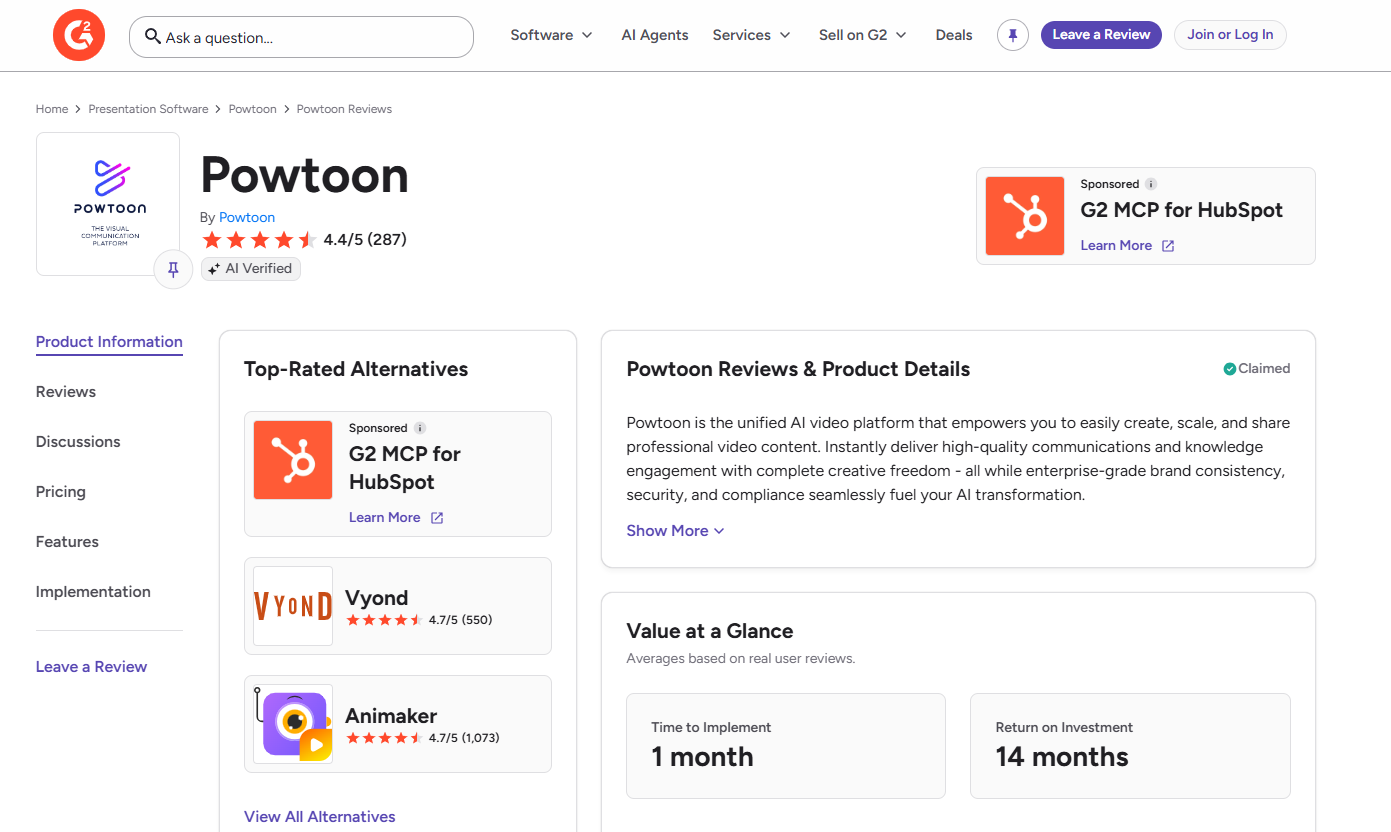
G2: G2 reviews can be used alongside Trustpilot to assess Powtoon from a business-user perspective, particularly around usability, features, and overall experience. Together, the platforms provide a broader view of Powtoon's strengths and limitations rather than relying on individual user opinions.
-
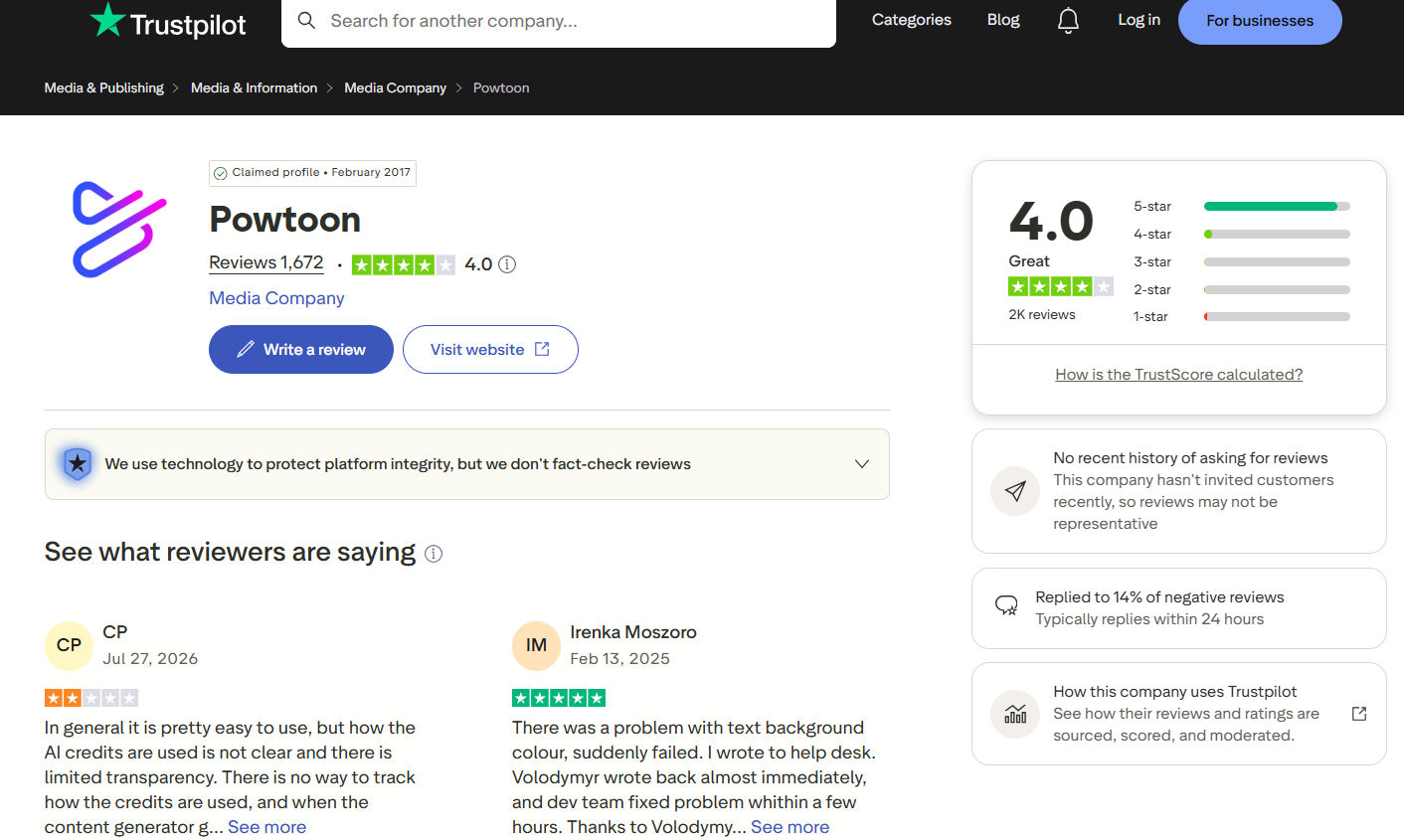
Trustpilot: Powtoon has a 4.0-star rating from 1,672 reviews on Trustpilot. Recent feedback is mixed, with users mentioning ease of use alongside concerns about AI credit transparency and issues with specific features. One positive review also highlights a quick response from the support team and a fast resolution to a reported problem.
Is Powtoon worth it for your projects?
Powtoon is worth considering when you need animated explainers, presentations, or training content and prefer working from templates. Your choice may change if you need more original visuals or AI-generated assets.
Choose Powtoon if you need
Powtoon is a good choice for animated explainers, educational & training videos, presentation-style animation, ready-made templates & characters, a browser-based editor, and an easy-to-use alternative to traditional animation software. Its structured workflow makes it easier to create simple animated content even if you don't have advanced animation skills.
Consider an alternative if you need
Consider an alternative if your projects require photorealistic imagery, highly original visual concepts, prompt-based image generation, rapid experimentation with different styles, or AI-generated assets instead of manually assembled scenes. An AI-first creative platform can provide more flexibility when you want to generate and test visual ideas quickly.
Editorial verdict
Powtoon is built around selecting and editing visual elements, while AI-first tools can generate visual concepts from text prompts. Powtoon gives you more control over individual scenes; generative tools can be faster when you are testing many ideas. Vmake Labs is worth considering for creators who want to generate visual assets from prompts rather than manually building every element.
How to create visual content with Vmake Labs
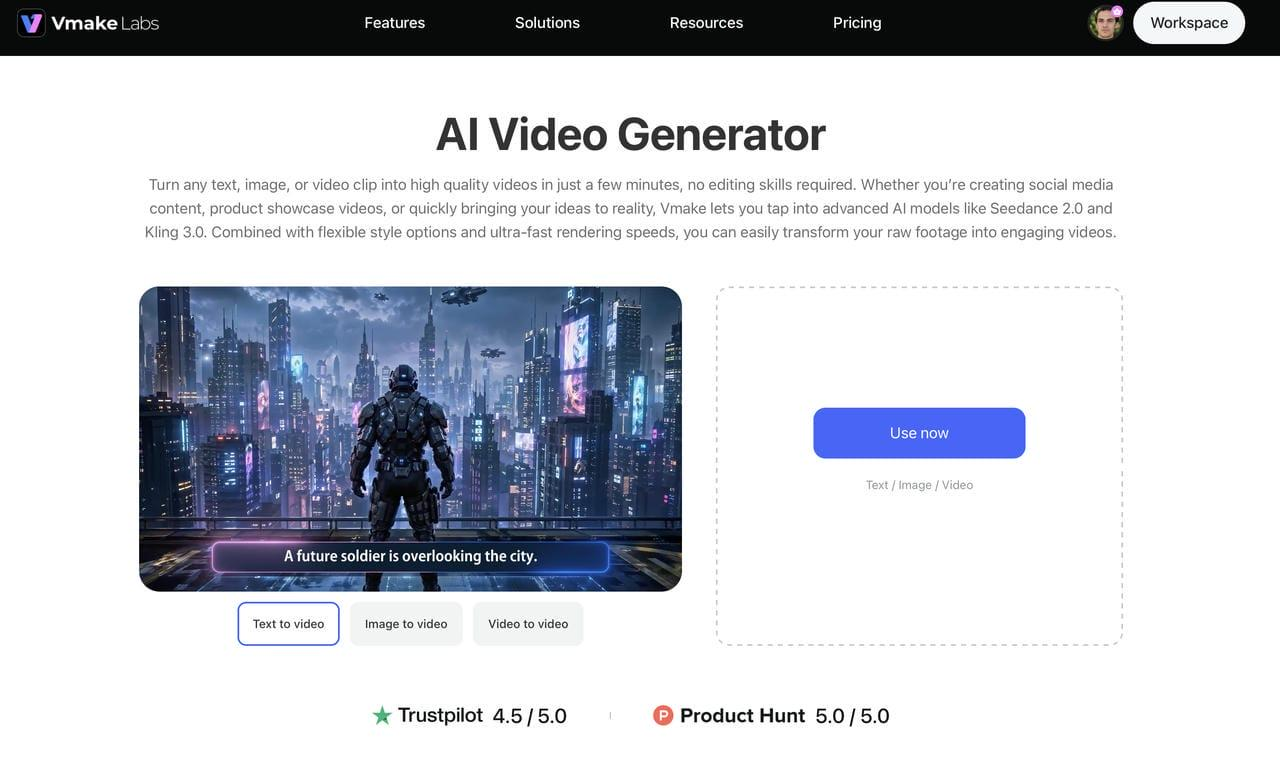
Vmake Labs offers a simple, prompt-based workflow for creating visual content. You can describe your idea, generate an initial result, and refine it until it matches your needs. This makes it easier to explore different concepts, styles, and compositions without manually building every visual element from scratch.
How to create visual content with Vmake Labs
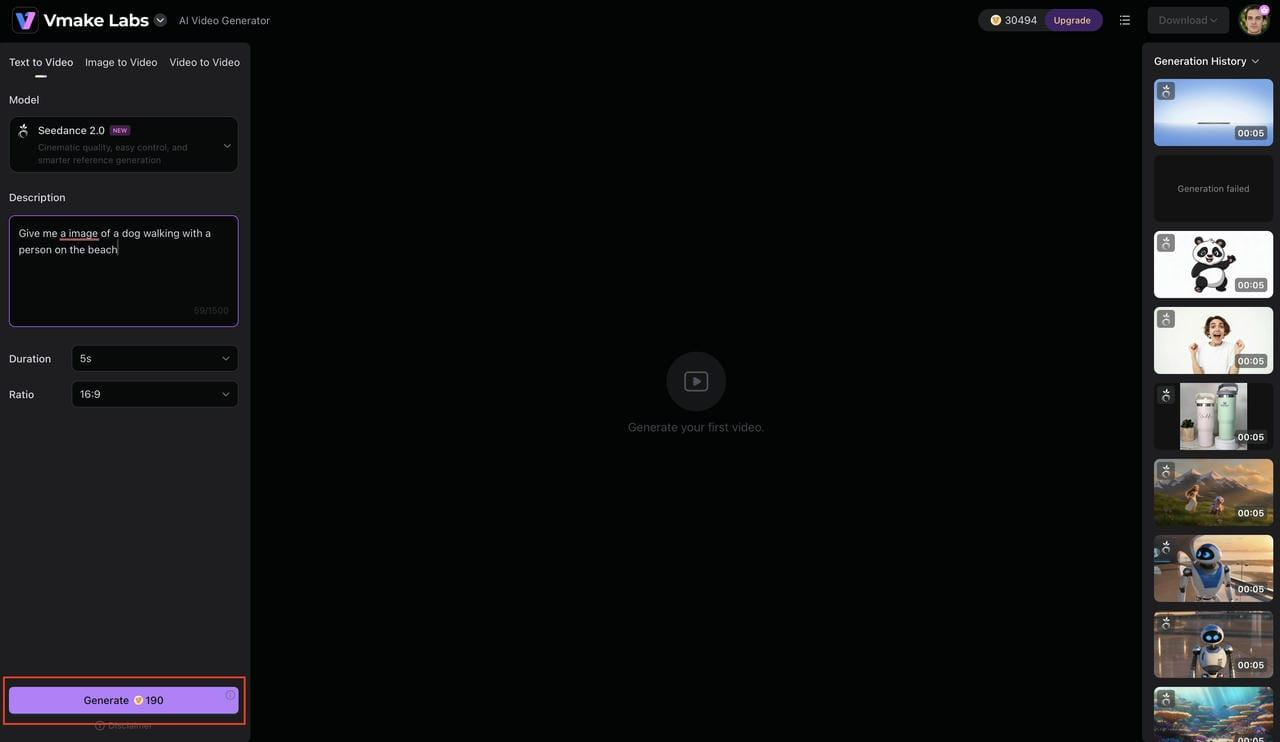
Step 1: Select your video generation mode
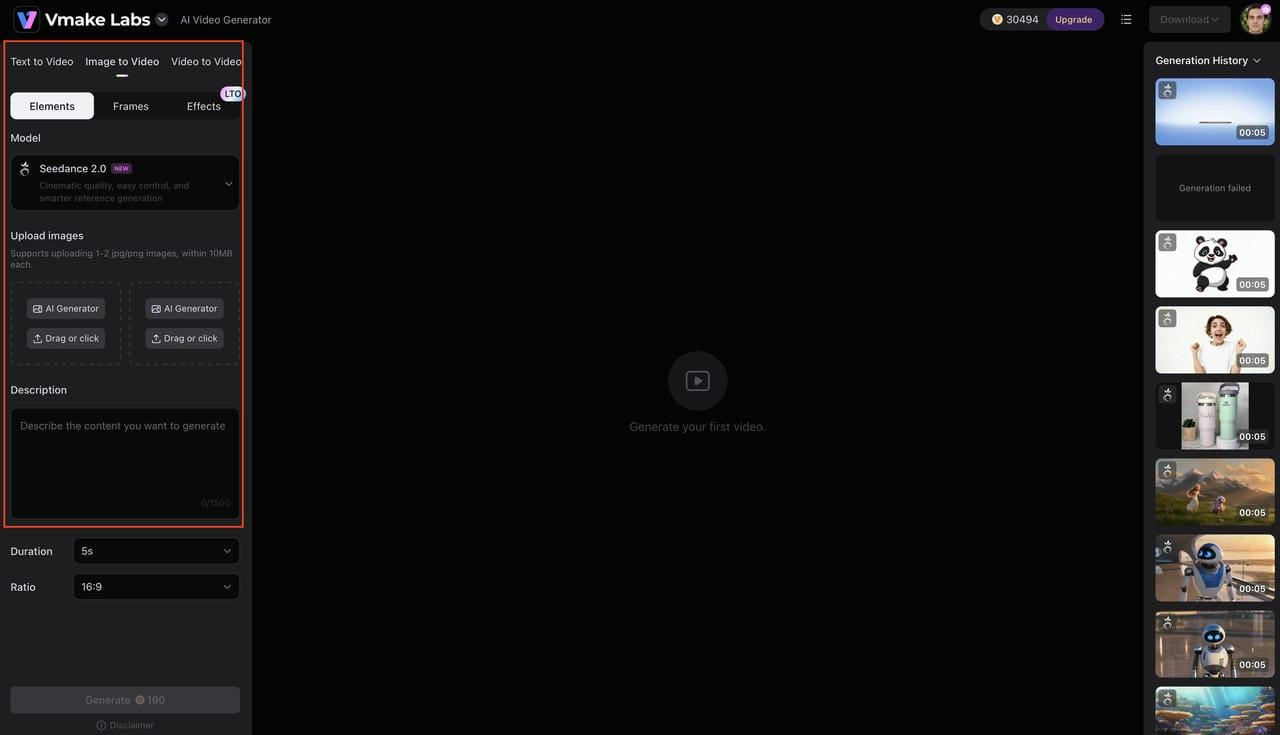
Open the Vmake Labs AI Video Generator and choose the workflow that best fits your project. You can create a video from a text prompt, animate one or more reference images, or transform an existing video into a new style. Once you've selected the workflow, choose the AI model you'd like to use for generation.
Step 2: Enter Your Prompt and Generate the Video
Describe the subject, setting, action, camera movement, mood, lighting, and visual style you want. Submit your prompt and let Vmake Labs generate the video based on your description.
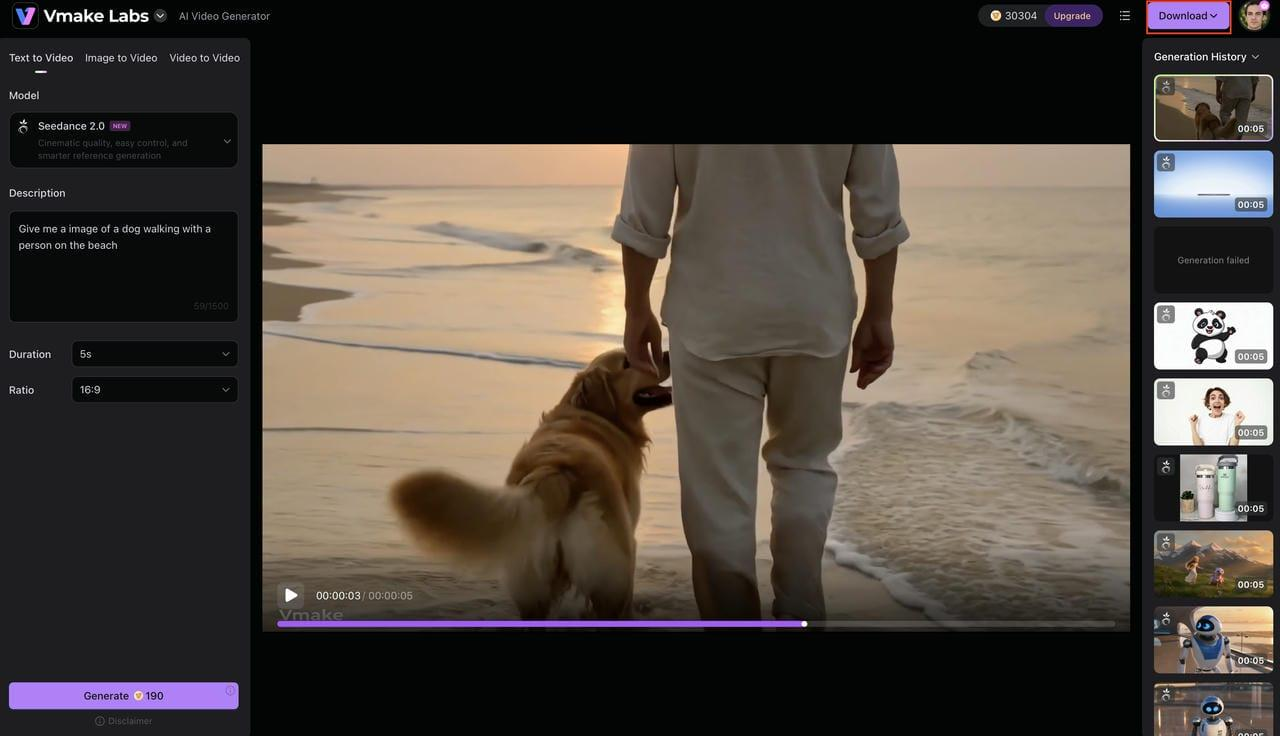
Step 3: Review, Refine, and Download Your Video
Review the generated video for motion, composition, details, and overall quality. Adjust your prompt and generate another version if needed, then download the finished video for your creative project.
Why use Vmake Labs for video creation?
-
Prompt-based video generation: Describe your subject, setting, actions, camera movement, and visual style in a prompt. Vmake Labs can turn your concept into a video without requiring you to build every scene manually.
-
Flexible creative experimentation: Test different scenes, movements, visual styles, and storytelling ideas by changing your prompts. This makes it easier to explore multiple directions before choosing a final concept.
-
Simple video creation workflow: Enter your prompt, generate a video, review the result, and refine it when needed. The straightforward process helps you create video content without a complex editing workflow.
-
Useful for marketing and social media videos: Create short-form videos for social posts, product promotions, campaigns, and other marketing needs. You can experiment with different concepts without producing each version from scratch.
-
Faster concept development: Turn an initial idea into a video concept quickly and refine it based on the generated result. This can help shorten the time from brainstorming to a usable video.
-
Create animated scenes without manual building: Use an AI cartoon video maker to turn your ideas into animated videos. Describe the characters, scenes, actions, and visual style you want, then refine the generated video as needed.
Final verdict
Powtoon remains a useful choice for creating animated videos, presentations, explainers, and educational content without advanced animation skills. Its templates and scene-based editor make the process approachable, but that convenience can limit visual originality for more demanding projects. If you need structured animation and ready-made assets, Powtoon is worth testing. If you want to experiment with original visual concepts from prompts, Vmake Labs offers a different approach. The better choice depends on whether your project needs template-led animation or faster AI-generated visual creation.
FAQs
Is Powtoon free to use?
Powtoon has a free plan, but the features, export options, and publishing restrictions depend on the current plan. The free version is a good way to test out the editor before you decide to buy a subscription. If you're more interested in AI-generated visuals, you might also check out Vmake Labs.
Is Powtoon good for professional videos?
Powtoon can be a good choice for professional explainers, training videos, presentations, and business communications. The final result will depend on the choices of template, script, customization, and animation. Another option to consider is Vmake Labs if you need to create visuals in a more flexible way.
What is Powtoon AI?
Powtoon AI is a suite of AI-assisted creation features built into Powtoon. These tools can help speed up some of the content creation process while users continue to edit their projects on the platform. If you want a more prompt-driven approach to visual generation, Vmake Labs has a different workflow.
Can I use Powtoon for commercial projects?
Business and commercial use is permitted on Powtoon. Licensing and asset restrictions differ depending on the plan and content used. Please review the current terms before using Powtoon for client projects or paid campaigns. You may also want to consider Vmake Labs as part of your creative workflow for more visual assets.
Is Powtoon suitable for beginners?
Yes. Powtoon's templates, pre-built assets, and visual editor make it simple for beginners. You can begin with a template and then learn to customize the scenes, characters, text, timing, and animation. Beginners looking for an easier prompt-based method to create visuals can also find Vmake Labs helpful.
What are the best alternatives to Powtoon?
The right choice depends on your needs. If you want to create animated content, you can go with Vyond, VideoScribe, or Animaker. If you want to generate visual content created by AI from prompts and explore different creative avenues, then Vmake Labs is worth looking into.

You May Be Interested
Artistly AI Review 2026: Is It Worth Trying for Creators?
DeeVid AI Review 2026: Features, Pricing & Top Alternative
Doodle AI Review 2026: Features, Pricing and Alternatives
Getimg AI Review 2026: Is It the Best AI Image Generator?

Supawork AI Review: Watermark Remover Tested (2026)

Nero AI Review 2026 Explained: Is the Tool Worth Using?

Pixar AI Review: What It Is & How to Create Pixar-Style Art

Vivideo AI Review 2026: Features, Pricing and Alternatives
