
LTX Studio Review: Is It Worth Using in 2026?
Explore this LTX Studio review covering video creation, features, pricing, user feedback, pros and cons, and how Vmake Labs compares for creators and businesses seeking flexible video generation.

LTX Studio is an AI video production platform for turning ideas into structured video projects. It combines story development, storyboarding, scene creation, visual generation, and editing in one workflow. This review covers its main features, creation process, pricing, user feedback, limitations, and how Vmake Labs compares.
What is LTX Studio?
LTX Studio is an AI-powered video creation platform from Lightricks. It is aimed at creators who want to plan and develop multi-scene videos instead of generating isolated clips from individual prompts.
LTX Studio at a glance
LTX Studio is designed for filmmakers, content creators, marketers, and other users working with story-driven video. Its workflow starts with an idea or script and can turn it into scenes, shots, characters, and visual content.
The platform gives creators more control over how a project develops. Instead of generating a clip and moving straight to another tool, users can plan the sequence, refine scenes, and keep the different parts of a project together.

What can you create with LTX Studio?
LTX Studio can be used for story-driven videos, creative projects, short-form content, and promotional videos. It is particularly relevant when a project needs several connected scenes. For example, a creator can develop a concept, plan its shots, establish characters and settings, and generate the visuals for the sequence. The same workflow can be applied to marketing concepts and other multi-scene projects.
How to create a video with LTX Studio
LTX Studio follows a project-based process that takes you from an initial idea to planned scenes, generated visuals, revisions, and the final export.
Step 1: Start with a story or prompt
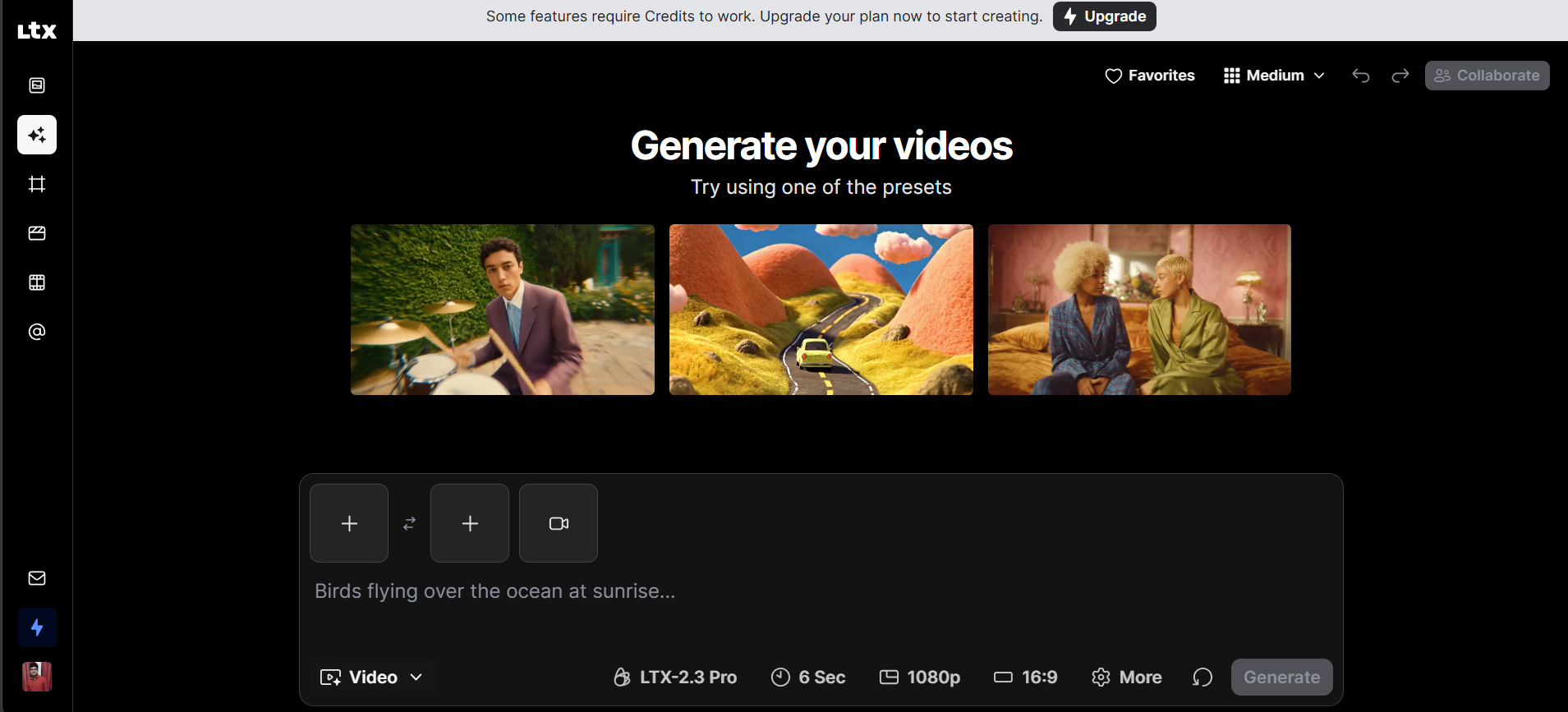
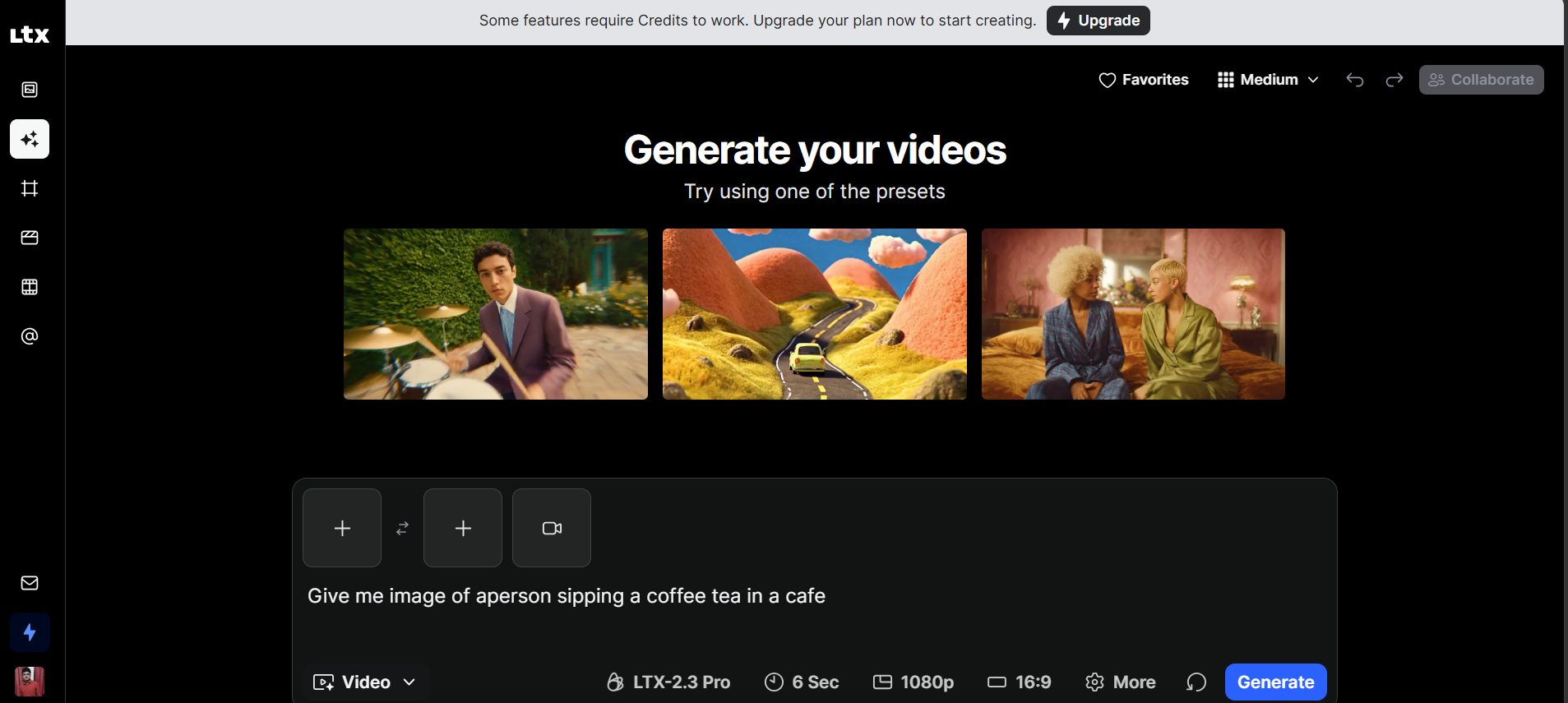
Begin with an idea, script, or description of the video. The more specific the prompt is about the subject, setting, action, and mood, the easier it is to establish a clear direction for the project.
Step 2: Turn the concept into scenes and shots
LTX Studio can break the concept into scenes and shots that form the project's storyboard. This gives you a visual plan before you focus on generating and refining each part. For longer videos, planning the sequence first can also make it easier to spot missing shots or continuity problems.
Step 3: Generate and refine the visuals
Build the visual material for each scene, then review and adjust the results. If the shot doesn't match the character, setting, composition, or action you want, you can change that one thing without having to rebuild the entire project. Once you're finished with the scenes, view the entire project and make any final changes. Check for continuity, pacing, and visual quality before exporting
LTX Studio features that stand out
For LTX Studio, the key difference is the amount of planning that goes into creating AI videos. Its tools are for projects that have story structure, linked scenes, and visual direction at their core.
AI storyboarding and shot planning
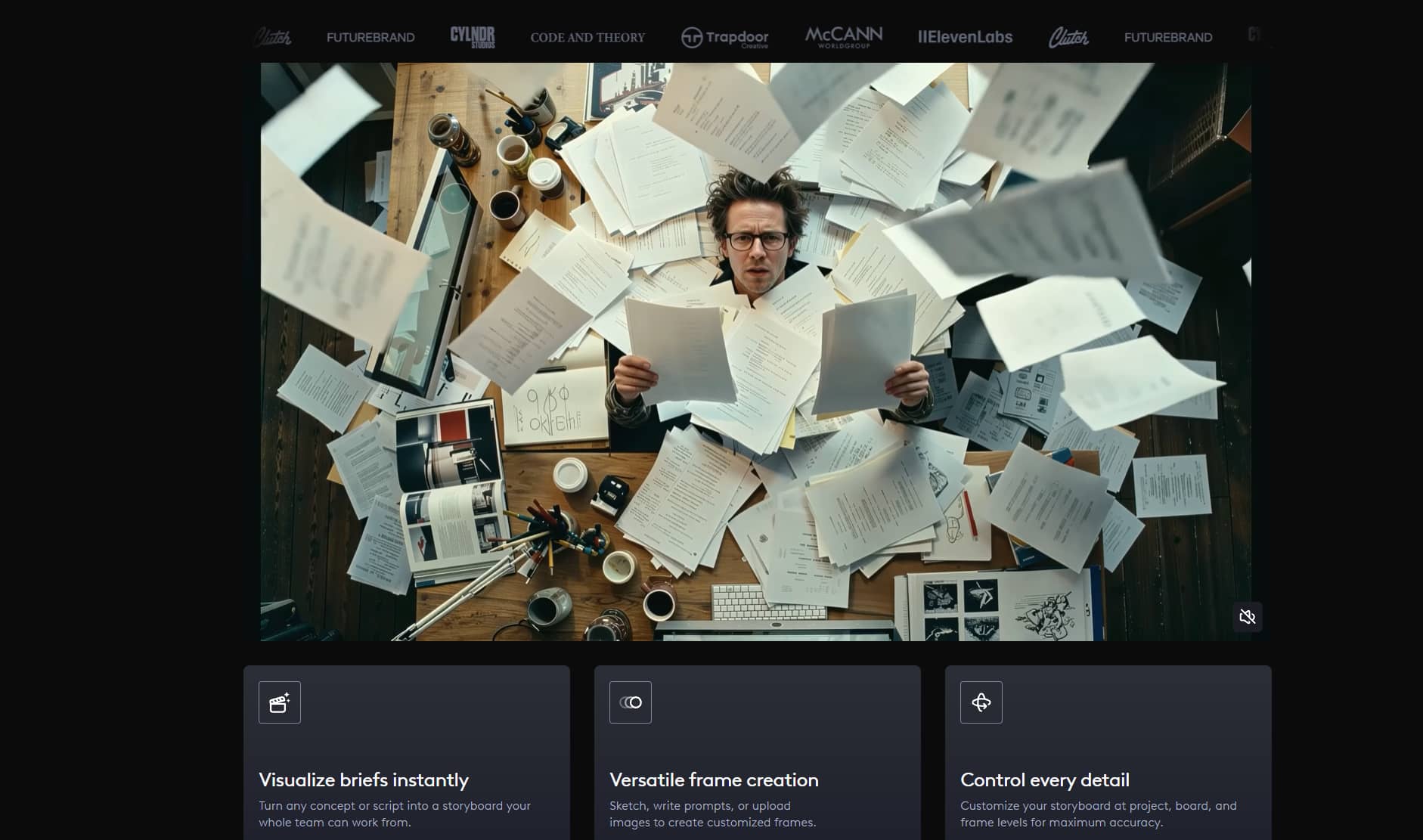
Storyboarding is a method that lets creators visualize a video as a series of shots, not as a series of individual clips for each generation. It's useful for short films, narrative content, and campaigns with many linked scenes. It also provides creators with an opportunity to think through the visual sequence before spending time refining individual generations.
Character and scene consistency
Consistency is key if the same character/environment appears in a video. LTX Studio's project workflow allows creators to control recurring visual elements across scenes. Results are not guaranteed to remain perfect, especially with complex actions or large differences between shots, so it is important to review each scene.
Text-to-video and visual generation
LTX Studio has AI-assisted visual generation from written ideas. A prompt can be a jumping-off point for creating scenes and video content. But output can still vary with the prompt and subject. Some scenes might need more generations to get the desired movement, composition, or visual style.
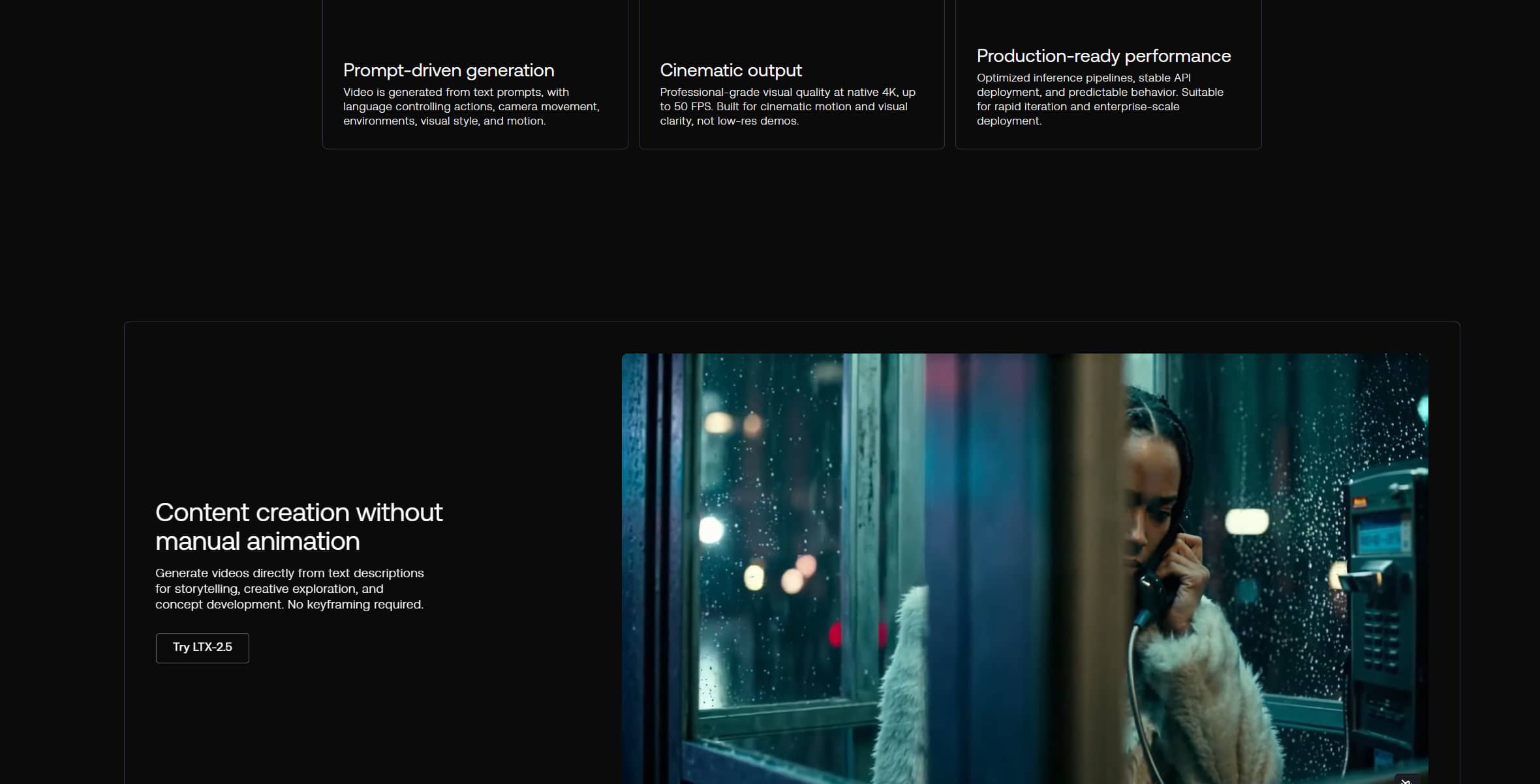
Camera and scene controls
LTX Studio provides controls for developing individual shots and their visual direction. Depending on the available workflow, creators can work with elements such as framing, camera movement, and shot composition. These controls can help when a scene needs a specific perspective rather than a generic generated view.
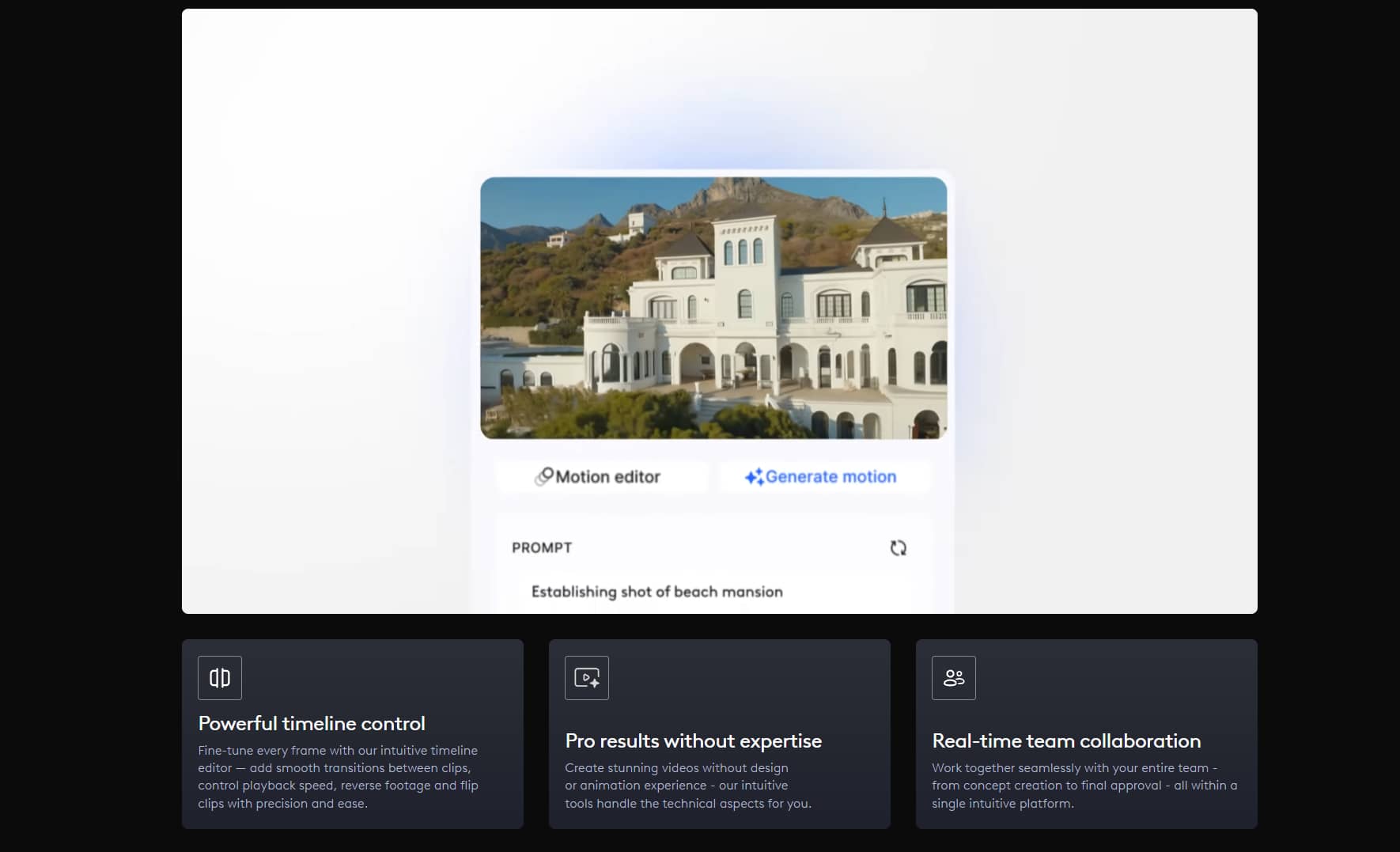
Editing and production tools
The platform also provides tools for refining and organizing a video project. Keeping scenes, shots, and generated assets together can reduce some of the manual organization involved in an AI video workflow. This is most useful for creators working on projects with multiple scenes rather than one-off social clips.
LTX Studio pricing, pros, cons, and user feedback
The value of LTX Studio depends on how much you generate and whether you need its production-focused workflow. Free access can help users test the platform before deciding whether a paid plan makes sense.
LTX Studio pricing and free access
LTX Studio offers free access as well as paid plans. Plans differ in areas such as credits, generation limits, and available features, so the current pricing page should be checked before subscribing.
|
Plan |
Price |
Credits |
Key features |
|---|---|---|---|
|
Free |
$0 |
800 credits, one-time |
Image and video generation, LTX-2.5 and LTX-2.3 video models, advanced camera controls, blank storyboards, Audio-to-Video, Video-to-Video, personal-use license |
|
Lite |
$12/month, billed annually ($144/year) |
8,000 credits/month |
Everything in Free, plus image and video upscales, editing tools, and no watermark |
|
Standard |
$28/month, billed annually ($336/year) |
28,000 credits/month |
Everything in Lite, plus additional AI models, consistent elements, AI storyboards, pitch decks, commercial-use licenses, and more |
|
Pro |
$100/month, billed annually ($1,200/year) |
110,000 credits/month |
Everything in Standard, plus Veo 3.1 models, higher quality and control, three collaborators per project, and on-demand credit top-ups |
For occasional experimentation, free access can be enough to understand the workflow. Frequent users should compare the included credits with their expected generation volume, along with any export or commercial-use restrictions.
Pros and cons
|
Pros |
Cons |
|---|---|
|
Structured workflow for AI video projects |
Can take time to learn |
|
Storyboarding and shot planning |
Generated scenes may need multiple attempts |
|
Useful tools for multi-scene content |
Character and visual consistency can vary |
|
More control than a basic prompt-based generator |
Credit limits can affect frequent users |
What users say about LTX Studio
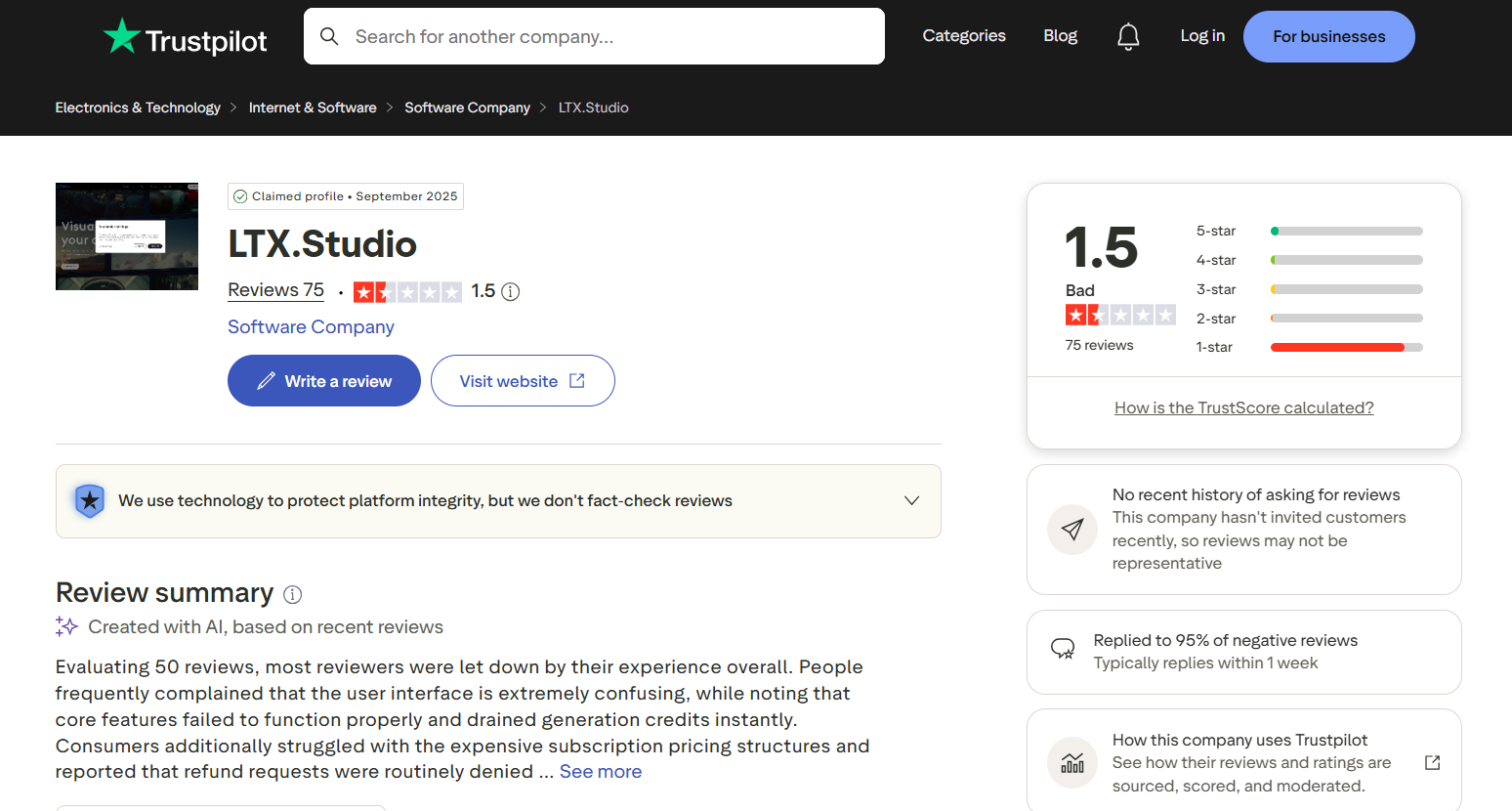
Trustpilot presents a more critical picture, with LTX Studio rated 1.5/5 from 75 reviews. Recent feedback shown on the platform frequently mentions a confusing user interface, features that users felt did not work as expected, rapid credit consumption, and concerns about subscription pricing and refunds. Trustpilot also notes that the company has responded to 95% of negative reviews, while cautioning that reviews are not fact-checked.
G2: LTX currently has a rating of 4.3/5 on G2, with 123 reviews, meaning that most users like the platform overall. The positive feedback often points to its creative capabilities, AI-assisted workflow, and tools for creating more structured video projects rather than generating standalone clips.

The feedback suggests that LTX Studio might be a better fit for creators who want a more structured production environment and are willing to put in the time to learn the platform. This wider workflow may be less convenient for those primarily interested in creating AI videos in a simple and fast way.
Vmake Labs AI Video Generator as an alternative
Vmake Labs offers a more direct video-generation workflow with multiple AI models and several ways to start a project. It supports text, images, and existing video, making it useful for marketing, e-commerce, social media, and creative content.
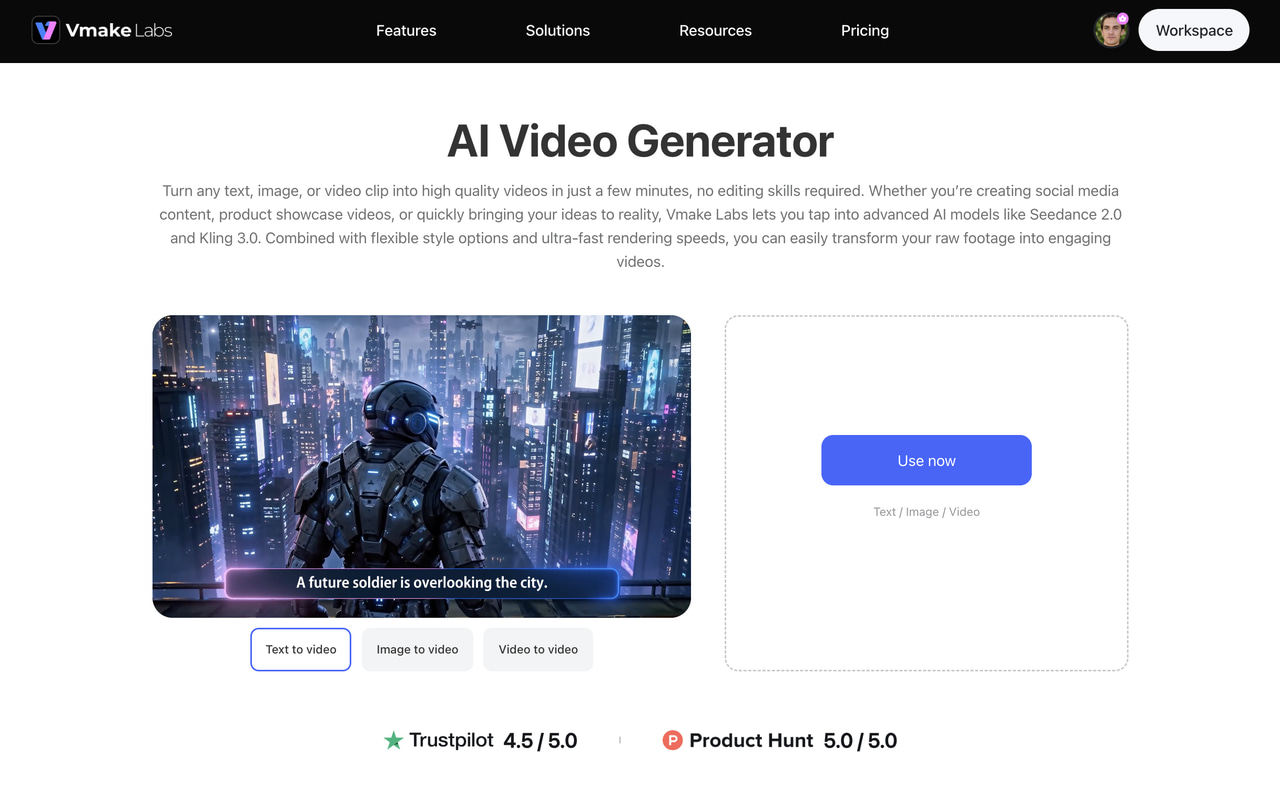
How to generate videos with Vmake Labs
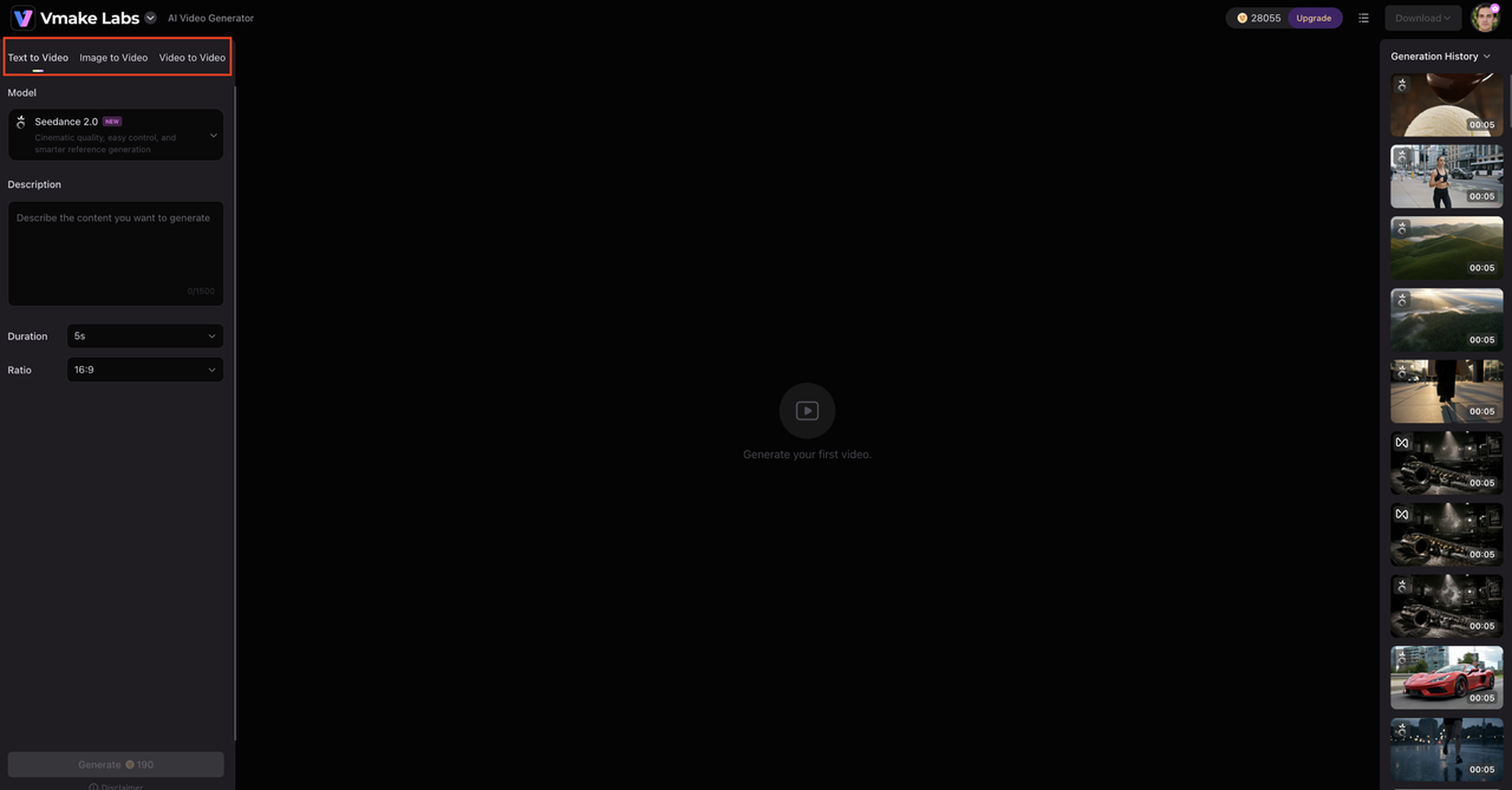
Step 1: Select the generation method and model.
Choose Text to Video, Image to Video, or Video to Video, then select the AI video model you want to use.
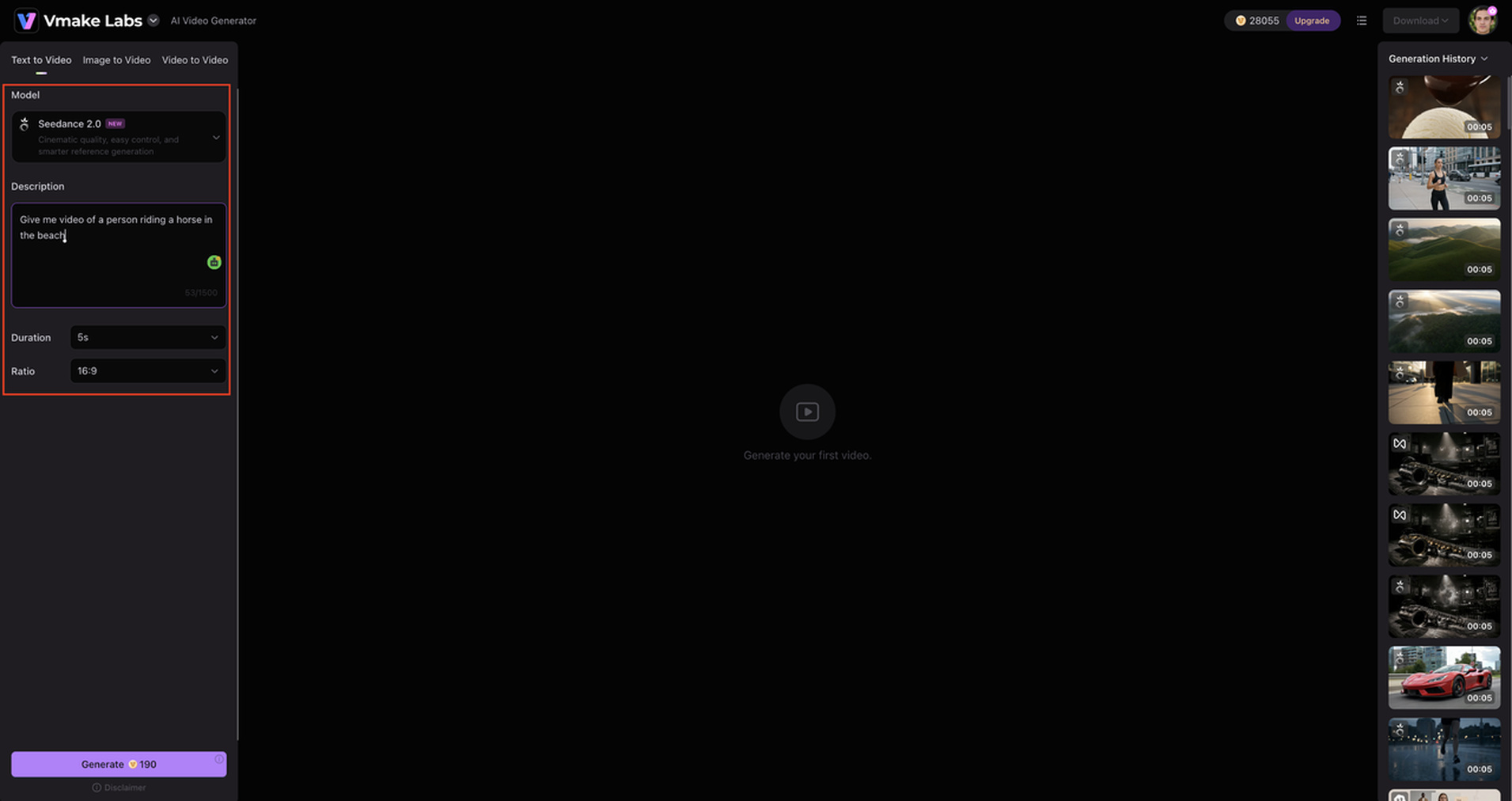
Step 2: Add your input and set the video options.
Enter a prompt or upload a reference image or video, then set the video duration and aspect ratio based on your requirements.
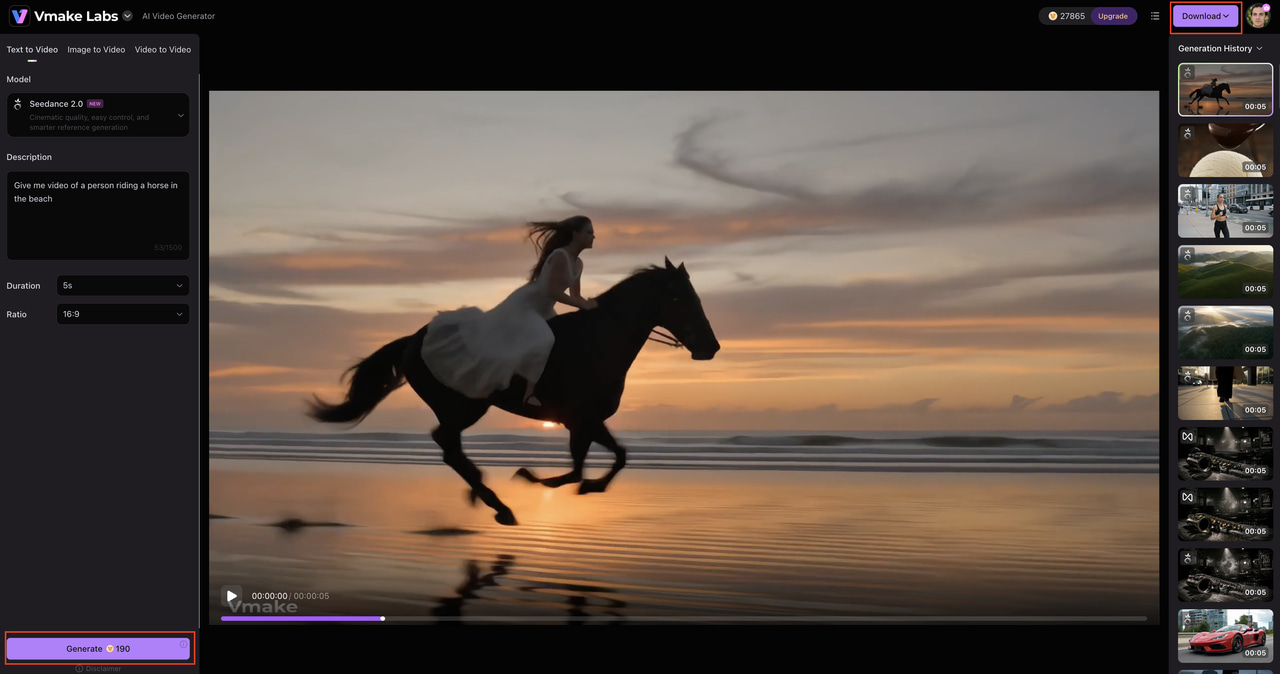
Step 3: Generate, preview, and download.
Generate the video, preview the result, make adjustments or regenerate if needed, and download the final video.
Why consider Vmake Labs?
Vmake Labs is useful when you want to choose a generation method based on the asset you already have or compare outputs from different AI models.
-
Multiple AI video models: Choose from different AI models to compare visual quality, motion, and style. This is useful for creative projects, marketing campaigns, and testing different generation approaches.
-
Text to Video: Turn written prompts into videos without needing an existing visual asset. It works well for creating social media clips, promotional scenes, and early creative concepts.
-
Image to Video: Animate still images into dynamic video content while using the original visual as a reference. This can be especially useful for product visuals, advertisements, and creative assets.
-
Video to Video: Start with existing footage and use AI to create a new version of the video. This makes it useful for adapting existing content for different creative directions or campaigns.
-
Multiple input workflows: Choose a workflow based on whether you are starting with text, an image, or video. This flexibility is useful for e-commerce, social media, and promotional content.
LTX Studio vs Vmake Labs AI Video Generator
Both platforms support AI video creation, but their workflows serve different needs. LTX Studio focuses more on structured story development, while Vmake Labs focuses on flexible generation through multiple models and input types.
|
Category |
LTX Studio |
Vmake Labs AI Video Generator |
|---|---|---|
|
Best for |
AI-assisted video production, story development, and multi-scene projects |
Marketing, e-commerce, social media, and creative video generation |
|
Text to Video |
Supported |
Supported |
|
Image to Video |
Supported |
Supported |
|
Video to Video |
Supported |
Supported |
|
Storyboarding |
AI storyboards and production-oriented planning |
Generation-focused workflow |
|
AI models |
LTX models plus additional models available across plans |
Multiple AI video models |
|
Video duration |
Varies by generation model and plan |
2–15 seconds |
|
Input methods |
Text, images, and video |
Text, image, and video |
|
Workflow |
Story, scene, and shot-based production |
Browser-based video generation workflow |
|
Best suited to |
Filmmakers, storytellers, creative teams, and multi-scene projects |
Creators, marketers, e-commerce teams, and businesses |
Which platform should you choose?
Choose LTX Studio for structured, story-driven projects. Its production-oriented approach makes more sense when you need to develop a narrative, plan multiple scenes, and manage a video as a complete project rather than generate individual clips.
Choose Vmake Labs for flexible clip generation. It is a better fit when your work starts with text, images, or existing footage and you want to try different AI video models for marketing, e-commerce, social media, or creative content.
Final verdict on LTX Studio
LTX Studio is a good solution for creators looking for more structure around AI video production. Its storyboarding, scene planning, character workflows, and editing tools make it great for multi-scene and narrative projects. The trade-off is a learning curve, variable quality of the generated text, and credit limits that may affect frequent users. If you like to plan an entire video before creating its scenes, LTX Studio is worth a try. If you need quick clips for marketing, e-commerce, or social media, Vmake Labs offers a more direct workflow. It provides several AI models along with Text to Video, Image to Video, and Video to Video options.
FAQs
What is LTX Studio?
LTX Studio is an AI video production platform that helps users to create videos through storyboarding, scene creation, visual generation, and editing. It's for creators who want more control over multi-scene projects.
Is LTX Studio free?
Yes. LTX Studio has a free plan with limited access and paid plans with more usage and features. If you are comparing it to other options such as Vmake Labs, you need to check out the current plans, credits, and generation options available for each platform.
How does LTX Studio work?
You start with an idea or script, develop it into scenes and shots, generate the visuals, refine the project, and export the finished video. Vmake Labs takes a more direct approach, letting users generate videos from text, images, or existing footage.
How much does LTX Studio cost?
LTX Studio has free and paid options, with pricing and credits varying by plan. If cost and generation flexibility are priorities, you can also compare its plans with Vmake Labs before choosing a tool.
Is LTX Studio worth using?
It is worth considering if you need storyboarding, scene planning, and a structured AI video workflow. For users who mainly create marketing, e-commerce, or social media clips, Vmake Labs may be a more suitable option.
What is the best alternative to LTX Studio?
Vmake Labs is an alternative for users who want multiple AI video models and flexible Text to Video, Image to Video, and Video to Video workflows. It can be useful for creators who prioritize direct video generation over a storyboarding-focused production process.

You May Be Interested

Z Image AI Review 2026: Features, Performance, Pros and Cons
Yodayo AI Review 2026: Features, Pricing, and Alternatives
X-Design Watermark Remover Review (2026): Features & Pricing
Vidu AI Review: Is This AI Video Generator Worth in 2026?
Vadoo AI Review 2026: Features, Pricing and Alternatives
VEED Review: Does the Watermark Remover Work? (2026)

Vivideo AI Review 2026: Features, Pricing and Alternatives

Unlucid AI Review: Is this AI platform worth it in 2026?
