
LitVideo Review 2026: How Good Is This AI Video Generator?
Explore this LitVideo review covering features, pricing, video quality, and creative workflows, then discover Vmake Labs as a flexible AI video alternative for creators, brands, and businesses now.

AI video tools are making it easier to turn simple ideas into engaging visuals. LitVideo brings multiple AI models and creative features together, letting users create videos from text or images. This review looks at its features, workflow, pricing, performance, pros, cons, and overall experience.
What is LitVideo AI and how does it work?
LitVideo AI is a multi-model AI video generation platform for producers who wish to create videos without constructing everything from scratch. It provides not only a single generation engine but several models and creative operations all inside one interface. Users can start with a text prompt, image, or other supported input and then adjust settings before generating a clip. The platform is particularly interesting for people who like comparing different AI video models. Its current web experience lists models and workflows, including Seedance, Veo, Sora, Kling, Wan, Vidu, and LitAI. At the same time, its image-to-video and text-to-video tools provide controls for duration, quality, aspect ratio, sound, seed, and negative prompts.
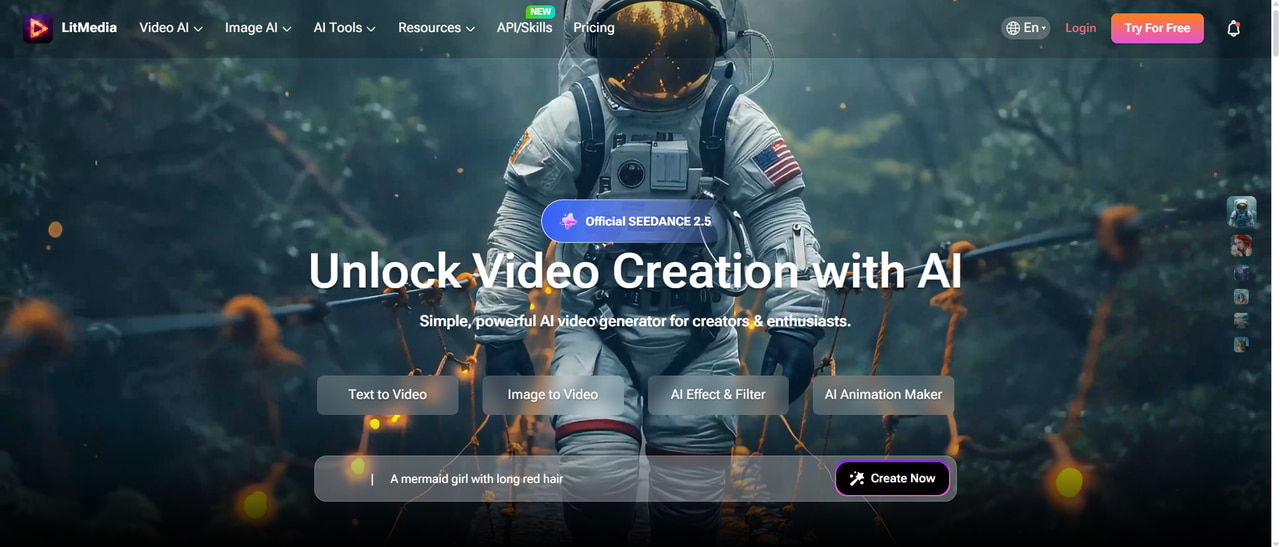
LitVideo AI video generator features to know
-
Multiple AI video models: LitVideo brings several AI video models into one workflow, making it easier to experiment with different generation styles without switching between platforms.
-
Text and image inputs: Users can create videos from written prompts or use existing images as visual references, giving them flexibility when starting a project.
-
Flexible generation settings: LitVideo provides controls such as aspect ratio, duration, resolution, seed, and other options to fine-tune the generation process.
-
Model-specific generation: Each AI model processes prompts differently, so the same idea can produce different levels of realism, motion, composition, and consistency depending on the model selected.
-
Creative effects and transformations: The platform includes creative effects and transformation options that let users experiment with different looks and styles for their generated footage.
-
Audio and music workflows: Supported workflows can add sound and music to AI-generated content, helping creators produce more complete videos instead of relying on visuals alone.
-
Image generation support: LitVideo also supports image generation, which can help users create visual assets or starting points that can later be incorporated into their video projects.
How to create a video with LitVideo
LitVideo keeps the basic workflow fairly straightforward: select a generation mode and model, provide your input, adjust the available settings, and generate the result.
Step 1: Choose a LitVideo generation mode and add your input
Start with the workflow that matches your idea, such as text-to-video or image-to-video. Write a detailed prompt describing the subject, action, setting, camera movement, lighting, and visual style. If you already have a suitable image, use it as a reference where supported.
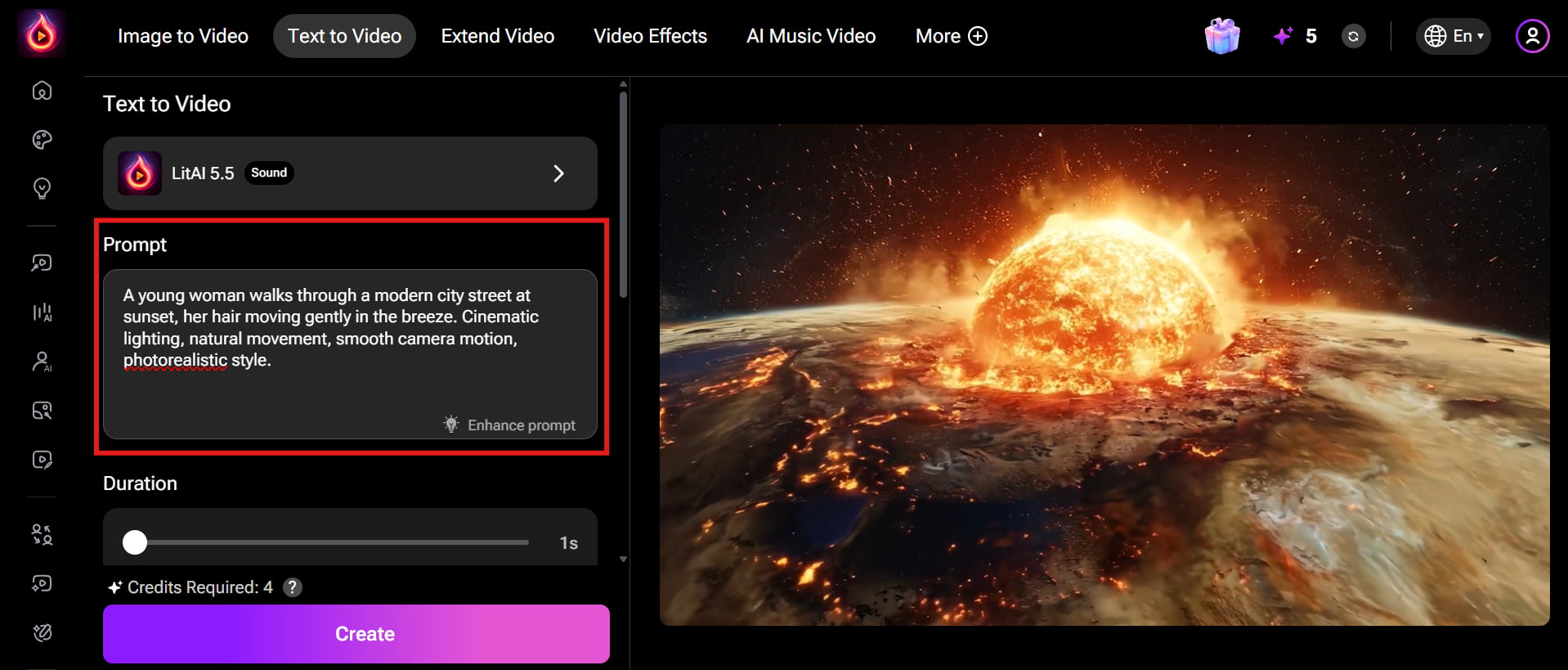
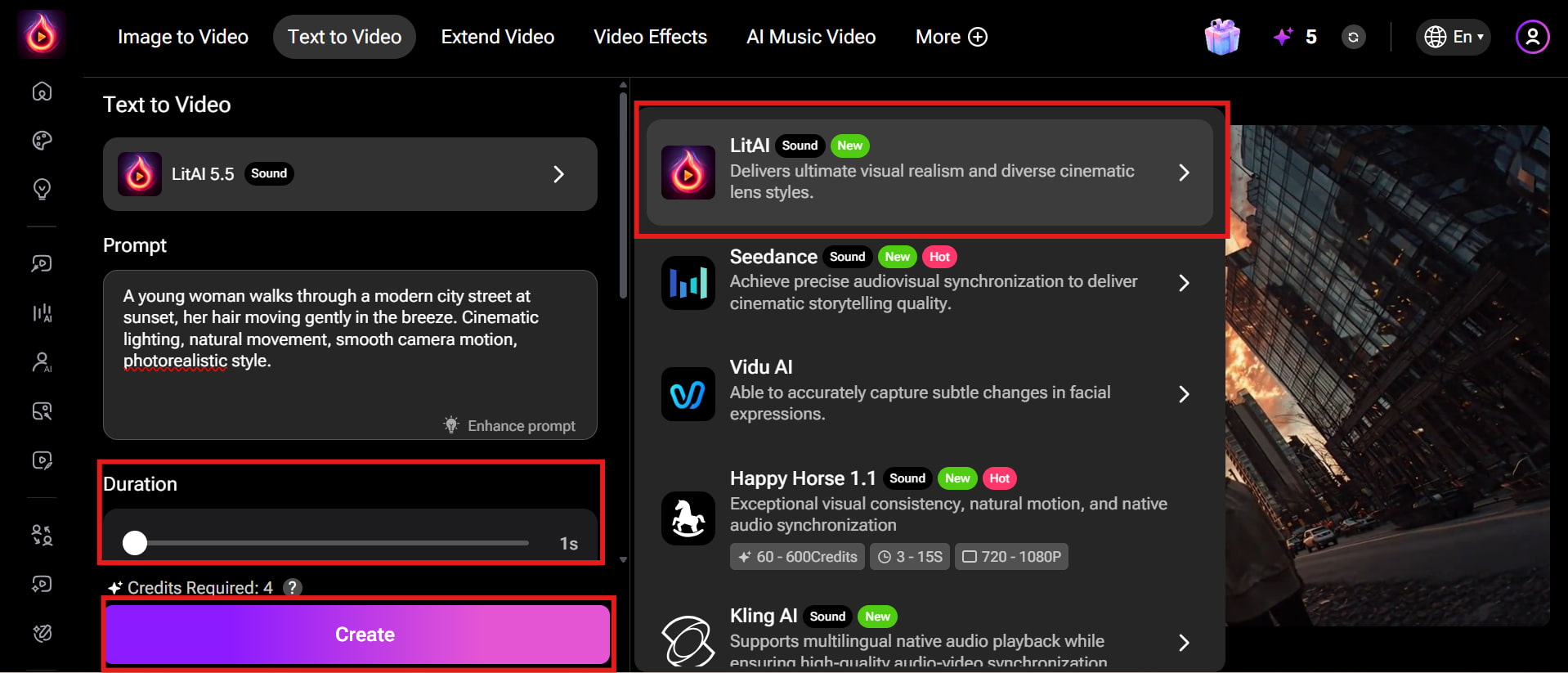
Step 2: Customize settings and generate the video
Choose your preferred AI video model, such as LitAI 5.5, and adjust the video duration using the available settings. Review your prompt and check the required credits before generating. Once everything looks right, click Create to generate the video.
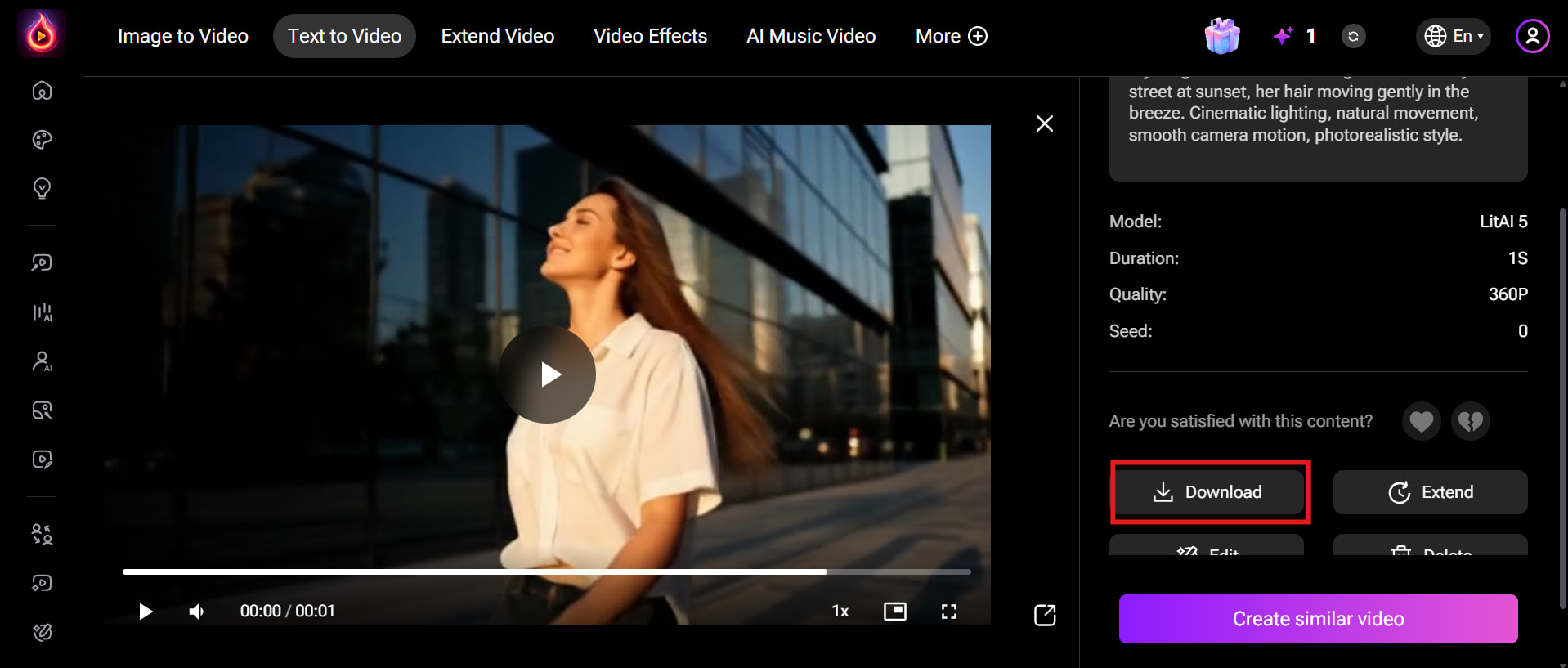
Step 3: Download your final video
Preview the generated result and check whether the motion, composition, subject details, and prompt interpretation match your original idea. If something feels off, revise the prompt or change the model and generate another version before downloading.
LitVideo pricing, performance, and user experience
Test results
-
Cinematic scene test
-
Complex prompt
|
Test scenario |
What we evaluated |
|---|---|
|
Cinematic scene |
Realism, lighting, camera movement |
|
Complex prompt |
Prompt adherence and object relationships |
The main strength of LitVideo is its ability to let users compare generation models rather than committing to a single engine. However, that flexibility also means results can vary considerably between models. For complex scenes, creators should expect some trial and error, particularly when several characters, objects, or actions must remain consistent.
LitVideo pricing
LitVideo currently uses a credit-based subscription structure. Its official pricing page lists Basic at $14.99/month, Standard at $7.50/month when billed annually, Pro at $33.33/month when billed annually, and a Lifetime option with ongoing access and included monthly credits. The exact credit allowance varies by plan.
|
Plan |
Pricing |
Credits |
Best For |
|---|---|---|---|
|
Free |
$0 |
Not specified |
Beginners who want to test LitVideo's basic video generation capabilities |
|
Basic |
$14.99/month |
600 credits/month |
Casual creators who need more generation capacity than the Free plan |
|
Standard |
$7.50/month billed annually |
1,000 credits/month |
Regular users looking for an affordable plan for everyday video creation |
|
Pro |
$33.33/month billed annually |
6,000 credits/month |
Creators and professionals who need more credits and advanced video generation |
|
Lifetime |
$133.27 first payment: $119.98 lifetime access + $13.29/month optional add-on credit pack (billed monthly until canceled) |
400 credits/month included with lifetime access |
Users who want long-term access without a recurring subscription for the base plan |
Pros and cons
|
Pros |
Cons |
|---|---|
|
|
|
|
|
|
|
|
|
|
|
|
Real user feedback
On Trustpilot
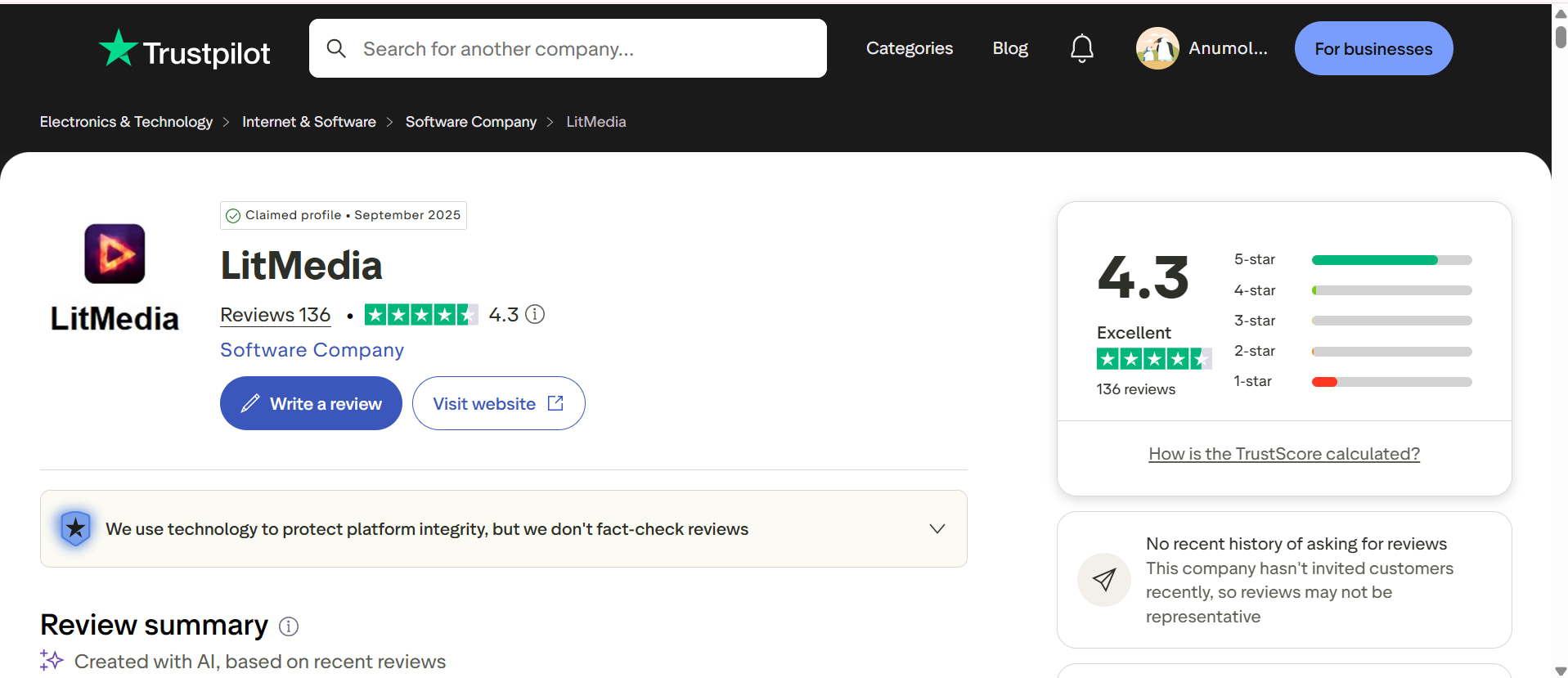
As of September 2, 2026, LitMedia has a 4.3/5 rating from 136 reviews on Trustpilot. Recent users have shared feedback about LitVideo/LitMedia's AI video tools, ease of use, and customer support. Some reviews also mention concerns about platform changes, content restrictions, and generation limitations. Overall, the reviews provide a mixed view of the platform's user experience.
As LitVideo offers multiple AI models and flexible generation options, it can be a useful choice for creators who want to experiment with different video styles. However, its model-dependent results, credit usage, and occasional limitations may lead some users to look for a more streamlined alternative. Vmake Labs provides another option for creators seeking flexible AI-powered image and video generation on one platform.
Vmake Labs as an alternative to LitVideo AI
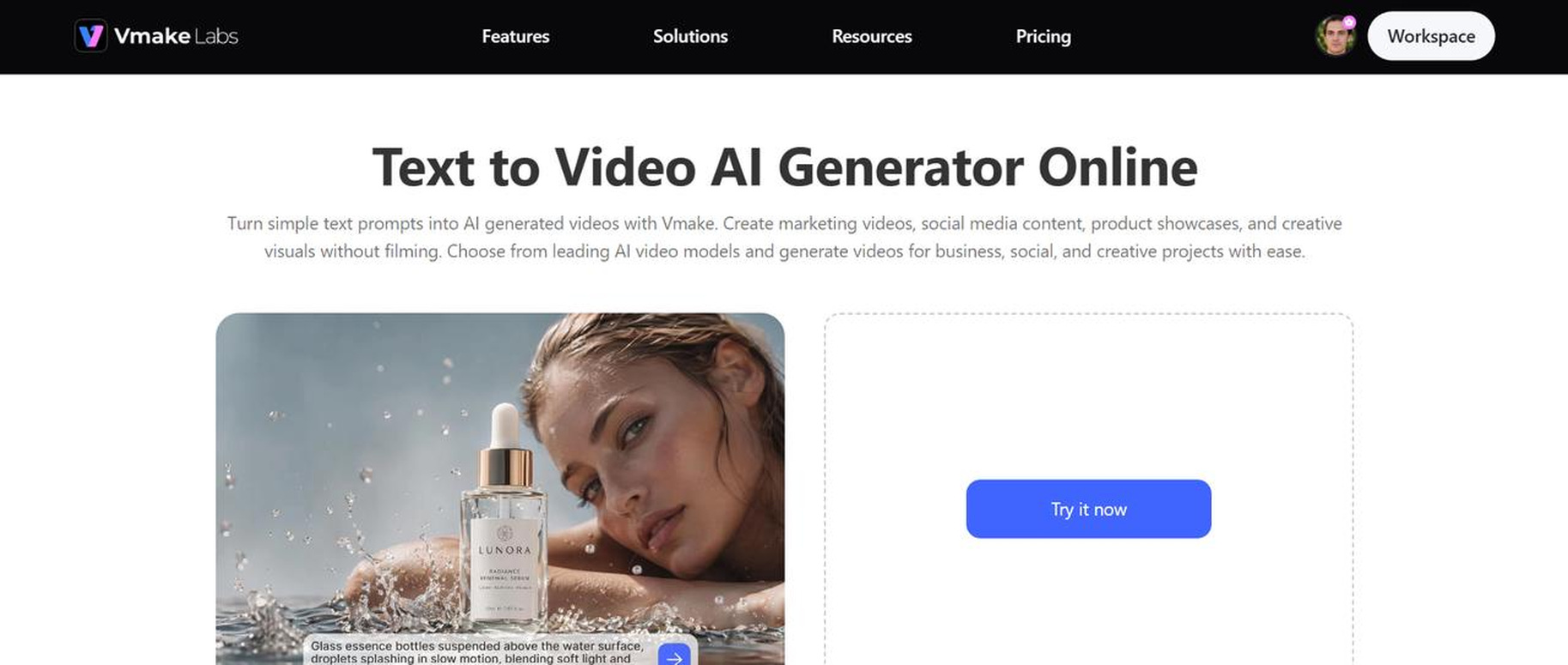
Vmake Labs is an AI-powered content creation platform that can serve as an alternative to LitVideo for creators looking for a streamlined AI video generation workflow. Alongside video creation, it also offers video enhancer tools that can help improve clarity and overall video quality. This broader workflow can be useful when creators need to generate and polish video content in one place.
How to create AI videos with Vmake Labs
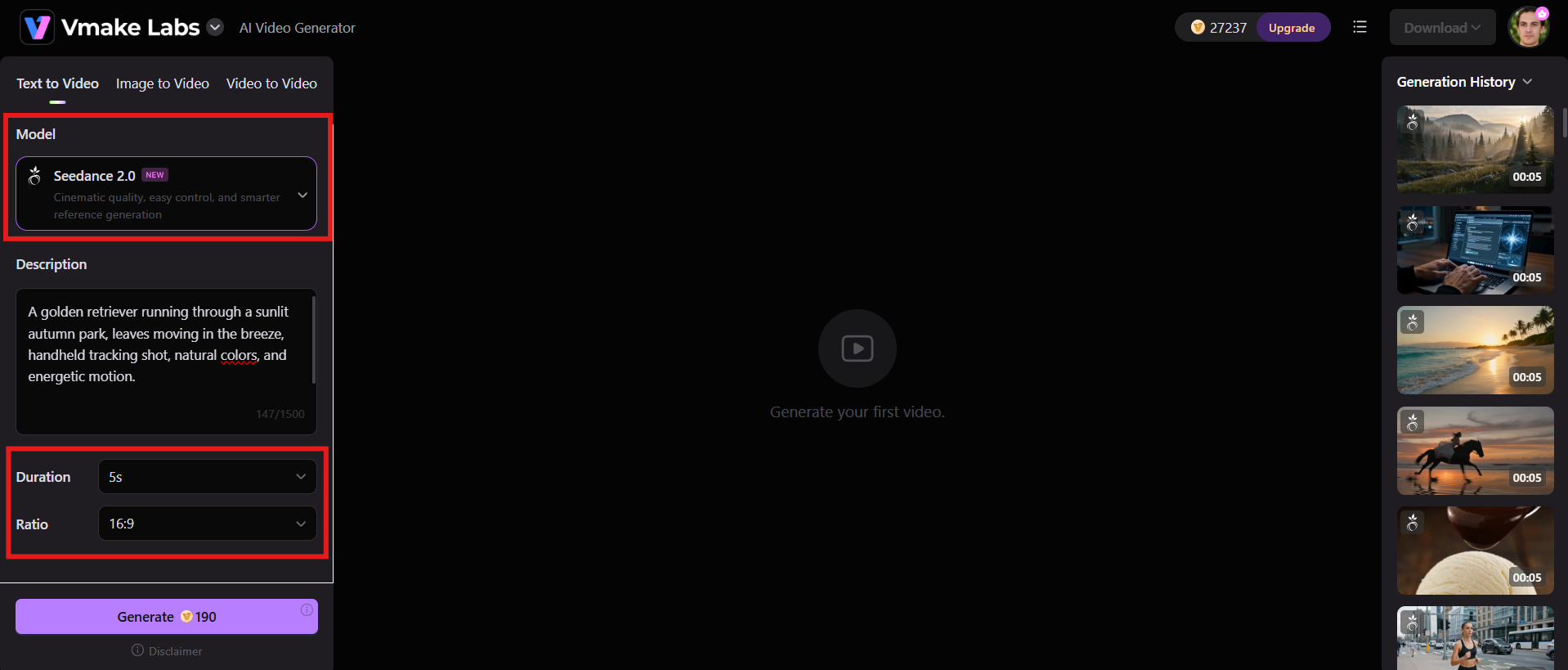
Step 1: Enter your video idea or prompt
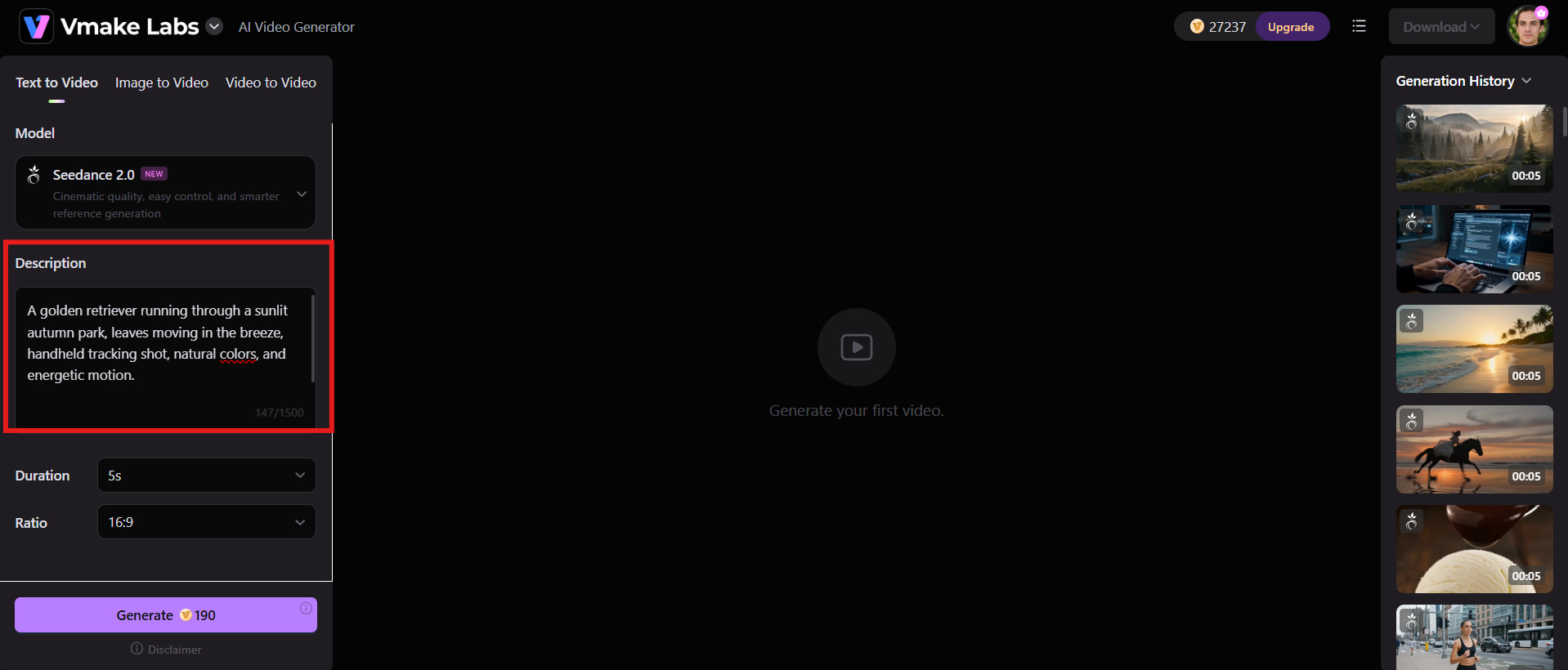
Describe the scene, subject, action, setting, camera movement, lighting, and overall visual direction. You can also begin with an image or existing video depending on the workflow.
Step 2: Choose the available generation options
Select the model, visual style, duration, aspect ratio, and other available controls. Vmake Labs' current generator supports multiple input types and provides model-specific generation options.
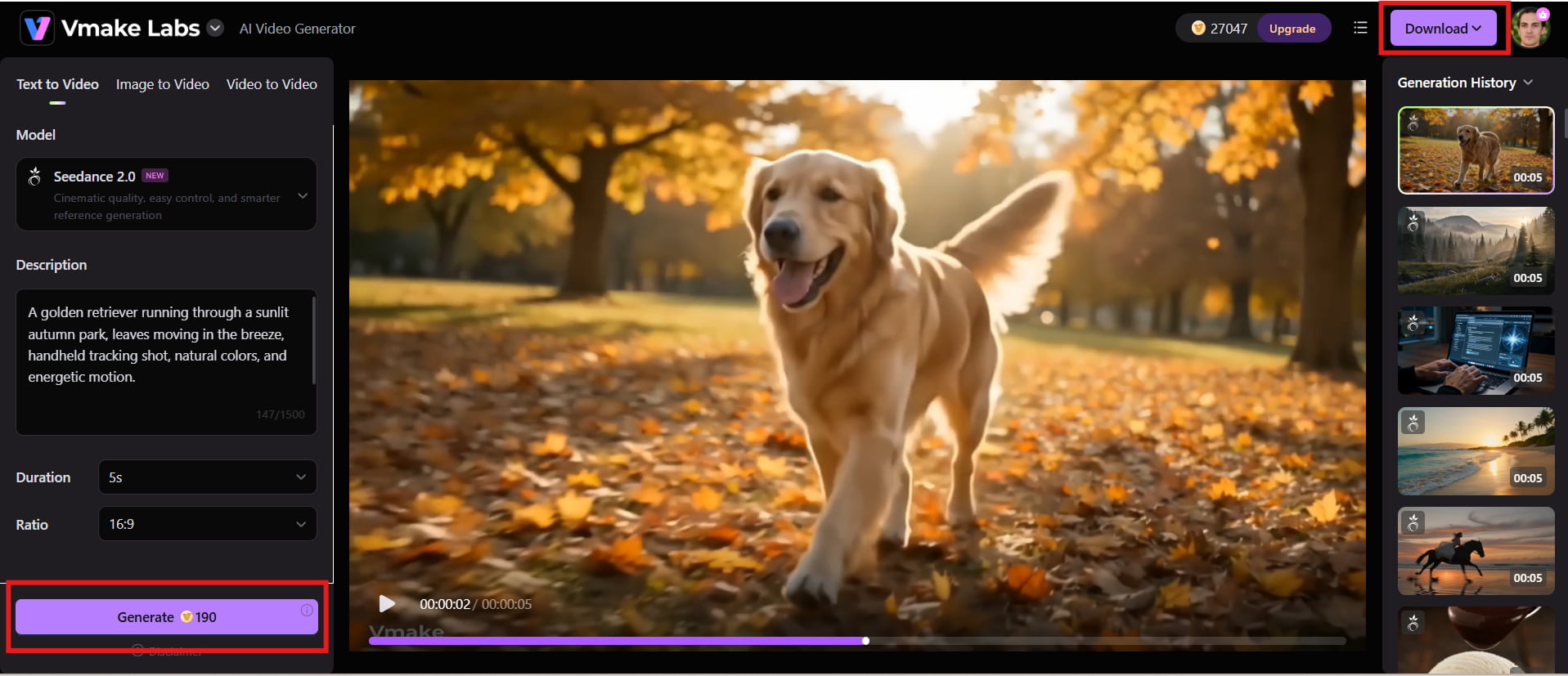
Step 3: Generate, review, and refine
Generate the video and check the motion, composition, visual details, and prompt adherence. If the result needs improvement, adjust the prompt or settings and generate it again.
Why consider Vmake Labs?
-
AI video generation: Create engaging videos from text prompts, images, or existing footage, making it easier to turn ideas into visual content.
-
Broader creative workflow: Move from video creation to enhancement and content preparation within a single platform, reducing the need to switch between multiple tools.
-
Image and video tools: Access a range of visual tools that support projects requiring more than just basic video generation.
-
Marketing-focused workflows: Vmake Labs is useful for creators, brands, marketers, and ecommerceteams producing promotional and commercial visual content.
-
Browser-based access: Start creating directly from a browser without installing complex video-generation software or setting up a demanding workflow.
-
Content repurposing: Generate, enhance, and adapt visual assets for different platforms and digital channels, helping creators get more value from existing content.
LitVideo vs Vmake Labs: Which AI video tool fits your needs?
LitVideo is a strong option for creators who want to explore multiple AI video models and experiment with different generation styles. Vmake Labs takes a broader approach, combining AI video creation with tools for enhancing and preparing visual content. Your choice ultimately depends on whether you prioritize model experimentation or a more complete content creation workflow.
|
Category |
LitVideo |
Vmake Labs |
|---|---|---|
|
Primary focus |
AI video and image generation |
Broader AI-powered visual content creation |
|
Text-to-video |
Yes |
Yes |
|
Image-to-video |
Yes |
Available through supported workflows |
|
AI models |
Multiple AI video models |
Multiple AI generation options |
|
Image generation |
Yes |
Yes |
|
Video tools |
Generation, effects, and related workflows |
Generation plus broader video creation tools |
|
Creative controls |
Prompts, models, duration, aspect ratio, and other settings |
Prompts, models, aspect ratios, and available generation settings |
|
Best for |
Users experimenting with multiple AI video models |
Creators, brands, marketers, and ecommerce users |
|
Content workflow |
Primarily AI generation-focused |
Broader creation and content-production workflow |
Which platform should you choose?
Choose LitVideo if your priority is experimenting with multiple AI video models and exploring different generation styles. It is a good choice if you enjoy testing various models, creating experimental videos, and having both image and video generation options on one platform.
Choose Vmake Labs if you focus on marketing, ecommerce, or professional visual content. Its broader AI-powered workflow is better suited to creators, brands, and businesses that need to generate, enhance, and prepare visual content for different commercial and digital channels.
Conclusion
LitVideo is a capable option for creators who want to experiment with multiple AI video models from one platform. Its text-to-video and image-to-video workflows, creative effects, flexible settings, and model variety make it appealing for short-form content and visual experimentation. However, credit consumption, model-to-model quality differences, and mixed user feedback are worth considering before subscribing. Vmake Labs is a stronger alternative when video generation needs to fit into a wider content workflow. With AI video generation, product-focused creation, UGC workflows, and enhancement tools, it gives creators more ways to move from an idea to usable marketing and social content.
FAQs
-
Is LitVideo AI free to use?
LitVideo provides free access or introductory credits, allowing new users to test parts of its AI generation workflow. However, free usage is limited, and some generations can consume credits quickly. Paid plans provide larger credit allowances and access to more features and models. Vmake Labs is another option for creators who want to explore AI-powered visual content creation.
-
What is LitVideo AI mainly used for?
LitVideo is mainly used to generate and transform AI videos from text and images. It is particularly useful for creators who want to experiment with different models, effects, animation styles, and short-form video concepts without traditional editing workflows.
-
Which AI models does LitVideo use?
LitVideo supports a range of AI video models, including models from the Seedance, Veo, Sora, Kling, Wan, and Vidu families, with availability changing across its workflows. Its model gallery is one of the platform's main selling points.
-
Can LitVideo create videos from images?
Yes. LitVideo supports image-to-video generation, allowing users to upload an image and use it as the basis for an animated video. The platform also provides text-to-video workflows for creating scenes from written prompts.
-
Is LitVideo better than Vmake Labs for AI video creation?
It depends on the goal. LitVideo is attractive for users who primarily want to compare multiple AI video models, while Vmake Labs is better suited to users who want video generation alongside broader content creation, ecommerce, UGC, and enhancement workflows.
-
Can Vmake Labs replace LitVideo for content creation?
For many creators, yes. Vmake Labs offers text-to-video, image-to-video, and video-to-video generation alongside product video, UGC, enhancement, and other content workflows. That makes it a practical alternative when your needs extend beyond experimenting with AI video models.

You May Be Interested
ImgToImg AI Review: Features, Pricing, & 2026 Safety Check
Vadoo AI Review 2026: Features, Pricing and Alternatives

Vivideo AI Review 2026: Features, Pricing and Alternatives

Supawork AI Review: Watermark Remover Tested (2026)
Kaze AI Review: Features, Pricing, Pros & Cons Explained
JoyFun AI Review: Is It the Best Free AI Video Tool?
Krea AI Review 2026: Features, Pricing & Test Results
Medeo AI Review 2026: Features, Pricing and Video Results
