
Higgsfield AI Review: Is It Worth Using in 2026?
See what our Higgsfield AI review found about video quality, camera and motion controls, pricing, and user feedback, plus how Higgsfield AI compares with Vmake Labs as an alternative.

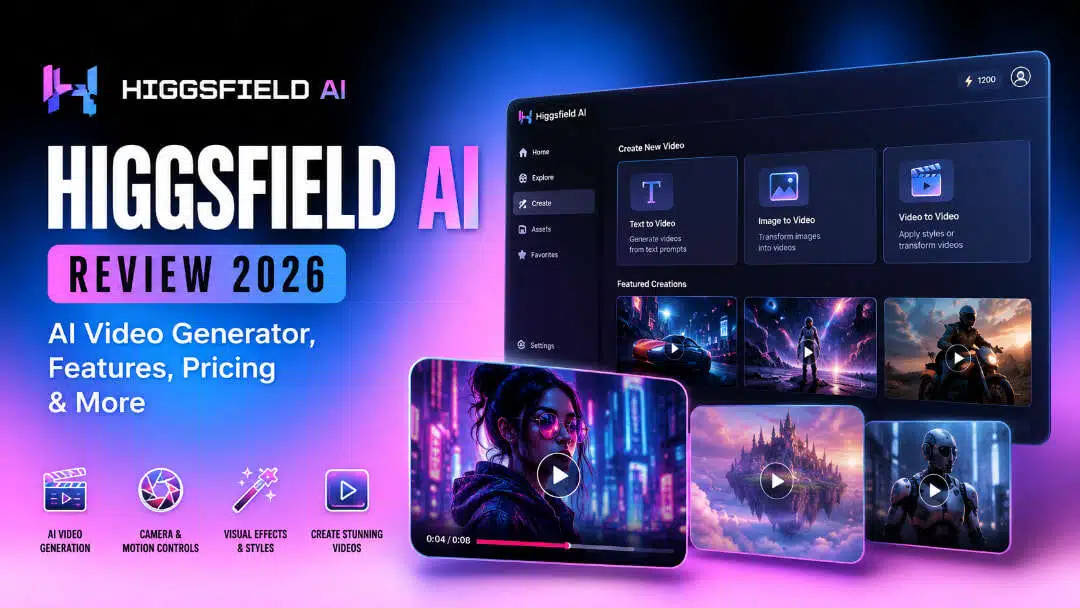
AI video generators have moved beyond simple text-to-video experiments, but the quality and control can still vary widely. In this Higgsfield AI review, we examine its video-generation workflow, camera and motion controls, output quality, usability, pricing, and user feedback to see whether it is worth using in 2026.
What is Higgsfield AI?
Higgsfield AI is an AI video generation platform that gives creators more control over how the generated footage looks and moves. It offers creative video production features like camera movement, motion controls, visual effects, and image-to-video generation, and is useful for creators, marketers, filmmakers, and social media users making short-form visual content.

Key features
Higgsfield AI's main features focus on generating short-form video while giving creators more control over movement, framing, and visual direction. The core capabilities include:
-
AI video generation: Create short video clips from creative inputs for social media, marketing, cinematic, and experimental projects.
-
Camera and motion controls: Adjust the movement and visual direction of a shot to create more deliberate camera behavior instead of relying entirely on automatic motion.
-
Text-to-video: Turn written descriptions into video scenes by specifying the subject, environment, action, and overall visual direction.
-
Image-to-video: Use a still image as the visual starting point and add movement to turn it into a video clip.
-
Creative effects and customization: Apply visual treatments and adjust available generation settings to achieve different creative styles and results.
-
Video editing and customization: Refine generated content within the available workflow rather than treating the first generation as the finished result.
These features make Higgsfield more relevant to users who want to direct the look and movement of an AI-generated shot, rather than simply generate a video and accept whatever the model produces. The practical difference becomes clearer when looking at the generation process and output quality in the hands-on review.
Hands-on Higgsfield AI review
A list of features is just that, and tells you what Higgsfield AI can do, but the more important question is how those tools work when you go to create a video. This section will review the practical workflow, the types of outputs to assess, and the most important areas when judging an AI video generator, such as motion, accuracy to the prompt, consistency of the subject and the overall visual quality.
How to use Higgsfield AI
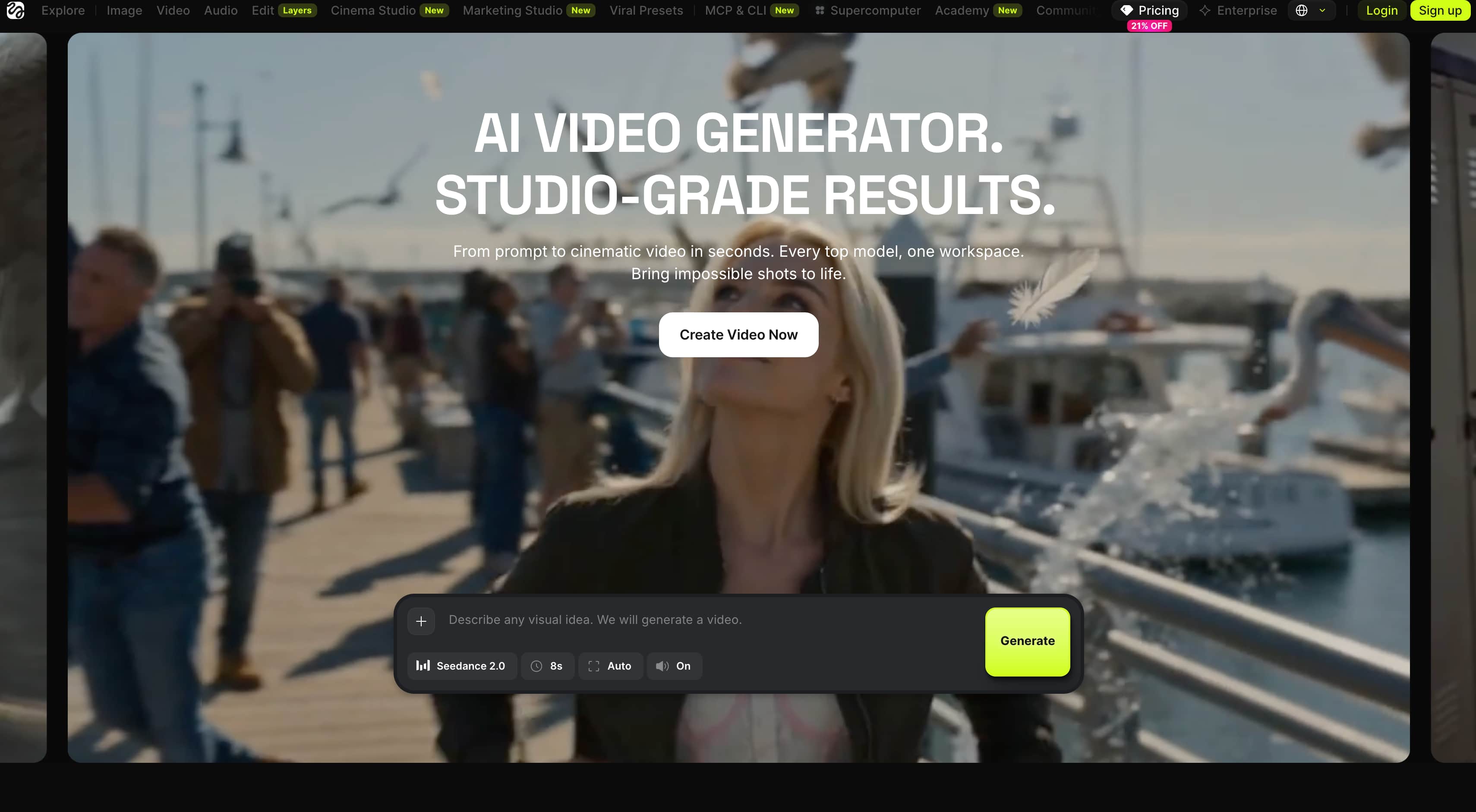
Step 1: Choose a video creation workflow
Select the video-generation method that matches your project, such as Text-to-Video or Image-to-Video. Choose the relevant model and open the generation workspace.
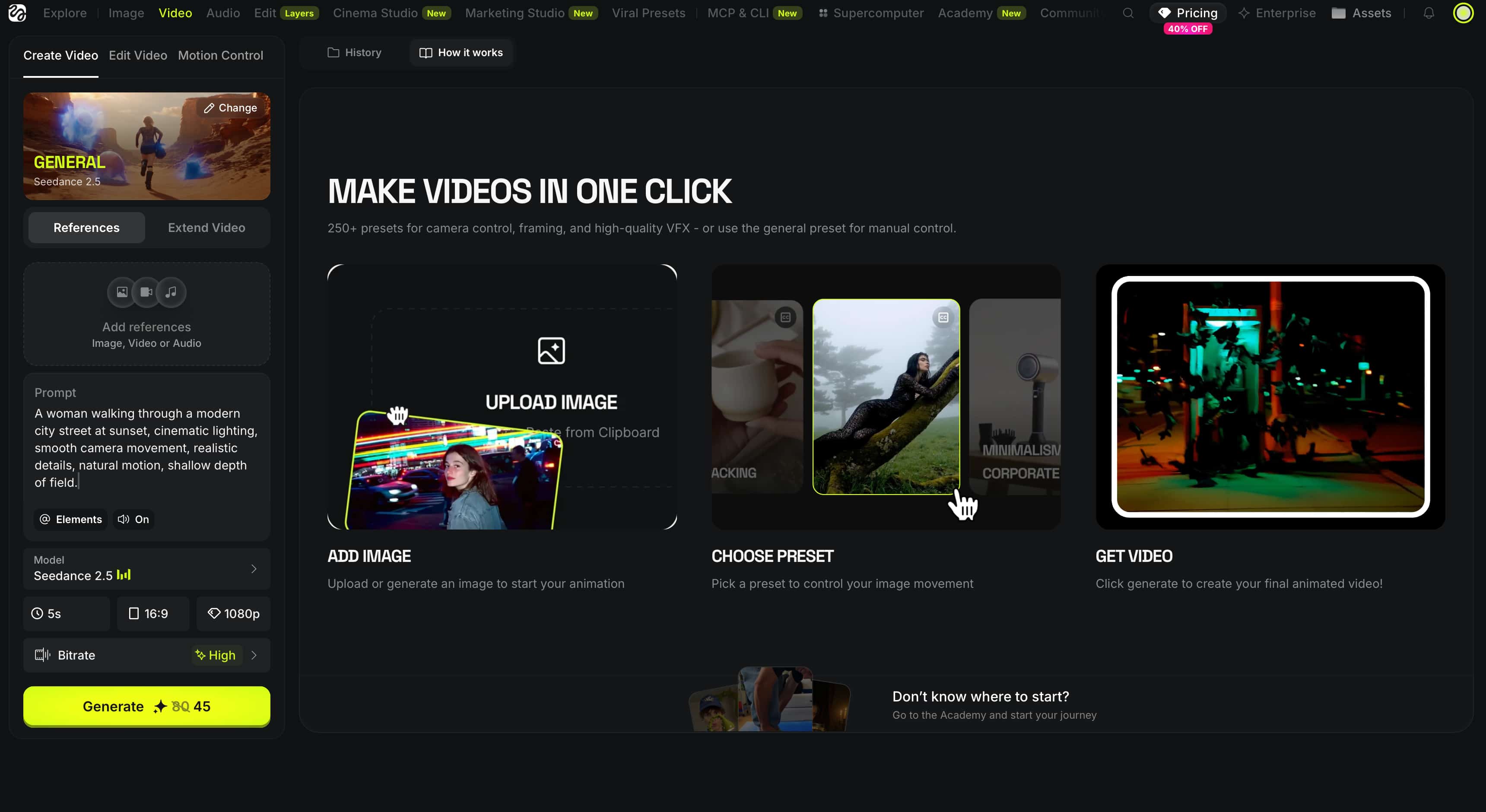
Step 2: Add your prompt or reference media Enter a prompt describing the scene, subject, action and visual direction. If you're working with an image-based workflow, upload the reference image or other media needed. Set the available options, like duration, aspect ratio, camera or motion controls.
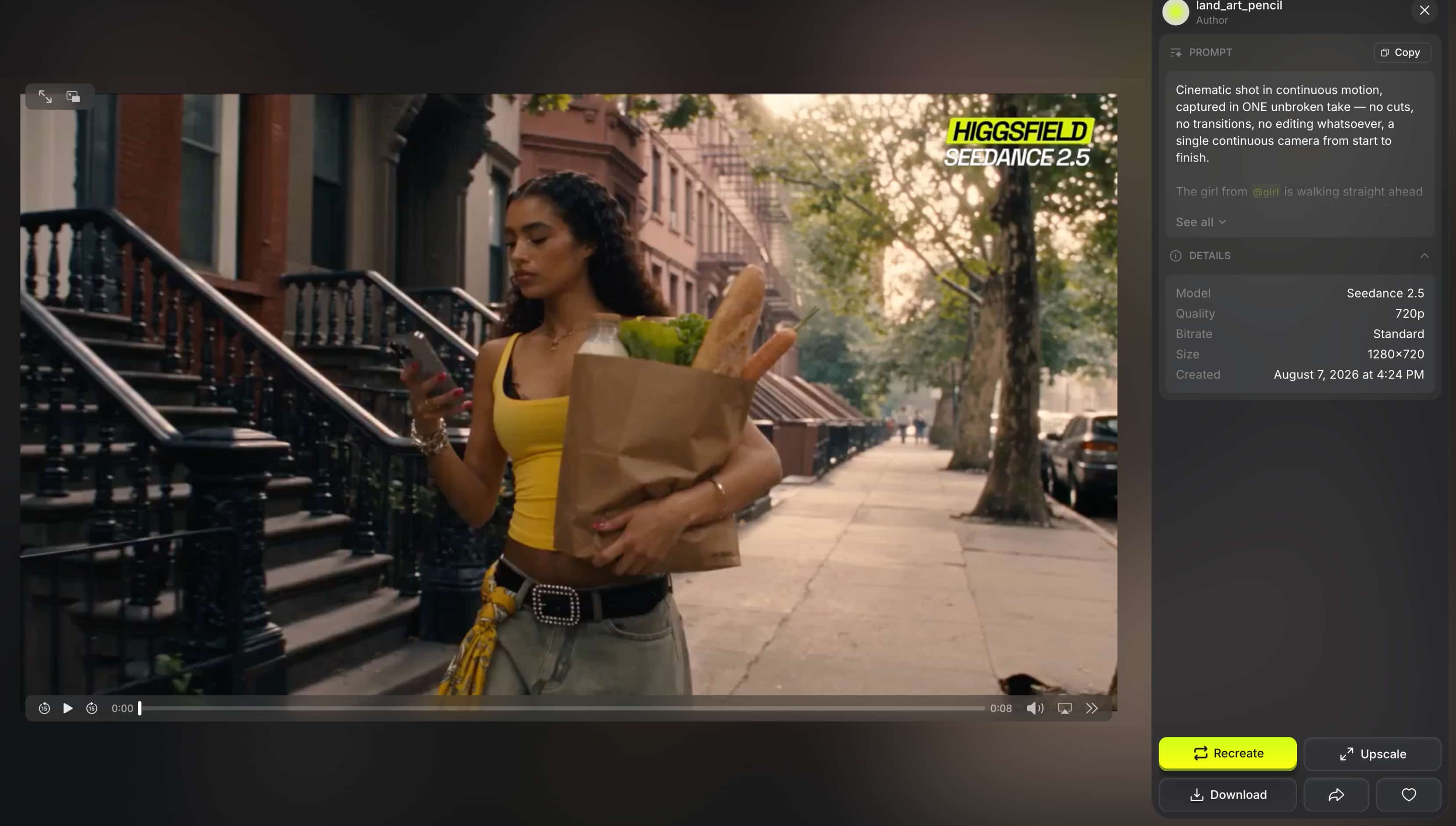
Step 3: Generate and refine the video Click Generate and wait for the video to be processed. Preview the result for prompt accuracy, motion, composition and subject consistency. If the result is not satisfactory, change the prompt or settings and generate another version.
How we tested Higgsfield AI
We evaluated Higgsfield AI across several common video-generation scenarios to assess both creative quality and practical performance. The tests covered product and marketing videos, social media clips, creative scenes, character-focused videos, text-to-video, and image-to-video workflows.
For each test, we looked at how well the output adhered to the prompt or reference. We assessed how naturally subjects and objects moved and whether important details remained consistent throughout the clip. We also evaluated camera movement, composition, visual quality, and the presence of artifacts or unexpected changes.
Test samples
Marketing video
Social media post
|
Test scenario |
What we evaluated |
|---|---|
|
Product/marketing video |
Visual quality, motion, composition, product consistency |
|
Social media video |
Visual appeal, pacing, motion, subject stability |
This kind of testing helps distinguish Higgsfield's advertised features from the actual quality of its output. It also shows where the platform performs well and where users may need additional generations or refinement.
Higgsfield AI video quality
Higgsfield AI is able to make great and detailed clips, with camera movement and motion being big pluses. We considered visual quality, realism, prompt adherence, subject consistency, and frame-to-frame stability, since these factors matter more than a strong opening frame alone. Complex scenes can still result in unwanted motion, changed details, or visual artifacts, especially if the prompt mixes detailed subjects with demanding camera instructions.
Ease of use
Higgsfield AI's workflow is quite straightforward: select a generation method, provide a prompt or reference, adjust the available settings, and generate the video. The interface is fairly simple to pick up, but it will take beginners some time to learn how the camera and motion controls will affect the end results. Clear prompts that tell what the subject is, what they're doing, where they are, and the visual direction help make it easier to get usable output.
What worked well
The strongest aspect of Higgsfield AI is its focus on camera and motion control, which gives creators more influence over how a generated shot develops. This works particularly well for cinematic scenes, social media content, and creative concepts where movement is an important part of the visual direction.
What could be improved?
The main limitation is consistency. Some generations may miss prompt details, introduce unexpected movement, or change the appearance of a subject during the clip. This can be especially noticeable in product and character scenes, where visual consistency is important and several generations may be needed to achieve a usable result.
Higgsfield AI pricing, pros, cons, and user feedback
Pricing
Higgsfield AI uses a credit-based model with three main individual plans. Based on the current pricing shown, Starter costs $19/month, Plus $47/month, and Ultra $99/month when billed annually, with 270, 1,200, and 3,000 credits per month, respectively.
|
Plan |
Annual price |
Credits/month |
Key access |
|---|---|---|---|
|
Starter |
$19/month |
270 |
Entry-level access |
|
Plus |
$47/month |
1,200 |
Seedance access and selected unlimited generations |
|
Ultra |
$99/month |
3,000 |
Broader model access and selected unlimited generations |
The main difference between the plans is the monthly credit allowance and access to additional generation models. Starter is aimed at occasional creators, while Plus offers more room for regular generation. Ultra is better suited to heavier users who need a larger credit pool and broader access.
Pros and cons
Pros
-
Strong focus on cinematic camera movement and motion.
-
Multiple AI video models available in one workspace.
-
Useful for social-first and creative video production.
-
Higher plans provide broader model access and unlimited-generation options.
Cons
-
Credit consumption can become a concern for users who regenerate frequently.
-
The more advanced controls can take time to learn.
-
The platform is more focused on video creation than broader creative production.
-
Results can still vary between generations, particularly with complex scenes.
What users say about Higgsfield AI
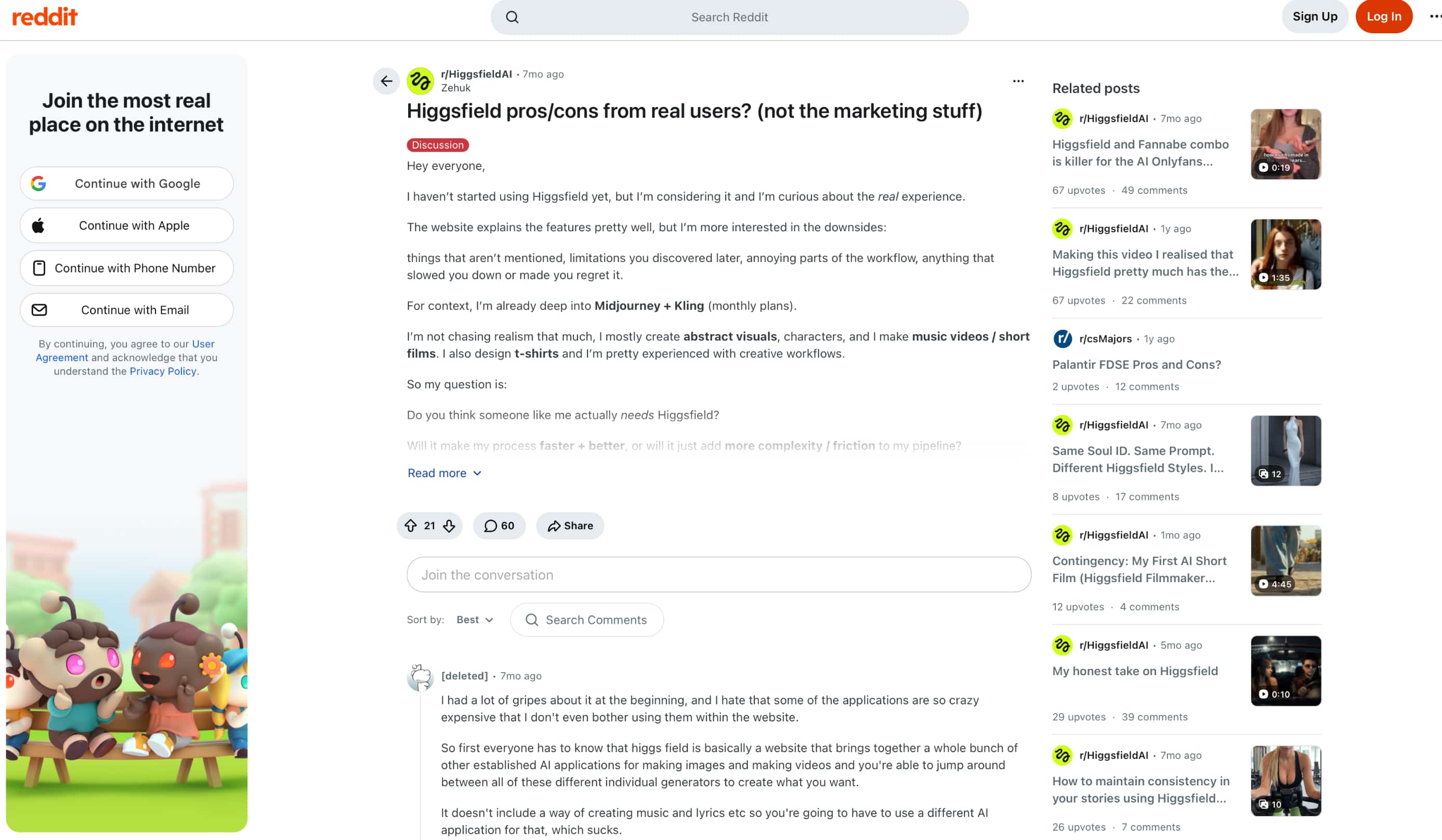
Reddit: Reddit feedback shows just how wide the platform is and its drawbacks. People like having multiple AI image and video tools in one place, but some point to high costs, workflow friction, and the complexity of moving between different applications. It may not make every workflow easier, but the discussion suggests that Higgsfield will be useful to experienced creative users.
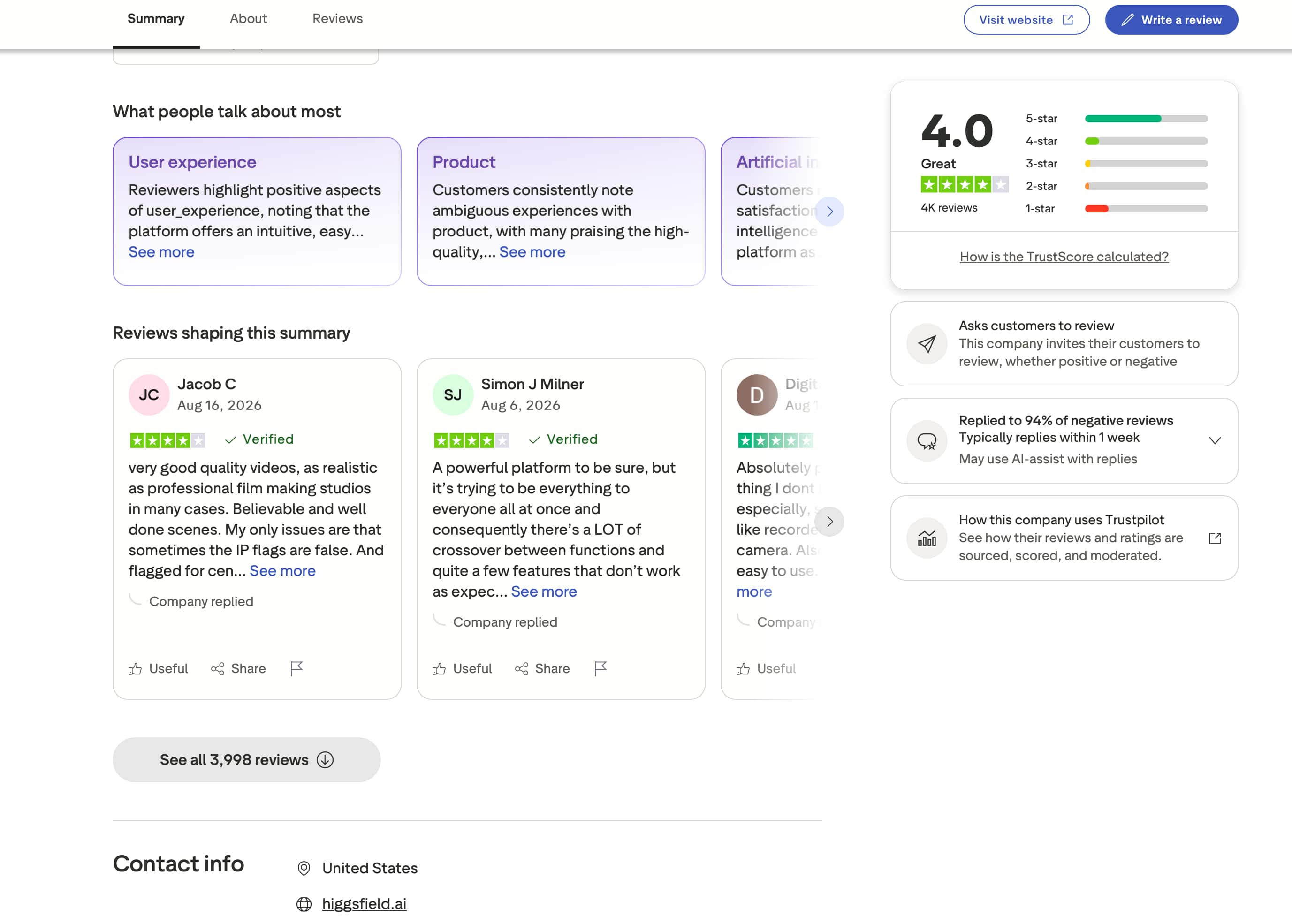
Trustpilot: Higgsfield AI has a 4.0/5 star rating from around 4,000 reviews on Trustpilot. Visible reviews laud its video quality, realism and ease of use, but another reviewer calls it a powerful platform, but having many functions can create crossover and features that do not always work as expected. Overall, the feedback is good but does have some usability issues.
Our verdict
Higgsfield AI is a good option for creators who need cinematic motion, camera controls and multiple AI video models in one workspace. Credit usage can add up quickly, and its value becomes less easy to justify for users who generate a lot and need to retry a lot. Overall, it's better suited for users who want to experiment with creative video and focus on motion than those who want a do-it-all content creation platform. If you're a creator who's seeking more flexibility in how you start off a video project, Vmake Labs is an alternative worth looking at.
Vmake Labs AI Video Generator as an alternative
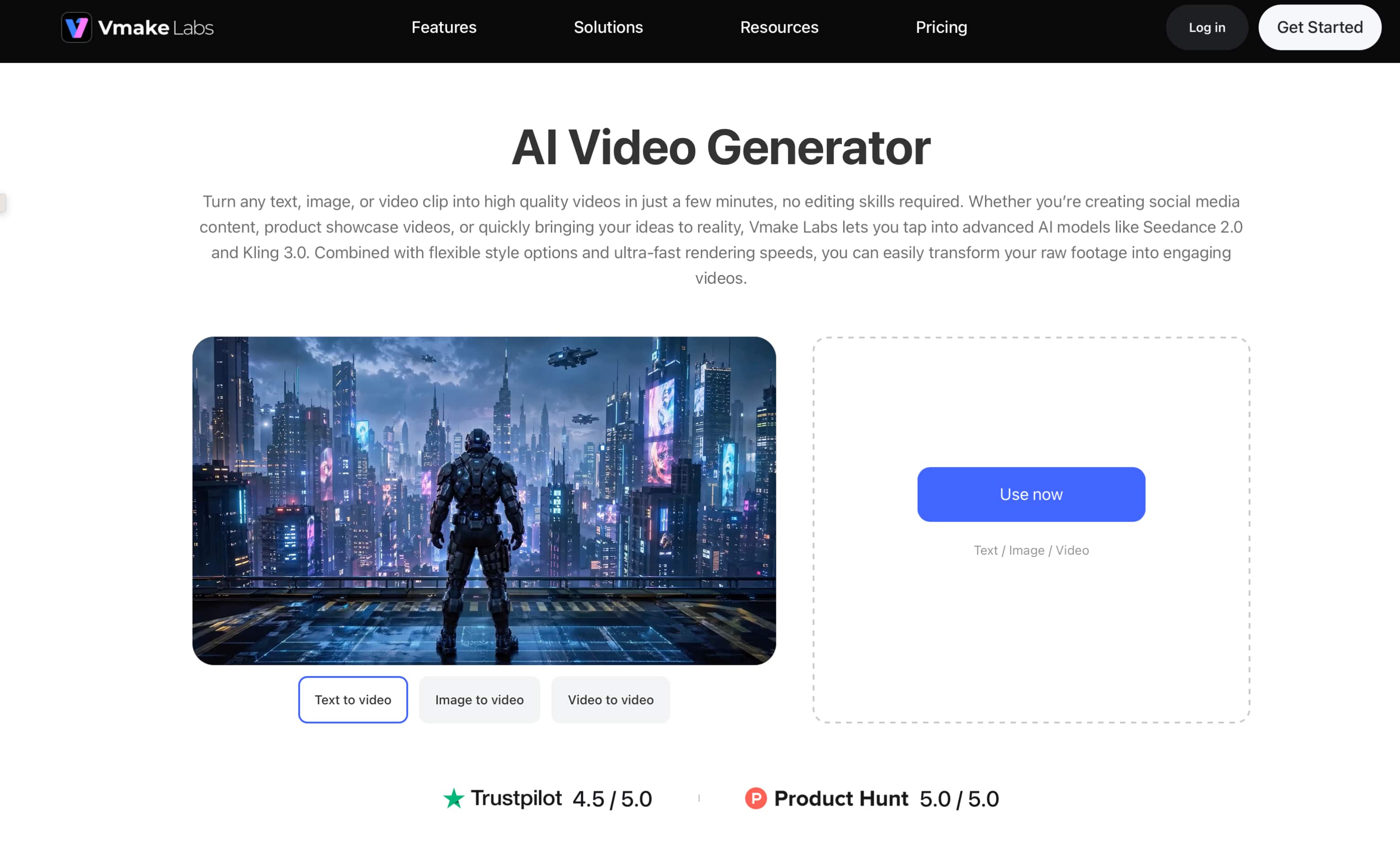
If Higgsfield's creative motion tools do not fully match your workflow, Vmake Labs offers a more flexible starting point for video creation. You can begin with a written concept, an existing image, or video footage, then choose an AI video model that fits the project. This makes it useful for marketing, e-commerce, social media, and other creative content without requiring the same type of source material for every video.
How to create videos with Vmake Labs
Step 1: Choose a generation method Open the Vmake Labs AI Video Generator and select Text to Video, Image to Video, or Video to Video based on the material you want to use.
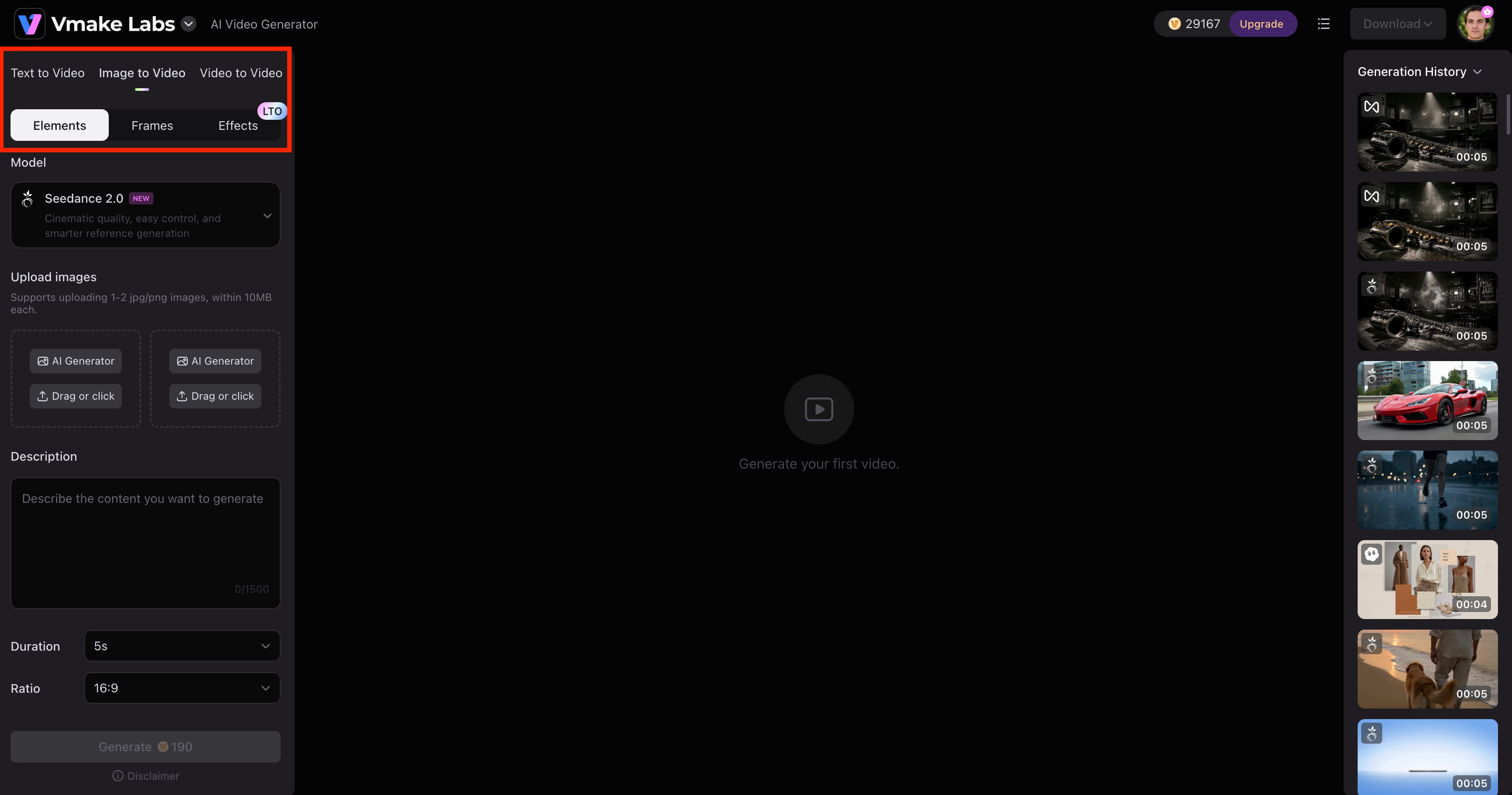
Step 2: Add your input and choose a model Enter a text prompt or upload an image or video, then choose an AI model and adjust the available settings, including video duration and aspect ratio.
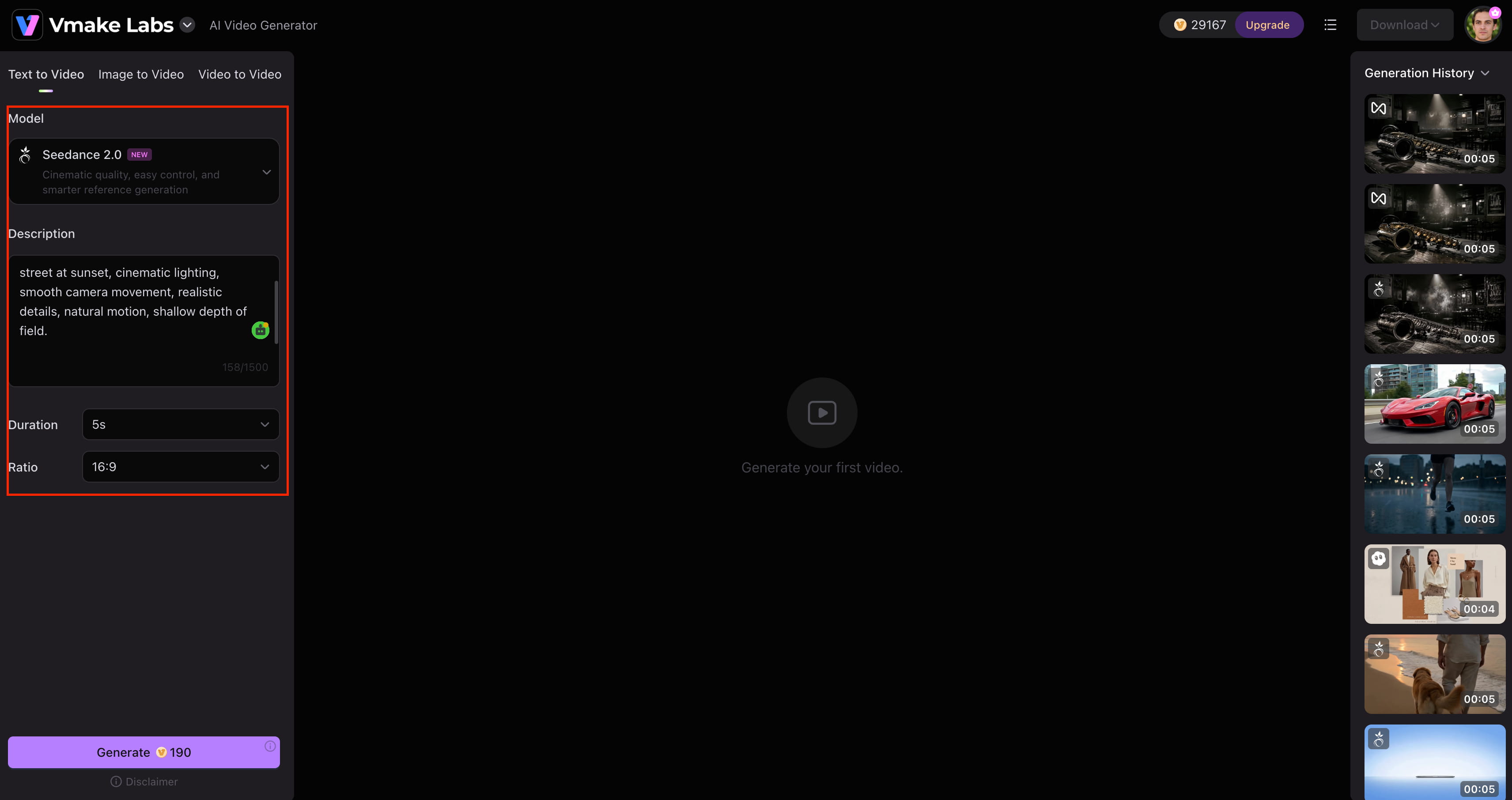
Step 3: Generate, preview, and download Generate the video and preview the result. Make adjustments if needed, then download the clip for your marketing, social media, or creative project.
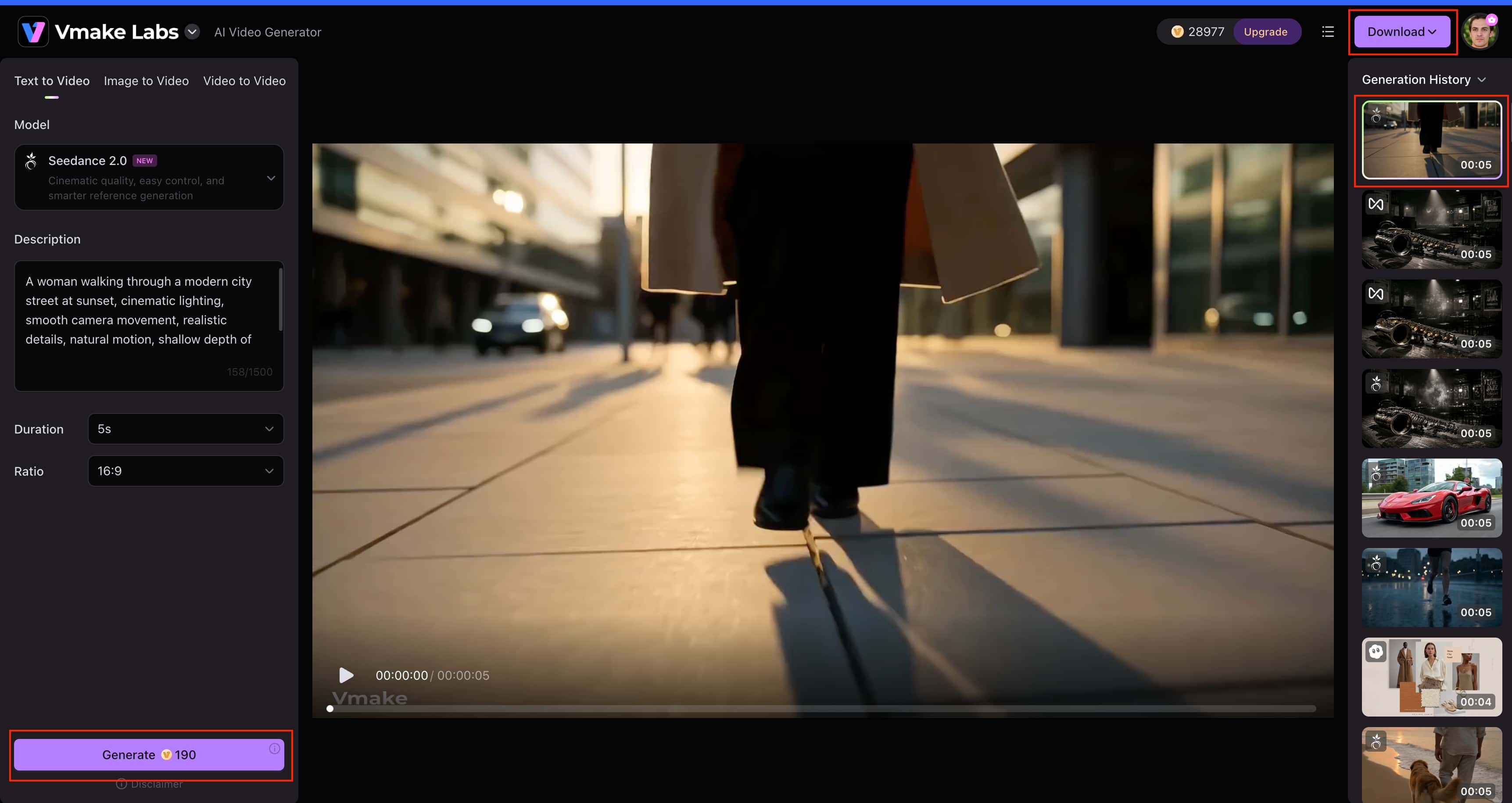
Why choose Vmake Labs AI Video Generator?
-
Multiple AI video models: Vmake Labs provides access to models such as Seedance 2.0, Kling 3.0, Veo 3.1, Sora 2, Wan 2.2, and Hailuo 2.3, giving users more options for different video-generation needs.
-
Text to Video: Create short video scenes from written prompts without needing an existing visual asset.
-
Image to Video: Upload a still image and turn it into a short animated clip, making the workflow useful when you already have a product image, design, or other visual asset.
-
Video to Video: Upload existing footage and create a new visual variation while keeping the original video as the starting point.
-
Flexible generation settings: Switch between text, image, and video inputs depending on your project. For e-commerce content, Vmake Labs product video workflow is useful when you already have product visuals to work with.
Higgsfield AI vs Vmake Labs AI Video Generator
Higgsfield AI and Vmake Labs take slightly different approaches to AI video creation. Higgsfield is particularly focused on creative motion and camera-driven generation, while Vmake Labs offers several starting workflows and multiple AI models for different types of video projects. The better choice depends on how much creative control and workflow flexibility you need.
|
Category |
Higgsfield AI |
Vmake Labs AI Video Generator |
|---|---|---|
|
Best for |
Creative video and motion generation |
Marketing, e-commerce, social, and creative video |
|
Text to Video |
Supported |
Supported |
|
Image to Video |
Supported |
Supported |
|
Video to Video |
Verify current capability |
Supported |
|
AI models |
Multiple models and workflows |
Multiple AI video models |
|
Video duration |
Depends on selected model/workflow |
2–15 seconds |
|
Workflow |
Creative, motion-focused workflow |
Browser-based multi-workflow setup |
|
Best suited to |
Creators focused on cinematic motion |
Creators, marketers, and businesses |
Which tool should you choose?
Choose Higgsfield AI if your priority is creative video generation with a stronger focus on camera movement, motion, and cinematic results. It is a better fit when you already have a specific visual direction in mind and are willing to refine generations to get the right shot.
Choose Vmake Labs if you need more flexibility across different video projects. Its Text-to-Video, Image-to-Video, and Video-to-Video workflows, combined with multiple AI video models, make it better suited to creators, marketers, and businesses working with different types of content and starting assets.
Conclusion
Higgsfield AI is a capable option for creators who want more control over AI-generated video, particularly camera movement, motion, and cinematic visuals. Its main strengths are creative flexibility and a broad set of generation options, while consistency, credit usage, and occasional generation issues can affect the overall experience. It is worth considering if those creative controls match your workflow. For users who need multiple AI models and flexible Text-to-Video, Image-to-Video, and Video-to-Video workflows, Vmake Labs offers a practical alternative for marketing, e-commerce, social, and creative video projects.
FAQs
-
What is Higgsfield AI?
Higgsfield AI is an AI video-generation platform focused on creating short-form videos with creative motion and camera controls. It supports workflows such as text-to-video and image-to-video, making it useful for cinematic scenes, social content, and visual experiments. If you need more ways to start a project, Vmake Labs also supports Text-to-Video, Image-to-Video, and Video-to-Video workflows.
-
Is Higgsfield AI free?
Higgsfield AI offers free access, although the amount of generation available depends on the current plan and credit limits. Its paid plans provide larger credit allowances and access to additional models and features. If you want to compare another option, Vmake Labs also provides AI video generation with multiple models and workflows.
-
How does Higgsfield AI work?
Higgsfield AI works by letting users select a video-generation workflow, enter a prompt or provide reference media, adjust available settings, and generate a clip. The output can then be reviewed and regenerated when necessary. Vmake Labs follows a similar process while allowing users to choose between text, image, and video inputs.
-
Is Higgsfield AI good for video generation?
Yes, Higgsfield artificial intelligence can be a good option for video generation, especially for creators who want cinematic motion and more control over the direction of the camera. However, results can vary from generation to generation, and refinement may be required. If you would like to have one tool with multiple AI models and different generation workflows, Vmake Labs is another option.
-
Is Higgsfield AI worth using?
Higgsfield AI is worth considering if its camera controls, motion capabilities, and creative workflow match your needs. It may be less suitable for users who need broader input options or regularly create different types of marketing and social content. In that case, Vmake Labs offers Text-to-Video, Image-to-Video, and Video-to-Video workflows alongside multiple AI video models.
-
What is the best alternative to Higgsfield AI?
The best alternative depends on your workflow, but Vmake Labs is a strong option for users who want multiple AI video models and flexible ways to create videos. Its Text-to-Video, Image-to-Video, and Video-to-Video workflows make it suitable for marketing, e-commerce, social media, and other short-form projects.

You May Be Interested
Artistly AI Review 2026: Is It Worth Trying for Creators?
DeeVid AI Review 2026: Features, Pricing & Top Alternative
Doodle AI Review 2026: Features, Pricing and Alternatives
Getimg AI Review 2026: Is It the Best AI Image Generator?

Supawork AI Review: Watermark Remover Tested (2026)

Nero AI Review 2026 Explained: Is the Tool Worth Using?

Pixar AI Review: What It Is & How to Create Pixar-Style Art

Vivideo AI Review 2026: Features, Pricing and Alternatives
