CapCut Image Upscaler Review 2026: Is It Worth Using?
Explore our CapCut Image Upscaler review to learn about its AI features, pricing, pros and cons, and real-world performance before seeing how Vmake Labs AI Image Enhancer compares for beginners.

Low-quality images can make even great content look unprofessional. In this CapCut image upscaler review, we test its AI enhancement capabilities, image quality, pricing, ease of use, and overall value. You'll also learn where it performs well, where it falls short, and whether it's the right choice for your editing needs.
What is CapCut Image Upscaler?
CapCut Image Upscaler is an image upscaling tool in the CapCut editing ecosystem that allows users to upscale low-res photographs directly from its web platform, desktop software, or mobile app. It uses artificial intelligence to automatically boost the resolution of images and reduce blur for overall greater clarity.
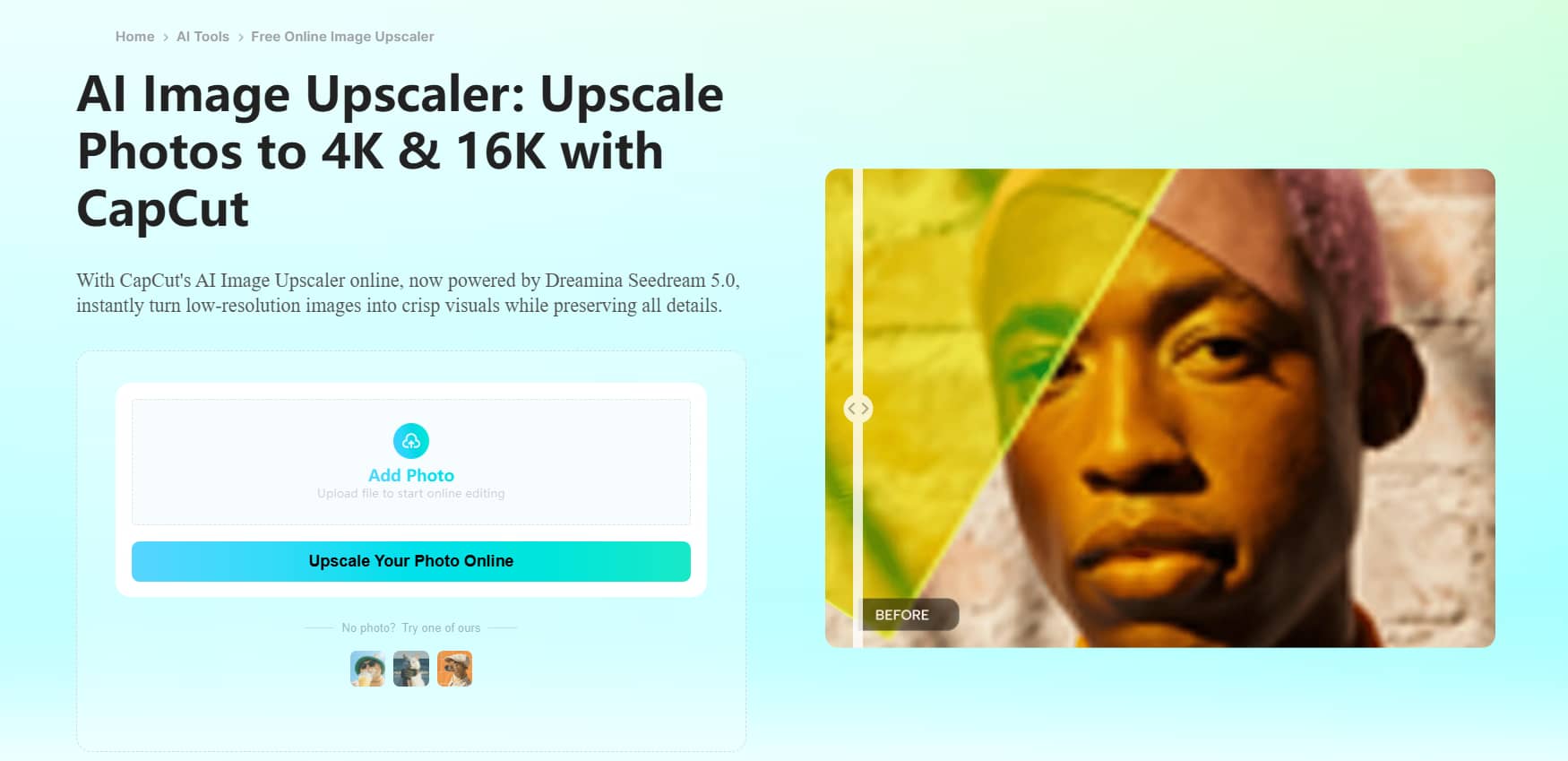
It is a solution for people who want to quickly enhance images without knowing professional editing tools. The approach is basic enough for beginners, from prepping social media posts to retouching AI-generated artwork to refining product photographs.
How the AI upscaling technology works
Unlike conventional resizing that simply stretches existing pixels, CapCut's AI image resizing uses deep learning models to intelligently infer and reconstruct missing visual data. By analyzing textures, edges, and patterns, the AI restores fine details while minimizing noise and pixelation.
Supported platforms and image formats
It supports the most popular image formats like JPG, JPEG, and PNG, making it perfect for most personal and professional editing tasks.
Best use cases
-
Social Media Graphics: Quickly crisping up images and text layouts for social posts.
-
Portraits & E-commerce: Enhancing facial details and sharpening product images for clean online listings.
-
AI-Generated Artwork: Upscaling and refining textures in AI-generated images to improve their final resolution.
CapCut Image Upscaler hands-on review
A feature list only tells part of the story. To get a sense of CapCut's performance in real-world scenarios, we evaluated CapCut Image Upscaler across four common image types: portraits, product photos, AI-generated artwork, and old photos. We compared each original image with its enhanced version based on sharpness, fine details, texture preservation, artifact reduction, and processing speed.
How to use CapCut Image Upscaler
Step 1: Upload your image
Open CapCut Image Upscaler and upload the photo you want to enhance. The platform accepts common image formats and begins preparing the file immediately after uploading.
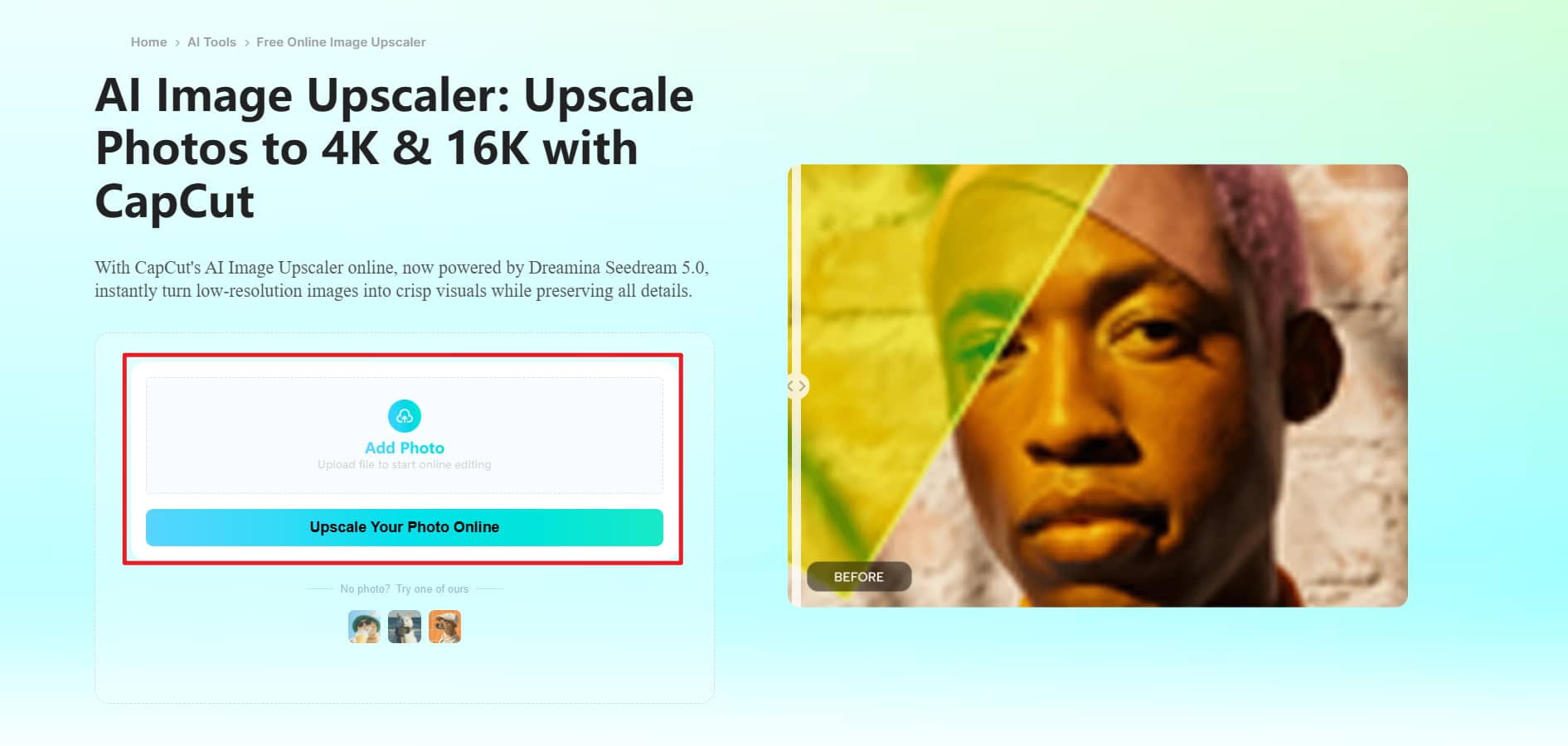
Step 2: Choose the AI upscale option
Select the HD Upscale feature (credits are required) and allow the tool to process your image. Depending on your device, additional quality settings may also be available.
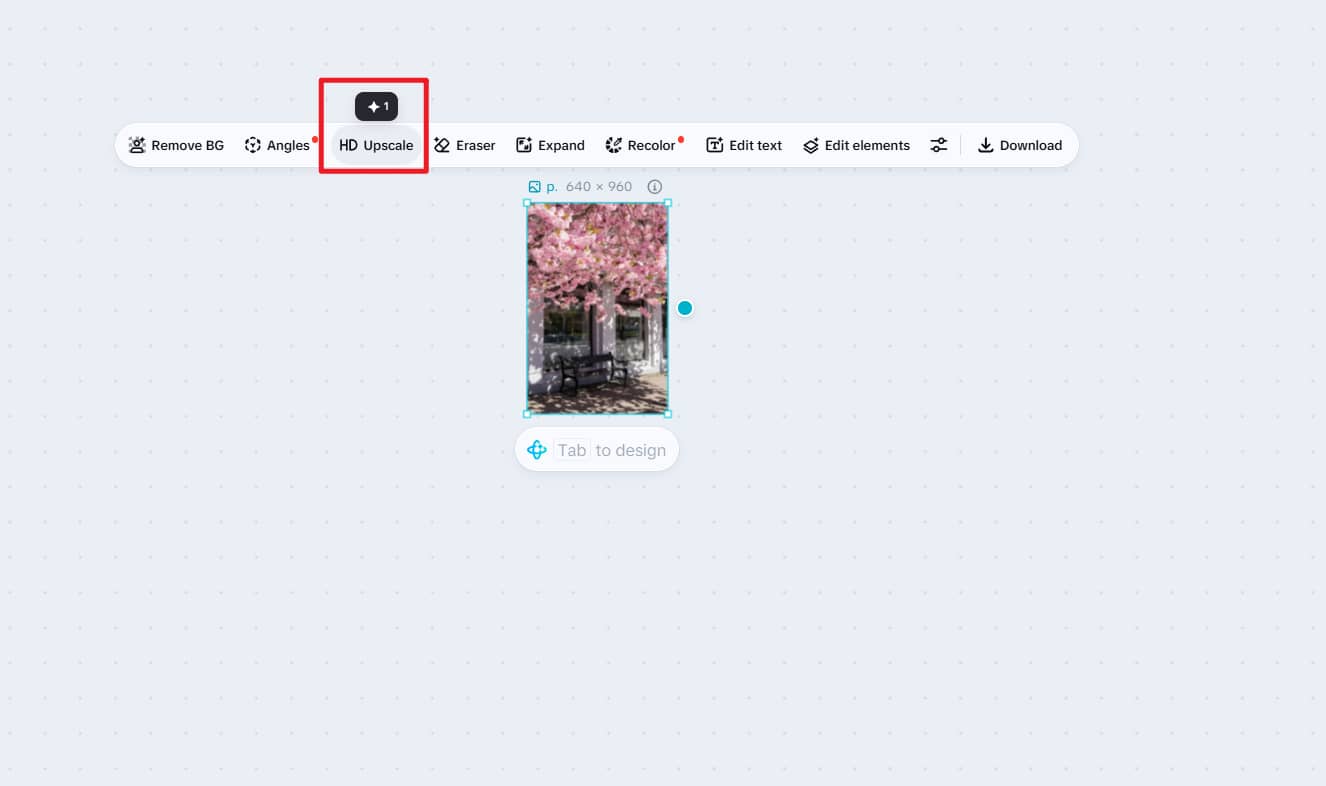
Step 3: Preview and download
Compare the original image with the enhanced version before downloading. Once you're satisfied with the improvements, export the final image in its enhanced resolution.

Our testing experience
We tested CapCut Image Upscaler on various types of images in real-world scenarios to evaluate the enhancement quality, speed, and consistency. Here's how it performed in the various categories:
-
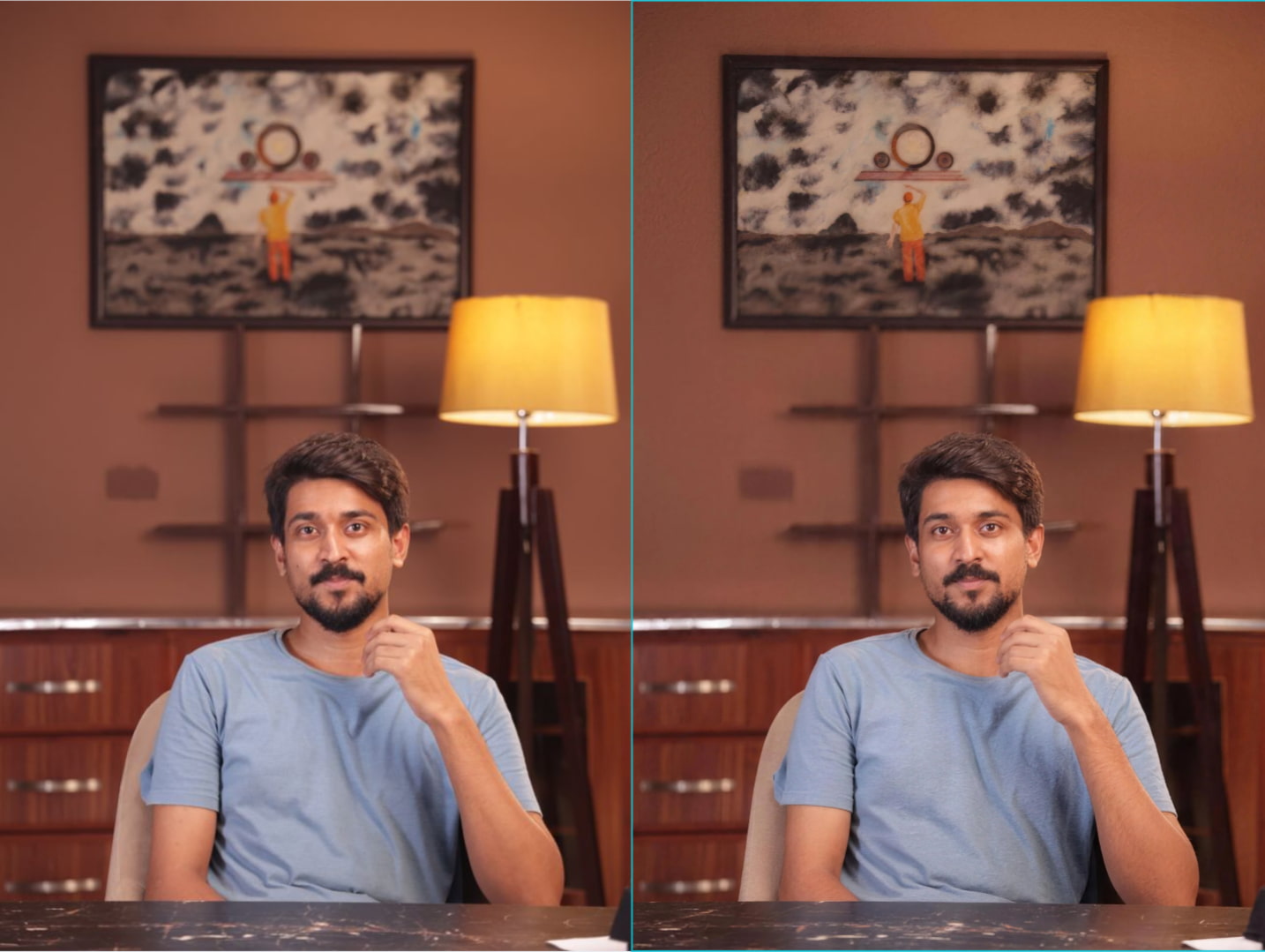
Portraits: Greatest improvement in this category. Facial features were more defined, hair detail was more defined, and skin tones looked natural instead of overprocessed. It worked particularly well for moderately out-of-focus portraits.
-
Product images: The product photos had cleaner edges, better textures, and were overall clearer. Packaging details and labels were easier to read. The tool was useful for basic ecommerce image enhancement, although heavily compressed images still retained minor artifacts.
-
AI-generated artwork: AI-generated illustrations became sharper but retained the original artistic style. The improved outlines and finer details benefited fantasy art and anime pictures, although some very detailed images showed minor changes in texture after processing.
-
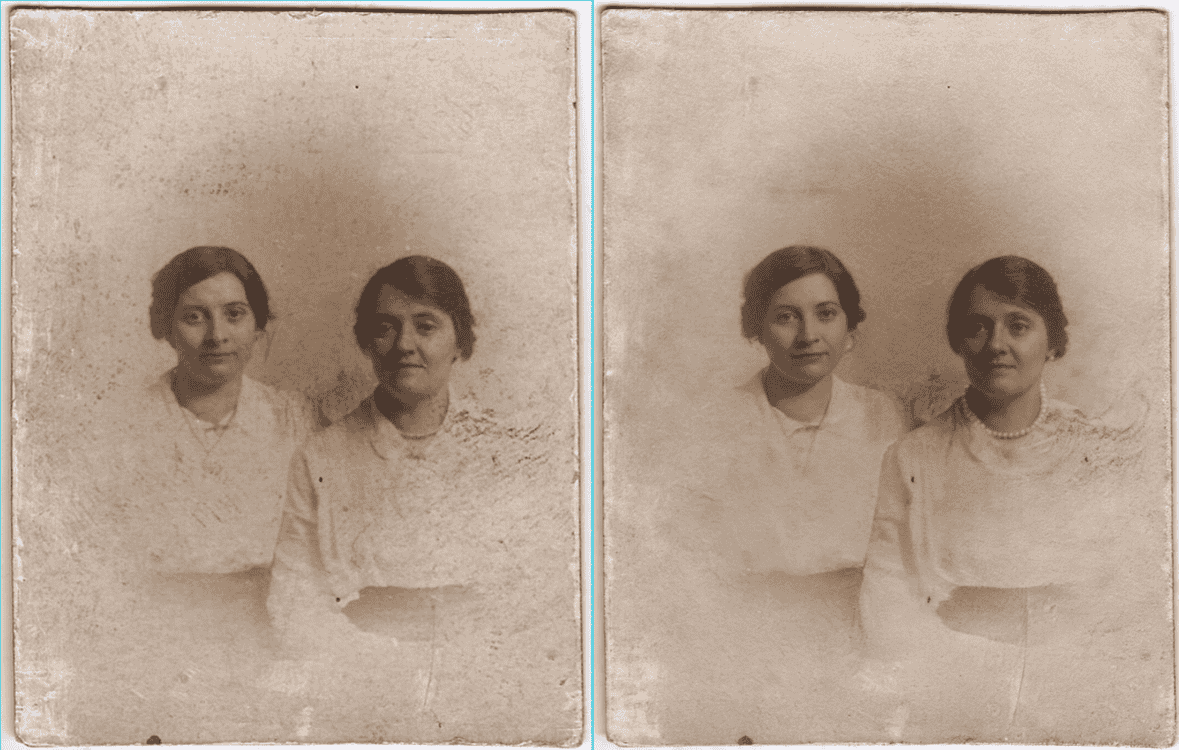
Old photos: Old photos had moderate improvement, less blurriness, and clearer details in the face. But images with very low resolution or lots of damage still did not have fine detail, showing the limitations of AI restoration.
-
Processing speed and output quality: The processing was fast; most images only took a few seconds to generate. The best results were with images that had some detail to start with, while lower quality inputs saw more modest but still noticeable improvements.
What users say
-
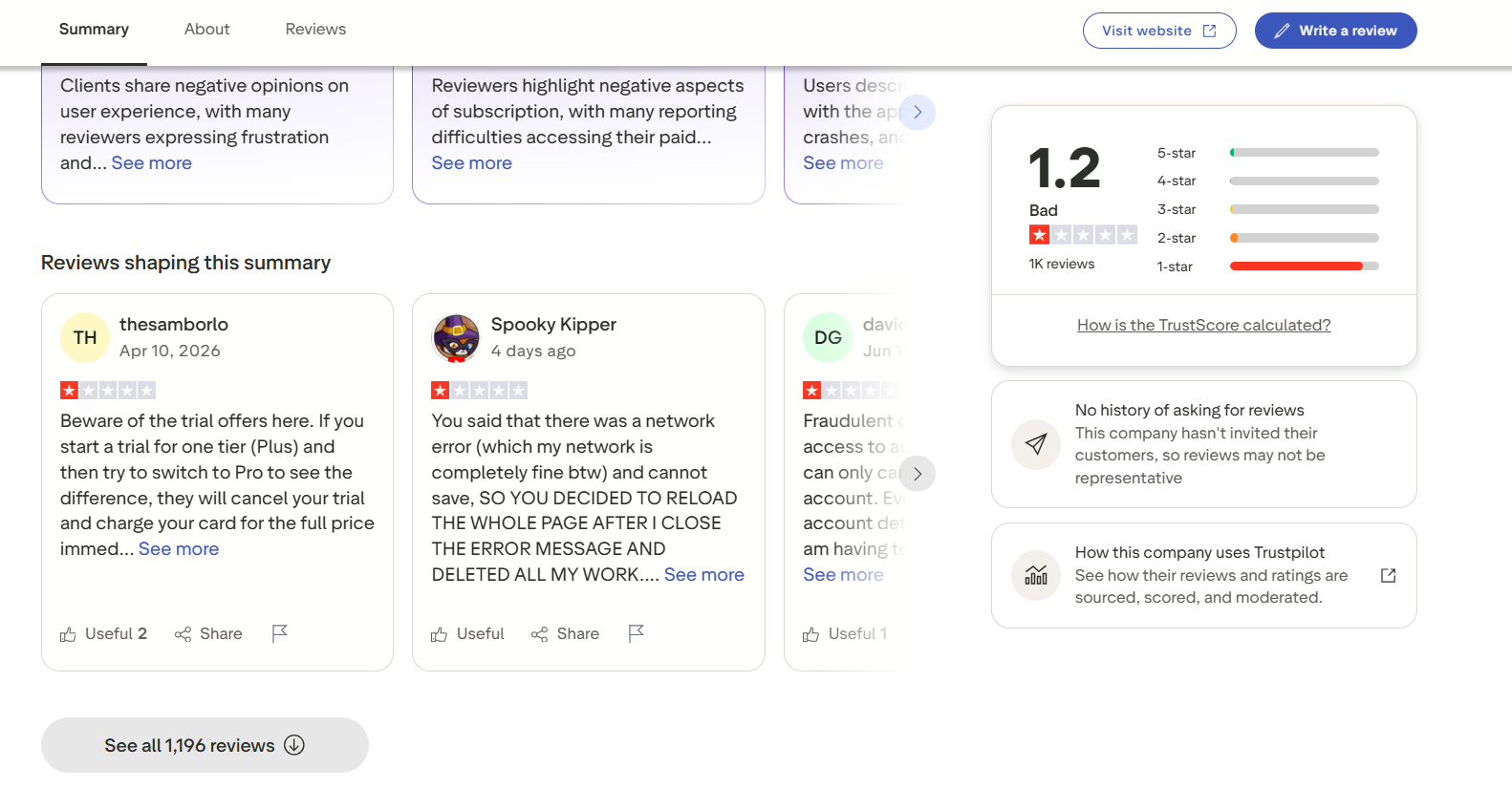
Trustpilot: CapCut has a 1.2/5 rating on Trustpilot from over 1,000 reviews. Many users praise the app for its editing and AI features, but a significant number of negative reviews mention billing, subscription management, unexpected charges, and occasional software bugs. Some reviewers also report app crashes and losing unsaved work. CapCut's overall Trustpilot rating is low at the time of writing, although these reviews cover the broader CapCut platform rather than the Image Upscaler specifically.
-
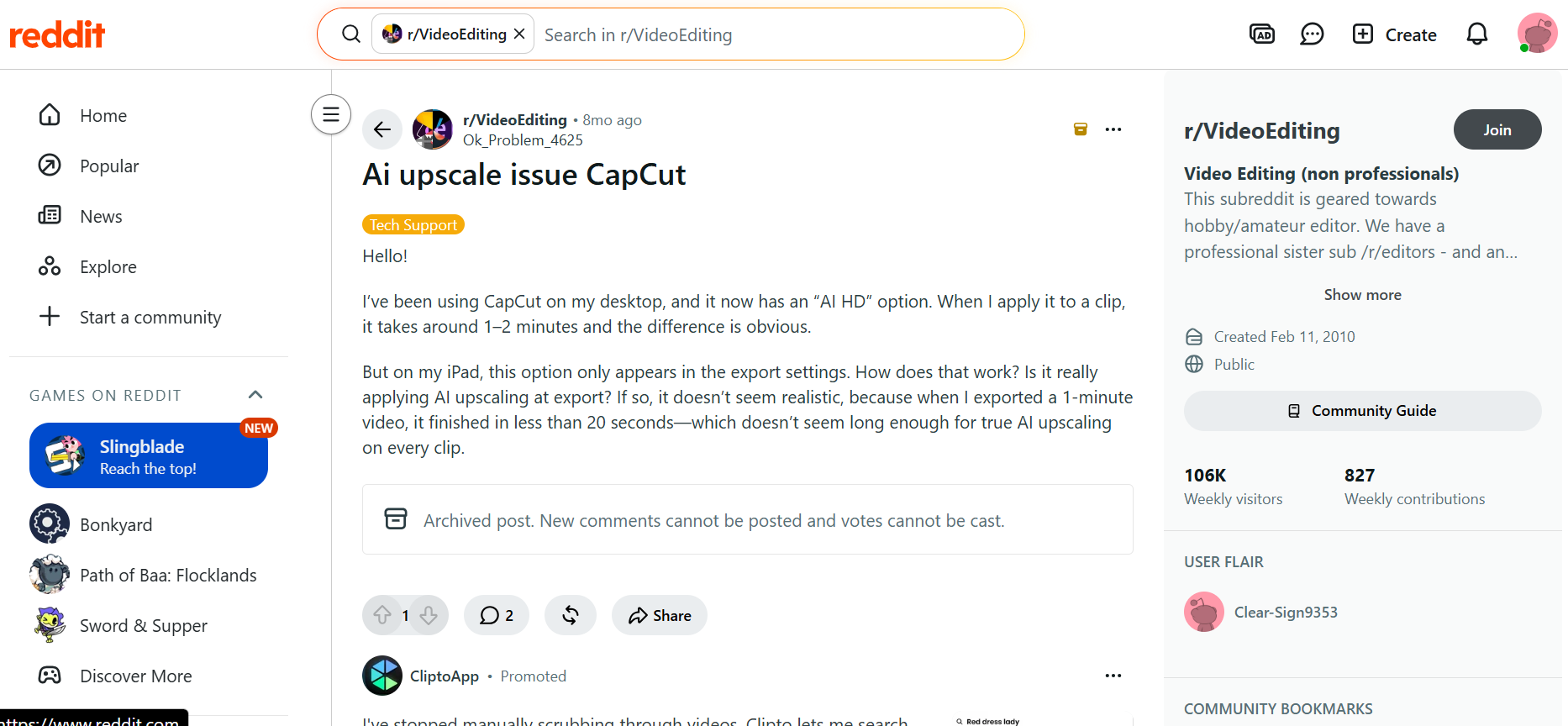
Reddit: Reddit threads give a more balanced view of CapCut’s AI upscaling features. Many users have reported that AI enhancement, particularly on the desktop, has drastically improved image and video quality. But there are some user concerns about differences in desktop and mobile implementations. Another user mentioned variable AI upscaling options, while other users have reported different processing speeds between devices. CapCut is generally liked by the community for simple edits, though the features available may differ between platforms.
CapCut Image Upscaler pricing, pros & cons
Selecting an AI image upscaler is not just about image quality. Value is relative to price, features available, and how much you can use it. We'll discuss the subscription plans offered on CapCut, its biggest pros, and where it falls short.
Pricing
|
Feature / Detail |
Free Plan |
Pro Plan |
|---|---|---|
|
Price |
$0 |
$19.99 / month (Renews automatically; cancel anytime) |
|
AI Credits |
Not included |
Includes monthly AI credits (plus option to buy additional credits) |
|
AI Features |
Limited / Basic |
Full access to all AI features |
|
Templates |
Free templates |
All premium templates |
|
Editing Tools & Features |
Basic editing tools |
All premium Pro features |
|
Cloud Storage |
Standard / Limited |
1 TB of storage |
Pros and Cons
|
Pros |
Cons |
|---|---|
|
Easy, beginner-friendly interface that requires minimal learning. |
The free version has limited exports and feature access. |
|
Fast AI processing with most images enhanced in just a few seconds. |
Many advanced AI tools are available only with a premium subscription. |
|
Produces good-quality results for portraits, product photos, and everyday images. |
Offers limited manual controls for users who want to fine-tune enhancements. |
|
Available on web, desktop, Android, and iOS for a seamless editing experience across devices. |
Enhancement quality varies when working with heavily blurred or very low-resolution images. |
Editorial verdict
CapCut Image Upscaler offers a convenient editing process with reliable AI enhancement for everyday usage. It works great for portraits, digital paintings, and product photos and is easy for beginners to pick up. But for advanced users, the automated workflow, limited manual controls, and free version restrictions might be too restrictive. If you are frequently restoring low-quality images, processing a lot of files, or need specific enhancement modes, a dedicated AI image enhancer will offer you more flexibility.
Vmake Labs AI Image Enhancer: A better alternative to CapCut
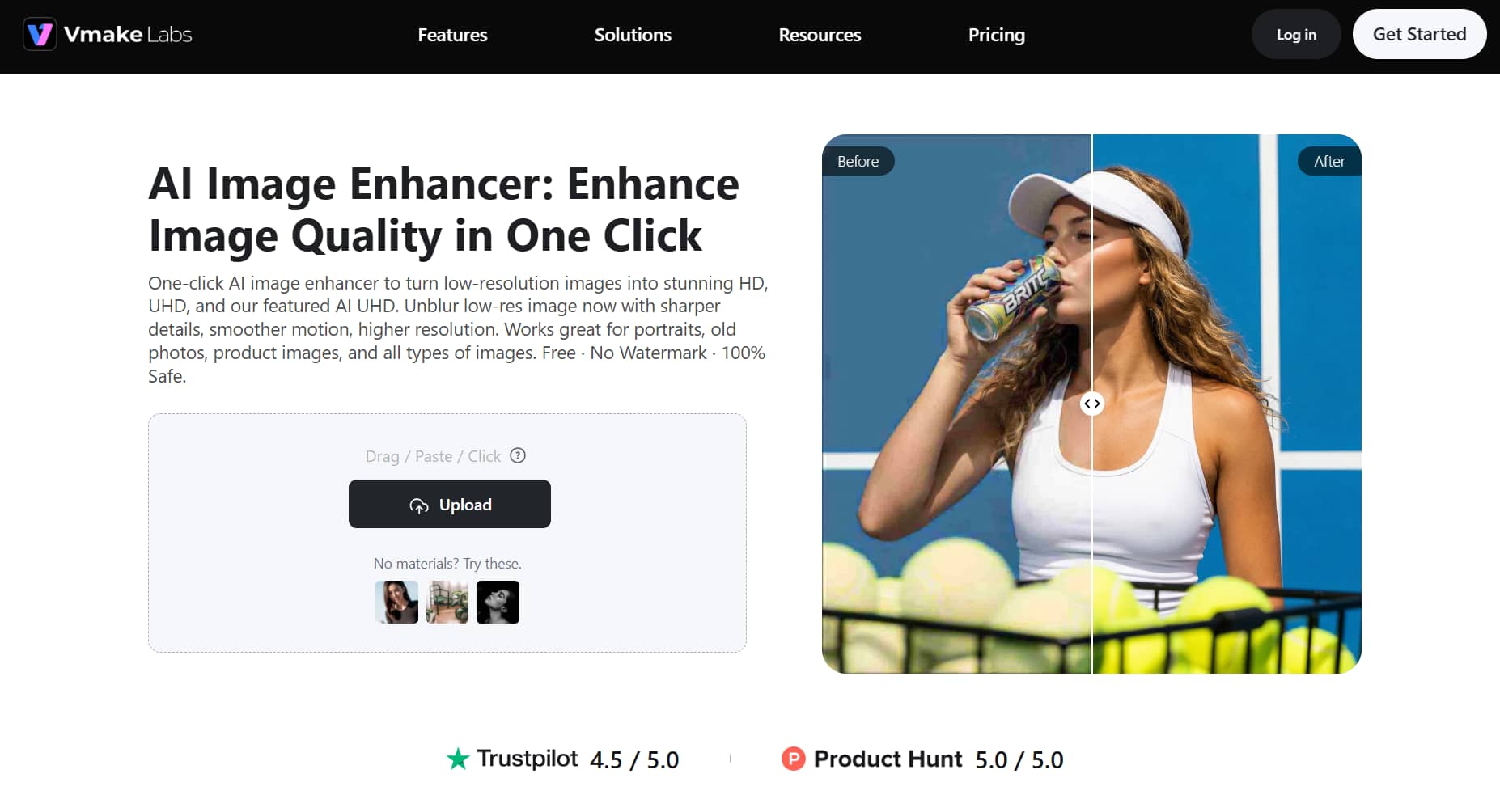
CapCut is primarily built for fast image enhancements within a more comprehensive editing platform, but some users require more advanced restoration, higher resolution upscaling, and specialized AI models. Vmake Labs AI Image Enhancer is developed specifically for such situations. It has special enhancement modes for different kinds of images and videos.
How to use Vmake Labs AI Image Enhancer
Step 1: Upload your image or video
Upload your image or video directly through the browser. The platform supports common file formats and quickly prepares your content for AI enhancement.
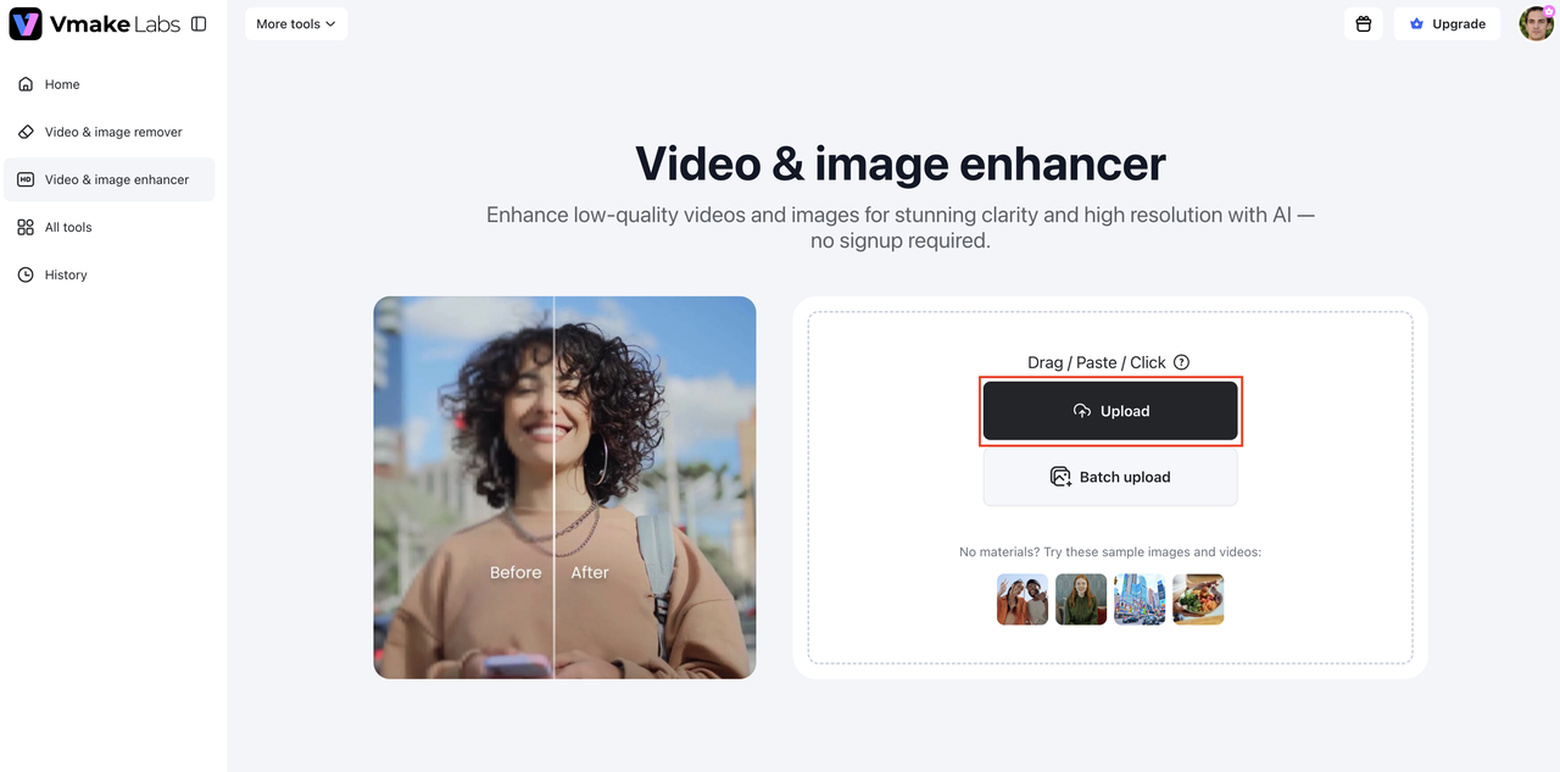
Step 2: Select the appropriate AI enhancement mode
Choose the enhancement mode that best matches your content. Different AI models are available for portraits, products, night scenes, games, animations, and super-resolution.
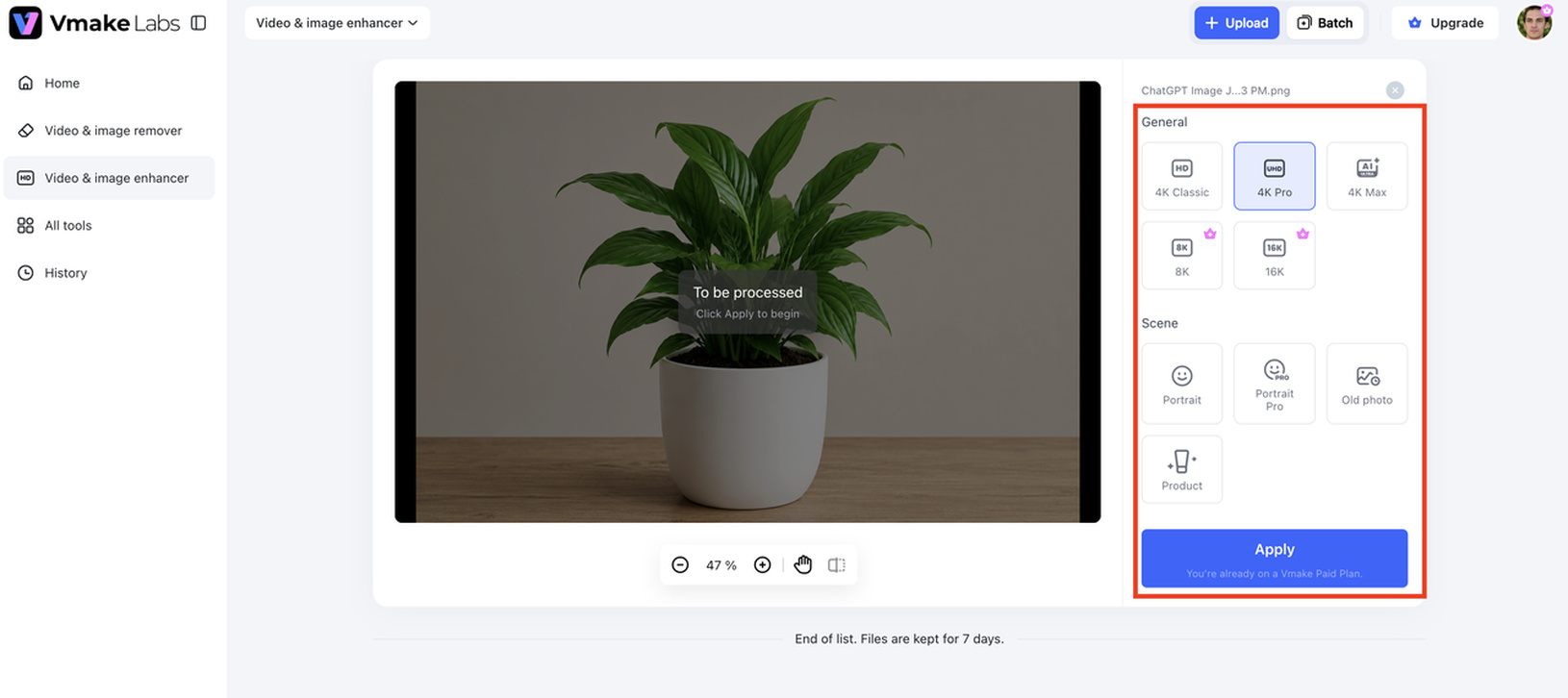
Step 3: Preview and export
Review the enhanced result before exporting the final file. Once satisfied, download the improved image or video in its enhanced quality.
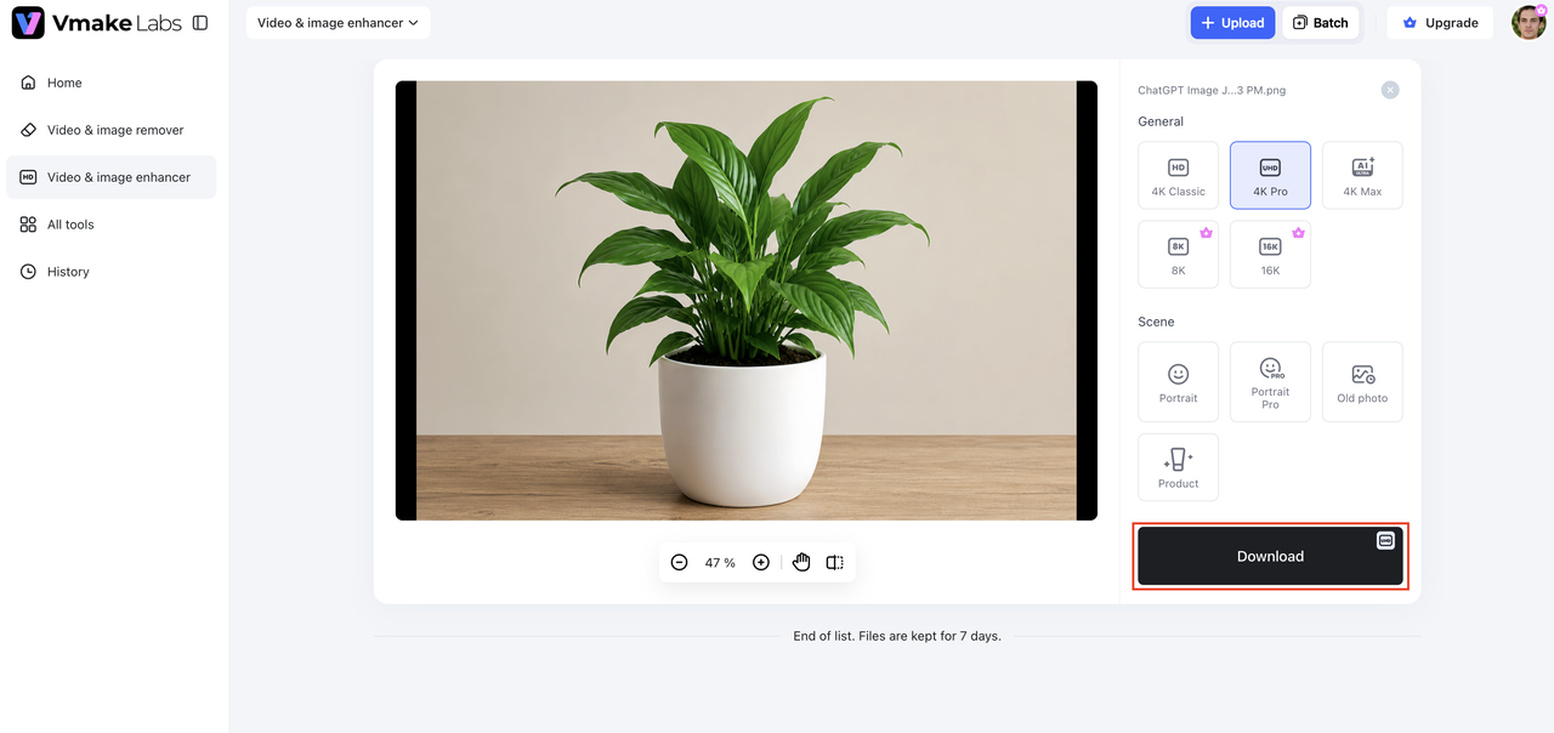
Why choose Vmake Labs AI Image Enhancer?
Vmake Labs AI Image Enhancer does more than just basic image upscaling with dedicated AI models for different types of content and intelligent restoration technology. Whether you're improving personal photos, ecommerce images, or AI-generated content, it offers specialized tools to produce clearer and more natural-looking results.
-
AI Super Resolution: AI Super Resolution enhances the resolution of images and videos, keeping natural details. But rather than just increasing the size of your content, it reconstructs textures and edges for sharper, high-quality visuals that are perfect for your creative and professional projects.
-
Portrait Enhancement: The specialized portrait model enhances facial features, hair, and skin texture for a natural look. Perfect for Profile Pictures, Creator Content, Marketing Materials & Lifestyle Photography.
-
Ecommerce Product Image Enhancement: This mode enhances product images by sharpening details, textures, and lighting. This enables online sellers to make their product images appear cleaner and more professional without a lot of manual editing.
-
Night Scene Enhancement: This feature enhances low-light images by reducing noise, restoring shadow details, and improving brightness while maintaining realistic colors. The result is sharper pictures at night, with overall better quality.
-
AI Artifact Removal and Restoration: Vmake AI detects and corrects common AI-generated issues such as false faces, deformation, blur, shaking, and unnatural reflections. Its self-developed restoration model produces cleaner, more realistic images with consistent quality.
-
Batch Enhancement: One click to optimize up to 30 images or videos at the same time. This capability is a time-saver for companies, ecommerce teams, and creators who deal with large amounts of visual content on a regular basis.
CapCut Image Upscaler vs Vmake Labs AI Image Enhancer
CapCut Image Upscaler and Vmake Labs AI Image Enhancer both use AI to make images better, but they are made to work in different ways. CapCut's editing ecosystem is focused on quick, easy-to-use picture enhancement. Additionally, Vmake AI offers customized improvement models and restoration tools for users who need better outcomes and more freedom.
|
Feature |
CapCut Image Upscaler |
Vmake Labs AI Image Enhancer |
|---|---|---|
|
AI Image Enhancement |
General AI upscaling |
Advanced AI enhancement and restoration |
|
AI Super Resolution |
Yes |
Yes |
|
Portrait Enhancement |
General enhancement |
Dedicated portrait enhancement model |
|
Product Image Enhancement |
General AI enhancement |
Specialized ecommerce enhancement |
|
Night Scene Enhancement |
No dedicated mode |
Yes |
|
AI Artifact Removal |
Basic |
Advanced AI artifact detection and restoration |
|
Game & Animation Enhancement |
No |
Dedicated enhancement modes |
|
Batch Processing |
Limited |
Up to 30 images or videos |
|
Platform |
Web, Desktop, Mobile |
Browser-based |
|
Best For |
Casual creators and social media users |
Creators, ecommerce sellers, marketers, and professionals |
Final verdict: Is CapCut Image Upscaler worth it?
CapCut Image Upscaler is a good option for beginners and casual creators looking to enhance image quality quickly with little effort. Fast processing and reliable results for portraits, product photos, and everyday content. But users who want specialized AI enhancement, artifact removal, or batch processing may eventually get frustrated with its limitations. In such cases, professional and high-volume image enhancement can be more efficiently done using tools like Vmake Labs AI Image Enhancer.
FAQs
Is CapCut Image Upscaler free?
Yes, CapCut Image Upscaler has a free version that lets you use basic AI features to improve pictures. There is a free plan that works well for occasional photo enhancing, but you need a paid subscription for more advanced features and higher usage limits.
Does CapCut AI Image Upscaler improve blurry photos?
Yes. CapCut AI Image Upscaler can sharpen moderately blurry images, reduce pixelation, and improve overall clarity. Results depend on the original image quality, and heavily blurred photos may still lack fine details. If you regularly restore challenging images, Vmake Labs AI Image Enhancer provides dedicated AI restoration and super-resolution modes for more consistent results.
Can CapCut upscale product images for ecommerce?
Yes. CapCut can help you sharpen product images and increase their resolution, so they are more suited for online retailers and marketplaces. If you have a vast product catalog, you might want to check out Vmake Labs AI Image Enhancer, which has a specific ecommerce enhancement mode and batch processing to speed up repetitive editing work.
What is the maximum resolution CapCut can upscale?
CapCut AI upscales image resolution. However, the maximum resolution depends on the platform and subscription package you are using. This utility is not for very specific upscaling operations, but for generic image enhancement.
Is Vmake Labs AI Image Enhancer better than CapCut for professional image enhancement?
It depends on your needs. CapCut is a good option for quick, everyday image enhancement. At the same time, Vmake Labs AI Image Enhancer is better suited for users who need specialized enhancement modes, AI artifact removal, portrait and product optimization, or batch processing for larger projects.

You May Be Interested
Best AI Image Upscaler Tools in 2026: Upscale Images to 4K, 8K & Beyond
CapCut AI Video Generator Review: Features, Pricing & Alternatives
How to Remove CapCut Watermark
How to Use Green Screen on CapCut: Step-by-Step Guide
Artguru Image Upscaler Review: Features & Best Alternative
ImgGen AI Image Upscaler Review: Features & Pricing in 2026
Pixelcut Image Upscaler Review: Tested & Worth It?