CapCut AI Video Generator Review: Is It Worth Using for Content Creation?
This CapCut AI video generator review explores its AI video creation tools, templates, pricing, and export quality. See how CapCut compares with Vmake AI for making social media and marketing videos.

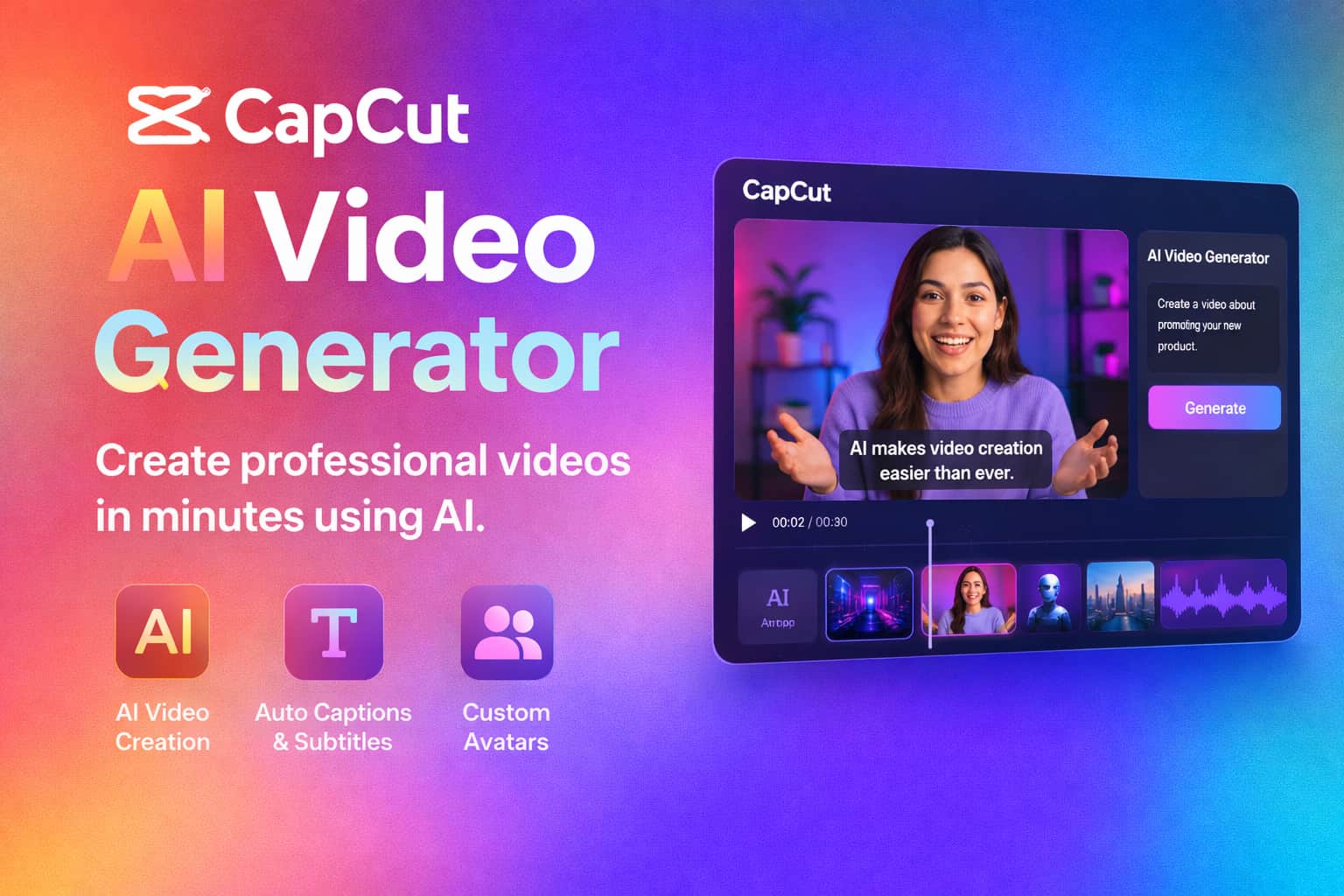
CapCut didn't start as anything fancy. Just a simple mobile editor people used to cut clips and move on. Over time, though, it added many AI features and became popular online. The real question in 2026 is pretty straightforward: Does it actually hold up for creators who care about quality? This review looks at what it does well, where it starts to feel limited, and how it fits into real day-to-day content work.
What Is CapCut AI Video Generator?
CapCut's AI video generator is built for speed. That's the core idea. You don't sit there tweaking every detail like in traditional editors. Instead, you feed it a prompt, a script, maybe some images, or just pick a template, and it tries to assemble a video for you.
It first gained traction on TikTok, which makes sense when you see how it works. But it has moved beyond that now, especially for short-form content where people just want something ready quickly. The process is simple enough. You give it input, and it handles the rest. Scenes get arranged, transitions appear without much effort, captions show up automatically, and music is added based on the mood it thinks fits.
Key CapCut AI Video Generator Features
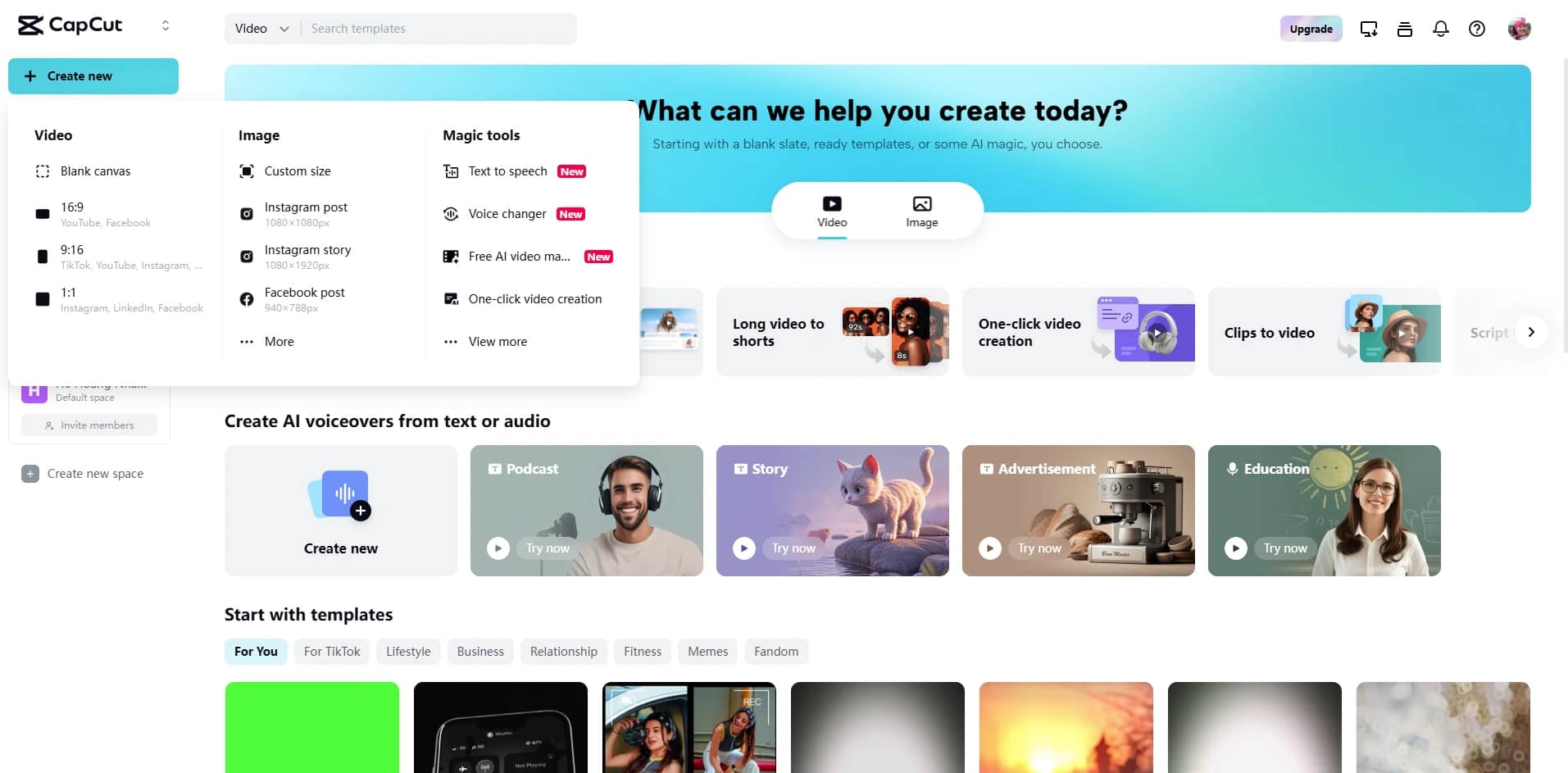
CapCut is mostly about speed. You open it, drop in an idea, and it starts building something usable without asking you to learn editing first. It feels designed for people who want output, not a long editing process.
AI Text-to-Video Generation
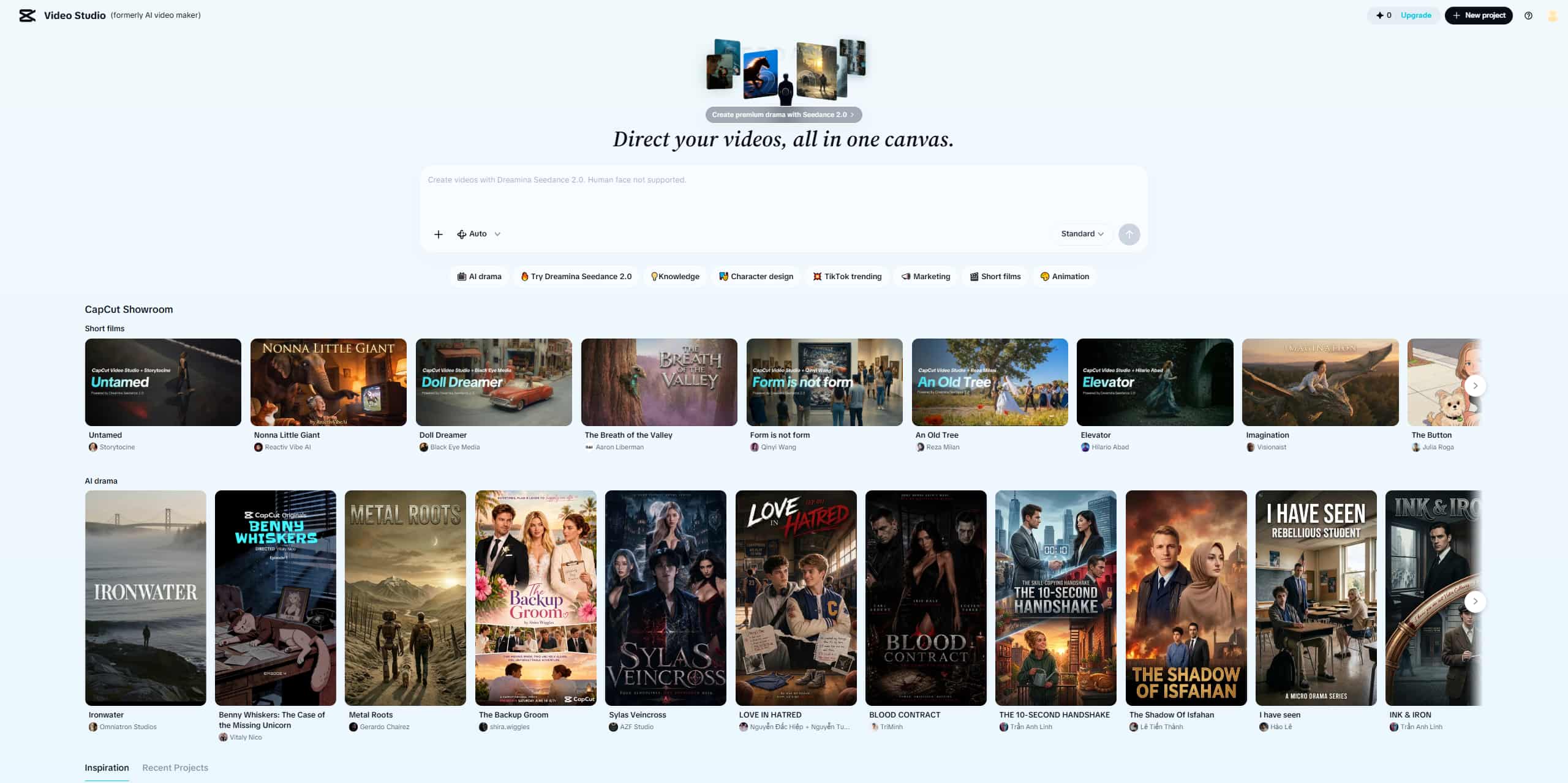
You type a prompt or paste a script, and the tool builds a video around it. Stock footage gets pulled in automatically. Transitions are added without you touching anything. Text overlays appear where needed, and there is usually background music layered underneath.
It's interesting how quickly a plain sentence turns into something visual. A line like "morning skincare routine for glowing skin" doesn't stay as text for long. It becomes clips, captions, pacing, and a basic structure that feels like a real short video. It won't always match your exact imagination, but it gets you from idea to something usable without much friction.
AI script and caption tools
There is also help on the writing side, which comes in handy more often than you expect. If you don't know what to say, the AI can generate short scripts for reels, ads, or basic tutorials. Nothing too complex, but enough to get moving.
Once the video is ready, captions usually appear automatically. Multiple languages are supported depending on settings. This matters more than it seems, since a lot of people watch videos without sound anyway and just scroll through captions.
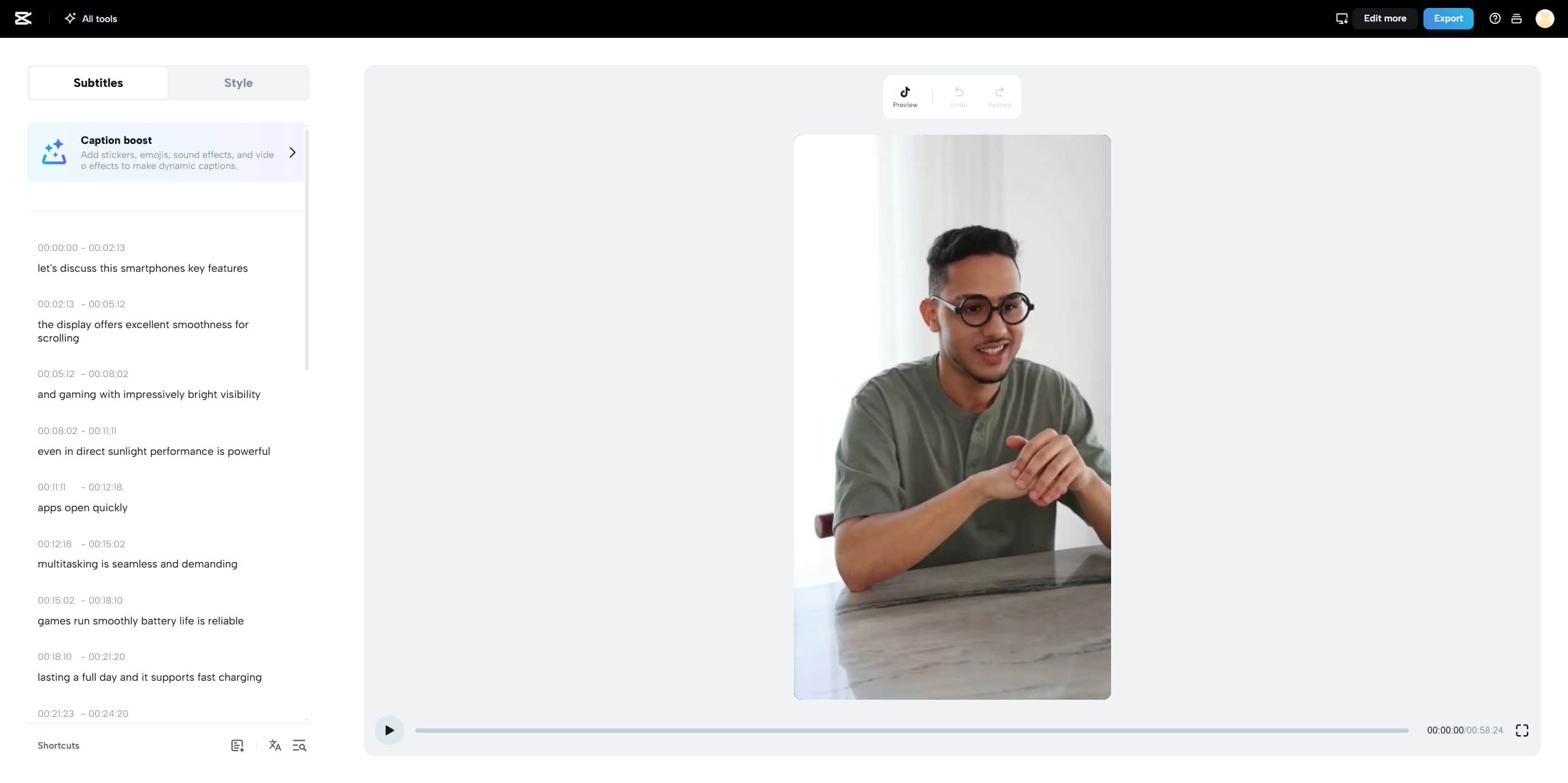
AI avatars and voiceovers
Instead of recording your own voice, you can pick from AI-generated voices. Some sound fine, some feel slightly artificial. It depends on what you choose, and you do notice the difference after a while.
There are also avatar presenters that can read your script. It's not the most advanced system out there, and you can tell it is still evolving, but for simple explainers or faceless content, it works without much setup. People often use it for product demos, quick tutorials, or social media content when they don't want to appear on camera.
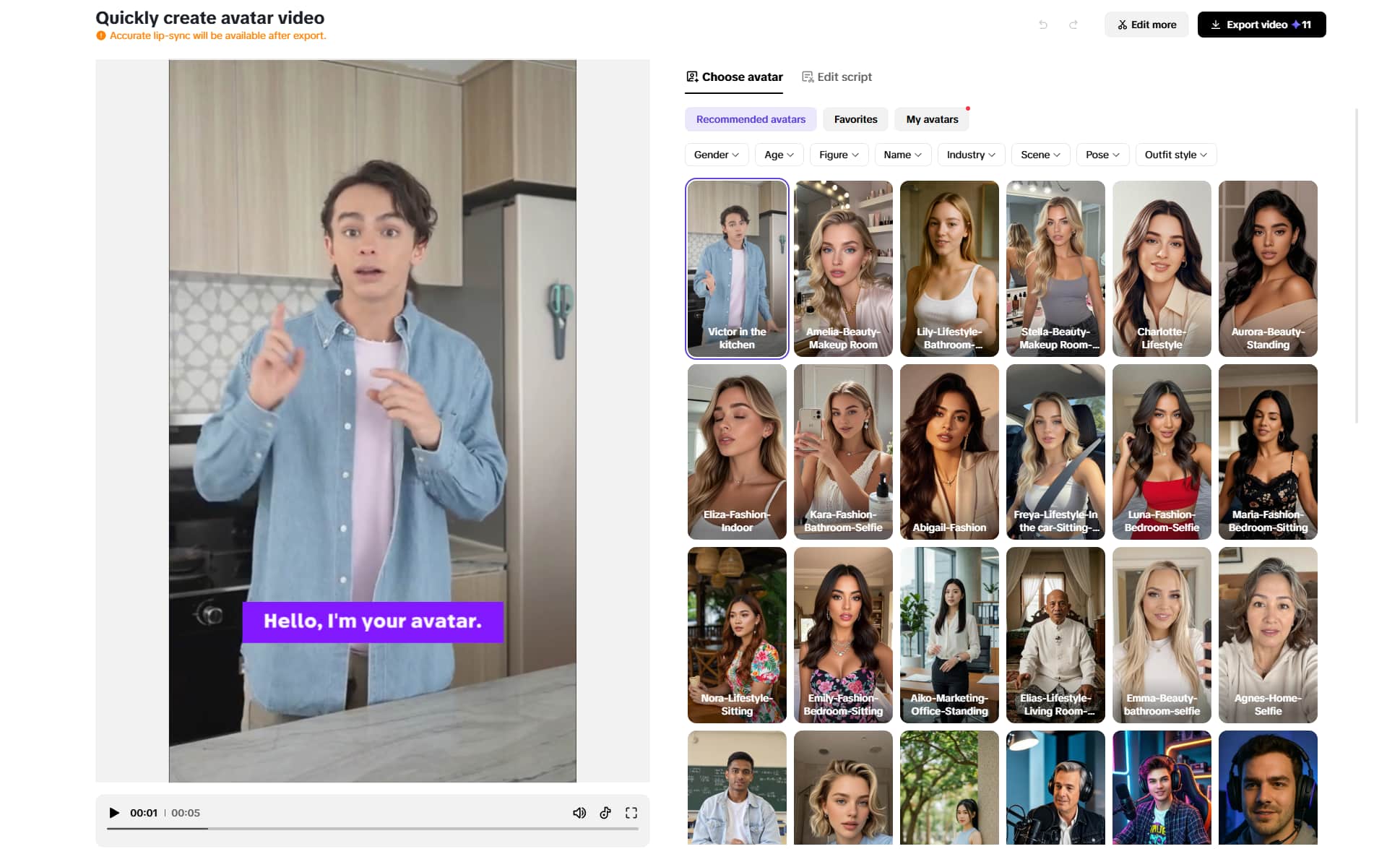
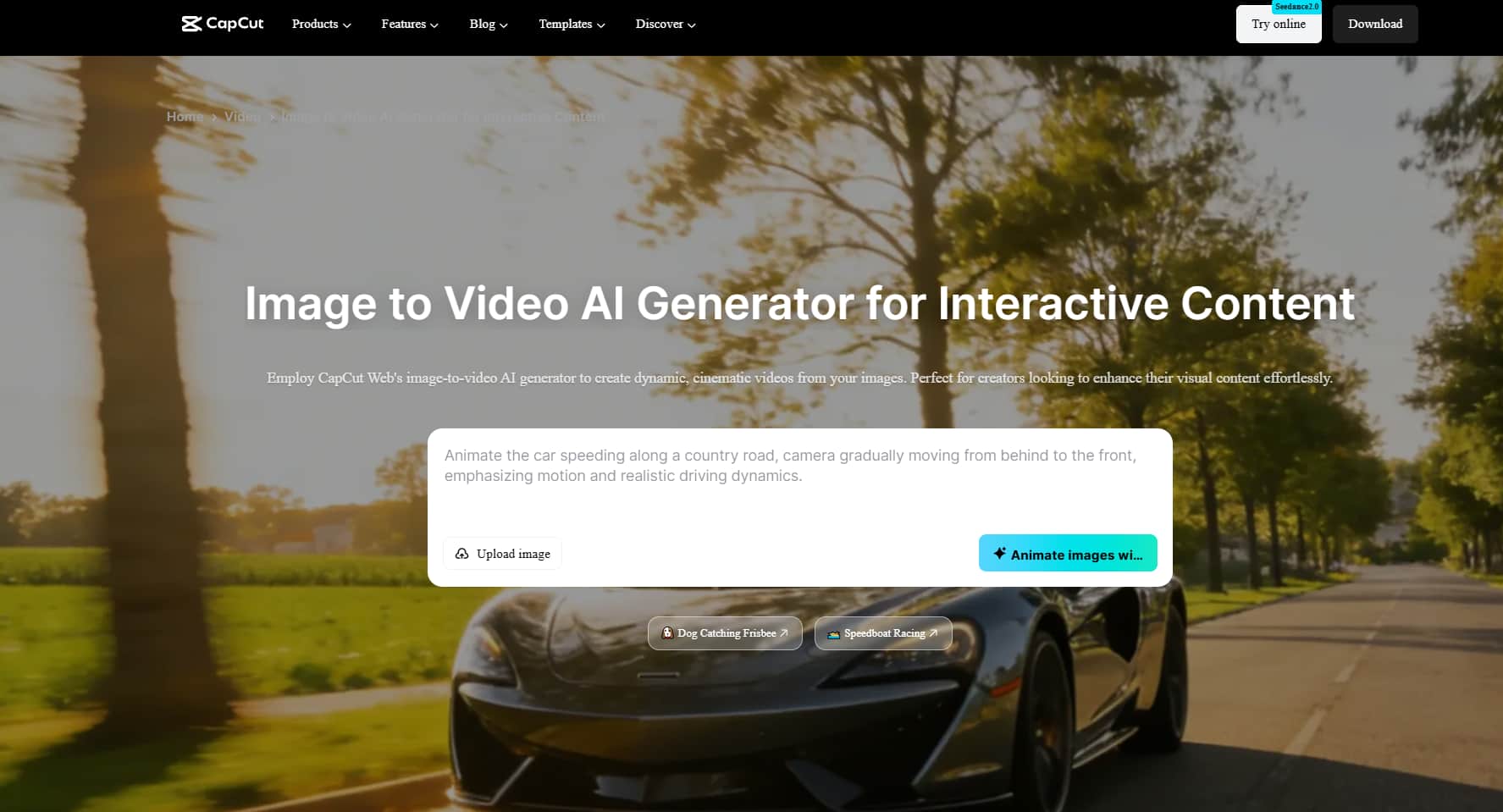
Image-to-video generation
Static images don't really stay static here. You can turn them into short videos using zoom effects, motion layers, and basic AI animation. It's simple, but people use it more than you'd expect.
A product image can become a short promotional clip. A personal photo can turn into a small storytelling sequence. Nothing cinematic, but good enough for social posts where motion matters more than perfection.
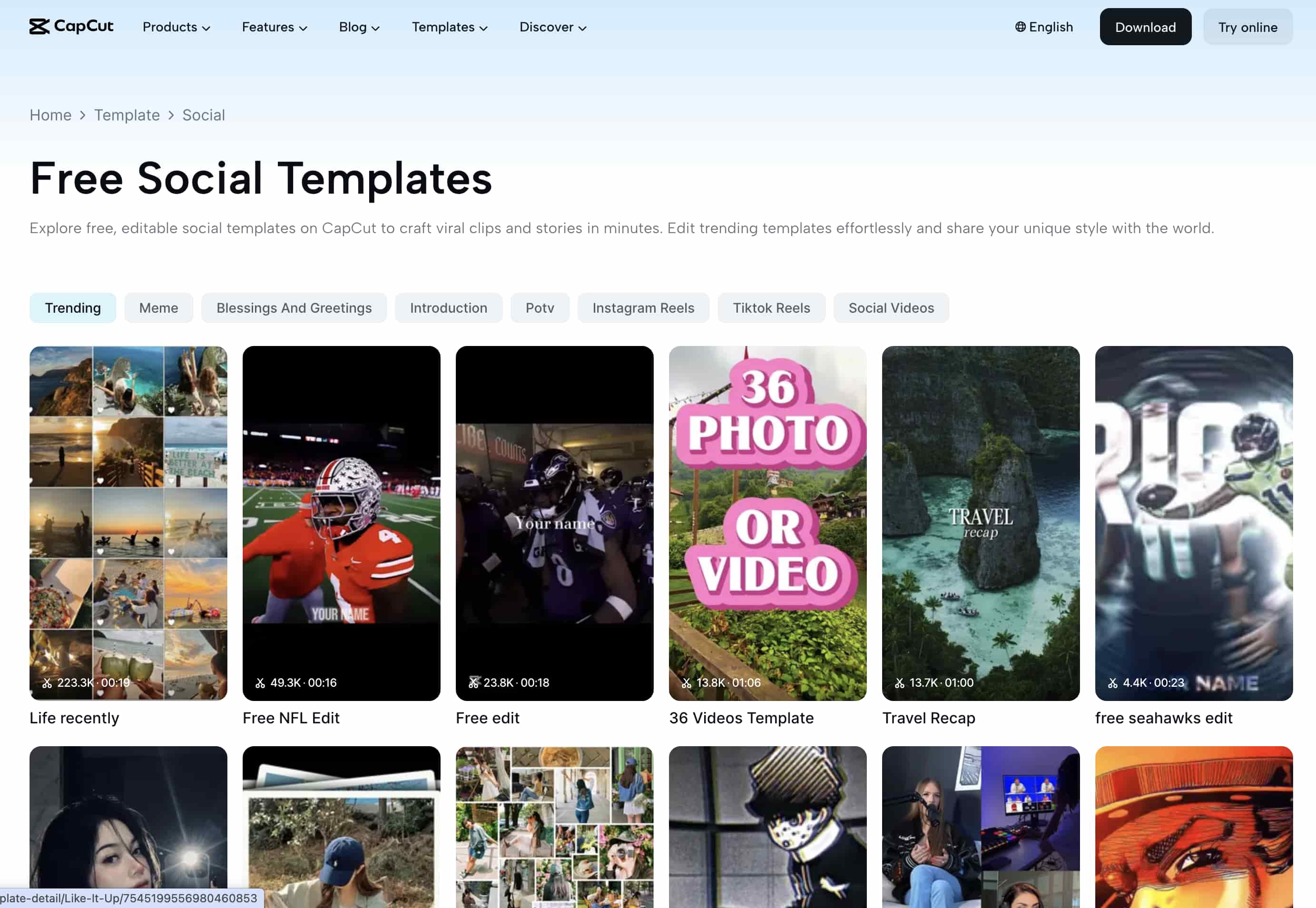
Templates built for social media
Templates are probably where CapCut feels most familiar. Everything is already shaped around TikTok trends, Instagram Reels, YouTube Shorts, and ad-style content.
You don't really build videos from scratch unless you want to. Most of the time, you plug in clips or images, and the structure is already waiting for you.
Mobile-first editing experience
It still feels like a mobile-first tool at its core. You can edit, generate, and export videos directly from a phone without needing a powerful setup.
That's part of why it gets used so much for quick content. You're not tied to a desktop or heavy software. You can literally put something together while moving between tasks.
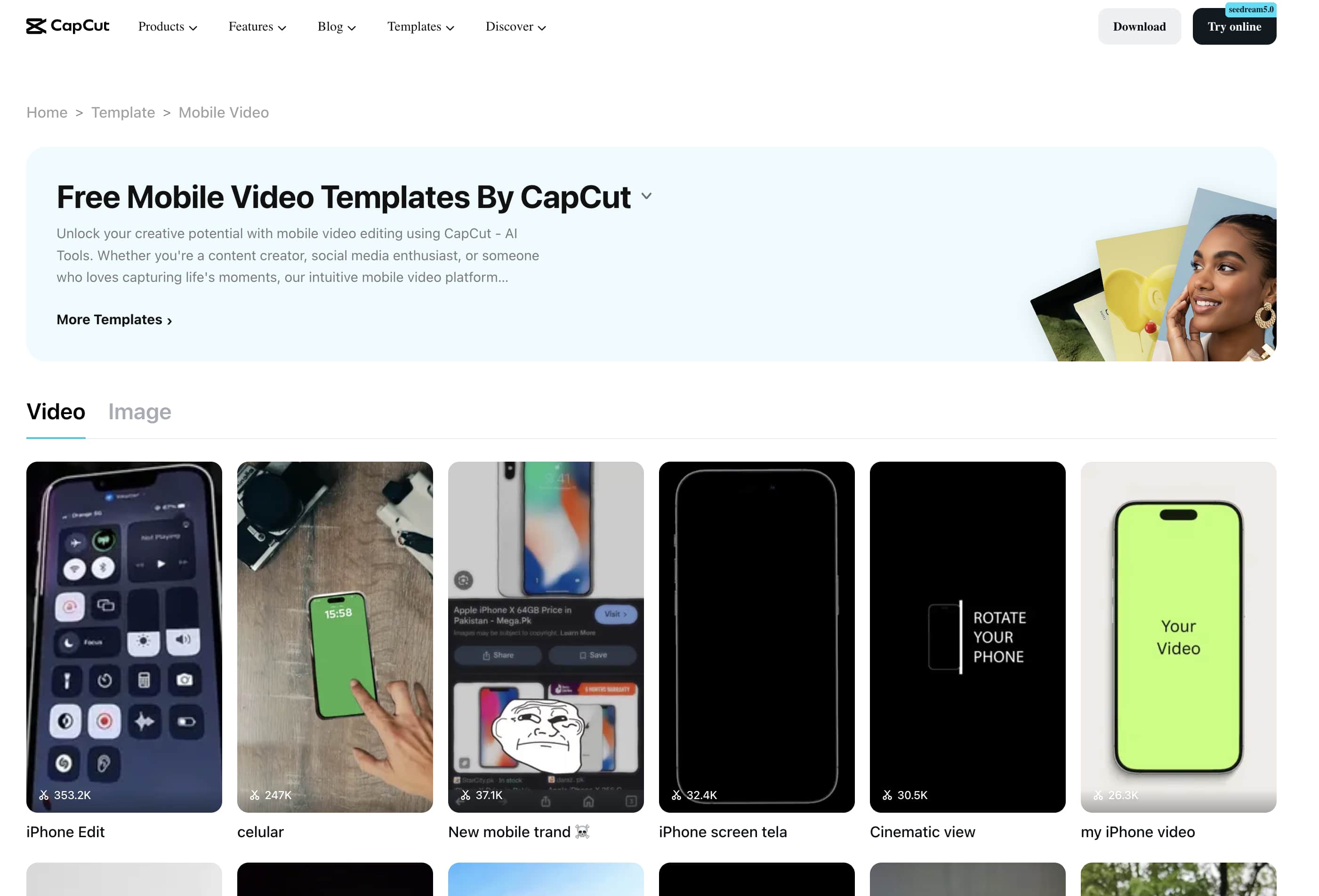
How does CapCut's AI video generator work?
There is not much complexity in the workflow, which is the point.
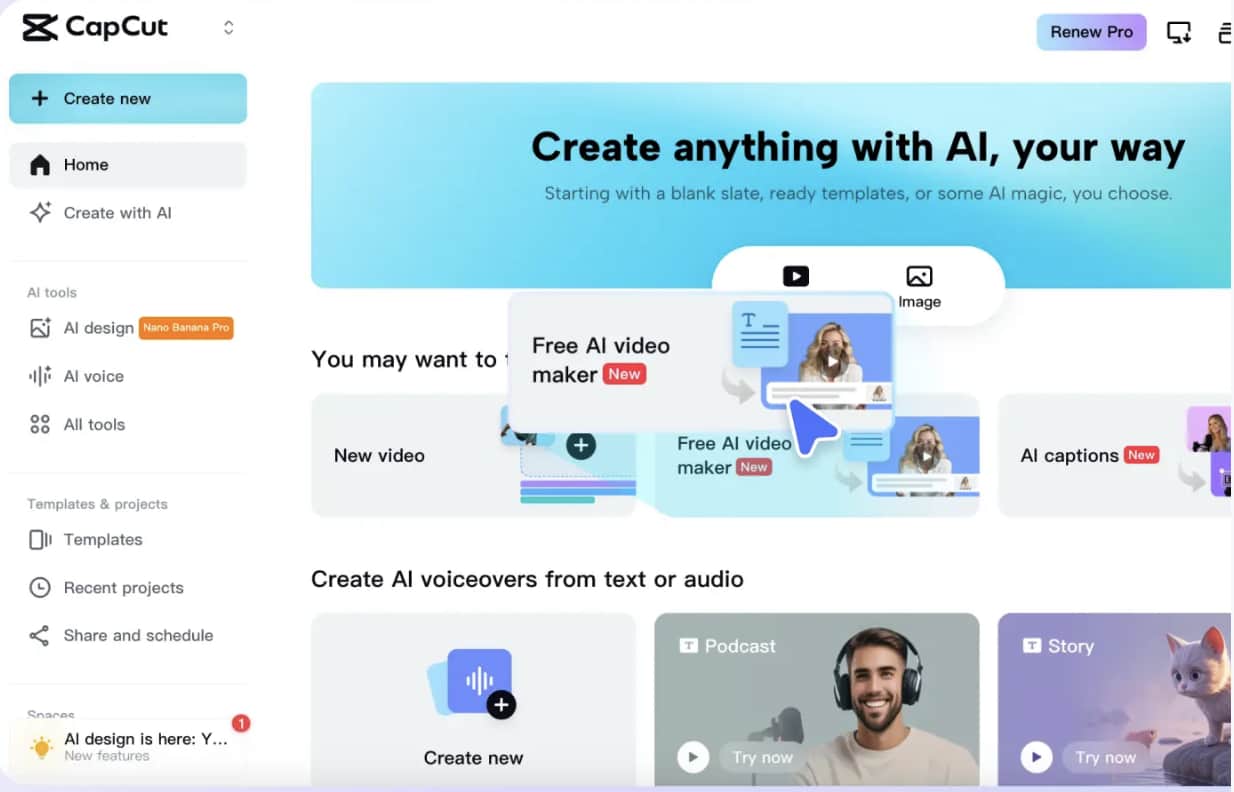
Step 1: Choose a Video Creation Method
You pick how you want to start. Text-to-video, image-to-video, or templates. That's basically it.
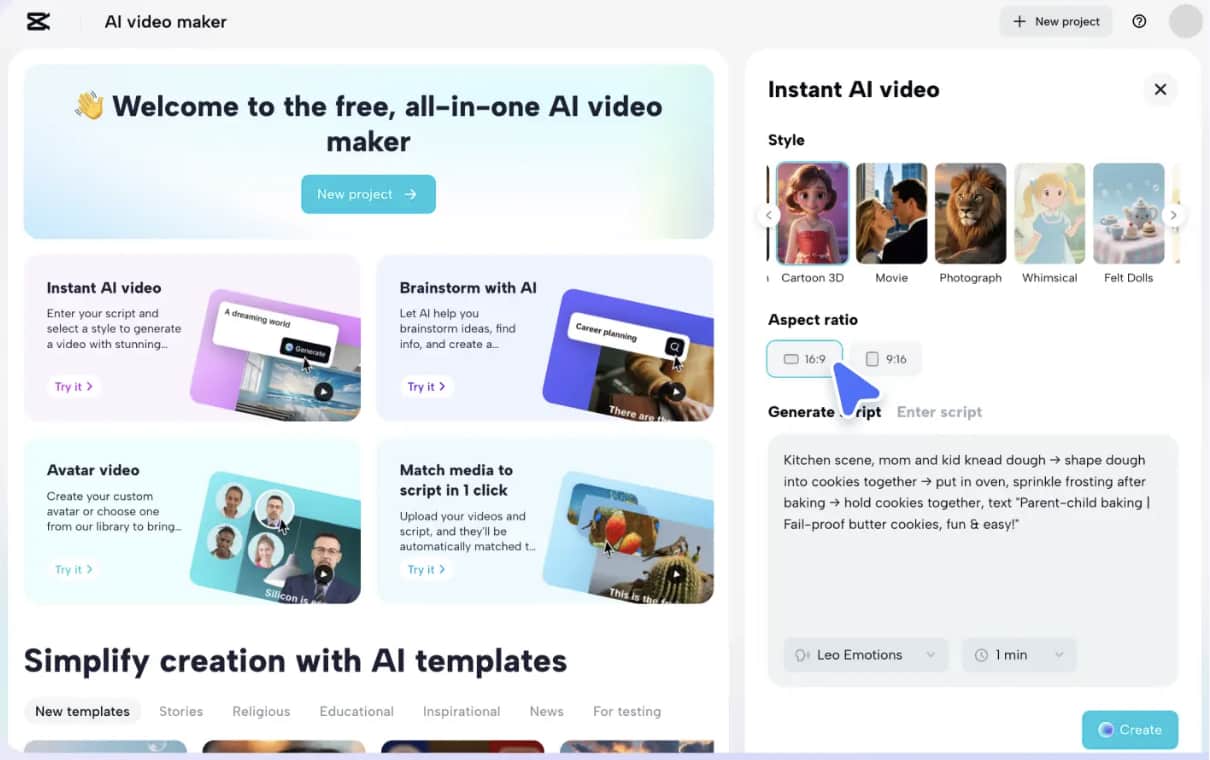
Step 2: Add your content
Next, you input your prompt, script, or upload images. CapCut's AI analyzes this and starts generating a rough version of your video.
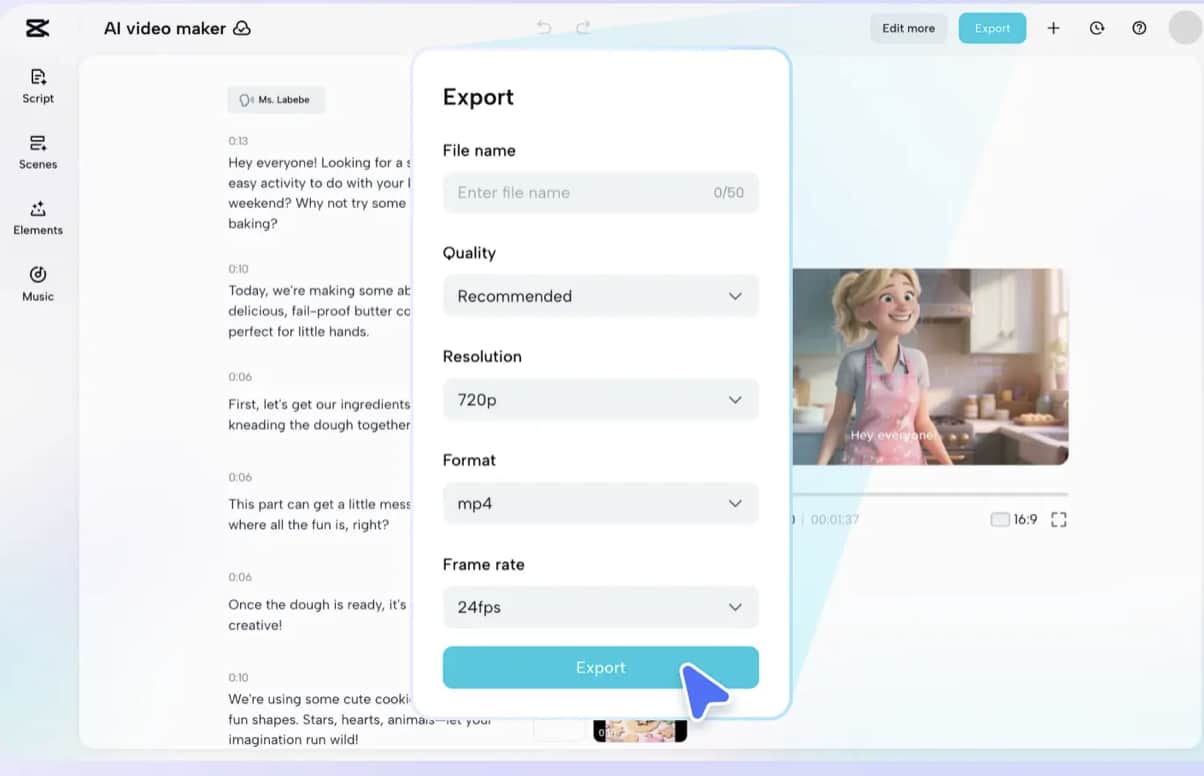
Step 3: Edit and export
After generation, you can make small adjustments. Change visuals, tweak text, adjust music, or fix transitions. Then you export when it feels ready.
CapCut AI pricing and free plan limitations
It runs on a freemium model. You can start for free, but the limits show up fairly quickly once you start using it regularly.
|
Feature |
CapCut Free |
CapCut Standard |
CapCut Pro |
|---|---|---|---|
|
Price |
$0 |
~$9.99/month |
$19.99/month (or $179.99/year) |
|
Watermark |
Yes (on some templates/exports) |
No |
No |
|
Max Export Quality |
Up to 1080p |
Up to 1080p |
4K / 60fps / HDR |
|
Basic Editing Tools |
Yes |
Yes |
Yes |
|
Premium Effects & Filters |
Limited |
Some |
Full Access |
|
Advanced AI Tools |
Limited |
Limited |
Full Access |
|
Cloud Storage |
Limited |
Limited |
Expanded |
|
Cross-Platform Sync |
Limited |
Mobile-Only |
Yes (Mobile, Desktop, Web) |
The free version is enough for casual use, but serious creators will likely need a paid plan for better export quality and full AI capabilities.
Is CapCut video AI generator worthy? A breakdown
It depends on what you expect from it. If speed matters most, CapCut does the job well. You can turn ideas into videos quickly, and that's really why it is popular in social content workflows.
Pros and cons
|
Pros |
Cons |
|---|---|
|
Very easy for beginners |
Limited creative flexibility |
|
Fast AI video creation |
Template-heavy results |
|
Great for short-form content |
Advanced AI tools are restricted |
|
Strong mobile experience |
Not ideal for cinematic storytelling |
|
Saves time on editing |
Output can feel repetitive |
Reviews
ProductHunt
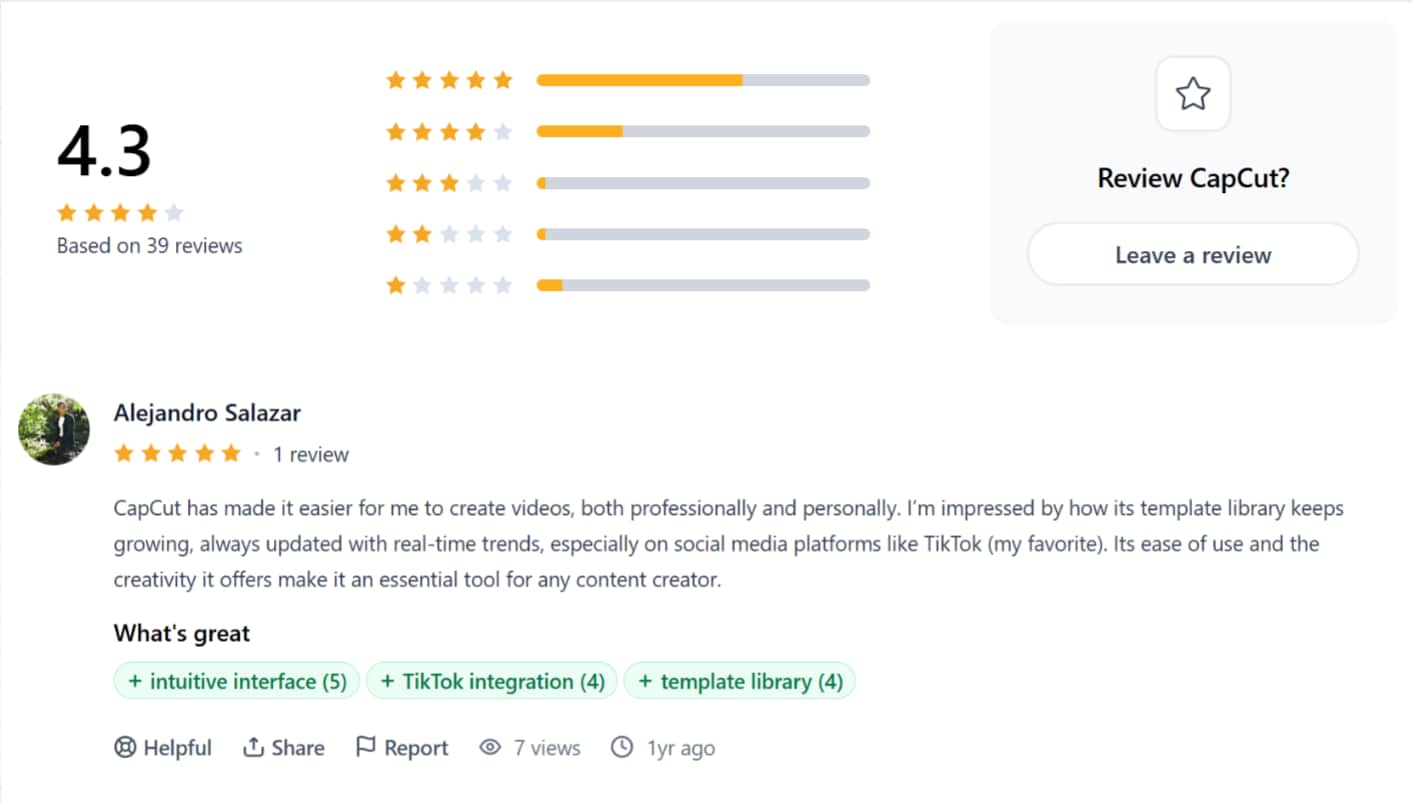
ProductHunt reviewers highly praise CapCut for how easily it streamlines both personal and professional video creation, pointing directly to its highly intuitive interface and seamless TikTok integration as standout features. Users are particularly impressed by the platform's rapidly growing, trend-conscious template library, which serves as a major creative catalyst for social-first content creators.
Trustpolit
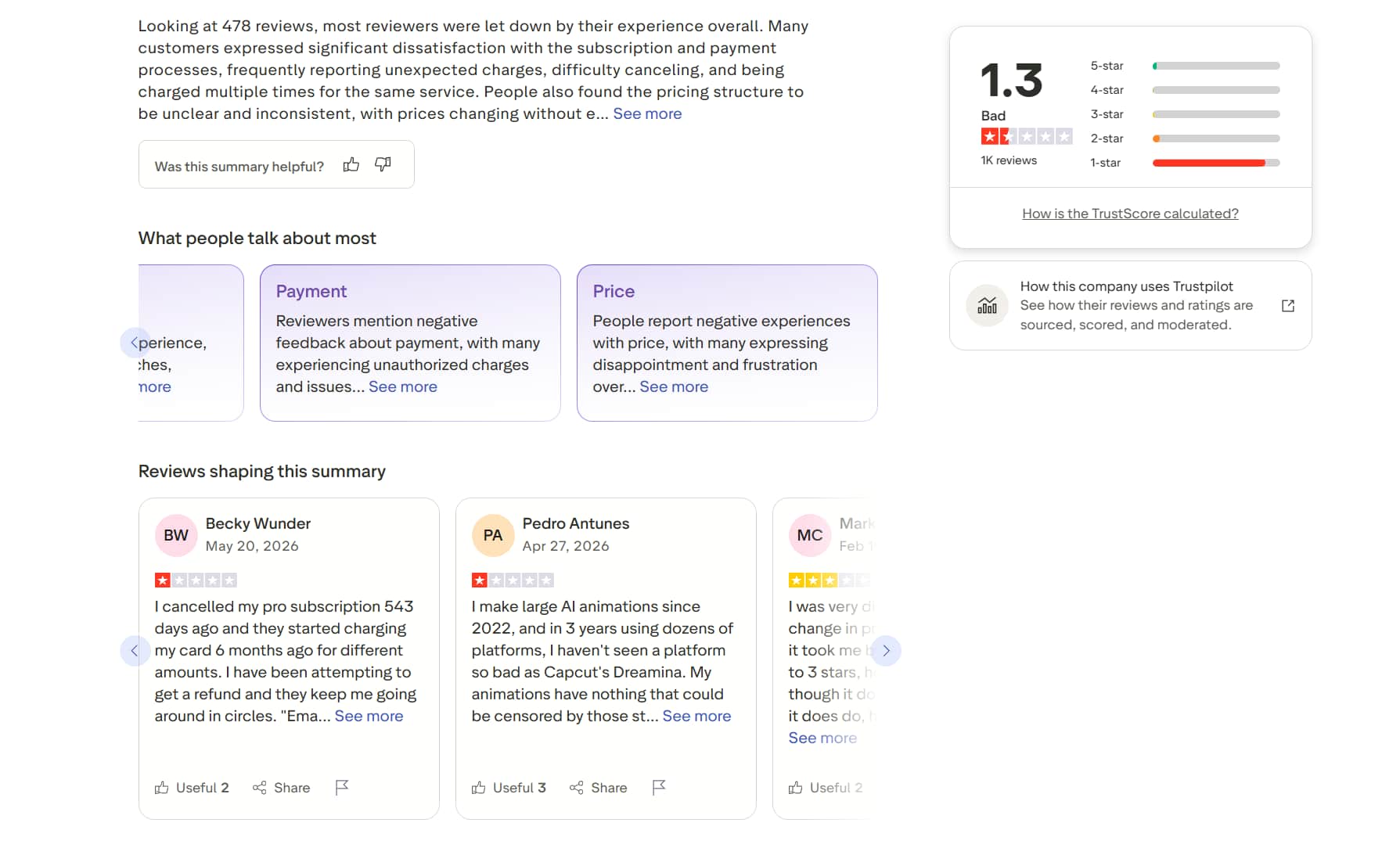
Trustpilot reviewers paint a starkly different picture of CapCut, leaving it a dismal 1.3-star rating, driven largely by billing and subscription complaints. Users express deep frustration over unclear pricing structures, sudden charges long after cancellation, and an unhelpful refund loop that leaves them running in circles. On top of the payment issues, experienced creators note that the generative capabilities fall surprisingly short compared to other platforms.
Editorial verdict
It’s striking to see such a sharp divide in user reviews. Actually, the difference between these reviews largely comes down to how people use the platform. Many creators on ProductHunt focus on CapCut's editing experience, templates, and ease of use, while Trustpilot feedback is often centered on subscriptions, billing, and customer support. Taken together, the reviews suggest that CapCut performs well as a video creation tool, but users should pay close attention to pricing plans and account settings before subscribing.
Meet Vmake AI: A Powerful Alternative to CapCut AI Video Generator
To be honest, CapCut is much more like a format: very structured, templates first, and everything else follows. Vmake AI takes a different approach: it is more focused on AI generation than on template editing. Instead of building around preset layouts, it focuses on generating videos from prompts, images, or reference inputs. With advanced AI models and crisp visual quality, it wins users' favor by turning rough ideas or funny memes into reality from scratch.
Key features of the Vmake AI video generator
-
Multi-model AI video generation: Vmake brings multiple AI video models to a single platform, including Veo 3, Kling 3.0, Seedance 2.0, Sora 2, and Hailuo 2.3. It's not tied to a single system, so the output can shift quite a bit depending on which model you're using.
-
Flexible video duration control: You're not stuck with one fixed format. Videos can be generated in lengths of 2 to 15 seconds. Not a huge range, but enough for quick social clips and short visual experiments.
-
Text-to-video and image-to-video workflows: You can start from different inputs. A simple text prompt works, but so does an image, product photo, or reference frame. People often switch between both depending on what they're trying to create.
-
More creative freedom beyond templates: There's no heavy reliance on preset templates here. Instead, you shape the output through prompts, guiding elements such as scene direction, camera movement, and visual style. It feels more open-ended, sometimes a bit less predictable too.
-
High-quality AI video enhancer: The output quality tends to hold up well, especially in motion. Transitions feel smoother, details are clearer, and the overall video doesn't fall apart as easily when scenes change. You notice it more when you compare it with simpler AI tools.
How to generate videos using Vmake AI
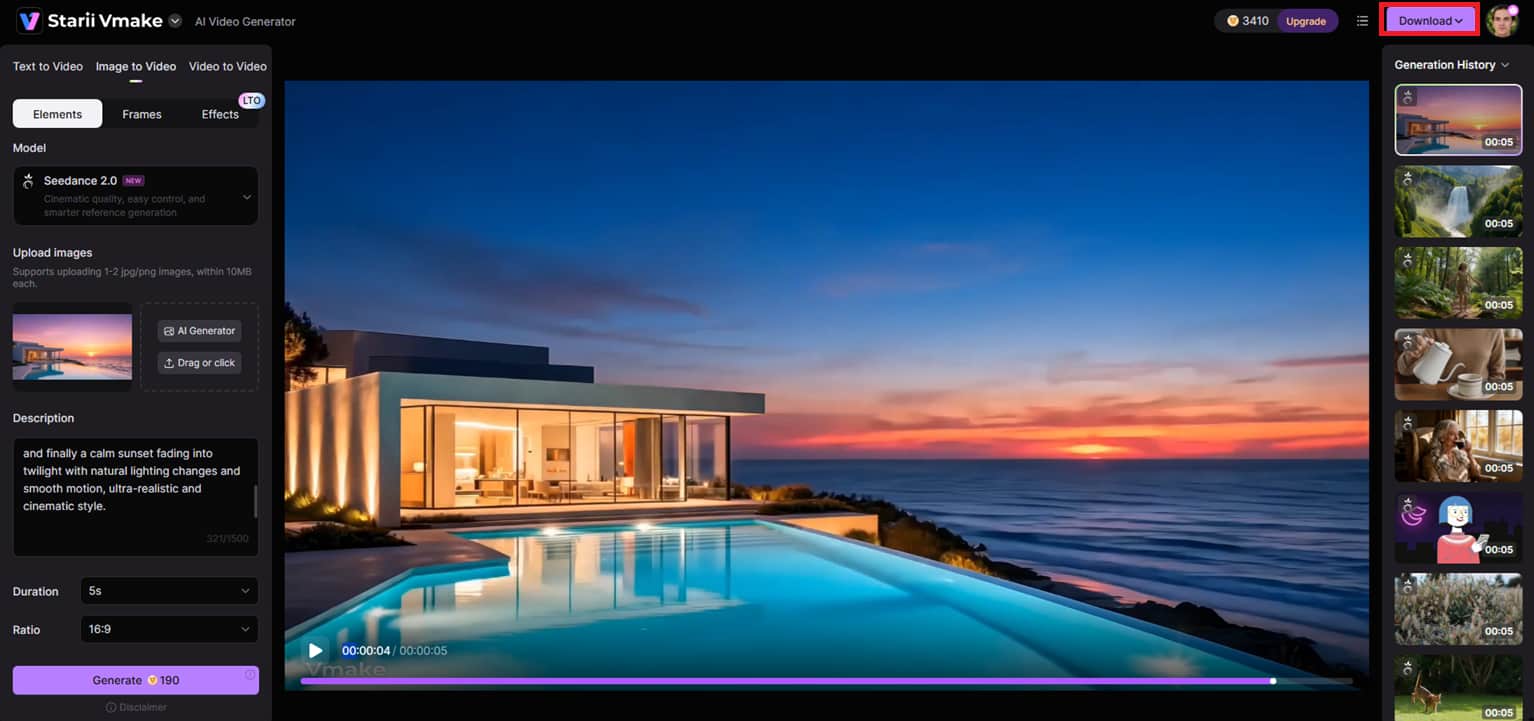
Step 1: Open the AI video generator
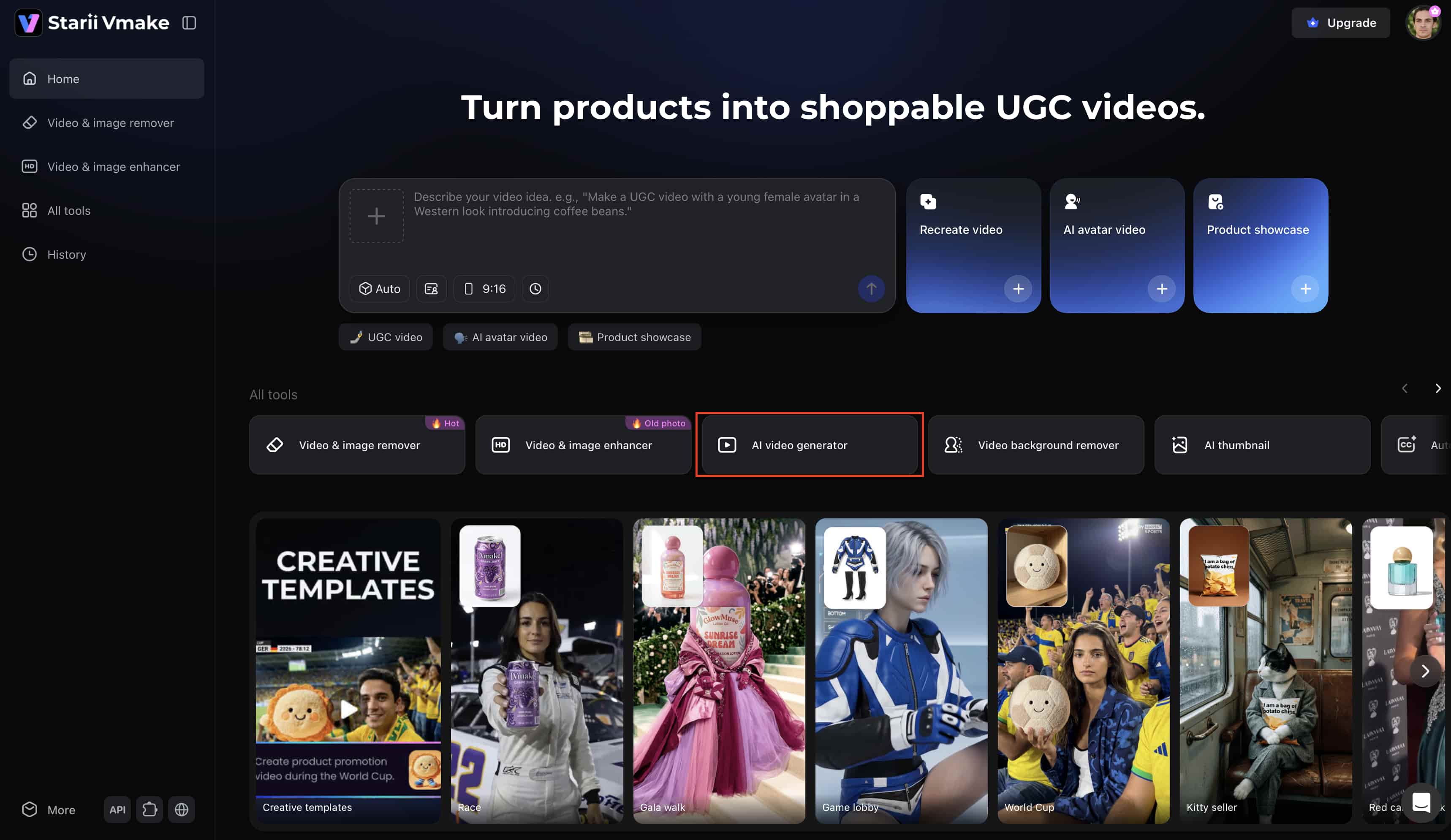
Click ''All tools'' in the left-hand menu. From the available options, click "AI video generator" to open the main workspace and begin preparing your project.
Step 2: Enter prompts and generation settings
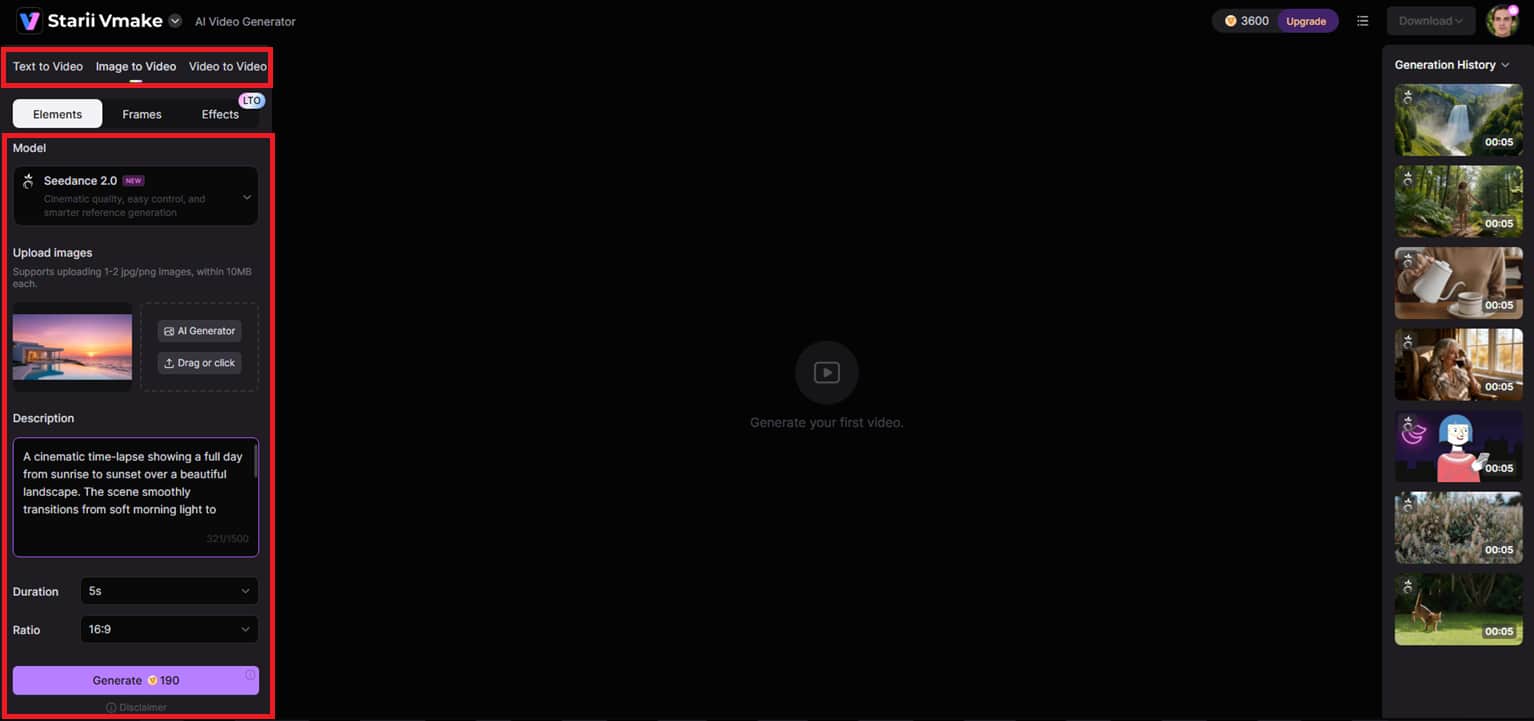
In the editor, click the generating mode from the left panel. This might be Text to Video, Image to Video, or Video to Video. Add your prompt, upload reference photos of the avatar, choose the AI model, then adjust the movie duration and aspect ratio, and click "Generate".
Step 3: Generate, preview, and export the final video
In a few moments, your video will be generated. Preview the output for visual, motion, and quality inspection. If it fits your needs, click on "Download" at the top to export the final video.
CapCut AI Video Generator vs Vmake AI
|
Aspect |
CapCut |
Vmake AI |
|---|---|---|
|
Approach |
Template-based editing |
AI-generated video creation |
|
Workflow |
Guided and structured |
Prompt-driven |
|
Creative control |
Limited |
High |
|
Best for |
Social media content |
Creative AI videos |
|
Learning curve |
Very easy |
Easy but more flexible |
|
Output style |
Standard social videos |
Cinematic AI visuals |
In a nutshell, CapCut works when you want speed and familiarity. Vmake works better when you want more control over how the video actually looks.
Conclusion
CapCut AI video generator is built for speed more than anything else. It takes simple inputs and turns them into short videos using templates, AI tools, and automation. For quick social media content, it fits well.
But that simplicity does come with limits. Once you want more control over visuals or style, it starts to feel tight. That is where tools like Vmake AI come in, offering more freedom in how videos are generated and shaped. CapCut stays in the fast lane. Vmake gives more room to explore what AI video creation can actually look like.
FAQs
What can the CapCut AI video generator actually create?
CapCut is mostly used for short-form stuff. TikTok videos, Instagram Reels, YouTube Shorts, ads, and basic explainer clips. It relies heavily on templates and built-in AI tools, so the output often follows familiar patterns. If someone wants something more original, more shaped from scratch through prompts and images, Vmake AI tends to give more room to work with.
Does CapCut AI video generator add watermarks?
Sometimes, yes. Free exports may include watermarks, depending on the template or feature you've used. Paid plans usually remove them, though it depends a bit on the setup.
Is CapCut AI video generator good for TikTok creators?
It is, and that's probably where it's most common. Fast editing, ready-made templates, captions, everything is tuned for quick posting. It fits the TikTok style of working. Still, if someone wants TikTok content that doesn't look template-driven, Vmake AI is often used for more varied, AI-generated visuals.
Can CapCut replace professional video editing tools?
Not really. It handles everyday social content well, quick edits, simple videos, that kind of thing. But once you move into cinematic work or anything more production-heavy, it starts showing limits. That's usually where people look at tools like Vmake AI for more flexibility in how videos are actually generated and shaped.
Is CapCut AI video generator beginner-friendly?
Yes, very. You don't need editing experience at all. The templates and automation do most of the heavy lifting. But once users start wanting to go beyond preset structures and work directly from prompts, Vmake AI becomes the more flexible option.
What are CapCut's biggest limitations?
It can feel locked into templates after a while. Creative control is limited, especially in the free version where some AI features are restricted. If someone wants more freedom in visual style, motion, and prompt-based generation, they usually end up exploring Vmake AI for a less constrained workflow.

You May Be Interested

AI TikTok Video Generator | Create High-Quality AI Videos

Best AI Video Generator: Top Tools Tested (2026)
Viggle AI Video Generator Review & Top 2026 Alternatives

Trump AI Video Generator: 3 Best Tools to Create AI Videos
How to Remove CapCut Watermark