Upscale Media AI Image Upscaler Review: Is It Worth Using?
Explore our Upscale Media AI Image Upscaler review to see how it enhances image quality, improves resolution, and compares with Vmake Labs Video Upscaler for AI-powered media enhancement.

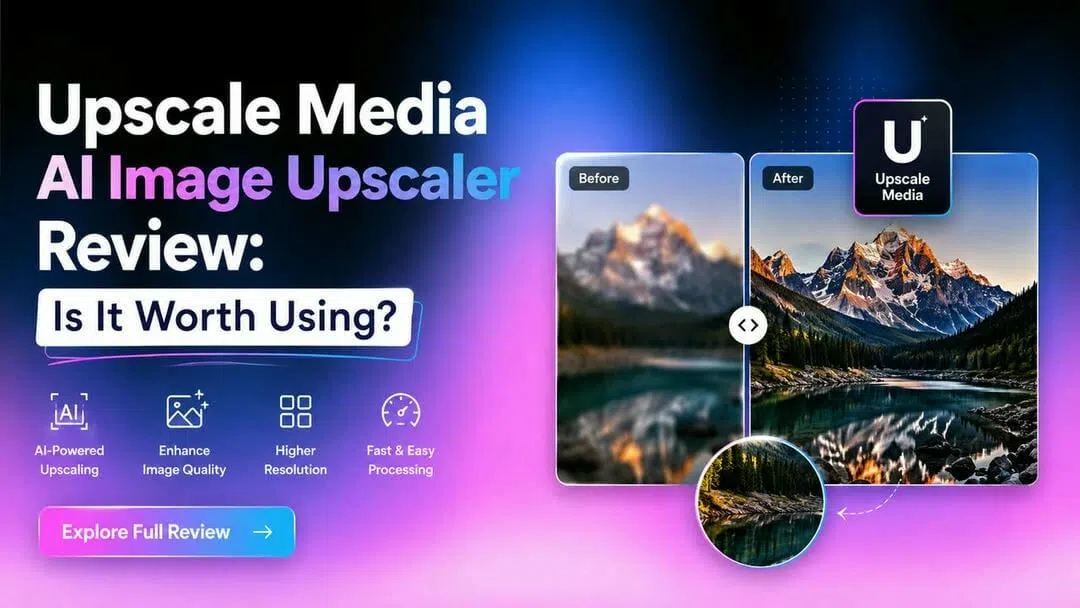
Finding the right AI image upscaler can be challenging with so many options available. This Upscale Media AI Image Upscaler review explores its features, performance, pricing, and real-world results while comparing it with Vmake Labs Image Enhancer to help you choose the best solution for improving image quality.
Understanding Upscale Media AI Image Upscaler and what it offers
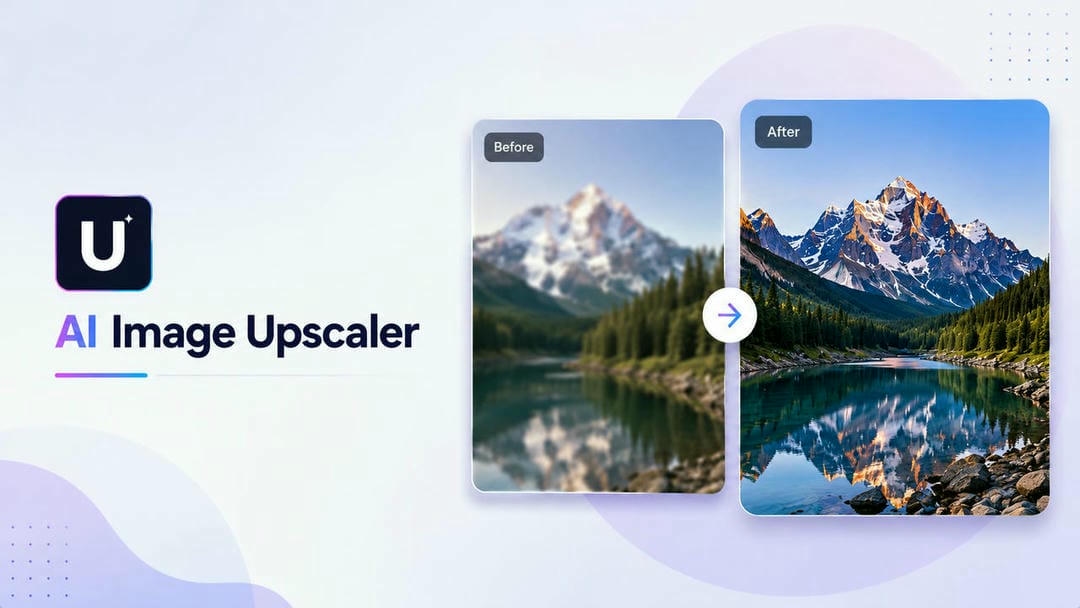
Upscale Media AI Image Upscaler is an online tool for improving image quality via artificial intelligence. It enhances image resolution, improves details and sharpness without the need for advanced editing skills. It is mainly for photo enhancement, but users compare it with other tools like Media.io AI Video Upscaler, which is for improving video quality instead of still images.
Key AI features
Upscale Media AI Image Upscaler combines automated enhancement with a straightforward workflow, making it suitable for beginners and professionals alike. Instead of relying on manual adjustments, the platform analyzes each image and applies AI-driven improvements to deliver sharper and cleaner results in just a few clicks.
-
AI image upscaling: Increases image resolution while preserving important details.
-
AI photo enhancement: Improves overall image clarity and visual quality automatically.
-
Image sharpening: Refines edges and textures for a crisper appearance.
-
Noise reduction: Reduces grain and digital noise in low-quality images.
-
Resolution improvement: Creates higher-quality versions suitable for printing or digital use.
-
Batch image processing: Enhances multiple images together, depending on the selected plan.
Who should use Upscale Media?
Whether you edit photos occasionally or work with images every day, Upscale Media AI Image Upscaler offers tools that suit different types of users. Its automated enhancement makes it especially useful for anyone who wants better-looking images without spending time learning complex editing software.
-
Photographers: Improve image sharpness before printing or delivering client work.
-
Ecommerce sellers: Create cleaner, more professional product photos.
-
Designers: Prepare high-resolution graphics for websites, presentations, and marketing materials.
-
Social media creators: Enhance photos for Instagram, Facebook, Pinterest, and other platforms.
-
Everyday users restore photos: Refresh old family pictures or improve blurry smartphone images with minimal effort.
Getting started with Upscale Media AI Image Upscaler
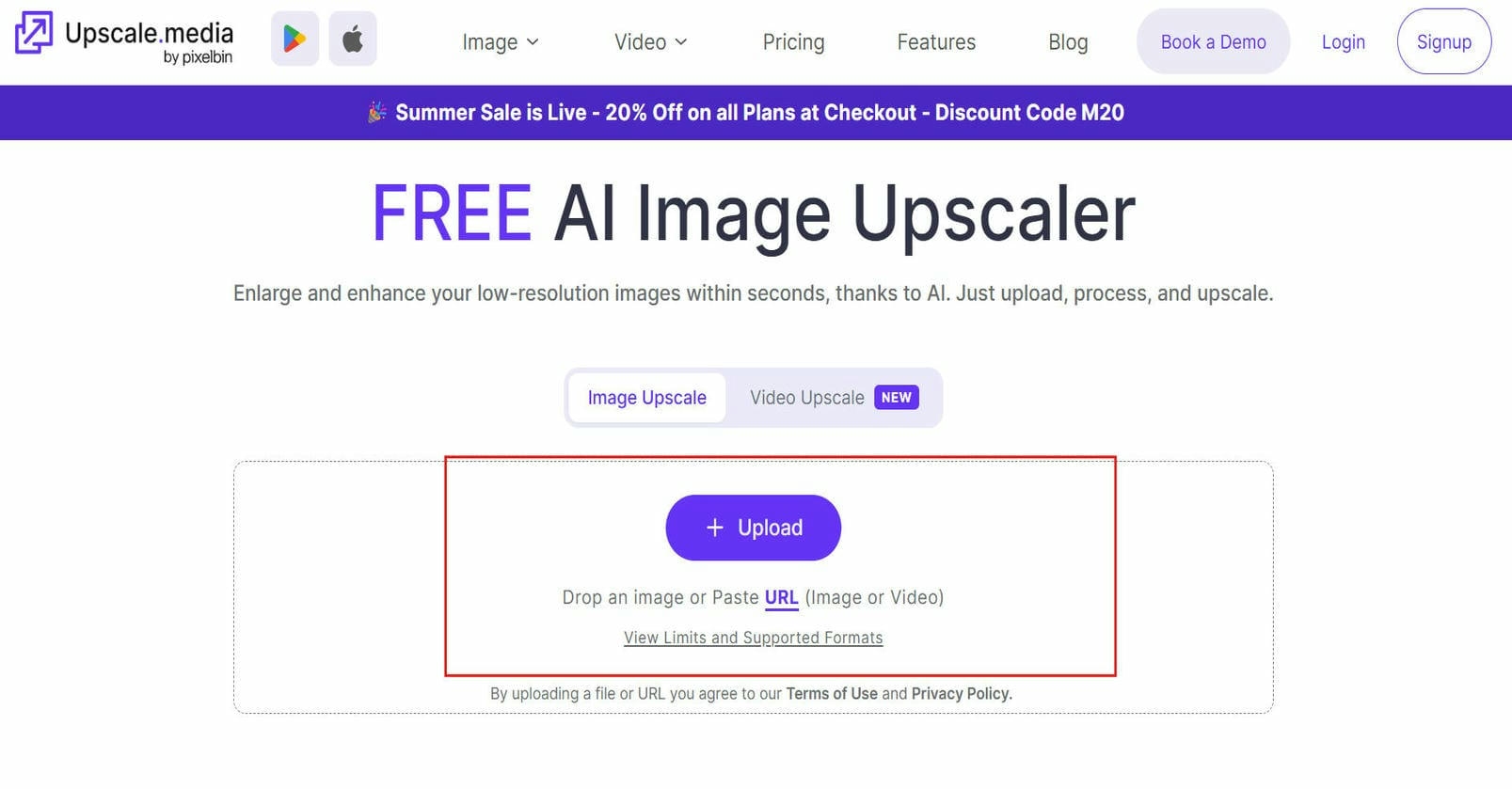
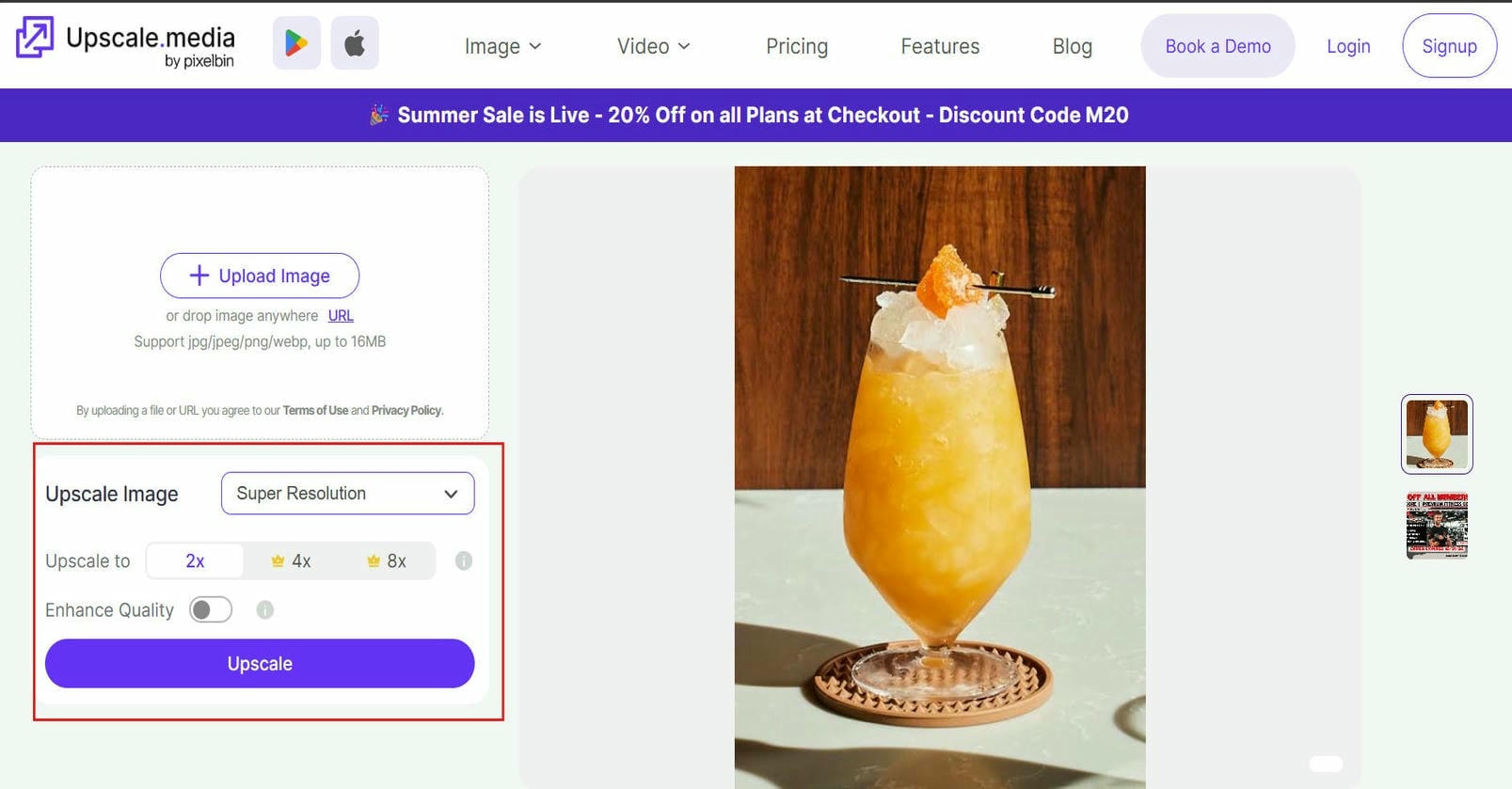
Upscale Media AI Image Upscaler is very simple to use and does not need a lot of technical knowledge. Once an image is uploaded, the AI automatically detects areas to improve and enhances them without manual editing. The whole workflow is intended to provide quick results, and the interface is easy to use for starters.
Step 1: Upload your image
Choose the image you want to enhance by uploading it from your device. Most common image formats are supported, making it easy to begin regardless of where the photo was taken.
Step 2: Let AI upscale and enhance automatically
The AI analyzes your image, increases its resolution, sharpens important details, and reduces visible noise. Depending on the image quality, the enhancement process usually takes only a short time.
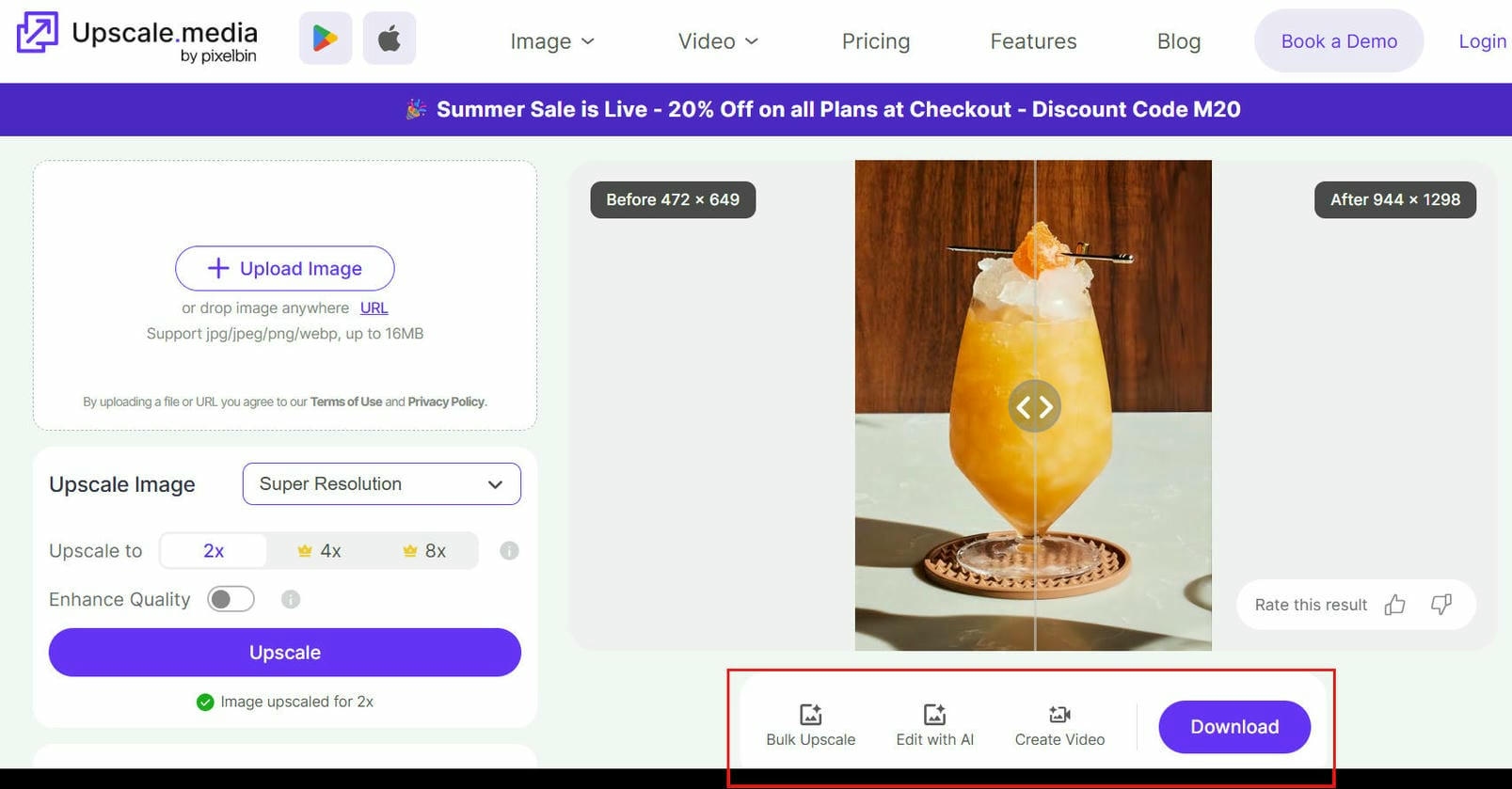
Step 3: Preview and download the final image
Compare the enhanced version with the original using the preview option. If you're satisfied with the results, download the improved image for personal or professional use.
What works well and where it falls short
|
What works well |
Where it falls short |
|---|---|
|
Easy to use: Clean, beginner-friendly interface with a simple workflow. |
Limited free usage: Free plan has restrictions that may not suit frequent users. |
|
Fast AI processing: Most images are enhanced within seconds. |
Limited manual controls: Offers fewer options for users who want precise editing. |
|
Multiple resolution options: Supports different output qualities for web and high-resolution use. |
Batch processing on paid plans: Bulk enhancement requires a paid subscription. |
|
Reliable everyday enhancement: Produces good results for portraits, travel photos, social media images, and casual photography. |
Inconsistent results on difficult images: Severely blurry, damaged, or extremely low-quality images may not be restored perfectly. |
Pricing & Plans
|
Plan |
What's Included |
Best For |
|---|---|---|
|
Free Plan |
3 free credits/downloads per month after sign-up (or 1 image/day without an account) |
New and occasional users |
|
Pay-As-You-Go |
One-time credit packs from $4.99 (30 credits) to $54.99 (500 credits). Credits remain valid for 1 year. |
Occasional users and freelancers with project-based editing needs |
|
Subscriptions (Annual) |
Starts at $31.49/year (1,500 credits) and goes up to $150.00/year (12,000 credits). Credits reset each billing cycle. |
Ecommerce sellers, marketers, designers, and frequent users |
|
Enterprise |
Custom pricing with high-volume processing and API access |
Businesses requiring bulk image transformations and API integrations |
Extremely cost-effective for regular users (as low as $0.01 per image), though unused subscription credits expire each cycle and purchases are non-refundable.
Upscale Media AI Image Upscaler review: Real-world performance
Beyond its list of features, the real power of Upscale Media AI Image Upscaler is in how well it works on different kinds of images. It can improve blurry smartphone photos, old family memories, and ecommerce product images with AI to varying degrees of success, depending on the source image. The tool is assessed here in terms of practical use cases, usability, and real user feedback.
Performance across different image types
To evaluate Upscale Media AI Image Upscaler, we tested it using a mix of portraits, low-resolution product images, old family photos, social media pictures, and AI-generated artwork. Most images were processed within a few seconds, making the workflow quick and convenient. The most noticeable improvements appeared in portraits and product photos, where facial features, edges, and textures became noticeably clearer. Old photographs also gained better sharpness, although heavily faded areas still lacked fine detail. AI-generated images looked cleaner overall but occasionally showed slight oversharpening. Extremely blurry or highly compressed images remained the most challenging, with only moderate improvements in overall clarity.
-
Blurry photos: Mildly blurred images became noticeably sharper, while heavily blurred photos still lacked fine detail after enhancement.
-
Low-resolution images: The tool increased resolution effectively and preserved most textures, producing images that looked better on larger displays.
-
Old photographs: Faded photos showed improved sharpness and contrast, though severely damaged areas still required more advanced restoration.
-
Product images: Product photos benefited from clearer edges and improved detail, making them more suitable for ecommerce listings.
-
Social media pictures: Images optimized well for online sharing, with enhanced clarity and vibrant details without requiring manual edits.
User experience and output quality
Besides the enhancement features, the Upscale Media AI Image Upscaler offers a smooth and intuitive editing experience. Under normal internet conditions, the images upload fast, and the AI usually takes a few seconds to finish processing. It has a clean, browser-based interface that is easy to navigate and works well for both beginners and experienced users. Exported images are usually very clear with little compression, and the desktop experience is seamless without the need for software installation or complicated setup.
User feedback summary
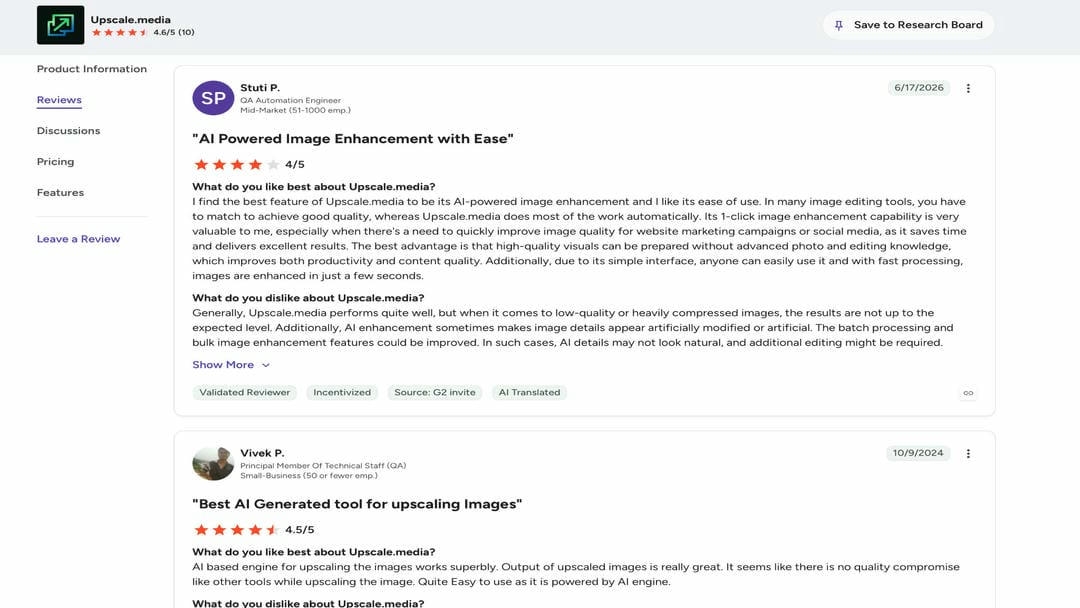
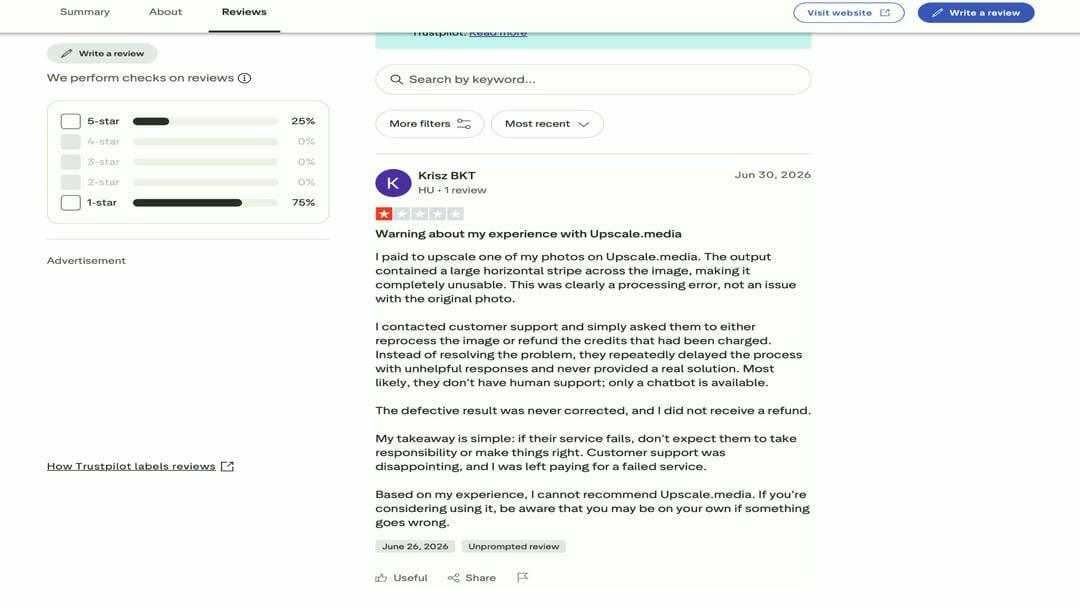
Trusted review platforms suggest that Upscale Media is valued for its AI-powered image enhancement, simple interface, and fast processing. Users appreciate its ability to improve image quality with minimal effort, although feedback is more mixed for heavily compressed images and customer support experiences.
-
G2: Reviewers praise its one-click AI enhancement, ease of use, and high-quality upscaling, but note that results on low-quality images and batch processing could be improved.
-
Trustpilot: Users appreciate image quality improvements when the tool works well, while some report processing errors, delayed support responses, and refund-related concerns.
Afterthought
Upscale Media AI Image Upscaler is a convenient choice for quickly improving everyday photos through a simple browser-based workflow. However, its results may be less consistent when working with heavily compressed, severely blurred, or damaged images, and some advanced features may be limited depending on the plan. If you need more comprehensive image restoration, higher-resolution outputs, or batch enhancement for larger projects, Vmake Labs Image Enhancer may be a better fit. It offers additional AI enhancement modes and restoration capabilities designed for more demanding image enhancement workflows.
A robust alternative: Enhance images with Vmake Labs Image Enhancer
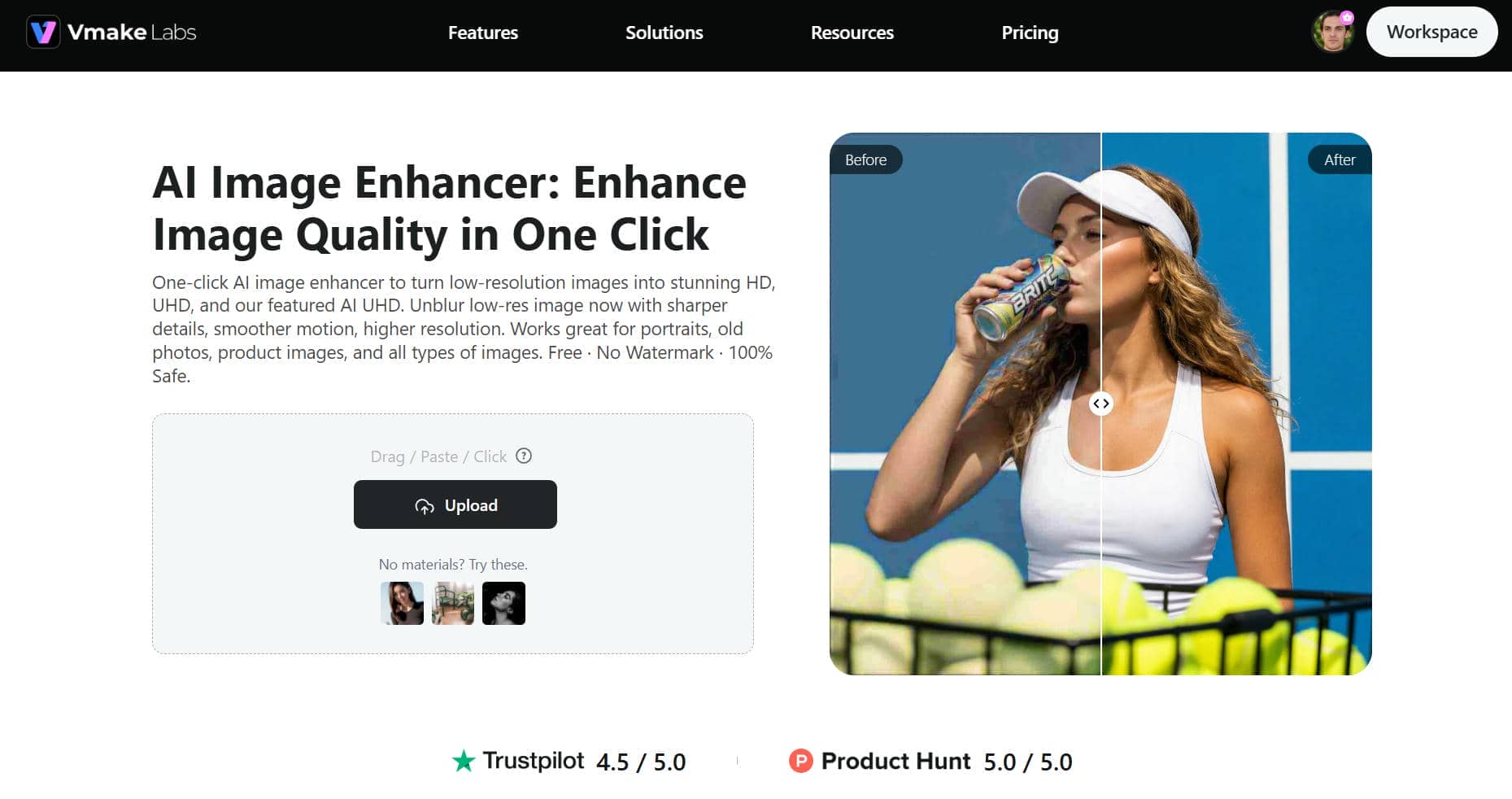
If you're looking for something beyond basic image upscaling, Vmake Labs Image Enhancer is a more comprehensive AI-based enhancement tool. It not only increases image resolution but also restores facial details, repairs AI-generated artefacts, enhances old photographs, and optimizes e-commerce product images. It can handle resolutions up to 16K and batch processing, making it useful for individual creators and also for businesses that deal with large collections of images.
Step 1: Click, drag, or paste your image to upload
Upload your image directly from your device using the browser-based editor. The platform supports a quick upload process without requiring any software installation.
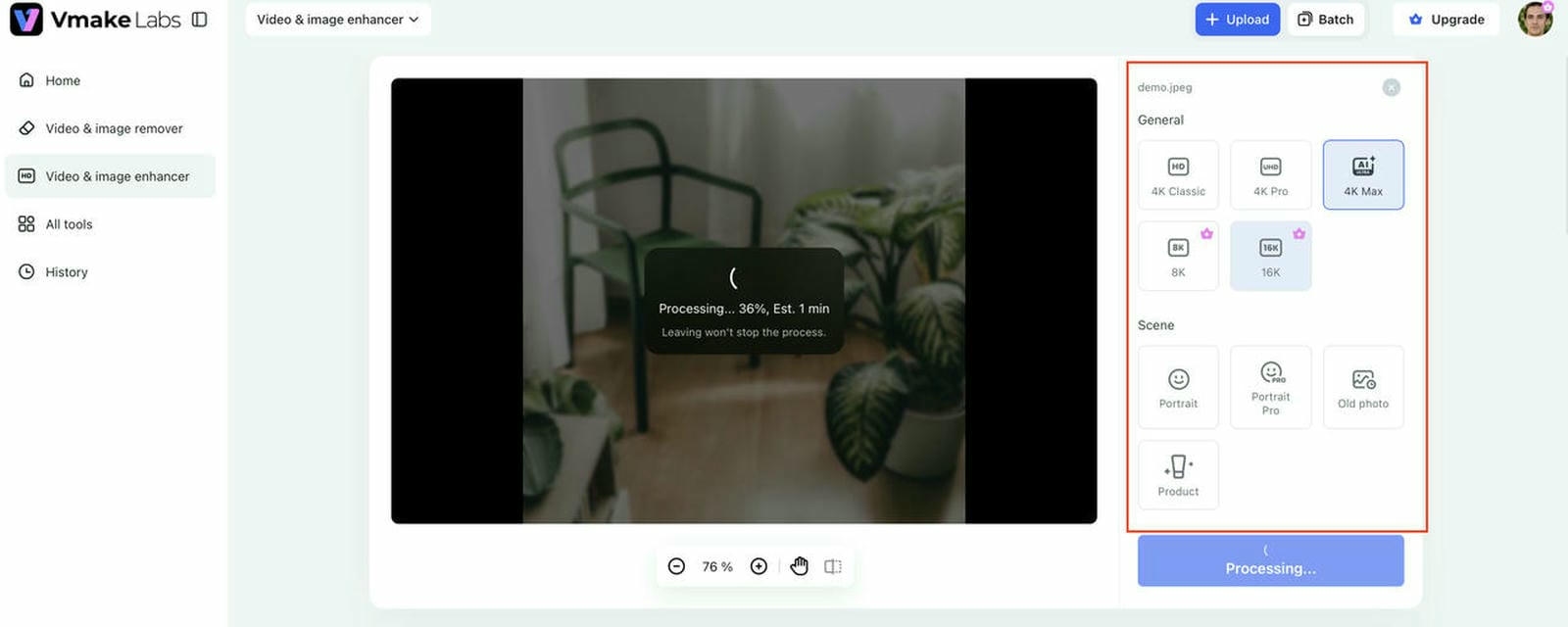
Step 2: Choose your preferred enhancement settings
Select your desired output resolution, ranging from HD to 16K, and choose a scene mode such as Portrait, Old Photos, or Merchandise to optimize the enhancement of your image.
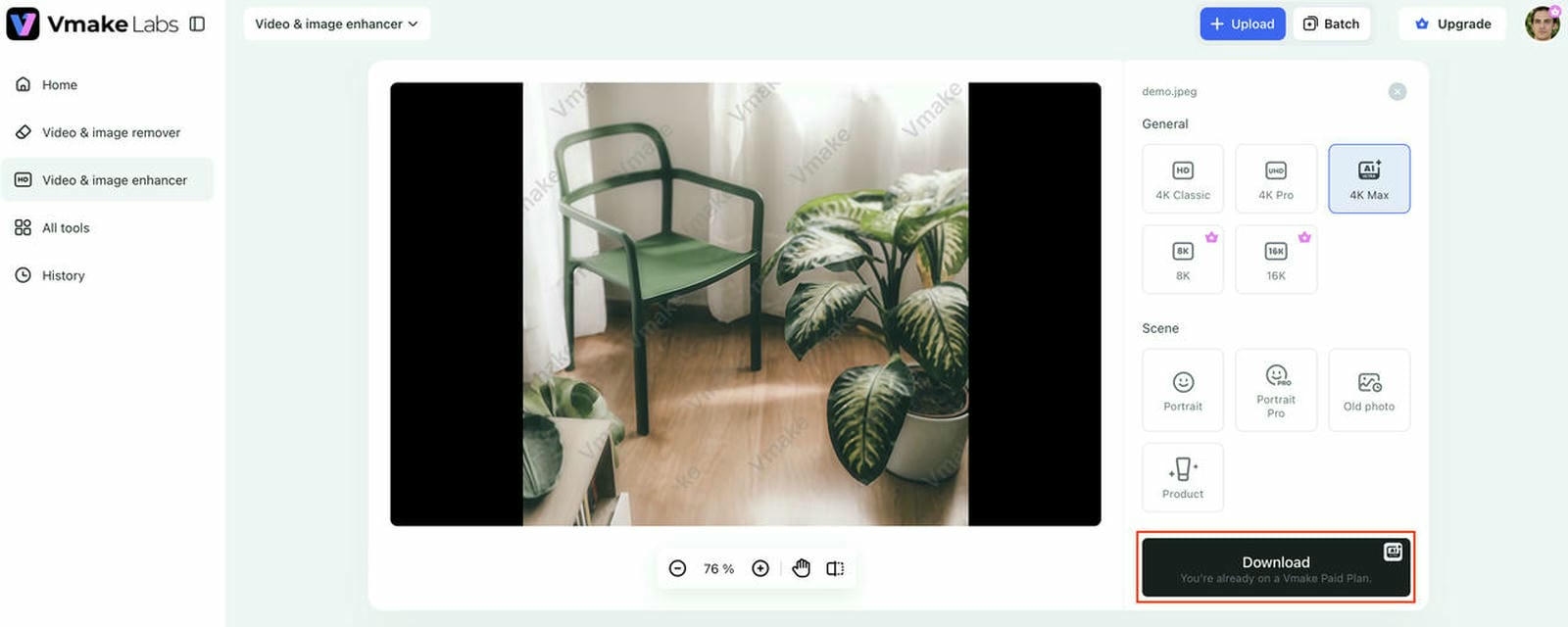
Step 3: Preview the enhanced result and download your image
Review the AI-enhanced image before downloading it. Once satisfied with the improvements, save the final image to your preferred quality.
Why choose Vmake Labs Image Enhancer
-
AI-powered image super resolution and quality enhancement: Use AI technology to improve image resolution and maintain the details and overall clarity. The tool smartly improves lower-quality images, delivering cleaner, more professional results for personal and commercial use.
-
Portrait enhancement for clearer, more natural facial details: Accentuate the facial features without appearing overly processed. AI improves skin quality, eyes, and facial features in portraits and selfies while keeping a natural and realistic look.
-
Old photo restoration with improved sharpness and clarity: Bring back faded or damaged photographs, restore lost visual quality, increase detail, and reduce blur. Treasured family photos will look sharper and more vibrant.
-
AI enhancement for ecommerce product images: Improve your product photos with sharper, more colorful, and detailed images. Offering clearer product images allows items to be better displayed on online stores and digital marketplaces.
-
Advanced AI repair that removes blur, distortion, and AI-generated artifacts: Vmake Labs uses its self-developed AI repair model to fix blur, distortion, overexposure, unnatural reflections, and common AI-generated artifacts, delivering cleaner and more realistic images.
-
Batch enhancement for up to 30 images with one-click processing: Enhances several images simultaneously to save time. Batch processing allows you to process up to 30 images in a single session, so it's perfect for creators, photographers, and ecommerce businesses.
Need to improve videos too?
While this review focuses on image enhancement, Vmake Labs also offers an AI Video Upscaler for improving low-resolution videos. It supports one-click video enhancement up to 1080P, 2K, and 4K, includes batch processing, provides a 5-second preview before export, and delivers a simple cloud-based workflow for creators working with video content.
Upscale Media AI Image Upscaler vs Vmake Labs Image Enhancer
The choice of these tools depends on the kind of enhancements you need. Upscale Media AI Image Upscaler is an excellent option for fast, everyday image enhancement, whereas Vmake Labs Image Enhancer provides more sophisticated AI restoration capabilities, increased output resolutions, and dedicated enhancement modes for portraits, old photos, and ecommerce images.
|
Feature |
Upscale Media AI Image Upscaler |
Vmake Labs Image Enhancer |
|---|---|---|
|
Primary purpose |
AI image upscaling |
AI image enhancement and restoration |
|
Resolution enhancement |
Improves image resolution |
Upscales images from HD to 16K |
|
Portrait enhancement |
Enhances facial details |
Dedicated portrait enhancement mode |
|
Old photo restoration |
Basic restoration support |
AI-powered old photo restoration |
|
Ecommerce image enhancement |
General image enhancement |
Optimized for product images |
|
AI repair |
Improves clarity and sharpness |
Removes blur, distortion, and AI artifacts |
|
Batch processing |
Available on supported plans |
Batch enhancement for up to 30 images |
|
Best for |
Everyday photos, portraits, and social media images |
Portraits, old photos, ecommerce product images, and AI-generated images |
Upscale Media AI Image Upscaler is a good option if you want a simple tool to enhance everyday images. If you need professional and creative workflows to restore images with more advanced AI, Vmake Labs Image Enhancer is a more complete solution with higher resolution outputs up to 16K, special enhancement modes, and batch processing.
Conclusion
As we've discussed, Upscale Media AI Image Upscaler is a simple tool that uses AI upscaling and enhancement to quickly improve low-resolution and everyday images. The simple workflow is easy to use for beginners and useful for photographers and social media creators, but the advanced restoration features are still limited. If you need higher resolution outputs, dedicated portrait and old photo enhancement, ecommerce image optimization, AI artifact removal, or batch processing, Vmake Labs Image Enhancer is a more comprehensive solution. Assess your editing needs, workflow, and budget, and pick the platform that offers the best bang for your buck for your image enhancement needs.
FAQs
Is Upscale Media AI Image Upscaler free to use?
Yes. Upscale Media AI Image Upscaler has a free version that lets users enhance images but with some limitations on their usage. If you're regularly blowing up images or want more features, you may need to upgrade to a paid plan.
Does Upscale Media AI Image Upscaler improve blurry photos?
Yes. This tool uses AI to enhance the details and make an image clearer, so it's great for slightly blurry or low-res images. The results, however, may be changed depending on the quality of the original image, especially in the case where the image is severely damaged or highly compressed.
How is Upscale Media AI Image Upscaler different from Media.io AI Video Upscaler?
Upscale Media AI Image Upscaler is more focused on enhancing still images, while Media.io AI Video Upscaler is designed to enhance video resolution and quality. If your project uses photos instead of videos, an image enhancement tool will be the better option. Need to enhance video resolution and quality.
Is there a better alternative for restoring old photos and enhancing product images?
If you need more than basic image upscaling, Vmake Labs Image Enhancer is worth considering. Along with increasing image resolution, it offers dedicated modes for portrait enhancement, old photo restoration, and ecommerce product images, making it suitable for a wider range of image enhancement tasks.
Why choose Vmake Labs Image Enhancer over Upscale Media AI Image Upscaler?
Use Vmake Labs Image Upscaler when you want to improve the quality of low-resolution videos instead of images. It supports AI-powered video enhancement up to 1080P, 2K, and 4K, making it a suitable choice for marketing videos, social media content, and other video projects.

You May Be Interested
Canva Video Enhancer Review [2026]: Pros, Cons, and Pricing
Media.io Review: Is this Video Editor Worth Using?
Ultimate AI Video Ad Workflow: Seedance 2.0 & Vmake for Social Media
How to Build a Brand on Social Media: Complete Guide (2026)
10 Social Media Ads Examples That Drive Engagement & Sales