Artguru Image Upscaler Review: Features & Best Alternative
Explore our Artguru Image Upscaler review with features, pricing, pros and cons, then compare it with Vmake AI Image Enhancer to find the right AI image enhancement solution for your needs today

AI image upscalers can enhance your photos with little effort. This Artguru Image Upscaler review includes its features, pricing, pros and cons, and performance. We also compare it with Vmake AI Image Enhancer to help you pick the right tool.
Artguru Image Upscaler Overview
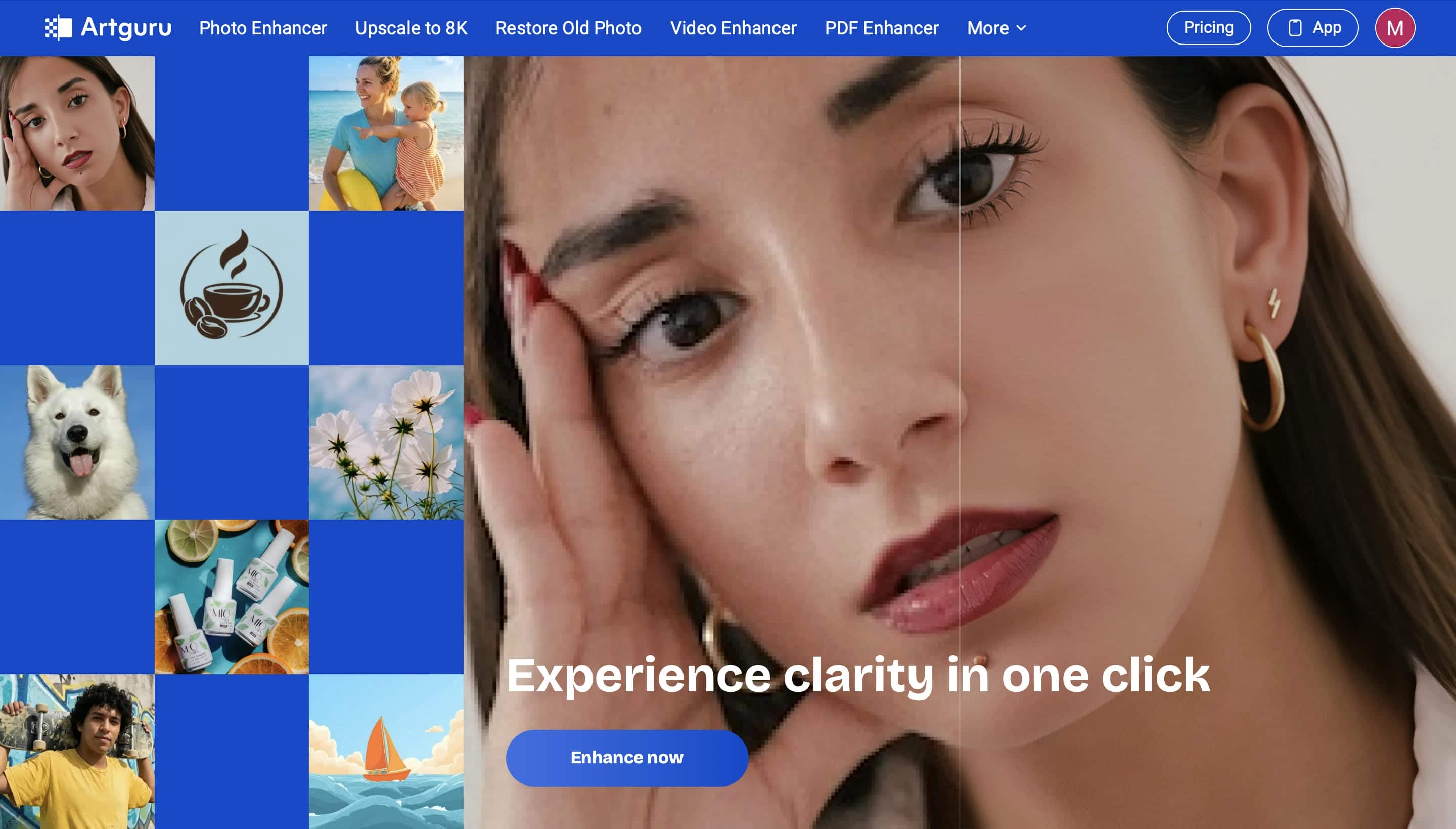
Artguru Image Upscaler is built to make image enhancement simple and accessible for anyone. It uses AI technology to improve image quality, restore details and enhance resolution in just a few clicks. It is perfect for personal, creative and professional use.
-
What Artguru Image Upscaler is: Artguru Image Upscaler is an AI-powered online tool that enhances low-resolution images and increases their resolution while maintaining image quality. It uses AI to sharpen details, reduce blur, and produce clearer, more natural-looking results for different types of photos.
-
How AI image upscaling works: AI image upscaling analyzes an image, adds missing details, and intelligently increases its resolution instead of simply stretching pixels. This helps create sharper, clearer images with improved textures, colors, and reduced noise.
-
Platform availability: Artguru Image Upscaler is a web-based tool that can run in most modern browsers without installation. It also has mobile apps for Android and iOS, letting users enhance images on the go from different devices.
-
Use cases: Artguru Image Upscaler is ideal for enhancing portraits, photo restoration, improving product images, upgrading AI artwork, and preparing high-quality visuals for social media, presentations, or online stores.
Artguru Image Upscaler Hands-On Review
After exploring its features, we tested Artguru Image Upscaler with portraits, product photos, landscapes, and old images to evaluate its real-world performance. Here's how the tool works, our testing results, and what users across review platforms have to say about their experience.
How to Use Artguru Image Upscaler
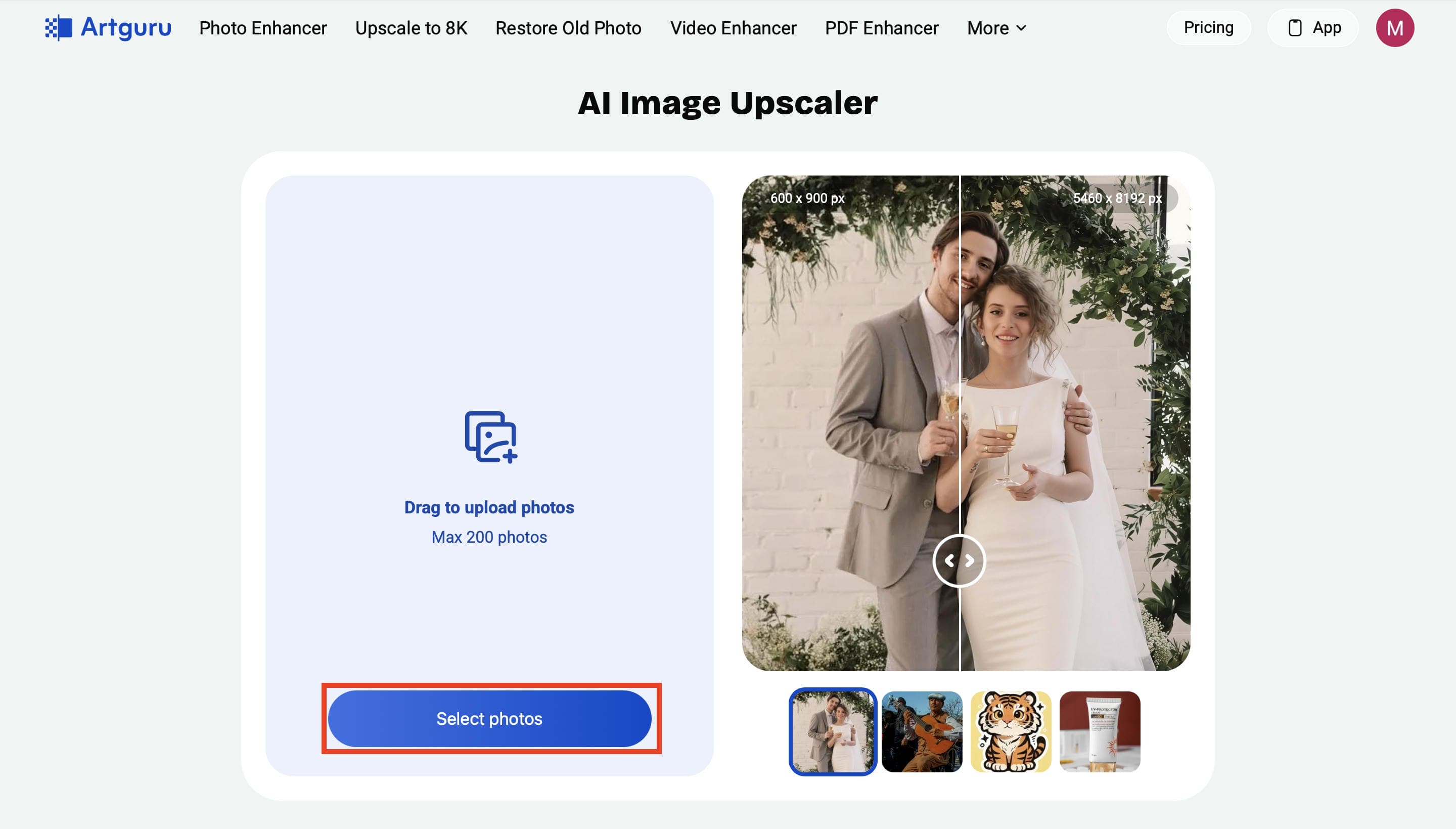
Step 1. Upload Your Image
Open the Artguru Image Upscaler website and upload the image you want to enhance. You can either drag and drop your file or click Select photos to upload it from your device.
Step 2. Choose the target resolution (4K or 8K)
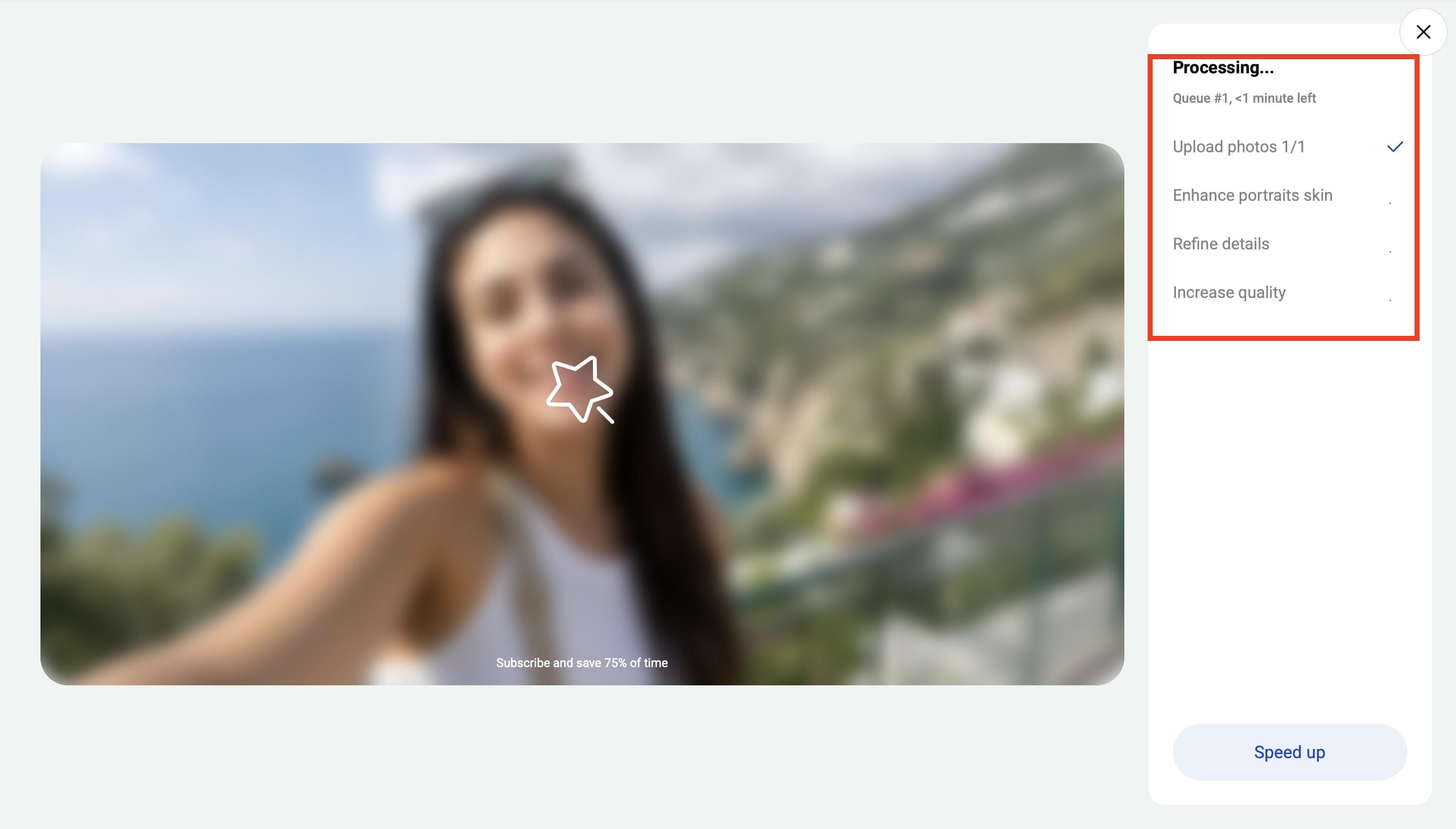
Select the desired output quality (4K or 8K). Artguru then automatically enhances your image by improving details and increasing its resolution.
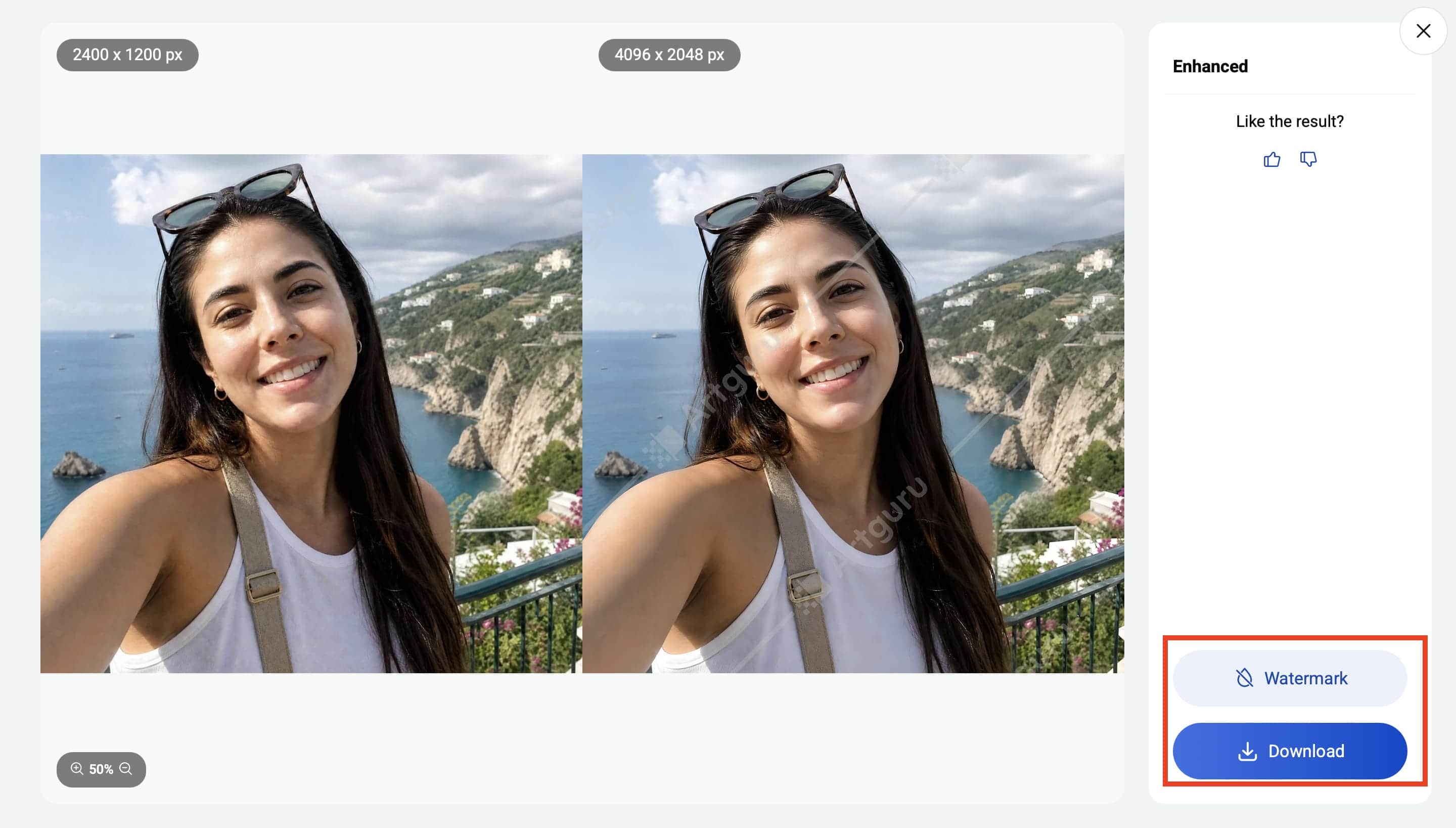
Step 3. Preview and Download the Final Image
Compare the enhanced image with the original to review the improvements. When you're satisfied with the result, click Download to save the high-quality image to your device.
Our Testing Experience
We tested Artguru Image Upscaler on portraits, product images, landscapes, and old photos. Portraits and product images showed the biggest improvement, with sharper facial features, cleaner edges, and more defined textures while maintaining a natural look. Landscapes gained moderate detail, but heavily blurred and low-quality old photos still lacked fine detail after enhancement. Processing took around 5–10 seconds per image, and the sharpening looked natural without appearing overprocessed in most of our tests.
Check Out Others' Experiences
Trustpilot
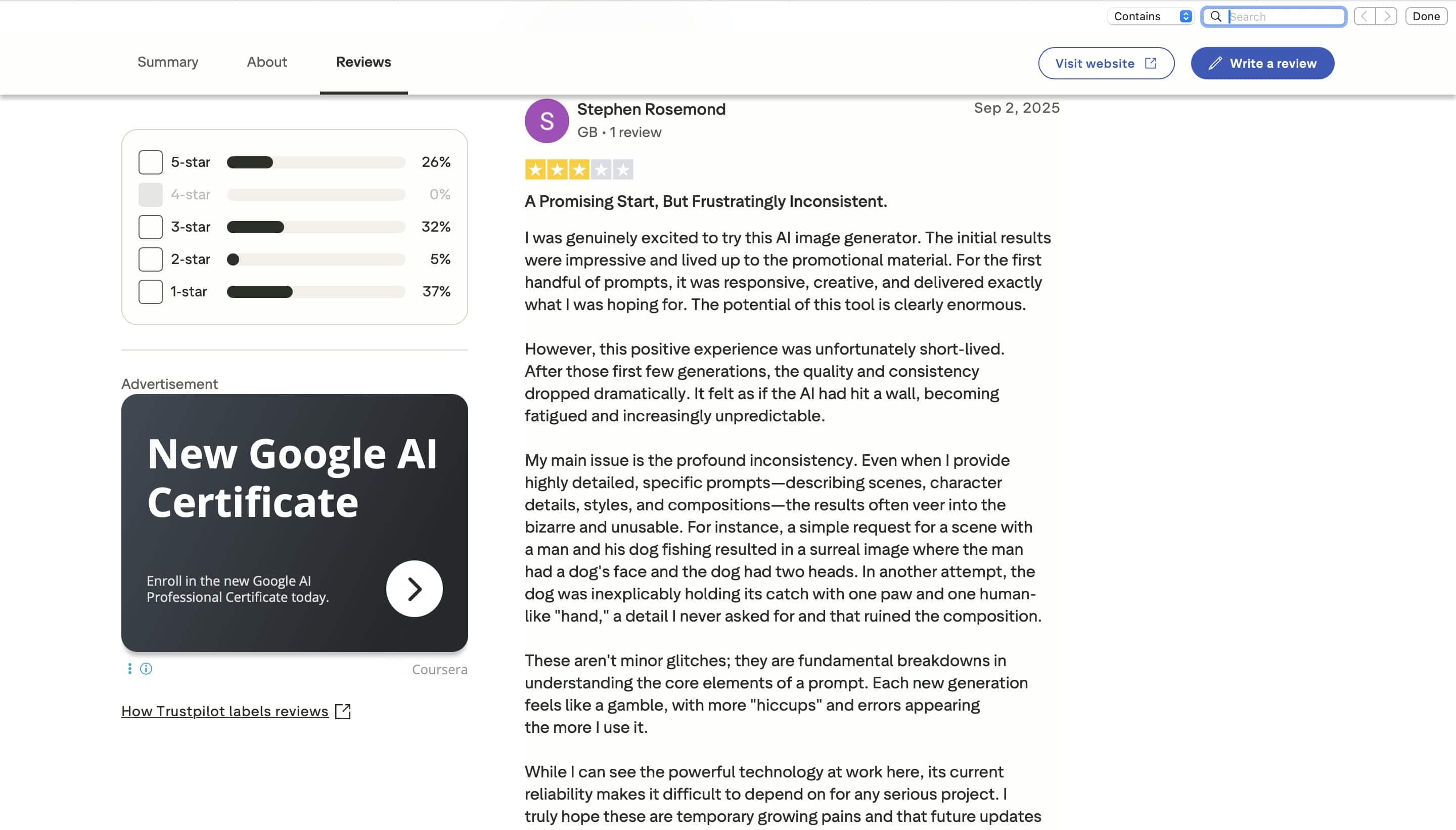
Trustpilot reviews highlight mixed user experiences with Artguru. Many users appreciate its fast processing, simple interface, and good image enhancement results. However, others report inconsistent AI performance, subscription concerns, and varying output quality, especially for more complex image generation tasks.
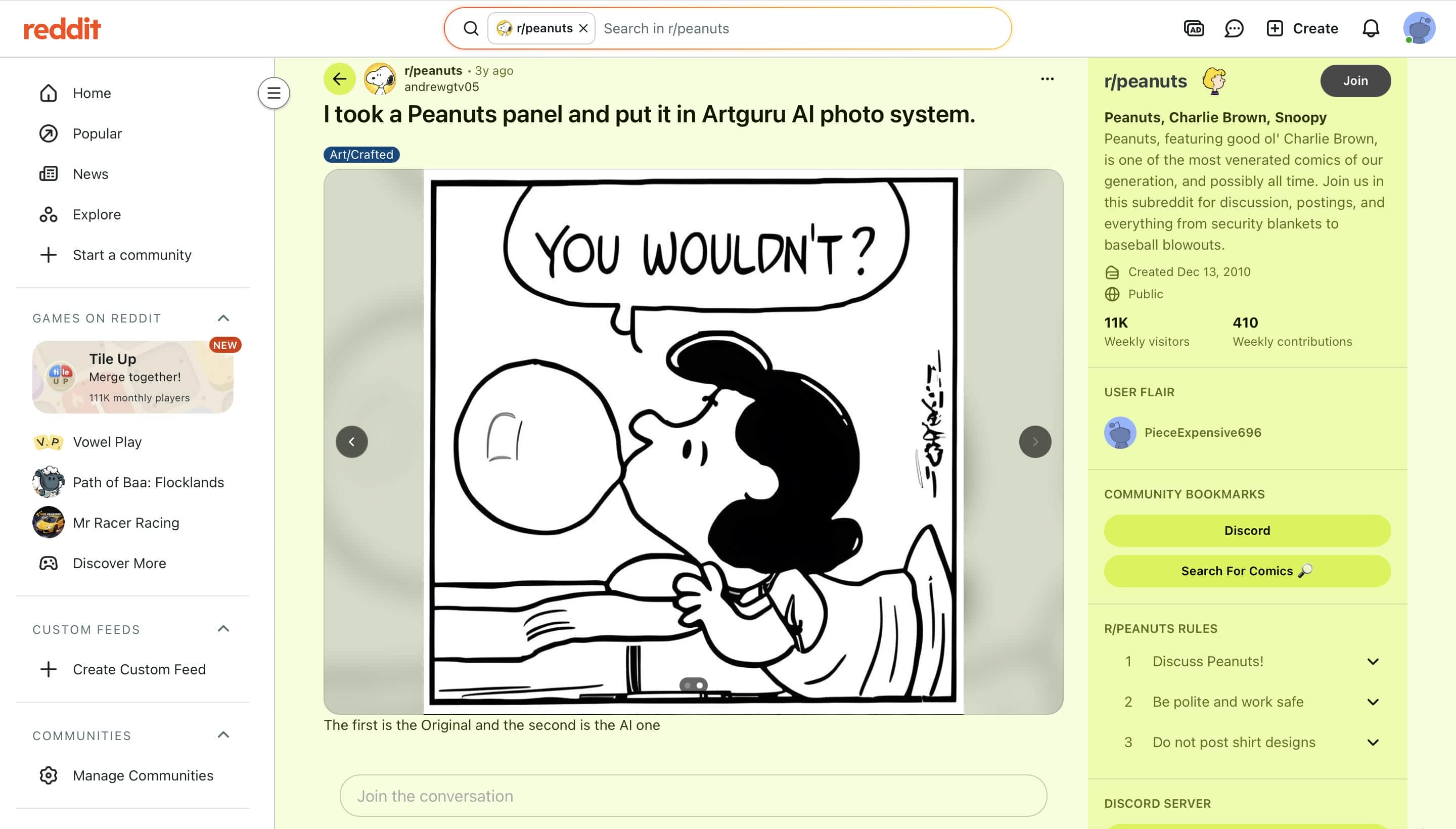
Reddit discussions suggest that users enjoy experimenting with Artguru for creative and AI-generated artwork. Community members generally praise its ease of use and entertaining results, while also noting that outputs can occasionally be inaccurate or unpredictable depending on the prompt and image.
Quora
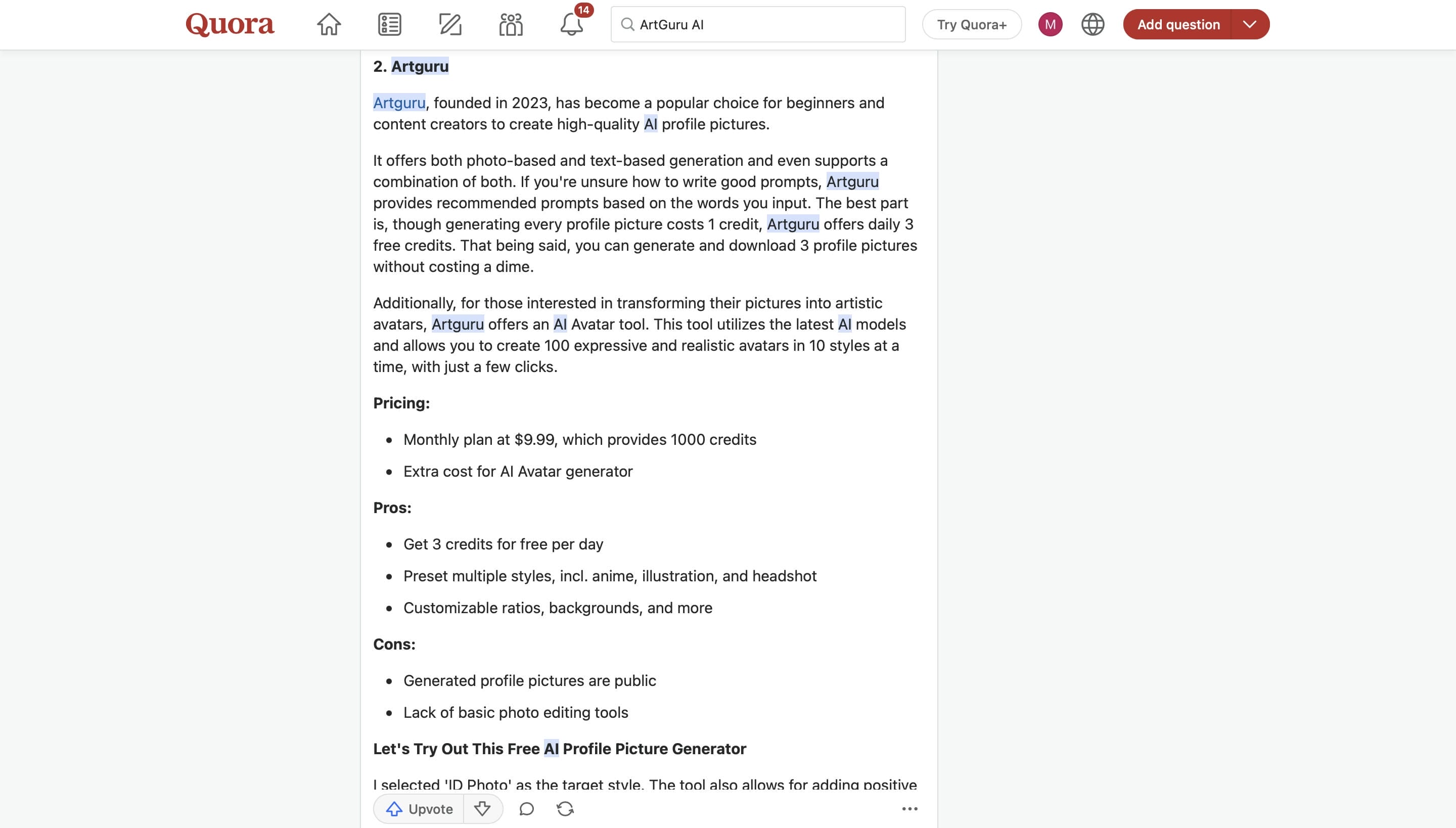
Quora users often recommend Artguru as a beginner-friendly AI image tool. They highlight its simple interface, free daily credits, and useful AI features for image enhancement and avatar creation, while mentioning that some advanced features require a paid subscription.
Artguru Image Upscaler Pricing, Pros & Cons
Artguru Image Upscaler has a free plan and a premium plan, so people can try out its AI enhancement features before taking the plunge. The free version is fine for occasional edits, but paid plans offer higher resolution outputs, more AI features, and higher usage limits.
Pricing
|
Plan |
Price (Monthly) |
Credits |
Key Features |
|---|---|---|---|
|
Free Trial |
$0 |
N/A |
Enhance up to 3 photos, watermark included |
|
Basic |
$9.99/month |
1,000 credits |
Up to 1,000 4K photos, 50 old photo restorations, 50 8K upscales, 100s of 1080p video enhancements, 200 PDF pages |
|
Pro |
$49.99/month |
5,000 credits |
Up to 5,000 4K photos, 250 old photo restorations, 250 8K upscales, 500s of 1080p video enhancement, 1,000 PDF pages |
Pros and Cons
|
Pros |
Cons |
|---|---|
|
Produced natural-looking results on portraits and product images |
Limited improvement on heavily blurred or severely degraded images |
|
Fast processing for single-image enhancement |
Results vary depending on the original image quality |
|
Simple, beginner-friendly interface with no installation required |
Few manual controls for fine-tuning enhancements |
|
Easy online workflow with quick uploads and downloads |
Premium features require a paid subscription |
Editorial Review
Artguru Image Upscaler is a good choice for users who need a simple and fast AI image enhancement tool for everyday use. During our testing, it performed best on portraits and product images, while heavily blurred or low-quality photos showed more limited improvements. If you need higher upscaling resolutions, batch processing, and specialized AI enhancement modes for different image types, Vmake AI Image Enhancer offers greater flexibility and may be a better fit for more advanced image enhancement needs.
Vmake AI Image Enhancer: A Powerful Alternative
If you need more than basic AI image upscaling, Vmake AI Image Enhancer is a powerful alternative to consider. It combines AI-powered enhancement, restoration, and multiple upscaling modes into an easy-to-use online platform, making it suitable for portraits, old photos, product images, and everyday image enhancement.
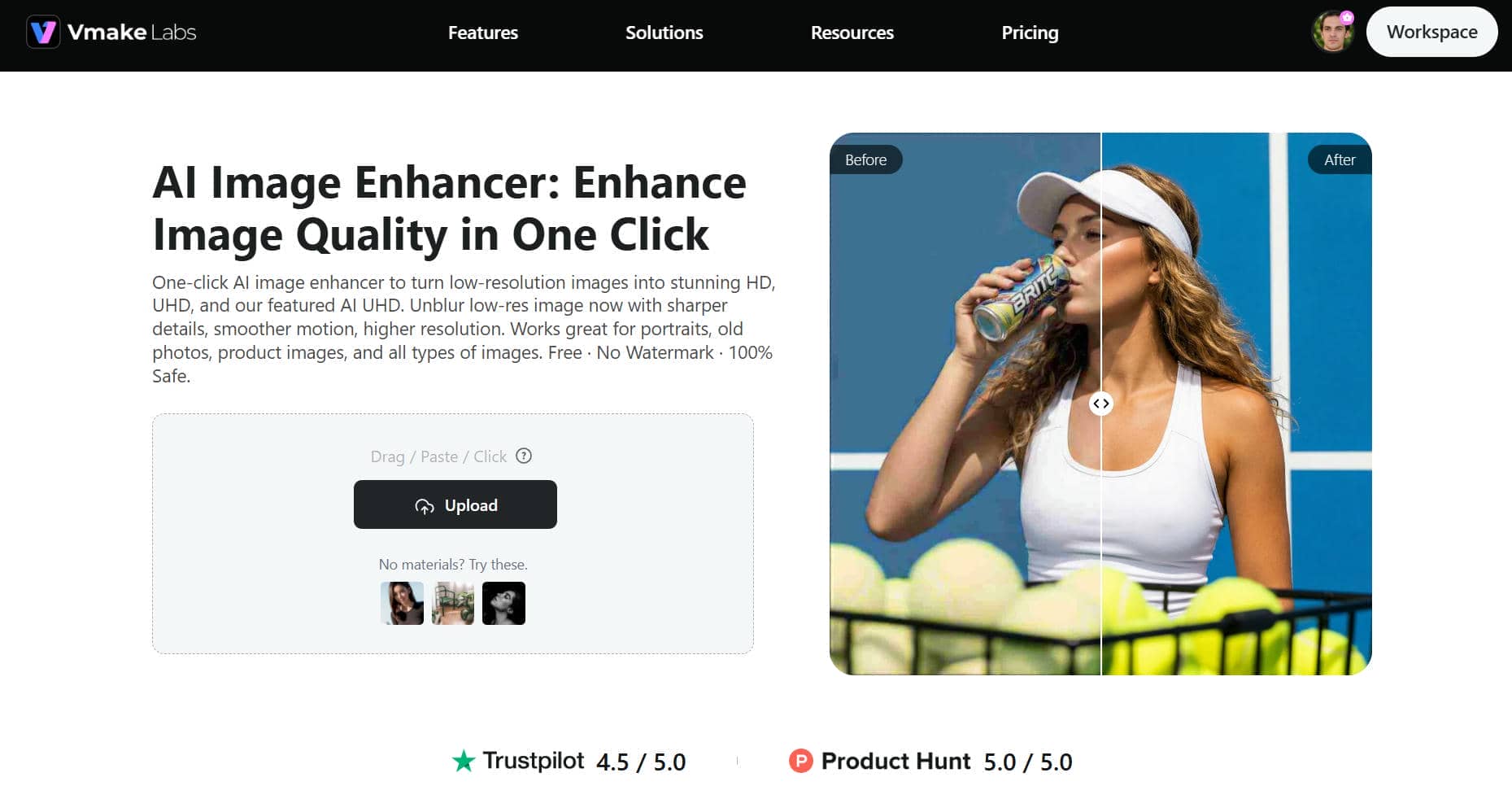
Best for Fast Online Upscaling: Vmake AI Image Enhancer
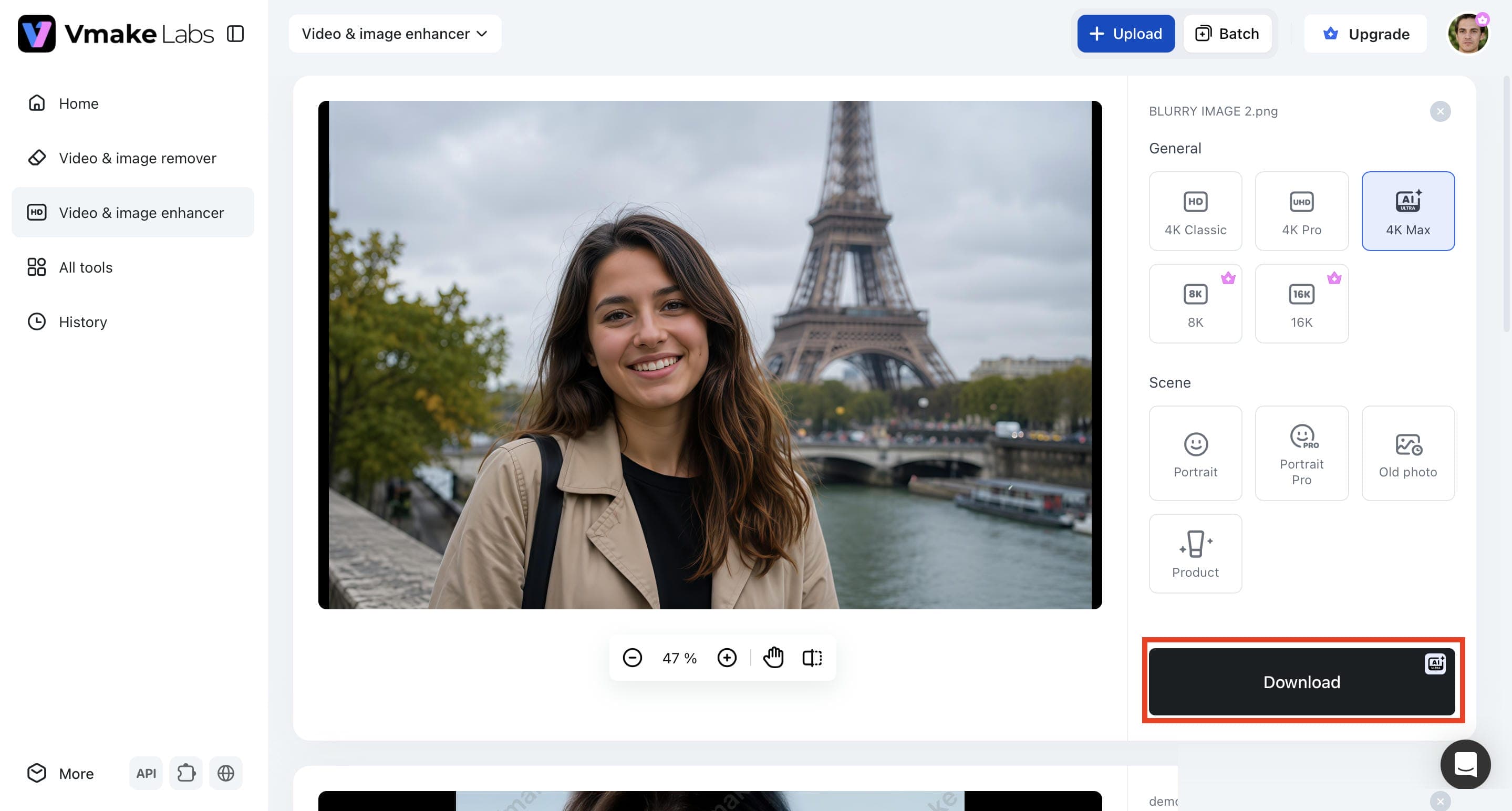
Step 1. Upload your image. Click Upload and select the image you want to enhance from your device. Supported formats such as JPG, JPEG, and PNG make it easy to upload images directly from your computer for AI enhancement.
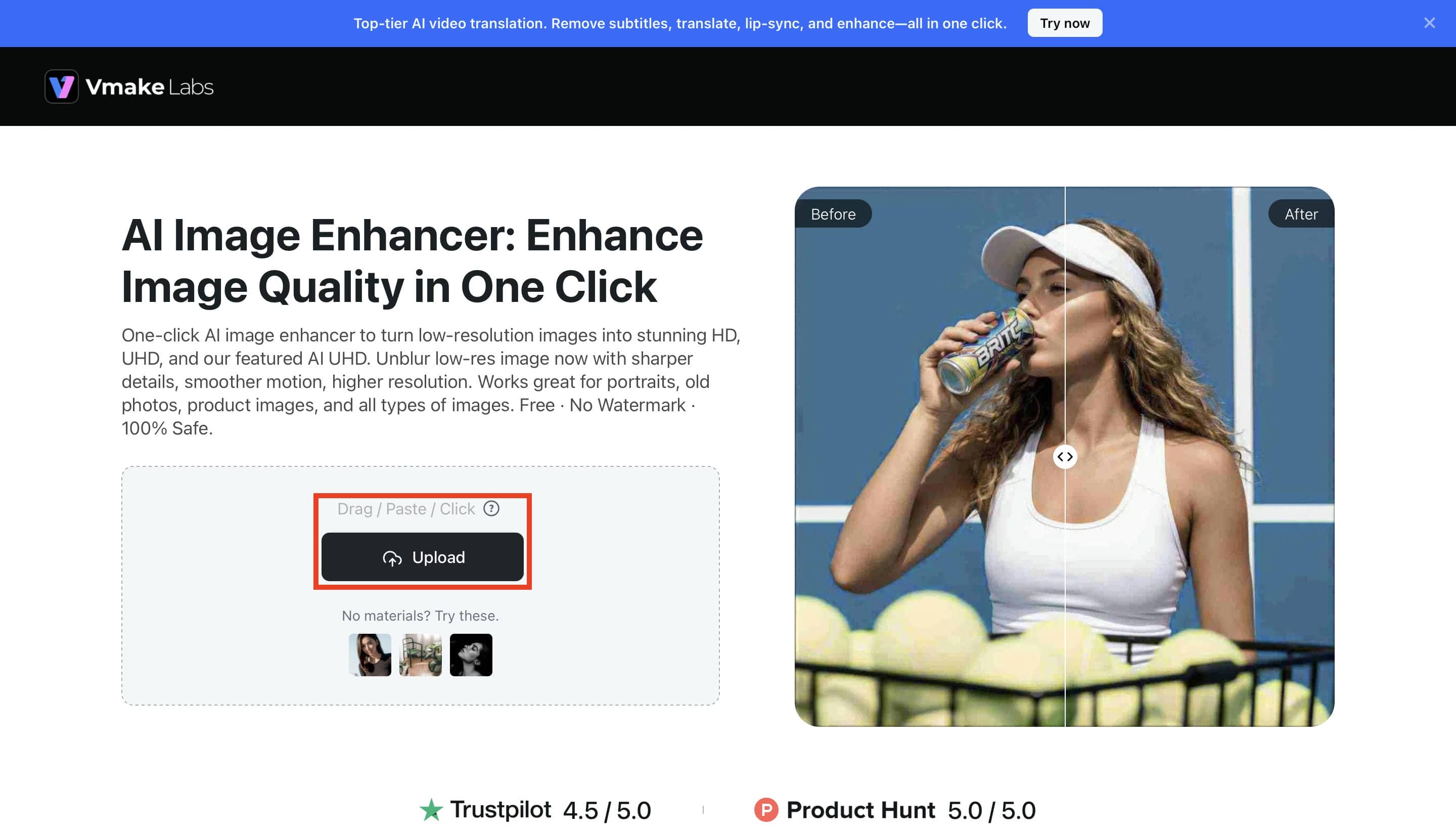
Step 2. Choose an AI enhancement or upscaling option. Select the enhancement mode that best fits your image, such as 4K Classic, 4K Pro, 4K Max, 8K, 16K, Portrait, Portrait Pro, Old Photo, or Product, then click Apply.
Step 3. Preview and Download the high-quality enhanced image. Review the enhanced result and compare it with the original image to evaluate the improvements. Once you're satisfied with the output, click Download to save the high-quality enhanced image to your device.
Why Choose Vmake AI Image Enhancer?
-
AI Image Enhancement & Restoration: Enhance image quality, image sharpener, and restore old or low-quality photos using advanced AI technology in just a few clicks.
-
Specialized Enhancement Modes: Choose dedicated AI modes for Portrait, Portrait Pro, Old Photo, and Product images to achieve optimized results for different image types.
-
AI Image Upscaling: Upscale images from HD to UHD, AI UHD, 8K, and 16K while preserving sharpness, clarity, and natural-looking details.
-
Browser-Based Image Enhancement: Enhance images directly from your web browser with a fast online workflow with no downloads or software installation required.
-
User-Friendly Interface: The clean and intuitive interface makes it easy for beginners and professionals to enhance images with minimal effort.
-
Single & Batch Image Processing: Enhance one image or process up to 30 images at once, helping save time when working on multiple photos.
Artguru Image Upscaler vs. Vmake AI Image Enhancer
Artguru Image Upscaler and Vmake AI Image Enhancer are both AI-powered tools for improving image quality, but they serve different user needs. For quick image upscaling and basic restoration, select Artguru; for additional enhancement modes, greater upscaling resolutions, and batch processing for added flexibility, select Vmake AI Image Enhancer.
|
Feature |
Artguru Image Upscaler |
Vmake AI Image Enhancer |
|---|---|---|
|
AI Image Enhancement |
AI-powered image enhancement |
AI-powered image enhancement |
|
AI Image Upscaling |
AI image upscaling |
HD, UHD, AI UHD, 8K & 16K upscaling |
|
Maximum Output Resolution |
Up to 8K |
Up to 16K |
|
Enhancement Modes |
General enhancement, old photo restoration |
Portrait, Portrait Pro, Old Photo, Product, General |
|
Image Restoration |
AI photo restoration |
AI-powered image restoration |
|
Blur & Artifact Removal |
AI sharpening and detail enhancement |
AI blur and artifact removal |
|
Batch Processing |
up to 200 images |
Up to 30 images |
|
Supported Formats |
JPG, JPEG, PNG, WEBP |
JPG, JPEG, PNG |
|
Basic Plan |
$9.99/month |
$9.99/month |
Which Tool Is Best for You?
The best one depends on your demands for image enhancement. If you're looking for better quality results and more flexibility, Vmake AI Image Enhancer has more advanced AI enhancement solutions. For quick, everyday image upgrades, Artguru Image Upscaler is good.
|
Artguru Image Upscaler Is Best For |
Vmake AI Image Enhancer Is Best For |
|---|---|
|
Beginners looking for simple AI image upscaling. |
Users seeking dedicated AI image enhancement. |
|
Casual photo editing and quick online improvements. |
High-resolution image upscaling projects. |
|
Users who occasionally enhance personal photos. |
Batch enhancement for multiple images. |
|
Everyday image quality improvements. |
Restoring portraits, old photos, and product images. |
|
Anyone wanting a lightweight online tool. |
Content creators, designers, and e-commerce users. |
Conclusion
Artguru Image Upscaler is a simple AI tool that can easily improve image quality, upscale photos, and restore old photos. The easy-to-use interface and free plan make it a great option for beginners and casual users. But if you want more flexibility, batch processing, higher resolution upscaling, and better boosting options for business or professional use, then Vmake AI Image Enhancer is a great alternative. At the end of the day, it depends on your workflow, the quality of your final deliverables, and what you expect from your image enhancement.
FAQs
Can Artguru Image Upscaler improve low-resolution photos?
Yes. Artguru Image Upscaler uses AI to increase image resolution, sharpen details, and improve overall clarity. The final quality depends on the original image, with higher-quality inputs generally producing better results. It works best for moderately low-resolution images that still retain enough detail for AI enhancement.
What image formats does Artguru Image Upscaler support?
Supported formats are JPG, JPEG, PNG, and WEBP. These formats satisfy most personal, social media, and professional image enhancement needs. Widely supported formats allow for easy upload, editing, and downloading of images without the need to convert files.
Is Artguru Image Upscaler suitable for printing high-resolution images?
Yes, it can improve image resolution for larger displays and certain print applications. However, print quality still depends on the original image and the amount of detail available. If you need upscaling beyond 8K, Vmake AI Image Enhancer offers resolutions up to 16K for even higher-quality outputs.
Does Artguru Image Upscaler work on mobile devices?
Yes. Since it is browser-based, Artguru Image Upscaler works on most smartphones and tablets without requiring software installation. You can upload, enhance, and download images directly from your mobile browser. This makes it convenient for users who want to improve images while on the go.
Is Artguru Image Upscaler safe to use?
Artguru Image Upscaler is safe to use for improving images online. As with any web service, don't upload sensitive or confidential images and read its privacy policy before you use the platform. By following these best practices, you can protect your data when you use online AI image enhancement tools.

You May Be Interested
Best AI Image Upscaler Tools in 2026: Upscale Images to 4K, 8K & Beyond
Airbrush Video Enhancer Review 2026: Features, Pros, and Cons

Best AI Image Enhancer in 2026: Top Tools to Upscale and Fix Blurry Images
Best AI Photo Enhancer Tools in 2026 (Free & Online): Improve Image Quality Instantly