
Artistly.ai Review: Features, Pricing, Pros, Cons & Best Alternative
Artistly.ai Review: Explore features, pricing, image quality, test results, pros, cons, user feedback, and Vmake Labs as an alternative for creative and commercial AI image generation.

Artistly.ai is an AI-powered image and design platform that combines prompt-based image generation with a broad collection of creative tools. In this Artistly.ai review, we examine its features, creation workflow, pricing, public demonstrations, image quality, pros and cons, user feedback, and Vmake Labs as an alternative.
What is Artistly.ai?
Artistly.ai is an AI-driven visual creation solution that helps users create and manipulate images using a web-based creative process. It allows users to use AI to create and edit images, as well as design and enhance images, for commercial applications.
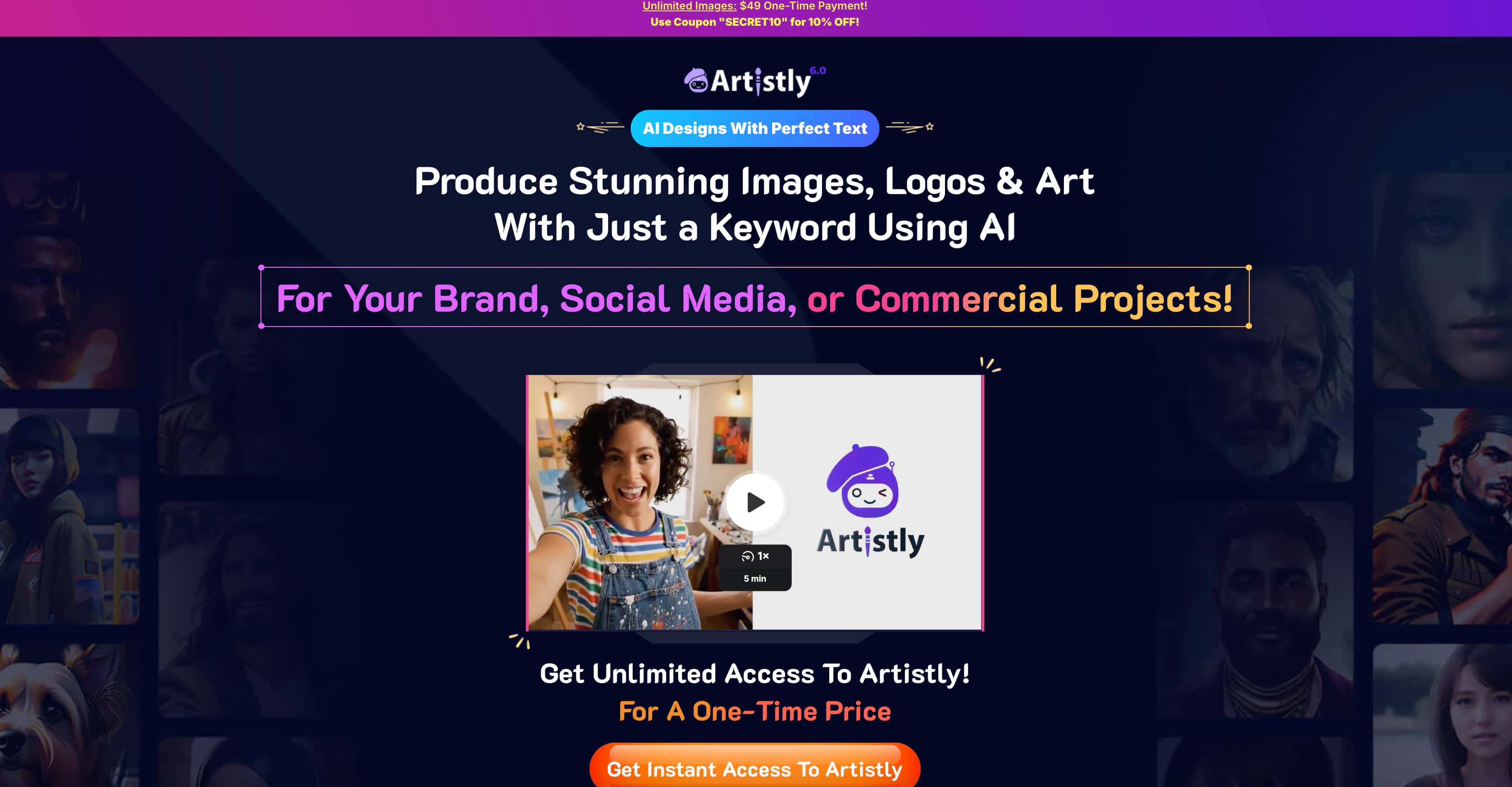
How does Artistly.ai work?
With Artistly.ai, users can make visual creations by inputting a keyword or prompt, followed by setting up the available generation options. Generally speaking, Artistly.ai offers a more comprehensive interface involving a variety of creation categories and AI tools other than text-to-image creation alone. In general, the process comprises the following steps: choosing a creation approach, defining an image, setting generation parameters, and creating images.
Artistly.ai features and how it works
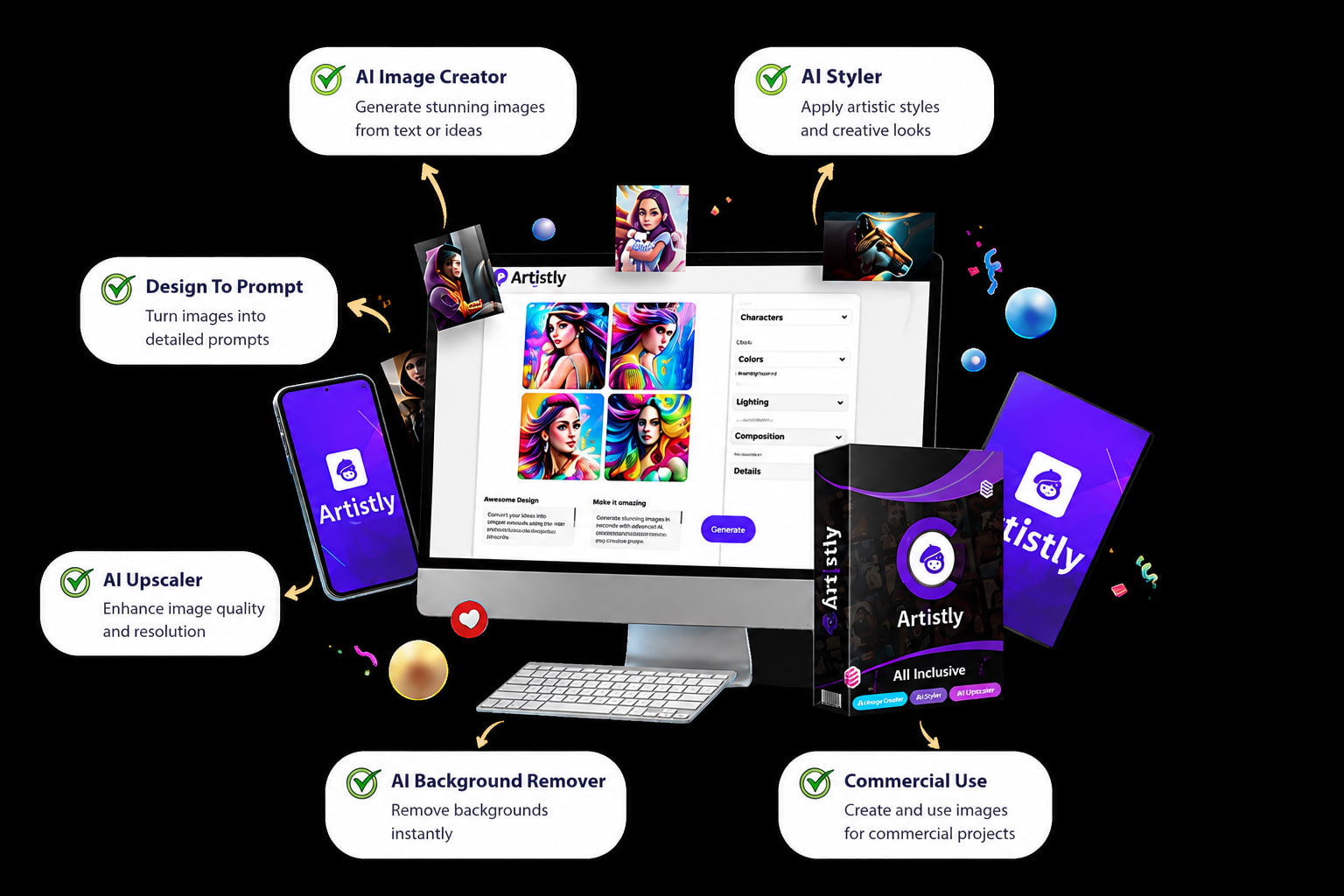
Artistly.ai combines AI image generation with editing, enhancement, product visualization, and creative design tools. Its workflow supports prompt-based image creation while offering additional capabilities for refining visuals, creating consistent characters, and preparing images for commercial and creative projects.
Key features
-
AI Image creation & editing: Create images through keywords or prompts and edit selected areas with the assistance of AI editing and inpainting.
-
Image extension and upscaling: Extend the image beyond its original boundaries and upscale the image for greater clarity and larger use.
-
Background removal and product images: Remove backgrounds to isolate the subject and make product-centric images for marketing purposes.
-
Character consistency: Achieve character consistency among recurring characters in different images or different creative works.
-
AI product mockups: Create realistic mockups for products such as apparel, mugs, packaging, and other merchandise to visualize designs for commercial use.
How Artistly.ai works
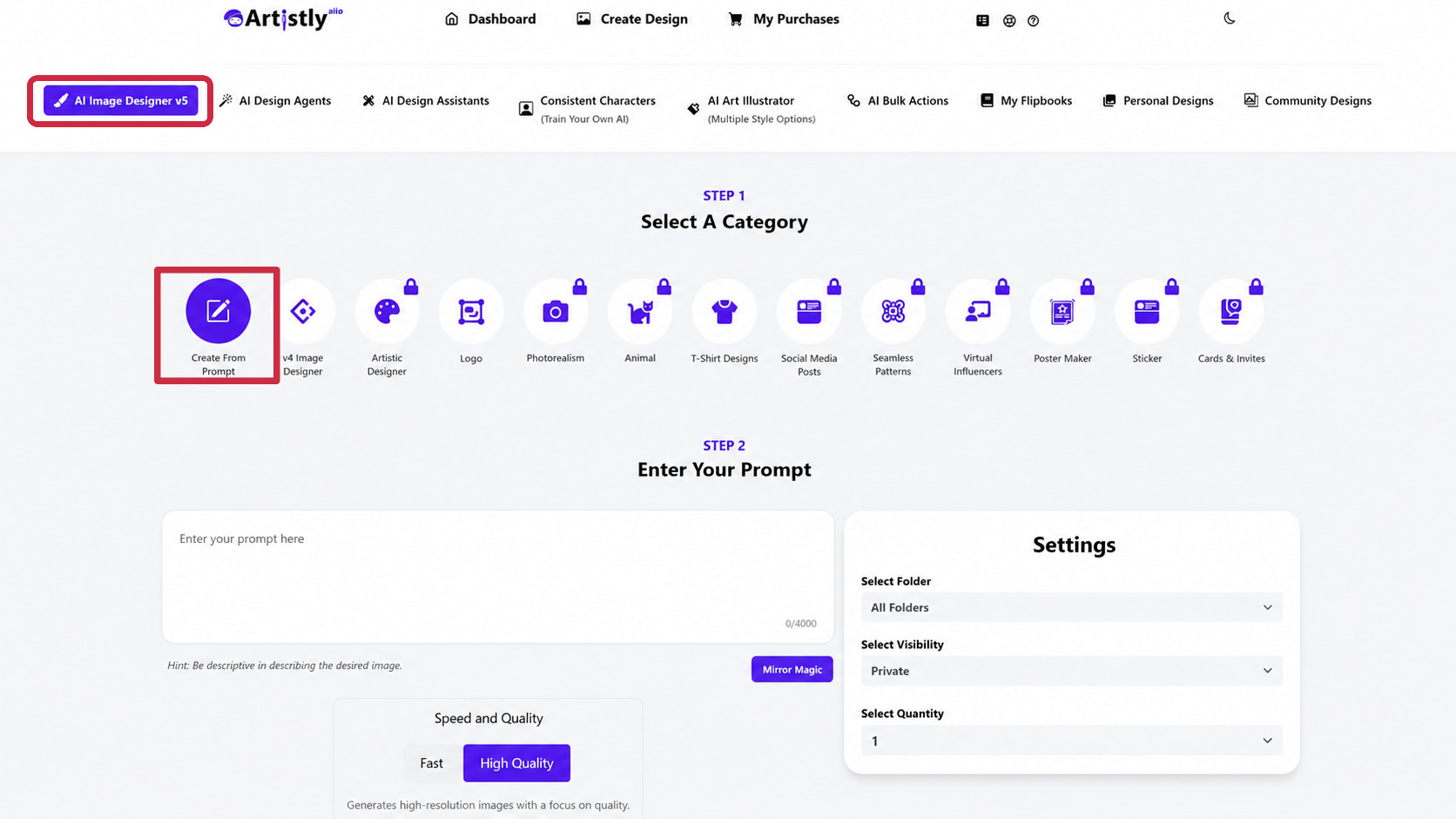
Step 1: Select create from prompt
Click AI Image Designer v5 from the top menu to open the image-generation workspace. Under the available categories, select Create From Prompt to generate an image from a text description.
Step 2: Enter your prompt with settings and generate an image
Enter a detailed description in the Enter Your Prompt field, then choose options such as speed and quality, folder, visibility, quantity, and aspect ratio. When your prompt and settings are ready, click Generate Image to create your visuals.
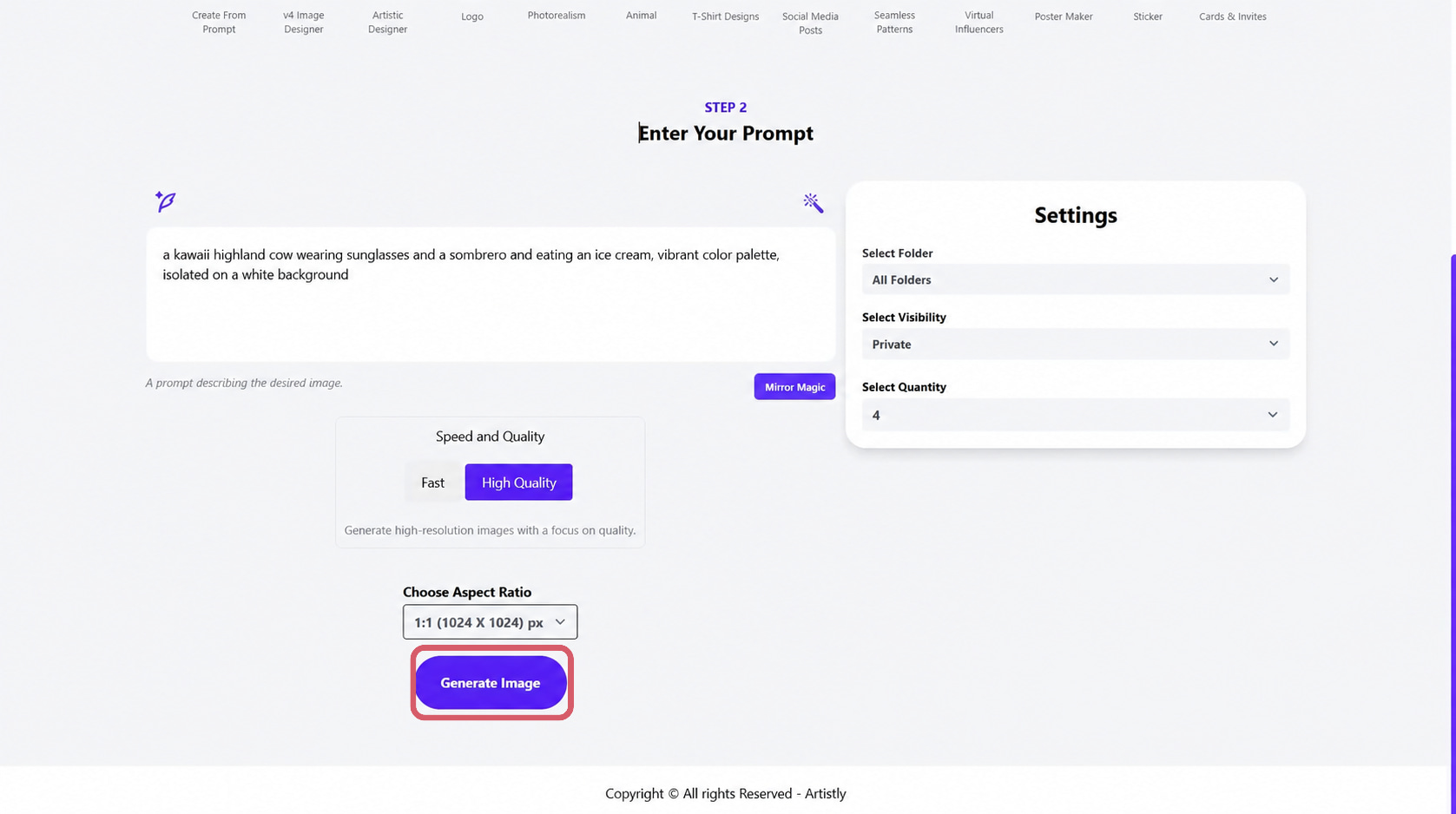
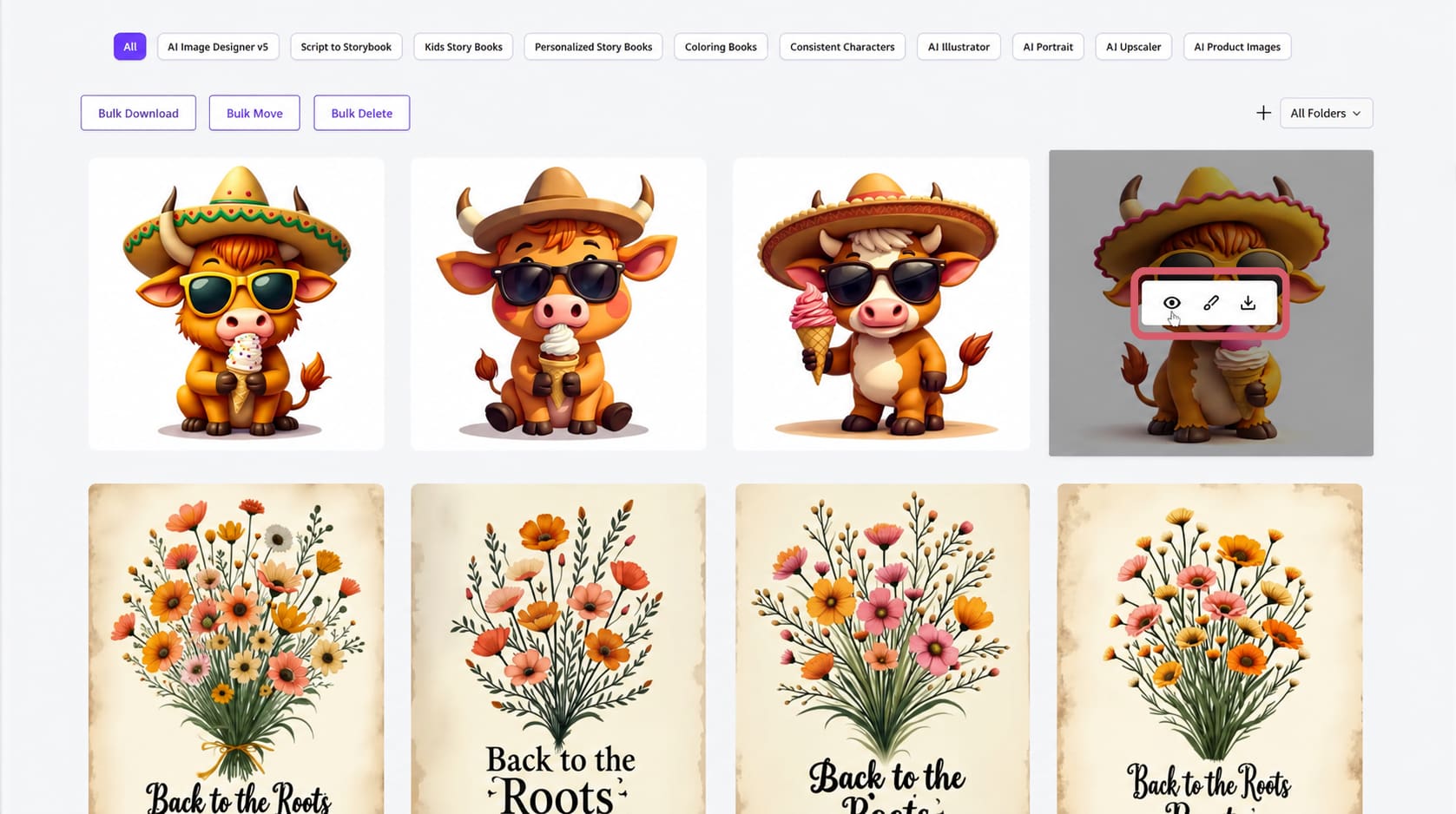
Step 3: Review and download your image
After generation, Artistly.ai displays multiple image results based on your selected quantity. Hover over an image to access options to view, edit, or download the generated design.
Artistly.ai pricing, plans, and commercial use
The pricing model of Artistly.ai is based on making a single payment rather than subscribing on a monthly basis. In this context, the Commercial and Premium packages offer two access tiers and are intended for people interested in creating visuals generated by AI.
Artistly.ai pricing
|
Plan |
Price |
Key highlights |
|---|---|---|
|
Commercial |
$49 one-time |
Unlimited Personal License to Artistly, AI Prompt-to-Image Generator, Magic Merch e-commerce mockups, AI Style Replicator, AI Background Changer, and Canva-style Image Editor |
|
Premium |
$147 one-time |
Everything in Commercial, plus Premium features such as Consistent Character, Your Face in AI Images, AI Product Mockup Creator, AI Style Replicator, and AI Stylizer |
Which Artistly.ai plan offers the best value?
|
Plan |
Best For |
Value assessment |
|---|---|---|
|
Commercial $49 one-time |
Creators, marketers, and businesses |
Best value for users who need commercial usage and Artistly's core creative and e-commerce capabilities |
|
Premium $147 one-time |
Professional and high-volume users |
Better choice for users who need additional Premium capabilities, including consistent character creation, AI product mockups, and advanced personalization |
The Commercial plan is suitable for creators and businesses that need Artistly's core image generation and commercial features. In contrast, the Premium plan is aimed at users who need additional capabilities such as consistent characters, product mockups, and advanced personalization. Users should compare their specific requirements with the included features before choosing a plan.
Artistly.ai image quality, public test results, pros & cons, and user feedback
Since paid access is required for hands-on testing, this evaluation uses publicly available demonstrations, official examples, tutorials, and user feedback. The demonstrations are presented separately from customer opinions and are not treated as independent hands-on test results.
Public demonstration results
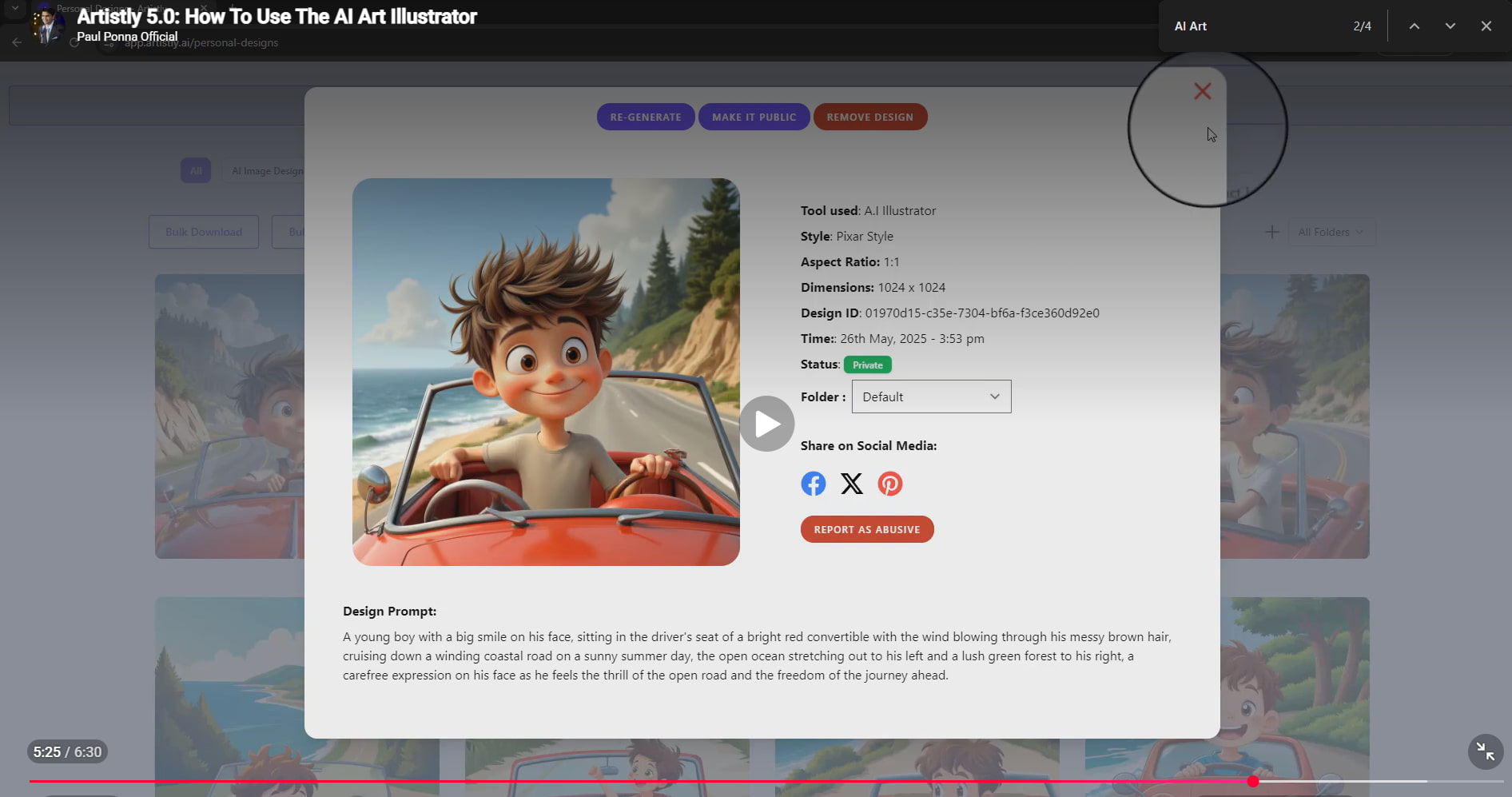
Evaluation 1: AI artwork
The Artistly 5.0 AI Art Illustrator demonstration displays how Artistly creates a cartoon-like artwork using creative prompt input. The illustration is of a young boy driving a red convertible on the road by the sea. It includes a detailed environment, expressive facial features, and an illustration style similar to that of Pixar.
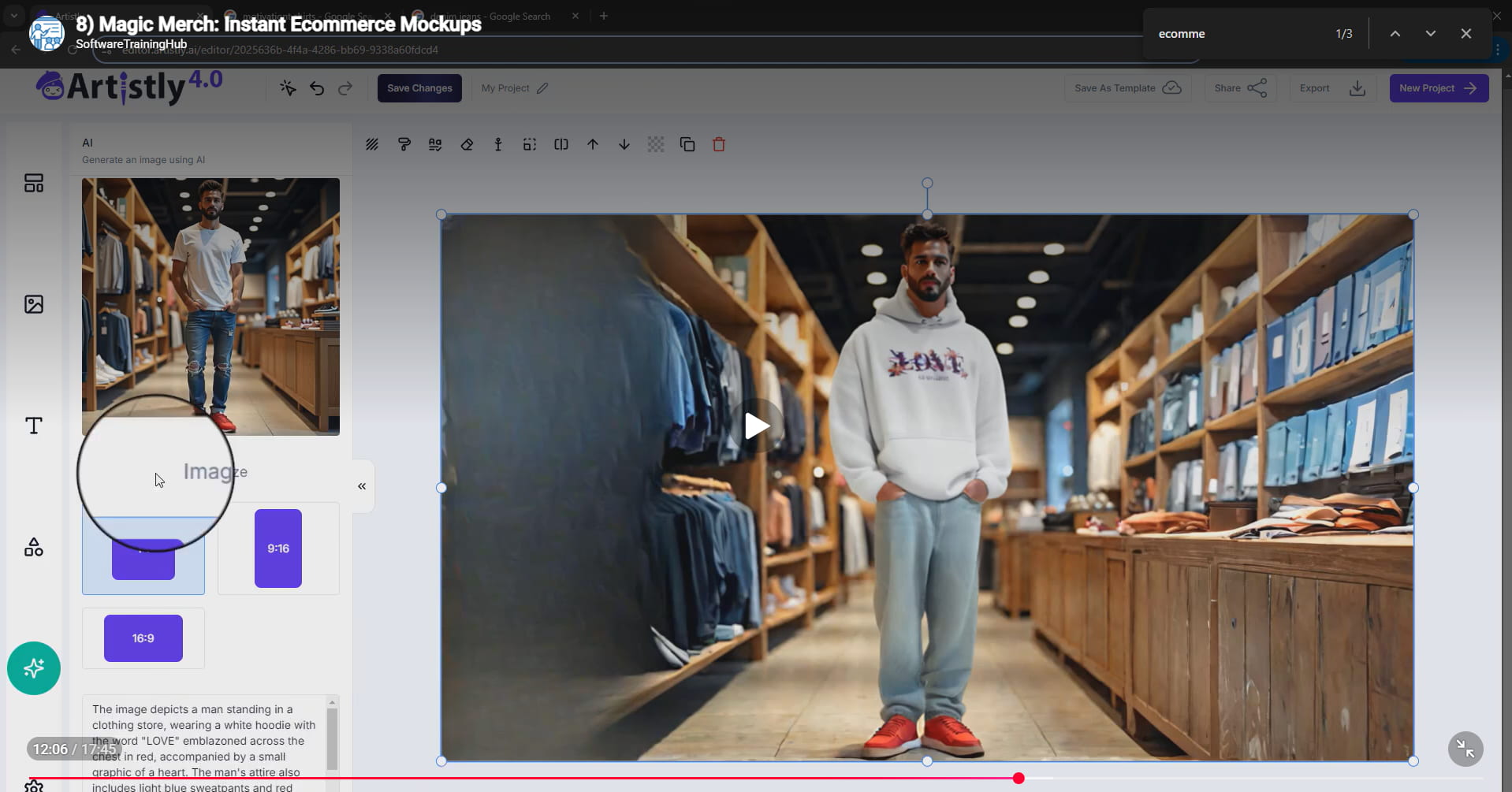
Evaluation 2: Commercial visuals
In the Magic Merch demonstration, it can be seen that the Artistly software is applied to produce a commercial visualization of clothing. The demonstration has an example where there is a model wearing a hoodie and standing in a shop setting, with the created image having been made into a composition for promotion purposes.
Evaluation 3: Editing and enhancement
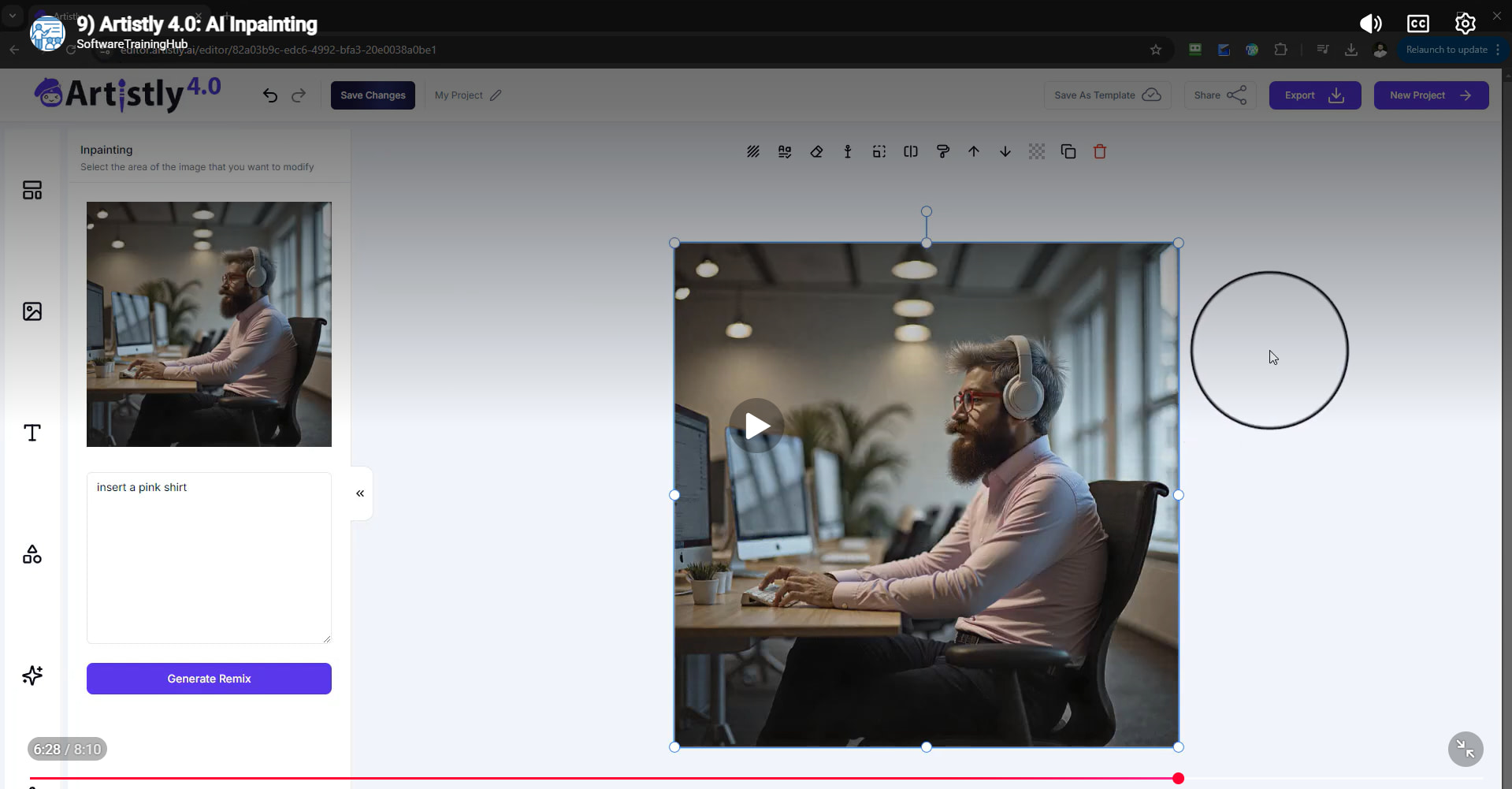
In the "Artistly AI Inpainting" demonstration, an existing image is edited through the selection of a specific region and a textual prompt. In this case, the user asks to "insert a pink shirt," and Artistly fulfills this request while keeping the other elements of the picture intact.
Pros and cons
|
Pros |
Cons |
|---|---|
|
Broad collection of AI creative tools |
Large feature sets may take time to learn |
|
Prompt-based image generation |
Results can vary depending on prompts and inputs |
|
Image editing and inpainting capabilities |
Some advanced capabilities may require higher-tier access |
|
Product photography and mockup tools |
AI-generated outputs require user review |
|
Commercial-use options |
Pricing and plan terms may change |
|
One-time-payment options available |
Public demonstrations limit independent hands-on evaluation |
User feedback
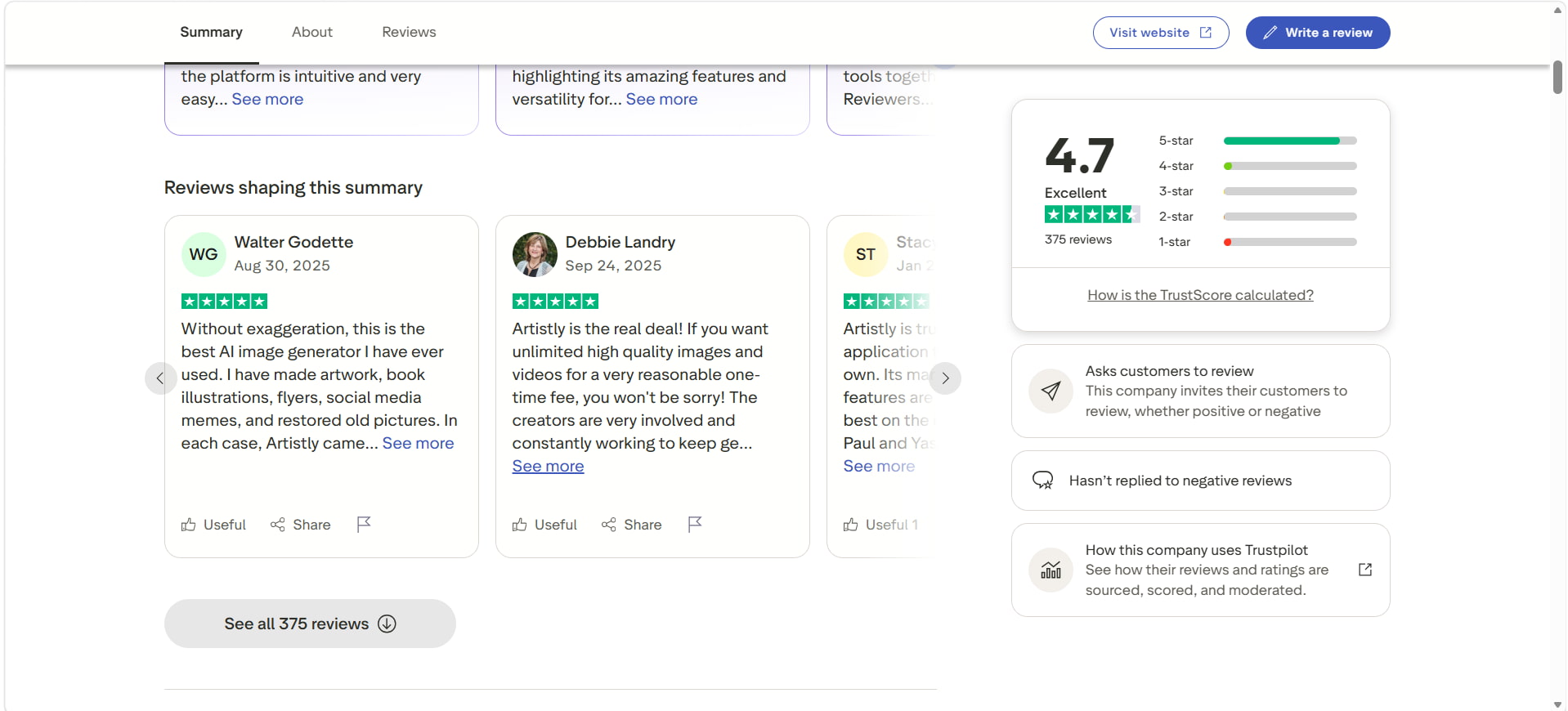
Trustpilot Review:Artistly has a Trustscore of 4.7 out of 5 based on 375 reviews. Its image generation, ease of use, quality of images, and cost-effectiveness have been appreciated. One reviewer discussed Artistly being used for creating images, illustrations for books, making flyers, images for social media sites, and restoring old photographs. One of the reviewers spoke about the quality of images produced by Artistly.
Capterra review: Based on 497 user reviews, Artistly is currently ranked 4.8/5. As observed in the review, some features include the once-off lifetime pricing of the application, unlimited image creation, automatic software updates, and a user-friendly interface. It should be noted that the lifetime offer is not permanent and that the interface is more commercial than artistic.
The Artistly application merges the features of AI-based image creation and multiple artistic as well as editing tools. For users who need a flexible image creation process, varied AI algorithms and commercial image creation, there is a solution from Vmake Labs.
Vmake Labs as an Artistly.ai alternative
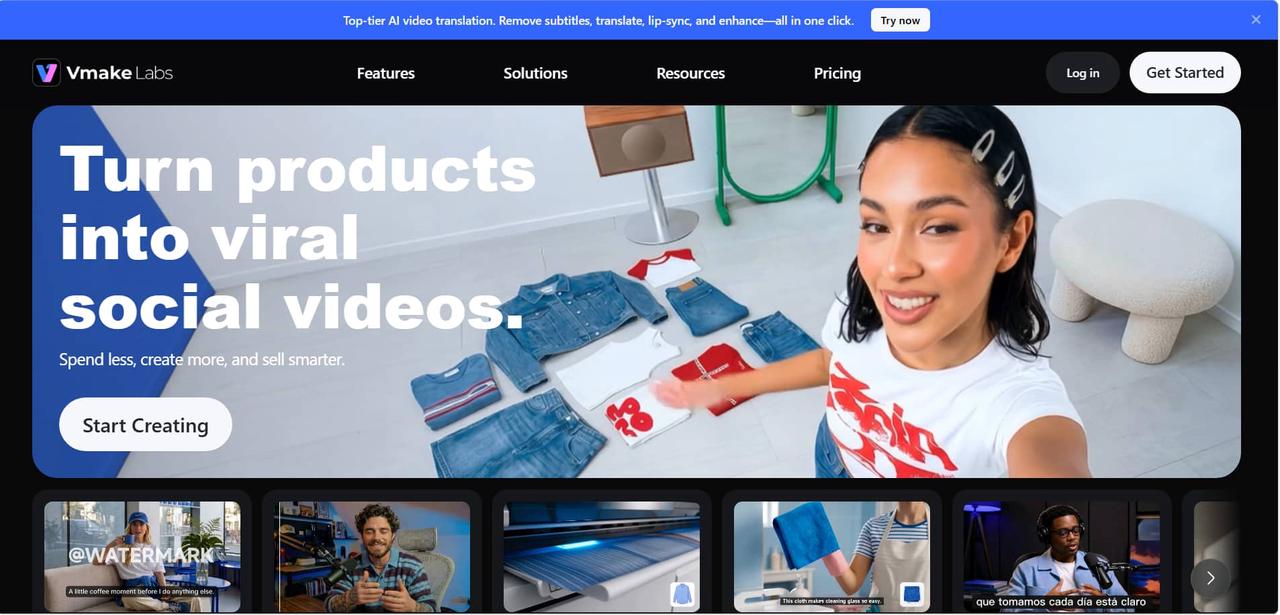
Artistly.ai is a platform where you can get access to a wide range of tools for your creativity, including AI-based image creation, editing, mock-ups, and other design services. The alternative here would be Vmake Labs, which is more image-generation-oriented.
Why choose Vmake Labs AI image generator?
-
Text-to-Image generation: Create visuals from detailed prompts describing the desired subject, style, setting, and composition.
-
Image-to-Image generation: Upload an existing image and use it as the basis for creating a new visual or changing its style and appearance.
-
Multiple AI models: Choose between available models, including Nano Banana 2, Nano Banana Pro, Nano Banana, Seedream 4.0, and GPT Image 1, allowing you to compare different generation approaches.
-
Reference image support: Upload 1–3 reference images to provide additional visual direction for subjects, products, characters, or compositions.
-
Flexible aspect ratios: Select an output format suited to different publishing and content requirements.
-
Marketing and E-commerce visuals: Generate creative, product, and promotional visuals that can be used for social media, marketing campaigns, e-commerce, and other commercial content.
How to generate AI images with Vmake Labs
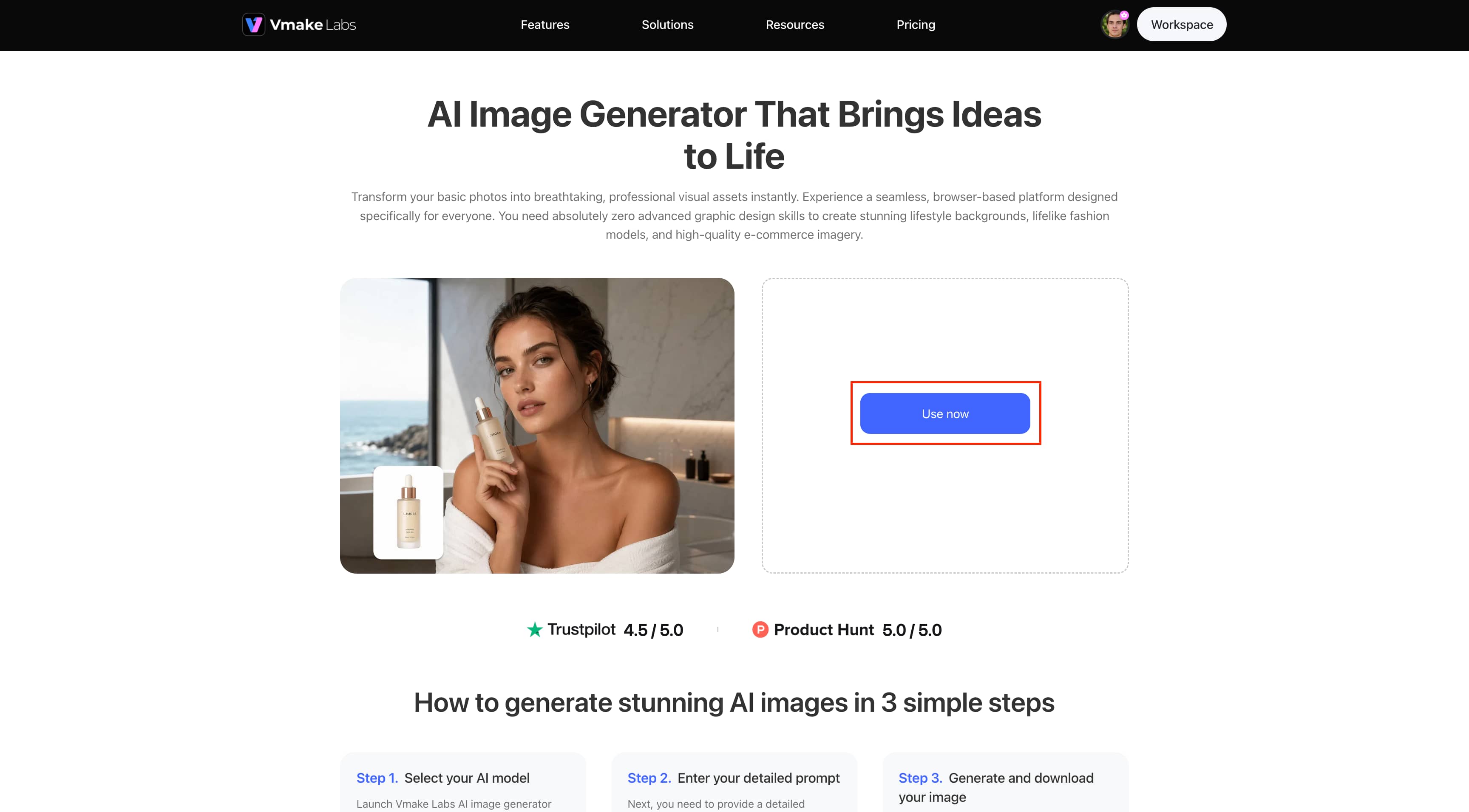
Step 1: Open Vmake Labs AI image egnerator
Open the Vmake Labs AI Image Generator and choose the image-generation workflow you want to use, such as text-to-image or image-to-image.
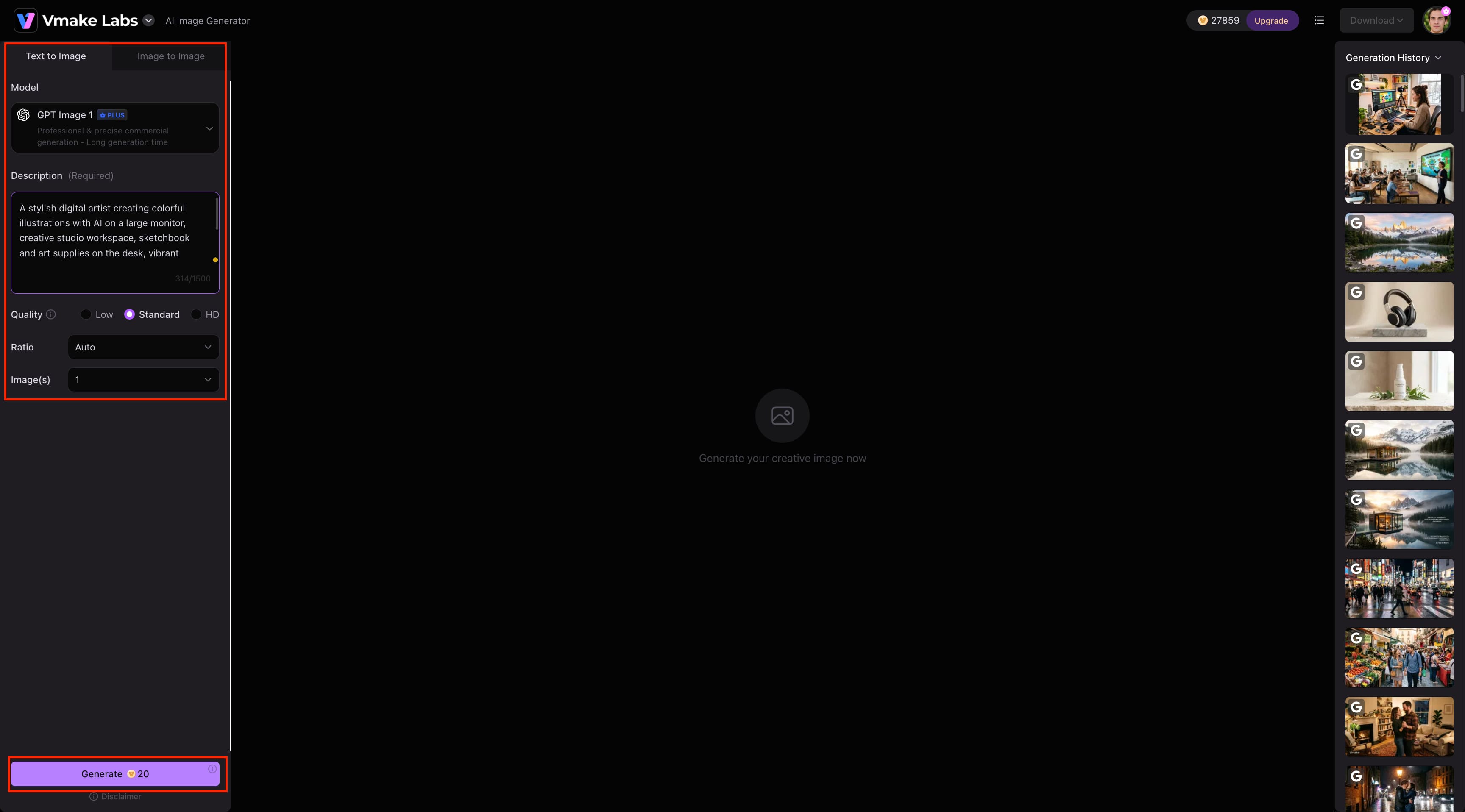
Step 2: Enter a prompt or upload a reference image
For text-to-image generation, enter a detailed prompt describing the visual you want to create. For image-to-image generation, upload one to three reference images and describe how you want the final image to look. You can also select an available AI model and adjust the image format.
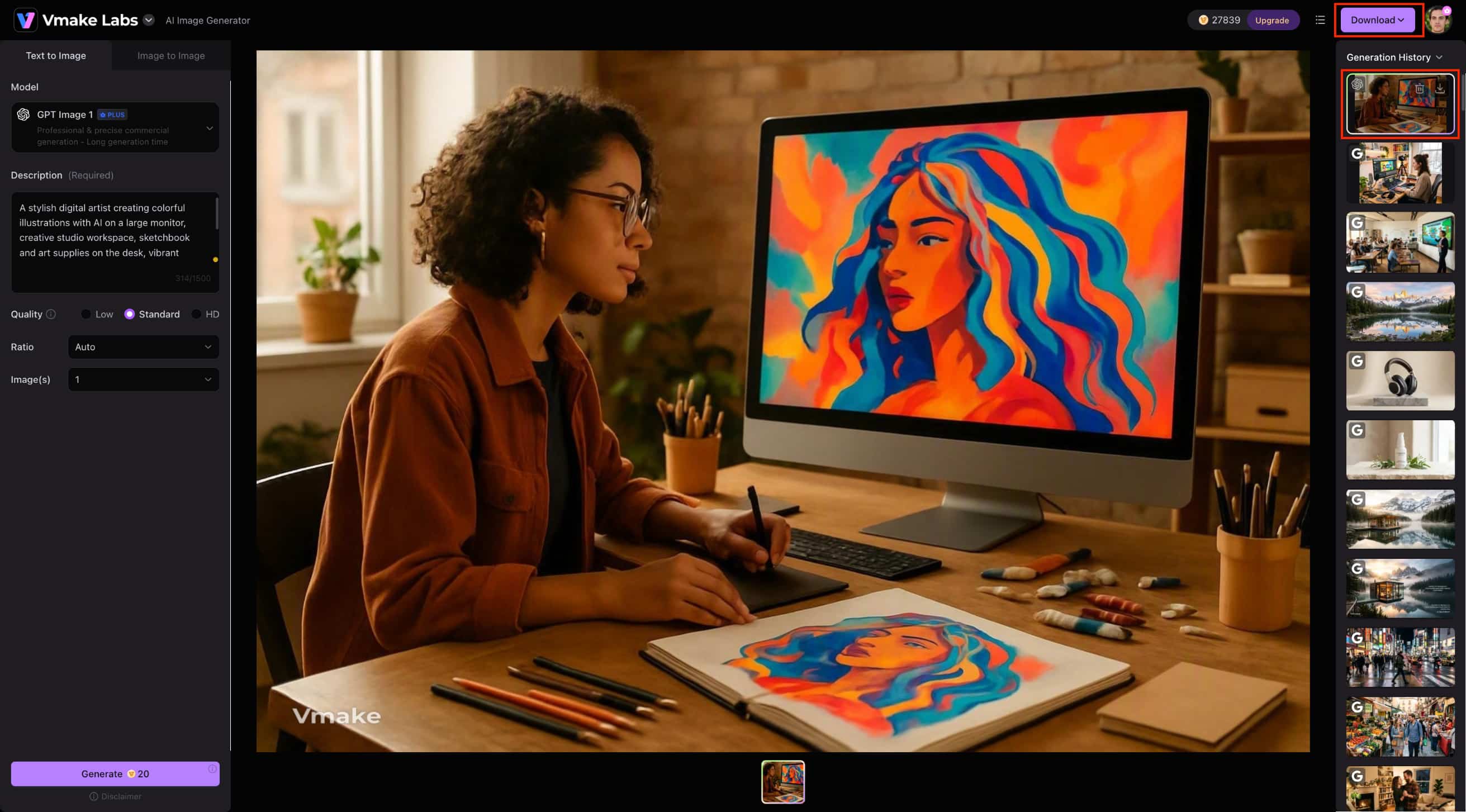
Step 3: Generate, review, and download
Click Generate to create the image and preview the result. If the output does not match your requirements, refine the prompt, reference image, model, or settings and generate another version. Once satisfied, download the final image.
Artistly.ai vs Vmake Labs
|
Category |
Artistly.ai |
Vmake Labs AI Image Generator |
|---|---|---|
|
Primary focus |
AI image generation and broader creative tools |
Creative and commercial AI image generation |
|
Image generation |
Prompt-based image generation |
Text-to-image and image-to-image |
|
AI models |
Artistly's integrated generation capabilities |
Multiple AI models |
|
Reference images |
Supported in relevant workflows |
Supported |
|
Creative controls |
Styles and image-editing controls |
Model and generation settings |
|
Image editing |
Inpainting and image-editing tools |
Image-to-image generation workflow |
|
Product visuals |
Product photography and mockups |
Product and commercial image generation |
|
Marketing visuals |
Suitable for marketing projects |
Suitable for marketing and e-commerce visuals |
|
Best for |
Broad creative and design workflows |
Flexible commercial image-generation workflows |
Which tool should you choose?
Choose Artistly if: Artistly is a better fit if you want an all-in-one creative platform that combines AI image generation with editing and design capabilities. It is particularly useful for users who need specialized features such as product photography, AI product mockups, inpainting, and other creative workflows. Its current one-time payment model may also appeal to creators and businesses who prefer paying upfront rather than using a recurring subscription.
Choose Vmake Labs if: you want a flexible AI image-generation workflow with access to multiple AI models. It supports both text-to-image and image-to-image generation, while reference-image support can help guide the subject, style, or composition. It is particularly suited to users creating marketing, product, and e-commerce visuals who want more flexibility than a basic image enhancer.
Conclusion
Artistly.ai merges AI images with tools like inpainting, product imagery, and mockups. The single-payment model of Artistly.ai can be suitable for those users who dislike subscription models. The publicly available examples of Artistly.ai showcase AI art pieces, commercial visuals, and inpainting. The reviews of the product from users are quite positive, but they highlight some output and feature restrictions. Vmake Labs could suit the needs of users looking for several AI models and reference images.
FAQs
-
Is Artistly.ai worth it?
Artistly.ai can be worth considering for users who want a broad AI creative platform rather than a basic image generator. Its current offering includes image generation, inpainting, background removal, upscaling, expansion, product photography, consistent character creation, and other creative tools. Artistly currently advertises one-time payment options, including a $49 Commercial plan and a $147 Premium plan. However, users should consider their specific feature requirements and review the current terms before purchasing.
-
Is Artistly.ai free?
Artistly's current website does not present the platform as a permanently free image generator. It currently advertises paid one-time plans, with the Commercial plan listed at $49 and the Premium plan at $147. Artistly also advertises unlimited access and a 30-day money-back guarantee. Because pricing and promotional offers can change, readers should check the current pricing page before purchasing.
-
Can Artistly.ai be used for commercial projects?
Yes. According to Artistly, the images created using the platform can be used for both personal and commercial purposes, provided that the conditions stipulated by the company's terms of use and by the law are met. However, it is the responsibility of each user to ensure that there is no infringement of any copyrights or other rights.
-
Does Artistly.ai have usage limits?
Yes. Although Artistly advertises unlimited designs, its terms make clear that unlimited access does not mean unrestricted consumption. Artistly's terms allow reasonable and dynamic technical limits involving image generation, resolution, compute usage, storage, queue priority, and throttling. The current website FAQ also states that its fair-use policy includes a limit of 400 image generations per day for the All-Access plan.
-
What do users say about Artistly.ai?
Reviews specific to Artistly are mainly favorable for the variety of tools available on the site, its user-friendliness, ability to generate images, and overall value. Nevertheless, some reviews point out that the results can differ, and some users face difficulties with certain output types or features. These should be viewed along with Artistly's demo and existing conditions, and not as an assurance of one's personal results.

You May Be Interested
Artistly AI Review 2026: Is It Worth Trying for Creators?

Z Image AI Review 2026: Features, Performance, Pros and Cons
Yodayo AI Review 2026: Features, Pricing, and Alternatives
X-Design Watermark Remover Review (2026): Features & Pricing
Vidu AI Review: Is This AI Video Generator Worth in 2026?
Vadoo AI Review 2026: Features, Pricing and Alternatives
VEED Review: Does the Watermark Remover Work? (2026)

Vivideo AI Review 2026: Features, Pricing and Alternatives
Unlucid AI Review: Is this AI platform worth it in 2026?
