
Animoto Review: Everything You Need to Know Before Using It
Discover our hands-on Animoto review covering key features, pricing, video quality, pros, cons, and more. Compare it with Vmake Labs video generator and see which one is better.

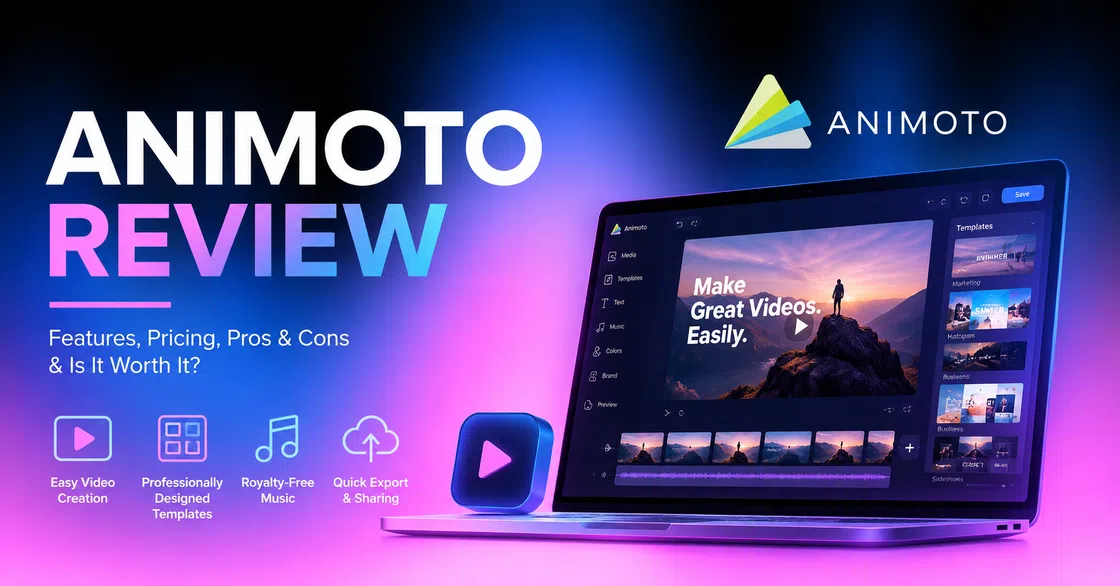
Animoto has built its name on making video creation easy for people who don't want to learn complicated editing software. In this Animoto review, we'll look at the key features, pricing, limitations, and real user feedback to see where Animoto works well and where a more AI-first workflow might be a better fit.
What is Animoto video maker
Animoto is an online video maker that helps you turn photos, video clips, text, music, and templates into professional-looking videos, without requiring advanced editing skills. Instead of building every scene from scratch, users can choose a template, add in their content, change up the design, and churn out a finished video in a relatively short time. This platform is perfect for combining photos, video clips, and music, which can be further used in marketing, education, or personal projects.
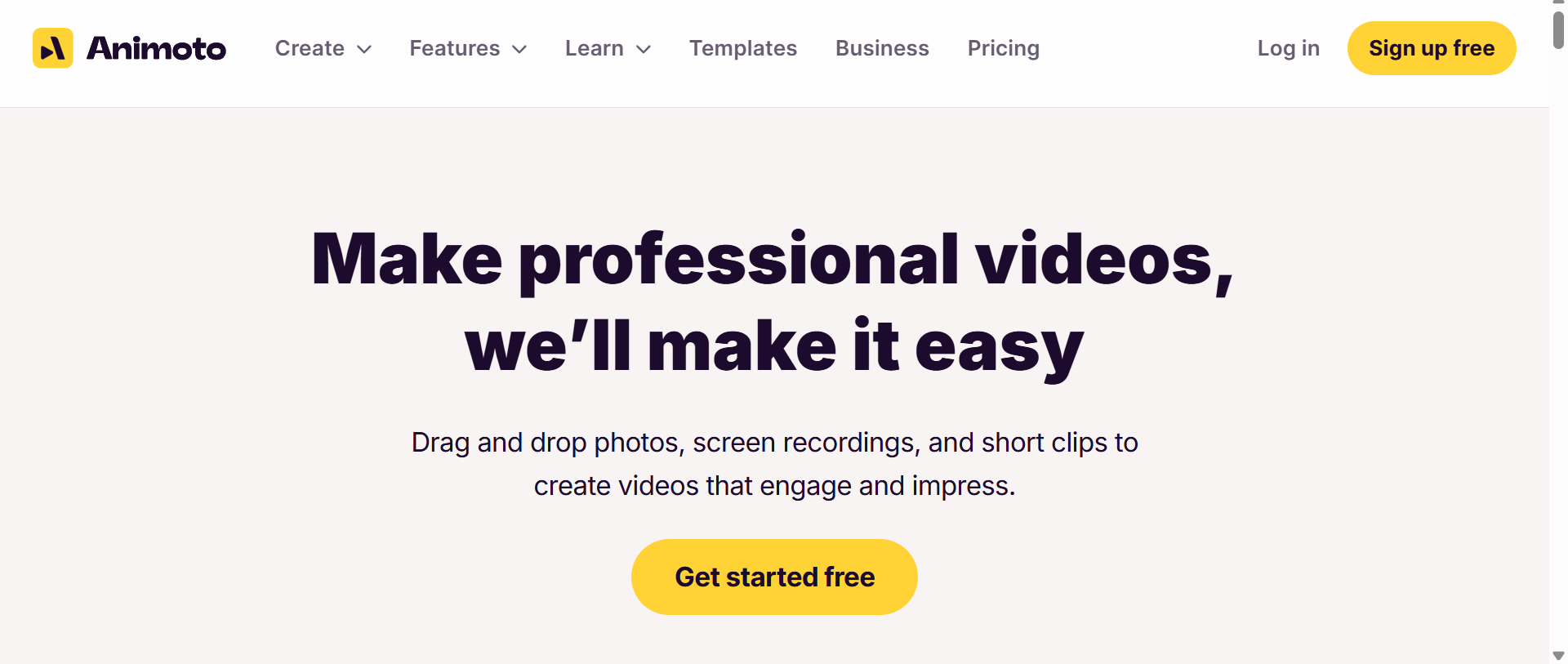
Animoto is mainly aimed at beginners, marketers, small businesses, educators, photographers, social media managers, and anyone who wants professional-looking videos without the steep learning curve of advanced editors. Its drag-and-drop workflow is particularly well suited for those who value the ability to publish a decent video faster than having frame-by-frame control over every element.
Key features of Animoto video creator
Animoto's feature set is designed to cut down on the number of technical decisions users have to make. It doesn't compete with professional nonlinear editors on advanced controls, but focuses on templates, pre-designed layouts, stock assets, simple editing, and quick customization.
Ready-to-use video templates
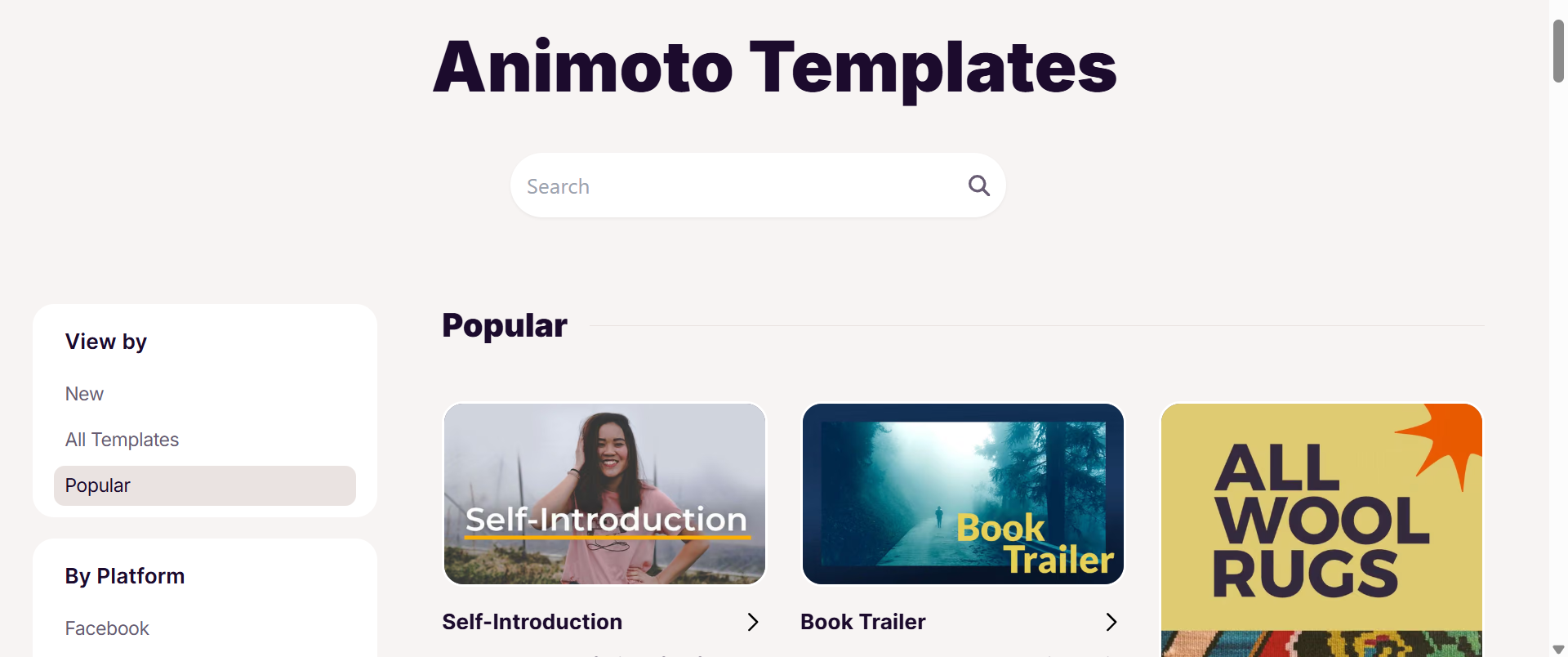
Templates are a huge time-saver, and Animoto has plenty of them. Rather than a blank timeline, users can choose from designs geared toward categories such as social media, marketing, promotions, presentations, and slideshows. The template handles most of the visual structure, such as scene layouts, transitions, typography, pacing, etc., so all you need to do is swap out the placeholder content for yours.
Animoto video maker is especially helpful for beginners who know what they want to say but not necessarily how to frame a video visually.
Drag-and-drop editor
Animoto's editor is designed to feel approachable and not technically intimidating. Through a visual interface, you can add photos and video clips, text, change layouts, adjust scenes, and organize your project. With this, one can create a basic video without understanding concepts like keyframes, complex timelines, masks, or compositing. That simplicity is an advantage for simple marketing videos and slideshows.
Stock media and music
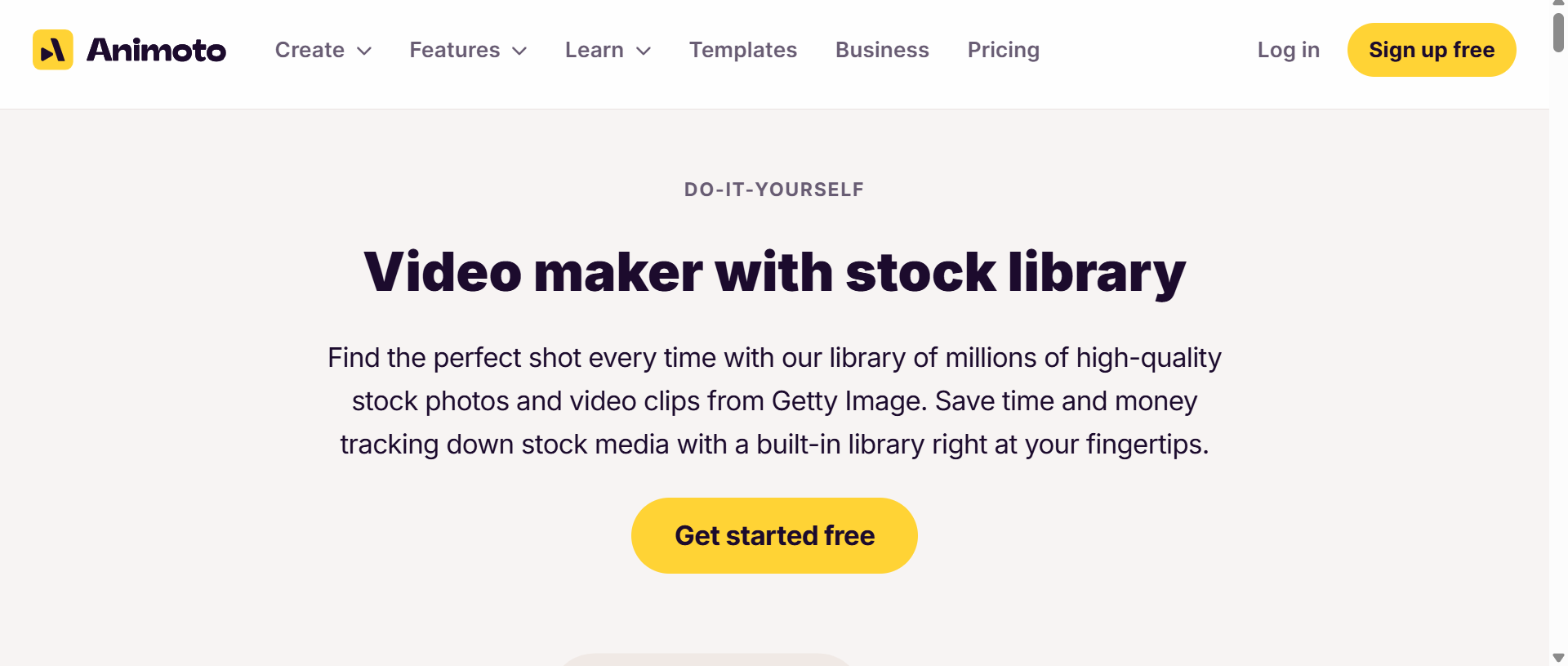
Animoto also provides stock photos, videos, and music, so users don't always need to supply every asset themselves. Your library access is based on your subscription. According to current help documentation for Animoto, Free and Basic plans include 50 royalty-free songs and a limited stock photo/video library, while Professional offers more than 1 million photo and video assets and 3,000 commercially licensed songs. Professional Plus opens up the library even more and adds reseller licensing.
Text, branding, & customization
Animoto allows creators to add text and brand their videos with logos, colors, fonts, and other visual tweaks. This is useful for companies who want their videos to have a consistent identity across marketing channels. The level of customization, however, depends on the plan and template you use. If you want complete control over typography, animation, positioning, and individual visuals, it might feel less flexible than a traditional editor.
Social media video creation
Social media is a natural use case of Animoto. The platform allows creators to turn images, clips, text, music, and branding into short promotional or informational videos without having to build everything from scratch. This is especially handy for small businesses and marketers who need content on a consistent basis but don't have a dedicated video-production team.
Animoto video generator: Test, pricing, pros, cons
Real test
Image sample:
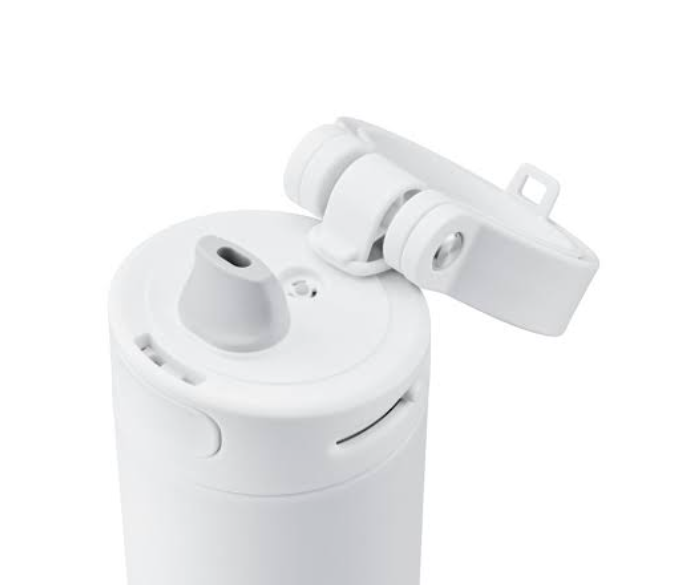
Questions and prompts:
-
What's the name of your business? Apex Hydration
-
What are you promoting (products, events, services)? The HydroFlow Insulated Stainless Steel Water Bottle (32 oz).
-
Who is your target audience? Fitness enthusiasts, outdoor adventurers, commuters, and eco-conscious daily users.
-
Highlight key features or offers. Triple-layer vacuum insulation (keeps drinks cold for 24 hours / hot for 12), leak-proof straw lid, durable powder-coat finish, and a free cleaning brush set with purchase.
This is how I tested
I tested Animoto by building a promo video for Apex Hydration's 32 oz HydroFlow Insulated Stainless Steel Water Bottle. The template editor let me drop in product shots, text, music, and transitions without touching a timeline. I put the bottle's 24-hour cold/12-hour hot insulation, leak-proof straw lid, durable finish, and free cleaning brush set on screen. Animoto is fast when you already have assets. Where it falls short is creating new product scenes from scratch; you work with what you bring in.
Pricing
Animoto pricing offers a free plan alongside paid Basic, Professional, and Professional Plus tiers. The exact paid price can vary depending on billing terms and promotions, so it is worth checking the account's current pricing page before subscribing.
|
Free |
Basic |
Professional |
Professional Plus |
|---|---|---|---|
|
$0 |
$9/mo (annual plan) $19/mo (monthly plan) |
$19/mo (annual plan) $29/mo (monthly plan) |
$39/mo (annual plan) $ 79/mo (monthly plan) |
|
|
|
|
Who should choose the Free plan and who should upgrade?
The free plan is fine if you're just checking out Animoto or need the occasional personal video. This gives you enough functionality to get a good idea of the editor and make projects without entering payment information. However, the Animoto watermark and limited assets make it less suitable for professional publishing.
If you like Animoto already and are mostly looking for watermark-free HD exports and sharing, Basic is the logical step. A professional plan makes more sense for businesses and creators who want a wider commercial stock library, more music, and branding. Professional Plus is geared toward more serious collaborative or client-facing workflows, particularly where reseller licensing and team workspaces come into play.
Pros & cons of Animoto
Animoto's biggest advantage is also its guiding philosophy. It intentionally removes complexity, and that's what makes it accessible. But that same simplicity can be a downside for more experienced creators who want more control. Here are a few advantages and limitations you should know before making the final choice.
|
Pros |
Cons |
|---|---|
|
|
Animoto reviews: What people are actually saying
Star ratings are only part of the story, so it's good to check across multiple platforms to learn about an honest Animoto review. The general picture is pretty consistent: users generally appreciate the simplicity and speed of Animoto, while criticism tends to focus on the limits of customization, pricing, support, and subscription issues.
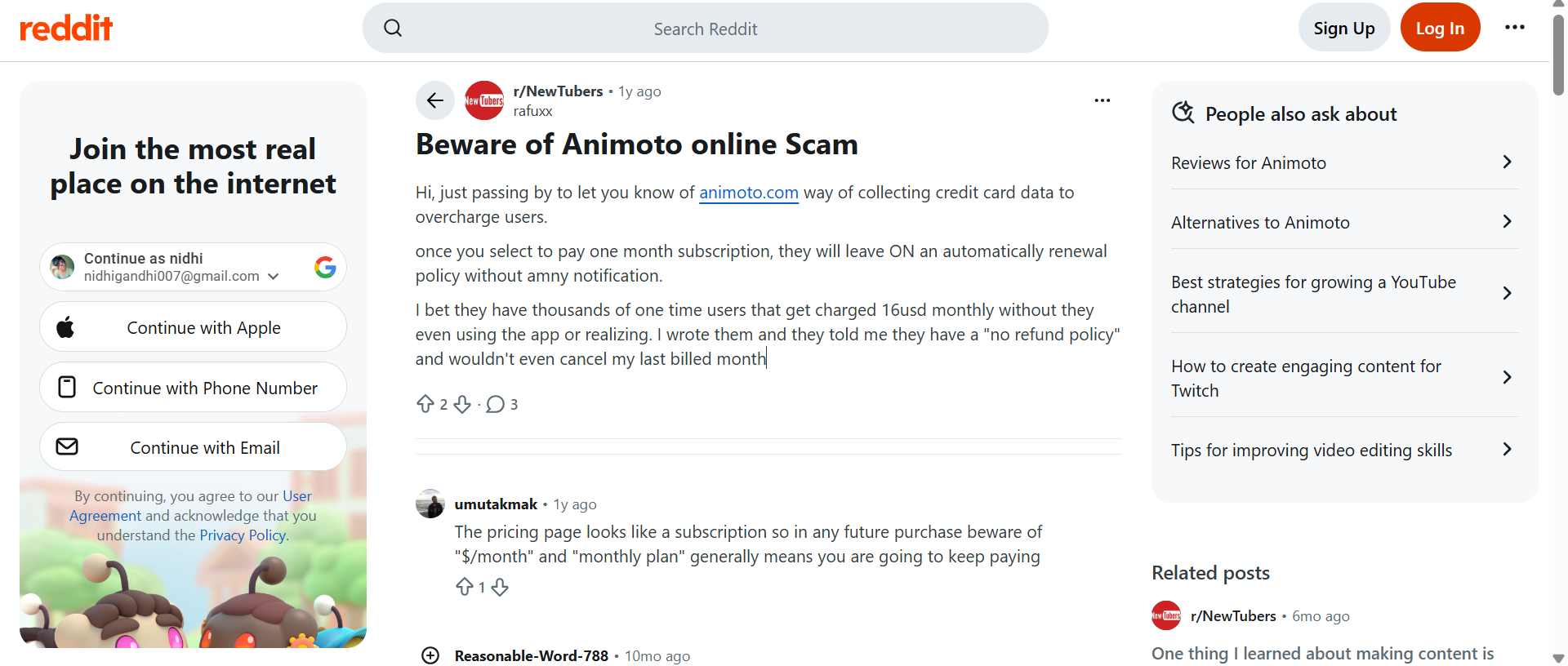
Reddit review
Reddit discussions seem to reinforce Animoto's positioning as an easy video maker and not a professional editing suite. There is more negative Reddit feedback around billing and automatic renewal as well. Several users have voiced frustration over recurring charges after signing up for a short period initially.
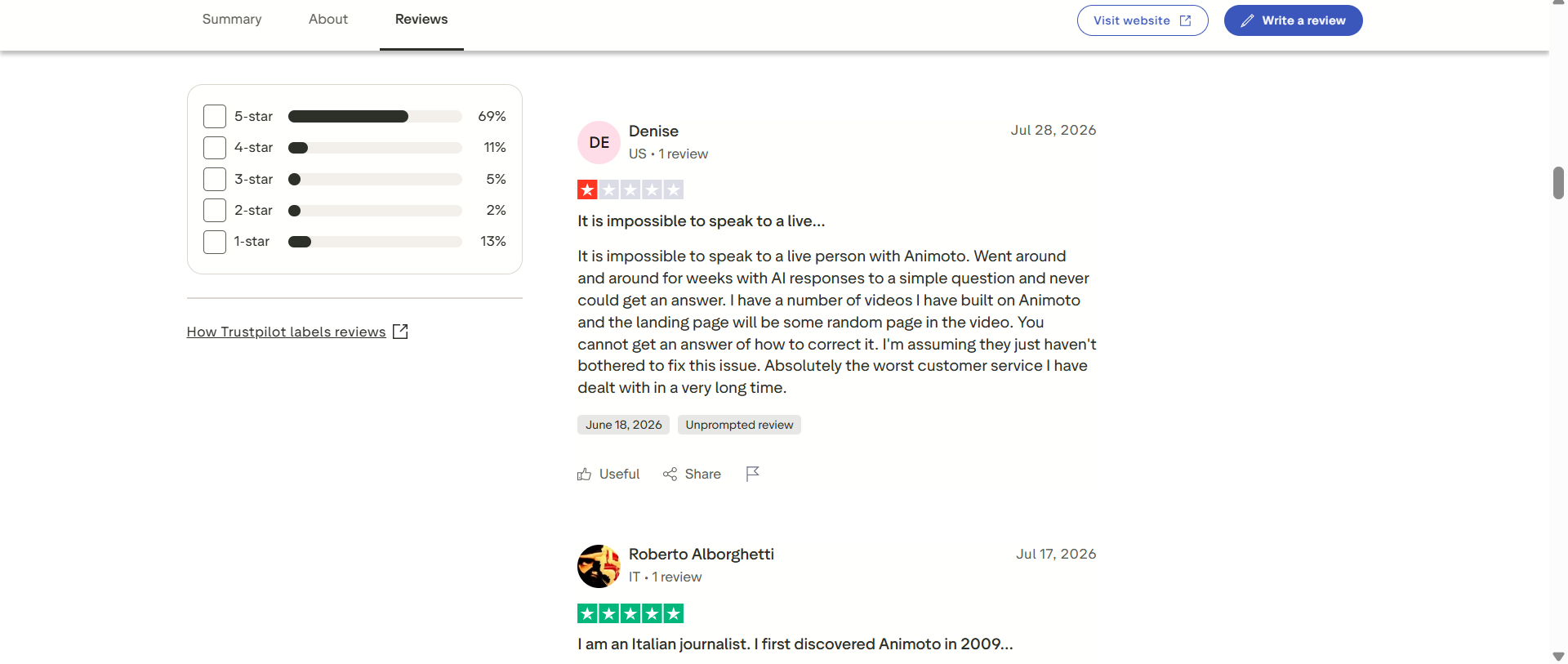
Trustpilot review
Trustpilot currently shows Animoto at 3.8/5 from 1,112 reviews, with 69% of reviews rated five stars and 13% rated one star. Recent reviews are mixed. While some users say they like the platform and customer support, others complain about difficulty reaching a human representative and unresolved account or video issues.
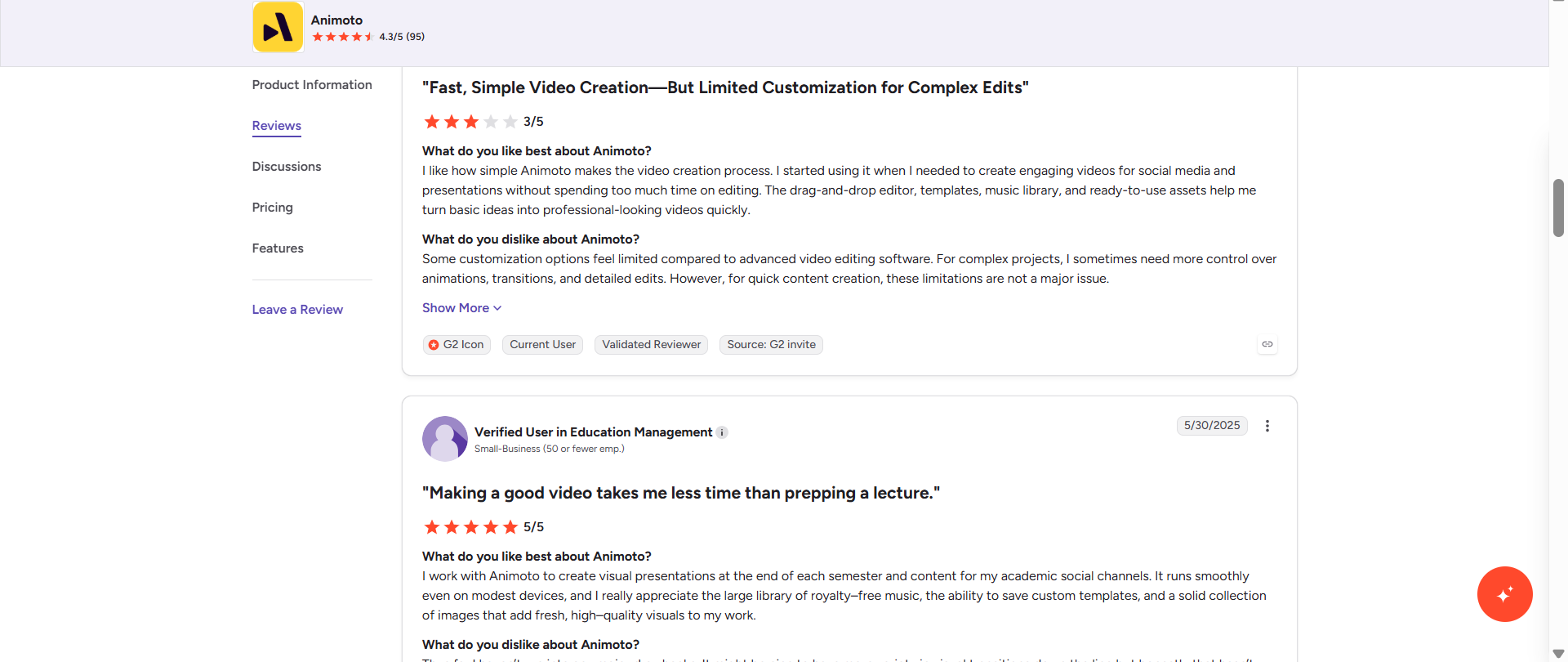
G2 review
G2 tells a brighter story, with Animoto currently getting a good score. Users often praise its intuitive interface, templates, music library, and ability to create professional-looking videos in a short time. At the same time, some reviewers note limited customization, template restrictions, pricing concerns, and customer service frustrations.
Final verdict
Having looked over Animoto's workflow, features, pricing, and the ongoing user feedback, it's easy to recommend the platform, especially for beginners who need quick, template-driven videos. With its drag-and-drop editor, stock library, music collection, and branding tools, routine social, marketing, presentation, and slideshow projects become relatively painless.
However, the bigger question is whether that simplicity is enough for today's AI-first video workflows. Fundamentally, Animoto is about taking existing media and assembling it into designed video compositions. If you want to generate new scenes from prompts, animate product images, convert existing footage, or just play with several of the best AI video models, you're probably going to want a different kind of tool.
That's where Vmake Labs comes into the role. Rather than trying to replicate Animoto's template editor, Vmake Labs is taking an AI-generated approach to video creation, enabling creators to start off with text, images, or existing video and generate new visuals.
Vmake Labs: A perfect Animoto alternative
Vmake Labs AI Video Generator enables creators to turn text, images, or existing video clips into new videos, and access multiple AI video models from a single workspace. Its current AI video generator supports Text-to-Video, Image-to-Video, and Video-to-Video workflows.
This can be a more flexible workflow for creators who need to generate fresh visual content, rather than assemble stock footage and predefined scenes. Besides generation, Vmake Labs also helps remove noise from video and supports a video audio enhancer to polish the output without switching tools.
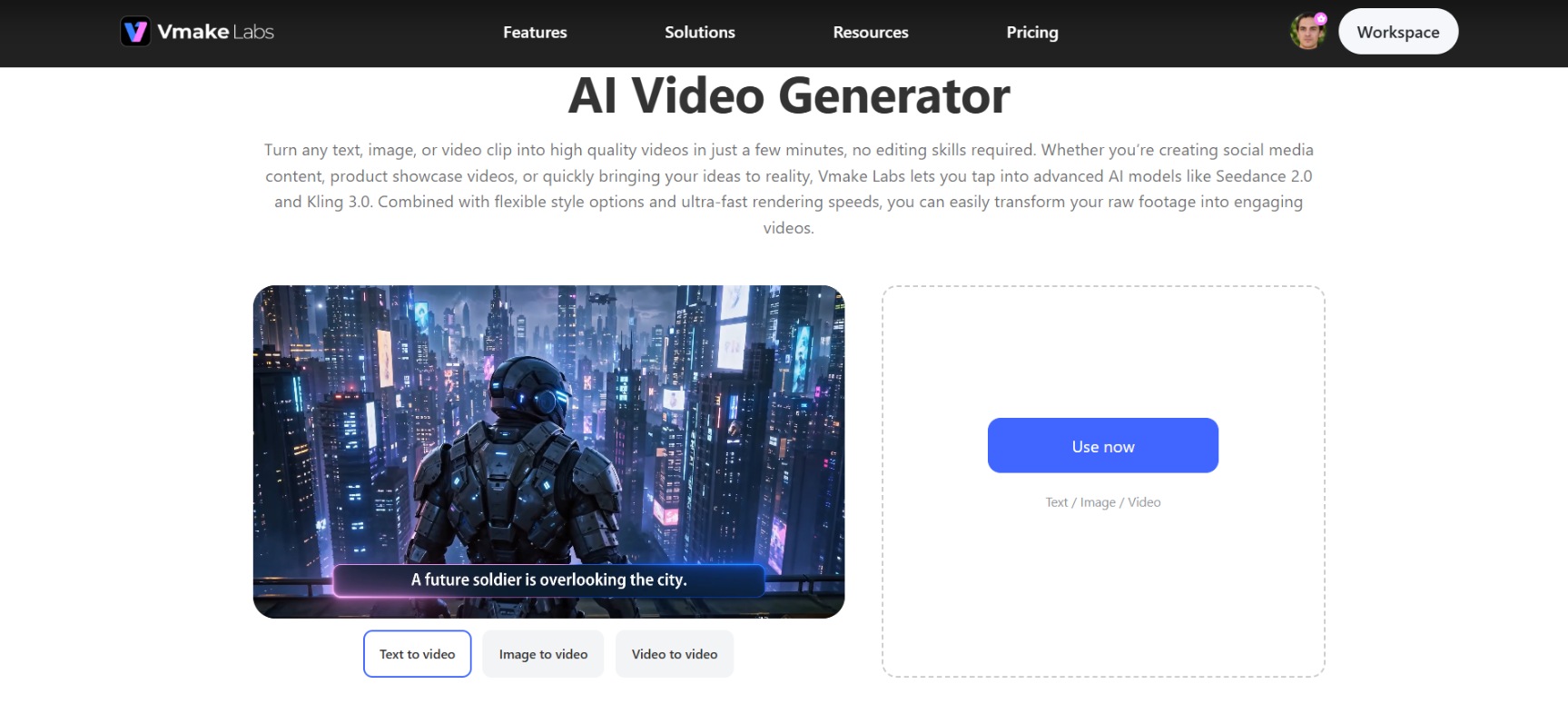
Steps to create videos with Vmake Labs
Step 1: Add your content or idea
Open the Vmake Labs AI Video Generator and select your generation method, such as Text to Video, Image to Video, or Video-to-Video. Vmake Labs enables these three core generation methods so you can go from an idea, an image, or existing footage straight to AI video generation.
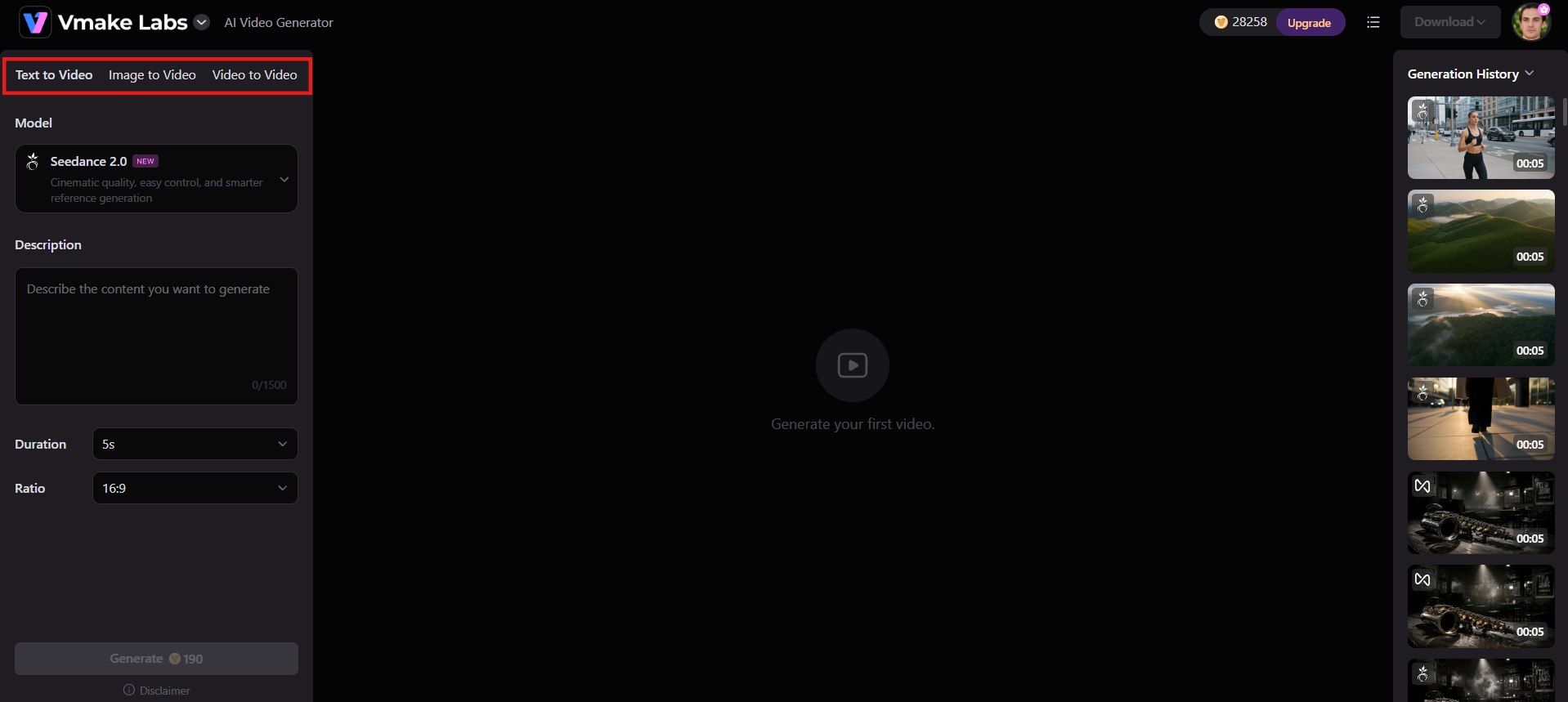
Step 2: Customize your settings and generate
Choose a visual style, video length, AI model (Seedance 2.0, Kling 3.0, etc.), and adjust settings like aspect ratio and duration, depending on your preferences. Then, hit Generate to begin the process.
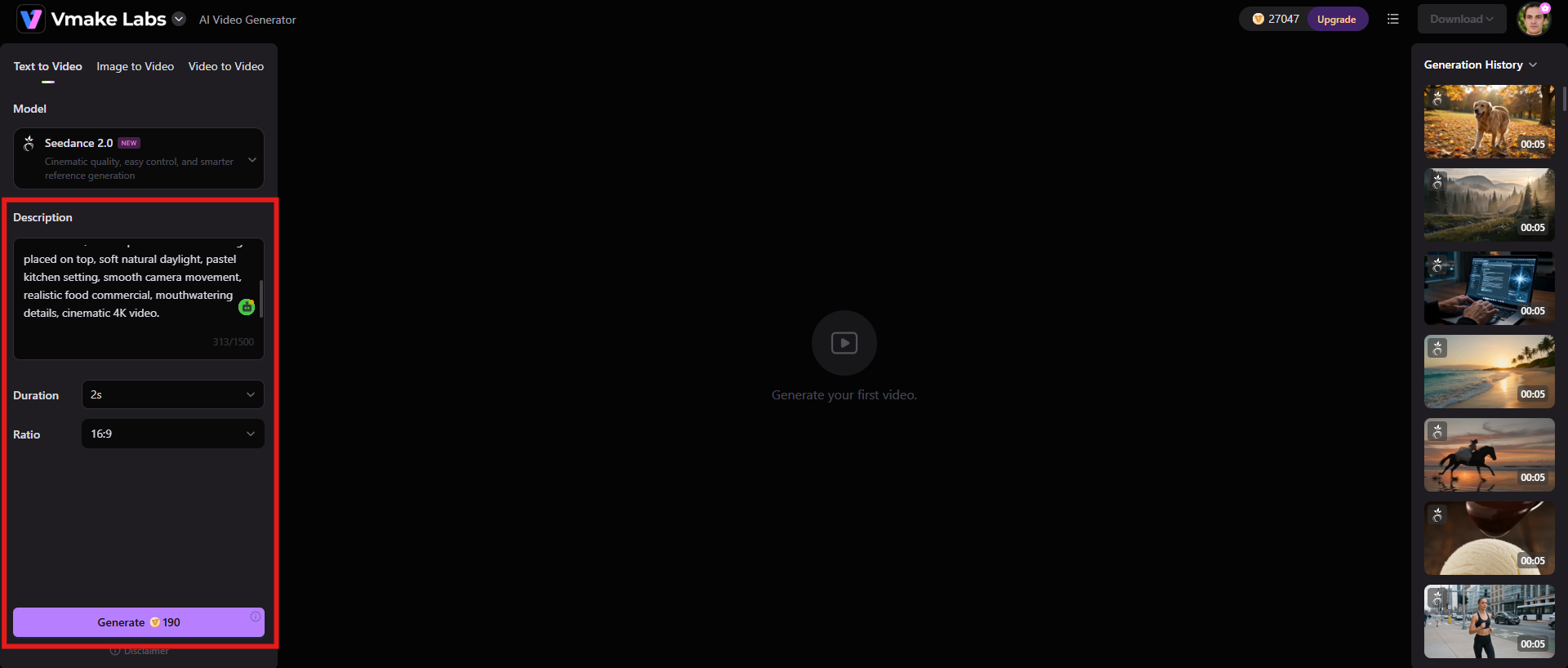
Step 3: Preview & download
Preview the result, and if everything seems fine, click "Download" to save the finished video. Vmake Labs supports high-resolution output, up to 4K depending on the model and plan.
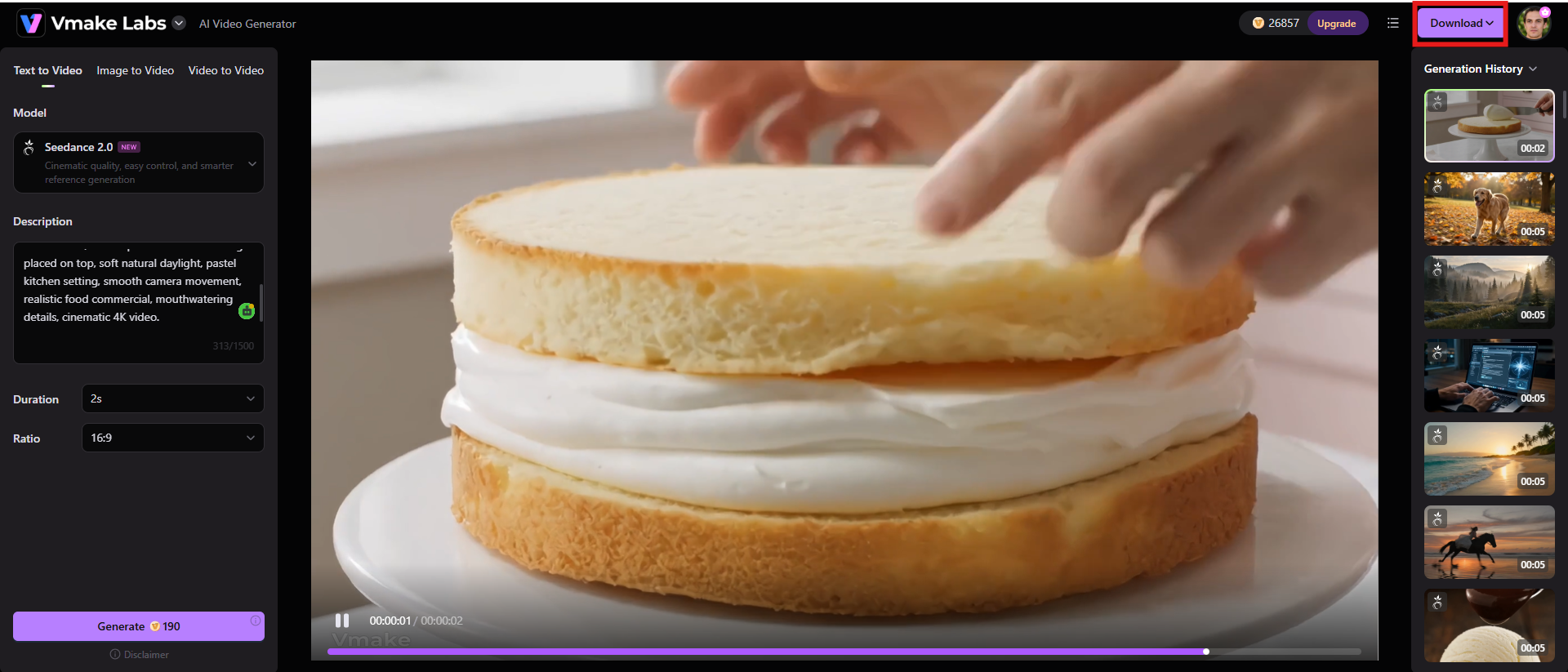
Key features
-
Multi-model AI generation: Vmake Labs combines several large AI video models in one workspace, such as Seedance 1.0/2.0, Kling 3.0, Google Veo 3/3.1, Sora 2, Vidu Q2, Wan 2.2, and more depending on your current plan and availability. This allows creators to compare different generation engines, instead of being tied to one model.
-
Flexible generation methods: Supports Text-to-Video, Image-to-Video, multi-image reference, start/end frame control, and Video-to-Video workflows. This allows you to start by providing a written concept, product image, multiple references, or an existing clip instead of just stock footage.
-
UGC & product-focused workflows: Vmake Labs also highlights commercial and social video use cases, including product showcase workflows and AI-generated UGC-style content. Its Product Showcase tool can make videos based on just one image of a product, and its larger platform can create videos optimized for social media.
Animoto video maker vs Vmake Labs: A quick comparison
The two platforms are addressing related but fundamentally different problems. Animoto is more about putting content together into a nice video with templates and an easy editor, while Vmake Labs is more about creating and transforming visual content with AI.
|
Features |
Animoto |
Vmake Labs |
|---|---|---|
|
Primary approach |
A template-driven online video maker designed to help beginners assemble photos, clips, text, music, and layouts into finished videos. |
An AI-first video creation platform that generates or transforms video from text, images, and existing clips. |
|
Video generation |
Primarily combines existing media and templates rather than generating entirely new video scenes from prompts. |
Supports Text-to-Video, Image-to-Video, and Video-to-Video generation. |
|
AI models |
AI is not the central differentiator of the platform. |
Provides access to multiple leading models, including Seedance, Kling, Veo, Sora, Vidu, and Wan, depending on the plan. |
|
Best for |
Beginners, educators, marketers, small businesses, photographers, and anyone who wants quick template-based videos. |
AI content creators, marketers, eCommerce brands, social media creators, and users who want to generate new video content rather than simply assemble existing assets. |
|
Output quality |
Paid plans support HD exports, while Professional and Professional Plus also provide 4K options for Animoto 3 projects. |
Output can reach 4K depending on the model and subscription tier. |
|
Pricing |
Starts from $9/mo |
Starts from $9.99/mo |
Conclusion
If you want something easy to use, Animoto is still a good choice. The ready-made templates, drag-and-drop editor, stock media, music library, and branding features make it easy for beginners and small teams to churn out respectable marketing videos, slideshows, presentations, and social content. The biggest downside we saw in this Animoto review is that the very thing that makes Animoto easy to use can also make it feel limited. For those wanting more control over editing, more creative freedom, or prompt-driven video generation, the template-based workflow can quickly become restrictive.
If you've moved away from putting videos together and more toward making them, then Vmake Labs is something to look into. Its multi-model AI workflow, Text-to-Video, Image-to-Video, Video-to-Video, product-video capabilities, and access to various AI models make it relevant for creators producing AI-native social and marketing videos.
FAQs
-
Is Animoto good for beginners?
Yes. One of Animoto's greatest strengths is its ease of use for beginners. Its templates and drag-and-drop editor take a lot of the technical complexity out of traditional video editing. Users frequently praise its intuitive user interface and ability to create professional-looking videos even for those without much editing experience.
-
What can you create with Animoto?
With Animoto, build social media videos, marketing & promotional videos, presentations, slideshows, educational videos, event videos, and more with photos, video clips, text, music, and templates. It is best suited for projects where you want to quickly combine existing media into a slick presentation.
-
Does Animoto have AI-powered video features?
While Animoto has integrated modern automated, AI-assisted features into its broader video creation experience, AI-generated video is not the primary differentiator of the platform. Its core strength is still template-based video creation and editing. If you're looking to generate entirely new scenes from text or images, AI-first platform Vmake Labs is a better fit for that workflow.
-
Is Animoto free to use?
Yes. Animoto has a free plan that lets users create videos without providing payment information. With the Free plan, you get 50+ music tracks, screen recording, webcam recording, and limited stock media, but videos will carry the Animoto watermark, and free users don't have the same download and sharing capabilities as paid subscribers.
-
What is the best alternative to Animoto?
There is no single best alternative for everyone because it depends on how you create the videos. Vmake Labs is a powerful option for creators looking to create AI videos. It offers the ability to create videos from text, images, or existing footage, and allows users to experiment with various AI video models within a single workspace.

You May Be Interested

Z Image AI Review 2026: Features, Performance, Pros and Cons
Yodayo AI Review 2026: Features, Pricing, and Alternatives
X-Design Watermark Remover Review (2026): Features & Pricing
Vidu AI Review: Is This AI Video Generator Worth in 2026?
Vadoo AI Review 2026: Features, Pricing and Alternatives
VEED Review: Does the Watermark Remover Work? (2026)

Vivideo AI Review 2026: Features, Pricing and Alternatives
Unlucid AI Review: Is this AI platform worth it in 2026?
