Aiarty Image Enhancer Review: Is It Worth Using in 2026?
Explore whether Aiarty Image Enhancer is worth your time with our review of its features, pricing, performance, and user feedback, then discover how Vmake Labs enhances images online with AI.

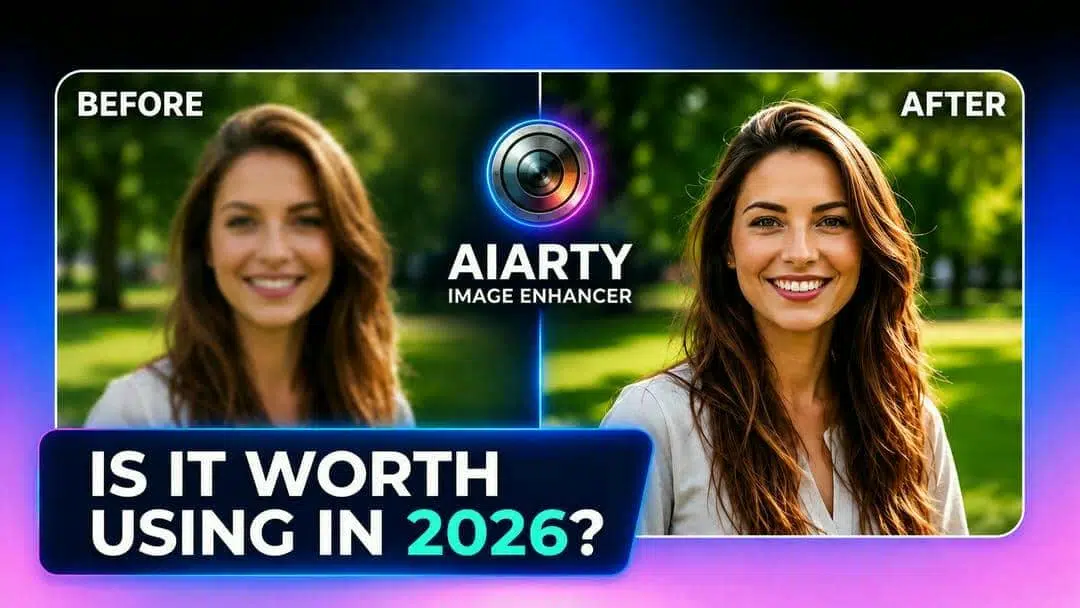
We tested Aiarty Image Enhancer using portraits, old photos, product images, and compressed files to evaluate its image quality, AI upscaling performance, processing speed, and usability. This review covers its features, pricing, strengths, limitations, and overall value, helping you decide whether it is worth downloading or paying for in 2026.
What is Aiarty image enhancer?
Aiarty Image Enhancer is a desktop AI app that leverages state-of-the-art deep-learning models to enhance image quality with minimal manual editing. It can add details, reduce digital noise, increase image resolution, and restore sharpness, while maintaining natural textures. The software works well with portraits, landscapes, product photos, scanned images, and AI-generated artwork. This makes it a useful choice for photographers, designers, marketers, and ecommerce sellers who want dependable AI-powered editing.
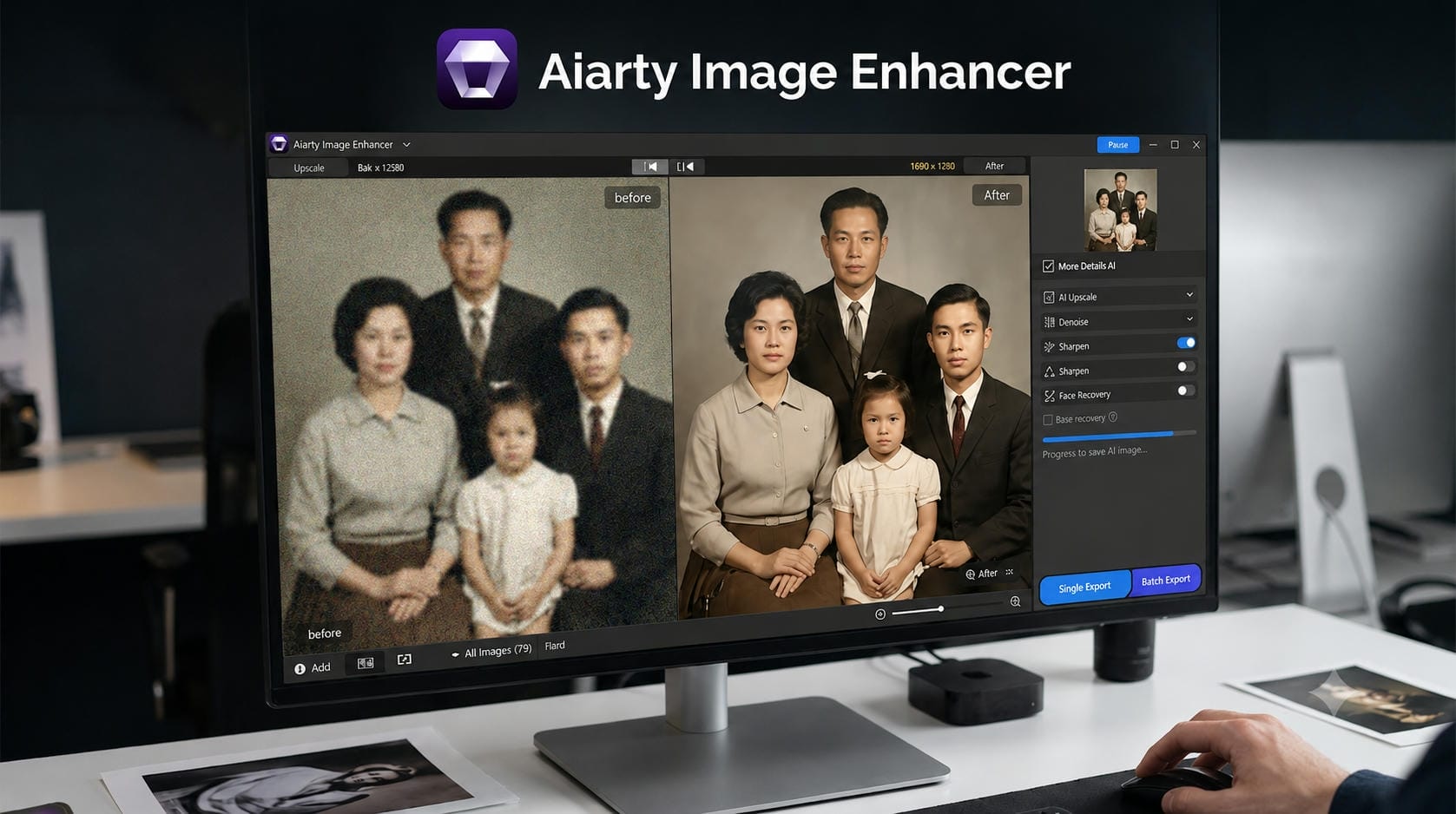
Aiarty is not a browser-based image enhancer. It runs locally on Windows and macOS to leverage the computer hardware to process AI. Furthermore, it features multiple enhancement models for various image types, allowing users to obtain superior results for portraits, textures, and high-resolution output. But for those who prefer a faster online workflow without installing software, a cloud-based solution for everyday image enhancement can be a better choice.
How to enhance image quality with Aiarty image enhancer
Aiarty Image Enhancer offers a simple way to improve your images without needing advanced editing skills. The software applies AI to automatically analyze your photo, sharpen details, reduce noise, and boost resolution. No matter what kind of images you have portraits, product shots, vintage photographs- you'll be able to get cleaner, more professional-looking results in minutes.
Step 1: Open Aiarty image enhancer and upload your photo
Launch the software and import the image you want to improve. Aiarty supports common image formats, allowing users to upload everything from smartphone photos to high-resolution camera images.
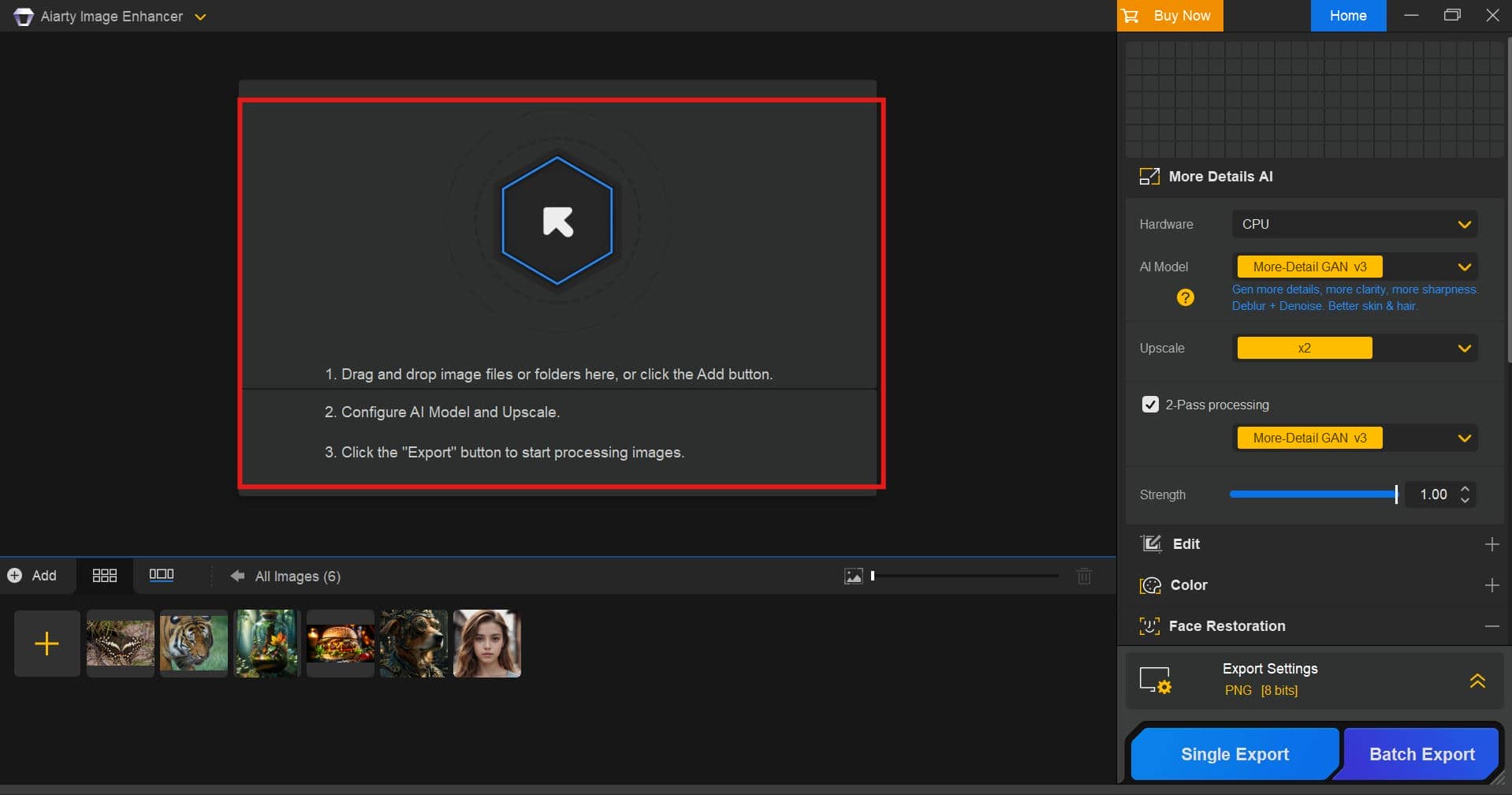
Step 2: Let AI analyze and enhance the image
Choose the right AI enhancement model for your image. The software automatically analyzes the photo, enhances clarity, sharpens details, reduces noise and performs AI-powered upscaling when needed.
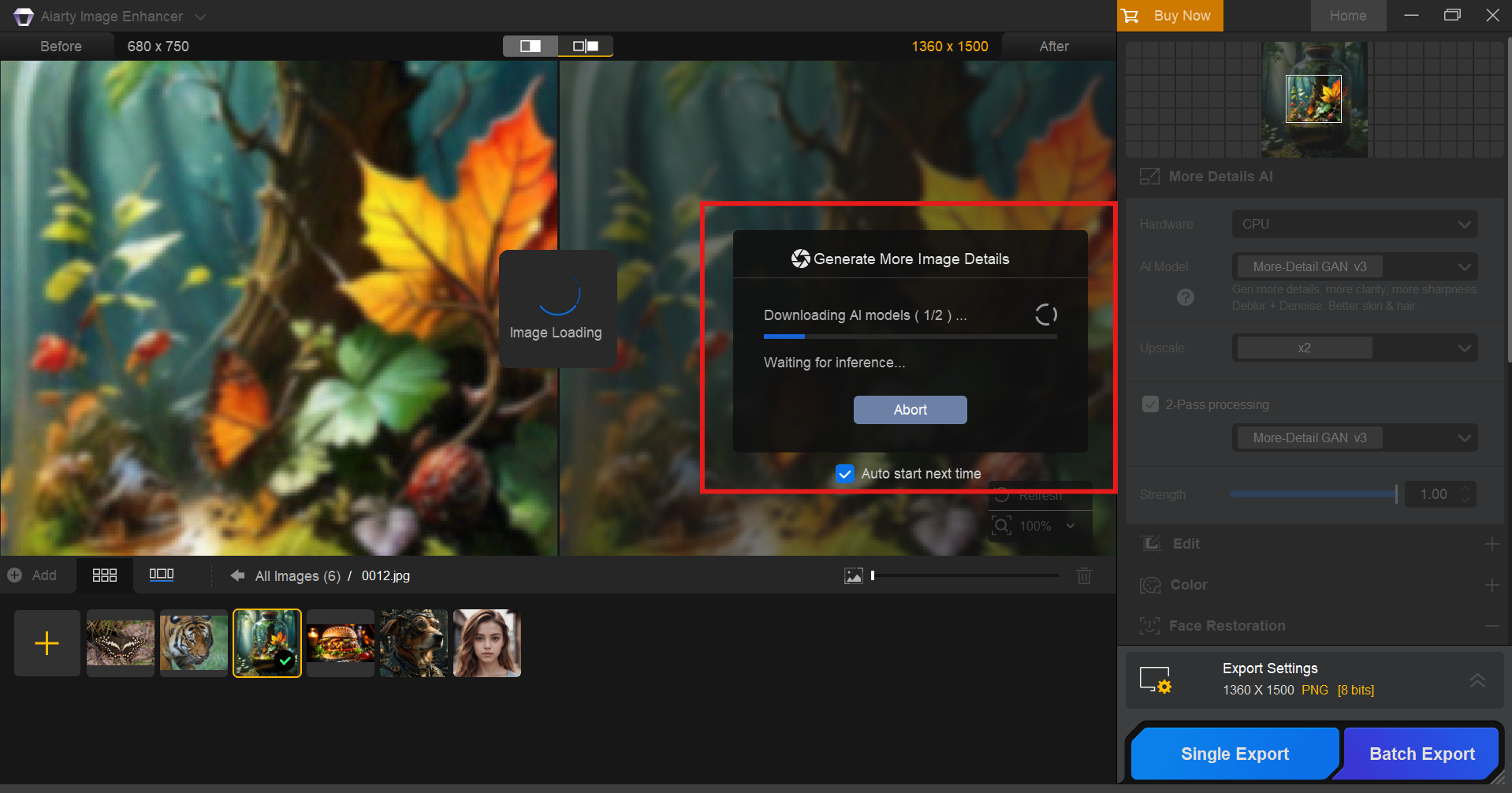
Step 3: Preview the enhanced image and export it
Compare the original image with the enhanced version using the preview window. Once you're satisfied with the results, export the image in your preferred format and resolution.
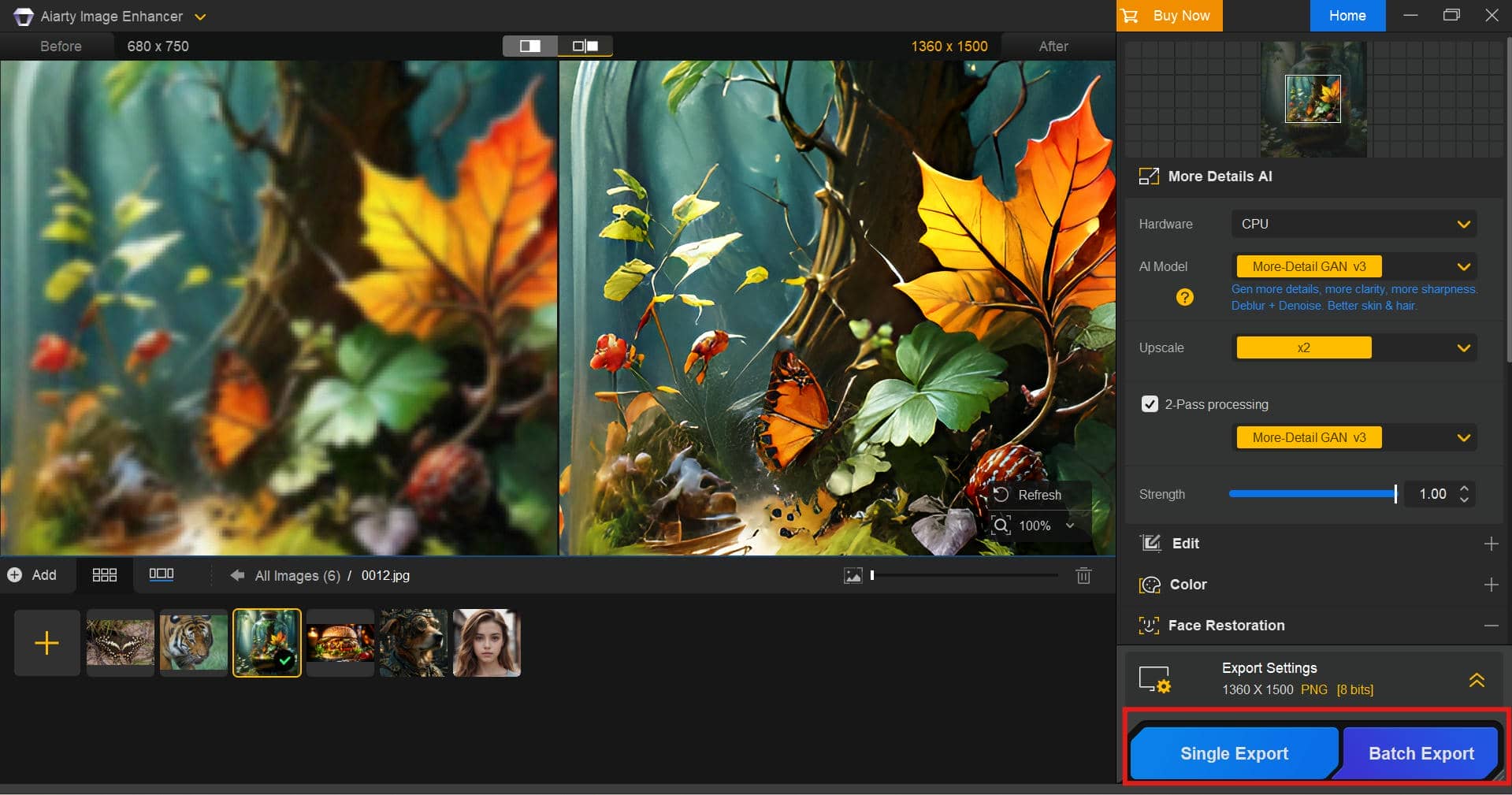
Aiarty image enhancer pros, cons, and pricing
Aiarty Image Enhancer packs a powerful set of AI-based editing features, especially for those who prefer desktop software. It provides strong results in image enhancement but still has a few limitations to consider before buying a license.
Pros and Cons
|
Pros |
Cons |
|---|---|
|
|
|
|
|
|
|
|
|
|
Pricing
|
Plan |
Pricing |
What You Get |
|---|---|---|
|
Free |
Users can test AI enhancement features and evaluate image quality before upgrading, but exports and advanced capabilities may have limitations. |
|
$75.00 |
Suitable for users who need regular AI image enhancement features with a paid license. |
|
$99.00 |
Best for photographers, designers, and creators who frequently enhance images and want long-term access without recurring payments. |
The Lifetime License is worth considering for users who regularly work with high-resolution images, batch processing, or professional photo enhancement. It provides better long-term value compared with repeated subscriptions. However, casual users who only need occasional improvements may find the free version sufficient for testing the tool before deciding whether an upgrade is necessary.
What users say about Aiarty
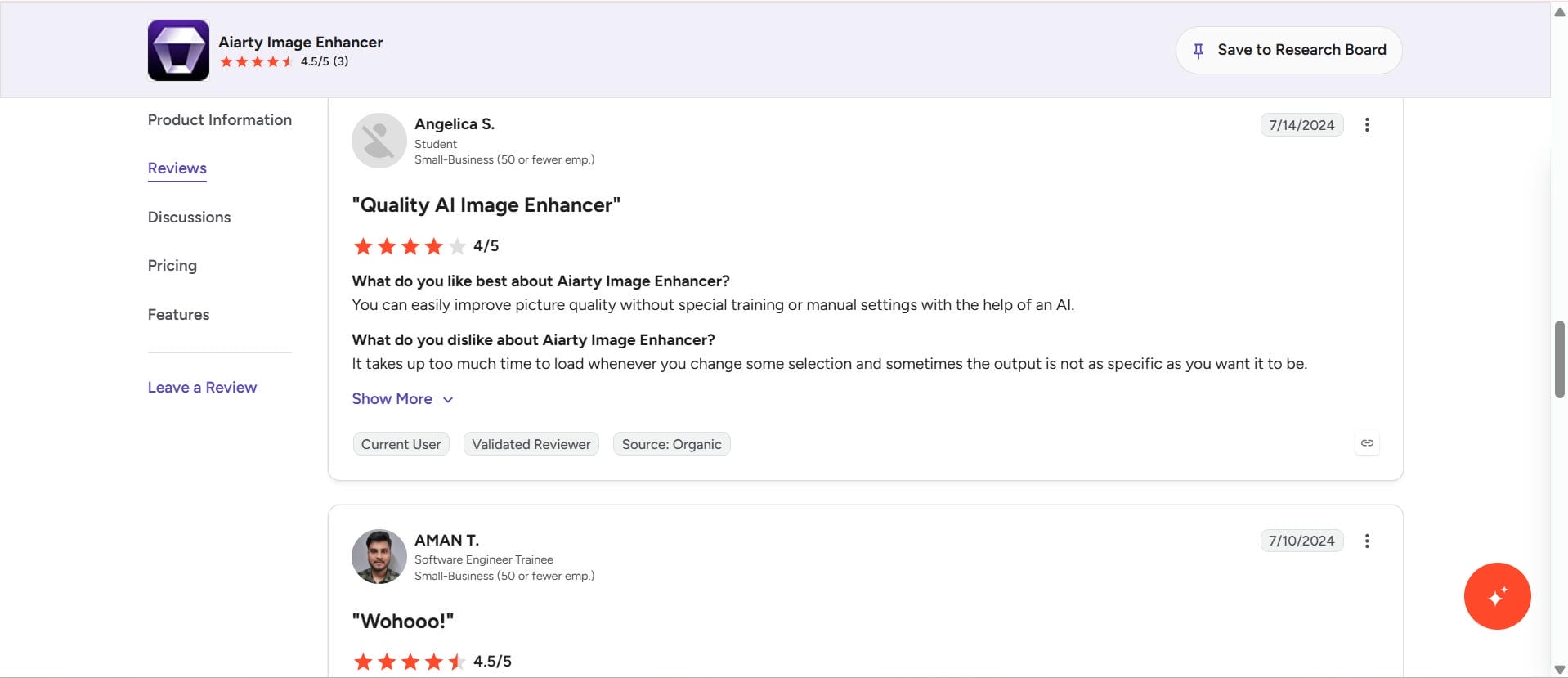
On G2
Aiarty Image Enhancer currently holds a positive rating on G2, with users praising its AI-powered image enhancement, ease of use, and ability to improve photo quality without requiring advanced editing skills. Reviewers appreciate the lifetime license option and effective image upscaling, although some mention slower loading times and limited output formats as areas for improvement.
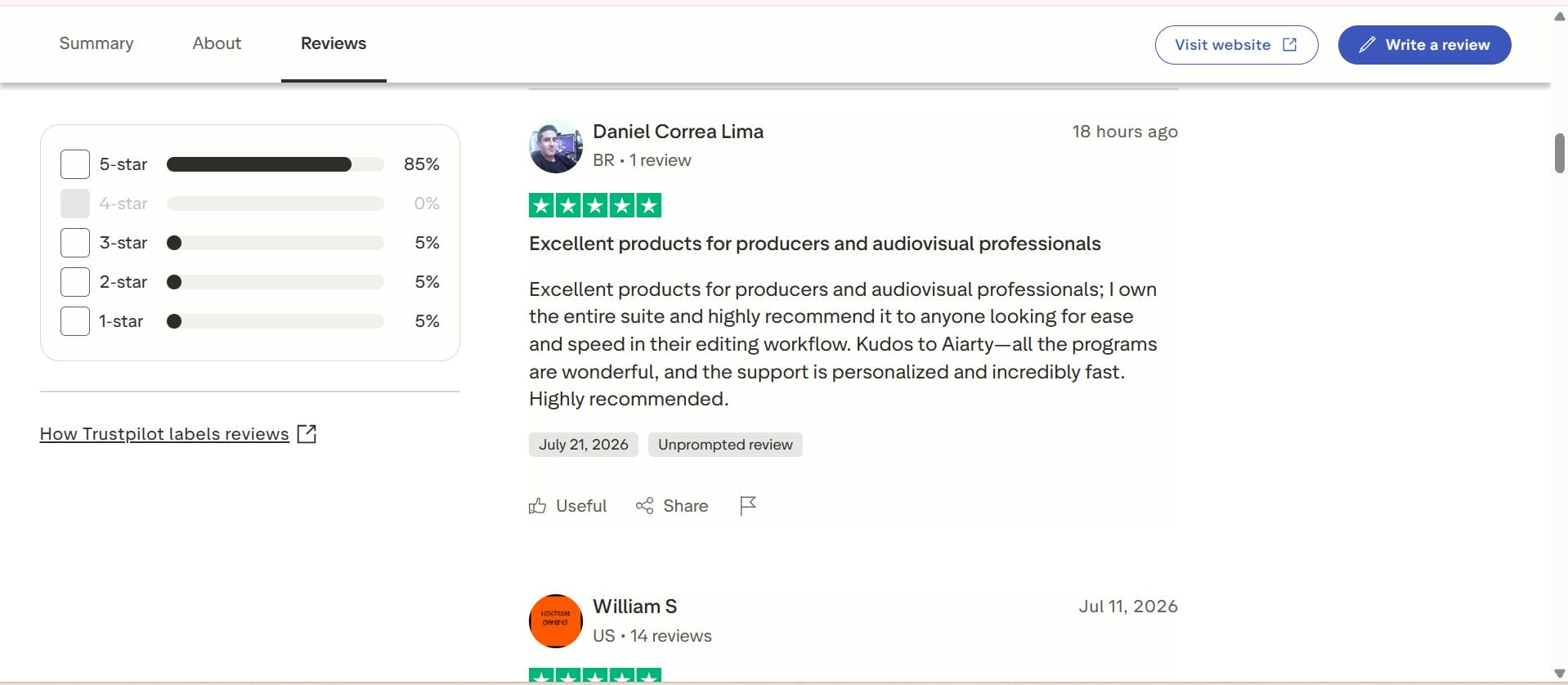
On Trustpilot
On Trustpilot, Aiarty has been mostly praised for its image quality enhancement, fast customer support, and stable performance. Most users mention great results of photo restoration and AI upscaling, but some complain about slow processing of large pictures on less powerful computers. Overall, reviews suggest a smooth experience overall, especially for those with more modern hardware.
Aiarty Image Enhancer is a dependable desktop-based AI editor, but it won't suit everyone, especially if you want something faster that doesn't require installation. If you want a browser-based solution that combines intelligent AI enhancement, multiple enhancement modes, and fast cloud processing, Vmake Labs AI Image Enhancer is a good alternative. So let's talk about how you can enhance images with Vmake Labs in a few simple steps.
Next-gen tool: How to enhance images with Vmake Labs AI image enhancer
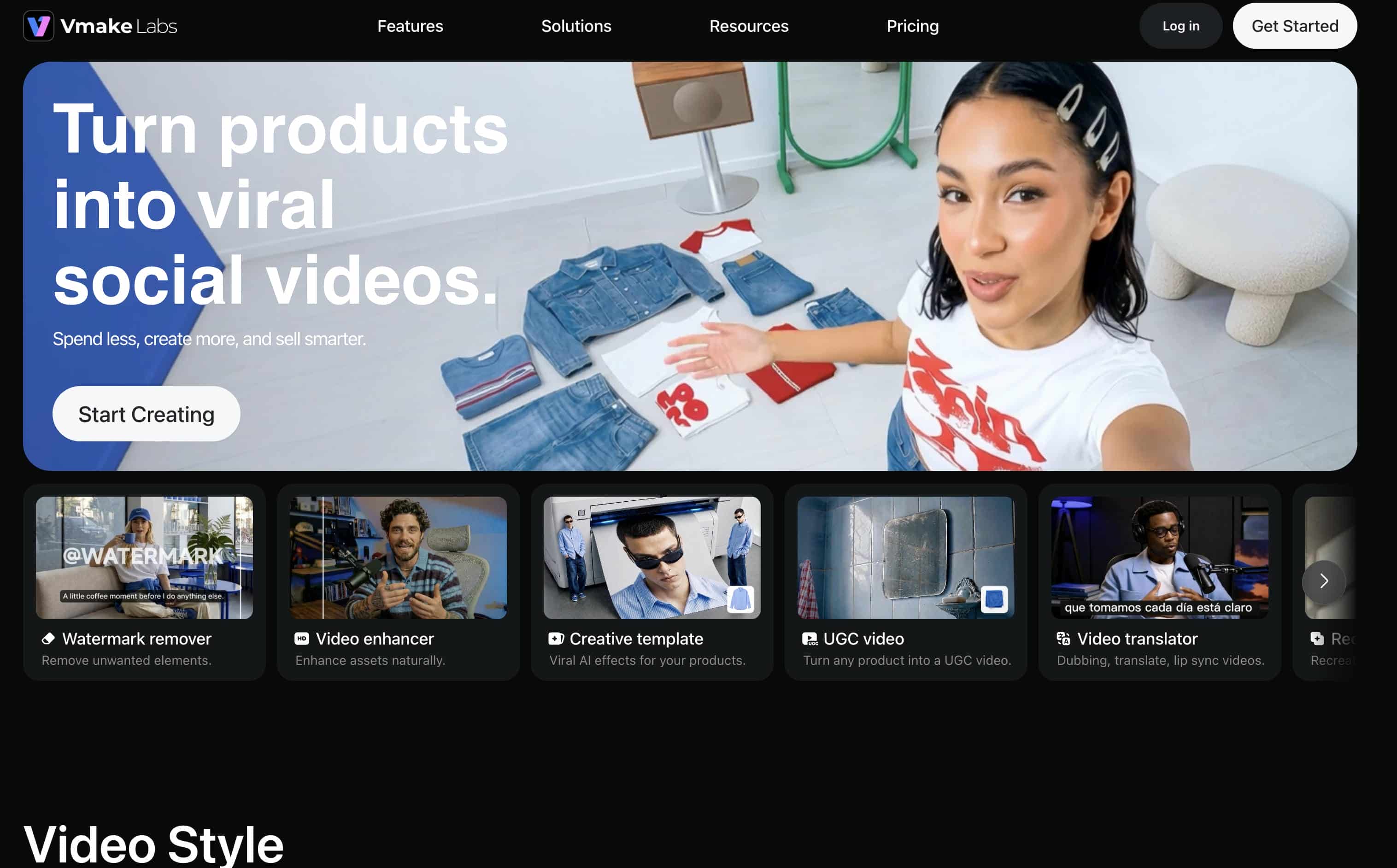
Vmake Labs AI Image Enhancer helps you enhance image quality easily without downloading or installing any desktop software. Its browser-based platform uses cutting-edge AI to sharpen details, improve clarity, upscale resolution, and restore low-quality photos, all in just a few clicks. Vmake Labs provides a fast and easy workflow to create professional results from virtually any device, from editing portraits, product images, or restoring old photos.
Key features of Vmake Labs AI image enhancer
-
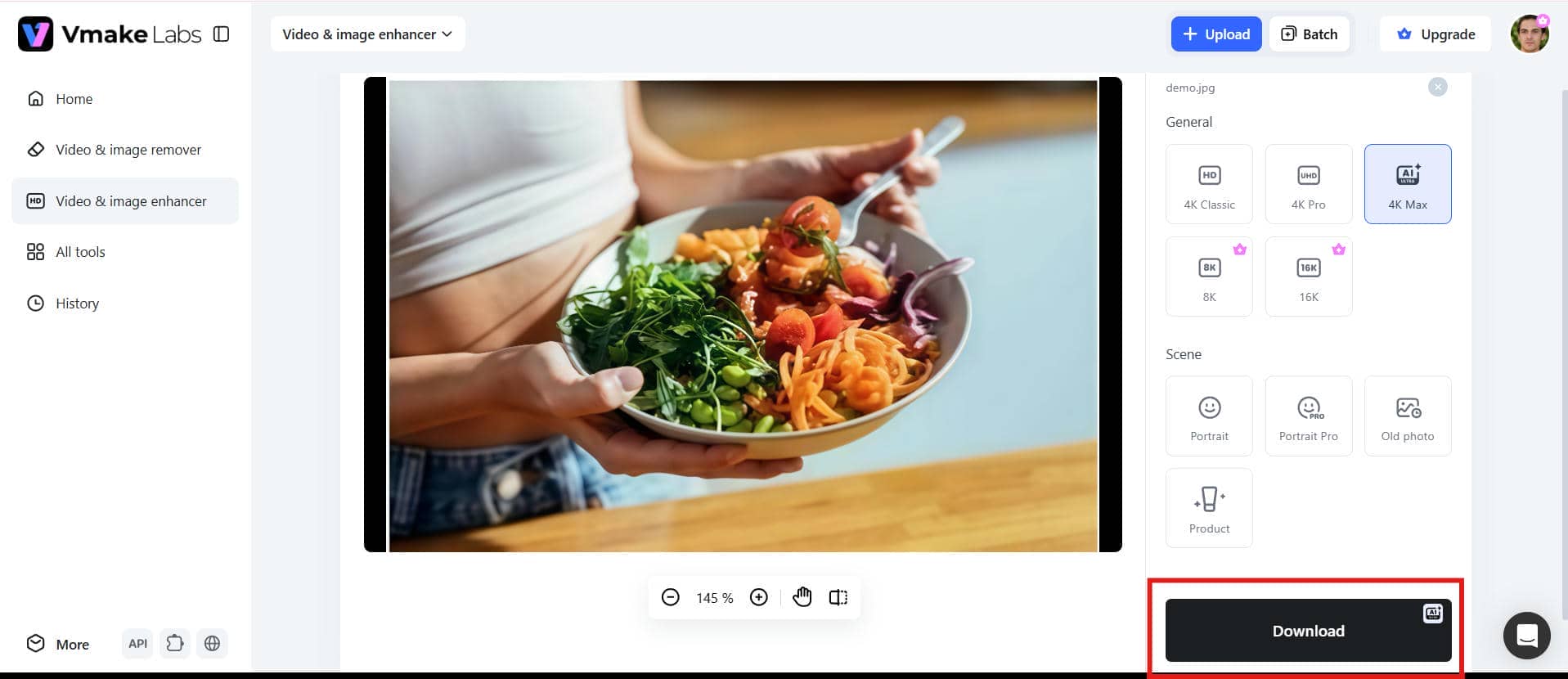
Multiple resolution options for different output needs: Vmake Labs offers multiple resolution options, including HD, UHD, AI UHD, 8K, and 16K, allowing users to enhance images based on their final purpose. Whether preparing visuals for social media, ecommerce product pages, websites, or large-format printing, users can choose suitable output quality without relying on additional upscaling tools.
-
Dedicated AI enhancement modes for different image types: Vmake Labs includes specialized enhancement modes such as Portrait, Portrait Pro, Old Photo, and Product to improve different types of images. Portrait modes help enhance facial details and clarity, Old Photo mode is useful for improving aged or faded images, and Product mode helps businesses create cleaner, more professional-looking product visuals.
-
Simple image upload for quick enhancement: The browser-based upload process makes it easy to enhance one or multiple images without complicated editing steps. This is helpful for beginners, content creators, and businesses that need a quick solution for improving image quality without learning advanced editing software.
-
AI-powered image enhancement for clearer visuals: Vmake Labs uses AI-powered processing to improve image clarity, sharpness, and overall quality while maintaining natural colors and textures. It helps users improve blurry, low-quality, or unclear images, making it suitable for social media content, marketing visuals, product images, and personal photo improvements.
-
Batch image processing for efficient workflows: With batch processing support for up to 30 images at once, Vmake Labs helps users save time when working with multiple files. This feature is especially useful for photographers, ecommerce sellers, and businesses that need to enhance large collections of images efficiently.
-
Browser-based workflow without software installation: Vmake Labs works directly through a browser, allowing users to upload, enhance, and export images without installing additional software. This makes the tool convenient for users who need fast image improvements while working on different devices or managing quick content creation workflows.
Steps to enhance images using Vmake Labs
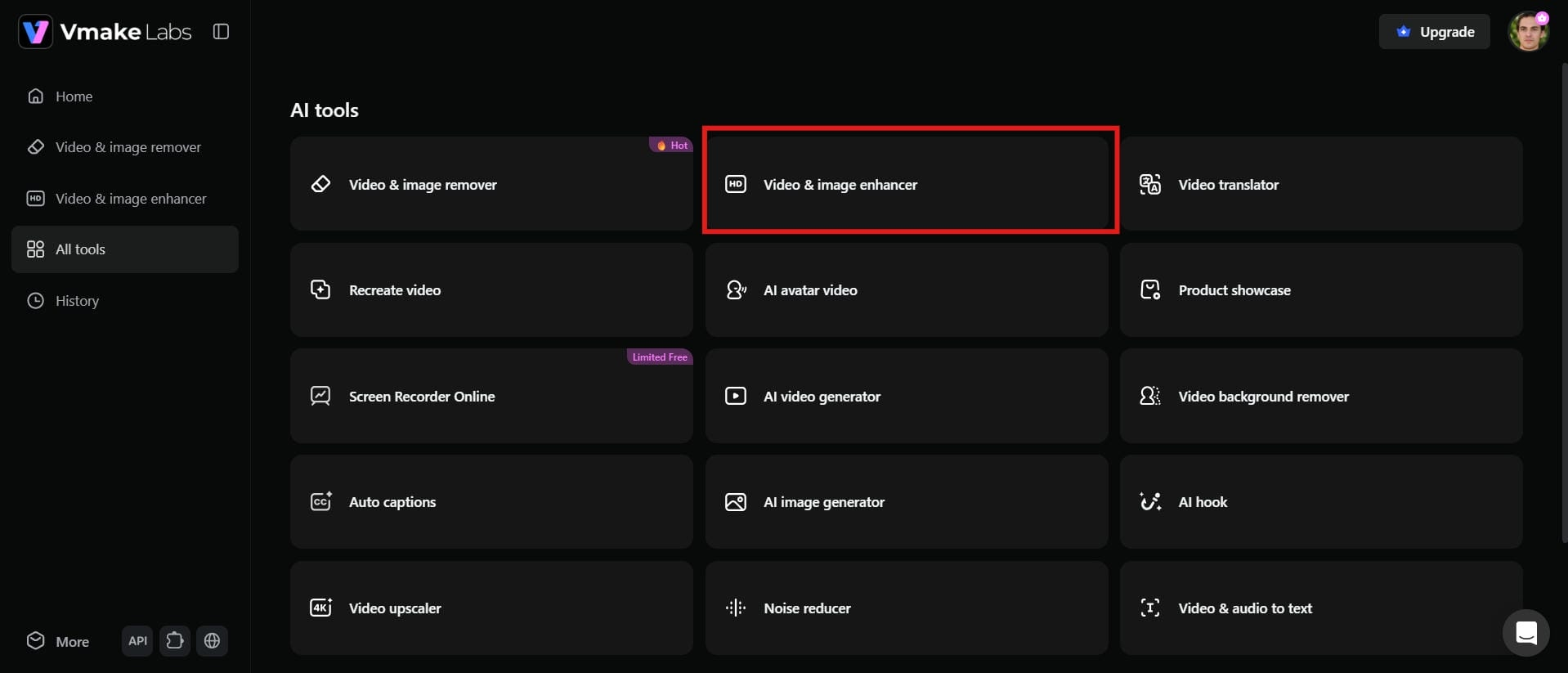
Step 1: Open the Vmake Labs AI image enhancer
Visit the Vmake Labs AI Image Enhancer in your browser. It's all done online, so you don't have to download or install any software, and you can start improving your photos straight away.
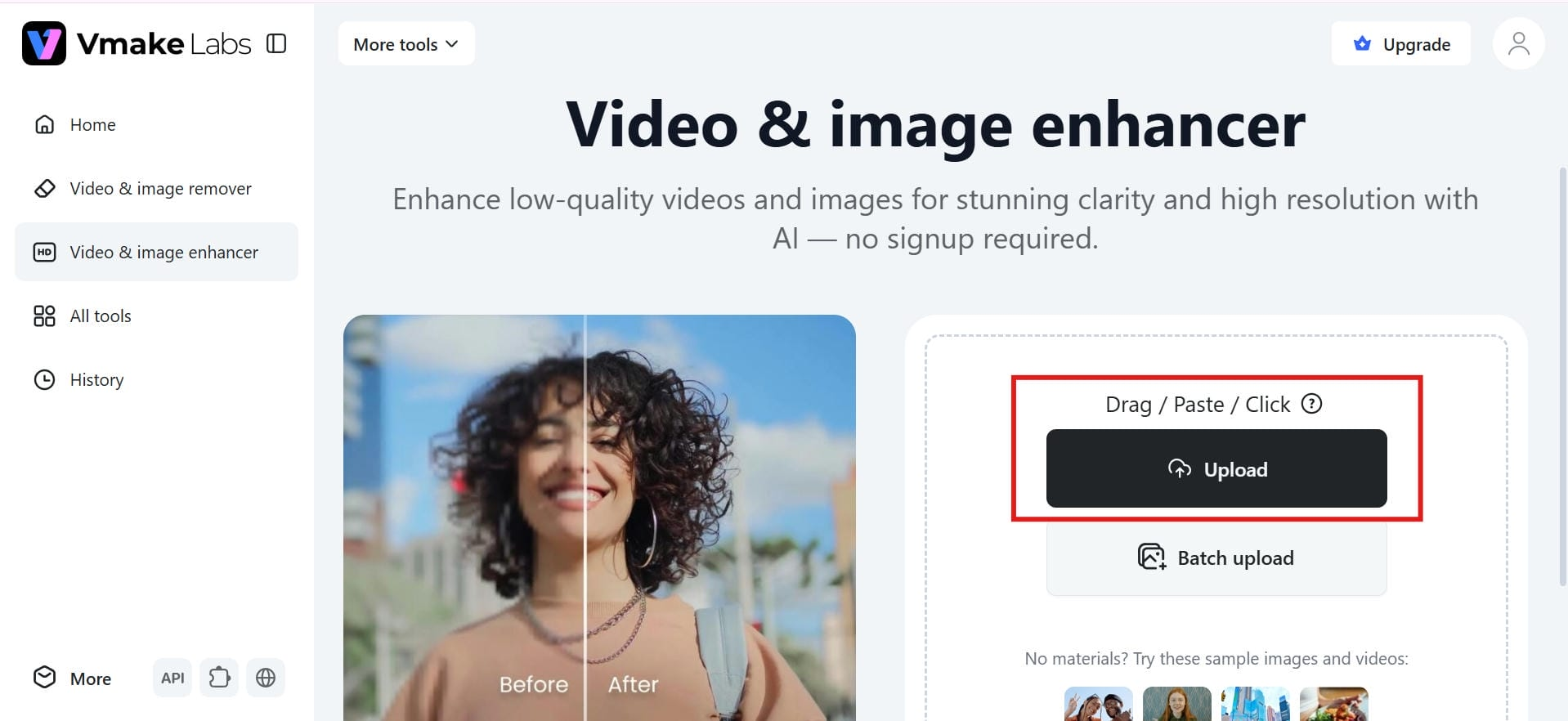
Step 2: Upload your image
Upload your photo by dragging and dropping it into the workspace or selecting it from your device. The tool supports various image types, including portraits, product photos, landscapes, and old pictures.
Step 3: Preview the enhanced result
The AI automatically enhances your image within seconds. Compare the original and enhanced versions to review the improvements before saving your final result.
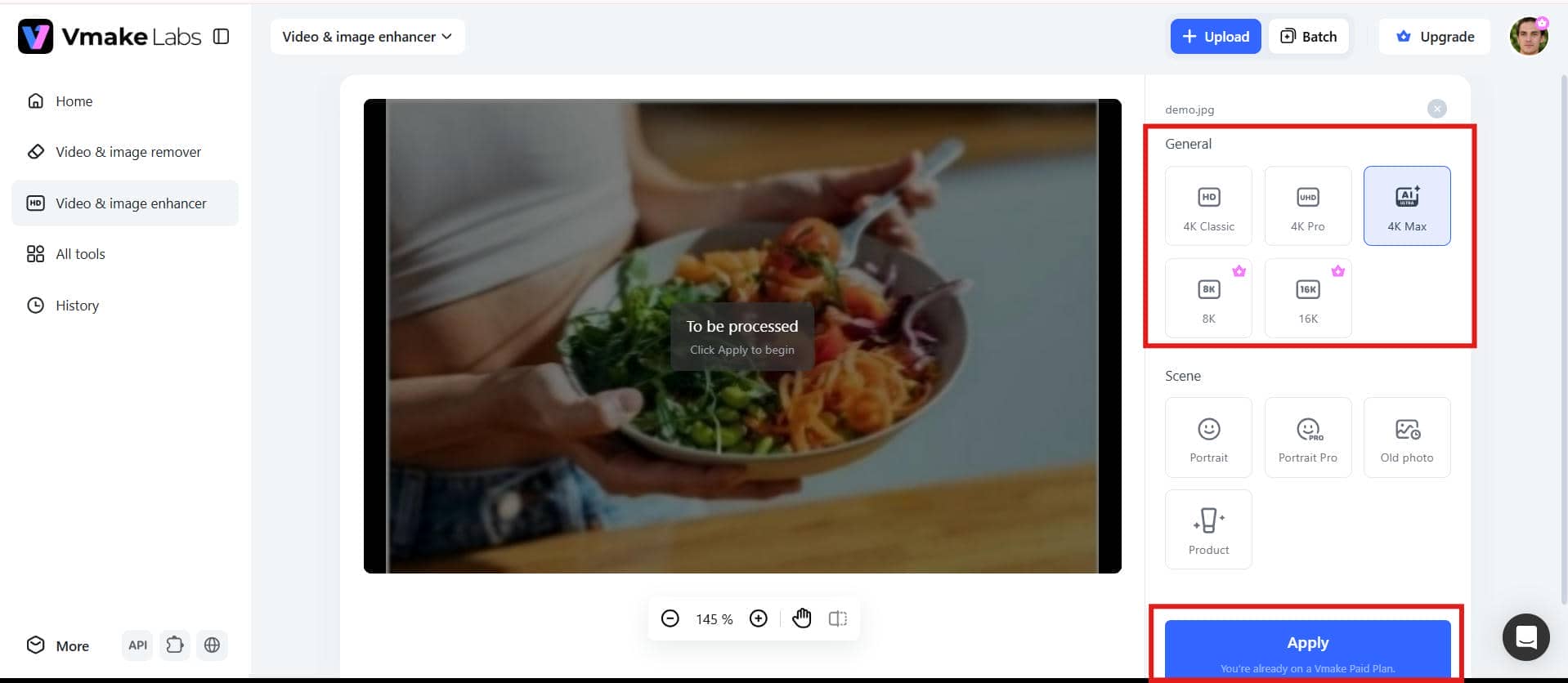
Step 4: Download the enhanced image
Choose your preferred output resolution and download the enhanced image. Your photo is ready to use for social media, ecommerce, printing, or other professional projects.
AIarty image enhancer vs Vmake Labs AI image enhancer
Both Aiarty Image Enhancer and Vmake Labs use AI to enhance the quality of images, but they are intended for different workflows. Aiarty is a desktop application with multiple AI enhancement models and relies on your computer hardware for processing. For example, Vmake Labs provides a browser-based experience with cloud-powered AI, making it easier to improve, restore, and upscale images without having to install software. The comparison below highlights the key differences to help you choose the option that best fits your needs.
|
Feature |
AIarty Image Enhancer |
Vmake Labs AI Image Enhancer |
|---|---|---|
|
Platform |
Desktop software |
Browser-based |
|
AI Enhancement Quality |
Multiple AI enhancement models |
Self-developed AI repair model |
|
AI Image Upscaling |
High-quality AI upscaling |
AI upscaling with detail preservation |
|
Image Sharpening |
AI sharpening and denoising |
AI sharpening with artifact correction |
|
Potrait Enhancement |
AI facial enhancement |
Enhances faces and repairs AI-generated facial artifacts |
|
Old Photo Restoration |
Supports photo restoration |
Restores damaged and low-quality photos |
|
AI Artifact Removal |
Basic AI restoration |
Removes fake faces, distortion, overexposure, reflections, and AI artifacts |
|
Batch Processing |
Supported |
Supports batch enhancement for up to 30 images |
|
Ease of Use |
Beginner-friendly desktop interface |
One-click browser-based enhancement |
|
Best For |
AI upscaling and desktop photo enhancement |
Online AI enhancement, restoration, sharpening, and repair |
Choose AIarty Image Enhancer if you prefer a beginner-friendly desktop application optimized for straightforward local upscaling and sharpening using your computer's hardware.
Choose Vmake Labs if you want a fast, browser-based cloud tool that offers advanced artifact correction, batch processing, and deep restoration for damaged old photos and complex visual distortions.
Conclusion
A desktop solution, Aiarty Image Enhancer is a reliable tool for users who need AI-powered upscaling, sharpening, and noise reduction with more control over editing images. With its multiple AI models and batch processing, it is a good choice for photographers and creators. But if you like a faster, browser-based workflow, Vmake Labs is a great option. It uses advanced AI combined with an image enhancer, AI image fixer, and photo restoration to quickly enhance picture quality without the need to install software. The best choice ultimately depends on your workflow, editing preferences, and enhancement needs.
FAQs
Is Aiarty image enhancer free?
Aiarty Image Enhancer offers a free version that allows users to test its AI enhancement capabilities. However, the free version comes with export limitations and restricted access to some advanced features. Users who need unrestricted exports and the complete feature set must purchase a Standard or Lifetime license.
How do I enhance image quality with Aiarty image enhancer?
Enhancing an image with Aiarty is straightforward. Open the software, upload your photo, select the appropriate AI enhancement model, allow the application to process the image, and preview the results. Once you're satisfied with the output, export the enhanced image in your preferred format and resolution.
Can Vmake Labs improve blurry or low-quality images?
Yes. Vmake Labs uses its self-developed AI repair model to improve blurry, compressed, and low-quality images while preserving natural details. It also offers dedicated enhancement modes for portraits, products, and old photos, making it suitable for different image types without requiring software installation.
Does Aiarty image enhancer upscale image resolution?
Yes. Aiarty Image Enhancer includes AI-powered image upscaling that increases image resolution while maintaining textures and reducing visible noise. Its AI models are designed to produce cleaner, sharper images that are suitable for printing, digital publishing, and creative projects.
Which AI image enhancer provides better results?
The answer depends on your needs. Aiarty Image Enhancer is ideal if you prefer desktop software with configurable AI models and local processing. Vmake Labs is a better choice for users who want a fast browser-based workflow, multiple enhancement modes, cloud processing, and high-quality results without depending on powerful computer hardware.
Is Vmake Labs a good alternative to Aiarty image enhancer?
Yes. Vmake Labs is a great alternative for users who want to enhance images online without installing desktop software. Besides AI-powered image enhancement, it offers tools like removing glare from photos to eliminate unwanted reflections and an HD photo converter to improve image quality for clearer, sharper results. Its browser-based workflow makes photo enhancement fast and convenient for both personal and professional use.

You May Be Interested

Aiarty Review Explained: Features, Pricing & Best Alternative

Best AI Image Enhancer in 2026: Top Tools to Upscale and Fix Blurry Images
Airbrush Video Enhancer Review 2026: Features, Pros, and Cons
Best AI Photo Enhancer Tools in 2026 (Free & Online): Improve Image Quality Instantly