
Honest YouCam AI Video Generator Review in 2026 (+ Best Alternative)
Explore our YouCam AI video generator review to learn about its features, pricing, strengths, and limitations. See how it compares with Vmake for creating professional AI videos and marketing content.

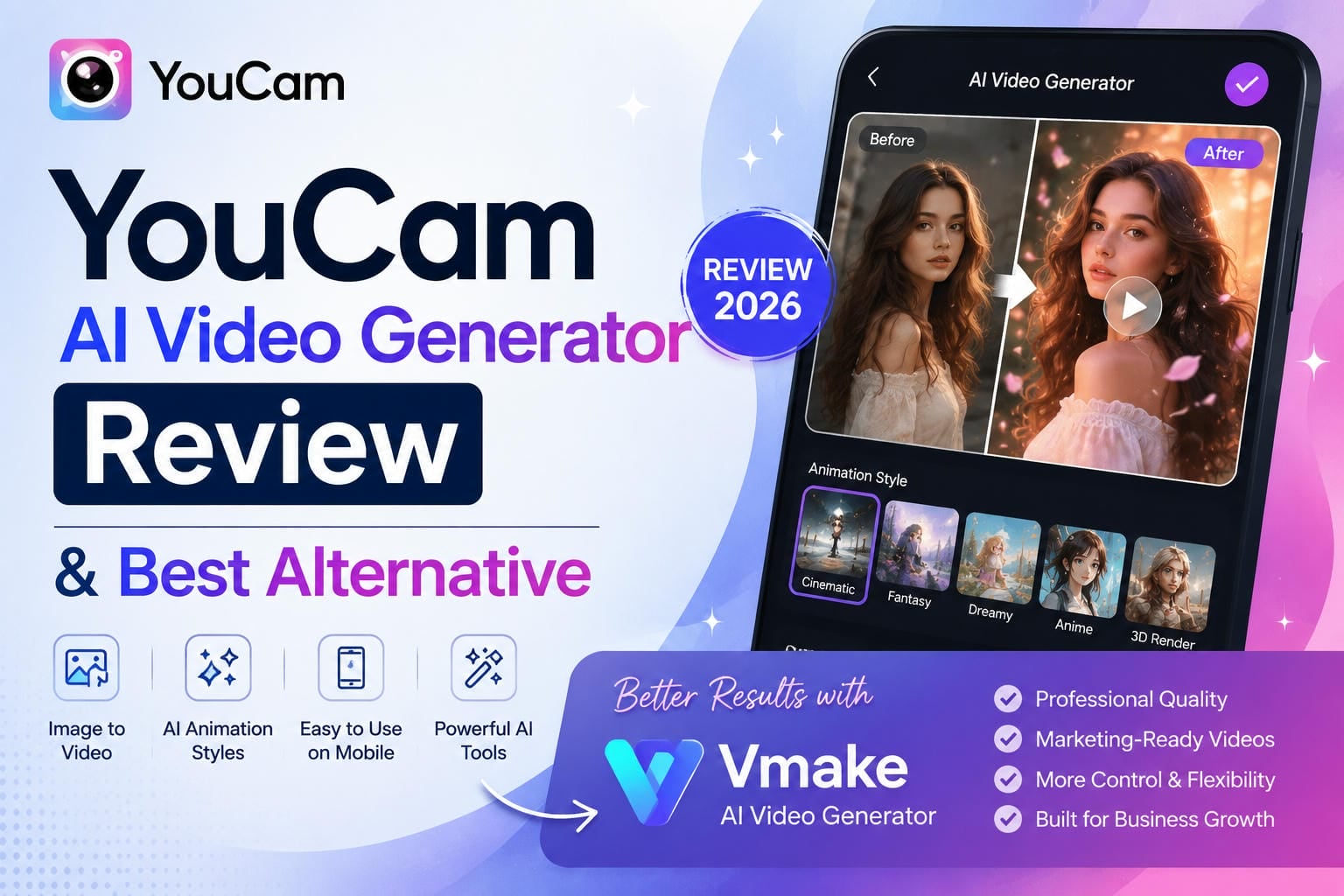
AI video tools are everywhere now, but not all of them solve the same problem. YouCam AI Video Generator focuses on turning photos into short animated clips with minimal effort. In this YouCam AI video generator review, we'll look at its features, pricing, limitations, and whether it's worth using today.
What is YouCam AI Video Generator?
YouCam AI Video Generator comes from Perfect Corp., a company most people already know for selfie editing, photo enhancement apps, image enhancer tools, and AI image generator features. Over time, it has added AI content creation tools, including video generation. The idea is simple: upload a photo, pick an animation style, and the AI turns it into a short video. It works especially well with portraits, selfies, pet photos, and digital artwork. What makes it popular is how little effort it takes to get results.

Key Features
YouCam keeps things simple, focusing entirely on generating animated videos from photos in just a few clicks. The platform's immense popularity with casual creators and social media users comes down to these core features:
Image-to-Video & Text-to-Video Generation
The core of the video suite allows creators to animate static images or build scenes entirely from text prompts. By uploading a single photo, whether a beauty portrait or an e-commerce flat lay, the AI processes it through high-end integrated models (like Google Veo 3 and Kling) to add natural motion, panning, or cinematic transitions.
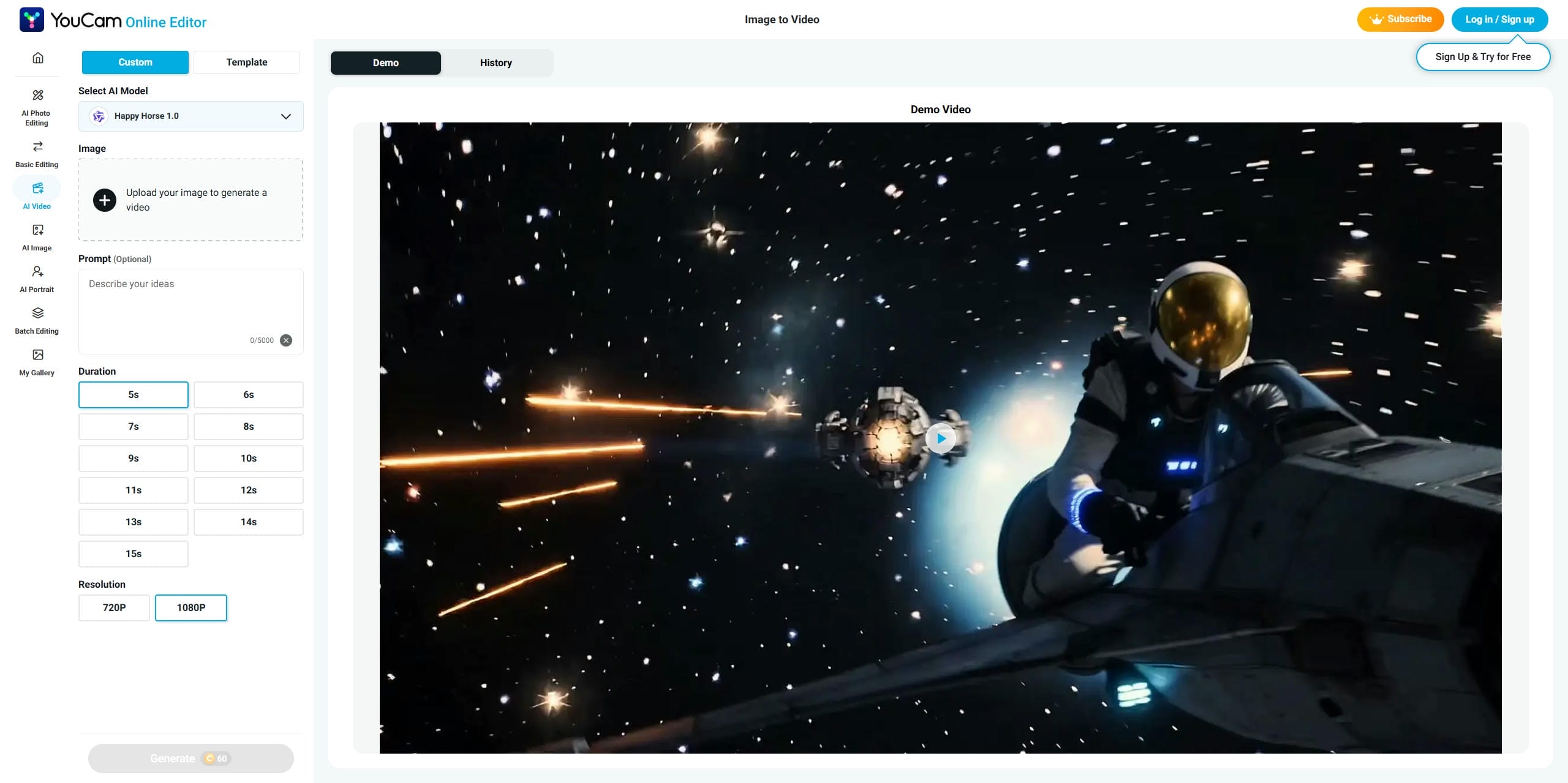
Different AI Animation Styles and Motion Effects
Users can choose from a variety of automated motion styles, from trending social media templates to sweeping camera pans. The output quality varies based on your chosen settings; selecting advanced, third-party integrated engines like Veo 3 delivers a noticeably crisper look than the basic YouCam-native animation engine.
AI Avatar and Selfie Animation Capabilities
Selfies feel incredibly native to YouCam's ecosystem. It lets you create moving avatars or inject facial expressions into static profiles with minimal effort. Under the hood, specialized face-tracking precision keeps skin smoothing and makeup adjustments perfectly locked onto moving faces without creating a fake, plastic mask look.
Built-In AI Image Generation and Editing Tools
Beyond video synthesis, the platform operates as an all-in-one visual playground. Creators can generate images from prompts, remove messy backgrounds, and perform complex graphic edits before pushing the final asset directly into the video pipeline. This unified space includes real-time AR try-ons calibrated to actual cosmetic formulas.
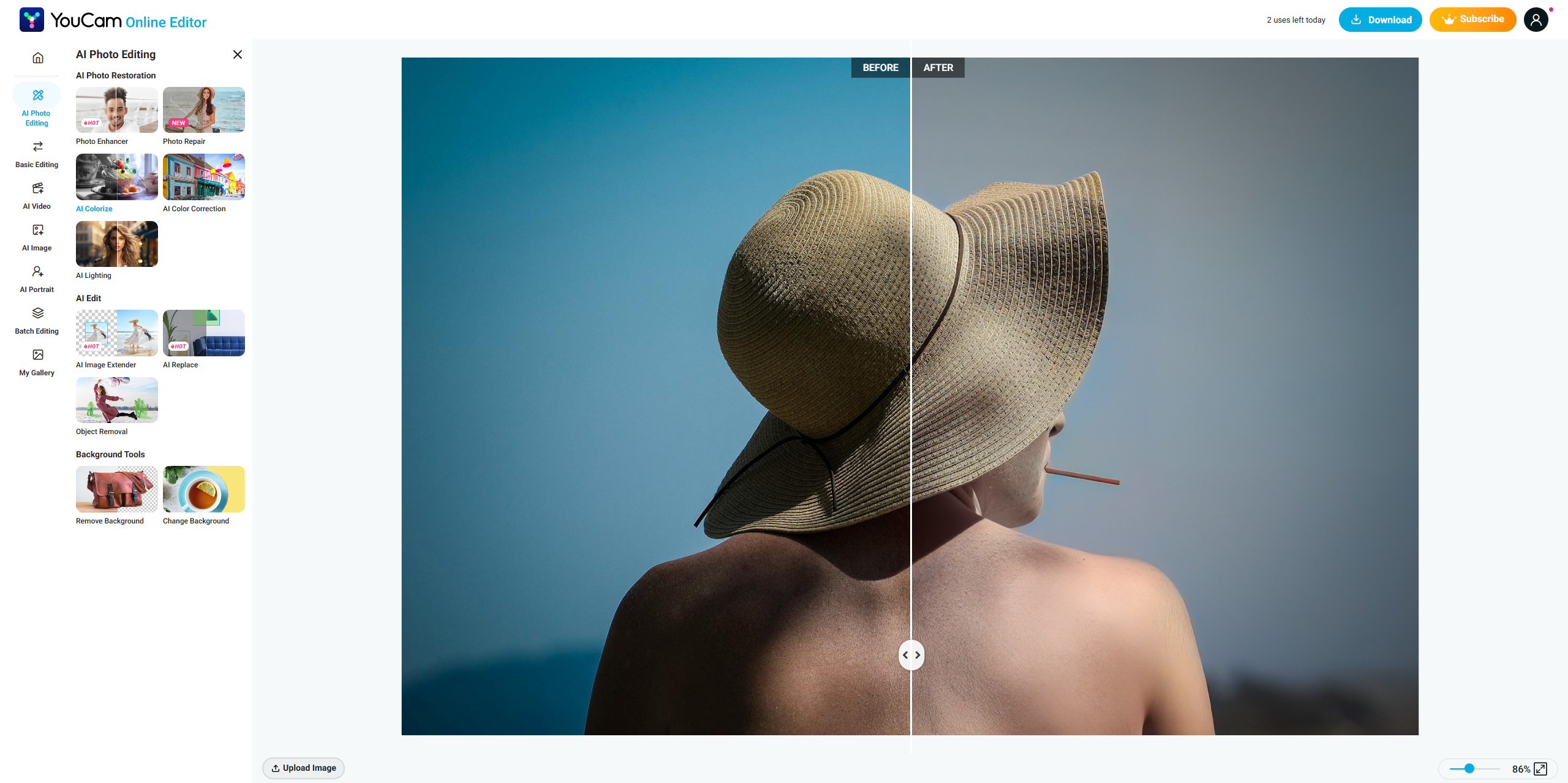
Mobile-First Experience and Web Access
YouCam was built from the ground up for smartphones, providing a highly intuitive, responsive app for on-the-go production. While a fully functional online web editor exists for desktop users, the rapid, touch-and-generate flow of the mobile application remains the tool's primary hook.
How to Use YouCam AI Video Generator
One reason YouCam AI Video Generator continues to attract new users is its straightforward workflow. The platform simplifies image-to-video creation, allowing users to generate short animated clips without advanced editing skills or complex software.
Step 1: Open Image to Video and upload an image
Navigate to the AI Video section and choose an AI model from the available options, then upload the image you want to animate. You can use portraits, pet photos, illustrations, AI-generated artwork, or other compatible images as the starting point for your video.
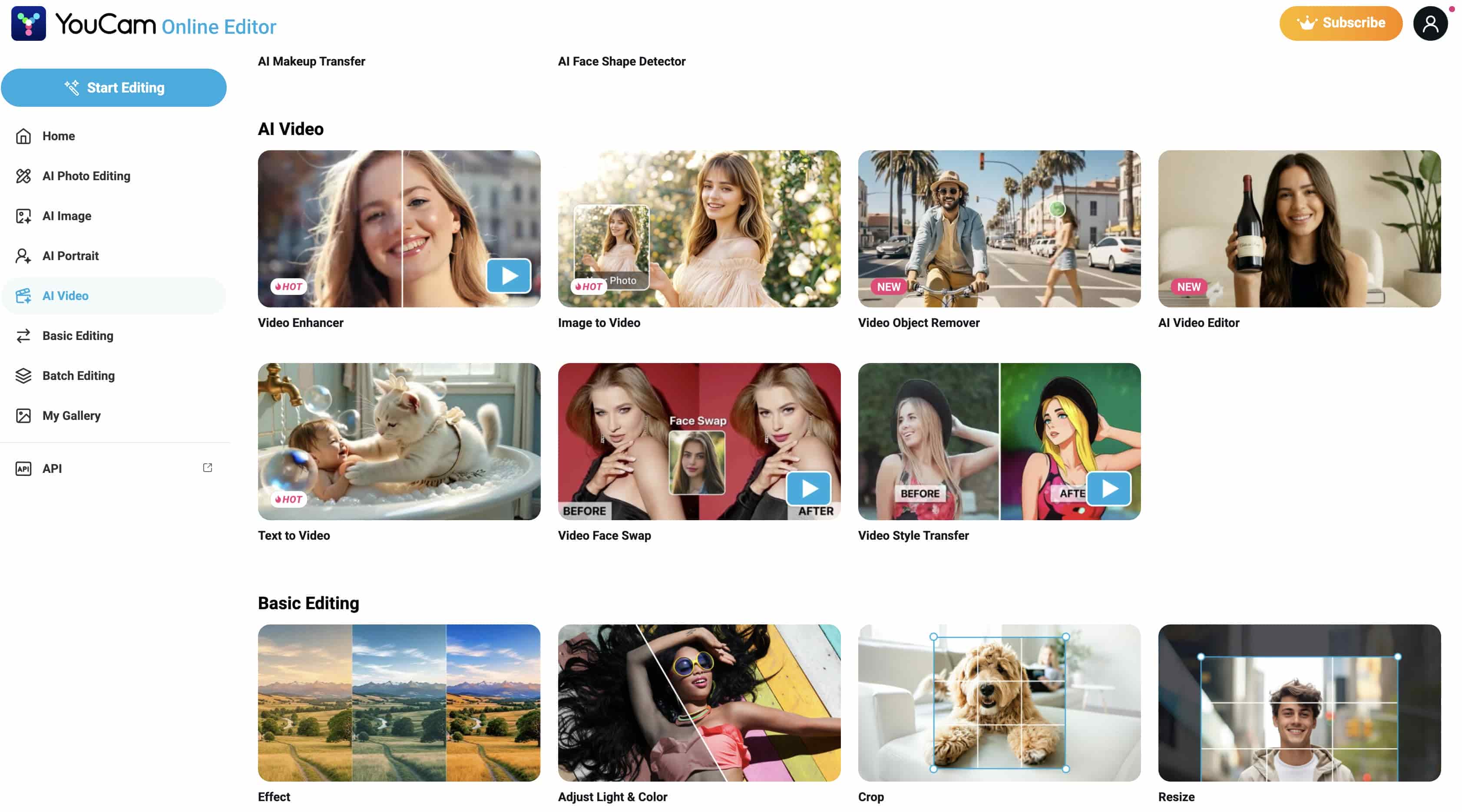
Step 2: Add a prompt and customize video settings
After uploading your image, optionally enter a prompt describing the motion, action, or visual style you want the AI to generate. Next, select the desired video duration, with options ranging from 5 to 12 seconds. These settings help guide the final animation and determine the overall look of the generated clip.
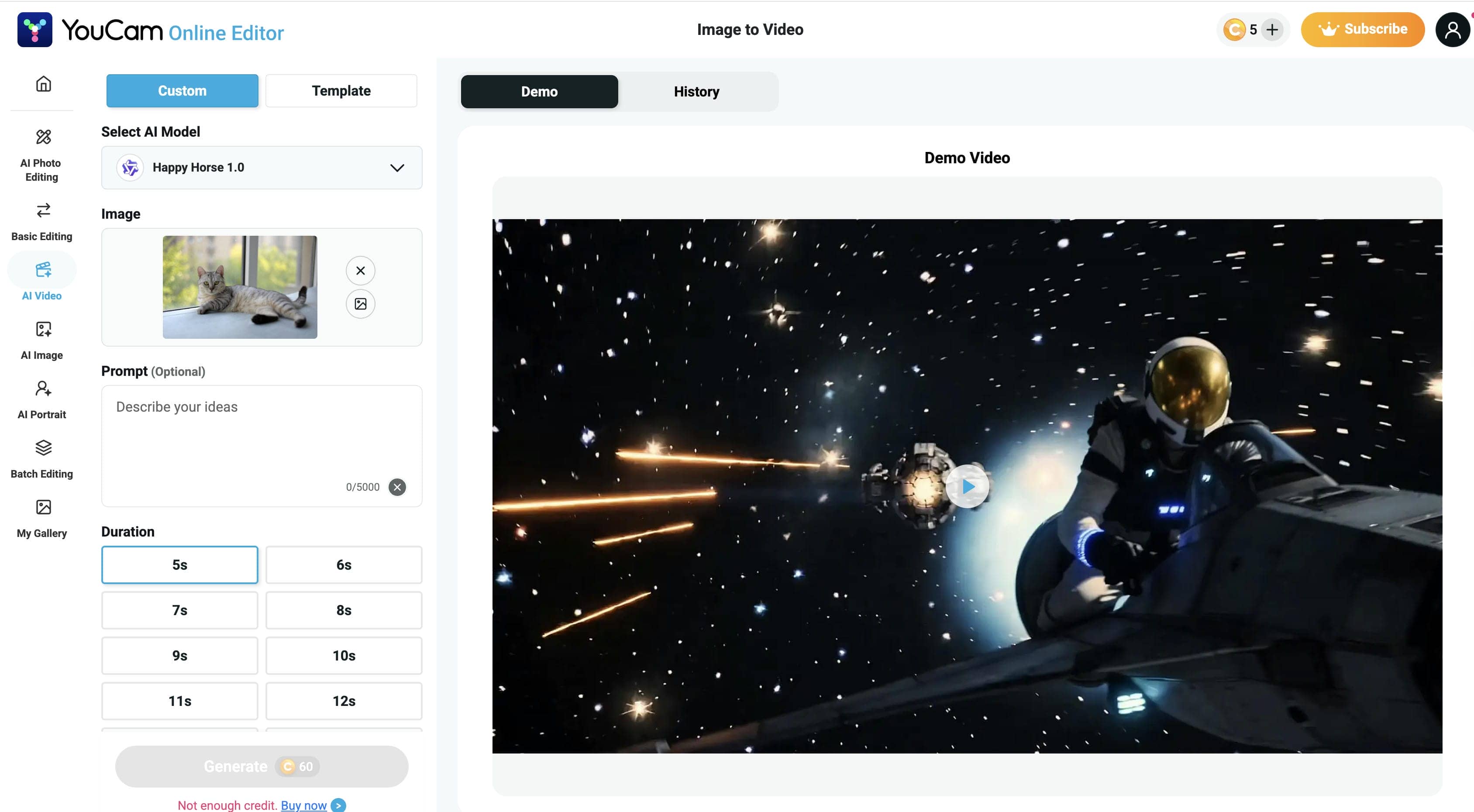
Step 3: Generate and download your video
Click Generate to create the video. Once processing is complete, preview the result and evaluate the animation quality. If needed, adjust the prompt or settings and generate again. When you're satisfied with the output, download the video and share it across social media platforms or creative projects.
Pricing of YouCam AI Video Generator
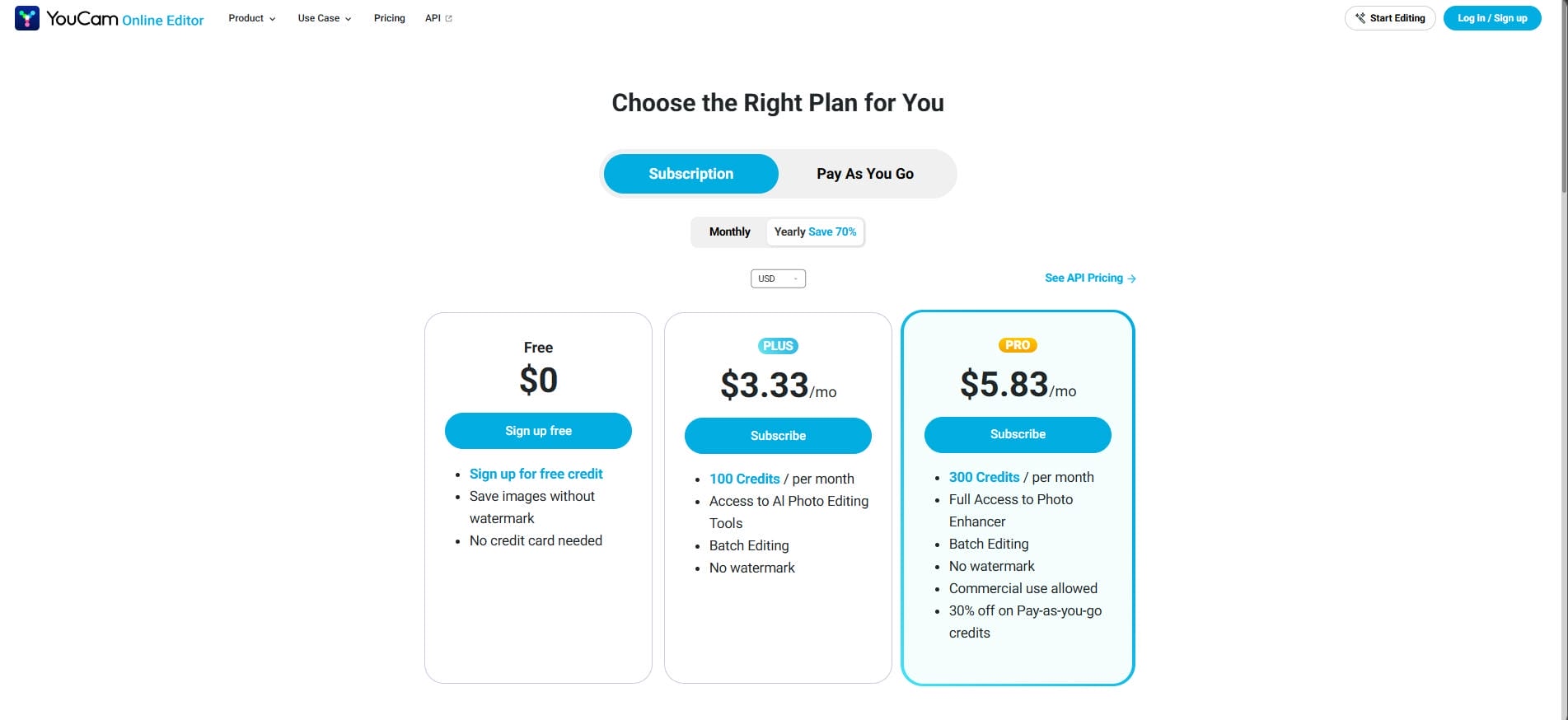
YouCam offers a straightforward credit-based pricing structure that caters to both casual users and creators who need additional editing and enhancement capabilities. The free plan is suitable for testing the platform, while the paid plans provide more credits and access to advanced AI tools.
|
Plan |
Price |
Monthly Credits |
Key Features |
|---|---|---|---|
|
Free |
$0/month |
Free starter credits |
Sign-up credits, watermark-free image downloads, no credit card required |
|
Plus |
$3.33/month |
100 credits |
AI photo editing tools, batch editing, watermark-free exports |
|
Pro |
$5.83/month |
300 credits |
Full Photo Enhancer access, batch editing, watermark-free exports, 30% discount on pay-as-you-go credits |
5 Best Use Cases for YouCam Video AI
Not every AI video tool serves the same audience. YouCam Video AI tends to work best when the goal is quick visual content rather than highly customized commercial production.
-
Social media content creation: Turn static images into short animated clips to increase engagement in feeds with minimal editing. You can easily apply viral, one-tap motion presets like "AI Hug" or "AI Kiss" to inject immediate emotional movement into your standard posts.
-
AI-powered selfie and portrait animation: Convert selfies into moving profile images or personalized messages with high-quality results. The app utilizes advanced real-time tracking to overlay realistic virtual makeup, smooth blemishes, and sharpen facial contours cleanly while you speak without flickering or warping features.
-
Influencer marketing content: Add movement and visual effects to standard photos to maintain a fresh aesthetic and fast production workflow. Its upgraded "AI Auto Clip" tool lets you turn raw photos directly into ready-to-publish lifestyle vlogs by handling the cutting, transitions, and automatic BGM overlay for you.
-
Creative storytelling and short-form videos: Animate travel photos and digital artwork into brief visual stories to add emotion and movement. Creators can leverage its unique "AI Video Expansion" feature to outpaint the borders of an image, seamlessly turning horizontal snapshots into vertical 9:16 background layouts for TikTok or YouTube Shorts.
-
Quick image-to-video projects for personal use: Easily transform family pictures or pet photos into fun, moving videos for casual sharing. The app features simple automated audio tools like voice-enhancing noise reduction, allowing you to quickly clean up grainy, muffled home videos and upscale older memories into high definition.
Pros and Cons
|
Pros |
Cons |
|---|---|
|
Easy for beginners to use |
Limited control over video motion |
|
Fast AI video generation |
Credit-based generation system |
|
Strong mobile app experience |
Less suitable for product marketing videos |
|
Multiple AI creative tools in one platform |
Shorter output lengths compared to dedicated AI video tools |
|
Good selection of animation effects |
Commercial use cases may require additional editing |
Community feedback
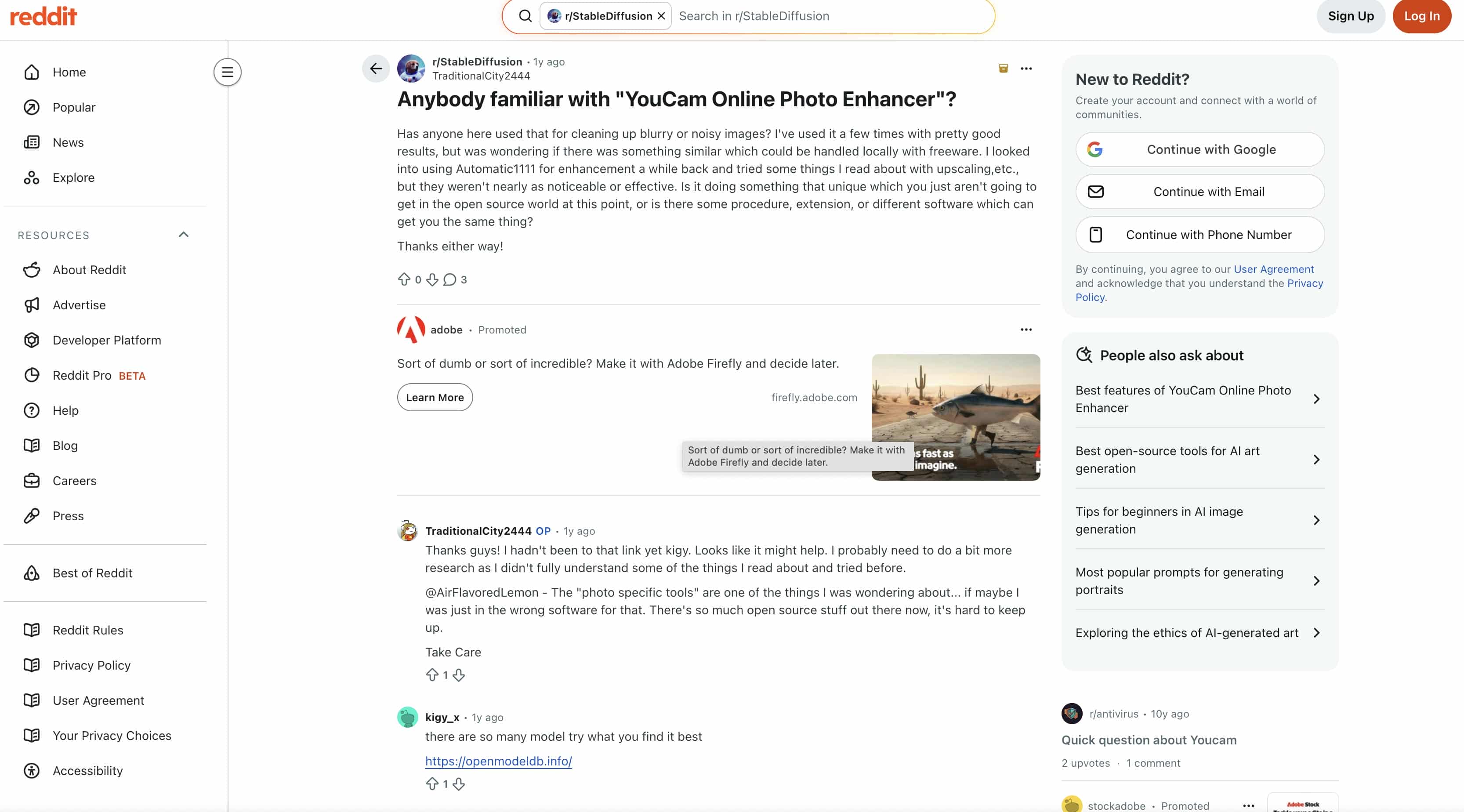
Discussions on Reddit, one of the mainstream UGC forums, suggest that users appreciate YouCam for its ease of use and quick results. Many highlight its ability to enhance images with minimal effort, while some advanced users express interest in tools that offer greater customization. Overall, YouCam is often viewed as a convenient option for creators who want fast, beginner-friendly AI editing.
While YouCam performs well for portrait animations, social media posts, and everyday creative projects, some users may eventually outgrow its feature set. Businesses, marketers, and ecommerce brands often need more control over product presentation, brand consistency, and large-scale content production. For these more demanding use cases, a dedicated AI video platform such as Vmake offers a more comprehensive solution.
Introducing Vmake Video Generator (The Professional Alternative)
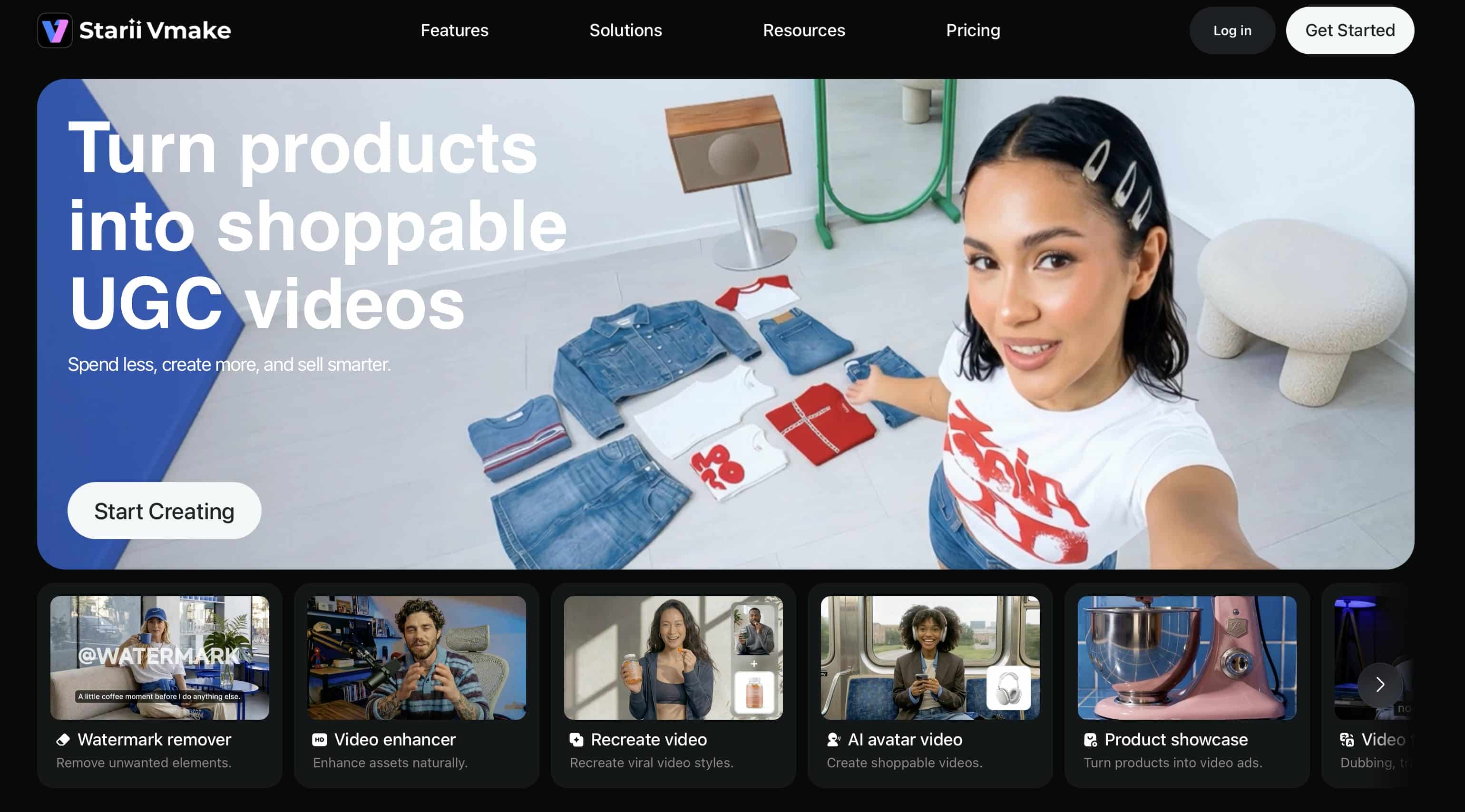
Vmake Video Generator helps creators transform product images, brand assets, and creative concepts into polished videos. Unlike tools centered on portrait animation, Vmake focuses on advertising, ecommerce, and promotional use cases, making it well-suited for showcasing products, launching new offerings, and creating engaging social media visuals.
Features of Vmake Video Generator
Vmake is for businesses that need more than just AI animations. It's not portraits and social content, it's tools for product marketing, e-commerce, and commercial video creation.” Some of the things that make it a good alternative to the YouCam AI Video Generator are:
-
AI product video generation for e-commerce: Vmake can create product video content from product photographs with realistic motion and scenery, making it particularly useful for e-commerce brands and online sellers.
-
High-resolution commercial-quality exports: The platform provides high-quality exports of videos suitable for product promotion, advertising campaigns, and other professional marketing content. Businesses can also use Vmake as a video enhancer and video upscaler to improve the quality of marketing assets.
-
AI-generated product backgrounds and scenes: Customers can place their products in AI-generated locations and lifestyle settings to create professional-grade visuals without the expense of costly photo shoots.
-
Multiple marketing-focused video templates: Vmake has templates for promotional films, product launches, seasonal campaigns, and social media ads, allowing firms to create content faster.
-
Consistent branding for business campaigns: With more control over visuals, the platform enables firms to maintain a consistent look and feel across multiple marketing videos. Brands can create stronger visual hooks while maintaining consistency across campaigns.
How to Use Vmake
Creating videos with Vmake is designed to be straightforward, even for users with little video editing experience. The platform guides you through the process while providing enough flexibility to create content for different marketing goals.
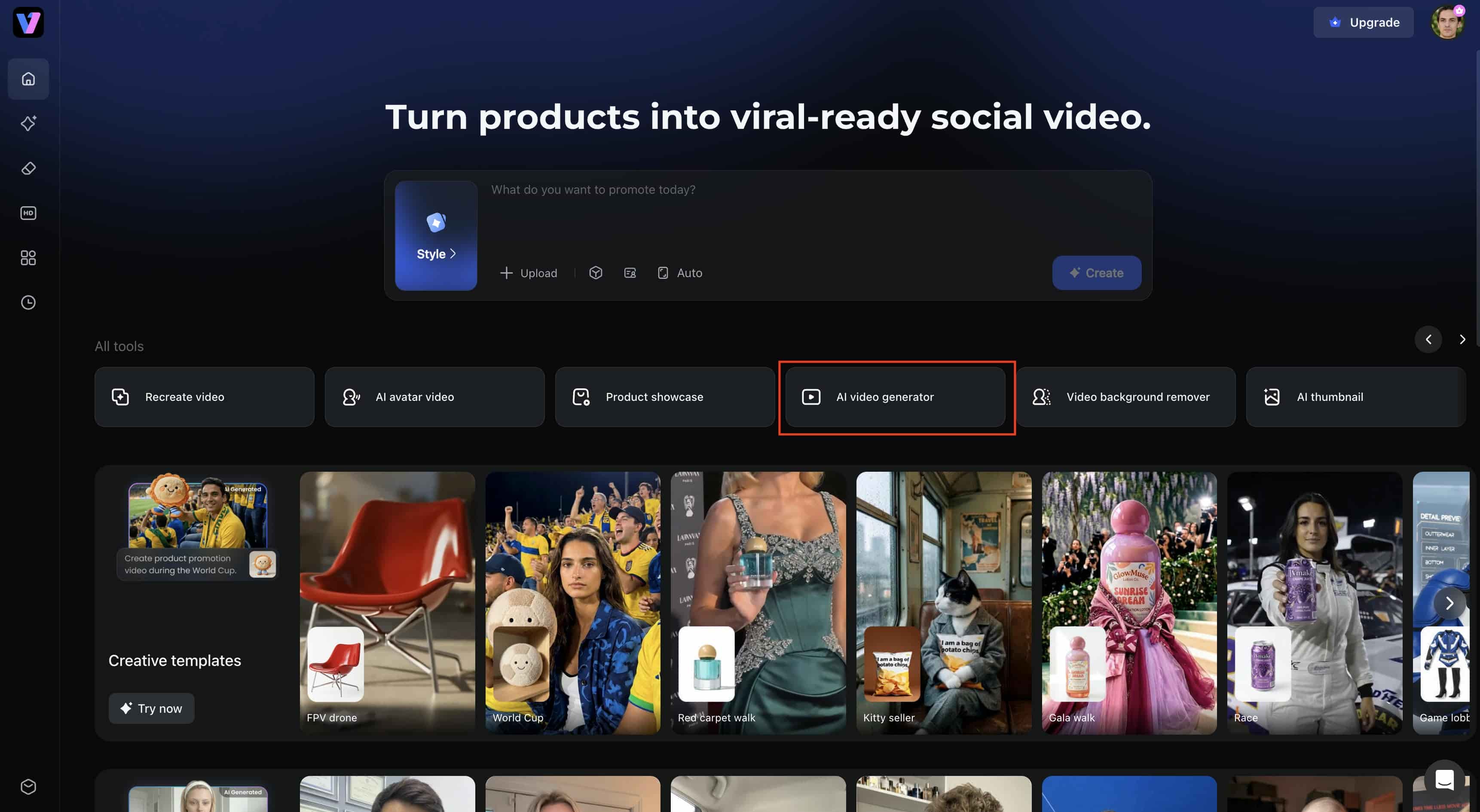
Step 1: Launch Vmake AI video generator
Open the Vmake platform and go to the AI video generation workspace. Then, you will be able to select the type of video you want to create and start uploading your content. The clean interface makes it easy to start without having to spend time learning complex editing tools.
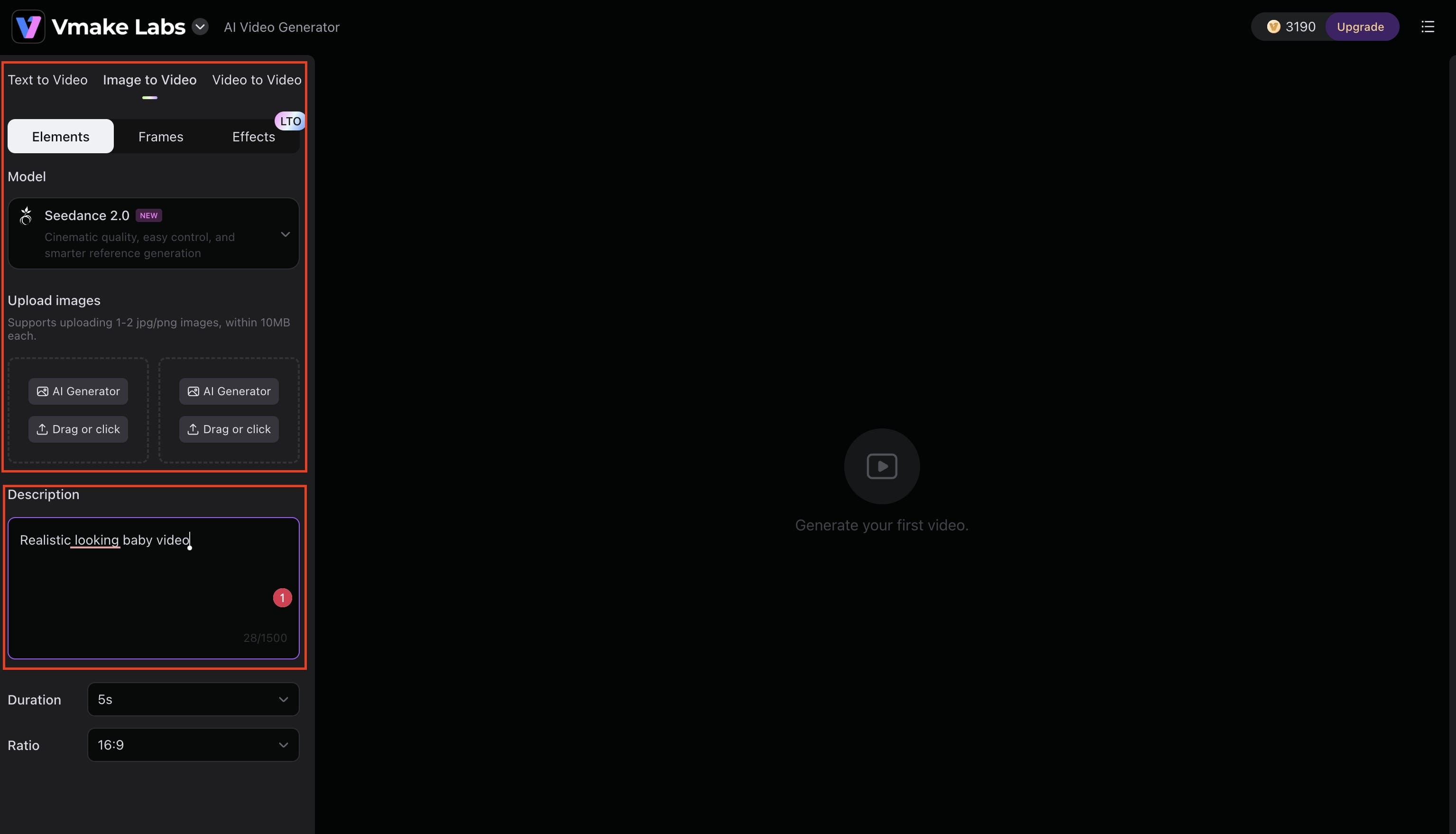
Step 2: Choose your generation mode and customize settings
Select an animation template or motion effect that fits the aesthetic you want. It will depend on the style you choose as to the type of movement you get. Subtle facial expressions to dramatic camera moves and artistic transitions. Just find something and the AI will analyze the image and generate a short video you can preview, download, and share.
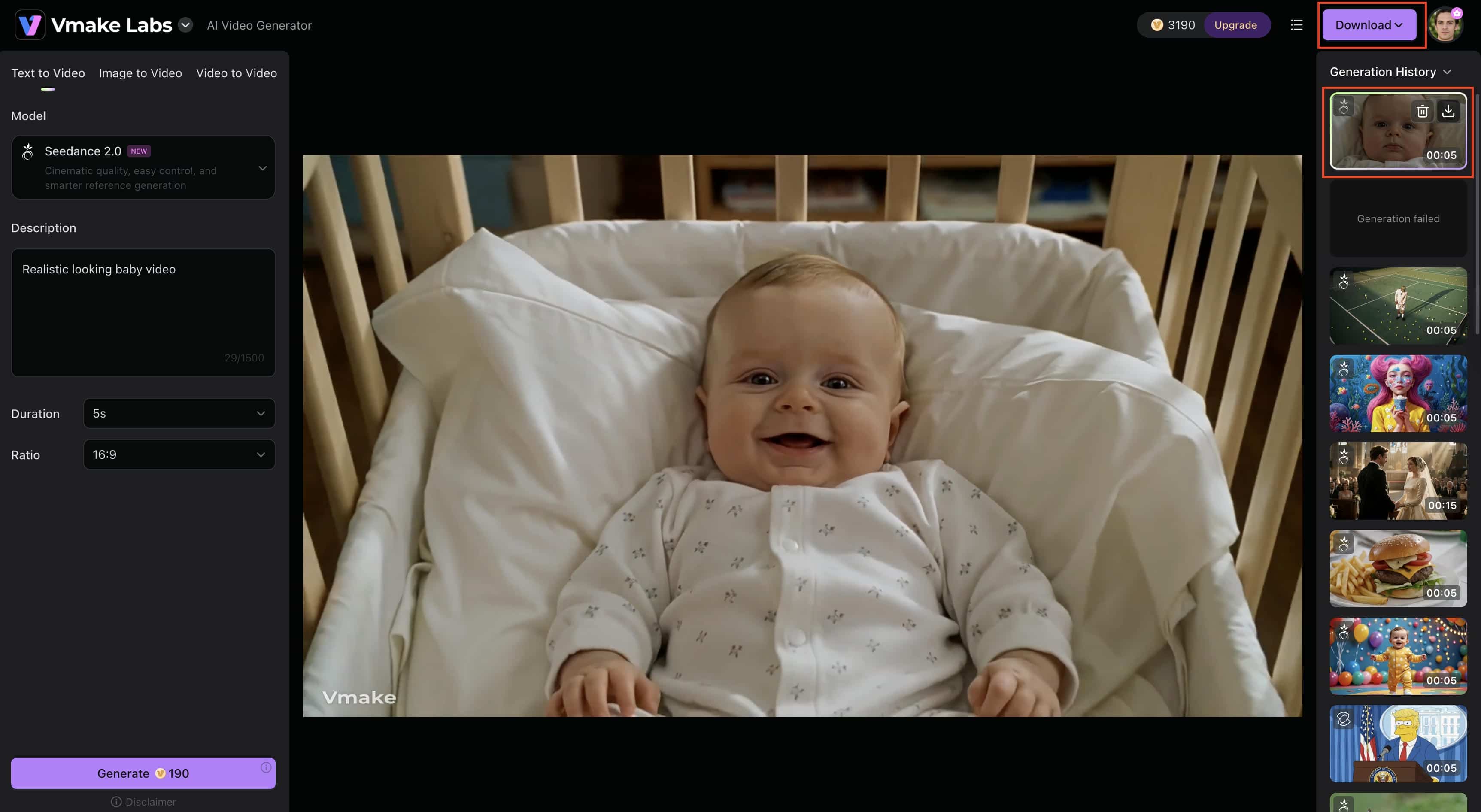
Step 3: Preview and export your AI video
Check the video output to ensure it is as expected. If needed, you can change and re-create scenes. You can also adjust the final result. When you're happy with the result, export your video in high-quality format and publish it on your website, social media, online store or advertising campaigns.
YouCam AI Video Generator vs Vmake - Key Differences
|
Feature |
YouCam AI Video Generator |
Vmake Video Generator |
|---|---|---|
|
AI image-to-video |
Yes |
Yes |
|
AI product video generation |
Limited |
Advanced |
|
Commercial use |
Basic |
Business-focused |
|
Video quality |
Good for social content |
High-quality commercial output |
|
Background generation |
Limited |
Advanced AI scene creation |
|
Branding controls |
Basic |
More extensive customization |
|
Ease of use |
Beginner-friendly |
Beginner-friendly |
|
Pricing value |
Better for casual users |
Better for businesses |
|
E-commerce support |
Minimal |
Strong e-commerce focus |
Both platforms can turn AI images into video, though they're built for different purposes. YouCam AI Video Generator is all about portrait animations, social media videos & casual creative projects. If you need professional-quality videos to scale your business, Vmake might be a better fit as it puts more emphasis on product marketing, branding, and e-commerce content.
Conclusion
YouCam AI Video Generator remains popular among casual creators thanks to its simple workflow, portrait animation features, and mobile-friendly experience. However, it is less suited for commercial projects and large-scale marketing campaigns. For businesses, marketers, and ecommerce brands, Vmake offers more advanced video creation capabilities, stronger branding tools, and features designed for professional-grade content production.
FAQs
Is YouCam AI Video Generator online free?
Yes, YouCam AI Video Generator has a free plan that allows users to create AI-generated videos with some limitations. If you require more advanced tools for video creation and commercial-oriented outputs, Vmake has more features for professional content creation.
How does YouCam AI image-to-video work?
YouCam AI image-to-video can make a still image into a short animated video with AI-generated motion effects and templates. It's a simple process, similar to Vmake; upload an image, choose a style, and the AI generates the video by itself.
Can I use YouCam video AI for commercial projects?
The YouCam video AI can be used for some commercial projects, depending on the licensing terms of the platform. However, Vmake may be better for the commercial video production needs of businesses producing product promotions, advertisements, and e-commerce content.
What are the limitations of the free version?
The free version usually has limited AI credits, restrictions on the number of generations, and limited access to premium features. Platforms like Vmake that offer more robust commercial workflows can be helpful for businesses and creators who are constantly creating and need scalable content production.
Why choose Vmake over YouCam AI Video Generator?
Vmake is built for product marketing, e-commerce, and business video creation. Besides AI image-to-video generation, it also provides AI product videos, AI-generated product scenes, branding support, and commercial-quality exports that enable businesses to create marketing content more efficiently.

You May Be Interested

AI TikTok Video Generator | Create High-Quality AI Videos

Best AI Video Generator: Top Tools Tested (2026)
Viggle AI Video Generator Review & Top 2026 Alternatives
Trump AI Video Generator: 3 Best Tools to Create AI Videos
Nero AI Review 2026 Explained: Is the Tool Worth Using?
2026 Fotor Video Enhancer Review: Features and Top Alternatives

Canva AI Video Generator Review: A Complete Hands-On Test
CapCut AI Video Generator Review: Features, Pricing & Alternatives