Viggle AI Video Generator: Complete Review and 2026 Alternatives
 Vmake Labs TeamMay 28, 2026
Producing consistent 3D character animation traditionally requires massive GPU power. You translate static reference images into fluid motion, and usually, geometry distorts. Finding a reliable Viggle AI video generator alternative bypasses these exact hardware limits. Modern creators need stable motion without heavy technical overhead.
What is the Viggle AI Video Generator?
The current market pushes hundreds of AI video tools, but most fail at character movement. Viggle approaches this differently by focusing on a very specific rendering pipeline.
Key features of Viggle AI Video Generator
-
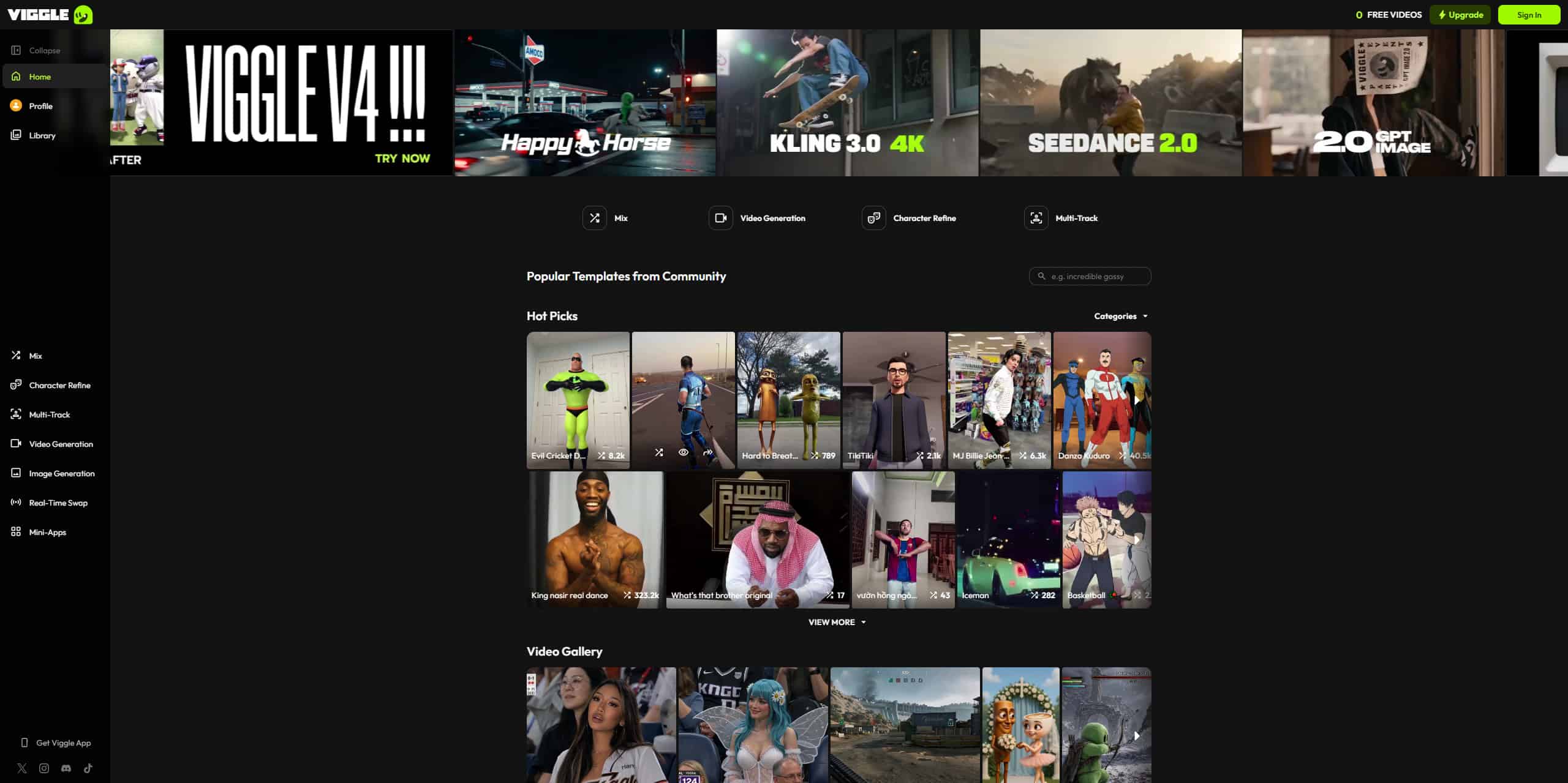
The JST-1 Foundation Model: Viggle operates on the proprietary JST-1 engine. This specific neural network focuses entirely on video-to-3D character animation rather than generating sweeping cinematic landscapes or highly detailed product shots. The engine takes a static image or a text prompt and forces that input into a predictable motion space, locking the skeletal structure to a designated path.
-
Extensive Asset Library & "Mix" Function: You don't have to rely purely on text prompts. The platform features an asset library with over 8,000 motion templates. Its most popular utility is the "Mix" function. This feature maps a static image of your chosen character onto a pre-existing reference video. If you feed it a video of someone dancing, Mix forces your uploaded character to replicate that exact physical dance frame-by-frame.
-
Supported Rendering Styles: It handles various aesthetic outputs decently well. You can prompt realistic human movements, 2D and 3D anime variants, pixel art, or hyper-stylized chibi formats. The model adapts the physics engine slightly depending on the style you pick, giving a heavier weight to realistic humans and a bouncier framerate to anime styles.
-
Fragmented Platform Availability: You can access the tool via a dedicated Discord server, a web interface, or native iOS and Android apps. The Discord interface gets chaotic quickly. Thousands of users generate prompts simultaneously, pushing your renders up the screen before you can review them. The web app offers a cleaner layout, but the underlying model still has genuine limits. AI can only hallucinate so much before the math breaks down. If you push the physics engine with conflicting prompts, the character models often tear or melt into the background.
Pricing of Viggle AI Video Generator
|
Plan |
Annual Pricing (Billed Yearly) |
Monthly Pricing |
Core Monthly Credits |
|---|---|---|---|
|
Free |
$0.00 |
$0.00 |
5 free daily video generations |
|
Starter (Pro) |
$7.99 / mo |
$9.99 / mo |
80 credits/month |
|
Live |
$15.99 / mo |
$19.99 / mo |
200 credits/month |
|
Power (Max) |
$63.99 / mo (approx.) |
$79.99 / mo |
800 credits/month |
Why Viggle AI Wins: Current Character Animation Bottlenecks
Before looking at solutions, you have to understand why making digital characters move is fundamentally difficult.
-
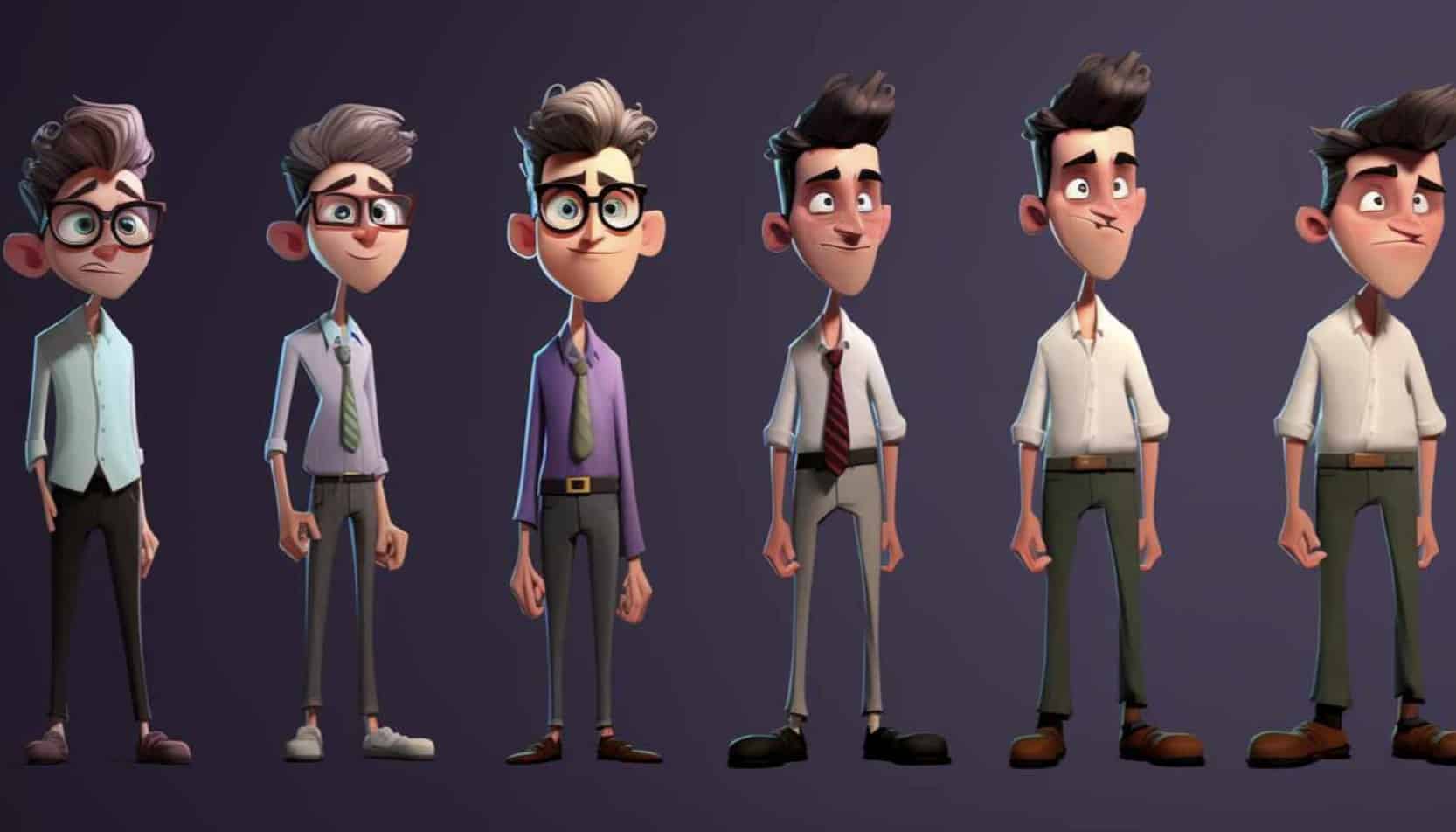
Breaking Spatial Coherence: Translating 2D static images into 3D motion spaces mathematically breaks spatial coherence. When you feed a flat image into an algorithm, the engine has to guess the Z-depth. It doesn't actually know how far a character's arm is from their torso. It just estimates based on training data. When it guesses wrong, the character's arm merges into their chest.
-
Temporal Consistency Failures: Maintaining temporal consistency across multiple frames causes severe limb distortion and texture flickering. Standard AI essentially forgets what your character looked like twenty frames ago. It redraws the asset slightly differently every fraction of a second. That constant redrawing causes the ugly visual noise you see in early-stage AI video.
-
Limitations in Cinematic Control: Standard generative models lack advanced camera angle adjustments. You can't easily execute a complex tracking shot or a slow pan around a moving subject. They also output extremely short clip durations. Generating a two-second clip of a character walking doesn't help you build long-form storytelling.
-
Prompt Intent vs. Engine Output: Creators spend excessive hours trying to match their exact text intent with what the algorithm's physics engine actually decides to output. You might type "slow walk," but the AI interprets the momentum differently and outputs a strange jog. Guesswork dominates the entire process, wasting your daily computer credits.
Comparing the Best Viggle AI Alternatives in 2026
The current market offers distinct generative models tailored to totally different output requirements. Evaluating these platforms requires looking beyond basic text-to-video features. You have to actively assess their spatial tracking, hardware demands, and actual commercial viability. We recently noted similar technical divides in our wink video enhancer review. Different engines solve different structural problems.
The breakdown below highlights the top tools currently dominating the AI animation space.
|
Platform |
Key Features |
Best Use Cases |
Pricing (Monthly/Annual) |
Free Plan Details |
|---|---|---|---|---|
|
Viggle AI (Web/App) |
JST-1 Model, Discord integration, Mix/Animate features |
Viral memes, basic character dancing |
$9.99 / $69.99 |
10 free videos daily, capped at 60s length and 720p resolution |
|
Vmake AI Video Generator |
High-fidelity rendering, advanced motion stability, batch processing |
Professional marketing assets, scalable UGC |
$9.99 / $69.99 |
Free trial available, restricted output |
|
Luma Dream Machine |
Fast generation, cinematic camera control |
B-roll generation, environment rendering |
$30 / $250 |
30 generations per month |
|
Runway Gen-3 |
Precise temporal consistency, advanced masking |
Studio-grade VFX, commercial production |
$15.00 / $144 |
Very limited trial credits |
Relying on fragmented toolkits or manually keyframing complex motion vectors drains production budgets and severely limits your publishing volume. To scale content operations effectively, creators must move away from hardware-heavy, manual rendering techniques. Modern generative engines bypass these outdated systems entirely, replacing tedious node-based workflows with automated, high-fidelity processing that maintains strict anatomical accuracy across every frame.
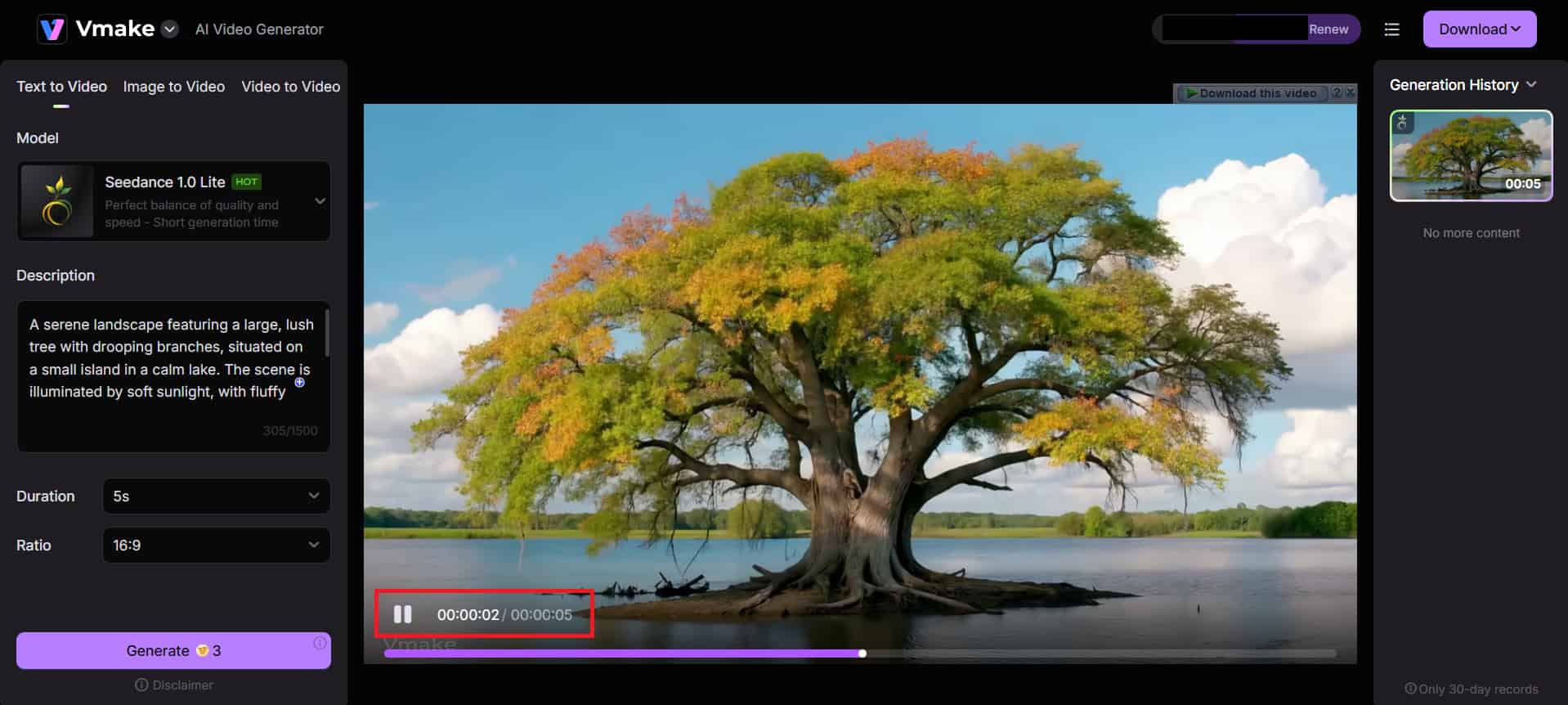
Scaling Production Workflows via Vmake AI Video Generator
When you leave the casual meme space and enter commercial production, the requirements shift heavily. You need infrastructure that doesn't collapse under complex render loads. Vmake AI targets the exact friction points that break smaller models.
-
Advanced Motion Coherence: The engine maintains strict anatomical parameters. It locks joint locations mathematically to prevent severe limb distortion during complex character movements. Your character won't suddenly grow a third arm during a fast camera pan. The skeletal tracking stays rigid and predictable.
-
Predictable Render Outputs: Vmake reduces prompt-engineering friction. It maps your text inputs accurately to standardized physics models. You don't have to type fifty negative prompts just to get a character to walk in a straight line. The internal physics engine interprets standard directional commands properly the first time.
-
High-Volume Processing: Commercial pipelines require bulk rendering. Vmake handles rapid, consecutive generations without crashing your browser or degrading output quality over time. If you run a high-output social channel, you need tools like a batch video upscaling tool connected directly to your generator. Generating scalable ugc video demands this exact level of server stability.
-
Format Optimization Without Loss: The platform automatically sizes and scales your outputs for specific platform requirements. You can shift from a vertical 9:16 mobile export to a horizontal 16:9 desktop format without losing subject focus or dropping resolution. It recalculates the framing automatically.
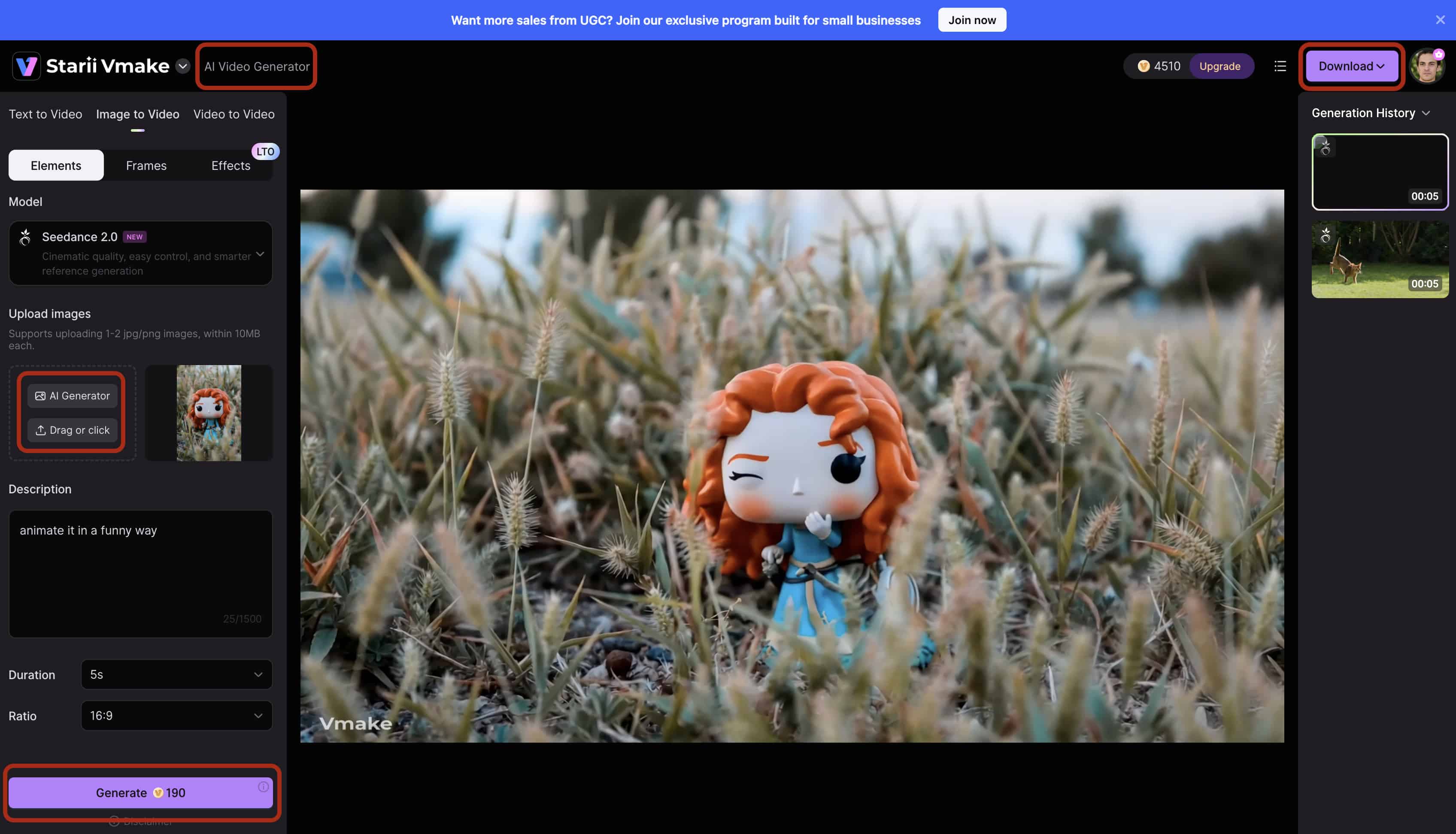
Step-by-Step Guide: How to Generate Video with Vmake AI
Getting started doesn't require a background in node-based compositing. The dashboard keeps the technical variables hidden in the background so you can focus on the output.
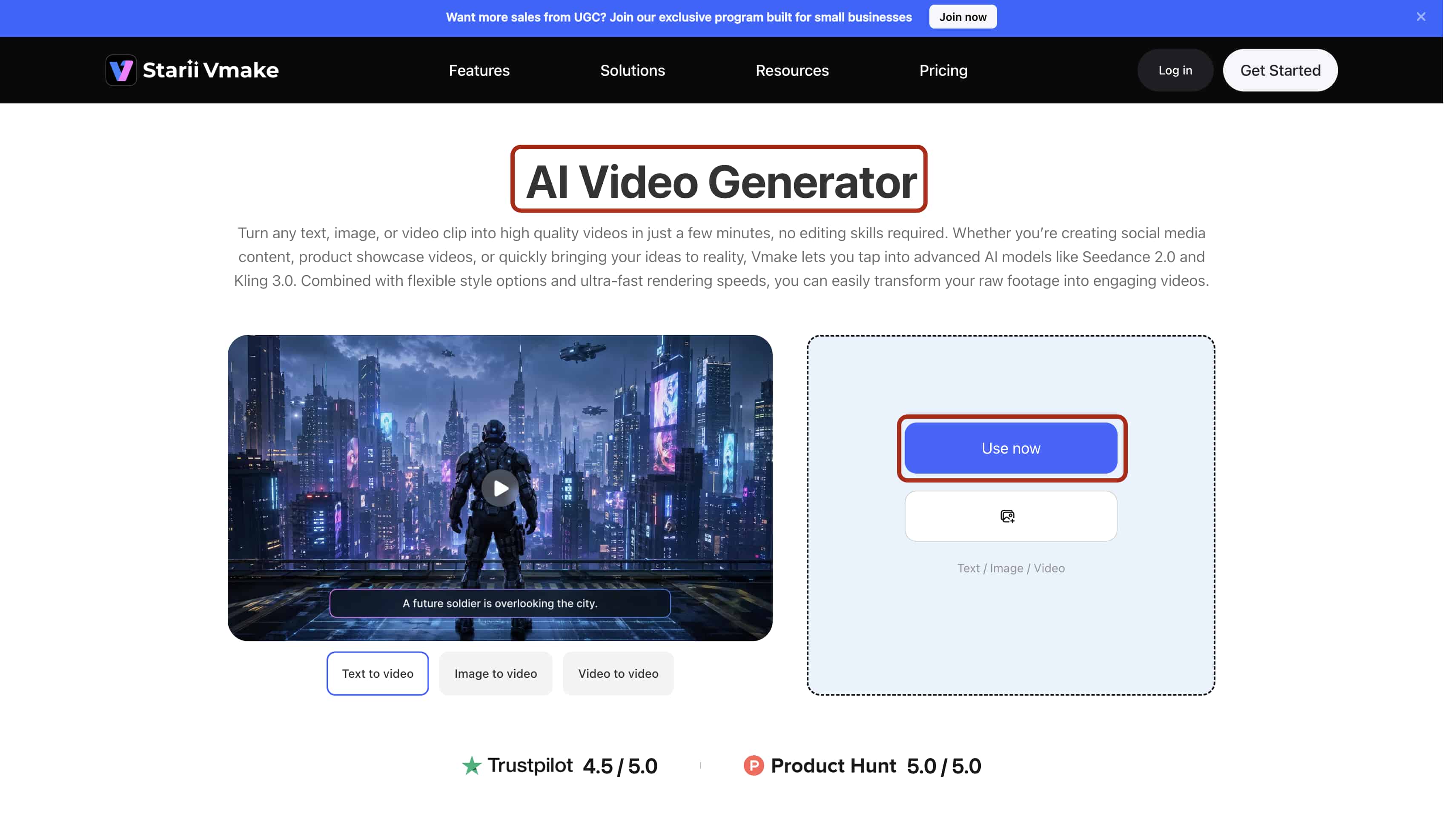
Step 1: Upload and Input theReference Image/Video
Input your base character image or a reference video directly into the platform workspace. Ensure you use high-contrast, front-facing assets with clear subject isolation. Providing the engine with flat, blurry photos corrupts the initial depth data, leading to instant render failures and distorted geometry.
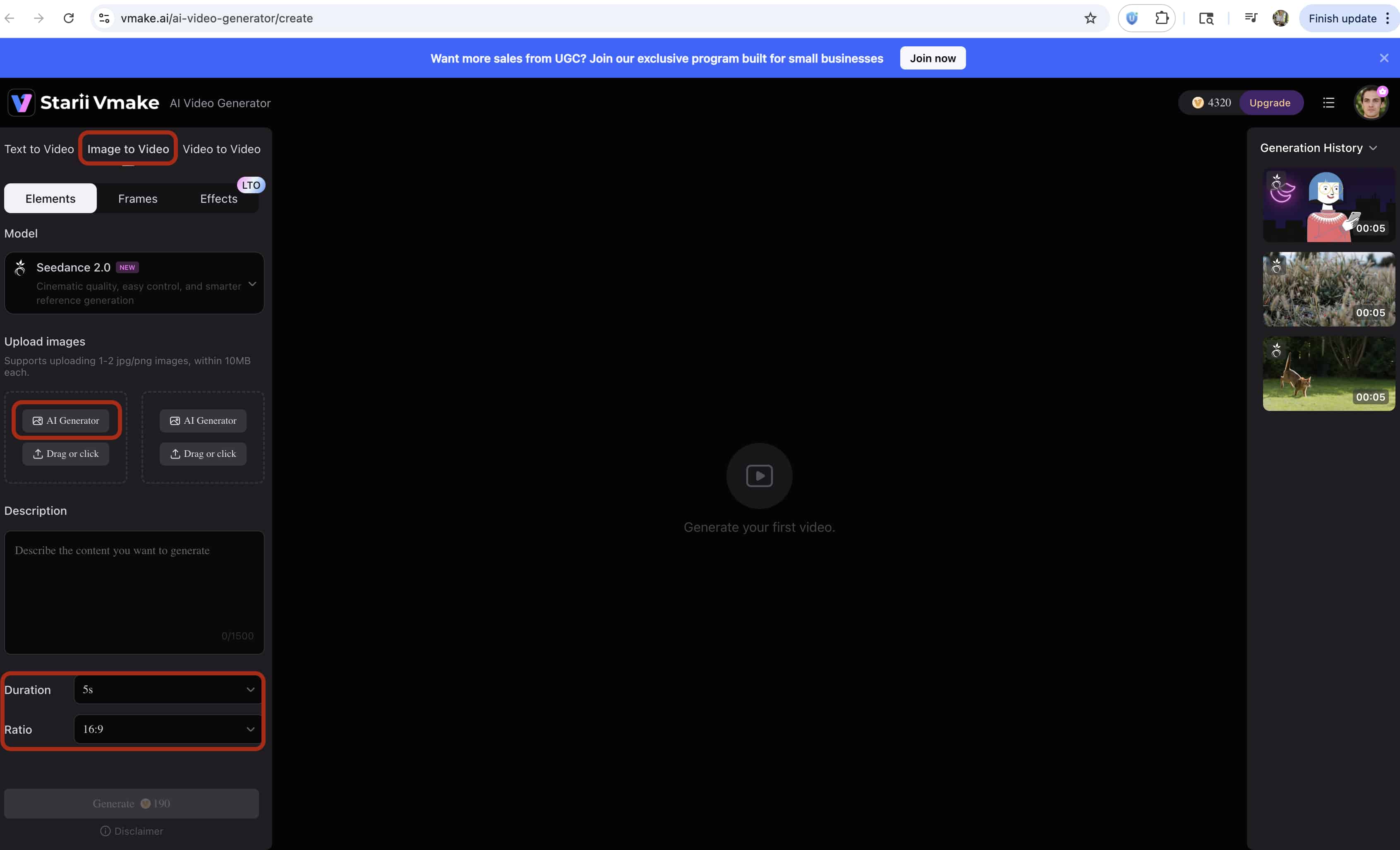
Step 2: Select Parameters and Prompt
Define your specific motion parameters, enter your explicit text prompts, and lock in your target aspect ratio (16:9, 9:16). Instead of typing vague ideas, use strict directional and weight-based commands — such as "heavy, slow walk forward"— to accurately guide the physics engine and dictate the exact movement vector.
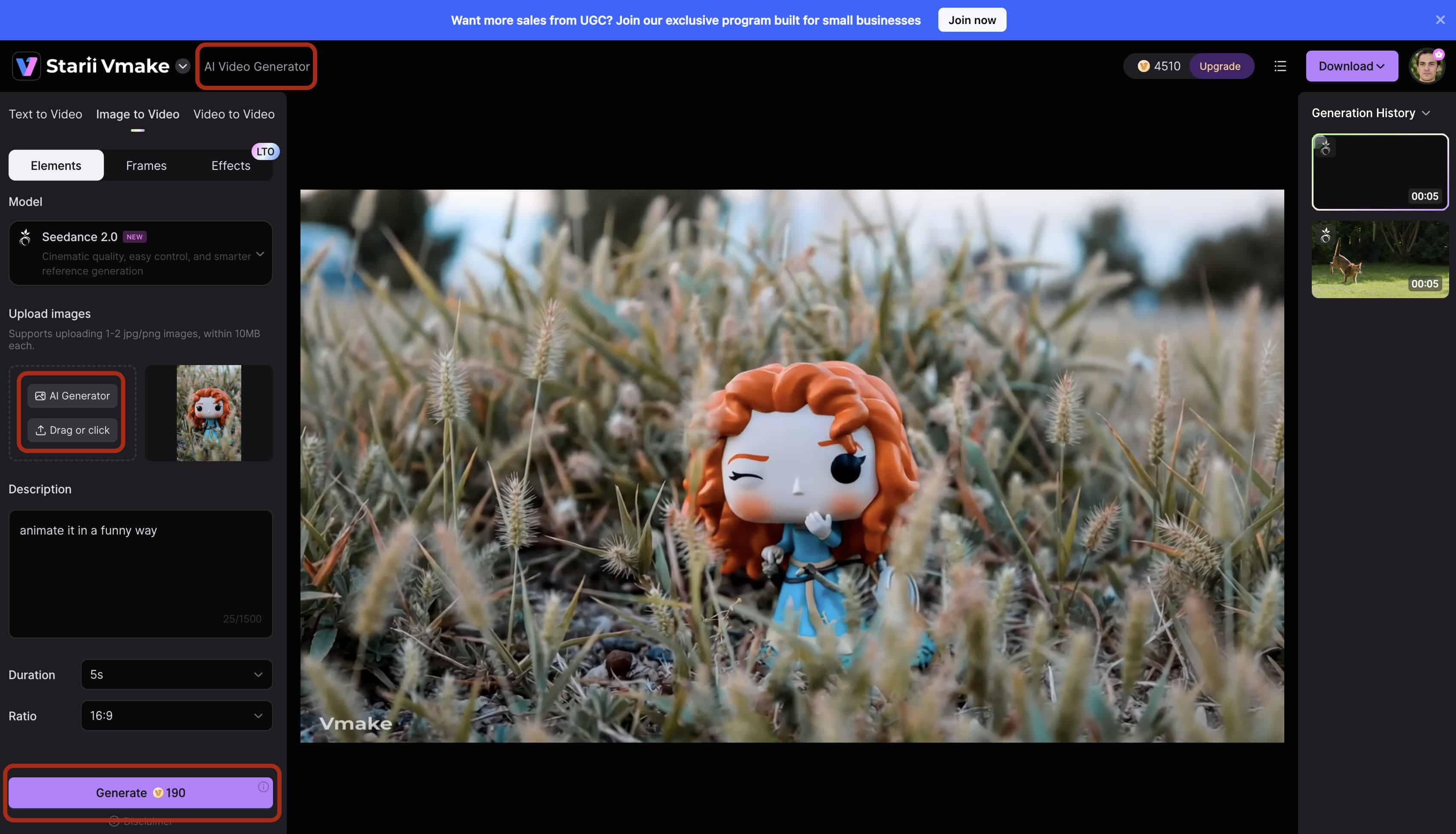
Step 3: Render and Preview Proxies
Analyze the initial low-resolution proxy generated by the platform to verify spatial accuracy and track the basic movement path. This crucial step prevents wasted computing credits by allowing you to catch tracking errors and adjust your parameters before committing to a heavy, full-resolution render.
Step 4: Export High-Resolution Output
Once the motion proxy is approved, initiate the final render process. After the engine finalizes the physical textures, lighting, and upscaling, download the completed MP4 directly to your local drive for immediate multi-channel distribution or seamless import into your post-production timeline.
Expert Workflows for Coherent Motion
Software fixes a lot. Good production habits fix the rest. If you feed an AI engine bad input data, you get visual distortion in return. You have to control the variables before you hit the generate button.
-
Isolate Your Subjects Before Processing: Never upload a character standing in a cluttered environment. Background noise confuses spatial algorithms. The AI will often interpret a tree branch or a busy wall pattern as part of the moving geometry. Provide the AI with a clean, high-contrast character asset on a completely neutral background. This forces the engine to track only the subject. You see this exact isolation technique used constantly when building ai creative ads for media buying campaigns. Keep the math simple for the machine.
-
Utilize Explicit Physics Descriptors: Generic prompts ruin temporal consistency. Don't type "character walking." That leaves too much physics interpretation up to the engine, and it will guess the character's weight, gravity, and momentum poorly. Use strict directional and weight-based commands instead. Prompt a "heavy, sluggish walk forward with hunched shoulders." Tell the generation model exactly how the mass should shift. Dictating the physics limits the AI's ability to hallucinate random, unwanted movements.
-
Post-Process for Final Delivery: No generative model spits out perfect final files every single time. Micro-stutters happen, and native resolution limits exist on the base generations. Pass the initial generation through a dedicated frame interpolator to smooth out the playback pacing. Once the motion is perfectly fluid, run the file through standard upscaling tools to meet modern commercial resolution standards. Serving as a 4k to 16k converter, post-processing AI guarantees your generated assets won't look pixelated when viewed on larger desktop displays.
Conclusion
The transition from manual 3D keyframing to generative AI animation completely changes how creators manage production schedules. You no longer need thousands of dollars in graphics cards just to see a character move.
The tool you pick depends entirely on your daily operational requirements. If you just want to swap faces onto viral dances and post memes in Discord servers, Viggle does the job quickly. When you require absolute spatial consistency, batch processing, and assets that can actually hold up in a professional marketing campaign, you need to step up your infrastructure. High-retention content doesn't tolerate flickering limbs. Move your operations to Vmake AI when predictable, high-fidelity render outputs become mandatory for your workflow.
FAQs
Is Viggle AI safe to use?
While generally safe for casual use, uploading personal or sensitive photos raises standard data privacy concerns. Generated media and your uploaded base images may be utilized for future model training on their backend. It happens constantly in this industry. Creators handling proprietary IP, confidential brand assets, or client likenesses should carefully review the platform's data retention policies before uploading anything important.
Is there a reliable Viggle AI free alternative?
Many platforms offer free trials, but maintaining high-quality, unwatermarked output long-term requires paid software. Compute costs for rendering video restrict true, unlimited free models from existing in the current market.
How does Vmake AI compare to the Viggle AI tool?
While Viggle excels at rapid, casual meme generation on mobile, Vmake AI provides a robust, professional-grade infrastructure. It prioritizes strict spatial consistency and scalable workflows for commercial creators.
What is the best way to make a Viggle AI meme?
The most efficient method is using the platform's "Mix" feature to map a static image of a well-known character onto a reference video of a viral dance or movement.
Why does my AI-generated video have distorted limbs?
This occurs when the foundational model fails to track the physical boundaries of the character during complex movement. Providing clearer, front-facing source images significantly reduces this mathematical error.
What are the limitations of the Viggle AI free plan?
The free tier heavily restricts commercial viability by capping generations to low resolutions (720p) and applying mandatory watermarks to all exported files. For creators requiring unbranded, high-definition assets without strict daily quotas, transitioning to a professional batch-processing tool like Vmake AI is necessary.

You May Be Interested

5 Top Shoppable Video Generators for TikTokers in 2026
Seedance 2.0 vs Sora 2: Which AI Video Generator Wins in 2026?